Category: Popular Apps

Popular Apps

  • Best Android apps for Taxes Filing

    Best Android apps for Taxes Filing

    For most of them, filling their taxes is one of the toughest times they experience. A few of them may input their health insurance information and other W-2 details into a laptop or computer and enjoy a tax return. However, other tax filers may experience various difficulties such as difficult tax stuff, plenty of weird details, student loan interest, retirement interest, self-employment tax, and Schedule C.
    Best Android apps for Taxes Filing

    You can find numerous options to file your tax online and a few of them may prefer to utilize the available tax services such as H&R Block, TurboTax, and many more. However, there are numerous other tools to prepare their taxes like expense tracker, tax preparation methods, and many more. A huge variety of topics are available for reference. Many users utilize the Android apps to file their taxes online.

    Best Android Apps for Taxes Filing

    Find below a list of best Android apps available across the online platform for taxes filing:

    TurboTax SnapTax

    TurboTax is one of the best and most popular android apps for taxes filing that comes with a full suite to file your tax, estimate your cash refund, and also assist you to exactly track the cash refund to your bank account. This TurboTax SnapTax App is available for each device such as Kindle, iPhone, and Android. Within a few minutes, you can easily handle to straightforward your tax claim to file. You simply download the app (for free), snap a photo of your W-2, answer a few questions, and file from the app or online.
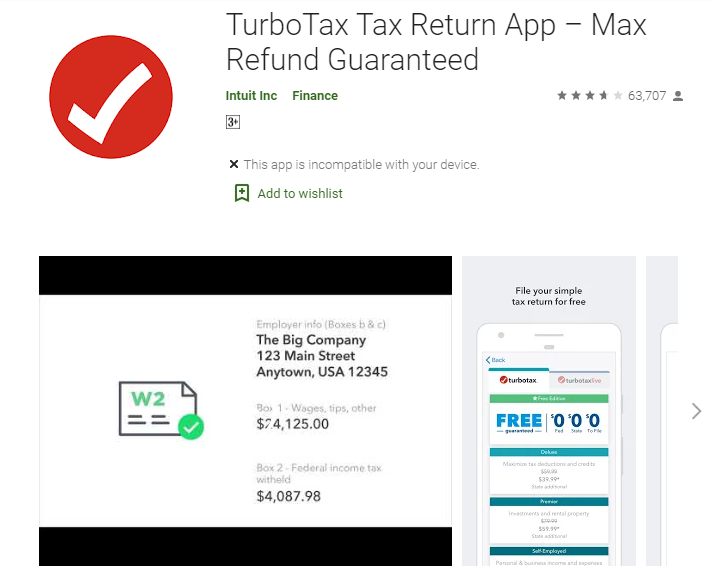
    Turbo Tax- Android app for Taxes Filing

    A tax filing may cost around $30 per file and it is not required to pay until you complete the file. It is an excellent app and does not utilize by everyone. In case, if you don’t have your own house, unemployment income, have only W-2 interest, and earn less than $100K then this Android app will work much better for you. If it is a more complicated situation then opt for other available options.

    H&R Block Tax Prep

    The best tax return Android app is referred to as H&R Block will offer tax preparation service for in-person. It allows the users to file their own taxes, or make use of the app to arrange an in-person meeting with the best tax preparer. Similar to the TurboTax, H&R Block Tax Prep gives you the option of taking a picture of your W-2. It can easily eradicate complicated forms or minor opportunities for mistakes.
    H&R Block Tax Prep

    You can even freely switch between working on your taxes on your phone and doing them on your computer or tablet. That makes it easy to get some work done on your taxes while you’re on the go. H&R Block Tax Prep App is available for Kindle Fire devices, Android, and iOS. You’re eligible for free tax filing if you have a simple tax situation, much like TurboTax’s requirements.

    MyTaxRefund

    MyTaxRefund answers the one big question taxpayers have once they’re through with their filing: “Where’s my refund?” Users will be able to see the status of both federal and state returns–whether they’re pending, accepted or rejected, as well as when they might be able to find that highly anticipated check in the mail. Plus, you don’t have to be a TurboTax customer to use the app.

    Mint

    Mint is an all-in-one budget and expenses app. You can log in with your bank accounts and various other accounts. This Android app will track your entire expenses, and showcase the budget & expenses in useful graphs.
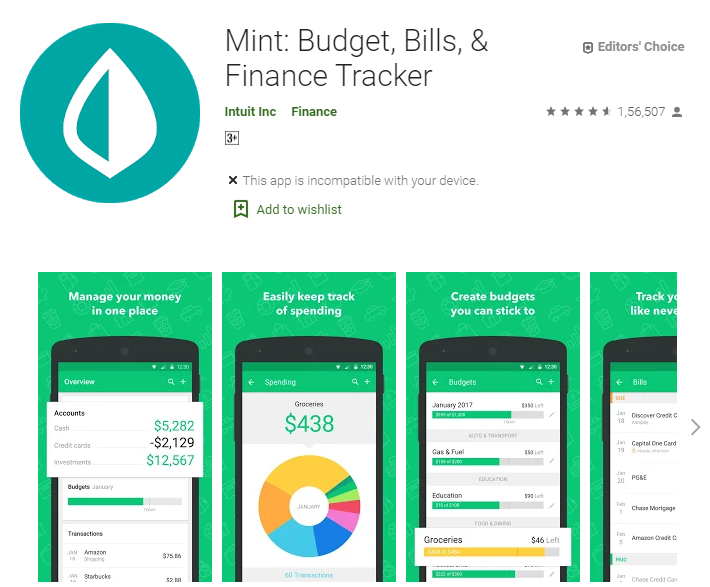
    Mint Budget, Bills, & Finance Tracker

    You can perform the usual stuff and check your balanced budget. It is also possible to track your tax receipts for essential purposes as well. This is one of the best Taxes filing apps to perform credit monitoring, expense tracking, and budgeting.

    DocVault & TaxACT Central

    Currently, TaxACT doesn’t offer an Android App for filing your taxes or claim. But, you can utilize the TaxACT Central App that comes with numerous features such as Calendar Due dates, interactive checklist, and many more to assist the users to organize their tax season through the website or not. Even the DocVault App from TaxACT is also much useful.

    Users can capture the images of any important or essential tax documents, upload them through the App, and if required they can also edit the documents. Hence, it is not required to search your office drawers during the tax filing time. Just upload the document images within TaxACT and your file will be ready within a few seconds. Both DocVault & TaxACT apps are available for Android & iOS devices free of cost.

    IRS2Go

    Of course, any round-up of tax apps would be remiss if it ignored the official mobile app of the IRS. This App is available for both iPhone & Android, allows the user to follow the IRS App through the Social media platform, can receive daily tips & tax updates, track your tax refund status, and request your tax records.
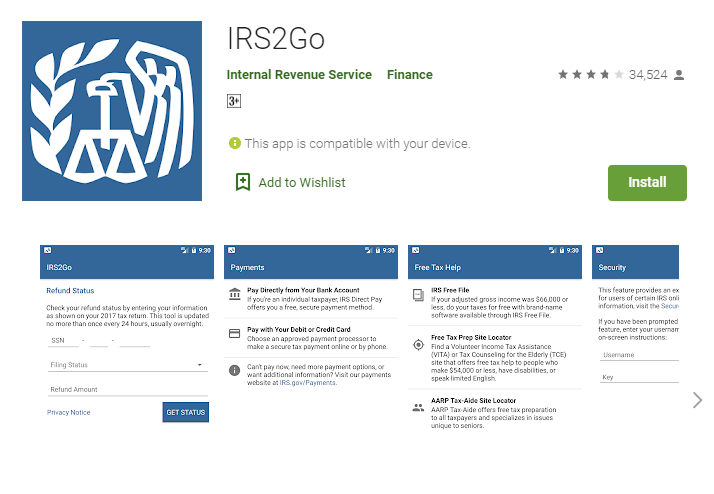
    IRS2Go Tax Filling Android app

    Within a few business working days, the users will receive an email to their registered email account. It is not required to get distracted by the IRS Tumblr or YouTube Channel, just enjoy accessing the apps and get tax filing.

    TaxSlayer

    TaxSlayer App is available for both Android and iOS devices. It helps the users to plan their taxes earlier and even allow them to start the tax-time budgeting. You can get an estimate of your taxes by entering your W-2 or just a copy of your paycheck. That means you can get started on your taxes early, long before you have all the forms you to actually file. TaxSlayer will use that information to gauge how much you’ll owe or be owed when you file your taxes.
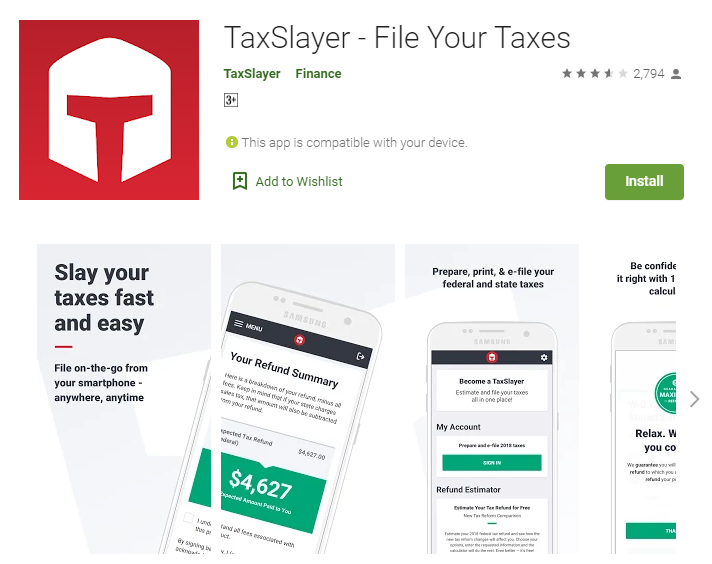
    TaxSlayer Android Apps for Taxes Filing

    It is also possible to start your savings early by identifying the big tax bill earlier and work on it. TaxSlayer will offer its software with 5 different options and comes with free of cost. If you just need to file a form 1040EZ, for simple tax situations, you can use TaxSlayer Simply Free. Military personnel is eligible for a 50% discount on the version of the software that they need.

    AskaCPA

    AskaCPA App will allow the users to get answers to their questions. This app is available for both Android and iPhone device and also get appropriate tax-related information from anyone a CPA directly. It is also possible to access the Q&A database from other users as well. The AskaCPA App will showcase the list of locally available accountants and seek their guidance.

  • Spotify Now Requires Location Data To Prevent Abuse Of Family Plan

    Spotify Now Requires Location Data To Prevent Abuse Of Family Plan


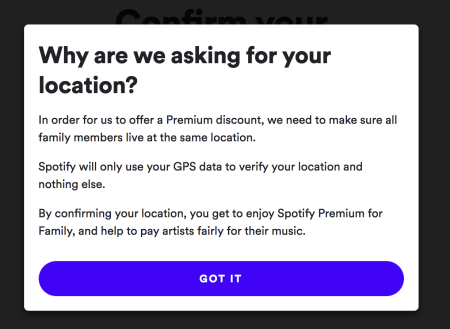
    Abuse of family plans is nothing new. Netflix is famous for that and so is the popular music streaming service – Spotify. The company recently tried to reduce the abuse of this family plan by making it necessary for the users to provide access to their location data. At a very nominal rate, Spotify Family Plan allows as many as 6 users to use one account. However, sharing with friends and family is nothing new when we are talking about a streaming service. While this may work out pretty well for us, Spotify is losing millions. The Spotify family plan is designed for families and flat-sharing residences. But many abuse the intention and it feels like it is going out of limits.  

    Spotify Family Plan
    Spotify Family Plan

    According to Spotify, all the users would be required to provide location access from time to time to ensure that there is no abuse of the family plan. The reason behind this is the fact that the family plan is based on a rule that all the users reside at the same address. By receiving location data from the same place, Spotify hopes to curb the problem. The company has already implemented this policy in the US. Users can accept the new terms within 30 days and continue using the streaming service or they can leave the platform. They are not playing around!

    Spotify’s Point of View

    Spotify supported their family plan policy. Many users were apprehensive of sending their location data due to privacy concerns. The company says that the data will only be to confirm the home addresses. It will be deleted immediately afterward. If the user wants to edit, they would be able to do so. If you want to protect yourself better, check out these tips. 

    The company’s statement reads as follows:

    “The location data that is collected during Premium Family account creation is only used by Spotify for that purpose. Once verification of a family member’s home address is completed, we do not store their location data or track their location at any time.”

    Spotify Location Policy
    Spotify Location Policy

    Is this a good idea?

    If you share a family plan with 5 of your friends, it would probably come to a couple of dollars per person! While it sounds awesome, we should also think about the artists who work hard to bring you the music that you chill to. This is their livelihood and we don’t give them their due at all. Lots of people listen to podcasts, in fact, millions of us. However, all the revenue behind that is not reaching those who are giving us the service.

    While celebrity artists might not face any issue over this, lesser-known artists are definitely struggling. To stop sharing and give them their due, click here to download Spotify and get started.

    Conclusion

    While this location sharing requirement is likely to exasperate Spotify users, it does feel like a good decision. This is because all the artists will now finally receive their reward. One major drawback to this idea is the potential lack of privacy breaches. 

  • How to View, Edit, and Remove Location and Other EXIF Data From Your Photos

    How to View, Edit, and Remove Location and Other EXIF Data From Your Photos

    EXIF or Exchangeable Image Format is basically a group of data that is linked with every image you capture. Most smartphones add details like the shutter speed, the location, the mode in which the image was taken, the ISO, aperture data, and more. Now, this all seems great. But, there is still a pretty large problem looming here. When you put that cute photo up online, it could reveal your location. While popular social media platforms like Twitter, Facebook, and Instagram remove this data when you upload photos, other sharing options like Dropbox or Google Drive don’t. This is why you need to learn how you can view, edit, and remove a location and other EXIF data from your photos. 

    How to view, edit, and remove EXIF Data on Android

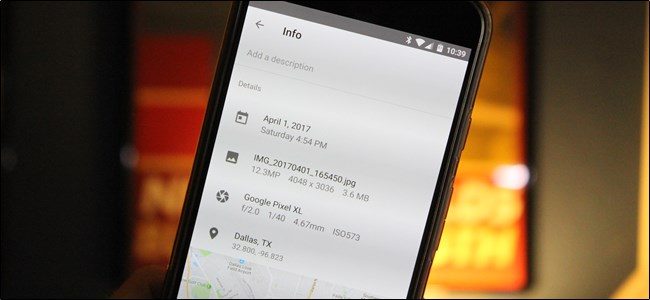
    First, open Google Photos on your phone and open the photo for which you want to remove the EXIF data. Tapping on the i icon will give you all the EXIF data related to the image. If you want to remove the data, you will require the services of a third-party EXIF app, such as EXIF Eraser. Download and install the application. Open the EXIF Eraser app, choose the picture, and tap on ‘Remove EXIF’. 

    Remove EXIF Data
    Remove EXIF Data

    If you don’t want to do this, you could simply disable the option and not have the location data saved as EXIF data. You can do this by opening up your camera app and turning off the Store location data. 

    How to view and edit EXIF Data on iPhone and iPad

    The images don’t store as much EXIF data on iOS, which comes as a bit of a surprise. Photo Investigator or Metadata Remover are good apps that could assist with viewing and removing EXIF data. Thanks to these apps, you can easily edit and remove the data. However, it is not free. You can try with Photo Investigator by opening up your gallery on the app. Choose the image and click on the icon below to see the EXIF data. To remove it, simply tap on Remove. However, this option will be presented only if you have paid for it. To know how you can set a custom name and profile pic, click here.

    Apps to Remove EXIF Data

    Let’s take a look at some of the most popular apps using which you can remove EXIF Data. 

    EXIF Purge: This handy app is great for removing EXIF metadata from multiple images simultaneously. With a single tap, you can get rid of any information you want. 

    EXIF Data Remover App
    EXIF Data Remover App

    ImageOptim: This is pretty cool since it offers drag and drop functionality, the ability to reduce the image size, and is available in multiple languages. It is also effective in removing EXIF data including the GPS position and the camera’s serial number.

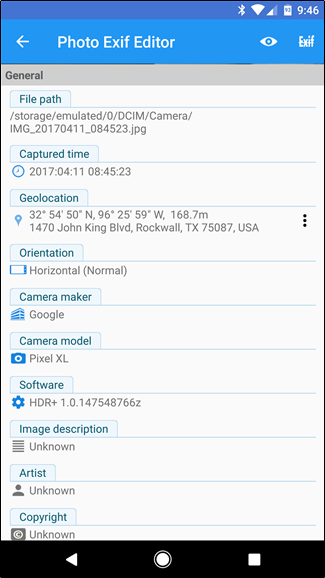
    Photo Exif Editor: The app lets the users view, make changes, and remove EXIF data on any image you want. You would also be able to change the location! Another feature is its ability to batch edit photos. 

  • How To Unzip Files On Android Devices – All Apps And Features

    How To Unzip Files On Android Devices – All Apps And Features

    ZIP files are a way of sending more than one file. It could be considered as a compact digital package. However, to send or receive it and look at it, you will require special software or app. You would first have to unzip the file on your Android device and only then would you be able to look at the content. In most cases, the apps are third-party so it should work on your Android device, regardless of its manufacturer.

    What Are ZIP Files Used For?

    Before looking at how you could efficiently unzip files on Android devices, you first should know what ZIP is used for and how is it useful. ZIP files basically bunch many files together under one folder, making it easier to share, send, or receive it. Manually downloading or sending files could be tiresome and end up messing up your careful organization. ZIP files are a far better solution. RAR files are a similar format. It might help to know that software or apps that can extract files from ZIP folders can also unzip RAR files. Usually, these apps send an alert or a notification when they are done, but if you do not want them, you can turn off the notifications.

    How to Unzip Files on Android

    Let’s take a closer look at the process. ZIP files generally need to be unzipped before it can be used. This refers to the extraction of all the files from the compressed folder. Did you know that thanks to a recent update, unzipping can be now done by Files by Google app? If this doesn’t work for you, you can always use the other equally efficient apps. For more, check out the apps here. We will also be discussing some popular ones in detail in the next section.

    Unzip Files On Android Devices
    Unzip Files On Android Devices

    To unzip using Files by Google, you will first have to install the same by visiting the Play Store. Previously, it was known as Files Go. If you have an old Android device which has not undergone any updates, you might still have it under the same name. It is advised that you update before following the process.

    The Process

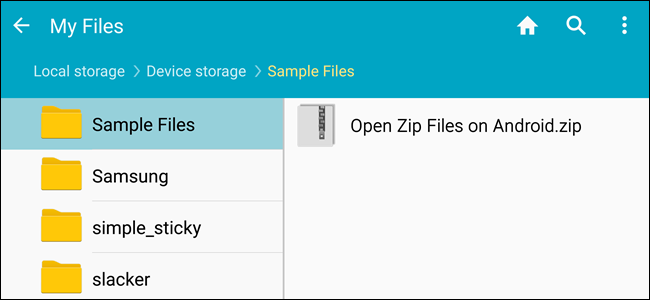
    Open ‘Files by Google’ and search for the ZIP file that you want to unzip. A hint: if the ZIP file you want to unzip was downloaded from your Gmail or another website, it could be there within the Downloads folder. It is quite easy to identify a ZIP folder since they always come with the .zip extension.

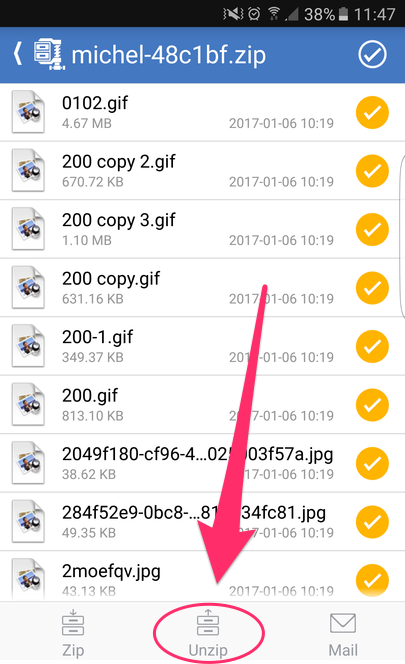
    Click on the file and you will see the various files present within the compressed folder. Tap ‘Extract’ to unzip these files. Once the process is done, you will see the list of unzipped files. Click on Done. You will find these files on the same location as the original ZIP file.

    Apps to Unzip Files on Android

    Let’s take a look at some of the popular Android apps. Some of these are file managers having built-in unzipping function, making it easier for you to do multiple tasks with just one app. They work in a manner similar to Files by Google.

    WinZip

    WinZip is a popular software and known by most of us. It is now available for Android as well. The WinZip app supports all the commonly used types of archive files. The best thing about it is that there is support for Dropbox and Google Drive. Once WinZip added this support, many others started duplicating it as well. The design is neat and clean with the user interface being pretty friendly. While it offers the basic functionality and does its job quite well, the others on this list seem to have more to offer.

    Unzip Files On Android
    Unzip Files On Android
    B1 Archiver

    B1 Archiver is a popular software used for unzipping or zipping up different archive files. While it offers support for ZIP and RAR, the most common types, the app also offers support for other 37 formats! If you work with uncommon archive formats, this is an excellent platform to use. Besides this, it also has support for multi-part RAR. With reliable functionality and a user-friendly design, this is a good option to consider. While it is free to use, if you want access to some of the more advanced features, you will have to pay a small fee for it. This will also stop the adverts.

    RAR

    RAR is a product from RARLAB. This was designed by the same people who created WinRAR. Considering their expertise, it only stands to reason that the app will offer support to different file types and contain more features. As guessed correctly, RAR for Android offers support for ZIP, RAR, 7z, TAR, and many more. You can also secure your files using the many options available, such as encryption or password. With RAR for Android, you can also repair damaged archives. In addition to this, you would also be able to compare the archives against benchmarks.

    ZArchiver

    This is a completely free tool and has been an Android staple for many years now. With easy user interface and controls, it is quite popular with its users. Since it supports many file types, it offers a good enough experience as well. There are also options for password protection, encryption, split archives, and more. While it does not have any fancy features or a stunning interface, it does its job efficiently and that is what we are concerned with.

    MiXplorer Silver

    Coming to the last app on our list – MiXplorer Silver. This file manager app offers basic archiving functions. If you are working only with basic file types, such as ZIP or RAR, this should suit your purpose quite well. Besides ZIP and RAR, it supports over two dozen file types. The major benefit here is that it also offers its services as a file manager in addition to its archival abilities. With all it offers, it doesn’t come for free. The price is slightly on the higher side, however, for the quality and the number of features it has, it is well worth it. MiXplorer Silver is also reliable and efficient, making it a good investment.