Category: Phones

  • Google Pixel 3A Review – An Ideal Google Phone for Everyone

    Google Pixel 3A Review – An Ideal Google Phone for Everyone

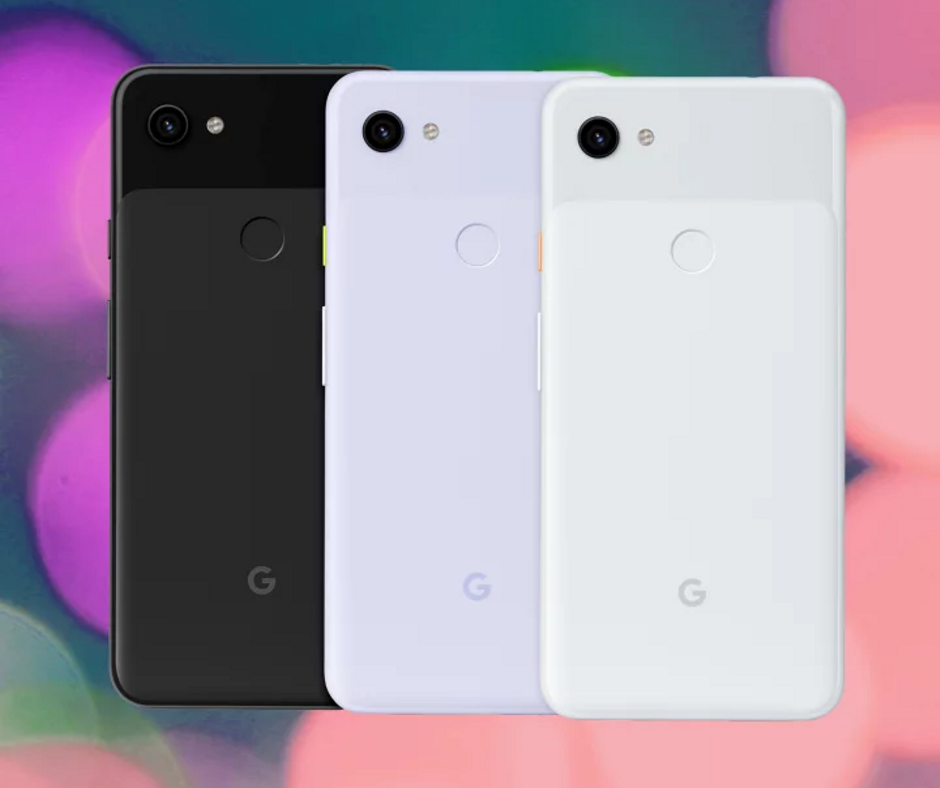
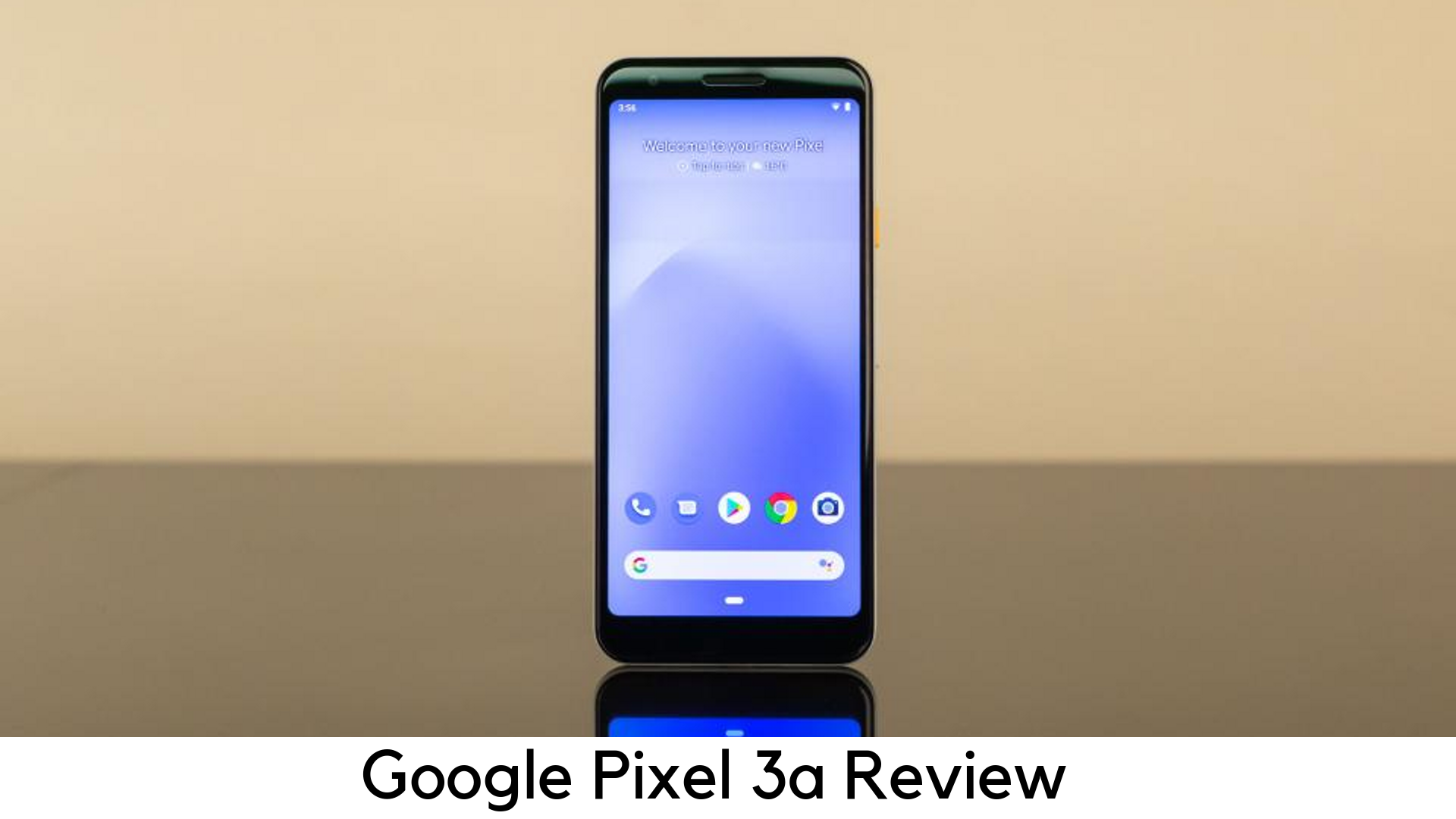
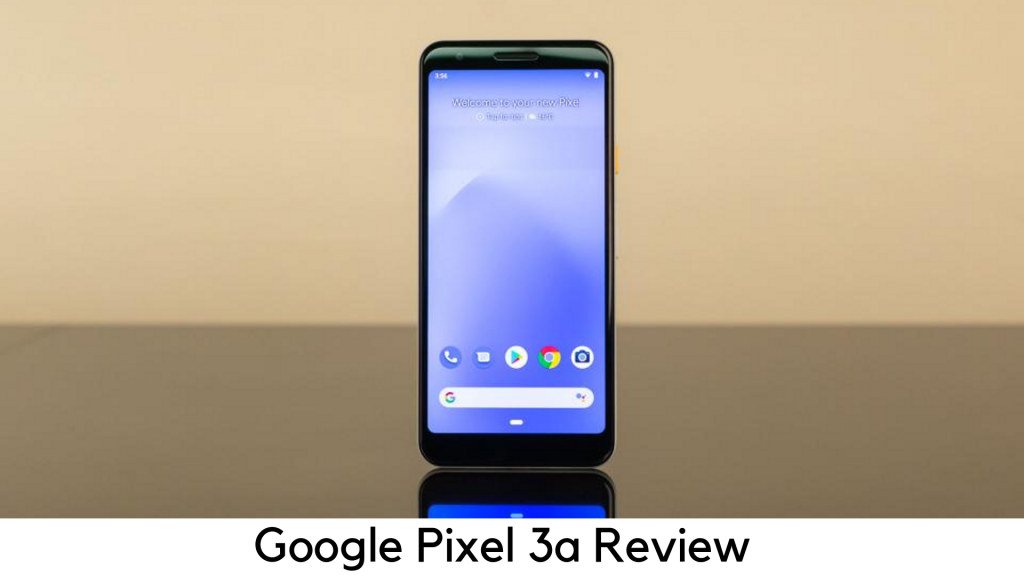
    Since its first smartphone launch, the Silicon Valley giant has kept Pixel branding booked only for premium devices. However, things are now different, as Google has started making affordable devices in its Pixel range, such as Google Pixel 3A and 3A XL.
    Google Pixel 3A Review

    The best thing is that Google Pixel 3A is half the price of a lot of flagships or even lesser and it still doesn’t feel cheap. Google has been popular for delivering the features that most users want, such as a great camera, clever software, and 5.6-inch vivid OLED display for just $399.

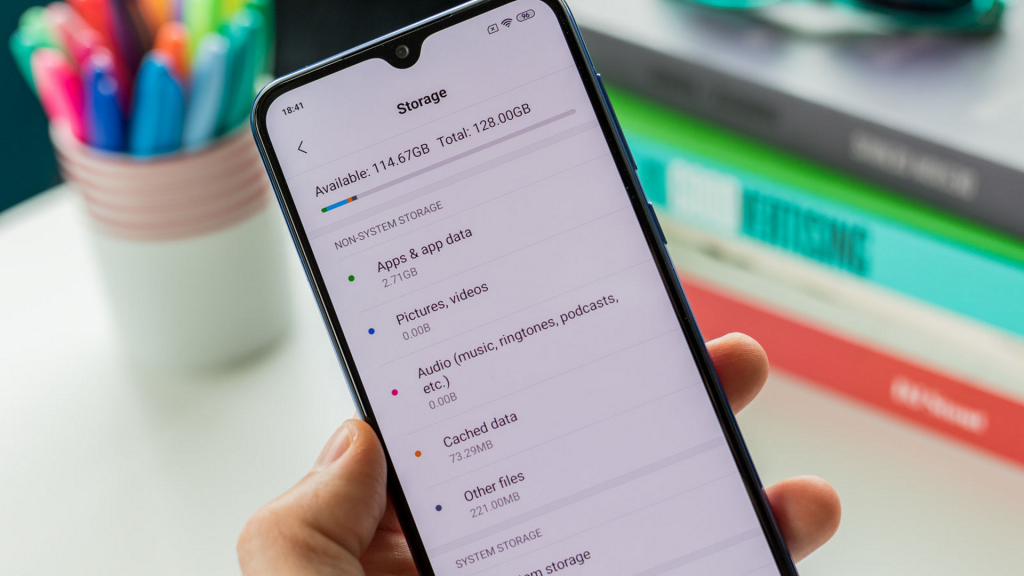
    Both Google Pixel 3A and 3A XL come with 4GB RAM and 64GB storage. None of them have a microSD card slot. Therefore, you cannot expand that limited storage if it is filled with all the apps and photos. The system takes up around 5GB of storage and after having pre-installed apps, you have only 50GB of space out of the box.

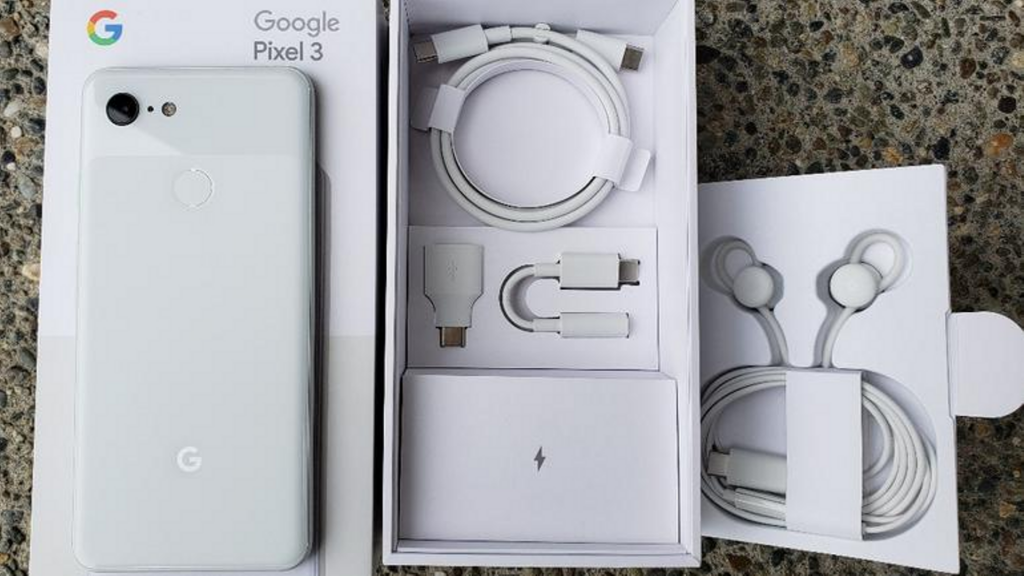
    In-box contents

    • 1m USB-C/USB-C cable (2.0)
    • Quick switch adapter (USB-C/USB-A)
    • 18W USB-C adaptor
    • SIM ejector tool

    Google Pixel 3A In-box contents

    The USB-C to USB-A charging cable and adaptor has been given for easier data transfer along with 18W fast charging power with USB-C cable. Unlike elder siblings, the Pixel 3a misses out USB-C to an adapter for 3.5mm headphone jack.

    Design

    • Measures 151.3 x 70.1 x 8.2mm and weighs 147g
    • No notch, No full-view display
    • Plastic back
    • Stereo speakers
    • 5mm headphone jack
    • Imprint fingerprint sensor

    Google Pixel 3A Design

    Budget phones usually come with cheaper build. In this case, Google has built the device out of plastic rather than a glass. You may notice this change when you hold it but it has nothing to do with the overall experience. Like premium phones, the Pixel 3A seems to be built with single-piece polycarbonate with glossy texture on the top and matte finish on the bottom 2/3rds of the device. It adds a soft feel to the grippy phone.

    Display

    • 2220 x 1080 FHD+ resolution
    • 6” OLED
    • Always-on display
    • 5:9 aspect ratio
    • 100,000:1 contrast ratio
    • 441ppi

    The Google Pixel 3a has got an amazing display. Despite having lower pixel density than other premium devices a bit, Pixel 3a’s screen was bright enough to look at. You can tweak the color tone of the display or enable the Adaptive Brightness feature, which can manage it on its own.

    Battery Life

    • 18W fast charging
    • 3000mAh
    • Missing wireless charging

    The Pixel 3A has done a great job with 3000mAh battery. It could get up to 5 to 6 hours of usage with on-screen time. Luckily, Google Pixel 3A comes with 18W fast charger out of the box which charges up 100% within an hour and a half. If you cannot compromise with battery life, you should choose Pixel 3A XL with quite larger 3700mAh battery, which keeps the phone alive up to 8 hours of on-screen usage.

    Another big flaw is the lack of wireless charging. A lot of leading players in the smartphone industry are offering devices with Qi standard.

    Performance

    • 64-bit Octa-core 2.0GHz + 1.7GHz
    • Qualcomm Snapdragon 670
    • Adreno 615 GPU
    • 4GB RAM, 64GB storage
    • No expandable storage
    • Titan M security

    To cut down the cost, Google had no other choice unless going with Snapdragon 670, a mid-range processor. Coupled with Adreno 615 GPU, the device seemed to be as responsive as various premium devices. The poor RAM management is another issue with Pixel 3a.

    Camera

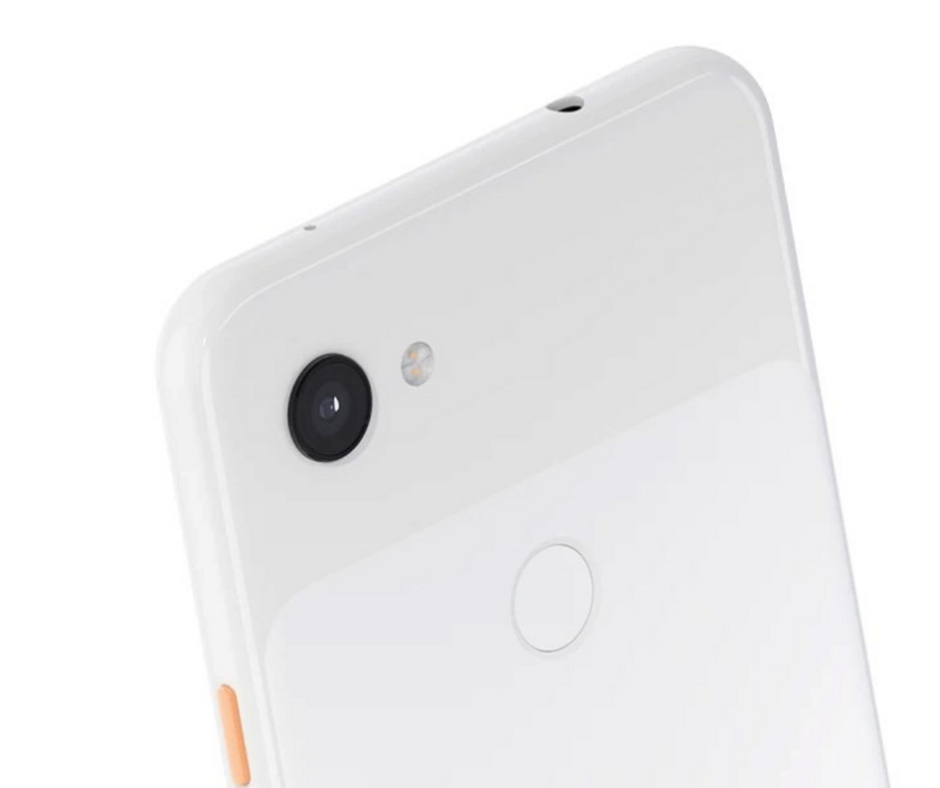
    • Rear 12.2MP dual-pixel with f/1.8, 76o field of view
    • Electronic image stabilization (EIS) and optical image stabilization (OIS)
    • 8MP selfie camera with f/2.0 aperture
    • Fixed focus selfie camera with 84o field of view
    Google Pixel 3A Camera

    The camera is the main reason why you should prefer Pixel 3a over any mid-range smartphone. The rear shooter captures the best pictures by matching 3’s specs. It can still capture flagship-level images on the outdoors. It includes several shooting modes on its premium predecessors. Also, it consists of Photobooth, Night Sight, a new time-lapse mode, and slow motion.

    The low light camera mode works really well at Night Sight. You can put in more light across the wall. Portrait mode is yet another great feature in Pixel 3a. The AI-driven bokeh effect highlights the object to the foreground while blurring out the backdrop well.

    The front-facing shooter is dived in quality on Pixel 3a as compared to dual-camera on Pixel 3. Its 8MP selfie shooter is capable to capture detailed images even in low-light conditions.

    Software

    • Android 9 Pie
    • 3 years of security patches
    • 2 years of software updates

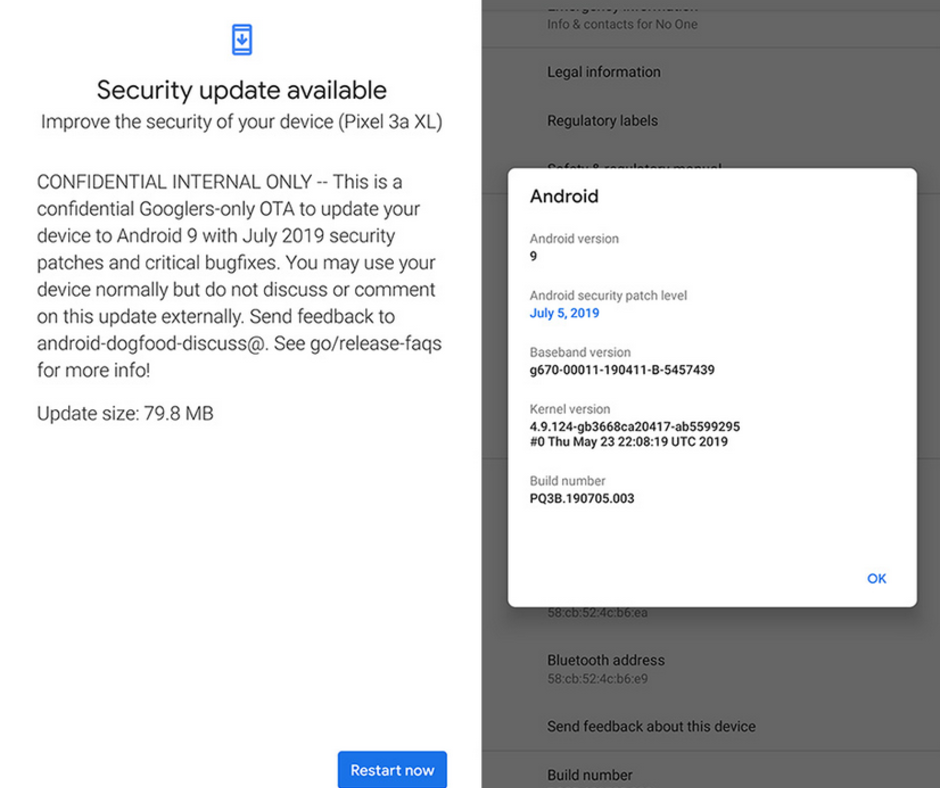
    Google Pixel 3A Software

    Well, there is nothing new when it comes to Pixel 3a’s software. Google offers an intuitive stock Android experience. Like with all of the company hardware support, Google promises to offer major updates like 3 years of security patches and firmware updates for 2 years. We are looking forward to Android Q as Google Pixel devices have always been the first to get major updates.

    Pros

    • OLED display
    • Flagship-level camera
    • Great battery life
    • Pure Android by Google
    • Low price
    • Available for all carriers

    Cons

    • No expandable storage
    • No wireless charging
    • Not water resistant

    Bottom Line

    As compared to the flagship devices of similar price, Google’s Pixel devices have always lagged in the spec department. These devices have always been ahead in the software department. The 4GB RAM and Snapdragon 670 processor are easily offered on various mid-range smartphones, which come for around $100.

    However, Google Pixel 3a tops the chart with its great camera and software updates. Along with NFC for Google Pay, you also have a camera, which outperforms a lot of flagship smartphones and monthly security patches. Google has been offering great discounts with other retailers on the device.
     

  • Asus ZenFone 6 Review – Is it a Worthwhile Flagship Killer?

    Asus ZenFone 6 Review – Is it a Worthwhile Flagship Killer?

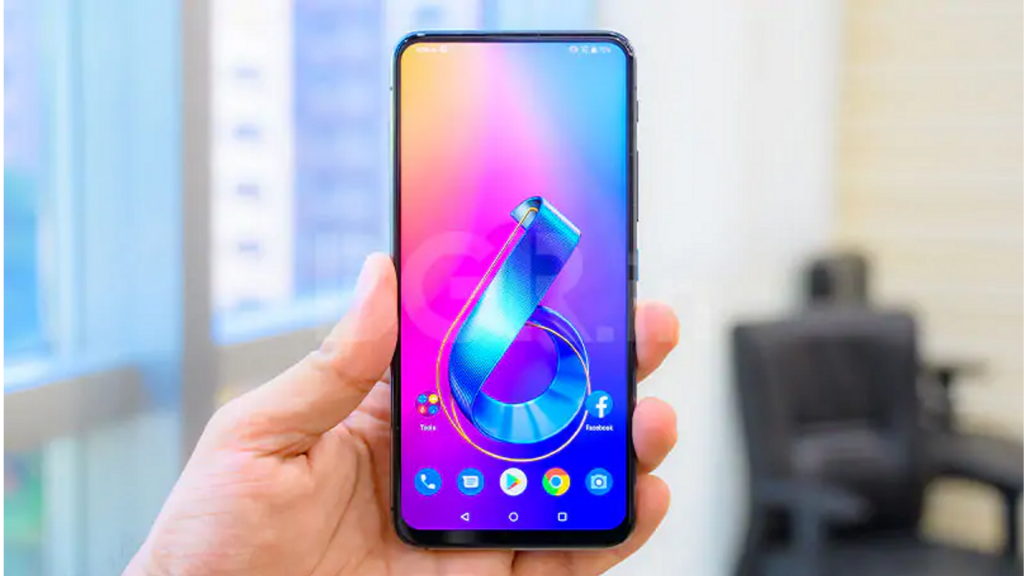
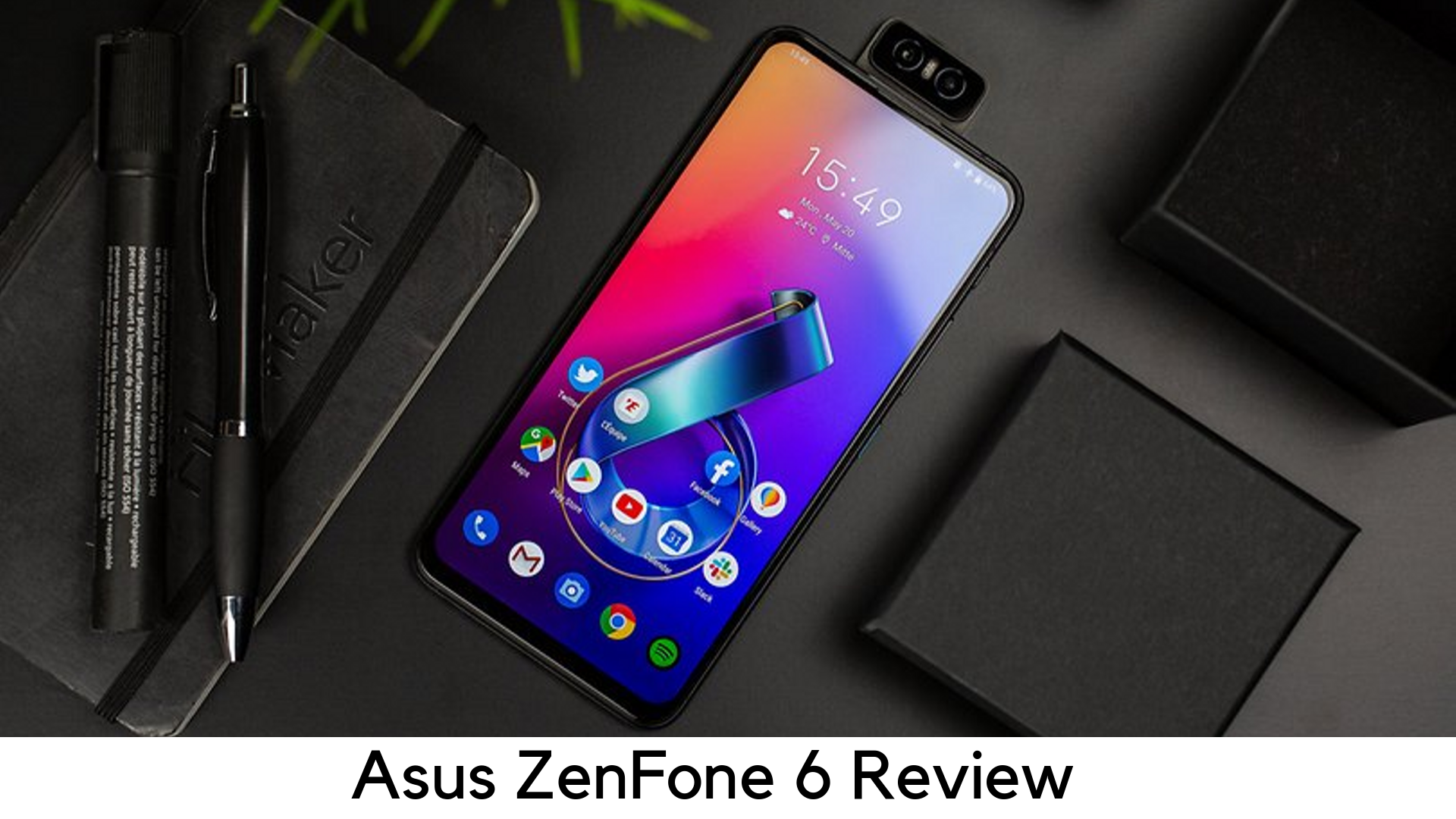
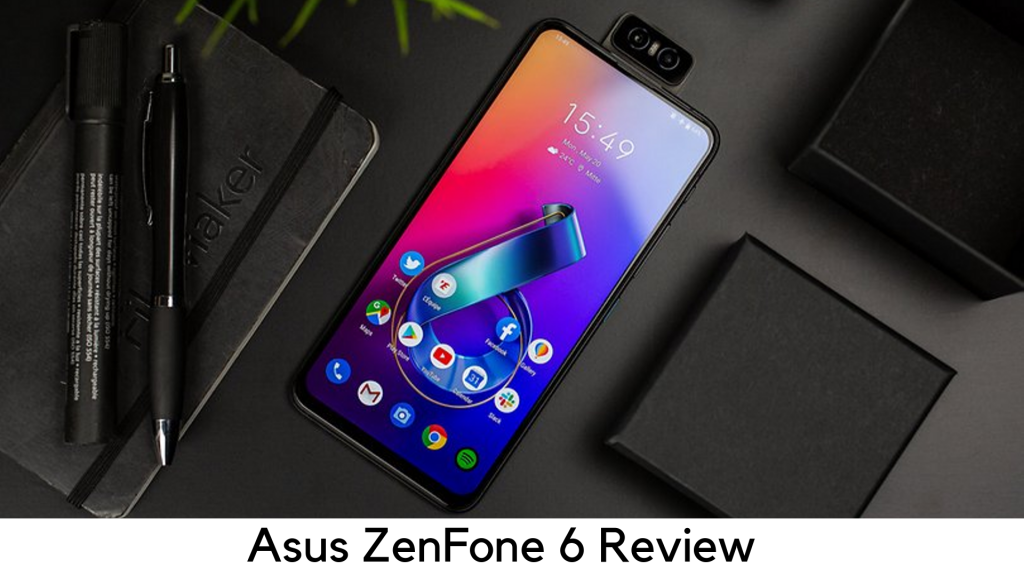
    The Asus Zenfone 6 is the recent affordable flagship phone, which looks premium enough to turn heads of people nearby. If 48MP flip-popup camera setup, Qualcomm Snapdragon 855 processor, headphone jack, dedicated quick launch buttons, and dedicated micro SD card slot are not enough to attract to this device, you will definitely be surprised by its price.

    Asus ZenFone 6 Review

    At just $499, Asus ZenFone 6 has come as a strong competitor to OnePlus 7 Pro and Pixel 3a.

    Asus has managed to come up with the combination of mid-range pricing and flagship-level specs. Well, there are a few features that a few users might be missing badly. Nevertheless, it seems Asus had no other way to do cost-cutting.

    Lack of water resistance and wireless charging support might be the red flag, but it is still worth it because a lot of mid-range phones don’t come with such features.

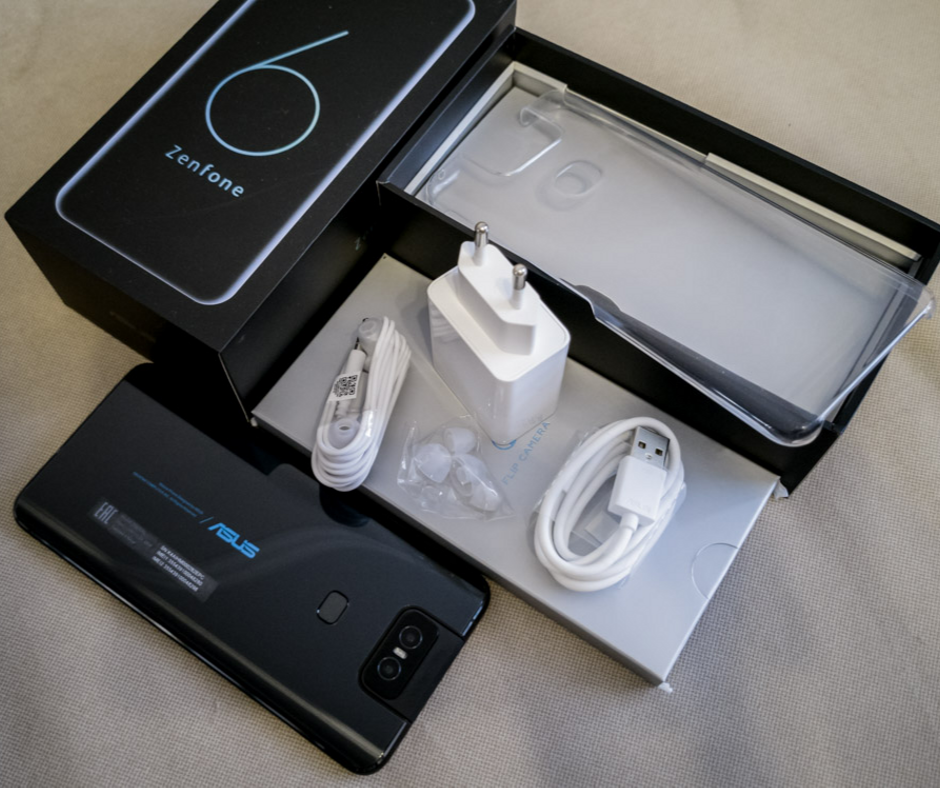
    Under the Box

        • Asus Earphones
        • Transparent silicon back cover
        • USB-A to USB-C type charging cable
        • 18W charging adapter

    Design

        • Weighs 190g
        • Dimension – 159.1 x 75.44 x 9.1mm
        • Full-view display
        • Dual SIM tray
        • Ambient Light sensor
        • Flip popup camera
        • Headphone jack
        • Dedicated MicroSD card slot
        • Rear fingerprint sensor
        • Quick Actions button

    Asus ZenFone 6 Design

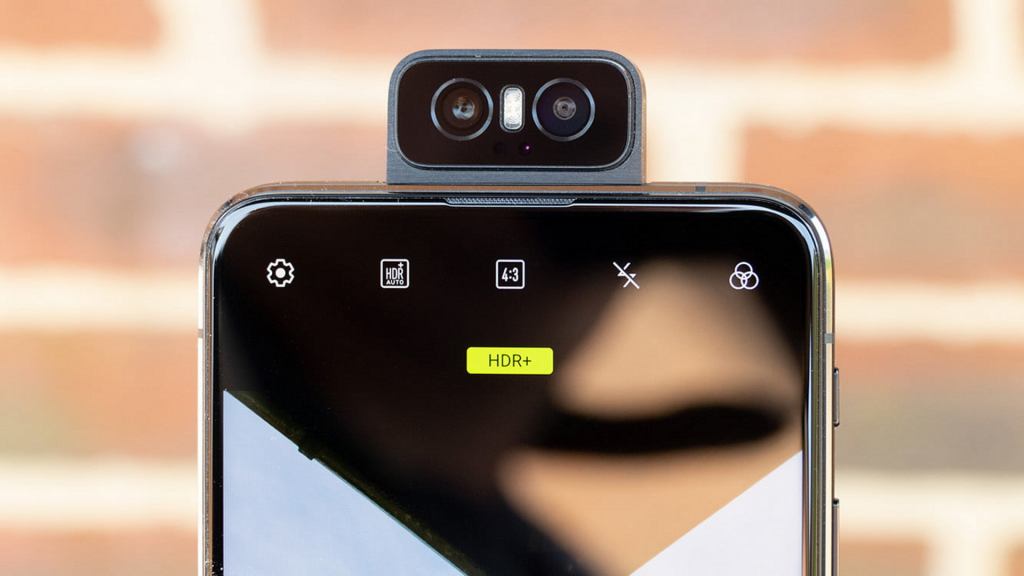
    The ZenFone 6 has got a decent yet appealing design, thanks to its aggressive-looking flip camera with blue accents. It has got Gorilla Glass 6 protection with the aluminum frame on the corners. It feels premium and expensive at hand.

    Despite lacking wireless charging, the device comes with a lot of buttons and ports. There is a power button with a cool blue accent matching the Asus logo on the rear, dedicated quick action button, and volume rockers on the right side.

    The quick action button launches Google Assistant by default, but you can change it later to do things like opening the camera, taking a screenshot, or changing sound mode.

    The bottom holds USB-C port, a headphone jack, and speaker grill. On the left, there is no physical button but a dual SIM tray with dedicated MicroSD card slot. The display is free of notches and cutouts as the camera flips on the top of the phone. Well, there is no IP rating officially to prove its dust and water resistance.

    Performance

        • Octa-core CPU
        • Qualcomm Snapdragon 855
        • 6GB/8GB variants
        • Adreno 640 GPU
        • 64GB/256GB storage options
        • Expandable MicroSD storage

    Asus Phone Performance

    By considering the specs, it goes without saying that ZenFone 6 has no competition. It is sure that you will not see any lag or stuttering with this device. You can multitask smoothly with 6GB or 8GB of RAM. However, the device gets warmer on heavy load, especially while gaming.

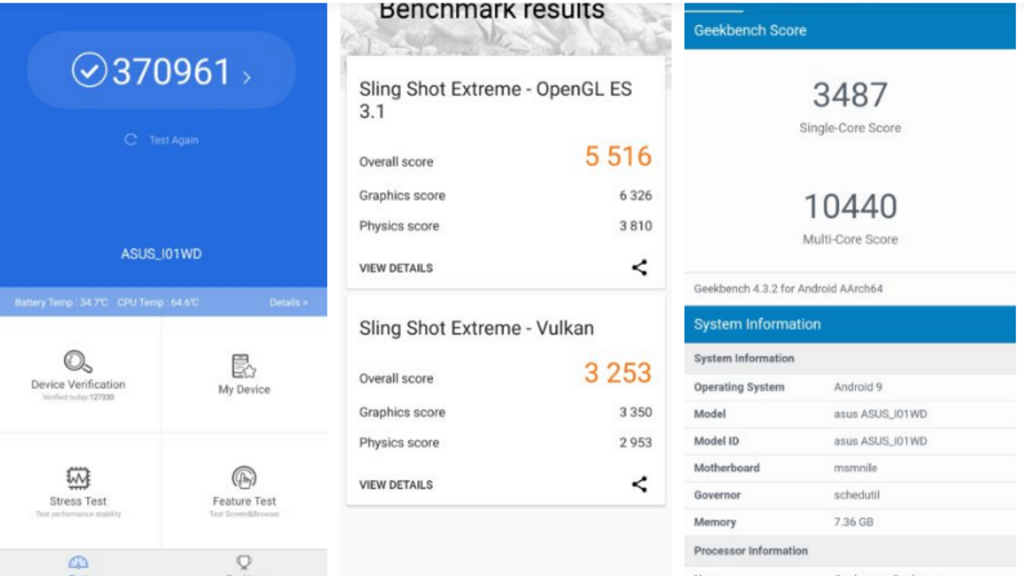
    With 370,000 points in AnTuTu benchmarks, the Asus Zenfone 6 literally beats Samsung Galaxy S10 Plus. Enable AI Boost mode for the best performance. However, it is not recommended because it drains the battery faster.

    Display

        • A massive 6.4-inch IPS LCD display
        • 5:9 aspect ratio
        • 2340x1080p resolution at 403ppi refresh rate
        • Gorilla Glass 6 protection

    LCD display might be a turn off for most of the users, especially when some mid-range and high-end smartphones have better battery life, OLED display for deeper blacks, and always-on display.

    The main problem with LCD tech is that the whole display remains lighted on, affecting the dynamic range and battery life. On the other side, the OLED panel illuminates separate pixels.

    Another issue is its brightness, which ends at 600 nits. Therefore, you have to keep it on max brightness when going out. However, the quality of the panel is still very decent. It can display the whole space with 100% DCP-13 coverage and has Gorilla Glass 6 protection.

    Battery

        • Qualcomm Quick Charge 4.0
        • 18W fast charger
        • 5000mAh
        • No wireless charging

    Despite giving the huge 5000mAh powerhouse, Asus Zenfone 6 still fails to give that much juice. We got around 6 ½ hours of life on screen-on time, which is quite good. You may get a full day on one charge but it will definitely not be able to last two full days.

    High-level of standby battery drain is another big issue. I left the device with 25% of battery left when going to bed but got it dead when I woke up. It’s quite strange as to why this device drains so terribly fast. It also takes time to charge up despite having an 18W charger.

    Camera

        • 48MP camera with f/1.79 aperture
        • Flip camera
        • 13MP ultra-wide sensor
        • 12MP sensor for pixel-binned images

    Asus ZenFone 6 Camera

    The Asus Zenfone 6 features 48MP Sony IMX586 primary camera and 13MP wide-angle lens. One thing that makes it stand out is the way it flips up as a selfie camera. In this day when most brands are using either punch-hole display or pop-up selfie camera for full-view display, Asus has done it out of the box and come up with flip-up camera over the top.

    Software

        • Android 9 Pie
        • Zen UI 6

    The Asus Zenfone 6 runs Android 9 Pie with ZenUI 6, which is a great upgrade over its terrible predecessor. It has AI Boost for in-depth usage and a dedicated screen recorder. Overall, it is great to have a simpler interface, which provides more control to the user over the apps.

    Pricing

        • 6GB RAM/64GB Storage – $499
        • 6GB RAM/128GB Storage – $559
        • 8GB RAM/256GB Storage – $599

    Pros

        • Good build quality
        • Awesome performance and specs
        • Great flagship killer
        • Massive battery
        • Innovative Camera

    Cons

        • Outdated LCD display
        • Feels bulky
        • No wireless charging

    Our Verdict

    Starting at $499, it goes without mentioning that Asus ZenFone 6 is a great steal deal. A lot of flagships don’t offer such killer specs despite charging over $1000. The new UI makes it even smoother in usage.

  • Samsung Galaxy M30 Review

    Samsung Galaxy M30 Review

    A Quick Introduction – Samsung Galaxy M30 review

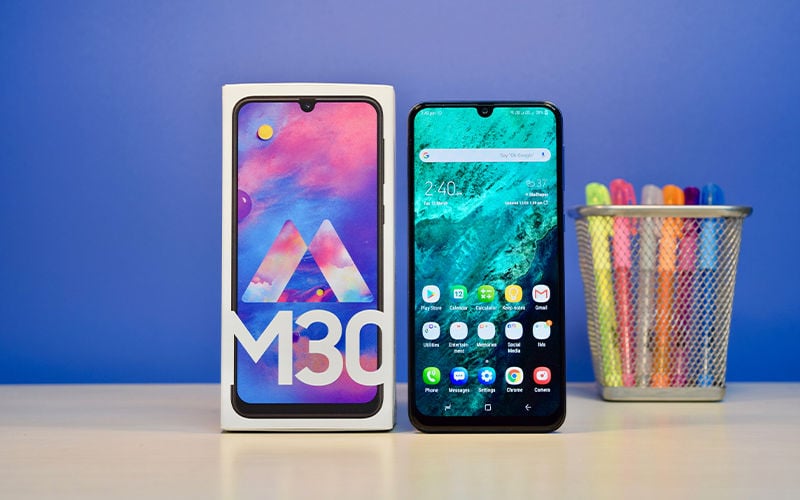
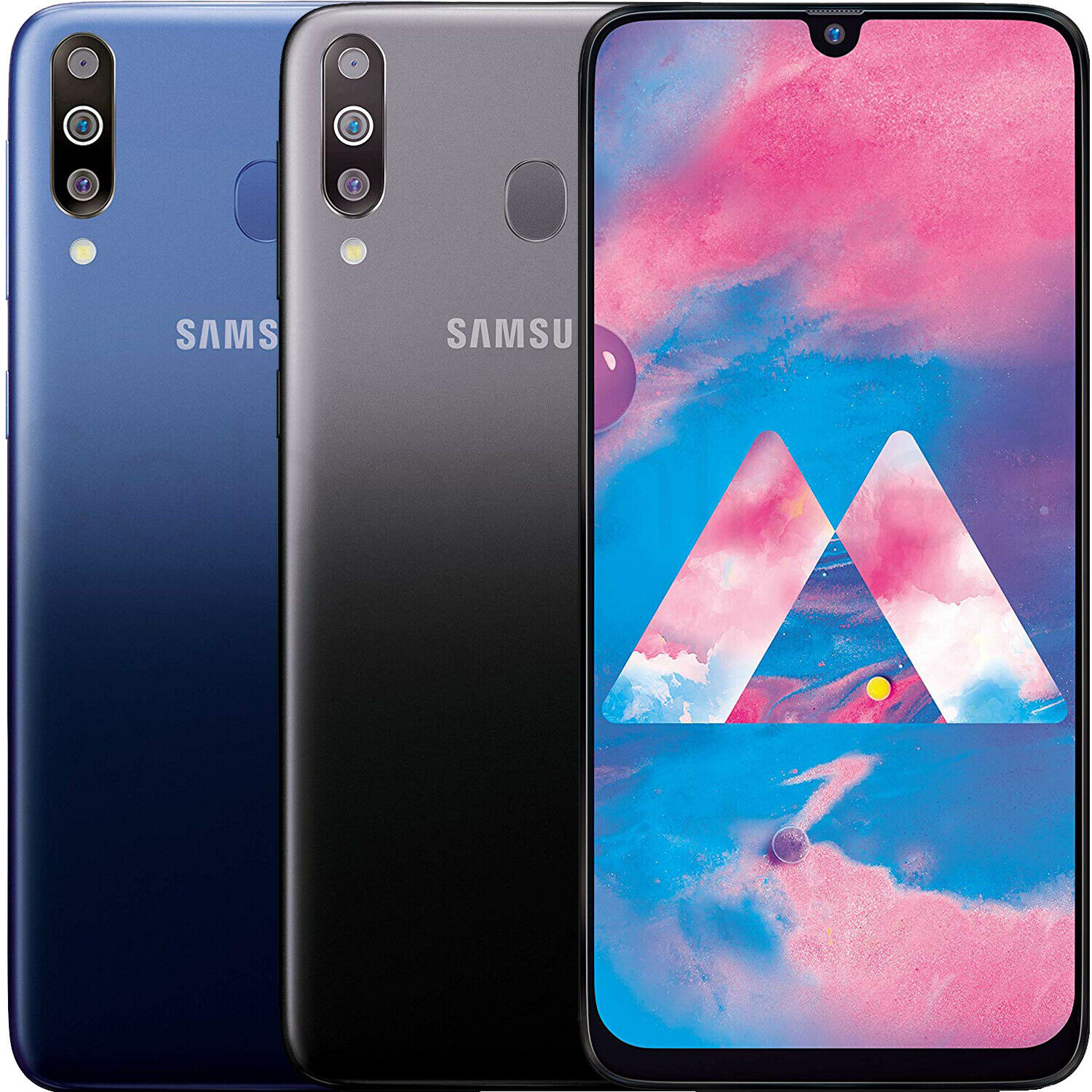
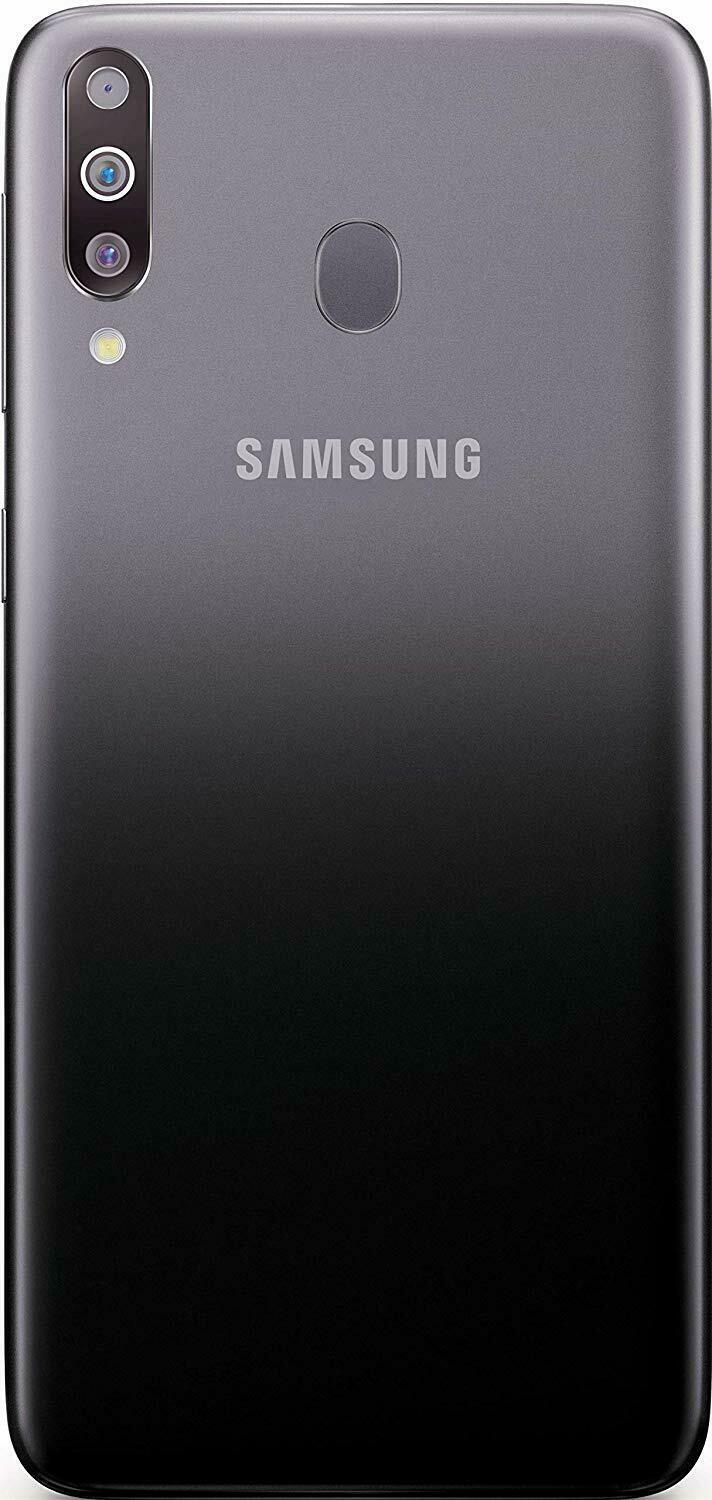
    Mid-range smartphones are the most popular categories, especially in India. Many brands have started catering to demand, such as Xiaomi and Honor. However, we now see that even Samsung has joined them. Samsung’s M series has made a spectacular comeback, managing to offer all the high-end features at a very economical price tag. To run quickly over the design and features of the phone – this smartphone by Samsung is a dual nano-SIM model and comes with a microSD card slot, a 3.5mm jack, a capable 5,000 mAh battery, and a stylish look. The fingerprint reader is located at the back, which is comfortable enough to use, but it feels slightly far. Let’s take a look at the detailed Samsung Galaxy M30 Review. Read on!

    Samsung Galaxy M30 Review
    Samsung Galaxy M30 Review

    The Samsung Galaxy M30 has worked to make it affordable for all, which means they have had to cut down on the luxury looks and feel. The material used is primarily plastic. While it is a good enough option as it helps keep it light in weight, it does not lend the phone a premium feel. The controls and their positions have not changed since the last M series phone. Both the power button and the volume buttons are on the right side. While higher-end phones, such as the Samsung Galaxy Note10 Plus have Bixby button, it is not present here. If you want, take a look at our Samsung Galaxy Note10 Plus Review. The USB-C port and the headphone jack are, of course, located at the bottom side of the phone. The Infinity-U model of screen used here features small bezels around the edges with a larger one at the bottom.

    Display

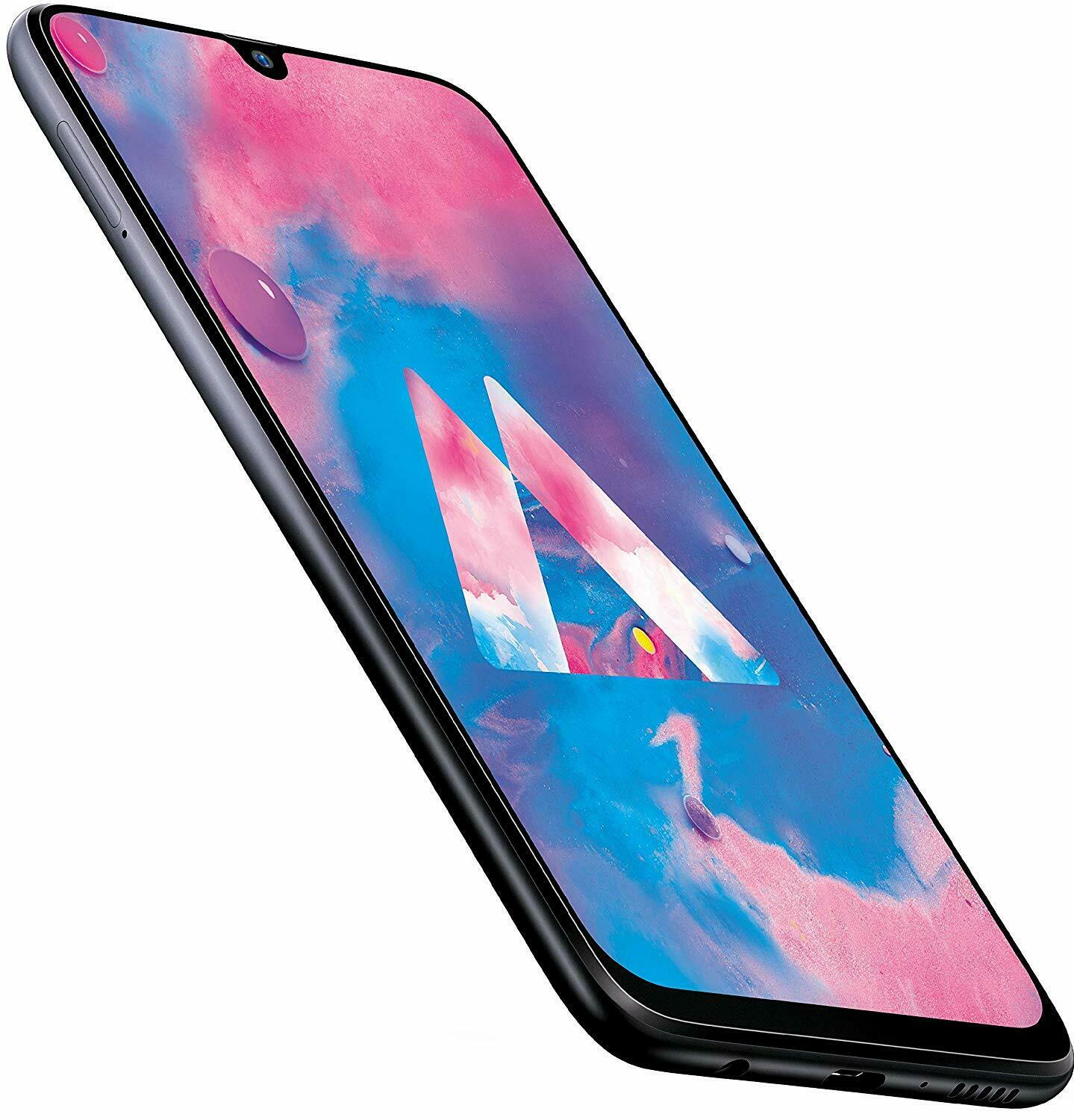
    This smartphone by Samsung is a 6.4-inch model with 1080 x 2340 pixels. The super AMOLED screen ensures a bright and vibrant display. In this price range, if you are quite particular about the display, this is one of the best options you will come across. The viewing angles, the contrast display, and brightness all work extremely well. The maximum brightness is good enough for use in sunlight in the manual mode. Looking at the auto-brightness mode, you might sometimes not be able to comfortably view the screen outdoors. For this, manual settings would be the best way to go.

    The waterdrop notch doesn’t disturb the display experience. While you can hide the notch, it doesn’t look great. What happens when you enable this option is that a black bar appears along the width of the top. It doesn’t curve and is not in sync with the rest of the design. However, chances are you might not want to use this option as the waterdrop display is nice enough. Thanks to the Widevine L1 DRM protocol support, you can watch all the Netflix content you want to on this Samsung Galaxy M30 smartphone.

    Samsung Galaxy M30 Display
    Samsung Galaxy M30 Display

    Hardware

    Coming to the hardware part of this Samsung Galaxy M30 Review, the phone is powered by Samsung Exynos 7904 created on the 14 nm process. This octa-core provides the performance of two Cortex A73 and six Cortex A53 cores. You will be able to choose between the 4GB RAM option that comes with 64GB of storage or the 6GB RAM options that feature 128GB of storage. A dedicated microSD card slot will allow you to expand your storage by 512GB. Samsung Galaxy M30 is a dual-SIM phone with two dedicated nanoSIM card slots, both supporting VoLTE. The quality and performance are both fantastic.

    Regarding the audio quality, the speaker grille is situated on the bottom edge. The audio does not reach the highest level, although it is decent enough for regular use. On the same note, check out the Samsung Galaxy S6.

    Software

    Software is very important to the functioning of a smartphone. Similar to the other phones in the Samsung Galaxy M Series, the M30 runs on Android 8.1.0 too. It features the Samsung Experience 9.5 UI. While it is great, it makes one wonder why Samsung has not started using the Android Pie in their latest phones while Google is already working on releasing Android Q. The experience is seamless and smooth. With the Glace app, you can get your lock screen to show some magazine-style information. Some may like it while others may find it distracting. If you want to disable it, you can easily find the option in the settings menu.

    The home screen is flexible and you are likely to have a bunch of customization options on your hand. You can choose to use an iOS-style app and home screen layout or use an app drawer layout. The gesture support is comfortable enough to use thanks to its high level of intuitiveness. One downside is that the phone comes pre-installed with a ton of Samsung’s apps. Do note that Microsoft’s apps on the phone cannot be uninstalled.

    Performance

    Regarding the performance of the phone, it works pretty well thanks to the solid chipset. While other phones in the same price range feature Snapdragon 675 processor, this phone lacks that. If you are only going to use it for browsing, calling, social media, and so on, you might not feel the difference. If you are an avid gamer, you might be a bit frustrated since the Mali G71 MP2 GPU does lag a bit. It is good enough for medium graphics in PUBG, but a Snapdragon processor would be able to give you high-quality graphics.

    Samsung Galaxy M30 Performance
    Samsung Galaxy M30 Performance

    The overall performance of the phone is reliable and good enough. As long as you are not a hard-core gamer, you shouldn’t be disappointed with this purchase. The UI is great, the phone is smooth to handle, and works well.

    Battery

    This Samsung Galaxy M30 Review the battery in detail! The phone has a 5,000mAh battery which is large and capable enough to offer two full days of use. Besides this, a 15W fast charging option is delivered as well. If you use your phone almost constantly and use heavy apps, the phone can comfortably last a day. If you choose to perform battery optimization, chances are that you can make it last nearly 48 hours on a single charge. For regular use, the phone provides an excellent battery life. With 15W fast charging over USB-C, you can charge your phone in record time.

    The M30 is not Samsung’s first phone to feature such a large battery. The M20 model had the same 5,000 mAh battery and it worked out very well. Thanks to the Super AMOLED display of the M30 model, you can expect a better battery life than its predecessor due to its more efficient nature. You can use it for about 19 hours for videos or 32 hours for voice calls! For browsing and regular hard use, you can expect about 15 hours. The phone takes about 2.5 hours to get fully charged.

    Finally, the Samsung Galaxy M30 camera review. The phone boasts of a 13MP main camera, a 5MP depth sensor, and a 16MP front camera. Again, the camera specs are similar to that of the M20 model, with one notable change – the introduction of the 5MP depth sensor. The primary camera is a 13MP sensor with an f/1.9 aperture while the secondary one is a 5MP ultra-wide camera. One major issue with this camera is that the images usually come out overexposed with both standard and wide-angle pictures.

    Samsung Galaxy M30 Camera Review
    Samsung Galaxy M30 Camera Review

    In bright light, the images are quite good. However, if you are one to notice the finer details, you might be disappointed. Both the primary and secondary cameras experience heavy noise reduction. In low-lit areas, you can only hope for the best as the fine details are not very promising or clear. The 5MP ultra-wide sensor is great for outdoor landscape pictures. It is not good enough for others due to the lack of focusing. Zooming in can show up a noise reduction effect. While the camera of Samsung Galaxy M30 is good enough for general use, it is not recommended if your priority is a good camera.

    Verdict – Samsung Galaxy M30 review

    Coming to the end of this Samsung Galaxy M30 Review, we see that the latest release in the M series is an excellent option considering its price tag and features. While the camera leaves a lot to be desired, its performance and battery give it a boost. This phone is pretty reliable and stable. The 5,000mAh battery is likely to give you a good go while the Super AMOLED display ensures you have a lovely display experience. To add to it, the ad-free user experience is priceless.

    The 4GB RAM and 64GB storage option fall at a much cheaper price (obviously), but the 6GB RAM option with 128GB of storage doesn’t cost a whole lot more. So, if you have a good enough budget, you should be able to comfortably get the higher-end option. However, if you are looking for other budget phones in the same price range, but with better camera features, why not check out RealMe 5 Pro Review.


  • iPhone 11 Pro Max hands-on Apple bets big on the camera

    iPhone 11 Pro Max hands-on Apple bets big on the camera

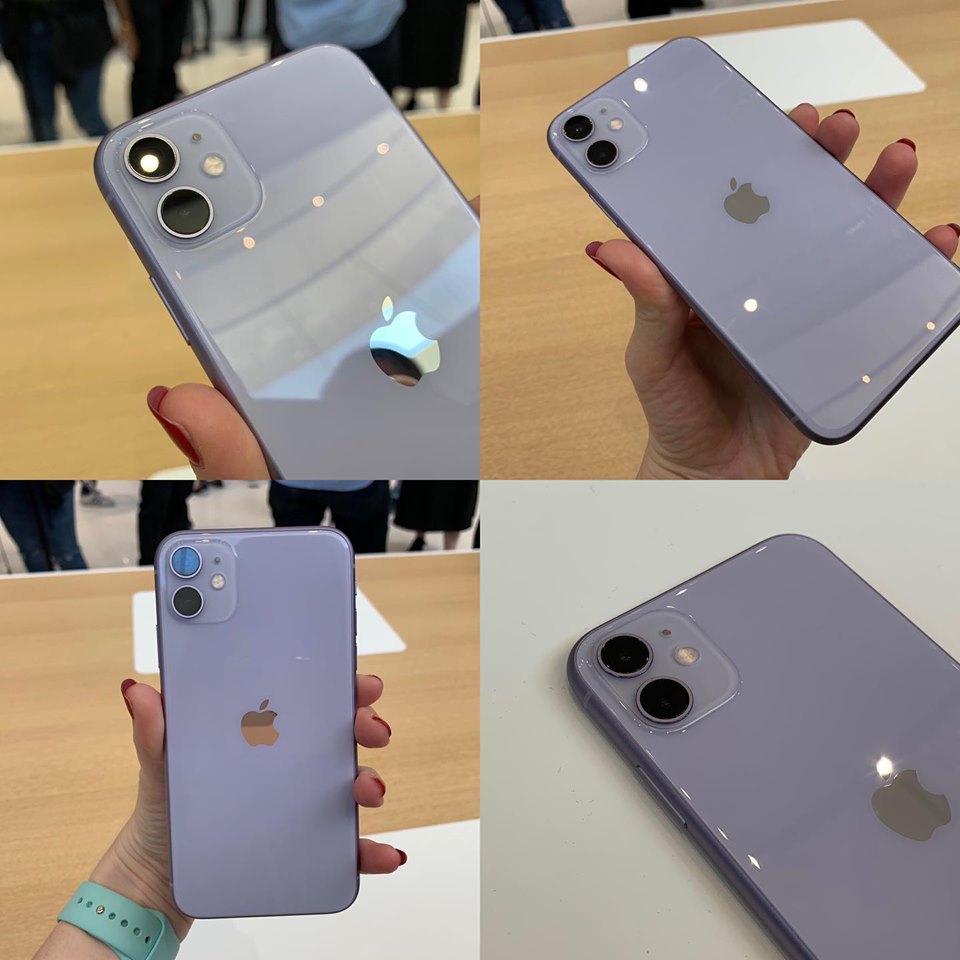
    iPhone 11 Pro Max has come to surprise smartphone buffs with its remarkable features. The incredible battery life and excellent processors have paired with an awe-inspiring camera that already outshined all the competitors.

    iPhone 11 Pro Max

    The magnificent display will improve your smartphone experience. Moreover, you can expect it to get better with a future software update. Not only that but it has also come with a lot of other improvements.

    Specs

    The camera and battery life of iPhone 11 Pro Max needs a special mention.

    Camera: It’s no wonder that iPhone 11 Pro Max creates a sensation for its top-notch camera system.

    The device comes up with 12-megapixel (wide-angle lens), 12-megapixel (telephoto lens), and 12-megapixel (ultra-wide-angle lens).

    So, get ready to have some extraordinary captures from this extraordinary smartphone!

    Battery: Just charge it once and it will keep on running for around 12 to 14 hours.

    Moreover, the screen-on time has come for 10+ hours for every 24 hours (as specified in the battery settings).

    However, the type of battery is not yet disclosed. As per the claims, iPhone 11 Pro Max is going to run five hours longer than its cousin “iPhone XS Max.”

    Processor and Storage: This feature-loaded device comes with Apple A13 Bionic Processor.

    You will get the internal storage provision for 64GB. That means a lot of places are dedicated to or your favorite files. There is no expandable storage in this device.

    Dimensions: The device features 6.22×3.06×0.32 Inches.

    Mobile Software: This iPhone device is equipped with iOS 13 software.

    RAM: We do not know anything about its RAM till now.

    Special Features: iPhone 11 Pro Max comes with an amazing Water Resistant (IP68) feature. Furthermore, wireless charging and dual-SIM capabilities are also amazing.

    Display Size and Resolution: iPhone 11 Pro Max features OLED Super Retina XDR display with 6.5-inch of size. The resolution is 2,688×1,242 pixels with 458ppi of pixel density.

    Weight: The device weighs 226g.

    Design

    You already know that the iPhone 11 Pro Max comes with three camera lenses. Moreover, they are also large enough. The backside is all about beautiful matte glass finish that is more refreshing than many of its competitors.

    As per the claim, the backside and front side of the device are made of the toughest glass. However, the durability of this device is also outstanding. It has been possible due to the ameliorated IP68 water resistance. This phone can bear 30-minute immersion in water (4 meters).

    The iPhone 11 Pro Max is completely suitable with its pro-user status. It comes up with the midnight-green color, which has a shimmering effect along with its stainless-steel band.

    Hardware & Features

    Guess what? The iPhone 11 trio has been officially launched. However, one sensational talked-about feature is missing in the actual device. And it is the provision for reverse wireless charging.

    This extraordinary feature could let users to all compatible devices wirelessly by positioning on the phone.

    Hardware & Features

    As per the latest report, the iPhone 11 trio features all required hardware for this extraordinary feature. However, the decision of the company about keeping it in a disabled condition could be heartbreaking for many fans.

    Display and Audio: Something Extraordinary

    The iPhone 11 Pro Max comes with a brilliant feature of 6.5-inch Super Retina XDR display. Moreover, the enhanced panel of the device offers increased dynamic range and it’s just mind-blowing.

    Its size and pixel counts are the same as the iPhone XS Max but you could see some advancement in iPhone 11 Pro Max. Moreover, the device features 800 nits of incredible brightness that is more than the previous versions’ 625 nits.

    It’s wonderful that the display can reach the maximum level of 1200 nits. That means you will be mesmerized while watching Dolby Vision or HDR10 videos as well as HDR images.

    Camera: Ready to be surprised

    We all know that Apple could not surprise the users with its camera more than a few past years. However, the company is ready to amaze all with its awe-inspiring camera features.

    The latest smartphone comes with three stellar rear cameras of 12-MP capacity. These cameras include a wide-angle, an ultra-wide camera (featured field of view of 120-degree) and a 2x telephoto accompanied with a wider aperture. The telephoto lens can allow more light than its predecessors can.

    The camera interface of this device comes with a live preview in the exterior of the frame. Thus, you could easily measure what would fit into the shot and what won’t if it’s an ultra-wide mode.

    If you like to capture some dramatic shots, this feature will help you a lot. The iPhone 11 Pro Max’s camera can capture more natural, warmer photos. Moreover, the slow-motion selfies (120 fps) will make you happy.

    The front camera of the device appears with many upgrades. Now, you can capture more subjects in one frame with its wider view. The sharper sensor makes your photos more beautiful.

    Video: A Lifelong Experience

    The company has put a lot of efforts to improve the video recording feature. And it can be evident from its iPhone 11 Pro Max video.

    Extended dynamic range is there to highlight details in a much better way. Furthermore, the cinematic stabilization will help you to get smoother video footage.

    However, you won’t get more than 64GB of storage but with some more investment, you can capture loads of videos.

    Some Other Amazing Improvements

    The iPhone 11 Pro Max features iOS 13 software. Of course, you won’t see any exceptional changes to the mobile OS. But, be ready to discover some handy changes.

    The dark mode has streamlined reading for a long time without making your eyes tired. Moreover, the Reminders app has also been improved. Now, it can more easily create and arrange the to-do lists.

    Do you want an iPhone with incredible battery life? Just go for the iPhone 11 Pro Max. It can run for almost 12 hours.

    The device features 64GB of storage. However, by spending $1,249, you can purchase the 256GB version. Furthermore, the 512GB model has a price tag of $1,449.

    You will also get a fast charger with this phone. Thus, 50 percent charging is a matter of just 30 minutes.

    Are you excited to purchase this outstanding phone? You are in luck. Pre-ordering is going on. And the sale will start on 20th September. The price starts at $1,099.

    There is another surprise for you. The company comes with an exciting trade-in offer. You can handover your current smartphone to them and you’ll receive an amazing discount on the new iPhone 11 Pro Max.

    Verdict

    You can argue that the iPhone 11 Pro Max is expensive and why you should go for it if you are getting many of the similar features in the iPhone 11.

    Let me clarify.

    If you are looking for the best camera and top-notch display in a smartphone, you should consider this device.

    The iPhone 11 Pro Max is worth your investment and you will feel the same after using it.

    In a nutshell, it is almost a perfect smartphone in all respects. The cameras are way advanced and it has already blown the minds of the viewers.

    The vibrant OLED display the fastest processor and remarkable battery life have made this device a must-have one.


  • Xiaomi Mi 9 SE Review – Good Things Packed in Smaller Package

    Xiaomi Mi 9 SE Review – Good Things Packed in Smaller Package

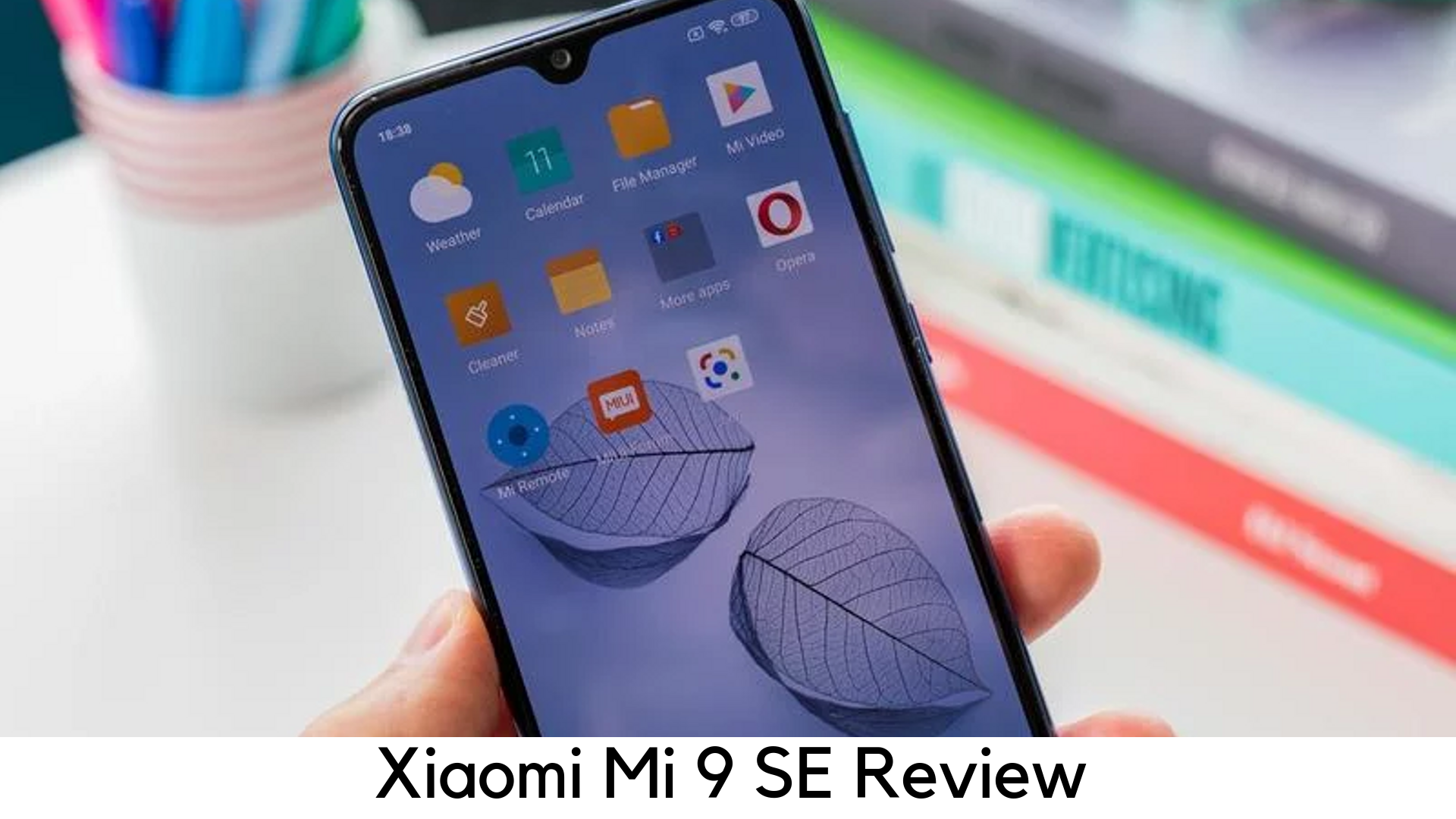
    With some tweaking, Xiaomi Mi 9 SE features the flagship and premium looks, great performance, versatile camera, and a surprising Super AMOLED screen.

    Xiaomi Mi 9 SE Review

    Key Specs

    • 97” Full HD display with 19.5:9 screen resolution
    • 6GB RAM
    • Qualcomm Snapdragon 712 CPU
    • In-display fingerprint sensor
    • 48MP rear camera
    • Super AMOLED display

    The Xiaomi Mi 9 SE is a compact metal and glass phone, which looks and feels pretty like a flagship phone. It has full HD resolution with 19.5:9 screen ratio and it is a lot sharper than iPhone XR.

    On paper, the 3070mAh battery may seem smaller but it could go well with the mid-range power demands by the phone. It also features Qualcomm Snapdragon 712 SoC paired with 6GB of RAM. It is quite an impressive spec when it comes to performance.

    The MI 9 SE lacks stereo speakers and wireless charging, which are found on Google Pixel 3 and other flagships, but it still delivers Super AMOLED display and in-display fingerprint sensor. The 48MP camera on the device has the same sensor found in a lot of modern flagships like OnePlus 7 Pro.

    Design

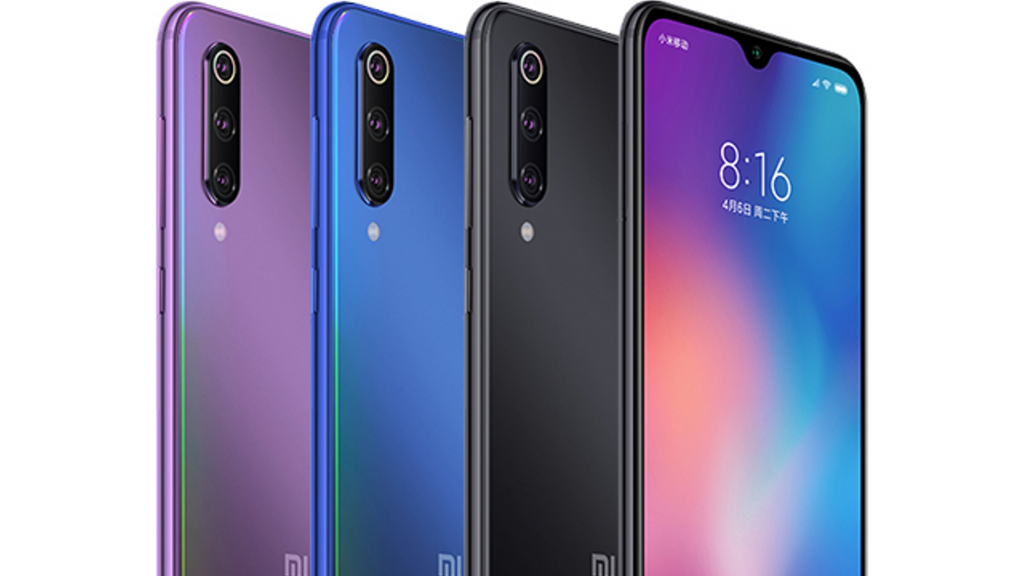
    The Xiaomi MI 9 SE comes in three-color options – violet, blue and grey. All of these colors look amazing with a high-gloss finish. Though they are always ready to catch fingerprints, there is still a case available under the box.

    The 19.5:9 screen ratio clocks in at 6 inches. However, MI 9 SE is thin and long enough to be used single-handedly. All the buttons are given on the right side and the right side has the only dual-SIM slot.

    Xiaomi Mi 9 SE Desing

    With high-gloss, curved metal frame sandwiched between two Gorilla Glass sheets, the Mi 9 SE really feels smooth. It fits snugly and securely on your hands, especially when you keep it in case. It is cozy to hold for both small and big hands.

    There is a mono speaker on the bottom and there is no microSD card slot and 3.5mm headphone jack. Its USB-C port is a great highlight.

    Display

    It has got a sharp display with 432p per inch, which looks quite crisper than Huawei P30 Pro and OnePlus 7.  Nevertheless, it is still true that Mi 9 SE features Super AMOLED screen, complemented with lots of color customization features in settings. It has a punchy display which produces deep blacks as well.

    Xiaomi Mi 9 display

    To get the most of depths, it also features dark mode in settings and there is also an option to hide the annoying notch. But it still displays the time and notifications on the blacked area on both sides of the camera.

    Software

    Like Redmi Note 7, Xiaomi also runs on Android 9 Pie and MIUI 10. Instead of having apps drawer, the interface has an iOS-like setup. You can organize the widgets and shortcuts on the home screens. There is also a utility display on the left to access certain features like note taker and QR code reader. It also has a quick toggle menu on the top or pull-down notifications tray.

    Xiaomi Mi 9 SE Software

    The device features a lot of customization options. It has gesture controls to navigate. However, you can also schedule customizable power on or off with virtual “Second Space” which is password protected to keep sensitive information.

    The only catch is that every app is scanned for viruses whenever you install it every time. It is not the problem but it opens a different screen loaded with ads, rather than running in the background. You can disable this feature though.

    Performance

    There are two variants available – 6GB RAM with 64GB storage and 6GB RAM with 128GB storage. The Xiaomi MI 9 SE is quite an upper midrange device as it is powered by Qualcomm Snapdragon 712 chipset.

    Xiaomi Mi 9 SE Performance

    With its two weeks of usage, we have found its interface super smooth. The Antutu score was remarkable 181768, which puts it ahead with Pixel 2. It offers biometric security with in-display fingerprint sensor and face unlock. Both work smoothly but fingerprint scanner might hopefully be improved with OT update.

    Camera

    The MI 9 SE comes with the triple rear camera setup, which is similar to the one in flagship Mi 9. It features 48MP main camera with f/1.8 aperture, 8MP telephoto zoom lens with f/2.4 aperture and 13MP ultra-wide angle sensor with f/2.4 aperture. But it lacks laser auto focus and optical image stabilization (OIS).

    The primary camera is 48-megapixel but it processes images at 12 megapixels. You have to manually override it in 48MP mode. It captures lower-resolution pictures for pixel binning, which combines details from several pictures to deliver lower-resolution but sharper images. It features 20MP selfie camera with f/2.0 aperture and auto HDR support to handle backlit images better than several midrange smartphones.

    Battery Life

    The Mi 9 SE comes with 3070mAh battery, which looks small on paper, but it can still make it all day long with its sub 6” display and mid-range demands for power. When testing the same, the Mi 9 SE took only 40% while gaming, video streaming, and music playback for an hour.

    In the real world, we started using it from 6 am with a full charge and wrapped up with only 20% of juice left by 9 pm on moderate use. You can also save up more battery life with some battery optimization options. In case you fall short midday, it has 18W fast charging support with a compatible charger out of the box.

    Is it really worth to buy?

    The Mi 9 SE is a premium, compact smartphone with ample power and good camera under the hood. If you shop around, you may buy it around $300. It directly competes with the likes of Huawei P30 Lite, which is a cool yet affordable flagship.

    Pros

    • Great design
    • Superior performance
    • Decent camera

    Cons

    • No 3.5mm jack
    • Mono speaker
    • Quirky interface

    Wrapping Up

    Overall, the Xiaomi Mi 9 SE is here to deliver the feel of using a premium flagship phone with superb performance and a versatile camera, and obviously the killer Super AMOLED display as well.


  • Xiaomi Redmi K20 Pro / Mi 9T Pro Reveiw

    Xiaomi Redmi K20 Pro / Mi 9T Pro Reveiw

    A Quick Introduction – Xiaomi Redmi K20 Pro

    Xiaomi – the name itself is enough for all of us to get excited. The company was founded in 2010 and it has come far from where it started. This company can be credited to have brought out the competitiveness in the smartphone segment and all of us are glad that it has. The phones that they have been releasing are quite good in terms of specs. They blow our minds when it comes to the pricing of these phones. Coming to the latest phone that has been released, it is named the Redmi K20 Pro. It is otherwise known as the Mi 9T Pro. The company has promoted the same phones under different names in different regions. Let’s jump right into a detailed review of the phone before we can conclude.

    Specs Overview

    The phone is powered with Qualcomm’s Snapdragon 855 chipset with a combination of 6GB RAM. Such configurations are only included in flagship phones. We can all pretty well conclude that this one is going to be one of those for the company. There are multiple options in terms of storage – 64 GB, 128 GB, and 256 GB. The phone comes packed with a 400mAh battery. It should be more than enough to take you through the day on average usage. It also includes a dual SIM slot. Now, you can use two SIMs at the same time. It is important to note that this is not a hybrid-SIM slot, thus ruling out the option of having an external memory card.

    Redmi K20 Pro Review
    Redmi K20 Pro Review

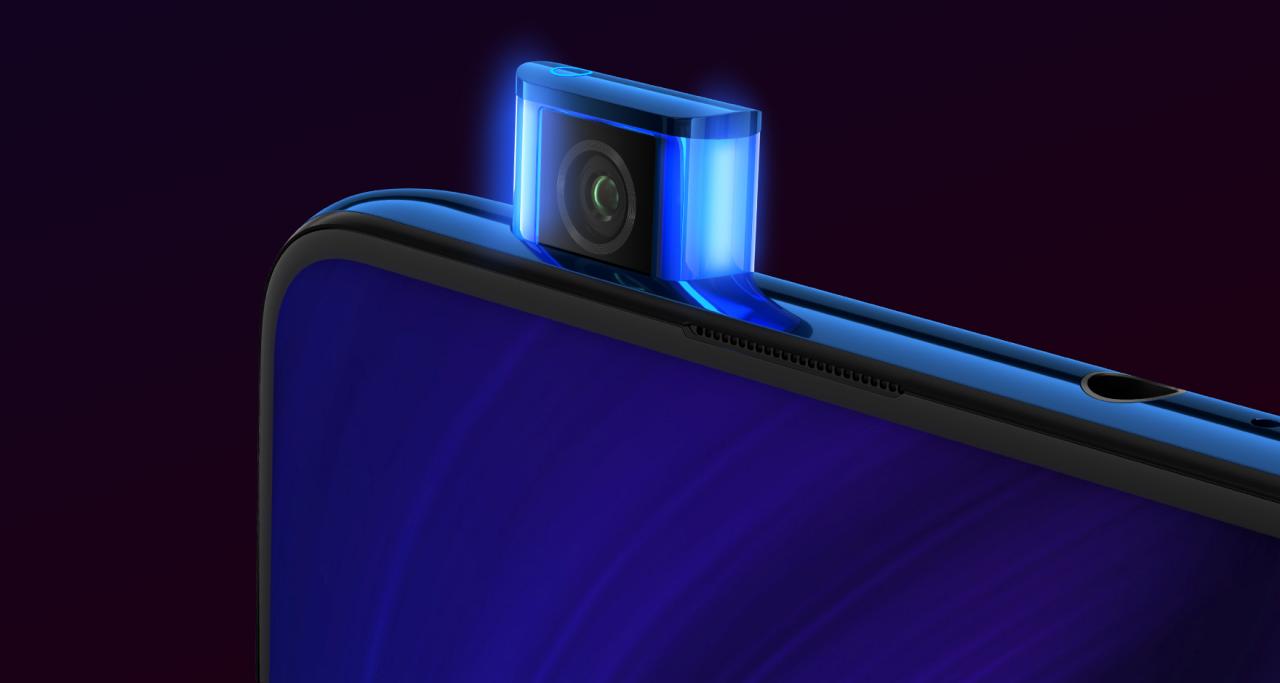
    The Xiaomi RedMi K20 Pro is one of the phones that has not got any notch on the phone. It has proved to be an excellent design. However, there have been questions on how the sliding mechanism of the smartphone is going to perform over time. Though the phone features a glass back design, it misses out on the wireless charging feature. That would have been a great addition to the phone. Another cool feature is that the phone comes with a notification LED. You will see it on the top of the pop-up camera. You will also be able to find the 3.5 mm jack on the upper side of the phone. This too makes a great inclusion for all the music lovers out there, especially at a time when most companies are doing away with it.

    Performance

    Regarding the lack of a memory card option, it seems that most smartphone companies have done this strategically in order to ensure that the larger memory phones can also sell in the market. The best feature of the phone is the end-to-end display which anyone can boast about. Though this is a great feature, we miss out on the stereo speakers. The mono speaker located at the bottom of the phone is not that loud, especially when you are playing games in landscape orientation, thereby covering the speakers with your hands. Coming back to the screen, it has full HDR support, ensuring that any video you play is crisp and clear. They look bright and bring out all the colors, making the video even more vibrant and colorful.


    As mentioned earlier, Xiaomi has not let go of the 3.5 mm jack. That is very good news for all media users in the market! The phone also packs in support for NFC for all your payment platforms or other uses. It comes embedded with support for Bluetooth 5.0 which also supports aptX HD audio. The fingerprint scanner is quick and responsive but could be made a bit faster in terms of recognition. You can always use the File Manager by Xiaomi to better manage your phone and its contents.

    However, if you plan on using the face unlock feature, the phone unlocks in under a second which is pretty impressive. Xiaomi MI 9T Pro smartphone was released in early August 2019. The phone comes embedded with a 6.39-inch touch screen. It has a resolution of 1080 X 2340 pixels and an aspect ratio of 19.5:9. The screen is a full HD+ super AMOLED. The Xiaomi Redmi K20 Pro works with a Snapdragon 855 chipset under the hood. This is currently one of the most powerful chipsets in the industry at the moment.

    Design

    Going deeper in terms of design, you will be able to notice that there is no camera in the front. This is because the front camera is a pop-up selfie camera. The Chinese smartphone maker claims that they have tested this camera’s pop-in and out mechanism more than 100,000 times. It does not affect the camera whatsoever. Overall, the Xiaomi Redmi K20 Pro’s design features a slight curve so that there is a premium and sleek feel to it. However, the phone is towards the thicker side as it measures close to 8.8 mm in terms of thickness.

    Redmi K20 Pro Back Panel
    Redmi K20 Pro Back Panel

    On the back, you will be able to find three cameras that have been aligned vertically. The main camera stands alone whilst the other two seem to have an aesthetic connection. You must have noticed on the pictures of the phone that there is no visible fingerprint scanner either. This is because the fingerprint scanner is integrated into the screen. On the right-hand side, the power button is strategically placed so that the thumb can reach it easily. Just above the power button, you will be able to find the volume control buttons.

    Build

    All of these metal buttons work to offer the phone a premium feel. The phone’s back panel has a glass cover and there are Kevlar-like striated patterns with colors – something that is not found in many phones. It is a great ides to use this phone with a see-through cover if you are planning to buy one due to its classy back panel. The SIM tray which is usually found on the side of the phone has been placed at the bottom of the phone. This has been located on the left-hand side following which there is a USB C port in the middle, and a mic just right next to it. On the far right are the speakers on the phone. The camera bumps are very minimal when compared to its competitors.

    Camera

    Coming to the most-awaited aspect of the Xiaomi Redmi K20 Pro phone, it features a triple rear camera. Most flagship phones have started including the third camera on the back to give users as great an experience as possible. The main camera has been loaded with a 48 MP Sony sensor, while the others are 13 MP ultra-wide-angle lens and 8 MP telephoto lens. The interface of the camera app is simple but for all the camera enthusiasts out there, they have included the pro-mode with which you can take full manual control of all your clicks. By default, the images are captured in 12 MP mode.

    Redmi K20 Pro Camera Review
    Redmi K20 Pro Camera Review

    Image Quality

    The outcome of the default mode is not bad. You can easily capture images in the highest quality and also set this is as a default option. The images that are captured with 48 MP settings are full of light and the details are very minute, thus ensuring that the quality of the images is excellent. You might notice that the Xiaomi watermark appears on every image that is taken. However, this is also customizable in the camera settings and you can always disable it. Low light photos are good. However, you will need to ensure that the night mode is switched on. The HDR option is disabled by default but it is a good idea to have this enabled to ensure that your images are of the best quality.

    Coming to the pop-up front camera, it features a 20 MP Sony sensor. As soon as you turn to the selfie mode, the phone automatically pops out the front camera and is ready to capture within seconds. The quality of the images is not as good as the front camera but is respectable enough when compared to other phones in the same segment. In low-light, the front camera uses the screen as a flashlight.

    Verdict – Xiaomi Redmi K20 Pro

    All we can say is that this phone is amazing, especially for the price range. It is tagged as a proper flagship phone. The camera and the screen tops beat most of the phones at this budget. The in-screen fingerprint is another added advantage. This phone is a great option for people who want to start with a budget flagship that has all the features included.

    Though there are a few downsides to the phone such as the lack of wireless charging, no waterproofing or stereo sound. To be frank, these are just nice-to-have features and do not really fall under the must-have category. Apart from this, the phone is available in many attractive colors and the design suits its shape. This is a must-buy if it falls under your budget! If you are on the lookout for other budget phones, take a look at the LG W30 Mobile Review.

  • Lenovo Z6 Pro Full Review

    Lenovo Z6 Pro Full Review

    A Quick Introduction – Lenovo Z6 Pro Full Review

    It has been around 4 years since Lenovo’s smartphone production came under Motorola. While Lenovo still released its ZUI-based smartphones in China, it left the rest of the things up to Motorola. The release of the Lenovo Z6 Pro has indeed been a welcome surprise. The company has started selling successful models in markets other than China as well. This smartphone will be available in Bulgaria, Malaysia, and even India. Z6 Pro is Lenovo’s latest attempts and it seems to be a pretty good one on the first look. With 48MP rear camera, an 8MP front camera, an AMOLED screen with a fingerprint scanner, and the latest Snapdragon 855 chip, this glass-sandwich phone is all set to give us a great experience. Read on for the Lenovo Z6 Pro Full Review. 

    Lenovo Z6 Pro Specs

    The dual-glass body of the Lenovo Z6 has indeed been drawing attention. With a large AMOLED screen, 6.39″ in size, it offers a vibrant display. It is offered in three variations of 6GB, 8GB or 12GB RAM along with 128GB, 256GB or 512GB storage. Regarding SIM, it can accommodate two SIM cards or one microSD and one SIM card. The battery life is pretty good thanks to the 4,000 mAh battery with 18W fast charging capabilities. Connectivity options include Wi-Fi, Dual SIM, GPS, Bluetooth, USB-Type C, and a 3.5mm jack. One thing that you will not find here is the NFC feature, unfortunately. 

    Lenovo Z6 Pro Full Review
    Lenovo Z6 Pro Full Review

    Many feel that it would be troublesome to handle the Lenovo Z6 Pro smartphone due to its slippery glass-like feel and the curvy model. The Lenovo Z6 Pro is shipped with a USB-C-to-C cable, a 27W charger with a USB-C port, and a USB-C-to-A adapter. Besides this, you will also find a transparent silicone case and a screen protector. 

    Build and Design

    While the build quality of the Lenovo Z6 Pro is awesome, it does lack ingress protection and the quality of defense provided by Gorilla Glasses. The Super AMOLED with 1080p resolution with a droplet-shaped notch is the best thing you can expect in the market today. Unfortunately, the bezels are not very thin, especially towards the bottom. Also, since the company has neglected to mention the screen glass, we can reasonably assume it is not Gorilla glass or anything similar. There is no notification LED on this phone – you can decide how you feel about that!

    Instead of at the back of the phone, the Lenovo Z6 Pro features the fingerprint scanner at the front. The sensors are located within the screen. Unlike phones that have the sensor at the front, it works well and is highly responsive. Don’t worry! You will always know where the sensor is because it will light up when the phone is taken in hand. The hybrid SIM and the microSD card tray is situated on the left side of the phone while the audio jack takes the upper side. The left side contains the power and volume buttons. On the lower side, you will find the speaker grille and the USB-C port. 

    Display

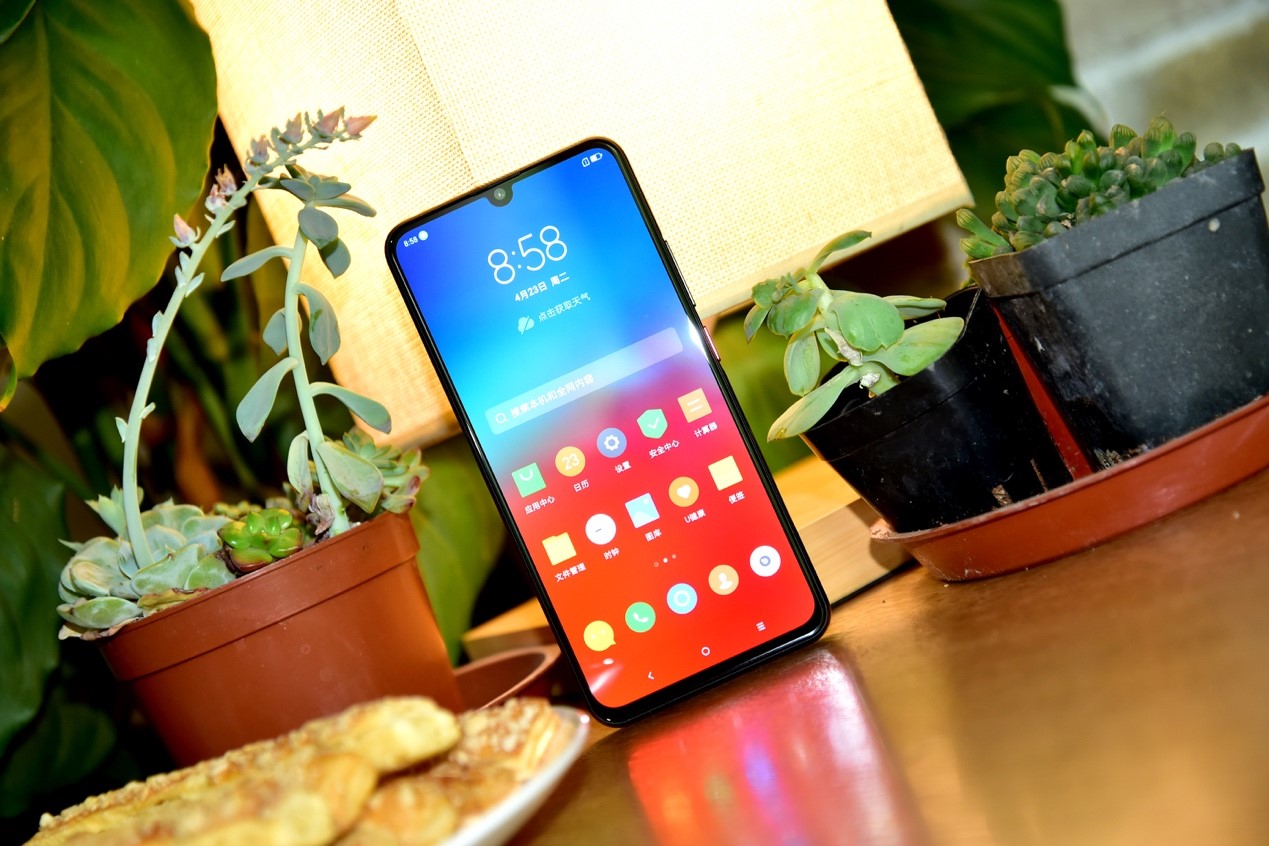
    The Lenovo Z6 has a screen resolution of 2,340 x 1,080 pixels and 19.5:9 aspect ratio. You will also be pleased to know that the display screen is HDR10-compliant, ensuring that you experience the best colors and display. The phone has two different color saturation settings. In the vibrant mode, you can choose the color temperature, such as warm, cool, or standard. The dimensions of the Lenovo Z6 pro are 157.5 x 74.6 x 8.7 mm and weight about 185 grams. To safeguard the display screen, you can make use of the case and screen protector that comes with the phones – an amazing piece of news! While the phone is a bit slippery, you can always get used to it. 

    Lenovo Z6 Pro Display
    Lenovo Z6 Pro Display

    Battery life

    This Lenovo Z6 Pro Full Review would certainly be incomplete if it doesn’t include details about the excellent battery life of the phone. Powered by a 4,000 mAh battery, you can be sure it is going to last you for a long time. With the 27W power charger, comes the ability to charge about 45% of the battery in just 30 minutes. Battery tests show that the phone easily offers over 100 hours of use on a regular day. 

    Audio Quality

    The loudspeaker on this phone is located at the bottom. While it a single bottom-firing model, you can be sure it holds nothing back in terms of loudness. As always, you can use the system-wide equalizer to bring it to terms you like. However, there is no way you can completely disable it. The clarity is remarkable for audio with headphones and with an active external amplifier. Many expect that a firmware update from Lenovo might fix the equalizer issue. 

    Performance and Software

    The Lenovo Z6 Pro runs on Android 9 Pie. ZUI refers to the proprietary Lenovo launcher. Its look and feel relate to Android in many cases. You will find that the usual app drawer, Google default apps, and the Pie home screen are all present. Now, if you want to know what has changed, they are the camera app, the notification panel, the settings menu, and the task switcher. You can also make use of the Lenovo Security app to improve your phone’s security. 

    Lenovo Z6 Pro Specs and Performance
    Lenovo Z6 Pro Specs and Performance

    Powered by the Snapdragon 855 chip, the phone runs smoothly and efficiently. The advanced chip cooling ensures that the phone does not heat up and still performs admirably when the maximum power is used. The Snapdragon 855’s processor is the reason why multi-core tasks can be carried out comfortably. Do note that this phone is resistant to dust or water.

    The ZUI11 launcher

    Coming to the part which many are eager to know about in great detail! The Lenovo Z6 Pro features the usual three virtual navigation keys on the bottom of the screen. However, if you are keen to experience the full-screen experience, you can enable the 4D touch mode where you can use gesture navigation. As always, you can unlock your phone using the fingerprint scanner located underneath the screen. It works accurately in most cases and very rarely is there any lag. 

    Besides the fingerprint sensor, you can also set up face recognition and unlock option. Unfortunately, it is not very secure. If you don’t want to use Google’s default gallery or Photos app, you can fall back to the ZUI version for the same. 

    Camera Specs

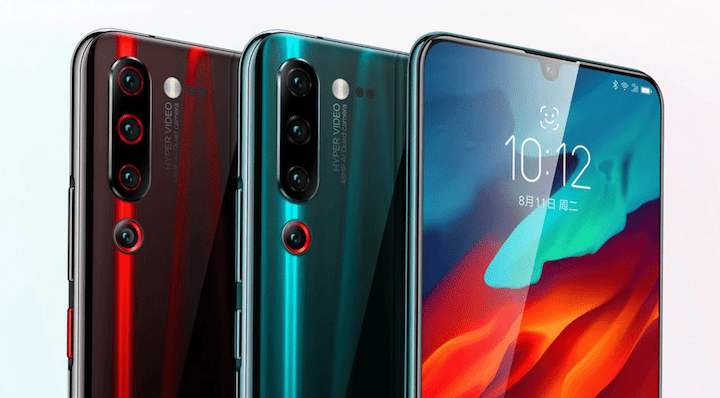
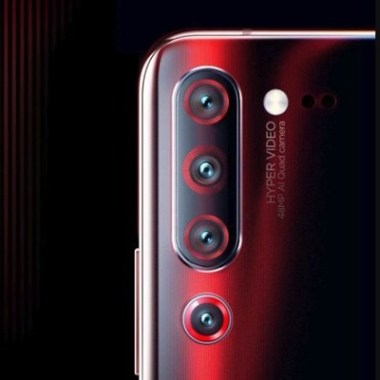
    You will find four vertically-aligned cameras on the back of the Lenovo Z6 phone. Besides the ultra-wide, tele, and primary options, you will see that the Lenovo Z6 model comes with a dedicated 2MP video camera for low-light or night time videos. There is also a 3D ToF camera for autofocus and portrait mode. The top one is the 16MP shooter behind f/2.2 12mm lens designed for ultrawide images. You can use it to capture something as close as 2cm. It also supports auto-focus. All in all, you are certain to get some high-resolution images. 

    Lenovo Z6 Pro Camera Review
    Lenovo Z6 Pro Camera Review

    Following this is the 48MP primary snapper, then the 8MP shooter, and finally, the 2MP imager. The camera app is a joy to use, especially since the screen is left clear and uncluttered. For more options, you can tap on the ‘More’ option. This will show you filters, HDR options, and advanced settings. You can choose one of the many modes, including Pro, Portrait, Panorama, Night, Wide, and Macro. Build-wise, the phone stays on a level surface and doesn’t wobble at all since the cameras are all in a neat line. The low-light feature comes to life automatically, ensuring your clicks are stunning. 

    The Verdict – Lenovo Z6 Pro Full Review

    Now that we have explored every aspect of the phone in this Lenovo Z6 Pro Full Review, you know every positive and negative point. While there are many things to its credit, there are one or two things that make us apprehensive. One, of course, is the ZUI. This vanilla Android launcher doesn’t make much sense. You will find it much slower as well. Also, the introduction of a task switcher and a new notification shade could also be tough to get used to. On the brighter side, the display is crisp, the camera images are vibrant and colorful, the battery life amazing, and the overall performance great! Since Lenovo has not been seen much in the global markets lately, this is a pretty good comeback. If you are looking at a budget smartphone offering the best performance, check out the Xiaomi Redmi K20 Pro Review. This review covers everything you need to know – performance, hardware and software, camera, audio, and more. 

  • Samsung Galaxy Note10 Plus Review

    Samsung Galaxy Note10 Plus Review

    Samsung Galaxy Note10 Plus Review – A Quick Introduction

    Galaxy Note 9, Note 10’s predecessor, was released last year. However, it didn’t feature any big upgrades and was a bit of a disappointment. To make up for it, the company then released Galaxy Note 10 the following year and the Samsung Galaxy Note 10 Plus. Samsung still features the 3.5mm headphones jack in its phones along with a microSD card slot. On the brighter side, the Note10 Plus is known to have a great battery life, excellent performance, good charging speed, and a stunning camera. This post will deal with the Samsung Galaxy Note10 Plus Review in detail.

    Samsung Galaxy Note10+ Specs Overview

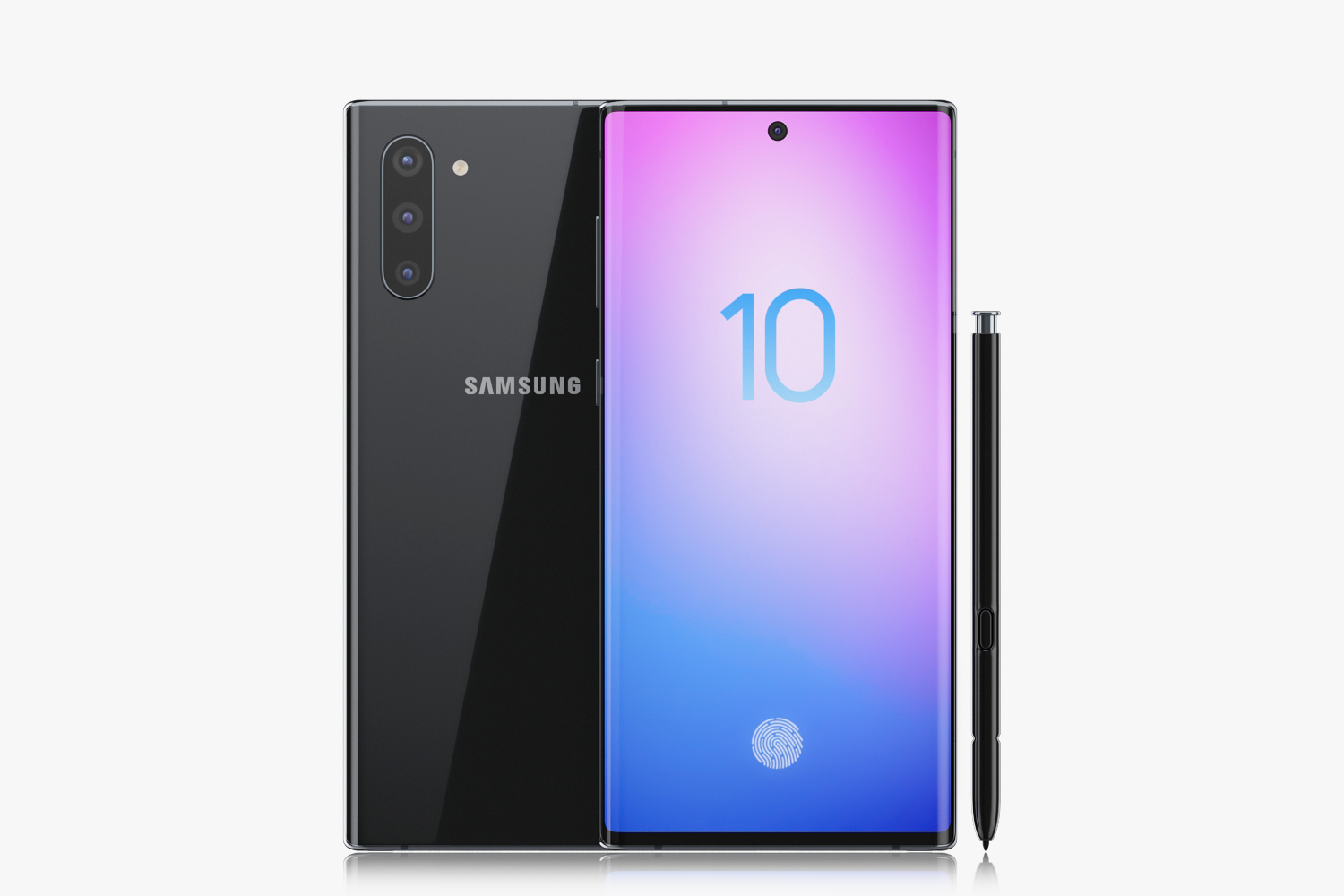
    Regarding the body, it is made of curved Gorilla Glass – both on the front and back with the sides bearing a metal frame. The dimensions of this smartphone are 162.3 x 77.2 x 7.9 mm and weigh about 196 grams. The screen size 6.8″ Dynamic AMOLED and the phone boasts of a 12GB RAM and 256/512GB storage. The Galaxy Note 10 Plus runs on Android 9.0 Pie.

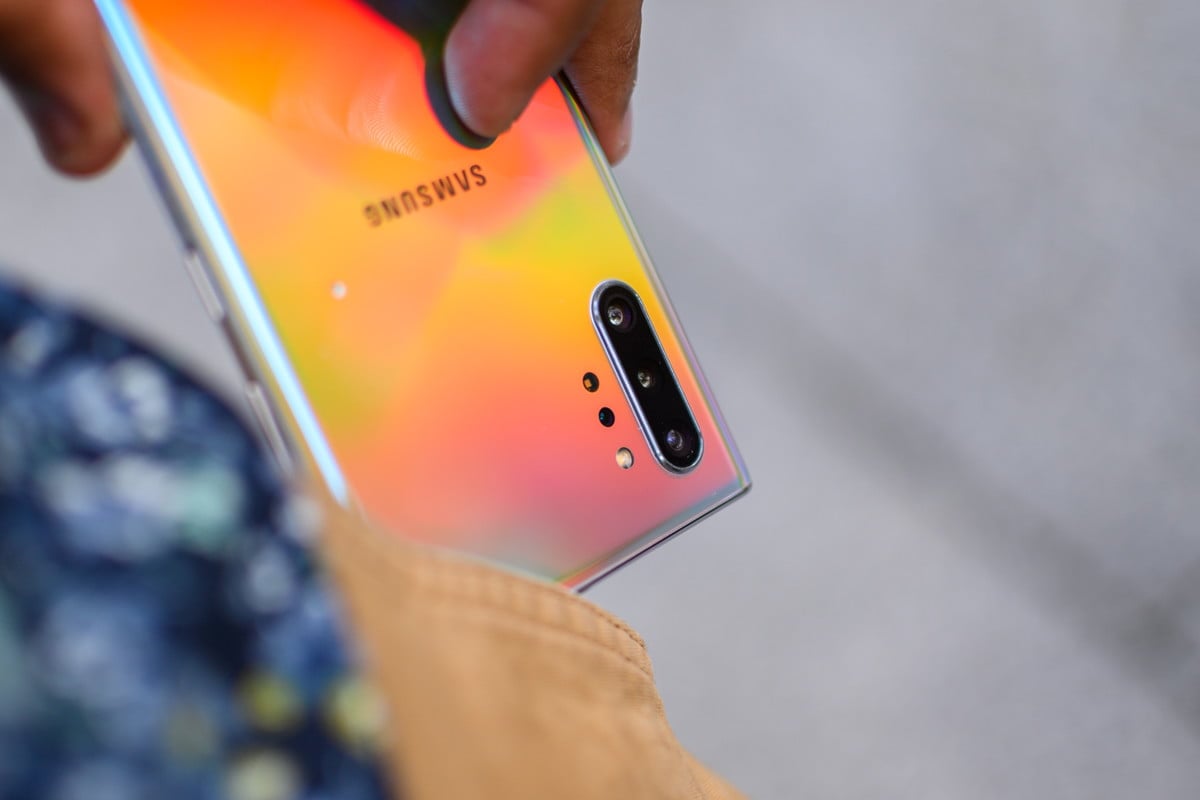
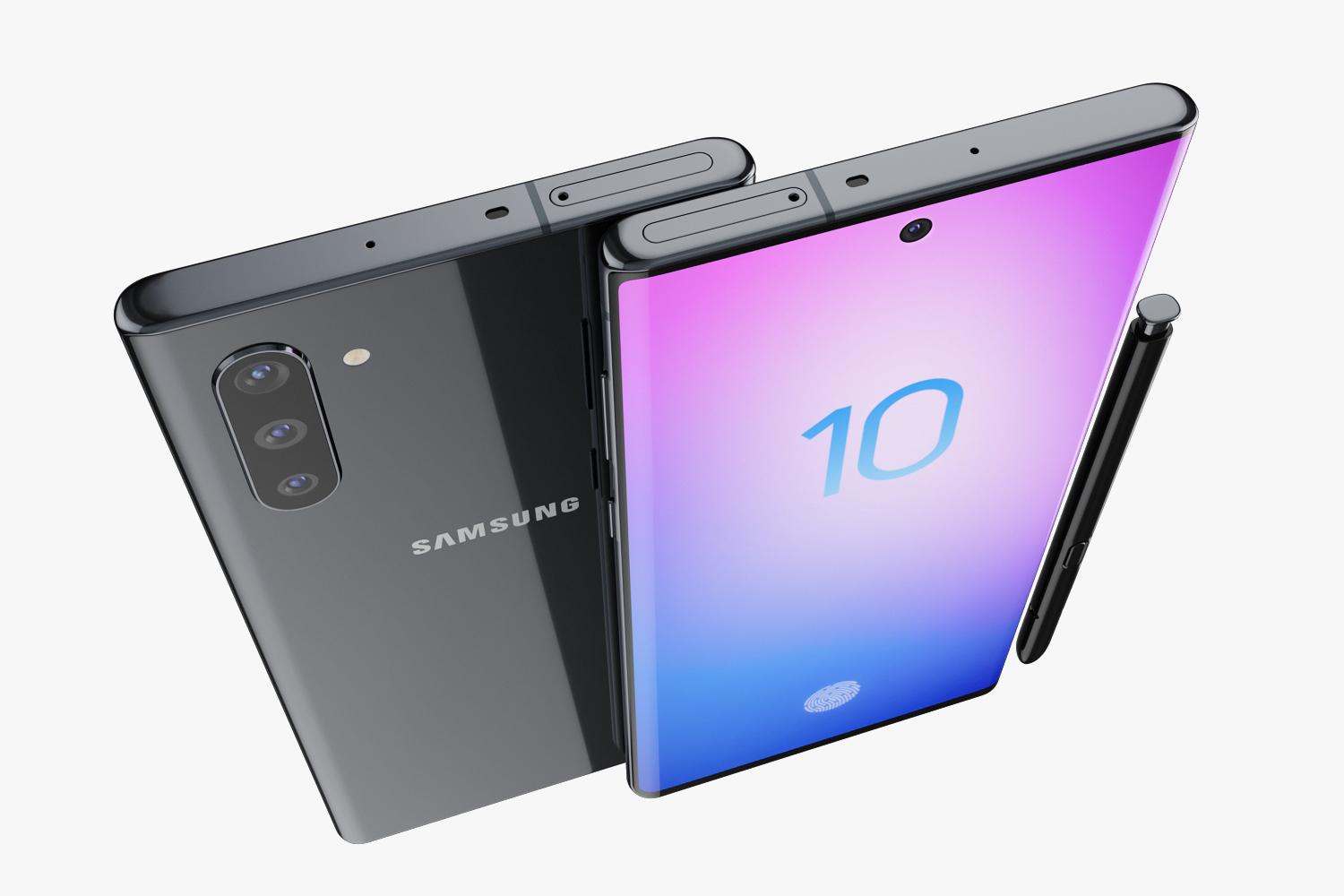
    Samsung galaxy note 10 plus
    Samsung galaxy note 10 plus

    If you are interested in the camera, you will be pleased to know that this model by Samsung has one of the best camera quality in the market. With a 12MP rear camera and a 10MP front camera, you are all set to go clicking. The picture quality is pretty amazing with crisp lines and vibrant colors. Battery life is good enough thanks to the 4,300 mAh. It also supports fast charging. The biggest change you might be able to see is the screen size and camera performance. The developers have also made it more aesthetically appealing with a glass back and sleek, curved edges.


    Design and Build

    Of course, the Samsung Galaxy Note 10 Plus is made of the best quality materials that one can come across. Both the front and back feature curved glass plates while the sides are held together firmly with the metal side frames. Gorilla Glass 6 is the best in the market currently and offers as much protection as possible. When compared to the Note 9 version, there is a difference for the better regarding the back panel. It looks and feels luxurious.

    One thing to note is that the Note 10 Plus is quite slippery, but that’s no surprise considering that phone is literally made of glass! Another surprise is the fact that it is not as heavy as one would expect, especially considering that there has been a battery upgrade. Using gestures is a bit tricky and is a bit hard to use with one hand. There is also a Bixby button located underneath the volume control while the power button has been shifted to the other side of the phone.

    Performance, UI, and Use

    The latest UI is all about improving the one-hand operation experience. While it enhances the user experience, understanding how the software works is no child’s play. Swiping down twice will bring the notification panel to your thumb’s reach. There are plenty of features that you can use, such as the night mode, blue light filter, screen resolution adjustment, edge screen, and screen calibration. The Edge screen is a great option that lets you have quick access to apps you choose. Samsung is also known for its Always-on display option. You can enable it from the settings and it is one of the most favorite settings on this phone for many! Did you know that Samsung has its very own browser? It is called the Samsung Internet Browser!

    You can change how the UI looks and decide whether or not you want an app drawer. Screenshots settings are available or you could always hold down the power button and the lower volume button simultaneously to capture the screenshot. If you find this tiring, you can always make use of a fun way Samsung has here – the palm-swipe option to take screenshots. Basically, just as the name suggests, use your palm to swipe the screen and you will have a screenshot! There are many different motions and gestures available, most of which are designed to make life easier.

    Samsung galaxy note 10 plus glass back
    Samsung galaxy note 10 plus glass back

    Battery

    Samsung’s Galaxy series has always been blessed with a long battery and the Note 10 Plus carries on the tradition. Despite having a huge battery, the phone is still sleek, thin, and light to use. The talk time and standby don’t consume a ton of battery life. Even video playback doesn’t suck too much charge. You might also be happy to know that Samsung is introducing fast charging capabilities to its flagship phones. While the Note 10 Plus supports two fast-charging speeds, 25W and 45W, you will only receive a 25W wall charger. For the other, you will have to purchase it separately. A side note – it doesn’t come cheap!

    Audio and Loudspeaker Quality

    The stereo loudspeakers seen in Samsung Galaxy Note 10 Plus is a located at the bottom, the top, and the earpiece. However, covering one of them could lead to experiencing muffled sounds. Regarding the general audio quality of the smartphone, it is effective enough and quite clear. The output is excellent both while using headphones or with an external amplifier.

    Security and Locks

    There is, of course, a fingerprint scanner. Instead of at the back, it is embedded in the lower part of the screen. In most cases, you will see a highlight of the area where the sensor is and you can place your finger there. The performance of this fingerprint scanner is pretty good, but chances are that you will encounter a lot of false readings. The Samsung Galaxy Note 10 Plus also features face recognition and unlock feature. It is pretty fast but is not as reliable as iPhone’s.

    Going into Settings, and into the ‘Device Care’ tab, you will find all that you need about storage, battery, security, and more. The Optimize button will clear all apps running currently in the background and improve your battery life. It will also scan for malicious files or suspicious behavior. If you don’t want to engage in this process manually, you can enable the auto-optimize process.

    Camera Quality – The Samsung Galaxy Note10 Plus Review Everyone Wants To Know

    Now that we have seen the rest of the specs of this phone, let’s dive into the camera features and its quality. This is one area where this phone truly shines. Thanks to the variable aperture, you will now be able to take sharp and clear pictures. If you are a big fan of sharing pictures on social media, this camera is particularly great. There is not a big difference between the quality of the cameras of Galaxy Note 10 and the Note 10 Plus versions. The latter uses higher contrast and lower exposure, resulting in sharper and vibrant colors in the daytime or well-lit areas. The lack of autofocus while using the ultra-wide angle camera can be a drawback at times. However, its wider field is an advantage. Most Samsung Galaxy Note10 Plus Review by users mention this point as a great highlight.

    Samsung galaxy note 10 plus camera review
    Samsung galaxy note 10 plus camera review

    Regarding low-light photography, Galaxy Note 10 Plus can take some pretty impressive pictures. The colors are vibrant and the quality quite high. You might have issues with clicking neon lights or some light source as it could come out smudgy. The telephoto camera takes good pictures but they are not real telephotos. In most cases, when there is a lack of light, the main camera comes into play. The latest update features night mode on the telephoto camera as well. Selfies are an important aspect of a camera. The difference in the aperture in the Galaxy Note 10 Plus helps take some great pictures. To conclude, Samsung Galaxy Note 10 Plus has a great camera and could be said to be one of the best ones in the market at the moment.

    S-Pen And Its Features

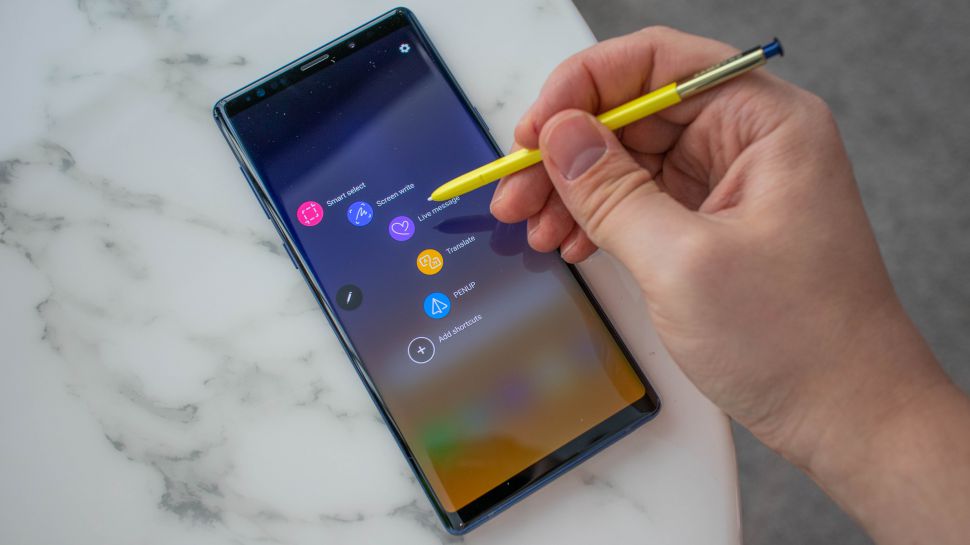
    S Pen is a fun and useful tool to use. You can connect it via Bluetooth and its battery status will show up on the top-right corner of the screen. Hand-written text recognition has undergone a great upgrade and it detects most texts correctly, even if the handwriting is horrible. No wonder Samsung is so proud of its updated algorithm. It is also easier to open and get started, unlike in the Note 9 series. Write On Calendar is a new feature with the Galaxy Note 10 Plus. As the name suggests, the feature lets you write on the calendar. Though it is not a very useful feature as of now, maybe Samsung is working on improving it where it may offer more in the future.

    Samsung galaxy note 10 plus S-Pen
    Samsung galaxy note 10 plus S-Pen

    The Verdict

    This Samsung Galaxy Note10 Plus Review should give you an idea about the various aspects of the latest Samsung release. Samsung’s Galaxy Note 10 Plus has been marketed quite well and is a pretty popular option out there. For the number of features it offers, there are no direct rivals for it currently. While the punch-hole camera is a feature many are not happy with, there are plenty of other options that make up for it. The camera is truly amazing, but could with autofocus. Coming to biometrics and security, the fingerprint scanner needs more work as there are a lot of false tries.

    Overall, the Galaxy Note 10 Plus is an excellent option to choose. The design and the build are smooth and sleek. Although it is slippery, the glass back gives it a luxurious and premium look and feel. Better charging ability than the previous model is also an advantage. This Samsung Galaxy Note10 Plus Review should give you an idea if it fits your use and expectations. If you are looking for a budget phone having great features, check out the LG W 30 mobile review.


  • Realme 5 Pro Full Review

    Realme 5 Pro Full Review

    A Quick Introduction – RealMe 5 Pro Full Review

    RealMe is a pretty new company. In fact, it is so new that it turned one only a few months back! The company’s goal is to design and manufacture high-quality phones featuring stylish design, good performance, and an awesome camera – all at extremely competitive prices. If you are looking specifically at the Indian smartphone market, the RealMe 5 and 5 Pro are the first quad-camera based phones. This gave RealMe the break they were waiting for. The RealMe 5 Pro has many features in similar to the most premium model by RealMe – the RealMe X. Let’s take a look at the Realme 5 Pro Full Review.

    Realme 5 Pro specs

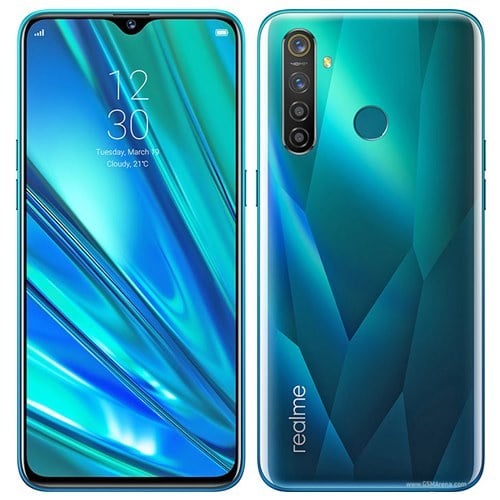
    Let’s quickly run through the specs once. The body has a Gorilla Glass 3 Plus at the front and a polycarbonate back, ensuring the phone is well protected all around. The 6.3-inch with a 1080p+ resolution is sure to get you grooving. If you are a camera fanatic, here are some details for you. The RealMe 5 Pro’s front camera has a 16MP Quad Bayer sensor while the back camera has Primary 48MP Quad Bayer 1/2″ sensor, an ultra-wide angle 8MP camera, a 2MP macro camera, and a 2MP portrait camera. 

    RealmMe 5 Pro Full Review
    RealmMe 5 Pro Full Review

    The smartphone is powered by Snapdragon 712. This model is found in various options, including the 4/64GB, 6/64GB or 8/128GB. There is also a dedicated MicroSD slot with which you can expand your memory up to a maximum of 256GB. The RealMe 5 Pro runs on Android 9 and has a battery of 4,035mAh. It is available in two beautiful and attractive colors – crystal blue and crystal green.

    Hardware and Software

    The RealMe 5 Pro’s teardrop notch is 30% smaller than the previous version. Besides offering additional protection to the screen thanks to the use of the Gorilla Glass 3 Plus, it has also ensured that the smartphone is splash resistant. With the use of a rubber gasket, glue, and rings, you can now be sure that no water can get it either via the headphone jacks or the card slot, or the USB entrance. While most IP68 certified devices offer water protection with rubber gaskets and rings, so RealMe 5 Pro could definitely be certified for this. However, they have not mentioned anywhere that the model is officially water resistance. 

    Coming to the software part of the phone, RealMe 5 Pro currently runs on Oppo’s ColorOS 6. While it has undergone some changes before use here, ColorOS is a great Android-based OS option. A nice touch is that the software allows HD streaming from Prime Videos, Netflix, and other similar applications. However, some might not be so happy about Oppo having a very similar map to iOS. One good news is that RealMe will be replacing ColorOS with their RealOS sometime soon, probably even by the end of this year. 

    Some changes you might notice currently include the notification shades and the limited customization ability. However, on the brighter side, you will have a private space of sensitive content and be able to navigate around a familiar Android interface. 

    Performance

    Thanks to the presence of Snapdragon 712 AIE chipset, you will experience a higher processing power. In this price range, you will also not see this efficient a phone. The premium RealMe X is powered by SD 710. However, the SD712 is known to be a better and more powerful option. This is a great phone for multi-tasking. We tried using social media, calling, texting, and more simultaneously and it performed admirably. While the animations were not that great, the experience was smooth and fast. 

    This is a popular phone for gaming. Even when playing heavy-duty games like PUBG, the phone didn’t show any signs of distress. With no noticeable heating and consistent performance, the phone is great for gaming. While SD 712 has a few poor reports from other phones, it seems to work really well here, leading us to the conclusion that RealMe must have optimized it to suit the phone. 

    Design and Build

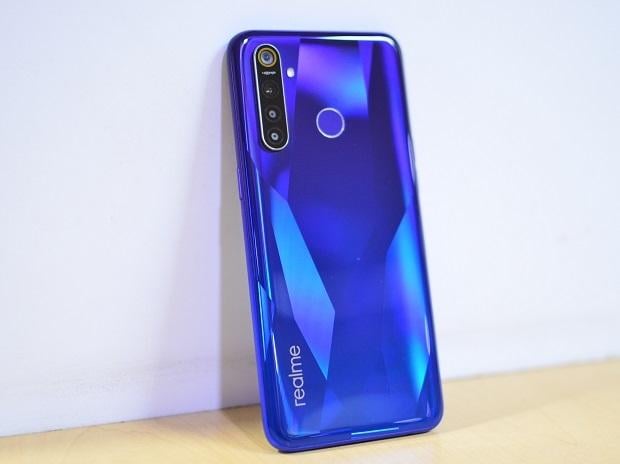
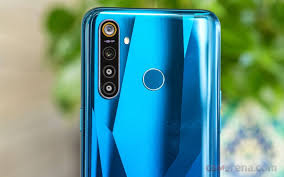
    The RealMe 5 Pro has a crystal design at the back, giving way to the names of its different colors. The back has crystal-type facets, mimicking a diamond. While it looks trendy, it is not really an original idea with many smartphones by different manufacturers already in the market. The plastic back of the smartphone is prone to scratches and smudges, so it is advisable to take care of it. You can always add a case for protection. Despite all the attempts by RealMe, the phone just does not convey a premium feel while you use it. One point in its favor is the fact that it is not too slippery. If you love a glass-type feel, you should check out the Samsung Galaxy Note 10 Plus Review. 

    RealmMe 5 Pro Back Panel
    RealmMe 5 Pro Back Panel

    According to RealMe, they worked on it and made adjustments 78 times before the look was finalized. The polycarbonate back is pretty sturdy as well. While it does not give a luxurious feel, it doesn’t feel flimsy or cheap either. The plastic side frames have the SIM-tray and the volume controls on the left side while the right side has the power key. The phone uses USB-C to charge. You will also notice a 3.5 mm headphone jack at the bottom. Besides this, the lower side also has the loudspeaker grille. 

    There are very thin bezels on the sides, and as with most phone, slightly larger towards the bottom. The quad-core camera comes out slightly at the back, but it does not stick out so much that the phone wobbles. The fingerprint sensor is located on the rear which is pretty efficient and consistent. The accuracy of the rear sensors is well known and this is no exception. Overall, the build quality is sturdy and the most clumsiest of us can use it confidently. Although RealMe markets it as splash-resistant, it does not have any IP certification. 

    Display

    RealMe 5 Pro is a budget phone. Therefore, it comes as no surprise that the display is usually average in quality. This 6.3-inch smartphone has an IPS LCD panel. There is also a tiny waterdrop notch at the top for the selfie camera. The company mentioned that this teardrop is smaller than its predecessors, and it seems to be true from the looks of it. The colors are vibrant and accurate, but of course, they cannot beat an OLED display. However, overall, they are good enough for the price range and general use. Both the minimum brightness and the maximum brightness are satisfactory. As already discussed, the RealMe Pro 5 is designed with Gorilla Glass 3+. 

    Battery Life

    The RealMe 5 Pro has a 4,035 mAh battery that can take you over across a day comfortably, no matter how extensive your usage may be. With a 20W fast charger, your phone will get completely charged in just over an hour. While the display may not be up to the mark, you can be sure you are getting value for every penny you are shelling out on it with the battery quality and life. 

    Camera Quality

    The RealMe 5 Pro is a quad-camera smartphone – the company’s very first. Did you know that RealMe never tried its hands at a triple camera phone? After the dual camera models, they jumped to the quad-camera with the release of the RealMe 5 Pro. The main camera, of course, uses the 48MP Quad Bayer sensor by Sony and is sensor optimized for both low-light photography and for day-light clicks, wherever your interest may lie. The ultra wide-angle camera has an 8MP sensor with an f/2.25 aperture while the 2MP macro camera is useful if you want to focus closely. It can focus as close as about 4cm away! One thing to note here is that the ultra-wide camera and the macro one cannot be used to record videos, unfortunately. 

    RealmMe 5 Pro Camera Review
    RealmMe 5 Pro Camera Review

    The fourth camera is the portrait camera and can excellently increase the contrast. Of course, there is also a 12 MP selfie camera. Another thing to note is that enabling the 48MP will cause you to experience a lag. It will take about a second or two to click the photo and store it. 

    Verdict – RealMe 5 Pro Full Review

    To wrap up this Realme 5 Pro Full Review, let us summarize the key points. To say that RealMe 5 Pro is a great phone for the price it is offered at would be a fair statement. Snapdragon 712 is considered to be one of the best processors at the moment and having it in this budget phone is a really good value for money. Its presence on this phone can also make it attractive for gaming enthusiasts. The company says that its Game Boost works to enhance the Play Store’s top 100 games’ performance. The versatile quad-camera can ensure you always click the best photos! While the RealMe X is a much better choice, RealMe 5 Pro is not bad either. For more option, you can check out the LG Z6 Pro Full Review right here.


  • LG W30 Mobile Review

    LG W30 Mobile Review

    A Quick Introduction – LG W30 Mobile Review

    LG has been trying to step into the smartphone market for quite a while now. With the early success it found with the Nexus range of devices, it was expected that the company would keep continuing its conversion rates – but this did not happen. They have been one of the most silent companies this year. LG did not release as many phones as one would have expected. That being said, they did not want to get out of the game completely either. This gave birth to the latest LG W series range of phones. This series comes under the tag belt of budget smartphones where there is a major market share. Let’s take a look at the newly launched LG W30 phone which is being touted as one of the best budget phones in the mobile market today. On paper, the specs of this device have blown away everyone’s mind. The phone boasts of 3 rear camera configuration along with a notch display and a big battery. Read on for the LG W30 mobile review.

    The Specs – LG W30 Mobile Review

    The phone is powered by MediaTek Helio P22 Sox which is found in many of the entry-level smartphones. At this price range and the level of competition in the market, we would have expected LG to go higher with the hardware specifications. There is only one configuration available in the market – the 3GB RAM and the 32 GB storage option. The phone can support USG-OTG, FM Radio, and a wide range of the usual sensors. You also get the dual-band Wi-Fi 802.11ac with Bluetooth 4.2. The phone will not be able to stream Netflix content in HD resolution or higher as it has been certified with Winevine L3. You can also install the LG Health App for all your health and fitness needs. 

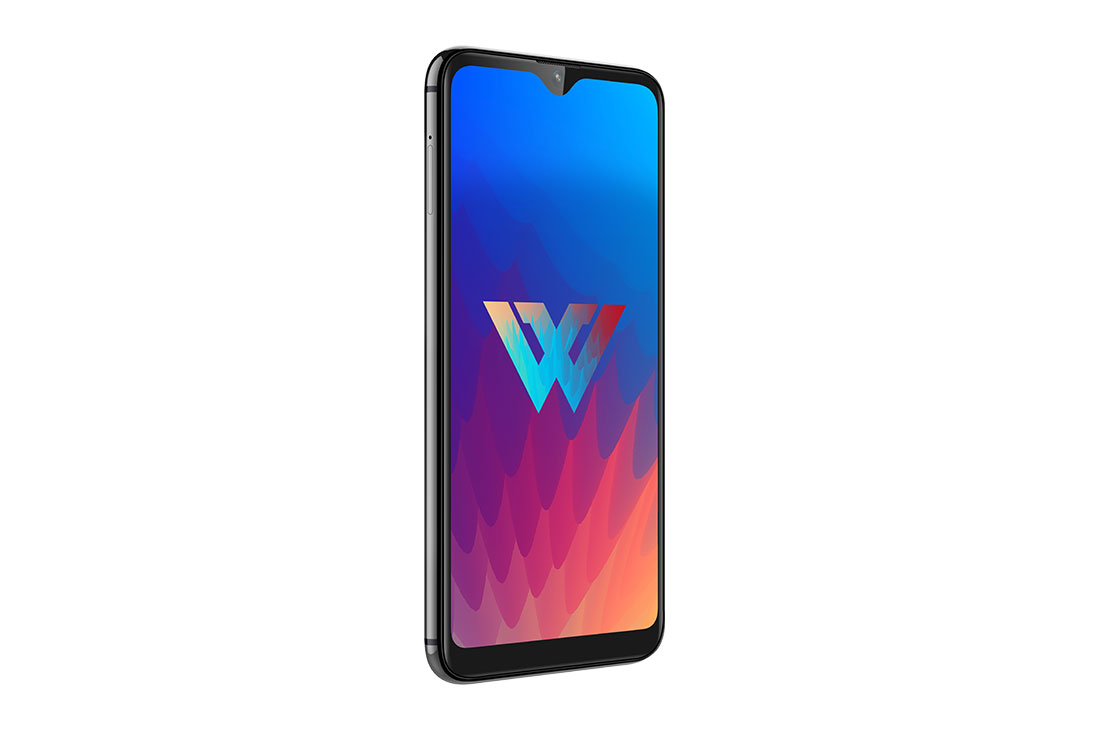
    LG W 30 Mobile Display Review
    LG W 30 Mobile Display Review

    Using the Phone

    In terms of software, this LG phone runs a minimal toucher version of the Android 9 Pie. With this version of Android, there are no buttons, however, you will be able to customize this in the setting if you are looking to go back to the old style. LG has given a few touches of their own. For instance, you will be able to set up gestures in the setting to perform a few actions – screenshots, opening an app, etc. Apart from this, they have also their own version of the “Panic or Emergency Button” which will directly make an emergency call to 112. Apart from this customization, another good feature on this phone is the way you can set up the notch. You will be able to completely remove the notch or have them set up with a normal notch or you can keep it just like it came out of the box!  

    LG W 30 Design

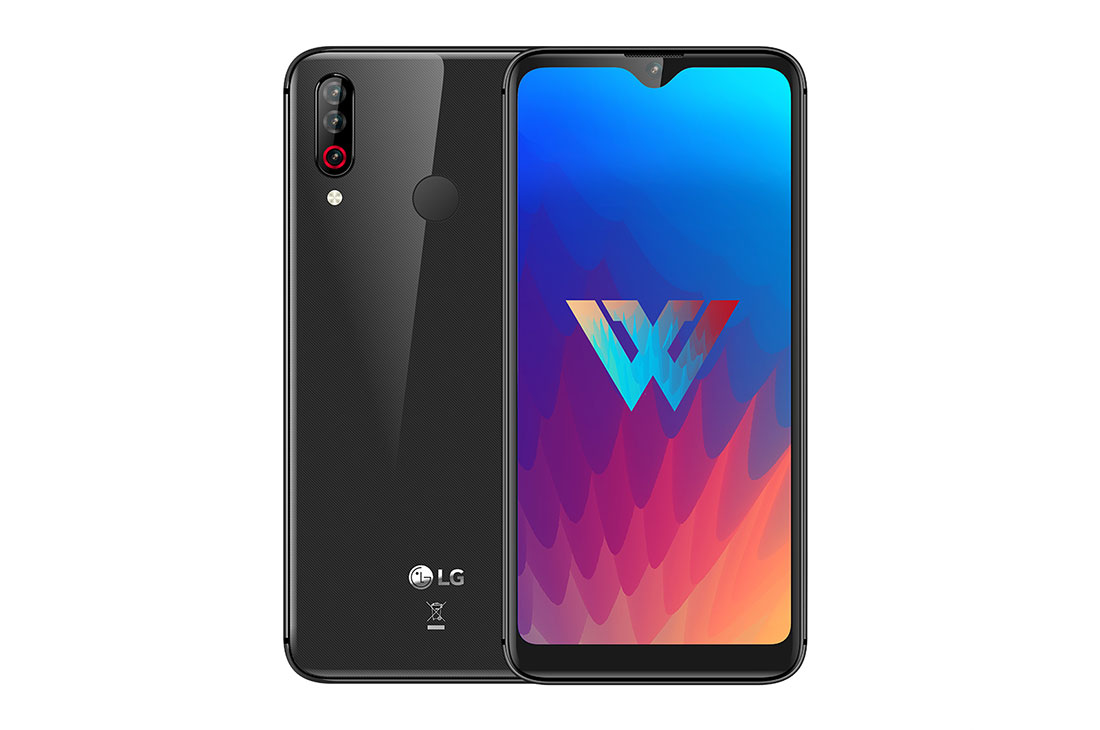
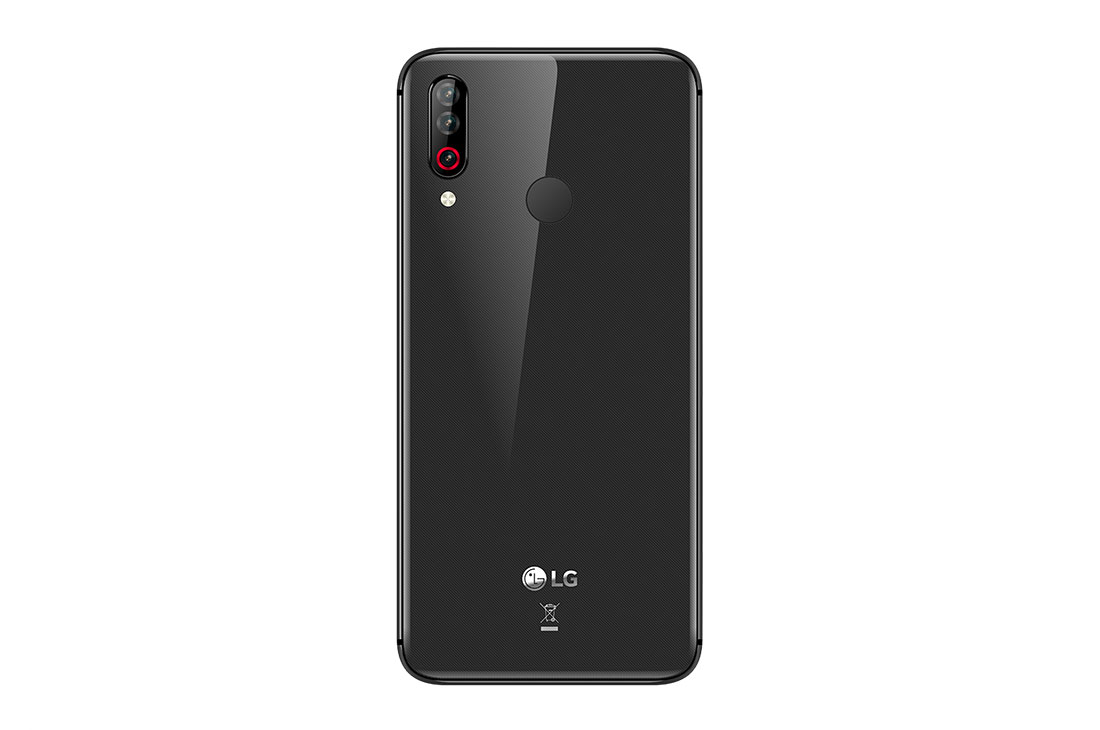
    The phone has a premium look and feel. The phone’s design makes it extremely light. The phone weighs around 172gms which is not too heavy for this price range. The V-shaped waterdrop notch display tops it all in terms of a premium look. The bezels around the phone are to the minimum giving the user an impression of a fully covered screen. The sides are chrome plated and a brushed aluminum pattern takes its place at the back. It is covered with 2.5D curved plastic which again adds to the premium feel of the phone. Since the back is made of clear plastic, it resembles glass. For this reason, it is also easy for you to smudge it with fingerprints! Unfortunately, it also picks up dirt easily.  

    On the left-hand side, you will find a hybrid dual SIM tray. It can support either 2 SIM cards at the same time or you can sacrifice the services of one SIM and put in a memory card to expand your storage. The internal memory limited to 32 GB. With the apps getting bigger and bigger with every update, you might soon need the additional storage. For all the music lovers, there is a 3.5mm jack located at the top. The speakers and the micro-USB are in the bottom. With the smartphone world turning away from the micro-USB and moving on to USB-C, this smartphone, unfortunately, misses out on that. One good feature of this phone is that LG has not sacrificed the notification LED which many manufacturers had to drop. They have managed to squeeze this in within the space allotted for the camera. On the back of the phone, you will find three cameras aligned vertically and the fingerprint sensor in the middle. This has been the go-to design for most of the manufacturers in the smartphone segment, so nothing new there!

    LG W 30 Mobile Review
    LG W30 Mobile Review

    Display Features

    The LG W30 is available in multiple colors. To sum up, LG has put in a lot of efforts to lend this phone a premium aesthetic design except for the fact that the phone looks a bit too bulky in terms of the width of the sides. They are about 8.5 mm thick. The overall dimensions of the phones, on the other hand, are getting thinner and thinner. With this being a budget phone, LG has compromised on the screen quality a bit. The resolution of the phone is HD+, making images and texts less sharp than they usually are. Though LG has not mentioned what the display rating of the phone is, it is apparent that the display does not easily pick up scratches. 

    Performance

    In terms of performance, there is no noticeable lag in the phones while swiping through menus and keeping multiple apps open. Though once you have opened a few apps, you might experience some lag. This might be due to the low-end chip that they have used. Running heavy games such as PUBG or NFS might not be a good idea and many LG W 30 user reviews suggest that they do not run properly. They lag quite a bit even on the lowest graphics level and this phone is definitely a big no-no if you are looking for a gaming mobile device. In the stress testing mode or while playing games, it does not get as hot as one would expect except for the top part where it tends to get a bit warm. 
    Speakers and Battery Life

    Do not expect too much from the speakers located at the bottom of the phone – they are far below average. The software also includes a face recognition feature something rarely found on phones at this price. It works well with good light but does not work in the dark at all, in which case you will be able to use the fingerprint scanner on the back. The battery backup of this phone is simply amazing. On one full charge, it can easily last close to 40 hours – this is based on the average use of the phone. One full charge takes close to 2 hours to complete. The 10W charger which comes included in the box. 
    Camera Quality

    Here comes the main part that everyone wants to know – the LG W 30 camera review. With three rear cameras, one would expect some high-quality photos to be produced. However, unfortunately, the phone just does not deliver as per the specs! The main camera is 12-megapixel with an aperture of f/2.0. The second one is a 13-megapixel wide-angle, fixed-focus camera which has an aperture of f/2.2. The last one is a 2-megapixel camera with a depth sensor. The main camera has been powered with a Sony IMX486 sensor, one which has been incorporated in multiple budget range phones in the market. 

    LG W 30 Mobile Camera Review
    LG W 30 Mobile Camera Review

    The autofocus of the camera is something that needs improvement. The sensors just don’t lock in order to have a good focus. In case you are using the camera in broad daylight, then the image quality is decent enough. Capturing distant objects lack the sharpness and also dissolves a few colors once the image has been captured. Comparing all this with the close-ups, they are far better than the latter. While testing, one issue we came across is shutter lag. This means that you will need to hold your position for a good 2 seconds before the phone can capture the image, otherwise, it is going blur up. Coming to the front camera, it features a 16-megapixel camera which works well for selfies and video calling. Similar to the rear camera, the images captured come out slightly overexposed. 

    The Verdict – LG W30 Mobile Review

    To wrap up, while the camera and some features do not meet the mark, the overall performance and battery life of the phone makes it a buyable product. There are many other phones in the segment which offer you better performance, but not at this price. That being said, this LG W 30 could be your choice. If the display, the battery life, and the performance are the most important to you and you feel you can skip the camera downsides, go for it. Hope this LG W30 mobile review gave you an insight into the inner working of this phone. If you are on the lookout for a premium phone with amazing features, check out the Samsung Galaxy Note10 Plus review