Category: Music Apps

Music Apps

  • Best Beat & Music Making App for Android and iOS

    Best Beat & Music Making App for Android and iOS

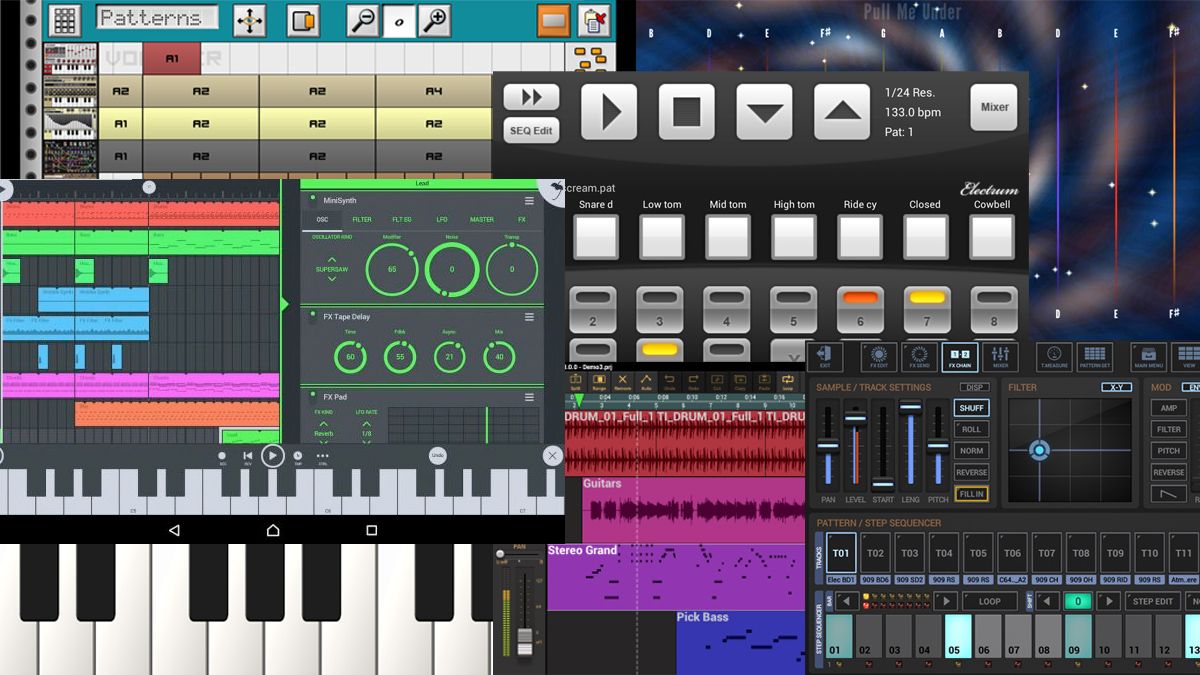
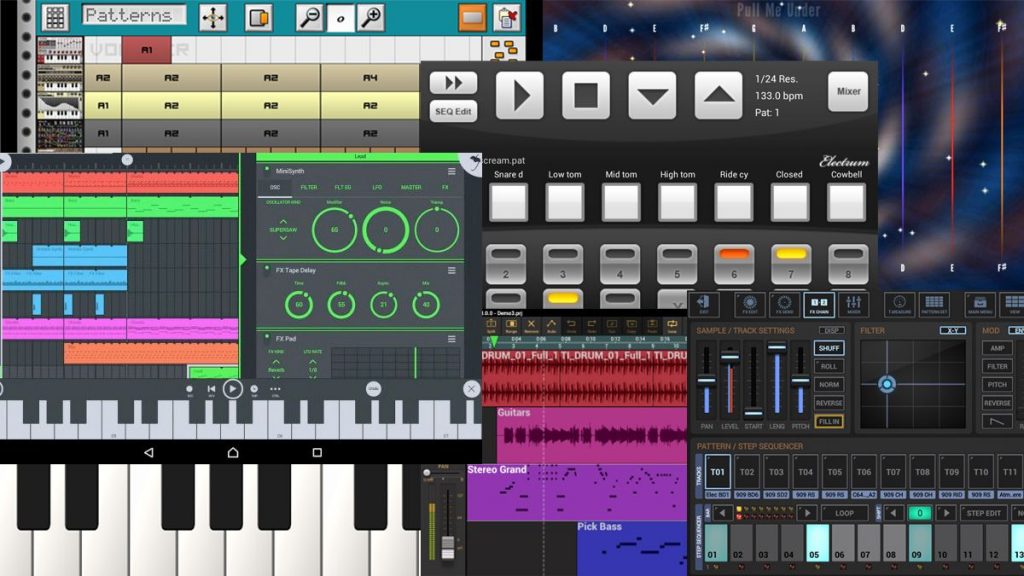
    Creating music is a passion for many, but due to the lack of resources and investments, they cannot put their best abilities to use. Nowadays, this worry has become quite insignificant because of the invention of various apps! Today the devices working on the Android or iOS platforms contain some fantastic applications for creating music.
    Best Beat & Music Making App for Android and iOS

    No rocket science is involved in the operation of this app, and one can create music from any place, at any time. For others also, such apps are fun and always an excellent time-pass option to curb your boredom!

    Here is a list of some of the best beat music-making apps. These will aid you in pursuing your passion for music.

    1) MUSIC MAKER JAM

    If you are someone who is looking for simplicity in the operational features, but with a wide range of music creation opportunities, this app will be a gem for you. It provides a mixer of 8 channels and 300 mix pads fir every genre like EDM, hip-hop, rock, jazz, etc.!

    This app also comes in handy for making the last-minute changes or additions to your fire beats, without the involvement of a studio. You can share your creations with the world directly through this app via YouTube, Facebook, etc.

    This app is available on both the Android and iOS platforms.

    2) Hip-Hop Pads

    This app gives a fantastic drum-like experience. It has several square pads on the screen that will aid you in creating some sick hip-hop, rap or trap beats by touching the screen. It has several rap samples and also about 90 different pre-sets.

    This app is available for free and but several ads may interfere with your working. You can make some in-app purchases to make your app experience the best ad-free one.

    3) FL Studio Mobile

    FL is probably the most preferred and popular music maker app presently. The fantastic user interfaces this app offers has made it a favorite choice of many musicians.

    There are numerous features present in this app that will make your music creation experience a phenomenal one. A virtual keyboard, drum pads, percussion programming through step sequencer, MIDI file export, and high-quality audio/ video output, etc.

    You can also add a variety of effects to your music development process. Audio loops, synths, samplers are also some of the enthralling features that this app offers. It can run on both Android and iOS devices.

    4) DJ STUDIO 5

    This app is terrific for all the passionate Disk Jockeys out there. Even if you don’t have access to the lavish DJ instruments, then you can get a fantastic DJ experience through this particular application. You can create some EDM music and also get to know and brush up your DJ skills.

    You can live to record your music mixes, select from more than ten customizable pads and utilize the 3-band equalizer. This app is also available on both the Android and iOS platforms.

    So, what are you waiting for? Go and get one of these apps and start making some groovy music beats.

  • How To Download Music From SoundCloud

    How To Download Music From SoundCloud

    SoundCloud, a European online audio distribution platform, is a Berlin-based entity. It has gained popularity in recent years along with a reputation for being one of the best music sharing platforms out there. While streaming is the latest trend, you just cannot relax unless you have a local collection of music that you can access regardless of your internet connection, streaming subscription, and other factors. Sometimes, however, downloading a track is not as simple as simply paying the fee and downloading it. SoundCloud is an on-demand service where people can stream music through its website and mobile application. They also make a ton of revenue with the ads.

    Download Music From SoundCloud
    Download Music From SoundCloud

    SoundCloud also has an unlimited membership if you want to listen to the tracks without being disturbed by the adverts. This membership will also get you offline access to the apps. However, most songs available on the platform can also be gotten for free. With the membership prices being a little too steep, let’s see what other option we have. You can download songs from SoundCloud by either clicking on the small download icon in the lower-left corner or by using an online extractor. Let’s explore them in detail.

    Download Music From Soundcloud

    SoundCloud gives the artists an option to make their tracks downloadable. If the artists choose to do so, you will be able to download it easily. However, you will only be able to download one track at a time. As of now, there is no way you can download the entire playlist. If you want to download a track, simply tap on the Download button located below the track. If you don’t find it, it could be because the artist has chosen not to make it

    Download From SoundCloud
    Download From SoundCloud

    downloadable.

    Online Extractor 

    If you don’t find the option of downloading the song or audio track on SoundCloud, never fear. We have an alternative to help you out. This involves using an online extractor. What essentially happens here is that you run the specific URL of the track through an online extractor. You will then be able to retrieve the audio file from the firm’s server. It is a great way of downloading your favourite tracks.

    First, find the track that you want to download on SoundCloud. Once you do, simply copy the URL from the address bar at the top of your browser. Make your way to the KlickAud website. Paste the copied URL there. Click on the Download button. You are done! The track will download, and you can now listen to it offline as well.

    Wrapping Up

    While most of us may be happy to pay the subscription fee for an ad-free experience, it does put a damper on things if the fee is very steep. In that case, you can use one of the above two options to continue listening to your favourite tracks offline and without any disturbances. Check it out and see if it works for you!

  • Amazon Music Is The One Streaming Service You Really Want To Check Out

    Amazon Music Is The One Streaming Service You Really Want To Check Out

    Music streaming applications have been trending in the past few years more than ever before. We are all aware of the dozens of music streaming applications like Spotify, Saavn, Apple Music, Pandora, Google Play Music, and others. But people often forget about the one that has been silently the most significant player in these services.

    Amazon Music

    It is none but the Amazon Music service. Amazon has been in the business of online music streaming for over the years now. 

    With a subscription fee that is at par with the other applications, Amazon music undercuts the different applications with its content scope. It is packed with features like auto-rip, and Alexa support that makes it better than the other such music streaming services.

    Amazon Music is an on-demand type of music streaming application that offers an HD option that is available with an additional fee. There are over 50 million songs in the Amazon music library, which can be added to your unlimited library in the application.

    Quality Of Music

    The HD option offers CD-quality music, which streams at 320 Kbps and ultra HD option, which streams music at 850 Kbps. It requires a data speed of at least 1.5 Mbps or higher to stream music in the HD or ultra HD quality. It has a 90-day trial period, which is usable by both existing customers and new subscribers.

    Unlimited music is available on various platforms that come with played section, and a tab for your music. There is also a link available on Amazon music store for all those who would like to purchase soundtracks.

    There is a mini-player that lets you just check your current playlist instead of looking into the whole thing at once. Also, there are four tabs at the bottom of the mobile application, which makes it extremely easy to navigate on the application.

    The Amazon Music is a winner in the run for the best music streaming service with over stations within 20 languages support, new releases, and popular playlists. 

    It is the first online music store that sold music without digital rights management from four major music labels along with other independent ones. 

    With over a thousand playlists and music of all times and genres, it is one of the best online music streaming applications that are currently available in the market now.

    Bottom Line

    Whether you want to listen to music on your smartphone, computer, or via Amazon Echo speakers, it is just a click away with Amazon Music. You can also download your favorite tracks for offline play.

    Curated precisely how you’d want it to be, Amazon Music is the one to go for. Search for your favorite tracks, create your playlists, download them on your device, and listen to them with or without an internet connection. Unlike other music streaming applications, it is completely free of advertisements.

  • Spotify Swaps Like Button For Album Art In The Mini Player

    Spotify Swaps Like Button For Album Art In The Mini Player

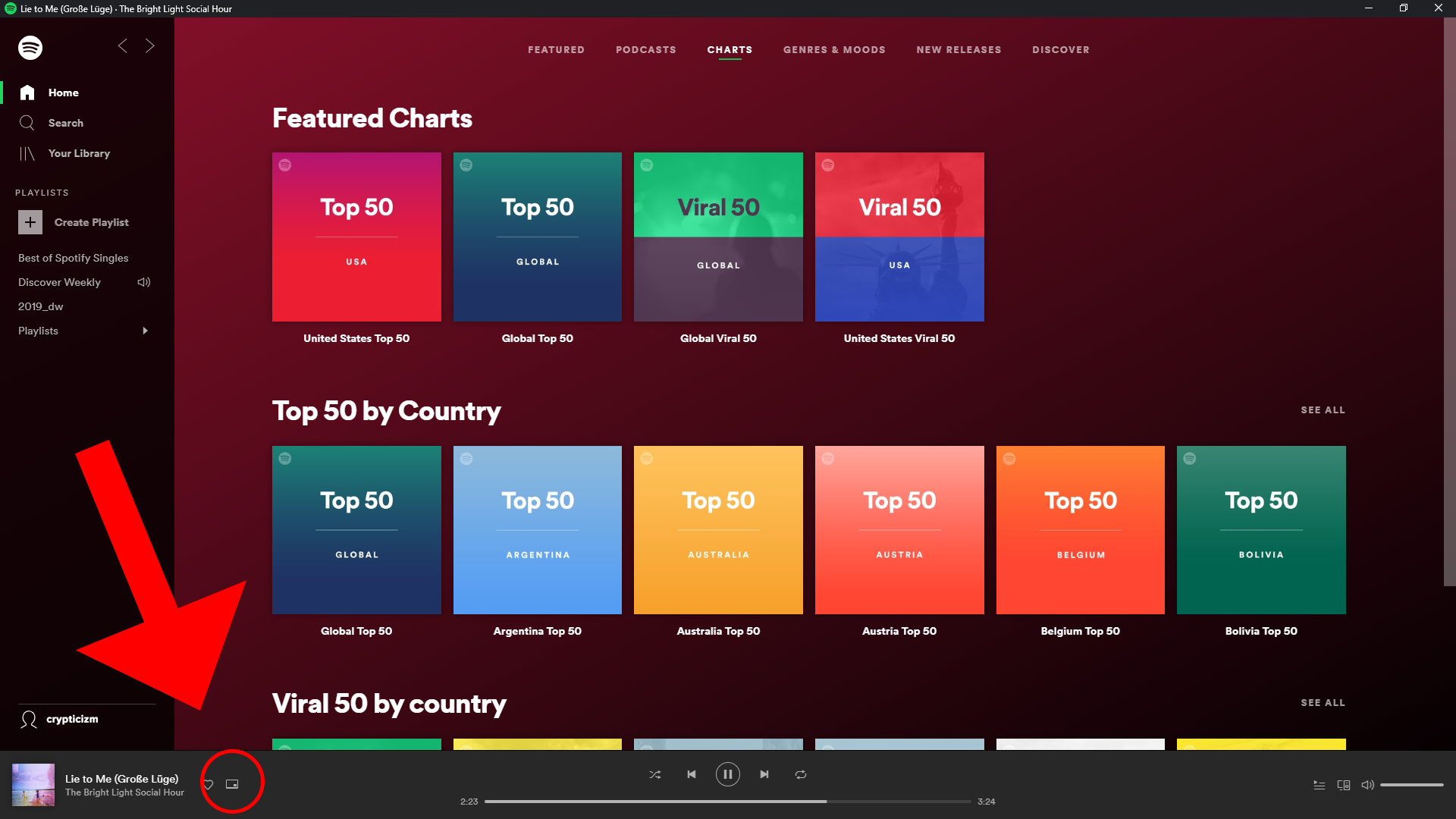
    Spotify loves making changes to its app. In a recent server-side test, they replaced the like button in the mini player with the song’s album art. While it looks amazing, there is a loss of function here with this change. While this may look like a tiny change with little to no consequences, it does cost us a bit. The recently changed interface by Spotify has not made the users very happy. The latest update is all about the change of the positions of some buttons. Since most of them were useful, it makes the layout more difficult to use.

    Spotify Album Art
    Spotify Album Art

    Out of all the streaming subscriptions out there, Spotify has become well known due to its ability to predict what you would like to play next. It does this by analysing the music for which you give likes. This means Spotify will find it much harder to understand what you want to play without the necessary heart songs. Of course, there are other ways to heart a song. For instance, using the full media player and hearting it from there. However, this means going around and doing more work on what could have easily been achieved then and there. In this era where companies are working to make devices as straightforward and usable as possible, users balk at the idea of complex workflows or long processes.

    In Detail

    In the last update, Spotify changed the places of “Repeat” and “Go to queue” buttons into the sub-menu. The sharing button has made its way into the now-vacant place. Before this happened, the more useful “Repeat” and “Go to queue” buttons were right there where we want them. Now, we would have to go to the three-dot menu located on a corner of the screen. Besides being at their old place, the share button can also be seen as part of the song’s “Now playing” screen and also in the sub-menu as well. Users believe that there is absolutely no reason for this UI change. It does not make a lot of sense. It invariably makes life harder. Many users have expressed their not-so-happy opinion on social media platforms, such as Facebook, Twitter, and Reddit.

    Spotify
    Spotify

    Which UI?

    Spotify is currently working on testing different versions of the mini player. While the album art is located on the left, the like button shows up near the pause/play button on the right. So far, it is still in the early stages and there is no word on which UI they are going to choose. The change might not become permanent or be rolled out widely. In the iOS version, this is how things have been for the last few months. Looking at the feedback of the users, maybe the developers would get things back to normal or maybe find a middle ground to keep everyone happy.

    Users are doing their bit by requesting Spotify to go back to its original UI. Many mention that the extra step is annoying and totally insensible. Spotify has not spoken about this yet.

  • Amazon Music vs. Apple Music: Which non-Google service is better for Android users?

    Amazon Music vs. Apple Music: Which non-Google service is better for Android users?

    A Quick Overview

    Where collecting cassettes and CDs were once fashionable, it is the era of streaming. True to that, there are plenty of music streaming services out there including Amazon Music and Apple Music, allowing us to listen to any type of track and audio whenever we want, regardless of where we are. With easy search options, filters, sorting, and the ability to make playlists, convenience like this has never been known before. With dozens of music streaming services, it is a big question which one to choose.

    The top options are Amazon Music, Apple Music, Spotify, and Google Play. In this post, we will do our best to compare and give you the facts and features of Amazon Music and Apple Music. Hopefully, we will be able to help you narrow it down. For comparison’s sake, we will be looking at Amazon Music Unlimited’s single-user plan and Apple Music’s single-user plan. Both of them offer family plans, but the former has other plans like HD plans, single-device plans, and even student plans!

    Pricewise, there is not much to choose since both of them are priced competitively. However, Amazon Prime users will get some discounts for Amazon Music. Let’s look at them both to see which one is better.

    Amazon Music
    Amazon Music

    Amazon Music Unlimited

    Users who are already Amazon Prime members don’t need to pay separately for its Music service. It has more than 50 million songs to satisfy you. With different tier options to meet different needs, Amazon Music has free plans called Prime Music, student plans, family plans, single-device plans, and even HD plans. While Amazon’s  Music service is not known for expertly-curated music or personalized playlists, it is gradually getting better in those areas. Recently, the streaming service introduced playlists like My Soundtrack and My Discovery Mix. In addition to this, it has come up with features like the Side by Side playlist series that has artist commentary.

    Amazon is working to promote Amazon Music via all its area, including its website, on the web, via Echo smart speakers, and more. In the real world, you might see huge banners, posters, and so on. Besides advertising in this manner, Amazon even had Dua Lipa, Taylor Swift, and other celebrities perform for Prime Day concert. It was promoted and shown on its media platform, including its Fire TV. The best part of using it is that it comes for free with Amazon Subscription. It is really a great deal. Because, in addition to the use of its streaming service, you will be able to enjoy Amazon Prime Video, two-day shipping, and so much more. Don’t confuse yourself between Amazon Music and Amazon Music Unlimited. While the former has only about 1 million songs, the latter can provide you with about 50 million tracks.

    Amazon Music Unlimited
    Amazon Music Unlimited
    Pricing

    The very fact that Amazon Music allows for seamless integration with its smart speaker Echo makes it a better experience. Price-wise, it costs about $9.99 a month. However, it comes for free with Amazon Prime subscription and we just cannot stress it enough. Another discount is if you own an Amazon Echo. If so, you will be able to enjoy Amazon Music for just $3.99 a month. The platform allows users to create their own library as well.

    Apple Music

    Although Apple has already dipped its toes into the music industry with its iconic iPod and iTunes, it entered the music streaming quite late. However, when it did arrive, there was no way anyone was able to complete it for a while. Apple acquired Beats in 2014, mostly for Dr Dre’s streaming music service under the same name and of course, for its content. Since Beats was already an app on Android, it was an easy enough job to transition Apple Music to this existing platform and user base. Overall, it was a great move and we are grateful since it gave us the opportunity to give it a try.

    Features

    Apple Music on Android has plenty of features, most of which are similar to that of the ones present on Apple devices. This includes features like AI-powered personalization and customization, expert music curation, and more. The suggestions offered by Apple Music is so much better and right on the spot when compared to other streaming services. It is true that Amazon Music offers suggestions as well, but it just cannot compare to Apple Music at this time. While Apple Music on Android is pretty unbeatable, it does have a few issues.

    Apple Music
    Apple Music

    For instance, there is no free or ad-supported music tier. This is a very basic thing that most streaming services offer. In addition to that, Apple Music does not offer any discounted tiers excepting student plan and family plans. This is different from Amazon Music which is offered for free if you are already subscribing to Amazon Prime.

    The issues apart, Apple Music could seem to be an obvious choice if you won a Mac or any iOS device. Since the streaming service is naturally integrated with iTunes, which in turn is a default addition of every Apple device, you can be sure this will offer you a seamless experience. With the latest macOS Catalina, iTunes will be replaced with the actual Apple Music app, along with the Apple TV and Apple Podcasts. Apple Music offers a three-month free trial for new users. Price-wise, Apple Music is slightly more expensive as well.

    Verdict

    Both Amazon Music and Apple Music have an excellent selection of tracks. However, if we have to go with one, we tilt slightly towards Amazon Music Unlimited over Apple Music. While Amazon gives its users many choices of pricing plans along with a ton of music. Amazon Music Unlimited is available at higher quality bitrates, which is an important aspect for audiophiles. On the other hand, Apple Music has amazing playlists with a great suggestion algorithm. At the end of the day, it is up to each user to see which service would suit their needs the best.