Author: Poonam

  • What Is Google Fi? Get All The Information Here

    What Is Google Fi? Get All The Information Here

    youIf you are an Android lover, you may definitely have heard what is Google Fi but you may not know about it fully. Since the service is now available to everyone using an unlocked Android device, there is a lot you should know. Therefore, we have come up with a detailed view of how Google Fi works and which devices support this.
    What Is Google Fi

    How Google Fi Works?

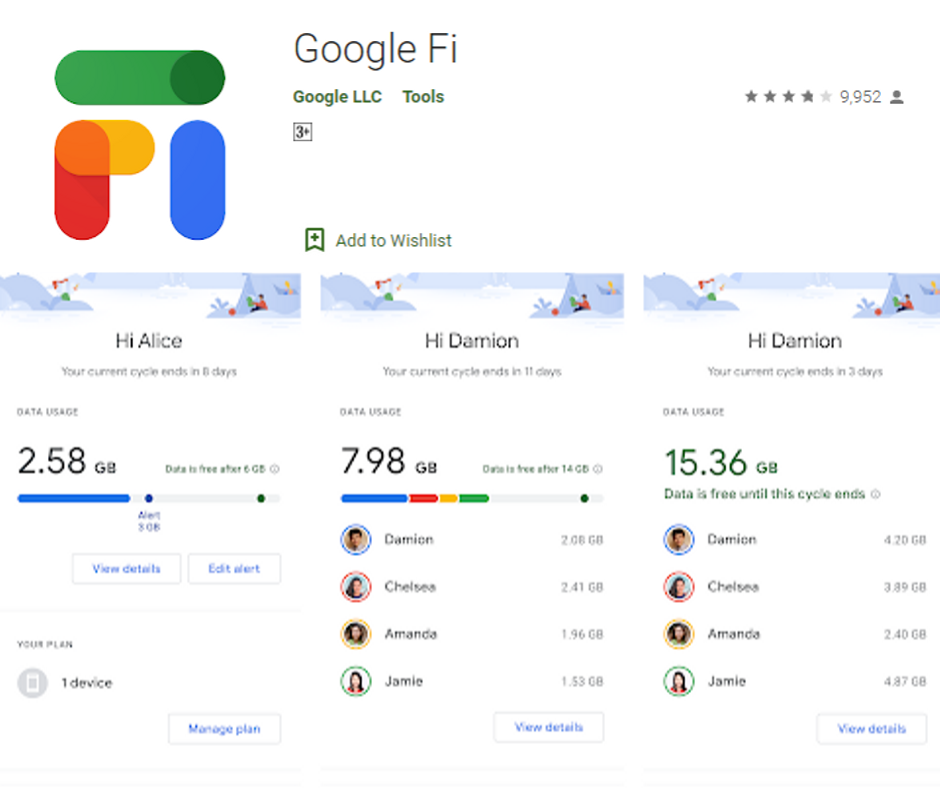
    Google Fi is a phone carrier which is operated by Google. It provides data service on 3 networks – Sprint, T-Mobile and US Cellular. Your device can easily switch between these carriers. It also makes calls and sends texts using Wi-Fi.
    How Google Fi Works

    Billing Information

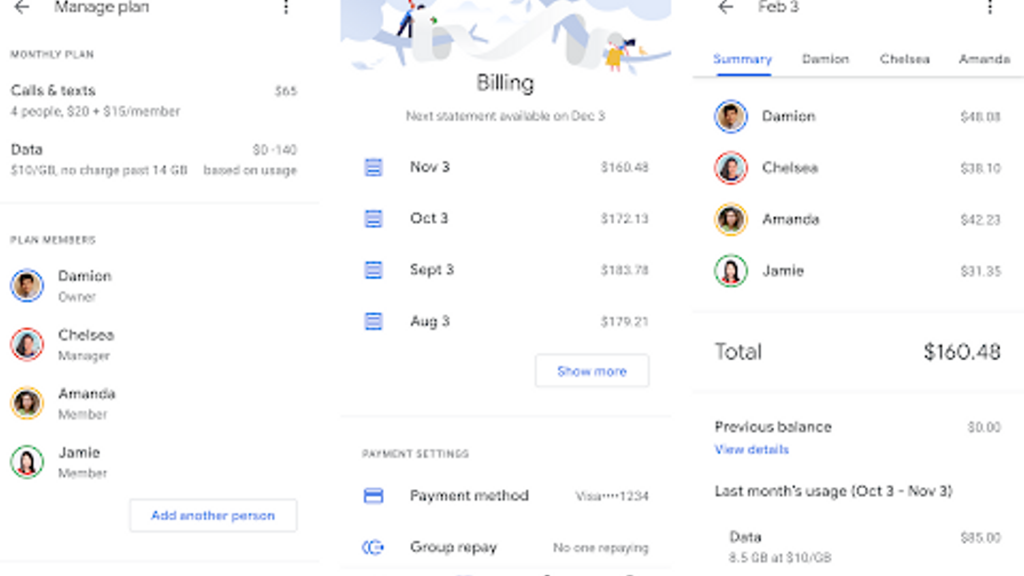
    Google Fi is all about easy billing with no overages and hidden charges. You just have to pay $20 monthly for unlimited texts and calls, as well as flat $10 per GB of data you are going to use post the plan. It means you can use 6GB of extra data per month for $60.

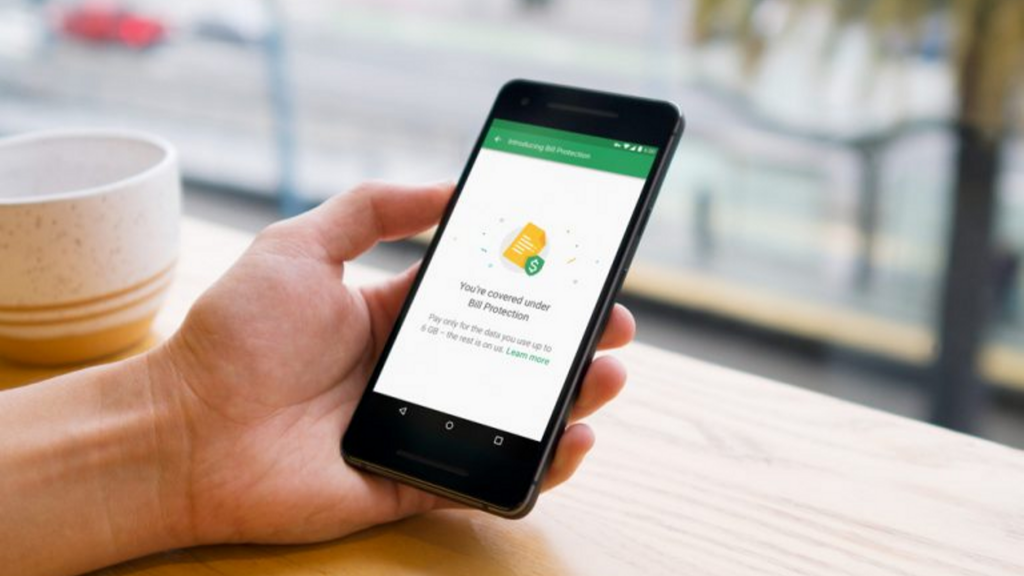
    With unlimited plan range for Fi, you can hit the ‘Bill Protection’ level. After using 6GB data in a month, your charge is capped at $60 if you keep, getting data service the rest of the month.

    Without paying up to $80 ($20 upfront + $60 for data), you can use as much data as possible in a month. The only catch here is that your speed will slow down to 256kbps once you exceed 15GB of limit in a month.

    On the other side, you can also pay $10 for each GB you spend for full-speed data after exceeding a 15GB limit.
    Billing Information Of Google Fi

    There is no need to bear the cost of unlimited plan per month but you can secure one. If you do not use more than 6GB per month, you will not have to pay the cost of an unlimited plan.

    Your bill will be within $80, according to your usage. Bill Protection works for home usage and international data usage. It helps frequent travelers very much.

    There is also “Group Plan” available for a maximum of 6 people on Google Fi to share a billing source and a single account. All of the features are available to a single plan with a Group Plan.

    Besides, you can save $5 per month on per person with the base plan. The account owner can manage the bollings, apart from data limitations with each user.

    The data usage limits for Bill Protection are also manageable for each person. The group owner is billed collectively for everyone’s bill but also allows each member to pay their share to the account admin.

    Members do not have any contract and they can join and leave the Group Plan whenever they need.

    Google Fi Support on Your Phone

    Google Fi simply needs small software on your device and a unique SIM card, which allows you to switch between Sprint, T-Mobile and US Cellular on the go with different factors. It can do the same using an unlocked phone.

    You can use Google Fi without using an actual SIM card if you use an integrated eSIM on Google Pixel 3, 3XL, 2, 2XL, 3a and 3a XL. Also, you can use your SIM slot for another carrier whenever needed. You need to check coverage before choosing a carrier.
    Google Fi Support on your phone

    With a single SIM, you have the power of 3 different networks with a Wi-Fi network. Google Fi still depends highly on Wi-Fi along with 3 different mobile networks, whether you are around network or not. Your device will constantly look for the open Wi-Fi networks to connect using “Wi-Fi Assistant”.

    It has a database of a known and reliable network for the best connection. The connection is built through a VPN whenever it connects your device to a Wi-Fi. Hence, you will not find any change in your experience. The only difference is that you will not be paying for using mobile data.

    Texts and calls work just the way they do on mobile data with Wi-Fi and you can keep calling with your phone while switching between networks. You can also find some of the identical features using Google Fi due to which Google Voice became popular over the years.

    You can also view voicemail, forward calls you are getting on Fi number to any phone you like, send texts and make calls with that number from any device with website and Hangouts app.

    How about International Calling?

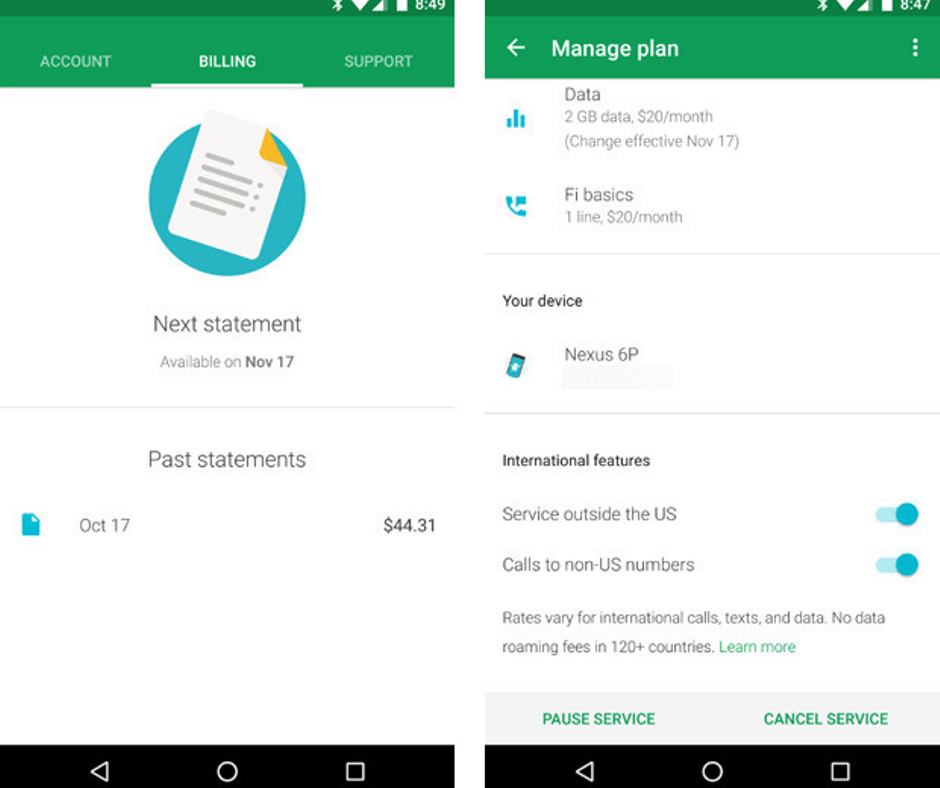
    Google Fi works globally in more than 170 countries without any additional cost for texts and data. It is one of the best things that make Google Fi stand out.

    You have to pay $0.20 per minute flat to call at any number on the cellular networks in a different country. If you are calling on Wi-Fi, you have to pay much lower. Using Wi-Fi, you can also call back home for free to the US.
    How about International Calling

    You have to pay the same amount for data you are going to use internationally, i.e. $10 per GB and Bill Protection starts post 6GB usage. However, the speed may vary as per the company you are visiting.

    We have found hiccups sometimes in LTE speeds in different countries across Asia and Europe, especially when the device switches across roaming networks.

    Best Devices for Google Fi

    When Project Fi was launched in the year 2015, it was exclusive only to Nexus 6. Things turned up eventually and it eventually supported several other phones by Motorola, Google, and LG. When the ‘Project’ status was finally over, Google Fi started supporting all unlocked devices with some limitations.

    With Google’s latest devices like Pixel 2, Pixel 3, and Pixel 3a, you can have the best experience using Google Fi. They have eSIM integrated for Fi and you can easily set up your account and connect to Fi network without inserting any SIM.

    You can also get the same experience without eSIM in other phones, which support Fi, such as Moto G6, Moto G7, LGV35, Moto X4 with Android One, and LG G7. All such devices are capable to switch between networks and move between network partners like Sprint, T-Mobile and US Cellular.

    With Google VPN, it can smoothly switch between mobile networks and available Wi-Fi hotspots.
  • Android to Mac Files Transfer – The Detailed Guide

    Android to Mac Files Transfer – The Detailed Guide

    If you are a Mac and Android Smartphone user at the same time, which is quite a different combination, but still not uncommon, you might often feel like you are isolated in the world. Even though there is no lack of Android users across the world, Macs can easily sync, work, and connect to iPhones. In this guide, we are going to discuss Android to Mac Files Transfer using different methods, such as Bluetooth and a free tool Android File Transfer.

    Android to Mac Files Transfer

    However, for interoperability, Apple may not be the most favorable company in the world. Well, there are tricks to workaround. Google’s services are very simple. So, it is very easy to sync your Android device to Mac, even though it involves a lot of steps.  If you just want to connect two devices and transfer files (especially when you want to move your photo of your device without even compressing it), you can easily use a free tool like Android File Transfer. So let’s discuss the same.

    Using Android File Transfer

    Commonly known as AFT, the Android File Transfer is available officially at Android.com and is made by Google. It can support Mac OS X 10.7 or later.

    Android to Mac Files Transfer

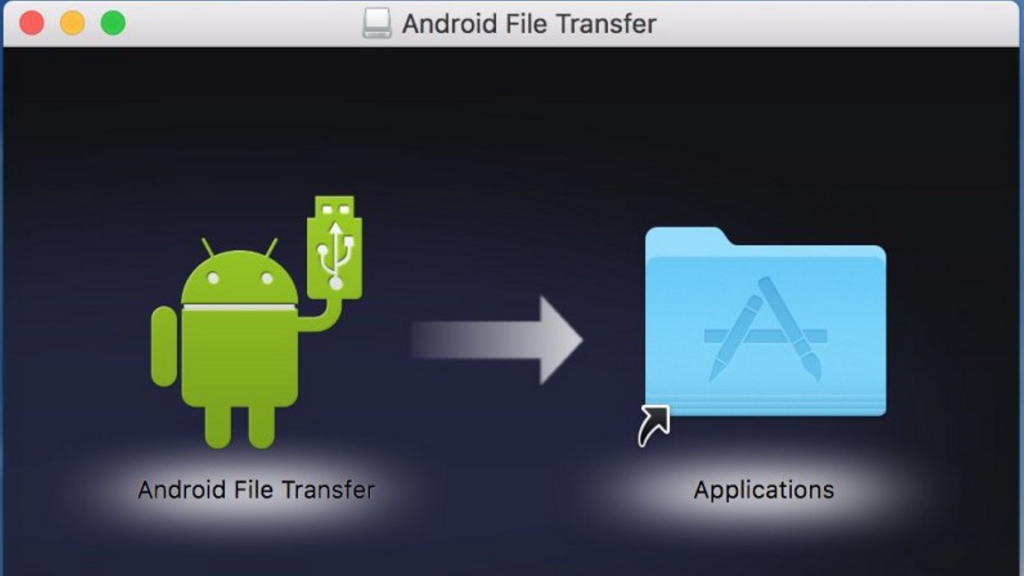
    Follow the instructions displayed on the screen and install the software. Double click AndroidFileTransfer.dmg file and drag icon to the Applications folder. It may ask you to authorize to run if it is your first time to launch the software.

    Connecting Android to Mac

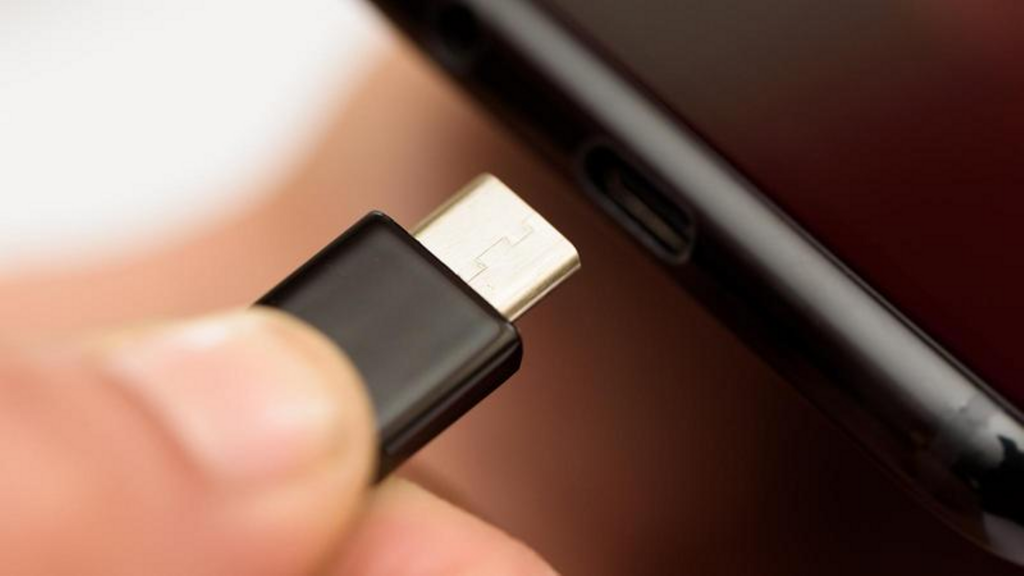
    If your Android device is turned on and unlocked, plug it into the Mac via USB cable (if you have the original cable, especially if you have the new one or USB-C).

    Android to Mac Files Transfer

    If Android File Transfer does not open automatically when you connect to the device, you need to open it manually.

    Transfer Files

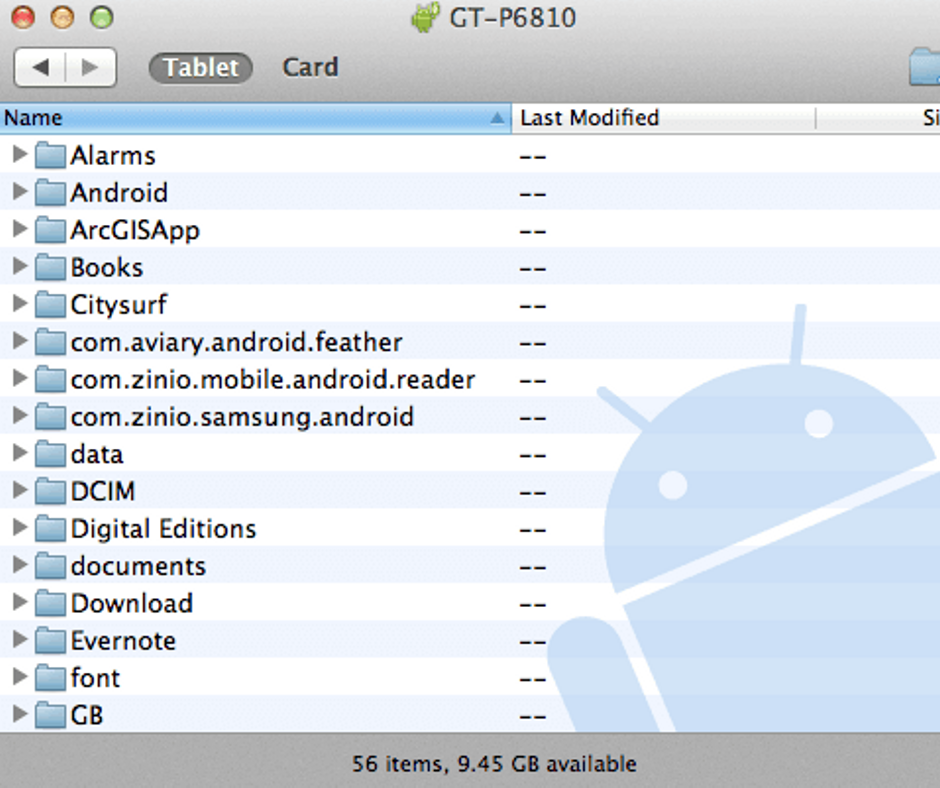
    Now you will see all the folders on your device.

    You may find all the files organized in a self-evident and a logical way with just one exception. You may want to look in a folder named ‘DCIM’ if you are searching for photos on the device itself. Also, you can look for the photos in a subfolder like Camera.

    Android to Mac Files Transfer

    Search for screenshots in the Pictures folder where you may find a subfolder named Screenshots if they are stored in the device.

    From this window, you can drag-and-drop files to the desktop. You can make new folders and manage files.

    Note – Android phones vary from function to function and you may want to make changes with settings to make your Mac detect your device as an external disc. For example, Galaxy S7 needs you to pull the notification bar down and touch USB alert to connect the same as a media device.

    The catch

    There is a catch with Android File Transfer. You cannot cut and paste items with this app. Drag and drop is the only option to transfer files. Well, it is not the issue here. A lot of MacOS users prefer to drag and drop rather than copy/paste. Well, it is the only thing you need to consider. This app makes it easier to transfer files to/from Android with simple drag and drop.

    Give a try to Android File Transfer and you will see how it makes transferring files even easier.

    Troubleshooting AFT

    Android File Transfer is a very intuitive and user-friendly tool and it has very high user’s base. However, you may often have conflicts connecting the Android device to the Mac and it may also throw up the error “Couldn’t connect to the device”.

    Well, there are different reasons and various solutions to deal with this problem. For example, if the cable is faulty, you can try another USB cable. Most of the time, you can find the solution on the notification panel above the screen.

    All you need to pull down the screen and find a note saying ‘USB charging this device’ or something like this at the bottom. Tap the same option tap again when it asks. It will ask you about the use of USB. You need to select “Transfer Files” option.

    Connecting the device wirelessly

    If you want to do it without cables, you will find a lot of tools and options to do it wirelessly. You may try SHAREit, AirDroid, or simply Dropbox for a different approach.

    Android to Mac Files Transfer via Bluetooth

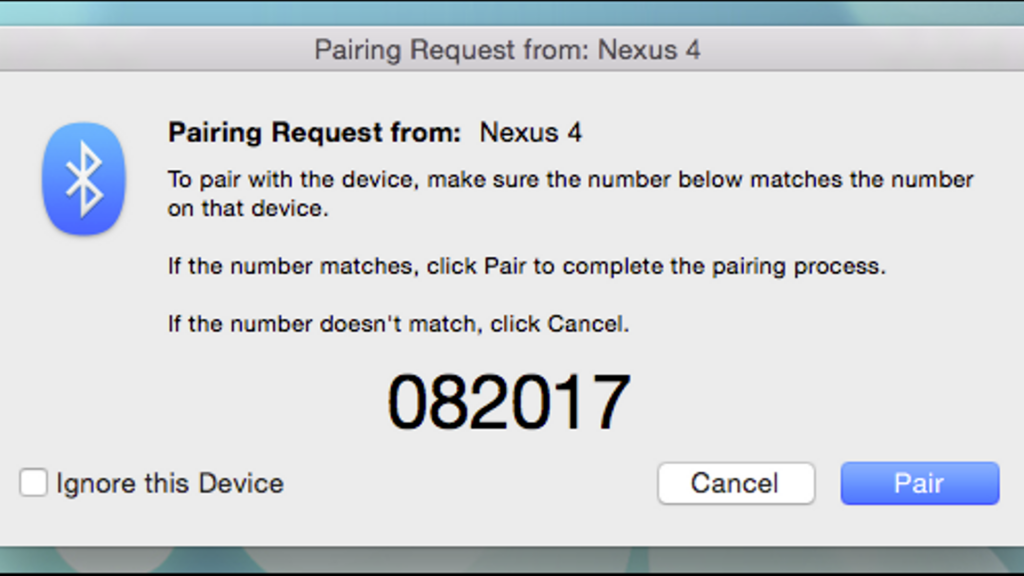
    First of all, you need to turn on Bluetooth on both the Android device and Mac. Simply go to System Preferences > Bluetooth on your Mac and be sure “Bluetooth: On” message is shown. Or you can click “Turn Bluetooth On”. Now, you will see the phrase like “Now discoverable as” and quotes with the name of your computer.

    Go to Settings > Bluetooth on your Android device. Make sure it displays your Mac on the list of active devices. Look for the name of your Mac and match the pairing codes. After doing the same, click ‘Pair’ on both devices. Now your Android device and your Mac have been paired well.

    Also, tap on Pair on the Android device.

    Android to Mac Files Transfer

    Once you pair your device or tablet to Mac, go to the menu bar on your Mac and click on Bluetooth icon. It will display your Android device where you can click Send File to Device. Now you can accept the file on your Android device.

    Enable Bluetooth Sharing to send files to Mac. You just have to go to Sharing option under System Preferences. Now click the box of “On” for ‘Bluetooth Sharing’ in the Sharing preferences pane. You can now set where you can place the download from here and what to do with the transfer request. In general, the files are stored in the Downloads folder.

    After enabling Bluetooth Sharing on Mac, you simply need to head to Android device and click the “Share” icon. The file will be stored in the specified folder on your Mac in Bluetooth Sharing. It is the Downloads folder.

    Bottom Line

    This is all you need to do. You can easily do Android to Mac Files Transfer without using a third-party tool and cable.

  • OnePlus 7 Phone Reviews- All Information Here

    OnePlus 7 Phone Reviews- All Information Here

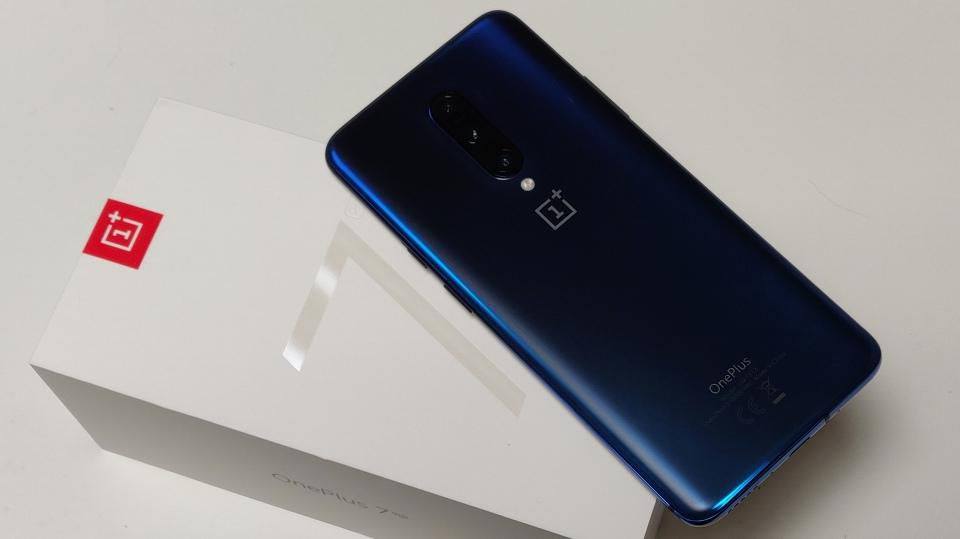
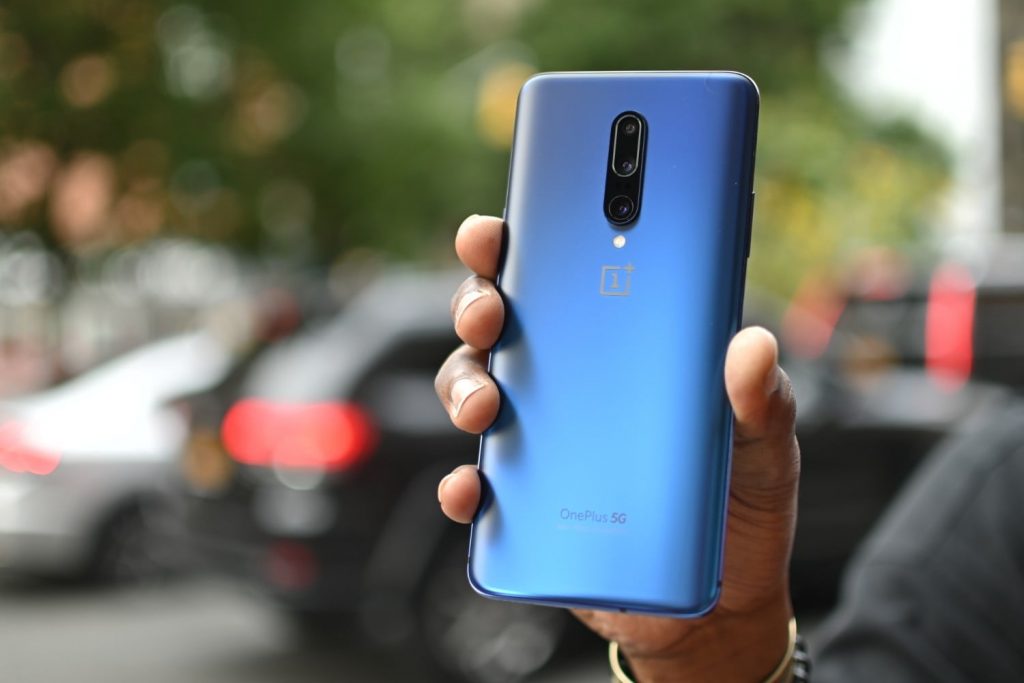
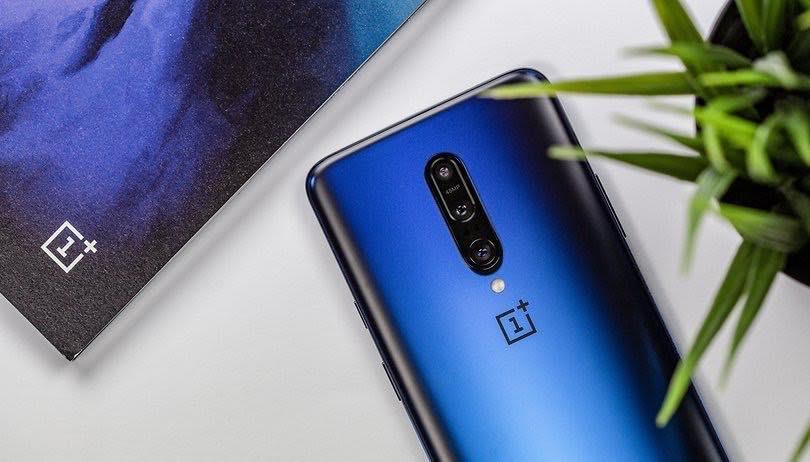
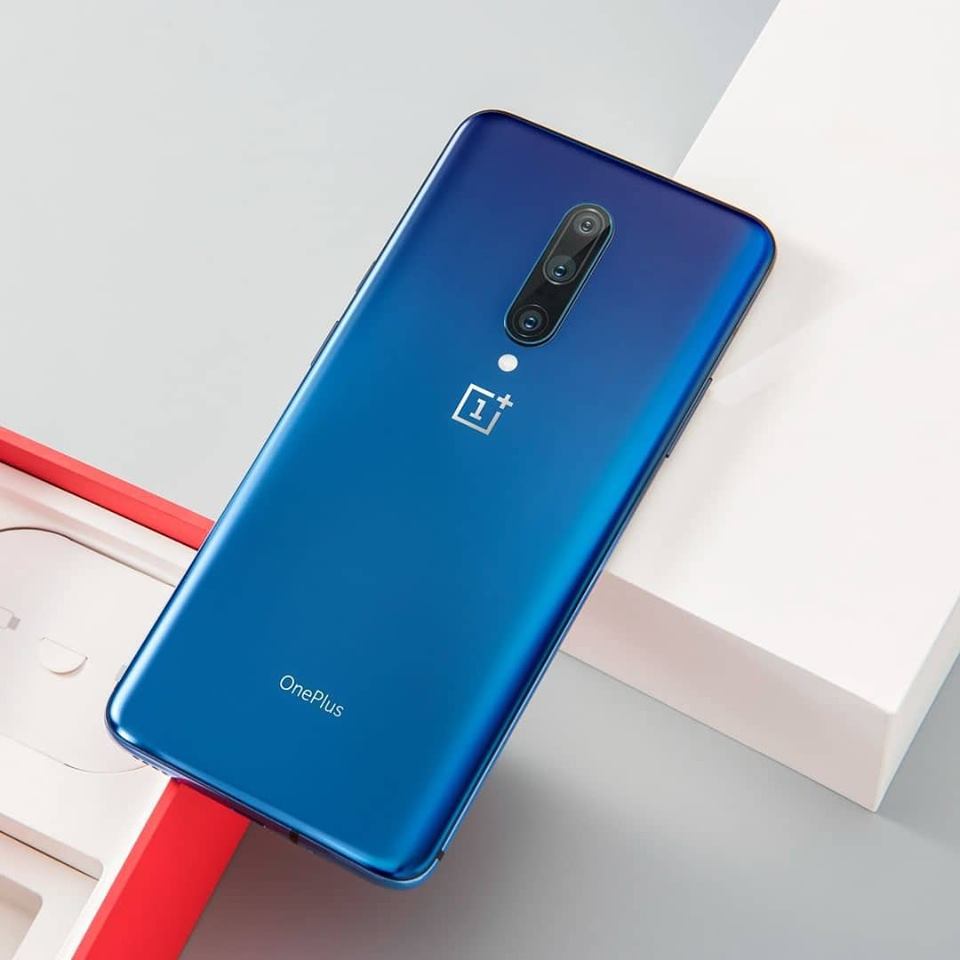
    Have you already used OnePlus 6T? Then, ready to get amazed with the impressive upgrade of OnePlus 6T in OnePlus 7 phone. Although the latest device does not come with any exciting new design, it will provide you with a sophisticated feeling.

    OnePlus 7 Phone

    The best part is that OnePlus 7 comes with a lot of similarities with OnePlus 7 Pro. Moreover, OnePlus 7 resolved many issues that have plagued the 7 Pro.

    So, are you excited to look at the impressive features of the OnePlus 7? Let’s start discussing one by one.

    Specs

    Would you go for any device without checking its specifications? No, right? So, it’s time to have a look at some of the important key specs of OnePlus 7.

    OnePlus 7 Phone specs

    Display and Design: OnePlus 7 comes with 6.41 inches of the display without a bezel along with waterdrop notch. The device is also featured with Gorilla Glass 5 Protection. Its backside is made of mineral glass.

    Operating System: The smartphone is operated by Android v9.0 (Pie).

    Processor, RAM, and Memory: When it comes to the processor, OnePlus 7 houses Qualcomm Snapdragon 855 Octa-core inside it. The device boasts 6 GB RAM.

    Do you wonder about the internal storage? It is 128 GB that has come with Non-Expandable Memory.

    Camera: It is undoubtedly one of the most sought-after features of every smartphone. Dual Rear Cameras are there in OnePlus 7 with 48 + 5 MP capacity. Its Front Camera comes as 16 MP.

    Battery: The smartphone features 3700 mAh battery along with the Dash Charging facility.

    Design

    OnePlus 7 phone does not come with any significant change in its external appearance. You will get 6.41-inch OLED display along with the pixels-per-inch resolution of 402. The same features were present on its predecessor as well. The design also comprises of the same dewdrop notch and 16MP front-facing camera.

    OnePlus 7 Phone Desing

    Although its display does not come as the brightness one, the vibrancy and amazing responsiveness will blow your mind. Moreover, the dewdrop notch of the device comes as an impressive part than more expensive OnePlus 7 Pro’s pop-up camera feature.

    OnePlus 7 phones have come with an ameliorated fingerprint sensor in its screen. The good news is the sensor is 36% larger, feels more precise that comes with higher speed than its previous versions.

    Hardware and Features

    Convenience is what we look for the most nowadays. If we could unlock our phone and verify secure applications without holding it, how it would be? Great, right? That’s why OnePlus 7 features front-facing fingerprint scanners. This advanced and upgraded in-display sensor is surely a big plus for this device.

    OnePlus 7 Phone Hardware and Features

    Do you need a much faster option than fingerprint scanners? Do not worry at all! OnePlus 7 also houses an amazing Face Unlock technology. Although it does not offer the same security like the fingerprint scanners, you will be surprised to experience its blazing-fast speed.

    Have you used a OnePlus Smartphone earlier? If “yes,” then you must know how smooth, fast, and convenient it is. OnePlus 7 comes with the same comfort and convenience. Moreover, the device is featured with the Qualcomm Snapdragon 855 chipset.

    OnePlus 7 series smartphones have brought the UFS 3.0 storage. Nonetheless, OnePlus 7 also features Oxygen OS that is synonymous with the OnePlus experience.

    What are the major improvements on OnePlus 7?

    It comes with an impressive brighter screen, improved in-display fingerprint reader, and brilliant stereo loudspeakers.

    Do you wonder about its camera?

    OnePlus 7 and OnePlus 7 Pro have come with the same main camera. However, OnePlus 7 does not equip with telephoto action as well as wide-angle features. Unfortunately, most of the people use these two features while taking photos.

    Are you excited to know what is there inside the package? Let’s explore.

    You will receive your phone in a standard OnePlus package. The package consists of fast charging brick (20W), usual user manuals, USB-A to USB-C charging cable, a silicone case (transparent), and data transfer.

    However, the device does not come with headphones. Also, there is no USB-C to 3.5mm dongle available with this phone. All 3.5mm headphone users must buy it separately.

    Do you want to know about its audio performance?

    OnePlus 7 shows a better performance than its previous versions. It boasts an impressive dual-stereo speaker with a great loudness as well as sound. Thus, you will have a great time while watching videos or playing games.

    How is the speed of OnePlus 7?

    It is remarkably speedy. The smooth yet fast performance will enhance your smartphone experience.

    Get ready to have more surprises! OnePlus 7 phones can handle video edits, load applications, and also operate even graphically-demanding games while maintaining its capacity.

    Do you wait for a long time after opening an app? Then, you won’t face this situation with OnePlus 7.

    Owing to the OxygenOS Operating System, you will have a streamlined and convenient experience.

    The latest updates enabled the device to record the screen. Now, you can also edit and share all your videos directly from the “Gallery.” The gaming mode of this phone makes sure the optimum performance and prevents irruptions of notifications during your navigation.

    The Configuration

    OnePlus 7 boasts the configuration of a dual camera that comes with a sensor of half-inch and 48MP. The features like inbuilt Optical Image Stabilisation, f/1.7 aperture, and EIS help to maintain the steadiness.

    Many times our hands start shaking while taking snaps and these features of OnePlus 7 will help to get beautiful photos. It is also useful in shooting or moving mode and low-light scenarios.

    However, the main shooter of the device has come with a secondary telephoto camera of 5MP capacity. Thus, you can handle Portrait Mode with an artificial bokeh effect. It also features 2x optical zoom to enable you to take shots from distance. Moreover, you can expect to shoot incredible videos and still images with this device.

    All activities on the OnePlus 7 phone will always in blazing-fast speed. That means you can play, text, or use social channels in a convenient way. Really, it will be an amazing experience for you.

    Moreover, the device comes with fast and smooth animations. All applications open faster in the OnePlus 7 that means a lesser waiting time is there.

    When it comes to the display comparison between OnePlus 7 and OnePlus 7 Pro, you will find OnePlus 7’s colors are a bit pale.

    Moreover, there is a lacking of contrast as well. However, you will also miss the HDR+ supported AMOLED panel in OnePlus 7 that is evident in the Pro.

    But, the device performs decently with brilliant features at a budget-friendly price. The available color options of the OnePlus 7 are Red and Mirror Grey.

    Verdict

    Have you felt sad after missing out the OnePlus 6T? Now, you are in extreme luck, as OnePlus 7 comes as an awe-inspiring upgrade of OnePlus 6. You won’t feel any disappointment once you start using it.

    The amazing 6.4-inch AMOLED display, fast operation, blazing-quick in-display fingerprint scanner, and impressive design have made it a must-have smartphone.

    The exciting feature-packed OnePlus 7 phone comes with the starting price of £449.

    But, if you are already using OnePlus 6T, you won’t see much difference on both. So, you can wait for the next release from OnePlus or go for the OnePlus 7 Pro. Nonetheless, all other buyers can definitely opt for OnePlus 7.

  • Apple Arcade Service – Price, Release Date, and Everything We Know So Far

    Apple Arcade Service – Price, Release Date, and Everything We Know So Far

    At the launch event of the latest iPhone 11 series, Apple has revealed a few details on its Apple Arcade service. It is a completely new gaming subscription service, which allows access to hundreds of premium games.

    Apple Arcade Service

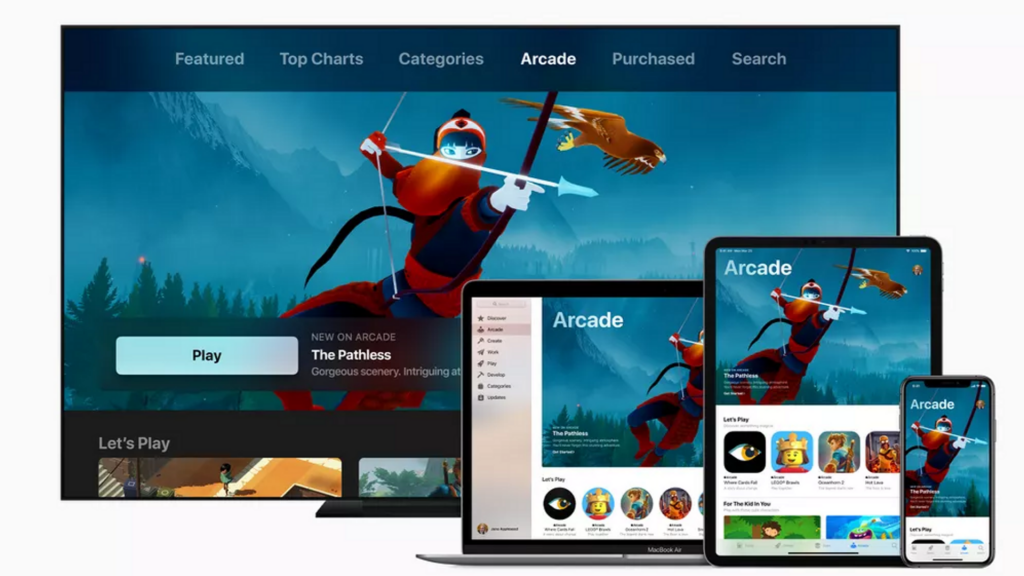
    With the latest Arcade subscription service, Apple is showing a new sign that it is entering the gaming arena with a huge list of exclusive games, which are all set to be accessible to iPhone, iPad, Macbook and even Apple TV for a monthly fee.

    It seems that Apple is tying gamers to the monthly subscription game with its new take on the “Netflix for gaming” approach. It means gamers can easily access excellent titles, which they cannot get anywhere else. Apple was the first company, which was serious in mobile gaming and made it a viable solution financially. Due to this reason, Apple has some of the leading names in the gaming market.

    With over 100 unique titles, Apple Arcade is exclusive to only Apple’s devices, including the sequel to Beneath a Steel Sky, the classic adventure title, Beyond a Steel Sky, with art by Neil Gibbons, a legend behind Watchman comic book.

    Along with it, the experts have curated the library of games, which are available with Apple Arcade. These games will be updated every month and will offer original releases from the leading creators like Ken Wong, Will Wright, and Sakaguchi. In this guide, we have covered almost everything we know about Apple Arcade so far, such as release date, price, and other details.

    Major highlights

    • What is Apple Arcade?– A gaming subscription service for Mac and iPhone
    • Launch Date – September 19, 2019
    • Price – US$4.99, AED 19.99, AU$7.99, and £4.99 monthly
    • Availability – iPhone, iPad, Mac and Apple TV

    Release date

    During the launch event for iPhone 11, Apple has confirmed that the company will launch Apple Arcade on September 19. The service will introduce 100 exclusive new titles within a few weeks.

    Price

    Apple Arcade is all set to start the trend for the basic pricing strategies. When Apple Arcade is going to offer family subscription every month with Apple Music, Apple News Plus, and Apple TV Plus, it will cost just $9.99 instead of $9.99 for its sibling platforms. Along with it, you can also avail free trial for one month.

    At the time of launch, it might reflect the size of the library (even though Apple has promised to offer 100 games on release), or Apple is just trying to look for a competitive presence in the packed market, when PS Now and Xbox Games Pass are already there. Google Stadia is also on the way and Apple Arcade might find it a challenge to become a leader. Along with it, the Family Sharing plan from Apple Arcade will offer the subscription for 6 family members for one monthly fee.

    Apple Arcade controllers

    A decent gaming platform always needs a superior controller. On the other side, Apple Arcade is in an unbeatable position as it can work in different hardware platforms as well as devices, be it over iPhone and iPad touch screen, a mouse and keyboard for Mac, or Apple TV’s remote.

    Apple Arcade controllers

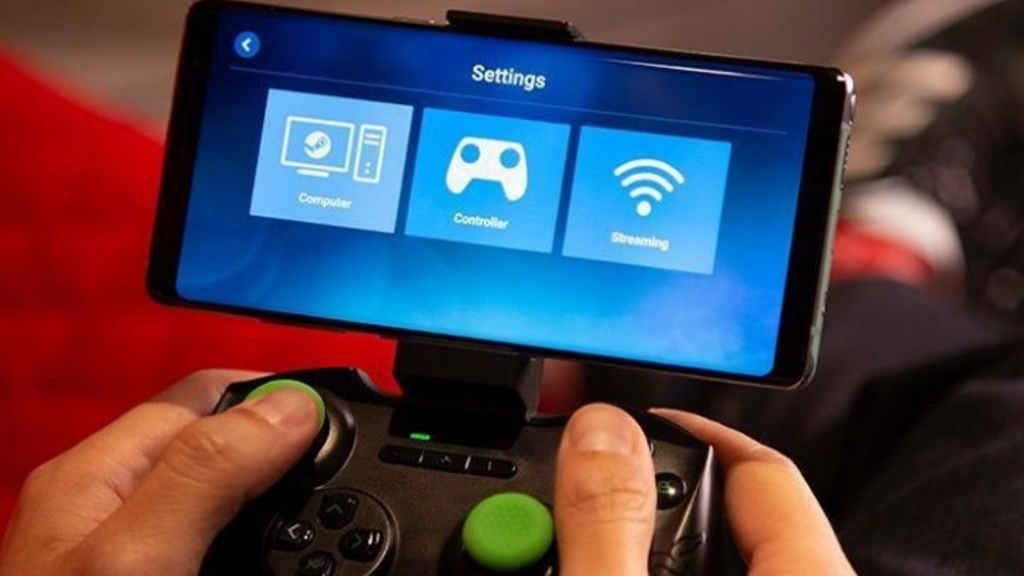
    However, a gamepad has no match for gaming. Though Apple is yet to launch any specific controller for Apple Arcade, Microsoft’s Xbox One and PS4 DualShock 4 controllers are all set to come to iOS 13, iPadOS, and tvOS on September 19, when Apple Arcade will be launched. Therefore, these devices can easily support gamepads. Along with it, MFi Bluetooth controllers will also work with some games.

    Key Features

    Partnership with Capcom and Konami

    Frogger in Toyland will be released exclusively on Apple Arcade by Konami and Shinsekai: Into the Depths will be launched officially by Capcom.

    Apple Arcade partners

    No ad-tracing, no ads, and in-app purchases

    Apple Arcade will be an all-inclusive subscription service. It means once you pay a monthly fee, you won’t have to pay for any other service. At the time of launch, you will not have to pay for the ad-supported variant.

    Library of over 100 games

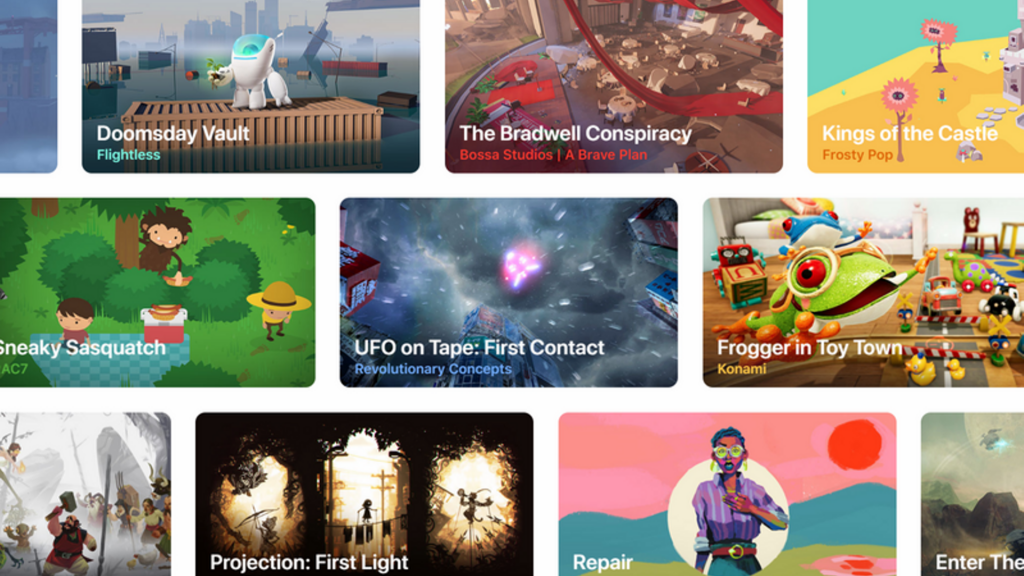
    With Apple Arcade, users can easily access more than 100 games, which will be exclusive to this service. Also, the list is updated every month and is curated by experts. For a lot of such games, it seems exclusivity is time-limited.

    Apple Arcade games

    App Store with New Arcade tab

    To access the subscription service, you can go to the Arcade tab in the Apple App Store. You can download and play any game available on the store and new game will be included in your subscription. You will also access recommendations, game trailers, editorials, and game guides.

    Play games offline

    According to the company, you will be able to play all the Apple Arcade titles offline. Therefore, there is no need to worry about losing track to them if you are on the train or the subway.

    Family Sharing plan

    With this plan, Apple Arcade will allow a maximum of 6 members of the family to share the same subscription plan and play any game for a single cost. It will lure a lot of households who have been using Apple’s ecosystem with Macbooks, iPads, and iPhones.

    Availability to multiple devices

    You can easily continue the game where you left off even by switching devices like iPhone, iPad, Apple TV, and Mac.

    Availability to multiple devices

    Apple is not just selecting the games for users

    Rather than just handpicking the games, Apple is also working together with the developers and investing in the development costs to add more games to Apple devices. Apple had not been interested in being the developer on its own. Therefore, it is quite rare that they are getting involved in the gaming industry.

    Secure and private

    Apple Arcade games will not be able to collect your data without your permission.

    Push for old-school titles

    Apple Arcade will add games like Beneath a Steel Sky, Sonic the Hedgehog, and Where Cards Fall. Besides, Apple also promises to add games from the leading developers like SEGA, Bossa Studios, Annapurna Interactive, Cartoon Network, Finji, Klei Entertainment, Giant Squid, Mistwalker Corporation, Konami, Snowman, Lego, and others.


  • Xiaomi Mi A3 All reviews and Updates Are Available

    Xiaomi Mi A3 All reviews and Updates Are Available

    Are you a budget phone enthusiast? Then, you have definitely heard about Xiaomi Mi A2. It was a great device for many people. However, a number of important features, such as headphone port, dull design, and lower resolution, were missing on it.

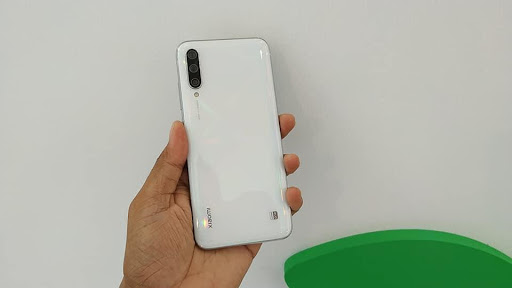
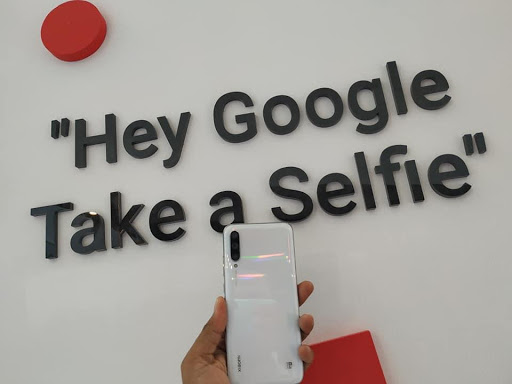
    Xiaomi Mi A3

    Simply, buyers compromised a lot in saving their money. Next, Mi A2 Lite introduced as somewhat a better version of its predecessor. Today, buyers want to have all brilliant features in their phones to extract most out of it.

    There is good news for you! The new of Xiaomi has solved multiple problems of the Mi A2. Let’s welcome Xiaomi Mi A3 and try to find out the surprises it has brought for us.

    Specs

    Let’s check out some of the important specs of Xiaomi Mi A3.

    Display: Xiaomi Mi A3 comes with HD+ AMOLED display of 6.088-inch size with the aspect ratio of 19.5:9. The screen-to-body ratio is 80.3%. The display is manufactured with Gorilla Glass 5.

    Chipset: It boasts Qualcomm Snapdragon 665 with the maximum speed of 2.0GHz.

    GPU:  The device features Adreno 610.

    RAM: It comes with 4GB RAM.

    Storage: Xiaomi Mi A3 features 64/128GB of storage.

    MicroSD: The device comes with a MicroSD card.

    Battery: You will get the convenience of 4,030mAh battery of USB-C. The fast battery-charging feature is commendable.

    Connectivity: The Mi A3 is featured with Dual nano-SIM slots.

    Do you wonder about Wi-Fi connectivity? It is 802.11 a/b/g/n/ac of 2.4/5GHz.

    GPS, GLONASS, A-GPS, and BDS are there in the phone as a positioning system.

    It is compatible with Bluetooth 5.0 connections and LDAC, aptX, and aptX HD.

    Security: The Mi A3 has come with In-display fingerprint sensor.

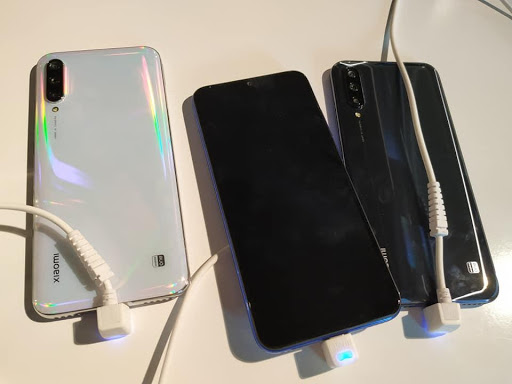
    Colors: It is available in three colors: “More than White,” “Kind of Gray,” and “Not just Blue.”

    Dimensions and Weight: Mi A3 holds the dimension of 153.5 x 71.9 x 8.5mm. It weighs 173.8g.


    Design

    Design is an important part of a device to attract the attention of both buyers and viewers.

    Do you prefer “design” the most while buying a phone? Then, the Mi A3 could make an ideal choice for you.

    The body of the Mi A3 is manufactured with metal as well as glass. That means it is a beautiful combination of magnificence and durability.

    Xiaomi Mi A3 Desing

    You can also make sure its security with In-display fingerprint scanner. The Water-drop notch feature has made the phone almost bezel-less. Moreover, headphone jack and USB-C port are also there within this 173.8g of device.

    Thanks to Xiaomi that it has used the glass-sandwich formula on its Mi A3 device. It makes a brilliant pair with glossy metal rails.

    The result?

    Xiaomi Mi A3 has got an awe-inspiring appearance and expensive look.

    Nonetheless, there is a third sensor and flash now features on it.

    The bent rear glass comes with excessive branding as well as text. However, it is not common to often check the backside of a phone.

    The right side of Xiaomi Mi A3 holds the power button and volume rocker whereas the card tray sits on the left. The top part is dedicated to IR blaster and the headphone port. On the contrary, the bottom part houses speaker grille and the USB-C port.

    What about the front part? It is almost clean with an impressive display and thin bezels. A selfie camera and waterdrop notch are also featured in this budget-friendly phone.

    You already know it comes in three colors.

    Are you looking for a smart color? Choose the “Kind Of Gray” option.

    The other options will suit you if you are a fun enthusiast.

    It is a convenient device with easy to grip facility. All credit goes to its smart design. Be cautious about its slippery back glass.

    Hardware and Features

    Xiaomi Mi A3 does not come with the appearance of its predecessors. And it is good news for you.

    The brilliant designs of metal-and-glass have made it an exciting device. Gorilla Glass 5 is there to protect both the front as well as back glass panels.

    Hardware and Features

    If you opt for the white or blue variant, a beautiful gradient design at the backside will be waiting for you.

    The blue option has come with an impressive swirling texture that is evident under the light. However, the white variant comes with a pearl shimmering appearance with gentle color shifts while present under the light. A 48MP AI camera is there below the camera lens.

    This smartphone comes with a hybrid slot.

    The result?

    You can use either one SIM card or two with MicroSD.

    The bottom part houses a single speaker, adjacent to the USB-C charging port. The left-side grille has improved the beauty of the device. The single speaker is enough powerful along with brilliant audio quality.

    Xiaomi said a good-bye to the 3.5mm jack in its Mi A2 device. Interestingly, this analog jack made a comeback in the Mi A3. An infrared blaster is present atop the smartphone.

    Xiaomi Mi A3 is equipped with Super AMOLED display of a 6.08-inch size. The waterdrop cutout atop the device is mind-blowing.

    Mi A3 comes with comparatively larger screen size than its predecessor, Mi A2. However, the front camera shape and thinner bezels have helped it to reduce the size. That’s why the Mi A3 comes as a smaller and shorter option than the previous versions.

    Do you like to operate your phone with one hand? Xiaomi Mi A3 comes with this convenience. Other than accessing notification panel, you can do all tasks with the ease in this way.

    You already know that the Mi A3 has come with a brilliant AMOLED panel. However, Xiaomi alleviated the resolution and made it 720p. The pixel density of this device is 286PPI.

    Pixelation is a frequent occurrence of the Mi A3. Moreover, you won’t notice enough brightness while using it outdoors. Surprisingly, the panel gets brighter at night to an uncomfortable level. So, even after lowering the brightness level, you would face this problem.

    The software part of the Xiaomi Mi A3 is mind-blowing. Just like other Android One devices, it has also come with a clean, convenient UI without any bloatware.

    The UI features of the Mi A3 are similar to other Android One phones, such as the quick toggles, app drawer, overview menu, and notification shade. The good news is you will get the Xiaomi camera app with this smartphone.

    Other than the FM Radio service and Google’s offerings, the Mi A3 does not feature any other pre-installed applications.

    The Xiaomi Mi A3 is equipped with a 48MP primary camera that can deliver 12MP shots. The great combination of the main camera, an ultra-wide lens (8MP) and a 2MP sensor (dedicated to portrait shots) will blow your mind.

    Moreover, shooting in 48MP mode comes with great convenience. The smartphone also features Night Mode.

    The Xiaomi Mi A3 boasts incredible daylight conditions paired with amazing contrast levels, precise colors, and extensive dynamic range.

    Verdict

    Do you want a budget-friendly and vibrant smartphone with impressive features? Then, Xiaomi Mi A3 is for you. You will get all the necessary features to make your day-to-day life more convenient. However, there is no overly exciting or superbly interesting feature on the Mi A3. But, yes! It will do its job as a decent smartphone. Xiaomi Mi A3 is literally an amazing device with a small investment of $288.87.

  • Google Play Teases its rival to Apple Arcade, a new games streaming service

    Google Play Teases its rival to Apple Arcade, a new games streaming service

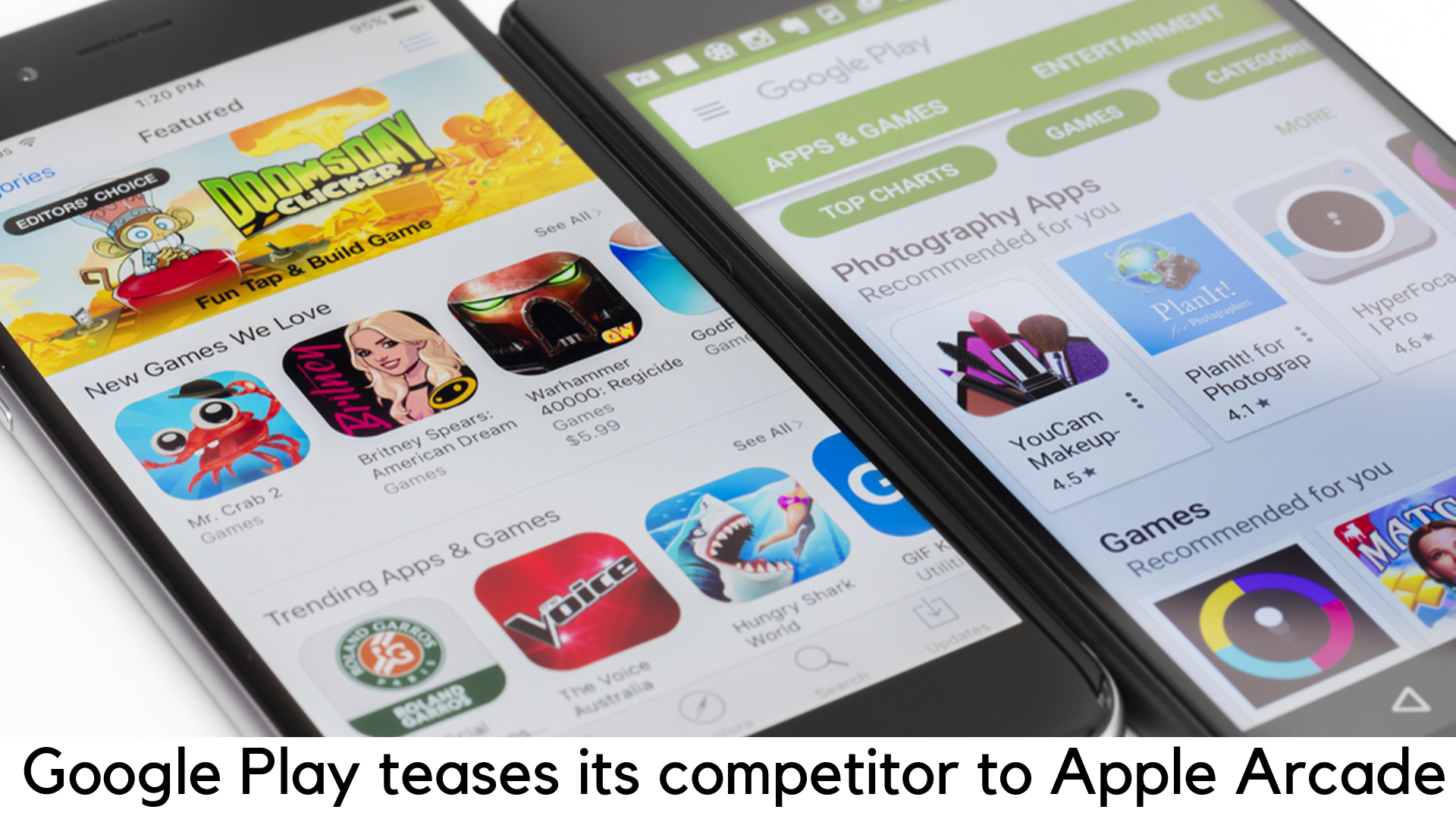
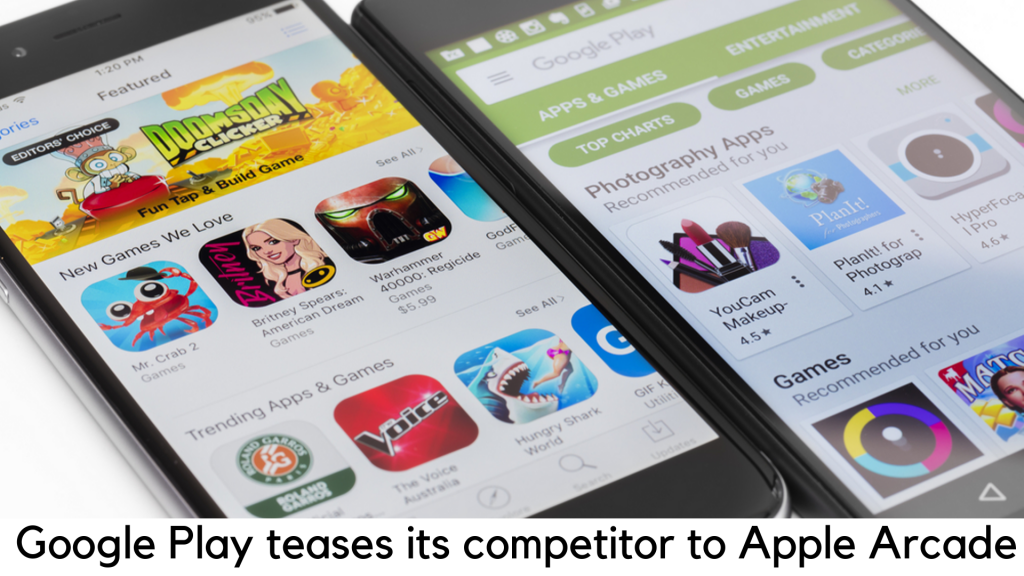
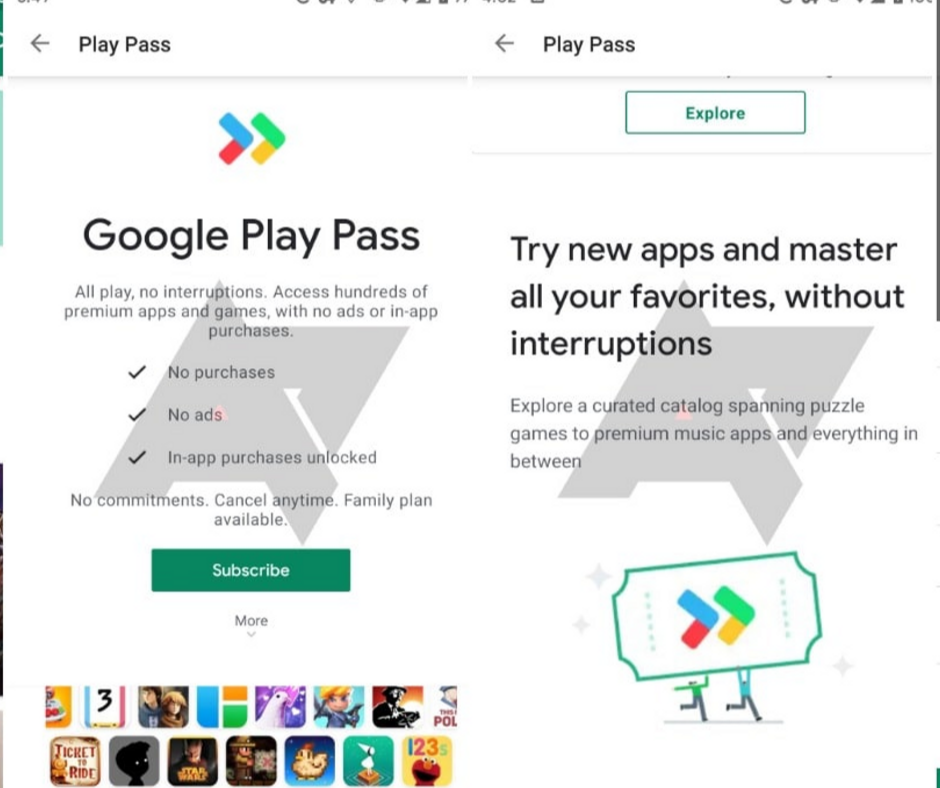
    Subscription services have been setting a new trend nowadays and Google has also joined the race with Apple. According to a report by Android Police, Google Play Pass is going through a testing stage. The much-awaited subscription service will allow the users to enjoy hundreds of premium games and apps with no in-app purchases and ads by paying a flat fee per month.

    Goolge Play

    Some of the details have been revealed with a leaked screenshot shared by the Android Police, and they seem pretty much similar to the much-hyped Apple Arcade, a subscription service announced last year.

    Google Play Pass

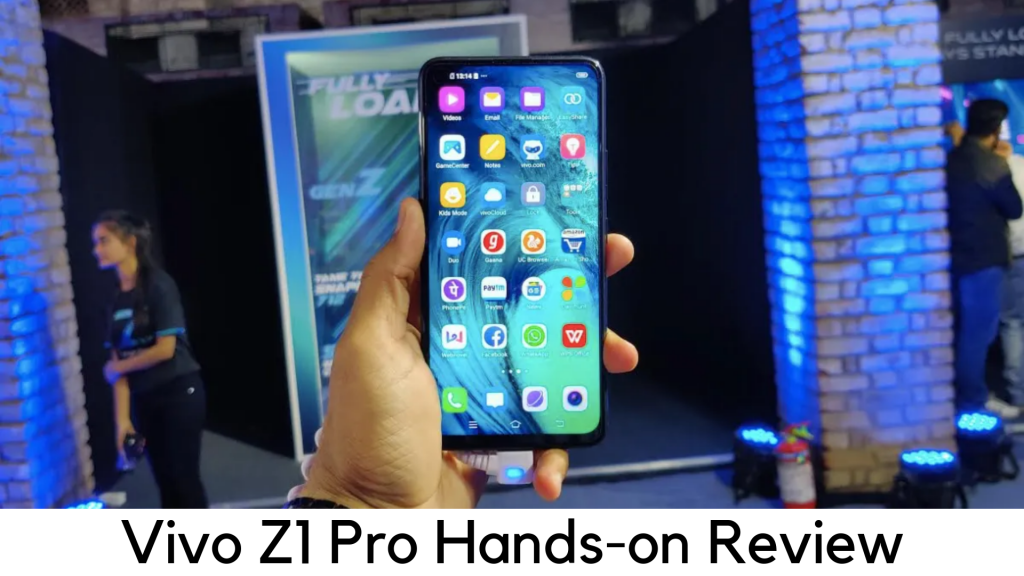
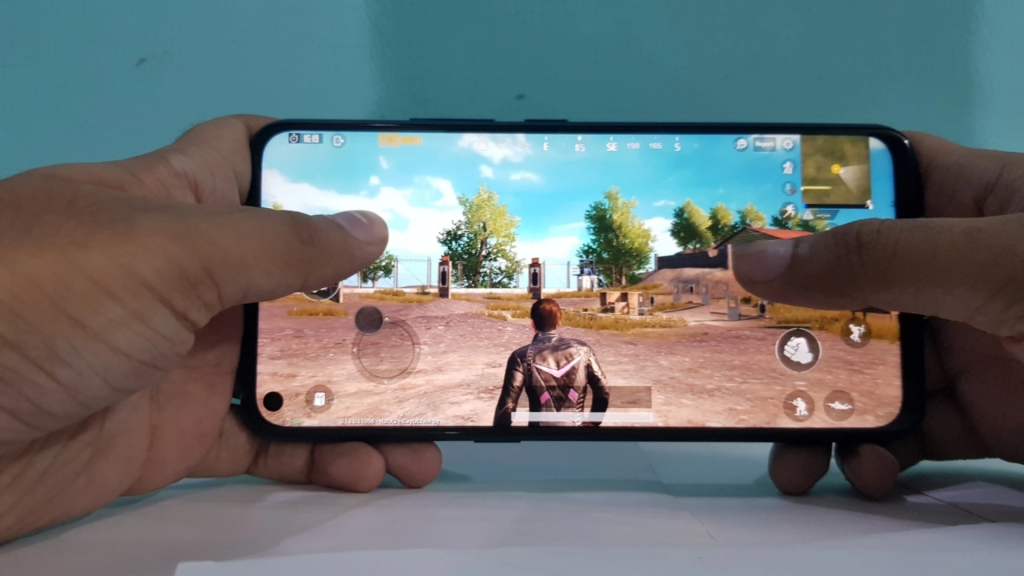
    You will need to pay $4.99 per month and enjoy unlimited access to a range of free games and apps without in-app purchases and ads. Some of the screenshots show popular titles like Knights of the Old Republic, Monument Valley, Limbo, and Ticket to Ride, Stardew Valley, and Marvel Pinball. The family plan is also under tests and, obviously, it will be more expensive than $4.99.
    Google Play Pass


    Google Play Pass vs. Apple Arcade

    There are slight differences between the Google Play Pass and Apple Arcade. Arcade is just based on games and all of the titles will be exclusively available with Apple’s service spanning Apple TV, iOS, Mac OS and iPad OS. Apple Arcade will also include a family plan in the beginning and there is no idea yet on the monthly cost of Apple Arcade.

    google play pass vs. Apple Arcade

    On the other side, Google Play Pass will offer access to the current catalog of apps and games that are already available on the Google Play store. Due to the existing piracy issue on Android, along with the fact that iOS users prefer to spend more on apps than Android users, it is challenging for Google to sell premium apps successfully. Hence, a subscription service can help resolve the issue by offering the best of Play Store for a fee.

    The Play Pass service is apparently being tested and has yet to be announced by Google officially despite the risk of the leak. It means details might vary until the official launch. If it is true, Apple Arcade might have a big reason to worry because Google might give tough competition later this year.

    What Competitors are offering?

    The all-you-can-eat game subscription offered by Apple, Arcade will be available for $4.99 in the US and £4.99 in the UK. It has been available in around 150 nations since September 13. Apple tested Arcade during the launch of the latest iPhones. It is an initiative to add a great change to the mobile gaming industry and the company will have another great revenue source to their books.

    For a monthly fee, Apple will offer access to a vast collection of around 100 games to the users. Some of those titles will not be available for individual purchases as they will be exclusive only to the service. You will not find any ads or all the in-app purchases will be unlocked in Arcade games. You will be able to play them online or offline on iPad, iPhone, Apple TV, or Mac. Certain devices should have support for PS4 or Xbox controllers.

    Apple has also joined hands with leading game publishers like Capcom and Konami to introduce titles like Beyond a Steel Sky, Lego Brawls, Sayonara Wild Hearts, and Sonic Racing.

    Well, the concept of video game subscription is quite old. Microsoft has also launched Game Pass Ultimate for Windows 10 and its Xbox console, which costs £10.99 monthly in the UK.

    On the other side, the Switch Online by Nintendo offers access to a collection of NSES and NES games with online play at £3.49 per month.

  • Change Your Android 10 System Accent Color

    Change Your Android 10 System Accent Color

    The system-wide dark theme is finally here with the launch of Android 10 for the first time in the history of Android OS. Well, it is not enough. You can also change the android 10 system accent color for the first time.

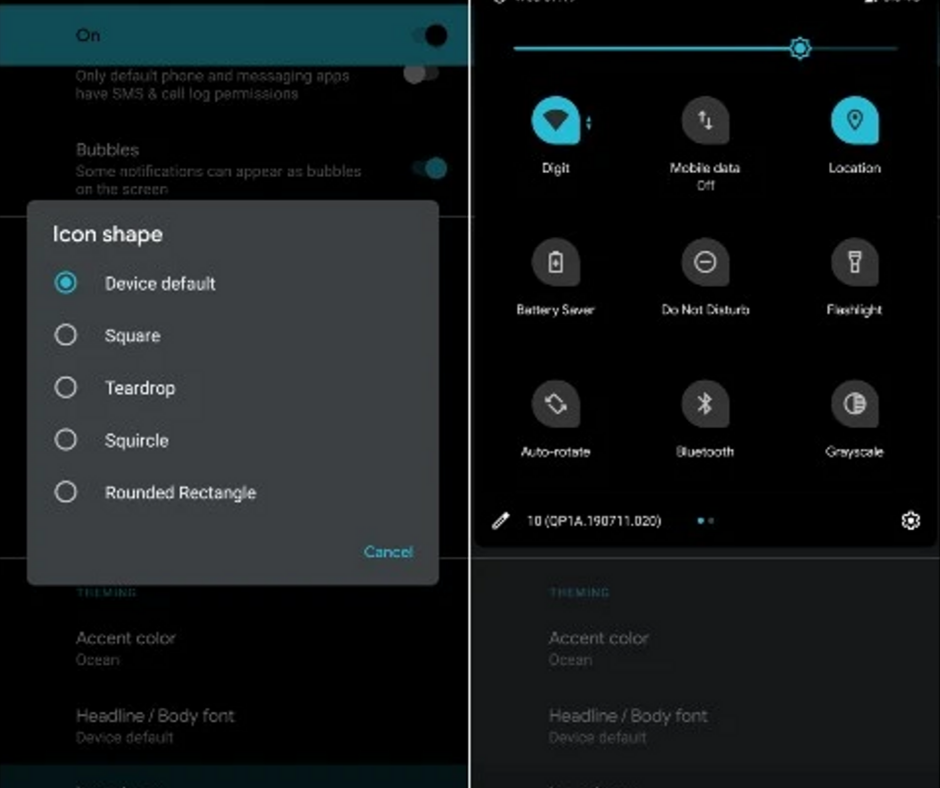
    Change Your Android 10 System Accent Color

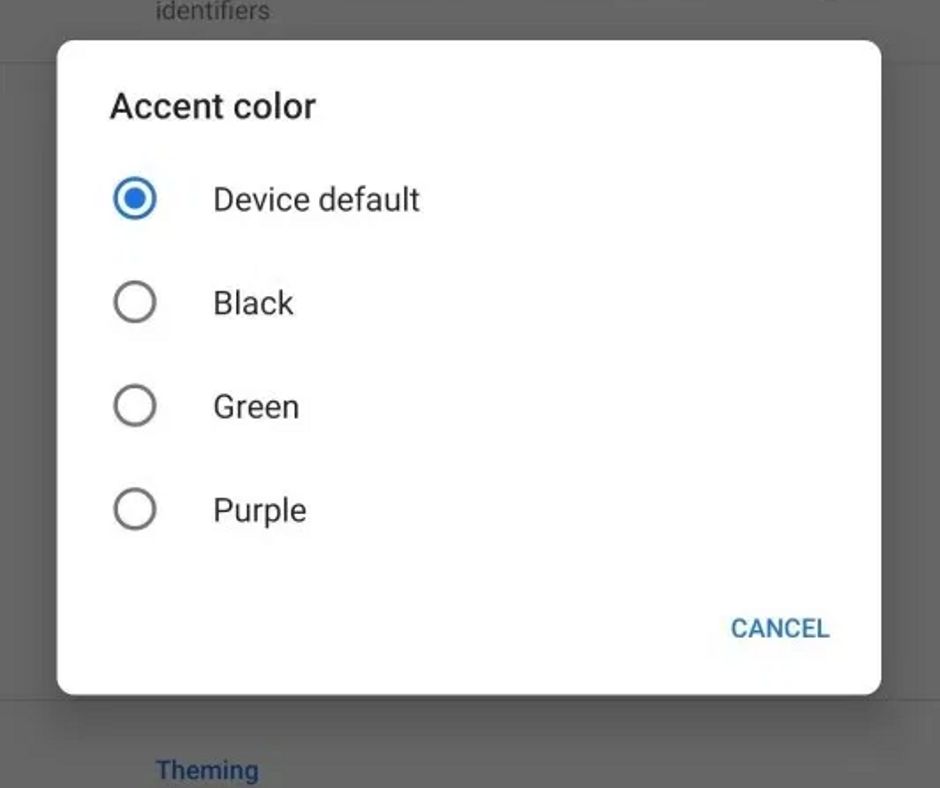
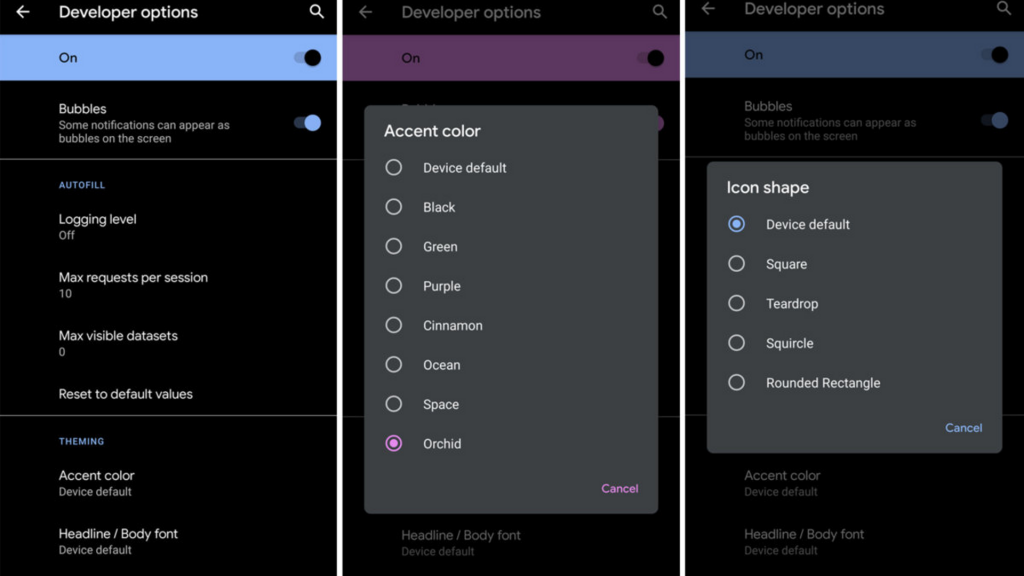
    When you go deep into the more advanced Developer Options, you can even change the accent color of icons by choosing one of 8 colors available. In this guide, we will discuss how to change accent colors in Android 10 and what else you can change.

    Accent Color Options in Dark and Light Mode Themes

    Ocean Blue is quite common but there are different types of theme colors for you to choose from, preferably on the cooler side of the color range. On the light theme, most colors seem to be more bright and bold. In the dark theme, some colors feel more pastel and lightening but Ocean is darker and deeper in light theme. When the dark theme is enabled, Black turns out to white. Therefore, here are the color options available for both themes –

    Accent Color Options in Dark and Light Mode Themes

    • Blue (default)
    • Cinnamon
    • Ocean Blue
    • Green
    • Black
    • Orchid
    • Purple
    • Space

    Steps to Change Accent Color in Android 10

    In the previous versions of Android, you could not do anything with default accent color on your device. However, Android 10 is finally here with an option to choose from different accent colors in the Developer Preview. Currently, you can choose from 8 different accent colors. Here are the steps to find them –

    Steps to Change Accent Color in Android 10

    • First of all, go to Settings on your device.
    • Scroll down and go to About Phone” section.
    • Go to Android version.
    • Tap on Build Number, which is displayed for seven times. After doing that, you will see a message that you are officially a Developer.
    • Go to Settings again.
    • Go to System option.
    • Tap on Advanced option.
    • Tap on Developer Options.
    • Scroll down and select Accent Color option on the menu.
    • It will show you seven different colors to choose from. Select the one and enable it to change the color.

    So, these were the steps to change the accent color on your Android 10 system.

    Steps to enable Dark theme by going to Settings

    • Simply go to Settings
    • Tap Display
    • And then select the Dark theme and toggle it on.

    Steps to enable Dark theme by going to Settings

    Adding Dark theme to Quick Settings

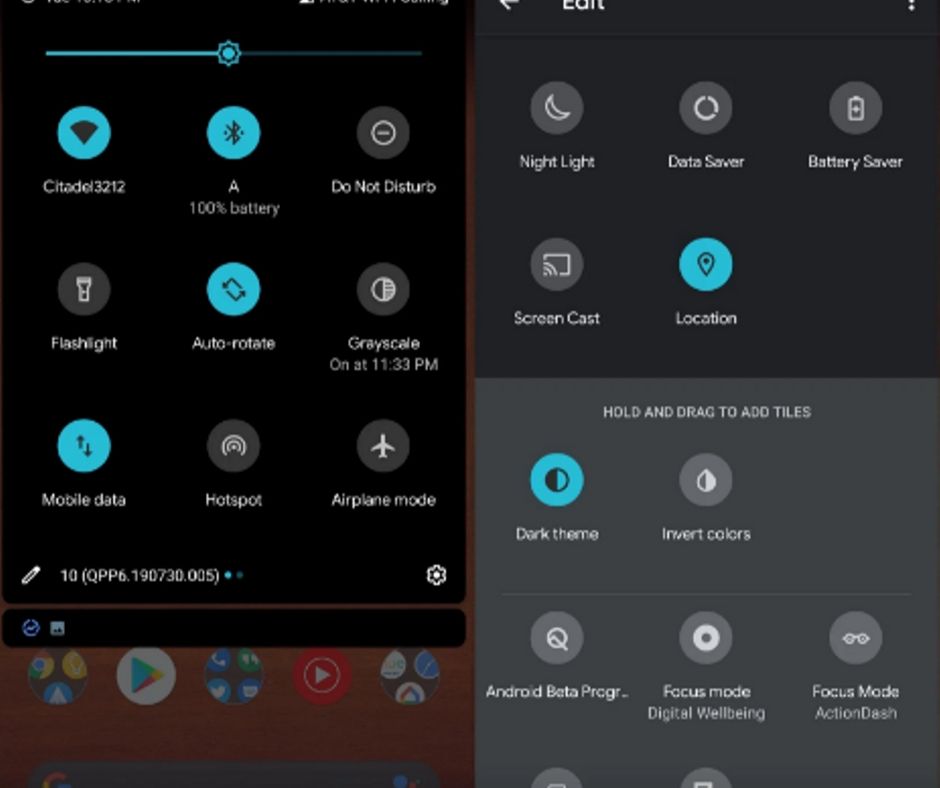
    There is no need to go to Settings whenever it comes to turning it on or off if you add the same to Quick Settings. By default, it is not added. But you can do it in 3 steps –

    Adding Dark theme to Quick Settings

    • Open Quick Settings by pulling the top of the screen down two times.
    • In the bottom left corner, tap the pencil button in the left bottom corner in Quick Settings shade.
    • Drag and drop Dark theme toggle from the bottom in Quick Settings button.

    Steps to change icon shape

    Android 10 is officially launched by Google for Pixel devices. Here are the detailed steps to change icon shape –

    Steps to change icon shape

    • In Android 10, you have to go to Settings.
    • Tap System
    • Go to Advanced
    • Go to Developer Options
    • At the end of the page, tap icon shape under Theming
    • Now you can choose from Teardrop, Device default, Rounded Rectangle, or Squircle

    Steps to change font style

    • The open app drawer and open Settings app
    • Select System option
    • Select Advanced
    • Go to Developer Options
    • Go to Theming section at the end and select Headline/Body font
    • Now you can choose from Noto serif/Source sans Pro or device default.
    • Choose font style in devices supporting Android 10.
    • Swipe down in Quick Settings to turn on Dark theme or disable when needed.

    What Else you’ll Discover?

    There have been leaks we have found related to Google Pixel 4 and we have another leak for you. It has come from the dedicated team of XDA Developers. They have finally managed to get a quick look at the upcoming Pixel Themes app by adding some code.

    The roll-out of Android Q beta was the first time when Pixel Themes were discovered. Nevertheless, it is yet to be officially available in Android 10 final release. Meanwhile, we are first going to see it with the official launch of Google Pixel 4.

    There are some strings in AOSP source code on Android 10. You can now customize the lock screen with the completely new ThemePicker, grid size for the home screen, ambient display clock face, and even more. The app shows “Styles & Wallpapers” after installing it in the app drawer. You can also find it by holding on the home screen.

    UI screen Manager

    The UI screen of the theme manager is displayed through Google Photos album. A developer luca020400 from XDA Developers spotted the link, which was added to a commit mistakenly, and he uncovered the same.

    XDA had also revealed the update that the clock face options on Android 10 will include Bubble, Analog, and Typeface options to choose. However, during the phase of development, Typeface has been removed. Later on, it was added back manually in the screenshots shared by luca020400 when he could get it working on his device.

    While the latest screens are yet to be seen, the XDA-Developers have also shared some of the older screenshots, which reveal that the UI of Android 10 has something more to discover. The images have the codenames before choosing the final names of themes.

    Along with the upcoming Pixel Themes, we have also got a sneak peek into some of the cool new features in Pixel 4. The astrophotography mode is one of the biggest reveals in a leaked video online. You can also find a Coral color option.

    Bottom Line

    We hope this guide will help you in changing the android 10 system accent color, adjust the font style, and icon shape. All these things are done system-wide. You can choose from Collage, Crayon, and Ash option. You can also mix and match on your own with a customization feature of My Style.

  • Pokémon Masters Gameplay- The Ultimate Guide

    Pokémon Masters Gameplay- The Ultimate Guide

    The much-awaited Pokémon Masters is finally here in Pokémon game series, and the best part is that it is a thrilling RPG. Explore the island of Pasio, the hub for a huge tournament. In Pokémon Masters gameplay league, you will be indulged in 3v3 trainer battles, which are loaded with excitement and thrill. You will meet new trainers who are all set to battle and you will be fighting with them. Make your 3-trainer party strongest like never before with the following tips and tricks.

    Pokémon Masters Gameplay

    Weaknesses are not enough for team composition

    When it comes to team building, you may want to fill up the roster with pairs of sync, which can match the weaknesses listed before starting the battle. However, the weakness system is different in Pokémon Masters than a lot of mainstream series titles.

    Most of the Pokémon have just one weakness and one type. Despite the canonical rules, only the listed weakness matters. For instance, a water-based Pokémon might be weak to either electric or grass attacks only.

    Weaknesses are not enough for team composition

    Even though your attacks are not going to be powerful enough, it is even better to use the Pokémon with same power rather than switching out frequently to match the weaknesses of your rivals. Hence, you can work on a particular strategy with matching abilities and upgrade your core team to finish your rivals.

    Pokémon Masters Gameplay Stats

    In Pokémon Masters Gameplay, stats will seem to be identical to other games’ stats in the franchise. Nevertheless, a few things might be changed in the real-time combat system. The speed stat is a major difference here. It affects the frequency of filling the move gauge. Since it is a shared resource, the here speed stats are pooled together to figure out the outcome. Here are some of the core stats in this game –

    Pokémon Masters Gameplay Stats

    Key Stats

    • Defense – It minimizes damage against physical moves.
    • Attack – Amount of damage a Pokémon can deal with.
    • Attack – Improves damage with special moves.
    • Defense – Lowers damage against physical moves.
    • Defense – Minimizes damage against special moves.
    • Speed – Improves speed where move gauge is filled.

    Refrain from Evolving Pokémon at Lowest Level

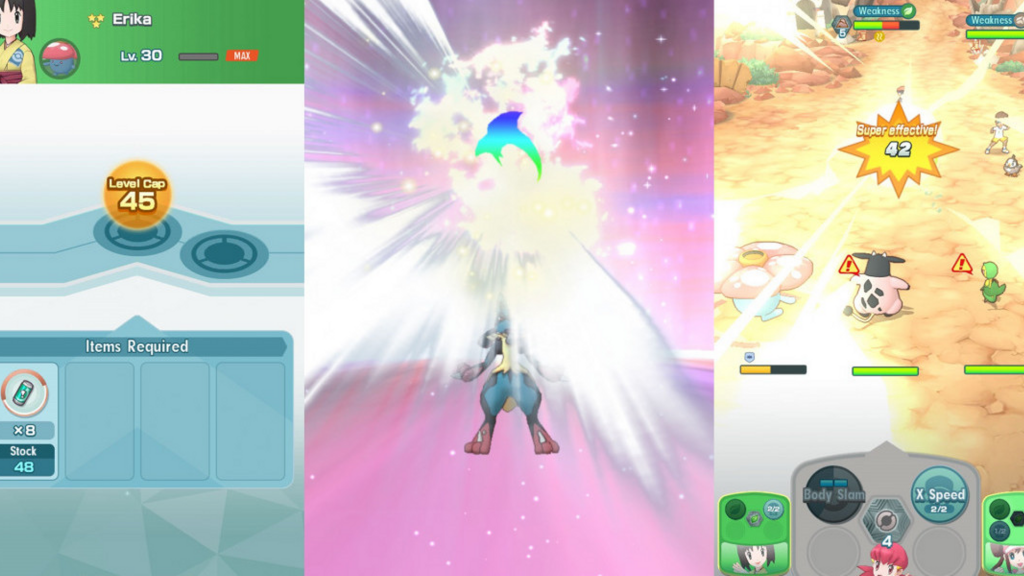
    Evolution is among the best parts of Pokémon and there is a new way to do that in Pokémon Masters. You will still need to meet a certain requirement and defeat a strong enemy in 1-on-1 combat. These battles are challenging. Do not try them just away or you might fail. Evolution materials are required in each attempt that you need to buy by paying a huge amount of coins.

    Refrain from Evolving Pokémon at Lowest Level

    To avoid wastage, wait for a few more levels to evolve your Pokémon. You can increase the stats a bit by evolving your Pokémon but the actual benefit is observed at the time of final evolution. When Pokémon reaches its most evolved form and its sync power will get stronger.

    How to make the best Pokémon Masters Team for free?

    When you have to play most of these games for months to grab the most iconic characters, you can get everything you have ever wanted in story mode with Pokémon Masters Gameplay. You will not have much choice in the beginning. As you cross the levels, you can unlock new pairs to do the job right.

    The best team compositions usually have one striker (who deals damage) and two supports. You will unlock the first sync pair, which is truly strong, is Snivy and Rosa in the first chapter. Along with Swanna and Skyla in Chapter 5, you would have all the much-needed support power.

    make the best Pokémon Masters Team

    In Chapter 6, you would get Lucario and Korrina as strikers. After completing Chapter 11, you will unlock Alolan Raichu and Hau, which is known as one of the best offensive sync pairs. The special attack Discharge from Alolan Raichu’s AoE works well with X Spec from Shivy.

    Getting Coins in Pokémon Masters

    To get specific items in Pokémon Masters Gameplay, exchanging and collecting coins is the best way and it takes time to get them. You will earn a few hundred coins for winning each battle. However, you have to spend tens of thousands of coins to buy a lot of shop items.

    The Coin Supertraining Courses are some of the best ways to get coins. Supertraining courses cycle every day and you can play each level 3 times. So, do not let this opportunity go. You can farm Big Pearls and Pearls only with Coin Supertraining Courses, which cost up to 3000 coins.

    Get the Most of AI Targeting

    With 3 sync pairs on each side, you may never know which Pokémon will get affected by AI. The offensive Pokémon may not be able to take enough heat. Therefore, you should keep them off the line of fire. In Pokémon Masters, the best thing is that AI also attacks the most powerful and defensive Pokémon. In this game, a hidden stat is calculated which combines a defense, HP and special defense. All evil Pokémon are going to attack Pokémon, which has the highest value of secret stat until it gets killed. Then, they would move to the next most powerful Pokémon.

    When it comes to building a team, you can use AI to your advantage. You will usually have two heavier supports and one striker. A lot of team compositions work as per your choices.

    Save up the coins to improve the move gauge

    After collecting enough coins with certain tricks, you might be confused about what to purchase to get the best value. The evolution packages can help you progress well in the beginning. However, you need more move gauge slots after some time. They might be too costly at 30,000 and 100,000 coins. Nevertheless, they can be great long-term goals in this game. Therefore, pick at least fist additional move gauge slot asap. It synchronizes perfectly with Time to energize the skill of Snivy and Rosa.

    Bottom Line

    So that’s all for our Pokemon Masters guide to becoming the ultimate master. If you think that we have missed out on any tips, feel free to tell us in the comment section.


  • Vivo Z1 Pro Hands-On Review: A Killer Smartphone or Just another Mid-Ranger?

    Vivo Z1 Pro Hands-On Review: A Killer Smartphone or Just another Mid-Ranger?

    The Vivo Z1 Pro is yet another arrival in the price-sensitive mid-range market where there is already a tough competition running between Redmi and Realme. The Z1 Pro is here to kill most of the mid-range smartphones by offering great value at the same price range.

    Vivo Z1Pro

    Some of the killer highlights are the seriously powerful Snapdragon 712 processor and Adreno 616 GPU for lag-free gaming performance, the super wide-angle rear shooters, dedicated Micro SD slot, and the huge 5000 mAh battery. In addition, the surprise package here is that this device comes with 18W fast charger out of the box.

    Hardware and Overall Performance

    Since Vivo Z1Pro has been built with attention to the hardware part, we have decided to start with the same. The Z1 Pro is claimed to be the first mid-range smartphone with the latest Snapdragon 712 SoC, which promises to give 10% better performance than Snapdragon 710 in major tasks. When it comes to configuration, it has two quad-core processors clocked at 1.7 GHz and 2.1 GHz. You can choose from 4GB to 6GB RAM models. When it comes to multitasking, it can hold dozens of apps and it is very easy to switch between them.

    Not just on paper but in real life, Vivo is a true performer as app opening times, switching between apps and navigating through screens is a superfluid. The Adreno 616 GPU adds more power to gaming performance. We ran PUBG Mobile for 30 minutes in the highest graphics settings and there was no lag either. We also played other graphics-intensive titles like Dead Trigger 2 and Asphalt 9: Legends and they ran well with no frame drops.

    The device gets a bit warm when it is used for longer period but it cools down quickly. The Game Cube is an added bonus here. It enables 4D vibration for the haptic response on games like PUBG and you can also block messages and calls while gaming.

    Hardware and Overall Performance

    The power-packed 5000 mAh battery also never leaves you in the middle of something. It is built to last long and you will not want to charge it until the end of the day or the next morning. Even though it does not have USB Type-C port, you can still charge up quickly thanks to its 18W fast charger.

    But here is a catch. The FunTouch OS 9.0 running on Android 9 Pie is full of bloatware, such as Dailyhunt, Amazon Shopping, Webnovel and a lot of unnecessary pre-installed apps. Luckily, you can remove these apps manually. Most users have a love-hate relationship with FunTouch UI as they believe it to be a cheaper replica of Apple’s iOS. It is especially when you swipe from the bottom.

    However, one good thing in FunTouch is its dark mode. Along with the OS, it also turns several elements to the dark mode. Several third-party apps like Instagram and Twitter support this option for the user. However, some of the text is not noticeable because of the forced dark side.

    Design and Display

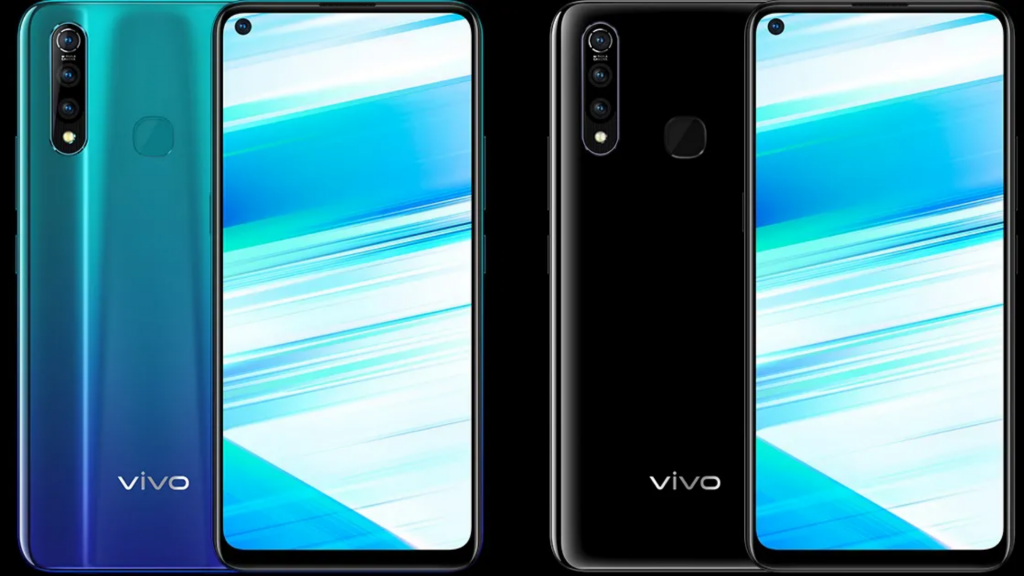
    The Vivo Z1 Pro is available with 3 color options – Sonic Black, Sonic Blue, and Mirror Black. Like all good things in life have a flow, the Vivo Z1 Pro has the back cover made of polycarbonate, a kind of plastic. Even with having a shiny and sleek finish at the back, the device does not look that hard in hands. The device has slim bezels and a big screen. For some people, the big display may seem bulky. For those who are into a great multimedia and gaming experience, this device nails it. You must go for it if you do not have any issue with its massive size.

    Design and Display ViVo

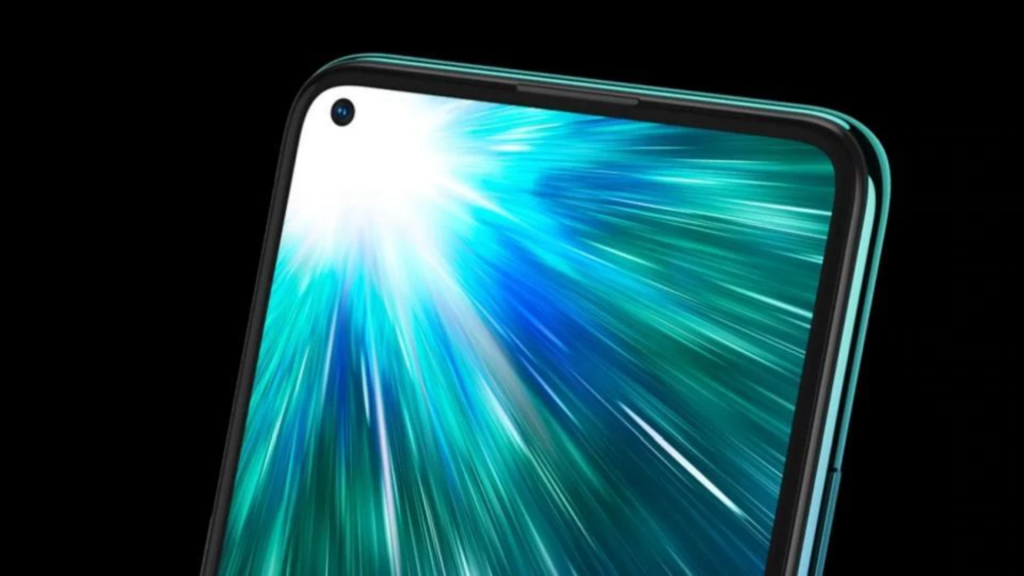
    The display is another main part of a Smartphone after the performance. And Z1 Pro also kills it with its big and bright 6.53 inches FHD+ 2340x1080p display with 90.77 screen-to-body ratios. The in-display camera is another major highlight. It is the first Smartphone by Vivo with punch-hole display after Samsung.

    The screen is bright enough indoors at 30% brightness. You can play games like Asphalt 9 and watch YouTube videos easily. However, it needs to have full brightness to see clear pictures outdoors. The viewing angles are also decent. If you are a serious gamer, movie lover or a sports fan, you will love this device with a bright and big screen.

    Cameras

    Vivo Z1Pro gives a decent enough camera performance in its range. It features a 16MP sensor accompanied by a secondary 8MP super-wide sensor and 2MP depth sensor.

    ViVo Z1 PrCameras

    In addition, it has a 32MP selfie shooter. It has a lot of AI features on both the front and rear cameras to click sharp pictures.

    Pricing

    There are three variants of Vivo Z1Pro available in Vivo’s e-store and various online stores since July 2019. The 4GB/64GB variant is available for $220, 6GB/64GB variant comes for around $250 and the highest 6GB/128GB model costs around $265. However, the availability and price may vary country-wise.

    If Vivo Z1Pro had not missed USB-C port and glass body, it could have been a killer Smartphone in the budget segment. Overall, it is a beautiful Smartphone, which captures nice pictures in almost all lighting conditions, lasts a day after full charge, and offers killer gaming and multimedia performance. It is an all-rounder Smartphone and a great choice to look for.

    The Good

    1. Large display and bright visuals
    2. Bigger battery than competition
    3. Great cameras
    4. Powerful gaming performance

    The Bad

    1. Plastic build
    2. No USB-C port

    Bottom Line

    Almost every device we come across has its pros and cons. It is up to you as what is more important to you. Does performance and display matter more than anything else to you? Then, go for it! For some people, FunTouch OS might seem unbearable. Well, this is not the reason you should overlook this Smartphone. On the design front, the Z1 Pro is the best choice. It has buttery-smooth navigation with killer performance, despite some bloatware. If you spend most of your time gaming and streaming, and UI and camera are secondary things for you, go for it!


  • Motorola One Action Review – The Perfect Android One Device by Motorola

    Motorola One Action Review – The Perfect Android One Device by Motorola

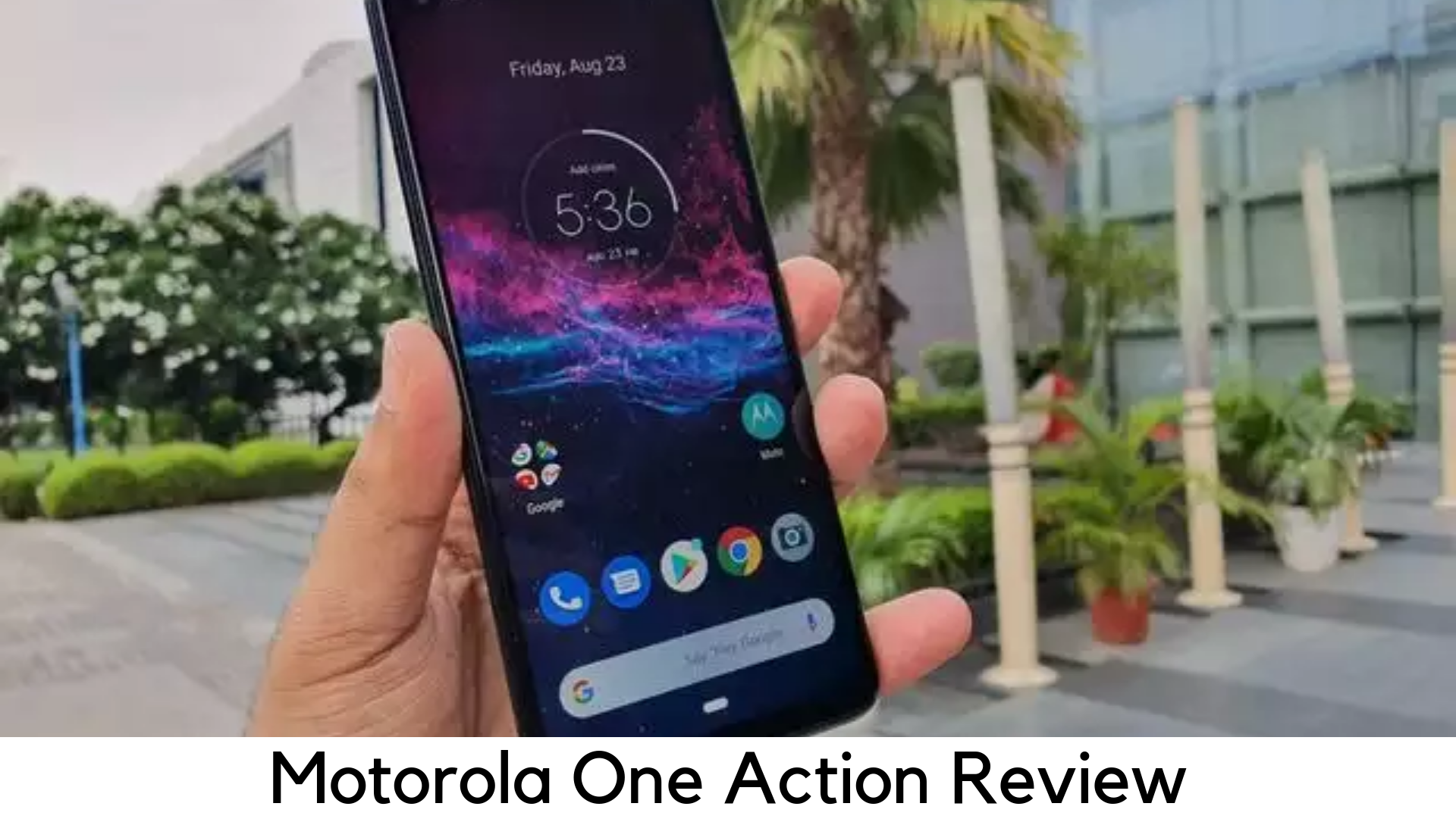
    Motorola has finally introduced Android One budget smartphone with lots of cool video recording features. When companies like Samsung, Google, and OnePlus are busy launching their high-end flagships, Moto is here to present some pocket-friendly alternatives, which are safe for your wallet. Motorola has been changing its course a bit in recent months and introducing a new range of budget and mid-range smartphones, such as Motorola One Vision and Motorola One Action. These budget devices usually cost a bit more than the usual output of Moto. They offer some cool features, which are aligned, well to their flagship siblings.

    Motorola One Action Review

    The recent arrival Motorola One Action is the cheapest Android One Smartphone in its bunch, despite costing confusingly similar to Moto G7. With some of the bells and whistles out of the box, is Moto One Action the Go Pro of Smartphone market.

    Motorola One Action – What’s ‘Action’ in this?

    For the first time, Motorola brings a triple rear camera setup to its mid-range segment and it is obviously known for its video recording features. It has a lot of recording features. The major highlight is its ability to record video in landscape mode while holding it in a vertical position.

    Well, there is something more to it. The One Action is powered by Samsung Exynos 9609 2.2GHz processor with 21:9 aspect ratio, 128GB of expandable storage and 4GB RAM. It comes pre-loaded with Android 9 Pie. This Android One smartphone will get security patches every month for 2 years of its release.

    Price and its Rivals

    Launching in October in the US for around $276, Motorola One Action is here to kill Moto G7 in the same budget category. Even better, One Action is offering even more than what you would get in Moto G7.

    Along with G7, Motorola One Action is also going to give tough rivalry to Honor Play, especially because it is powered by Kirin 970, which is a surprisingly fast processor. It also targets Huawei P Smart, which is a bit cheaper.

    Design and Form Factor

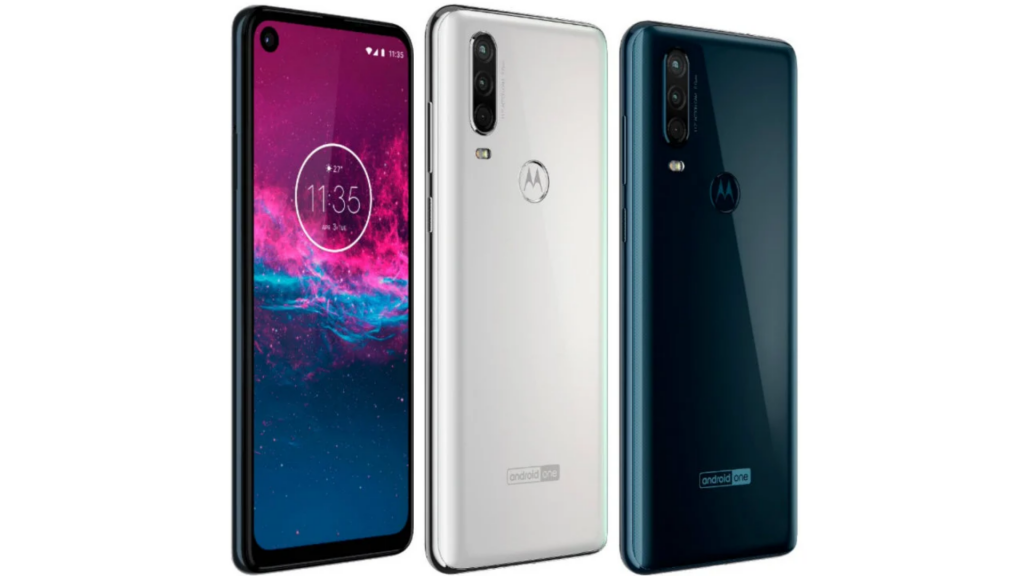
    Motorola is not going to set out a radical change in the looks department but it is setting the industry standard with the curved 4D glass-coated design, which looks quite swish and fits well in your palm. The pin-hole notch design features 12MP front camera with the clean viewing experience.

    Design and Form Factor

    It comes with two stylish color options – Pearl White and Denim Blue. It glistens softly whenever the rear panel catches the light on the sides. The phone looks really premium from the back.

    In terms of physical elements, it has the nano-SIM slot on the left corner along with space for MicroSD card to expand the internal storage up to 128GB. At the bottom, it features a USB Type-C charging port. On the right corner, it features volume rocker and power button. On the top edge, it features the fan-favorite 3.5mm audio jack.

    Display

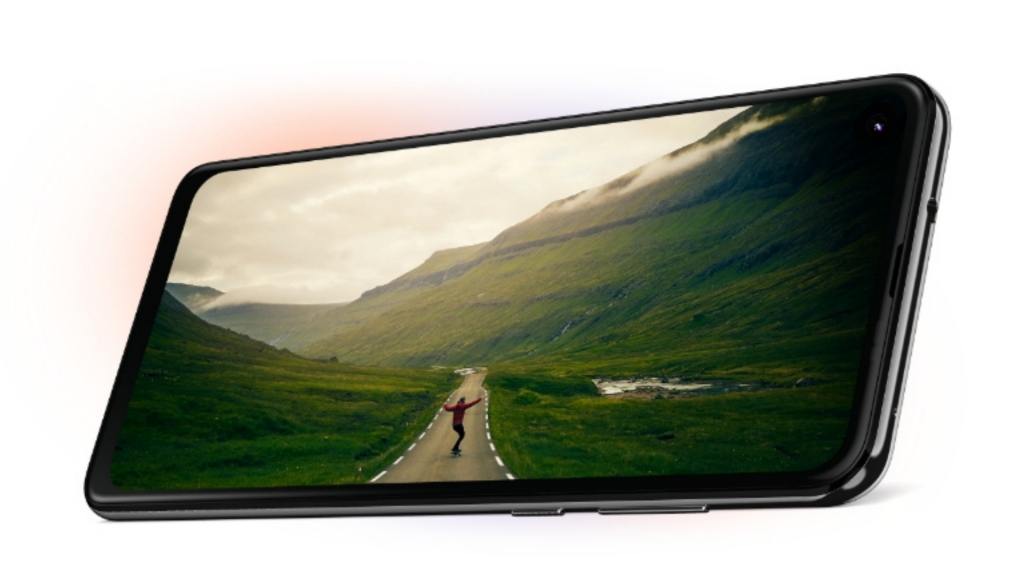
    In the screen department, the One Action comes as a flagship killer. It sports IPS FHD+ 6.3 inches display with 2520 x 1080-pixel resolution, which is used in Samsung Galaxy Note 10, which costs around 4x the price.

    However, you might miss the viewing experience in OLED display in Note 10 because it features IPS panel. However, the screen is still decent as it covers 93% of RGB’s color palette on the ‘Natural’ display mode.

    Motorola One Action Display

    Along with some oversaturation in some light-green and dark-red tones, One Action can still produce accurate colors on the whole gamut. The contrast ratio of the display is 1253:1 and the maximum brightness is 418cd/sq. m. So, it improves screen readability when you go outside.

    The display size is 21:9 of elongated aspect ratio like One Vision. This means you can get more of your Twitter and Facebook updates and stream HD content in 21:9 ratios on Amazon Prime and Netflix, while cropping those annoying black bars.

    Power and Performance

    Instead of being with Qualcomm range, one action features one of the mid-range chipsets by Samsung, the Exynos 9609 octa-core processor. Well, this processor is featured in several smartphones, especially from Samsung.

    It is a quite cool device in this price segment. By running the multi-core and single-core CPU tests on Geekbench, One Action reached 5362 and 1606. The performance is quite better than several expensive counterparts, including both Moto G7 Plus and Sony Xperia 10. Moto One Action has managed to stay ahead in real-world usage. It performs well and handled multitasking in almost every application we opened, without any glitches.

    Power and performance

    Also, it stands out in gaming performance. This phone has come up with a frame rate of 21fps on average. This test was quite demanding for a GPU. It means you may not face any lag when enjoying graphically demanding games like Asphalt 9 and PUBG Mobile.

    The battery life of Moto One Action is decent. The 3500 mAh battery has managed to last up to 14 hours on video playback. Well, it is not that bad.

    Camera

    Motorola has finally marked its debut in the quad-camera segment. The latest handset features a 48MP sensor along with 12MP sensor having f/2.2 aperture and 5MP depth sensor for more accurate portrait, blurred background photos.

    The third camera makes it even more special. It uses a 117-degree ultra-wide lens to capture 4 times more of the picture in a single frame. You can also capture landscape video when holding it in portrait form.

    In addition, Moto One Action has a lot of recording features. You can also record full HD footage at smooth 60 fps and 4K video recording in 21:9 aspect ratios. It also captures better images than Moto G7 and the images are full of detail.

    Pros

    1. Killer price with better specs than Moto G7
    2. Beautiful pictures in 21:9 screen ratio
    3. Decent performance

    Cons

    1. Video recording is just good
    2. Battery life is not good enough

    Verdict

    Moto One Action is having really nice features and it has been launched as the best-rounded device by Motorola. It has all the bells and whistles to go hand-in-hand with expensive smartphones.