Author: Poonam

  • League of Legends Mobile – Everything You Need to Know

    League of Legends Mobile – Everything You Need to Know

    One of the most anticipated and popular PC games, League of Legends has now ventured into the mobile market after 10 years of its release, according to the sources released by Reuters. Riot Games, the company that developed League of Legends, is now working together with a mobile powerhouse and its parent company Tencent to launch it for Android.

    League of Legends Mobile

    According to a translation from Daniel Ahmad, an industry expert, the app has been designed to work with the WeGame platform by Tencent. After downloading the app, you can stream the games in their collection. However, your device has to share the same Wi-Fi network as the PC running the same game, there is still a need for improvement to play the game on the go.

    The interesting thing is that there is no lack of MOBAs available for mobile. According to a new report, the king of this genre is now available on Android devices. League of Legends Mobile is finally here by Riot Games and its parent Tencent. Though it is not official, Tencent has been investing a lot in mobile gaming over the years. After all, they have also launched MOBA Arena of Valor and the hottest favorite PUBG Mobile.

    As per the sources, the developers have been working on League of Legends Mobile for over a year. Riot Games have declined a proposal given by Tencent, according to the reports, to launch the mobile version years ago. Since then, its parent company has introduced a lot of semi-competitors in mobile space. Well, none of them have got the same brand presence worldwide and a huge player base like League of Legends (world’s most popular PC game). Finally, the League of Legends has hit the mobile space. Here are the details we have got related to the League of Legends Mobile so far –

    Mobile Version may not release anytime soon in 2019

    According to the report, the developers have been working on the game for a year. But League of Legends Mobile has no signs to release anytime soon in 2019. The title is yet to be announced by the developer and there is also an odd that the sources were off base.

    League of Legends Mobile Version

    The Mobile Gameplay could look like Arena of Valor

    League of Legends could be ported to mobile platforms directly but it would be quite difficult to play. For some details into the changes, you might see in the mobile version by Riot Games, you could check out Arena of Valor. It has the same basic features while cutting down the complexity and length of the matches.

    League of Legends Mobile Gameplay

    Android version is a safe bet

    It is because some mobile games are exclusive to Android but they are much unlikely to be like League of Legends. Tencent might be looking forward to broadening the appeal of League and it is going to approach as many platforms as it can.

    League of Legends – Tips and Tricks

    League of Legends is not just another game. If you want to try this, you might be confused with a lot of details on your way. However, do not worry. We are here with some tips to help you play as long as you want in League of Legends.

    Don’t worry about specific positions and characters, at least during the initial 5 levels

    To access most of the gameplay options, you need to reach level 5 in your player profile. It also consists of PvP modes. Everything you do before only helps you get familiar with the game. Therefore, you do not have to worry about what position or what character is needed for what. You just have to try out different characters to find out what is best for you. Do you prefer ranged fighters? Melee champions? Or assassins? You could figure out the same in the beginning.

    Know different positions as well as the basics of the map

    You should know what you need to say with your teammates. There is no hard-and-fast rule to become a pro player on the go. However, you could at least learn the core terms to start and know the general structure of the positions. There are three lanes in it – top, middle, and bottom. The jungle is the area within the lanes.

    League of Legends Positions

    Team bases are located on the top right and bottom left of the map. Your position is represented by the specific part of the map you start with and the champion you choose. Here are the 5 positions which will come till level 30 –

    • Top – Summoner’s Rift is on the top left where the champion reaches. It is usually played by bruisers or tanks. It means melee characters can either deal or take huge damage.
    • Jungle – The champion with no assigned lane. The junglers roam around the jungle, kill the monsters, and drop into any of three lanes by killing an unexpected opponent.
    • ADC – They are known to spend the early aspect of the farming minions, level up, and buy maximum gears to boost the attack damage. They are among the two champions.
    • Support – They are the next champion on the bottom lane. Supports are here for a lot of good things like helping ADCs to land kills, keep them alive, and place wards to improve visibility.
    • Mid – They are champions with great ability power or AP.

    Keep track on the mini-map every once in a while

    Map awareness is very important for almost everything in this game. It is very important to know what is going on around you. However, you also have to look at the important events happing around. Otherwise, you could be shocked by an approaching enemy. This way, you could also miss out on the chance to help your team on the tough fight around you.

    Try all positions and focus on one

    You don’t need to make a full-proof plan of how you are about to reach the first 30 levels on League. Nevertheless, it is not always great to take a scattershot approach to the first experiences. It is always best to play a position, again and again, to get an insight into its finer details. It can help you improve the abilities of the game and it can be a lot more amazing to play.

    Click here to find out new upcoming game.



  • Change Snapchat Username and Create New Account- All details Here

    Change Snapchat Username and Create New Account- All details Here

    When it comes to change your username on Snapchat, you might just assume that you just have to go to settings and edit your username by tapping on it. Even though you can do the same, but it may not work in the long run.

    Change Snapchat Username

    Sadly, there is no option for the users to change the user names for the sake of their security in Snapchat. Unfortunately, the fact is that you are almost stuck with your existing user id, at least, until you are using your account.

    But don’t worry. There is a smart way to change snapchat username with any of your favorite Display Name. Of course, your username will remain unchanged. But it will not be visible to others. Here are the steps to do it –

    Go to Snapchat Settings

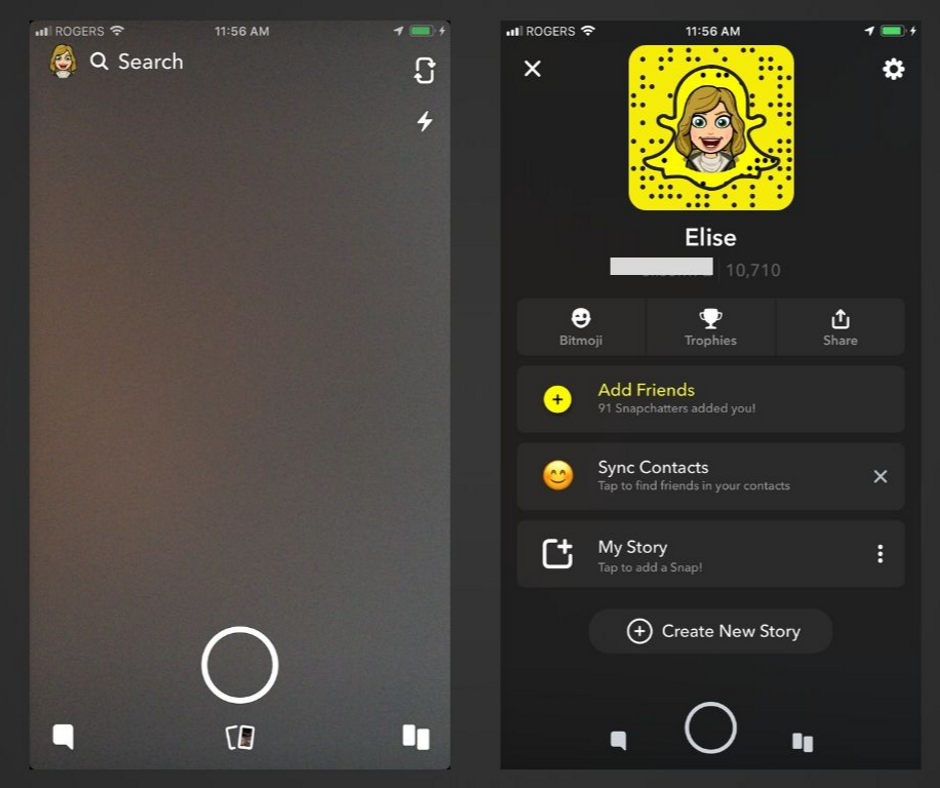
    First of all, open Snapchat. In the top left corner, tap on your Bitmoji or profile icon and open your profile. Now tap the “gear” icon on the top right corner.

    Snapchat Settings Change Snapchat Username

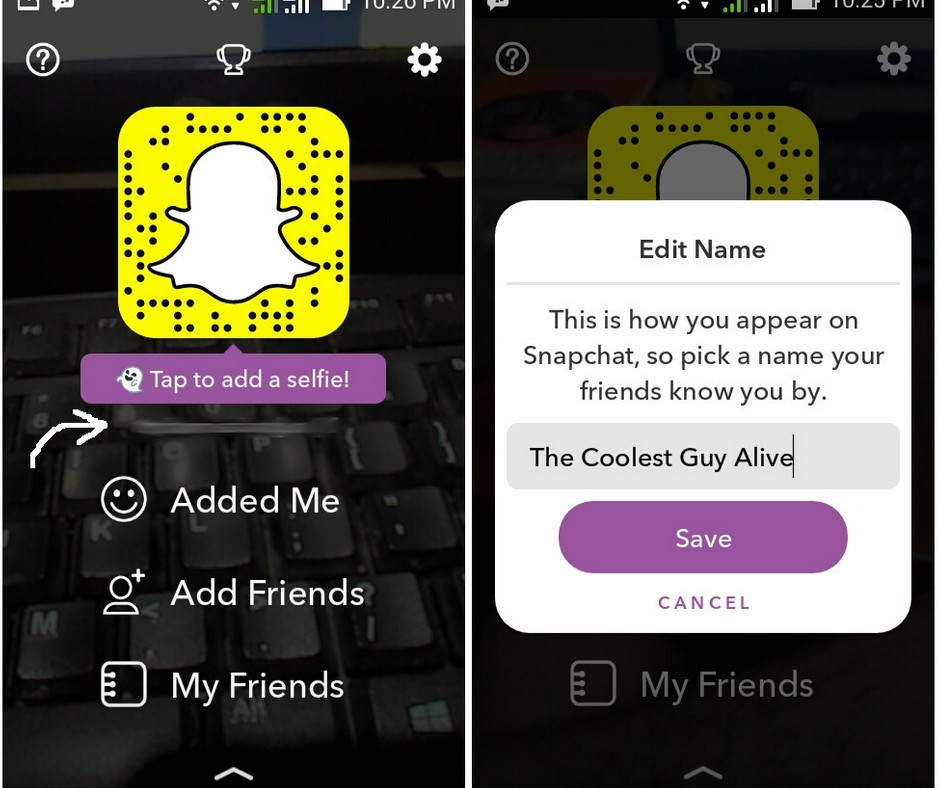
    Edit/Add your Display Name

    Name and Username will be the first two account settings that will show up whenever you open the settings. Keep in mind that you hardly have to do anything with it unless sharing it using a different app.

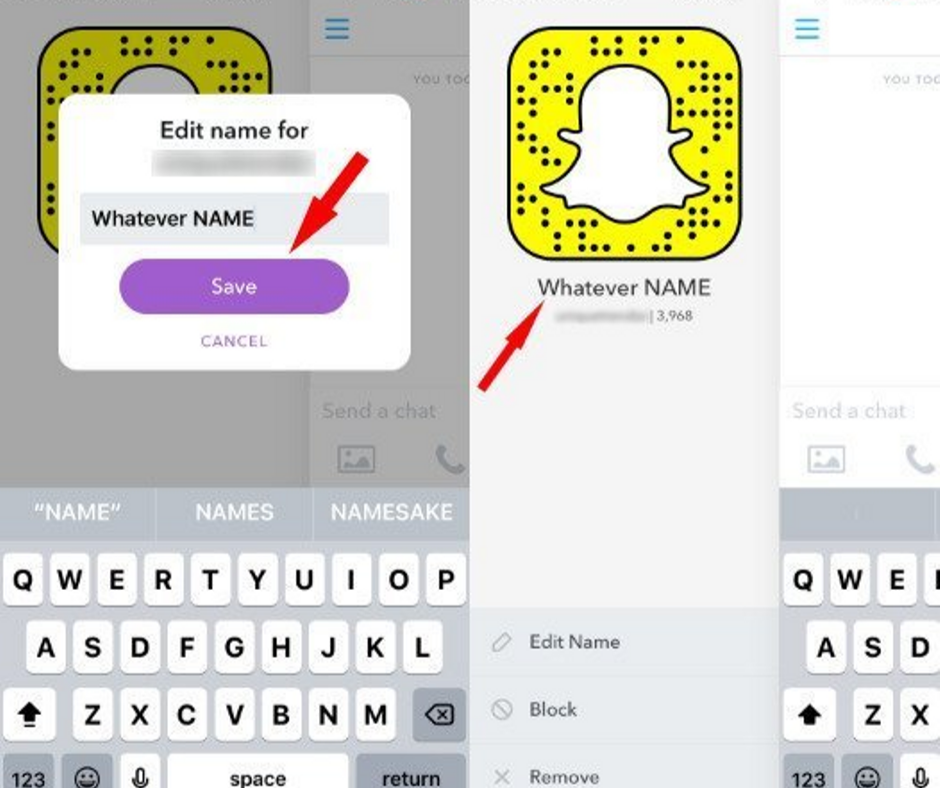
    • First off, select Name.
    • Edit or add the first and last name fields on the next tab. You may leave the last name field empty if you like.
    • Select the Save option which shows up after making changes.

    Edit/Add your Snapchat Display Name

    Now you can see the New Display Name on your Profile

    Once you have saved something in Name fields as discussed in the previous step, all your friends’ stories and chats will show up the same rather than your actual username. Your friend can see your username by tapping on your Display Name when searching for friends. Your friend can also see your username while chatting with you. They have to tap the ‘three lines’ icon on the top left corner and it will open up a quick overview of your profile (i.e. your name, snapcode, snap score, and chat emojis).

    New Display Name on your Profile

    Once your Display name is saved, go back to your profile using the back arrows on the top left corner of the screen. Your name will show up beneath snapcode (i.e. above your snap score and username).

    What if You Have No Other Option?

    It is true that Display Name mostly helps in keeping your user name out of reach of most users. If you desperately need to change your existing username and it no longer works, there is no other option than creating a whole new account and adding all your friends manually.

    The problem is that creating a whole new account means transferring over all the data from old account to a new one, including your snap score, your existing snapcode, your best friends, snap steaks, your trophies (if any), your conversions, and all your friends who added you or you have added.

    If you have no choice unless giving up all the data and adding friends to your new account manually, you can do it. After all, you may not want to delete your old account completely just after creating a new one.

    You will need the usernames of all your friends to add them again to a new account. The trouble is that you will have to visit each of your friends’ accounts separately. After the latest update, there is no dedicated space to check out all the existing friends you have added.

    You can still find the list of Display Names of all your friends so you do not have to forget anyone. However, it could take a lot of time to look up to the username of each of your friends and add them to another account.

    If you have to do it, here are the steps –

    • Go to the conversations tab and press the New Chat button which is marked by a plus sign and speech bubble icon.
    • Scroll down to Recents, Best Friends, and Groups where you can find the list of friends arranged in alphabetical order.
    • You can either take several screenshots while scrolling through the list or note each name on your own.
    • On the top right side, tap the X button and cancel New Chat.
    • At the top of the screen, tap the lens icon.
    • Find your first friend, which would pop up on its own around the top as they are already listed as a friend.
    • Find the username under Display Name and note it down or record in any way.
    • Repeat the above steps for display names of all the other friends.
    • In the top right corner, tap the X button to exit the search.
    • Tap your Bitmoji/profile icon and the gear icon.
    • Tap Log Out at the bottom and confirm your logout.

    Creating a New Snapchat Account

    Before deleting your old account, keep in mind that all your previous data like your conversations, friends, your bitmoji, snap steaks, etc. will be completely removed. So, back up each of your friends’ usernames and add them to your new account on your own. Without further ado, let’s discuss the steps of creating a new account adding friends over –

    Creating new snapchat account

    • After logging out of your old account, tap the Sign Up button and create a new account with a new user id.
    • After setting up your new account, simply tap the lens icon and search for the usernames of your friends.
    • Now hold the list of all your friends’ usernames, which you have collected, and search for each friend manually. Add them with the “+ Add” button.
    • If you’ve got a lot of friends in the contact list on your device, you can easily sync your device contacts to your account and add your friends in bulk.
    • Go back to Conversations and select the person with + sign on the top right corner. Select “Add Contacts” on the top.
    • Go through the instructions on the next tab and enable Snapchat to connect to the contact list of your device.


  • New iPhone 7 Plus Review – Is it Still Value for Money iDevice?

    New iPhone 7 Plus Review – Is it Still Value for Money iDevice?

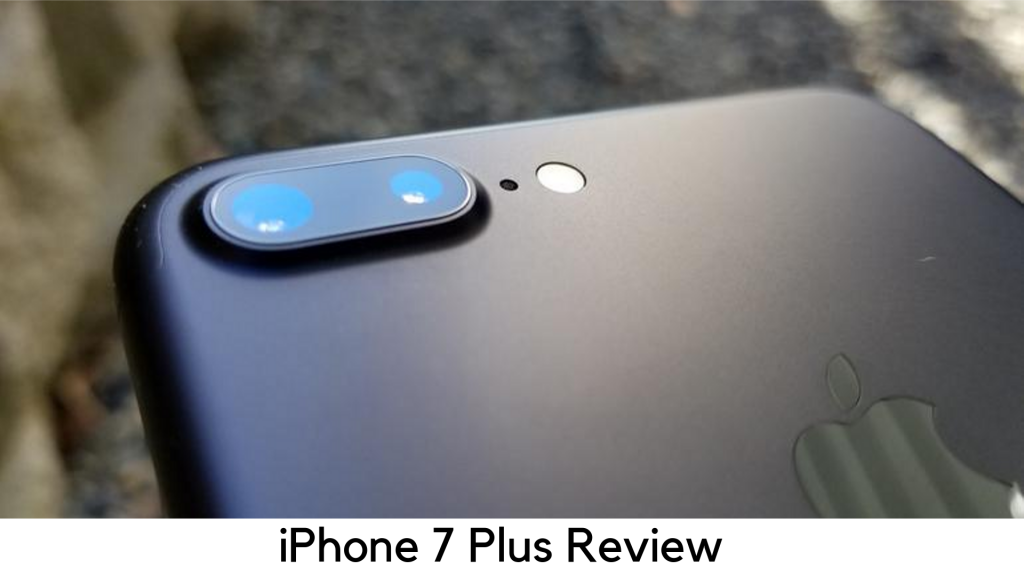
    iPhone 7 Plus Review

    Well, the iPhone 7 Plus is here as the cheapest and all-new large screen Phablet from Apple. It is still the best-selling iPhone despite having the latest options like iPhone XS Max and iPhone 8 Plus.

    iPhone 7 Plus Review

    Even better, it is among the Apple devices which will get iOS 13 update and the changes marked a great move for the iPhone. Its traditional design may not be appealing enough in 2019 but iPhone 7 Plus has a new Touch ID home button without any moving parts. It has got a water-resistant design for added security. It is also less breakable than the last iPhones.

    But one thing you might miss is its 3.5mm headphone jack. The iPhone 7 series started the trend of removing the headphone jack from their devices. However, Apple AirPods might relieve this problem a bit. There are two reasons you should prefer iPhone 7 Plus over iPhone 7 – innovative camera and better battery life – along with larger screen sizes.

    Pricing

    • iPhone 7 Plus (32GB) – $569
    • iPhone 7 Plus (128GB) – $669
    • Release date – September 2016
    • Launch price – Started at $769


    The launch price of iPhone 7 Plus was started at $769 for the inaugural 32GB model and 128GB variant came for $869. Apple also launched a 256GB model which was discontinued later.

    With the launch of later generations, the price of the iPhone 7 Plus has dropped and you can now buy the base variant of 32GB for $569. At the same time, the price of the 128GB variant has also dropped to $669. You can buy iPhone 7 Plus directly from online stores and major carriers and retailers worldwide.

    Design

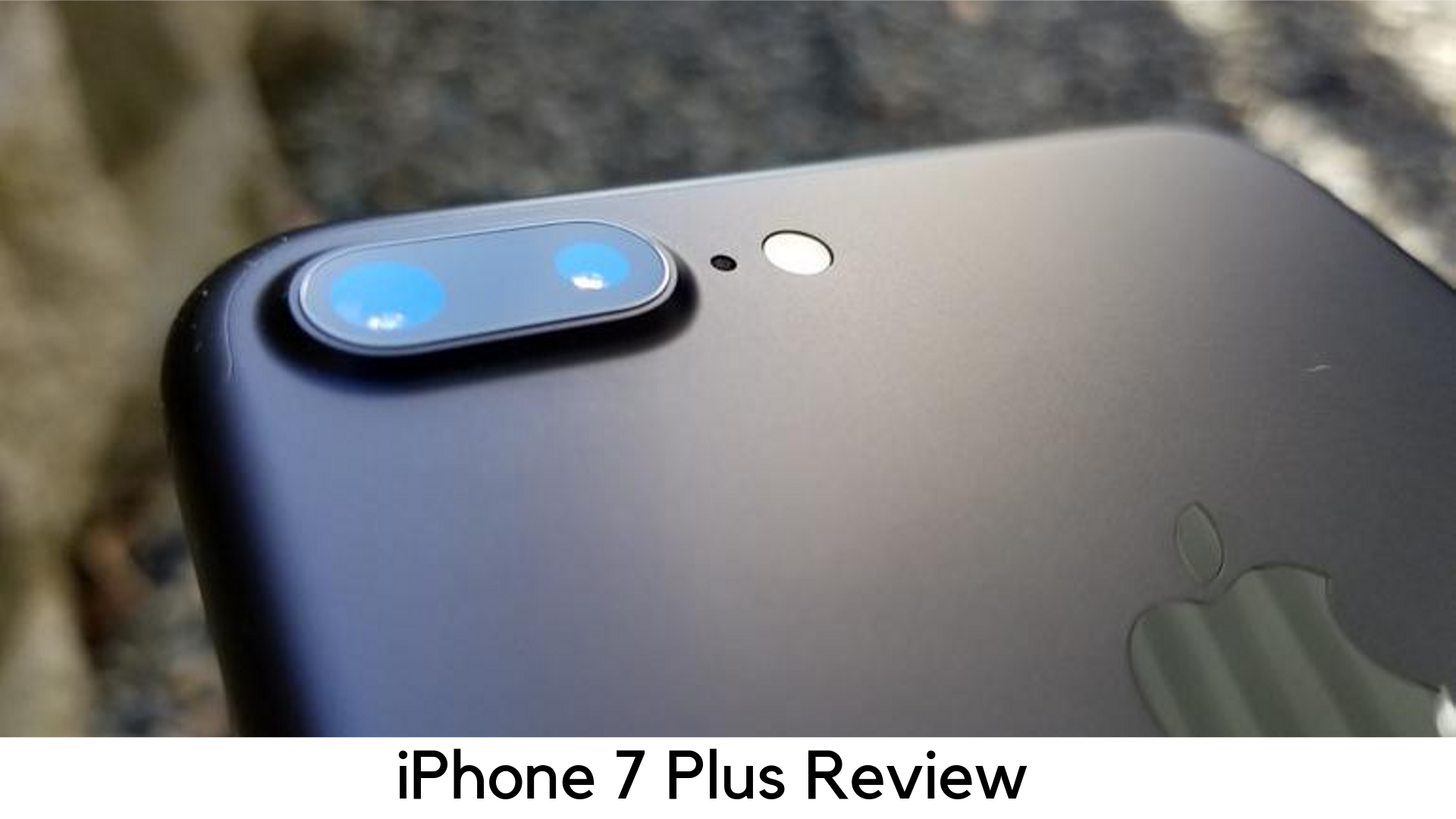
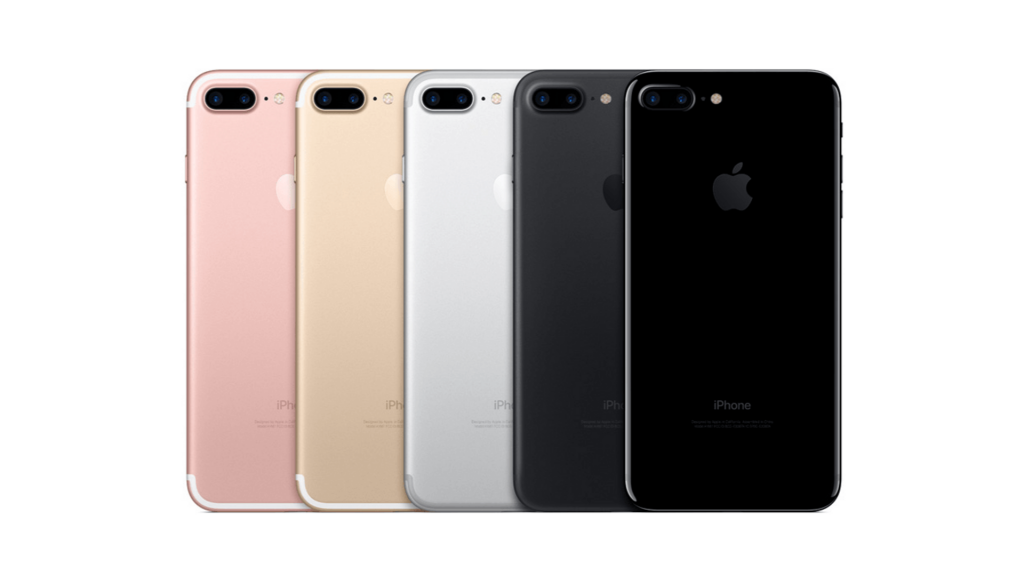
    Along with its older siblings, iPhone 7 Plus is the only iPhone with 2 rear cameras. Apple has stuck with an identical design that has done well for its last two iterations along with no headphone jack, bulkier camera block, and a few new color options.

    iPhone 7 Plus Design

    If you have used iPhone 6 Plus/6s Plus, you may definitely be familiar with the look of the iPhone 7 Plus. But one has its premium status with its aluminum frame, rounded corners, and minimalist design.

    Display

    At first sight to iPhone 7 Plus, you might think that there is nothing new in the display. It still has the same 1080x1920p resolution and 5.5 inches with the familiar 401ppi of pixel density. When the competitors like LG, Samsung, Sony, and HTC are offering QHD displays on their flagship devices, your iPhone might feel a bit outdated, especially while considering its heavy price tag.

    Display

    But it doesn’t mean the screen is that bad. Its images and text are still clear and sharp and brightness is just as good as it has been on last devices. Things look even better with brighter colors, though not that noticeable.

    Performance

    Performance-wise, iPhone 7 Plus is literally fast. When comparing side by side with iPhone 6S Plus, the iPhone 7 Plus was the way too faster each time when firing up games and multi-tasking. Apple has taken another step ahead when it comes to four cores, chip design, and coupling the same with 3GB RAM. It is even better than the iPhone 7, which has only 2GB RAM.

    Even with having several apps remained open, there was no slowdown. Games were loaded without glitches and the gameplay is detailed and smooth enough on 7 Plus. The experience was further improved by dual speakers.

    The iPhone 7 Plus has got speakers at the bottom and top to output stereo sound and the audio is the way better than on iPhone 6S. Playback is also good when holding on portrait and landscape modes.

    You need to use the Lightning EarPods because Apple has removed 3.5mm jack. You will have the 3.5mm jack adapter out of the box. However, iPhone 7 Plus is a great upgrade from any previous iPhone version when it comes to performance.

    Battery

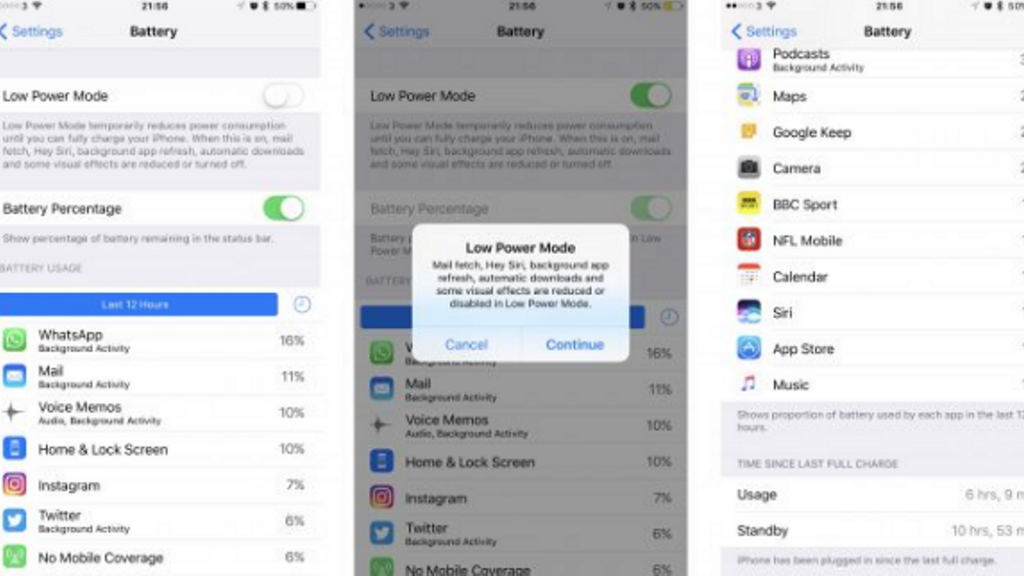
    This phone also comes with battery improvements. Apple claims to add a better battery life over 6S Plus. The 7 Plus is powered by 2900mAh battery but it lasts even longer than 6S Plus’ 2750mAh. The A10 Fusion chip gives better optimization in terms of battery size.

    iPhone 7 Plus Battery

    The higher powerful cores help in performance when you throw up an HD movie or a game and the lower power ones can handle all the basic tasks like emails and web browsing.

    Camera

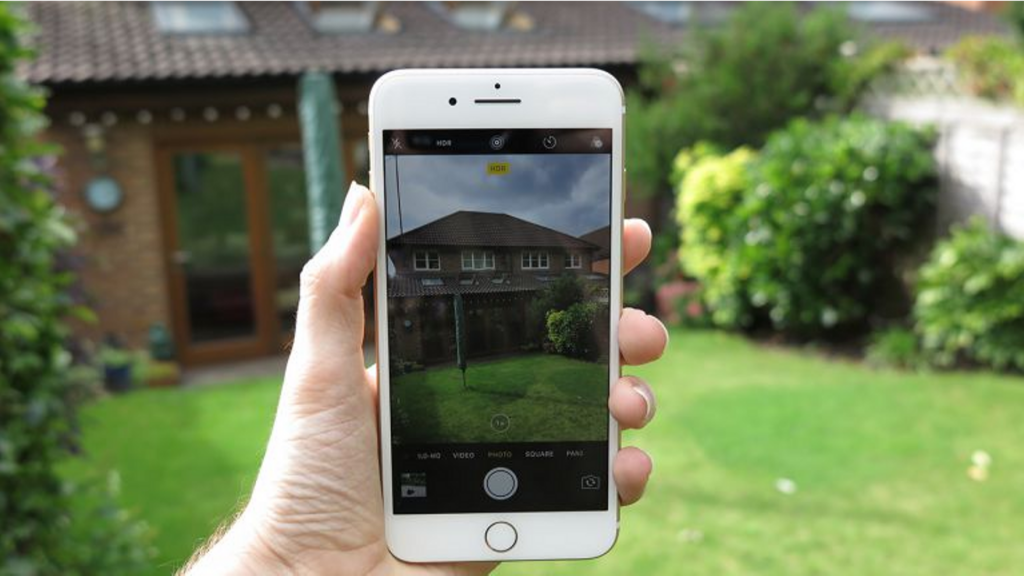
    It is yet another major improvement on the handset. It is the first iPhone with 2 rear cameras as the smaller iPhone 7 still comes with a single camera. The large camera bump on its back houses two 12MP shooters. One of them is a telephoto zoom lens and another is a wide-angle camera. It results in a 2x optical zoom when moving from wide-angle to telephoto lens. So, the image quality will be clear enough when you look at the subject closely.

    Camera

    Most smartphones struggle with optical zoom feature. In the end, you have only a digital zoom which affects the quality of shots when you get closer. If you still want more than what 2x optical zoom delivers, it also has up to 10x of digital zoom. So, it’s a great step Apple has taken from here.

    Plus

    • Price dropped but the value is still the same
    • Solid battery life
    • Great camera

    Minus

    • The only full HD screen
    • No headphone jack

    Overall

    This phone comes with the very own 5.5” display and some design changes. It comes with a waterproof design, a new home button, and no headphone jack. Its USP is its portrait photography as it costs next to the later iPhone 8 and iPhone XS versions.

    Bottom Line

    All in all, the iPhone 7 Plus is the way a better improvement over iPhone 6S with waterproof design, Durable battery, and superior camera performance. Even better, the price has also been slashed, thanks to the new launches. So, it’s high time if you are looking for a better Phone but cannot afford the latest one.

  • Nintendo Switch Lite Review – Taking Handheld Gaming to Next Level

    Nintendo Switch Lite Review – Taking Handheld Gaming to Next Level

    Nintendo Switch Lite Review

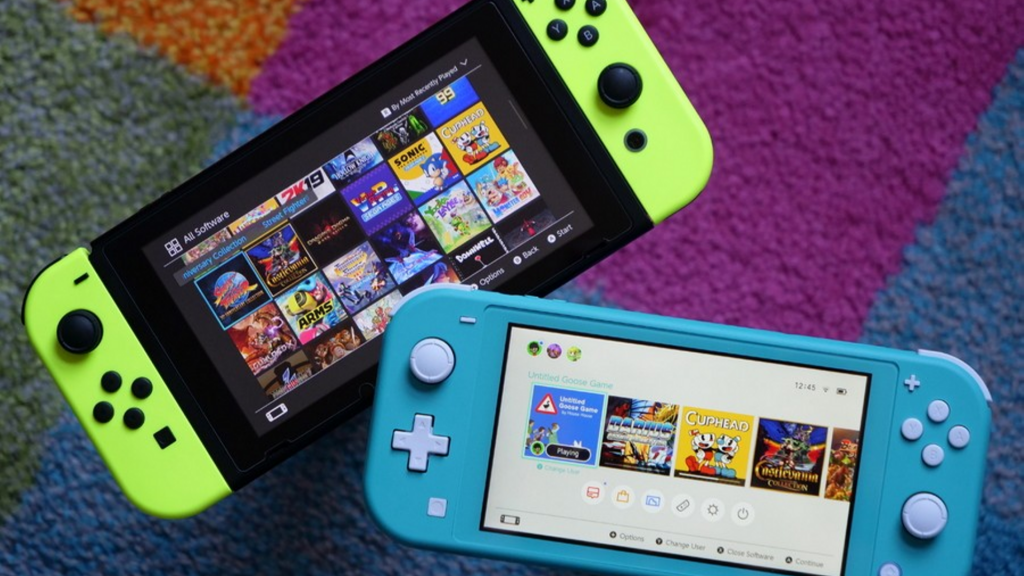
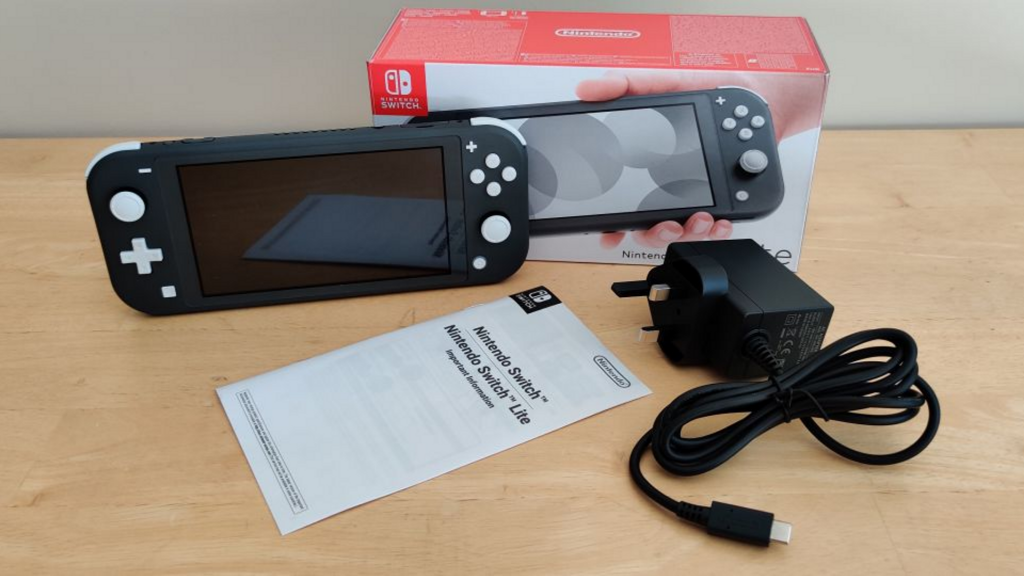
    Nintendo welcomes a new member to its Switch family, the Switch Lite. It is the handheld and affordable alternative to Nintendo Switch while supporting all of its games. It is now available in the market.

    The Nintendo Switch Lite is here for handheld gaming instead of replacing the existing Switch console. It is a smaller yet cheaper version, which doesn’t plug into the TV or dock. The Joy-Con controllers on the sides are the major difference between Switch Lite versus the others. They cannot be used as individual mini-gamepads, motion controllers and they cannot be removed.

    Nintendo Switch Lite

    It means all Switch games will not work on this new console. Only those games will work which doesn’t work completely on motion control and work in handheld mode. It also limits using the display with a kickstand for several players to share. In fact, it also does not come with a kickstand.

    However, the new console is still a simple yet fun gaming machine, which has literally come to replace the 2DS/3DS with options to play the latest titles and with 720p graphics.

    Controls

    The buttons on the Switch Lite feel somewhat different as compared to the ones on its elder sibling and usually in a nice way. The A, B, X, and Y are quite longer but softer, while ZR and ZL seem to be like they have got something more. The Switch Lite comes with the same gyroscope as its elder sibling.

    Nintendo Switch Lite Controls

    The +Control Pad directional control is the major change to the inputs in Switch Lite. It trades in the individual directional keys on Joy-Con for the old-school D-pad on a portable console. It is one of the best options on Switch Lite. The D-Pad was a nice companion to play along with the basic platformers like Mega Man 11 and Super Mario World and it worked well as it dropped in Tetris 99. For more intense titles, which call for pinpoint precision, it is found quite too small.

    I found better performance in combos with Mortal Kombat 11 thanks to the simple inputs but I still found it hard to move Sub-Zero that precisely. The compact button layout really felt crowded on the system as I tried to clear the courses of Super Mario Maker 2 and Celeste. The smaller d-pad on the Switch as well as its condensed layout is great for titles like The Legend of Zelda: Link’s Awakening and Fire Emblem: Three Houses. Players might have their large hands paining up while playing games, which need a lot of flexibility.

    When it comes to analog sticks, there is also some prolonged concern in Switch Lite. A lot of Joy-Cons are plagued in titles where Switch needs slight movements even without touching the sticks.

    Display

    The Switch Lite does not make any compromise when it comes to its bright 720p touch display. As compared to Switch’s 6.2” standard display, it has been shrunken down to over 5.5 inches. If you are looking for a good frame of reference, it seems to have the same screen size on iPhone 8 Plus.

    Display

    Whether I was fighting the demons in Bayonetta 2’s purple-themed dungeons or exploring the Great Plateau’s sunny days in the Legend of Zelda: Breath of the Wild, everything looked really bright on Switch Lite’s display and vivid as compared to Switch. In fact, games look even more detailed on Switch Lite thanks to its uniform chassis and thinner bezels. Therefore, there is no distraction here. The touch controls work just fine like on the original variant.

    Battery Life

    The Switch Lite has been found to give 3 to 7 hours of performance, which is quite better than Switch but not that good as compared to 9 hours of Nintendo Switch (2019) as promised.

    Battery Life

    Through the battery test, it lasted 3 hours and 50 minutes with all featured turned to the max and nonstop 8-player run. It is around an hour longer than 2017 Switch, which took 2 hours and 45 minutes. In daily use, you may not have to charge it for a few days with on-and-off play. By upgrading the Switch, you can enjoy quite a long battery life. If you are going for a longer trip with Switch Lite, we recommend carrying its portable charger.

    Is it the most anticipated Nintendo Switch 2?

    Well, there are rumors that Nintendo Switch 2 has been concerned with two new models launching soon in 2019 – an individual upgrade to the current Switch with some improvements and a cheaper variant Switch Mini, which is basically the Lite.

    Key Specs

    The Switch Lite has been shrunk down in its size and is limited to handheld gaming only. Nevertheless, it still has got some promising specs –

    • Storage – 32GB inbuilt; expandable through MicroSD card
    • RAM – It is supposed to be 4GB like its older brother Switch, but not confirmed yet.
    • CPU/Graphics – Nvidia Tegra custom processor
    • Connectivity – Bluetooth 4.1, Wi-Fi (802.11ac), USB-C charging
    • Stereo Speakers
    • Display – 5.5” LCD display with 1280x720p resolution
    • Dimensions – 91.1 x 208 x 13.9 mm
    • Battery – 3570mAh (up to 6 hours with 3 hours of charging time from 0 to 100 percent)
    • Weight – 275g

    Pricing and Release Date

    The Nintendo Switch Lite has been launched worldwide in several countries on September 20, 2019. However, you need to wait for the special edition Zamazentra and Zacian model releasing on November 8.

    Nintendo Switch Lite costs $199.99 in the US and £199.99 in the UK, including the special Pokémon edition. The yellow, grey and turquoise variants are offered offline from different retailers. You can also pre-order the Pokémon edition today. The $199 price point for Switch Lite is definitely worth a while since the original Switch model comes for $299.99 in the US and £279.99 in the UK.

    Pros

    • Enhanced portability
    • Cozy, cool design
    • Great game library
    • Nice battery life

    Cons

    • Small D-pad
    • Missing TV mode support
    • Not suitable for large hands

    Verdict

    The Nintendo Switch Lite is a great addition to handheld-only gaming with a great game collection for $199, despite being too small for bigger hands.

  • Xiaomi Redmi Note 5 Review – Is it the Best Budget Smartphone Overall?

    Xiaomi Redmi Note 5 Review – Is it the Best Budget Smartphone Overall?

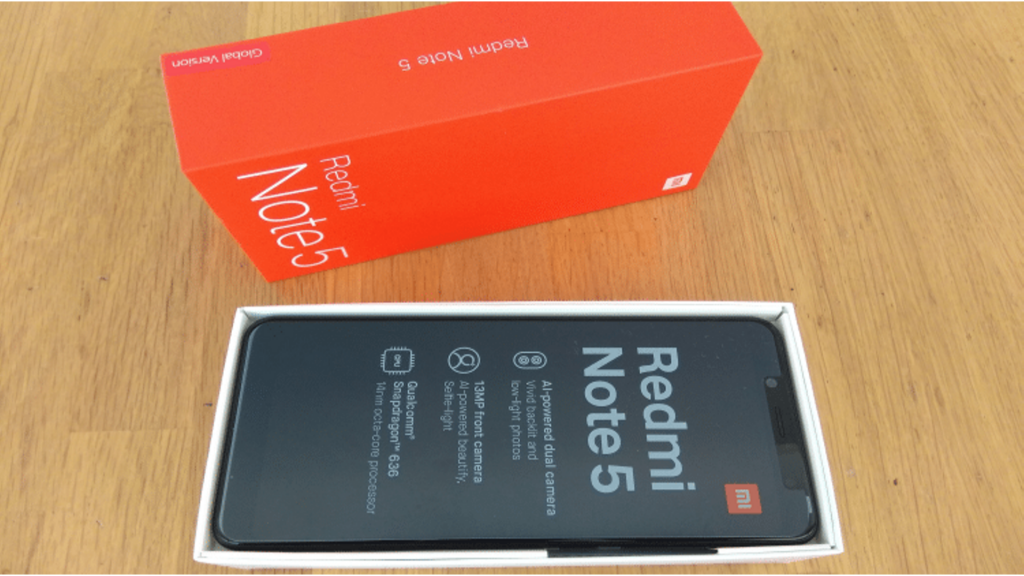
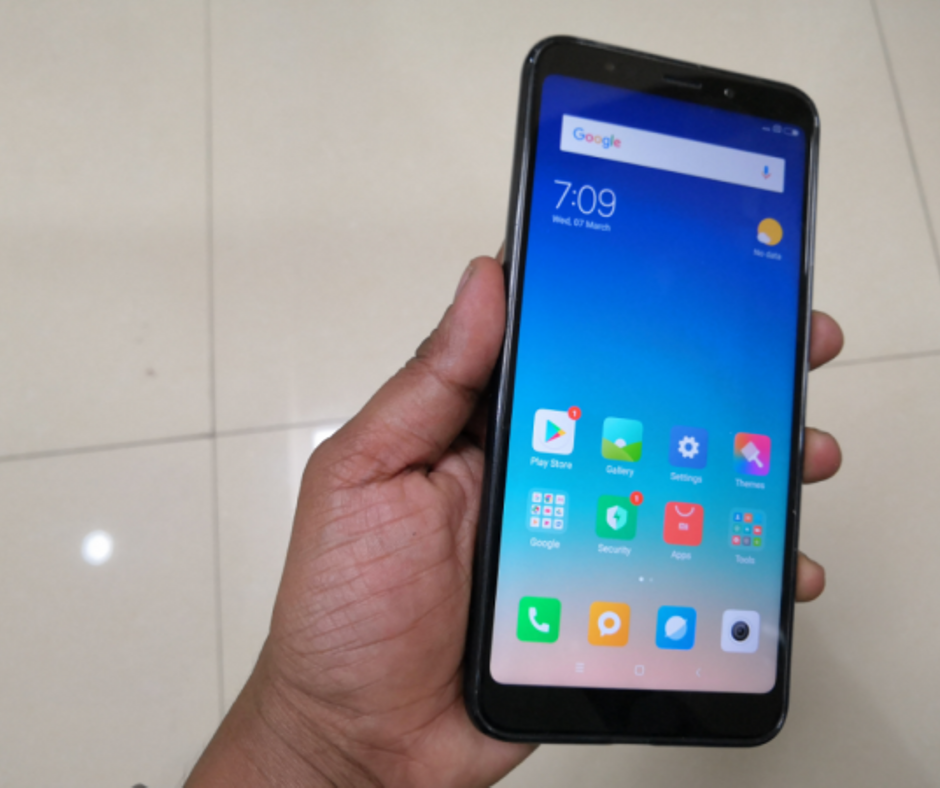
    Xiaomi Redmi Note 5 Detailed Review

    2017 was really a profitable year for Xiaomi. The Chinese smartphone maker truly rose to fame in the world with its Redmi Note 4, which became the bestselling smartphone. Xiaomi sold over 9.6 million devices and it was great. The Note 4 has become the perfect go-to device for anyone looking for a smartphone in budget rate and its fame spiked within less time.

    Redmi Note 5 Review

    A lot of OEMs took the step last year to offering smartphones with an 18:9 aspect ratio and dual cameras and brands like Honor stepped ahead to offer quad cameras. Since Redmi Note 5 is here, Xiaomi is finally here as the king of budget devices. But in this price-sensitive market, is Redmi Note 5 is an old wine that comes in a new bottle?

    Price and Availability

    Xiaomi Redmi Note 5 is available in two variants – 3GB/32GB and 4GB/64GB. You can buy it from Amazon or at various offline stores. The price of Note 5 starts at $333.31.

    Design

    When we took the phone on our hands after unboxing, it felt quite similar to Redmi Note 4. It is pretty much like its older sibling. But when it comes to forming factor, Xiaomi Redmi Note 5 is lighter and slimmer than Note 4. You might feel that they did not upgrade the design because they couldn’t find anything wrong in it. Even it is still considered as an ‘upgrade’.

    Redmi note 5 Desing

    The device has got aluminum back and the top and bottom have a plastic frame with antenna bands. It weighs 180g and 8.5mm thin. It feels sturdy but it has got some weight. On the rear panel, the fingerprint sensor works quickly. The biggest change you will see at the front of Note 5. Forget those thick bezels and the old-school navigation buttons. The minimal bezel has become the future of the smartphone.

    Display

    Xiaomi Redmi Note 5 features 18:9 aspect ratios in 5.99” display with fHD+ 2160x1080p resolution and 403ppi pixel density. The display is among the revolutionary changes in this device. Xiaomi started the trend of 18:9 aspect ratio screens on mid-range devices. The display was found to be crisp and bright enough with sharp viewing angles when we used it. The viewing angle is a little bit on the warmer side but it is not much noticeable for the users.

    Xiaomi Redmi Note 5 Display

    Sunlight readability was quite good, though not the best. However, it is justified for its price. Colors and reproduction of images are accurate with a bit of warmer tone in the display. All in all, streaming your favorite content shouldn’t be an issue on Note 5.

    Software

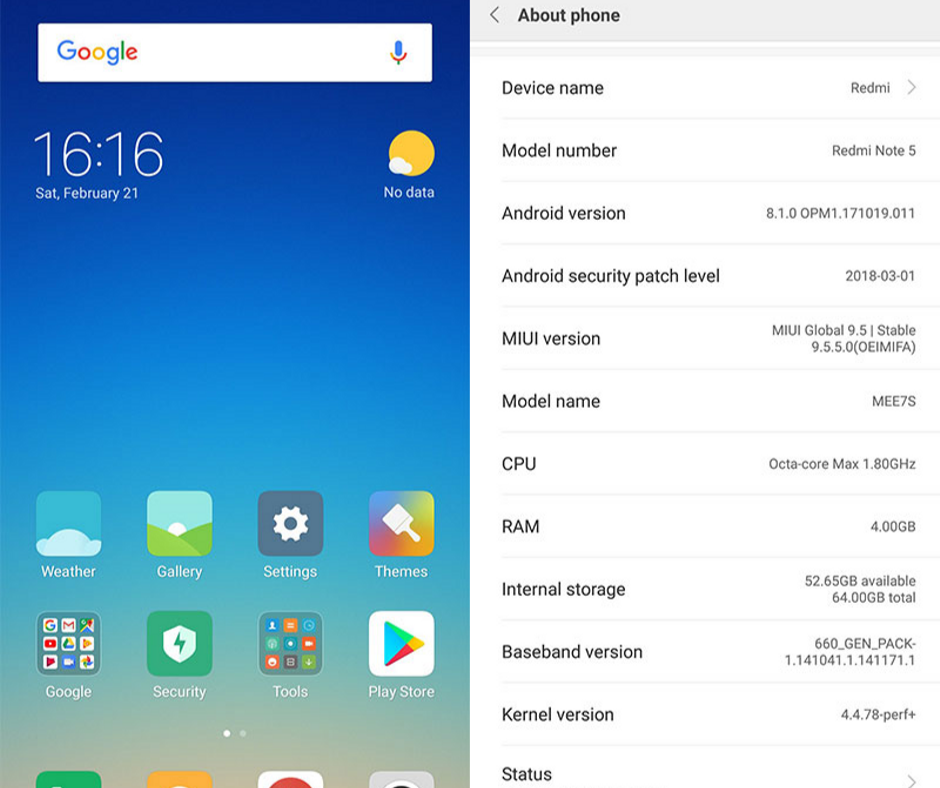
    Initially, Xiaomi Redmi Note 5 was launched with Android 7.1.2 with custom MIUI 9 which is just a decent UI for Android devices with some perks. The Android skin of MIUI is very customizable with some nice features. If you are switching from an older Xiaomi device, you will not find any noticeable change in the interface because MIUI 9 is very familiar in Xiaomi smartphones.

    Redmi note 5 Software

    We did not find any bug or lag on our usage and it has got a smooth interface. MIUI offers lots of amazing features like smart notifications, multi-window support, and great memory management to offer smooth functioning. However, having a stock Android has its own perks for a slick and clean interface. MIUI has some small improvements like copying OTP from text without opening the inbox. There is no big issue as Redmi Note 5 can easily be your best partner for normal usage.

    Performance and Specs

    Things get quite interesting here. There is no change in processing power from Redmi Note 4. The company chose to stick to Qualcomm’s Snapdragon 625, while Snapdragon 636 has been released on Note 5 Pro.

    Performance and Specs

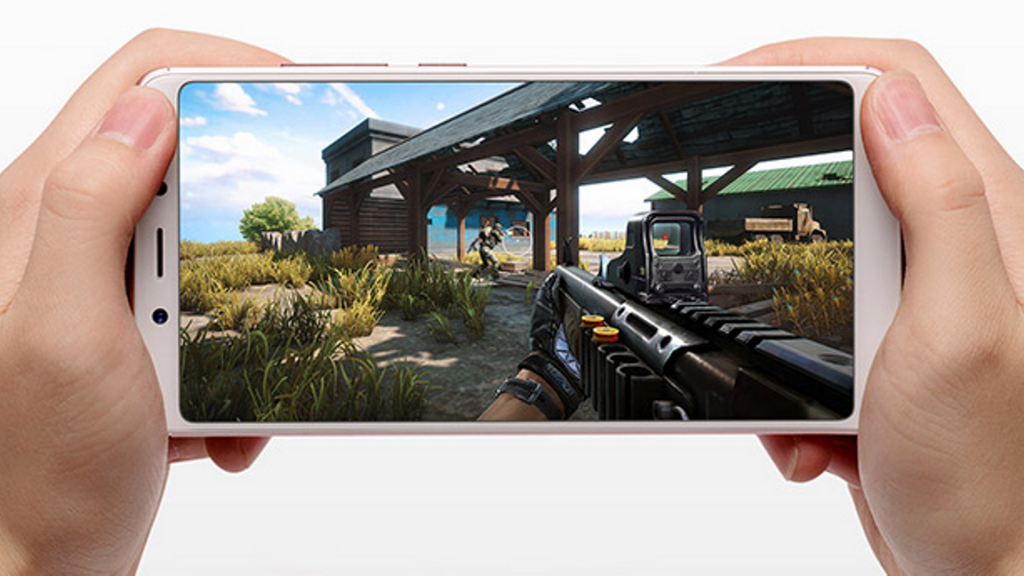
    The Snapdragon 625 chipset has been tried and tested for every mid-ranger. It has worked seamlessly with anything we threw at it, even some of the high-graphic games like Asphalt 9: Legends, Shadow Fighter, Injustice 2, and Tekken with no glitches. The octa-core processor is powered by 4GB RAM and it has 64GB of internal storage.

    It worked smoothly without switching apps and multitasking was a breeze. The Snapdragon 625 is a very reliable SoC in most smartphones.

    Camera

    Redmi Note 5 features 12MP rear camera with f/2.2 aperture, dual-tone LED flash and phase detection autofocus (PDAF). One thing, which is more exciting, is the fact that it has got the same camera as Mi A1, the Android One device. But the camera on Note 5 created the images which were ahead of what the competitors offer. It had created very detailed and good quality pictures. The color reproduction is not that accurate. The pictures always have a warmer tint. However, it is not that noticeable.

    Redmi Note 5 Camera

    The f/2.2 aperture helps reduce noise and it results in crisp shots. But the low-light shots were not that good. Another letdown is its manual mode, which just makes room for white balance and ISO adjustment. When it comes to selfies, the 5MP front camera does a good job with pictures having natural and sharp colors. Redmi Note 5 does a great job on camera quality for its price.

    Battery

    There is no change in battery life either. Like Note 4, Note 5 also has a 4000mAh battery. For heavy usage, the device lasts for a day on a single charge. It can last for a day and a half on moderate use. However, when it comes to charging, this beast took around 2 hours from 0 to 100 percent.

    Battery

    It comes with typical 5V adapter out of the box. The battery life is quite normal. There is nothing you can say it as a massive or extraordinary powerhouse. But there is nothing that can disappoint you also.

    Pros

    • Amazing battery life
    • Value for money
    • Great camera quality
    • Beautiful 18:9 display

    Cons

    • Old and boring design
    • No USB Type-C port

    Overall

    Redmi Note 5 literally has killer features as a budget smartphone, if you do not have any issue with a dated look. It is much like a tweaked variant of the devices, which were buzzing last year.


  • New Dungeon Crawler Monolisk Available for Pre-Registration, and It Looks Great

    New Dungeon Crawler Monolisk Available for Pre-Registration, and It Looks Great

    Monolisk is finally here as a pre-registration game on the Play Store and we have got some sneak peek into its looks. This is why we are here with this guide. A new dungeon crawler Monolisk is actually described as a fantasy CCG, ARPG and dungeon builder game for Android, all covered in one package. It feels cool though. However, the art design has clearly been the center of attraction here.

    New Dungeon Crawler Monolisk

    You can get a clear idea by watching the trailer as what you can expect with this game. It is a beautiful dungeon crawler game where you will have to explore some beautiful customized dungeons and collect cards to customize your gameplay. You can also customize further by creating your own cards. Above all, you can find a level editor, which adds a lot of fun to the game for those who would love to share their own creations. With that said Monolisk looks and feels like a new and exciting title coming soon to Android. The official release date of the game might fall next month. Here are some of the key features of this game –
    • Online hack ‘n’ slash RPG to clear lots of dungeons
    • Create your own stories
    • Collect cards with abilities, equipment, environments, and creatures
    • Customize 5 heroes with different play styles
    • Expand your collection and design your own cards
    • Design different levels for your followers and friends
    • Rebuild the shattered world by helping others

    However, the problem is that there is only limited information available as Monolisk is the new entry on the Play Store. We do not know how much in-app purchases would cost and whether it would be free to play. When it comes to card collection, it seems that in-app purchases could be affected. Nevertheless, we need to wait until the official release turns out.

    About Monolisk

    Monolisk is the most awaited dungeon crawler game by Trickster Arts with a cool and new concept. With an appealing and simple visual, Monolisk is known as an Action RPG combined with both Mario Maker and a CCG. Of course, the concept is quite interesting.

    About Monolisk App

    The Gameplay

    When it comes to the trailer, it seems that Monolisk offers a lot more than it is thought to be. It has 5 playable characters to pick and each of them has lots of customization options. Above all, you can create dungeons on your own (better known as ‘Shards’ in the game). You need to collect cards, which represent items, environmental features, and monsters. You can then share your collectibles online for other players or other players can share with you when it comes to complete challenges given by others.

    The Gameplay

    This game also consists of an innovative social aspect for the players. The concept is to create the most innovative Shards, rather than making it difficult for other players, according to the developer. Due to this reason, a player has the option to rate the Shard whenever they complete one. You will earn a lot of rewards for getting high ratings on your Shards from other players. The more creative and hardworking you are in creating Shards, the better you will get paid off in the long run. If you really enjoy the creations of a specific creator, you can also follow them to stay ahead with their works ASAP.

    The game consists of 15 play styles, 300 cards, and 15 sets of environment for the time being. However, there is great potential to expand with them. You may try a closed beta for Monolisk, which is available now for Android if you cannot wait for the official release to get your hands on it. You can pre-register on Google Play or on its official website.

    What Makes Monolisk Stand Out?

    As discussed, Monolisk is a cool fantasy ARPG mobile game where players have to collect cards with creatures, loot, and environment using one of five heroes and build their own Shards so other players can explore their creations. Players can recreate the world, which has been shattered into pieces and fill the same with their stories.

    What Makes Monolisk Stand Out?

    One thing which makes this game stand out is that you are not just aimed to keep your visitors from finishing or beating your Shards, but also build some innovative levels for other players to have fun and play. By finishing your Shard, everyone would rate it. More stars mean you would earn more rewards.

    You will also be able to build your followers and friends as this game serves as a social platform for all the players. You will be able to play and comment on the creators. For example, you can search for Shards created by your Facebook friends, play the dungeons created by anyone you admire the most, or just pick the level from the database and follow your favorite creators.

    Play your friends' Dungeon

    It took more than 3 years to develop its in-game editor and to refine the ability/item combos to deliver a great gaming experience. Currently, there are 15 unique play-styles, 300 cards to collect, and 15 sets of environment. Well, it is not going to stop here. There is a whole lot of content we are going to add to the game. The game offers in-app card packs and is free to download.
    About Developer

    MONOLISK is created by a ‘two-man army’ of developers, Trickster Arts, based in Prague, Czech Republic. Only the audio was made in a different way with a great soundtrack. Their previous title reached over 8 million downloads and was featured by Google, i.e. Hackers. They are expecting Monolisk with even better potential.

    Summary

    All in all, it is clear that New Dungeon Crawler Monolisk looks even more exciting with the way you can equip heroes by collecting cards and its design is a great appeal. However, we need to wait for the official release as the use of IAPs plays a vital role in the overall gameplay. We are hoping for the developers to keep it fair. For the time being, you can pre-register for the title to be the first to try this game.
     

  • Huawei Mate 30 Pro Spec Sheet Leaked, Two 40MP Cameras

    Huawei Mate 30 Pro Spec Sheet Leaked, Two 40MP Cameras

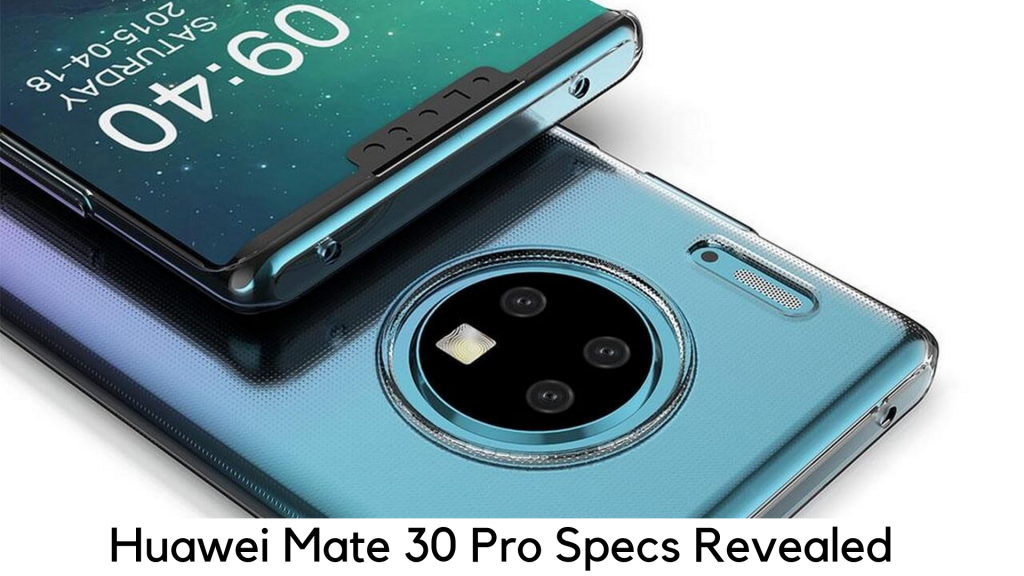
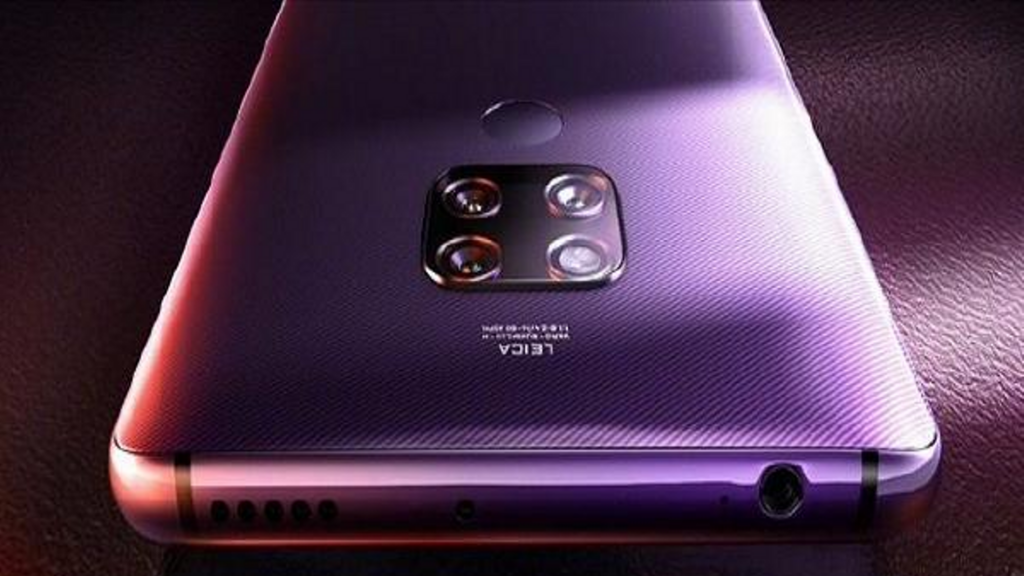
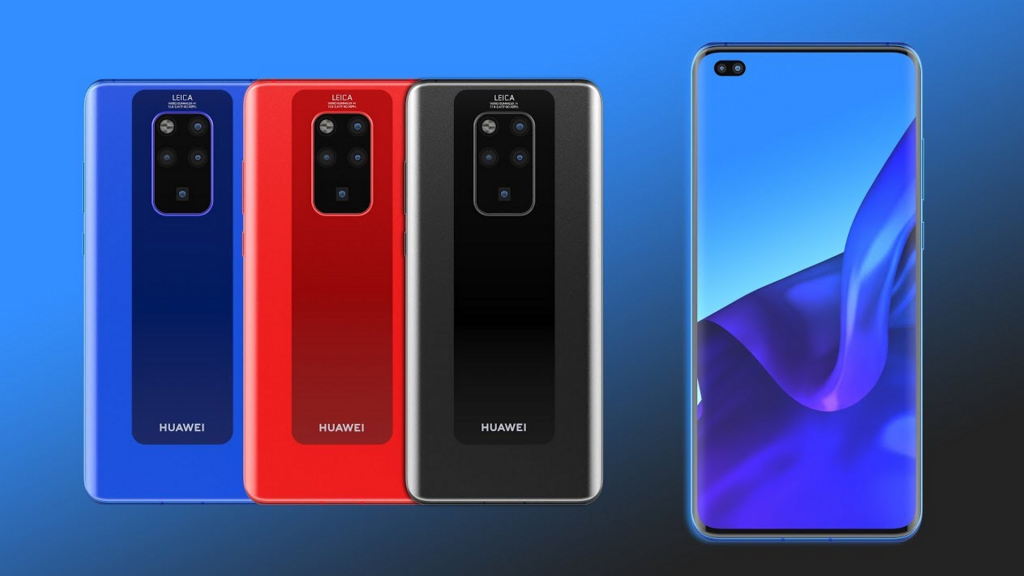
    Chinese smartphone brand Huawei is all set to make its foray by launching its flagship Huawei Mate 30 Pro in October 2019. As the launch date is just around the corner, there have been a lot of rumors and leaks surrounding it. According to a recent leak, Huawei P30 Pro is coming up with a square-shaped rear camera module with 3 lenses.

    In addition, the rear camera setup will include two 40MP cameras. One will be the primary sensor with an f/1.4 aperture and others will be wide-angle f/1.7 lens. It will also have 8MP telephoto lens with 5x zoom. The alleged spec sheet for Huawei Mate 30 Pro is finally here.

    A leakster named ‘Teme’ has shared the latest set of details via his Twitter handle. He published the latest spec sheet of Huawei Mate 30 Pro with an image. On Twitter, the shared image shows the rear fingerprint sensor for added security. There is also a 3.5mm headphone jack.

    Display

    According to the given spec sheet, it will have full HD+ display instead of a QHD+ screen. But it will measure the massive 6.6 inches to 6.8 inches. When it comes to screen, it seems that tipster is still not sure. He also notes that it will have FHD+ 2400 x 1176p display.

    Huawei Mate 30 Pro Display

    Well, it will feature AMOLED panel termed as ‘Waterfall Display’. However, the refresh rate of the display is still not clear. However, there are rumors that it may have a 90Hz display. The resolution of the display may be surprising for a lot of users as Mate 20 Pro features QHD+ panel. The Mate 30 Pro is all set to have QHD+ panel, which is supposed to be a grain of salt.

    Battery

    Huawei Mate 30 Pro will feature a 4500mAh battery, according to a source. In addition, it will feature 40W SuperCharge wired fast charging and 27W Huawei’s SuperWirelessCharge. In addition, the Mate 30 Pro will have an in-display earpiece and a bottom speaker. It means you will not get the stereo speaker on the device, which is quite a letdown.

    Huawei Mate 30 Pro Battery

    The device will also be packed by the powerful Kirin 990 Octa-core 64-bit processor, the whole new flagship chipset by Huawei. The source also states that the device will have 8GB RAM and 512GB ROM. There are chances that it may come in different variants.

    Cameras

    According to a source, the device would come with four rear cameras. It also claims that two 40MP rear cameras will be included. The primary 40MP sensor will be using Sony IMX600 sensor with f/1.6 and OIS support. It will also have a 27mm lens.

    It will also feature the unique ToF or Time of Flight sensor, according to the source. The rear panel will also include the Xenon flash and it will offer the 32MP front camera. Along with the selfie camera, it will also feature an ultra-wide sensor. On the front, it will have a ToF sensor as well.

    For added security, Huawei will also include its Face ID 2.0 here. The face unlock will work even faster by scanning your face. According to Teme, the device can also track your breathing and monitor heart rate. The device will also be packed with an optical in-display fingerprint scanner.

    Huawei Mate 30 Pro Camera

    The secondary 40MP sensor will have an 18mm wide-angle lens. The third one will feature an 8MP sensor as a telephoto lens with f/2.4. This camera will also feature OIS support and it may also offer 3x optical zoom.

    Huawei Mate 30 Pro will come pre-loaded with Android Q, along with Emotion UI (EMUI) 10 by Huawei. Keep in mind that Mate 30 Pro will not be shipped with Google services or apps out of the box. Nevertheless, there will also be a way to make changes. Also, keep in mind that this is the leaked spec sheet. Therefore, it is just a grain of salt because it is not sure how accurate those details are.

    Pricing

    Huawei’s Mate 30 series will be ranging from €799 for 8GB RAM and 128GB storage. On the other side, the Huawei Mate 30 pro will be ranging from €1,099 for 8GB RAM and 256GB storage variant. These are the costs for the Non-5G variants. For 5G variant, you will have to bear €1,199 with same RAM/ROM configurations.

    Along with it, the brand has also brought the limited edition Porsche Design Mate 30 RS with 512GB of storage and 12GB of RAM. However, for buying this, you have to pay a hefty cost of €2,095.

    Color Options

    Both Mate 30 and Mate 30 Pro will be available in 2 finishes. The regular collection will come in four different colors – Space Silver, Black, Cosmic Purple, and Emerald Green. It will feature matte touch in the gloss finish. Therefore, it will attract fewer fingerprints. The Mate 30 Pro will also have the new Forest Green and Vegan Leather Orange finish, which really look gorgeous. It is great that the smartphone brands are bringing back the trend of leather finishes, especially because the leather finish is considered more durable as compared to the glass body. As glass back is more prone to break down, we would definitely appreciate anything that can make our devices more durable.

    Color Options

    There are also 5G variants for both Mate 30 Pro and Mate 30 and a new Mate will also have the lavish Porsche Design. The Porsche Design of Mate 30 RS has also been announced like the previous Mate 20 RS. There is a lot of promotional jargon, which shows some custom themes and new paint finish to add a premium feel. It also has the icon Porsche design in the form of a racing stripe. There is also a new case to hold a phone that can be a kickstand.

    Bottom Line

    All in all, the Huawei Mate 30 Pro comes as the emerging Smartphone King this year, but with the lack of one big feature, mostly because of US-China trade war. Yes, we are talking about Google services. It is not clear how it will handle the software part. But on the hardware front, it will have everything to kill different flagships in the market.


  • How to Use Google Pixel Night Sight?

    How to Use Google Pixel Night Sight?

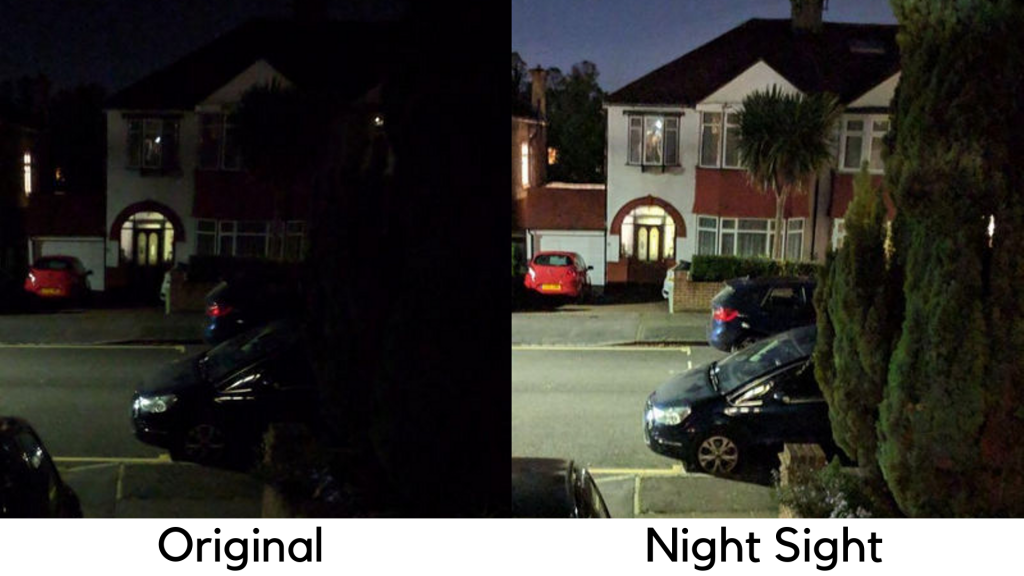
    Since the launch of Pixel 3, Google announced Night Sight, a completely new photo mode. But it didn’t come with new devices. Now the Pixel will change the photo-capturing in low light. Google Pixel devices are well regarded for their prowess in photography.

    How to Use Google Pixel Night Sight

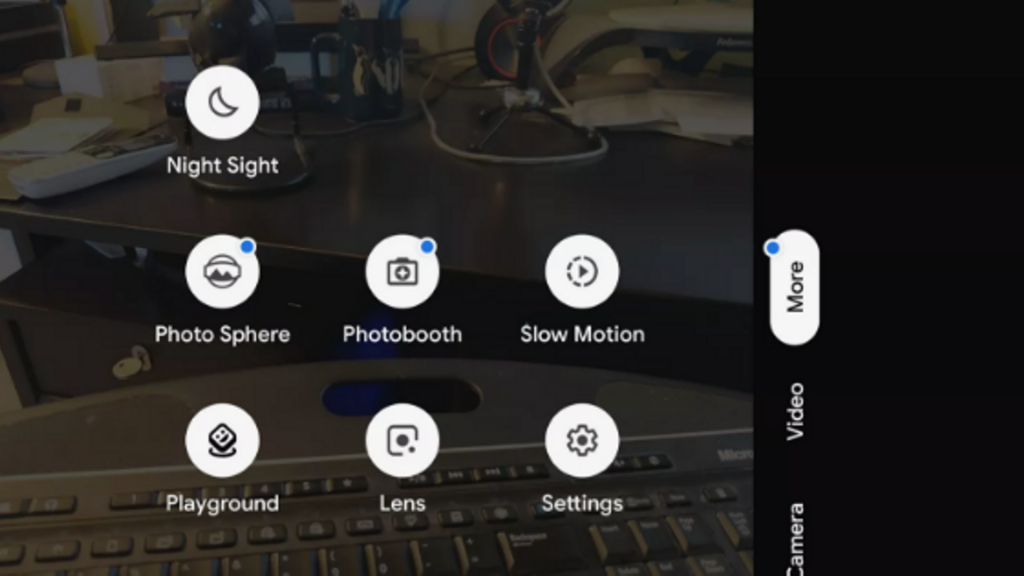
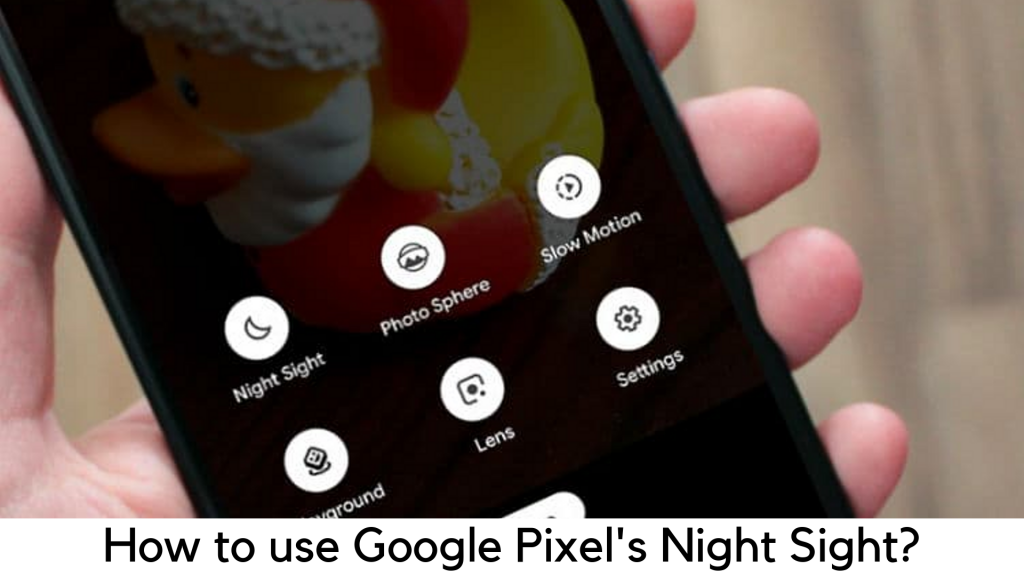
    The Night Sight mode is one of the best tools out there for their Camera app when it comes to low-light photography. However, Night Sight mode is not easy to find in the camera of your Pixel phone. You can find it in the “More” section in this app. Google is all set to come up with Night Sight mode in the main camera section.

    Latest Update

    According to 9To5 Google, the early version of Android Q was leaked recently and had improvements in gesture control. It is also added in the major update to Google Camera. The Android Beta 5 build introduced the Night Sight to Pixel phones in the main interface. The Panorama mode is now replaced by the Night Sight in the main interface. Therefore, the users can easily tap on Night Sight option on the camera app.

    Latest Update

    The users can now find the Panorama mode in place of Night Sight, which means they have to tap on the “More” icon. The Panorama mode option will be placed along with other options like Photobooth and Photo Sphere. Along with it, the next update of the Camera app will also get rid of the color balance controls. The users will no longer have a Thermometer option in any mode. Well, there are some other changes Google is going to make in its Camera app. Along with all these features, everyone’s favorite Flash will change to Illumination to brighten the face on the front camera.

    With that said, Google is yet to announce officially, as to when these changes will be seen in Google Camera. According to the report, Google might introduce Camera 6.3 with the official rollout of Android Q or as a Play Store update.

    What devices are the first to get Night Sight?

    The best thing is that this technology is no longer limited to the latest devices. Google is trying to be quite generous and going to make Night Sight a great feature for all Pixel devices –

    1. Pixel
    2. Pixel 2
    3. Pixel XL
    4. Pixel 2 XL
    5. Pixel 3
    6. Pixel 3 XL

    Even better, you will be able to use the Night Sight on both rear and front cameras. Therefore, no one will stop you from making some cool selfies even in low light.

    Release Date of Night Sight on Pixel Phones

    According to Google, the update will be released on November 14, 2019. Well, there is no specific date and time for the update to reach your phone. It depends upon the device as well as location. However, the Camera app will get a small update first before making Night Sight work. Google will roll out the update on November 16 in the UK.

    How does Night Sight work?

    According to Google, Night Sight is all about machine learning and AI to give you the best results even without using a DSLR and tripod. The technology is very similar to the same on Mate 20 and Huawei P20 devices using different shots and combining the same with AI to ensure proper color balance and to control shaking.

    How does Night Sight work?

    Here’s how it will work –

    • Motion Detection – The Night Sight is capable to detect motion both in movements and handshake in the picture. In terms of long exposures, motion is an issue as it makes the photo blur. Night Sight is capable to optimize the process of photo capturing as it can detect motion before even taking the photo to give you sharp picture and low noise.

    It is capable to use longer exposure by keeping the phone steady and get more light without any blur. If there is more movement or shake, it uses shorter exposures and merges the results to reduce any motion effect. It does the work of merging photos very beautifully. It picks out the details by merging snaps in different settings and giving the final image. You just have to press the button and you can get your pictures. All such things are automatic. Even if your hand is shaky, you can still get the best results.

    • Rebalance Color using AI – The low light or night pictures usually do not look natural. They also turn red or yellow or add a warm cast, which is completely unnatural. This is where machine learning takes place. It has already learned how to keep things as they are. Therefore, they are more rebalanced to give you more realistic results, but without making it low-light and poor snap. Google is planning to take a photo, which looks the way it is seen with bare eyes. If it is possible, you will be able to capture a night shot which looks natural, instead of a blurry noise.

    Using Night Sight on Google Pixel

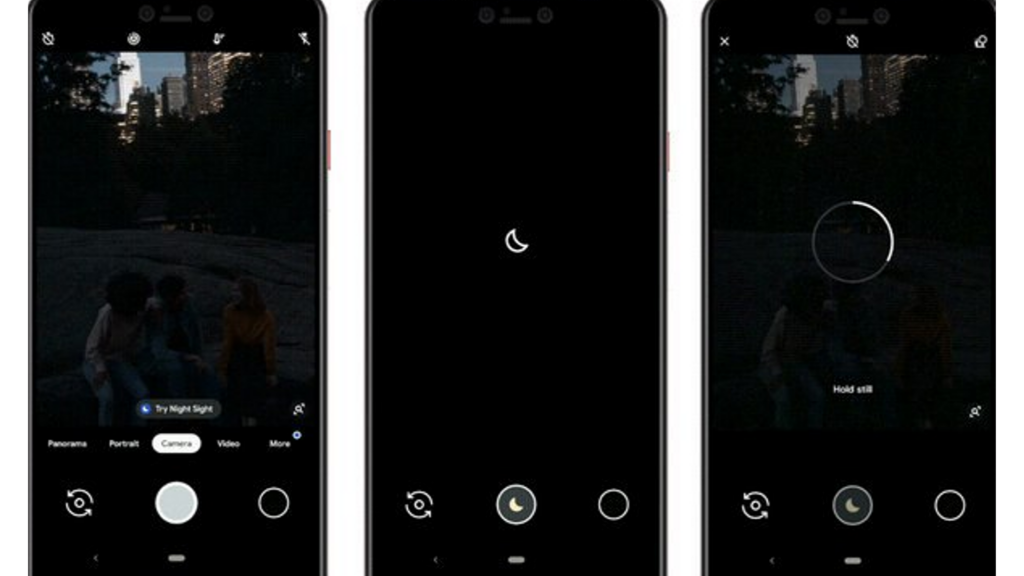
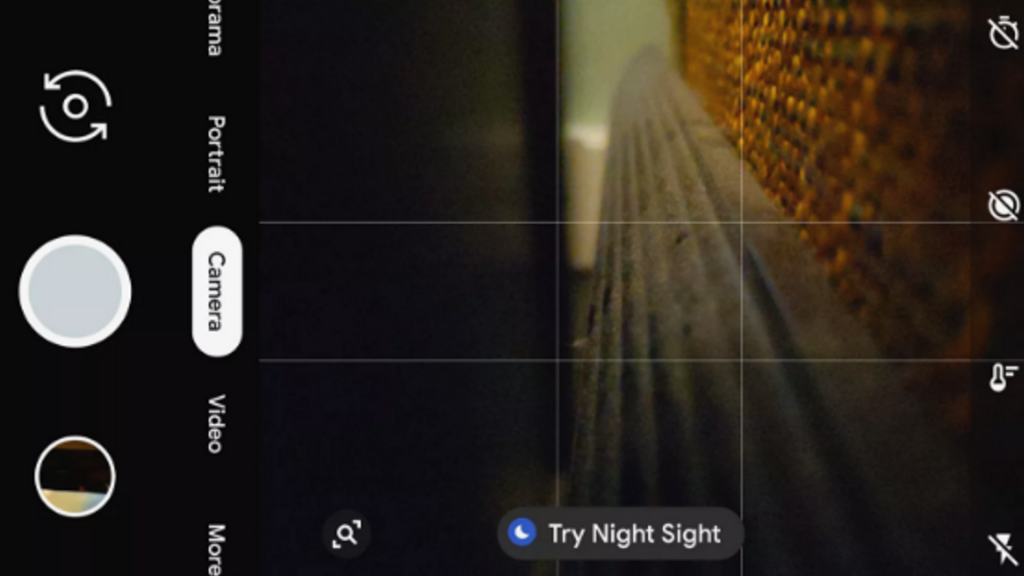
    By opening the camera in lower light on your device, it will ask you to use Night Sight automatically on the viewfinder. Also, you can easily go to Night Sight by tapping on it.

    Using Night Sight on Google Pixel

    You can easily find the Night Sight in shooting modes by going to the “More” section on your phone. You just have to push the shutter button and it starts capturing in the Night Sight mode. It will take some time to process.

    If it is dark out there, you might want to tap to focus on the object and you will have to find something manually to add contrast so your camera can capture the image.

    Tips to Learn Using Night Sight

    Here are some of the tips by Google to get the most of Night Sight –

    Tips to Learn Using Night Sight

    • Motion – Ask subject to stay still for a few seconds while pressing the shutter button.
    • Focus – Tap around and on the object before clicking the shot. It helps the camera to focus when it comes to taking pictures in dark conditions.
    • Stability – Prop the device over a stable surface. Keep the hand steady so it can focus on the sharpness and light to process.
    • Bright light – When capturing in Night Sight mode, avoid any source of bright light or it will add unnecessary reflections in the picture.


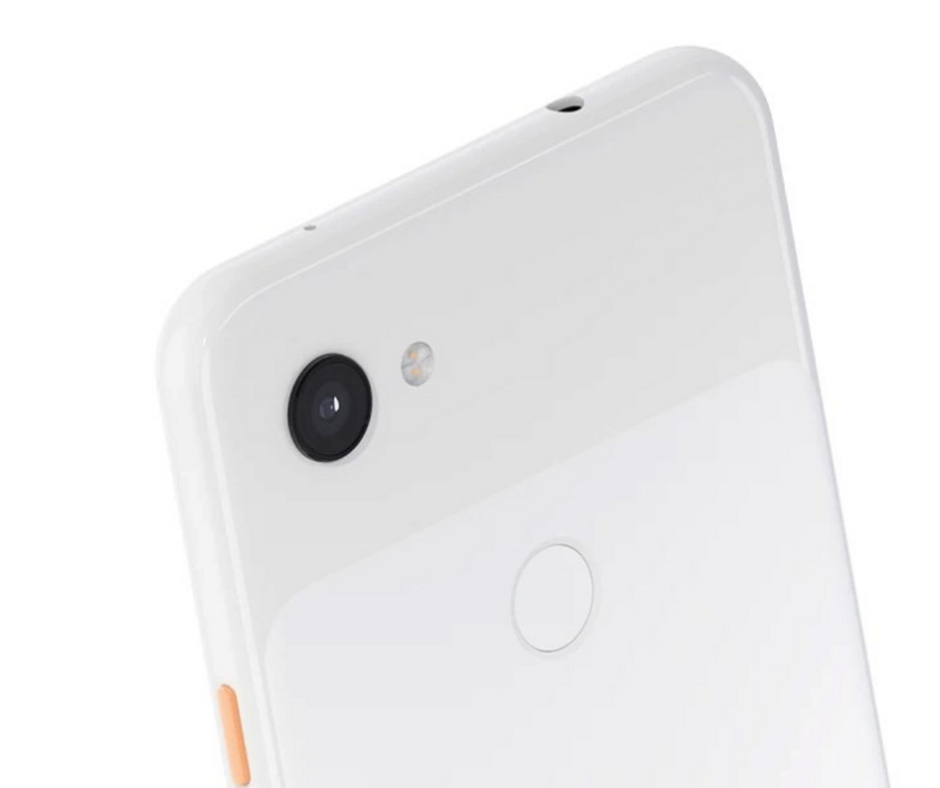
  • Google Pixel 3A Review – An Ideal Google Phone for Everyone

    Google Pixel 3A Review – An Ideal Google Phone for Everyone

    Since its first smartphone launch, the Silicon Valley giant has kept Pixel branding booked only for premium devices. However, things are now different, as Google has started making affordable devices in its Pixel range, such as Google Pixel 3A and 3A XL.

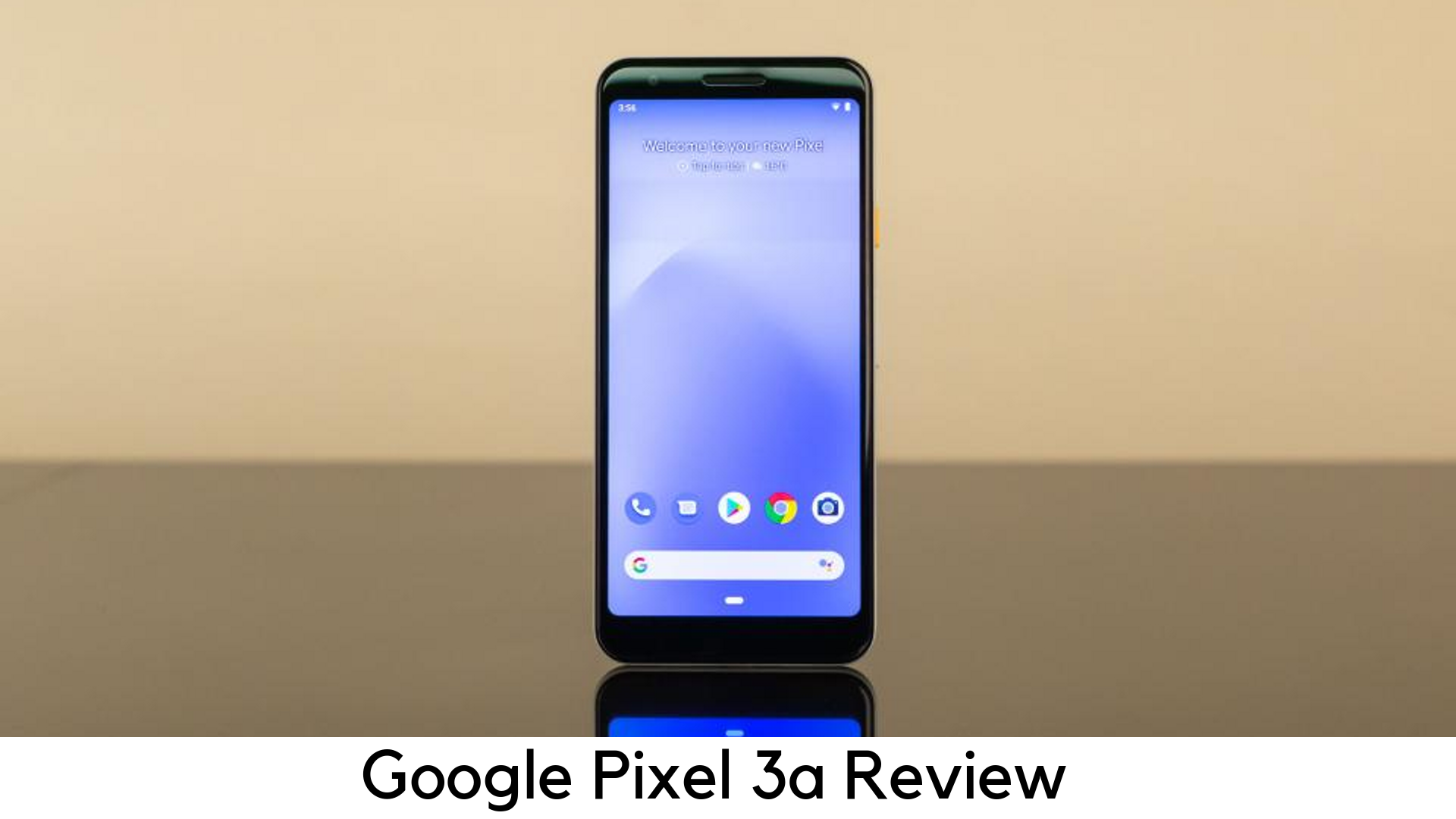
    Google Pixel 3A Review

    The best thing is that Google Pixel 3A is half the price of a lot of flagships or even lesser and it still doesn’t feel cheap. Google has been popular for delivering the features that most users want, such as a great camera, clever software, and 5.6-inch vivid OLED display for just $399.

    Both Google Pixel 3A and 3A XL come with 4GB RAM and 64GB storage. None of them have a microSD card slot. Therefore, you cannot expand that limited storage if it is filled with all the apps and photos. The system takes up around 5GB of storage and after having pre-installed apps, you have only 50GB of space out of the box.

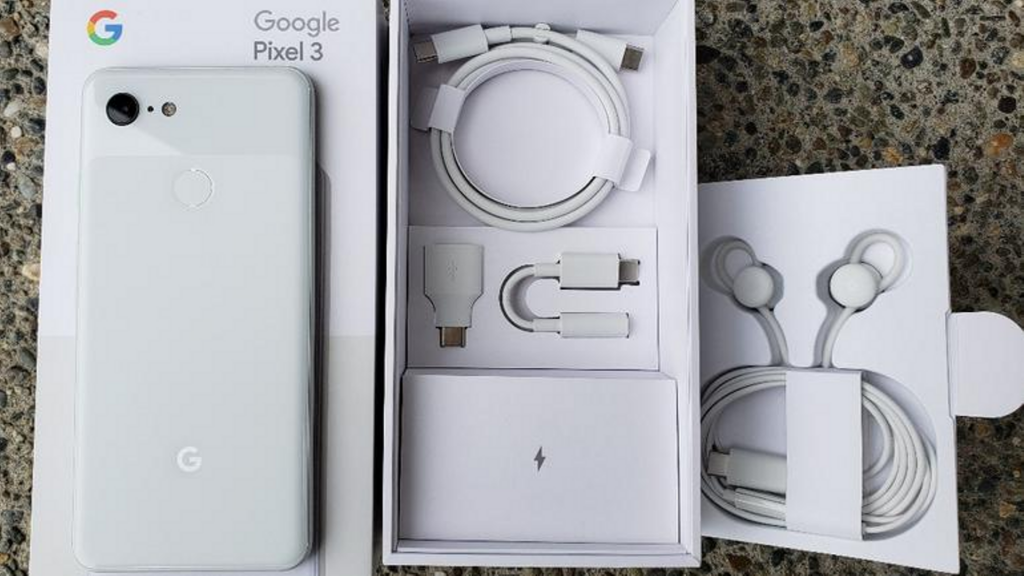
    In-box contents

    • 1m USB-C/USB-C cable (2.0)
    • Quick switch adapter (USB-C/USB-A)
    • 18W USB-C adaptor
    • SIM ejector tool

    Google Pixel 3A In-box contents

    The USB-C to USB-A charging cable and adaptor has been given for easier data transfer along with 18W fast charging power with USB-C cable. Unlike elder siblings, the Pixel 3a misses out USB-C to an adapter for 3.5mm headphone jack.

    Design

    • Measures 151.3 x 70.1 x 8.2mm and weighs 147g
    • No notch, No full-view display
    • Plastic back
    • Stereo speakers
    • 5mm headphone jack
    • Imprint fingerprint sensor

    Google Pixel 3A Design

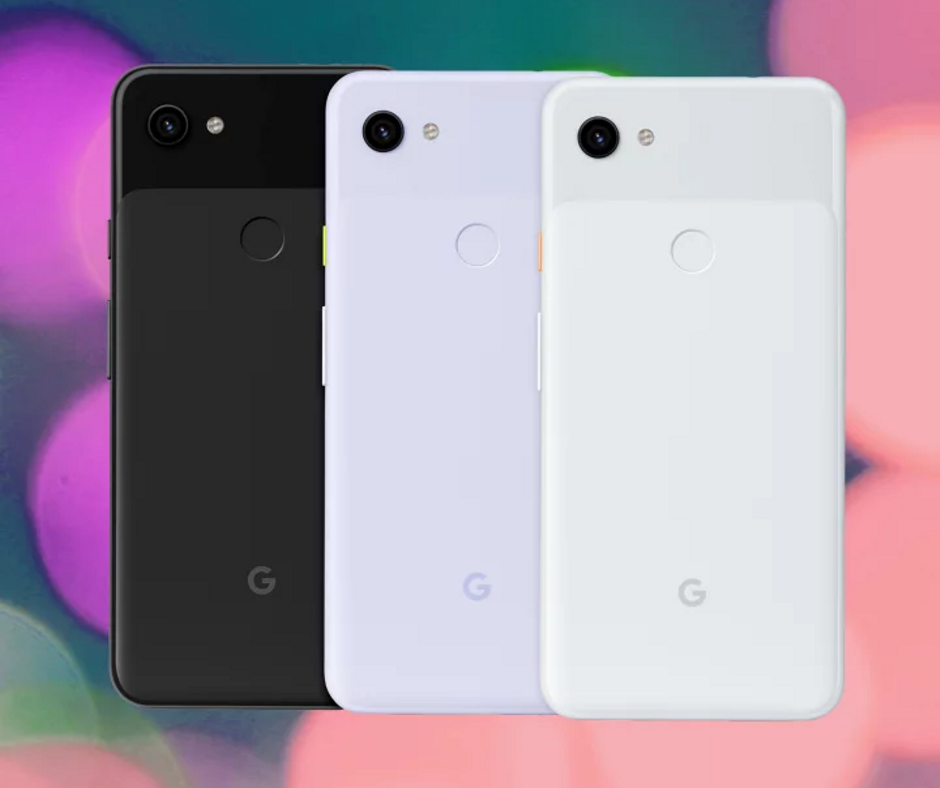
    Budget phones usually come with cheaper build. In this case, Google has built the device out of plastic rather than a glass. You may notice this change when you hold it but it has nothing to do with the overall experience. Like premium phones, the Pixel 3A seems to be built with single-piece polycarbonate with glossy texture on the top and matte finish on the bottom 2/3rds of the device. It adds a soft feel to the grippy phone.

    Display

    • 2220 x 1080 FHD+ resolution
    • 6” OLED
    • Always-on display
    • 5:9 aspect ratio
    • 100,000:1 contrast ratio
    • 441ppi

    The Google Pixel 3a has got an amazing display. Despite having lower pixel density than other premium devices a bit, Pixel 3a’s screen was bright enough to look at. You can tweak the color tone of the display or enable the Adaptive Brightness feature, which can manage it on its own.

    Battery Life

    • 18W fast charging
    • 3000mAh
    • Missing wireless charging

    The Pixel 3A has done a great job with 3000mAh battery. It could get up to 5 to 6 hours of usage with on-screen time. Luckily, Google Pixel 3A comes with 18W fast charger out of the box which charges up 100% within an hour and a half. If you cannot compromise with battery life, you should choose Pixel 3A XL with quite larger 3700mAh battery, which keeps the phone alive up to 8 hours of on-screen usage.
    Another big flaw is the lack of wireless charging. A lot of leading players in the smartphone industry are offering devices with Qi standard.
    Performance

    • 64-bit Octa-core 2.0GHz + 1.7GHz
    • Qualcomm Snapdragon 670
    • Adreno 615 GPU
    • 4GB RAM, 64GB storage
    • No expandable storage
    • Titan M security

    To cut down the cost, Google had no other choice unless going with Snapdragon 670, a mid-range processor. Coupled with Adreno 615 GPU, the device seemed to be as responsive as various premium devices. The poor RAM management is another issue with Pixel 3a.

    Camera

    • Rear 12.2MP dual-pixel with f/1.8, 76o field of view
    • Electronic image stabilization (EIS) and optical image stabilization (OIS)
    • 8MP selfie camera with f/2.0 aperture
    • Fixed focus selfie camera with 84o field of view

    Google Pixel 3A Camera

    The camera is the main reason why you should prefer Pixel 3a over any mid-range smartphone. The rear shooter captures the best pictures by matching 3’s specs. It can still capture flagship-level images on the outdoors. It includes several shooting modes on its premium predecessors. Also, it consists of Photobooth, Night Sight, a new time-lapse mode, and slow motion.

    The low light camera mode works really well at Night Sight. You can put in more light across the wall. Portrait mode is yet another great feature in Pixel 3a. The AI-driven bokeh effect highlights the object to the foreground while blurring out the backdrop well.

    The front-facing shooter is dived in quality on Pixel 3a as compared to dual-camera on Pixel 3. Its 8MP selfie shooter is capable to capture detailed images even in low-light conditions.

    Software

    • Android 9 Pie
    • 3 years of security patches
    • 2 years of software updates

    Google Pixel 3A Software

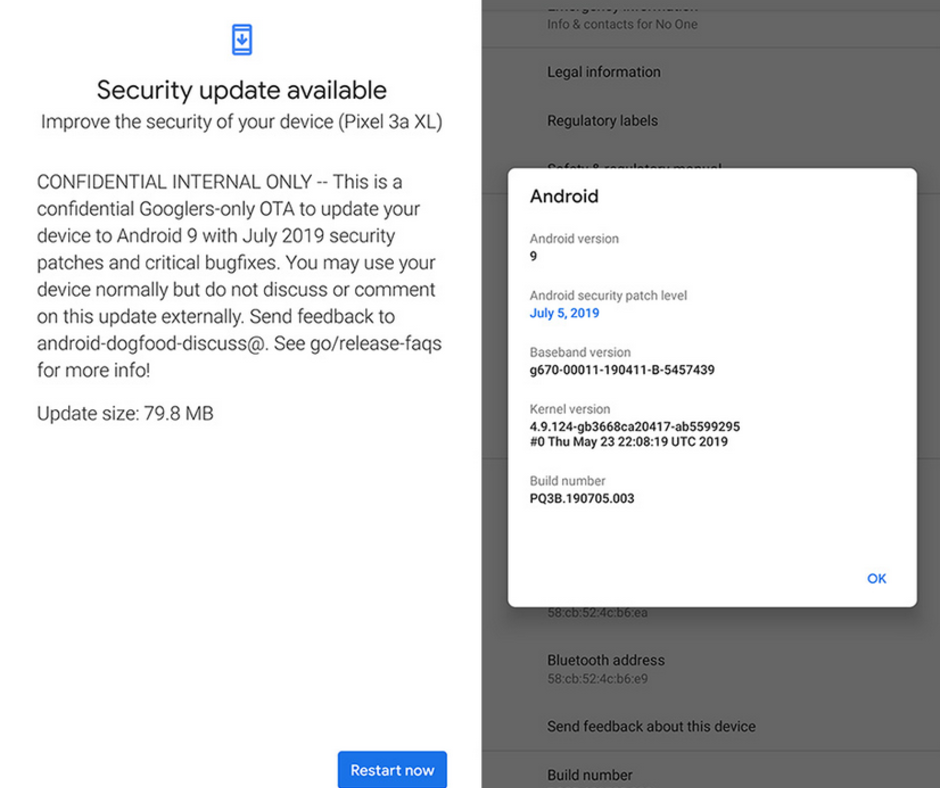
    Well, there is nothing new when it comes to Pixel 3a’s software. Google offers an intuitive stock Android experience. Like with all of the company hardware support, Google promises to offer major updates like 3 years of security patches and firmware updates for 2 years. We are looking forward to Android Q as Google Pixel devices have always been the first to get major updates.

    Pros

    • OLED display
    • Flagship-level camera
    • Great battery life
    • Pure Android by Google
    • Low price
    • Available for all carriers

    Cons

    • No expandable storage
    • No wireless charging
    • Not water resistant

    Bottom Line

    As compared to the flagship devices of similar price, Google’s Pixel devices have always lagged in the spec department. These devices have always been ahead in the software department. The 4GB RAM and Snapdragon 670 processor are easily offered on various mid-range smartphones, which come for around $100.

    However, Google Pixel 3a tops the chart with its great camera and software updates. Along with NFC for Google Pay, you also have a camera, which outperforms a lot of flagship smartphones and monthly security patches. Google has been offering great discounts with other retailers on the device.


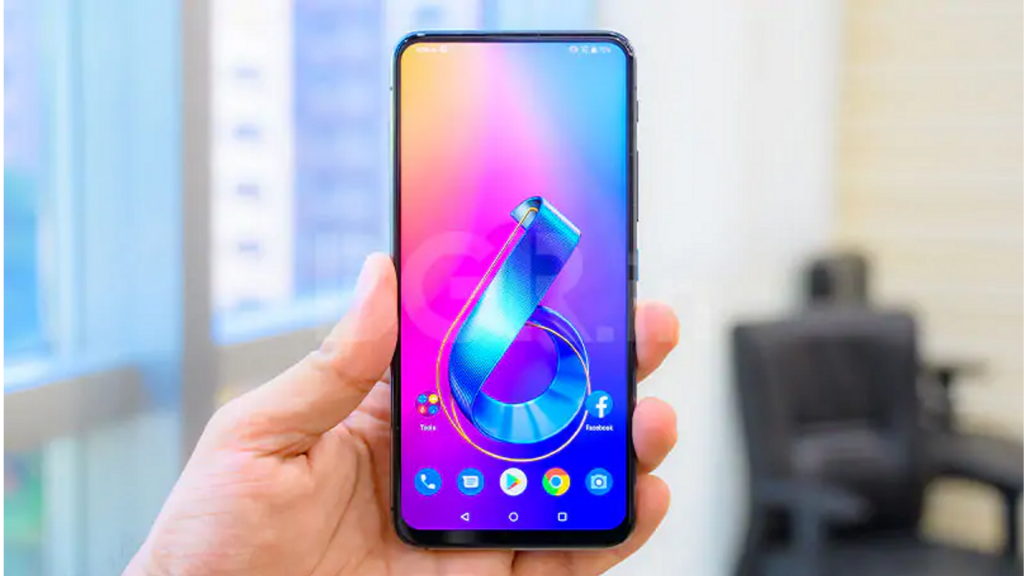
  • Asus ZenFone 6 Review – Is it a Worthwhile Flagship Killer?

    Asus ZenFone 6 Review – Is it a Worthwhile Flagship Killer?

    The Asus Zenfone 6 is the recent affordable flagship phone, which looks premium enough to turn heads of people nearby. If 48MP flip-popup camera setup, Qualcomm Snapdragon 855 processor, headphone jack, dedicated quick launch buttons, and dedicated micro SD card slot are not enough to attract to this device, you will definitely be surprised by its price.

    Asus ZenFone 6 Review

    At just $499, Asus ZenFone 6 has come as a strong competitor to OnePlus 7 Pro and Pixel 3a.

    Asus has managed to come up with the combination of mid-range pricing and flagship-level specs. Well, there are a few features that a few users might be missing badly. Nevertheless, it seems Asus had no other way to do cost-cutting.

    Lack of water resistance and wireless charging support might be the red flag, but it is still worth it because a lot of mid-range phones don’t come with such features.

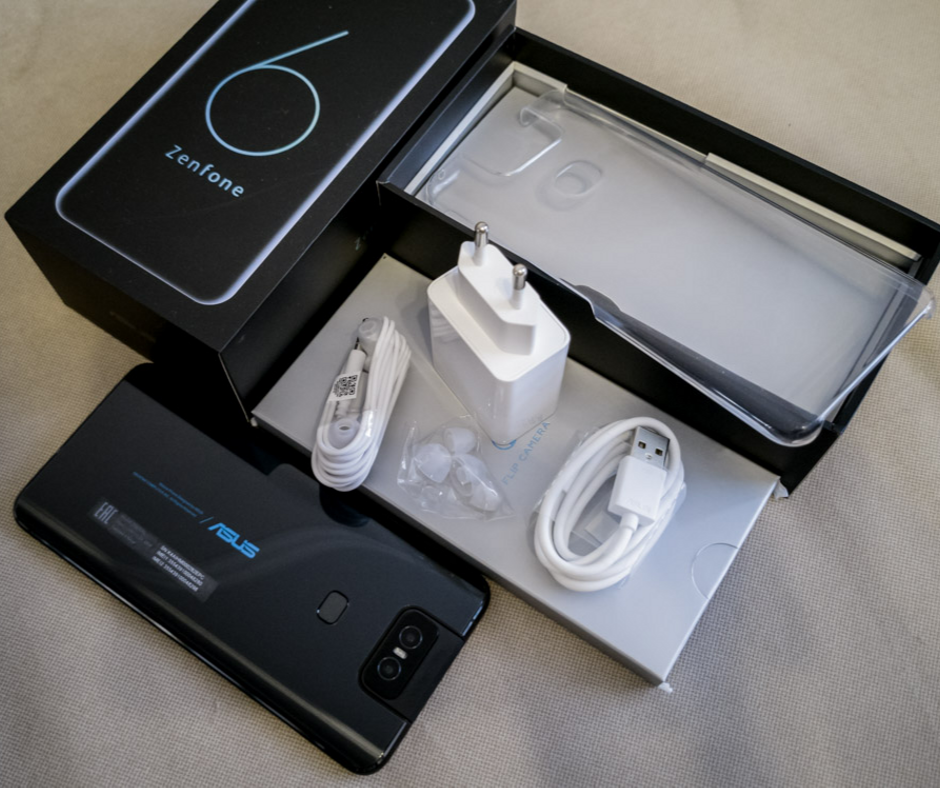
    Under the Box

        • Asus Earphones
        • Transparent silicon back cover
        • USB-A to USB-C type charging cable
        • 18W charging adapter

    Design

        • Weighs 190g
        • Dimension – 159.1 x 75.44 x 9.1mm
        • Full-view display
        • Dual SIM tray
        • Ambient Light sensor
        • Flip popup camera
        • Headphone jack
        • Dedicated MicroSD card slot
        • Rear fingerprint sensor
        • Quick Actions button

    Asus ZenFone 6 Design

    The ZenFone 6 has got a decent yet appealing design, thanks to its aggressive-looking flip camera with blue accents. It has got Gorilla Glass 6 protection with the aluminum frame on the corners. It feels premium and expensive at hand.

    Despite lacking wireless charging, the device comes with a lot of buttons and ports. There is a power button with a cool blue accent matching the Asus logo on the rear, dedicated quick action button, and volume rockers on the right side.

    The quick action button launches Google Assistant by default, but you can change it later to do things like opening the camera, taking a screenshot, or changing sound mode.

    The bottom holds USB-C port, a headphone jack, and speaker grill. On the left, there is no physical button but a dual SIM tray with dedicated MicroSD card slot. The display is free of notches and cutouts as the camera flips on the top of the phone. Well, there is no IP rating officially to prove its dust and water resistance.

    Performance

        • Octa-core CPU
        • Qualcomm Snapdragon 855
        • 6GB/8GB variants
        • Adreno 640 GPU
        • 64GB/256GB storage options
        • Expandable MicroSD storage

    Asus Phone Performance

    By considering the specs, it goes without saying that ZenFone 6 has no competition. It is sure that you will not see any lag or stuttering with this device. You can multitask smoothly with 6GB or 8GB of RAM. However, the device gets warmer on heavy load, especially while gaming.

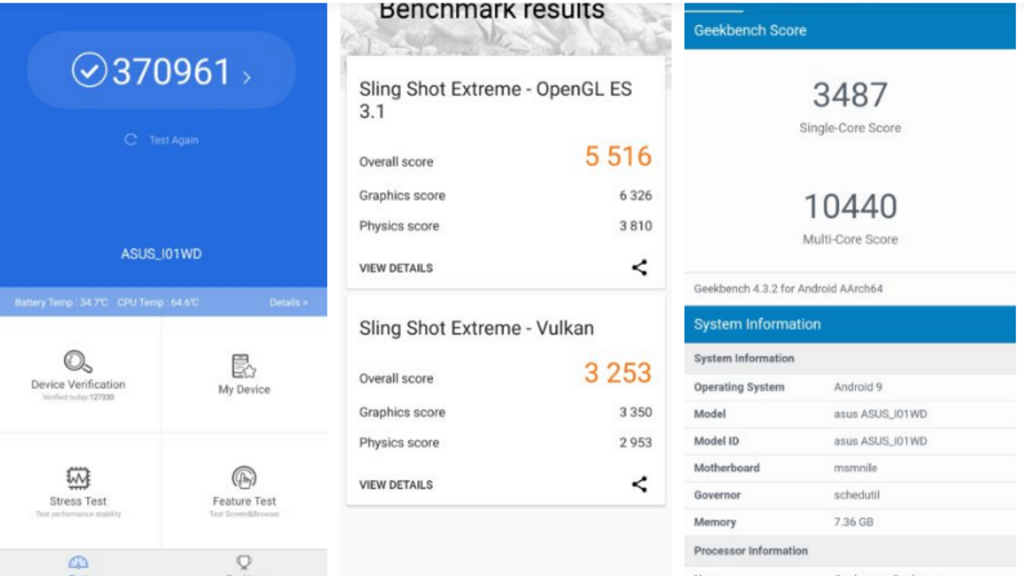
    With 370,000 points in AnTuTu benchmarks, the Asus Zenfone 6 literally beats Samsung Galaxy S10 Plus. Enable AI Boost mode for the best performance. However, it is not recommended because it drains the battery faster.

    Display

        • A massive 6.4-inch IPS LCD display
        • 5:9 aspect ratio
        • 2340x1080p resolution at 403ppi refresh rate
        • Gorilla Glass 6 protection

    LCD display might be a turn off for most of the users, especially when some mid-range and high-end smartphones have better battery life, OLED display for deeper blacks, and always-on display.

    The main problem with LCD tech is that the whole display remains lighted on, affecting the dynamic range and battery life. On the other side, the OLED panel illuminates separate pixels.

    Another issue is its brightness, which ends at 600 nits. Therefore, you have to keep it on max brightness when going out. However, the quality of the panel is still very decent. It can display the whole space with 100% DCP-13 coverage and has Gorilla Glass 6 protection.

    Battery

        • Qualcomm Quick Charge 4.0
        • 18W fast charger
        • 5000mAh
        • No wireless charging

    Despite giving the huge 5000mAh powerhouse, Asus Zenfone 6 still fails to give that much juice. We got around 6 ½ hours of life on screen-on time, which is quite good. You may get a full day on one charge but it will definitely not be able to last two full days.

    High-level of standby battery drain is another big issue. I left the device with 25% of battery left when going to bed but got it dead when I woke up. It’s quite strange as to why this device drains so terribly fast. It also takes time to charge up despite having an 18W charger.

    Camera

        • 48MP camera with f/1.79 aperture
        • Flip camera
        • 13MP ultra-wide sensor
        • 12MP sensor for pixel-binned images

    Asus ZenFone 6 Camera

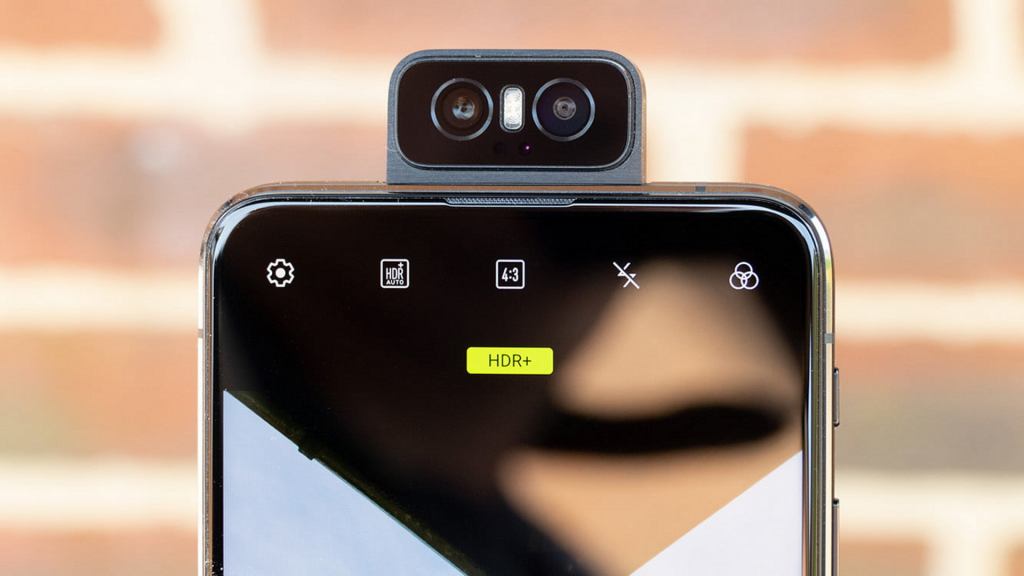
    The Asus Zenfone 6 features 48MP Sony IMX586 primary camera and 13MP wide-angle lens. One thing that makes it stand out is the way it flips up as a selfie camera. In this day when most brands are using either punch-hole display or pop-up selfie camera for full-view display, Asus has done it out of the box and come up with flip-up camera over the top.

    Software

        • Android 9 Pie
        • Zen UI 6

    The Asus Zenfone 6 runs Android 9 Pie with ZenUI 6, which is a great upgrade over its terrible predecessor. It has AI Boost for in-depth usage and a dedicated screen recorder. Overall, it is great to have a simpler interface, which provides more control to the user over the apps.

    Pricing

        • 6GB RAM/64GB Storage – $499
        • 6GB RAM/128GB Storage – $559
        • 8GB RAM/256GB Storage – $599

    Pros

        • Good build quality
        • Awesome performance and specs
        • Great flagship killer
        • Massive battery
        • Innovative Camera

    Cons

        • Outdated LCD display
        • Feels bulky
        • No wireless charging

    Our Verdict

    Starting at $499, it goes without mentioning that Asus ZenFone 6 is a great steal deal. A lot of flagships don’t offer such killer specs despite charging over $1000. The new UI makes it even smoother in usage.