Author: Poonam

  • Zoom Becomes India’s Most Downloaded Android Application

    Zoom Becomes India’s Most Downloaded Android Application

    Although many people might have thought initially, Zoom is not a new application. Now amidst the lockdown period Zoom has become the largest downloaded app in India from Google Play Store. It has already surpassed 100 million downloads. The figure increases in the month of March as 6.7 million users download the app.

    Zoom Becomes India’s Most Downloaded Android Application

    What does zoom offers?

    Zoom offers its users with a basic and a premium version. In the basic version itself, the app offers video conferencing up to 100 people at once.

    The maximum time limit is set to 40 minutes for the meetings of more than 3 people. If you want more time limit for your conference, users can upgrade to the premium version which costs around 14.99$/mo.

    User interface

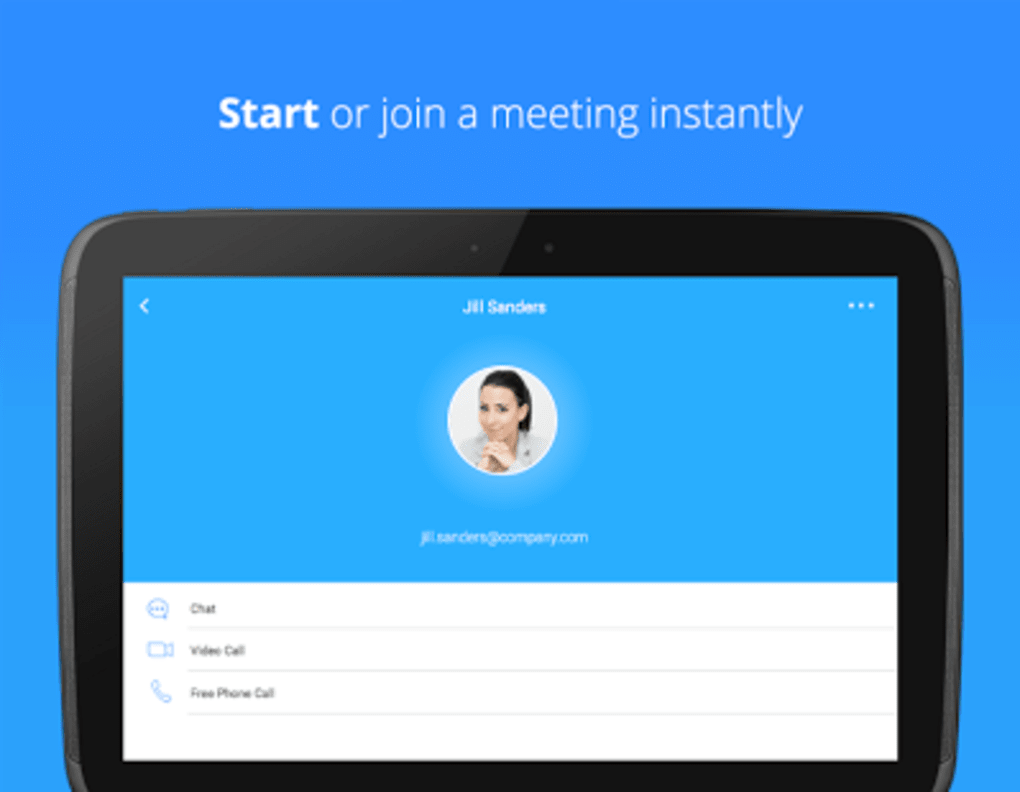
    The user interface of the app is also user friendly. The app also has many other features like group chatting, screen sharing for presentations, etc. The Zoom app does support web, iOS, and Android versions. The web version has slightly better audio and video communication quality than its mobile versions.

    Who is using the application?

    Zoom has become the first choice of companies who need to converse with a large group of people at the same time. As everyone in India will be working from home at least till the lockdown gets over, people are preferring Zoom app over other video conferencing services out there. Even the students who are learning from home can now easily learn with their teachers through Zoom.

    Nevertheless, in the future, most of us might be using the application on a daily basis. If it offers HD video quality calls for 100 people, what’s more, do you want.


  • Telegram Update: New Features For Employees And Students

    Telegram Update: New Features For Employees And Students

    Telegram recently provided an update with many features that can be useful for office work and also students studying in school. Below we will discuss all these features that are present in the new update.

    Telegram Update New Features For Employees And Students

    Chat Folder feature

    The first feature is chat folders. Telegram now allows its users to categorize the chats in different folders. The user can create folders such as family, friends, important, work, etc. If you are a user who has loads of messages to handle, forming folders may help you ease up the management.

    Desktop sync feature

    It has added a feature for desktop sync. This feature will sync your folders with the corresponding apps. The main motive of this feature is to help the user use the chat from any device.

    Channel stats feature

    Another feature is the Channel Statistics. The channels which contain more than 1000 members will get these stats and the information about which post is most liked and has the most engagement. This will allow the channels to grow.

    New animations feature

    There are new animations for voice and video recordings. Telegram has also added animations for basic emojis that are static in most other social media applications. The sneezing emoji, vomiting emoji and other such have animations added to it.

    Telegram has more features than other messaging applications such as Whatsapp and Messenger. These newly added features are denoting a high increase in users for Telegram under this work from the home condition.

    This Telegram update will be useful for employees working in an office. It will also be useful for students for assignments and classes and other school work.

  • New Competition In The Fitness Band Market- The Playfit 53

    New Competition In The Fitness Band Market- The Playfit 53

    Fitness trackers are one of those gadgets which are in high demand these days. We can also see many other companies jumping into this segment due to heavy demand from the market. Recently, I came across a New Delhi based brand, which is a start-up as of now. The product name is PlayFit 53 and it is a fitness band.

    New Competition In The Fitness Band Market- The Playfit 53

    The company also offers other products such as smartwatches. The band seems to be quite interesting, so I bought one for myself. I have been using it for a month now, and now it’s high time I share honest reviews with the world.

    You can just go through the review as I am going to give you all the details about the product, be it the pros and cons and whether the watch is preferable for daily use or not.

    Specifications

    First and foremost, let’s get into the specifications. So, basically the band is equipped with-

      • 96-inch 2.5D glass TFT LCD colour display along with a full torch UI
      • Bluetooth 4.2 with connectivity to Android [4.4 and above] and iOS [9.0 and above].
      • Nordic nRF52832 Chipset
      • Heart rate tracker, pedometer and it also monitors your sleep [via the app in phone]
      • Hand gesture sensors which enable the user to click pictures by just flicking the wrist.
      • Supports 14 sport modes like running, walking, skipping, tennis, etc.
      • Gives call and notification alert
      • 7-10 hours of battery life
      • Dimensions- 24 x 2.2 x 1.3 cm, weight- 22.7 g
      • Priced at just Rs. 1,999 only

    Design and Display

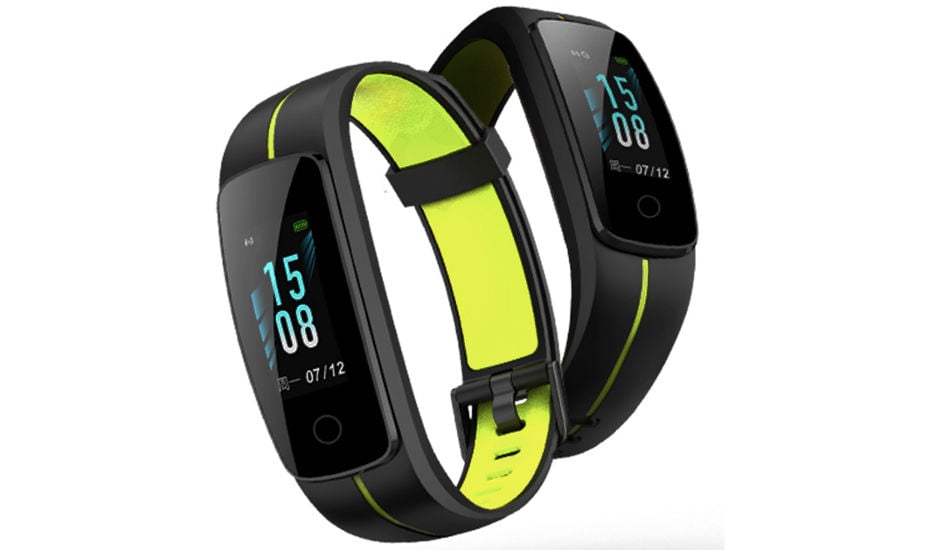
    The all-new PlayFit 53 is quite a decent product and it does not look like a funky band. It is a subtle and simple fitness band with a sturdy look and super comfortable straps. The material of the band is not that premium but its curved design fits nicely on your wrist.

    The display supports touch and different colours. The size of the band is similar to the Mi Band 4 and has a button at the bottom.

    Software, Connectivity and the performance

    The connectivity of the band is very easy as the users just have to install the Play app and register themselves on the app. You just have to enter some basic data about yourself like name, age, gender and you are good to go.

    The band has a touch-based UI and supports both Android and iOS devices. The navigations are quite simple and easy to use. The home screen has a very basic layout, which displays all your essential data.

    The issue with me was that the raise to wake feature did not work for me very well. I have to press the capacitive button whenever I need to wake the screen up.

    Battery Life

    The band usually lasts up to a week on a single charge and it does not need any separate charger. The capsule of the band attaches to the USB directly.

    Conclusion

    As a start-up, PlayFit has done a great job in the fitness band market. It lacks in display quality and the built-up material quality. If the brand comes up with a solution to these issues and improves the quality of material, the band is a great choice. The PlayFit 53 is a considerable option if you are looking for a fitness band under Rs. 2000.

  • How To Get Started With Zoom App Android?

    How To Get Started With Zoom App Android?

    These days, everyone is talking about the Zoom app. It is getting immensely popular and people are using it daily. But why? The answer is very simple and known to all. Everyone knows that the world is facing a pandemic situation due to coronavirus. The situation is very harmful such that there is an implementation of lockdown in various countries all across the globe.

    How To Get Started With Zoom App Android?

    But everyone knows this saying ‘The show must go on’. This is what implies to our current situation. This situation cannot stop us from working. It is very important to work, so people are opting to work from home. Everyone is completing their tasks from home. For this purpose, people are using the video calling application: Zoom.

    This application is widely popular and famous. It allows you to have a conference or meeting through video calls. You can connect to anyone through a meeting ID that you get through this application. People are finding it very useful and helpful. It was not that popular before the lockdown, but now since most of the people are working remotely, it is going viral.

    If you want to use Zoom, or if you are using it for the first time, then here are all the details that might help you. Have a look!

    How to download the Zoom application?

    The widely popular Zoom application is available on the Google Play Store on all Android mobile phones and handsets. It is completely free of cost. Anyone who wishes to use this application, can visit the Google Play Store and get it from there for no cost. For iOS users, the application is available in the App Store for free.

    Setting up your account

    After the completion of the downloading and installing process, you need to set up your account. Setting an account is a very easy task.

    You just need to enter your basic details including your email ID and create a password. You can also sign up using your Google account. Signing up will create a successful account on the Zoom application.

    How to host a meeting?

    To start using Zoom, you need to host or start a meeting.

        • For hosting a meeting in Zoom, you need to tap on the new meeting button present on the screen in the top left corner.
        • After this, you will see a meeting ID on the screen.
        • You need to share this ID with the ones whom you want to conduct the meeting with.
        • You can share it on different media platforms to allow people to join the meeting directly.
        • After this, you need to tap on Start The Meeting.

    How to join a meeting?

    In case, you do not want to conduct a meeting, instead, you want to join someone else’s meeting, then you can ask the host of that meeting to share the meeting ID with you. You can simply click on that meeting ID and tap on join the meeting. Also, you will have to enter a password that the host provides you.

    You also have the option to turn your video and audio on/off in the Zoom app. This option is available at the bottom of the screen. Follow these simple steps to work on Zoom.

  • Android 11 Coming To Chromebooks

    Android 11 Coming To Chromebooks

    There is a new project in the Chrome repositories. The Android 11 after launch, will be brought to Pixelbook, and Chrome System. The codename used for Android 11 is eve-arc-r. Along with the Pixelbook, many new Chromebooks are going to launch and will contain the new Android 11.

    Android 11 Coming To Chromebooks

    Chrome Operating system has been successful in allowing Android apps on its OS. The Android Pie was an example of using Android apps on Chrome OS. The preview for Android 11 has begun as well as a new project is in sight indicating Android Runtime for Chrome, Pixelbook and a letter for Android 11 that is ’R’.

    Different names

    The codename Google will be using for Android 11 seems to be ‘RVC’. ‘Kukui’ is the baseboard for Chrome OS. It is present in Lenovo iPad Duet tablet. The Chromebooks built on the Intel core processer have the basis on the second board, known as ‘Hatch’.

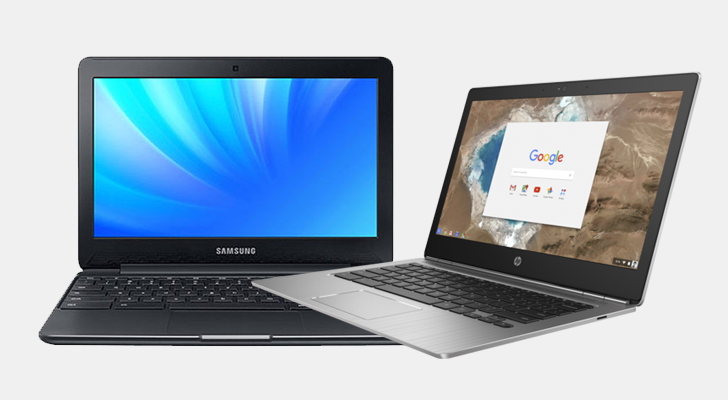
    The Samsung Galaxy Chromebook seems to be having Android 11 in a short period of time. In Android Pie, the Android ran inside a container in Chrome OS. To protect the chrome OS, they will create a separate virtual machine for Android 11.

    Bottom Line

    These are just assumptions based on Google’s sneaky information. When they were launching Android Pie, similar rumors were ongoing. Currently testing phase is going on, and new updates will come to clear off these assumptions. Thus, at the moment no clear statement is available.

  • PUBG Player Shows You Can Walk and Shoot through Walls

    PUBG Player Shows You Can Walk and Shoot through Walls

    PUBG Player Unknown’s Battlegrounds is a very famous game. It is very popular and famous among the youngsters and kids these days. People love playing this game and have a lot of fun. It is a multiplayer battle game where an individual or a team fights against others on the ground to be the best.

    PUBG Player Shows You Can Walk and Shoot through Walls

    What is PUBG? 

    PUBG is a highly trending and popular game. It is available in Android and iOS both. Blue Hole, a South Korean company is the developer of this game. The Players have to fight against each other using weapons and tools to win and get the chicken dinner. Nowadays, even small kids know about the game and love playing it.

    Walking and shooting through walls

    PUBG Player continuously release new videos for its viewers to have some fun and enjoyment. Recently, they released one more interesting video. This video provides a huge advantage in the game. It shows that the players can easily walk through the walls and shoot people.

    There are bricks and walls in the game through which a player can pass without any issues. Also, if one player shoots from one side of the wall, then the player standing on the other side is shot and has to die.

    PUBG is very common among different age groups all over the world. This may be very interesting news for all the PUBG lovers that the players can pass through the walls and shoot easily.

  • Houseparty: Introduction, Creating And Deleting The Account

    Houseparty: Introduction, Creating And Deleting The Account

    What is Houseparty?

    Houseparty is a social platform that allows you to connect with the people you care about, face to face. This is a non-paid application. You can download it for free from the AppStore and register yourself. You will need to add your details such as email address, name, mobile number, and a password for you to create your account. Then, you can easily log in from any other device using your email or username and password.

    Houseparty: Introduction, Creating And Deleting The Account

    To connect to your friends who might also have downloaded this application, you need to allow this app to access your contacts. You can also connect to your friends from Facebook or Snapchat applications. This app allows you to connect with a maximum of seven friends face to face at a time, termed as a ‘party’.

    How to create a party?

    In order to create a group of your contact, you can create a ‘room’ and add the contact you want to communicate with. You also need to ‘lock’ the room, to prevent strangers from joining this room. Some people misuse this by joining into unlocked rooms and displaying censored content.

    How to delete account on this app?

    Recently, it has been spreading among the social media that Houseparty has been hacked. They are also saying that it is preventing other applications to open. The Houseparty has officially announced a bounty to find the source of this problem. People during this quarantine period due to COVID-19 have been using this app to communicate with their friends and family. After facing this problem, everyone wants to delete their account.

    For Android users

    You can delete your account, by sending an email to ‘support@houseparty.com’ and request them to delete your Houseparty account. Follow the following steps:

        • Open any email application.
        • Create a new email.
        • Enter the recipients’ email as ‘support@houseparty.com’.
        • Enter the subject title as ‘Request to Delete Account’.

    You need to add the following details in the body of this email:

        • User name.
        • Your email address used for the Houseparty account.
        • Username for the Housparty account.
        • Your mobile number used in the Houseparty account.

    When the email is received by the Houseparty authorities, they will complete your request. Thus, your account will be deleted.

    For iOS users

        • Open the Hoouseparty application. There is a ‘User’ icon on the top corner, you have to click on that icon.
        • A dropdown menu will appear on the screen, select the ‘settings’ option from the list.
        • Inside settings, you will see a ‘privacy’ option, click on that.
        • There you will see a ’delete account’ option, select that option.
        • You have to provide confirmation. For that, you have to enter your account password.
        • In this way, you can delete your account.

    Whether you are an Android user or an iOS user, you can follow the corresponding steps mentioned above. After deleting your account, the Houseparty sign-in screen will be displayed. You can now uninstall the application from your phone if you want to.

  • Corona Kavach: Application, Benefits, And Usage

    Corona Kavach: Application, Benefits, And Usage

    Singapore and South Korea have launched applications for helping civilians to be safe from the coronavirus. Taking inspiration from them, India has also decided to make such an application, named as Corona Kavach. Coronavirus has been spreading worldwide through coming in contact with the infected person.

    Corona Kavach: Application, benefits, and usage

    Its working 

    This application checks the data of the individual in segments of one hour. It provides an alert to the person when he crosses any person who is a patient of coronavirus. That infected person may have tested positive for the disease of COVID-19.

    This application is in collaboration with the ‘Ministry of Electronics and Information Technology’ and ‘Union Ministry of Health and Family Welfare’. The location of the user will be tracked through GPS. The application will notify if the person is in a high-risk area.

    In India, the number of people using cell phones is high. Hence, this application can be very helpful for Indian citizens. The user will be aware of his surroundings and if anyone of his surrounding has been infected.

    The government is assuring that no private data will be shared even with the government. But some people have been claiming that this application will destroy an individual’s privacy. There are no laws for data protection in India and it will be difficult to follow any privacy policies.

    Bottom Line

    Although, some individuals have stated that this application is for the good of the public. It will fall under IT-Act of accessing traffic and data. Also, the government is ensuring data protection. This Corona Kavach application seems to be for the welfare of Indians, considering the condition due to COVID-19.

  • The Challenges Tiktok Must Overcome To Stay On Top In 2020

    The Challenges Tiktok Must Overcome To Stay On Top In 2020

    TikTok! A very common word. None of us are unknown to this word. From young children to the elderly, everyone knows about this extremely popular application. About half of the population in India uses TikTok. In 2012, TikTok got its launch through a Chinese company.

    The Challenges Tiktok Must Overcome To Stay On Top In 2020

    TikTok and its growth

    Though it is very common, if you still do not know then, TikTok is an application available in Android, Windows, and iOS. People use it to create dance videos, lip-syncing videos and talent videos. People use it for fun and entertainment purposes. It is very popular and it seems like it will continue growing. But there are some challenges that TikTok needs to overcome to stay on the top in 2020.

    The challenges

    The advertisements are the first thing that TikTok needs to focus on. The ads that the app displays must be authentic, safe and engaging. Since the youngsters cover the major part of TikTok users, the advertisements must be influential in a good way.

    The second thing that TikTok needs to overcome is safety. TikTok must ensure the safety and security of data and other assets of its users. It is very important to earn the trust of the users in order to stay at the top.

    Updates and changes in the application are the last challenges that TikTok will face in its way to the top position. The company must make continuous updates and improvements to its application to ensure better functioning and working of the application.

    Conclusion

    TikTok is a very famous application, but to stay on the top it will have to overcome three challenges in the near future. These include safety, authentic advertisements and continuous improvements.

  • Samsung’s AKG N400 Quietly Launches Noise-Cancelling Galaxy Buds Plus Rival

    Samsung’s AKG N400 Quietly Launches Noise-Cancelling Galaxy Buds Plus Rival

    Samsung is a company that produces a lot of electronics material including smartphones, washing machines, refrigerators, air conditioners and a lot more. Among all the electronic devices, Samsung’s smartphones and accessories are the most popular in the market.

    Samsung’s AKG N400 Quietly Launches Noise-Cancelling Galaxy Buds Plus Rival

    Samsung smartphones

    Samsung continuously launches new smartphones and their accessories from time- to- time. Also, there are more than 25+ series of Samsung smartphones. Galaxy S20, TRY S20, Galaxy M30, Galaxy Note and many more. People love Samsung for its reliability and durability. Along with smartphones, Samsung provides various accessories including earbuds.

    Samsung has a sub-brand namely AKG. AKG is Samsung’s audio brand. It manufactures earbuds, headphones and other audio tools. Therefore, AKG launched a pair of Galaxy earbuds this time.

    Galaxy Earbuds

    Galaxy earbuds are the first pair of wireless earbuds by Samsung. They got the announcement of their launch quietly by AKG. The earbuds, AKG N400, have a very useful feature of noise cancellation. This feature is attracting a large audience from different areas. People want to use these earbuds and have fun.

    AKG N400 Features 

    The wireless earbuds, AKG N400, have a lot of features. The most important being the noise cancellation technique. It has a battery life of five hours. Also, it has an ANC feature, using which people can increase battery life for up to six hours. In addition, it is available in three colours, specifically being black, white and blue.

    Conclusion

    AKG N400 earbuds are really useful. They are wireless and support wireless charging as well. Also, they have a lot of features that can grab a big audience from around the world.