Category: Android Apps

Android Apps for download, apk

  • Hearthstone Rise of the Shadows – All About The New Cards

    Hearthstone Rise of the Shadows – All About The New Cards

    Introduction – Hearthstone Rise of the Shadows

    Blizzard Entertainment is the creator of Hearthstone, an online card game that debuted in 2014. With the latest release, the Rise of Shadows, they are back in the news now. With each such release, the metagame undergoes some modifications. This is critical to keep the players attracted to the game. New challenges keep the game from getting boring, especially if they are veteran players who have already explored the ins and outs of the game. One of the drawbacks of the game is the sharp learning curve for the new players. This is one reason many players prefer the single-player option than the multi-player one.

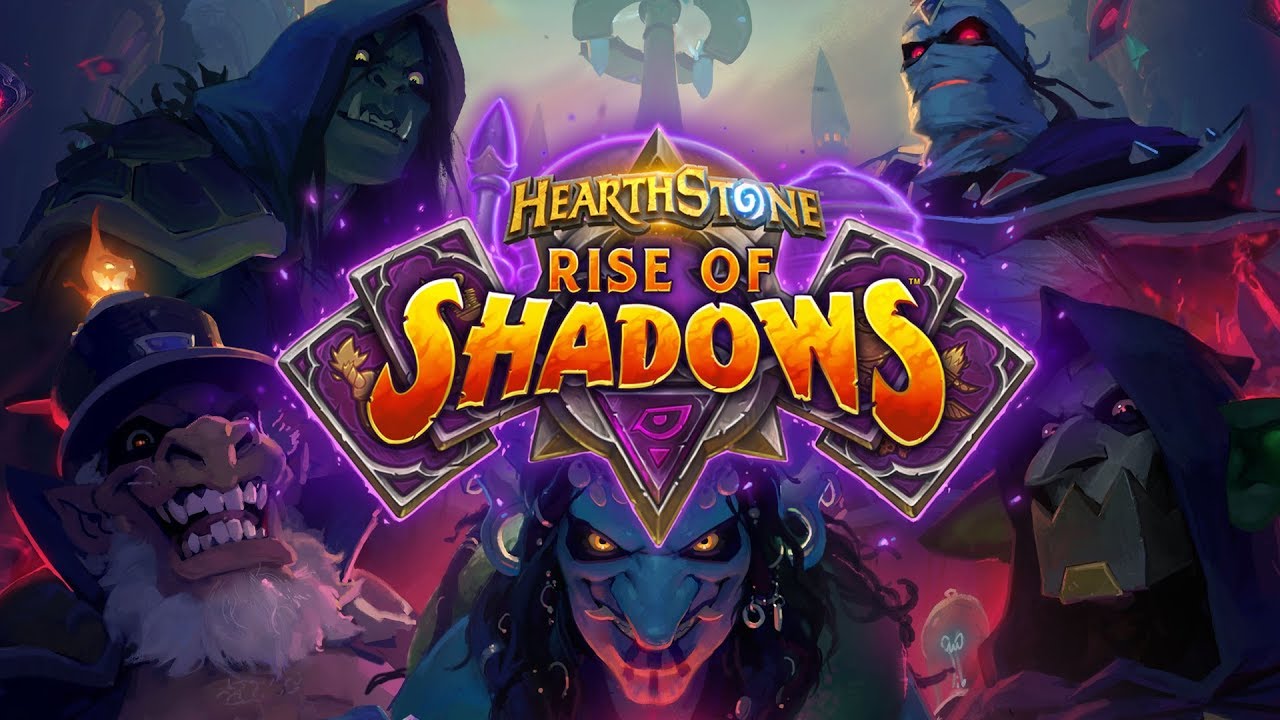
    The Hearthstone Rise of Shadows is the first attempt to navigate the players across multiple sets in the form of single stories. The story itself is based around The League of E.V.I.L. which is a supergroup created by Arch-Thief Rafaam. Here, Rafaam is successfully collaborating with other sets and working on capturing the floating wizard city of Dalaran.
    Hearthstone Rise of Shadows
    Hearthstone Rise of Shadows

    Strategy

    To keep the game engaging, the cards keep changing which makes it difficult for new players to understand, and even for old returning players! Missing out a few expansions, and subsequently, the cards that retired and the new ones that came out, you would have a tough time getting back. However, the game itself is extremely fun and the effort you put in to learn the nuances of the game definitely pays off. The single important skills in Hearthstone would be to understand the deck balance and have knowledge of when to use which card. This is something you can only gain if you spend hours playing!

    Newbies would also not have the kind of cards experienced players would have since they would have to get these form card packs. It is also a bit expensive since you would have to purchase them separately. It is a much better idea to just earn them as you play and progress. So, if you are a returning player after a long time or if you are a newbie, you can check out Hearthstone’s FAQ page. They have a detailed list of all the cards in Rise of Shadows. This is a great place to read about the different cards and start making your way towards the ones that you like.
    Hearthstone Rise of Shadows Cards
    Hearthstone Rise of Shadows Cards
    Expansion

    With regards to the latest expansion – the Rise of Shadows – there are some fun cards. For instance, there are some that grow stronger with each turn and some that decreases by 1. Cards combined strategically in your deck would give you a powerful combo to play better. There are different character classes in the game and this is something you would have to study well in advance to understand the dynamics of the game. If you feel the multi-player option is just too advanced for you, you can always play single games until you learn your way around.

    Updates And New Cards

    The Rise of Shadows will work with 135 cards in addition to some older sets that could be used in the Wild Mode. There will also be the usual annual rotation in the Standard format. The class alignment has also undergone some changes. Here, the Priest, Shaman, Warlock, Rogue, and Warrior would be evil in the Year of the Dragon. This is where Rise of Shadow begins. The other class, including the Hunter, Paladin, Druid, and Mage would be on the good side. Let’s get into some of the cards and talk about the dynamics of the game.

    EVIL Cards

    Scheme: This card can only be played by the evil classes. The longer they sit in your deck, the stringer they tend to get. For instance, with the Shaman AoE spell, it is usually 5 Mana for one damage to the board. However, if it stays in your deck for some time, it could potentially wreck higher damage for the same price.

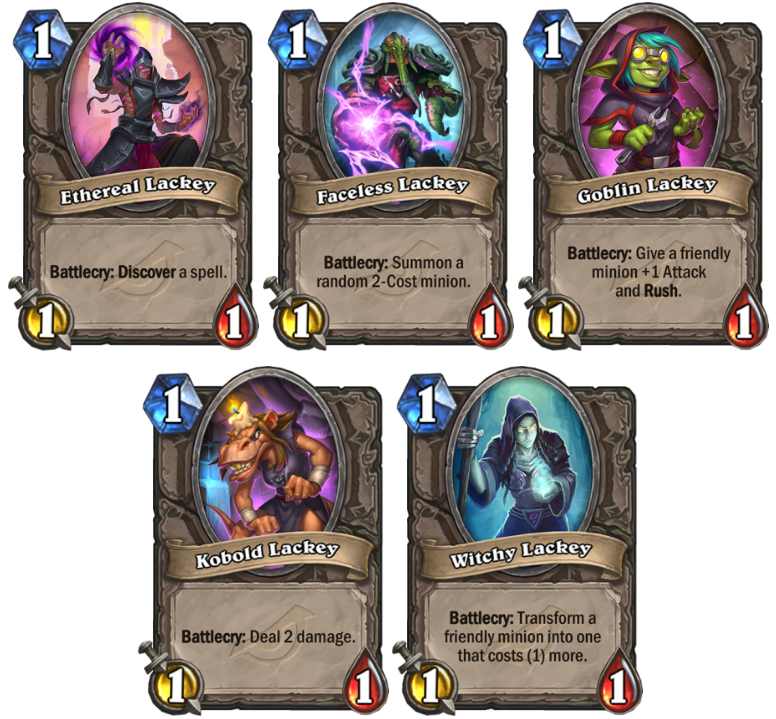
    Lackeys: Lackeys are a new card in the Hearthstone Rise of Shadows. This is a token card which means you cannot access this from packs as these are created by collectible cards. It comes with 1/1 stats and with a high utility effect. It might help you to know that there can only be five possible Lackey outcomes. This can give you some consistency while making the decision.
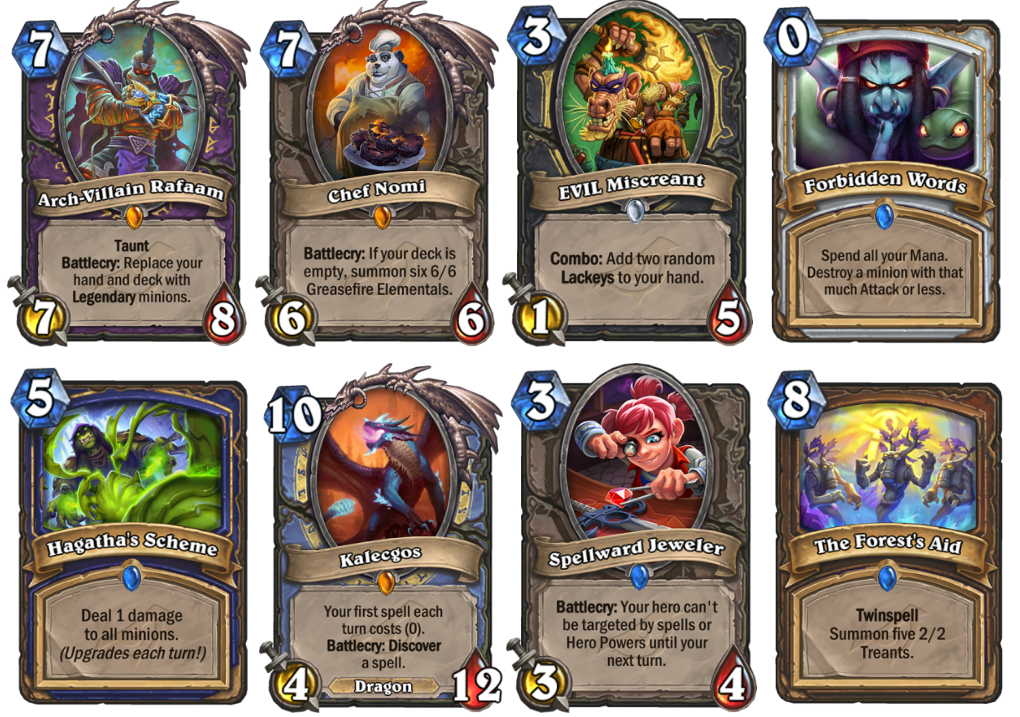
    Hearthstone Rise of Shadows EVIL Cards

    Defenders of Dalaran Cards

    Twinspell: With this card, you would be able to cast the same spell two times. When you cast a Twinspell, the second copy of the card would be added to your deck. If you have sufficient Mana, you can play it in the same turn or for future use. One thing to note here would be that the second copy wouldn’t be a Twinspell one, meaning you cannot generate it again. It would work only once. However, if you use it wisely, it could be pretty strong. Twinspells are only available to the Defenders of Dalaran, unlike the Lackeys and the Schemes.

    Callback cards: Callback could be considered to be a kind of a themed subset of the Rise of Shadows and is a cycle of cards. This would include popular ideas from the previous sets. Potentially, it could have different impacts based on how much Mana you use when playing it.

    Well, there you go! Hearthstone Rise of Shadows is a great game to play, especially if you have some idea of the mechanics of the game and the numerous cards that it works with. Strategy is the key element here. While you might have some powerful cards with you, but if you don’t use them at the right time, it is of no use. As you play, you are certain to hone in your skills and have more fun than ever. There are also some guides out there which would give you an in-depth idea of the best way to play each card and its strengths and weaknesses. Check out other games here.

    If you are more interested in some video games like PES and FIFA, you should definitely take a look at our PES post. It is all about the PES 2020 Release Date, Pre-Order, PC Requirements, Database, Ratings, Cover, Trailer, and More.


  • PES 2020 Release Date, Pre-Order, PC Requirements, Database, Ratings, Cover, Trailer, and More

    PES 2020 Release Date, Pre-Order, PC Requirements, Database, Ratings, Cover, Trailer, and More

    Introduction – PES 2020 Release

    Konami has finally come up with the PES 2020 release for the greatest rival of FIFA 19. The EA Sports game did not do well in the FIFA 19 and Konami have been waiting for their chance to make it big – will they be able to win the heart of the fans by producing mesmerizing gameplay? Or will EA Sports come back with another tough competition in terms of releasing FIFA 20? Whatever the case, the users are going to benefit from better graphics and gameplay with the latest versions of the game.

    Release Date

    The PES 2020 was released on the 10th of September, 2019. There have been multiple versions of the game, such as the standard edition and the legend edition. Both the games have different players on their game covers. The standard edition of the game features Lionel Messi on the cover whereas the famous Brazilian star Ronaldinho is featured on the digital exclusive Legend edition of the game. For users who want to try out the game without actually buying it, they will be able to do so using the demo version of the game which is already out for everyone to try their hand. The game is available on PS4, Xbox One, and PC as well.

    PES 2020 Release Date
    PES 2020 Release

    Requirements

    Though the requirements need not be considered for gaming consoles, such as PS4 and Xbox One, it is very important to keep them in mind when you are planning to play this game on a PC. You would want to enjoy the game without any lag and for that, there are some requirements. The official minimum requirements and recommended requirements are as below. Check out what other games you can play with your specs here.

    MINIMUM
    • Requires a 64-bit processor and operating system
    • OS: Win 7 or higher (64 bit)
    • Processor: Intel Core i5-3470 / AMD FX 4350
    • Memory: 4 GB RAM
    • Graphics: NVIDIA GTX 670 / AMD Radeon HD 7870
    • DirectX: Version 11
    • Storage: 40 GB available space
    • Additional Requirement: Resolution 1280 x 720
    RECOMMENDED
    • Requires a 64-bit processor and operating system
    • OS: Windows 10 (64 bit)
    • Processor: Intel Core i7-3770 / AMD FX 8350
    • Memory: 8 GB RAM
    • Graphics: NVIDIA GTX 760 / AMD Radeon R9 270X
    • DirectX: Version 11
    • Storage: 40 GB available space
    • Additional Requirement: Resolution 1920 x 1080

    It is highly recommended that you try to satisfy the specs as this will ensure that the game runs without any lag. It has been noted that the requirements are not something complex. A top-end machine should be able to run the game quite easily.

    Trailer

    The trailer of the game was released in early July which gave us all a bit of an insight on how the game is going to come out. The trailer was amazing and well designed. A lot of the features made an appearance in the trailer. Take a look if you haven’t already! The developer and their partnership with Barcelona continues thanks to the renewal of the contracts. Lionel Messi is the cover star as mentioned earlier and Andres Iniesta is the gameplay consultant. In the master league, you will be able to catch a glimpse of the former stars who were also a part of this team in the past – Diego Maradona and Johan Cruyff are featured.

    PES 2020 Latest Release
    PES 2020 Latest Release

    Gameplay

    Let’s take a look at the most important section which interests everyone the most! The first feel of the game looks good and promising. The players now feature the latest fashion trends – the designs are pretty cool! PES has focused on the authenticity of the stars and has tried their best in keeping them real. Many new techniques have been mastered in the game as well to ensure the reality. For example, the dribbling technique “finesse” is something to look out for. It looks like the developers have worked on the unique style that Ronaldinho uses in his games.

    Multiple sets of animations have been added that have been seen on live TV and the famous trademark celebration style by the players has also been adopted. Physics has been heavily incorporated in the game. The ball a bit heavier and the air movements more natural when compared in the previous versions of the games. The other noticeable features that have been brushed upon are the first touch mechanics. The trapping mechanics have been upgraded as well. There numerous new ways to defend the ball and we have seen the inclusion of the intentional foul in quite a unique way.

    PES 2020 Gameplay
    PES 2020 Gameplay
    Customizations

    The Master League is something that you have a play. Instead of the story being controlled by the game, there is a new interactive dialogue system that puts you in the place of the actual master of the game. Now, you need to control your own personal story to success. The looks of your manager in the Master League can be customized with the same traits that are found in real-life managers. In addition, the dialogue system adds more spice to the game when it comes to contract negotiations and every interaction, making it unique for every player. Besides this, you will also be able to create logos for a team that you manage or select from existing ones.

    Conclusion – PES 2020 Release

    The PES 2020 release is sure to be a big hit. With PES improving in several areas, the game is definitely worth a try. The standard edition of the game costs close to $35 and the legendary version is priced a bit over $50. However, it is well worth the money. The manager version of the game comes really close to real-life scenarios and the dialogue systems make the game even more interesting. The physics that has been used in the mechanics of the game are something that needs to be appreciated.

    We think that the developers could have concentrated a bit more on the different types of modes that are available in the game to make it more engaging. There are multiple glitches that have already been reported and the developers are working hard to fix them. Unless you are an avid gamer – you are unlikely to notice them. This one is definitely worth a try! If you love to play games on a Playstation, take a look at our PS5 Review.

  • PUBG Mobile Lite WinnerPass Brings Exclusive Rewards, Challenges After v14.0 Update

    PUBG Mobile Lite WinnerPass Brings Exclusive Rewards, Challenges After v14.0 Update

    Getting Started – PUBG Mobile Lite

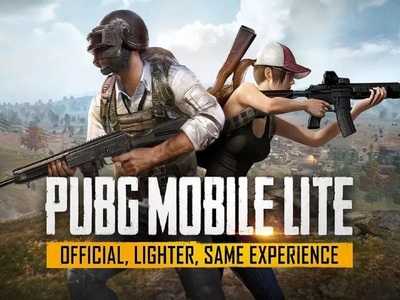
    If you have been losing out on playing one of the most popular games on the internet, it is time to put it right. If you have been missing out because you have a low-end phone, there is no need to worry anymore. Your time has come to start playing PUBG. This can be considered to be one of the major moves by Tencent Games, the developers of this game. The regular version of the game could be played only on high-end phones as it requires more graphics and better processor speed. The PUBG mobile lite version is something that is more inclined towards having the same experience on low-end phones. This will increase the user base of the game and will now offer a better experience to the players.

    It is also good to note that this Lite version of the game is only available in a few countries, such as the Philippines and India. The developer plans to slowly extend to other countries. One of the biggest questions that come to everyone’s mind is how good is the Lite version of the game going to be? Will there be any new features? Or will the graphics of the game be so bad that it takes all the fun and enjoyment out of the game? Let’s take a look at what we have in store. Downloading the app is as simple as going onto the Play Store and searching for “PubG Lite”. If you are in a region that is supported by the game, you will find it in the Google Play Store.

    Features of PUBG Mobile Lite

    Download the app onto your phone and open up the app. You will find a similar boot-up screen to what you would have noticed in the normal version of the game. The welcome screen or the matchmaking screen is also exactly the same. One of the biggest things that you could notice in terms of the new app is the size that it occupies on the phone. The normal version of the game occupies close to 1.8GB of space on your phone.  The new Lite version of the app consumes just one-sixth of the space, at close to 340 MB. This should ensure that the app runs on phones that have limited storage options, thereby having more users on board.

    PUBG Mobile LIte
    PUBG Mobile LIte

    Apart from this, you will also notice that the graphics of the game have been modified to a large extent. This should ideally be because the developers want to have users having as low as a 2 GB RAM phone to experience this game. By default, the graphics of the game are set to “low” – unlike the full version of the game. Here, you will not be able to fiddle around with the graphic settings. It has been noted that, at times, things which are at a far distance get pixelated due to the graphics quality. With all this being said, the overall gaming experience still remains the same.

    Game Modes In The Lite Version

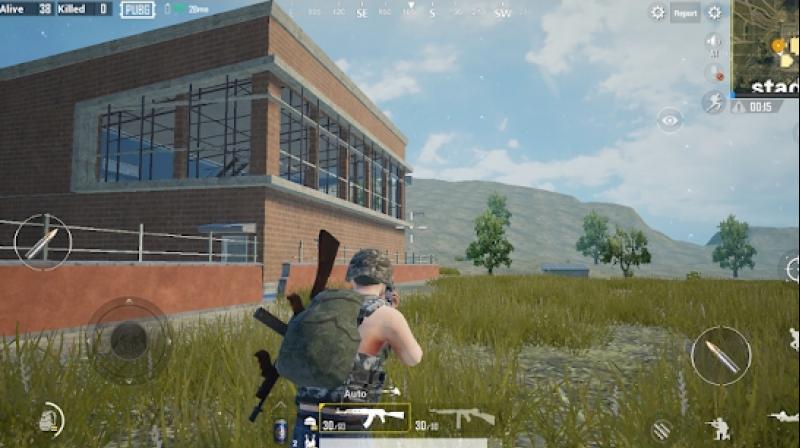
    Coming to the next section – the game modes of the Lite version. The original version had multiple game modes. The Lite version, in comparison, is limited with solo, duo, or squad match in a third-person perspective view. All the matches are in the classic mode by default. Let’s not strike off the possibility of having all the other game modes in the Lite version sometime in the future. This is just the initial stage of the app. Thee map on the Lite mode is much smaller when compared to that of the full version. This does spice up the pace of the game and makes it even more exciting to play. If you want to know how to mute voice chat in PUBG, check this post.

    PUBG Mobile Lite Gameplay
    PUBG Mobile Lite Gameplay

    The graphics on the map are inspired by the original version of the game. You will be able to find several resources, vehicles, and much more. With a smaller map, the number of the player fighting for the chicken dinner had to be recalculated, especially with a smaller map in place. This is something that many players have appreciated. There are only 40 players in the game instead of the usual 100 players. By reducing the number of players, an average round of the game in PUBG lite reduced drastically. This is because there is a lesser number of blue zones. The players get killed automatically when they move out of the zone. An average round is said to last for close to 10 to 12 minutes.

    Gameplay

    Let’s talk about the gameplay and experience. It is similar to what was being followed in the original version. You are dropped from an airplane and you will have to roam around and collect as much loot as possible. You also have to take down enemies while attempt to be the last person alive. The servers of the game are quite responsive, and there is not much lag.

    However, there are occasional issues wherein the game starts lags when you are jumping or driving a car. It has also been noted that there are a high number of bot players induced in the game in order to set the count to 40. We understand that it will take time to accumulate new players, especially since it has not been released worldwide yet. Since more bots are coming into the picture, it is quite easy to score a Chicken dinner in this game compared to that in the original version.

    Latest Updates

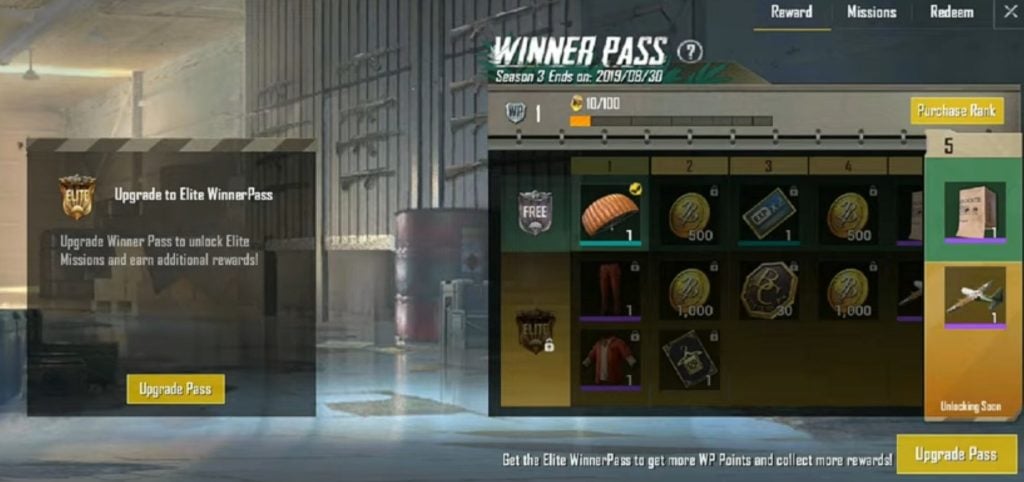
    The app is already being trialed in the Philippines and India. They are now launching it in other regions such as Africa, Russia, and so on. There have already been many updates. There are a series of content updates as well. The game has received UI, emotes, bombing zones, and many more updates. It can be comfortably said that the developers’ hard efforts have finally paid off. The latest update of the game was extremely well received. The giant gaming developer Tencent has introduced rewards for loyal PubG mobile Lite players. This means that the players who keep logging in for 10 consecutive updates will be rewarded with the WinnerPass season upgrade. This feature was introduced with the latest update.

    This will help the players in getting exclusive awards by completing tasks that are assigned on a daily basis and ranking up. Users can also aim at unlocking the Elite WinnerPass Season 4 at zero cost which is an added advantage. Taking a look at what else has changed in this version gives us more details. There are new WP themes and rewards, new outfits have been added, there is an updated version of the system settings,  a new customization guide is available at the user’s disposal,  and the graphics have undergone a huge improved. Up and above this, it has been noted that the matchmaking is much better in this version of the upgrade, making it an even playground when users are playing the game.

    PUBG Mobile Lite Winner Pass

    There are multiple kinds of Winner Pass which are available in the game. The Free pass is something that is available at no cost. For the Elite Winner pass, you will have to shell out 300 battle coins. The Elite Plus Winner pass can cost you anywhere between 800 to 2700 battle coins depending on the discounts that have been put up on the board. In case there is a crunch with your battle coin balance, you will be able to purchase these from the Shop section of the app. Besides purchasing the battle coins, you can also directly purchase the Winner pass that you require from the shop. Currently, there is only one map included in the Lite version of the game. Though the miniature version of the Eragel map is fun to play on, we predict that there might be more maps added in the future.

    PUBG Mobile Lite Winner Pass
    PUBG Mobile Lite Winner Pass

    Conclusion

    With this huge update, we expect that the number of players who play the Lite version of the PUBG might drastically increase. Tencent has paid attention to all the minor issues and has fixed them. Some challenges will keep you engrossed with the game for a long time. The smaller changes such as more loot, more air bombs, and faster game time are some of the highlights. These are likely to go a long way in gaining attraction. At the same time, the UI changes and the new emotes add extra spice to the game giving it a new dimension. The user base is definitely bound to increase. The developer of the game promising to expand this to other parts of the world when new servers are added on their end. Go ahead, give the new update a try and feel the difference!

    It could run just as easily and efficiently as on a high-end phone like Samsung Galaxy Note 10 Plus or as low-key a phone as RealMe 5 Pro. Take a look at our reviews!

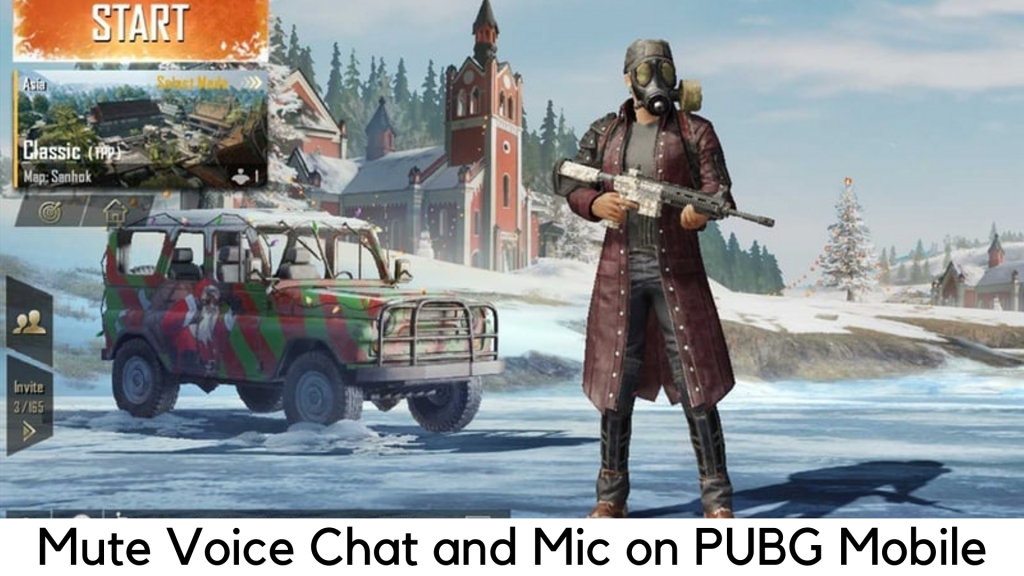
  • How to Mute Voice Chat in PUBG Mobile?

    How to Mute Voice Chat in PUBG Mobile?

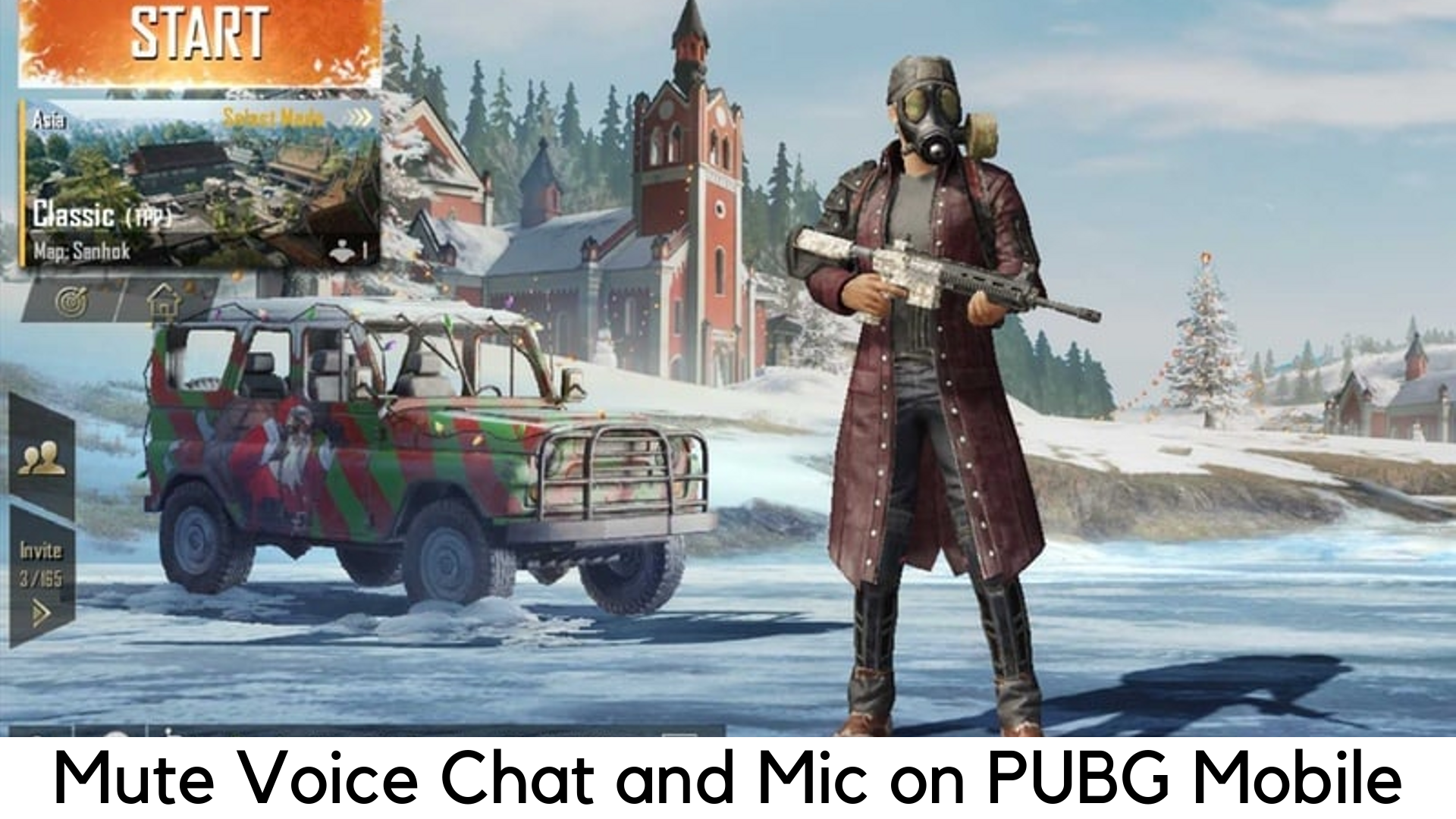
    PlayerUnknown’s Battlegrounds is the most popular and No.1 Battle Royale game which delivers most intense multiplayer action. This award-winning survival game has made millions and billions of players addicted. But indistinct chattering in the game distracts many people from focusing on the target.

    Mute Voice Chat in PUBG

    This is the common problem in every multiplayer and Battle Royale games. Chatter from other people really spoils the gaming experience and distracts sometimes in PUBG Mobile. Luckily, there is a shortcut to disable or mute video chat options and focus only on your game. We have broken down some easy steps to follow.

    Mute Voice Chat in PUBG Mobile

    When you tap on the Mic icon in the game, there are three options –

    • All – It means everyone can hear you.
    • Team – Only your teammates can hear you.
    • Mute – No one can hear you anymore.

    Mute Voice Chat

    Here are the steps to follow –

    • First of all, you need to start your match in PUBG Mobile. You can choose any mode, including a sandbox.
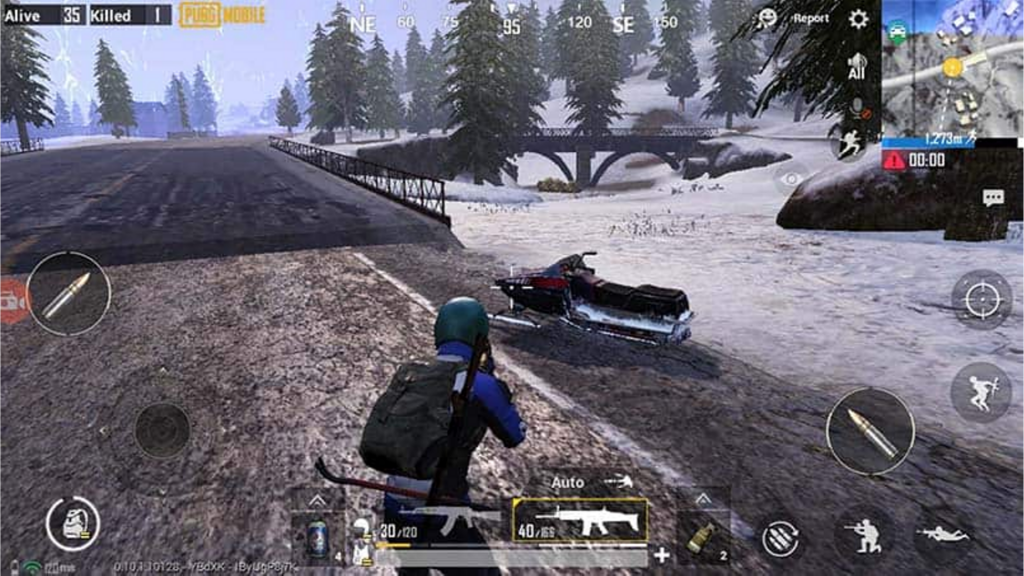
    • Tap the speaker icon and select the mute button on the gear icon located on the top right corner of the screen.
    • If you just want to hear your team only, select Team rather than mute. It works only when you are playing the team game. You can hear everyone else’s game by selecting all.
    • Tap the mute icon under the microphone icon, which is located below the speaker icon.
    • If you choose Team instead of mute, your teammates can hear you. By selecting All, everyone can hear you.

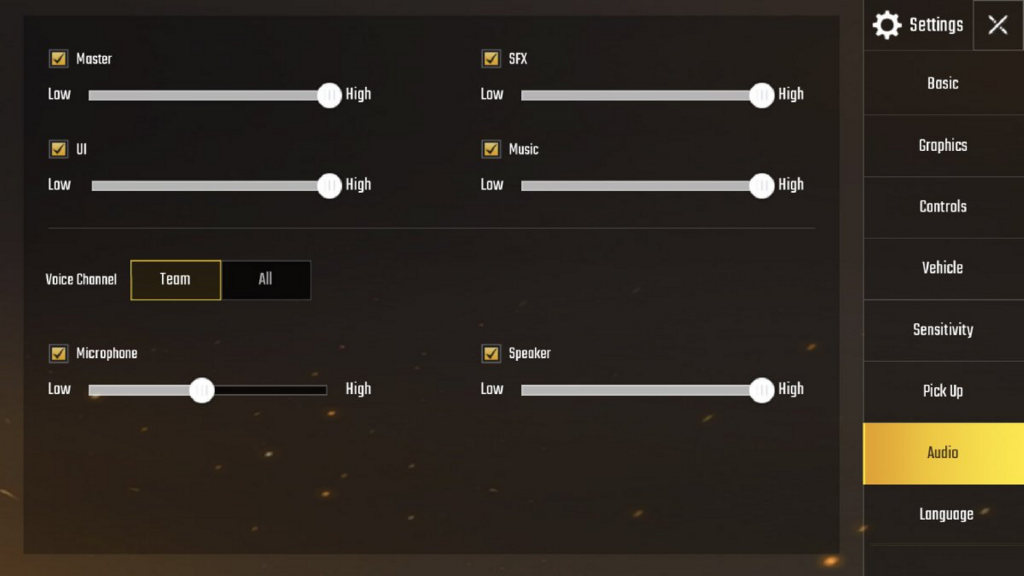
    Remember that you cannot hear what other players are saying if you mute the speakers. And no one can hear what you say if you mute the mic. You have to enter the game to permanently mute the mic in PUBG Mobile. These are the steps to lower the speaker volume for a while –

    • Tap the gear icon on the home screen on the bottom right corner.
    • Select Audio.
    • Slide the Microphone volume to low under Voice.
    • Slide the volume of Speaker to low.

    It can slow down the volume to a minimum but it cannot mute audio completely.

    Steps to Mute Microphone in PUBG Mobile Permanently

    You need to go to your device settings to disable microphone for PUBG Mobile permanently. Here are the steps to follow –

    • Go to your Android system Settings.
    • On the search bar, look for App permissions.
    • Tap Microphone.
    • Now go to PUBG Mobile and toggle the switch to off.

    This way, you can disable mic permanently on PUBG Mobile on Android. You have to go back to Settings if you want to enable it again. We hope these steps will help you to mute the mic and disable voice chat. It will be better if you play your game with headphones for a better experience because you also need to hear the steps approaching you.

    Mute your mic and Disable Voice Chat in the game with one tap

    You can mute voice chat in PUBG only when you are in the match. You are free to choose any mode to start the match. Under the settings button and just behind the minimap, there is a speaker icon to choose whose voice you want to hear.

    You can change the mode by tapping on 8. Similarly, you can choose from three different modes. You can hear everyone by tapping on “All”. Also, you can hear only your teammates and only teammates can hear you by tapping on ‘Team’. Users can choose the third option by tapping on “Mute” and you will not hear the voice of anyone.

    Mute the microphone on PUBG Mobile while playing on iPhone

    There is an option to disable the microphone on the iPhone when playing PUBG Mobile. Here are the steps to follow –

    • First of all, go to Settings on your iPhone.
    • Tap Privacy
    • Select Microphone.
    • Toggle the switch next to PUBG Mobile to Off.

    This way, you can mute the PUBG Mobile microphone permanently on the iPhone.

    Enable and Disable Voice Chat in PUBG Mobile

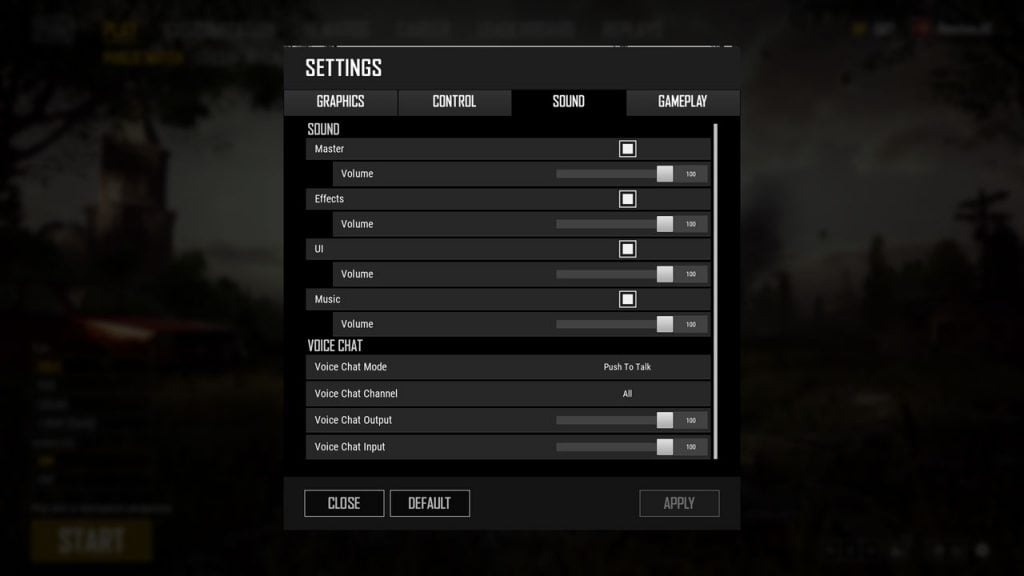
    In terms of configuring the voice chat, there are literally different options on PUBG Mobile. You change a lot of settings in PlayerUnknown’s Battlegrounds, such as Voice Chat Channel, Voice Chat Mode, Output volume and Input volume. You can go to the Settings menu and configure all such options easily.

    For Voice chat mode, you can choose from three different options – push to talk, mute, and open voice (permanently). When you select mute, it will disable voice chat for all players together. When you select Push to Talk option, it means you can send your voice only when you hold a preset key. For doing this, you have to check control settings. On the other side, one can hear whatever you say in the game when you select open voice.

    Enable and Disable Voice Chat in PUBG Mobile

    There is a slight difference in the voice channel. You can easily choose who you can talk to and listen to. The three options to choose from are – All, Team and None. It definitely helps you decide who can hear you.

    In the end, the ‘Input Volume’ and ‘Output Volume’ are the two sliders available. With the help of Output volume, you can easily control how loud you want your voice to be. You can keep the voice louder by keeping the slider further. You can do the same with input volume. Don’t forget to control other people’s volume.

    In order to access Voice Chat settings, you need to go through these steps –

    • Select the cog icon on the Settings menu on the home screen.
    • Select Sound and go down to voice chat on the list of tabs.

    Voice Chat settings in PUBG

    If you want to completely disable the voice chat in PUBG Mobile, you can set it to None and Mute. Also, set both sliders to the lowest. It will help you disable the voice chat completely.

    You can select the options you like. Toxic players are found in every competitive game and you may not want to hear them spoil your experience. When needed, you can also report them.


  • League of Legends Mobile – Everything You Need to Know

    League of Legends Mobile – Everything You Need to Know

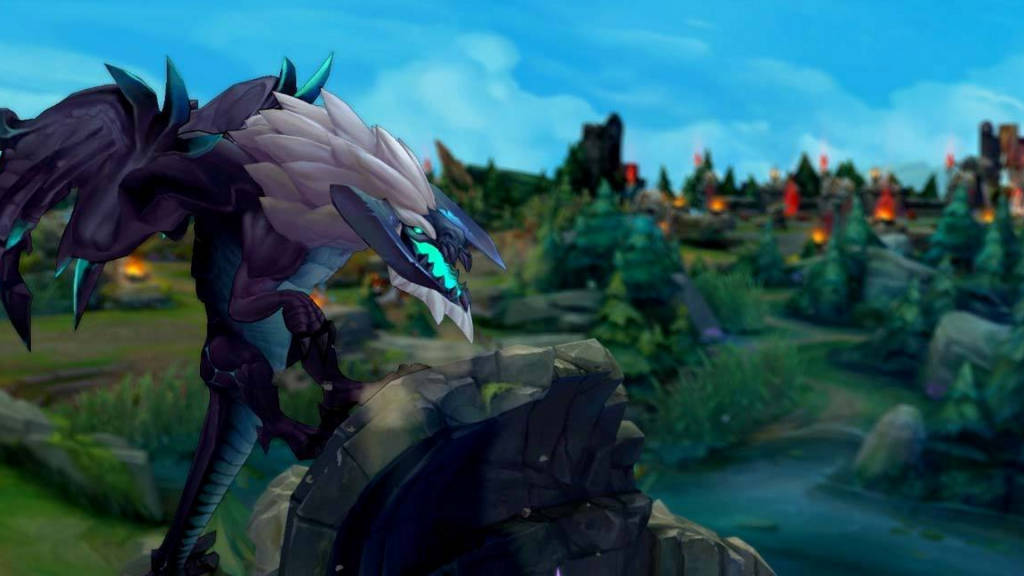
    One of the most anticipated and popular PC games, League of Legends has now ventured into the mobile market after 10 years of its release, according to the sources released by Reuters. Riot Games, the company that developed League of Legends, is now working together with a mobile powerhouse and its parent company Tencent to launch it for Android.

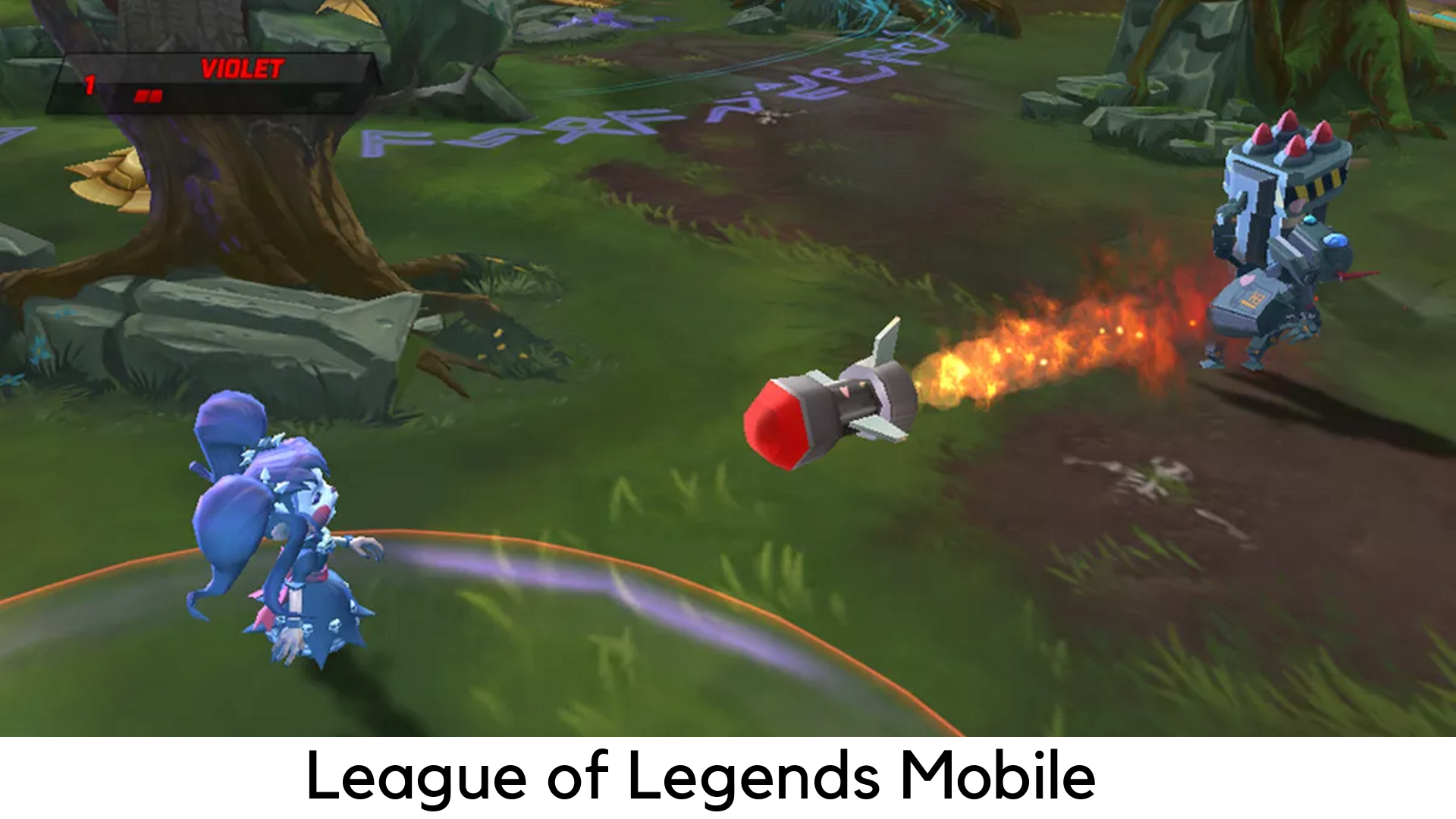
    League of Legends Mobile

    According to a translation from Daniel Ahmad, an industry expert, the app has been designed to work with the WeGame platform by Tencent. After downloading the app, you can stream the games in their collection. However, your device has to share the same Wi-Fi network as the PC running the same game, there is still a need for improvement to play the game on the go.

    The interesting thing is that there is no lack of MOBAs available for mobile. According to a new report, the king of this genre is now available on Android devices. League of Legends Mobile is finally here by Riot Games and its parent Tencent. Though it is not official, Tencent has been investing a lot in mobile gaming over the years. After all, they have also launched MOBA Arena of Valor and the hottest favorite PUBG Mobile.

    As per the sources, the developers have been working on League of Legends Mobile for over a year. Riot Games have declined a proposal given by Tencent, according to the reports, to launch the mobile version years ago. Since then, its parent company has introduced a lot of semi-competitors in mobile space. Well, none of them have got the same brand presence worldwide and a huge player base like League of Legends (world’s most popular PC game). Finally, the League of Legends has hit the mobile space. Here are the details we have got related to the League of Legends Mobile so far –

    Mobile Version may not release anytime soon in 2019

    According to the report, the developers have been working on the game for a year. But League of Legends Mobile has no signs to release anytime soon in 2019. The title is yet to be announced by the developer and there is also an odd that the sources were off base.

    League of Legends Mobile Version

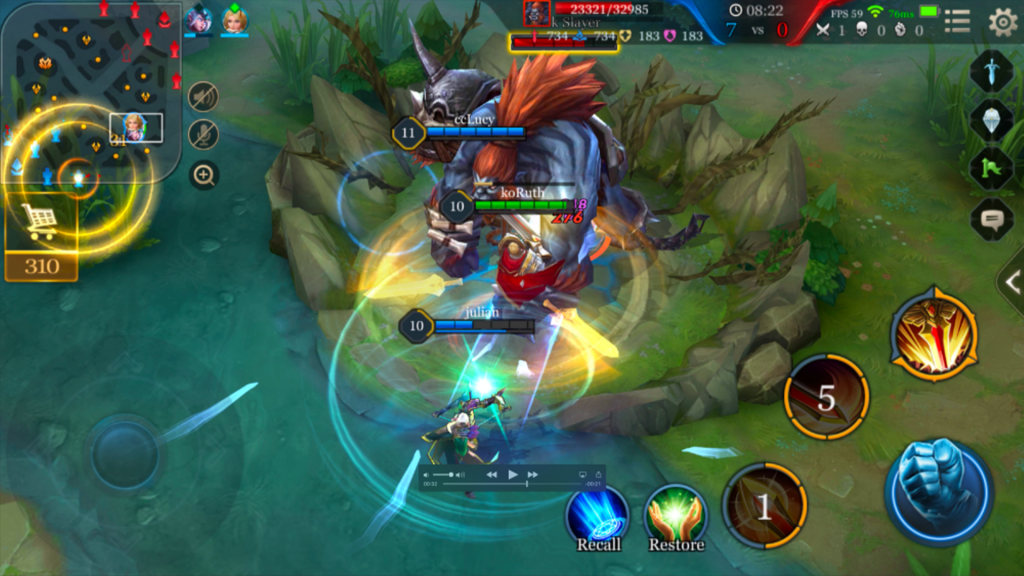
    The Mobile Gameplay could look like Arena of Valor

    League of Legends could be ported to mobile platforms directly but it would be quite difficult to play. For some details into the changes, you might see in the mobile version by Riot Games, you could check out Arena of Valor. It has the same basic features while cutting down the complexity and length of the matches.

    League of Legends Mobile Gameplay

    Android version is a safe bet

    It is because some mobile games are exclusive to Android but they are much unlikely to be like League of Legends. Tencent might be looking forward to broadening the appeal of League and it is going to approach as many platforms as it can.

    League of Legends – Tips and Tricks

    League of Legends is not just another game. If you want to try this, you might be confused with a lot of details on your way. However, do not worry. We are here with some tips to help you play as long as you want in League of Legends.

    Don’t worry about specific positions and characters, at least during the initial 5 levels

    To access most of the gameplay options, you need to reach level 5 in your player profile. It also consists of PvP modes. Everything you do before only helps you get familiar with the game. Therefore, you do not have to worry about what position or what character is needed for what. You just have to try out different characters to find out what is best for you. Do you prefer ranged fighters? Melee champions? Or assassins? You could figure out the same in the beginning.

    Know different positions as well as the basics of the map

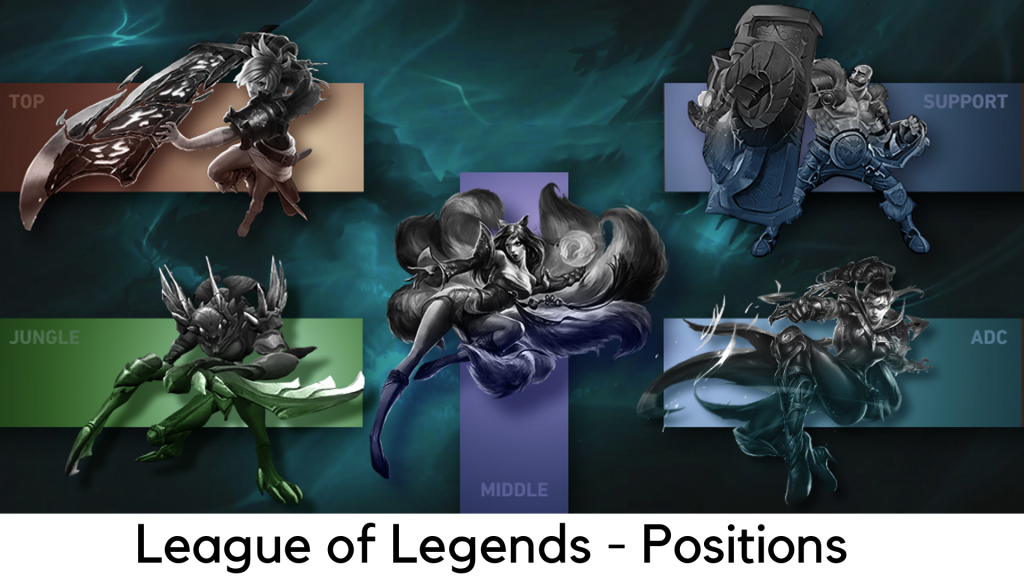
    You should know what you need to say with your teammates. There is no hard-and-fast rule to become a pro player on the go. However, you could at least learn the core terms to start and know the general structure of the positions. There are three lanes in it – top, middle, and bottom. The jungle is the area within the lanes.

    League of Legends Positions

    Team bases are located on the top right and bottom left of the map. Your position is represented by the specific part of the map you start with and the champion you choose. Here are the 5 positions which will come till level 30 –

    • Top – Summoner’s Rift is on the top left where the champion reaches. It is usually played by bruisers or tanks. It means melee characters can either deal or take huge damage.
    • Jungle – The champion with no assigned lane. The junglers roam around the jungle, kill the monsters, and drop into any of three lanes by killing an unexpected opponent.
    • ADC – They are known to spend the early aspect of the farming minions, level up, and buy maximum gears to boost the attack damage. They are among the two champions.
    • Support – They are the next champion on the bottom lane. Supports are here for a lot of good things like helping ADCs to land kills, keep them alive, and place wards to improve visibility.
    • Mid – They are champions with great ability power or AP.

    Keep track on the mini-map every once in a while

    Map awareness is very important for almost everything in this game. It is very important to know what is going on around you. However, you also have to look at the important events happing around. Otherwise, you could be shocked by an approaching enemy. This way, you could also miss out on the chance to help your team on the tough fight around you.

    Try all positions and focus on one

    You don’t need to make a full-proof plan of how you are about to reach the first 30 levels on League. Nevertheless, it is not always great to take a scattershot approach to the first experiences. It is always best to play a position, again and again, to get an insight into its finer details. It can help you improve the abilities of the game and it can be a lot more amazing to play.

    Click here to find out new upcoming game.


  • Change Snapchat Username and Create New Account- All details Here

    Change Snapchat Username and Create New Account- All details Here

    When it comes to change your username on Snapchat, you might just assume that you just have to go to settings and edit your username by tapping on it. Even though you can do the same, but it may not work in the long run.

    Change Snapchat Username

    Sadly, there is no option for the users to change the user names for the sake of their security in Snapchat. Unfortunately, the fact is that you are almost stuck with your existing user id, at least, until you are using your account.

    But don’t worry. There is a smart way to change snapchat username with any of your favorite Display Name. Of course, your username will remain unchanged. But it will not be visible to others. Here are the steps to do it –

    Go to Snapchat Settings

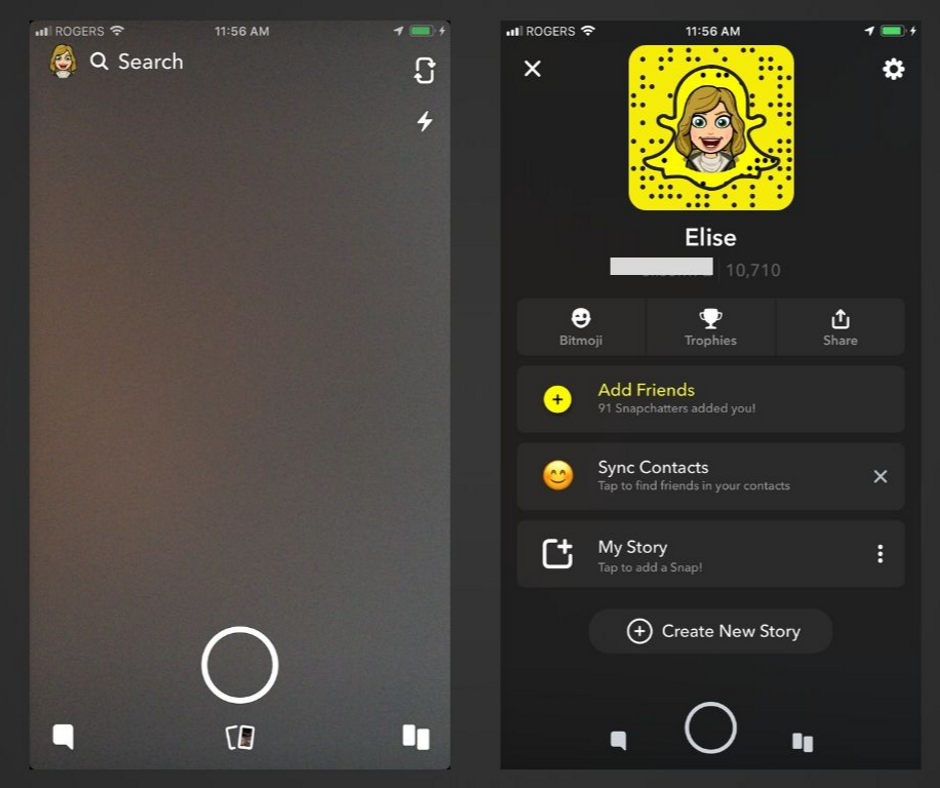
    First of all, open Snapchat. In the top left corner, tap on your Bitmoji or profile icon and open your profile. Now tap the “gear” icon on the top right corner.

    Snapchat Settings Change Snapchat Username

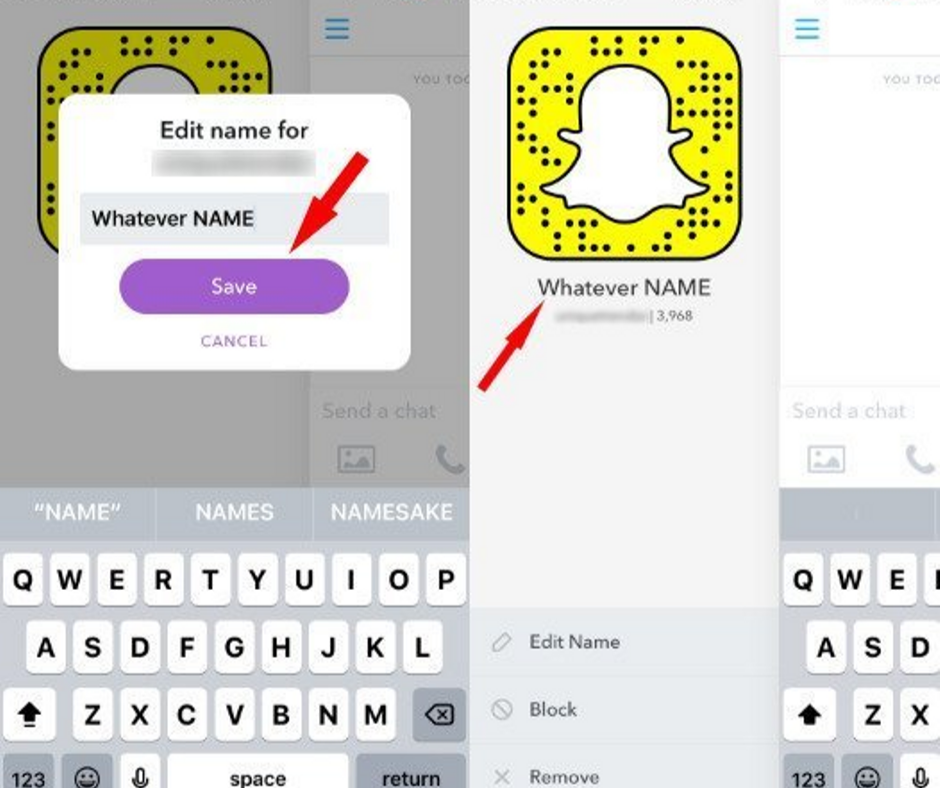
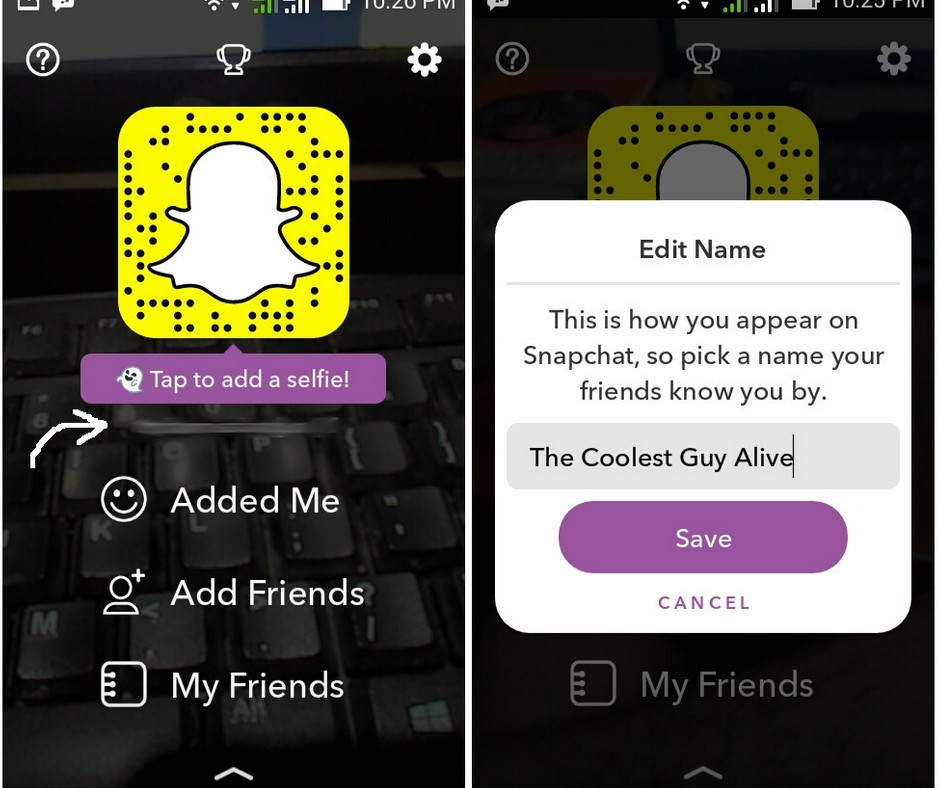
    Edit/Add your Display Name

    Name and Username will be the first two account settings that will show up whenever you open the settings. Keep in mind that you hardly have to do anything with it unless sharing it using a different app.

    • First off, select Name.
    • Edit or add the first and last name fields on the next tab. You may leave the last name field empty if you like.
    • Select the Save option which shows up after making changes.

    Edit/Add your Snapchat Display Name

    Now you can see the New Display Name on your Profile

    Once you have saved something in Name fields as discussed in the previous step, all your friends’ stories and chats will show up the same rather than your actual username. Your friend can see your username by tapping on your Display Name when searching for friends. Your friend can also see your username while chatting with you. They have to tap the ‘three lines’ icon on the top left corner and it will open up a quick overview of your profile (i.e. your name, snapcode, snap score, and chat emojis).

    New Display Name on your Profile

    Once your Display name is saved, go back to your profile using the back arrows on the top left corner of the screen. Your name will show up beneath snapcode (i.e. above your snap score and username).

    What if You Have No Other Option?

    It is true that Display Name mostly helps in keeping your user name out of reach of most users. If you desperately need to change your existing username and it no longer works, there is no other option than creating a whole new account and adding all your friends manually.

    The problem is that creating a whole new account means transferring over all the data from old account to a new one, including your snap score, your existing snapcode, your best friends, snap steaks, your trophies (if any), your conversions, and all your friends who added you or you have added.

    If you have no choice unless giving up all the data and adding friends to your new account manually, you can do it. After all, you may not want to delete your old account completely just after creating a new one.

    You will need the usernames of all your friends to add them again to a new account. The trouble is that you will have to visit each of your friends’ accounts separately. After the latest update, there is no dedicated space to check out all the existing friends you have added.

    You can still find the list of Display Names of all your friends so you do not have to forget anyone. However, it could take a lot of time to look up to the username of each of your friends and add them to another account.

    If you have to do it, here are the steps –

    • Go to the conversations tab and press the New Chat button which is marked by a plus sign and speech bubble icon.
    • Scroll down to Recents, Best Friends, and Groups where you can find the list of friends arranged in alphabetical order.
    • You can either take several screenshots while scrolling through the list or note each name on your own.
    • On the top right side, tap the X button and cancel New Chat.
    • At the top of the screen, tap the lens icon.
    • Find your first friend, which would pop up on its own around the top as they are already listed as a friend.
    • Find the username under Display Name and note it down or record in any way.
    • Repeat the above steps for display names of all the other friends.
    • In the top right corner, tap the X button to exit the search.
    • Tap your Bitmoji/profile icon and the gear icon.
    • Tap Log Out at the bottom and confirm your logout.

    Creating a New Snapchat Account

    Before deleting your old account, keep in mind that all your previous data like your conversations, friends, your bitmoji, snap steaks, etc. will be completely removed. So, back up each of your friends’ usernames and add them to your new account on your own. Without further ado, let’s discuss the steps of creating a new account adding friends over –

    Creating new snapchat account

    • After logging out of your old account, tap the Sign Up button and create a new account with a new user id.
    • After setting up your new account, simply tap the lens icon and search for the usernames of your friends.
    • Now hold the list of all your friends’ usernames, which you have collected, and search for each friend manually. Add them with the “+ Add” button.
    • If you’ve got a lot of friends in the contact list on your device, you can easily sync your device contacts to your account and add your friends in bulk.
    • Go back to Conversations and select the person with + sign on the top right corner. Select “Add Contacts” on the top.
    • Go through the instructions on the next tab and enable Snapchat to connect to the contact list of your device.


  • New Dungeon Crawler Monolisk Available for Pre-Registration, and It Looks Great

    New Dungeon Crawler Monolisk Available for Pre-Registration, and It Looks Great

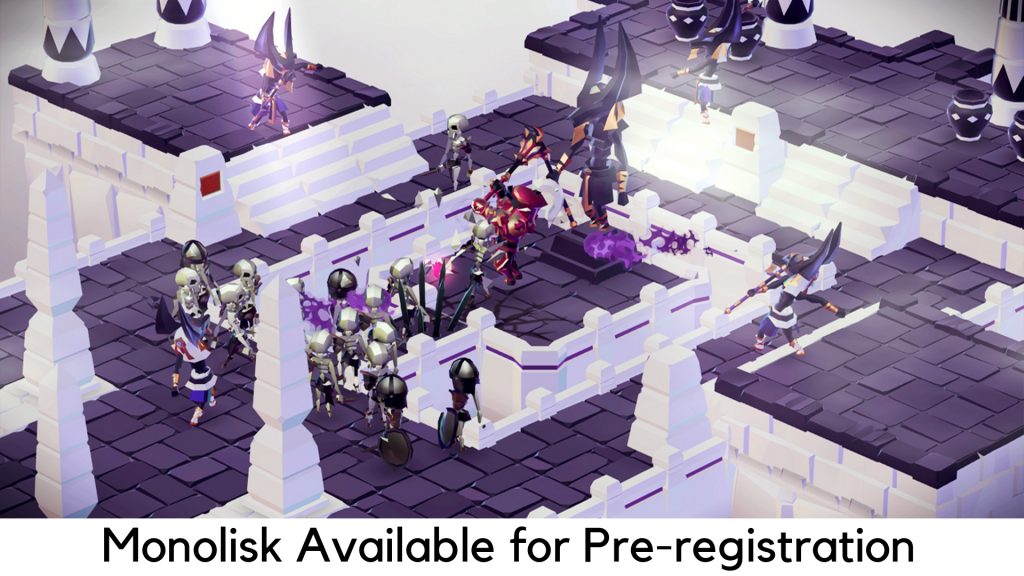
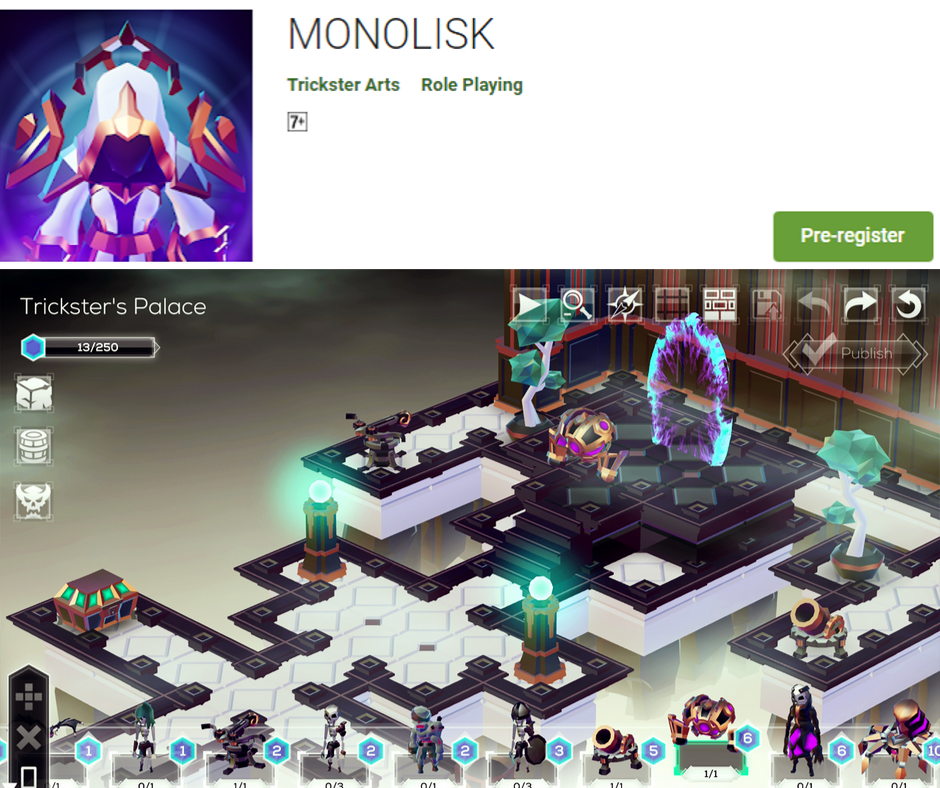
    Monolisk is finally here as a pre-registration game on the Play Store and we have got some sneak peek into its looks. This is why we are here with this guide. A new dungeon crawler Monolisk is actually described as a fantasy CCG, ARPG and dungeon builder game for Android, all covered in one package. It feels cool though. However, the art design has clearly been the center of attraction here.

    New Dungeon Crawler Monolisk

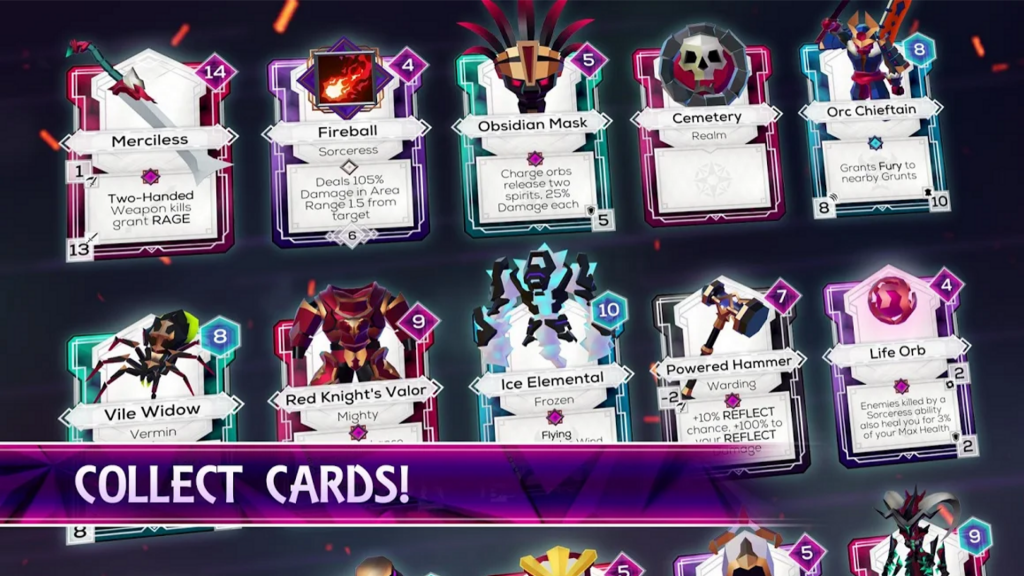
    You can get a clear idea by watching the trailer as what you can expect with this game. It is a beautiful dungeon crawler game where you will have to explore some beautiful customized dungeons and collect cards to customize your gameplay. You can also customize further by creating your own cards. Above all, you can find a level editor, which adds a lot of fun to the game for those who would love to share their own creations. With that said Monolisk looks and feels like a new and exciting title coming soon to Android. The official release date of the game might fall next month. Here are some of the key features of this game –

    • Online hack ‘n’ slash RPG to clear lots of dungeons
    • Create your own stories
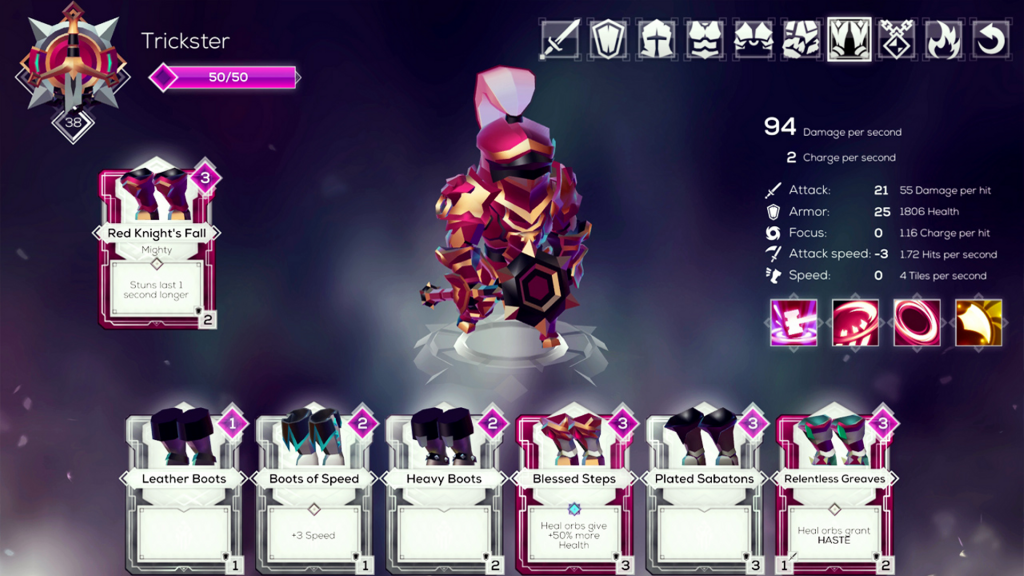
    • Collect cards with abilities, equipment, environments, and creatures
    • Customize 5 heroes with different play styles
    • Expand your collection and design your own cards
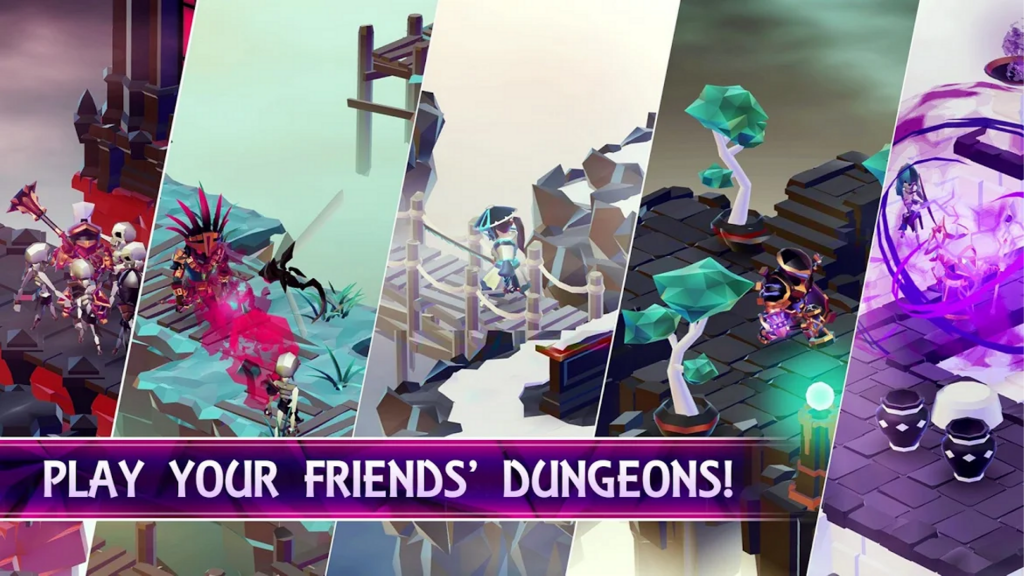
    • Design different levels for your followers and friends
    • Rebuild the shattered world by helping others

    However, the problem is that there is only limited information available as Monolisk is the new entry on the Play Store. We do not know how much in-app purchases would cost and whether it would be free to play. When it comes to card collection, it seems that in-app purchases could be affected. Nevertheless, we need to wait until the official release turns out.

    About Monolisk

    Monolisk is the most awaited dungeon crawler game by Trickster Arts with a cool and new concept. With an appealing and simple visual, Monolisk is known as an Action RPG combined with both Mario Maker and a CCG. Of course, the concept is quite interesting.

    About Monolisk App

    The Gameplay

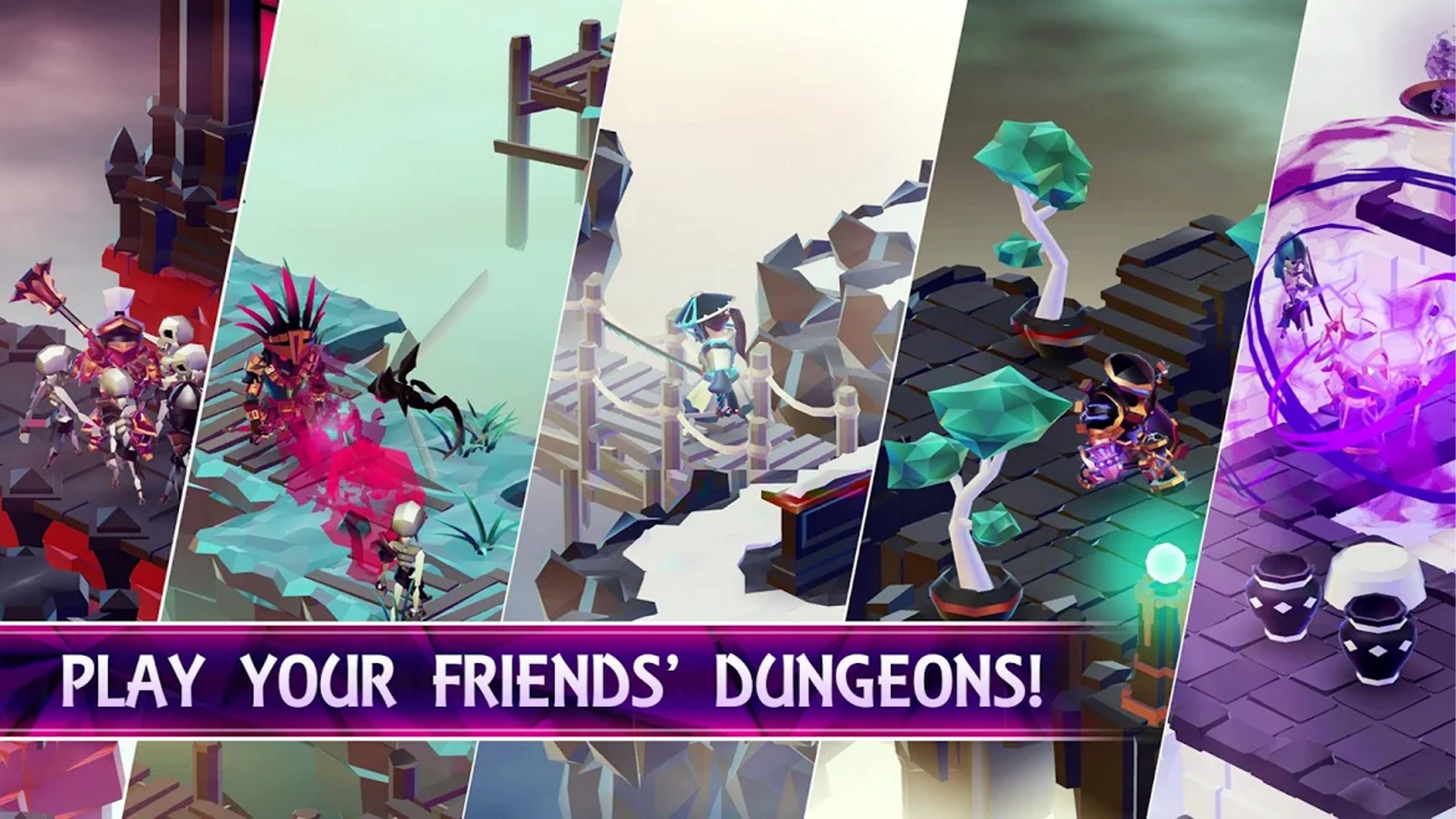
    When it comes to the trailer, it seems that Monolisk offers a lot more than it is thought to be. It has 5 playable characters to pick and each of them has lots of customization options. Above all, you can create dungeons on your own (better known as ‘Shards’ in the game). You need to collect cards, which represent items, environmental features, and monsters. You can then share your collectibles online for other players or other players can share with you when it comes to complete challenges given by others.

    The Gameplay

    This game also consists of an innovative social aspect for the players. The concept is to create the most innovative Shards, rather than making it difficult for other players, according to the developer. Due to this reason, a player has the option to rate the Shard whenever they complete one. You will earn a lot of rewards for getting high ratings on your Shards from other players. The more creative and hardworking you are in creating Shards, the better you will get paid off in the long run. If you really enjoy the creations of a specific creator, you can also follow them to stay ahead with their works ASAP.

    The game consists of 15 play styles, 300 cards, and 15 sets of environment for the time being. However, there is great potential to expand with them. You may try a closed beta for Monolisk, which is available now for Android if you cannot wait for the official release to get your hands on it. You can pre-register on Google Play or on its official website.

    What Makes Monolisk Stand Out?

    As discussed, Monolisk is a cool fantasy ARPG mobile game where players have to collect cards with creatures, loot, and environment using one of five heroes and build their own Shards so other players can explore their creations. Players can recreate the world, which has been shattered into pieces and fill the same with their stories.

    What Makes Monolisk Stand Out?

    One thing which makes this game stand out is that you are not just aimed to keep your visitors from finishing or beating your Shards, but also build some innovative levels for other players to have fun and play. By finishing your Shard, everyone would rate it. More stars mean you would earn more rewards.

    You will also be able to build your followers and friends as this game serves as a social platform for all the players. You will be able to play and comment on the creators. For example, you can search for Shards created by your Facebook friends, play the dungeons created by anyone you admire the most, or just pick the level from the database and follow your favorite creators.

    Play your friends' Dungeon

    It took more than 3 years to develop its in-game editor and to refine the ability/item combos to deliver a great gaming experience. Currently, there are 15 unique play-styles, 300 cards to collect, and 15 sets of environment. Well, it is not going to stop here. There is a whole lot of content we are going to add to the game. The game offers in-app card packs and is free to download.

    About Developer

    MONOLISK is created by a ‘two-man army’ of developers, Trickster Arts, based in Prague, Czech Republic. Only the audio was made in a different way with a great soundtrack. Their previous title reached over 8 million downloads and was featured by Google, i.e. Hackers. They are expecting Monolisk with even better potential.

    Summary

    All in all, it is clear that New Dungeon Crawler Monolisk looks even more exciting with the way you can equip heroes by collecting cards and its design is a great appeal. However, we need to wait for the official release as the use of IAPs plays a vital role in the overall gameplay. We are hoping for the developers to keep it fair. For the time being, you can pre-register for the title to be the first to try this game.