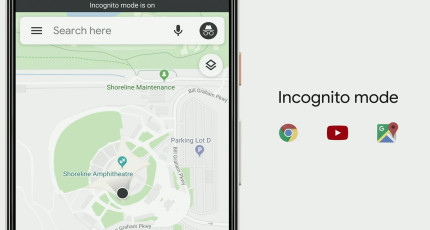
Google Maps usually stores your location history so that you can always look back and see the places you have visited. This is an excellent idea since you can always trace your history. Sometimes, this might not be so great, especially if you don’t want Google diligently following you to certain places. Previously, you would have had to turn off location history for that. However, Google has come to the rescue. Announced in early October 2019, the company is now launching an Incognito Mode for the Google Maps Android app. This will allow the users to use the map for a certain amount of time.
Google Maps Incognito Mode
What is Google Maps’ Incognito mode?
The idea behind the Google Maps Incognito Mode was first talked about at the I/O developer conference in May. It is expected to work similarly to the Chrome browser’s incognito mode. When turned on, users would be able to search for a location and even navigate to it using Google Maps. However, Google will not save it in history so your Google account will have absolutely no information regarding that. After Chrome’s success with Incognito Mode, Google released an Incognito mode for YouTube app on Android as well. This works in pretty much the same way as well. According to Google, these little features are designed to offer users more control over their privacy.
How can you turn on incognito mode in Google Maps?
Follow the short guide below to be able to turn on the incognito mode in Google Maps and use it accordingly.
Open the Google Maps application on your Android smartphone.
Click on your profile picture.
You will see an option called “Turn on Incognito Mode”.
Tap on it to switch it on.
You can switch it off the same way within the same menu.
One thing to note here is that once the user enters the incognito mode, they will not get any personalised suggestions from Google. So far, this feature is only available for Android users. iOS users might have to wait for some time. The feature is expected to launch for them soon too.
Google Maps Incognito Feature
The Launch And Other Features
The Incognito Mode of Google Maps is expected to be released on 9 December 2019. According to Google, Android users will now be able to make use of an additional feature. Users can now bulk-delete information from their Google Maps timeline and location history. These features will be received by iOS users soon enough.
Other features promised by Google at the I/O 2019 include filters that can auto-delete location history, app, and web activity. The tech giant believes that the incognito mode offers the users greater control over their privacy. That is why they have been introducing this mode for each Google application, starting with Chrome, then YouTube, and now Google Maps. This allows users to decide whether or not they want a certain activity of theirs traced and added to their history.
Android is an open-source operating system designed and developed by Google. Since it is open-source, it is more vulnerable to malware attacks. With millions of applications on the Google Play Store, it is not practical for us to expect the company to keep an eye out, though they do their best. Some apps do escape their notice and it is up to us to remain safe. These malicious apps can pop up malicious links, steal your passwords, affect you financially, and generally ruin your experience. This is why we will talk about the Apps You Need to Uninstall in this post.
So, what can we do?
There are some specific apps and some app categories that you should stay away from. If you have it, it is highly advisable to uninstall them right away. In most cases, these apps would not be contributing anything to your productivity. In any case, there are always better and more secure alternatives available.
Types of Apps To Uninstall Immediately
In this section, we will discuss the different types or categories of application that you should uninstall from your smartphone right away. In the following section, we will cover the particular applications that are known to offer no productivity and are decidedly shady.
Battery Saver Apps
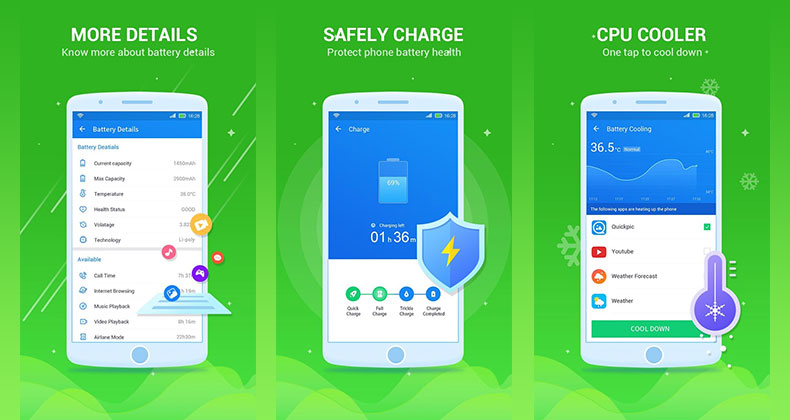
These battery saver apps don’t really help out in the way they are meant to. You might notice them extending the life an hour or two, but it rarely works like that in real-time! To actually conserve power, you will have to regular energy demand. For this, you will have to stop using or reduce the usage of energy-consuming apps. To do so, you would require control over the operating system. This, in turn, can only be granted by having root access. So, in short, your apps would not be able to actually help you save battery life if you don’t have root access.
Battery Saver Apps
Anti-virus Apps
We all tend to install anti-virus apps on our phones hoping and thinking that they would shield us from virus and other malicious codes. However, they don’t really protect us. All they do is to warn us and send us alerts about insecure applications that you may be installing. Even if you do have malicious files, these anti-virus apps wouldn’t be able to remove them. The best way to stay safe would be to stop using third-party APK files, which means that you don’t require an antivirus app anymore.
Cleaning Apps
Cleaning apps are a smart trick the developers use to trick you into downloading them and making you use them – for absolutely no rhyme or reason. We are so conditioned to use them that we never think twice either. You can always clean the cache and other things manually by going to your Settings menu. Besides not being remotely helpful, they are also huge power consumers.
Applications To Uninstall Immediately
Yahoo! MAP Free
Yahoo, once a popular name, is no longer all that trendy. Yahoo Maps was once highly used, but with others like Waze and Google Maps entering the market, Yahoo Maps just didn’t keep up. Although the Yahoo Maps are free, they are so forgotten that barely any of us remember it exists anyway. Besides this, in most phones, Google Maps comes pre-installed making it a pointless task to install a third-party application.
Yahoo! MAP Free
LiveXLive
This app gives the users a list of events happening nearby. You would be able to live stream it on your phone. While the idea behind it is nice, the app seems to have built-in malicious API in it. This could lead to damage to your phone.
Smule
Smule is pretty similar to the like of TikTok. Here, users upload their videos, and everyone would be able to view it. These kinds of apps usually come with tons of pop-up ads and it would be a surprise if it was full of malware as well. Sometimes, users would receive messages where they would be asked to join certain apps in return for cash rewards. For joining, you would have to give them your name, contact details, email address, and so on. They simply store this information and sell it later to third-parties.
Mobile Legends: Bang Bang
The ultra-popular game, Mobile Legends: Band Bang, is an MMORPG game. Whatever you do, stay away from this game and do not install it on your device. The game is known to have malicious libraries that can affect your phone and even steal data. Besides this, you will be pestered with pop up advertisements and malicious links.
SHAREit
SHAREit was once a very popular application. It allows users to share data between two devices. However, of late, the app does not work as efficiently as it used to do. Today, it is full of popups, malicious ads, and even has some offensive content. There are plenty of alternatives to SHAREit that are way more secure and reliable.
SHAREit
Facebook
You are certain to find Facebook on almost every device. However, with recent news arising about Facebook stealing data and so on, it is not really safe to continue using this. Thousands of Facebook users across the globe have boycotted this social media platform after it became apparent that data breaches were rampant here. If you must use Facebook, doing so from a browser is a better option.
Yahoo Search
Coming to Yahoo once again, it had a wildly popular search engine. Over time, it became filled with malicious content and is not a relaxing experience at all. Since Android is owned by Google, you will have Google Search come pre-installed on your smartphones. Despite that, if you still want some other search app, try Bing. It is far more effective than Yahoo.
Wrapping Up
If you have any of the above-mentioned apps on your phones, it is highly recommended that you uninstall them immediately. Do not fall for cleaning apps or battery saver apps either! With hundreds of clean, user-friendly, and functional apps being developed all the time, you are sure to find reliable and secure alternatives easily. Follow this list of Apps You Need to Uninstall immediately and never install them back again!
If you own a Mac laptop and an Android phone, chances are you might get stuck when it comes to data transfer. For so long, users have always ended up in frustration as their attempts to pair these devices went unsuccessful. Since it is highly difficult to pair up the two vastly different hardware and software, many third-party developers started creating applications that could perform this feat. Android to Mac File Transfer has always been a messy job. Not any more though! For a more detailed guide, check this article out.
For a long time, the best way to achieve this data transfer was by using Google’s Android File Transfer app for OS X. This allowed the users to transfer files from an Android smartphone to a MacBook or an iMac. However, its interface is extremely minimal, and it performs only the very basic functions. Another drawback of this software was the fact that it was not compatible with all Android versions. Due to this, many users have started the search for other alternatives. This is why, in this post, we will discuss the top options for Android to Mac File Transfer.
HandShaker
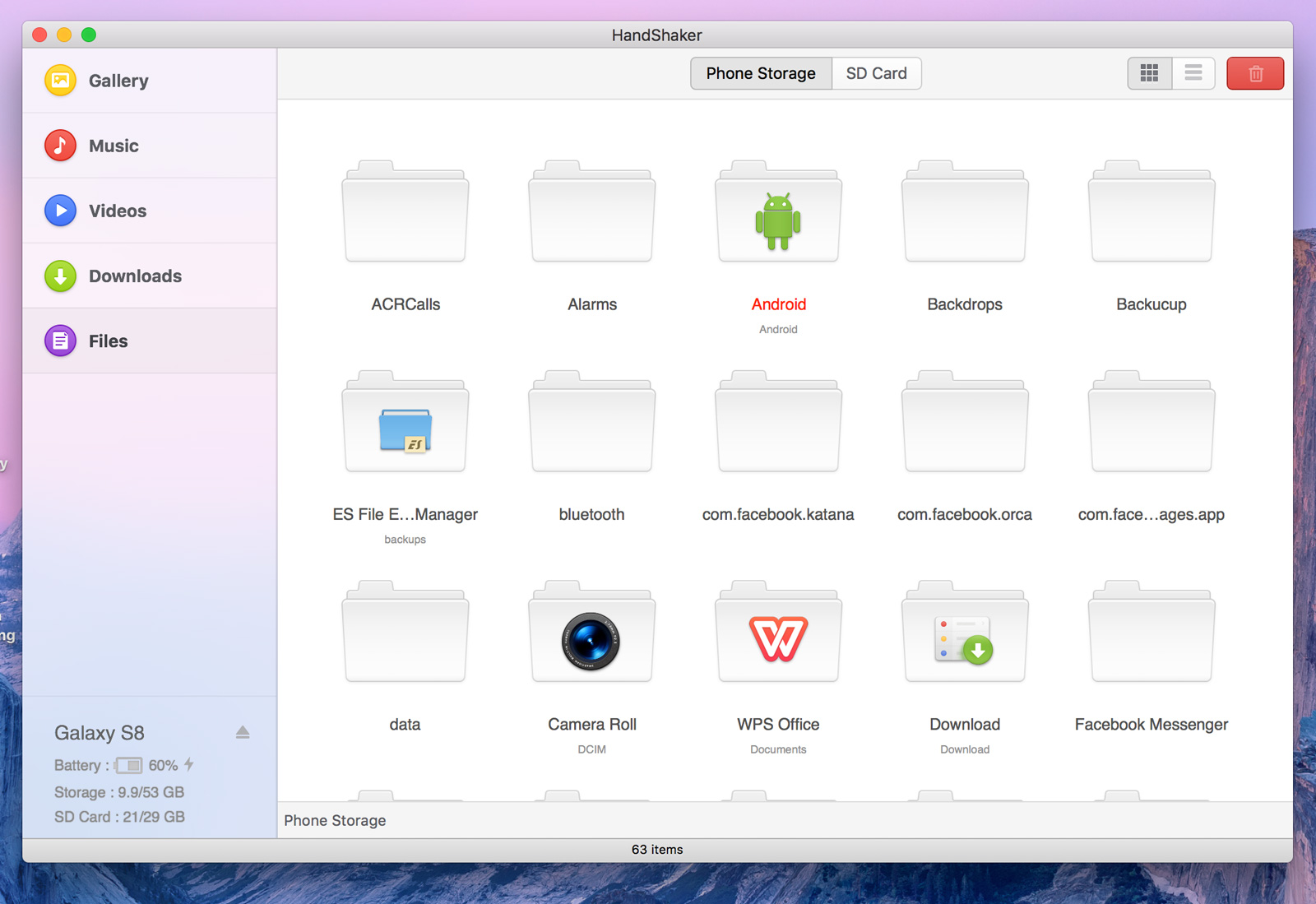
The HandShaker is a popular alternative for file transfer between Mac devices and Android phones. It is compatible and works flawlessly with all Android version and tablets. While transferring the data between two devices, you can be sure of a good speed and reasonable security. Since the data transfer between the devices happens wirelessly, it makes it more convenient for the users. T is also completely free for use for Mac users as well. This freeware software has an intuitive and user-friendly interface. By that, we mean it has a Drag and Drop option that you can use to transfer your files easily. With HandShaker, you can not only transfer files but also be able to manage your Android device external SD card. This software allows the users to transfer files of different types including audios, documents, videos, and images among others.
Handshaker App
dr.fone (Mac) – Transfer (Android)
This software by Wondershare is counted to be one of the best file transfer software out there that could easily transfer different differ file types from your Android device to Mac. It is also compatible with all Android versions, making it far easier to use than other alternatives. The software can efficiently transfer different types of data including contacts, images, messages, videos, and other files. It can be used with different operating systems like Android, Mac, Windows, and iOS. You can safely download it and use it anywhere. Besides transferring files between a laptop and a phone, it also allows you to transfer data between any two smartphones.
Commander One
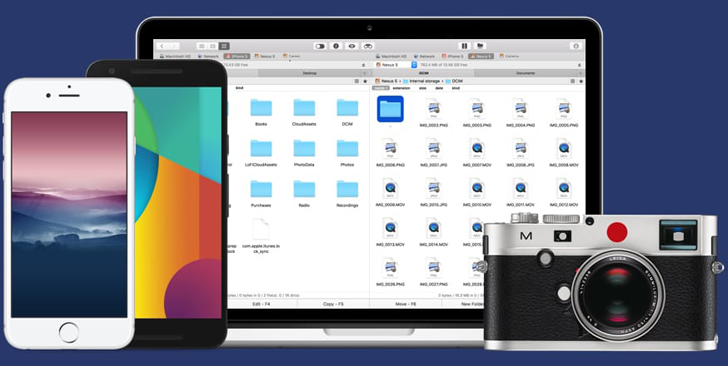
Commander One is one of the more reliable Android file transfers software. Besides helping transfer, it can also edit, delete or create files. Among all the data transfer tools out there, Commander One has the reputation for being one of the most secure ones. It can efficiently transfer all types of files in no time. It usually transfers data between the devices by using protocols like FTP, FTPS, and SFTP. You can also manage your different cloud storage servers including Dropbox, Google Drive, and others in one place with Commander One. The tool also has custom hotkeys for quicker use. It also allows the users to open up different tabs to make the experience an easier and more convenient one. Commander One supports the most popular file types, including documents, images, videos, and so on.
Commander One: Android To Mac File Transfer
AirDroid
AirDroid is one of the more powerful tools in the market. It allows the users to access, manage and transfer your Android device on Mac computer wirelessly. AirDroid supports different file types, such as photos, documents, music, APKs, and even folders. Besides Android and Mac OS, AirDroid also works with other operating systems, such as iOS, Windows and AirDroid Web system. It is quick, efficient, and secure, which ticks most of our concern list. AirDroid is one of the most famous data transfer tools out there, especially since it allows users to transfer either via their smartphones, using the web, or via the desktop client. You can do a lot more than simply transfer data. Users would be able to check out notifications, reply to messages, manage files, remotely control your device, and so much more. Lately, some users have complained about bloatware, but the company has already rolled out a fix. The troubles should not appear anymore.
Smart Switch
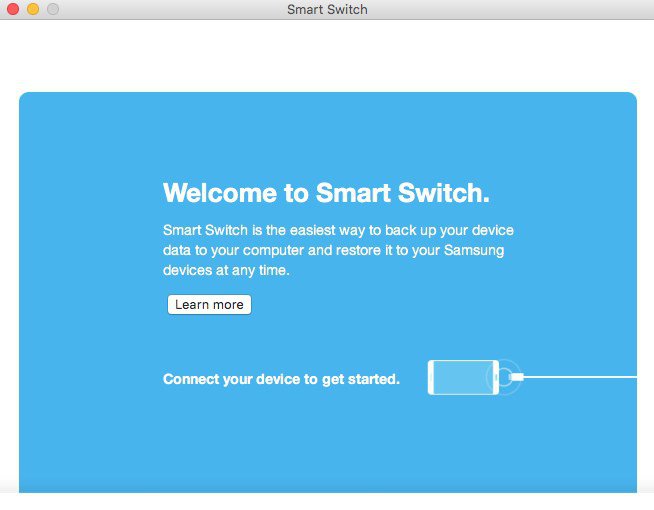
The Smart Switch Android file transfer Mac software has been developed by Samsung. It allows for transfer between Samsung and other Android devices. It also works the other way around, by allowing you to transfer data from your iPhone to Android device. Smart Switch allows for easy data synchronization between different devices. The device software update is simple and possible via Smart Switch. This is a great thing since you would be able to improve the performance of your device while allowing swift data sharing. Data backup is another brilliant feature Smart Switch has as it helps you create a backup of all your files so that nothing gets lost during the transfer. Other file types supported by Smart Switch include contacts, call history, images, messages, videos, audios, and documents.
Samsung Smart Switch
SyncMate
The SyncMate is a free application that helps the users transfer data effectively. It syncs files between your Mac computer and your Android device and helps transfer smoothly. This powerful tool comes with the ability to sync data between the different devices. It is all done automatically and there is no need for you to fiddle around. Since the sync function works in the background, chances of it affecting other apps is very unlikely. SyncMate supports images, documents, and a variety of other file types.
Verdict
Although users have had trouble transferring data between their Mac devices and Android phones for a very, very long time, the time has come for easier ways. These tools and software mentioned in this list make it a very simple task of transferring data reliably and securely.
WhatsApp is one of the most popular messaging services out there. Its global reach has ensured that users stay connected no matter where in the world they are. With the introduction of WhatsApp Groups, users began creating groups with family members or friends. This was a huge success since it enabled groups of people to chat and share ideas and jokes. However, while this was quite useful, it could also be seen as irritating, especially if you were made a member of a group that you had no interest in joining. Receiving pointless good morning messages, lame jokes, and forwards is enough to turn anyone sour.
One good news for all WhatsApp users out there is the new feature that lets you stop people from adding you to WhatsApp Groups. So, how do you set it up? The step-by-step guide is mentioned below. Please note that to do this you must have the latest version of WhatsApp installed. This will work on both Android and iOS devices.
Stop Someone From Adding You to WhatsApp Groups
How to Stop Someone From Adding You to WhatsApp Groups
First, open WhatsApp on your Android or iOS device.
Make your way to the Setting menu denoted by three vertical dots, located on the top-right corner.
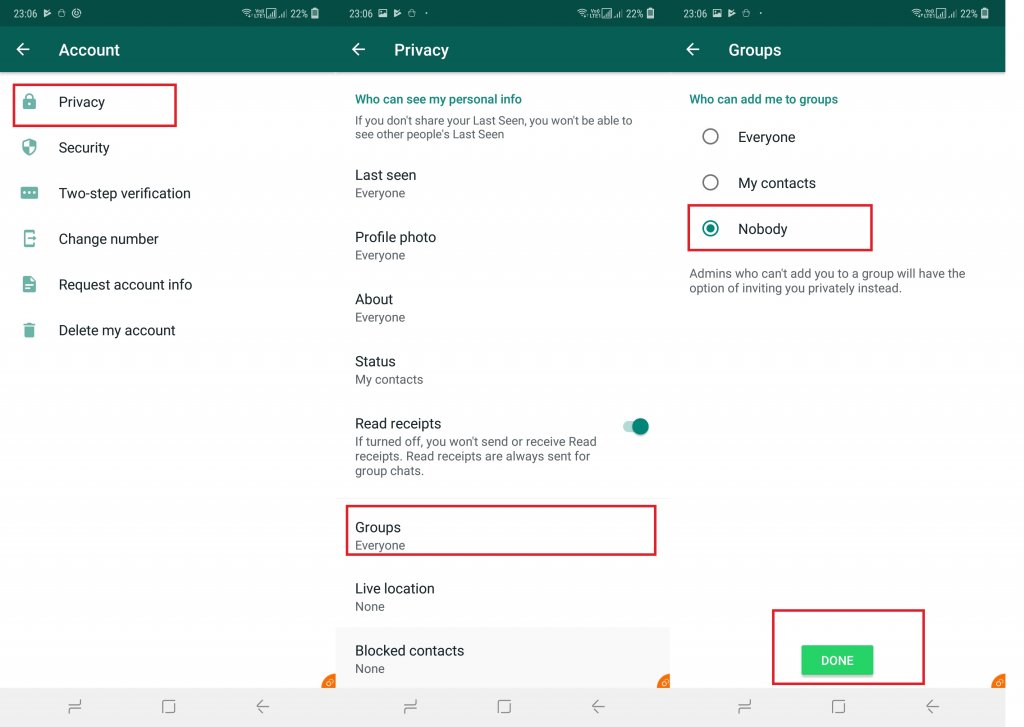
Select the ‘Account’ tab.
Within the Accounts tab, you will notice the ‘Privacy’ option. Click on that.
Tap on Groups.
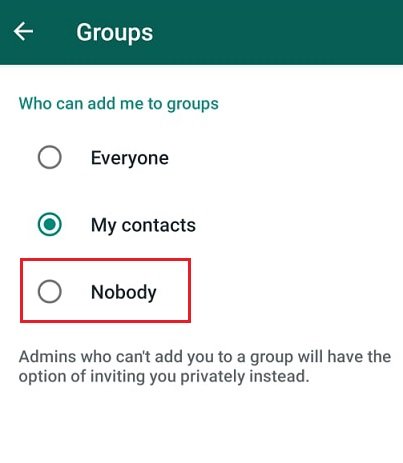
Here, you will be presented with three options – ‘Everyone’, ‘My Contacts’, and ‘Nobody’. Select the one that you want and click okay.
How does each option work?
If you select ‘Nobody’, the group admins will send you a private invitation to join the group. You can decide if you want to accept it or not. With ‘Everyone’, things will continue to work pretty much as it does currently where anyone would be able to invite you to join and you would automatically become a part of that group. With the ‘My Contacts’ option, only certain users that are part of your contact list would have the ability to invite you.
How To Stop Someone From Adding You To Whatsapp Groups On iPhone
If you are an iPhone user using WhatsApp, you might be glad to know that there is now an option that allows you to stop users from adding you to WhatsApp groups.
Open WhatsApp application on your phone.
Tap on the Settings icon and click on ‘Accounts’.
Click on ‘Privacy’. Within this option, choose ‘Groups’.
Similar to Android, you will have three options – Everyone, My Contacts and My Contacts Except.
WhatsApp Groups
Here, you can choose Everyone which means anyone would be able to invite you. My Contacts will allow only those on your contacts list. With the third option, My Contact Except, things get a bit different and offer more convenience. You will find that instead of all contacts, you can also choose specific persons who can invite you leaving the rest. This offers a greater comfort zone for the users. Others would be only able to send to a joining invite via private chat. You can choose to accept or deny the invite. This invite would only be valid for three days post which it would automatically expire. In addition to this, WhatsApp is working releasing a ton of new features. Check them out here.
WhatsApp is one of the most popular messaging apps in the world. One of the reasons for this is the fact that the developers keep updating the app to offer the users the latest features. Some of the features that have been long under development are now being rolled out. WhatsApp new features are being rolled out as stable updates. These are aimed at both Android and iOS users. WhatsApp constant updates ensure that users always have the latest software. This makes sure that the users have a smooth experience and get to use the latest features as soon as possible. WhatsApp recently introduced a ton of new features. Though the company has announced several features, some are still in the works while others are out for use.
WhatsApp New Features
WhatsApp Features
Let’s take a look at the recently rolled out WhatsApp features.
Self-destructing message feature
This feature is currently available on the Android Beta version. With this, you will see that a message is deleted automatically after a set period of time passes. This time period can be set by the users. Once it is released, it will have a toggle on/off button with the users being able to choose the time interval for the message deletion. You would be able to choose the time interval options ranging from 1 hour, 1 day, 1 week, 1 month and 1 year. Depending on what you choose, the message will get deleted automatically. While many users are excited to hear this feature, it is by no means a new idea. Other apps like Telegram and Snapchat have had this for quite some time now.
Call waiting support
WhatsApp’s version 2.19.120 features the latest call waiting support. According to reports, this feature is currently available only for iPhone users with the Android one gearing up for a release soon. Once updated, users would be able to receive another WhatsApp call when they are already on another call. Currently, users don’t receive notification of alert of a call waiting. Instead, a missed call alert would pop up after the call. The caller would be notified that the user is busy with an ‘On Another Call’ message. This feature should be a huge help all around.
WhatsApp Updates
Multiple device support
This is one feature that all WhatsApp users would be doubly happy to hear about. It is suggested that we may soon see WhatsApp supporting multiple devices on one account for Android users. A similar feature has already been launched for iPhone users in the WhatsApp Beta version. Named as ‘Registration Notifications’, it allows the users to request a code from another device. The users will receive a message, “The recipient’s device list changed. Tap Verify to confirm the new security code.” Only when they accept this on their primary phone would the installation go ahead.
While all these features are great and would definitely make using WhatsApp a better experience, the app lacks the feature of call hold. Maybe the developers are planning to install that in the next update.
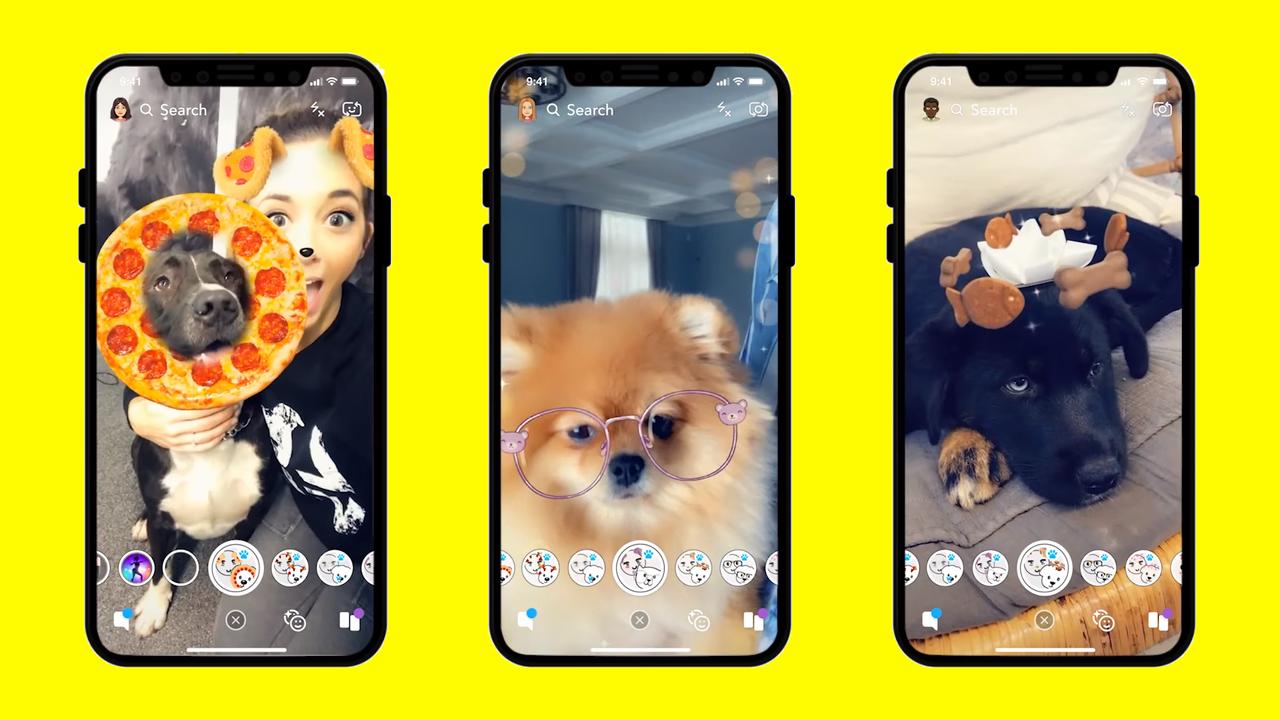
For those who are fond of selfies can have a 3D effect to it. This is due to now selfie lovers have one great option of 3D selfies with Snapchat. Snapchat is providing snaps depth with the twist of the smartphone in the latest 3D camera mode. It is the most advanced technique available for you today. The mobile having 3D camera mode reconstructs the selfie.
It utilizes the depth data from a similar smartphone. It allows the movement of the smartphone to adjust the view of the image. Due to this, the selfie looks to pop out of the screen. Let’s talk more about some interesting features of this selfie camera.
Wide Reach
This 3D option with Snapchat is the heat of smartphone photography. As it is the most advanced version of the mobile camera, it is ahead of the competition. Snapchatters can get this new feature of the smartphone will able to tilt their gadgets to change the view. Whatever type of smartphone you have, you can use this feature.
Any Snapchat user can obtain and view the effect in 3D on any kind of device. It will be also available on Android. Another aspect of this feature is that Snapchat’s 3D camera mode will let you use its 3D effects, 3D lenses, and 3D filters. With this, you can post your selfies on other places, share in chat or stories, and also save to your camera roll.
Easy to Use
The use and access to this feature are very simple. You can click the drop-down menu inside the camera mode. Then you can select the 3D option. Moreover, switching the camera to 3D mode, the lens and filter carousel renews with filters and lenses that are 3D friendly. So this is the best option to have great selfies. This feature is designed not only for selfies but also for the world-facing camera.
Advantages and Drawbacks
At present this 3D feature is available exclusively on iPhone X and iPhone 11 range phones. Therefore, only people having these smartphones can enjoy this 3D option.
When you take the snaps by using this feature, they look different, act different, and feel different. So you can have an amazing experience altogether.
When you take the selfies or pictures in this mode, they are simple yet powerful. Hence, this feature is a must-try.
This feature sounds promising and versatile. Therefore, who are looking for something creative and different, for those people this is the perfect one.
You will be never disappointed by using it. In fact, you will be pleased and can have fun with this option.
But people those who do not have iPhone, they can’t use this feature. This is a major disappointment for such people.
Conclusion
In this way, with the 3D model of Snapchat, you can communicate through contextually rich snaps. Snapchatters will have a fun time with this Snapchat camera. They can have the best selfies with more creativity and a unique look. Also, you will definitely get quality pictures.
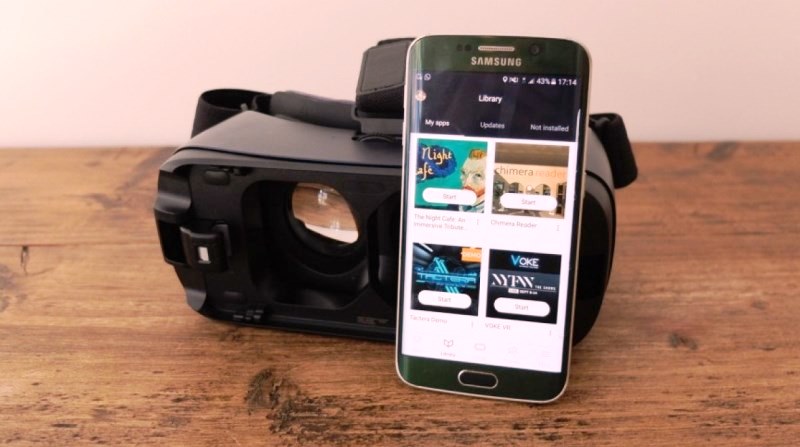
The next big thing among Gen Z is the increasingly familiar sight of a rectangular headset worn over the eyes, with a broad smile to match. That’s right, we are talking about the bets virtual reality apps that is taking the technology and gadgets market on a storm! This head-mounted device provides a virtual reality (VR) experience to the wearer and is widely used for video games, applications, simulators and much more, providing a VR interaction like never before!
If you’ve bagged the best virtual reality apps and are wondering how to get started with discovering and using this marvel, here are the 10 best virtual reality apps that are going to have you absolutely hooked onto your headset!
1. InCell VR
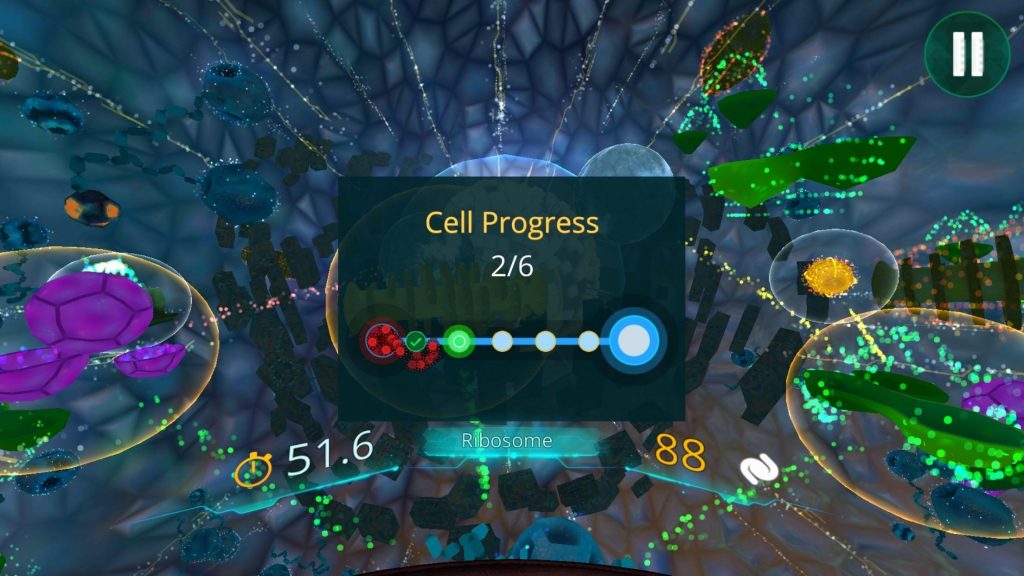
If you think virtual reality apps are all about fun, games, and leisure, InCell VR is here to challenge the idea! This educational game teaches children about the human body and basic biology by playing a human defender set in the 2100s who fights a plague of virus and germs while traveling in a micro-world of recreated cells. It’s a great way to introduce fun learning for kids and make gadget time productive. With engaging visuals and brilliant sound effects, InCell VR is a fun pass time for adults too! It also comes in non-VR functionalities through a touch experience.
2. Google Expeditions
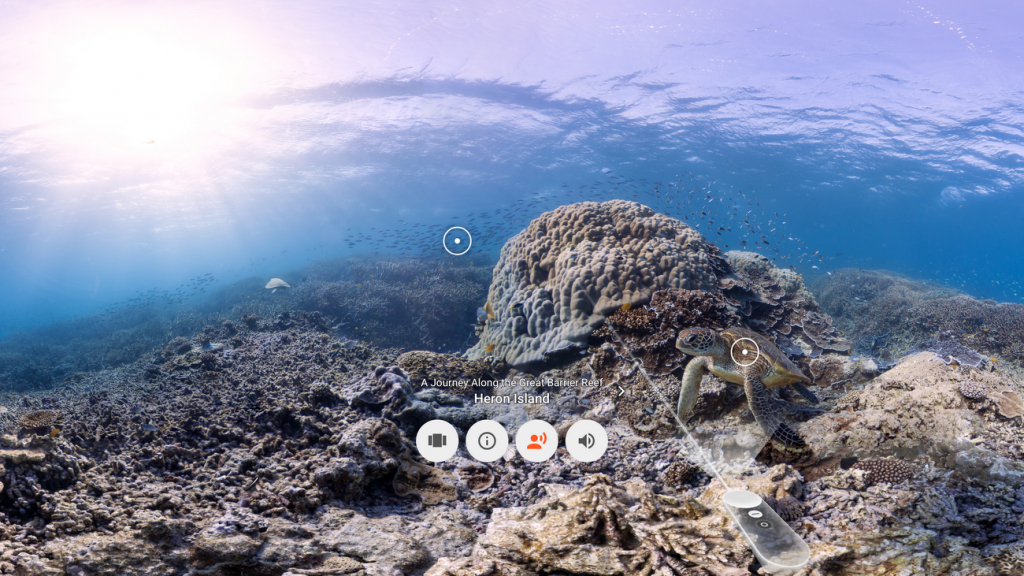
For those of you looking to travel the world without breaking your bank account, Google Expeditions comes to the rescue. This app helps you see the marvels of the world in VR across a whopping 900 tours. So whether its scaling Mount Everest that has your fancy or the Roman ruins calling you, trust Google Expeditions to get you there in VR. What’s more, you can share trips to other headsets and travel with your bunch of friends!
3. Within
Fancy an app that gets together VR content creators from various walks of life to give you a unified stream of stellar videos, TV shows, news, movies, animated content and lots more? Well, Within makes it possible! They even create their own video series like the much-acclaimed ‘The Possible’ which touches upon technology in various realms of our world. What’s more, this app is absolutely free. Download it today and find VR material on scores of subjects that pique your interest.
4. New York Times VR (NY TVR)
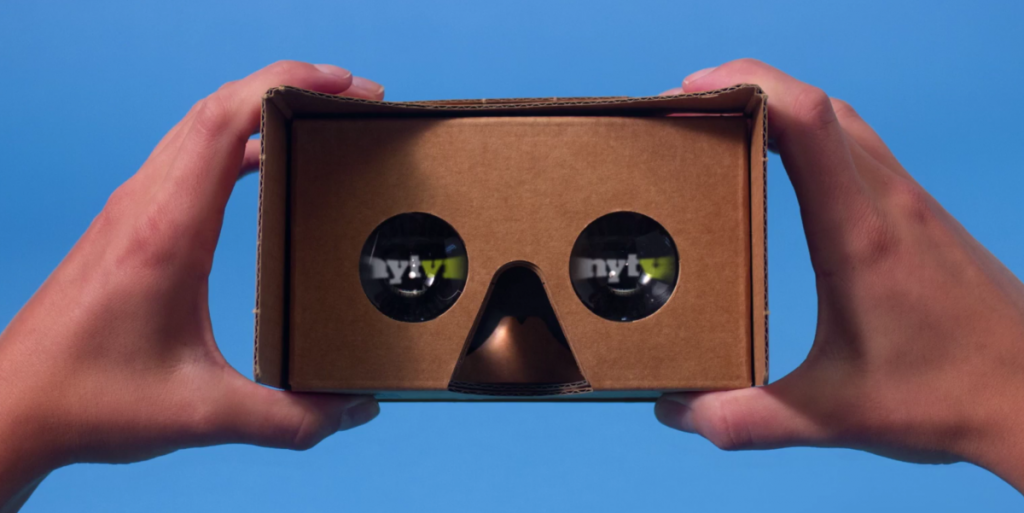
With games, education, travel and everything on the VR landscape, can you expect news to stay far behind? With NYT VR, you can catch all the happenings in the world of politics, climate, sports, fashion, etc by slipping your VR headset on. Aside from this, NYT VR is working towards 360 filmmaking using VR technology to immerse viewers in a vast library of videos ranging from behind the scenes with rock bands, medical experiments, surgeries and a whole lot more!
5. YouTube
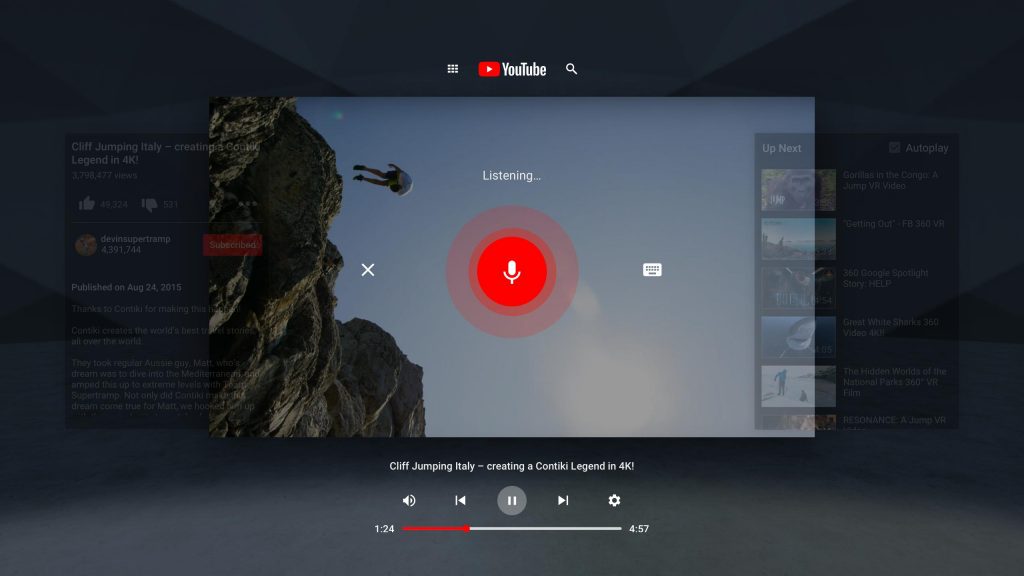
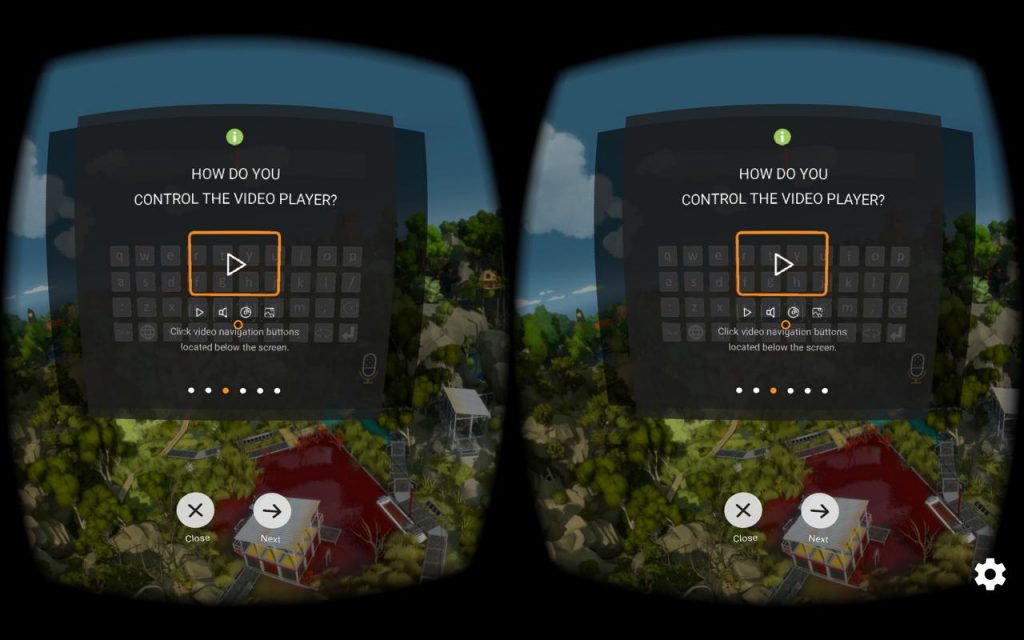
YouTube has made its way into being one of the most basic and ubiquitous video streaming websites in the modern world. It is no surprise then, that YouTube too would chance upon the VR wave to come out with YouTube VR. From wildlife to music, find yourself gaping at VR content that’s engaging and intriguing. Originally designed to sync with Google Daydream and Google Cardboard, Google’s very own VR initiatives, YouTube VR is now supported on all Android-supported VR headsets.
6. Star Chart
The reach of imagination, innovation, and content in VR has surpassed earthly realms to reach for space! Star Chart VR is a real-time space simulation application that gives you the feeling of floating around in space. With accurate locations & real-time locations of celestial bodies, this app takes visual experiences of space from your TV set or tablet a couple of notches above. Feel free to explore the planets or zoom into the Sun for a bird-eye view of our space marvels. This VR app is a great way to make learning fun for your kids.
7. Fulldive VR
Social media cant be too far behind in the race for jumping on the VR bandwagon, can it? Fulldive VR is your complete social media experience on a virtual reality platform complete with creating and sharing content, adding friends & photos, reacting to, commenting on & sharing content and a whole lot more! Think of it as a communication network based on VR for all things VR and beyond. On Fulldive, you also have a chance to come across a lot of other interesting apps and games based on VR.
8. RYOT VR
RYOT is a repertoire of VR documentaries available both on Android & iOS. This app is free and is the perfect platform you can get on if you want to know a little about something new every day. Gadget time for kids can be made productive and fun by watching short documentaries on RYOT VR whose topics range from war, earthquakes, refugees and other real-world stuff.
9. Virtual Desktop
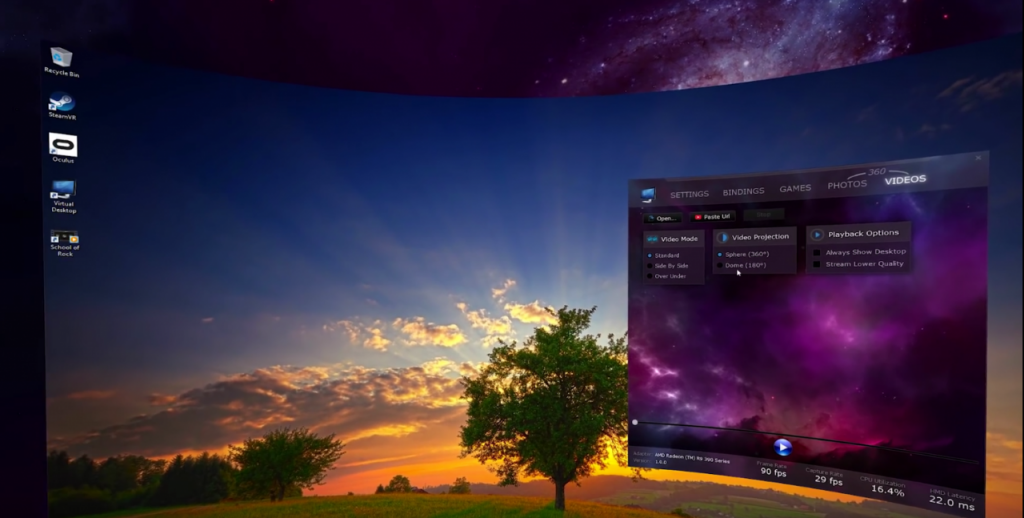
Navigating your computer through virtual reality is now possible thanks to Virtual Desktop. Whether it is working on a spreadsheet, watching online content, playing games or just surfing through the internet, Virtual Desktop offers it all on a platform that’s virtual and yet real. This application is not free and comes with a price tag of $14, although we think it would certainly be worth a try. What’s more, it lets you work on multiple-monitor computers too. All you need to do is sway your headset back and form to move between screens seamlessly.
10. Oculus Rift
Haven’t we all imagined what lies in the deepest crevices of the ocean? While getting down there in person may not be that easy for all of us considering diving certifications et al, viewing the hidden nooks of the underwater world is now possible through VR. Oculus Rift is a VR based application that gives you a chance to observe the oh so intriguing marine life that borders from fascinating to dangerous. For a peaceful vibe, you can even use this application to simply experience the feeling of floating in the water and observing the fish sailing.
Wrap Up
With inroads into such diverse domains and content, virtual reality has a whole lot to offer in terms of content, learning & knowledge, leisure, entertainment and so much more. Experts say we are only just exploring the superficial offerings of VR and there are a lot more advancements to surface in this space in the coming years. All we can say is hold onto your headsets tight and enjoy the ride!
Virtual reality is usually connected with video games. That makes sense for the most part since most VR development occurs within the gaming industry since there is not a lot of scopes to develop it in other fields at the moment. While VR games take the experience to another level, many believe that this is just the start of the VR technology and with time, we will be able to enjoy things we would not have imagined in our wildest dreams. Let’s take a look at the Best Virtual Reality Apps For 2019.
NYT VR
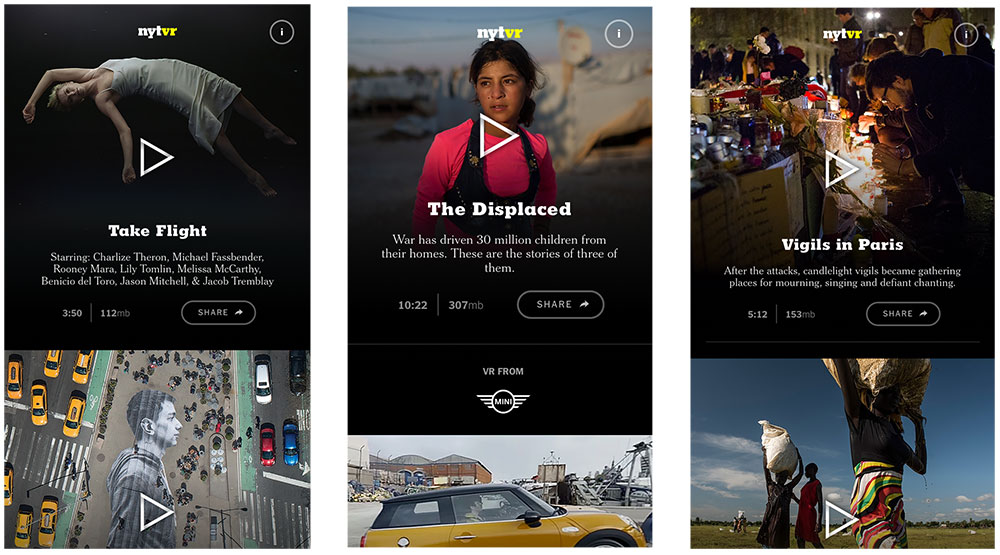
NYT VR is one of the most popular Virtual Reality Apps out there and it is completely free! It is supported by Android, iPhone, and Samsung Gear VR. While VR games receive a lot of attention, 360 filmmaking makes it quite exciting since this is just the start and we have rarely seen anything like it. It is great for those who are still trying to understand what the best way would be to immerse viewers into the film. The New York Times has one of the best collections of work with 360 videos. It makes it all the more comfortable to experiment here since all you need is your smartphone. The NYT VR doesn’t have a large library, they do cover a wide range of subjects. They are working on several different topics and soon hope to expand their library. The images don’t lag and offer a seamless experience as the users move about trying to understand this new world.
NYT VR
Google Expeditions
Google Expeditions gives you the ability to explore new cultures. You can even go and explore how people lived a century ago. This is an excellent substitute for real-time travel which can both be expensive and destroy valuable resources. Currently, Google Expeditions offers realistic VR tours of Teotihuacan and Mount Everest. They also have an education category where you will receive tours designed around specific themes like the anatomy of human skin and the recycling industry. The stunning part about these tours is the creators’ attention to detail. While they obviously cannot capture the glow and feeling of these ancient landmarks, it has perfectly managed to showcase the experience itself.
Within
Within is one of the free Virtual Reality App apps that is can be used with HTC Vive, Oculus Rift, OSVR, PSVR, and Google Cardboard platforms. This app has been designed to offer incredible content to its viewers. These contents are born from different creators across the globe. You will be able to experience 360-degree music videos, on-rails fantasy rides, and even some entertainment videos. They also have a 360-degree video based on Mr. Robot, a popular TV show. Besides all this, it also offers news across the world with the New York Times, Vice Media, NBC, Apple, and more. If nothing strikes your fancy here, don’t fear. Within’s library is only expected to grow larger as developers come with more content.
Littlstar
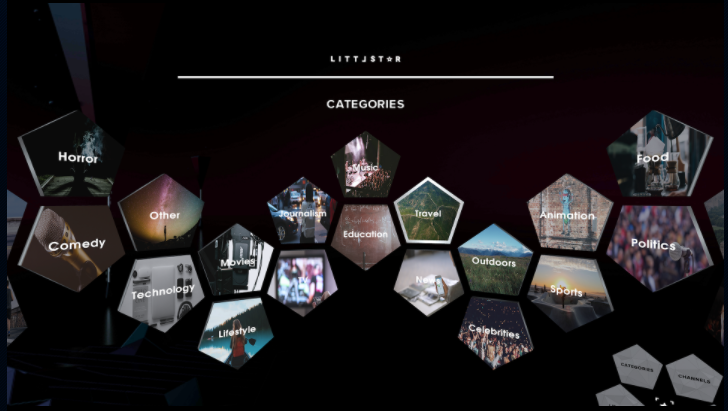
Littlestar can be used with the following platforms: HTC Vive, Oculus Rift, PSVR, and Samsung Gear VR. While Netflix, Hulu, and YouTube keep us engaged anytime, it is undeniably more fun if we can use it with VR headsets. They have a large library of 360-degree videos, each carefully designed to ensure that you feel the best. It offers all kinds of content, from educational and news-worthy ones to simple entertainment and some music. You will be able to enjoy sports content, Broadway theatre content, and content for kids. With a seamless user interface, it is simple and easy to use. Users who have their own 360 videos can also upload it here for others to enjoy.
Littlstar
Fulldive VR
Fulldive VR is a free app that comes with some in-app purchases. It works with Google Cardboard, Daydream, iPhone, Android. Fulldive VR has VR content ranging from a wide range of sources. This also allows you to share it with your friends and even comment and have a chat about them. Since the app works with Google Cardboard, it is very easy to get started. The app’s interface is a 3D page that you can adjust and navigate as you wish.
Google Earth VR
While Google Expeditions take you to new places which you can enjoy as regulars do. However, with Google Earth VR, you will get to fly around the Earth and learn as much about geography as you want. If you would rather just visit a certain place, simple use the quick-nav menu and directly land at the place of your choice. This is compatible with HTC Vive, Oculus Rift, and Google Cardboard platforms. You can literally fly at the speed of light and zoom from place to another in a matter of seconds.
Ocean Rift
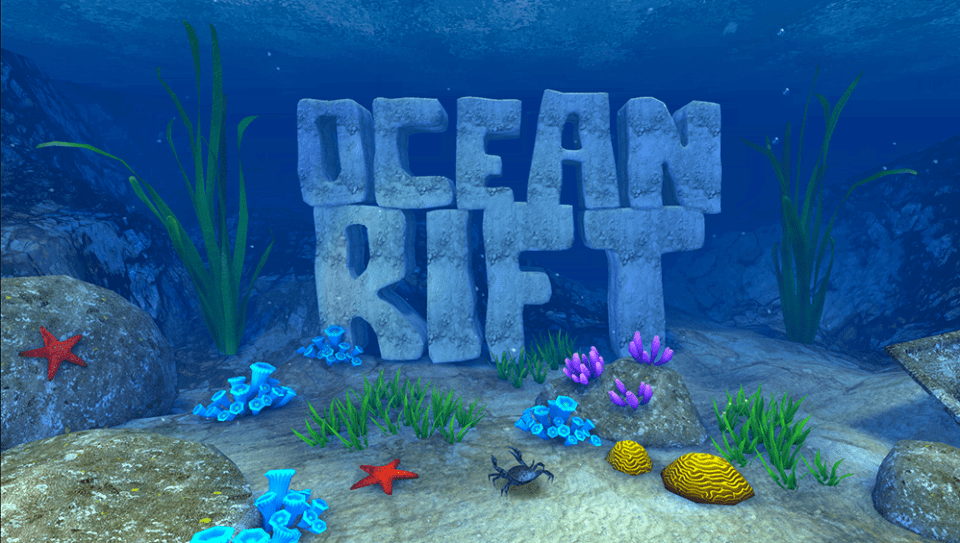
Ocean Rift has been designed to run specifically on the Oculus Rift platform. It features the open sea with its full range of deep waters and creatures. You would be underwater and can explore the 12 habitats. Users would be able to view marine wildlife including manatees, sharks, dolphins, and more. You can make your way deeper into the see to meet more deadly sea creatures. Ocean Rift can also be a soothing experience if you just want to float about, experiencing the waves and watching the fishes and the corals. The extreme attention to detail is responsible for making the experience truly wonderful. It wouldn’t be this great if it didn’t seem so realistic and colourful.
Ocean Rift
Allumette
Allumette is a free VR app that is compatible with HTC Vive, Oculus Rift, and PSVR. This was developed by Penrose Studio. The app followed the story of a young girl in a small but beautiful village. In this game, you will take on the role of the camera as you move about exploring the place. You can either follow the storyline if you want a structure to your exploration or leave it and just go exploring on your own. Characters communicate non-verbally with gestures, emotions, and expressions. If you want to play games on your Android device even when there is no internet, check out this article.
Other great virtual reality apps include Colosse, Kingspray Graffiti VR, The Nat Geo, The Foo Show, and Tilt Brush. Have fun exploring the depth of VR
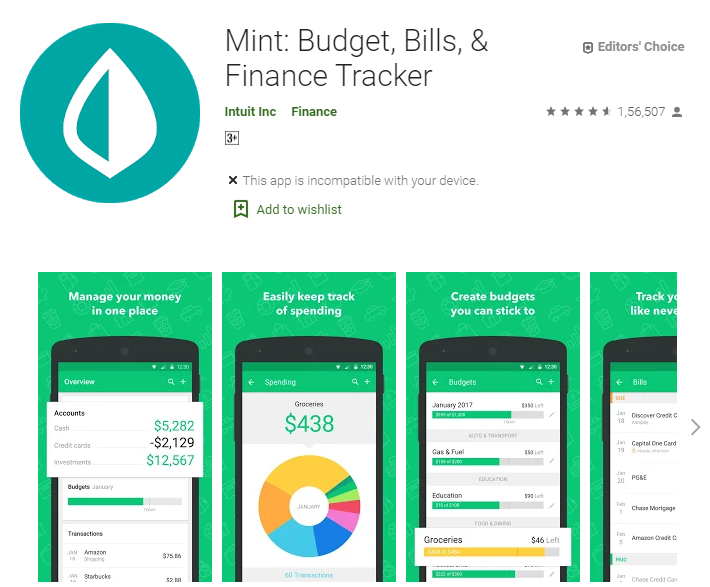
Money is god for everyone and earning more and more money is the dream of everyone. We all want to save money and have control over our expenses but not all can do. This is of course not an easy task it takes a lot of effort to hold what is yours.
If you are at the stage that you are going to retire or in your student life or even these apps put a halt on your expenses. Many times this happens with us that we do not realize and we just keep on spending money! With the help of these apps, you can at least control over 50 percent on your money and how you spend it.
The advantages of having money saving apps –
When it comes to the app we have several options but what is best for us and what is not. This makes everything difficult very easy.
It will constantly remind you about your expenses.
Remind you and warn you about your money
Help you in controlling over expenses
Keeps details of every day
A good and well-managed account.
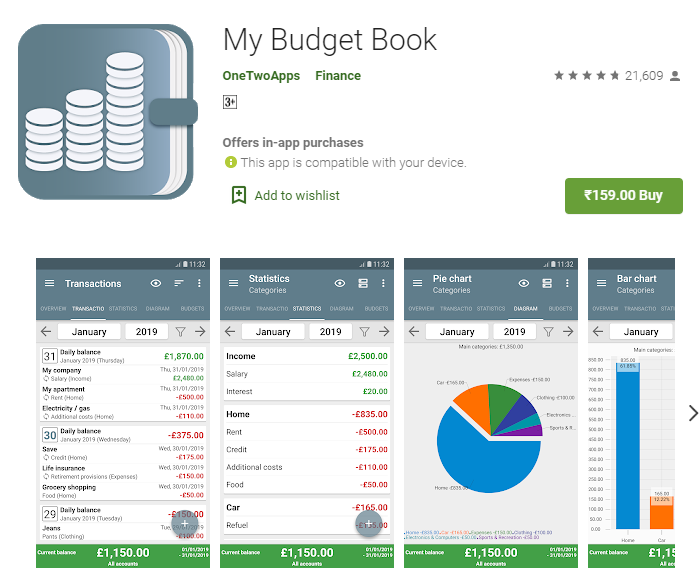
My Budget Book
This app offers personal financial budgeting and tracking as this is the primary feature that helps consumers in saving money each day. The app gives direct guidance on the bearing on those $100 jeans and this would household budget.
My budget book has a different way of offering the same thing whether it comes about authentication or saving money. As money is not a small thing it matters for everyone. Here this app allows you to use its features for free and keep details about your account and even save money.
The app has even direct guidelines to give you for impact and guidelines in spending or saving your money. This app can be found in ten different languages (highlight of the app) which means it is giving comfort and ease to the people.
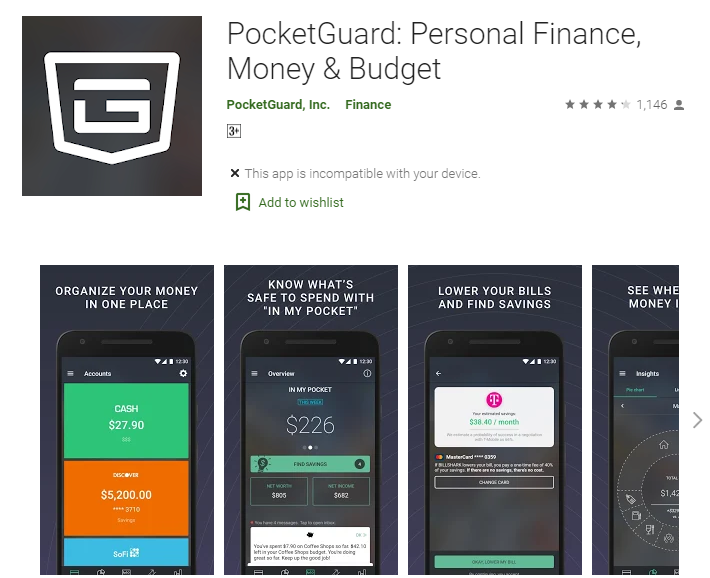
PocketGuard
It is also a personal finance app that takes a straightforward and almost simplistic approach if you want to balance your personal money. In this app, you will have to create an account, sync that along with your bank account.
You can check on your PocketGuard this will inform all about your everyday bills which gives you a ‘What left in your pocket’ or what is left. This even adds your personal net worth and net income which helps in finding savings such as credit cards, home mortgages and insurance.
The basic PocketGuard is even free but you may even pay $4 a month for the PocketGuard plus, this even offers advanced features such as ‘pockets’. Plus the potential of tracking the cash on a real-time basis.
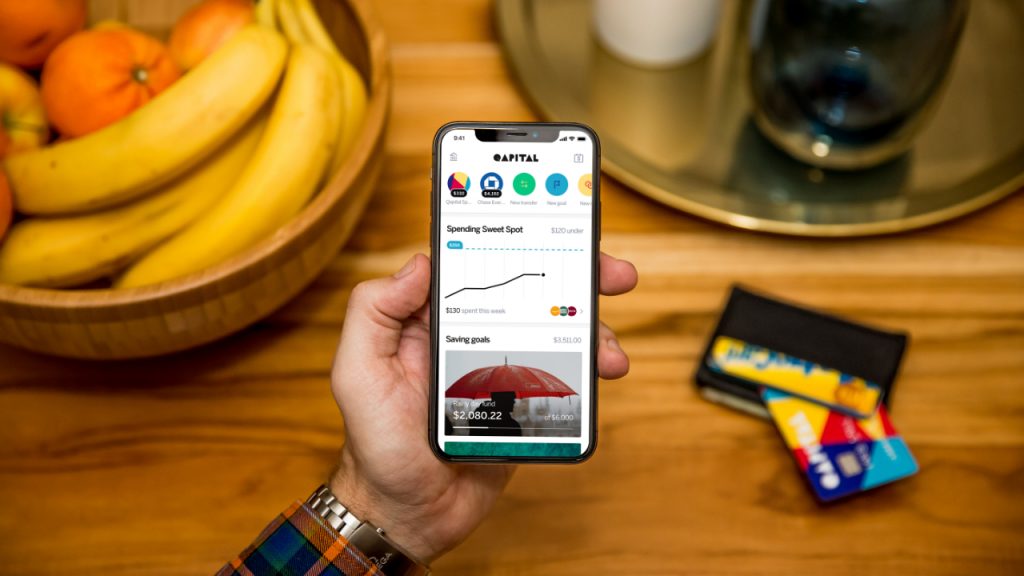
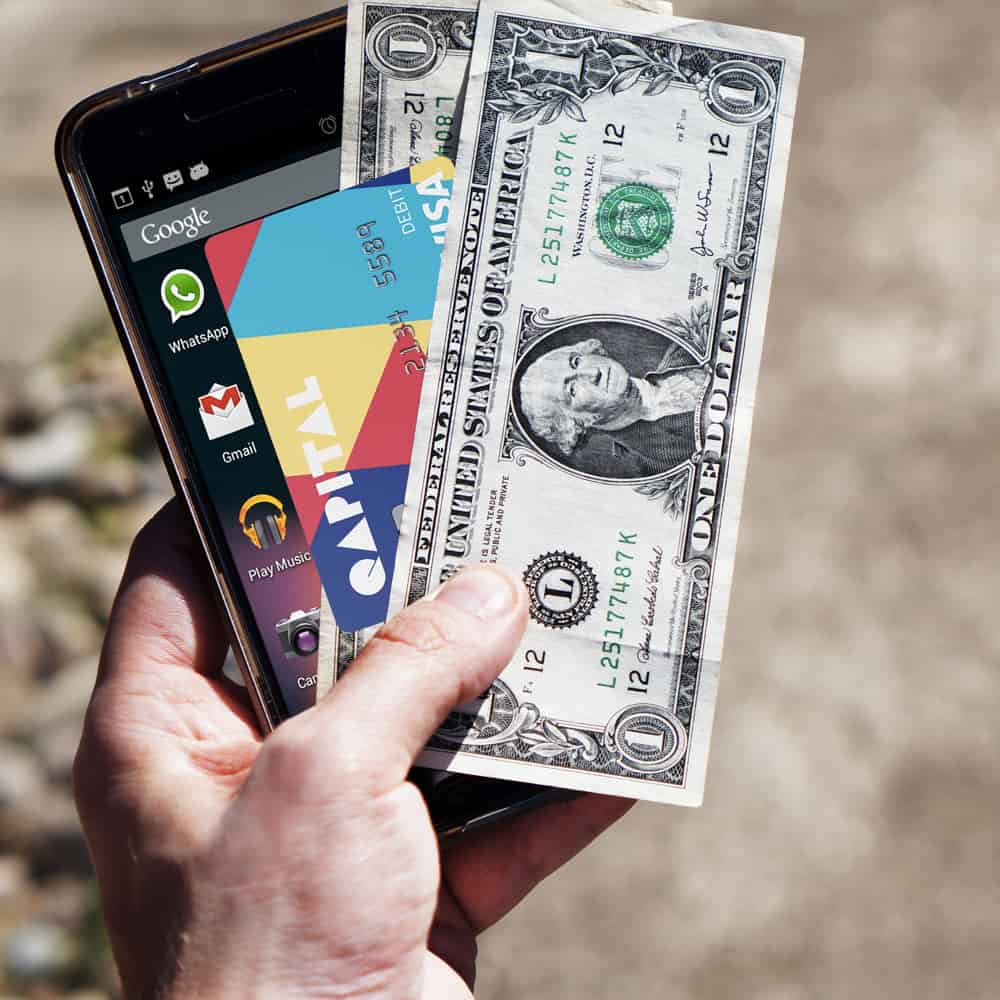
Qapital
This app has especially been designed for financial consumers to save cash. If talking about this app it is more a banking app and the best part about it is that you can get it for free. The app informs about your regular purchases on a real-time basis.
Qapital even offers saving options that anyone can reroute cash into your Qapital savings account. there are many customers who are worried about the authentication of the app. feels happy announcing about the app that it is being protected by the FDIC (just as the regular bank savings account).
Acorns
Acorn is unique in its way because of the feature it is giving. This one is not really geared towards budgeting and savings but the app is a great help. The app has been designed with the great help of the famed Wall Street investor Harry Markowitz. There is even a tiny $ 1 fee for the accounts with less than $5, 000. There is even a $2 monthly fee for the individual retirement account. The rating of this app is even good.
this app can be a great help as this even sends you a reminder or warning about your budgets and expenses. It is surely based on your habits, and this even offers you particular advice in gaining more control over your spending. There have even special features of rendering your real-time credit score.
YNAB
It stands for you need a budget and this app stands different from the line. It halts one from stopping living paycheck to paycheck, pays down debt and roll with the punches.
With this app, you will be able in setting your weekly and monthly budget chart (all personal finance apps do) but you can even set up the budgets for the individual projects such as New Year gifts and all. This has its own feature which is of course quite impressive and helpful in what you are seeking.
Credit karma
did you hear about this ever or not? Yes then it is very good or if not then you must. The app helps in accessing your credit report as to when we own credit cards we forget we still have limited money over there.
This app has free services by offering targeted ads which will be based on your credit card. Comparing this app with others then this has its own individuality which cannot be compared.
Winding-up
This becomes necessary to keep eye on your own habits and actions otherwise you might lose so many things. Because this usually happens with us that we spend a lot of money without paying attention to our actions. We just keep on spending money without noticing where we should spend and where we should control our habits.
So from the above list, you may go for your own comfortable app which is surely a big help to you and will help you in every way. Every app has a different feature but all of them are very authentic and good for the purpose you are looking for.
Therefore, just go and download anyone from them and just use that without paying a single penny and save money for a better future and living your dreams.
If you are a developer, chances are that you might get tied to your desk most of the time. The reason? Well, your code editor is only there on your laptop or desktop. This is why some brilliant minds came up with the idea of bringing code editors for Android so developers can enjoy coding on the go. While some developers do feel that coding on a device as small as a smartphone is uncomfortable, you can’t deny it has got its uses. Let’s take a look at the best free code editors for Android devices. The best part about these apps is that they can be used in all devices ranging from Honor 20 Pro to Samsung Galaxy Note 10+.
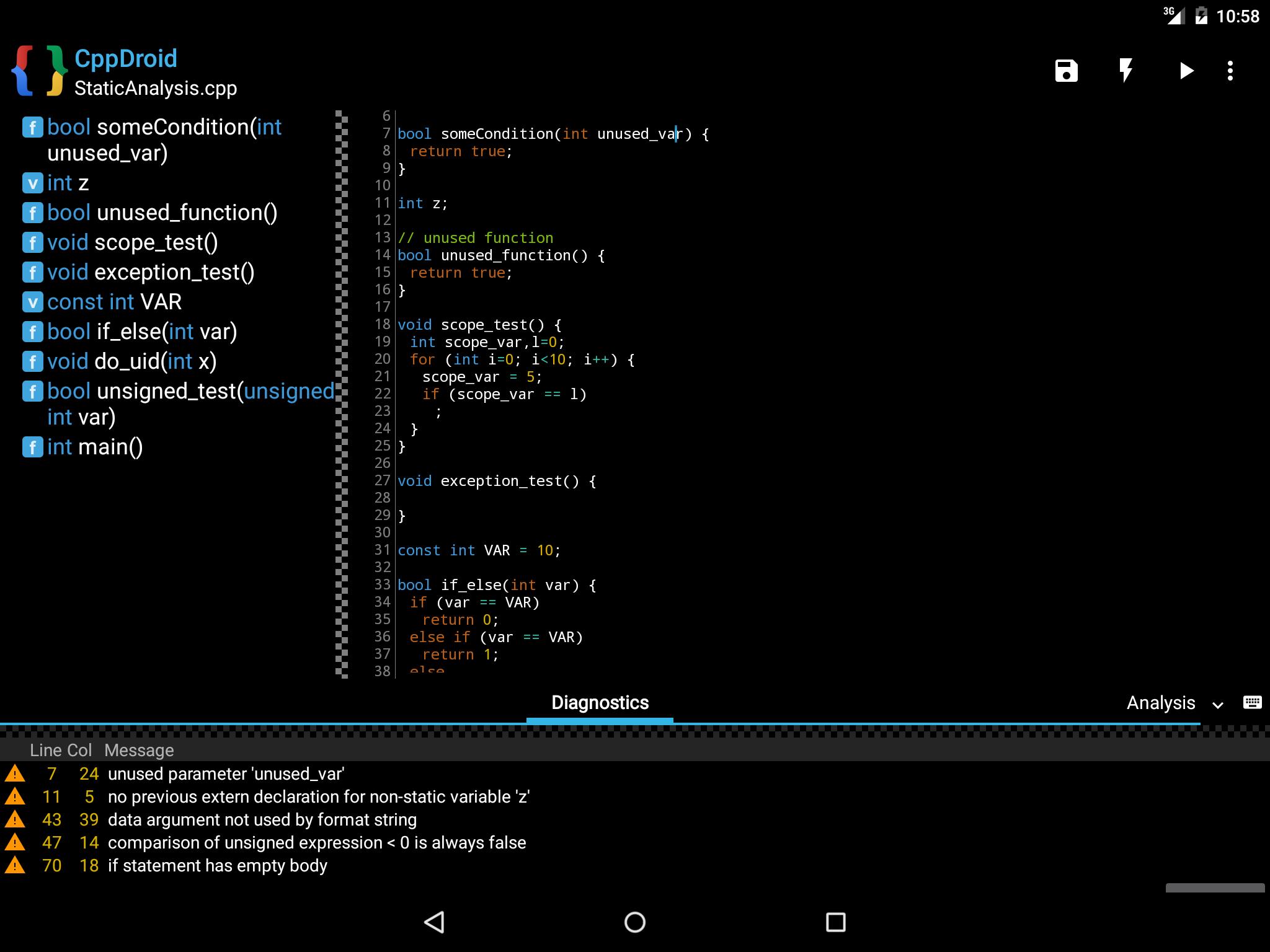
CppDroid
CppDroid is a powerful IDE (integrated development environment) designed specifically for C and C++ development. It allows the users to code, edit, compile and execute C/C++ programs – all on your Android devices. A nice thing here is that you can use the demos or the practice programs in this app to learn the basic if you are a beginner. The intuitive code editor also features several options aimed at making coding more productive, Syntax highlighting is a very useful feature that highlights the different parts of the program. It also provides configurable themes.
CppDroid For Android
In addition to this, other features by CppDroid includes file and tutorial navigator, code-completion, real-time diagnostics, auto-indentation, and terminal emulation for running the compiled programs. You might also be glad to know that CppDroid comes with full Dropbox support, a popular cloud storage provider. With this, you can now upload and download all your work seamlessly from and to the cloud storage. Besides this, the app also has an add-on manager with auto-update feature for helping you deal with all the add-ons you require for work.
2. Quoda Code Editor
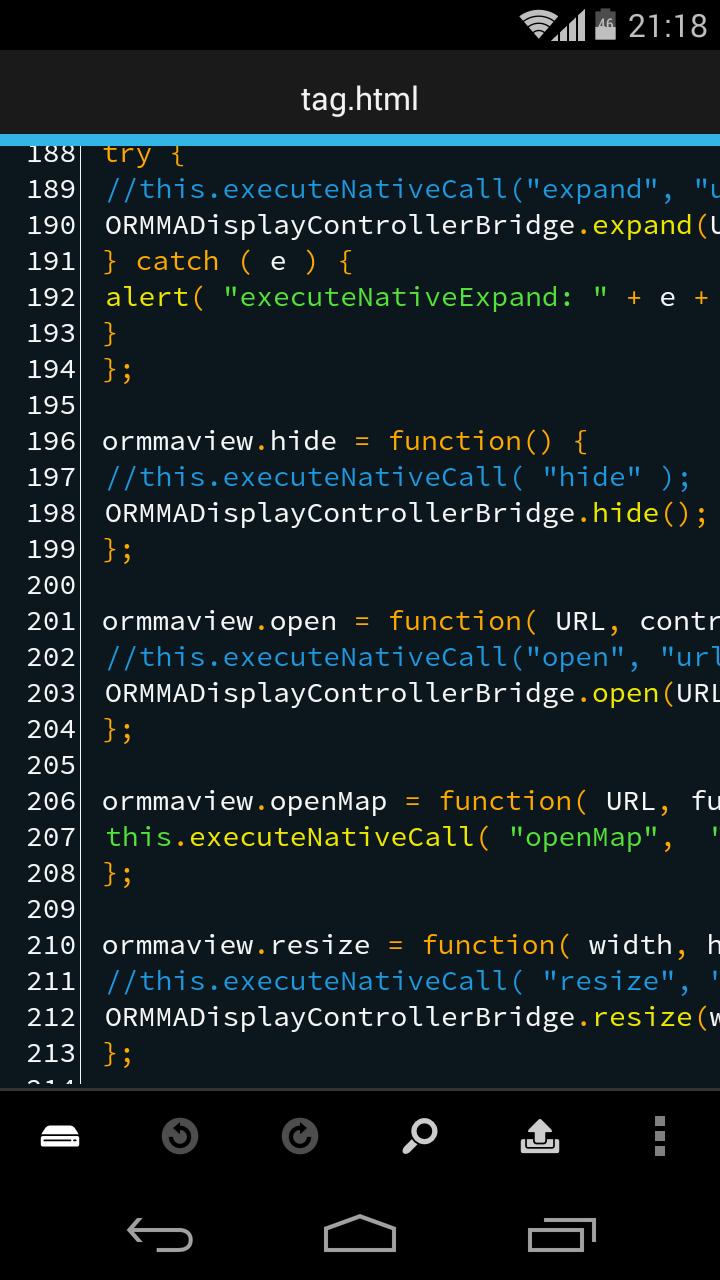
Quoda is a very user-friendly source code editor. This IDE works similar to the ultra-popular Notepad++ or Sublime Text. It is offered with integrated support for SFTP/FTP(S) servers and comes with Dropbox and Google Drive cloud storage options as well. Other features you will find with Quoda include brace matching, auto-indentation, auto-encoding detection, line bookmarking, code-completion, colour picker, HTML formatting, and more.
Did you know that you can even download URL source codes? Quoda is a great option if you want to get away from your laptop or computer, but don’t want to stop coding! This multi-language code editor for Android is completely free and is easy to manage and handle. It can help you code in JavaScript, PHP, C, C++, C#, HTML, XML, CSS, Java, ActionScript, Lisp, Markdown, Haskell, and more. Syntax highlighting is supported by different fonts and themes making it visually engaging and easy to understand and code.
3. DroidEdit Free
DroidEdit is a text and source code editor and works along the same lines as Notepad++. It has been specifically designed for android tablets and phones. Now, you don’t need to stay glued to your desk with your laptop or computer. You can work on the go as well. The app supports Emmet Tools, which helps you by expanding simple expressions into full HTML code. The free version supports ads (obviously!) and is almost the same as the paid version except for some changes. The free version does not offer support for Dropbox, SFTP, custom themes, and root mode.
DroidEdit Free
It has a clean and uncluttered interface making coding a bit more fun. The multi-language support offered by DroidEdit makes it so much easier and user-friendly. Its syntax highlighting system supports over 200 languages, with most of them having built-in themes and an option to create custom colour themes. Yet other features offered by DroidEdit include search and replace, additional keys on your keyboard for faster typing, and editing system files on your rooted device.
4. Dcoder
DCoder is a mobile-based IDE, designed to help you code on your hand-held device. It offers support for languages ranging from basic C and C++ to Ruby. The Rich text editor featuring a fancy syntax highlight and many other tools to make your work comfortable and easy. The best part here is that you can easily debug the code and see the compilation errors and even the results – all on the same page!
It works reasonably well with the native Android keyboard and the app supports over thirty languages. The app is free to use for most of its features, but the paid version is not very expensive either. It is a great option for learners and comes with little to no issues. The GoPro version offers a lot more but may not need everything dedicated developers need.
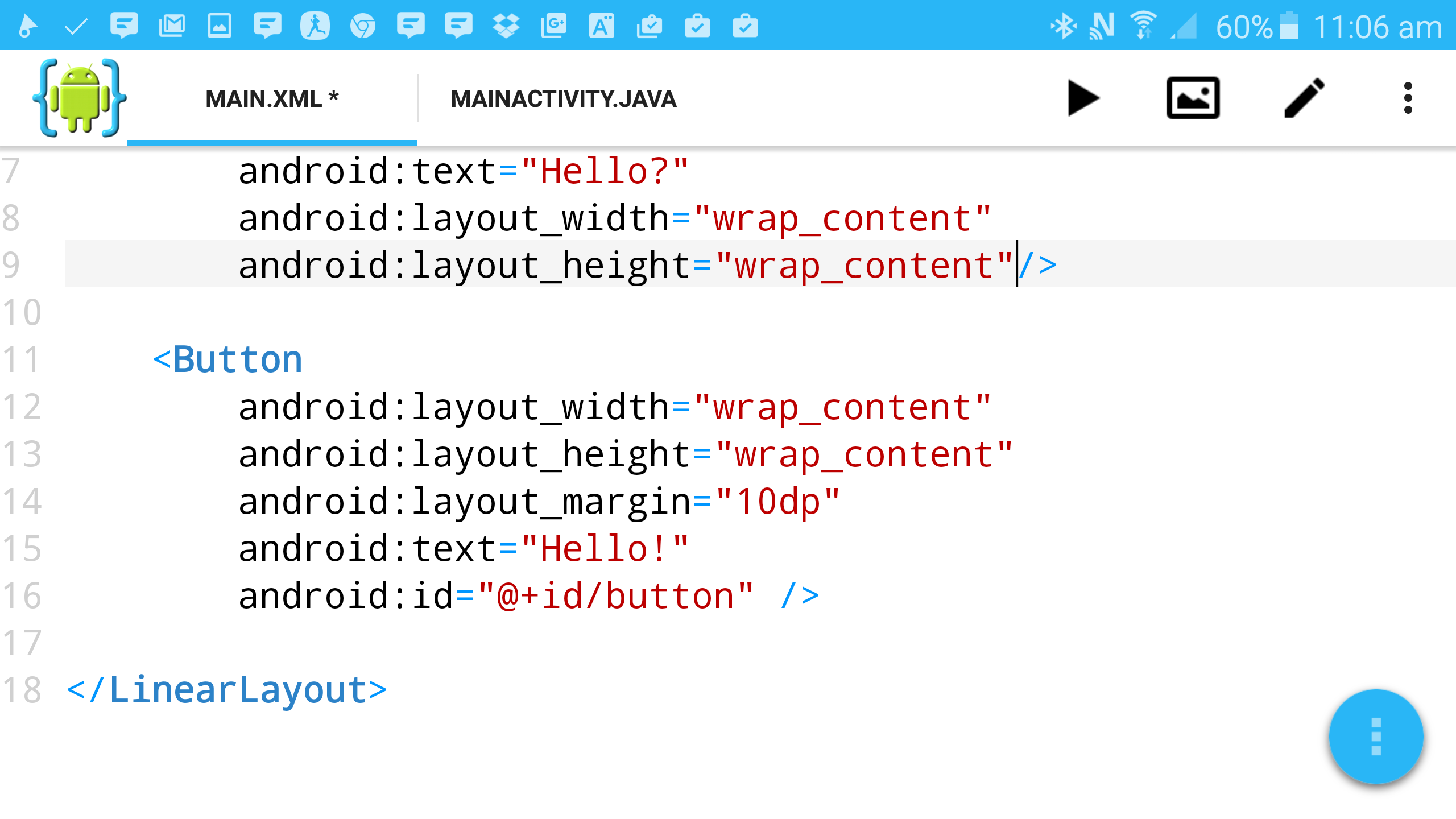
5. AIDE (Android Interactive Development Environment)
AIDE or Android Interactive Development Environment has one of the best interfaces and use in the market. It offers the users the chance to learn free tutorials with supports offered from Eclipse. Now you can learn as you travel and practice with small programs. The app is pretty intuitive and the reduced compilation steps make it far easier to use than its competitors. The free version has most of the features you are likely to require, but the paid version will take you all out. There would be no adverts in the paid version either. This app is perfect for basic use like learning to code to sophisticated use, such as developing games or apps. You can code on Java, C/C++, HTML5, CSS and JavaScript.
AIDE
6. Codeanywhere
This app makes it to our list of the best code editors for Android as well. Codeanywhere is a fast-working code editor for Android. If you sign up and log into the app as you start to code, you can use it to synchronize settings across all platforms. It also has a sharing option using which you can receive help from friends, make your code accessible to everyone, or simply show-off your progress.
Other features of Codeanywhere includes syntax highlight for over 75 languages, auto-complete support for HTML, XML, CSS, JavaScript, Python and PHP, and auto-indentation. In addition to this, it also supports FTP, SFTP or Dropbox; customizable font sizes, most encodings types, and it is compatible to work with desktop PCs. One thing to note here is that this app does not allow users to edit local files residing in your device, and you can only do so for files from remote sources.