Category: Reviews

  • Samsung Galaxy S9+ Review

    Samsung Galaxy S9+ Review

    Samsung Galaxy S9+ is the plus-size phone in the 9th generation of the Samsung Galaxy series. Unlike last year, where the S8 and S8+ could be differentiated only by their size, this year’s plus category, i.e., the S9+, comes with an extra camera on its back, along with a host of other features. Just like its smaller counterpart, the S9, the thing which stands out the most on the S9+, is the 12MP dual-aperture camera system. Being the focus of this year’s innovations, it offers enhanced low-light and bright-light images along with excellent video taking ability.

    The other innovations include the much-awaited AR emoji, the ability to record videos in super slow motion, and an upgraded version of Bixby, Samsung’s own AI assistant. Bixby can now recognize and detect objects in real-time, making it all the more useful. Let’s look at some more features of this incredible smartphone.

    Screen & Hardware

    The S9+ comes with a 6.2-inch display, which is the same as in the S8+. And that’s maybe a great thing about it because it looks just as beautiful as a phone of this size should look. The Super AMOLED 18.5:9 panel is enhanced and looks fantastic with the Quad HD+ resolution. This combination can deliver crisp and vibrant colours, which makes the whole experience of using the smartphone richer. The videos and the images look sharp, and the gaming characters are ready to jump out of the screen at a moment’s notice.

    Samsung Galaxy S9+
    Samsung Galaxy S9+

    The screen covers almost the whole front surface and comes without a notch display, contrary to the popular choice nowadays. But still, the absence of buttons, sensors, and other paraphernalia on the front helps to give it a neater and more futuristic look.

    Hardware

    The S9+ comes with 6 GB of RAM (as compared to 4 GB of the S9) and has 128 GB of internal storage capacity. Also, the world, except the US, will be treated to Samsung’s new Exynos 9810 processor. The US market will still get Qualcomm’s Snapdragon 845 CPU.  Games (which are sometimes the primary concern of the young generation) load quickly and can run smoothly without overheating the phone. You can multitask and switch between the apps quickly and without any lag, along with viewing high definition 4K videos.

    Camera

    The S9+ has a 12 MP rear camera that can deliver enhanced low and bright-light images besides recording good quality videos. This smartphone has ditched the fixed aperture system, which means that the camera now allows more light to fall on its sensor when the surroundings are dark. Hence, it enables you to capture better low light photos. Capturing videos in super slow motion was never this easy. Just hold up the phone in front of the thing which you want to record and wait for the camera to do its magic. The rear camera, along with the 8 MP front camera, is instrumental in delivering the two most important innovations, AR Emoji and Bixby Vision.

    AR Emoji and Bixby Vision

    After Apple’s revolutionary Animoji, Samsung is the new entrant in the AR Emoji market. Its working is relatively simple. The front camera takes a snap of your face, and then the application converts it into a virtual avatar. You can style your avatar by choosing from a range of clothes and accessories available in the in-built shop. Though this range is not very exhaustive and it is undoubtedly expected to be upgraded further, it does contain a pretty decent collection of basic styling accessories that can make your avatar look cool.

    Galaxy S9+ Back
    Galaxy S9+ Back

    After creating your virtual avatar, you can add a variety of special effects in it, including your sound. You can also make the avatar mimic your actions, which can create some funny gifs that you can store easily. The Galaxy S9+ also comes with an upgraded version of Samsung’s AI assistant. Bixby now comes loaded with some new and improved features. For example – It can look at a text written in a foreign language, scan it, and convert it into your language.

    The AI assistant is also highly aware of its surroundings. By pointing it at things around you such as monuments, flowers, sculptures, etc. you can gain information about the stuff in question. Bixby can load up all the relevant data as quickly as possible and present it in a clear-cut format.

    Audio, Battery, and Software

    The 3500 mAh battery in Samsung Galaxy S9+ is the same as it was in the S8+. Samsung smartphones are not mainly known for their battery life, so don’t expect this one to deliver something out of the box for now. With intensive usage, the battery can power you through the day, with approximately half of it remaining. Though it is pretty good, it can always be better, considering the other smartphones in the same price range. A set of new AKG speakers have been inducted into the S9+, which also supports Dolby Atmos 360-degree positional audio. Hence you can now listen to those 8D song videos on YouTube with high clarity.

    The security on the S9+ has been taken care of by its Intelligent Scan System. Along with the usual fingerprint scan, the device also has a facial and iris recognition system, allowing you to unlock the phone just by looking at it. The smartphone works on Android Oreo 8.0, which Samsung’s signature TouchWiz UI on top – both of these combine to give a rapid user experience, along with smooth switching between the applications and their quick loading.

    Verdict

    Though the S9+ comes with some added features, it is not for everyone. If you already have an S9 and don’t particularly want a bigger screen size, then this might not be worth the upgrade. Also, because of its large screen size, it is not suitable for people with small hands. The S9 and S9+ offer approximately the same external storage space. But, the internal space in the S9+ can be up to 128GB. So, it’s up to you to decide whether you want those 128 GB or are okay without it.

    In all, the Samsung Galaxy S9+ is perhaps one of the best big-screen phones in the market right now. It’s well equipped with all kinds of features, both essential and fun and can prove to be a great buy in the end. To get in-depth information about the various technical and build details of the smartphone, visit: https://www.samsung.com/in/smartphones/galaxy-s9/

  • Redmi Note 8 Pro Vs Realme X2: Tested By Our Team

    Redmi Note 8 Pro Vs Realme X2: Tested By Our Team

    Realme is a huge brand and a sister company of Vivo and Oppo. The main strategy of the company is to go ahead of Xiaomi and its ultra-successful Redmi lineup. They are working to create better products that Xiaomi’s Redmi series, both in terms of the features and price. Surprisingly, Realme has managed to be quite successful with the company releasing several popular products in 2019. Xiaomi and Realme engaged in a furious battle to prove their superiority against each other. The two most well-received models are Realme X2 and Redmi Note 8 Pro. Let’s see who wins the “Redmi Note 8 Pro Vs Realme X2” battle.

    Redmi Note 8 Pro Vs Realme X2
    Redmi Note 8 Pro Vs Realme X2

    Both these smartphones have quite a few features in common, such as a beautiful design, gaming-friendly performance, same-sized screens, and matching camera setups. Where the Realme smartphone boasts of a high-tech under-display fingerprint reader and a Super AMOLED panel, the Redmi smartphone comes with the latest MIUI version 11 and a massive battery. In this post, let’s take a look at how the Redmi Note 8 and Realme X2 perform against each other.

    Design and Build: Redmi Note 8 Pro Vs Realme X2

    If you are looking to differentiate between the phones in terms of build and material quality, both of them are quite similar. Both the model feature plastic frames and Gorilla Glass 5 panels. At the rear, Realme’s camera is located at the top left corner while Redmi’s camera is in the centre. Both offer classic white and black colours in addition to some vibrant ones. The screen is very similar with both the models sporting a large screen with rounded corners and droplet-cutouts. While the Redmi Note 8 Pro features a large 6.53″ IPS LCD screen, the Realme X2 has a smaller but 6.4″ Super AMOLED display.

    Since the Realme X2 has a thinner OLED panel, it also comes with an under-screen fingerprint reader. While Redmi’s scanner is at the back and not under-screen, it tends to work better and faster. The Redmi Note 8 Pro has a small white notification LED in the notch where the X2 does not have something like this at all. Realme X2 features a lovely matte finish, offering better handling and grip while the Redmi Note 8 Pro has a simple plastic frame. The X2 comes with a dedicated microSD slot but the Note 8 Pro features a hybrid solution where users can choose to go with either a second SIM card or extra storage.

    Redmi Note 8 Pro Against Realme X2
    Redmi Note 8 Pro Against Realme X2

    Displays

    The Realme X2 features a 6.4″ Super AMOLED screen with a waterdrop-styled notch. The smartphone has a resolution is 1,080 x 2,340px resolution with 19.5:9 aspect ratio and 403ppi density. As discussed above, the panel has rounded corners with Gorilla Glass 5 protecting it. The Redmi Note 8 Pro, on the other hand, has a larger 6.53″ IPS LCD screen. This model also has a waterdrop-shaped notch, 1,080 x 2,340 pixels resolution, and 19.5:9 aspect. However, the pixel density has dropped to 395ppi since the size of the panel is larger. We cannot compare the maximum brightness of the two phones since the brightness of AMOLEDs and LCDs cannot be reasonably compared since they are two completely different types of screens.

    Battery Life

    Coming to the battery, the X2 has a 4,000mAh battery while the Note 8 Pro beats that with a slightly larger one at 4,500mAh. In the tests, the Redmi Note 8 Pro performed better in web browsing, standby, and 3G talks. However, with video playback, the X2 did much better than the Note 8 Pro. In charging speeds, we can see a difference. The Realme X2’s battery is smaller and hence, the faster 30W charger allows the device to be charged to about 67% in 30 minutes. With regards to the Redmi Note 8 Pro, its 18W charger managed to charge only about 39%. For a full charge, you can expect the Note 8 Pro to take slightly more than 100 minutes while the X2 can get it done in 73 minutes.

    Redmi Note 8 Pro Camera
    Redmi Note 8 Pro

    Audio and Speakers Quality

    Both Redmi Note 8 Pro and the Realme X2 feature bottom-firing speakers with more or less the same output. We have noticed that the Realme X2 is slightly louder and better than the Note 8 Pro. With audio, both smartphones did extremely well. The Redmi Note 8 Pro can reach pretty high volume levels without distorting the sounds. Both devices worked excellently with an active amplifier and gave quite accurate outputs.

    ColorOS 6.1 Vs. MIUI 11

    Both the Redmi Note 8 Pro and Realme X2 run on Android 9-based launchers. The X2 is working on ColorOS 6.1 and is shortly expected to get the ColorOS 7 update in a few weeks. On the other hand, the Note 8 Pro is running on MIUI 11. Even if the device you purchase is with MIUI 10, you will find an MIUI 11 update waiting for you. Both ColorOS and MIUI has been in the works for a long time and the developers have been perfecting it. While they both look vastly different, they work on pretty similar lines, such as customization, robust options, and a simplified interface.

    Realme X2 Camera
    Realme X2

    Camera Comparision

    The X2 has a quad-camera at the rear with a 64MP primary cam with f/1.8 aperture, 0.8µm pixels, and PDAF. The 8MP ultra-wide snapper comes with 13mm f/2.3 lens and 1.12µm pixels, 2MP the macro camera is with f/2.4 with larger 1.75µm pixels, but its focus is fixed. The last one is a 2MP depth sensor and the set up comes with a single-LED flash.

    Coming to the Redmi Note 8 Pro, the phone also has a 64MP primary with f/1.89 aperture, 0.8µm pixels, and PDAF. Other sensors include an 8MP snapper with 13mm f/2.2 lens and 1.12µm pixels and a 2MP macro camera with f/2.4 aperture, 1.75µm pixels, and autofocus. The phone also has a 2MP depth sensor and dual-LED flash.

    Verdict: Redmi Note 8 Pro Vs Realme X2

    Both Realme X2 and Redmi Note 8 Pro are well-known rivals. However, they are quite similar in their features as well, not to mention the price tag! If you are not partial to one of the brands, you may have a hard time choosing between them since both the device perform equally well in most aspects.

  • Samsung Galaxy S10+: A Masterpiece on the desk

    Samsung Galaxy S10+: A Masterpiece on the desk

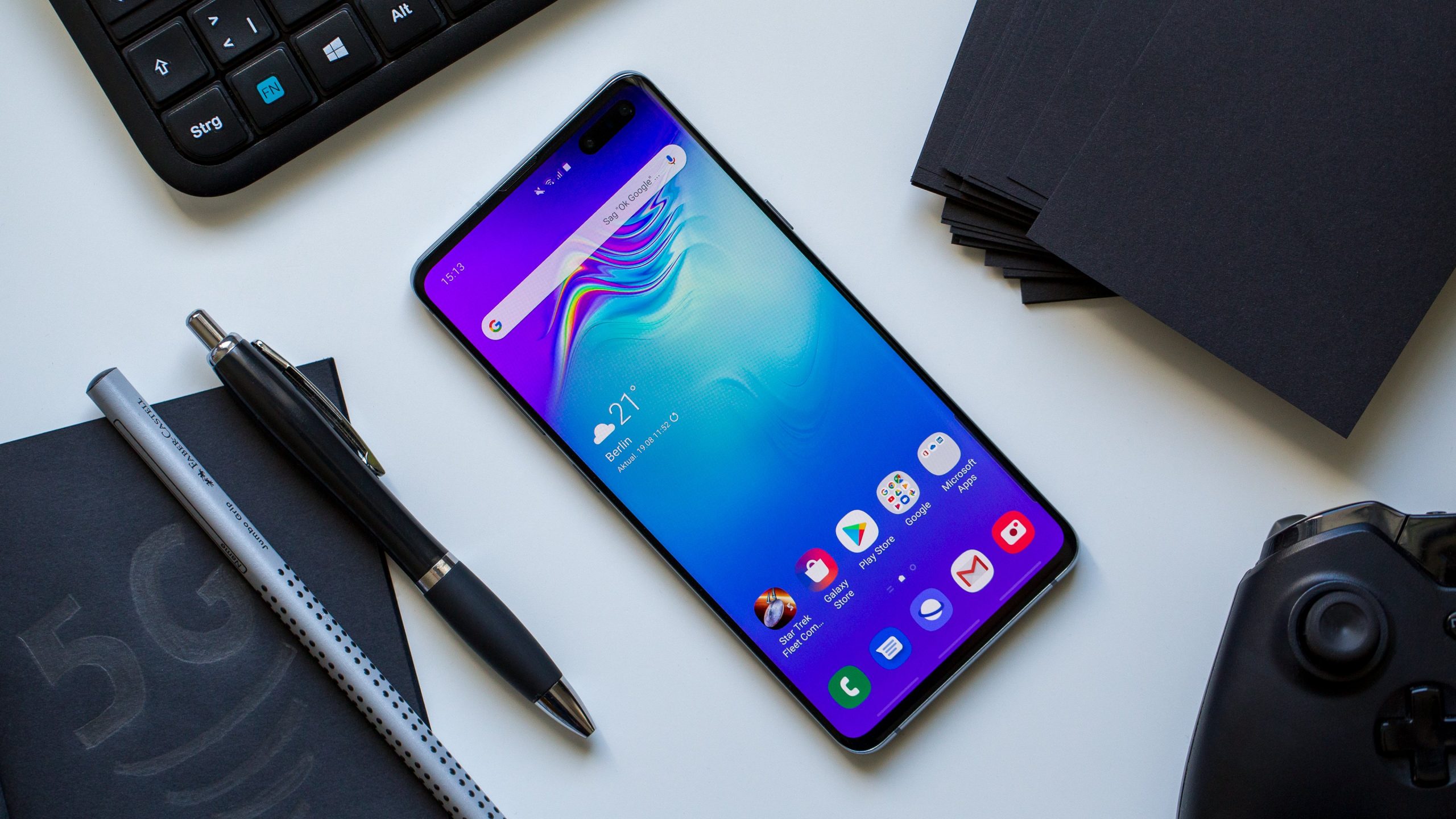
    Korean tech giant Samsung has sealed a decade embark on the launch of its Galaxy ‘S’ flagship series in 2019. To celebrate this, Samsung has launched the ‘Samsung Galaxy S10+’ flagship model. It is the latest smartphone in the series. Some sounds in the market claim it to be a master class and one of its kind. It has received a massive load of accolades from consumers as well as reviewers.

    Samsung Galaxy S10+ A Masterpiece on the desk

    Samsung Galaxy S10+ is a feature-packed bundle with a master quality build. It is superior and not in the same breath as its predecessors. Performance, build quality, camera, display, all are excellent and par expectations.

    Compared to its predecessors, Samsung has improvised the display and brilliant front camera positioning, long battery standby time, and a stunning new fingerprint sensor. It is available for sale online. It comes with a ram of 12 GB and a disk space of 1 TB.

    Let us get into detailed features of the celebration boy, a masterpiece now.

    Display

    The phone has a 6.4-inch Infinity-O Super AMOLED display. Undoubtedly, the viewing angle is wide with an excellent brightness level, enough not to struggle in the sunlight. Although S10 had a decent display with sufficient yellowness, yet Samsung has performed some fine-tuning of whites and colors.

    Few users may be at loggerheads here because it comes with only two display modes – Vivid and Natural. Just a tip for people who draw or doodle frequently – palm rejection technology isn’t entirely in the good books of S10+.

    A new feature is an on-screen fingerprint sensor. It has no physical boundaries, so you may have to learn a bit to hit the right spot. It does take a few seconds to come up. Also, there is no Iris sensor, so, it’s just physical fingerprint and facial recognition device.

    Design

    It is an extremely well-designed model with glass-metal combo fitting in a 6.4-inch display, making it a perfect luxury blend. It is pretty much similar in design with its antecedents S10e and S10s.

    There are two new features clubbed in the new piece. We’ve already talked about the fingerprint sensor. The front camera has got a private cut-off space, unlike S10, in which it covered the bar, reducing overall display height. With the cut-off display, height is increased up to all edges.

    Somehow, a few users may feel it blemish, but we’re sure you’ll get used to it. It’s salty to eyes initially, but you’ll mostly forget it once a movie takes your mind away from it.

    S10+ doesn’t do justice with your pocket size, as it’s too big to fit in most. Although, decent finish and elegant curved edges are soothing. It is handy and doesn’t slip. Thanks to its curvy edges at both sides.

    The overall design is classy, handy, and royal, with very fewer bezels around the cameras.

    Performance & Software

    Here as well, S10+ is unparalleled. S10+ has an Exynos 9820 processor with an 8 GB of RAM. It makes the phone a highly optimized one. No need for closure of background apps.

    8 GB RAM has brought laurels to the performance of the phone. You’ll be the happiest if you’re a gamer. Even if you open two high-end games alongside a few Social Medias, S10+ won’t let a wrinkle come over your head.

    S10+ is smoother than its predecessors. Also, due to the 4,100 mAh battery, it attracts you to use it over and over again. The phone tends to get hot but very minutely, which won’t bother you.

    It features Android Pie and One UI 1.1. Digital well-being and Bixby routine are new features of One UI 1.1. You can set methods for app/features opening and closing.

    Camera Quality  

    Excellent! One word sums up everything. Both rear and front cameras have par performance. It has 10 MP + 8 MP dual front cameras with minute bezels. You can use live focus with the front camera and play with many decorative features. You can consider it as a benchmark for future front cameras. Although, you may have to struggle a bit with its low-light performance.

    The phone has a triple rear camera of 12 MP primary, 16 MP & 12 MP secondary lenses. Samsung has added a lot of new features to the rear camera. To name a few – best shot, scene optimizer, HDR 10+ video recording with manual brightness setting, live bokeh, zoom bokeh, etc.

    However, the show’s topper is the 16 MP ultra-wide sensor. You can click ultra-wide pictures even after standing at a shorter distance. It offers you extremely superior quality without any noise. Overall, there will not be any daytime photography disappointment for you. However, night photography is more dependent on the camera’s self-judgment.

    Battery Life

    Samsung Galaxy S10+ has a 4,100 mAh battery, which is long enough for you not to charge it more than once a day (provided you’re a busy person out of mobiles). It doesn’t heat much to make you feel anything about it.

    But S10+ isn’t as good as its predecessor, S9. In terms of battery, S10+ is a little disappointing for users.

    Battery performance may get better with usage due to its”24hr intelligent battery” feature. A blend of 4100 mAh with Exynos, isn’t a very impressive move by Samsung.

    While market trend and benchmarking data still crown the Snapdragon processor to recommend battery performance. With 10 watts + power output, fast wireless charging is undoubtedly a clap for S10+. So far, the only attractive feature of battery.

    Conclusion

    It is a high-end and note consuming model, with a price range of $480 – $520. Price differs in different regions worldwide. It was released in mid-2019. It does have some fantastic features that fully justifies it as Samsung’s best flagship model. There are few hiccups compared to its rival Pixel and iPhone 11. With all the anniversary wishes, Samsung has put all the best features on the phone to let all users celebrate this victorious milestone.

  • Amazon Echo Dot 3rd Gen Vs. Echo Dot With Clock Review

    Amazon Echo Dot 3rd Gen Vs. Echo Dot With Clock Review

    The two popularly known intelligent speakers in the market are Echo Dot and the Echo Dot with Clock. Amazon launched new models of both Alexa-powered speakers recently this week: Echo (3rd generation) and Echo Dot with Clock. But, which one should you go with, the Amazon Echo Dot or Amazon Echo Dot with Clock? Which device is the best? Let’s take a look at the Amazon Echo Dot 3rd Gen Vs. Echo Dot With Clock battle.

    Echo Dot 3rd Gen
    Echo Dot 3rd Gen

    Both Amazon’s devices have the same array of microphones, the same design, and dimensions and similar colours. Both the speakers are designed to detect your voice from all angles of your room. Except for ample similarities, they share a significant difference also. I will break it down for your understanding of the Amazon Echo Dot versus Amazon Echo Dot with the clock.

    Before we discuss this, first, let’s talk about Alexa.

    Alexa On Amazon Echo Dot 3rd Gen Vs. Echo Dot With Clock

    Both the speakers are accompanied by Alexa, Amazon’s voice assistant. You can instruct Alexa to read the news, resolve the problem of arithmetic, to forecast the weather, play music, trigger the lights, and much more. You can even develop your skills with Alexa Blueprints on the Echo Dot or the clock devices. Nevertheless, Alexa still has new features. With Alexa Guard, Alexa can hear hazardous sounds. Alexa will speak to your visitors with a new feature called “doorbell concierge” if you have a smart ring doorbell.

    Echo Dot 3rd Gen Features
    Echo Dot 3rd Gen Features

    Alexa is the wake word that defiantly controls these devices. If you want the voice assistant to bear another name, you can change the wake word. Both the devices are designed to hear you everywhere in the room with a 4-far field, 360-degree omnidirectional microphones. Are you a music lover who plays music every day? Don’t worry. Alexa will tell you about your fluttering choice regardless of whether you have the Echo Dot or the Dot with the clock.

    These days, there are many intelligent technology alternatives in the market consistent with Amazon’s Echoes’. You can monitor your smart home technologies directly through your Echo speakers or the Alexa App, from Honeywell thermostat to the Philips Hue lighting systems. More than 85,000 smart home products are compatible with Alexa.

    Echo Dot 3rd Gen Voice Control
    Echo Dot 3rd Gen Voice Control

    Features Of Amazon Echo Dot 3rd Gen Vs. Echo Dot With Clock

    • Size, Looks, And Portability

    There is no difference between both the devices in terms of size, weight, and even the look. Both the speakers share the same size and the weight, i.e., 1.6″ and 10.6 oz, respectively. If you take a first glance at both the devices, you can hardly find any difference. You can carry them in your bag when going for parties or make room in your home even if you don’t have a lot of storage space for smart home devices. Hence, in terms of portability, both the Echo Dots’ are rated with five stars.

    Echo Dot With Clock Feat
    Echo Dot With Clock Feat
    • Quality Of Sound

    Both the devices have Echo, which has a more prominent, more powerful 360-degree speaker, although both systems have built-in microphones. Both the speakers have upgraded music streaming and can pair with multiple devices for stereo sound. You can also make free audio calls to the US, Mexico, and Canada.

    • Aesthetics

    Are you curious about which one is going to fit in best with the current furniture and equipment in your home? If we talk about options in colours, the 3rd-gen Echo Dot is accessible in 4 colours, charcoal, heather grey, plum, and sandstone. You would certainly have no difficulty finding one that suits your home décor with a wide variety of styles. You can also choose to have the Echo Dot with Clock, which comes in only one colour, sandstone.

    Echo Dot With Clock
    Echo Dot With Clock
    • LED Screen

    There is no doubt that Echo Dot with Clock is a better iteration than the previous models as you would no more have to see the boring screen all the time. The Echo Dot with Clock has an LED display that is integrated behind the fabric of the device. It displays you the time, temperature, and count downs of any timers you set on the device. However, the Echo Dot 3rd gen doesn’t own this prominent feature.

    Echo Dot 3rd Gen 1
    Echo Dot 3rd Gen 1
    • Price

    Price is one of the main factors that many customers consider when deciding which Amazon Alexa product to buy. It’s no more a hassle to choose between the two. With only paying $10 more, you can easily buy the Echo Dot, integrated with an LED screen. Hence, there is not much difference between the price of the two speakers.

    Wrapping Up

    Essentially, apart from the size, look, features, and cost, the LED display is the only difference between the two products. Amazon has already made the choice easy for the customers who wish to have the latest features of the Echo Dot family. The new Echo Dot with clock picked up all the features of the previous Echo Dot 3rd generation along with the latest LED screen and is only priced $10 more than the Echo Dot.


  • TicPods 2 Pro Mobvoi Review

    TicPods 2 Pro Mobvoi Review

    There are many inexpensive AirPods on the market, but only a few of them have artificially smart features and practical functions. Chinese AI Mobvoi improved its position on the stemmed AirPod pair of rivals, TicPods Free, last year. The company could do it by using the new CES model: TicPods 2 Pro, a cheap pair of wireless Bluetooth earpieces. These Bluetooth earpieces come packed in a pint-sized packaging with voice, touch, and gesture controls. The TicPods Free of Mobvoi was a viable alternative and much affordable than Apple’s highly popular white stalks. The TicPods 2 and TicPods 2 Pro Mobvoi launched at CES based on a fresh piece of the famous pastry.

    TicPods 2 Pro
    TicPods 2 Pro

    The TicPods 2 starts at $99, while the TicPods Pro is $139. You’ll have to determine whether the extra features are worth $40. We’ll begin by unboxing the TicPods 2 Pro and checking out their updated design. TicPods 2 comes in two versions. The one we are looking at is the TicPods 2 Pro that features dual-mic noise cancellation for phone calls, TicHear hands-free voice controls, and nod-gestures from TicMotion. The TicPods 2 does not have any of these features, but in size and appearance, they are similar.

    Features Of Ticpods 2 Pro

    • Matte-plastic build IPX4 dust with water resistance
    • Size: Its Charging case is 24 x 32 x 71 mm; earbud: 16 x 17 x 40 mm
    • Touch controls TicHear hands-free voice commands
    • Dual-mic noise cancellation for phone calls
    • Qualcomm aptX Audio
    • In-ear detection
    • TicMotion nod-gestures
    • Bluetooth 5.0
    • 13mm moving coil
    • OTA updates
    • Android: APTX/AAC/SBC; iOS: AAC
    • Battery: Charging case: 390 mAh; TicPods: 30 mAh each

    You’ll soon realize that you have a remarkable software with a set of ear-packs once you have matched your TicPods 2 Pro over Bluetooth. AI, which allows Mobvoi to use two new technologies, TicHear and TicMotion, is the principal function here.

    Voice Assistant
    TicPods 2 Pro Voice Assistant

    TicHear needs voice control, as you probably noticed. You can use the wake phrase “Hi Tico” to trigger the regular voice assistant on your smartphone without any hesitation. Still, Mobvoi has taken it a step further, creating algorithms that enable’ Fast Commands’ to perform simple functions such as pausing a record, skipping a track, and merely asking the TicPods 2 Pro to do it–no wake-word required.

    And it’s pretty handy when it works. During the experiments, though, I found that headphones often fail to recognize my orders. And, it is not so easy to monitor the music alone with your speech when the directions on the store line are not enough to make it work. The audio buds support only correct sentences too, so remember to say “play music” instead of only “play.” Then we’ve got TicMotion, which makes you either nodding or shake your head when it comes in or to refuse calls. And again, it is beneficial and fun when it functions, especially if it goes on the moves.

    TicPods 2 Pro Noise Cancel
    TicPods 2 Pro Noise Cancel

    Design 

    Mobvoi changed the concept for the TicPods 2 entirely for some reason. As the stem remains, the silicon tips were replaced with a universal open-fit design similar to the AirPods Pro design. The speaker enables good sound, which gives a better sound. You will feel comfortable while listening to music. The TicPods 2 Pro personally didn’t fit my ears, and I felt like they could fall out anytime. It is even more troublesome because you need to press vigorously halfway down the stem to reach the touch controls for TicPods. It will probably not be a problem for you, so try before shopping if you can.

    Battery Life

    The TicPods 2 Pro capped at a single charge for 4 hours of use and has a charging case for a total of 20 hours. There are a few settings that affect battery life overall. TicHear needs still listening to the

    when TicMotion fires up accelerometers in the ears. Disabling both could yield a slightly better battery life, but you’re better off buying the non-Pro TicPods 2 at that point. The TicPods 2 Pro lasted precisely three hours at around 60 percent capacity, with all the apps allowed, depleting around halfway around the 1:30h point. At lower volumes, you can expect higher battery life, and with certain functions switched off.

    TicPods 2 Pro Resistance
    TicPods 2 Pro Resistance

    Audio Quality

    Throughout my experience, the TicPods 2 sounds pretty good. For bass like the Huawei FreeBuds 3, they aren’t too overpowering and deliver a well-rounded mix of drums, mids, and trebles. Like many other tiny TWS earbuds, though, they sacrifice more than around 65 percent of the sound, and tinny mids and trebles block out the music. Stability failure is a common feature of TWS earbuds packed with tiny hardware. The earbuds are still bright enough, so you don’t have to use the above 60 percent capacity.

    Package
    TicPods 2 Pro Package

    The TicPods 2 Pro works exceptionally well for phone calls. The dual-mic noise reduction made my caller hearing me from a loud coffee shop a lot easier. Nodding listening to the call worked fine, and I could understand my caller well. Also, remember that there is no active noise cancellation in these earbuds, and noisy sounds may destroy your acoustic experience.

    Wrapping Up

    The TicPods 2 Pro offers a lot of apps, a range of flexible device choices, and well-balanced music, but they’re not flawless. I wish they had been designed a little more for the ear canal since they didn’t seem to me to be as secure (but they may be convenient for you), they seem a little too snug.

    If you don’t think you’re going to use the nod motions or voice commands, I might suggest that you go for the cheaper TicPods 2 $99. These are classified for marginally better battery life and are similar in every other respect to the TicPods 2 Pro. The TicPods 2 Pro Mobvoi crosses a lot of boxes, but a few major ones are lacking, such as active noise cancellation and a more comfortable fit.

  • Is DualShock 4 The Best Wireless Controller?

    Is DualShock 4 The Best Wireless Controller?

    Wireless controllers have revolutionized the whole gaming experience. Gone are the days where you would have to sit at a certain distance from the screen due to the wired controllers and worry about the cord breaking up if you moved the controller too excitedly. Wireless controllers provide a great way to play your favourite games remotely. While many wireless controllers are flooding the market right now, nothing quite beats the excellence of DualShock 4.

    What Makes DualShock 4 Controller Different From Others?

    Launched in 2013 besides the Sony Playstation 4, the DualShock 4 is still one of the most eyecatching and comfortable wireless controllers out there. Coming with a sleek and small build, its ergonomic design makes it sit comfortably in the hands of the user, making the gameplay more intuitive and comfortable. This controller has an excellent response time, which prevents any lags in the gameplay. You can slide over the buttons smoothly, which have a feather touch. It means that there is no need to hit those buttons hard to make your character run faster or fight harder.

    DualShock 4
    DualShock 4

    The built-in speakers can enhance the already great sound quality. This, along with the smooth touchpad and motion detection, can improve your overall gaming experience. Also, the front side of the controller contains a light bar that keeps on displaying different colours, giving it a very futuristic look. Attaching a gaming headset or headphones to the controller is pretty straightforward. You can connect them easily with the help of Bluetooth wireless technology.

    Where Does It Lag?

    Despite all the beautiful features incorporated in the package, there is still one thing where the controller doesn’t impress, that is, the battery life. On a single charge, the controller can last for up to four-eight hours, which is not exactly outstanding, considering some of its competitors who can back a bit more power.

    For this simple reason, it is recommended to have at least two controllers. In this way, even if one of the controllers dies down, you always have the other one to continue playing. Alternatively, you can buy a charging dock, which allows you to charge both the controllers at once (But you won’t be able to play for that time, of course).

    Time To Take Decision

    The DualShock 4 can be a great controller for someone who wants a simple controller to play games with and who isn’t used to the more complicated functions which might be there. It feels lovely to hold and works wonders while playing. Though it might be too light for some, the smooth gameplay makes you forget everything else. Also, the buttons and joystick have their signature clickety-clack sound, which can get you more pumped up to just beat the hell out of that boss. Just like the central controller, the PS4, the DualShock comes with a mixed finish of matte and gloss. This gives it a very modern and attractive look, making it hard not to pick it up and start playing.

    Verdict

    Nothing is perfect, and neither is the DualShock 4. But what compensates for its weakness is the motion control and smooth gameplay which gamers long for. What’s more, it comes in a variety of colours for you to choose from, so that you can build your own customized set.

  • Diesel Axial Review

    Diesel Axial Review

    With Diesel Axial, the company ventures into the smartwatch world for the second time. The first attempt by the company was with their Diesel On Full Guard. The Diesel On Axial tries to keep up with the brand’s eye-catching design while also ensuring that the watch is chock-full of high-end features. To put it simply, you can think of it’s as a rebranded Fossil smartwatch. More specifically, a rebranded Fossil Gen 5. While it is a bit pricier than we have come to expect, you are getting your money’s worth in terms of features, looks, and functionality.

    Design and Display

    The smartwatch has been designed to be quite big and masculine. With a sharp 1.28-inch 416 x 416 screen, it is not subtle or small in any way. With a porthole-style watch face, there are a series of rivets across the edge, giving it an elegant look. While most smartwatches are designed to be neutral, meaning it suits people of every gender, this watch is designed to be a stereotypically masculine piece. Every single aspect of the product is rugged and macho with textured buttons and sophisticated designs.

    Diesel Axial Review
    Diesel Axial Review

    These stand out from the watches of our days and time, almost finding some hint of similarity to old-fashioned stopwatch. Regardless of this, you will find the Diesel On Axial smartwatch to be among the most popular and fashionable device out there. Since the watch bezel is huge, it will suit only those with at least a medium-sized wrist. On the slimmer men, the watch could feel out of place and feel spectacularly oversized. The 24 mm strap established the case further. However, while it is big and masculine, the company has at least made sure it is comfortable as well. While it is a bit oversized, we can agree that it is a commonly noted feature of Fossil watches.

    This model features a 1.28-inch AMOLED display with 416 x 416 resolution. This is brilliant and helps offer the smartwatch users an even better experience. While the display specs are nearly the same as Fossil Gen 5, you will notice that they are undoubtedly better than other options. Unfortunately, there is no noticeable Diesel logo if you were hoping to show off your new smartwatch. However, for your personal joy, you will find one at the back.

    Specs and Features

    The Diesel On Axial smartwatch is powered by a Snapdragon Wear 3100 chipset. The product comes with 1 GB of RAM and 8GB of storage. Other sensors and features offered by the smartwatch include NFC, a heart rate monitor, GPS, and a speaker. It essentially uses the same hardware as the Fossil Gen 5, meaning the Qualcomm Snapdragon Wear 3100 chipset, 8GB of storage, and 1GB of RAM are all something we have seen on Fossil’s latest piece as well.

    Diesel Axial
    Diesel Axial

    Once you purchase the smartwatch and are trying to set it up, there could likely be some small issues. After you set it up though, it is smooth sailing all the way. Sometimes, you may experience slowdown issues, but that is only if you choose to use for an extended period of time. In comparison with other popular smartwatches in the market, we find that it is superior to older chipsets featuring lower RAMs. However, if you want speed, this is the way to go.

    Users can make use of the built-in speaker here as well. This will allow you to take calls from your watch as long as your phone is tethered to it. The Diesel Axial also has a Google Pay support and 3 ATM waterproofing. While these features are more or less available on most smartwatches out there, they should not be taken for granted. Fashion smartwatches are almost a different sector and usually focus more on aesthetic appeal than functionality. However, Diesel has managed to find just the right balance.

    Fitness

    The Diesel On Axial tolerates pretty much the same issues that Fossil Gen 5 smartwatches did recently. The GPS is fussy and doesn’t want the phone too far away. It could be maddening at times if you want to jog or workout without your phone on your or in the vicinity. On the brighter side, if you keep your smartwatch tethered to your phone, the details would be more accurate. Regarding the heart rate monitor, we are pleased to tell you that it is quite accurate. However, it might be a good idea to have a separate strap for working out.

    Diesel Axial Display
    Diesel Axial Display

    In addition to these fitness factors, the smartwatch has a couple of apps that can help out. The Steps Goal app allows you to check how much you have walked while the Diesel T-ON-I app is a slightly twisted motivational tool. You might receive insults from time to time, but it is only to motivate you further. These small things are what makes it stand out. Animated tunnel effect and the likes on watch faces are again something different and continue to turn heads.

    Battery Life

    The Diesel On Axial offers customizable battery saving options. If you use it on battery saving modes, you will be able to enjoy about one to one and a half days without having to charge it again. With the chipset that this smartwatch runs on, you can easily modify the battery life to offer splendid outputs. Users would be able to save battery life while making the apps that they use the most more efficient. While it is not the most perfect solution out there, it is nonetheless better than nothing. If you don’t use the battery modes, you will likely need to charge the device every night.

    Verdict: Diesel Axial

    The Diesel On Axial smartwatch is a great choice if you are looking out to try a different-looking one. It is tough, masculine, and designed to turn heads. However, it will only suit those having a large wrist. The GPS is cranky if the phone gets left behind. But, on a brighter note, the product is sturdy, stylish, and comes with high-end features.

  • NoiseFit Evolve Smartwatch Review

    NoiseFit Evolve Smartwatch Review

    Noise recently launched the NoiseFit Evolve, which is the company’s first smartwatch that has an AMOLED screen. The watch has a lightweight body and boasts several features, including music controls, heart rate sensing, and more. In this post, we’ll highlight the features of the smartwatch and help you decide if it’s worth the price. Let us first see what is included in the box.

    NoiseFit Evolve Smartwatch
    NoiseFit Evolve Smartwatch

    Box Contents

    • NoiseFit Evolve smartwatch
    • Black wrist strap
    • Charging dock and USB cable
    • Quick start guide

    Design And Build

    The NoiseFit Evolve Smartwatch has a round dial with large bezels around the display. The watch weighs a mere 43 grams, and the band weighs 3 grams. It is one of the lightest smartwatches in the price range. Its dimensions are 44.5×9.8x8mm, making it similar to a regular 40mm dial watch. It comes with IP68 water resistance, which means it can withstand dust, dirt, and sand. The watch is resistant to submersion up to 1.5m underwater for up to thirty minutes. It can be used in the shower; however, the company advises against using it in the sauna, a hot water bath, or in the ocean since the moisture and salt can damage the band.

    NoiseFit Evolve Smartwatch App Connect
    NoiseFit Evolve Smartwatch App Connect

    The manual also mentions that you should not wear it when swimming. The watch has a 3-axis accelerometer and is Bluetooth 5.0 enabled, which enables you to connect it to both Android and iOS devices. It doesn’t have a 3-axis gyroscope sensor. The Bluetooth chip is programmable, meaning it can store data even when it is disconnected from the smartphone.

    The band is made of skin-friendly thermoplastic polyurethane, and the strap is adjustable to your wrist length. You can also switch out the strap and use a third-party strap. A button on the right side lets you go to the home screen. On the back, you can find the heart rate sensor. The sensors’ LED lights glow green when you use it to measure your heart rate. You can also find the charging pins on the back. The watch has an anodized aluminium finish, which gives it a premium look.

    AMOLED
    NoiseFit Evolve Smartwatch AMOLED

    Display And Features

    The smartwatch has a 1.2-inch, 390 x 390 pixels AMOLED touch panel with a pixel density of 459 PPI. The screen is bright, and the information is visible even under the sun. The display also has decent viewing angles. The watch attracts fingerprints, and the company does not mention anything about scratch-resistant glass, so you must be careful while using it. It doesn’t have the always-on display feature; however, you can set it to turn on whenever you lift your hand. The screen will turn off automatically in a few seconds to save power. There are five different watch faces you can choose from, but you can’t add custom watch faces to the watch.

    NoiseFit Evolve Smartwatch Display
    NoiseFit Evolve Smartwatch Display

    You can adjust the brightness by swiping from the top. There are six brightness levels to choose from. As mentioned earlier, the display is bright, and brightness level 3 is more than enough for when you’re outdoors. Brightness level 1 gets too bright for the night. You can also control music and video playback, set alarms, and find your phone using the watch. The watch also has a ‘Photograph’ feature, which lets you use the watch as a remote shutter button for the camera on your phone.

    Battery Life

    The watch has a unique charging mechanism. To charge the watch, you have to place it inside a case. The contact points on the watch must connect to the contact points on the dock. The company recommends using a 5V-1A charger or charging it from a USB port on a laptop or a PC.

    Connectivity
    NoiseFit Evolve Smartwatch Connectivity

    The manual warns against charging it when wet to prevent a short circuit. The company promises a three-day battery life and up to 10 days of standby time. The watch has a 180mAh battery. The battery life is excellent – it should last you for a week if used moderately

    Verdict

    The NoiseFit Evolve is a decent smartwatch available for a great price. The watch works with both Android phones and iPhones, and setting it up is super easy. Also, the heart rate sensor is accurate and takes between 5 and 10 seconds to measure heart rate.

    You can also set it up to track your heart rate continually during workouts – however, this will drain the battery. The large circular AMOLED display, the nine sports modes, IP68 certification, and decent battery life make it a fantastic package, especially considering the price.


  • Samsung Galaxy A71 Review

    Samsung Galaxy A71 Review

    Samsung continues to focus on the mid-range mobile market alongside the flagship market. The company showed off a new, striking mid-range phone at CES 2020 – the Samsung Galaxy A71. It believes that the phone will supply customers with everything they want – long battery life, plenty of cameras, and a large screen. The sleek design and the excellent specifications leave critics with no doubts that the phone is targeted towards a younger audience that spends a lot of time online – consuming and creating high volumes of video content.

    The successful relaunch of the Samsung Galaxy A series in 2019, where the Galaxy A40 became the line’s best-seller in the UK and Europe, has given the company the confidence to double-down. The Galaxy A71 sits towards the top of the range – nudging in just behind the newly launched Galaxy Note 10 Lite and Galaxy S10 Lite. The screen, camera, battery combo makes the phone seem like a good deal, but how does it all come together?

    Samsung Galaxy A71
    Samsung Galaxy A71

    In this post, we’ll review the Samsung Galaxy A71.

    Samsung Galaxy A71 Release Date

    The Samsung Galaxy A71 will release in early February, but no specific date has been announced. However, it seems like the phone will be on sale before the Galaxy S20 launch, which is scheduled to take place on February 11.

    Display

    The Samsung Galaxy A71’s design is all about the huge, 6.7-inch display. The display dominates the front of the handset, but the bezels are minimal, and the phone fits in hand better than you’d imagine. It features the Samsung Infinity-O screen technology. It’s not an entirely new style of screen, and we’ve seen it on previous devices from the firm. You will get a punch-hole camera design, with the camera at the top of the display. The camera sits in the notification bar, keeping it out of the way nicely – so not to intrude on general usage.

    Display
    Samsung Galaxy A71 Display

    One discrepancy is that the front-facing camera on the Galaxy A71 takes up more space than the camera on the cheaper Galaxy A51 – even though they have the same lens! The larger camera cut out is down to the fact that the Galaxy A71 uses a Super AMOLED Plus panel (the Galaxy A51 uses the regular Super AMOLED panel). The Super AMOLED Plus panel is thinner and lighter, but the trade-off is the camera cut-out, which needs to be a little larger. It’s not intrusive and does not affect the look or operation of the phone, but it’s a shame that Samsung couldn’t get a smaller camera cut-out for this phone too.

    Design

    The Galaxy A71 measures 163.6x76x7.7mm and weighs a decent 179g, which makes it relatively manageable to use. If you have smaller hands, you will still find it pretty massive, and stretching your thumb to the top of the screen is a struggle – especially during one-handed use. On the right side of the phone, you will find an easy-to-reach power button and volume keys. On the bottom, there’s a headphone jack, next to the 25W fast-charging USB-C port. The back looks stunning – Samsung has developed a new prism effect design for the rear of its latest A-series devices (the A51 and A71). The design gives the phone more character and makes it recognizable. You will be able to find the Galaxy A71 in a range of colours, including silver, black, blue, and pink.

    Samsung Galaxy A71 Camera
    Samsung Galaxy A71 Camera

    Shifting the focus back to the display, it’s 6.7-inch Super AMOLED Plus panel delivers a bright, colourful punch.  The screen has a Full HD+ resolution (1080 x 2400), which makes for a high level of detail on-screen. You can watch Netflix comfortably on this phone. There’s a fingerprint scanner embedded into the display, and users also have the option to use face recognition to unlock the phone.

    Camera And Battery

    One of the most significant selling points for any Samsung phone is the camera – and the A71 has plenty of them. The front-facing, 32MP camera produces high-quality shots, even in lousy lighting conditions. The selfie camera will satisfy selfie fans. On the rear, the Galaxy A71 packs four cameras. The primary sensor is a 64MP, f/1.8 sensor that captures super vibrant and detailed images. The 12MP, 123-degree ultra-wide camera enables you to fit more of your surroundings into a shot by tapping an icon on the screen. You also get a 5MP macro and two 5MP depth cameras for your close-up shots and background blurring effects (which Samsung calls Live Focus).

    Battery
    Samsung Galaxy A71 Battery

    The phone supplies a fully-featured camera experience, with many flagship camera modes and other additional features. The Samsung Galaxy A71 is a bit of a star when it comes to battery life. The company has squeezed a sizable 4,500mAh battery into the handset, which makes the battery bigger than the battery in the Galaxy Note 10 Plus (4,300mAh) and the Galaxy S10 Plus (4,100mAh). As of now, there’s no telling how long it will last on a single charge; however, fans are hoping that they’ll be able to get close to two full days of use before needing to charge the phone.

    Performance And Specs

    The Samsung Galaxy A71 is powerful – it comes with an octa-core processor and 6GB of RAM. Some regions will also get an 8GB variant. The device runs Android 10 out of the box, and the UI feels fluid and fast. You also get 128GB of internal storage, which is more than enough for many. If you do run out of space, though, the Galaxy A71 also has a MicroSD card slot that supports memory cards up to 512GB in size.

    Verdict

    The Samsung Galaxy A71 has a lot going for it, from the large, vibrant screen and power to the massive battery and feature-packed cameras. At the attractive price point, the phone looks like it is using the winning formula and will put Samsung back on top in the mid-range smartphone segment.


  • Nintendo Switch Lite Review

    Nintendo Switch Lite Review

    The Nintendo Switch is one of the most popular consoles of our time. After its release in 2017, the platform has had one hit game after another. In 2019, the company decided to change things up and provide a cheaper, more compact alternative to the hybrid Switch console in the form of the Nintendo Switch Lite. Take a look at this Nintendo Switch Lite Review.

    Nintendo Switch Lite Review

    The Switch Lite is the smaller, lighter version of the original Nintendo Switch

    If you enjoy the flexibility of playing the Switch handheld and on the TV, the Switch Lite isn’t for you, since playing video games docked is not an option here. However, if you are looking for a handheld gaming device or continually use the Switch handheld, but find it a bit clunky for on-the-go gaming, the Switch Lite could be the right device for you. But, as with any device, there are some pros and cons that you should weigh out before deciding to purchase the Nintendo Switch Lite. Let us quickly go over the features of the device in this Nintendo Switch Lite Review, and help you figure out if it is worth your money.

    Design

    The difference between the Nintendo Switch and Nintendo Switch Lite is that the Switch Lite is solely a handheld device. There is no option for playing games on your TV, and this makes for a more compact and lightweight design. Its dimensions are 91.1mm x 208mm x 13.9mm, and it weighs 275g, which is much smaller and lighter when compared to the 102mm x 239mm x 13.9mm dimensions and 297g weight of the original Nintendo Switch. The Switch Lite comes with a smaller LCD touch screen, measuring just 5.5 inches with a resolution of 1280 x 720 pixels.

    Nintendo Switch Lite Design
    Nintendo Switch Lite Design

    In other words, the screen is smaller than the original Switch’s 6.2-inch screen, but the resolution is the same. Therefore, you don’t lose anything in terms of picture quality. The Switch Lite has a higher pixel density of 267 pixels-per-inch, making it a little sharper than the original Switch, which has a pixel density of 236 PPI. However, there is a trade-off – it can sometimes be difficult to read the small in-game writing on the screen. The Switch Lite feels more comfortable as a handheld device. The smaller size makes it more portable and convenient to use when compared to the original Switch.

    Switch Lite

    To play video games on the Switch Lite, you need less elbow room, and the device itself can fit in a (large) pocket. If you have smaller hands and have used the original Nintendo Switch, you will know that it can be uncomfortable to use in handheld mode, since the device is large by handheld standards. The Lite, on the other hand, is considerably more compact and portable and fits in your hands snugly. However, the device is still quite broad and doesn’t feel quite as comfortable as the Nintendo 3DS did. Furthermore, the Switch Lite comes with controls integrated into the device and does not use Joy-Cons. You can connect up to four Joy-Cons to the Switch Lite wirelessly, but you don’t get any Joy-Cons in the box with the Lite.

    Nintendo Switch Lite Features System
    Nintendo Switch Lite Features System

    Despite the controllers being fixed, most buttons remain in the same layout. Only the left, right, up, down buttons have been replaced by a D-Pad. The D-Pad feels natural – almost like it’s always been there. It is undoubtedly more suitable for handheld play than the older layout. The ZR and ZL triggers are a perfect size and help cement that compact design. The L and R buttons are a bit leaner than those on the original Switch, and your fingers may slip off them at times.

    The Switch Lite allows wireless connectivity and has Bluetooth, but you cannot use wireless headphones with it. You can also use a MicroSD card to add the 32GB of internal storage. With the Lite, you aren’t missing out on many features aside from docked mode. The Switch Lite comes in turquoise, grey, and yellow colours.

    Performance

    The Switch Lite essentially performs just like the Switch, except that it has a slightly longer battery life. What is definitely worth noting is that the Switch Lite does not come with HD Rumble or the IR Motion Camera. The device is designed solely for handheld use, and therefore, can only play Nintendo Switch games that support handheld mode. You can play games that don’t support handheld mode; however, to play these games, you will have to purchase Joy-Cons (and the charging grip separately) and connect them to the Switch Lite wirelessly. Connecting Joy-Cons to the Switch Lite allows you to use HD Rumble.

    Gameplay
    Nintendo Switch Lite Gameplay

    According to a Nintendo representative, the Switch Lite will be compatible with more than just the Joy-Cons, but we don’t know what exactly these devices are. Super Mario Party, 1-2 Switch, and Nintendo Labo accessory kits are not suitable for the Switch Lite. These games don’t suit the Switch Lite, because although the device can be paired with the Joy-Cons, playing with more than one person is not practical on the small screen.

    The Switch still has an accelerometer, a gyroscope, and a brightness sensor. You can use gyro controls in games like The Legend of Zelda: Breath of the Wild. For instance, you can tilt the Switch to aim the bow in the game.x The screen’s brightness adjusts itself automatically depending on your surroundings.  The wireless online play feature enables you to play games like Mario Kart 8 Deluxe with your friends. Sadly, since it cannot be connected to your TV, there is no opportunity for couch co-op.

    Nintendo Switch Lite
    Nintendo Switch Lite

    Verdict: Nintendo Switch Lite Review

    The Switch Lite is compact and light, which makes it feel much less clunky and considerably more polished than its predecessor. It is easy to transport and takes up less elbow space on commutes. It fits your hands snugly. Although it’s not as comfortable as the 3DS, it does pack some great features and performs well for its price. The Nintendo Switch Lite feels like the perfect console for those who enjoy comfortable handheld gaming.