Author: Shilpa

  • Best Free Code Editors for Android

    Best Free Code Editors for Android

    Code Editors for Android

    If you are a developer, chances are that you might get tied to your desk most of the time. The reason? Well, your code editor is only there on your laptop or desktop. This is why some brilliant minds came up with the idea of bringing code editors for Android so developers can enjoy coding on the go. While some developers do feel that coding on a device as small as a smartphone is uncomfortable, you can’t deny it has got its uses. Let’s take a look at the best free code editors for Android devices. The best part about these apps is that they can be used in all devices ranging from Honor 20 Pro to Samsung Galaxy Note 10+.

    1. CppDroid

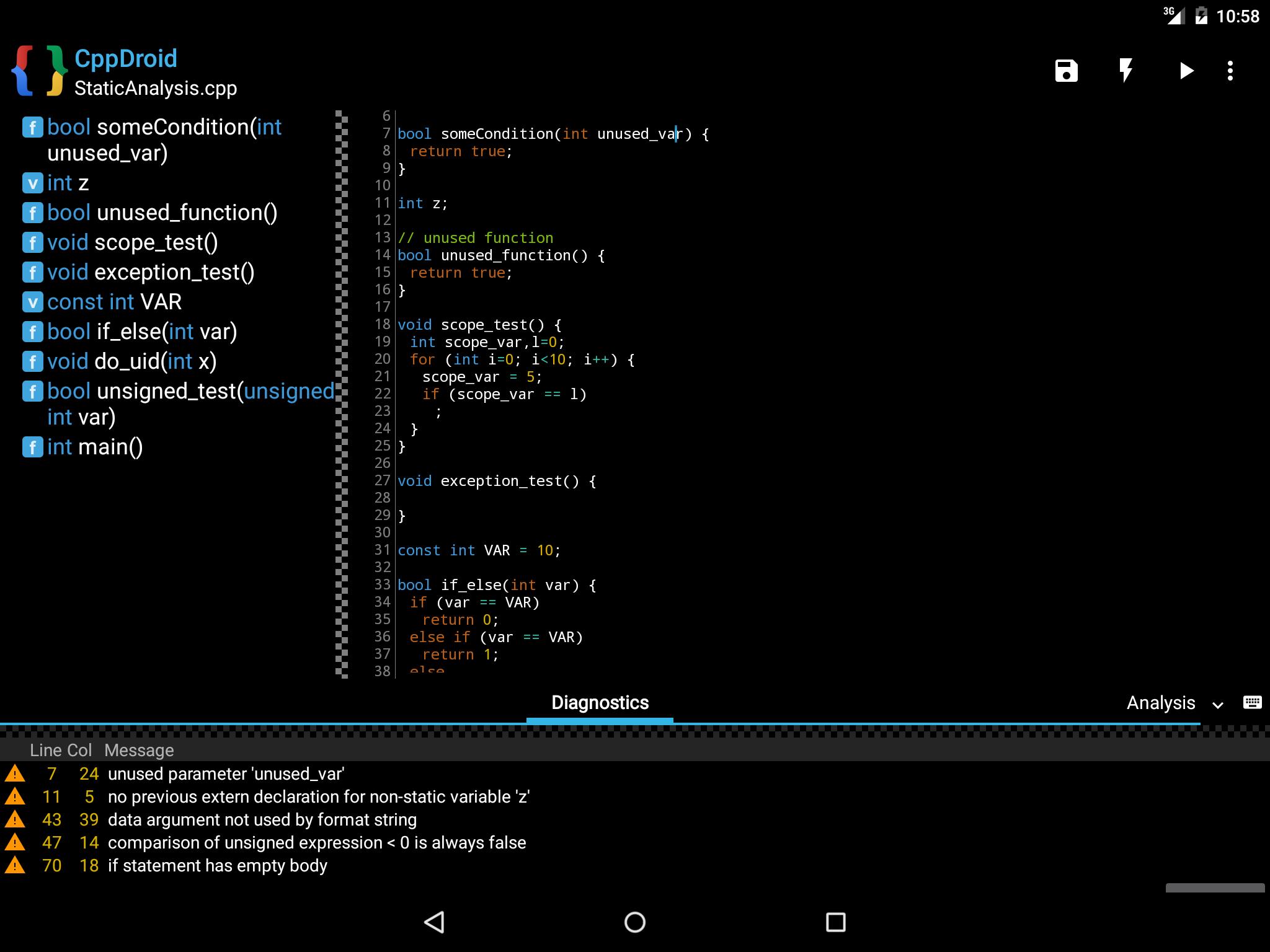
    CppDroid is a powerful IDE (integrated development environment) designed specifically for C and C++ development. It allows the users to code, edit, compile and execute C/C++ programs – all on your Android devices. A nice thing here is that you can use the demos or the practice programs in this app to learn the basic if you are a beginner. The intuitive code editor also features several options aimed at making coding more productive, Syntax highlighting is a very useful feature that highlights the different parts of the program. It also provides configurable themes.
    CppDroid For Android
    CppDroid For Android

    In addition to this, other features by CppDroid includes file and tutorial navigator, code-completion, real-time diagnostics, auto-indentation, and terminal emulation for running the compiled programs. You might also be glad to know that CppDroid comes with full Dropbox support, a popular cloud storage provider. With this, you can now upload and download all your work seamlessly from and to the cloud storage. Besides this, the app also has an add-on manager with auto-update feature for helping you deal with all the add-ons you require for work.

    2. Quoda Code Editor

    Quoda is a very user-friendly source code editor. This IDE works similar to the ultra-popular Notepad++ or Sublime Text. It is offered with integrated support for SFTP/FTP(S) servers and comes with Dropbox and Google Drive cloud storage options as well. Other features you will find with Quoda include brace matching, auto-indentation, auto-encoding detection, line bookmarking, code-completion, colour picker, HTML formatting, and more.

    Did you know that you can even download URL source codes? Quoda is a great option if you want to get away from your laptop or computer, but don’t want to stop coding! This multi-language code editor for Android is completely free and is easy to manage and handle. It can help you code in JavaScript, PHP, C, C++, C#, HTML, XML, CSS, Java, ActionScript, Lisp, Markdown, Haskell, and more. Syntax highlighting is supported by different fonts and themes making it visually engaging and easy to understand and code.

    3. DroidEdit Free

    DroidEdit is a text and source code editor and works along the same lines as Notepad++. It has been specifically designed for android tablets and phones. Now, you don’t need to stay glued to your desk with your laptop or computer. You can work on the go as well. The app supports Emmet Tools, which helps you by expanding simple expressions into full HTML code. The free version supports ads (obviously!) and is almost the same as the paid version except for some changes. The free version does not offer support for Dropbox, SFTP, custom themes, and root mode.
    DroidEdit Free
    DroidEdit Free

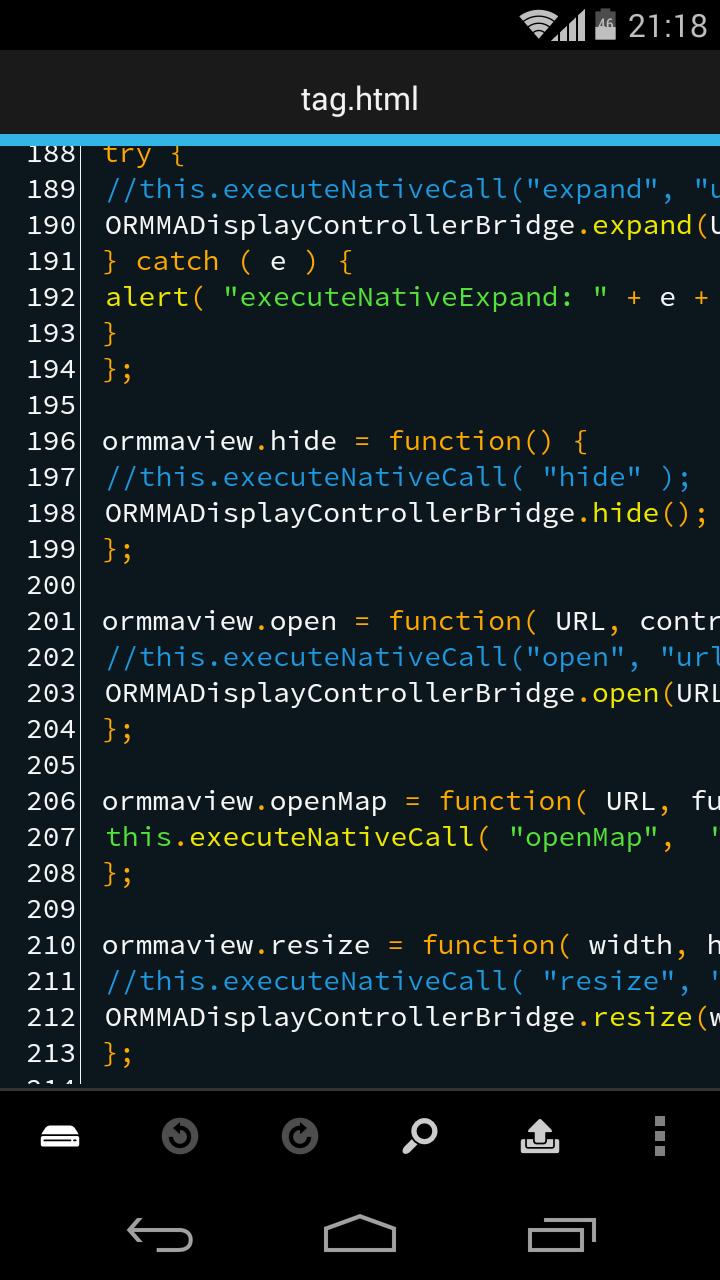
    It has a clean and uncluttered interface making coding a bit more fun. The multi-language support offered by DroidEdit makes it so much easier and user-friendly. Its syntax highlighting system supports over 200 languages, with most of them having built-in themes and an option to create custom colour themes. Yet other features offered by DroidEdit include search and replace, additional keys on your keyboard for faster typing, and editing system files on your rooted device.

    4. Dcoder

    DCoder is a mobile-based IDE, designed to help you code on your hand-held device. It offers support for languages ranging from basic C and C++ to Ruby. The Rich text editor featuring a fancy syntax highlight and many other tools to make your work comfortable and easy. The best part here is that you can easily debug the code and see the compilation errors and even the results – all on the same page!

    It works reasonably well with the native Android keyboard and the app supports over thirty languages. The app is free to use for most of its features, but the paid version is not very expensive either. It is a great option for learners and comes with little to no issues. The GoPro version offers a lot more but may not need everything dedicated developers need.

    5. AIDE (Android Interactive Development Environment)

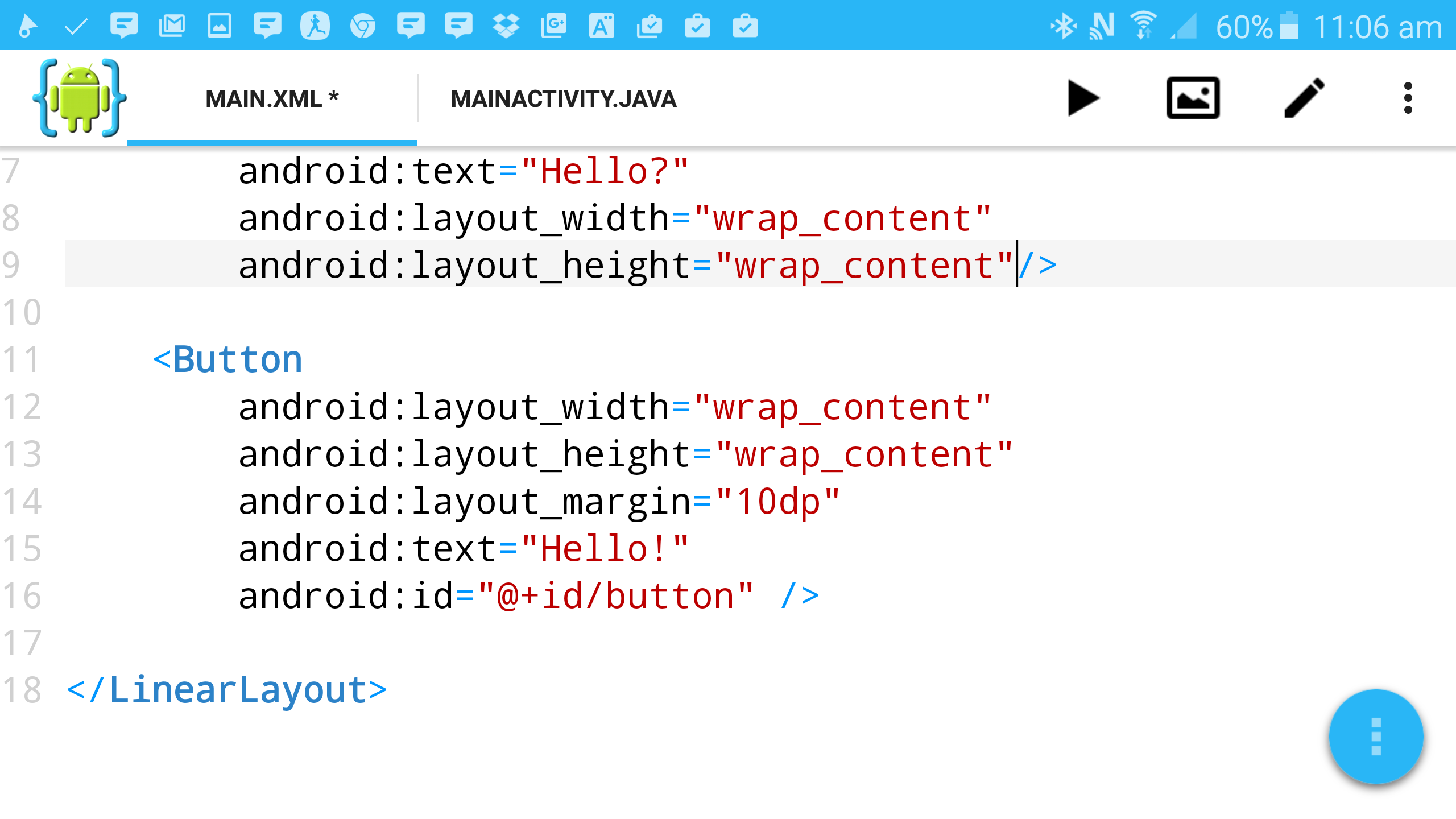
    AIDE or Android Interactive Development Environment has one of the best interfaces and use in the market. It offers the users the chance to learn free tutorials with supports offered from Eclipse. Now you can learn as you travel and practice with small programs. The app is pretty intuitive and the reduced compilation steps make it far easier to use than its competitors. The free version has most of the features you are likely to require, but the paid version will take you all out. There would be no adverts in the paid version either. This app is perfect for basic use like learning to code to sophisticated use, such as developing games or apps. You can code on Java, C/C++, HTML5, CSS and JavaScript.
    AIDE
    AIDE

    6. Codeanywhere

    This app makes it to our list of the best code editors for Android as well. Codeanywhere is a fast-working code editor for Android. If you sign up and log into the app as you start to code, you can use it to synchronize settings across all platforms. It also has a sharing option using which you can receive help from friends, make your code accessible to everyone, or simply show-off your progress.

    Other features of Codeanywhere includes syntax highlight for over 75 languages, auto-complete support for HTML, XML, CSS, JavaScript, Python and PHP, and auto-indentation. In addition to this, it also supports FTP, SFTP or Dropbox; customizable font sizes, most encodings types, and it is compatible to work with desktop PCs. One thing to note here is that this app does not allow users to edit local files residing in your device, and you can only do so for files from remote sources.
  • Android 10 Beta Extends To Samsung’s Note 10 As Galaxy S10 Gets First Update

    Android 10 Beta Extends To Samsung’s Note 10 As Galaxy S10 Gets First Update

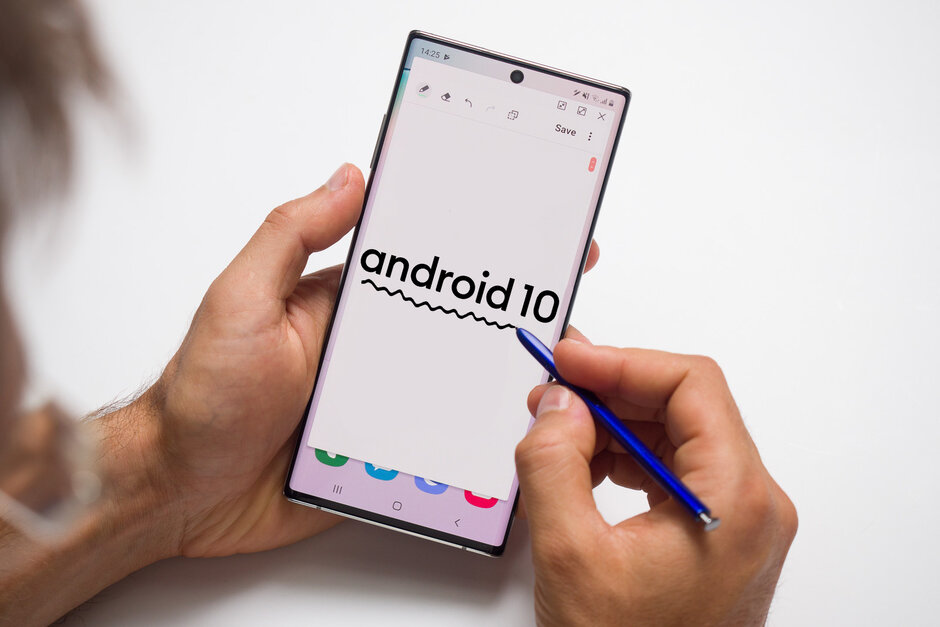
    Samsung launched its Android 10 beta with the Galaxy S10, just a few weeks back. Already, the company has an update for the devices. In addition to this, Android 10, One UI 2.0 beta program will now include Galaxy Note 10+ and Note 10 users as well. In fact, it is already live for users in South Korea, the US, and Germany. Users can now expect bug fixes, clean-up for the fingerprint security issue, and so much more. Some problems that are being fixed include a stubborn crashing issue with “android.process.media” and the issue of the dark mode not getting activated when the battery saver mode is on. For those already in the Galaxy S10 Android 10 beta program, the update will soon be rolled out for them. They will also receive a few new features, such as Auto Hotspot and slow-motion videos from the front-facing camera.

    One UI 2.0
    One UI 2.0

    Beta Program

    Sometime earlier this month, the company announced the Android 10-based One UI 2.0 beta for the Galaxy S10 series. This meant that the Galaxy S10, Galaxy S10+, and the Galaxy S10e will all receive Android 10 exclusive features! Besides this, some UI changes were also released aimed at improving the software. One great example of this is that the volume bar and the caller notification are no longer that large. Instead, their sizes have been reduced to offer a better and non-intrusive user experience.

    Note 10 Android 10 One UI Beta

    The latest announcement by Samsung includes the news that One UI 2.0 beta is on its way to the Note 10 series soon. However, the company has not mentioned the exact time for this. One thing we do know is that this beta program would be available for all Galaxy Note 10 users regardless of whether they are using a carrier-locked or unlocked device. You can participate in the beta using the Samsung Members app after it gets started. Some features you might be able to notice in the Note 10 phones that are featured from the Galaxy S10 series are discussed below.

    Android 10 Beta
    Android 10 Beta

    Some Updates

    Besides the UI changes, the One UI 2.0 beta for the Galaxy S10 series now brings the Dark Mode to the home screen so that users don’t experience eye fatigue as they use it at night. One great thing this dark mode can do is to adjust the brightness of the text, images, and display colours, giving you less stress. The cherry on the top is that the Dark Mode is designed to improve battery life by reducing battery use.

    The Smart Lock Screen features some tiny changes as well. You will now notice that the screen can automatically adjust the text colour. Apart from this, you will find Focus Mode and other tools to help you use the device better. This is aimed at improving your digital wellness. Do you want to be the first one to receive Samsung updates? You can join their beta program by signing up via their Samsung Members app.

  • Sony WF-1000XM3: The Best Noise-Cancelling True Wireless Earbuds

    Sony WF-1000XM3: The Best Noise-Cancelling True Wireless Earbuds

    Sony WF-1000XM3 Review

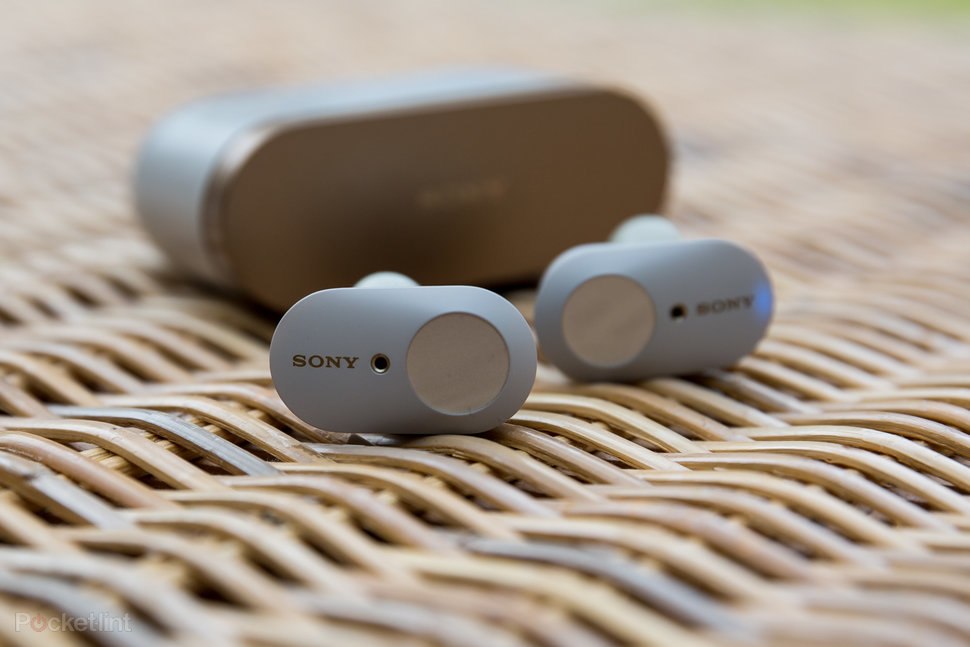
    The latest Sony WF-1000xM3 is touted to be one of the best wireless earbuds featuring quality noise cancellation. It looks better, has better sound quality, and of course, awesome noise cancellation capabilities. While the new AirPods Pro is coming out with noise-cancelling feature as well, these Sony earbuds offer longer life, at better rates! If you compare these earbuds to others in the market, like Amazon Echo Buds, you will realise that these are not as sleek and discrete as other. However, the company has made the buds slimmer with elegant aesthetics. The colours are widely appreciated by the users with both the black and the white versions immediately finding fans. The copper accents the curves and gives it a hint of colour contrast. Do note that WF-1000xM3 has been designed and built for casual use and not specifically for fitness. While it will survive a few tumbles and drops, it does not come with water-resistant protection. The charging case is so sophisticated that you are sure to fall in love with the sleek case.

    Sony WF-1000XM3 fit
    Sony WF-1000XM3 fit

    Comfort And Fit

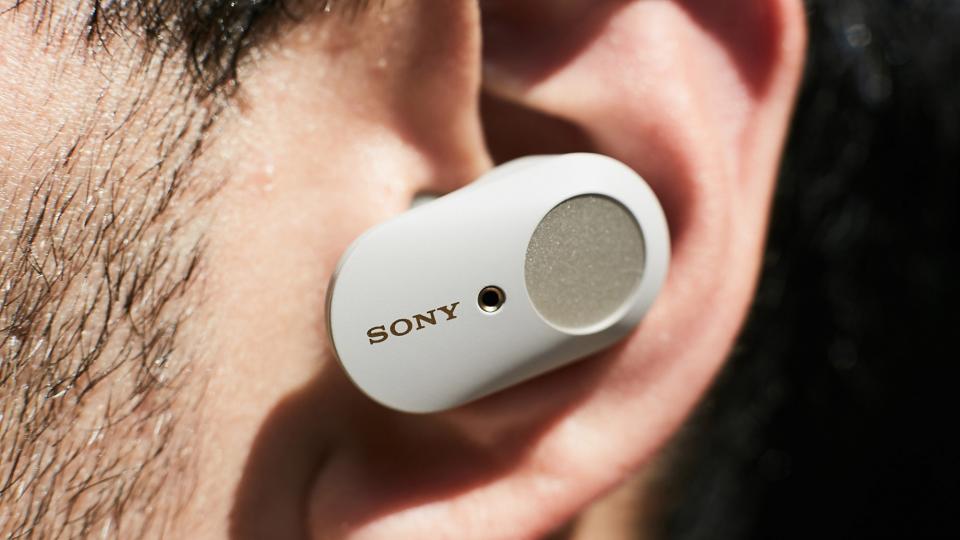
    The earbuds hardly weigh anything at all. It is soft, lightweight, and extremely comfortable, even if you use it for long periods. The angled tips make it fit better in our ears. However, despite this, the buds are likely to slip out at times. You can always use memory foam tips for a better fit. The case, on the other hand, you will find difficult to fit into your pockets as it is not only heavier, but also not as sleek as the AirPods case.

    Touch Controls

    The WF-1000xM3 doesn’t feature as great touch controls as the Sony WH-1000xM3. While they have the usual tap gestures and on-ear detection, it just doesn’t give the seamless experience that we have come to expect with AirPods and other competing models. Each bud can be assigned only one function from various options like Google Assistant, Ambient Sound Control, playback, or None Assigned. The first tap will let you operate the play/pause/enable listening modes; with the second tap, you can work forward track/answer call/decline call/digital assistant notifications; and the third tap will let you skip-back track. One drawback is that there is no volume control and you will have to adjust it from your phone. While the touch panel is easy to operate and is intuitive, the controls are not very responsive.

    Sony WF-1000XM3 Review
    Sony WF-1000XM3 Review

    Noise Cancellation and Audio Quality

    These earbuds by Sony have been specially designed to show off their excellent noise cancellation abilities. The tech is not as powerful as some you will find in the market, but it is better than most and quite effective for daily use. For this model, Sony has added another noise-cancelling mic to each earbud which has dramatically improved its performance. There is an Ambient Sound mode in these earbuds which lets you hear your surroundings better. Thanks to the balanced bass, you will have a much better experience now. One good news is that the noise cancellation feature does not reduce the audio quality.

  • Amazon Cyber Monday Deals 2019: Everything You Need To Know

    Amazon Cyber Monday Deals 2019: Everything You Need To Know

    Amazon Cyber Monday

    Black Friday is just days away! With just over a week left for the Black Friday shopping craze, the time has come to strategically think out your shopping plans. After all, you don’t want to shop and finish your money on the Black Friday Sales! The upcoming Cyber Monday sale at Amazon is known to offer some pretty great deals. While some products will continue having hefty discounts continuing from Black Friday sale, others will be on sale specifically for the Cyber Monday deals.

    Amazon Cyber Monday Deals
    Amazon Cyber Monday Deals

    Create a list of all that your heart desires and check out its retail prices to see how much of a discount Amazon is giving you on Cyber Monday. If you don’t see what you have, check out the backup options or alternatives to it. This way you will get what you want without wasting money on the first thing you see! Chances are that most popular products will feature in the Black Friday sale itself.

    Don’t jump at a product since it is going cheap. It is a trick many retailers use to get the shoppers into a state of panic where they rush to buy it without thinking whether they actually need it or not. The time limit takes panic to a whole new level. Chill, because you will find what you want during the Amazon Cyber Monday deals.

    What can you expect?

    Amazon doesn’t work the same way as other online retailers. Instead of releasing all the offers on all products at the beginning of the day, the company spaces out the attractive discounts and deals across the day. You will come across lightning deals, short-term, limited-quantity sales, and exclusive bundles. Refreshing every hour or so is likely to get you new deals that will last only a few minutes or hours. While some products are time-based, others would be on sale all day long.

    Amazon Cyber Monday
    Amazon Cyber Monday

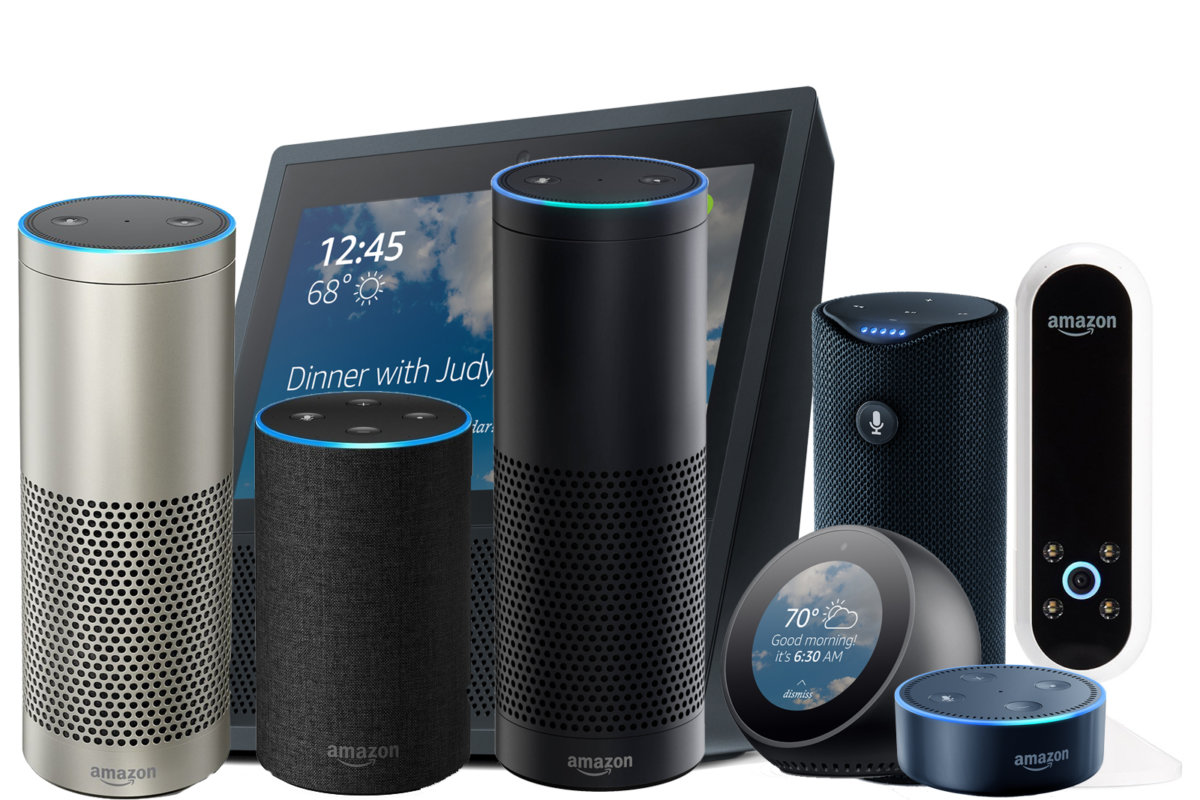
    The best part about the Black Friday deals and the Amazon Cyber Monday deals are that Amazon has placed its most popular products under heavy discounts as well. If you have your eye on Amazon Echo or Amazon Kindle, this is the right time to purchase it. Besides this, a ton of third-party Alexa-compatible devices will be on sale as well, including smart security cameras, speakers, lights, video doorbells, robot vacuums, and other appliances.

    Besides viewing the deals on their deals page, you can also head to the category section and go to the one that you want. This will help you sort and choose more easily. Offers are expected to be seen on home, electronics, kitchen, computers and accessories, cell phones, office products and supplies, cameras and photography, and more.

    Amazing Amazon Deals

    Don’t worry too much about missing out on the Black Friday sales. It looks as if the sale will start a week early and end on Black Friday. The following Money, you can indulge in Cyber Monday deals following which Christmas Shopping sale and Boxing Day sale would soon come up. This is truly the month of joy!

  • Amazon Black Friday Deals 2019: Everything You Need To Know

    Amazon Black Friday Deals 2019: Everything You Need To Know

    Amazon Black Friday Deals 2019

    Amazon is one of the most online retailers across the globe, more so when they have their sales. What could be bigger than a Black Friday sale at Amazon? Earlier in the year, the company had its Amazon Prime Day 2019 which received enormous traffic and appreciation. It looks like Black Friday deals is going to be the next massive sale. Users will be able to enjoy early Amazon Countdown, Black Friday deals, and other deals leading up to the day. The Black Friday deals will begin from November 22 and will continue till November 29, 2019. This is awesome news! You will be able to shop all you want for one whole week the Black Friday sale is going to be on.

    Amazon Black Friday Sneak Peek
    Amazon Black Friday Sneak Peek

    In addition, Amazon UK ran a “Hidden Gems” sale from November 8 to 12 where products from smaller brands were showcased and discounts were given. This provide an excellent way of gaining attention for the companies while we users received more options to choose from. Amazon US, on the other hand, has upped the game by having its own devices at heavily discounted rates. You will find Echo and Kindle at the Black Friday 2019 sale at Amazon.

    Other Sales at Amazon

    If you cannot purchase at this time or if something slips your mind, never fear. Amazon UK has said that after the Black Friday sales, they would have a superb Cyber Monday sale that is all set to be on from November 30 to December 2. If you miss this one as well, you can indulge at Amazon’s Last Minute Christmas deal which will run from December 9 to December 23. After this, you will see Amazon’s Boxing Day sale from December 26 to 31. While this is for the UK, the dates would be pretty similar for other countries.

    Products and Services on Discount

    With Echo and Kindle on discount, Amazon is doing a great thing for increasing adoption of its devices. Besides this, Amazon’s Music Unlimited service is also advertised with excellent discounts. The platform features over 50 million songs and offers a streamlines music streaming experience. What is awesome here is the fact that it automatically integrates with a ll your Amazon Echo devices. For Kindle enthusiasts, you can expect to see a 3-month free trial on Amazon’s Kindle Unlimited reading offer. Here, you will be able to get access to more than 1 million Kindle Unlimited titles.

    Amazon Black Friday 2019
    Amazon Black Friday 2019

    There is even a “’Amazon Countdown to Black Friday” sale which works as a sort of preview with deals and discounts on a few items. You will find anything from smart speakers, security systems, cordless vacuums, Samsung Galaxy Buds, and so much more. You should keep an eye on Amazon’s Gold Box deals page where they post details about the Lightning Deals. These usually last for minutes or a few hours and users can grab it while it is on. Don’t miss out on this year’s Amazon Black Friday Sale.

  • Your Alexa Speaker Can Be Hacked With Malicious Audio Tracks. And Lasers.

    Your Alexa Speaker Can Be Hacked With Malicious Audio Tracks. And Lasers.

    Can Alexa Speaker Be Hacked?

    In this digital era, our AI assistants can track our every move and keep an eye on us quite effectively. This is quite alarming, especially since hackers can easily gain access to Alexa Speaker and others. Recent research tells us of two ways in which malicious actors exploiting the assistant’s weaknesses. The first adversarial attack targeted the image recognition system. The image classifier was tricked into understanding a 3D-printed turtle vs. a rifle. Another example included the image of a lifeboat with a small visual noise at one corner. This made Alexa classify the picture as a Scottish terrier. While these wouldn’t trick the humans at all, the AI assistants were highly confused. After this, the researchers attempted to prove that this vulnerability could be exploited via audio as well.

    Echo Range
    Echo Range

    The researchers came up with a special audio cure that would not allow Alexa to get activated. In other words, when the musical cue is played out, Alexa would not hear it being called. In fact, Alexa only responded 11% of the time in this situation when opposed to 80% of the time when other music is playing and 93% of the time when there is no music or any other audio in the background. With this, the team successfully made Alexa believe that a positive was actually a negative. Now, they are trying to induce a false positive, meaning that there would be no Alexa wake word and the assistant could still wake up. This makes more malicious uses possible.

    Attacking With Lasers

    One team of researchers from Carnegie Mellon worked with audio cues and potential attacks. Another team from Japan and University of Michigan started work to understand how lasers could play a role here. They could help malicious users gain control of your smart home speakers, such as Alexa Echo. The U.S. Defense Advanced Research Projects Agency (DARPA) funds this project in part. The team show how Alexa speakers  and other smart speakers could be hacked without any audio. As long as a line of sight access was available to the device, they could hack the system.

    Amazon Echo
    Amazon Echo

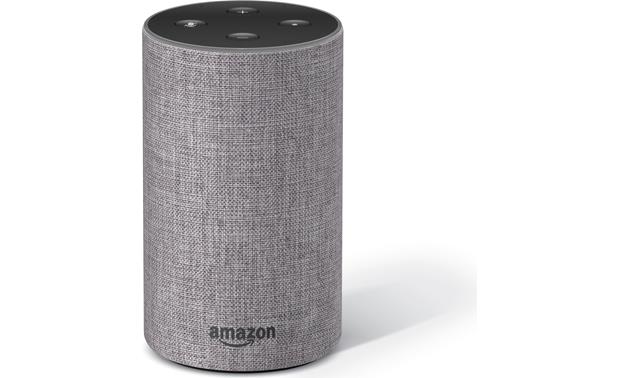
    Using a flickering laser could let the voice assistant and the smart speakers understand commands. The microphone understands us by basically picking up the changes in the air pressure. When a laser light’s intensity pattern is in the same way, there is a chance that the microphone will respond to the ‘noise’. This could be potentially highly dangerous. For instance, an attacker to record a command and encode that into a laser signal. When the Alexa speaker hears it, it would carry out the command. Although the hackers would need to be somewhere near, the fact that it could be done by staying outside one’s house make it alarming.

    Taking Care of the Vulnerabilities

    Of course, all connected devices are potentially vulnerable to attacks. The scary part here is that users don’t seem to understand the magnitude of the issue. This is apparent in the way that most of us are not ready to let the smart devices go as we would lose the convenience that we have become accustomed to. Voice-assisted tech is gaining popularity all the time. One of the ways to make it safe for use is by taking these research examples seriously. Companies manufacturing and designing these devices and systems need to take care to patch these vulnerabilities.

  • Huawei Mate 30 Comes Without Google Apps

    Huawei Mate 30 Comes Without Google Apps

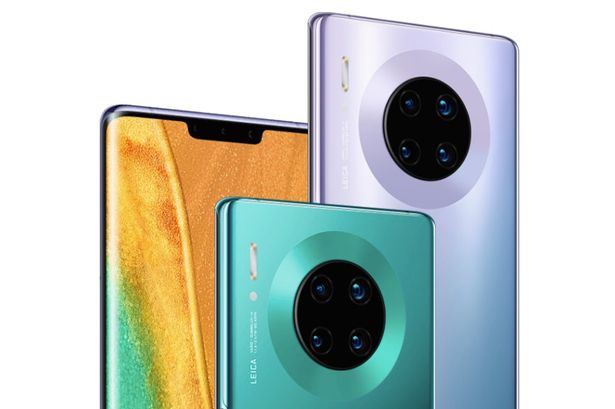
    Huawei is working on releasing its latest flagship smartphone – the Huawei Mate 30 – this week. The phone is part of the company’s premium range of smartphones and is planned to compete against Google’s Pixel and Apple’s iPhone 11. While Mate 30 has a ton of awesome features, it comes with a major drawback. It will not have access to Google’s mobile apps and services. It also runs on an open-source version of Android. After Huawei was blacklisted by the Trump administration, Google is unable to licence its apps and services to the company. This makes the Google Play Store inaccessible to Huawei users. 

    Huawei New Mate 30
    Huawei New Mate 30

    Trouble Between Huawei And The US 

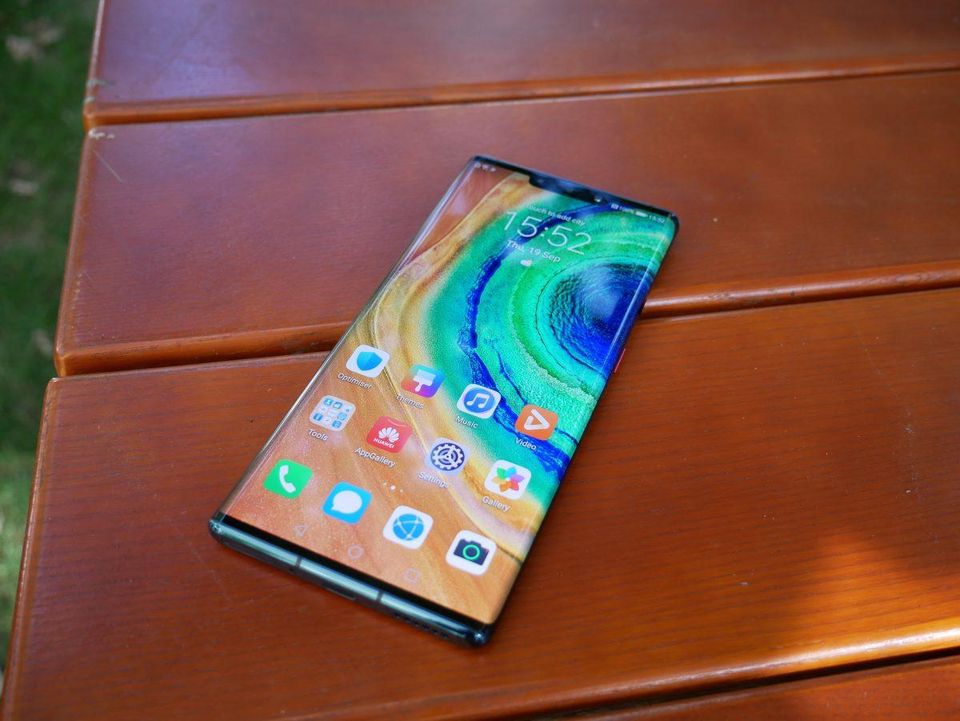
    The latest Huawei Mate 30 has a circular camera array with a narrower notch. It also comes with the option of getting the models bound in vegan leather. The smartphone is designed to run on EMUI 10, an Android 10 operating system. Interface-wise, it would look a bit different from other Huawei flagship phones, especially since you will not note any pre-loaded default Google apps. This means no Google Maps, Gmail, or even the Google Play Store. Instead, you will see Huawei Mobile Services where you can browse around the Huawei’s AppGallery app store, use their web browser, and the photo gallery. 


    With the company already out of business in the US, the lack of Google Play Store and other Google services could impact their European market as well. If users are going to struggle to use Google services, they are definitely not going to choose Huawei. This is considered by many as a direct consequence of the US-Chinese trade war. 

    The Harmony OS in Huawei Mate 30

    Huawei is so large a brand that it has even overtaken Apple. The company took a long time to make its way into the smartphone market, but it did make it eventually. Today, it enjoys a premium market share in Europe, mainly as a competitor to Apple iPhones. The Mate 30 is released in two editions bound in vegan leather. The new Mate 30 would run on Android 10 since it is an open-source version. 

    Huawei New Mate 30 Camera
    Huawei New Mate 30 Camera

    Huawei is also working on the Harmony OS, which they made public after the US ban. Although the company plans to work with Android as long as possible, the Harmony OS is an efficient backup. 

    Huawei Mate 30 Design and Features

    The phone features 256 GB of storage, 8 GB of RAM, a 4,500 mAh battery, 6.53 inches of virtually wraparound OLED screen, and Kirin 990 chip-set. The glass and metal body design make it look and feel premium. The phone is not as huge as the Galaxy Note 10 Plus, but it is still a good enough size. The edge-to-edge curved screen gives it a great visual appeal. The curved Gorilla Glass 6 both sides offer it additional protection. The phone is scratch-resistant and features IP68 water and dust resistance. The display is vibrant and is great for gaming, even the heavy-duty ones! If you can live without Google Apps, this should be a great option to consider. 

  • How To Factory Reset A PS4

    How To Factory Reset A PS4

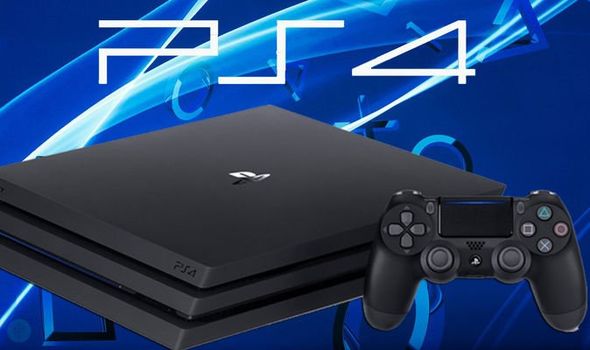
    Understanding and knowing when and how to factory reset a device is very important. The devices, even our beloved PlayStation, like PS4, could do with a factory reset now and then. Sometimes, it could be because you are unable to fix an error but are not able to; or if the latest update is causing problems. Let’s take a look at how you can factory reset PS4. 

    How to factory reset your PS4

    Before we get started, it is advisable to know what a factory reset does. It will completely erase your console’s hard drive along with removing its system software. It is the ideal course to take when a software glitch is affecting your PS4. Before doing this, however, it is advisable to back up your data, including images, videos, and more. 

    PlayStation 4
    PlayStation 4
    1. First, sign in to your PlayStation 4. Make your way to the Setting menu. Find the option ‘PlayStation Network/Account Management.’ And click on it. Deactivate the machine as your primary PS4. This will let you play offline, downloaded games. All you need to do is to identify this PS4 machine as yours. If you don’t do this step properly, you are likely to face a ton of issues as you sign into the new console. 
    2. In this step, we will deactivate the PlayStation. You will notice an option called the ‘Activate as Your Primary PS4’. If your device is already active, the option will show in grey. The only clickable option, in this case, would be ‘Deactivate’. 
    3. Now, sign in using your user account. Do note that this is different from your PS4 account. Once you are in, head over to the Settings menu. 
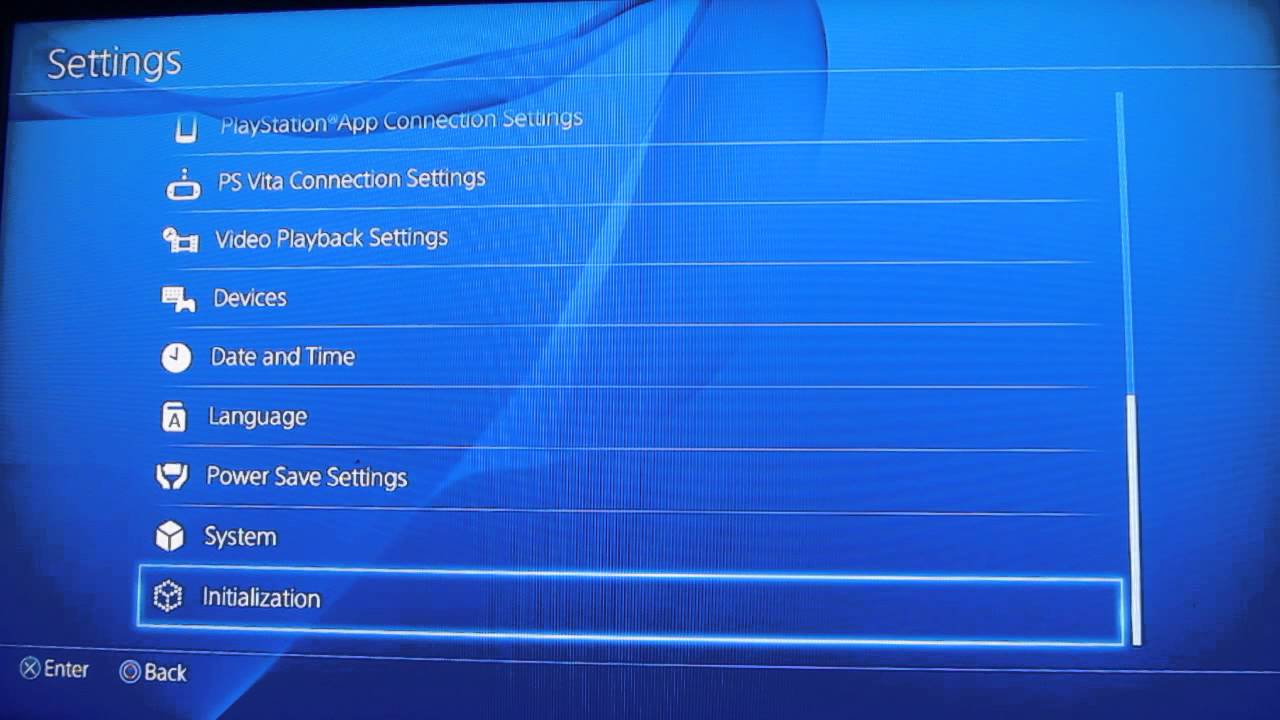
    4. Find the ‘Initialisation’ option here. You will see two options – “Restore Default Settings” and “Initialise PS4.” The first option will help you clear the saved settings data and return your PS4 device to its factory settings. It will not, however, clear your hard drive. The second option will clear your hard drive of data. This includes saved game data, downloaded games, and everything else. Once you go through these two options, your PS4 device will be as new as the day you bought it!
    5. When you come across the Initialise screen, make sure you choose Full since this could take quite some time, at least a couple of hours. Once you have started the initialisation process, the PS4 will show a progress bar indicating the time it will take.
    How to factory reset your PS4
    How to factory reset your PS4


    Factory Reset From Safe Mode

    Another way of performing a factory reset is from the Safe Mode. To do this, first, switch off your PS4 completely and hold down the power button on the console till you hear two beeps. This will enter the Safe Mode. Select the reset option you want. Choosing ‘Initialise PS4’ will clear the hard drive and restore the PS4 to factory settings, but it will keep the software system intact. This option can be chosen if you are sure there is no software trouble. For a review of the Sony PlayStation 5, click here

  • The Samsung Galaxy S11 Will Have A Massive Battery, According To Leak

    The Samsung Galaxy S11 Will Have A Massive Battery, According To Leak

    According to a leak, it looks like Samsung Galaxy S11 will have a larger than usual battery. Even the Samsung Galaxy S11e (most likely to be called this and also the smallest in the Galaxy series), might be supported by a 4,000mAh battery. Compared to its predecessor, Galaxy S10e, this is a massive improvement. Brace yourself – the Galaxy S11+ may have a battery as huge as 5,000mAh. One thing we should note is that a larger battery does not automatically mean longer battery life. It is just as well that the phone has a larger battery since the many new features that the phone has will be requiring the bigger battery. Besides the news flash about a larger battery, they have a higher refresh rate of 120Hz and could possibly skip the 90Hz display altogether, leaving devices like OnePlus 7 and Pixel 4 far behind. 

    One other reason for a big battery could be the introduction of 5G. Since 5G would a standard fixture in all upcoming models, a larger battery would come in handy since it tends to use more energy. Most companies would need to think about upgrading their batteries once 5G takes over.

    Samsung Galaxy S11
    Samsung Galaxy S11

    Design

    Currently, it is not very clear if a larger battery could impact the build. The truth is that if it is not too bulky to handle, most users would not mind too much. Considering the Apple example, not many users were upset about the iPhone 11 being slightly thicker than iPhone Xs. The phone can now last quite some time longer, so much so that users can easily for a day and sometimes, even two! 

    Basic Features Of Samsung Galaxy S11

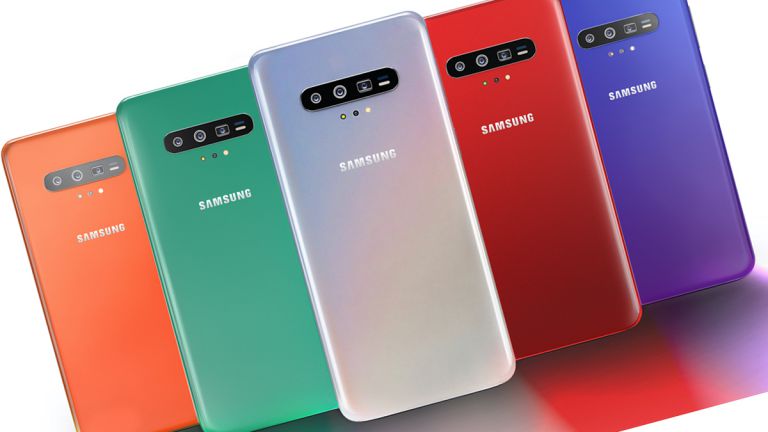
    Samsung’s next-to-be-released flagship phone is all set. Besides the larger battery, the camera quality and performance is expected to be wonderful as well. The camera will feature a 108-megapixel primary sensor with a periscope camera supporting 5x zoom. In addition to this, it is believed that Samsung could possibly add 3D sensors to both the front and rear camera systems! Another cool feature coming to the Galaxy S11 model is the 3D face recognition, which works in a manner similar to the iPhone. 

    Samsung Galaxy S11 Back
    Samsung Galaxy S11 Back

    Latest News About Samsung Galaxy S11 Battery

    As we have already seen, the new battery is likely to be 4,000 mAh. It is an awesome inclusion in a phone that is not very large itself. It is thought to be similar to the Note10 battery. Samsung has made some changes and tweaked the design a bit to make it better. In fact, it is suggested that a 5,000 mAh battery for the Galaxy S11+ model would not be a surprise either! This would support the phone to provide better 5G utility and have higher screen refresh rates. For comparison’s sake, the iPhone 11 feature only a 3,046 mAh battery. It looks like this phone would be able to last considerably longer. The Samsung Galaxy S11 should be launched in coming February.

  • Samsung Galaxy Fold Review

    Samsung Galaxy Fold Review

    An Overview: Samsung Galaxy Fold

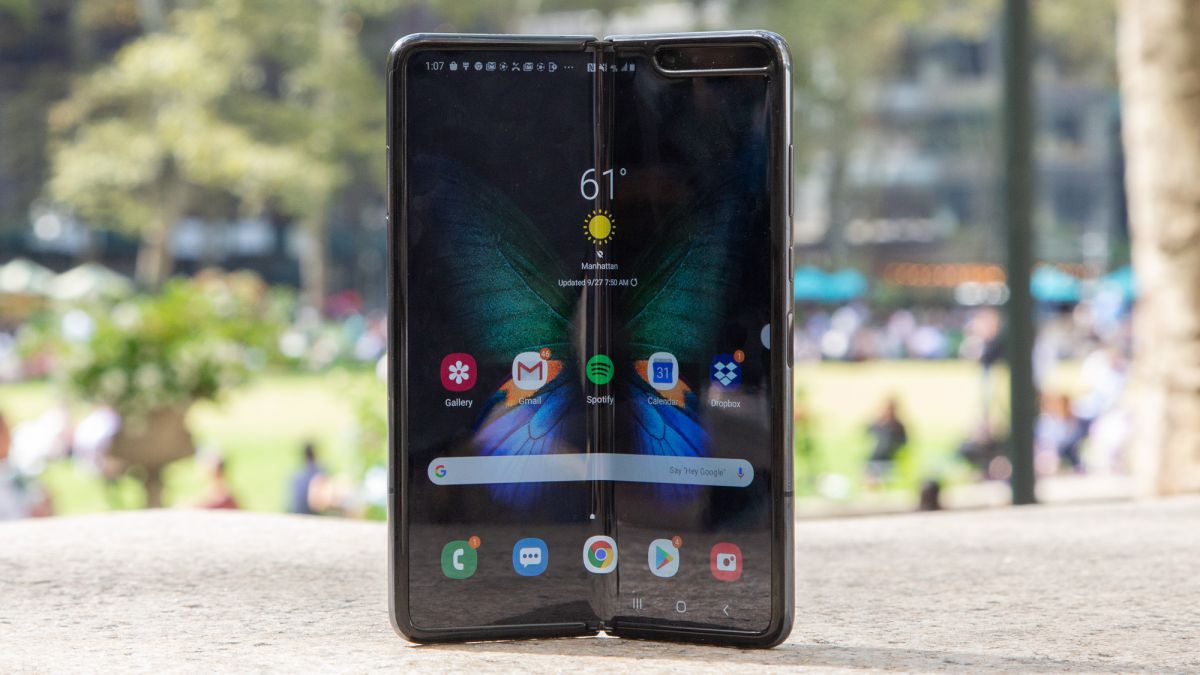
    The Galaxy Fold is considered to a phone of the future by many. It is the first of such a model and has come out very well for a concept that has always been theoretical. The Galaxy Fold can easily transform from a 4.6-inch handset to a 7.3-inch tablet and vice versa easily. You can do this even while using any app and there is a definite thrill that accompanies the fold and unfold gesture. Since this is pretty new in the market, many are worried about the durability of this – a right concern. Understandably, the phone is quite expensive, but when it comes to the possibility that it might not be very durable, it does trigger a constant worry. We will discuss all the aspects of this phone in this Samsung Galaxy Fold Review. 

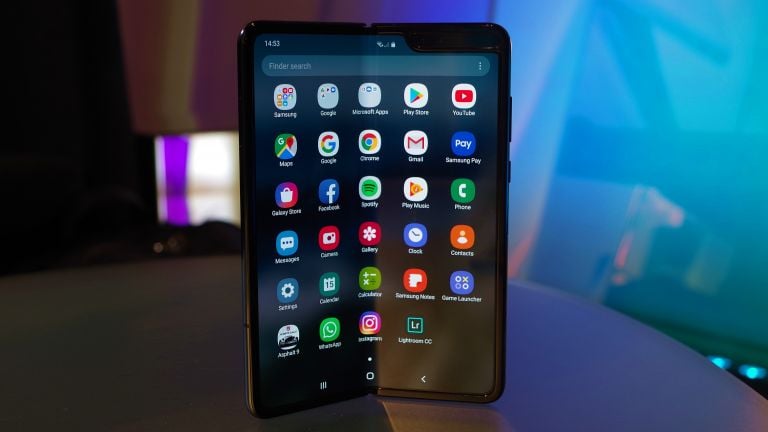
    The 7.3-inch display is vibrant and allows the users to run as many as three apps simultaneously on the screen. Once folded, it turns into a 4.6-inch screen device, which feels a bit too small. Comparatively speaking, the Galaxy Fold is a bit thicker than the regular phones we might be used to. Since it is also not nearly as durable as the others, it is better to store it in your purse or a jacket pocket. 

    For the owners of the Fold, Samsung has a Galaxy Fold Premier Service that is available 24/7 and users can choose to get in touch via phone, video chat or in-person visits. The battery is not too bad either. The package comes with a box for added protection and a pair of wireless Galaxy Buds. 

    Samsung Galaxy Fold Review
    Samsung Galaxy Fold Review

    Galaxy Fold Design

    The futuristic design of the phone has stunned many people. The 20-part, dual-axis hinge is responsible for opening and closing the phone smoothly like a book. This will transform the book from a phone to a tablet in an instant. The motion is smooth and does not seem forced at all. The phone’s unique design does not take a long time to get used to either. Since the main display is made of plastic and not Gorilla Glass, the company tried to offer better protection by having a metal layer under the screen. 

    When in closed mode, the Galaxy Fold looks and feels like a model of the past due to chunky and small look. It is not a good fit for pant pockets. It also weighs a bit more than the average phones. Regarding the button layout, you will see the power button and the fingerprint scanner separately. In a premium phone like this, it is only natural to give the users as much convenience as possible. Instead, Samsung has decided to work with a new combination. Here, the fingerprint sensor also doubles as the Bixby button. The Fold offers facial recognition too. The Galaxy Fold is available in two colors – Space Silver and Cosmos Black. Before the design, the company had plans to add other vibrant colors like Astro Blue and Martian Green. There is no headphone jack in this model, however, Samsung does include wireless Galaxy Buds in the box. 

    Galaxy Fold Display

    The Galaxy Fold becomes extremely small when folded at just 4.6 inches. This makes it quite small compared to other smartphones that generally start from 5.5 inches onwards. The screen is narrower, making it a bit difficult to type and text, considering we have been used to larger displays. Apart from using the small screen for basics like checking notification, selecting songs, and so on, the folded version is not very great. For most things, you will need to open the phone. In the 7.3-inch display, you will experience the magic of the AMOLED screen. The colors are sharp and in contrast. The crease in the middle is not very visible, especially when you are using apps. 

    Samsung Galaxy Fold Display Review
    Samsung Galaxy Fold Display Review


    Galaxy Fold Durability

    Durability was a major concern with the Galaxy Fold. This is why Samsung ended up making a few changes to the design to make it more stable and durable. The top display has been extended to avoid accidental damage to the device. To prevent debris or dust from getting accumulated behind the screen while it is closed, the hinges now have caps. Samsung has also added a metal layer under the display to make touch interactions more stable and solid. The gaps between the two sides are also bridged as much as possible, although you might notice space for small stuff to get through when it is closed. According to Samsung, the Galaxy Fold can withstand about 200,000 opens, but according to a test run, it broke just before hitting the 120,000.

    Software

    For some aspects, Samsung worked with Google. The App Continuity feature allows you to open an app in the folded phone and continue using it seamlessly after you unfold the phone. It is great since it covers the entire screen of the unfolded phone and comes in especially useful with certain apps like Google Maps and when you are watching movies. Another cool feature is the Multi-Active Window thanks to which you would be able to run as many as three apps simultaneously. You can add the apps by swiping right from the screen. You can also resize the apps using your fingers. Surprisingly many apps support the multitasking mode. 

    Galaxy Fold Camera

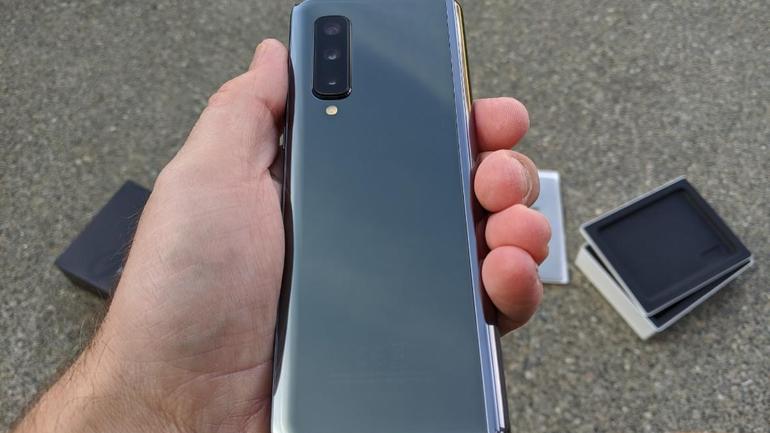
    The Samsung Fold boasts of six cameras. Similar to the Galaxy S10 and Galaxy Note 10 models, you will notice three shooters on the back – a 12-megapixel wide-angle camera, a 16-MP ultra-wide lens, and a 12-MP telephoto lens. There is also a 10-MP camera for selfies when the phone is folded. When unfolded, you will see a 10-MP main camera in addition to an 8-MP depth camera for portraits.

    Samsung Galaxy Fold Camera
    Samsung Galaxy Fold Camera

    Bottom Line

    The Galaxy Fold phone indeed feels like a futuristic phone. However, when you get down to it and start using it, it does seem that it falls short on multiple factors. With more improvements, this unique model could definitely become more popular and be considered an alternative for laptops. The price is currently too high for most users to afford it. Hopefully, once the company makes some improvements, they could market it more affordably.