Author: Shilpa

  • Best Tools For Android To Mac File Transfer

    Best Tools For Android To Mac File Transfer

    If you own a Mac laptop and an Android phone, chances are you might get stuck when it comes to data transfer. For so long, users have always ended up in frustration as their attempts to pair these devices went unsuccessful. Since it is highly difficult to pair up the two vastly different hardware and software, many third-party developers started creating applications that could perform this feat. Android to Mac File Transfer has always been a messy job. Not any more though! For a more detailed guide, check this article out.

    For a long time, the best way to achieve this data transfer was by using Google’s Android File Transfer app for OS X. This allowed the users to transfer files from an Android smartphone to a MacBook or an iMac. However, its interface is extremely minimal, and it performs only the very basic functions. Another drawback of this software was the fact that it was not compatible with all Android versions. Due to this, many users have started the search for other alternatives. This is why, in this post, we will discuss the top options for Android to Mac File Transfer.

    HandShaker

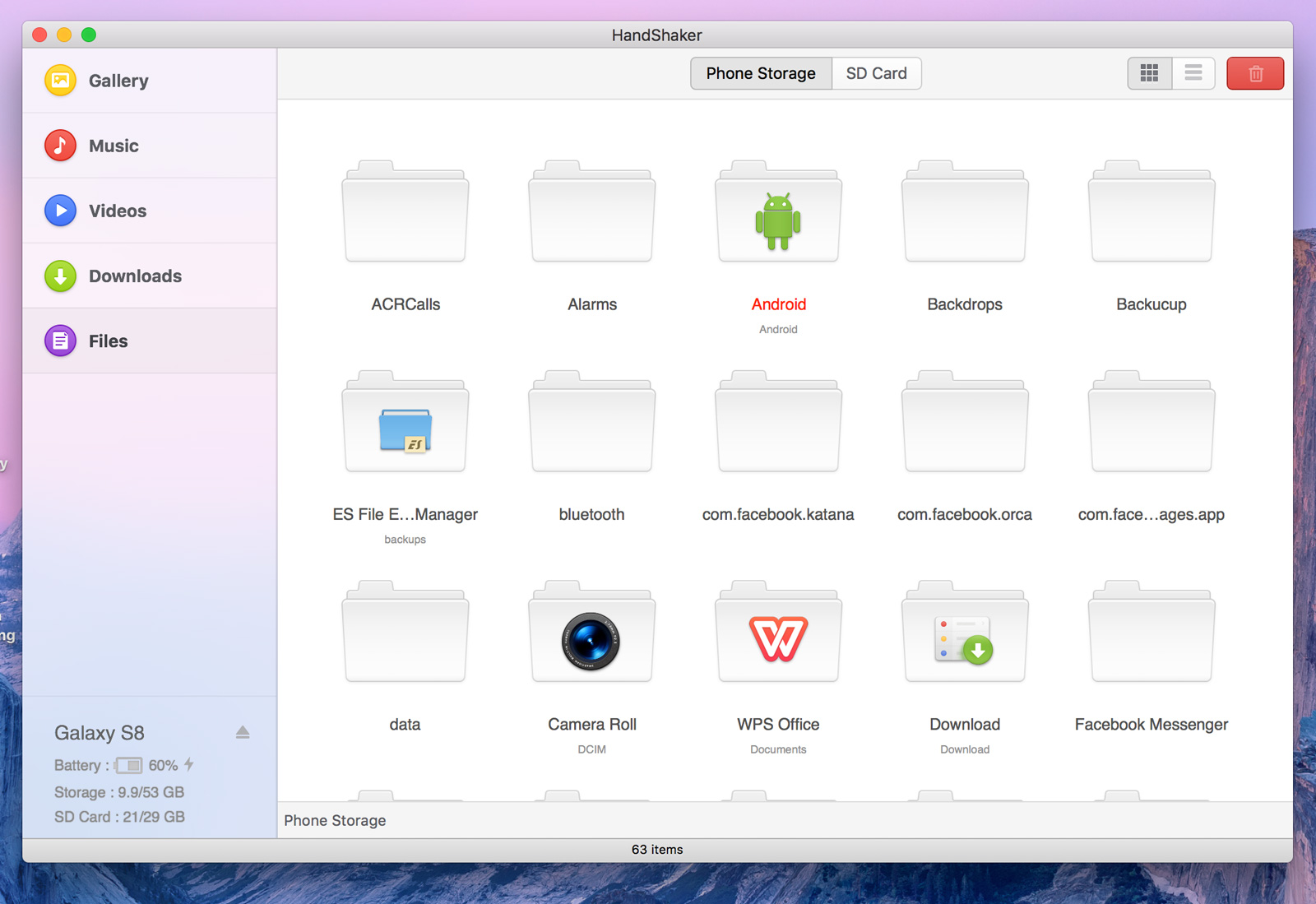
    The HandShaker is a popular alternative for file transfer between Mac devices and Android phones. It is compatible and works flawlessly with all Android version and tablets. While transferring the data between two devices, you can be sure of a good speed and reasonable security. Since the data transfer between the devices happens wirelessly, it makes it more convenient for the users. T is also completely free for use for Mac users as well. This freeware software has an intuitive and user-friendly interface. By that, we mean it has a Drag and Drop option that you can use to transfer your files easily. With HandShaker, you can not only transfer files but also be able to manage your Android device external SD card. This software allows the users to transfer files of different types including audios, documents, videos, and images among others.
    Android To Mac File Transfer
    Handshaker App

    dr.fone (Mac) – Transfer (Android)

    This software by Wondershare is counted to be one of the best file transfer software out there that could easily transfer different differ file types from your Android device to Mac. It is also compatible with all Android versions, making it far easier to use than other alternatives. The software can efficiently transfer different types of data including contacts, images, messages, videos, and other files. It can be used with different operating systems like Android, Mac, Windows, and iOS. You can safely download it and use it anywhere. Besides transferring files between a laptop and a phone, it also allows you to transfer data between any two smartphones.

    Commander One

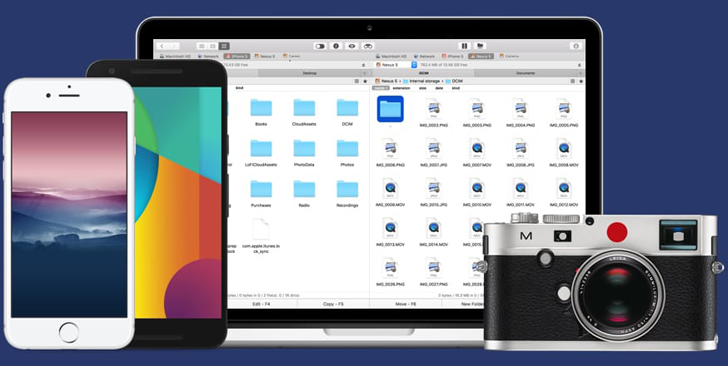
    Commander One is one of the more reliable Android file transfers software. Besides helping transfer, it can also edit, delete or create files. Among all the data transfer tools out there, Commander One has the reputation for being one of the most secure ones. It can efficiently transfer all types of files in no time. It usually transfers data between the devices by using protocols like FTP, FTPS, and SFTP. You can also manage your different cloud storage servers including Dropbox, Google Drive, and others in one place with Commander One. The tool also has custom hotkeys for quicker use. It also allows the users to open up different tabs to make the experience an easier and more convenient one. Commander One supports the most popular file types, including documents, images, videos, and so on.
    Android To Mac File Transfer: Commander One
    Commander One: Android To Mac File Transfer

    AirDroid

    AirDroid is one of the more powerful tools in the market. It allows the users to access, manage and transfer your Android device on Mac computer wirelessly. AirDroid supports different file types, such as photos, documents, music, APKs, and even folders. Besides Android and Mac OS, AirDroid also works with other operating systems, such as iOS, Windows and AirDroid Web system. It is quick, efficient, and secure, which ticks most of our concern list. AirDroid is one of the most famous data transfer tools out there, especially since it allows users to transfer either via their smartphones, using the web, or via the desktop client. You can do a lot more than simply transfer data. Users would be able to check out notifications, reply to messages, manage files, remotely control your device, and so much more. Lately, some users have complained about bloatware, but the company has already rolled out a fix. The troubles should not appear anymore.

    Smart Switch

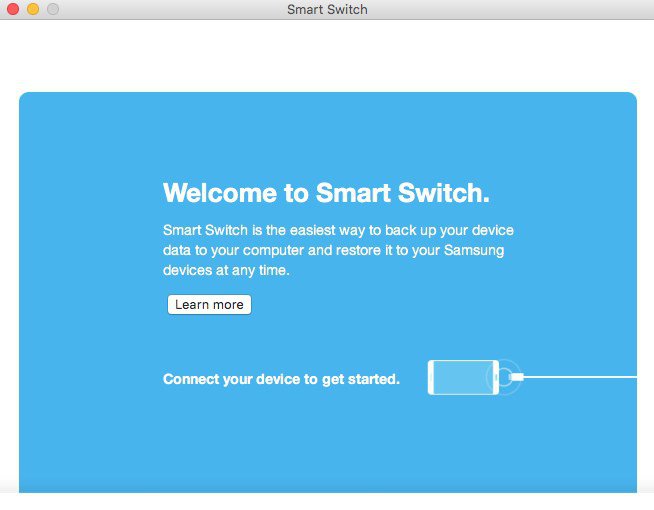
    The Smart Switch Android file transfer Mac software has been developed by Samsung. It allows for transfer between Samsung and other Android devices. It also works the other way around, by allowing you to transfer data from your iPhone to Android device. Smart Switch allows for easy data synchronization between different devices. The device software update is simple and possible via Smart Switch. This is a great thing since you would be able to improve the performance of your device while allowing swift data sharing. Data backup is another brilliant feature Smart Switch has as it helps you create a backup of all your files so that nothing gets lost during the transfer. Other file types supported by Smart Switch include contacts, call history, images, messages, videos, audios, and documents.
    Android To Mac File Transfer
    Samsung Smart Switch

    SyncMate

    The SyncMate is a free application that helps the users transfer data effectively. It syncs files between your Mac computer and your Android device and helps transfer smoothly. This powerful tool comes with the ability to sync data between the different devices. It is all done automatically and there is no need for you to fiddle around. Since the sync function works in the background, chances of it affecting other apps is very unlikely. SyncMate supports images, documents, and a variety of other file types.

    Verdict

    Although users have had trouble transferring data between their Mac devices and Android phones for a very, very long time, the time has come for easier ways. These tools and software mentioned in this list make it a very simple task of transferring data reliably and securely.
  • The Samsung Smartwatch Review: Samsung Galaxy Watch

    The Samsung Smartwatch Review: Samsung Galaxy Watch

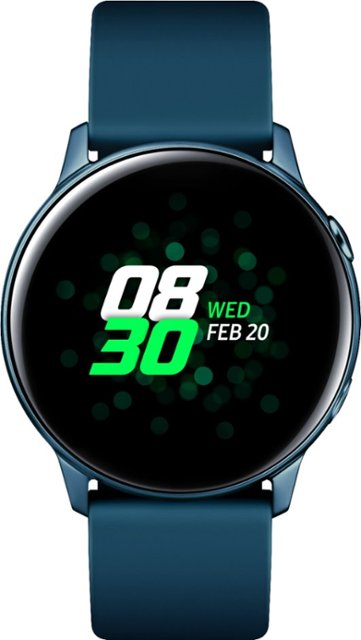
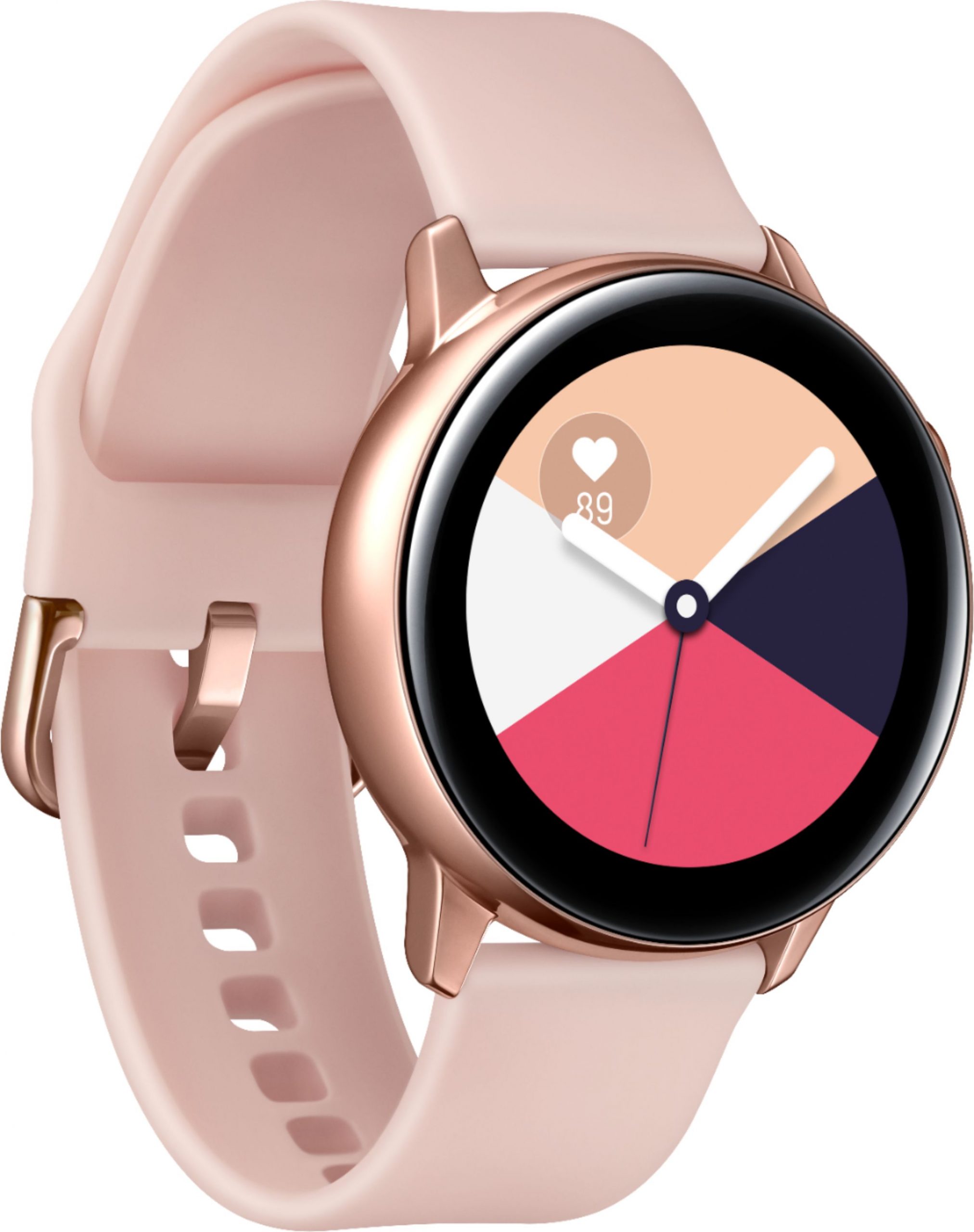
    The Samsung Galaxy Watch is finally here. The Samsung smartwatch was announced with the latest Note 9 smartphone at the Galaxy Unpacked 2018. This 42mm Rose Gold model is as stylish as they come. Name-wise, Samsung no longer names its watch along with the ‘Gear S’ series. Instead of simply upgrading the specs and releasing a new watch, the company has redesigned pretty much all aspects of the smartwatch, making it more usable, functional, and chic.

    While it looks like your regular watch, it is packed with cool smart features. This combination is what is likely to attract customers. While the Apple Watch has far too much experience for Samsung to consider it a competition, maybe the company hopes to catch up someday. The Galaxy Watch is available in two sizes – 42mm or 46mm. You will be able to choose from Midnight Black, Rose Gold, and Silver. Instead of a funky smartwatch, it looks and feels like your regular watch, but has all the features and functions of a reliable smartwatch.

    Design And Hardware

    With a large circular face and a metal body, the watch is pretty attractive. However, if you like the design of Apple Watch, you may feel this is a bit more traditional in its design. If you want your battery to last long, you could turn off the Always-on display. With this, your Galaxy Watch display will turn into a black circle. Again, although nobody right now can compete with Apple regarding the quality of build, Samsung has done a pretty great job.

    Samsung Galaxy Watch
    Samsung Galaxy Watch

    While its aesthetics could be improved since it feels a little bit cheap as it sits on our wrists, maybe Samsung is just getting started. It doesn’t feel like a stylish piece of accessory – more like a functional piece of technology. Looks and design apart, the Galaxy Watch has tons of features that will win your hearts. It is one of the most user-friendly and functional smartwatches out there. It comes with two buttons and a rotating bezel, using which you can easily navigate around the apps, menus, and the general UI.

    The bezel clicks as you rotate it, making it tactile and satisfying. The 42mm model comes with a 1.2-inch display while the 46mm Galaxy Watch has a larger 1.3-inch screen. The dimensions of the former are 41.9 x 45.7 x 12.7mm. It is perfect for use with 20mm straps. The larger model features the 472mAh which is a significant jump up from the 270mAh battery present in the 42mm model. The battery life of the watch is good enough with being able to last any time between four to five days.

    Features 

    The Samsung Galaxy Watch uses Tizen 4.0 OS. You will find that it is compatible with all phones running on Android 5.0 and later. It also works well with iPhone running iOS 9 and above. Its interface is extremely tactile, intuitive, and simple. It is so far ahead that it simply cannot even be compared with the likes of Wear OS and watchOS. Coming to Tizen’s drawbacks, it has very little third-party support. This means that you will be restricted to using only Samsung apps.

    Samsung Galaxy Watch Display
    Samsung Galaxy Watch Display

    Coming to Bixby, the Galaxy Watch features Samsung’s AI voice assistant. It is designed to replace S Voice on the new Galaxy Watch. Practically speaking, Bixby doesn’t add any actual value and is pretty much useless. Google Assistant would have been a better addition to the watch and offered the users a much nicer experience.

    Samsung Health

    Samsung has made health a major focus of its latest smartwatch. They have integrated Samsung Health here, which has new features like stress management and breathing along with a range of 21 indoor exercises and 39 tracked workouts. Some of them include running, walking, cycling, swimming, exercise bike, treadmill, weight machine, crunches, deadlifts, hiking, leg press, and other commonly used gym equipment.

    It is an easy enough task to jump between the different tracking modes. All you need to do is to rotate the bezel of your Galaxy Watch. While the smartwatch is great enough for tracking a casual user’s activities and progress, it is by no means a reliable replacement for Garmin or Suunto. Besides your exercises, the watch will be able to measure your stress, give you a stress score, and even track your sleep. The stress score generally automatically calculates. While the watch offers sleep tracking, it is not a viable option since the watch seems a bit too bulky to sleep with.

    Samsung Galaxy Watch Review
    Samsung Galaxy Watch Review

    Samsung Smartwatch And 4G

    The latest version of the Samsung smartwatch features 4G. The features change geographically, from country to country. Looking at the UK, the Galaxy Watch 4G is exclusively compatible with EE mobile contracts. The watch is designed to fit in an eSIM which you can use to pair the watch to your device. Once done, you can link it to your plan. In certain plans, you can use unlimited data, make calls, and send texts from the watch itself. The cellular function works perfectly and gives no cause of concern. You can comfortably use your watch even if you are away from your phone or a Wi-Fi network. The watch has two versions – Bluetooth and LTE/4G – both of which feature a dual-core 1.15GHz chipset and 4GB of internal storage space. The LTE/4G has 1.5GB RAM while the Bluetooth version of the smartwatch only has 768MB.

    Verdict

    Considering Samsung’s offering to this sector, we agree that the Samsung Galaxy Watch is one of the best ones the company has even developed. While its aesthetics could be improved, it is functional and features a lot of abilities. Its new fitness tracking capabilities, data usage, and other details make it a great option to consider. With the Galaxy Watch running on Tizen, offering a reasonably great battery life, and available in multiple colours, the smartwatch is a great upgrade from its predecessor. The different sizes and colours will do their bit in attracting the customers too.

  • Google Pixel 3 XL Review

    Google Pixel 3 XL Review

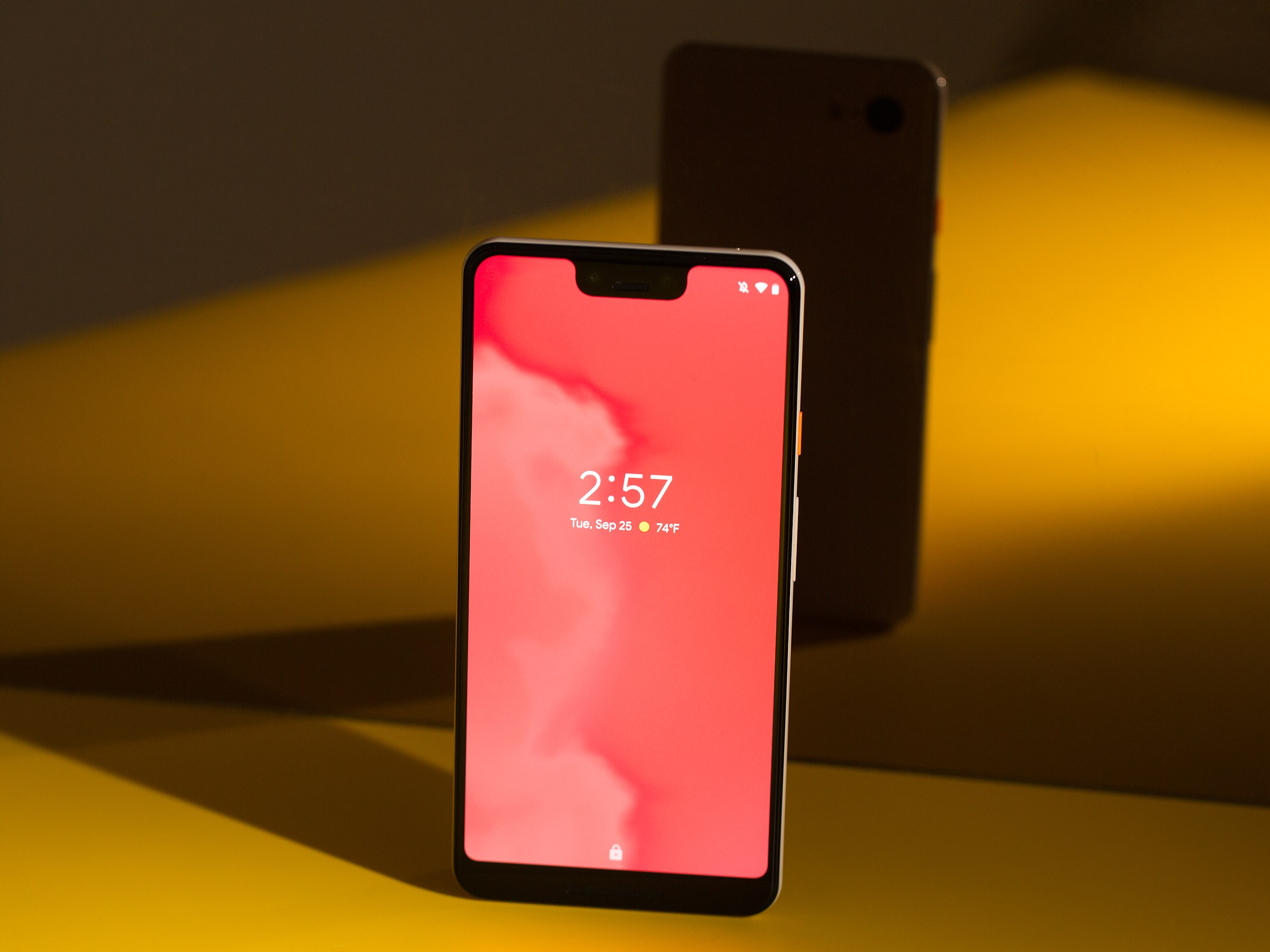
    Google Pixel 3 XL is one of the most awaited phones. It comes with a large screen, a rick colour display, and takes simply the best pictures. While other phones like the Samsung Galaxy S10 Plus and the OnePlus 7 Pro also have pretty good features, the Pixel 3 XL is counted as the phone with the best camera in the market. It runs on Android Pie and has two front-facing cameras, one 12.2MP rear-facing lens, and an additional lens at the front for group selfies. It is easy to use, and the results are stunning.

    Although the Pixel 3 XL isn’t Google’s largest device, it is one of the most affordable. It features enhanced aspects from Pixel 3a, has an extra camera, bigger camera, and a newer chipset. While it has a ton of awesome features, its design has a major drawback – the notch cut out at the top of the display. It is deeper than iPhone XS Max’s notch and larger than the one in Pixel 3. Besides the design, there is little reason to be unhappy with it. Let’s dive into this detailed Google Pixel 3 XL review.

    Design

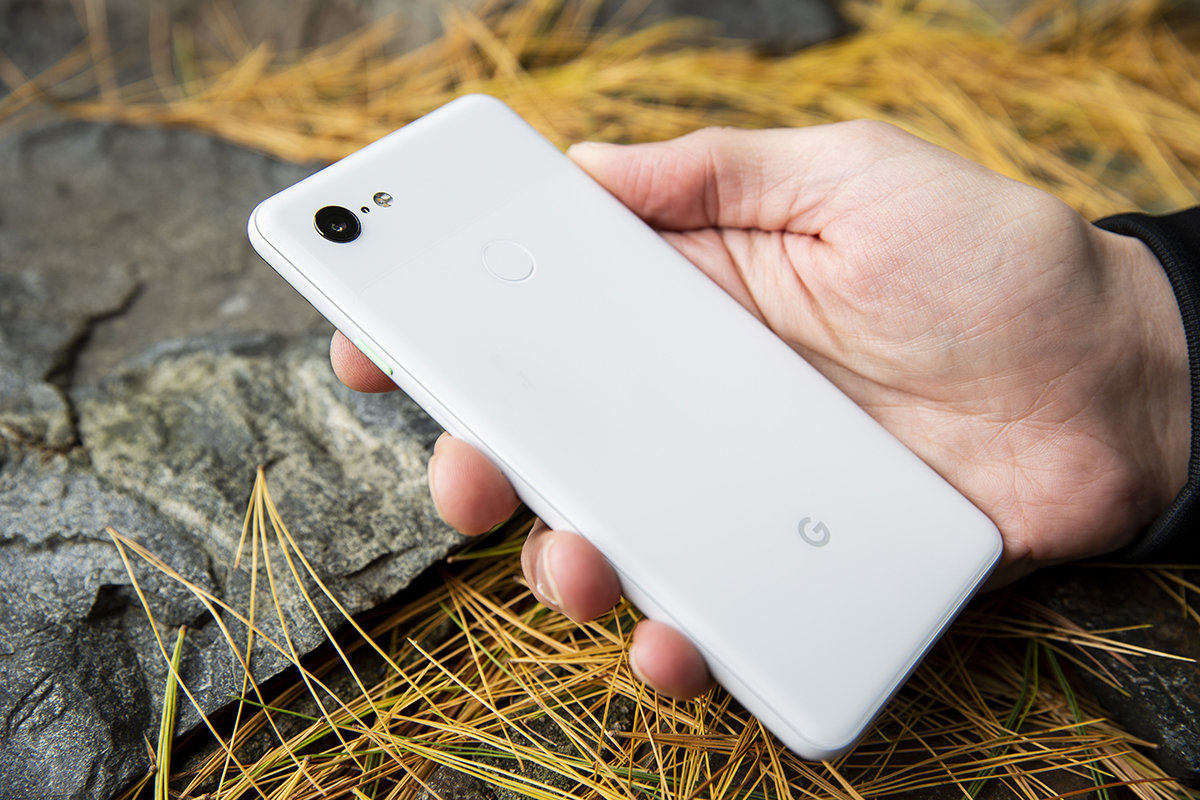
    The Google Pixel 3 XL is definitely better than its predecessor Pixel 2 XL. You will not find any glass-and-aluminium look. Instead, the new design features an all-glass two-tone look. With glass at the top and textured matte glass towards the bottom, the phone’s back is as classy as it could be. The back is protected with Corning Gorilla Glass 5 which is also the material that guards the phone’s front. Although it can be operated with one hand, it becomes slightly difficult to do so. For a more comfortable experience, you will have to end up using both hands. Due to the glass back, it is also more slippery than its predecessor.

    Google Pixel 3 XL Review
    Google Pixel 3 XL Review

    This glass design offers more benefits than simply looking gorgeous. It helps LTE signals travel faster and easier when compared to more common aluminium-backed devices. With 5G gaining traction, this factor is going to be more important as well. The corners are completely rounded and slim giving off a polished and sleek look. The rear fingerprint sensor is flat and does not dig in very deep. As with the Pixel 2 XL model, you can squeeze the sides of the device to awaken Google Assistant. This is far easier and fun to use than an AI button, which is what Samsung has for Bixby.

    Display

    The Pixel 3 XL features a 6.3-inch OLED screen with an 18.5:9 aspect ratio with HDR Support and a QHD+ resolution. With less bezel and more display space, users can enjoy a screen-to-body ratio if 83%. The previous models were designed with 76% screen-to-body ratio. Although it has a larger screen, it fits in relatively well within the same dimensions of 158 x 76.7 x 7.9mm. The deep notch at the top is unflattering and a tiny bit annoying, especially when you are watching videos or movies. It is not very easy to ignore.

    However, it seems the developers knew some might find the notch uncomfortable. So, you will find that there is a way to hide the notch. However, if you do so, the time, battery level, notifications, and other things would go down a bit and the entire panel would turn black. A better option would be to consider using Nacho Notch, a popular app, that can be used to hide the notch while displaying the other data at its place.

    Performance

    Performance-wise, we don’t really have anything to complain about. This device by Google is designed to offer excellent performance although the speed is nothing to wow at. The Pixel 3 XL runs on Qualcomm Snapdragon 845 chipset with 4GB of RAM. Others in the market have gone on to use 6GB and 8GB of RAM, but the Pixel seems to work quite well. Maybe we will see an upgrade in the upcoming models.

    Google Pixel 3 XL
    Google Pixel 3 XL

    Regarding battery life, the phone has a 3,430mAh battery which is large enough to handle your usage for a day and sometimes even more. Even if it is not as large as others, it can last reasonably long. The adaptive battery is Android Pie’s latest feature which switches off apps that you don’t use and the ones consuming too much power. This will get you more battery life. The 18W charger offers faster-charging speeds. You can also choose to buy the Pixel Stand if you want to try wireless charging.

    Android 9.0 Pie 

    If you want to use the Android 9.0 Pie and see how it works, the Google Pixel 3 XL is your best bet. With a large screen to enjoy the Material Design and Adaptive Battery features to make your battery last longer, you are in for a great time. The phone comes with stock Android software. The traditional UI has been tweaked a bit. The navigational buttons are smaller in size and you can also hide them and use gestures instead. Since the notch takes up space in the middle, the time and notification icons are moved to the left side of the screen while other details like the battery level and signal strength are on the right side.

    Google Pixel 3 XL Camera Review
    Google Pixel 3 XL Camera Review

    Camera Quality

    Google Pixel 3 XL is one of the best camera phones in the market. It has a 12.2MP rear camera with an f/1.8 aperture which takes sharp, rich, and awesome pictures. Google’s dedicated Pixel Visual Core chip and machine-learning software are what that makeup other things. They ensure you get stunning photographs no matter what. The two 8MP front-facing cameras also have the same software. While the primary selfie camera has a 75-degree field of view, the secondary selfie camera boasts of a wider 97-degree field of view. It has features like Super Res Zoom, Top Shot, Night Sight, Adjustable Portrait Blur, and Hyper-lapse mode.

    Verdict

    All in all, Google Pixel 3 XL is hard to beat. With a stunning camera, a large 6.3-inch display, and a reasonably good battery, it covers pretty much all our wish list. While it doesn’t have a headphone jack, which phone does nowadays?! Considering all things, the Pixel 3 XL is a worthy option to consider.

  • Xiaomi Mi 9 SE Review

    Xiaomi Mi 9 SE Review

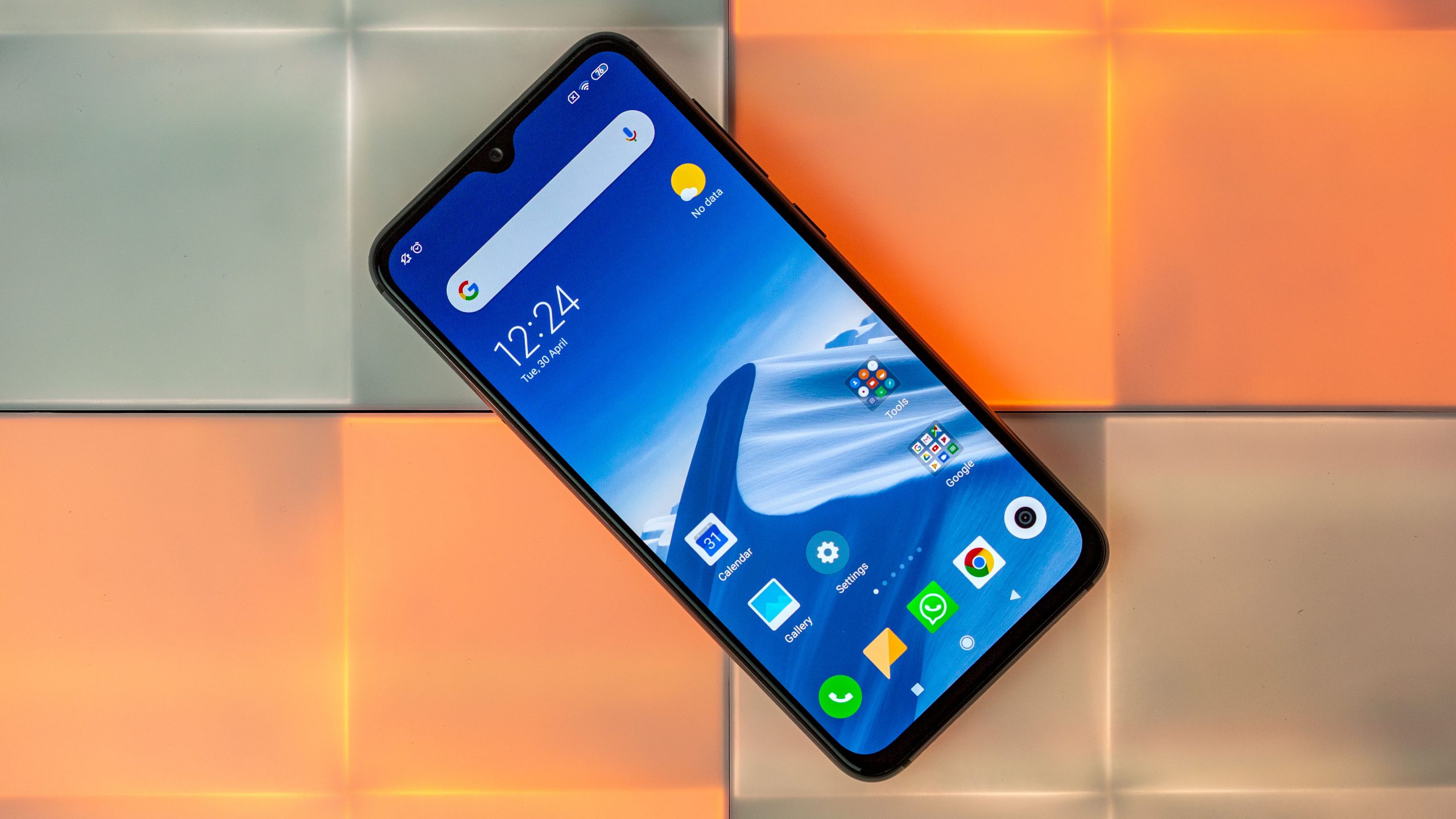
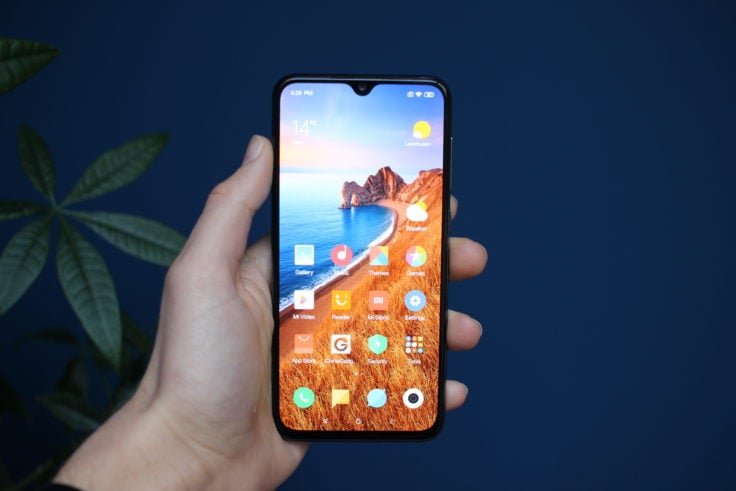
    The Xiaomi Mi 9 is no longer the latest model. A worthy successor, the Mi 9T, is now out. Of all the 9s, Mi 9 SE is considered to be the most compact. It features a Super AMOLED screen by Samsung. It has been priced very reasonably, making it one of the few devices out there that offer premium features at a budget. The phone boasts of a triple camera with regular, tele, ultra-wide lens. Although this device features the least powerful processor among others in the family, the Snapdragon 712 is not really that bad. With a smaller screen, it stands to reason that the 9 SE features a smaller battery too. This Xiaomi Mi 9 SE Review should throw some light on its features.

    Design 

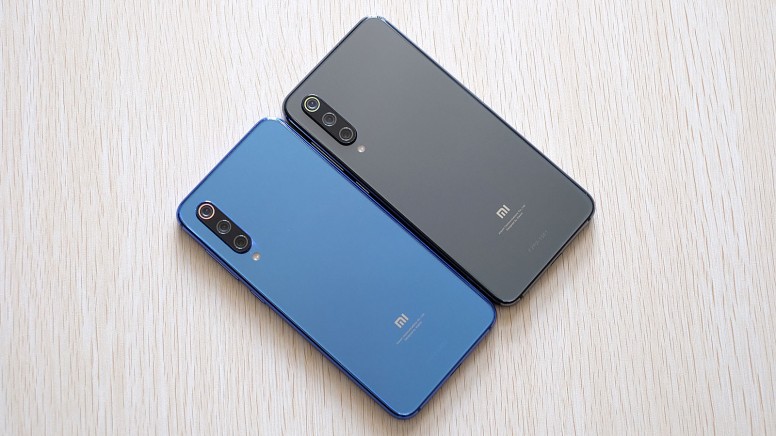
    Known for being the smallest of all the Mi 9s, the 9 SE comes with a screen diagonal of 5.97 inches. It fits into the pockets easily and is perfect for one-hand use. With a triple camera at the rear, it doesn’t lack anything with its smaller size. The back of the phone could have been designed a bit better. The three camera modules tend to stick out by about 2mm, making it wobble if you lay it down. However, with big image sensors, it is a reasonable compromise. You might also see some similarity between the Mi 9 SE and iPhone X/XS. Thankfully, you will not see any notch at the top. Instead, there is a water-drop cut-out for the selfie camera.

    Xiaomi Mi 9 SE Review
    Xiaomi Mi 9 SE Review

    The bezels are quite thin, and it looks like the Super AMOLED display in 9 SE is designed after Mi 9 and Mi 9T. It has one of the thinnest chins in the market. The OLED panel features an under-display fingerprint reader. One of the downsides of the design is that the headphone jack is no longer there. Mi has chosen to follow the way of the other premium devices. The infrared blaster on the 9 SE works excellently with Xiaomi’s power button. One the left side is the volume controller while on the other end is the card slot. It can take two nano SIMs, but no microSD. 

    Display

    The Xiaomi Mi 9 SE comes with a 5.97-inch display. Although it may seem large, this in fact, is what passes for small in today’s trend. The display features tall aspect ratio and slim bezels offering the users a brilliant and rich display experience. The 9 SE has an aspect ratio of 19.5:9 and a resolution of 2340x1080px for a pixel density of 432ppi. According to Xiaomi, the 9 SE can output 650 nits of brightness. With switching off the ambient light sensor and adjusting the brightness manually, you would be able to get 450 nits. This is, by most standards, good enough display stats.

    Battery Life

    Xiaomi Mi 9 SE features the smallest battery among the Mi 9 series. It makes sense since it is also the smallest phone. With a 3,070 mAh battery, the phone can last for about 25 hours of voice calls on a 3G network. If you tend to browse, you will still receive about 10 hours of use. The phone has also been designed to support Qualcomm Quick Charge 4+ which means that it is compatible with the USB Power Delivery standard. In just an hour and a half, you will be able to get your device charged up fully. In about 30 minutes, the 9 SE will reach about 47%.

    Xiaomi Mi 9 SE Display
    Xiaomi Mi 9 SE Display

    Audio Quality and Loudspeaker 

    The single down-firing speaker is excellent and is as loud as you could possibly wish it to be. It is better than most Mi phones and probably even others! The high volumes don’t distort the sound. It produces a rich, clear, and detailed sound. The headphones work very well too. Although the channel separation is not very great and it also has a bit of inter-modulation distortion, overall, the performance is quite reliable and app-laudable.

    MIUI 10 with Android 9.0

    The Xiaomi Mi 9 SE runs on Android Pie along with Xiaomi’s MIUI 10. The MIUI updates are pretty regular and promptly reach all the users. MIUI’s latest feature is the Always-on Display. While Samsung already has a similar feature in place, Xiaomi has introduced it for its phones as well. As the name suggests, the screen would stay on at all times. You can set it to switch on or off at particular times. There are plenty of themes available that you can set up which would suit this feature better. The under-display fingerprint scanner has improved in leaps and bounds. The phone also features a new unlock option – face unlock.

    A feature carried here from Mi 9 to the 9 SE is the Dark Mode. This changes the system colors from white to black. This not only saves power draw but also gives a change of aesthetics. You might notice that the 9 SE comes with a ton of live wallpapers that changes based on different times of the day and so on. There are plenty of themes as well. There is no app drawer in MIUI, so all the apps on your phone would be there on the home screen. However, you would be able to group the apps into folders to organize them better.

    Xiaomi Mi 9 SE Camera Review
    Xiaomi Mi 9 SE Camera Review

    Camera Quality

    The Xiaomi Mi 9 SE Review simply cannot be complete without talking about its excellent camera. The ultra-wide-angle, fixed-focus camera has a 13MP sensor with an f/2.4 aperture lens having a 15mm equivalent focal length. The 8MP telephoto shots come with an f/2.4 aperture. The camera also has HDR settings with On/Off/Auto toggles. If you love taking pictures, you will find a full range of filters as well. There is also a Beauty Mode. In the Pro Mode, you would be able to adjust white balance, focus, ISO, and shutter speed in addition to other factors.

    Verdict – Xiaomi Mi 9 SE Review

    While this is considered to be the smallest Mi 9 phone with the lowest battery capacity, other features more than makeup for this. Its size is not really a drawback since it can be easily used with one hand and it can fit perfectly in our pockets. The design of the device has been ingeniously thought of with the display being rich and detailed. The excellent sound quality, the appreciable camera, and Xiaomi’s very own MIUI, you can be sure that the Mi 9 SE is a remarkable option.

  • How to Stop Someone From Adding You to WhatsApp Groups

    How to Stop Someone From Adding You to WhatsApp Groups

    WhatsApp is one of the most popular messaging services out there. Its global reach has ensured that users stay connected no matter where in the world they are. With the introduction of WhatsApp Groups, users began creating groups with family members or friends. This was a huge success since it enabled groups of people to chat and share ideas and jokes. However, while this was quite useful, it could also be seen as irritating, especially if you were made a member of a group that you had no interest in joining. Receiving pointless good morning messages, lame jokes, and forwards is enough to turn anyone sour.

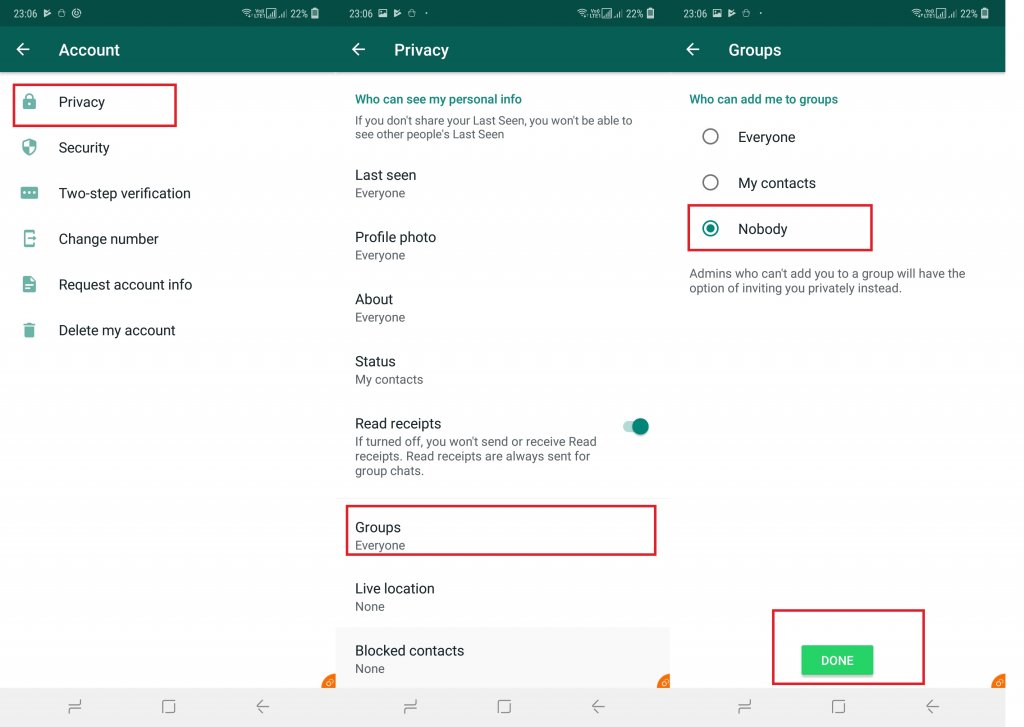
    One good news for all WhatsApp users out there is the new feature that lets you stop people from adding you to WhatsApp Groups. So, how do you set it up? The step-by-step guide is mentioned below. Please note that to do this you must have the latest version of WhatsApp installed. This will work on both Android and iOS devices.

    Stop Someone From Adding You to WhatsApp Groups
    Stop Someone From Adding You to WhatsApp Groups

    How to Stop Someone From Adding You to WhatsApp Groups

    1. First, open WhatsApp on your Android or iOS device.
    2. Make your way to the Setting menu denoted by three vertical dots, located on the top-right corner.
    3. Select the ‘Account’ tab.
    4. Within the Accounts tab, you will notice the ‘Privacy’ option. Click on that.
    5. Tap on Groups.
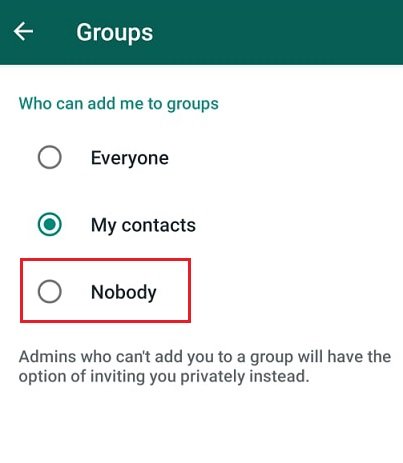
    6. Here, you will be presented with three options – ‘Everyone’, ‘My Contacts’, and ‘Nobody’. Select the one that you want and click okay.

    How does each option work?

    If you select ‘Nobody’, the group admins will send you a private invitation to join the group. You can decide if you want to accept it or not. With ‘Everyone’, things will continue to work pretty much as it does currently where anyone would be able to invite you to join and you would automatically become a part of that group. With the ‘My Contacts’ option, only certain users that are part of your contact list would have the ability to invite you.

    How To Stop Someone From Adding You To Whatsapp Groups On iPhone

    If you are an iPhone user using WhatsApp, you might be glad to know that there is now an option that allows you to stop users from adding you to WhatsApp groups.

    1. Open WhatsApp application on your phone.
    2. Tap on the Settings icon and click on ‘Accounts’.
    3. Click on ‘Privacy’. Within this option, choose ‘Groups’.
    4. Similar to Android, you will have three options – Everyone, My Contacts and My Contacts Except.
    WhatsApp Groups
    WhatsApp Groups

    Here, you can choose Everyone which means anyone would be able to invite you. My Contacts will allow only those on your contacts list. With the third option, My Contact Except, things get a bit different and offer more convenience. You will find that instead of all contacts, you can also choose specific persons who can invite you leaving the rest. This offers a greater comfort zone for the users. Others would be only able to send to a joining invite via private chat. You can choose to accept or deny the invite. This invite would only be valid for three days post which it would automatically expire. In addition to this, WhatsApp is working releasing a ton of new features. Check them out here

  • OnePlus Data Breach: CERT-In Issues Advisory After Indian OnePlus Users’ Data Stolen

    OnePlus Data Breach: CERT-In Issues Advisory After Indian OnePlus Users’ Data Stolen

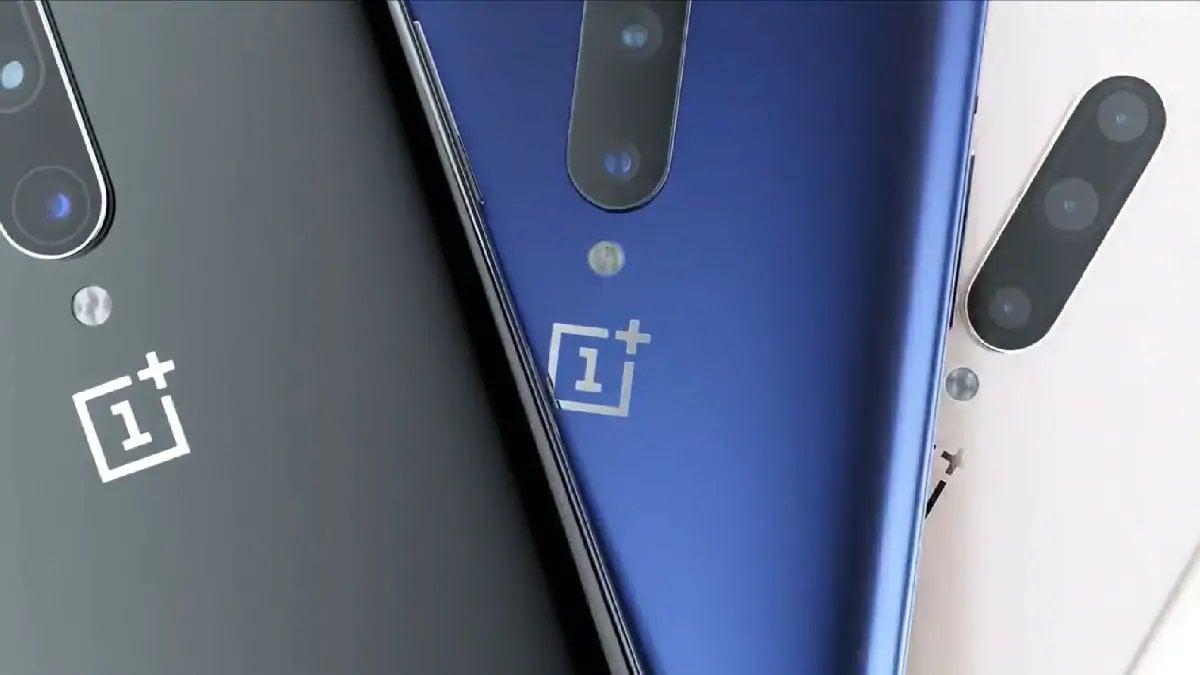
    OnePlus is a popular brand in India with as much a market share of about 35%. OnePlus leads the premium segment for two quarters in a row. Indian users choosing to move to the premium category generally eye OnePlus phones. This has led to the brand becoming wildly popular here. OnePlus Data Breach is the latest in news. Recently, OnePlus issued a statement where they stated that some user information was accessed by unauthorized parties. This came to light during a routine system check. Users of devices across the OnePlus range were affected, including OnePlus 6, OnePlus 7, and more. 

    CERT-In is India’s nodal agency for cybersecurity. The body recently issued a recommendation for OnePlus smartphone users in India. They advised them to change their account passwords. It was mentioned that the orders and related details of about 3,000 customers were exposed during the systems breach. The information exposed includes data such as name, address, email. The reason why this is alarming is that this kind of data could be easily used to impersonate the individual and get access to their personal accounts. The cybersecurity agency has classified this under ‘medium’ severity rating.

    OnePlus Data Breach
    OnePlus Data Breach

    Official Advisory

    The official advisory by CERT-In asks OnePlus users to change their passwords immediately after a data breach comes to light. Do not to open shady URL links or open any kind of attachments to remain safe. OnePlus mentioned that the breached data does not include passwords, bank account details, or payment card details. All the impacted users would be notified by email.

    This breach occurs at a time when OnePlus is working to shift its data to Amazon Web Services (AWS) India servers from Singapore. This is not the first time the company has experienced security breached. In 2018, the financial data and bank card details of more than 40,000 users were exposed, leading to a major issue. This time, the exposure has been relatively less according to both CERT-In and OnePlus.

    Since users may receive random phishing emails or spam, the body has put the users on high alert by asking them not to open any spam email even if it looks authentic. In short, if you don’t know the sender, be wary of the contents.

    OnePlus Phones
    OnePlus Phones

    How Can Users Stay Safe?

    With so many instances of data breaches, even with the top companies has led to the user trust issues. In fact, even cyberlaw experts recommend the following basic cybersecurity measures to stay aware and stay safe. It is always better to follow simple procedures. This includes enabling two-factor authentication, a strong password, and so on. Being diligent will ensure you stay protected in the face of crisis.

    Did you know that if you find that your personal data is breached, you can sue the company for unlimited damages under Section 43A of the IT Act. In addition to this, you would also be able to file criminal charges against the company. According to the law, the intermediary is responsible for holding the data in trust. Follow the advisory and stay safe.

  • WhatsApp New Features Coming Soon: Call Waiting, Self-Destructing Messages & More

    WhatsApp New Features Coming Soon: Call Waiting, Self-Destructing Messages & More

    WhatsApp is one of the most popular messaging apps in the world. One of the reasons for this is the fact that the developers keep updating the app to offer the users the latest features. Some of the features that have been long under development are now being rolled out. WhatsApp new features are being rolled out as stable updates. These are aimed at both Android and iOS users. WhatsApp constant updates ensure that users always have the latest software. This makes sure that the users have a smooth experience and get to use the latest features as soon as possible. WhatsApp recently introduced a ton of new features. Though the company has announced several features, some are still in the works while others are out for use. 

    WhatsApp New Features
    WhatsApp New Features

    WhatsApp Features

    Let’s take a look at the recently rolled out WhatsApp features. 

    Self-destructing message feature

    This feature is currently available on the Android Beta version. With this, you will see that a message is deleted automatically after a set period of time passes. This time period can be set by the users. Once it is released, it will have a toggle on/off button with the users being able to choose the time interval for the message deletion. You would be able to choose the time interval options ranging from 1 hour, 1 day, 1 week, 1 month and 1 year. Depending on what you choose, the message will get deleted automatically. While many users are excited to hear this feature, it is by no means a new idea. Other apps like Telegram and Snapchat have had this for quite some time now.

    Call waiting support

    WhatsApp’s version 2.19.120 features the latest call waiting support. According to reports, this feature is currently available only for iPhone users with the Android one gearing up for a release soon. Once updated, users would be able to receive another WhatsApp call when they are already on another call. Currently, users don’t receive notification of alert of a call waiting. Instead, a missed call alert would pop up after the call. The caller would be notified that the user is busy with an ‘On Another Call’ message. This feature should be a huge help all around. 

    WhatsApp Updates
    WhatsApp Updates
    Multiple device support

    This is one feature that all WhatsApp users would be doubly happy to hear about. It is suggested that we may soon see WhatsApp supporting multiple devices on one account for Android users. A similar feature has already been launched for iPhone users in the WhatsApp Beta version. Named as ‘Registration Notifications’, it allows the users to request a code from another device. The users will receive a message, “The recipient’s device list changed. Tap Verify to confirm the new security code.” Only when they accept this on their primary phone would the installation go ahead. 

    While all these features are great and would definitely make using WhatsApp a better experience, the app lacks the feature of call hold. Maybe the developers are planning to install that in the next update. 

  • Samsung A11, A31 And A41 To Come With 64GB Base Storage

    Samsung A11, A31 And A41 To Come With 64GB Base Storage

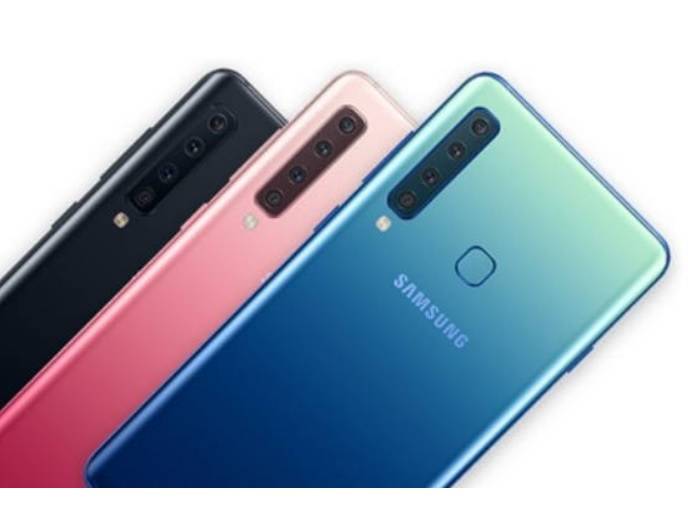
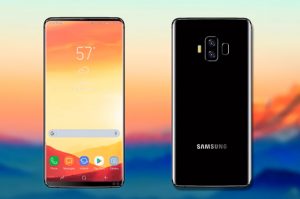
    Samsung’s Galaxy A series is now all geared up for an upgrade that will bring it to par with the other latest releases in the market. The Samsung A11, A31 and A41 models will be entering the market in 2020 with a minimum storage of 64GB. Samsung is working on revamping it’s Galaxy A-range series to offer the users a higher usage and a better design.

    While the A10 and A30 models both started off with 32GB, the upcoming ones will feature 64GB and go upwards. The leaked reports on A51 and A71 tell us that they might feature an Infinity-O AMOLED display with a rectangular camera at the rear. It is yet to be seen if the entry-level A-series models will feature the same design. We will have to wait and find out. Some suggest that the first release among these models might be as early as next month, welcoming the new year in style.

    Release of A11, A31 and A41

    The Galaxy A series was a huge success among the fans last year. Samsung is planning to launch other devices over the next year, including A11, A31 and A41. These models will launch with SM-A115X, SM-A315X, and SM-A415X model numbers. The one thing that might get you really excited about this release, if you are not already, is the fact that all of them will start at 64GB of onboard storage and move upwards considering the version. Currently, all the three products are still in the development stage, they have all already gathered a huge following. These products will come with different storage variants of 64GB and 128GB.

    Features

    It looks like the Samsung Galaxy A51 will sport a punch-hole screen similar to Galaxy Note 10. It will have a rectangle-shaped camera with four camera sensors in L-shape along with an LED flash. The base storage is 64GB is these devices. The highest storage will be 128GB. Some models from the Galaxy A-series could feature 32GB storage as well including Galaxy A10, A20, and A30. Recent Galaxy A51 360-degree renders were leaked giving us a peek inside the device’s design and specs. The phone is likely to run on Exynos 9611 processor and have a 4GB RAM, and 4,500mAh battery.

    Samsung A11
    Samsung A11


    The processor of this and the A50 devices are the same. Regarding the camera, the phone features a 6.5-inch FHD+ punch-hole display, 32MP selfie camera, and quad rear camera setup. The 48MP primary lens, 12MP ultrawide lens, 12MP telephoto lens, and the 5MP depth sensor all work excellently to help you produce the best-ever images. It is expected to release sometime in 2020. Since it is in development right now, the company might tweak the design a bit and add or delete some features. However, the major idea behind it will remain the same. Talking about Galaxy A11, we see that it would be a budget smartphone and start off with 32GB storage. It would mainly be available in Asia and Africa.

  • Vivo V17 With Punch Hole Coming On December To India

    Vivo V17 With Punch Hole Coming On December To India

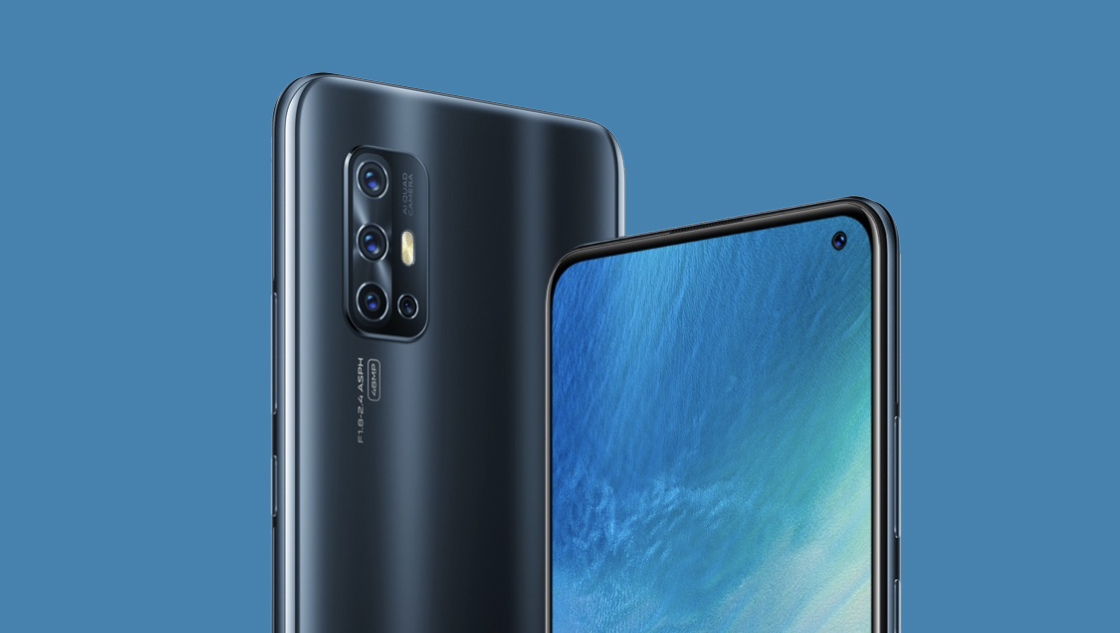
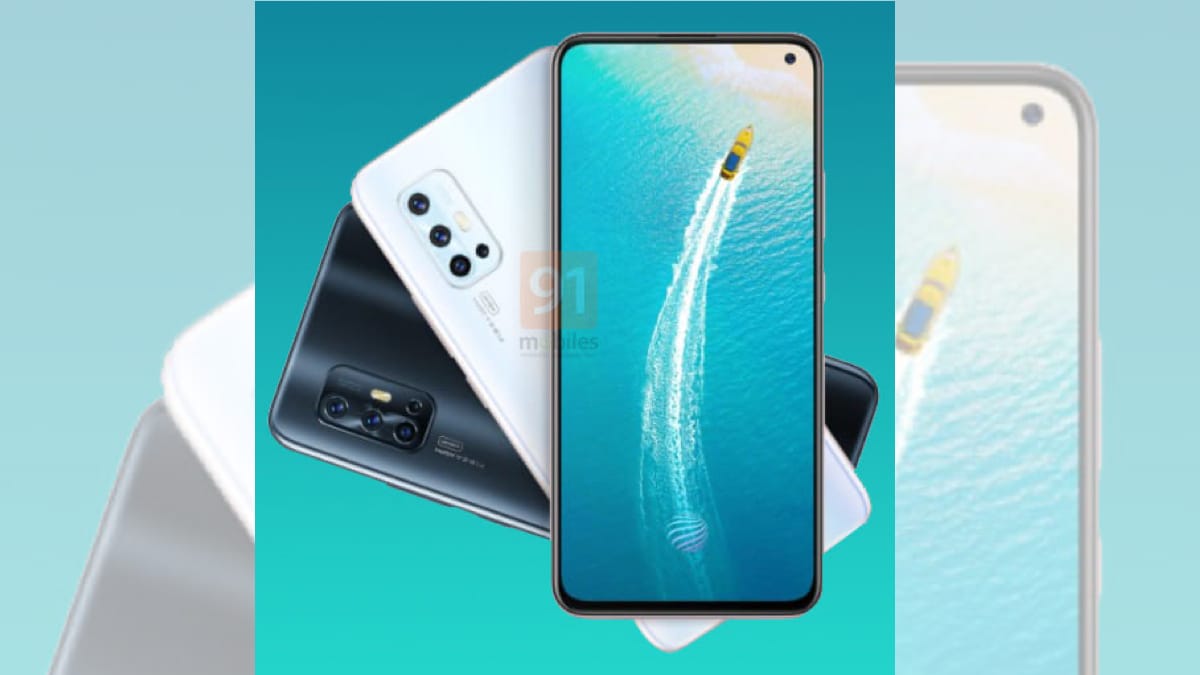
    The latest Vivo V17 is here! This is an Indian version featuring an awesome design and upgraded specs. The most awaited feature of this phone includes a hole-punch display design and an L-shaped quad rear camera setup. You will notice that the iView Display hosts the selfie camera and it is driven by an E3 Super AMOLED panel. The latest Vivo V17 comes with other exciting features, including Multi-Turbo mode, Voice Changer, and AR Stickers. A slightly more budget version would be the Vivo V15 Pro. which has similar features as the V17 model. 

    The Launch 

    Vivo is holding an event on December 9th in India featuring the V17. Did you know that the recently announced V17 is not similar to this V17? Well, we agree it is indeed confusing. With at least one major change and multiple minor ones, it would all be introduced at the event. The V17 is expected to come with a punch-hole camera and it looks a bit like the S5. The V17 in India is different from other countries and is similar to the S5. We see confusions and chaos over the name in the not so distant future.

    Vivo V17
    Vivo V17

    Vivo V17 in India

    The Vivo V17 comes at a very reasonable price and almost at the same rate at the other models. It comes with a 8GB RAM + 128GB storage variant. The phone is available in multiple colours including Midnight Ocean (Black) and Glacier Ice (White). The product will go on sale by December 17. However, if you want to be the first one to try it, pre-bookings are available already. You can order it via online e-retailers like Amazon, Flipkart, and the official Vivo store among others. With discounts and offers from different banks and EMI options, this looks to be quite a good option.

    Vivo V17 Features

    The Vivo V17 – the India model – features a dual-SIM compatible with Nano SIMs. It runs on Android 9 Pie with Funtouch OS 9.2. The phone is powered by an octa-core Qualcomm Snapdragon 675 SoC and has 8GB of RAM. Regarding display, the phone showcases a 6.44-inch full-HD+ (1080×2400 pixels) E3 Super AMOLED iView Display having an aspect ratio of 20:9. You might be happy to know that the display panel has DCI-P3 colour gamut and works to filter out 42% of blue light. The low brightness anti-flicker technology provides extra protection at nights or in dark surroundings.

    Vivo V17 Camera
    Vivo V17 Camera


    Connectivity options for the V17 include 4G VoLTE, Bluetooth v5.0, GPS/A-GPS, dual-band Wi-Fi, and a USB Type-C port. For better security, the phone comes with the trending in-display fingerprint sensor. The 4,500mAh battery is good enough to last all day on regular use. The V17 camera clicks excellent pictures with a range of features including Ultra Stable Video, Portrait Bokeh, Portrait Light Effects, Super Night mode, AR Stickers, Pose Master, AI Makeup, and AI HDR. The selfie camera has Gender Detection, Super Night Selfie, and AI HDR.

  • AMAZFIT GTR Smart Watch 47mm

    AMAZFIT GTR Smart Watch 47mm

    With smartphones picking up popularity in the last decade, it is now all about the smartwatches. Many companies are now focusing on developing smartwatches and many are already available in the market. We are going to have a look at the Huami Amazefit GTR smartwatch in this post. There are two variants that this watch comes in – with a 42 mm and a 47 mm dial. Smartwatches are all about touchscreens, ability to change your watch dial according to the style, fitness, and many more functions. In terms of fitness, we expect to see the number of steps that we take daily, the number of hours that we have slept, calories that we have burnt, and how our hearts are beating at any given point.

    Let’s take a look at the Humai Amazefit GTR. It is stylish, elegant, and affordable having most of the features that you would expect in a smartwatch. Humai has been in the market for a few years now. However, it has been in the last few years that the popularity of the company has reached new heights. This is in part thanks to their association with Xiaomi, who has been ruling the smartphone market ever since their launch. Humai has been following the same technique and so far, they have been pretty successful. 

    Specs

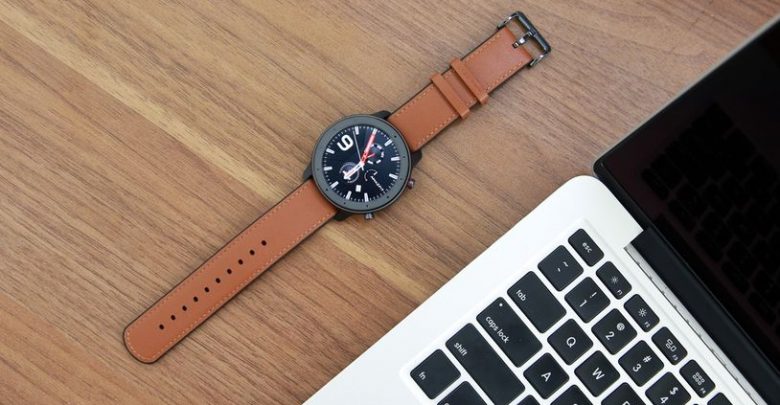
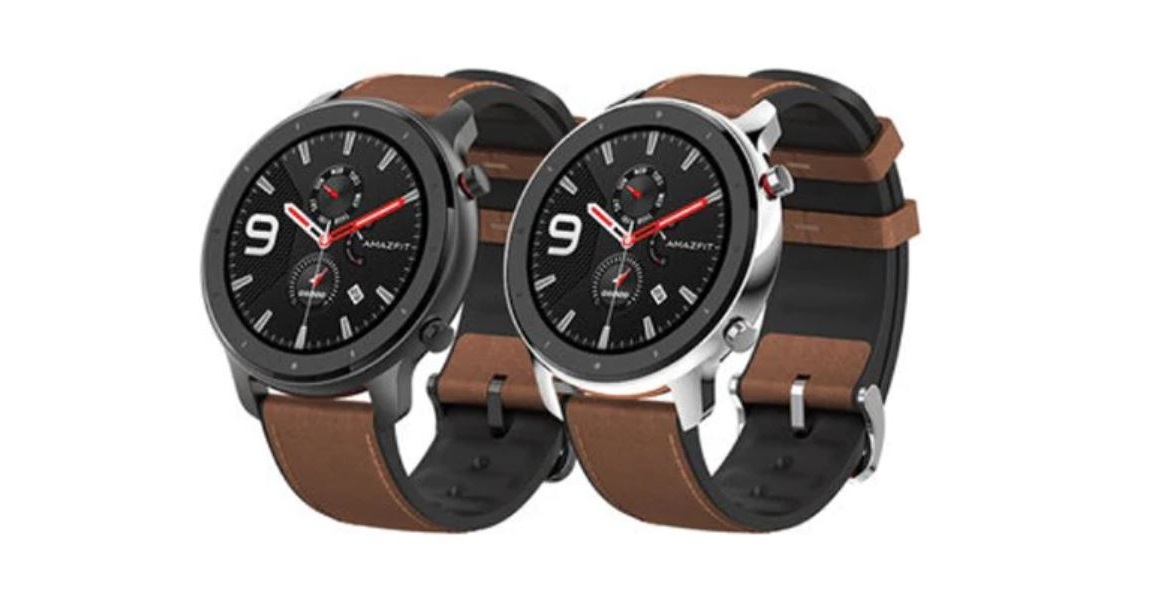
    Coming to the specs of Amazfit GTR, the 47mm smartwatch is released in different kinds of body, such as aluminium alloy which weighs close to 36g, the stainless steel which weighs around 48g, and the titanium version which weighs around 40g. There are different kinds of straps that you can attach to your watch. They are easily swappable so that you can plug in the strap that you would like for the kind of occasion that you are wearing it. 

    AMAZFIT GTR 47mm Smart Watch
    AMAZFIT GTR 47mm Smart Watch

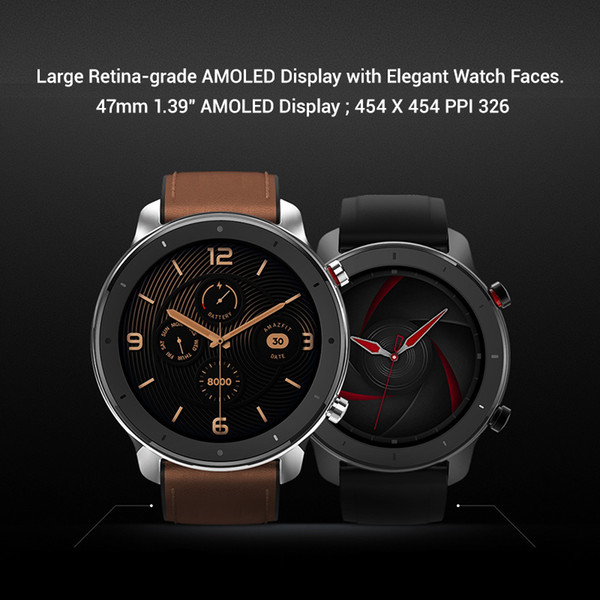
    The watch boasts of featuring a 1.39-inch AMOLED display with a resolution of 454 x 454 pixels. Multiple sensors come embedded with the watch, such as the PPG heart rate sensor, the 6-axis accelerometer, 3-axis geomagnetic sensor, ambient light sensor, barometer, and e-compass. The watch also has an in-built GPS which helps with navigation. It has been powered with a 410mAh battery. The watch, unfortunately, misses out on NFC and hence, payments cannot be made via this watch, but we expect this to be included in the future. 

    Design

    When it comes to the design, Humai has left no stone unturned. The watch has similar aesthetics to that of a premium watch. They have stuck to the circular design and have not tried something different, which has ended up well in this case. The brushed metallic body gives the watch a bit of a matte effect that looks cool. Since the watch uses the standard 22mm straps which helps you in swapping bands from other watches as well. There is a circular lip which is surrounding the main body giving the watch a masculine look. The backside of the watch has been made up of polycarbonate. 

    AMAZFIT GTR 47mm Smart Watch Display
    AMAZFIT GTR 47mm Smart Watch Display

    You will find all the sensors underneath the watch. There are 2 buttons on the right side of the watch. The upper one acts as a home button while the lower button works like a quick start button. This can be customized, according to your use. Keep in mind that the watch does not come with a microphone and hence, taking calls over this watch is not feasible. It is good to know that the watch has been built marked with a 50m water resistance capacity which means that it will be able to withstand going up to 50 meters underwater for about 10 minutes. 

    Display 

    Now that we have seen that the design is pretty dependable and sturdy, let’s move on to the next most important aspect – the display. The watch is powered with an AMOLED display that helps in rendering excellent saturated colours and rich contrast. The display is colourful and vibrant. Due to the AMOLED display, the watch can offer a much longer battery life than usual. The ambient light sensor helps in automatically adjusting the brightness of the screen according to the surroundings. Although the display is quite as good as Samsung’s smartwatches, the battery life exceeds any Samsung smartwatch. 

    Features

    The most exciting part of the watch is the features that are packed up within. The watch runs on its own customized UI that has been built upon the Android Wear OS. Though you don’t get all the benefits of the Android OS, you still get a few of them. You can open up the menu by swiping upon the face of the smartwatch to explore the options available for you.

    On a very high level, you will be able to look at the status of your fitness, the heart rate, and the workout menu where you will be able to go in and choose the activity that you are going to start with. Besides these, it also has the weather based on the GPS location, the activities menu where you will be able to see a split of all the activities that you have done along the day, music, notifications, alarms, event reminders and settings. 

    AMAZFIT GTR 47mm Smart Watch Features
    AMAZFIT GTR 47mm Smart Watch Features

    According to Huami, you can expect 24 days of battery life on a single charge. These figures are based on a moderate usage of the watch. The company also claims that the watch can last for more than 70 days on the battery saver mode. The good news is that it actually lasts for more than 20 days on moderate usage. Do ensure that you have the always-on display turned off. Once it has been turned on, the battery life is expected to go down to 7 days. When this is compared to other smartwatches in the market, this is pretty stunning. 

    Conclusion

    As an overall package, the Amazfit GTR is worth every penny. It is great as a smartwatch, fitness tracker, and not to forget the monstrous battery life that you can expect out of it. The watch also looks good and is sure to attract attention. To summarize, it is completely worth the value.