Author: Shilpa

  • Samsung Galaxy Tab S6 Review

    Samsung Galaxy Tab S6 Review

    An Overview of Samsung Galaxy Tab S6

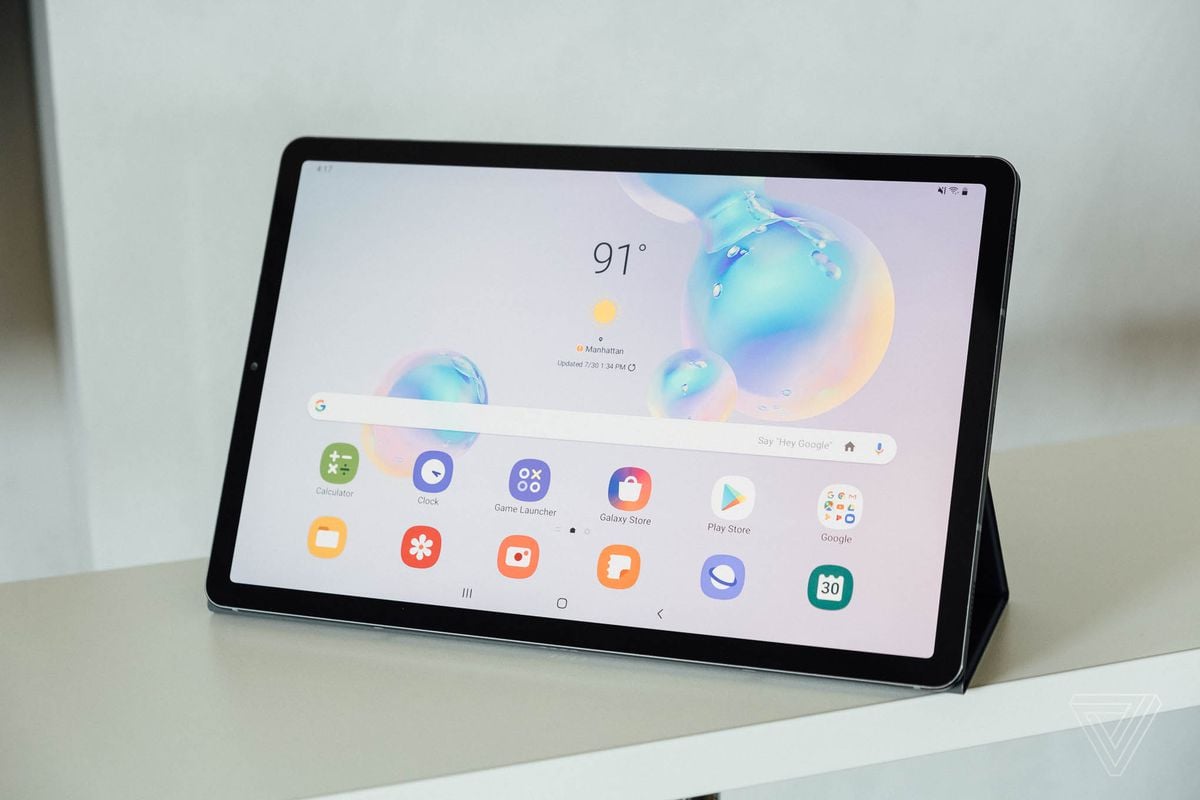
    The Samsung Galaxy Tab S6 is one of the best in the market, and one of the very few that can directly compete against Apple’s iPad series. From the design and hardware to the software and the many features it offers, the Samsung Galaxy Tab S6 is pretty much one of the most correctly designed products out there. Featuring a 10.5-inch Super AMOLED touch display, superb battery life, light to carry, and four built-in speakers with Dolby Atmos support, this tablet doesn’t seem to lack anything. This Samsung Galaxy Tab S6 Review will throw a better light on various aspects of the tab. 

    The tablet has a single USB Type-C port for charging, an in-display fingerprint sensor, and no headphone jack. You can enter the S6 on to the desktop mode where you will be able to experience a desktop-style interface, which works similar to the Galaxy Tab S4 feature. However, it is far more smoothly and faster than its previous versions. To be able to properly use it, you might need to get a Bluetooth-enabled keyboard and mouse. 
    Samsung Galaxy Tab S6 Review
    Samsung Galaxy Tab S6 Review

    Design 

    The new design of the Galaxy Tab S6 has taken the fans by a storm. The latest design features a 10.5-inch Super AMOLED touch display and is thinner and lighter than its predecessor by comparison. The WQHD+ display is absolutely amazing, especially when you are using it for high graphics. It does not deal well with glares, as is common with AMOLED screens. Weighing just 420g and made of a sleek Aluminium body, the Galaxy Tab S6 looks and feels great. The power and volume buttons are located around the edges near the SIM tray. The other edge has the connector for the optional keyboard cover. The four AKG-tuned speakers are located on the two shorter sides. The bottom side contains the USB-C port. 

    Display

    The Galaxy Tab S6 features a vibrant 10.5-inch Super AMOLED with a metal body. Its in-display fingerprint sensor is a nice touch, but it is not very responsive. While it works well, it is slow to respond. To its credit, it is one of the thinner and lighter tabs in the market with one of the longer aspect ratios out there. While there have not been any major changes regarding software updates, there has been a considerable improvement in the hardware. The camera is better and sharper and there is a new S-Pen slot so that users don’t lose it. The tab has a display with a 1600 x 2560 resolution for 287ppi.
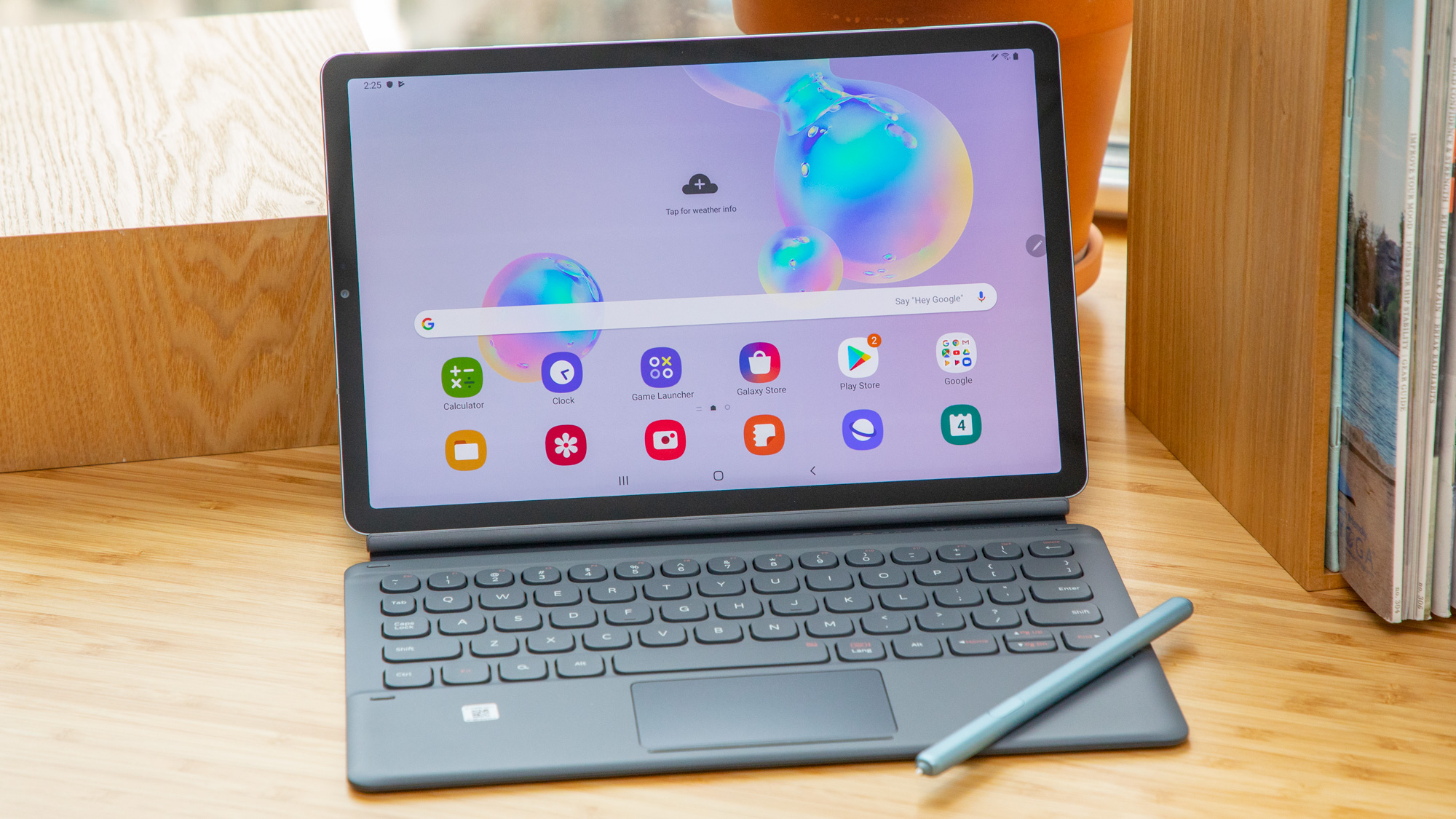
    Samsung Galaxy Tab S6 Display
    Samsung Galaxy Tab S6 Display

    Performance and Features

    Samsung’s effort to improve its software and implementing major changes to One UI has made it quite smoother. The applications run smoothly, the icons look better and other aesthetics have improved as well. While there are many small changes, nothing big can be seen and there is no addition of new features either. Compared to Apple’s latest iPad OS, it looks like Samsung must step up its games, especially with software updates. The desktop-style DeX interface can be entered with a simple toggle. It also works better than it did before. In most cases, the features are more or less similar to the Samsung Galaxy Tab S5e.

    Camera

    Samsung Galaxy Tab S6 comes with a dual-lens camera featuring one 13-megapixel with an f/2.0 wide-angle lens and one 5-megapixel f/2.2 ultra-wide lens. Considering tablets, these are decent enough but are extremely poor if you want to compare them with the camera quality we see in smartphones today.

    Battery Life

    Regarding battery life, the Galaxy Tab S6 surprises us. On regular use, the tab can last as long as five days, and sometimes even more on a single charge. With a 7400mAh battery, you are all covered for using it easily as a tab or as a desktop and use it for anything you want.

    S-Pen Stylus

    The tablet is accompanied by a stylus – one which is larger than Note 10’s! While it works well, it feels a bit too much like cheap plastic. It is light in weight and has just the correct amount of pressure sensitivity, but it is not so great that it can be compared with the Apple Pencil. For a tablet that is pretty much the best in the market, this is kind of a let-down. While the Tab S6’s stylus does a pretty good job, the Note’s S-Pen is far better. With the Air Actions, you can indulge in gestural commands by using the S-Pen. It is a new feature and quite fun to use, but it needs a lot of improvement. 
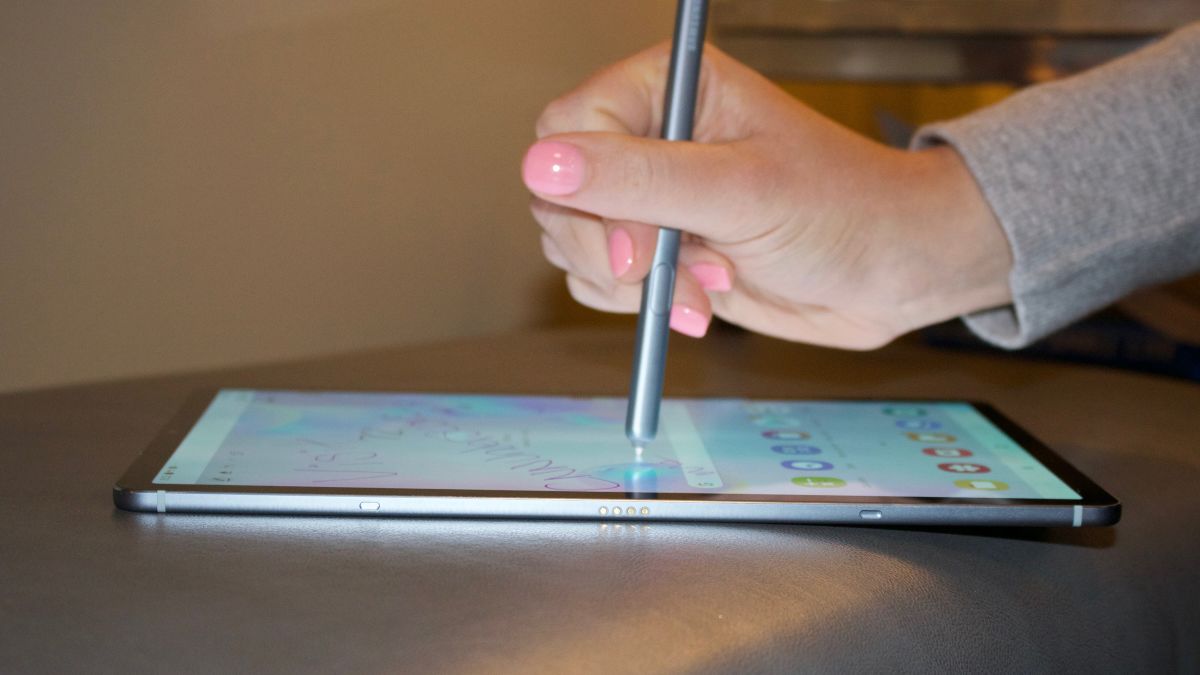
    Samsung Galaxy Tab S6 Stylus
    Samsung Galaxy Tab S6 Stylus

    Improvements have been seen with the new Air Action gestures. You will also have a place to store your S-Pen after using it now. The small magnetic groove at the back of the Tab S6 is designed to hold the S-Pen. One concern about this is that it is not very secure there and could be jostled out by movement. There is no need to worry though, as long as you are using the case that comes with the tab or any other case, for that matter. The company adds Samsung’s Book Cover case accessory for a charge, but it looks like it is well worth it. 

    Verdict

    The Galaxy Tab S6 has the perfect hardware and improved the software. With a sleek design, an impressive S-Pen, a large battery, and excellent display, the tab is pretty much great for use. With a little more focus on the software and its features, the tab could easily become as good as the iPad. With every version of the tab, DeX gets better and better which is nice to see. DeX continues to become better and better and a version of this product that pushes that further is still something I’d like to see. 

    The Galaxy Tab S6 is Samsung’s best tablet but it rarely tries to come across as anything but yet another tablet. I’d like to see that change. While Samsung’s One UI still needs improvement and its price quite high for an Android tablet, its smooth and fast performance makes up a bit for its poor qualities. 
  • The Best True Wireless Earbuds: Amazon Echo Buds

    The Best True Wireless Earbuds: Amazon Echo Buds

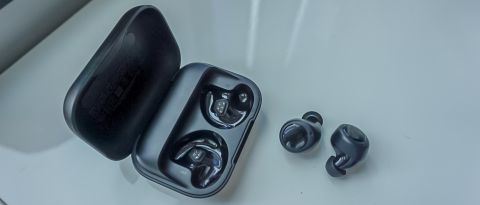
    Amazon might not have a lot of experience with hardware but the company has clearly put in some major efforts. Imagine coming up with a product that clearly wins over other products by a company that has long been in the industry! Amazon’s Echo Buds are its contribution to the accessories market. Offering a comfortable design, five hours of battery life, perfect fitting, and hands-free access to Alexa, it is already sounding better than the AirPods. If you add Siri and Google Assistant compatibility, IPX4 sweat and water-resistant rating, and Bose Active Noise Reduction, this product soars above the clouds. 

    The price is its best part. It is priced quite affordably. However, the hardware part seems to have been the top issue in the creation of the Echo Earbuds. Let’s read for a detailed review of these super devices. 

    Comfy and secure

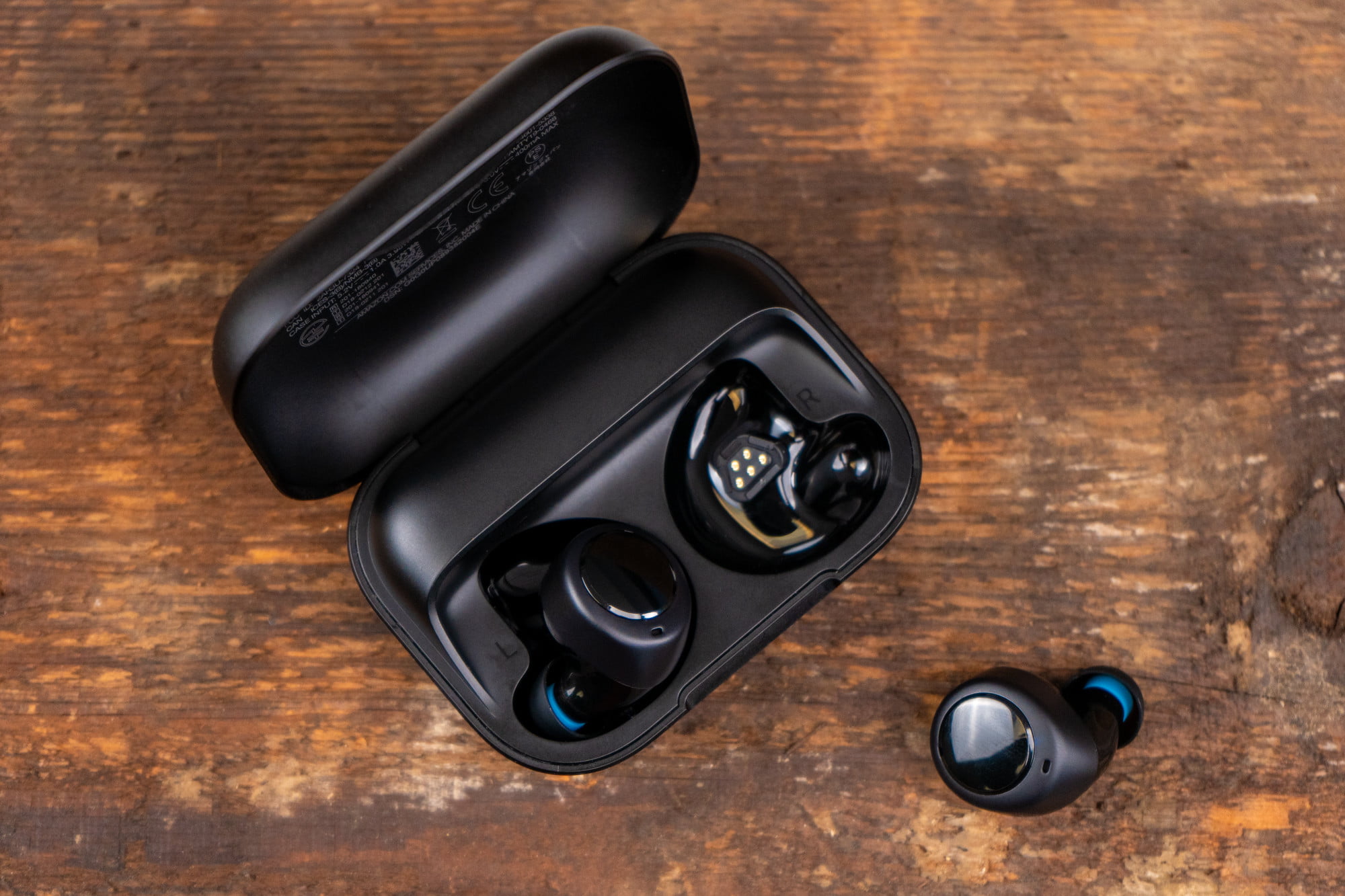
    It is pretty clear that the company spent a lot of time on the design to ensure that these earbuds fit snugs on all types of ears. Along with the Echo Ear Buds, you will receive three sizes of silicone ear tips and three sizes of wingtips. The reason the company worked to ensure proper fit is because Bose Active Noise Reduction will work its best only when the buds achieve a full seal. For improving its product, the company has come up with an ear tip sizing test. You can find this in the Alexa app and using this, you would be able to find the exact size of the ear tip that would suit you the best. 

    The wingtips are optional and you can use them if needed. Some users might be able to achieve the best fit even without the wingtips. With them, however, you can make sure that the buds will not move at all. You can tap on them with your fingers without making them budge. They don’t have a bulging stem, which is a nice design trend, especially when compared to Apple’s AirPods. 

    Amazon Echo Buds Review
    Amazon Echo Buds Review

    Wireless Capabilities

    Connection drops are a very real problem with wireless earbuds. This was seen with Apple’s custom H1 Bluetooth chip as well. This could refer to either the earbuds dropping out for a second or so or losing its signal. Amazon’s Echo Ear Buds, on the other hand, don’t succumb to this problem at all. You can expect them to stay tethered over Bluetooth on any device. While other earbuds may have signal issues in certain locations, the Echo Ear Buds don’t seem to face any. 

    These earbuds are also one of the most flexible options available in the market right now. You can use both of them or just one. If you are using both earbuds, just pull one out and you will notice that the audio pauses. Placing it back on your ears will resume the audio. Surprisingly, this works pretty well for a new feature. One possible issue users could face is in the initial pairing of the Echo Buds. The Alexa app will recognize and pair to these Echo Buds when the charging case is opened and placed beside the phone. 

    Excellent ANR

    These Echo Buds are known for their superior ANR tech supported by Bose. It works excellently well. Turning this feature on will give subdue all low-level noises, allowing you to work in quiet or listen to your audio in peace. 

    The Active Noise Reduction feature effectively reduces the sounds of nearby conversations, traffic, machinery humming, and general noises from the surroundings. While it does not offer complete and utter silence, it does lower the level of outside sound that is allowed in, letting you enjoy the experience better. 

    Great Audio Quality 

    To be honest, not a lot of people were expecting the Echo Buds to offer high-quality audio. Amazon truly surprised a lot of users by developing a product that is more or less perfect all around. Regarding the sound quality, it easily beats the AirPods. The audio is sharp, rich, and vibrant. While the bass is over-delivered on default settings, you can always modify the EW Settings by visiting the Alexa app. 

    Amazon Echo Buds
    Amazon Echo Buds

    Alexa Support

    These Echo Buds by Amazon are making Alexa indispensable to us. If the Alexa app is running on your phone, you can easily start interacting with Alexa using the wake word. Thanks to the three-mic array on each earbud, you will not have to yell to make yourself heard. Alexa would be able to hear you and respond immediately no matter what the conditions are. While virtual assistant experiences are no longer something new for most users, using the Echo Buds will definitely give you a different experience. 

    The addition of Google Play Music would have been a nice touch. However, Amazon does allow users to connect to and use Apple Music, Amazon Music, and Spotify. The earbuds are also designed to work with both Google Assistant and Siri, depending on your device. However, regardless of your device, you can use Alexa hands-free. It works similar to Amazon Echo or Amazon Echo Dot speakers

    Gestures and Control

    Amazon Echo Buds don’t feature any physical buttons, but you can always tap on the surface to control its functions. Via the Alexa app, you can easily set different functions to each earbud. You can assign commands to a double-tap and a long-press for each earbud. 

    With no physical buttons, you tap on the smooth outer surfaces of the Echo Buds to control its various functions. The Alexa app gives you the ability to assign different functions to each earbud, but you only get two interactions: A double-tap and a long-press. Usual controls include play/pause, forward/back, skip, etc. Do note there is no way to adjust the volume manually – you will have to ask Alexa to help you out with this. 


    Verdict

    Keeping in mind its price, the Amazon Echo Buds seem to offer high value for money. With Bose ANR, hands-free Alexa access, decent battery life, and superior audio quality, these earbuds are truly a great purchase. 

  • Amazon Echo vs. Echo Dot: Which smart speaker is best for you?

    Amazon Echo vs. Echo Dot: Which smart speaker is best for you?

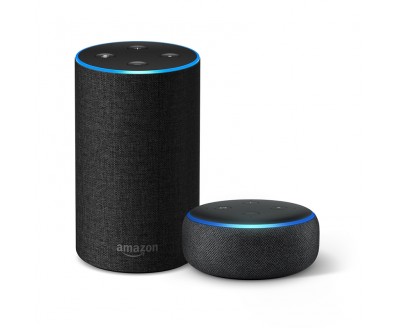
    Amazon has truly made a great name for itself in the smart home market. Of all the devices it has designed and manufactured, the Echo and the Dot are among the most popular Alexa-powered devices. In fact, they are so popular that Amazon has been working hard to provide updates to both of them. The latest version of both the devices was launched recently – The Echo (3rd Generation) and the Echo Dot (3rd Generation) with Clock.

    Amazon Echo vs. Echo Dot

    While both of them feature built-in omnidirectional microphones that can pick up the user’s voice across the room, both of them have some major differences regarding other features. So, which one makes for a better choice? Before delving into which smart speaker is better, let’s take a look at Amazon’s voice assistant, Alexa. Alexa can help you with recipes, news, homework, weather and traffic updates, and a lot more. You can also create routines for specific times and even create skills. With Alexa Guard, Alexa would be able to listen for danger sounds and even chat with your guests, thanks to the “doorbell concierge” feature. 

    You can use either of them to place phone calls to the US, Mexico, the UK, and Canada, simply by assigning your mobile number to your Amazon account. Give it access to your contacts and you are all set! Both Echo and the Echo Dot can carry out your commands based on the skills that you have activated. 

    Amazon Echo 3rd Gen

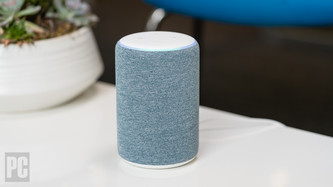
    The third-generation Amazon Echo features impressive updates. Its new twilight blue color option is a hit among the users as well. It also has improved sound. To wake the device, simply use the wake word – “Alexa” and the virtual assistant will spring into action. Thanks to the 360-degree omnidirectional microphones, you will be heard regardless of where you are in the room. The latest version of the Echo also features an advanced seven-microphone array. It is so developed that it will still hear you even if you have music blasting in the house. Since Amazon Echo devices are so popular and pretty reliable, lots of other smart device manufacturers are also designing other compatible devices, such as Philips Hue lighting systems and Honeywell thermostats. Now, you can effectively control and monitor your smart home via your Echo device or through the Alexa app. Did you know that Alexa is compatible with as many as 85,000 smart home gadgets?

    Echo Dot with Clock

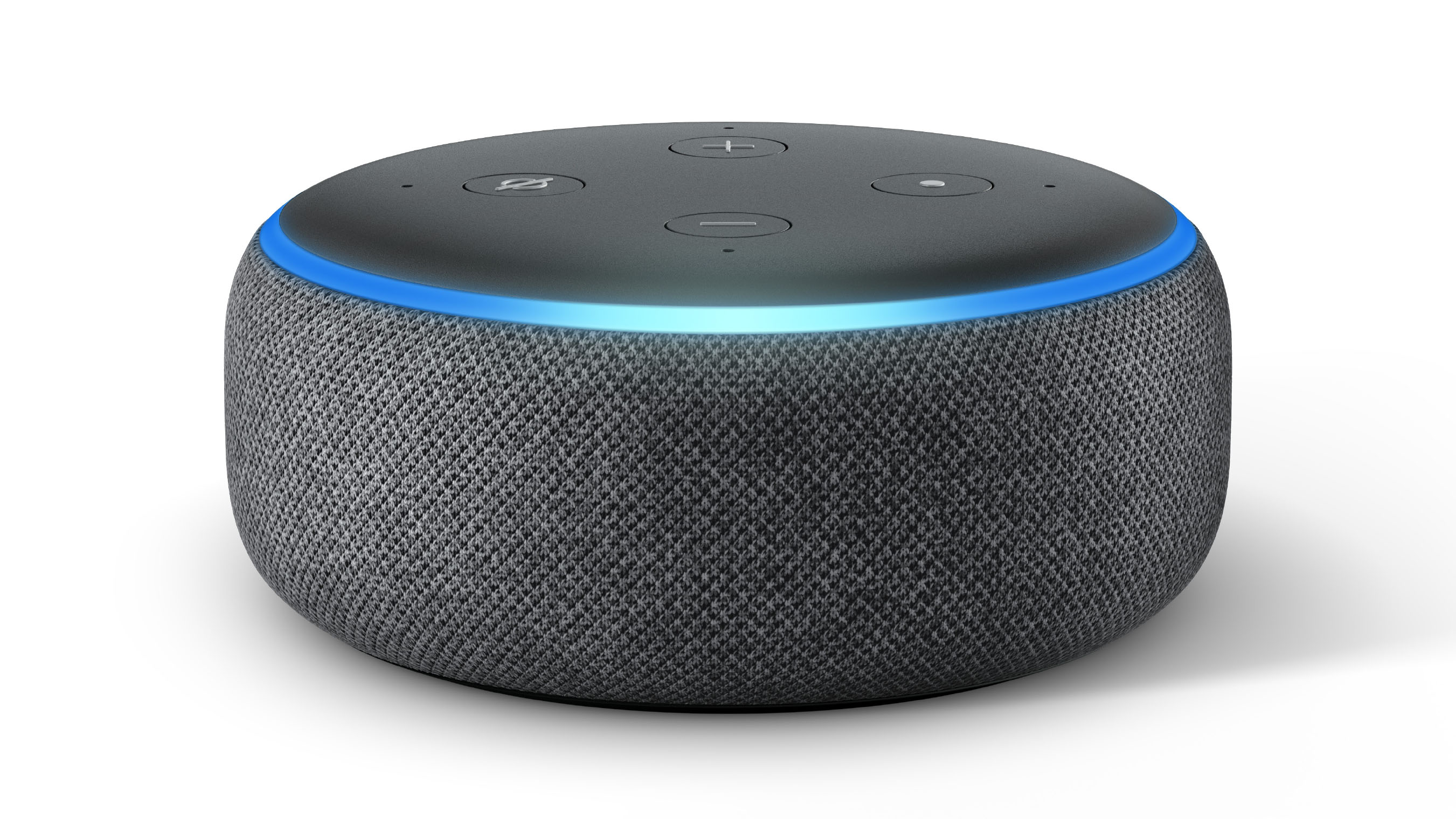
    The Echo Dot with Clock’s major feature is its auto-adjusting LED display. Looking more like a hockey puck, it is surprisingly light in weight. While the third-generation Echo Dot is slightly heavier than the previous models, it is also considerably lighter than the latest Echo release. 

    Portability

    Echo Dot is mainly known for its portable nature. It is quite small and easy to pop it into any bag. You are very likely to find space for it in your house, mainly because it doesn’t need a lot of it! 

    3rd gen Echo Dot
    3rd gen Echo Dot

    Size

    Comparing the Amazon Echo and Echo Dot devices in terms of size, the former is pretty similar to the 2nd gen model, although slightly wider. The third-generation Echo Dot is quite small in height but features the same diameter length. 

    Sound quality

    Both the devices come with a built-in speaker. The Echo has a large, 360-degree speaker offering a high-quality sound. The smart speakers feature a 0.8-inch tweeter, a 3-inch woofer, an awesome audio quality, and increased volume. The latest version is designed with Dolby processing for improved dynamic bass response and crisp vocals. You can use Spotify via the Echo and listen to all your favorite songs!

    Considering the third-generation Echo Dot, the latest release has much better sound quality when compared to the older models. Thanks to the addition of a larger driver, users will be now able to enjoy loud sounds. Both the devices come with a 3.5 mm output jack so that you can easily connect them to an external speaker via an audio cable. Between the two of them, Echo wins hands down regarding the sound quality. Although the Dot has improved a great deal, it needs to get better to reach Echo’s superior sound quality.

    Aesthetics

    Smart speakers are specifically designed to be kept indoors. This is why it is vitally important to see how they do aesthetically. The new Echo 3rd gen is available in four different colors – Charcoal, heather gray, sandstone, and twilight blue. Since it is offered in a variety of looks, you are not likely to find trouble choosing the one that will go great with your home’s décor. 

    On the other hand, the latest version of Echo Dot is available in charcoal, heather grey, plum, or sandstone. You could also go for the 3rd-gen Echo Dot with Clock. This has an LED display that can tell you the time and temperature. You can also set a timer. The LED display features auto-adjust lighting depending on the surroundings. 

    Amazon Echo vs. Echo Dot
    Amazon Echo vs. Echo Dot

    Cost

    Cost is a major concern for many, especially considering that smart devices are just entering the mainstream market. If you are on a budget, the Echo Dot may be a good option to go for since it is half the price of the Echo and features almost the same functionalities and features. On the other hand, if you don’t mind spending a bit more, the Echo will be a great addition to your home. 

    Conclusion

    Besides the size and cost, the only major difference between the Amazon Echo device and the Echo Dot is the quality of sound. If you are not too picky or fussy about this, you could go with the Echo Dot. Are you are just purchasing this to interact with Alexa? Then, this would be a good buy. If you are serious about setting up your smart home in the Alexa ecosystem, third-gen Echo would be a great option. You will also receive excellent sound quality. You can also choose to upgrade and buy the Echo Dot with Clock! 


  • The Worst Apple Watch Problems, And How To Fix Them

    The Worst Apple Watch Problems, And How To Fix Them

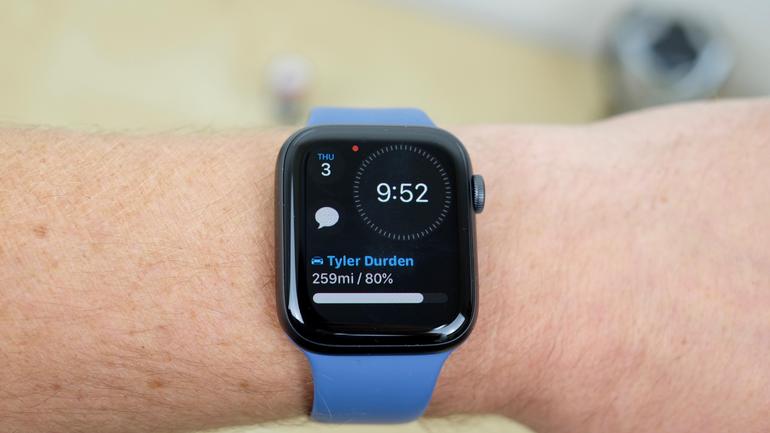
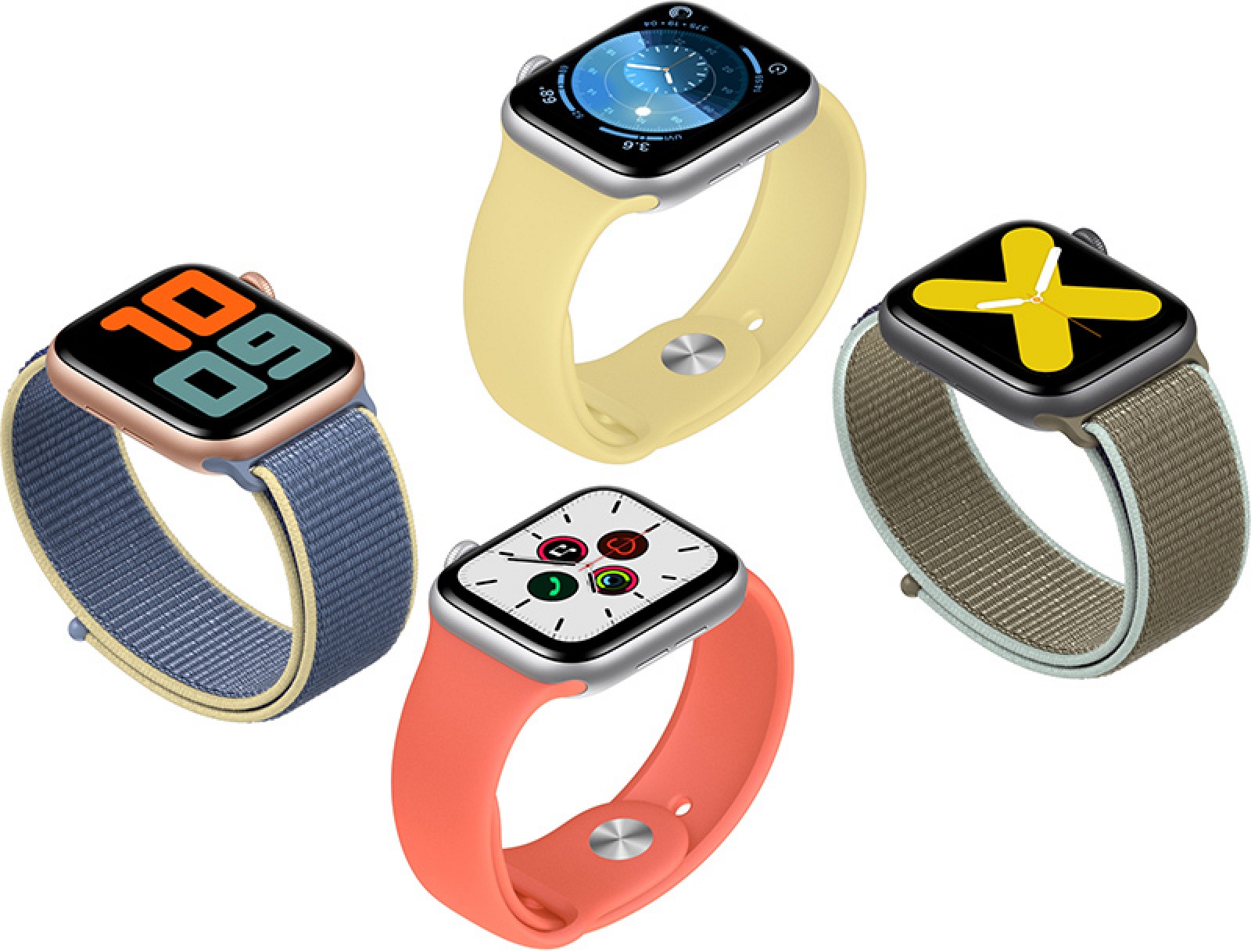
    Apple Watch is a very popular product in the wearable category. However, it doesn’t work always without glitches and issues. This article should throw some light on some of the worst Apple Watch problems along with solutions for handling it. 

    Apple Watch sometimes enters the Airplane Mode on its own

    Sometimes, you might notice that the Apple Watch enters the Airplane mode on its own. It might also activate the Night Mode or other features. It is hoped that a WatchOS update will solve the issue. Till then, give these methods a try. A possible solution could be to un-pair your Apple Watch and restart it. Once done, pair it with your iPhone again. Chances are that it will not enter the Airplane mode again. Another thing you can try is to factory reset your Apple Watch. 

    The Worst Apple Watch Problems
    The Worst Apple Watch Problems

    Light bleed on Apple Watch Series 4 display

    Light bleed from the Apple Watch Series 4 display is an ongoing problem for many Apple Watch users. This refers to the fact that one part of your Apple Watch may seem brighter than the other. It could also appear yellow, especially in dark surroundings. Since the screen is OLED, it could not be an issue with actual light bleed, but instead a problem with grey images. Since there is no way to deal with this on your own, you will need to approach Apple’s customer care team and get it replaced. While this problem is mainly seen in Series 4, it is also sometimes experienced in Apple Watch Series 3.

    Walkie Talkie app not working

    Many users have complained that the Walkie Talkie app is no longer working. This is because Apple has disabled this app after concerns about privacy came up where private conversations were being eavesdropped on without their consent. Apple is working on fixing this issue and it is a top priority for them. They aim to restore the functionality of the Walkie Talkie app as soon as possible. The company did the right thing to protect the customers’ privacy. 

    Fixing Apple Watch Problems
    Fixing Apple Watch ProblemsFixing Apple Watch Problems

    Screen pops out of watch’s casing

    There have been instances of users complaining that the screen of the Apple Watch pops out of the casing. This is being experienced by users from as early as 2015. It looks like the issue is due to battery. With the battery aging, it is susceptible to swelling, popping the screen out of the casing. While the Watch continues to work, it could be difficult to work with. The best way to deal with this would be to head to your nearest Apple Store. Since the issue is due to battery, the company will fix the issue or give you a replacement, according to the warranty terms. 

    Apple Watch doesn’t charge

    Many users have complained that their Apple Watch is not charging. If your watch is pretty new, take off the plastic attached with both the Watch and the charging equipment. Instead of using other chargers, use Apple Magnetic Charging Cable and the USB Power Adapter that came with the box. You could also try plugging the cable into different sockets. Trying switching the button off and turn on your Watch again and see if it is charging now. 

  • How to Download YouTube Videos for Offline Viewing?

    How to Download YouTube Videos for Offline Viewing?

    Spotty internet connections are the worst. They affect our browsing, playing games, and watching videos. Those who commute a long distance for work or study know the frustration a spotty internet connection can cause. This is where YouTube has come out with an awesome feature. The YouTube offline viewing feature is for those who want to view videos smoothly while not having a good internet connection. To use this, one could easily download the videos they want via Wi-Fi and later, view them offline. It can be used on both Android and iOS devices. While this feature has been around for quite some time, many users don’t know much about this. 

    Download Offline YouTube Videos
    Download Offline YouTube Videos

    How to download YouTube videos for offline viewing

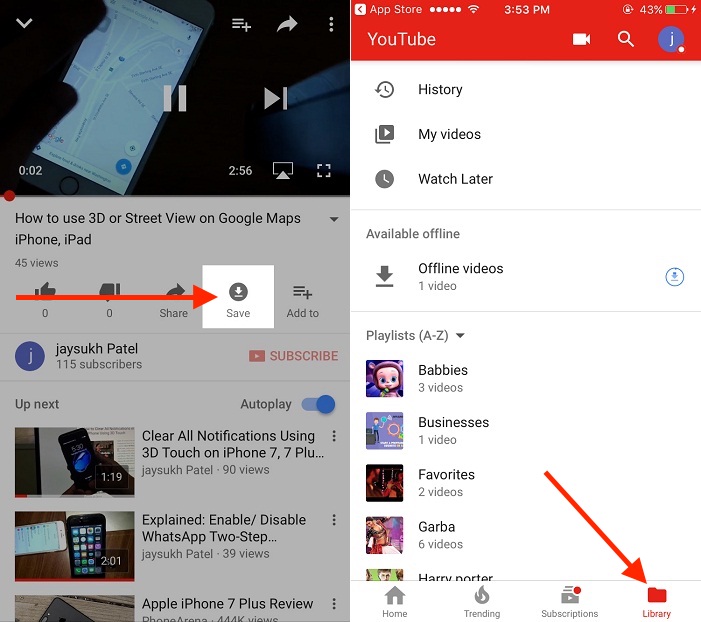
    To download a YouTube video for offline viewing, first, open the YouTube app on your Android or iOS smartphone or tablet. Go to the video that you want to download. Once you have the video, you will see an option ‘Add to Offline’ icon located below the video. You can also get to this option by clicking on the menu button and selecting the ‘Add to Offline’ options. If the particular video does not support this feature, you will see a crossed Add to Offline button. This means you will not be able to download the video for offline viewing. 

    Once you click on the option, you will be asked to select the resolution – Low, Medium, or HD. While the low resolution will take up the least space, it will also have the worst quality. Similarly, HD videos will take up more space, but the quality will be very high. Once you choose this, the video will start downloading and will be saved on your device. 

    How to watch YouTube offline video

    Downloaded and saved YouTube videos will only be available within the YouTube app. To find the video file that you have downloaded, go to the home page of the YouTube app. You can achieve this by dragging the video down using gestures or pressing the back button. On the home page, tap on the ‘Accounts’ tab located on the right corner of the screen. You will see an option called ‘Saved Videos’ Tapping on this will take you to a page where all your downloaded videos are saved. Simply select the one you want to view and get started! To delete a particular video, click on the menu button and choose the ‘Remove from Saved Videos’ option. For a more detailed guide on deleting saved YouTube videos, check our article out. 

    How to Download YouTube Videos for Offline Viewing
    How to Download YouTube Videos for Offline Viewing

    So, how long can you play a video offline?

    You can download the video you want and play it offline for up to 48 hours. Post this period, you will need to connect to the internet to sync the video to load any changes. 

    Drawbacks

    One drawback of this feature is that there is no ad-free viewing option. Users should also note that not every video is available for viewing offline. While most of the videos do offer download and offline viewing, you might occasionally come across videos that don’t support this feature. 

  • How to Remove Ads From Xiaomi Phone: Step by Step Instructions to Disable Ads in MIUI 10

    How to Remove Ads From Xiaomi Phone: Step by Step Instructions to Disable Ads in MIUI 10

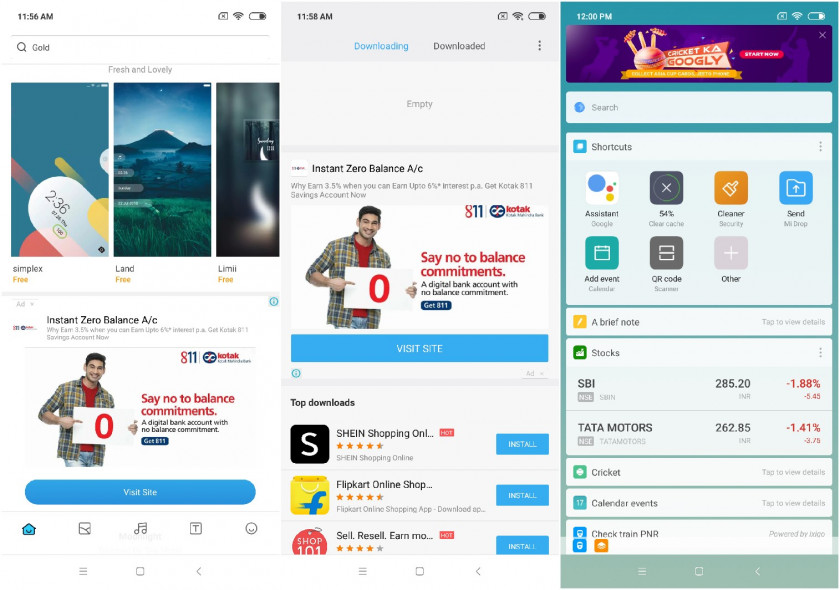
    While Xiaomi smartphones are all the rage thanks to the features they offer at quite affordable rates. However, unfortunately, there is one major problem with Xiaomi smartphones and that is – the advertisements in MIUI. In this post, we will see how we can remove ads from Xiaomi phone. Xiaomi does not seem very concerned about offering its users an ad-free experience, despite the fact that people pay good money for the device. MIUI sends promotional and other messages and adverts via notifications from default apps, such as Mi Music, Mi Browser, and Mi Video. Besides the notifications, you will also see the ads if you go use these apps. This is appalling considering that this is present even with the latest MIUI 10 update. 

    One good news for users is that these ads on MIUI 10 can be disabled. However, the ads can only be disabled on Xiaomi smartphones running on MIUI 10, such as Redmi Note 7 or Redmi Note 7 Pro. Lower versions do not have the option. To know the version of MIUI your phone is running on, visit your Settings menu and scroll down and tap on ‘About Phone’. Here, you will be able to see your MIUI version.

    How to remove ads from Xiaomi phone running MIUI 10

    Disabling MSA

    Before moving on to disable the ads from default MI apps, we first need to disable MSA. While Xiaomi is working hard on its end to make sure users cannot disable this, with the latest update, it has become easier. You will need an internet connection to disable the permission. You can do so by making your way to Settings > Additional Settings > Authorization & revocation > and set MSA to Off. Wait for about 10 seconds when you will receive an error message stating that authorization could not be revoked. You might have to do this 3-5 times before you see success.

    Remove ads from MIUI 10
    Remove ads from MIUI 10

    Remove ads from Xiaomi Phones On MIUI 10 MI Browser, MI Security, and MI Music apps

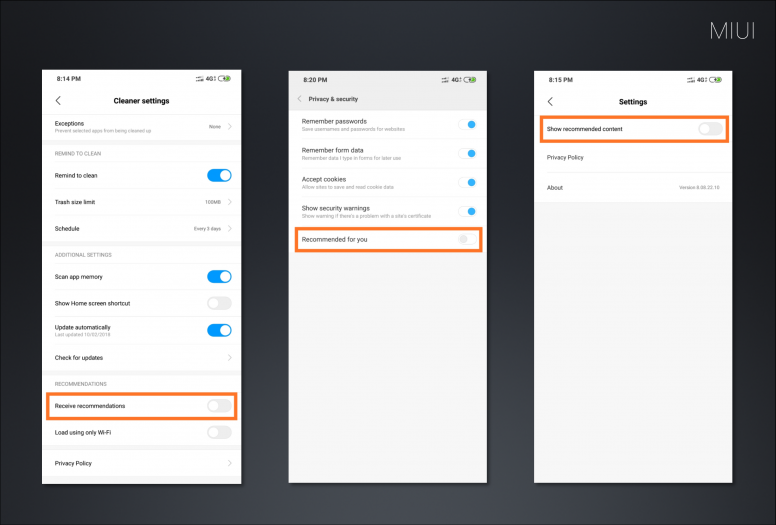
    To disable ads in MI Music, visit Settings > System app settings > Music > Receive recommendations Off.

    For MI Browser, visit Settings > System app settings > Browser > Privacy & security > Recommended for you > Off.

    In MI Security, visit Settings > System app settings > Security > Receive recommendations Off.

    Remove ads from MI File Manager in MIUI 10

    Head to MI File Manager and tap on the hamburger icon located on the top-left side of the screen. Click ‘About’ and select ‘Recommendations’. Switch off the option. 

    Remove ads from Xiaomi MIUI 10
    Remove ads from Xiaomi MIUI 10
    Remove ads from MI Video in MIUI 10

    Open MI Video and select ‘Account’. You will find this on the bottom right corner of the display. Go to Settings and turn ‘Online Recommendations’ off and switch off ‘Push Notifications’ as well. The former will stop promotional content while the latter will bar spams. 

    Disable spam notifications in MIUI 10

    In MIUI 10, you can get rid of spam notifications by visiting the Settings > Notifications > App notifications. You will be presented with a list of apps. Choose the apps that are sending you spam notifications and disable it. 


  • Apple Card Review: Is It a Rewards Game-Changer?

    Apple Card Review: Is It a Rewards Game-Changer?

    If you are a loyal Apple fan, you might have been overjoyed when Apple launched its Apple Card service. Now, the question is whether it has made any noticeable change in the way we do things. This card is issued by Goldman Sachs and the best rewards are given for Apple purchases and transactions made via Apple Pay. This is just the right time for this release, considering Google’s expansion of Google Pay. Since the fees are not very high, it is a good enough addition to the Apple Wallet. To put it simply, it is great for use with Apple purchases, but outside of that, you would be better off other cards. Let’s take a look at some of the pros and cons of Apple Pay.

    Apple Card Features

    Before we get into the nitty-gritty of the good and the bad points of Apple Card, let’s first see what it offers. It has cool tools that could help you budget your spending and learn more about how interest and other factors work. The credit card debt tools show the users how the money they pay impacts the interest.
    Trusting Apple, we assume that they must have a good customer care team in place. However, since this is Goldman Sachs’ first credit card, we cannot be so sure. You will also not receive a free credit score – something which most others in the market offer.

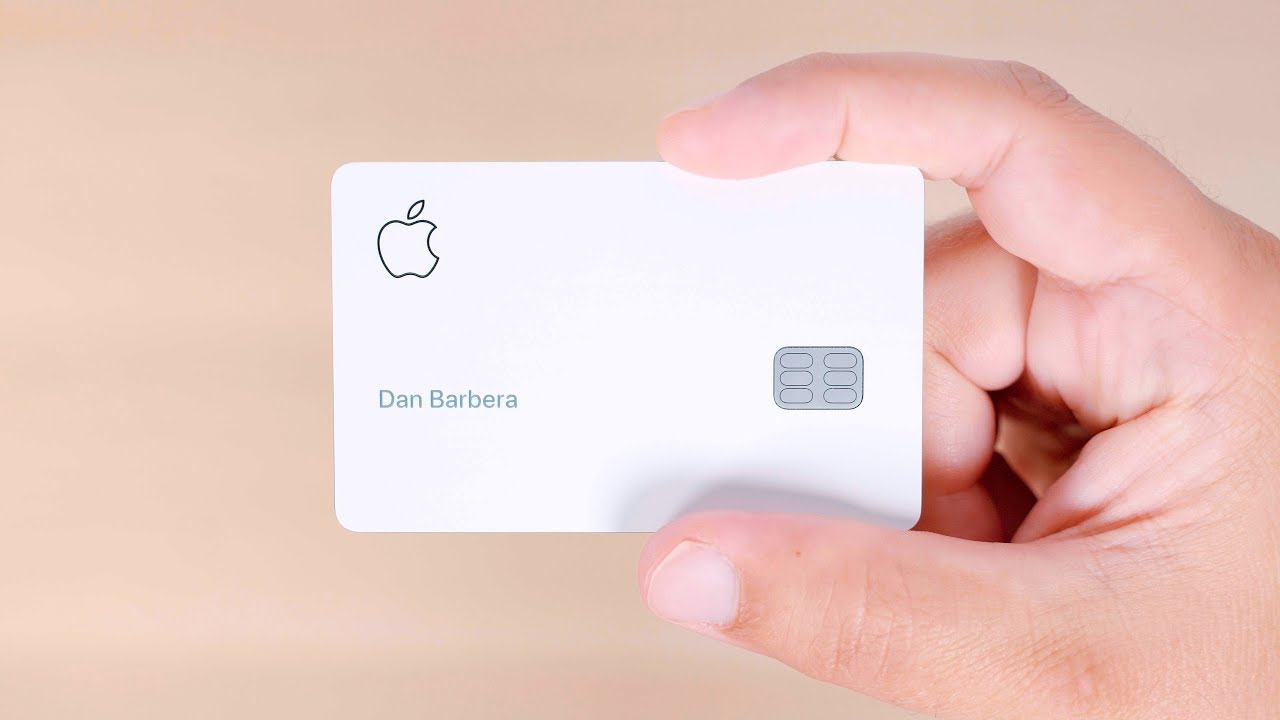
    Apple Card
    Apple Card

    Benefits of Apple Card

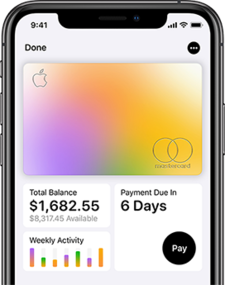
    If you are indulging in Apple purchases, you will receive excellent rewards and benefits and in most cases, better than others in the market. For non-Apple purchases, users will receive a 3% Daily Cash rate on certain buys. For instance, this includes Walgreens, T-Mobile, Uber, and UberEats. As many as 74 of the top 100 U.S retailers accept Apple Pay. This list is increasing all the time. Apple has also made an effort to bring interactive features to credit card statements that would help users understand various aspects of their spending, such as payment, credit card interest, and more. It also has one of the relatively lowest APR in the market.

    Drawbacks of Apple Card

    While it does offer great benefits, it is only worth the value for ardent Apple users. Since the card’s value comes from Apple Pay, users cannot make use of it without an Apple device. The rewards rate on non-Apple purchases are so low that using it does not make any sense. While it may look trendy, there is no real value attached to them. It could offer more features and sign-up benefits like other financial tools. The glaring lack of them makes it not a good idea.

    Apple Card iPhone
    Apple Card iPhone

    Security

    Apple can be truly trusted regarding security. For better security, the company has come up with a new design. The Apple Cards, both physical and digital, don’t have any numbers on them. If you are using your card for a non-Apple Pay transaction, the Wallet App or the Safari browser will automatically fill in a number. Another cool feature is that you can now click on a specific transaction and see where it occurred thanks to integrated map data. This is perfect if you don’t remember a particular purchase.

  • Sony Xperia L3 Review

    Sony Xperia L3 Review

    A Quick Introduction – Sony Xperia L3 Review

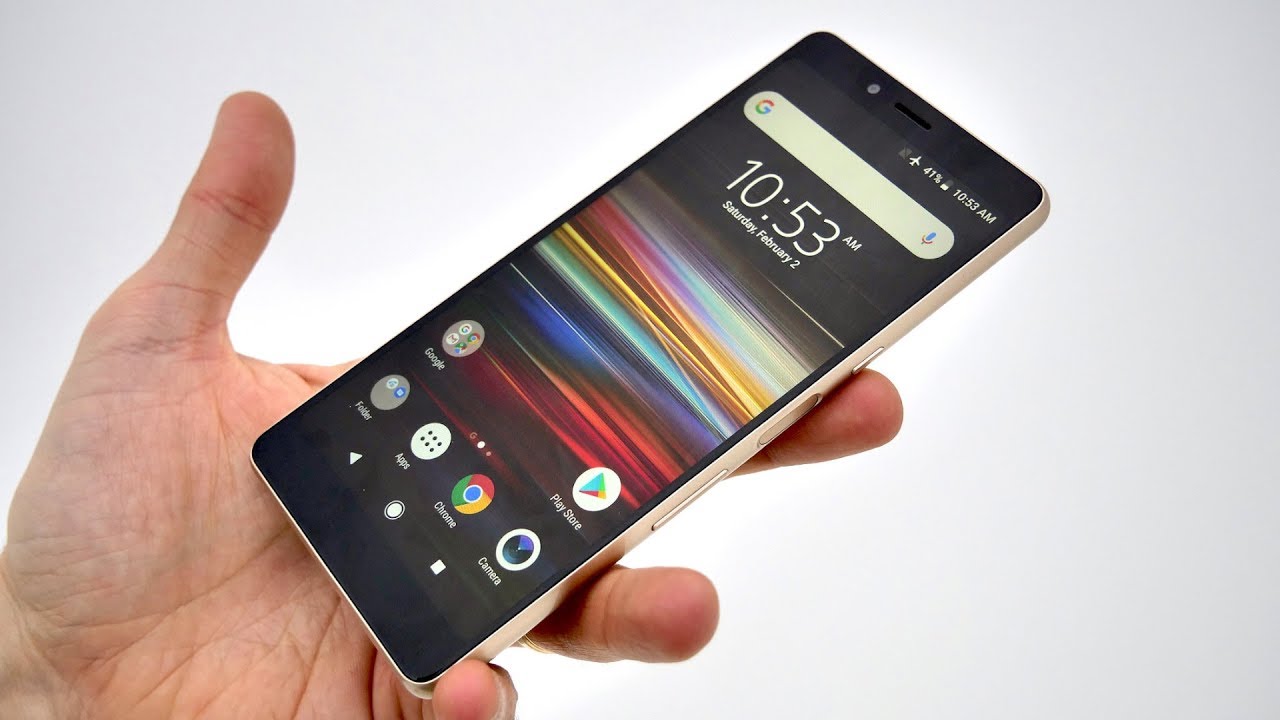
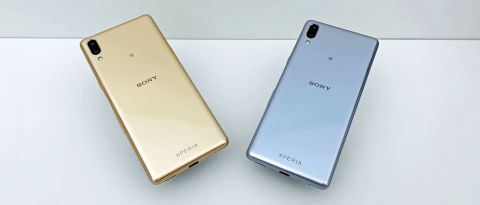
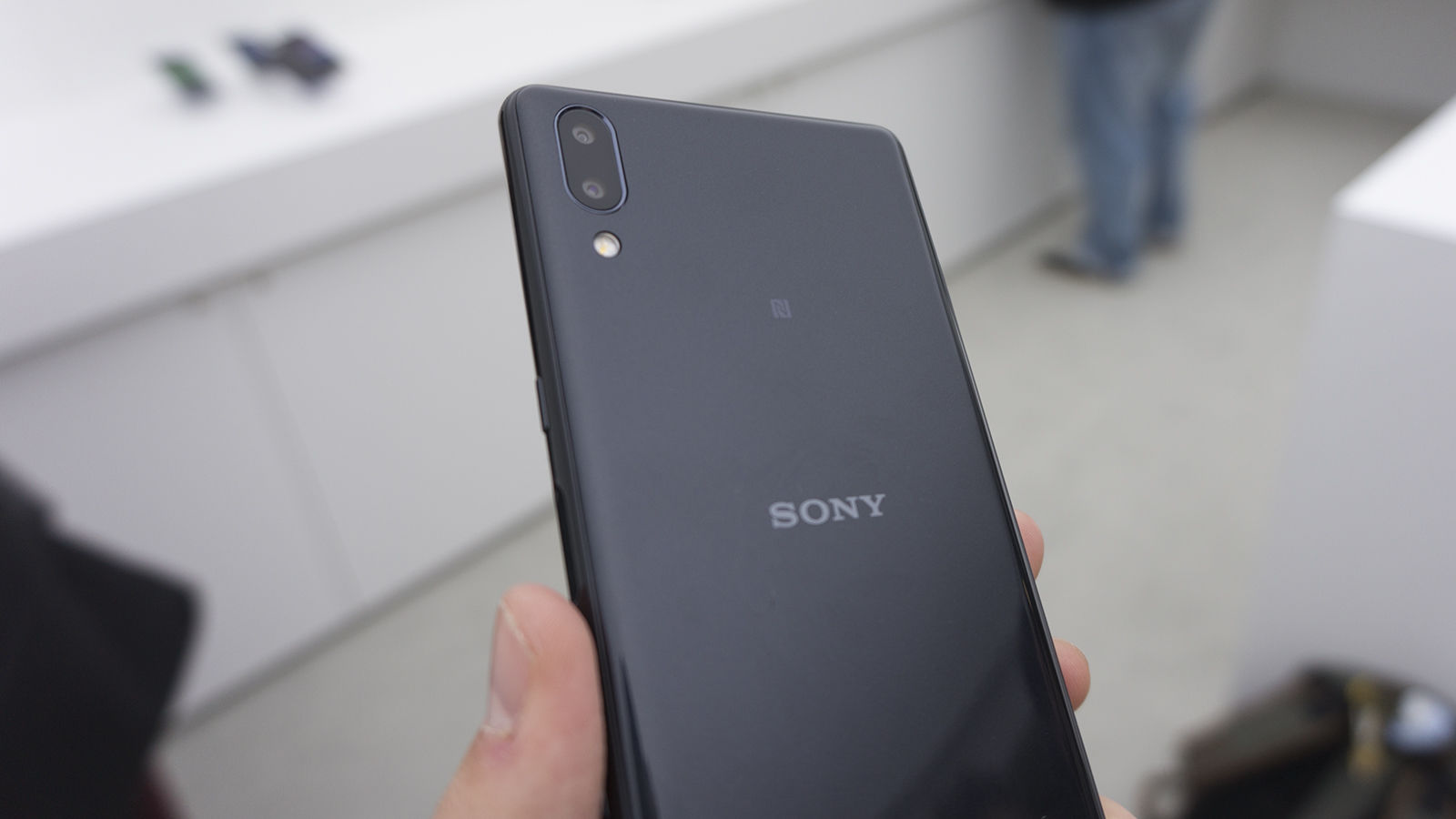
    The Sony Xperia L3 is a pretty great affordable model. While it has some drawbacks, such as having out-dated software, slow charging, and a very basic build, it is well worth the price. Its dual-lens camera, the notch-free 5.7-inch screen, and good enough performance, the phone is one of the most practical models out there. While it is by no means a high-end model, it does have enough to make most buyers happy. The Sony Xperia L3 features a side-mounted fingerprint scanner and dual cameras. However, the latter does not have any wide-angle viewing or zooming capabilities. With 32GB of storage, the phone offers enough to satisfy most people. 

    Sony Xperia L3 Review Back
    Sony Xperia L3 Review Back

    Performance and Software

    The Sony Xperia L3 is powered by MediaTek Helio P22 – while a good enough options, it is not as great as the Snapdragon series. The phone has 3GB RAM. Although its features are great enough for a basic model, the phone’s GPU could do with some improvements. The 720p-grade screen here might struggle with high-resolution games and apps since it is not a Full HD model. Overall, the performance of the phone is decent enough, given its price range. Users might experience a minor lag. 

    Coming to the software part of it, the Xperia L3 runs on Android 8.1 software and uses the Last-gen Sony UI. Neither the Android version nor the Sony interface is the latest used here. You will find the traditional home screens and an app drawer – basically a version of vanilla Android. You will have to get used to the page-scroll rather than the more recent single vertical scroll of apps.

    Design

    The Sony Xperia L3 has dimensions of 154 x 72 x 8.9mm. The back and the sides of the phone are made of plastic. This all-plastic phone as an 18:9 screen that looks and feels great. While it looks like glass, it is not. Although the phone is inexpensive, it does not look that way at all. Similar to many recent models, this phone supports the side fingerprint scanner as well. The same button also doubles as a power button. When you want to switch the screen off, you can use the actual power button located above the fingerprint scanner. Unfortunately, these arrangements lead to the volume controls being placed quite low, making it difficult to use. While the phone features a fingerprint scanner, it is not as quick to respond as the higher-end models. Interestingly, it is not as slow as the in-screen scanner of the Samsung Galaxy S10 either. 

    Sony Xperia L3 Review
    Sony Xperia L3 Review

    Display Screen

    The Sony Xperia L3 has a 5.7-inch 720 x 1440 LCD screen. While the maximum brightness is decent enough, the display customization is quite poor. Screen resolution is also pretty low at 1440 x 720 pixels. The result is that the fonts are not as clear and pixelation is quite clearly visible. You will not notice any sharpness is a display of the images. For better display, consider going with Xiaomi Redmi Note 6 Pro.

    At the same price range, this smartphone does not feature the brightest display either. You might have trouble watching videos or chatting if you are out in the sunlight. There are no color modes to choose from and don’t hold out high hopes for display controls. 

    Battery Life

    This model by Sony features a 3,300mAh battery and offers reasonable enough performance. This battery capacity is actually quite reliable for a phone with the kind of resolution the Xperia L3 has. Using the phone at maximum brightness will lose you less than 20% charge in 90 minutes. While some models do better, such as, Samsung Galaxy Note10 Plus (these are also priced considerably higher!), but this is not so bad either. Users can easily use this for a full day at one charge. This could include audio streaming, video streaming, usage of messenger apps, and listening to some music. While it offers a solid battery life, it is nothing stunning and is available in almost all phones in this class. 

    By most standards, the Sony Xperia L3’s charging is quite slow as well. There is no fast charger that comes with this model either. Many users have used fast charger adapters to speed up the charging, but it doesn’t work that way. The reason behind this is that most fast charging phones use Qualcomm’s fast charge standards. This phone, however, uses MediaTek. One full charge can take you several hours to complete. It might be a good idea to plug it in at night. One thing that might please is that it comes with a USB-C port instead of the older model of a micro USB port. 

    Camera

    The Sony Xperia L3 phone features a 13MP with a 2MP depth sensor and an 8MP selfie camera on the front. There is no Auto HDR processing and the phone offers very limited video features. Regarding the camera quality of this phone, you can expect a vivid sharpness and detail of the images. Daylight photographs will come out better and sharper. On the downside, there is no Auto HDR mode and the images are vulnerable to overexposure. This could lead to some parts of the images becoming white blocks. 

    Sony Xperia L3 Camera Review
    Sony Xperia L3 Camera Review

    The HDR mode is not very great and is quite slow. Since Sony has still not incorporated a decent enough Auto HDR software, the phone seems quite outdated. The preview images could be improved as well since they don’t come out very well on bright days, due to limited screen brightness. As with most smartphone models in this range, the night time image quality is not as great either. While Sony claims that the phone has an f/2.2 lens, but according to the EXIF data, it looks like it is only an f/2.8 aperture. 

    Conclusion – Sony Xperia L3 Review

    The Sony Xperia L3 is a decent phone in its class. Although it has a poor battery and many of its offerings are out-dated, it has a reasonably good camera and good performance for regular use. 

  • Honor 20 Pro Review

    Honor 20 Pro Review

    Introduction – Honor 20 Pro Review

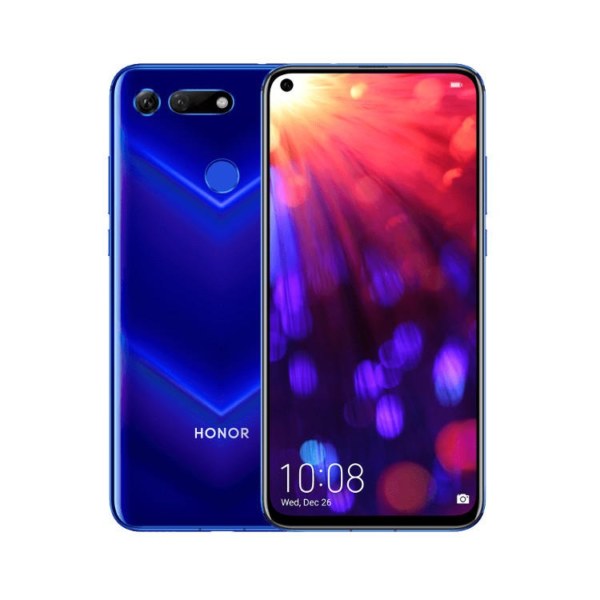
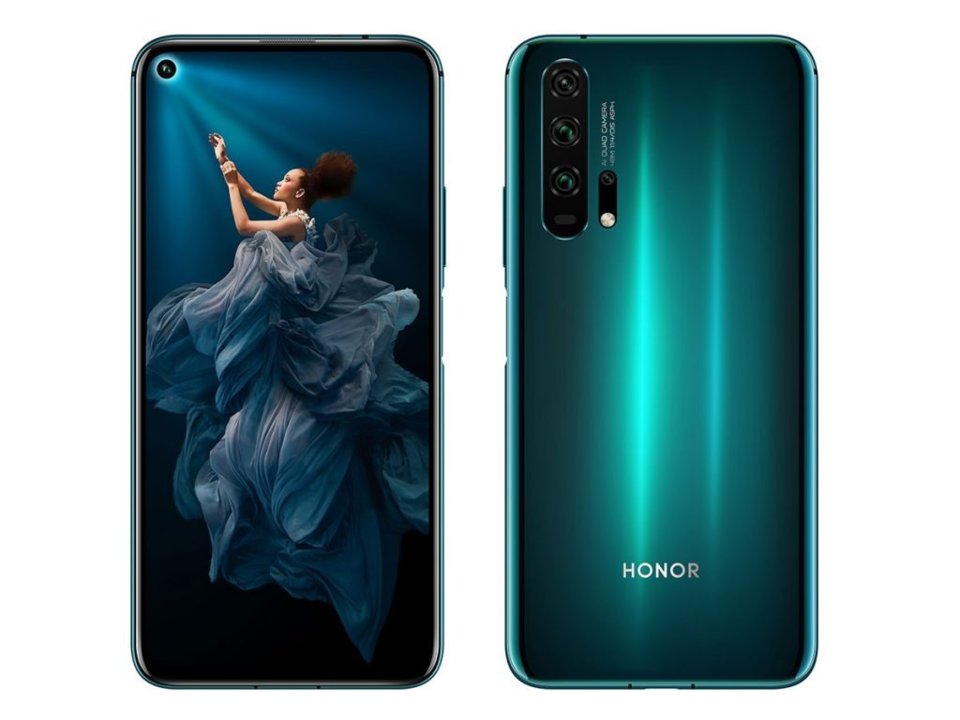
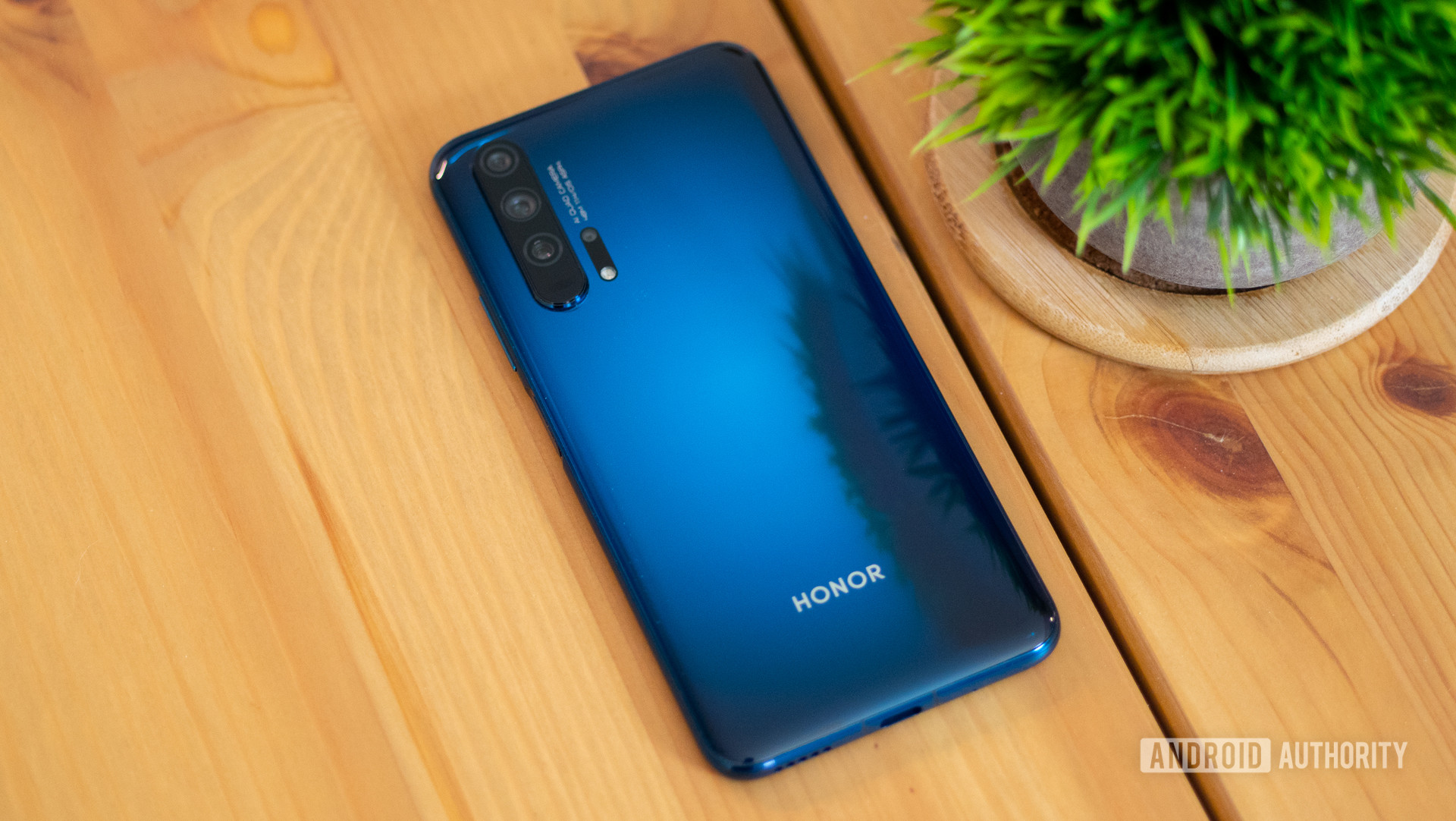
    Huawei’s latest flagship phone, the Honor 20 Pro, is more or less similar to its predecessor, the Honor 20. Featuring a better camera, additional storage, and a larger battery, the phone does not have anything significantly different to offer. Aesthetically speaking, both the phones are pretty much the same. The 32MP selfie camera peeps through a tiny hole punch notch at the top of the screen. The smartphone has been designed with a light-reflecting finish under the glass and has metal sides and a glass back. The fingerprint scanner is side-mounted and also works as the power button. It looks like left-handed people might have some trouble getting used to this phone. You will not find any headphone socket here either. Let’s move on to a more detailed Honor 20 Pro Review.

    Performance And Battery Life

    The USB-C port located at the bottom side of the phone controls both wired audio and power since there is no specific headphone socket available. The Honor 20 Pro features an 8GB RAM and 256GB storage. This means that the phone works smoothly and flawlessly. The battery is also pretty stable and offers about 36 hours of usage on a single charge. While there is no wireless charging capabilities in this smartphone, you will be able to charge it completely in less than 90 minutes. The phone charges about 75% in 60 minutes.

    Honor 20 Pro Camera
    Honor 20 Pro Camera

    Magic UI 2.1

    This phone uses Magic UI. Its gesture controls are similar to Google’s Android Q where the swipes can replace the back or recent screen buttons. The Honor 20 Pro runs on Android 9 Pie-based Magic UI 2.1 software. It offers good enough customization options, reasonable battery life, and works reasonably well in most cases. While its default look may not please everyone, you can easily customize it to suit your requirements. For comparison’s sake, it is not as great as OnePlus or Oxygen OS, but it is definitely getting better with every update. 

    You can expect about two or so software updates every month for the first couple of years from the date of release. The company seems pretty confident that they can successfully update the Honor 20 Pro smartphone with Android Q, despite the fact that Google suspended Huawei’s future access to the Play Store. As you might already know that the current phones will receive support, future updates are uncertain.

    Design

    Although the Honor 20 Pro is by no means a huge smartphone, it is still pretty large with dimensions of 154mm x 74mm x 9mm. With a 91.6% screen-to-body ratio, there is a tiny amount of bezel for a notification light and a speaker. One unusual feature on this phone is that the power button and the fingerprint sensors are the same. This means that you can access your phone in double-quick time. It is far easier to use and works better than the now popular in-screen scanner. The button is also not placed too far at the top so that access is uncomfortable – it is just at the right height. The volume controls are above the power button. 

    The quad-camera located at the back, unfortunately, is more than a slight bump and the phone will not lay flat on its back. However, it is not a big compromise considering the high tech-packed within the phone. The Honor 20 Pro is available in a nice green shade and a purple one. Both the colors give off an elegant feel and look gorgeous. 

    Honor 20 Pro Display
    Honor 20 Pro Display

    Display 

    While this model has a lot going for it, you might have to adjust to the quality of the display, especially considering the other fine features the phone offers and at a very affordable price. The Honor 20 Pro has a 6.26-inch screen with LCD Full HD+ tech. While it is not as great as the OLED screen, it does offer an excellent brightness range and is even clear when used in direct sunlight. The only drawback could be that the phone may not display the colors vibrantly. 

    While the direct competitors of this smartphone do have better screens featuring OLED or AMOLED displays, this option is more affordable. Since there is a very thin bezel, the company has decided to skip the camera notch and go ahead with a punch-hole camera. This means the lens is part of the display area. According to Honor, Honor 20 Pro features the smallest punch-hole camera in the market right now. Overall, the screen is perfect for regular use and you will not experience any issues. 

    Things to keep in mind

    Keep in mind that the fingerprint scanner is located within easy reach of your right thumb. Do be careful since the Honor 20 Pro has a glass back and is pretty slippery. It might be a good idea to get a secure case for the phone so that you don’t drop it or the phone doesn’t slip out of the pocket as you sit down. If you have the phone on vibrate mode, you might need to be mindful of it since the vibrations are not strong enough compared to what we are used to with other models. Another thing to note is that the frame of the phone is known to get caught in hairs and other pieces of fluff. 

    Honor 20 Pro Camera
    Honor 20 Pro Camera

    Camera

    The Honor 20 Pro has an excellent camera with the AI doing a wonderful job of tweaking the settings automatically to get you better pictures. The phone features a 48MP standard camera with optical image stabilization, a 16MP ultra-wide-angle camera, and a 2MP macro camera. There is also an 8MP telephoto camera that features 3x optical zoom. Low light photography is also reasonably good, but the ultra-wide angle camera could do with some improvements. The 32MP front camera is one of the best in the market and manages to capture the tiniest details, regardless of the lighting conditions. 

    Conclusion – Honor 20 Pro Review

    The phone has been designed and manufactured as an affordable model packed with the best tech in the market. The manufacturers have done a great job managing the balance between design and functionality. 


  • Highlights | Samsung Gear S3

    Highlights | Samsung Gear S3

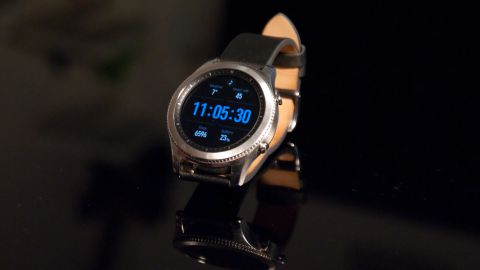
    Smartwatches are the future. While it may seem cumbersome for some, it may be useful for others. It features ease of use and does not require you to check your phone every few minutes to see if you have any message or notification. Samsung’s contribution to the world of wearables is the Samsung Gear S3. While it was manufactured with the intent of easing the user’s world, it does not feel like that. The second iteration of the smartwatch is not as polished and solid as one would expect it to be. It’s a unique design and the ton of features it offers makes it a great product. But, Samsung needs to ensure it supports more app and offers a better user experience to the users. 

    Samsung Gear S3 

    One great thing about this smartwatch is that you can pair to an iOS device via the new iOS smartwatch-pairing app. From its last update, the hardware and the features have undergone a tremendous change. The software, however, leaves us wanting. With the Android Wear 2.0 just about to be released, the market for Android watches has started booming. While Samsung’s second attempt clearly showcases the hardware improvements, it is not so great to attract everyone just yet. Check out the reviews of the best Samsung smartwatches.

    Features of Samsung Gear S3

    The design

    The company has designed the Gear S3 smart watch in two versions. The larger one looks and feels like a huge sports watch. Since not many like massive faces on their wrists, it did not become very popular. The other one is your usual design, but it is more versatile and is likely to make more people happier. 

    Samsung Pay

    Samsung Pay is obviously present in Samsung’s latest offering. The MST, a magnetic technology, usually present in Galaxy Phones is found here as well. This will allow you to simply tap and pay at places that accept Android Pay, Google Play, and Apple Pay. 

    Samsung Gear S3 Highlights
    Samsung Gear S3 Highlights
    S Health fitness

    S Health by Samsung is a built-in way for the watch to track your heart rate, log water and coffee intake, track activity, and overall fitness level. It is also designed to remind you to stretch when you stand up after sitting down for long. 

    iOS apps

    Samsung’s iOS app is not great. However, it has become a bit better and more versatile. You can connect to Samsung S Health, download watch faces, and other popular apps. However, not every in-demand app is available. For instance, Uber and Spotify are not compatible here. 

    Samsung S-Voice

    Surprisingly, the Samsung S Voice works quite well. When compared to Siri on Apple Watch and Google Assistant on Android Wear, Samsung S-Voice lags behind. However, it can still do a lot, such as getting weather, setting alarms, calling a contact, and getting you the traffic. You can also ask questions and receive answers. 

    Spotify

    Spotify on the Gear S3 can now stream over LTE or Wi-Fi. However, you can’t download the tracks. Another drawback is that the interface and the user experience are very poor. While you will require a paid Spotify account, you can listen to music on the go. 

    Stand-alone phone with LTE model

    If you purchase the LTE version, you would be able to connect apps, take calls, and do so much more with your Gear S3 smart watch. With Bluetooth headphones, you can use your watch to make and attend calls. One thing to note here is that you might have to pay additional charges to use this as an LTE phone. 

    What Could Be Improved?

    Design: A better design would be more efficient. While it is better than Android Wear, it has a lot of potential to grow. To get some apps to work seamlessly, there are many things that you have to go through, such as logging in multiple times, have different apps, and more. 

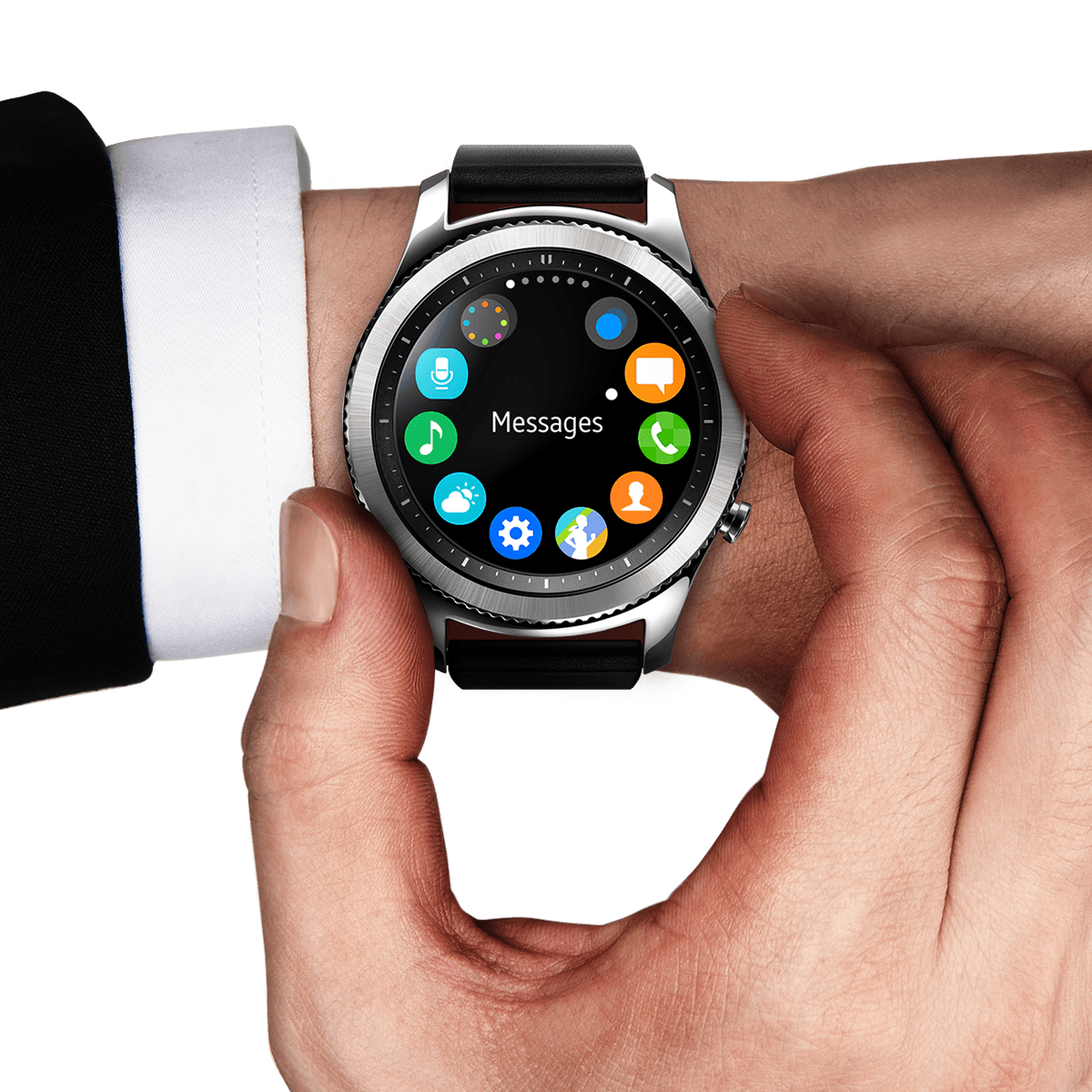
    Interface: While the interface seems good enough at first glance, it needs to be improved as well. This is because users will have to go through various menus and icons to reach what they want. It is not nearly as user-friendly as the Apple Watch. There are also no shortcuts that you can use to get weather, calendar, or music on the main screen.

    Samsung gear S3
    Samsung gear S3

    Battery life: The battery life of Samsung Gear S3 Smartwatch is extremely poor, especially if you use LTE. Without it, you can expect to get about 2 days’ worth of use. However, with LTE, you will be lucky if your watch lasts for a few hours. Until battery life is improved, users will not be able to use the watch and its rich features for long. 

    Tizen OS: Tizen OS is a Linux-based operating system, developed and used by Samsung. It is Samsung’s very own app ecosystem which no one else shares. The number of apps that are compatible with Gear watches is no longer increasing. While there are many great apps, such as Bloomberg, CNN, Uber, Spotify, and ESPN, the list is actually quite small. Theoretically, Gear S3 has thousands of compatible apps, but not the ones anyone would ever want to use. 

    Swim-proof: The Gear S3 smart watch is IP68 rated. This means that the phone is waterproof for a quick shower or in the rain, but it is not advisable for swimming. It is also dust friendly. 

    A Quick Summary

    The Samsung Gear S3 is a great smart watch for Android phone owners. However, the decision is not so easy to make if you are an iPhone user. The Gear S3 by Samsung features some nice and interesting uses. Some users may find the LYE model quite attractive, despite the low battery life. The Gear S3 clearly has improved hardware, but when the software undergoes an improvement as well is when the product would become more worthy. Currently, the Gear S3 is a better choice than the Android Wear smartwatch. But, after the pending release of the new version of Android Wear, opinions may change.