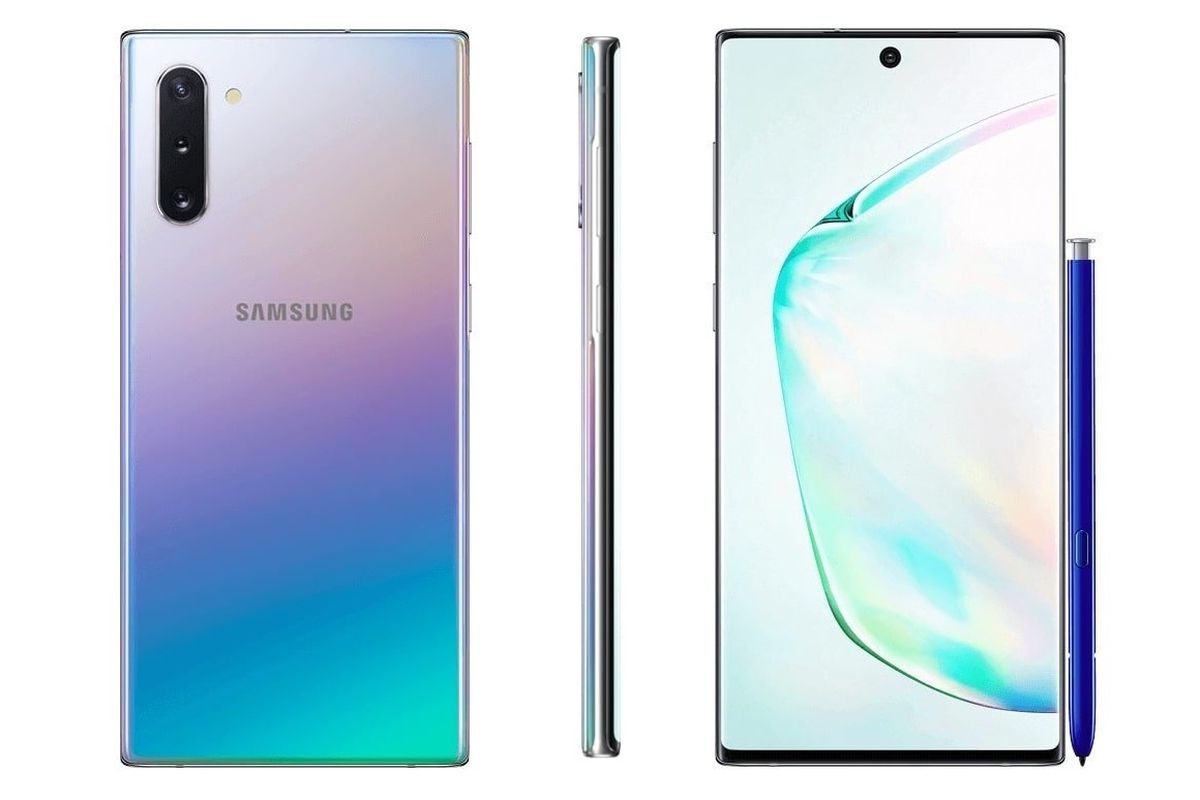
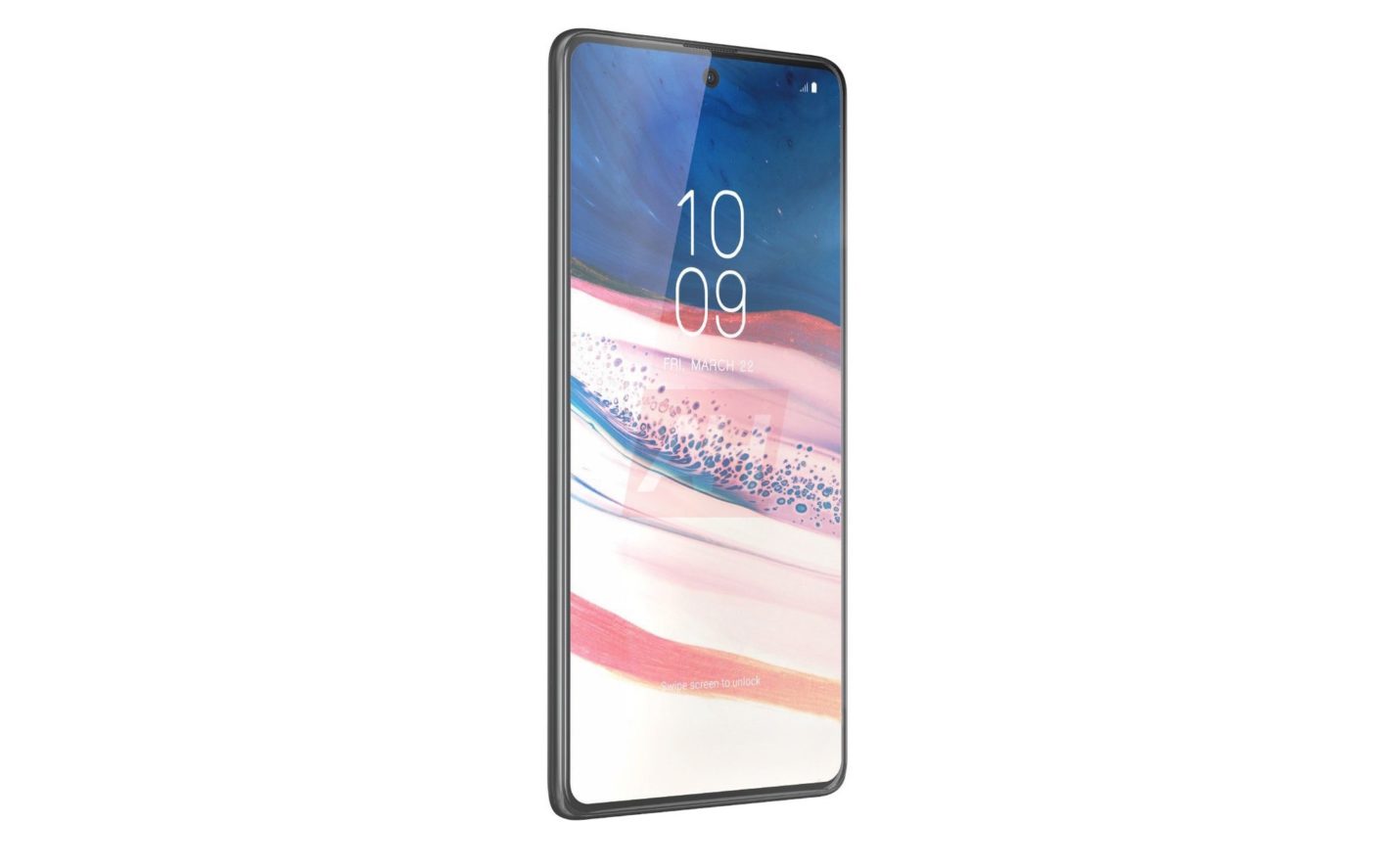
Samsung Galaxy Note 10 Lite is now all-ready for launch. It has received approval from the FCC. While the listing does not mention it by name, the model number SM-N770F refers to Samsung Galaxy Note 10 Lite. This upcoming budget device has also already received its Bluetooth certification and approval by the WiFi Alliance as well. All these approvals have been received in India as well.
Besides India, we see that Samsung’s pages in the Caribbean, Spain, and Latin America also talk about a device with the same model number. Looks like Samsung is preparing for a global release. There have been some heavy speculations going around with regards to the Samsung Galaxy Note 10 Lite. Due to the leaks, we have a pretty good idea of the features it will come it and its design.
Galaxy Note 10 Lite Approved
Galaxy Note 10 Lite
Earlier, the smartphone was expected to be launched in India in mid-January. The phone is basically a lighter version of the Note 10 model. Naturally, we can expect the company to cut down some of the flashier features. Of late, this has become a trend. This allows the company to cater to both higher-end customers while keeping the budget phone customers happy.
The Samsung Galaxy Note 10 Lite will have pretty much the same specs as Galaxy Note 9 that was released last year. It is expected to be powered by the Exynos 9810 chipset and have a minimum of 6GB RAM. According to experts, the phone will have a decent enough performance although one cannot compare it to the flagship models since they are designed to have the higher processing power. The Lite model will be available in two different variants, 128GB and 256GB.
Specs and Features
Similar to the regular Note 10, the Lite variant will support the new Bluetooth 5.1 standard as well. This will offer enhanced positioning, meaning you will no longer have to struggle to find the S Pen you misplaced. Coming to the design, it will remind you of the Galaxy Note 10. Since nothing major is getting changes, we can expect to see the pinhole selfie camera. While Samsung’s latest flagships have gotten rid of the .5mm headphone jack, this model is likely to come with it.
Galaxy Note 10 Lite
The smartphone will have a larger battery compared to the Galaxy Note 10+ model. A 4,500 mAh battery should be more than enough to take over a day comfortably and possibly more. On moderately intense use, the phone should be good enough to last a day.
The phone is likely to run on Android 10 with Samsung’s One UI 2.0. The square camera’s three sensors will offer good enough performance. The front selfie camera will be 32-megapixels, according to sources. It is expected to be priced around the same range as Google’s Pixel 3a. The company might need to rethink its price strategy since a Lite variant of a major flagship phone might not become that popular. It is expected to launch in January 2020.
Readme Mobiles is preparing to enter the premium mid-range segment of the smartphone market with its latest device, Readme X2 Pro. It is the company’s first flagship device and is pretty well designed. It is aimed to compete with Xiaomi Redmi K20 Pro and OnePlus 7T. This Realme X2 Pro Review will highlight its major perks and drawbacks along with details about every aspect of the phone.
The phone features a 64MP quad-camera setup, stereo surround sound speakers, a Full HD+ Super AMOLED 90Hz refresh rate screen, a metal-glass sandwich design, and a huge 4,000mAh battery. The shocking aspect, of course, is its relatively low price range. The phone has some superb specifications. It is also known to be usable and sturdy. Realme X2 Pro is already available for purchase on Flipkart and Realme India store. It is expected to arrive in offline retail stores soon.
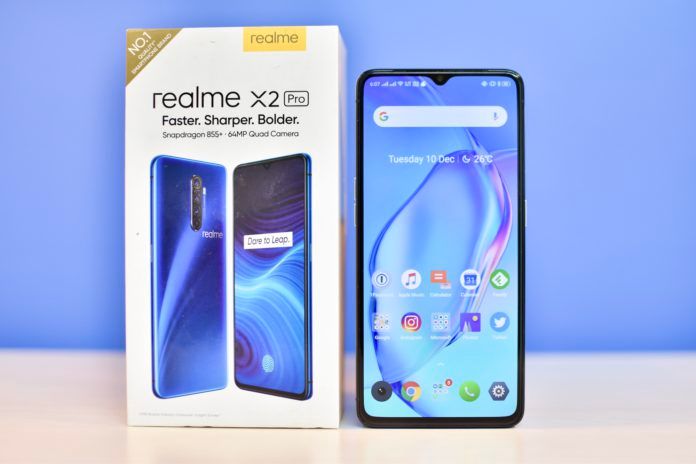
The Realme X2 Pro comes with a 50W SuperVOOC wall charger along with a case, a warranty leaflet, a data cable, a SIM eject tool, and a quick start guide. The phone comes with an already-applied screen guard. However, the package doesn’t contain any earphones.
Realme X2 Pro Review
Design
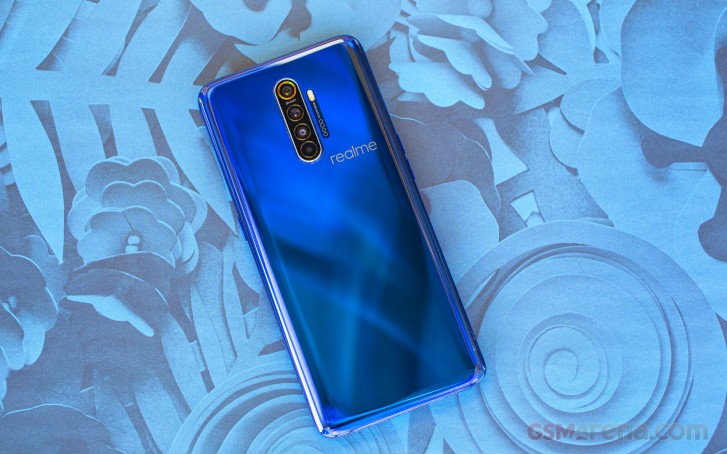
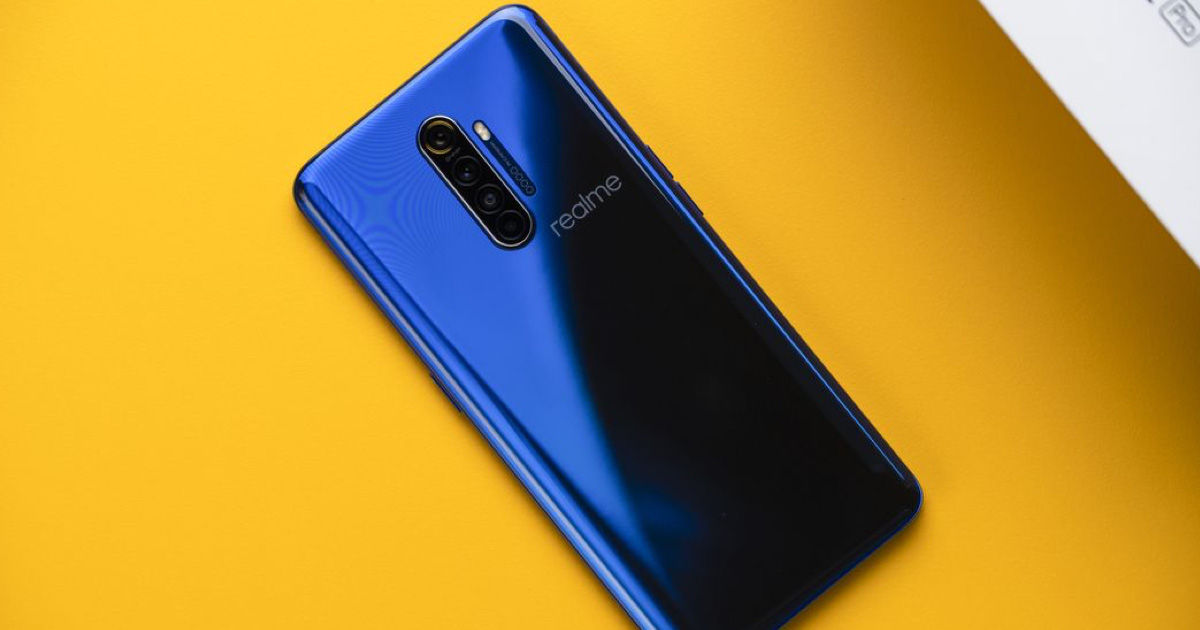
Looking at the design of the Readme X2 Pro, we see that it features an aluminium chassis and the glass on the front and back. Despite the glass, it feels quite sturdy. There is almost no flex when you apply pressure. The phone is available in two colours – Lunar White and Neptune Blue. The Lunar White model looks similar to the Realme X at first glance. But there are many tiny features and design tweaks that make it quite different. The phone boasts of a pearl-like gradient effect that changes the colour shade a tiny bit in the light. The gradient finish is not too excessive and on the whole, looks just right.
Due to the glass back, the phone feels a bit slippery and one-handed use is probably not a good idea. You might want to be careful of the edges which are a little bit sharp, exactly where the metal and the glass meet. A small teardrop notch sits at the top of the screen. The smartphone does not feature a microSD card slot, however, there is a USB-C port at the bottom. It is always a good idea with glass-backed phones to fit a case right away. Overall, design-wise, Realme’s first attempt at a premium mid-range phone is not so bad.
Realme X2 Pro
Display
Readme X2 Pro has a 6.5-inch screen. The display is certified for HDR10+ playback and supports a 100% DCI-P3 colour gamut range. Its Super AMOLED panel with Full HD+ (2400 x 1080 pixels) resolution and a 90Hz refresh rate make it great for rich colours and high clarity. Regarding brightness, you might be pleased to know that it has 1000 nits maximum brightness with reasonable visibility in the sunlight. You can make your choice from two colour modes – Vivid and Gentle. While the former is based on DCI-P3 colour range, the latter uses RGB colours.
The screen protector is plastic and does not keep with Realme’s idea of a premium smartphone. The plastic screen and build make it feel cheaper than it is. The colour reproduction is decent enough as well. While the screen and display for Realme’s latest phone might not match the others in the higher-end category, it is good enough for this price range.
Specifications And Software
Realme’s flagship phone, the Realme X2 Pro, uses Snapdragon 855+ SoC which is Qualcomm’s top-end processor. It is also the choice of chip used in other popular flagships including OnePlus 7T. It has higher clock speeds than Snapdragon 855. The phone is available in two variants in India, based on the RAM. One features 8GB RAM and 128GB of storage while the other has 12GB RAM and 256GB of storage. Both variants of the phone making use of the UFS 3.0 storage standard.
Realme X2 Pro Full Review
The company says that the phone uses tile linear vibration motor for better haptic feedback and a vapour chamber cooling system for the CPU. Besides this, other specs of the phone include support for three satellite navigation systems, usual sensors, dual-band Wi-Fi 802.11ac, and Bluetooth 5. The phone, unfortunately, is not expandable. It can, however, accept two Nano-SIMs. Realme X2 Pro has dual 4G VoLTE support. Other features of the phone include an optical in-display fingerprint sensor, face unlock, customisable unlock animations, NFC and contactless payment, and more.
Performance
While it is a bit on the heavier side, the phone is easy enough to handle. The display is clear, even in direct sunlight. The speakers are loud, and you can almost always hear them, regardless of where you are. The fingerprint sensors and face recognition are quite decent and work reliably. You can also use the always-on-display mode. However, you should know that it only shows alerts from certain apps.
Realme X2 Pro has a powerful processor that lets its users play heavy games. It also makes multitasking possible. You can comfortably play heavy-duty games like PUBG Mobile and Call of Duty. While the phone tends to get warm as you continue playing, it doesn’t get hot and slow down like other models.
Battery Life
Realme’s flagship phone boasts of a large 4,000mAh battery which should be good enough for a long day’s use. On a full charge, you can expect about a day and half of regular use. Charging is quick thanks to the SuperVOOC charger. You can literally charge it up to 100% from 0% in half an hour. Besides Realme’s proprietary charging standard, the phone supports Qualcomm’s Quick Charge 3.0 for faster charging.
Realme X2 Pro Camera Review
Camera Quality
Realme X2 Pro has a quad-camera system. The primary camera uses a Samsung ISOCELL Bright GW1 64MP sensor with an f/1.8 aperture. Others include the 13MP, f/2.5 aperture telephoto lens and the 8MP ultra-wide-angle lens. You will be able to take regular pictures are 16MP – both in daylight and in low-light areas. The pictures taken are rich in colour, detailed, and sharp. The ultra-wide mode may have some grainy textures. It would be a great camera all-around if its Night Mode was equally good.
Verdict: Realme X2 Pro Review
With a great camera, high refresh rate screen, and a huge battery, this RealMe flagship phone is a great option. Realme X2 Pro could be improved with regards to UI and intuitiveness.
Most of us take the internet for granted. Even those living in urban areas may sometimes have to take on life without a proper internet connection. For instance, during a power blackout or on a train, we may not get an internet signal. During this time, having apps that function without the internet would be a godsend! There are plenty of apps that support offline usage as well. Streaming services like Netflix, Amazon Prime, Spotify, YouTube, and others all offer offline use. You can easily choose certain content and download them. Once done, you would be able to access them offline. In this article, we will take a look at the top Offline Android Apps.
We hardly realize how much of our time goes on the internet every day until we lose access to it. From browsing social media to watching movies, we are one with our phones. However, the catch is that most things that we indulge in require an internet connection. If you are travelling, you will get stuck. This is why we have put together this list of the best android apps that you can use without internet.
Amazon Kindle
Amazon Kindle: Offline Android Apps
Both Amazon Kindle and Google Play Books are popular apps. They both work online. You can collect tons of eBooks online and access them all offline. Both the apps offer many features including a night mode, customization features, and other basics things. It allows users to download books for free. There is no limit to the books you can download. The apps are free to download, and they offer hundreds of free books as well. However, there is a large section of paid books that you can pay and receive it.
Google Maps
We all rely a lot on our digital maps. When we are travelling, one of the most common issues faced is the loss of internet signals. This quickly translates into losing out navigation functionality on our map. With Google Maps, you no longer have to worry about it. Even if you are travelling to remote areas, you will never get lost. Google Maps allows users to save a section of the map by downloading it beforehand. Once done, you can use it when you don’t have an internet signal. Users will still be able to use the map as it guides you through the lanes and turns.
In order to save a map offline, tab on the sidebar menu of the Google Map app. Click on Offline Maps. Once done, you will be asked to select the region. Do it and proceed with the download. In addition to basic navigation, users would be able to receive walking and driving directions for hotels, restaurants, and other local businesses in the area. You can easily search for these in the usual manner. If you travel frequently, Google Maps is an absolute must.
Spotify
Spotify: Enjoy music without internet
Spotify is one of the most popular music streaming apps out there. The reason behind that is that it has tracks from a wide range of albums, artists, and genres. It is also very intuitive and user-friendly to use. If you are a premium subscriber, Spotify lets users save their favourite tracks and even your library for listening offline. You can also save your personal albums and playlist and access them offline later.
To save a track, open your saved album or playlist. You will notice a download icon at the top. Tap on that to start the download. Once done, you will be able to listen to it offline. If you want to check, head to your settings menu. Enable Offline Mode. Now, check out all the music you can access online.
Google Drive
Google Drive is an obvious choice for this list. It allows users to sync an unlimited number of files to your smartphone or any other device from the cloud. Google allows free use until 15GB of storage, after which you will have to get a paid subscription to continue. Google Suite consists of different apps, such as Google Sheets, Slides, and Docs. Each document will correspondingly open up in the app, making it extremely easy to use.
Google Drive is known for making our lives easier. It will increase your productivity and give you access to all your documents in an instant, regardless of whether you have an internet connection or not. This cloud service accepts all kinds of files, including APK files, PDF, ZIP files, audio, video, and more.
Pocket App – Offline Android Apps
Pocket
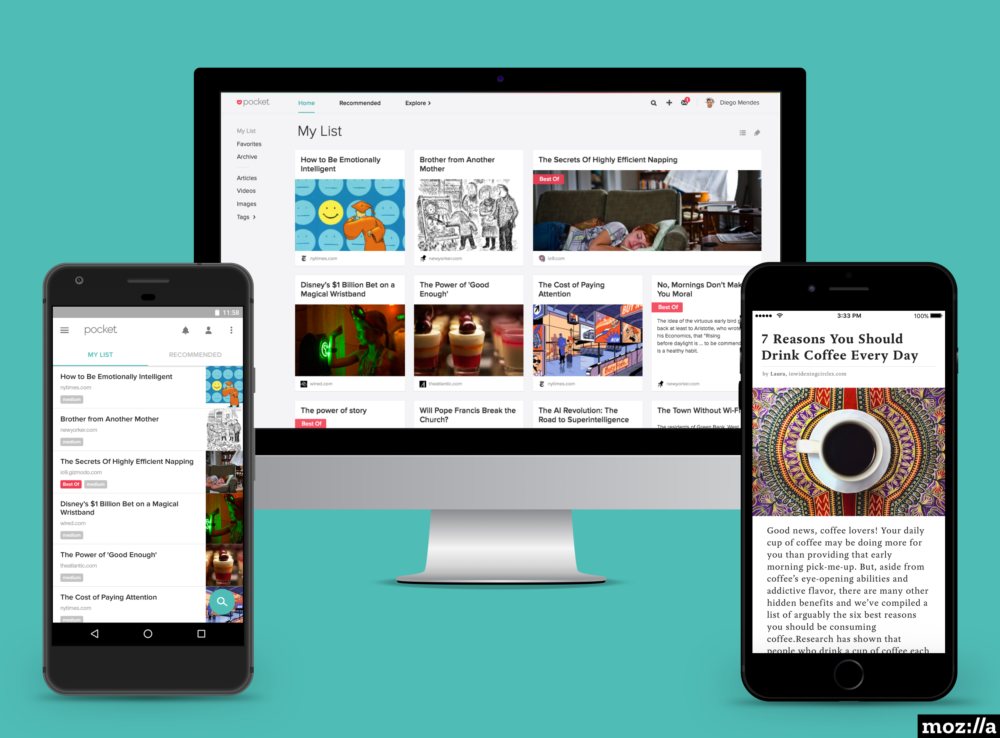
Pocket is a great app for offline use. It allows users to save notes and other things and bring them up later whenever they want. You would be able to save literally anything ranging from news stories, Reddit threats, forum chats, images, memes, and so much more. Since it offers offline support, it is literally priceless. Although the free version of the app comes with some limitations, it is still good enough for most users. Even the paid version is very reasonably priced.
Bonus: Pocket Casts
It is highly likely that you have come across Pocket Casts or at least heard of it. It is one of the most popular podcast apps available in the market. They have thousands of interesting podcasts ranging across a wide range of subjects. The best part about it is that you can download the one that you want to listen to later. Once downloaded, you would be able to listen to it offline as well. It has a cross-device syncing which ensures you can listen to it on any of your devices. It is inexpensive and highly entertaining. Even newbies would be able to make their way about easily since it has a clean interface. The app developers recently released a new update which introduced a darker Indigo theme.
Wrapping Up – Offline Android Apps
While there are plenty of other apps out there that can be used offline, this list covers pretty much most important ones. You know where to go if you need offline navigation, some podcast entertainment, and how to look up stuff offline. Go on!
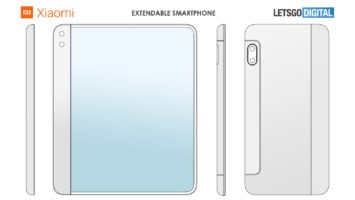
Xiaomi recently patented a device with the World Intellectual Property Office or WIPO. Sometime back, the company patented their phone with an extendable display. This latest Xiaomi patent relates to an all-screen device with full-screen surround display and an under-display camera. The smartphone came out in a series of patents on WIPO in mid-December. Although Xiaomi has filed these patents about a year ago, WIPO only recently approved them.
The Latest Xiaomi Phone
The Xiaomi phone features a completely unique design. With an all-screen ‘surround display’, you will find that indeed most of the phone is a simple screen. Except for the top and bottom sides, the entire phone is just display. There are no bezels at all. It is not very clear how a model like is expected to function while having enough tech in place so that accidental touch is not a problem.
Xiaomi Patent for Phone
The front of the phone, the back, and the left and right sides are all display. Apparently, each display works separately with their own layout. The main speaker of the phone is located at the bottom. It is accompanied by a Type-C USB port. The microphone is present at the top side. Another surprising thing about the phone is that you will not find a single physical button on the phone. Since there is no SIM card slot either, it looks as if the phone is designed only to accept an eSIM.
No earpiece makes it here either. However, this does not come as a surprise since Xiaomi is known to make use of tech that does not really need a physical earpiece to work. Unlike the recently released Xiaomi Mi MIX Alpha, this upcoming phone will not have any camera either. At least, not the regular variety.
Under-Display Cameras
Coming to the next unique thing about the phone – the under-display cameras. So, it does look like this is where we are heading with designs in the future. The Xiaomi phone is expected to have one more under-display camera. Xiaomi, and even Oppo, have already shown us how the camera will look like and work. Gone is the period of demonstration. The device is all ready for launch in 2020.
Xiaomi Patent
That suggests that this phone is envisioned to include an under-display camera or more of them. Xiaomi already demoed its under-display camera tech, the same as OPPO. So, we could end up seeing the very first smartphones with such technology in 2020. The phone has undergone major design changes so as to be able to keep in with the latest tech.
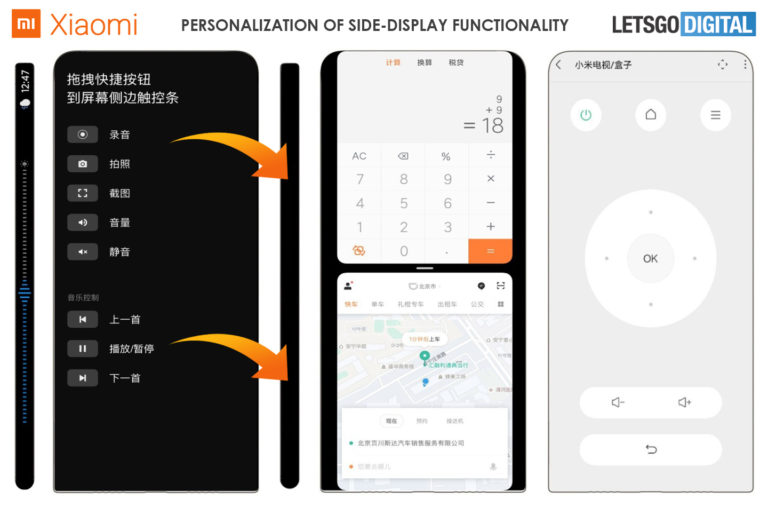
Users would not be able to check the network signal, battery life, or other things at the top of the screen. All these details have been shifted to the right side of the phone. The time, weather, and other details would now be available on the left side. It looks like Xiaomi is thinking outside the box. This could lead to some pretty interesting innovations. Hopefully, the phone makes it to the production stage.
Pocket Casts is one of the most popular podcast-listening platforms out there. The developers have released the latest update for this Android app. Pocket Casts 7.6 has brought forward a new tab format. This allows the users to swipe between various tabs, such as Now Playing screen and show’s notes and chapters. The updated version of the app lets the user customize the toolbar for a more personalized experience. Thanks to this, users can now select the four actions they tend to use the most. This gives them easier and faster access. Actions could be chosen from sleep timer, playback effects, mark as played, or archive episode.
Pocket Casts 7.6 Version Update
In the update to v7. Version 7.6, a lot of features were removed. Pocket Casts is now working to slowly add them back one by one. The app is now in beta with more of these improvements. One of the more prominent changes includes the return of the swipe to see show notes. It will also make it easier to edit the Up Next queue. Users will also be able to enjoy free themes and customizable quick actions in the ‘Now Playing’ screen.
Pocket Casts is now free for use. So, if you want to check it out, go right ahead. The iOS version of the app is all set to receive the same features as well.
Pocket Casts 7.6 Updates
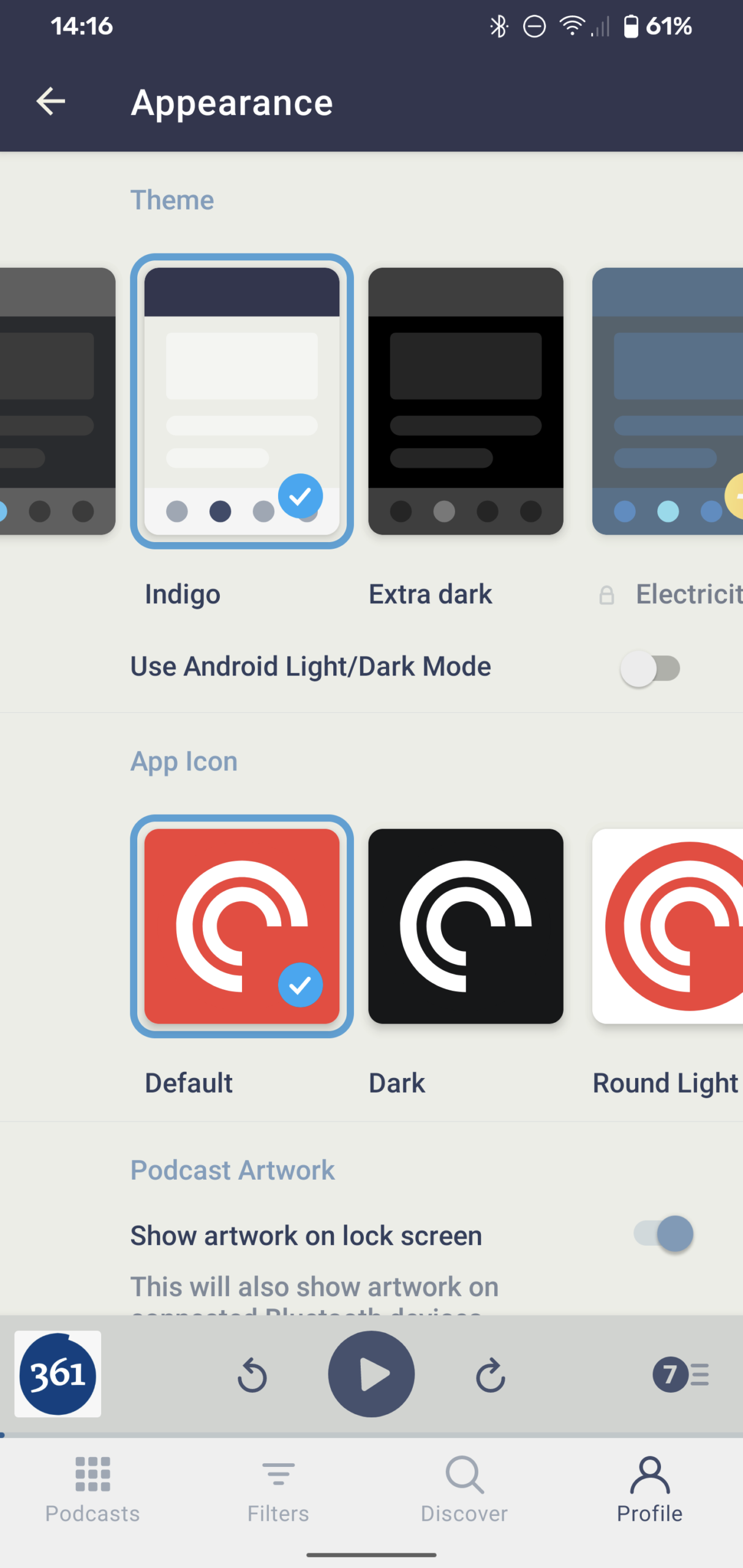
Indigo theme
The app has got a free new theme, called the Indigo theme. It uses off-white backgrounds and dark indigo elements.
Tab Layout
‘Show Notes’ is sometimes very important to the audio. The new update allows users to swipe between the tabs. This will allow users to switch the view between Now Playing screen to the show notes. You can also swipe back to check out the chapters.
Custom Toolbar
Since all of us like listening to different podcasts and have different likes and needs, Pocket Casts has allowed us to personalize our app as we wish. Now, you can decide which options should be part of your player. You would be able to select any four actions of your choice which would then show up on the toolbar, allowing easier access.
Pocket Casts 7.6
Up Next
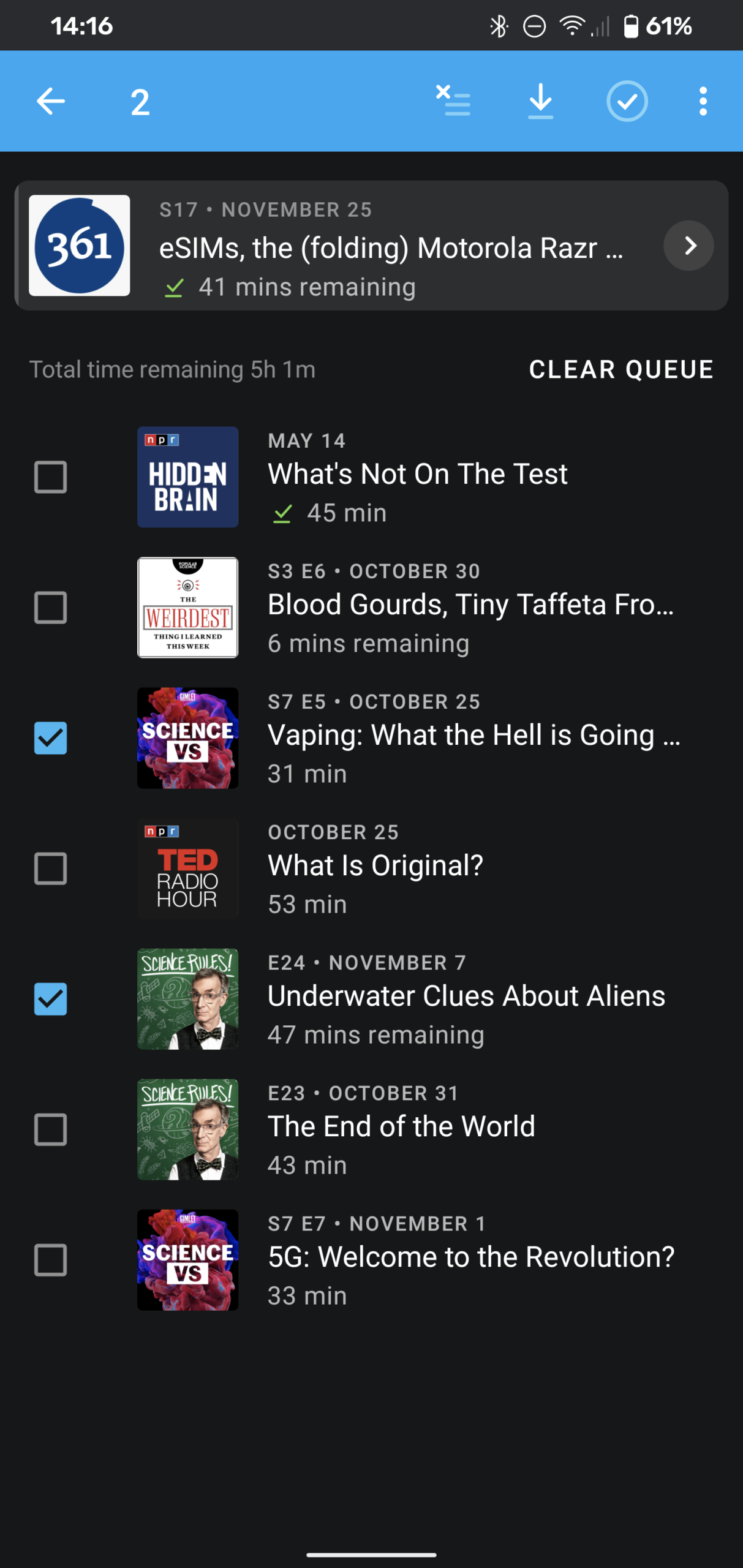
The Up Next list is now no longer a part of the Now Playing screen. It has been moved to a separate page. You can access it by simply tapping the queue counter or swiping up. It will also give you the time it would take to finish all the remaining episodes. The “Clear Queue” button allows users to clear everything in the queue and start from the beginning again. The queue has some additional features, such as multi-select using which users can take action on multiple episodes simultaneously.
The Big Revamp
Pocket Casts is already a great podcast app. With its big version 7.6 release, we can expect a ton of great features – some returning ones and some brand-new ones! The ability to customize and the presence of new themes all play a part in making this app one of the best in the market.
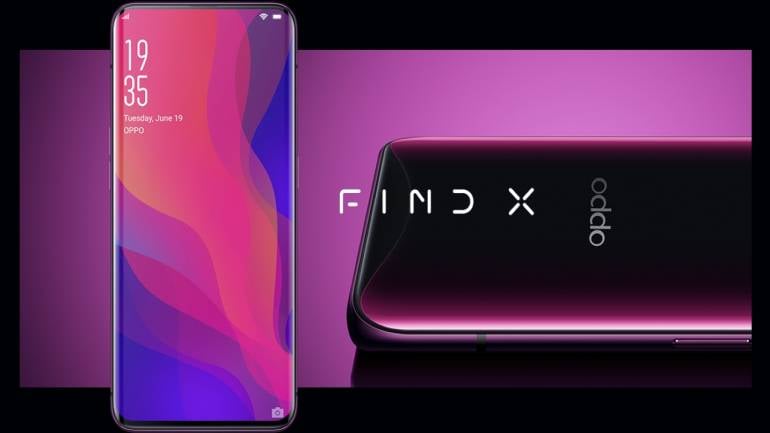
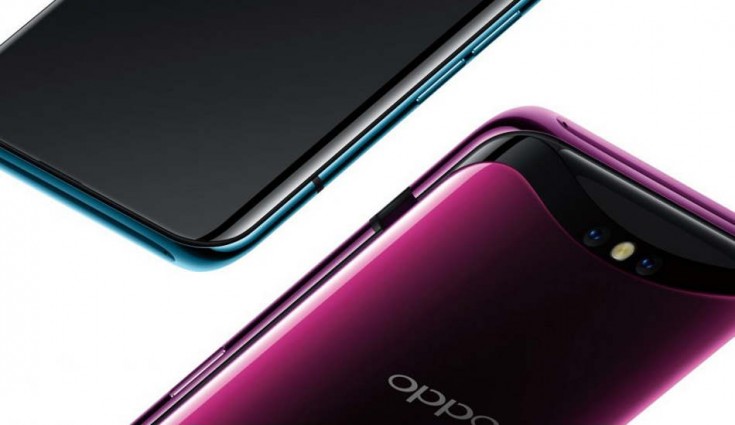
The OPPO Find X was announced last year. It was one of the first phones to feature an all-screen design. It was possible thanks to the motorized pop-up cameras. Oppo recently announced that the company is now working on developing the Find X2 model. They expect to release the same in the first quarter of 2020. Similar to most flagships expected to release the upcoming year, the Find X2 will also run on a Snapdragon 865 chipset. Although the phone will have a Snapdragon X55 5G modem, the phone will only support sub-6GHz 5G frequencies. This is Find X’s successor device, according to Wu. Originally, it was scheduled to release sometime in 2019. However, that did not happen and we look forward to a 2020 release.
OPPO Find X2
On the Oppo Inno Day 2019, the company talked more about their Oppo Find X2. This will be the successor to one of the first sliding phones. The Find X model was truly a trendsetter and one of the first of its kind to make it to retail. Now, Oppo is working a successor, the Find X2. Although Find X’s design has many flaws, mostly revolving around the pop-up camera, it was received quite well. Now that the industry and technology have advanced, we hope to see a spectacular design on the device. Even the pop-up cameras design has evolved into something more sophisticated. Check out the review on Oppo Reno.
OPPO Find X2
Oppo’s Find X2 will feature Qualcomm’s latest flagship mobile processor. The phone is also expected to have a better display, higher resolution, a wider colour gamut, and a higher refresh rate. The Find X2 will come with Sony’s 2×2 On-Chip Lens Technology. The custom-made camera sensor will include “All Pixel Omni-directional PDAF” technology. This allows the use of all imaging pixels. Thanks to this, the sensor would be able to focus on the tiniest thing with the greatest clarity and accuracy. It looks like the Find X2 is among the first Oppo phones to have the under-display camera technology. It was one of the phones highlighted at the OPPO INNO Day event 2019. While it is Oppo’s first such model, the under-glass selfie camera looks like a trend that is going to go around like a wildfire. Check out Xiaomi’s patent on the same subject.
OPPO Find X2 Release
A Quick Overview
Oppo’s flagship device will come with a Snapdragon 865 chip. The phone also boasts of a high refresh rate, camera improvements, and enhanced low-light performance. Keeping in mind all the features the Find X2, it looks like the phone might be retailed as a top-tier smartphone. With the smartphone all set to launch in a few weeks, we can’t wait to see what is inside. The phone, expected to launch in Q1 2020, has users excited to try it out.
It is expected that the Find X2 will feature 5G connectivity, major design tweaks, a powerful chipset from Qualcomm, and of course, the price to go with it! So far, Oppo has not released any hint about what it could be priced at. Maybe once we enter the new year, we will receive more details.
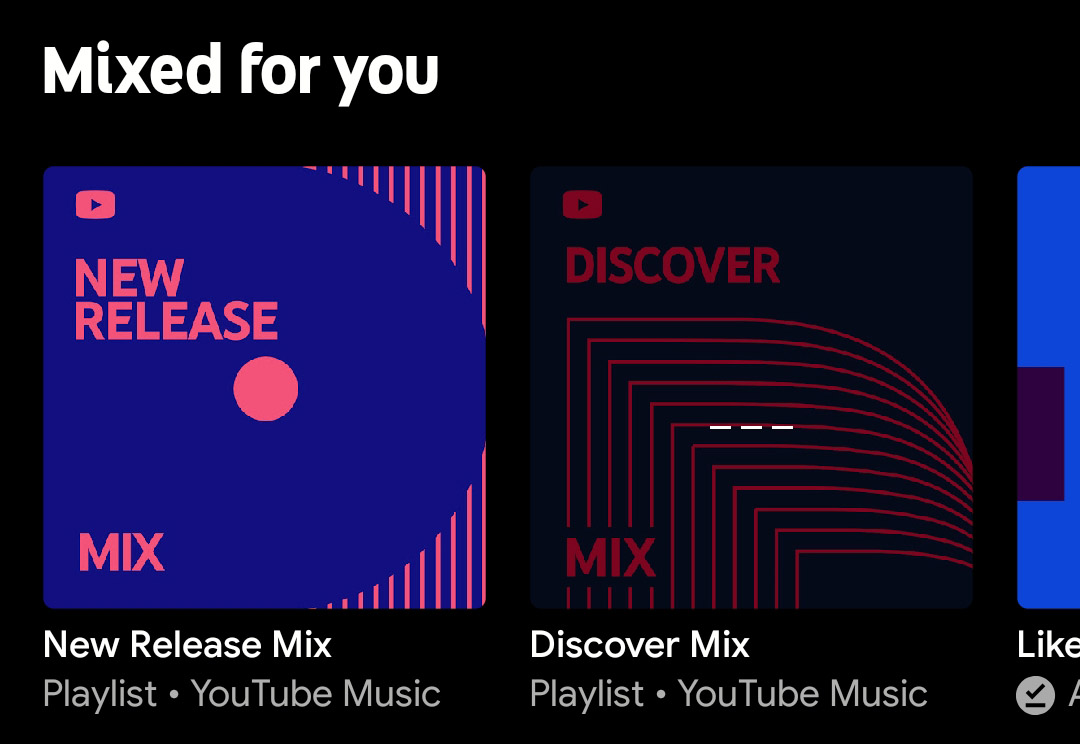
YouTube Music is now adding three personalized playlists, named Discover Mix, New Release Mix, and Your Mix. Although Apple Music, Spotify, and other music streaming apps already had similar programs, YouTube is the latest to join them. Spotify’s Discover Weekly became a huge hit among the users. Discover Mix by YouTube Mix was tested fully. Now, they are being made available for YouTube Music users around the world.
At the TechCrunch Disrupt SF 2019, the company talked about its plans to introduce these three mixes. Neal Mohan, YouTube Chief Product Officer, talked about this plan where they have used a combination of human curation and machine learning to offer better offerings to their users. The Discover Mix works in a manner quite similar to Spotify’s Discover Weekly. It will help users discover new music and artists. Users will receive suggestions on tracks that they have never listened to before and lesser-known tracks from artists that they already know and like. What is new here is that this playlist would be able to leverage historical listening data on YouTube and YouTube Music, unlike other music streaming services.
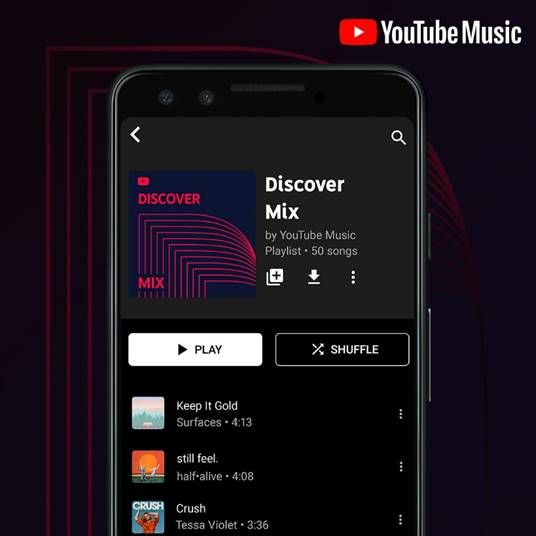
YouTube Music Discover Mix
Discover Mix
The Discover mix offers the users 50 tracks to listen every week. It automatically updates every Wednesday. The New Release Mix, as the name suggests, will consist of the recent release by top artists of your choice and other that YouTube feels you will like based on your history. This mix updates every Friday. However, it adds other tracks as and when needed, even in the middle of the week.
Your Mix is the third playlist introduced. This will have the kind of music you like with songs that you have not listened to yet. If YouTube thinks you will like it depending on your history, it will add those tracks to this playlist. It does not update once a week. Instead, it updates regularly so that you can always stay updated with new tracks.
YouTube Music
How does it work?
Naturally, the more you use the service, the better your mixes will become. This is because the engine gets a chance to understand more about your taste in music. However, YouTube claims that it can get started by offering personalized mixes as soon as a user gets started. All one has to do is to select some of their favourite artists. YouTube uses this as a base and creates mixes. As you continue listening to songs, it will update your mixes to reflect your choices.
These mixes are a result of Google’s investment in its music streaming service. Google recently made YouTube Music the default music app that comes with new Android devices. So, Google Play Music is no longer be the default music app. According to reports, YouTube Music has taken over Spotify and JioSaavn in India. This is a huge blow for Spotify since India was a major market for them in spite of entering pretty late. The new mixes are available now the music streaming service on Android, iOS, and even on the web version.
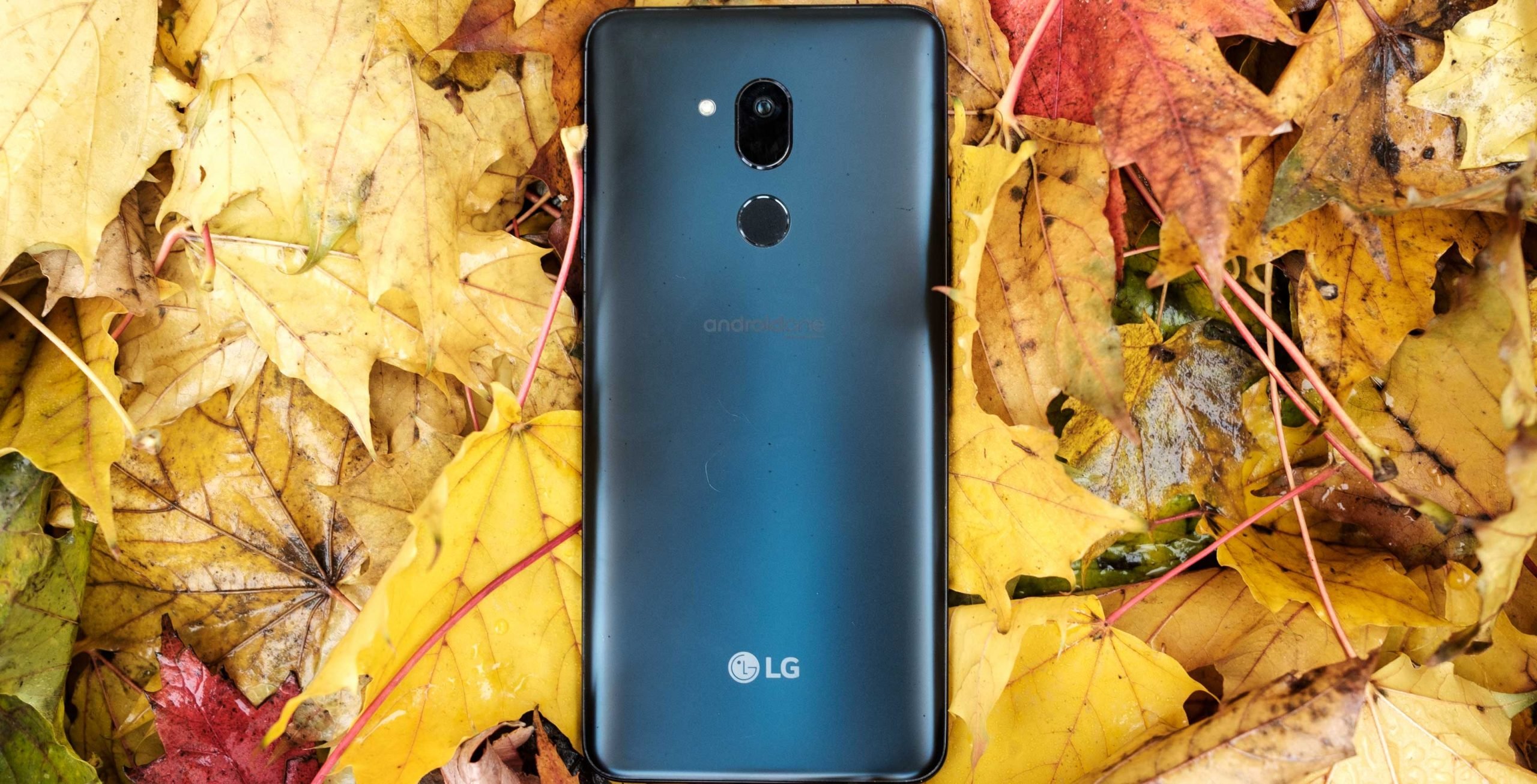
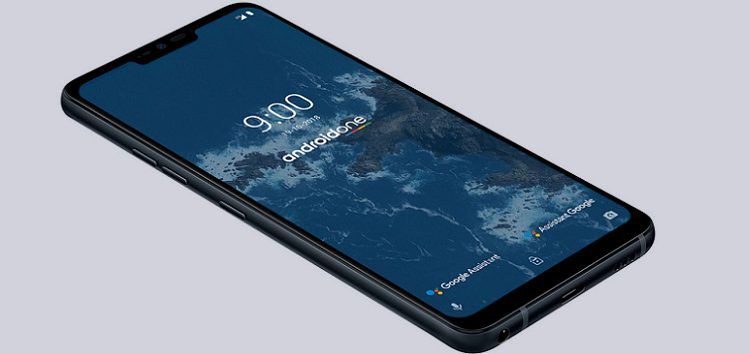
LG G7 One is an Android One based phone. This smartphone is all set to receive an update to Android 10. Earlier this month, LG G8 ThinQ received its Android 10 update. However, this was only for users in South Korea. Other LG devices are running on Android Pie at the moment. LG G7 One was released last year. It runs on Android One, which is Google’s attempt at providing a stock Android experience without the OEM branding. One major benefit of this is that users would be able to receive Android updates almost immediately.
We have successfully reached a stage where we receive new OS upgrades regularly, instead of once in a blue moon. Currently, Samsung started rolling out Android 10 to its 2019 flagships. Sony, Motorola, and LG followed suit. The latest one to receive Android 10 update is LG’s G7 One. Although the company is still working on this, the process has started. The G7 One was also the first LG phones receive the Pie update last year. The update is being rolled out in North America and hopefully, will soon be made available for other areas.
LG G7 One
It looks like LG is taking full and complete advantage of Android One updates. It would be a 750 MB update and will come with the November 2019 security patch. The latest Android OS Upgrade offers improved camera functionality and enhanced usability via Google Patch. The LG G7 One is not the Android One phone to receive Android 10. OnePlus phones, Motorola One Power and Nokia 7.1 also received updates to Android 10 in the last week.
LG G7 One
While the first LG model to receive an update to Android 10 was G8 ThinQ, it was only for users in South Korea. Now, the G7 One model is all set to receive an update to Android 10 across North America. This smartphone was first released in 2018 as part of the Android One Program. That is why it does not come as a shock to know that it is one of the first LG phones to receive the latest update.
Of course, it is weird to see that LG’s mid-range phone is receiving Android 10 updates while its flagship models are still waiting for the same. Considering the fact that this is an Android One device and they usually have a very similar build to Pixel models; it is a bit surprising to see why it has taken this long. All in all, it was probably easier to update this and move on to the flagship devices.
LG G7 One Android 10 Updat
LG G7 One gets Android 10 update
The Android 10 update from LG G7 One model is being launched for the units in Canada. This 741MB over-the-air download will soon be made available for other areas as well. Besides the new OS version (of course!), you will be able to enjoy improved features as well. The very fact that updates have started rolling out gives us hope that it would be soon be made available for other regions and other phones.
Following Sony’s recent announcement, dozens of new players joined the servers. A few weeks ago, we heard that Titanfall 2 and Monster Energy Supercross would be the last free PS4 games of 2019. Both the games are available for download from the PlayStation Store. All you need to enjoy this PlayStation Plus update is an active PS Plus account. Although Titanfall 2 is not a new game by any means, it received great reviews when it was first released in 2016. However, being a victim of bad release timings, we never got to see if it would have managed to maintain its popularity. Games like Call of Duty were released approximately around the same time. This didn’t help Titanfall 2 at all.
Even when the game’s single-player mode came into being, its popularity didn’t increase as the developers had hoped. After this attempt, Respawn Entertainment started focusing on other games. For example, Apex Legends and Jedi Fallen Order were more popular among the players. The free updates for Titanfall 2 will not have planned free updates like before. Still, players would still be able to experience what is available with extra people.
Titanfall 2 on PS4
The game’s player numbers increased to about 100,000 on PS4 servers right after the game was scheduled to become available to free play. According to a user online, “The Titanfall 2 player base on PS4 has been revitalized, from 1.5k players on a good day to 70,000. As some of you may know, Titanfall 2 is available on PlayStation Plus. The game is amazing and it’s wonderful to see it truly alive once again.”
Many users agree that Titanfall 2 is indeed a great and fun game to play. Gamers are enjoying both the single-player and the multiplayer modes. The interest of the players in the game seems to have renewed. Thousands of PS Plus players are making use of this opportunity to try out the game. Some are even considering renewing their PS Plus so as to be able to continue playing it. After a sad decline to the player base in the past few years, it is invigorating to see a boost to the player numbers this December. It is yet to be seen if the new players can keep the servers alive, and if so, for how long.
PlayStation Plus Update
PlayStation Plus Free Games
PS Plus offers free games to its players to keep them on their toes with a host of interesting and addictive games. In this month’s PlayStation Plus update, Titanfall 2 was offered to the users. This first-person-shooter game developed by Respawn Entertainment was once quite popular before other releases overtook it. You will take on the role of a pilot who has to manoeuvre around the battlefield. In the single-player mode, players will find themselves trapped behind the enemy lines. They will have to work together with their mates to escape and save the day.
This is all that PS Plus has in store for the 2019 holiday month. We expect news of PS Plus free games for January after December 25, 2019.
Clicking that perfect selfie is no mean task. You will have to do a lot in those few seconds from striking a great pose to holding your phone just right. Of course, we could always do with some help. The Google Play Store has tons of apps that could come to our rescue. We have weeded the mass out and have listed the 5 best selfie camera apps for Android in this post. Each of these has been designed with different settings and features that can help you get you the selfie of your dreams.
Sweet Camera
This is one of the most popular selfie camera apps for Android users. Besides offering the users a ton of features to click and edit their images, it is also known to be highly secure. The app features real-time beautify selfie effects so that you can look amazing. The app eve has a makeup camera that you can use to experiment with different looks and colours until you are satisfied with the one that makes you look gorgeous. Coming to editing, you will be pleased to know that this app has dozens of features at your disposal. You can also make use of their photo collage maker to create selfies and groupies.
Sweet Camera
For those boring days, you can always check out their collection of stickers and filters. While it offers a lot of flexibility to the users, you will have to put up with their ads. Sweet Camera has a Beauty Editor that can shape your face and change your complexion as you wish. It is a pretty intuitive app, and most can use it easily. You will have the option of changing your hair colour, apply makeup, and even change your hairdo. Users could even smoothen their facial lines. The app is completely free for use. However, if you would like an ad-free experience, you can pay for the premium version. If you want to know how to remove you personal details from the image, check this out.
YouCam Perfect
YouCam Perfect is a free selfie camera editor for Android users. It has some really good editing tools spanning over six beautification levels. The editing software not only offers the usual changes to hair, face, and colour but also supports full-body photos. Now, you would be able to make changes and enhance your full appearance. The app offers multi-face detection technology which comes in very handy when you are clicking a group selfie. They also have a ‘Smile’ feature for auto-clicking photos.
The best part about YouCam Perfect is that users would be able to edit all the faces in the photo at once. The app features a sophisticated beauty tool that can be used to smoothen out any imperfections. The only drawback of the app is that it comes with too many ads. The app offers the users real-time face and skin-beautifying effects allowing them to easily use the in-built photo editor. The app even has a cut-out and object removal tool, allowing users to create frames, collages, and more.
B612 Camera: Selfie Camera Apps
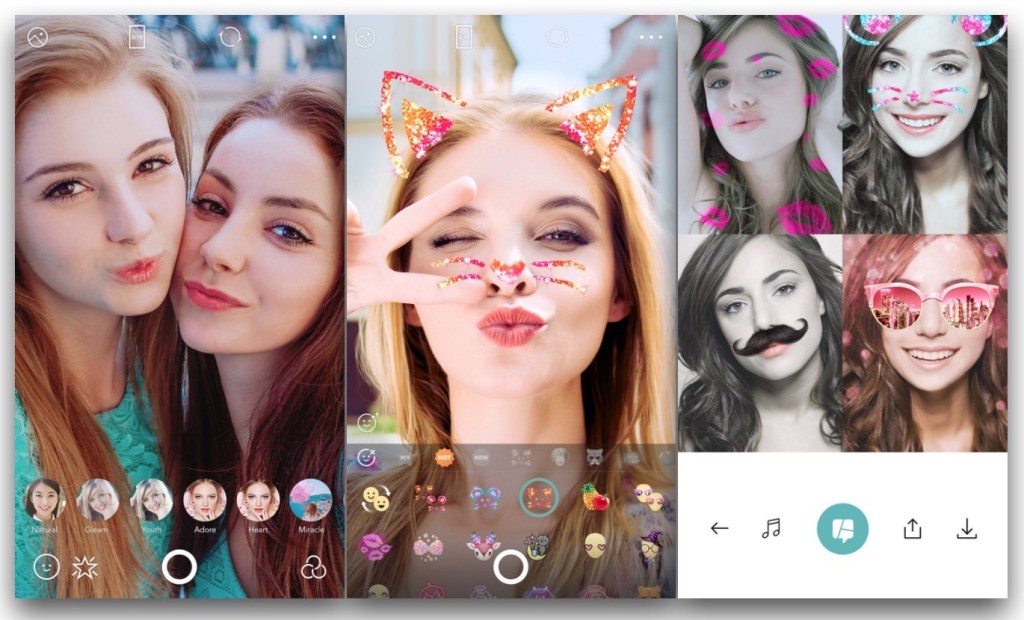
B612 is probably the most well-known Selfie Camera Apps in the list. No wonder, since it offers the users a brilliant camera, a wide range of filters, and some really awesome features. With more than 300 billion users around the world, there is no doubt that B612 Camera is a great selfie camera app. The nicest thing about it is that it is extremely easy to use, and you can edit pics with minimum efforts. Besides traditional selfies and editing of the same, you will find that you can create boomerangs and even selfie video clips with music or other video recordings.
B612 Camera – Selfie Camera Apps
If you are a fan of stickers, you will be glad to know that the app has over 1500 augmented reality stickers. If you use them constantly, the app will automatically select the one you tend to use the most and show you a preview. It does not have a shutter sound, so you can take quiet selfies anywhere without disturbing others around you. It has an advanced filter set, offering over 40 different types of filter.
Sweet Selfie
Sweet Selfie has not been around for a long time, but it has managed to make a name for itself in a remarkably short time. The camera is designed to automatically beautify your photograph so that you look picture perfect. Sweet Selfie comes with dozens of makeup functions that let the users experiment with different looks and choose the one they like the best. If you want to give life to your pictures, you can always add quirky animal stickers. The app features a smart auto-beautiful feature so that much of the work is automatically done and you can add your touches later.
The Sweet Selfie app can highlight your picture similar to a flash so that you always look bright and charming. There are tons of photo effects to choose from, including retro, blur, and vignette. The app is compatible with selfie sticks as well. While the app is highly functional, new users might find the user interface a tad tough to use. Some users have complained about receiving spam alerts. However, this can easily be blocked and will not harm your phone.
BestMe Selfie Camera
BestMe Selfie Camera
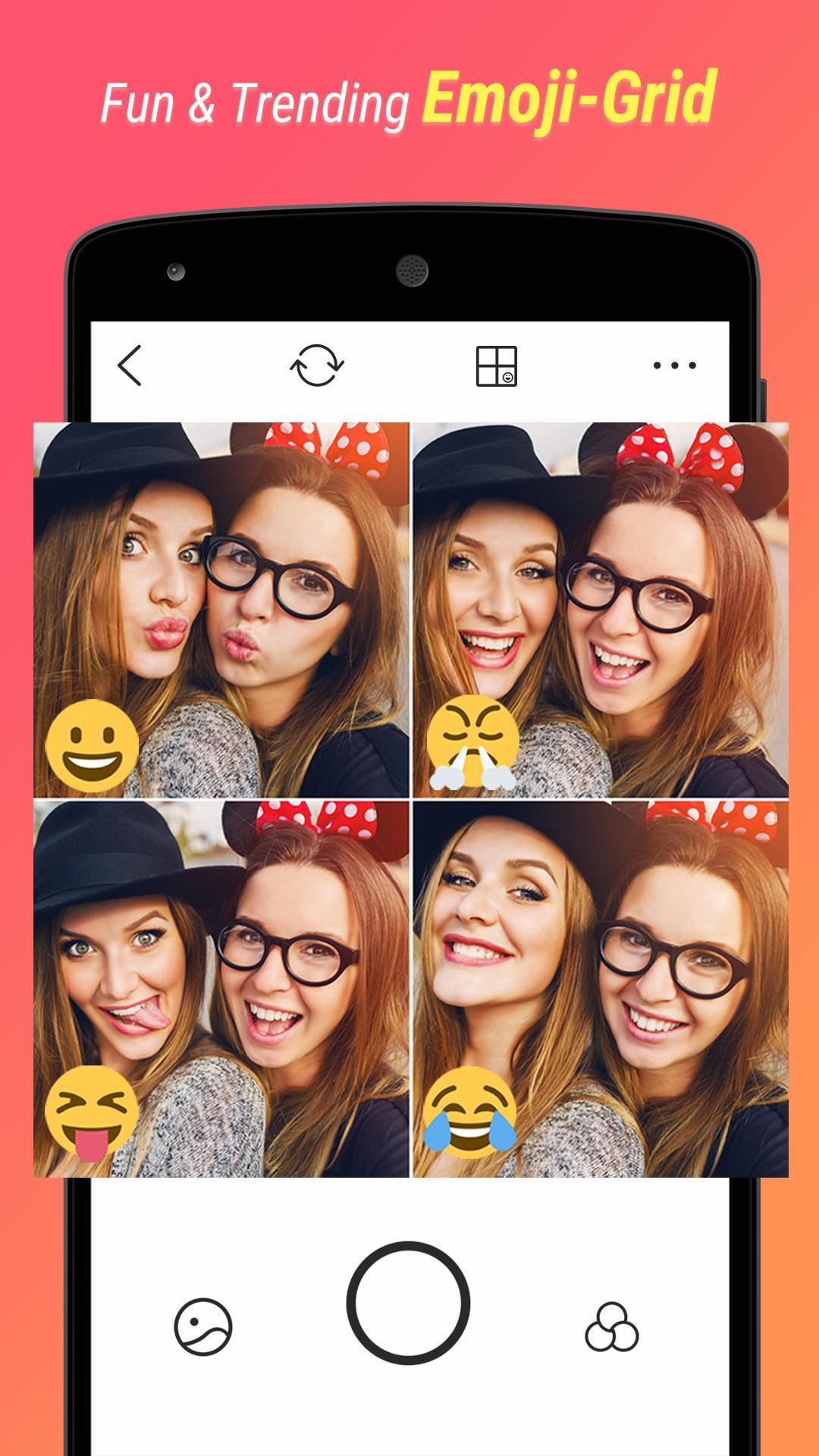
This selfie camera comes with over 125 filters so that you can edit your picture just the way you like. There are plenty of emoji stickers and other filters to use and play around with. BestMe Selfie Camera is compatible with selfie sticks. The app makes sharing your latest picture on social media platforms like Facebook and Instagram much easier. Users would be able to create and share real-time collage easily and instantly. One drawback of BestMe is that the font size is quite small which makes the experience a little bit annoying. There is no way to change it as of now.
Wrapping Up
Now that we have seen the top selfie apps for Android, check them out to see which one would suit you the best. They are all great! Most of them receive regular updates and bug fixes, so you can be sure you will be dealing with the latest in the market.