Category: Reviews

  • AMAZFIT GTR Smart Watch 47mm

    AMAZFIT GTR Smart Watch 47mm

    With smartphones picking up popularity in the last decade, it is now all about the smartwatches. Many companies are now focusing on developing smartwatches and many are already available in the market. We are going to have a look at the Huami Amazefit GTR smartwatch in this post. There are two variants that this watch comes in – with a 42 mm and a 47 mm dial. Smartwatches are all about touchscreens, ability to change your watch dial according to the style, fitness, and many more functions. In terms of fitness, we expect to see the number of steps that we take daily, the number of hours that we have slept, calories that we have burnt, and how our hearts are beating at any given point.

    Let’s take a look at the Humai Amazefit GTR. It is stylish, elegant, and affordable having most of the features that you would expect in a smartwatch. Humai has been in the market for a few years now. However, it has been in the last few years that the popularity of the company has reached new heights. This is in part thanks to their association with Xiaomi, who has been ruling the smartphone market ever since their launch. Humai has been following the same technique and so far, they have been pretty successful. 

    Specs

    Coming to the specs of Amazfit GTR, the 47mm smartwatch is released in different kinds of body, such as aluminium alloy which weighs close to 36g, the stainless steel which weighs around 48g, and the titanium version which weighs around 40g. There are different kinds of straps that you can attach to your watch. They are easily swappable so that you can plug in the strap that you would like for the kind of occasion that you are wearing it. 
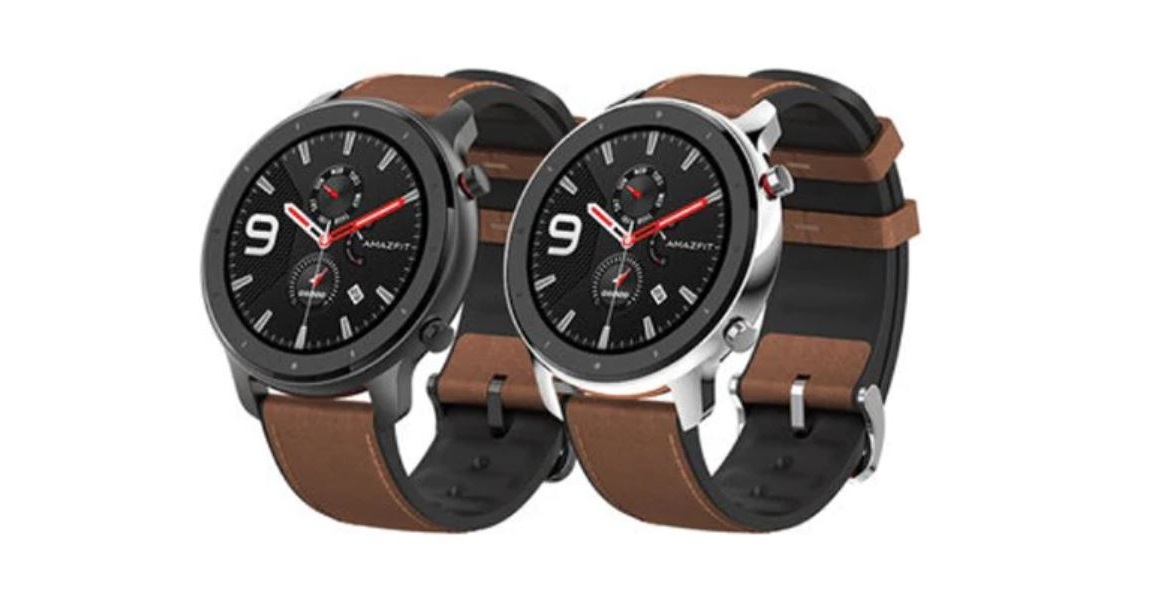
    AMAZFIT GTR 47mm Smart Watch
    AMAZFIT GTR 47mm Smart Watch

    The watch boasts of featuring a 1.39-inch AMOLED display with a resolution of 454 x 454 pixels. Multiple sensors come embedded with the watch, such as the PPG heart rate sensor, the 6-axis accelerometer, 3-axis geomagnetic sensor, ambient light sensor, barometer, and e-compass. The watch also has an in-built GPS which helps with navigation. It has been powered with a 410mAh battery. The watch, unfortunately, misses out on NFC and hence, payments cannot be made via this watch, but we expect this to be included in the future. 

    Design

    When it comes to the design, Humai has left no stone unturned. The watch has similar aesthetics to that of a premium watch. They have stuck to the circular design and have not tried something different, which has ended up well in this case. The brushed metallic body gives the watch a bit of a matte effect that looks cool. Since the watch uses the standard 22mm straps which helps you in swapping bands from other watches as well. There is a circular lip which is surrounding the main body giving the watch a masculine look. The backside of the watch has been made up of polycarbonate. 
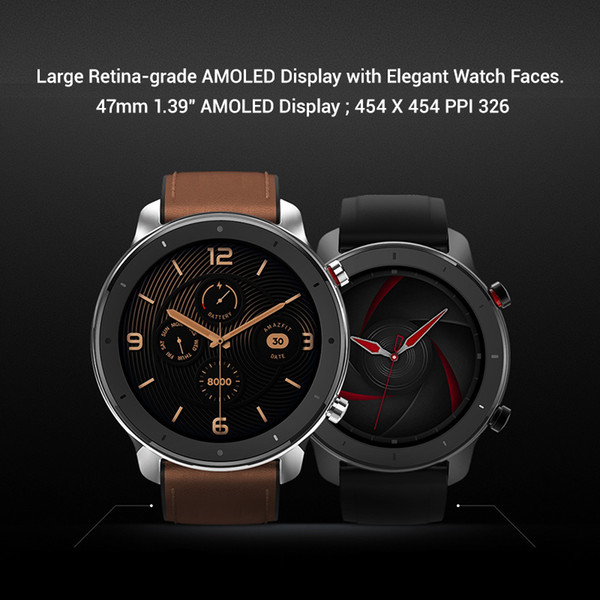
    AMAZFIT GTR 47mm Smart Watch Display
    AMAZFIT GTR 47mm Smart Watch Display

    You will find all the sensors underneath the watch. There are 2 buttons on the right side of the watch. The upper one acts as a home button while the lower button works like a quick start button. This can be customized, according to your use. Keep in mind that the watch does not come with a microphone and hence, taking calls over this watch is not feasible. It is good to know that the watch has been built marked with a 50m water resistance capacity which means that it will be able to withstand going up to 50 meters underwater for about 10 minutes. 

    Display 

    Now that we have seen that the design is pretty dependable and sturdy, let’s move on to the next most important aspect – the display. The watch is powered with an AMOLED display that helps in rendering excellent saturated colours and rich contrast. The display is colourful and vibrant. Due to the AMOLED display, the watch can offer a much longer battery life than usual. The ambient light sensor helps in automatically adjusting the brightness of the screen according to the surroundings. Although the display is quite as good as Samsung’s smartwatches, the battery life exceeds any Samsung smartwatch. 

    Features

    The most exciting part of the watch is the features that are packed up within. The watch runs on its own customized UI that has been built upon the Android Wear OS. Though you don’t get all the benefits of the Android OS, you still get a few of them. You can open up the menu by swiping upon the face of the smartwatch to explore the options available for you.

    On a very high level, you will be able to look at the status of your fitness, the heart rate, and the workout menu where you will be able to go in and choose the activity that you are going to start with. Besides these, it also has the weather based on the GPS location, the activities menu where you will be able to see a split of all the activities that you have done along the day, music, notifications, alarms, event reminders and settings. 
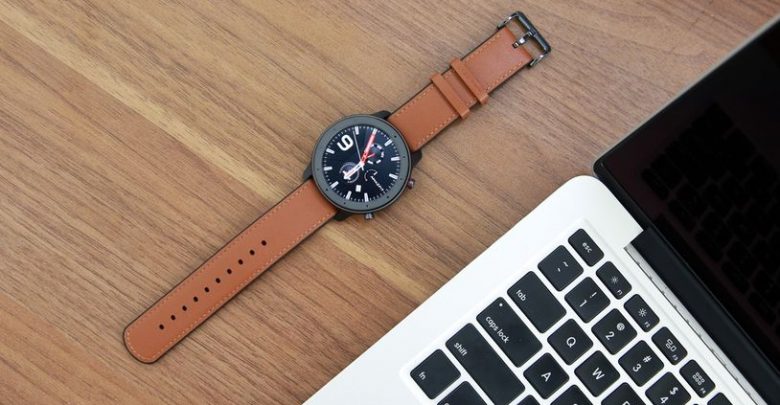
    AMAZFIT GTR 47mm Smart Watch Features
    AMAZFIT GTR 47mm Smart Watch Features

    According to Huami, you can expect 24 days of battery life on a single charge. These figures are based on a moderate usage of the watch. The company also claims that the watch can last for more than 70 days on the battery saver mode. The good news is that it actually lasts for more than 20 days on moderate usage. Do ensure that you have the always-on display turned off. Once it has been turned on, the battery life is expected to go down to 7 days. When this is compared to other smartwatches in the market, this is pretty stunning. 

    Conclusion

    As an overall package, the Amazfit GTR is worth every penny. It is great as a smartwatch, fitness tracker, and not to forget the monstrous battery life that you can expect out of it. The watch also looks good and is sure to attract attention. To summarize, it is completely worth the value.  
  • Samsung Galaxy Note 9 Review

    Samsung Galaxy Note 9 Review

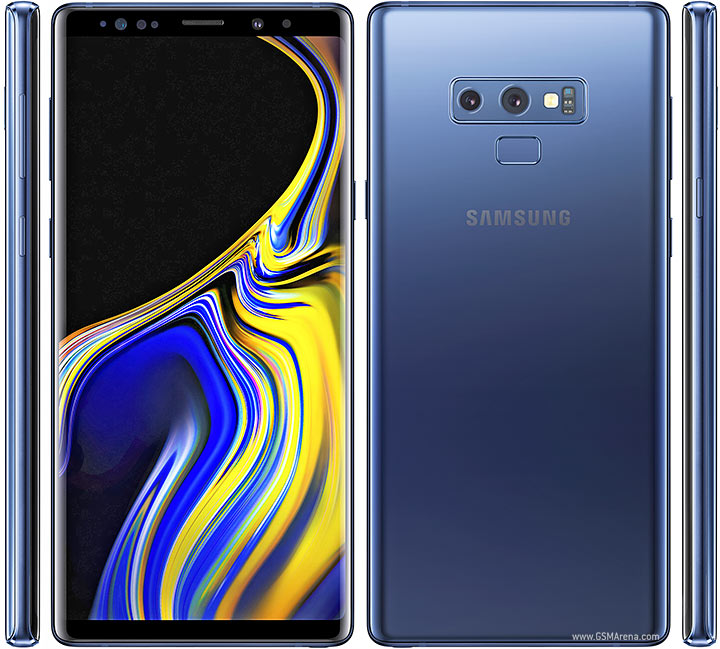
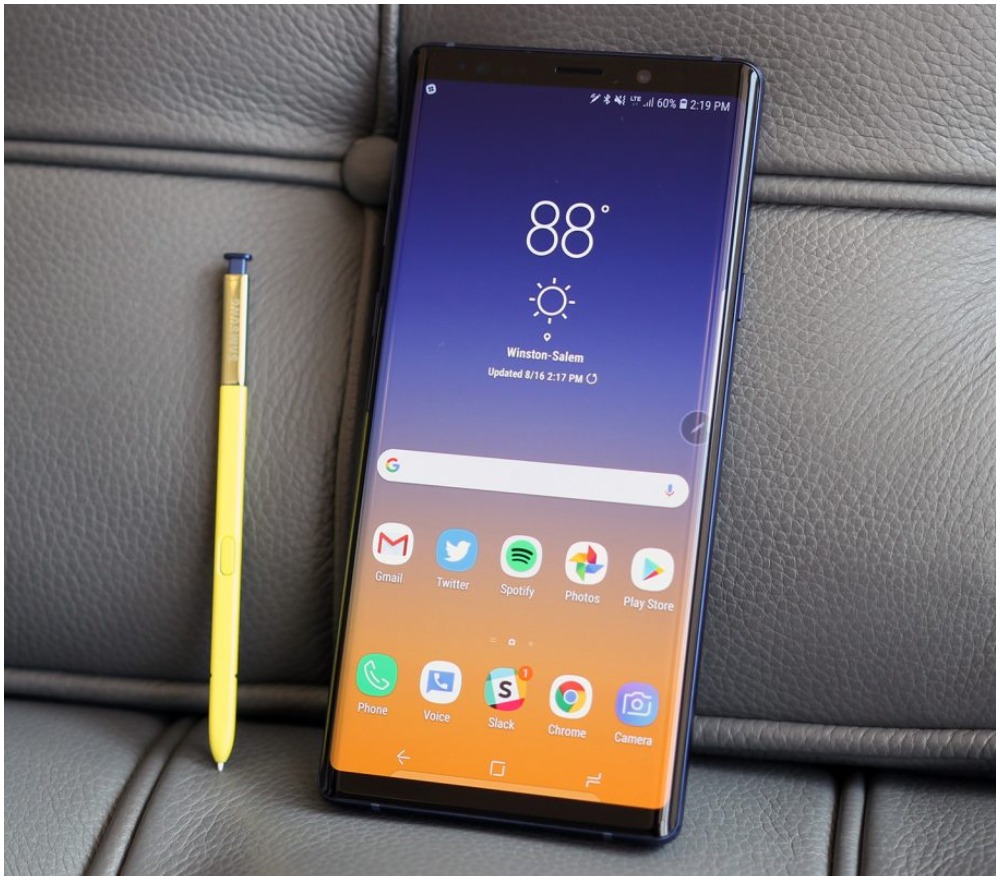
    When the Samsung Galaxy Note 9 was first released, Samsung fans went crazy since it was among the best handset of that time – bigger, colourful, powerful, and it came with S-Pen! While Samsung has released Samsung Galaxy Note 10 and Galaxy Note 10 Plus since then, Note 9 remains a pretty great option if you cannot afford the latest ones. The Galaxy Note 9 features a massive 4,000mAh battery, 8GB RAM, 6.4-inch AMOLED display, and up to 512GB of internal storage. While the S10 Plus has all this and more, Note 9 is by no means a poor option. It is still better than most others in the market and relatively, cheaper as well.

    You can add a 512GB microSD card and voila, there you have a 1TB phone with you. You can now save games, photos, music, videos, and anything else your heart desires. This is more space than in most laptops in the market right now.

    Display

    The Samsung Galaxy Note 9 features an expansive 6.4-inch display and comes with a MicroSD slot, fingerprint sensor, and headphone jack. The Super AMOLED display used here is pretty great and doesn’t really need any improvement. It provides one of the most consistent experiences among all devices. The bezel-less Infinity Display is crisp and bright and is 27% brighter and with 32% more contrast ratio compared to its predecessor, Note 8.

    Galaxy Note 9
    Galaxy Note 9

    The 18:9 aspect ratio is not anything new, but the curved edges offer a truly unforgettable experience. Despite being quite a large phone, it doesn’t have any trouble fitting neatly into the pockets of jeans. Thanks to its slim, thin design, it is far easier to carry it and keep it than the S9 Plus with its boxy design.

    Design 

    The two priceless features included in the Samsung Galaxy Note 9 model is the headphone jack and a microSD card slot for expandable storage. With most companies doing away with these options, it is a relief to see these in Note 9. The fingerprint sensor placed at the rear could be bigger to make it more comfortable while the Bixby button doesn’t need to be quite that large. The Note 9 features IP68 rating making it both resistant to water and dust. The resistance rating remains the same regardless of the S-Pen is embedded or not. Note 9 also features stereo speakers – something that was missing in Note 8 but is present in both S9 and S9 Plus.


    This fingerprint sensor is designed to work as an alternative to Samsung’s Face Unlock feature and its iris scanner option. Apple doesn’t offer it as an alternative although you can enable both of them. However, it just doesn’t work as smoothly as on Note 9. The Note 8’s off-centre rear fingerprint sensor led to many user complaints of bad design. It looks like the developers have taken note of the same and the latest Note 9 features the sensor at the centre, making it easy to access and use it.

    Samsung Galaxy Note 9 Review
    Samsung Galaxy Note 9 Review

    Specs And Performance

    Coming to Samsung Galaxy Note 9’s features, we see that it uses the same chipset as that of S9 and S9 Plus. It uses Qualcomm Snapdragon 845 for the US and China and Samsung Exynos 9810 for other places. Since it is country-specific, you have no choice. This chip offers great performance, even for heavy-duty games like Fortnite on Android. While the speed is not the fastest, it still offers decent enough speed. While it looks like the UK and other places have gotten better performance thanks to the Exynos 9810, the US is not faring very behind either.

    The 4,000mAh battery

    The Galaxy S9 has a massive 4,000mAh, larger than even S9 and S9 Plus models. The phone supports both fast charging and fast wireless charging. Among all the Samsung phones, Note 9 features one of the best battery life. After the Note 7 recall, the company has certainly been cautious of increasing its battery capacity. However, they do mention that their batteries will undergo the eight-point safety check, post which the risks of any fires or similar occurrences drastically reduce. For average users, Note 9 will easily last more than a day.

    Android and Interface 

    This Note 9 by Samsung comes with Android Orea, missing Android Pie by a very tiny margin of time. However, Samsung did say that they will roll out an upgrade for Android Pie. Meanwhile, Samsung started refining their Samsung Experience software, which has improved in leaps and bounds. It is no longer the bloated, slow thing we saw a few years ago as Samsung TouchWiz firmware. Certain devices starting from Galaxy S7 and higher devices received first access to free-to-play hit game Fortnite: Battle Royale for 48 hours.

    You will find Samsung Pay, Bixby AI, and AR Emoji here. Samsung Pay allows users to make contactless payments, even at machines that don’t usually accept Android Pay or Apple Pay. You will find both Google Assistant and Samsung’s Bixby AI assistant. Although Google is smarter than Bixby at the moment, Samsung said that they are working on improving their assistant.

    Samsung Galaxy Note 9 Camera Review
    Samsung Galaxy Note 9 Camera Review

    S-Pen Features

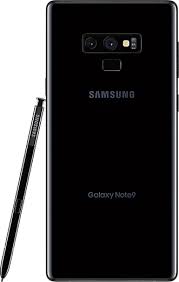
    S-Pen is Samsung’s Bluetooth stylus which helps in remotely taking pictures. It can work about 30 feet away. The latest model allows users to set up custom shortcuts. Note-taking capabilities don’t take a hit even if it is uncharged. However, charging is no trouble either since it charges super quick.

    Camera Quality

    The Samsung Galaxy S9 boasts of a dual 12MP rear camera that allows you to transit between an f/1.5 aperture for low-light photography and an f/2.4 aperture for use in normal lighting conditions. Its low-light defeating and telephoto-zooming camera lenses on the back make it one of the best camera phones in the market. The second rear camera lens is designed for optical zoom.

    Verdict

    The Samsung Galaxy Note 9 is one of the best smartphones in the market, with regards to both price and features. The phone features more options than ever. With a large 6.4-inch curved screen, a stunning camera, and a huge battery, this model is good enough for all of us. The S-Pen is a great addition and users can have tons of fun working around with it.

  • The Best True Wireless Earbuds For Working Out: Jlab Epic Air Sport

    The Best True Wireless Earbuds For Working Out: Jlab Epic Air Sport

    JLab’s latest earbud is making the rounds. The JLab Epic Air Sport wireless earbuds are great for use at the gym or as you work out. They are designed to offer perfect fit and don’t fall down, no matter how much sweat it out during your workout. While it is more expensive than Beats and Jabra options, the company has made sure that it has a longer battery life and is completely resistant to water and dust. The sound quality is amazing as well. The Epic Air Sport wireless earbud has been released just in time for the holiday season and would make a great gift for your loved ones.

    Features of Jlab Epic Air Sport

    You will receive a distinctive box of the earbuds featuring a pair of double-layered eartips, triple-layered eartips, foam eartips, and four sizes of silicone eartips. In most cases, the silicone eartips were the ideal option, but you could also go with the foam ones, especially in noisy surroundings. Keeping in mind the number of options offered, users are not likely to come across any difficulty finding just the right fit for them. They can easily last you an entire day and sometimes even more.

    Jlab Epic Air Sport
    Jlab Epic Air Sport

    The best part about these earbuds is that these feature a power button on the inside meaning you can switch them off and save energy without having to stow them back in their case. This is great for those who don’t want to carry the charging case along always. Since the headphones offer about 10 hours of playback time, you are well covered as you head out. If you do decide to get your case with you, you will be able to enjoy about 70 hours of playback. This basically means that you can spend a week without charging your earbuds! Since these earbuds have an IP66 rating, they are completely dustproof and can tolerate water as well.

    Controls

    The Epic Air Sport earbud has touchpad controls where taps will indicate certain actions. Long-press action will skip a track while a double tap will pause or play your music. A single tap can be used to adjust the volume. Three taps on the left earbud will let you change the EQ settings – Signature, Balanced, and Bass Boost. The one on the right will allow you to enable the “Be Aware” mode which allows you to stay conscious of your surroundings. If you want awesome noise-cancelling earbuds, check out Sony WF-1000XM3.

    Jlab Epic Air Sport in-ear
    Jlab Epic Air Sport in-ear

    Sound quality

    The sound quality is an important factor that we need to consider with earbuds. The Balanced mode offers you great sound without sounding overpowering. While the Bass Boost tends to add a lot of boom, the very fact that you can adjust the EQ settings from your buds is a great addition. Overall, the sound is rich, clear, and crisp, regardless of what kind of music you are listening to.

    Verdict 

    Epic Air Sport wireless earbud is covered by a two-year warranty by JLab. The product is one of the best workout headphones in the market currently. It has great sound quality, easy controls, and looks stunning.

  • Samsung Galaxy S10 Series Update Adds Galaxy Note 10’s Auto Hotspot Feature, an Improved Gallery, and More

    Samsung Galaxy S10 Series Update Adds Galaxy Note 10’s Auto Hotspot Feature, an Improved Gallery, and More

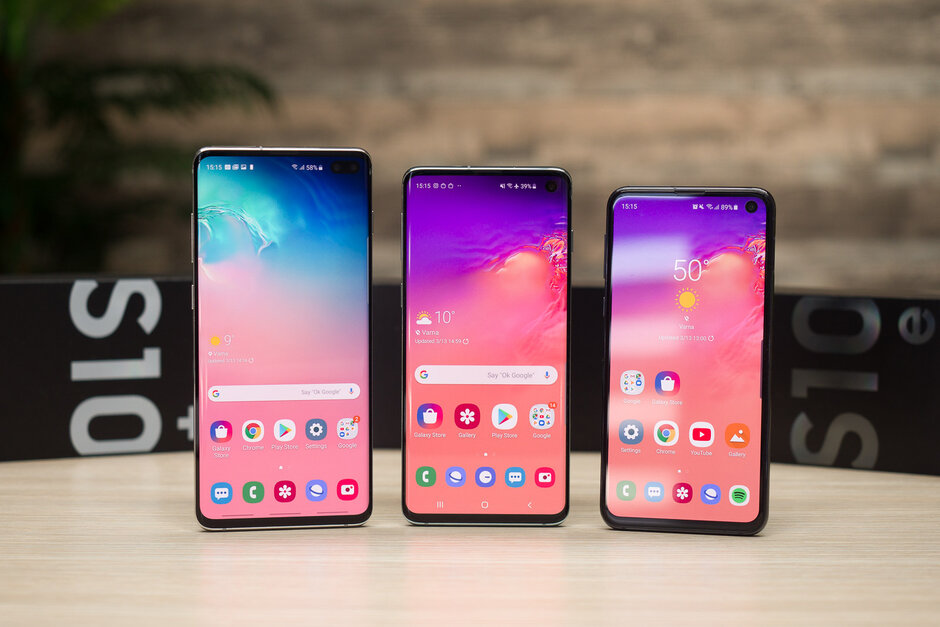
    Samsung is on a roll. The Galaxy S10 series is receiving yet another software update. Galaxy S10, Galaxy S10e, Galaxy S10+ and the Galaxy S10 5G, and the other devices will now have more features than ever. The latest features will include gallery improvements, smart multimedia controls, and new Wi-Fi functions. The latter would include Auto Hotspot and other similar functions to the S10 series. This rollout is likely to be staged and could take some time before everyone using the above devices gets it. For Samsung Galaxy S10, the last big update was back in September, when users received features like Night mode for the selfie camera, Live Focus Video, and AR Doodle. This update, however, focuses on improvements to the Gallery app. Recently, the Galaxy Note 10 received updates as well.

    Samsung Galaxy S10 Series Update

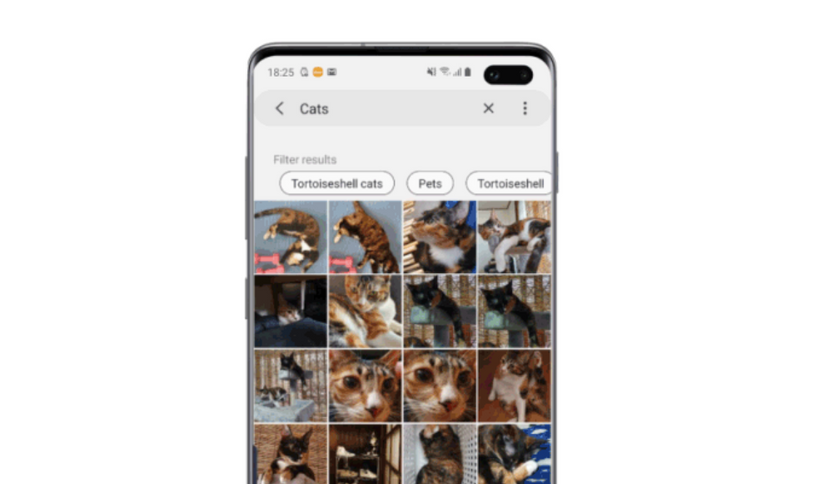
    With the latest update, you would now be able to search your gallery using keywords. This is so cool since you can simply search using a keyword. For instance, if you type in ‘beach’, all your beach-related photos will show up. It is believed that this feature is powered by Samsung’s own AI, Bixby.

    Samsung Galaxy S10 Series Update
    Samsung Galaxy S10 Series Update

    Other upgrades revolve around the addition of ‘Media’ and ‘Devices’ buttons in the notification pane’s quick settings section. You can tap the Devices button which will let you view all the devices that are connected to your phone. This includes smart home devices, Bluetooth-connected devices, and more. The ‘Media’ button allows users to see which devices are play media files and you can use this button to control the volume and playback of that media content. Some countries in Europe have already received the features and it has been successful. The changes are now being released in stages for other users globally.

    Another feature in this update is the Auto Hotspot feature which allows your Samsung device to detect your phone automatically. You will no longer have to search for hotspots nearby thanks to this handy feature. However, this feature will only work if the other devices are signed into a family account or into the same Samsung account.

    Samsung Galaxy S10 Update
    Samsung Galaxy S10 Update

    Improvement In Older Features

    Other features in this release include modifications to the old releases, including use AR Doodle in the camera app, support for Samsung DeX for PC, and more. With the last update in September for Samsung Galaxy S10, the users received the AR Doodle feature. This allowed the users to draw anything with its spatial position remaining unaffected, even if you move about. The September 2019 update was quite camera-centric and features several camera updates, including a Super Steady mode for videos, Live Focus, Live Focus Video, and Night Mode on the front camera. The updated DeX support features new video editing features.

    Wrapping Up

    Samsung and indeed, other smartphone manufacturers, introduce new features in their popular devices. Once it is successful, they roll it out to their other models. Samsung has chosen to give out new updates for its latest Galaxy S series. If you own a smartphone that will receive the update, keep checking for it! You may receive it any time now.

  • Best Free Code Editors for Android

    Best Free Code Editors for Android

    Code Editors for Android

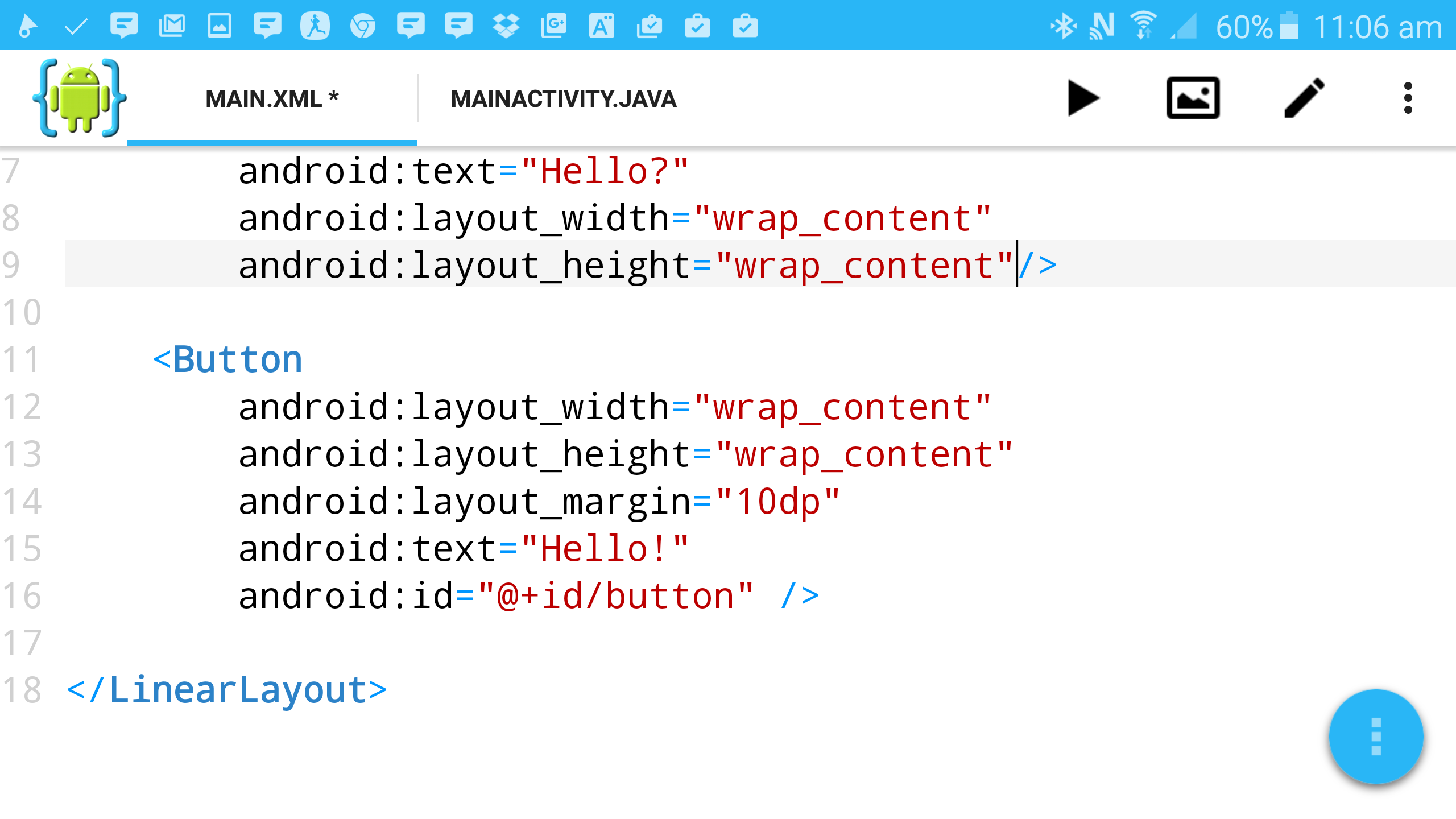
    If you are a developer, chances are that you might get tied to your desk most of the time. The reason? Well, your code editor is only there on your laptop or desktop. This is why some brilliant minds came up with the idea of bringing code editors for Android so developers can enjoy coding on the go. While some developers do feel that coding on a device as small as a smartphone is uncomfortable, you can’t deny it has got its uses. Let’s take a look at the best free code editors for Android devices. The best part about these apps is that they can be used in all devices ranging from Honor 20 Pro to Samsung Galaxy Note 10+.

    1. CppDroid

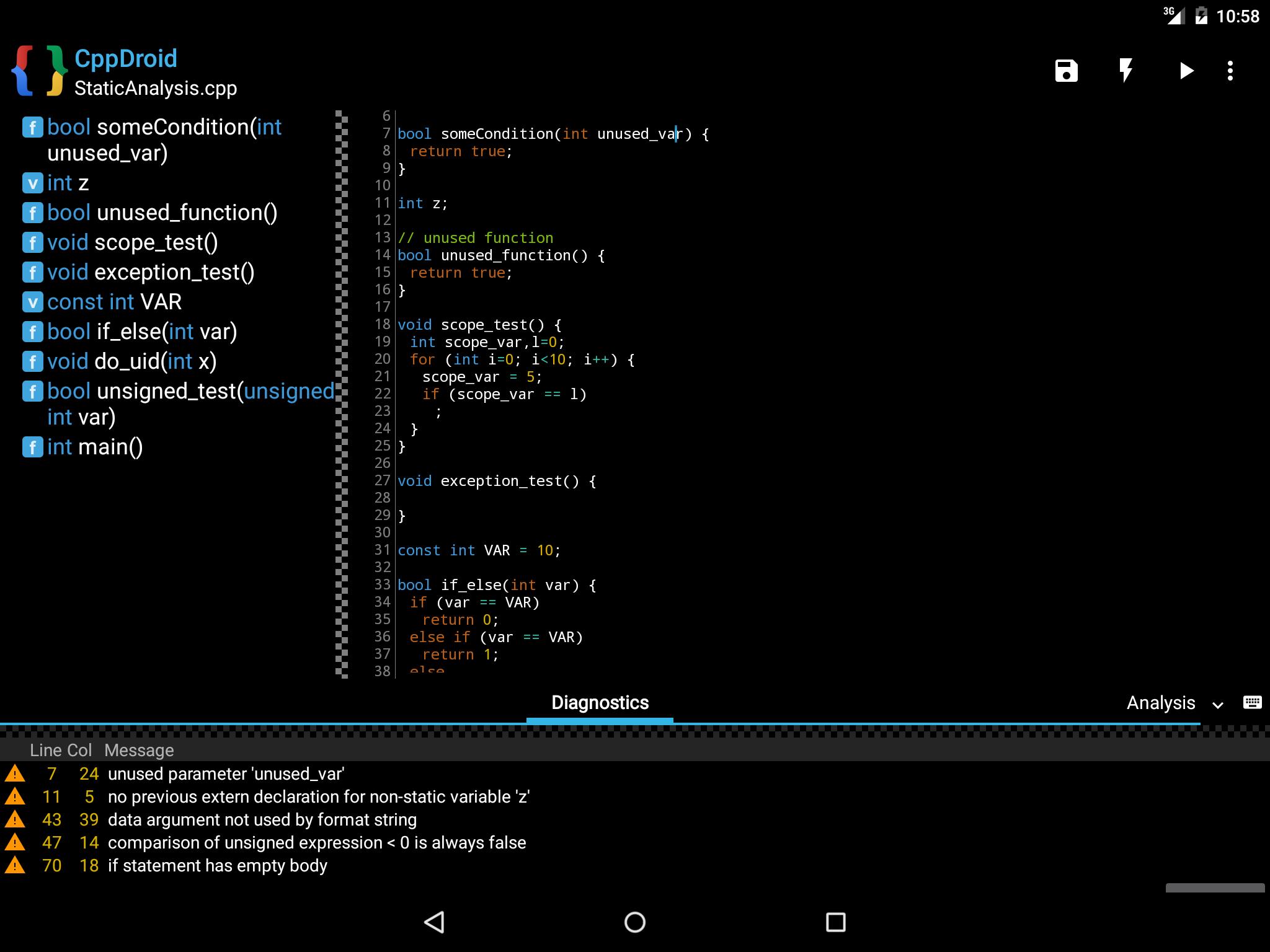
    CppDroid is a powerful IDE (integrated development environment) designed specifically for C and C++ development. It allows the users to code, edit, compile and execute C/C++ programs – all on your Android devices. A nice thing here is that you can use the demos or the practice programs in this app to learn the basic if you are a beginner. The intuitive code editor also features several options aimed at making coding more productive, Syntax highlighting is a very useful feature that highlights the different parts of the program. It also provides configurable themes.

    CppDroid For Android
    CppDroid For Android

    In addition to this, other features by CppDroid includes file and tutorial navigator, code-completion, real-time diagnostics, auto-indentation, and terminal emulation for running the compiled programs. You might also be glad to know that CppDroid comes with full Dropbox support, a popular cloud storage provider. With this, you can now upload and download all your work seamlessly from and to the cloud storage. Besides this, the app also has an add-on manager with auto-update feature for helping you deal with all the add-ons you require for work.

    2. Quoda Code Editor

    Quoda is a very user-friendly source code editor. This IDE works similar to the ultra-popular Notepad++ or Sublime Text. It is offered with integrated support for SFTP/FTP(S) servers and comes with Dropbox and Google Drive cloud storage options as well. Other features you will find with Quoda include brace matching, auto-indentation, auto-encoding detection, line bookmarking, code-completion, colour picker, HTML formatting, and more.

    Did you know that you can even download URL source codes? Quoda is a great option if you want to get away from your laptop or computer, but don’t want to stop coding! This multi-language code editor for Android is completely free and is easy to manage and handle. It can help you code in JavaScript, PHP, C, C++, C#, HTML, XML, CSS, Java, ActionScript, Lisp, Markdown, Haskell, and more. Syntax highlighting is supported by different fonts and themes making it visually engaging and easy to understand and code.

    3. DroidEdit Free

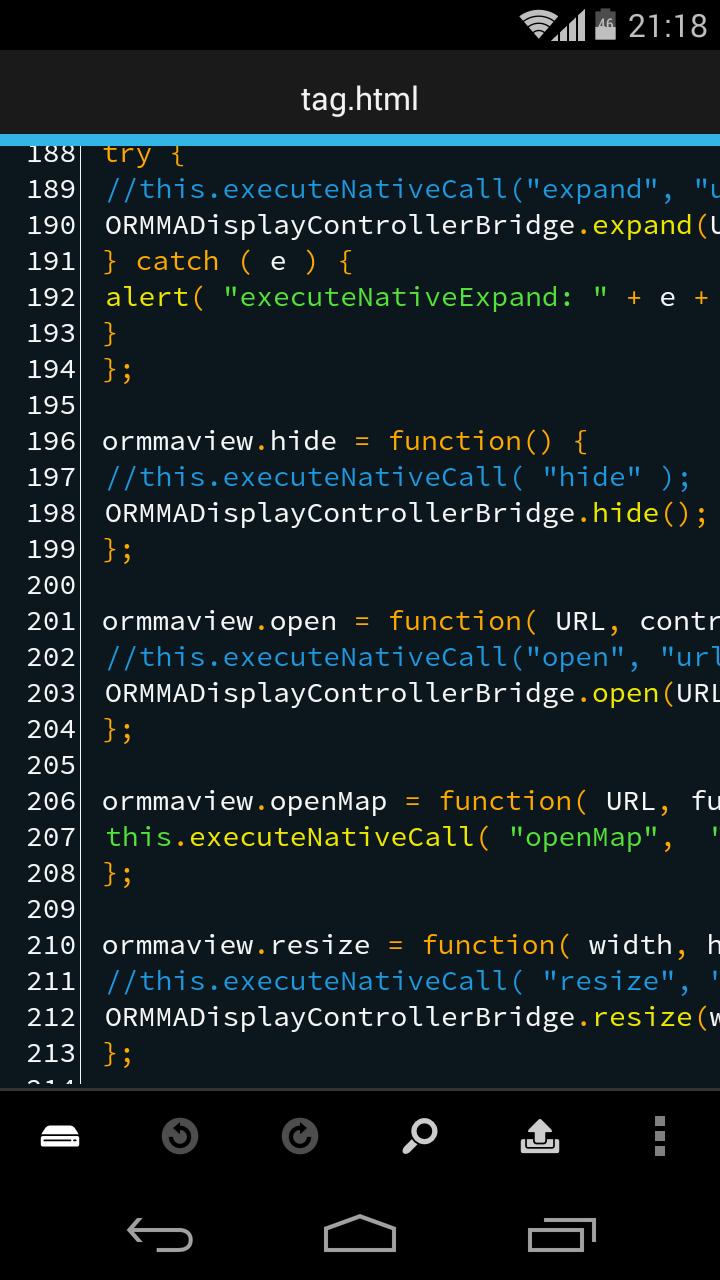
    DroidEdit is a text and source code editor and works along the same lines as Notepad++. It has been specifically designed for android tablets and phones. Now, you don’t need to stay glued to your desk with your laptop or computer. You can work on the go as well. The app supports Emmet Tools, which helps you by expanding simple expressions into full HTML code. The free version supports ads (obviously!) and is almost the same as the paid version except for some changes. The free version does not offer support for Dropbox, SFTP, custom themes, and root mode.

    DroidEdit Free
    DroidEdit Free

    It has a clean and uncluttered interface making coding a bit more fun. The multi-language support offered by DroidEdit makes it so much easier and user-friendly. Its syntax highlighting system supports over 200 languages, with most of them having built-in themes and an option to create custom colour themes. Yet other features offered by DroidEdit include search and replace, additional keys on your keyboard for faster typing, and editing system files on your rooted device.

    4. Dcoder

    DCoder is a mobile-based IDE, designed to help you code on your hand-held device. It offers support for languages ranging from basic C and C++ to Ruby. The Rich text editor featuring a fancy syntax highlight and many other tools to make your work comfortable and easy. The best part here is that you can easily debug the code and see the compilation errors and even the results – all on the same page!

    It works reasonably well with the native Android keyboard and the app supports over thirty languages. The app is free to use for most of its features, but the paid version is not very expensive either. It is a great option for learners and comes with little to no issues. The GoPro version offers a lot more but may not need everything dedicated developers need.

    5. AIDE (Android Interactive Development Environment)

    AIDE or Android Interactive Development Environment has one of the best interfaces and use in the market. It offers the users the chance to learn free tutorials with supports offered from Eclipse. Now you can learn as you travel and practice with small programs. The app is pretty intuitive and the reduced compilation steps make it far easier to use than its competitors. The free version has most of the features you are likely to require, but the paid version will take you all out. There would be no adverts in the paid version either. This app is perfect for basic use like learning to code to sophisticated use, such as developing games or apps. You can code on Java, C/C++, HTML5, CSS and JavaScript.

    AIDE
    AIDE

    6. Codeanywhere

    This app makes it to our list of the best code editors for Android as well. Codeanywhere is a fast-working code editor for Android. If you sign up and log into the app as you start to code, you can use it to synchronize settings across all platforms. It also has a sharing option using which you can receive help from friends, make your code accessible to everyone, or simply show-off your progress.

    Other features of Codeanywhere includes syntax highlight for over 75 languages, auto-complete support for HTML, XML, CSS, JavaScript, Python and PHP, and auto-indentation. In addition to this, it also supports FTP, SFTP or Dropbox; customizable font sizes, most encodings types, and it is compatible to work with desktop PCs. One thing to note here is that this app does not allow users to edit local files residing in your device, and you can only do so for files from remote sources.

  • Folding Razr Smartphones

    Folding Razr Smartphones

    Smartphones have got tonnes of variety when it comes to the features, specifications, and other such important details for sure. However, using these smartphones could be both advantageous and dangerous as compared to the basic phones that are available in the market though and you will also find these basic phones as the safest phone or the device that one could have for all the uses and purposes for sure.

    Well, only if you know that there are a few brands that have launched some exciting smartphones that work as both basic device with all the required features and smartphone consisting of all the features and benefits for sure.

    Why you should be excited about the folding Razr Smartphone?

    Well, only if you know Motorola Razr is one such smartphone that would totally be great for both flat and foldable. However, the market is expecting that this smartphone would probably change the future of foldable smartphones and devices within the market.

    You simply need to know that these folding razr smartphones have got great features and benefits that would help you to go on experiencing both of the basic phone and smartphone in just a single device though. We have put together a few pieces of information about this particular smartphone that is up for the launch and distribution in the market.

    Everything to know about Moto’s New Launch

    As you now know that Motorola has again come up with its old and traditional techniques of foldable phones with smartphone features. Of course, this particular brand has got a variety of smartphone variants that include variations in colors, features, models, designs, looks and even specifications too. However, this particular smartphone is pretty much exciting for those who want to experience the foldable phone again.

    Everything to know about Moto’s New Launch

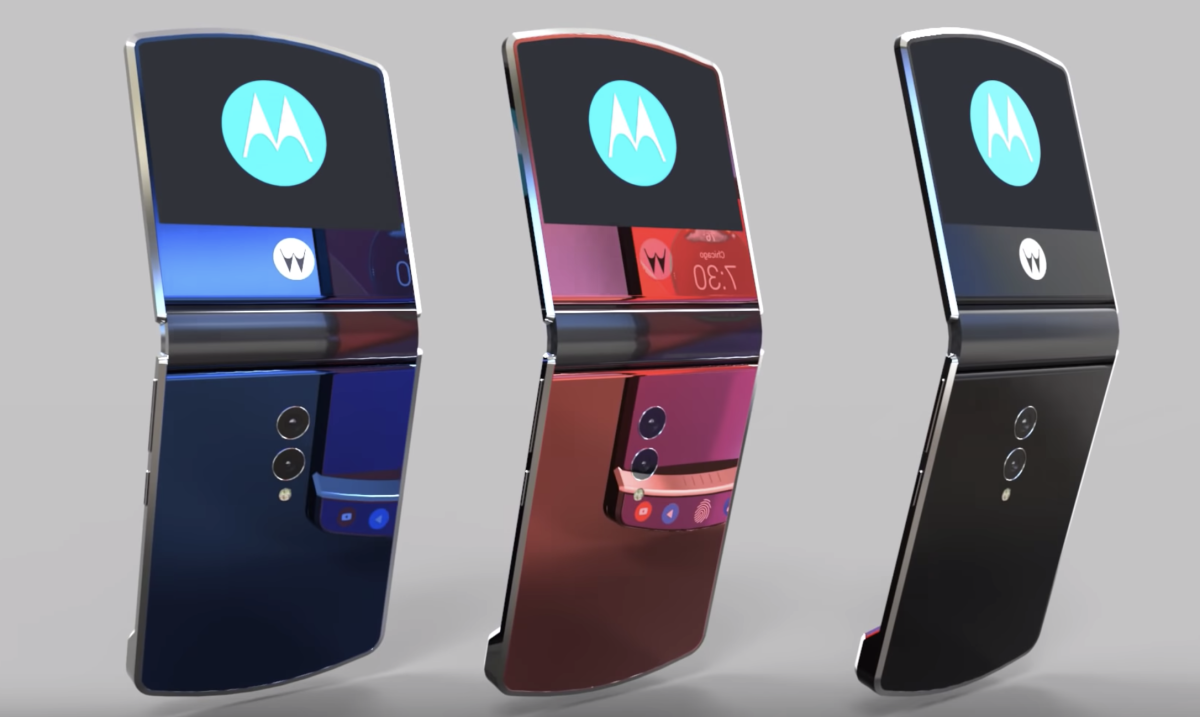
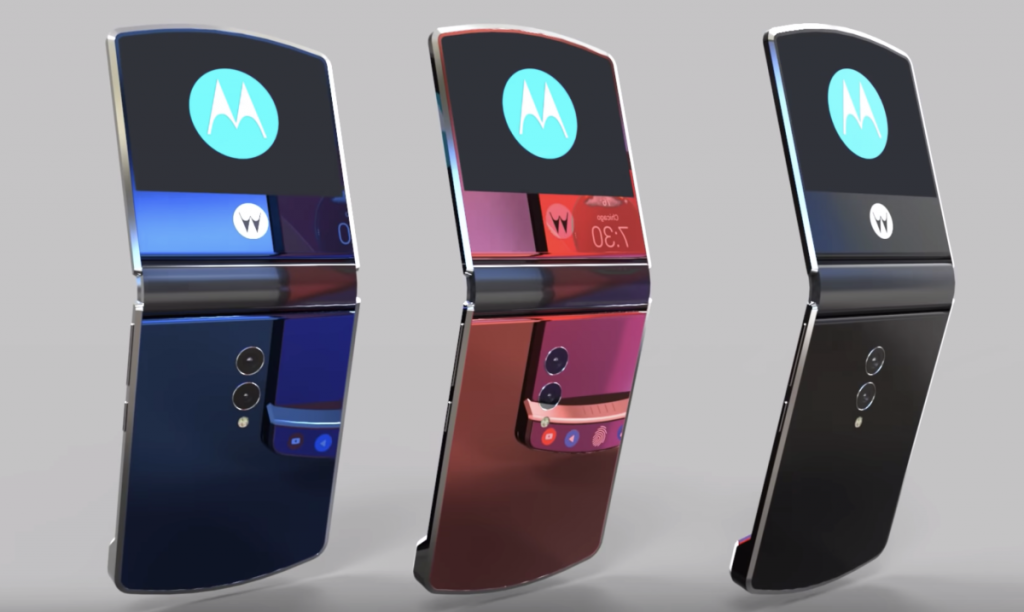
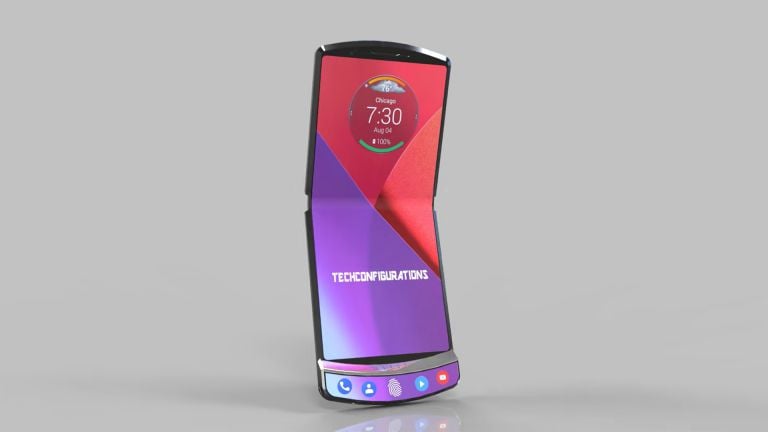
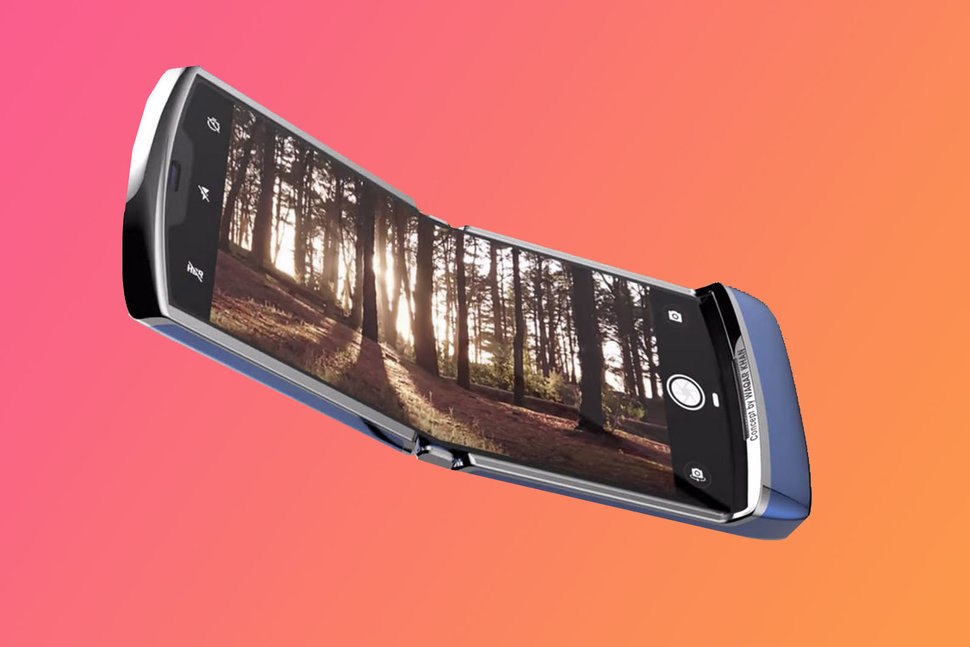
    A leaked photo has actually proved that we should be excited about one of the best folding razr smartphones as it has got various features.

      • The old model with the new modern looks suitable to all the users.
      • It has got a great and classy clamshell shape that can be opened slightly.
      • The smartphone can be easily placed on the palm without any fear of slipping or being too smooth just like the usual smartphones.
      • It has got a totally compact size, which can be held properly and carefully even by kids and teens.
      • The smartphone has got the fingerprint sensor, and rest would be the screen just like any other smartphone though.
      • It is both retro and modern, and of course, there are various other features of this particular smartphone that has got all the features of a smartphone that a modern customer would always expect.
      • Camera, storage, design, look everything will be more clear once the phone is launched in the market.

    Conclusion

    Well, now you know almost all the details about this particular smartphone and this has eventually become the best of it when it comes to using a compactable phone. Of course, if you are a two phone user, one of the basic phones and one of the smartphone then you can switch to this one soon!

  • Oppo F11 Pro Review

    Oppo F11 Pro Review

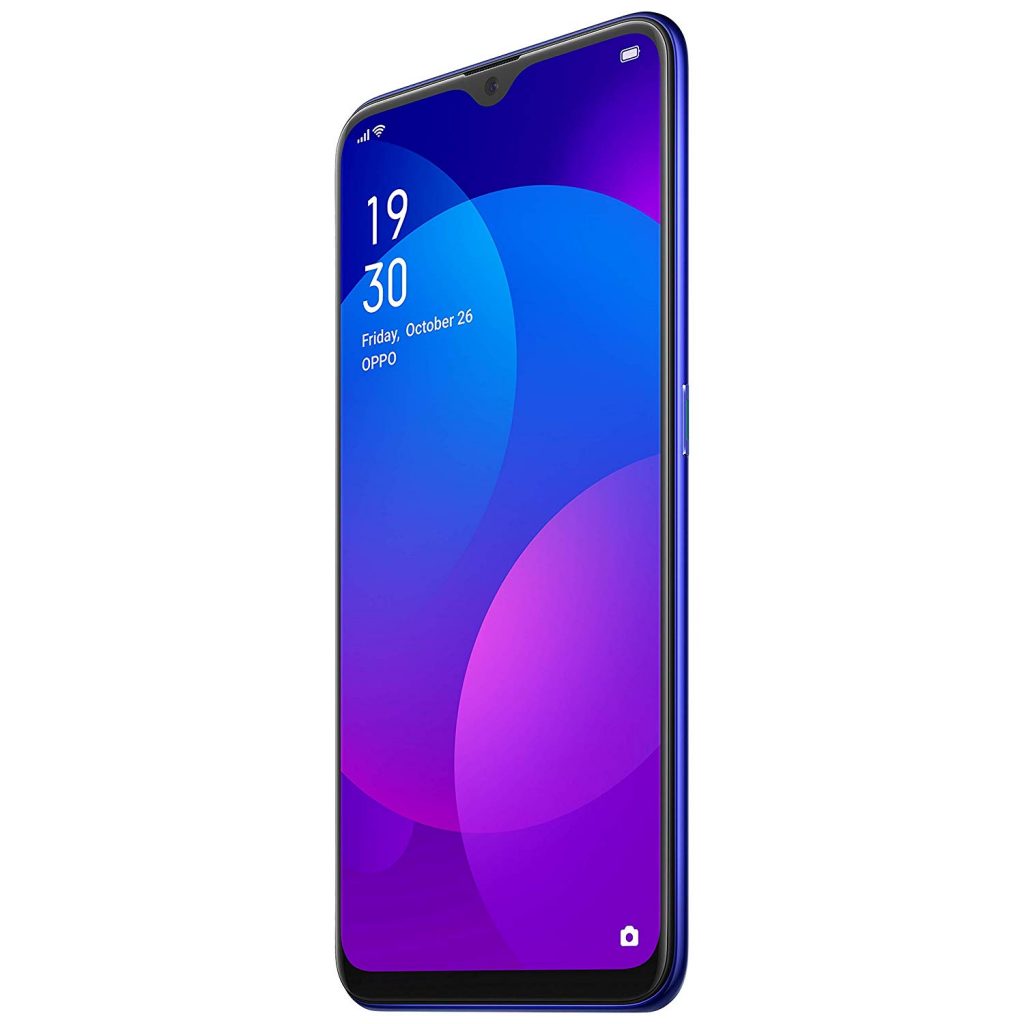
    Chinese popular Smartphone brand named Oppo has suddenly jumped into a 48-megapixel camera introduction with a large wideband of the launcher which is very latest. It is introduced with the latest technology of rear camera 48 megapixels attached with pop up selfies camera which is one of the main highlights in this latest launch in the market.

    Oppo F11 Pro Review

    Oppo Smartphone has two different colors such as thunder black and attractive green. The specifications of this mobile are very attractive by 12 nm and it is having a P70 processor coupled with RAM 6GB and includes 64GB onboard storage.

    It is one of the highest technology designs in the Android 9 set up. Also, it has a 4000 mAh battery, which is designed the charging capacity has been reduced to 20% when compared to other device charges.

    Design

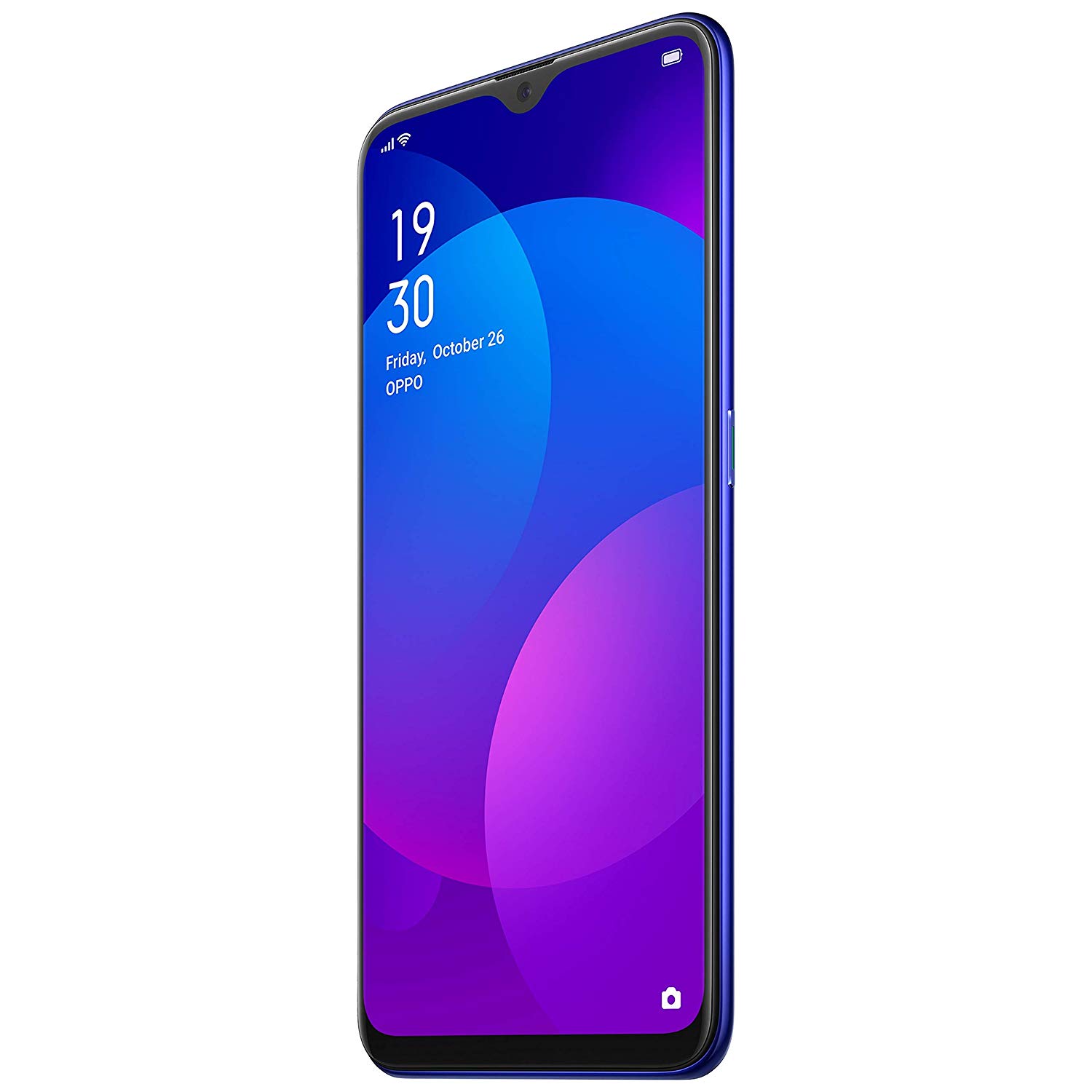
    Oppo F11 Pro is having different attractive features such as 6.5 inches screen and 1080 x 2340 pixels. It is featured with attractive panoramic display and the body ratio is 90 % to the screen and it is very clear to determine the aspect ratio.

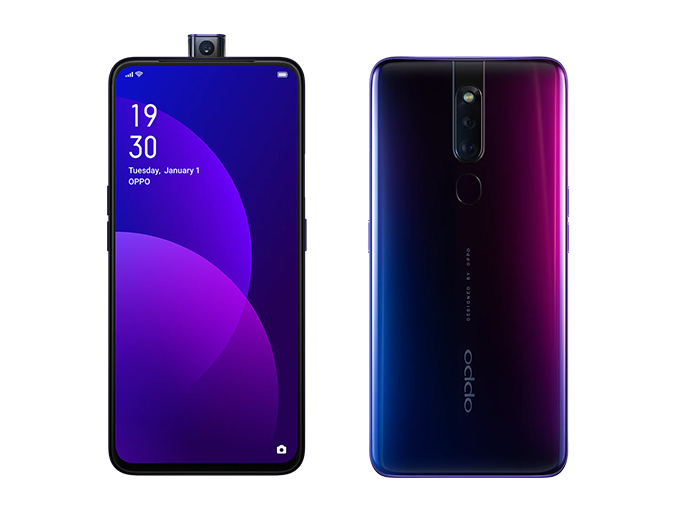
    The black thunder color comes with a new triple format radiant color with a mix of black, violet and purple which is really attractive.

    Oppo F11 Pro Design

    The edges of the phones are carried with dual Nano type sim cards and it is also attached with the microSD card tray. The SIM tray is placed near the power button, which will be very easy to use. The power line button will be easily distinguished for the power button and the tray button that as an extra advantage to this phone.

    The power button will be placed a little higher in the center age and you can easily differentiate with your thumb. An attractive design model with attractive color keys is embedded and when you tilt towards the sideways the edges are completely finished in a stylish way.


    It is attached with the narrow-wide earpiece that has been placed on the top edge of the phone that includes a pop-up selfies camera that is placed at the center which will reduce the cancellation of noise in the microphone.

    Specifications

    In the bottom edge of the Oppo F11 Pro, you will have a microphone charging point which is USB which is a mini capsule-like shaped that will be attached and arrange from left to right you can easily pin to charge.

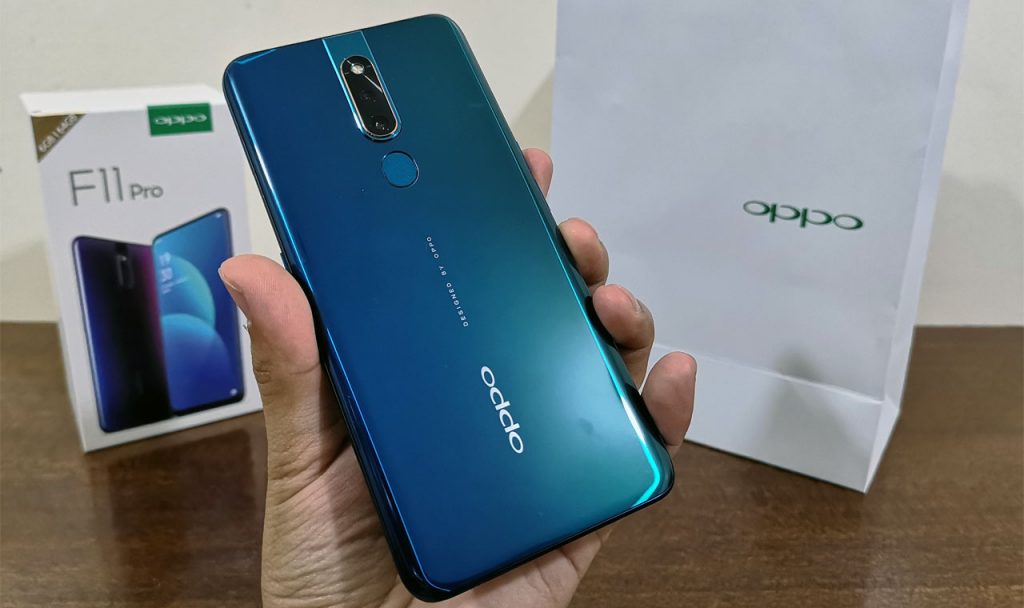
    In the rear side, it contains 48 megapixels with a 5-megapixel dual camera that includes an LED flashlight below the rear camera fingerprint reader is also placed.

    This product is very comfortable to use and the edges are completely matte finished and it gives you a glossy look. The front camera slider is preferred with the rising edge and it gives you a beautification of portrait mode.

    A smartphone is designed with spacious cover provided with a pop-up camera which will be easily sided out all the time.

    Display

    When concentrating on the display side the screen size is very large and it clearly minimizes the muscles in the display and it is very high in clarity and the display is highly protected with the screen cover. In the display screen, the color detection is very sharp and it is identified very clearly.

    You can easily view the display even in bright sunlight which is built with high technology and also Auto-brightness features. The smart mobile phone which is very modern you can adjust automatically the brightness of the screen according to your surroundings.

    The auto button will be activated on the right side for brightening the display and the auto-switch button is also available for this option.

    Performance

    The technology is designed with a fast-charging product and it is one of the highest technologies with attractive features. The complete charge takes for about 1 hour 15 minutes where you can easily charge your complete mobile within a few minutes. Pop up selfies camera is easily accessed even if you unlock the screen it will also improve the brightness of the screen setting.

    Oppo F11 Pro Performance

    The color theme is very high indirect organization manually you can smooth your face detection in any kind of environment it is one of the highest technology processes.

    Even when you are in driving you can set to smart driving setup mode in which you can easily connect the Bluetooth during the time of riding a bicycle. You can easily access mobile phones at any time.

    It is very easy to handle and multitasking setup is easily done you can hear songs with excellent speakers and Google maps also fixed here to determine your findings which will not reduce your battery life.

    Camera clarity

    When concentrating on Oppo F11 pro camera clarity it is designed with 58-megapixel primary camera with including 5 megapixels a secondary depth sensor that gives you an excellent picture. 48 megapixels setting with no default you can clearly view the picture with high clarity which includes high definition quality of the picture that boosts the HD quality in the system.

    Even you can shoot your favorite picture in night modes that improve the clarity in each and every shot. The objects are clearly defined and also it reduces the blurriness in an image. Choose the natural colors with including Street lamps in the street which comes out within excellent nightscape mode which helps to improve the clarity of shots.

    Conclusion

    Based upon overall performance it is concluded that it is designed with extraordinary performance and features. The design and display are also a very impressive battery life are also very good. The complete phone is extraordinary with a stylish look and good audio performance technology.

    The body of the phone is slightly heavy but still, the screen is very attractive and little reflective towards the brightness display in the sunlight and it is very inadequate to the sun exposure. Smartphone Oppo is completely satisfactory. And the product has come out with the latest technology with attractive and impressive features.

  • Sony WF-1000XM3: The Best Noise-Cancelling True Wireless Earbuds

    Sony WF-1000XM3: The Best Noise-Cancelling True Wireless Earbuds

    Sony WF-1000XM3 Review

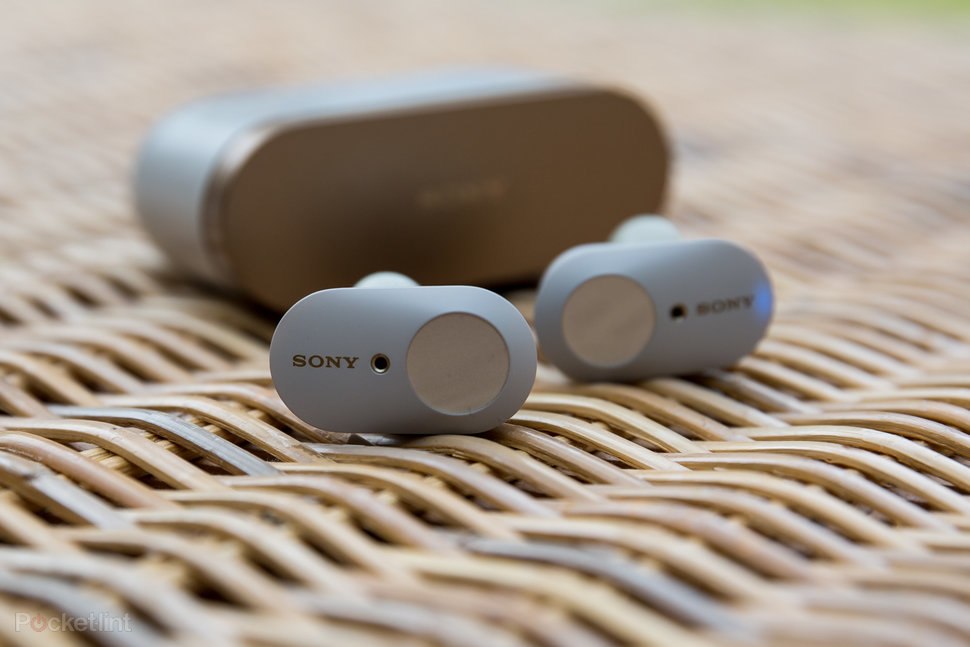
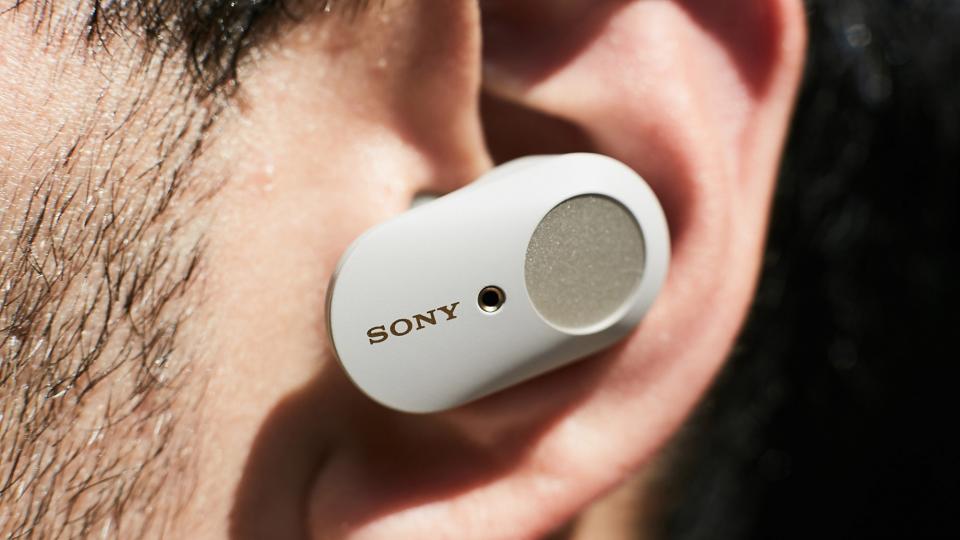
    The latest Sony WF-1000xM3 is touted to be one of the best wireless earbuds featuring quality noise cancellation. It looks better, has better sound quality, and of course, awesome noise cancellation capabilities. While the new AirPods Pro is coming out with noise-cancelling feature as well, these Sony earbuds offer longer life, at better rates! If you compare these earbuds to others in the market, like Amazon Echo Buds, you will realise that these are not as sleek and discrete as other. However, the company has made the buds slimmer with elegant aesthetics. The colours are widely appreciated by the users with both the black and the white versions immediately finding fans. The copper accents the curves and gives it a hint of colour contrast. Do note that WF-1000xM3 has been designed and built for casual use and not specifically for fitness. While it will survive a few tumbles and drops, it does not come with water-resistant protection. The charging case is so sophisticated that you are sure to fall in love with the sleek case.

    Sony WF-1000XM3 fit
    Sony WF-1000XM3 fit

    Comfort And Fit

    The earbuds hardly weigh anything at all. It is soft, lightweight, and extremely comfortable, even if you use it for long periods. The angled tips make it fit better in our ears. However, despite this, the buds are likely to slip out at times. You can always use memory foam tips for a better fit. The case, on the other hand, you will find difficult to fit into your pockets as it is not only heavier, but also not as sleek as the AirPods case.

    Touch Controls

    The WF-1000xM3 doesn’t feature as great touch controls as the Sony WH-1000xM3. While they have the usual tap gestures and on-ear detection, it just doesn’t give the seamless experience that we have come to expect with AirPods and other competing models. Each bud can be assigned only one function from various options like Google Assistant, Ambient Sound Control, playback, or None Assigned. The first tap will let you operate the play/pause/enable listening modes; with the second tap, you can work forward track/answer call/decline call/digital assistant notifications; and the third tap will let you skip-back track. One drawback is that there is no volume control and you will have to adjust it from your phone. While the touch panel is easy to operate and is intuitive, the controls are not very responsive.

    Sony WF-1000XM3 Review
    Sony WF-1000XM3 Review

    Noise Cancellation and Audio Quality

    These earbuds by Sony have been specially designed to show off their excellent noise cancellation abilities. The tech is not as powerful as some you will find in the market, but it is better than most and quite effective for daily use. For this model, Sony has added another noise-cancelling mic to each earbud which has dramatically improved its performance. There is an Ambient Sound mode in these earbuds which lets you hear your surroundings better. Thanks to the balanced bass, you will have a much better experience now. One good news is that the noise cancellation feature does not reduce the audio quality.

  • Fossil Gen 5 review and details

    Fossil Gen 5 review and details

    No wonder we all know Google is the top brand in the market and has gained loads of popularity as well. However, there are loads of brands and products under Google or that have been launched by Google itself. Well, only if you know you will get many such products that are pretty much popular within the electronic and the materialistic industry for sure. However, only if you know the particular Google brand has launched various products under its recognition and one of them is Fossil Gen 5 which would be reviewed now for better knowledge on the same.

    Fossil Gen 5 review: Style overcomes the flaws of Wear OS

    Well, here we have got this best information on Fossil Gen 5 which is the ultimate product or the best smartwatch that one can buy to feel more luxurious and wonderful on the whole.

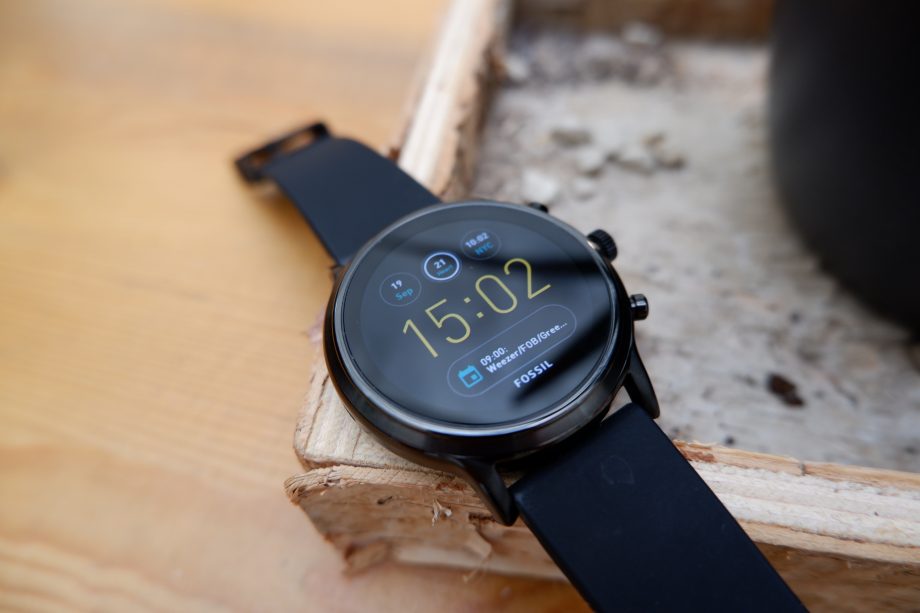
    Fossil Gen 5 Review

    When it comes to a product from the Google brand everything matters and of course, the company has a great reputation and there it just passes on to its freshly launched products in the market as well. Just like, Fossil Gen 5 has gained a lot of fame even before its launch itself that everybody knows about it.

    Fossil Gen 5 Review

    Style and the Look

    Well, when it is about a device or a handset the first thing that a customer would notice is its make and the finish. Yes, when it comes to the style or the design of a product from Google the top player in the market, then Fossil Gen 5 has something exciting to offer the customers who are expecting a unique unit to be more impressive. Unlike other traditional watches, Fossil Gen 5 has a different look with a masculine take making it look bolder on the whole.

    The basic

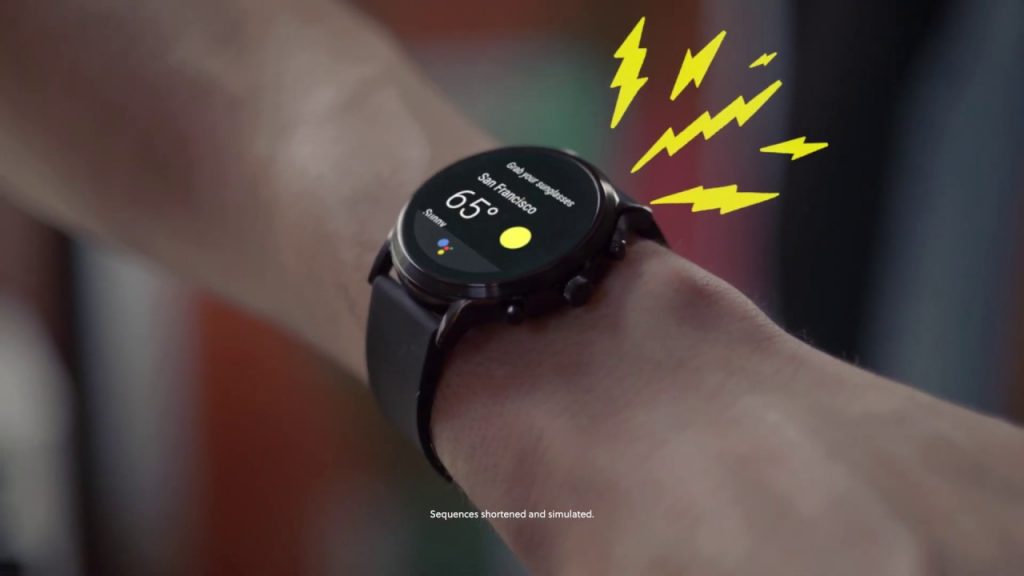
    Of course, it is a smartwatch, or basically it’s a watch then it needs to have a variety of features and also the basic features and necessities that a watch must have though. However, the Fossil Gen 5 features include the applications, clock, agenda, alarm, stopwatch, Google fitness app, weather, and several other inbuilt apps that could be totally useful and great for your entire routine throughout the day though.

    Price

    The most important factor that is counted when it is about buying a smartwatch or a smart electronic device. Of course, with Fossil Gen, you don’t have to worry about the features and the design, but the price is absolutely great and is only affordable by the minimal number of groups.

    Fossil Gen 5 Price

    Though its price is a little high or beyond the expectation, the product is worth giving a try with this ample number of features that it holds. You can get hold of its price and there it will also help you with other important details as well.

    Conclusion

    Well, here we have put together loads of features and advances that have been designed in this specific smart watch making it look more beautiful and awesome.

  • Google Home vs. Amazon Echo

    Google Home vs. Amazon Echo

    Most of the homes are today becoming increasingly much better and smarter. It is partly the smart speakers that are integrated with the rapid evolution in your smart home. Google’s Home Speaker is not available for quite some time and now it becomes one of the most popular products. It serves both as a great music player and an intelligent virtual assistant. However the Amazon Echo, the recently launched new competitor and also the company’s 3rd generation product.

    Difference between Google Home vs. Amazon Echo

    These two products will decor your smart home space. Also, it offers audiophiles with rich sound performances and intelligent virtual assistants. Both products will also support a huge collection of connecting smart home gadgets to access and control through your voice. In case, if you prefer to purchase the best smart speaker then it is essential to understand the pros & cons of the products.

    With the entire information and news, it is very much hard to choose the best one from the two most popular products Google Home and Amazon Echo. A well-informed purchase can be made wisely with its major similarities and differences. For your reference, you can find below the two voice assistants appearance, smart design, compatibility, smart speakers, etc.

    Design

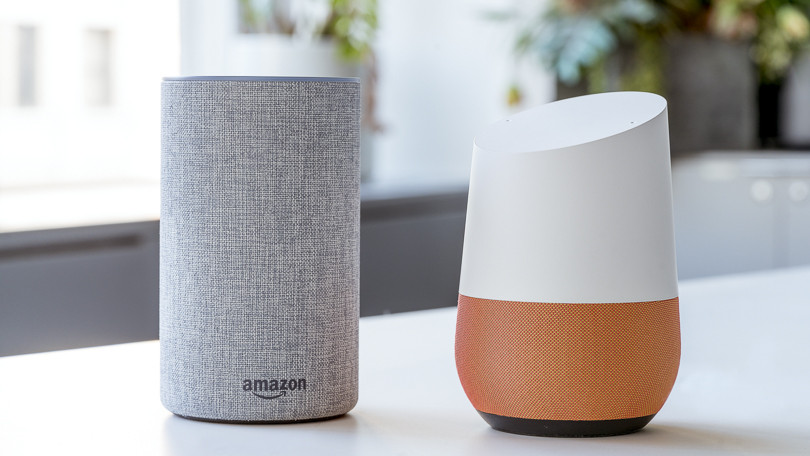
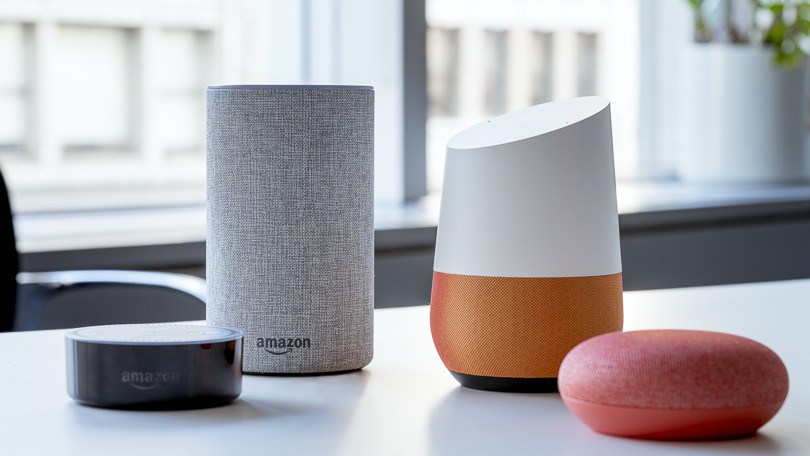
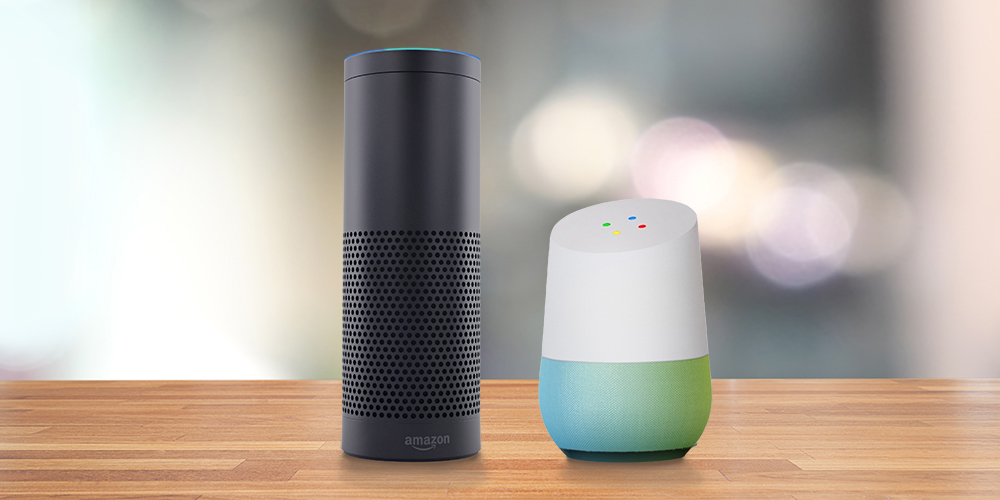
    Google Home product comes with an interesting design and will surely impress you while unpacking the product. The device has bottom fabric that showcases in grey color and top-side with the white area. The sloped top white is includes LED lights and display that the device is turned on while playing the music, and many more. It is attractive and small.

    Google Home Design

    Amazon Echo, the 2nd generation slimmed-down version is the first model of this product. It comes with numerous colors such as oak, charcoal, etc and has a cylindrical design. The top-side includes the physical buttons to turn on or off the microphone.

    Also, around the ring-side with indicator lights, it shows whether the device is on or playing the music. Google Home can be showcased as a tech product, while Amazon Echo comes with amazing design. In addition, it has many fabrics to decor any room and makes it the best choice for you to prefer.

    Power Assistant

    Google Home includes its own company’s virtual personal assistant named as Google Assistant. Generally, it has a powerful service and allows the users to perform numerous tasks such as accessing your favorite music and turning on or off the lights.

    It is much easier to understand while you speak. Google provides the best way to boost its Assistant’s appearance by understanding in multiple ways you speak. At times, the Assistant may also fail to understand your question and not able to answer it properly.

    Amazon Echo is one powerful device and always not able to perform the best job to understand your questions in numerous ways. However, it shines to perform countless things to its users. Besides, it can assist to hail your Uber ride, order your pizza, playing the favorite music, and turning on or off the lights.

    Amazon Echo is available on Amazon’s online store and as well as tied with other services. The Echo is one of the best products to purchase a worthy device, love audiobooks or even a shopper.

    Third-Party Support

    Amazon Echo will be one of the best and clear leaders with regard to its numerous ways of utilization. Amazon Echo has the ability to offer more than 20,000 skills. Some of them such as ordering a pizza and may be specific to certain voice assistants.

    It can perform well with more general features and assist the users to start recording the cameras that are located around your house or access your songs from the device. This product has the ability to control the various third-party services and devices like Amazon’s Echo reigns supreme, smart home device, etc.

    Google Home Third-Party Support

    However, Google Home products will not support a similar level of Amazon’s Echo third-party applications. Indeed, Google can offer support only for numerous offerings and other services. Those offerings could be listed under some most popular devices and services to function as per your expectations. Google Home’s Voice Assistant will be able to perform the desired job and work on various useful things.

    Key Features

    Both Google Home and Amazon Echo will offer various host features and allow the users to both listening to your favorite entertainment and as well as controlling your smart home. Both devices can be controlled using the voice commands and allow them to lock the door, turn on or off the lights, turn up or down the thermostat, and many more.

    Hence, both products will work efficiently with today’s other most popular devices such as WeMo-friendly lights, Nest thermostats, and much more. With regards to audio, both products with smart speakers will allow playing audiobooks, podcasts, music, and any other sort of audio tracks. Since both devices don’t come with a screen to watch your favorite video content (movies, TV shows, etc).

    New Smart Speakers

    Amazon’s Echo will offer various features in terms of 3rd-party functionalities and partners. Amazon is one of the leading smart speaker industry and reigning veterans to provide numerous third-party partnerships that have content offerings and developed applications, especially for Digiday Echo product.

    With similarities, Google Home will create the best relations and also allow the 3rd-party applications to retain themselves as alternative smart speaker competitor across the online platform.

    Both Amazon Echo & Google Home are the closest competitors to feature notable strengths & differences with regards to its basic usage and other functionalities. Amazon Echo with e-commerce infrastructure is well-suited and adept the users to get placed with efficient performance.

    Google Home with Chromecast integration (additional cost of $35) will be much better adaptable for users to provide home entertainment with a wide range of movie and TV show options. It also comes with Google’s robust browse or searches capabilities.

    Pricing & Availability

    Both Amazon Echo & Google Home are currently available through an online platform at affordable prices. Users can purchase the product through Walmart, Target, Best Buy, Amazon, and elsewhere. Google Home is initially priced at $130 and now available in Walmart for $100. Amazon Echo is priced at $100 however; Amazon’s official website is selling this product for $70.