Category: Reviews

  • Samsung Galaxy S10 Review

    Samsung Galaxy S10 Review

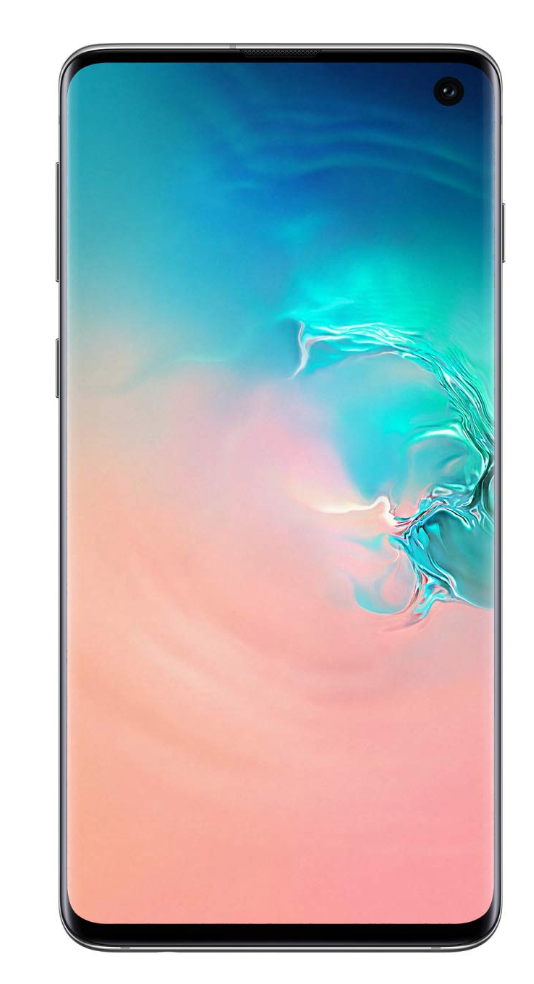
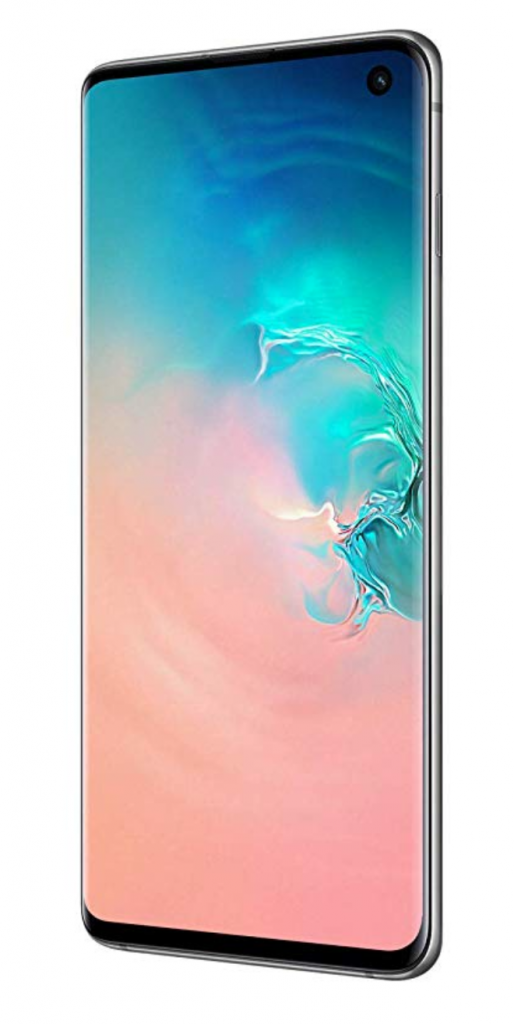
    The Galaxy S10 is a novel-looking 10th-anniversary launch from Samsung in its S series. It is very much similar to the other versions – S10+ and S10e from the same series. Samsung, with this release, has taken into the already in trend punch-hole display that was initially brought about by Honor. Here is the complete Samsung Galaxy S10 Review.
    Samsung Galaxy S10 Review

    The in-screen fingerprint sensor is a further adaption from phones from OnePlus, Huawei, and Vivo.

    The Samsung S10 has a 93.1 % screen-to-body ratio maximizing the display area of the phone.

    Let’s dig a little deeper into the various features of this hefty-priced mobile device-

    Build and Design

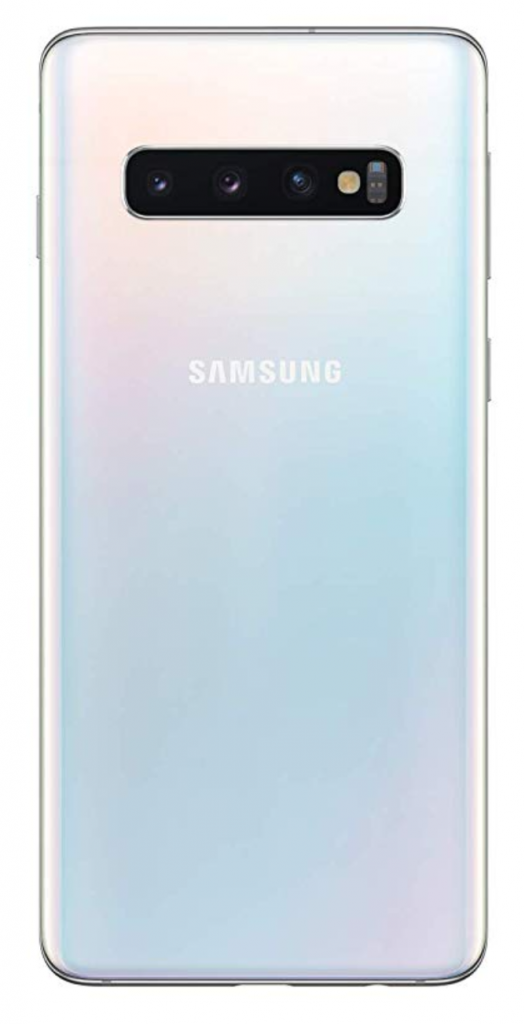
    With a glass construction on both the front and rear, it is no different than the previous release in the same series, S9. The front face uses a Corning’s Gorilla Glass 6 while using Gorilla Glass 5 on the rear side.
    Samsung-galaxy-s10-back

    An aluminum frame is sandwiched right between the glasses for a sturdy and rigid built. The smooth curves on the sides of the phone, does not for once make it oily on the hands instead offers a good grip against a slide.

    While the size and built of the phone is comfortable for one-hand browsing or typing, the punch-hole camera sits comfortably in the top right of the notification bar.

    The rear end of the phone is clean as compared to the ones trending in the market having rear-fingerprint sensors. It houses a triple-lens camera range with literally the smallest camera bumps in the back.

    The dimensions of the phone are 149.9 x 70.4 x 7.8mm and weigh about 157g, which is slightly taller and much lighter than the S9. Also, it is rated IP68 for dust and water resistance.

    Display and Audio

    Display and Audio are the main things to notice while we do the Samsung Galaxy S10 review. With curved edges that spill pixels over the sides, the Samsung S10 display delivers a crisp output that has been crowned ‘the most color-accurate smartphone display ever’ by DisplayMate.

    The 6.1-inch Super AMOLED screen has amped up its features with better outdoor visibility with superior contrast and color while maintaining an industry-standard aspect ratio of 19:9.

    The QHD+ resolution of the phone has a pixel density of 550 pixels per inch, which assures the user a highly detailed view. It offers a naturally vibrant display that is utterly bright and colorful for playing HDR10+ enabled videos.

    The S10 also offers to switch between resolution options for better conservation of battery.

    The phone has single side speakers for a stereo effect that is loud enough for both calls and music. It supports Dolby Atmos for both speaker and headphones.
    Samsung-galaxy-s10

    Performance, Storage and Gaming

    The Qualcomm Snapdragon 855 or Samsung Exynos 9820 chipset with eight cores in three clusters is built on an 8-nanometre process. The S10 has an 8GB LPDDR4x RAM with a choice in the internal storage between 128 or 512 GB.

    It also offers additional storage up to 512 GB. Owing to the high-end processor, cycling between different heavy apps is smooth and without delay. The S10 uses Samsung’s new One UI version of Android 9 Pie as its operating system.

    Gaming on S10 is built for incredible performance as you can comfortably download heavy gaming applications like Asphalt 9 and PUBG Mobile when the phone performs without glitch or stutter even while switching the games at worst.

    Camera

    Packed with triple-lens in the rear and one front-facing camera, the phone scores high in this section. The three-lens set up in the back includes a 12-megapixel telephoto camera that has optical image stabilization and phase-detection autofocus. The 12-megapixel wide-angle camera is the second or primary camera that offers a dual aperture with a field of view.

    The third 16-megapixel ultra-wide camera comes with fixed focus and no optical image stabilization while the front camera is a single 10 megapixel, which is one less than that in the s10+.

    The advanced camera settings of the S10 now have ten new categories in the scene optimizer. The Samsung camera AI can now differentiate between cats and dogs, which further fine-tune the white balance in the pictures. Also, the shot suggestion feature nudges you to frame or level your subjects better using the neutral processor engine.


    The excellent camera feature of the phone offers crisp photos that are rich in color and sharpness while an automatic setting for noise reduction in low light pictures. The ultra-wide camera has a 123-degree field of view, making it a very versatile one. The camera also offers live filter options like live focus or color print filters.

    Battery

    With a much smaller unit than the other phones in the series, the Samsung S10 has a 3400mAH battery, which is still an upgrade from the S9 with a 3000mAH battery.
    Battery

    As Samsung promises, the battery has an all-day life, which takes up to 90 minutes to fully charge the device.

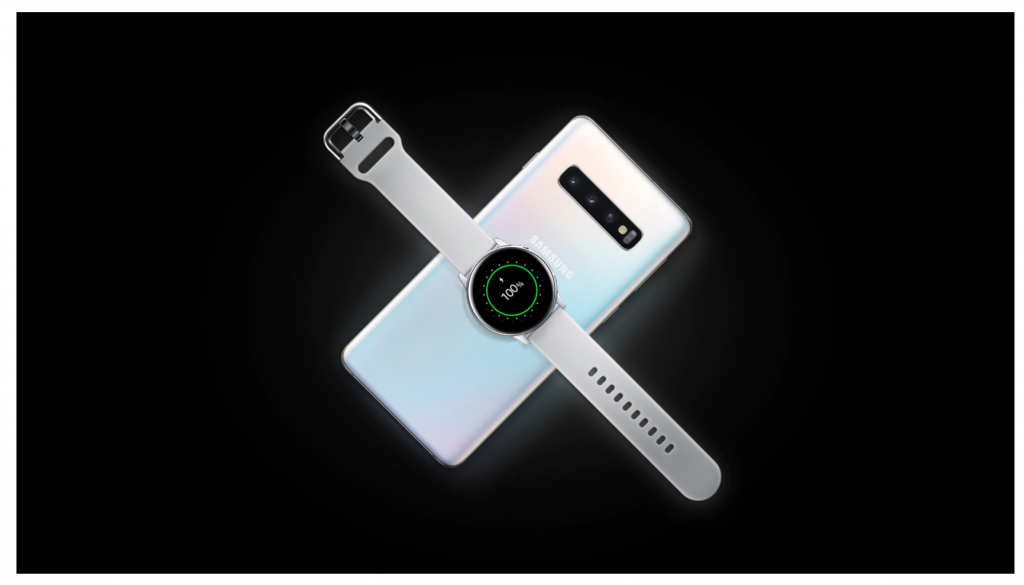
    The more extensive features of the battery are wireless charging and reverse wireless charging. The Wireless PowerShare option allows charging other wireless charging enabled devices directly with your Samsung S10.

    All devices that support Qi wireless charging standard can be easily changed just by placing it on the rear of S10. In times of desperate need for a charge, this can prove to be helpful, although the charging speed remains slow.

    Add-ons

    This time Samsung adds, a dash of newness to the existing traditional fingerprint scanners and device unlock methods. The S10 comes with a brand new ultrasonic in-screen fingerprint scanner that reads the ridges through the display.
    Add-ons

    The “face unlock mechanism,” though still needs some reasonable effort on it, works pretty efficiently and quickly. While it is fundamental that you try this in a well-lit room as it uses a 2-D representation of your face, the mechanism still looks far less secure than the traditional or fingerprint unlock method.

    All in all, the Samsung S10 scores high on performance, camera, and design while it could do some more on the security features for this hefty priced possession.
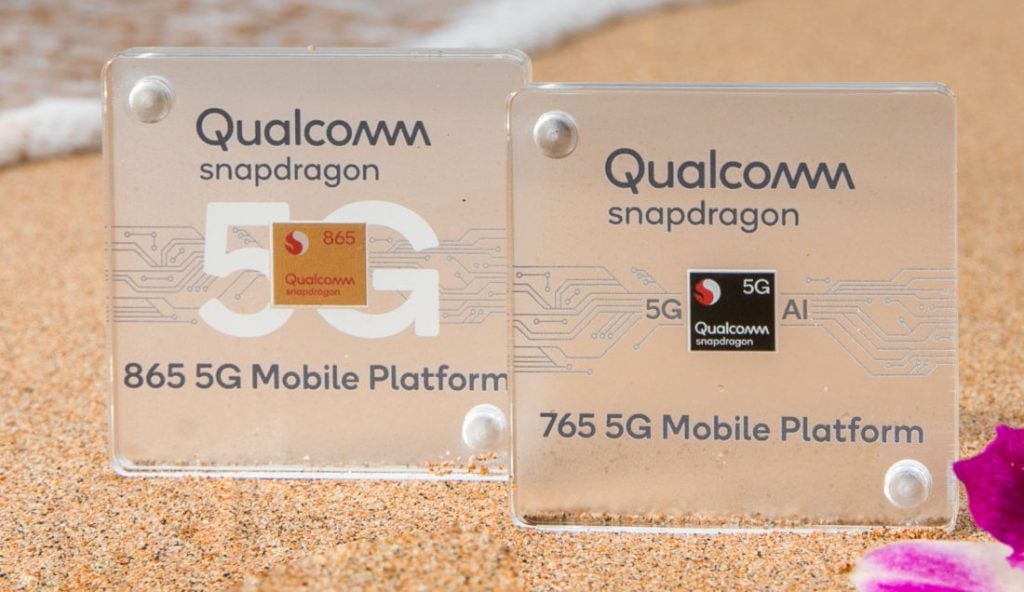
  • Qualcomm Snapdragon 865 Benchmarks: Pros And Cons

    Qualcomm Snapdragon 865 Benchmarks: Pros And Cons

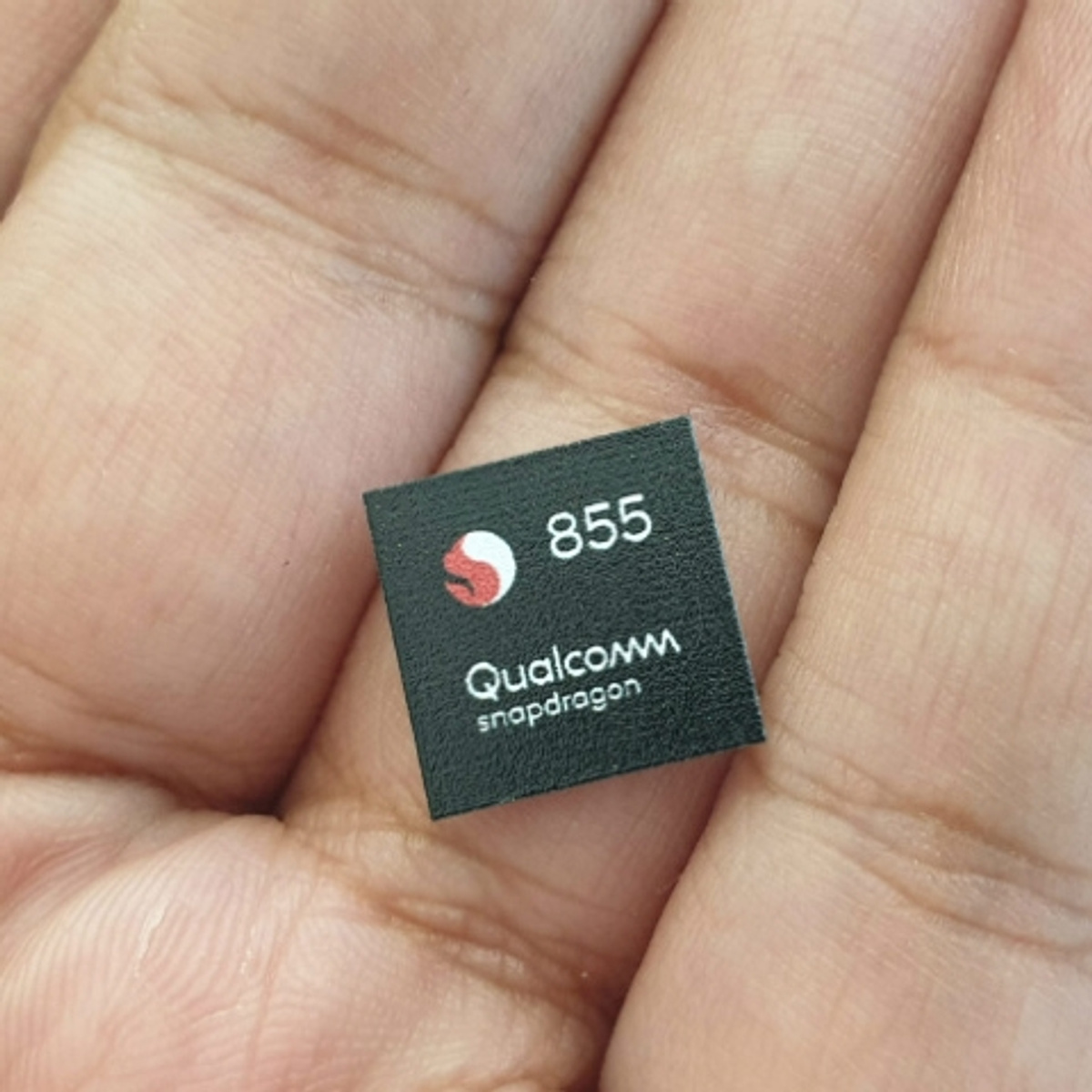
    Every time Qualcomm comes up with a new chipset, it allows the tech media to benchmark it. This allows them to have a baseline. Using this, they would be able to compare them to devices releasing, later on, featuring this processor. Qualcomm’s current flagship processor, the Snapdragon 855, was released last December. The company released it as the first 7nm chipset for mobile devices. The successor chipset, the Snapdragon 865, is expected to be launched by the end of this year. News about the tests related to the Qualcomm Snapdragon 865 is already going around. A device code-named ‘Qualcomm Kona’ was seen. The device was seen using the Snapdragon 865 mobile platform.

    Looking back, we remember that the Snapdragon 855 was codenamed ‘msmnile’. What is surprising to note here is the fact that the Qualcomm Kona device also runs on the msmnile processor. However, its benchmarking scores are quite better than Snapdragon 855 processor. The 855 processor got 3.5k in the single-core test and in the multi-core test, it received a scored of about 11k. Regardless of how good a chipset might be, it is bound to come with pros and cons. Let’s take a look at the advantages of this processor.

    Qualcomm Snapdragon 865 Benchmark
    Qualcomm Snapdragon 865 Benchmark

    Advantages of Qualcomm Snapdragon 865 Benchmark

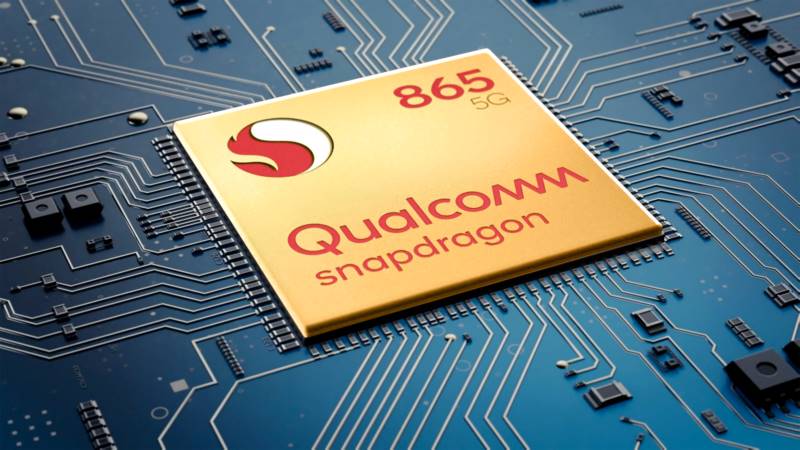
    The Snapdragon 865 is produced on TSMC’s 7nm N7P process. This is also the same process used to manufacture Apple’s A13 Bionic chipsets. The Snapdragon 865 uses 10-bit HDR and 90FPS gaming and new display. In the Google Play Store, users will receive regular GPU driver updates. According to Qualcomm, the CPU and GPU on the upcoming chipset are 25% faster. The processor is expected to be 25% higher with regards to power efficiency as well.

    Qualcomm has retained the CPU architecture from the Snapdragon 855. We know that a 2.84GHz prime core running on the Kryo 585 along with three Cortex-A55 efficiency cores clocked at 1.8GHz and three Cortex-A77 mid-cores clocked at 2.4GHz. The primary core is designed to handle more heavy-duty tasks like 4K videos, heavy games, etc. while photo editing and a similar thing will be processed by the mid-cores. Most other tasks will be handled by the efficiency cores. Besides the GPU and CPU, the processor has a new ISP that comes with the ability to crunch 2 gigapixels per second and enable 8K video recording. It also has a new AI Engine that is faster and efficient than ever before. It is designed to finish tasks like in-call live translation.

    With regards to its performance as well, the processor does not let you down. It performs 15 per cent faster on CPU benchmarks and around 9 per cent faster on GPU tests. As of now, it does not have the optimizations required to run phones like OnePlus 7T Pro. We will have a better knowledge of how it actually performs once the phone starts powering commercial devices. The Snapdragon 865 will be joined with the Snapdragon X55 5G modem so most Android phones getting release the upcoming year will have 5G support.

    Qualcomm Snapdragon 855
    Qualcomm Snapdragon 855

    Any Poor Qualities?

    While benchmarks offer an important purpose, not many want to completely rely on it. While rating processors with numbers is a great way of filtering and sorting them, the problem arises when there are plenty of benchmarking tools, each one stressing a different aspect. Initially, everything revolved around single-core and multi-core CPUs. Later, GPUs became more important. The trouble here is that there are plenty of factors that are not tested by most benchmarking tools, such as multimedia, wake-word responsiveness, and more. For the most part, users like to have a solid idea about the chipset’s speed ranks. Another issue is that some benchmarking tools don’t use the latest models for AI.

    Talking about the Snapdragon 865 in particular, we see that the Performance Mode will not make any core perform faster. It will just make sure that the task is finished efficiently. Since it is very rare to find two devices having the same Snapdragon 865 tuning, it is up to the developers to determine how they want to balance the performance with battery usage. Naturally, the more the Qualcomm’s processor strives towards maximizing performance, the more power it sucks up from the battery.

    Features 

    The Snapdragon 865 is expected to the choice for many 2020 Android flagship phones. Samsung, Google, OnePlus, and many other manufacturers are already eyeing it. The fact that Qualcomm has decided to make 5G an integral part of the chipset is a great move since this makes it the first choice of device manufacturers. While we don’t know a great deal about how it will work with commercial devices, we will soon know a lot more from OEMs and from third-party apps. You can be sure that the chipset is powerful enough to handle AI-powered features and experiences.

    Qualcomm Snapdragon 865
    Qualcomm Snapdragon 865

    Of course, the Snapdragon 865 is faster than the 855 regardless of the benchmarks being CPU or GPU constrained. Qualcomm depended on unmodified ARM Cortex-A77 design for the performance cores instead of simply making changes in the last year’s cores. While Qualcomm still needs to up its game to be able to compete with Apple’s latest production, it has been steadily improving its design. If this keeps up, they should soon meet those standards. However, as of now, Qualcomm lags behind Apple’s 2017 A11 processor in certain aspects. But with the latest release, other aspects are much better now.

    Verdict

    Overall, the Snapdragon 865 performs far better than last year’s Snapdragon 855. While devices having less RAM and running on 865 processes might not perform up to the mark, they still perform better than 855-powered models. While Apple has always managed to stay one step ahead of the game, it looks like Qualcomm is doing great trying to bridge the gap. With 5G support and AI capability, Qualcomm could possibly find it easier to compete in the market. Another major benefit of 865 is its improved memory latency. It ensures that the loading times are low and the overall functioning of the device is smooth.

  • New Moto 360 Review

    New Moto 360 Review

    The Moto 360 was launched in 2014. At that time, it was among the first smartwatches to comes with a circular body. The second-gen Moto 360 followed in 2015 having similar features. In the last few years, we have not seen any new watch update from Motorola. The company has finally decided to launch its third smartwatch called the new Moto 360. This New Moto 360 Review will take through the features of the watch.

    Today, top companies like Apple and Samsung are heavily investing in the wearable market. Now wonder Motorola wanted to keep up with them. The latest Moto 360 smartwatch returns to the market with a bang. The question is – will be as good as we have come to expect?

    Design – New Moto 360 Review

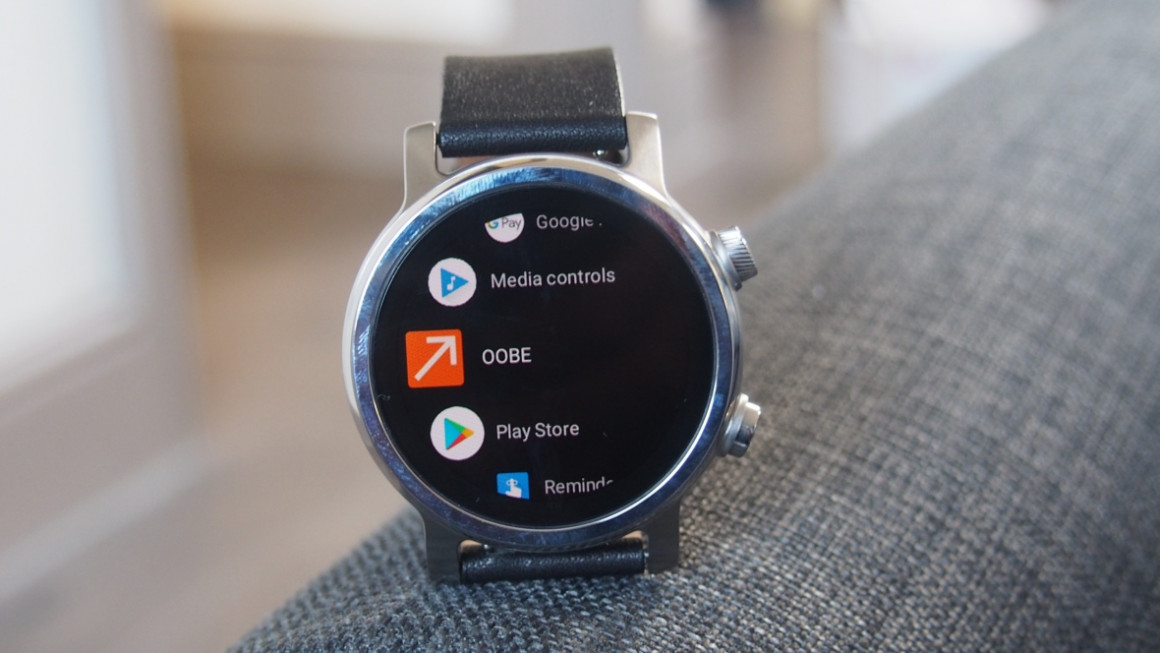
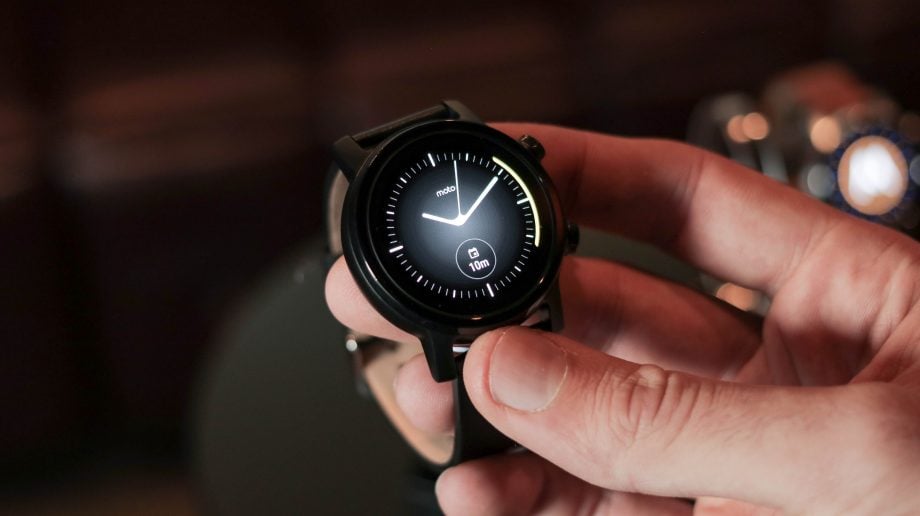
    The Moto 360 smartwatch has a replaceable strap attached to its circular body. Its leather strap and stainless steel silver body look and feel premium. The company has said that the product will be able in Black and Rose Gold as well along with an option of silicone strap. While it features a traditional, round face, the Moto 360 seems to have taken minimalism as its theme. You will find a black ring bezel around the screen and another bezel underneath that. This means that the body is larger than the display.

    Moto 360 review 2019
    Moto 360 review 2019

    The Moto 360 smartwatch has a 1.2-inch display and feels a bit thick. You might remember that the original Moto 360 had a ‘flat tire’ effect at the bottom. That is no longer seen here. The dimensions of the product are 42.8 x 42.8 x 11.68mm. You will find two controls on the right side of the watch. One is a button that you can assign certain functions to while the other is a rotating crown. You can spin the latter and use it to go through different menus. Although it is thick, it is not heavy. Although Motorola only has select options for straps, they will likely come up with a wide variety in the near future.

    Display

    The 2019 version of Moto 360 has an AMOLED display with a resolution of 390 x 390 pixels. With regards to the display quality, you can be sure that it is simply great. You can see the pictures with high clarity and rick colours. You will rarely be left trying to understand it. Although the colour details could have been better, it is not that much of an issue. It looks good if you choose a sober face. However, if you want to go with something more colourful, chances are that it would be more visible.

    Always-on is a nice feature. This means you will never need to wake your watch up to see the time. This would keep your watch face lit up so that you can see the alerts, etc. This will also save battery in the long run if you keep waking up the screen to a minimum. The always-on screen came across as a bit too dim at times. However, it is better than others in the market.

    Moto 360 review
    Moto 360 review

    Fitness Tracking

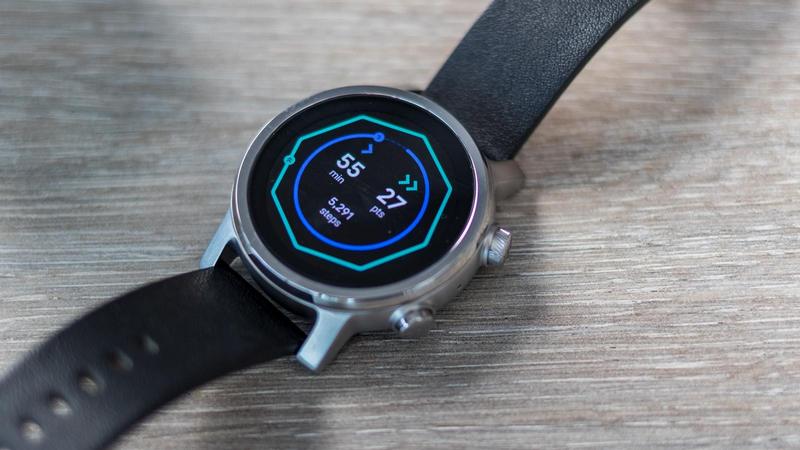
    Of course, the Moto 360 uses Google’s Wear OS which connects it to Google Fit. This is what will help you stay abreast of your workouts and day-to-day activities. Most of the workouts available in Google Fit Workout app is also seen here. These come preloaded on the watch. Activities include running, biking, walking, and strength training. You will also find some uncommon activities include polo, paragliding, and sand running.

    Besides Google Fit, Moto 360 has Fit Breathe. It is a meditation app with various breathing exercises. This mindfulness tool is similar to other apps available on other fitness trackers and watches. Although it offers a wide range of tracking tools and activities, it cannot be used during all activities due to its bulky design.

    Features And Performance

    Moto 360 is powered by Qualcomm’s Wear 3100 chipset. A major benefit of this includes battery life optimizations among others. The watch is fast and easy to navigate. Since this is currently the best Qualcomm chipset in the market, you can be sure it works like a dream. The smartphone has 1GB RAM with 8GB of storage space. Thanks to this, you can comfortably add as many apps you want without thinking twice!

    New Moto 360 2019 Review
    New Moto 360 2019 Review

    If you are already using Google Android devices, this smartwatch should be highly useful. You can use Google Fit for fitness tracking, Google Pay for NFC payment, Google Maps for navigation, and so much more. If you are certain you are going to be part of Google’s Android ecosystem, there is pretty much nothing that you can’t do here. The Wear OS brings an easier way of accessing notifications. You can also reply by using Google’s recommended suggestions. However, you will not be able to do a lot, only press yes, no, etc.

    Battery Life

    Coming to Moto 360’s battery life, you will find that it does not last as long as we would expect. Even the original Moto 30 has the same issue. It looks like the developers have not made much improvement in that respect. On a full charge, you can use it for a day comfortably. If you charge it every night, you shouldn’t run into any trouble. However, this usually is not very practical and doesn’t fit in with everyone lives.

    You can maybe pull it to a day and a half, but you cannot make it last through two whole days. If that’s how your work is, you might need to go around with a charger all the time. There is a Battery Saver mode that you can switch on. The company claims that your watch can easily last about 3 days in this mode.

    Verdict


    The Moto 360 is an excellent smartwatch. The fact that it is tied to the Google ecosystem makes it more useful than other options. While its thick body and low battery life may not very attractive, the overall features of the smartwatch make it a worthy choice. It would be better if Motorola chooses to bring back wireless charging that was present in the older models.

  • Realme X2 Pro Review

    Realme X2 Pro Review

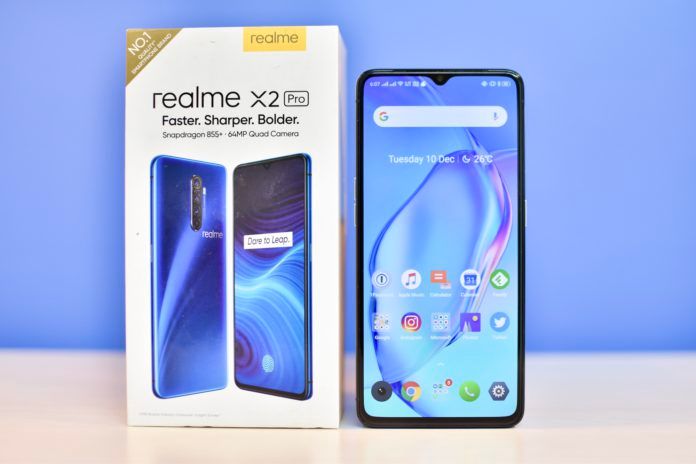
    Readme Mobiles is preparing to enter the premium mid-range segment of the smartphone market with its latest device, Readme X2 Pro. It is the company’s first flagship device and is pretty well designed. It is aimed to compete with Xiaomi Redmi K20 Pro and OnePlus 7T. This Realme X2 Pro Review will highlight its major perks and drawbacks along with details about every aspect of the phone.


    The phone features a 64MP quad-camera setup, stereo surround sound speakers, a Full HD+ Super AMOLED 90Hz refresh rate screen, a metal-glass sandwich design, and a huge 4,000mAh battery. The shocking aspect, of course, is its relatively low price range. The phone has some superb specifications. It is also known to be usable and sturdy. Realme X2 Pro is already available for purchase on Flipkart and Realme India store. It is expected to arrive in offline retail stores soon.

    The Realme X2 Pro comes with a 50W SuperVOOC wall charger along with a case, a warranty leaflet, a data cable, a SIM eject tool, and a quick start guide. The phone comes with an already-applied screen guard. However, the package doesn’t contain any earphones.

    Realme X2 Pro Review
    Realme X2 Pro Review

    Design

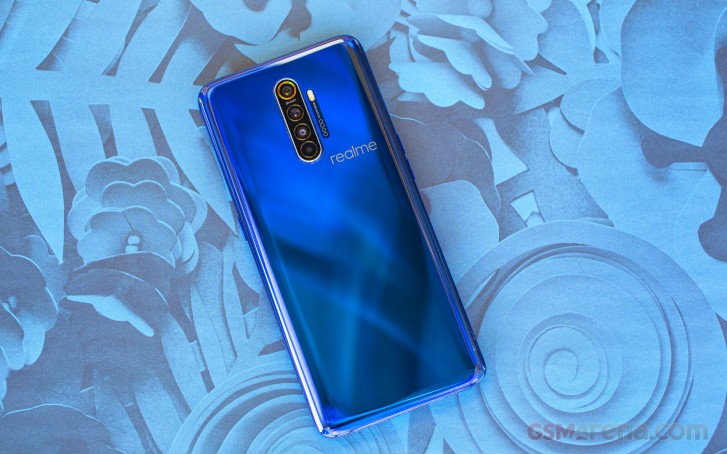
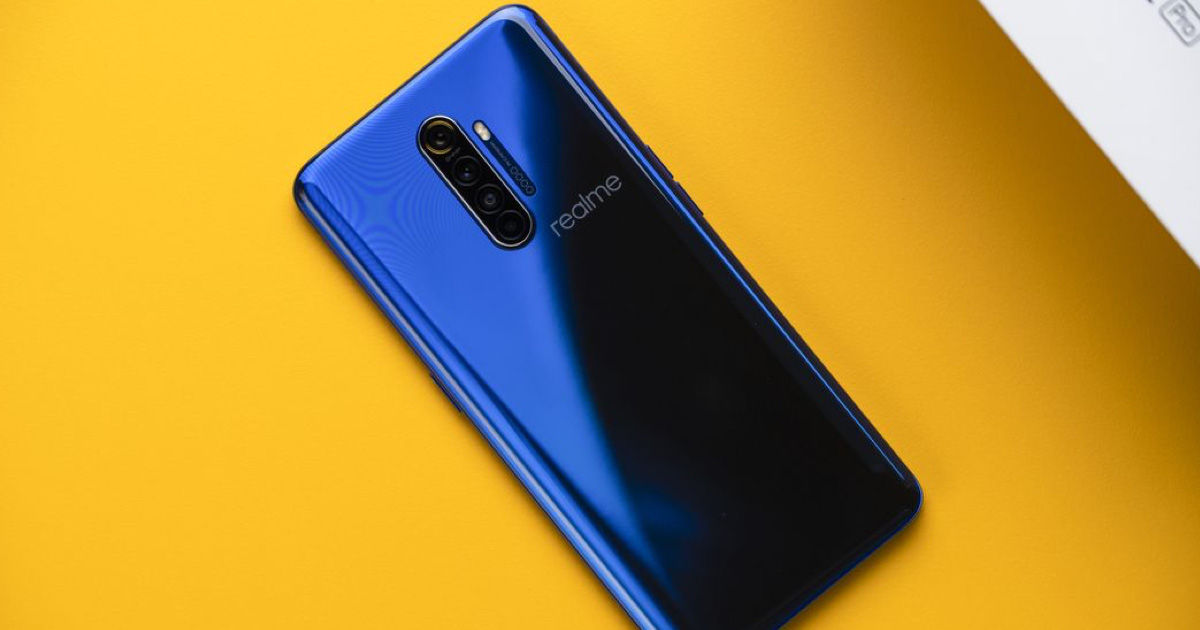
    Looking at the design of the Readme X2 Pro, we see that it features an aluminium chassis and the glass on the front and back. Despite the glass, it feels quite sturdy. There is almost no flex when you apply pressure. The phone is available in two colours – Lunar White and Neptune Blue. The Lunar White model looks similar to the Realme X at first glance. But there are many tiny features and design tweaks that make it quite different. The phone boasts of a pearl-like gradient effect that changes the colour shade a tiny bit in the light. The gradient finish is not too excessive and on the whole, looks just right.

    Due to the glass back, the phone feels a bit slippery and one-handed use is probably not a good idea. You might want to be careful of the edges which are a little bit sharp, exactly where the metal and the glass meet. A small teardrop notch sits at the top of the screen. The smartphone does not feature a microSD card slot, however, there is a USB-C port at the bottom. It is always a good idea with glass-backed phones to fit a case right away. Overall, design-wise, Realme’s first attempt at a premium mid-range phone is not so bad.

    Realme X2 Pro
    Realme X2 Pro

    Display

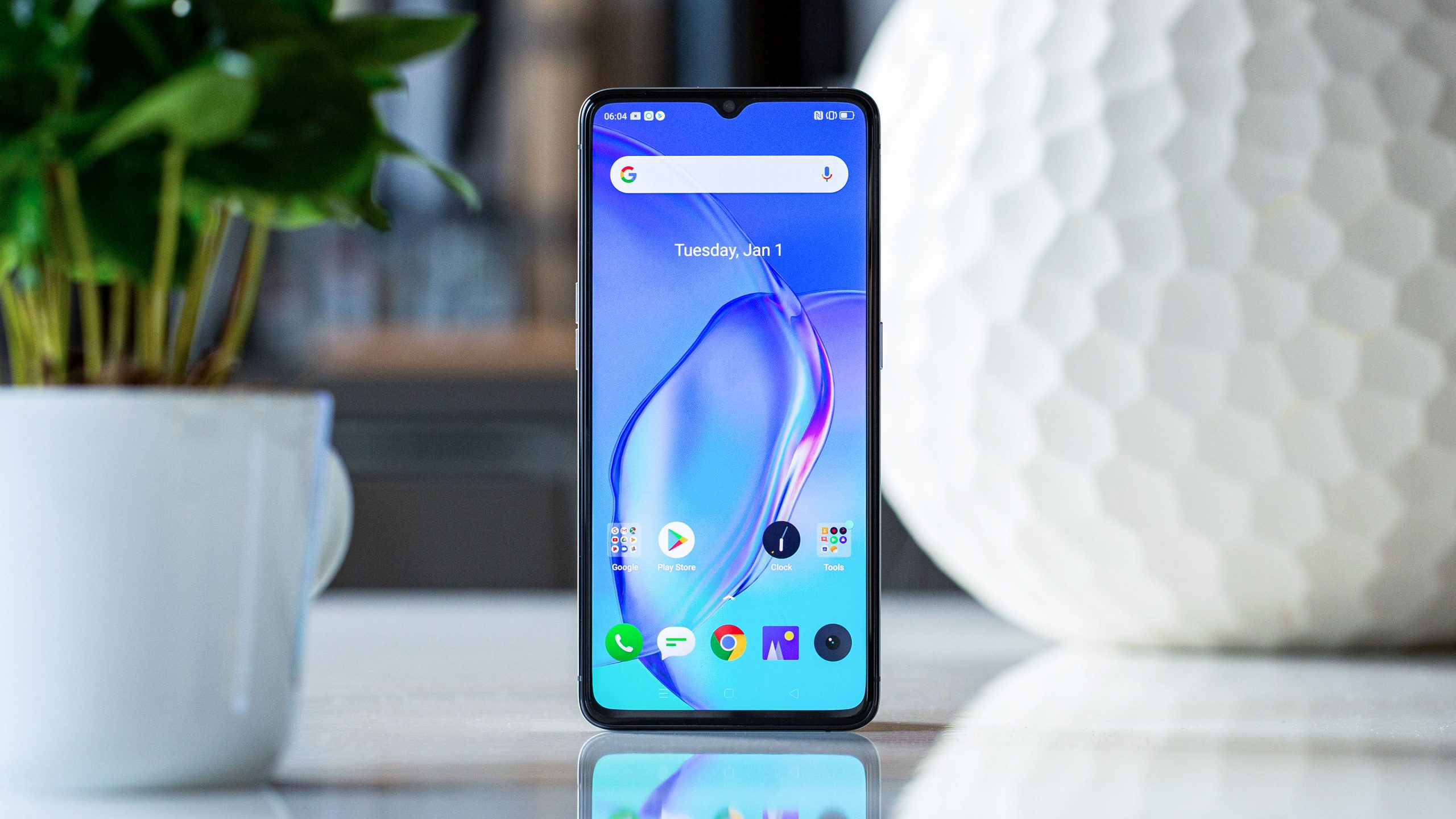
    Readme X2 Pro has a 6.5-inch screen. The display is certified for HDR10+ playback and supports a 100% DCI-P3 colour gamut range. Its Super AMOLED panel with Full HD+ (2400 x 1080 pixels) resolution and a 90Hz refresh rate make it great for rich colours and high clarity. Regarding brightness, you might be pleased to know that it has 1000 nits maximum brightness with reasonable visibility in the sunlight. You can make your choice from two colour modes – Vivid and Gentle. While the former is based on DCI-P3 colour range, the latter uses RGB colours.

    The screen protector is plastic and does not keep with Realme’s idea of a premium smartphone. The plastic screen and build make it feel cheaper than it is. The colour reproduction is decent enough as well. While the screen and display for Realme’s latest phone might not match the others in the higher-end category, it is good enough for this price range.

    Specifications And Software

    Realme’s flagship phone, the Realme X2 Pro, uses Snapdragon 855+ SoC which is Qualcomm’s top-end processor. It is also the choice of chip used in other popular flagships including OnePlus 7T. It has higher clock speeds than Snapdragon 855. The phone is available in two variants in India, based on the RAM. One features 8GB RAM and 128GB of storage while the other has 12GB RAM and 256GB of storage. Both variants of the phone making use of the UFS 3.0 storage standard.

    Realme X2 Pro Full Review
    Realme X2 Pro Full Review

    The company says that the phone uses tile linear vibration motor for better haptic feedback and a vapour chamber cooling system for the CPU. Besides this, other specs of the phone include support for three satellite navigation systems, usual sensors, dual-band Wi-Fi 802.11ac, and Bluetooth 5. The phone, unfortunately, is not expandable. It can, however, accept two Nano-SIMs. Realme X2 Pro has dual 4G VoLTE support. Other features of the phone include an optical in-display fingerprint sensor, face unlock, customisable unlock animations, NFC and contactless payment, and more.

    Performance

    While it is a bit on the heavier side, the phone is easy enough to handle. The display is clear, even in direct sunlight. The speakers are loud, and you can almost always hear them, regardless of where you are. The fingerprint sensors and face recognition are quite decent and work reliably. You can also use the always-on-display mode. However, you should know that it only shows alerts from certain apps.

    Realme X2 Pro has a powerful processor that lets its users play heavy games. It also makes multitasking possible. You can comfortably play heavy-duty games like PUBG Mobile and Call of Duty. While the phone tends to get warm as you continue playing, it doesn’t get hot and slow down like other models.

    Battery Life

    Realme’s flagship phone boasts of a large 4,000mAh battery which should be good enough for a long day’s use. On a full charge, you can expect about a day and half of regular use. Charging is quick thanks to the SuperVOOC charger. You can literally charge it up to 100% from 0% in half an hour. Besides Realme’s proprietary charging standard, the phone supports Qualcomm’s Quick Charge 3.0 for faster charging.

    Realme X2 Pro Camera Review
    Realme X2 Pro Camera Review

    Camera Quality

    Realme X2 Pro has a quad-camera system. The primary camera uses a Samsung ISOCELL Bright GW1 64MP sensor with an f/1.8 aperture. Others include the 13MP, f/2.5 aperture telephoto lens and the 8MP ultra-wide-angle lens. You will be able to take regular pictures are 16MP – both in daylight and in low-light areas. The pictures taken are rich in colour, detailed, and sharp. The ultra-wide mode may have some grainy textures. It would be a great camera all-around if its Night Mode was equally good.

    Verdict: Realme X2 Pro Review

    With a great camera, high refresh rate screen, and a huge battery, this RealMe flagship phone is a great option. Realme X2 Pro could be improved with regards to UI and intuitiveness.

  • Offline Android Apps: 5 Best Android Apps That You Can Use Offline

    Offline Android Apps: 5 Best Android Apps That You Can Use Offline

    Most of us take the internet for granted. Even those living in urban areas may sometimes have to take on life without a proper internet connection. For instance, during a power blackout or on a train, we may not get an internet signal. During this time, having apps that function without the internet would be a godsend! There are plenty of apps that support offline usage as well. Streaming services like Netflix, Amazon Prime, Spotify, YouTube, and others all offer offline use. You can easily choose certain content and download them. Once done, you would be able to access them offline. In this article, we will take a look at the top Offline Android Apps.

    We hardly realize how much of our time goes on the internet every day until we lose access to it. From browsing social media to watching movies, we are one with our phones. However, the catch is that most things that we indulge in require an internet connection. If you are travelling, you will get stuck. This is why we have put together this list of the best android apps that you can use without internet.

    Amazon Kindle
    Amazon Kindle

    Amazon Kindle: Offline Android Apps

    Both Amazon Kindle and Google Play Books are popular apps. They both work online. You can collect tons of eBooks online and access them all offline. Both the apps offer many features including a night mode, customization features, and other basics things. It allows users to download books for free. There is no limit to the books you can download. The apps are free to download, and they offer hundreds of free books as well. However, there is a large section of paid books that you can pay and receive it.

    Google Maps

    We all rely a lot on our digital maps. When we are travelling, one of the most common issues faced is the loss of internet signals. This quickly translates into losing out navigation functionality on our map. With Google Maps, you no longer have to worry about it. Even if you are travelling to remote areas, you will never get lost. Google Maps allows users to save a section of the map by downloading it beforehand. Once done, you can use it when you don’t have an internet signal. Users will still be able to use the map as it guides you through the lanes and turns.

    In order to save a map offline, tab on the sidebar menu of the Google Map app. Click on Offline Maps. Once done, you will be asked to select the region. Do it and proceed with the download. In addition to basic navigation, users would be able to receive walking and driving directions for hotels, restaurants, and other local businesses in the area. You can easily search for these in the usual manner. If you travel frequently, Google Maps is an absolute must.

    Spotify
    Spotify

    Spotify: Enjoy music without internet

    Spotify is one of the most popular music streaming apps out there. The reason behind that is that it has tracks from a wide range of albums, artists, and genres. It is also very intuitive and user-friendly to use. If you are a premium subscriber, Spotify lets users save their favourite tracks and even your library for listening offline. You can also save your personal albums and playlist and access them offline later.

    To save a track, open your saved album or playlist. You will notice a download icon at the top. Tap on that to start the download. Once done, you will be able to listen to it offline. If you want to check, head to your settings menu. Enable Offline Mode. Now, check out all the music you can access online.

    Google Drive

    Google Drive is an obvious choice for this list. It allows users to sync an unlimited number of files to your smartphone or any other device from the cloud. Google allows free use until 15GB of storage, after which you will have to get a paid subscription to continue. Google Suite consists of different apps, such as Google Sheets, Slides, and Docs. Each document will correspondingly open up in the app, making it extremely easy to use.

    Google Drive is known for making our lives easier. It will increase your productivity and give you access to all your documents in an instant, regardless of whether you have an internet connection or not. This cloud service accepts all kinds of files, including APK files, PDF, ZIP files, audio, video, and more.

    Pocket App - Offline Android Apps
    Pocket App – Offline Android Apps

    Pocket

    Pocket is a great app for offline use. It allows users to save notes and other things and bring them up later whenever they want. You would be able to save literally anything ranging from news stories, Reddit threats, forum chats, images, memes, and so much more. Since it offers offline support, it is literally priceless. Although the free version of the app comes with some limitations, it is still good enough for most users. Even the paid version is very reasonably priced.

    Bonus: Pocket Casts

    It is highly likely that you have come across Pocket Casts or at least heard of it. It is one of the most popular podcast apps available in the market. They have thousands of interesting podcasts ranging across a wide range of subjects. The best part about it is that you can download the one that you want to listen to later. Once downloaded, you would be able to listen to it offline as well. It has a cross-device syncing which ensures you can listen to it on any of your devices. It is inexpensive and highly entertaining. Even newbies would be able to make their way about easily since it has a clean interface. The app developers recently released a new update which introduced a darker Indigo theme.

    Wrapping Up – Offline Android Apps

    While there are plenty of other apps out there that can be used offline, this list covers pretty much most important ones. You know where to go if you need offline navigation, some podcast entertainment, and how to look up stuff offline. Go on!

  • The OPPO Find X2 could be the first smartphone with a Snapdragon 865

    The OPPO Find X2 could be the first smartphone with a Snapdragon 865

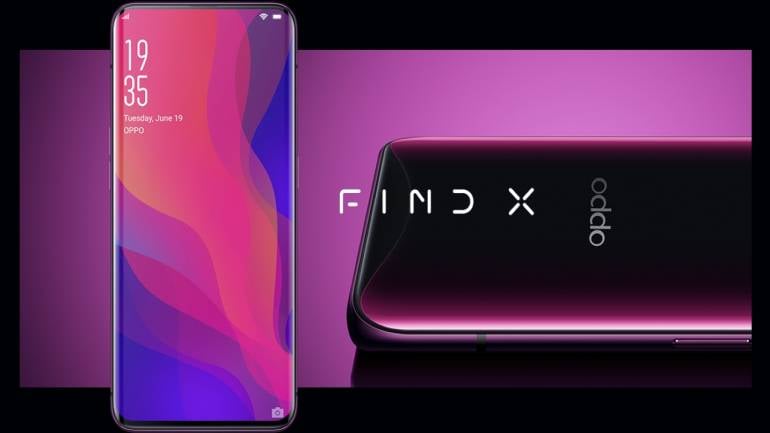
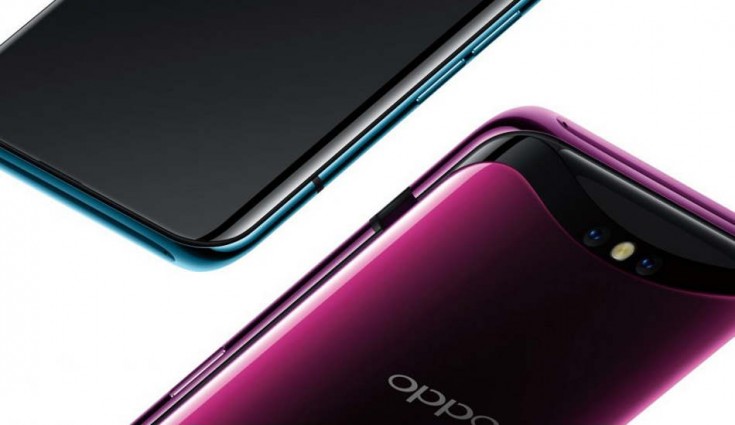
    The OPPO Find X was announced last year. It was one of the first phones to feature an all-screen design. It was possible thanks to the motorized pop-up cameras. Oppo recently announced that the company is now working on developing the Find X2 model. They expect to release the same in the first quarter of 2020. Similar to most flagships expected to release the upcoming year, the Find X2 will also run on a Snapdragon 865 chipset. Although the phone will have a Snapdragon X55 5G modem, the phone will only support sub-6GHz 5G frequencies. This is Find X’s successor device, according to Wu. Originally, it was scheduled to release sometime in 2019. However, that did not happen and we look forward to a 2020 release.

    OPPO Find X2
    OPPO Find X2

    On the Oppo Inno Day 2019, the company talked more about their Oppo Find X2. This will be the successor to one of the first sliding phones. The Find X model was truly a trendsetter and one of the first of its kind to make it to retail. Now, Oppo is working a successor, the Find X2. Although Find X’s design has many flaws, mostly revolving around the pop-up camera, it was received quite well. Now that the industry and technology have advanced, we hope to see a spectacular design on the device. Even the pop-up cameras design has evolved into something more sophisticated. Check out the review on Oppo Reno.

    OPPO Find X2

    Oppo’s Find X2 will feature Qualcomm’s latest flagship mobile processor. The phone is also expected to have a better display, higher resolution, a wider colour gamut, and a higher refresh rate. The Find X2 will come with Sony’s 2×2 On-Chip Lens Technology. The custom-made camera sensor will include “All Pixel Omni-directional PDAF” technology. This allows the use of all imaging pixels. Thanks to this, the sensor would be able to focus on the tiniest thing with the greatest clarity and accuracy. It looks like the Find X2 is among the first Oppo phones to have the under-display camera technology. It was one of the phones highlighted at the OPPO INNO Day event 2019. While it is Oppo’s first such model, the under-glass selfie camera looks like a trend that is going to go around like a wildfire. Check out Xiaomi’s patent on the same subject. 

    OPPO Find X2 Release
    OPPO Find X2 Release

    A Quick Overview

    Oppo’s flagship device will come with a Snapdragon 865 chip. The phone also boasts of a high refresh rate, camera improvements, and enhanced low-light performance. Keeping in mind all the features the Find X2, it looks like the phone might be retailed as a top-tier smartphone. With the smartphone all set to launch in a few weeks, we can’t wait to see what is inside. The phone, expected to launch in Q1 2020, has users excited to try it out.

    It is expected that the Find X2 will feature 5G connectivity, major design tweaks, a powerful chipset from Qualcomm, and of course, the price to go with it! So far, Oppo has not released any hint about what it could be priced at. Maybe once we enter the new year, we will receive more details.

  • 5 Best Selfie Camera Apps for Android

    5 Best Selfie Camera Apps for Android

    Clicking that perfect selfie is no mean task. You will have to do a lot in those few seconds from striking a great pose to holding your phone just right. Of course, we could always do with some help. The Google Play Store has tons of apps that could come to our rescue. We have weeded the mass out and have listed the 5 best selfie camera apps for Android in this post. Each of these has been designed with different settings and features that can help you get you the selfie of your dreams.

    Sweet Camera

    This is one of the most popular selfie camera apps for Android users. Besides offering the users a ton of features to click and edit their images, it is also known to be highly secure. The app features real-time beautify selfie effects so that you can look amazing. The app eve has a makeup camera that you can use to experiment with different looks and colours until you are satisfied with the one that makes you look gorgeous. Coming to editing, you will be pleased to know that this app has dozens of features at your disposal. You can also make use of their photo collage maker to create selfies and groupies.

    Sweet Camera
    Sweet Camera

    For those boring days, you can always check out their collection of stickers and filters. While it offers a lot of flexibility to the users, you will have to put up with their ads. Sweet Camera has a Beauty Editor that can shape your face and change your complexion as you wish. It is a pretty intuitive app, and most can use it easily. You will have the option of changing your hair colour, apply makeup, and even change your hairdo. Users could even smoothen their facial lines. The app is completely free for use. However, if you would like an ad-free experience, you can pay for the premium version. If you want to know how to remove you personal details from the image, check this out.

    YouCam Perfect

    YouCam Perfect is a free selfie camera editor for Android users. It has some really good editing tools spanning over six beautification levels. The editing software not only offers the usual changes to hair, face, and colour but also supports full-body photos. Now, you would be able to make changes and enhance your full appearance. The app offers multi-face detection technology which comes in very handy when you are clicking a group selfie. They also have a ‘Smile’ feature for auto-clicking photos.

    The best part about YouCam Perfect is that users would be able to edit all the faces in the photo at once. The app features a sophisticated beauty tool that can be used to smoothen out any imperfections. The only drawback of the app is that it comes with too many ads. The app offers the users real-time face and skin-beautifying effects allowing them to easily use the in-built photo editor. The app even has a cut-out and object removal tool, allowing users to create frames, collages, and more.

    B612 Camera: Selfie Camera Apps

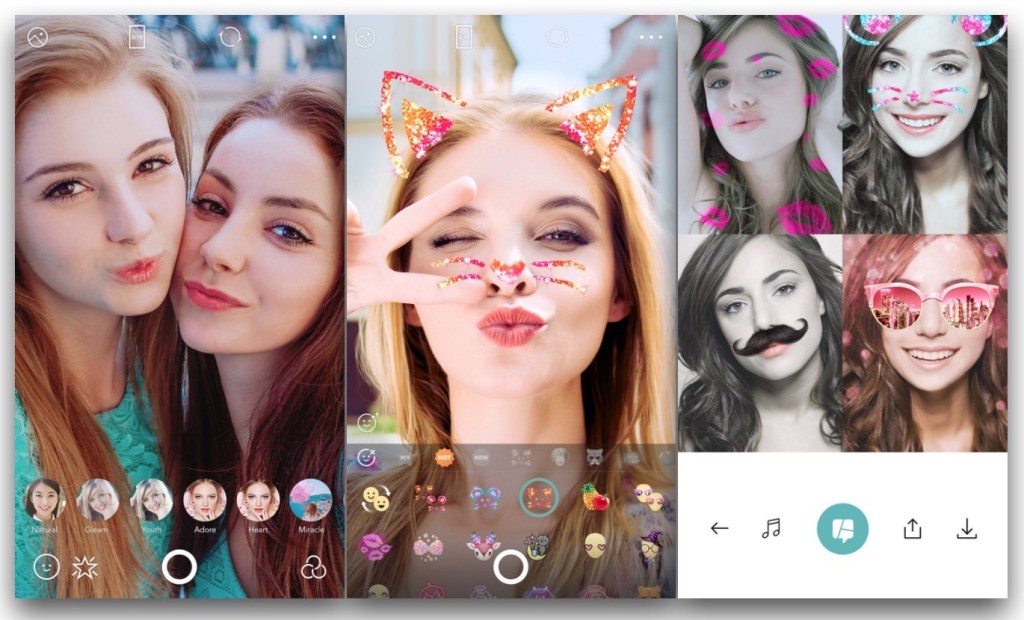
    B612 is probably the most well-known Selfie Camera Apps in the list. No wonder, since it offers the users a brilliant camera, a wide range of filters, and some really awesome features. With more than 300 billion users around the world, there is no doubt that B612 Camera is a great selfie camera app. The nicest thing about it is that it is extremely easy to use, and you can edit pics with minimum efforts. Besides traditional selfies and editing of the same, you will find that you can create boomerangs and even selfie video clips with music or other video recordings.

    B612 Camera - Selfie Camera Apps
    B612 Camera – Selfie Camera Apps

    If you are a fan of stickers, you will be glad to know that the app has over 1500 augmented reality stickers. If you use them constantly, the app will automatically select the one you tend to use the most and show you a preview. It does not have a shutter sound, so you can take quiet selfies anywhere without disturbing others around you. It has an advanced filter set, offering over 40 different types of filter.

    Sweet Selfie

    Sweet Selfie has not been around for a long time, but it has managed to make a name for itself in a remarkably short time. The camera is designed to automatically beautify your photograph so that you look picture perfect. Sweet Selfie comes with dozens of makeup functions that let the users experiment with different looks and choose the one they like the best. If you want to give life to your pictures, you can always add quirky animal stickers. The app features a smart auto-beautiful feature so that much of the work is automatically done and you can add your touches later.

    The Sweet Selfie app can highlight your picture similar to a flash so that you always look bright and charming. There are tons of photo effects to choose from, including retro, blur, and vignette. The app is compatible with selfie sticks as well. While the app is highly functional, new users might find the user interface a tad tough to use. Some users have complained about receiving spam alerts. However, this can easily be blocked and will not harm your phone.

    BestMe Selfie Camera
    BestMe Selfie Camera

    BestMe Selfie Camera

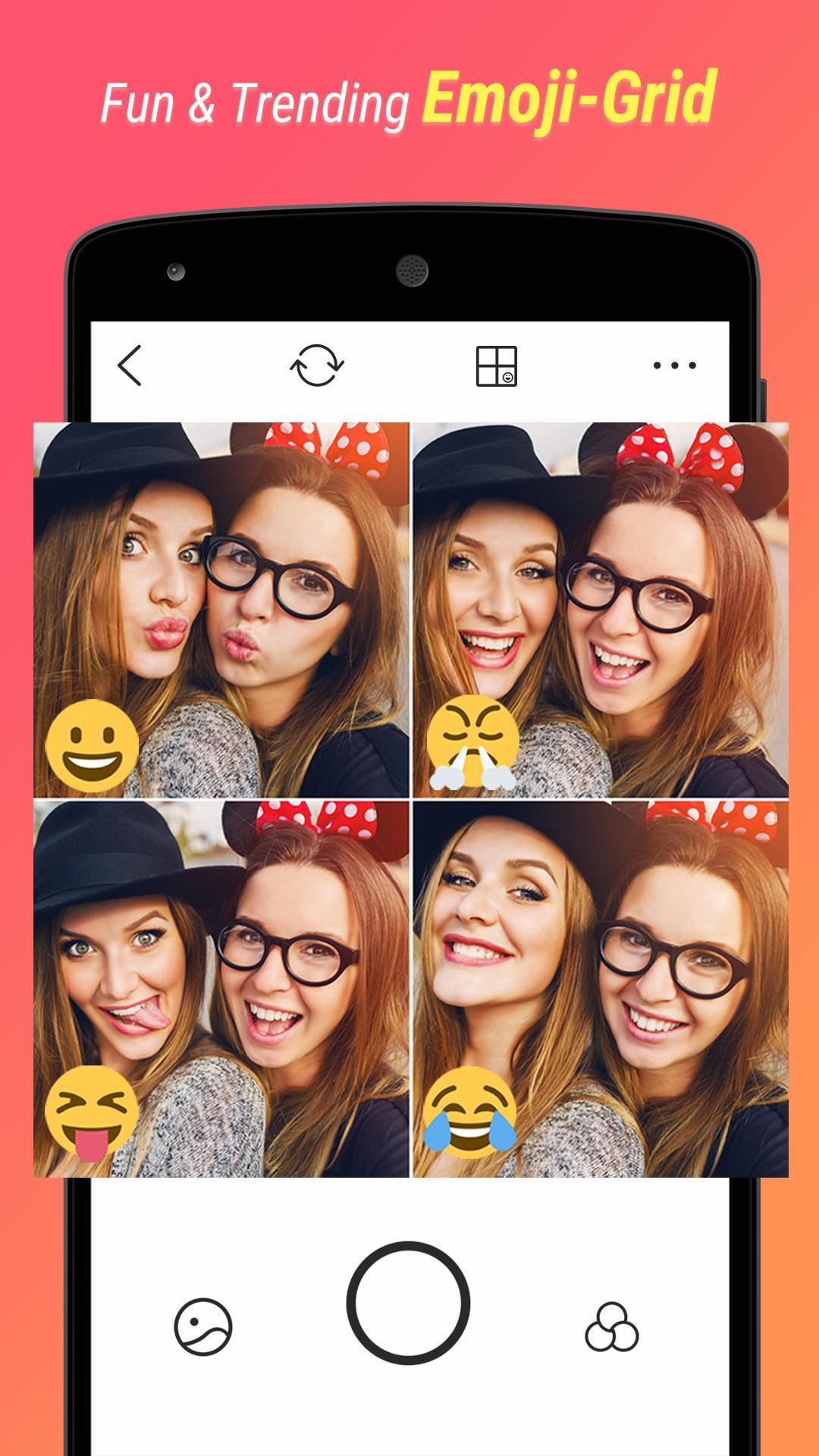
    This selfie camera comes with over 125 filters so that you can edit your picture just the way you like. There are plenty of emoji stickers and other filters to use and play around with. BestMe Selfie Camera is compatible with selfie sticks. The app makes sharing your latest picture on social media platforms like Facebook and Instagram much easier. Users would be able to create and share real-time collage easily and instantly. One drawback of BestMe is that the font size is quite small which makes the experience a little bit annoying. There is no way to change it as of now.

    Wrapping Up

    Now that we have seen the top selfie apps for Android, check them out to see which one would suit you the best. They are all great! Most of them receive regular updates and bug fixes, so you can be sure you will be dealing with the latest in the market.

  • Huawei Mate X Review

    Huawei Mate X Review

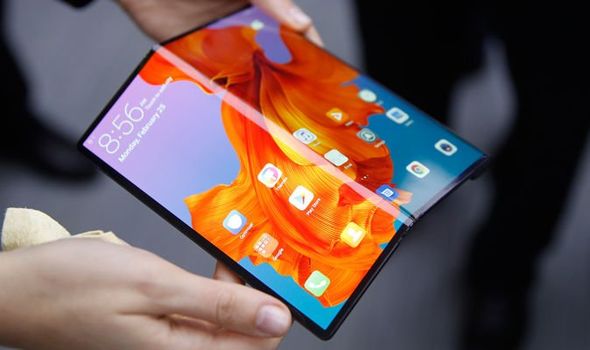
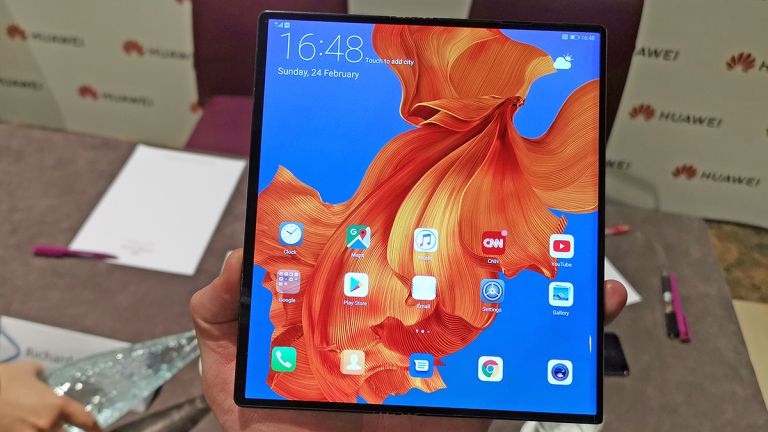
    The Huawei Mate X is the next foldable phone to be released. It looks as if we are living in the future we dreamed of a few years back. This foldable smartphone is geared up for a 2019 release, probably towards the end of the year. This Huawei Mate X Review will give you all the juicy details. The phone has a solid hinge making it a pleasant experience using it. It has been designed to make it sturdy so that handling it will not be a nerve-wracking experience. The Huawei Mate X has a 6.6-inch and 6.38-inch screens on either side, and it would transform into an 8-inch Android tablet when you open it up.


    This bezel-less model looks so much better than Samsung Galaxy Fold. The phone will be made available in two variants, both having the specs required to run such a device. The original version of Huawei’s Kirin 980 chipset will be joined by the 5G Mate X with the Kirin 990 chip. The camera array of the Mate X model has also undergone some changes. The phone will now use sensors and lenses from Huawei P30 instead of Mate 20, as it was supposed to do earlier.

    You might be aware that the Huawei Mate X will be released amid tensions between Google and the company. The phone might not allow access to the Google Play Store and default Google apps will not be present either. This might be one thing that could provide an edge to Samsung Galaxy Fold as Huawei is its only competition in the foldable market right now.

    Huawei Mate X Unfolded
    Huawei Mate X Unfolded

    Design and Screen

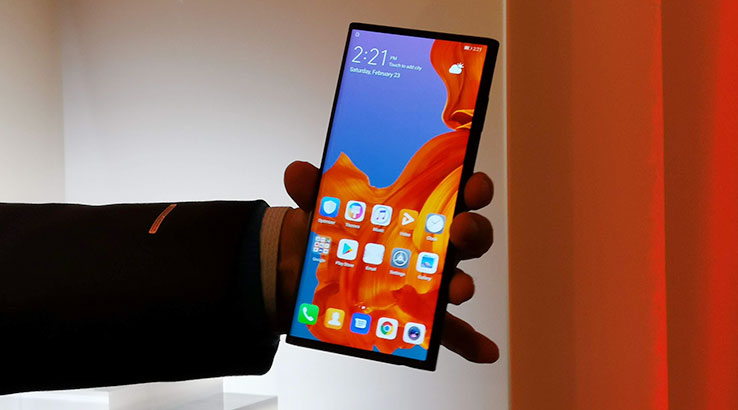
    Although it was apparent that Huawei has used a sturdy hinge system. The question here is how this system worked when the phone was in its folded mode. So, there is a button at the rear of the phone. Pressing this would release the back part of the display, letting it unfold into a tablet. Naturally, the front side of the smartphone is 6.6-inches of the all-screen display compared to Samsung Galaxy Fold’s 4.6-inch display with heavy bezels.

    You may notice a vertical bar on the left of the back screen. This is where you will find the power button/fingerprint scanner combo, the USB-C port for charging, and the triple-camera system. Many of us might be apprehensive about unfolding or folding a phone since we are conditioned to think doing so will break it. Well, in most cases we would be right. However, with the latest trend of folding phones, we need to get more comfortable with such models since that is where we are heading right now.

    Huawei claims that the foldable screen has undergone over 100,000 folds in lab-condition stress tests. They also have a case for added protection. What is surprising here is that it feels a lot sturdier in our hands than other comparable models. While the company says the clasp system is vital for the phone at this, maybe the upcoming phones would feature a hinge-free model.

    Display

    The display is where Mate X has gained followers. While Samsung showed off with a 4.6-inch display with heavy bezels, Huawei jumped up with an all-screen folded version that opens up to a FullView 8-inch display. The screen creates a virtual bezel as you fold it back again. It also works to save battery which could be due to Mate X’s screen technology. This OLED display has individual pixels that could be powered with the unused pixels remaining pitch black. This works differently to the LCDs where the entire panel needs to be lighted up at once.

    Huawei Mate X Folded
    Huawei Mate X Folded

    Huawei believes that this power-saving feature is one of the main features of Mate X. Another common concern with delicate all-screen wraparound phones is their scratch resistance and durability. In most cases, these flexible plastic displays are more vulnerable to scratches than glass. The company, keeping this mind, is working on more durability tests. They hope to make it safer and more durable before it is set to launch.

    Battery and Specs

    Huawei Mate X features two batteries, totalling up to 4,500mAh. Since the Mate X has a larger screen compared to the Galaxy Fold, it naturally consumes more power as well. The foldable phone also features 55W SuperCharge tech which is far better than the usual 40W charging. Basically, this means that the phone could be charged from 0% to 85% in a mere 30 minutes.

    The Mate X is powered by a Kirin 990 processor and a Balong 5000 5G modem. You will find that it works at superfast 5G speeds with only 3 or seconds to download a 1GB video. Earlier, the phone was set to run on the Kirin 980 processor, but the delays led to an upgrade. The phone comes with 512GB storage and support for expandable storage with Nano Memory.

    Performance

    The Mate X runs on a customised version of Android. The interface changes and optimises itself in milliseconds as you fold and unfold it. The general UI experience is seamless and smooth. With there being some time before it actually launches, we believe that the experience might be enhanced as well. EMUI is Huawei’s custom skin that is based on Android which is what is used here. The split-screen multitasking with the larger screen made things much easier. You could even use a mouse and keyboard with the tablet version of the phone. Huawei’s CEO has also implied that an EMUI desktop-style experience could be possibly seen sometime in the future.

    Huawei Mate X Review
    Huawei Mate X Review

    Camera

    While we know that the Huawei Mate X has a triple-module system, we know little about anything else camera-related. There is no front camera since the rear screen doubles up as a viewfinder. Since the rear cameras are usually much better, this should give you some excellent selfies. If you want, you can set up the second screen to get a dual viewfinder. This allows the other person to see a preview of the picture you are taking. The megapixel sizes and aperture details are yet to be released.

    Verdict – Huawei Mate X Review

    Despite being an expensive phone, Huawei Mate X is certain to win hearts, especially after the foldable phone has gained some more popularity. It is extraordinarily thin with very less bezel. It has been designed to be sturdy and the camera is awesome. What else do we need?

  • Xiaomi Mi Mix Alpha Review

    Xiaomi Mi Mix Alpha Review

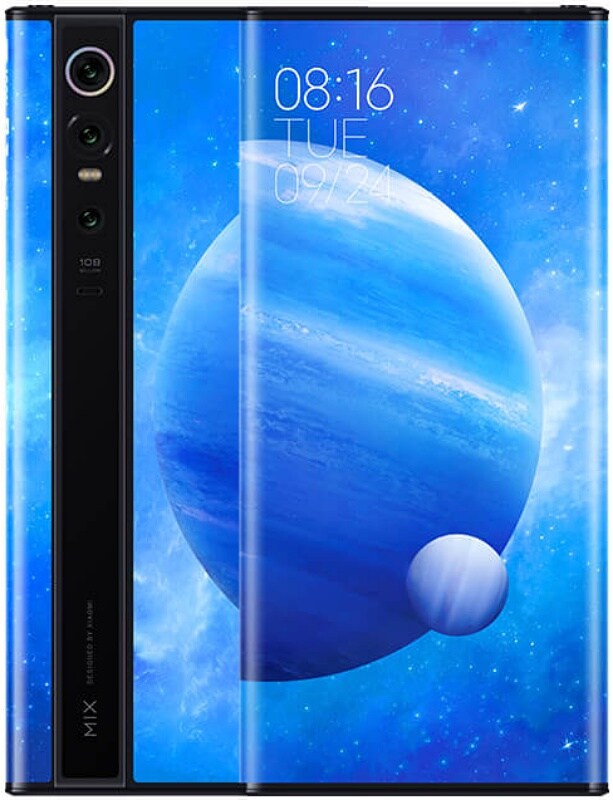
    Xiaomi Mi Mix Alpha smartphone was recently quite recently on the 24th of September 2019. The phone comes with a 7.92-inch touchscreen display with a resolution of 2088 x 2250 pixels. We have seen a ton of designs in the past year ranging from foldable phones to popup cameras. This ‘concept’ phone by Xioami was first released in China. While it is a pretty interesting and exciting smartphone, some feel that its design is not very practical. The Mi Mix Alpha is one of the first phones in the market to feature Samsung’s shiny new 108-megapixel SOCELL Bright HMX sensor. This should be a huge upgrade over the usual 48-megapixel Sony cameras. This 108-megapixel camera sensor was developed by Samsung in collaboration with Xiaomi. Let’s take a look at the Xiaomi Mi Mix Alpha Review. 

    Design

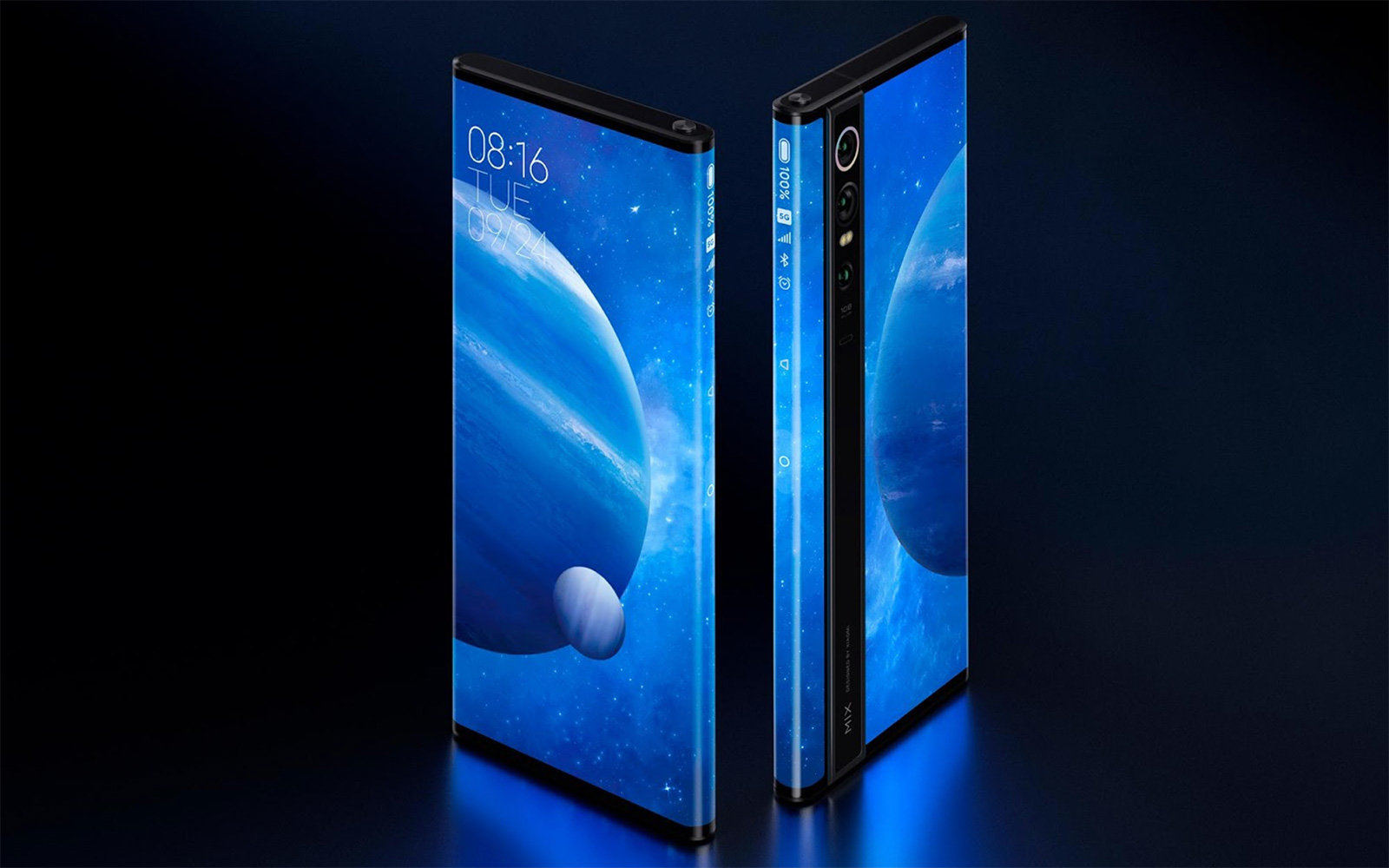
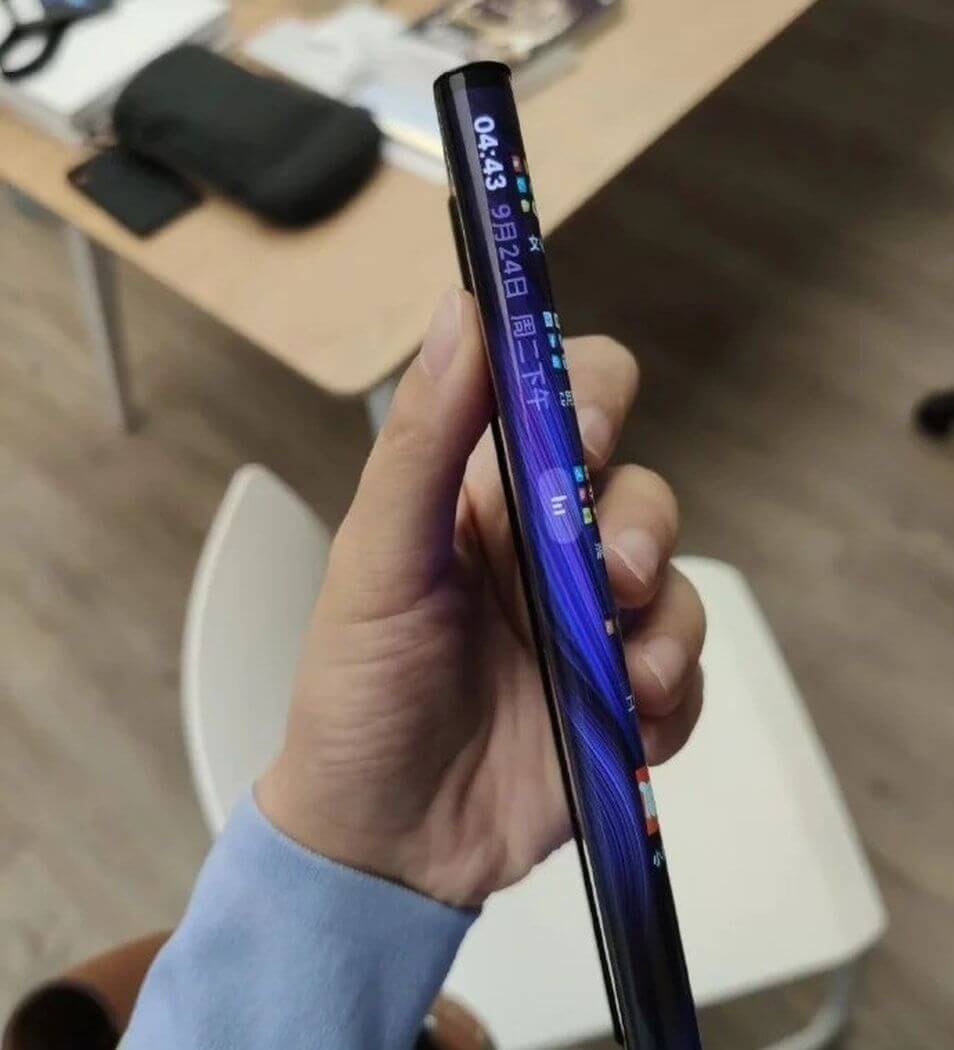
    The Xiaomi Mi Mix Alpha has dimensions of 154.38 x 72.30 x 10.40mm. While it is the world’s first 108-megapixel camera, it’s aesthetics could have been designed better. It has been launched only in one colour – the classic black. It has a wrap-around all-screen design which makes it a bit impractical, to say the least. Basically, it doesn’t have any bezel at all. It is completely just screen. The screen, in fact, wraps around the edges and goes nearly to the back. While it may sound ultra-cool, it is not very practical. The other fingers holding the phone might inadvertently press something even if you don’t intend to do anything.

    Xiaomi Mi Mix Alpha Review
    Xiaomi Mi Mix Alpha Review

    If a phone is all-screen, durability will become a major concern. If you are very clumsy, like me, chances are that you will drop the phone multiple times and in the oddest places. Since the screen wraps around the edges, the chances of breaking it is very high. Users having regular glass-backed phones feel it is delicate and gets scratches quickly. How would a wrapped around screen fare? Another thing you might have to keep in mind is that you will never be able to use a protective case! The idea of such a screen is awesome and if you are careful user, go for it! However, it might not be suitable for the majority of us.

    Display

    Xiaomi’s Mi Mix series has always tried to enhance the phone screens. The original model of the phone started off the outrageous bezel competition. With the Mi Mix 3, the notch-less design came into being. With waterfall displays being the new trend, how could Xiaomi sit quietly? The company has designed the Mi Mix Alpha with extremely curved edges, designed to look amazing while helping make use of the 108-megapixel sensor.

    The surround screen wraps up to the back where it meets the camera at the rear side. To an onlooker, it gives an effect of having been made almost entirely of the screen. They wouldn’t be wrong to assume this either! The usual icons of battery level and network signal are displayed on the side. The volume control buttons are designed to be pressure sensitive and are on the side of the phone. With a 180% screen-to-body ratio, this is the only one of its kind.

    Other Specs

    Xiaomi Mi Mix Alpha runs on MIUI Alpha based on Android. It features a whopping 512GB of inbuilt storage and 12GB of RAM. It is a dual-SIM smartphone where you can use only Nano-SIM cards on both the slots. The phone is powered by a 1.8GHz octa-core Qualcomm Snapdragon 855+ processor featuring 1 core clocked at 2.96GHz, 3 cores clocked at 2.42GHz, and 4 cores clocked at 1.8GHz. Connectivity options here include GPS, Bluetooth v5.00, USB Type-C, Wi-Fi 802.11 a/b/g/n/ac, Wi-Fi Direct, 3G, and 4G.

    Xiaomi Mi Mix Alpha Folded Screen
    Xiaomi Mi Mix Alpha Wrapped Around Screen

    If you are keen on the sensors and features on the phone, you might be glad to know that Xiaomi has got you well covered. Sensors include an ambient light sensor, barometer, accelero-meter, compass/ magnetometer, proximity sensor, temperature sensor, gyroscope, and fingerprint sensor. The phone allows users to use traditional ways of unlocking, such as PIN or Pattern. You could also set up face unlock.

    With regards to its battery life, the phone relies on a 4,050mAh battery with 40W wired fast charging. This battery capacity should perhaps be enough if you don’t plan on having your wrapped-around screen on always.

    Camera

    The Xiaomi Mi Mix Alpha, of course, features the stunning 108-megapixel primary camera with an f/1.69 aperture and 0.8-micron pixel size. The secondary one features a 12-megapixel camera with an f/2 aperture and 1.4-micron pixel size. The third one is a 20-megapixel camera with an f/2.2 aperture and 1.0-micron pixel size. The camera setup has auto-focus and other features.

    As you may know, Samsung developed the 108-megapixel camera sensor featuring here in partnership with Xiaomi. The pixels are combined into 2×2 squares for better light sensitivity in dark surroundings or low light. By doing this, it would be able to produce 27-megapixel images. Although the 1/1.33-inch sensor is quite large for the phone and provides the phone with a high light-gathering capability. You will not require a specific selfie camera either as all you need to do is to flip around your phone and use the viewfinder for the 108-megapixel shooter.

    Xiaomi Mi Mix Alpha Camera Review
    Xiaomi Mi Mix Alpha Camera Review

    Maybe Xiaomi wanted to design something new for the launch of its first phone having a 108-megapixel camera sensor. Xiaomi says that the rear screen could be used as a viewfinder and take gorgeous selfies with the main 108-megapixel sensor. You wouldn’t have to trouble yourself either. All you need to do would be to turn your phone around, and there you go! All in all, the phone has a new design and has some great features to impress us.

    Verdict – Xiaomi Mi Mix Alpha Review

    While Xiaomi’s wrapped-around screen didn’t win many hearts, the idea behind it is not bad. This “concept smartphone” will not be mass manufactured. Instead, the company will initiate a small-scale production soon. The product will be released sometime in December. While there are concerns around the durability of the screen and its battery life, it has a ton of useful features as well.

  • OnePlus 7 Pro vs. OnePlus 7

    OnePlus 7 Pro vs. OnePlus 7

    At a May 2019 event, OnePlus announced both OnePlus 7 Pro and OnePlus 7. It’s the first time OnePlus gone the “Pro” route and launched two different flagship phones for different needs of buyers.  OnePlus 7 is here to meet the needs of the core audience who can’t pay the hefty price tag but wants a true flagship experience.

    OnePlus 7 Pro Vs OnePlus 7

    On the other side, all the innovation has been done on OnePlus 7 Pro with better design. In this review, we are going to discuss the major differences between both killer flagships and come out with an opinion on which one is better for you. If we talk about OnePlus 7 Pro vs. OnePlus 7, both devices are the successor to OnePlus 6T which was launched earlier this year. Keep reading to know further details that make them similar and different from each other.

    OnePlus 7 Pro vs. OnePlus 7- What they have in common?

    • No compromise on premium, flagship look
    • Powerful processor
    • Latest Software
    • In-display fingerprint sensor

    Both OnePlus 7 and OnePlus 7 Pro have premium glass and metal build qualities, just like the last predecessors by OnePlus. Both of these devices offer fast in-display fingerprint scanners and OLED displays and both of them are powered by the latest Qualcomm Snapdragon 855 chipset. They both run the latest Android platform with OxygenOS to deliver the same software experience.

    OnePlus 7 Pro vs. OnePlus 7 – Key Differences

    There are plenty of differences in comparison of OnePlus 7 vs. OnePlus 7 Pro, despite running the same software and having the same processor.

    Display

    • OnePlus 7 – Flat 6.4-inch 60Hz display with 1240x1080p resolution
    • OnePlus 7 Pro – Curved 6.67-inch display with HDR 10+, 90Hz refresh rate and 3120x1440p resolution

    OnePlus 7 features flat 6.4-inch OLED display and OnePlus 7 Pro features curved 6.67-inch OLED display. There is also a difference in resolution. OnePlus 7 sticks to full HD+ resolution and OnePlus 7 Pro having Quad HD+ display.

    OnePlus 7 ends up with standard 60Hz while OnePlus 7 Pro comes with 90Hz refresh rate and HDR10+ support. On the display front, it makes a great difference and OnePlus 7 Pro is a big leap towards anything that is offered ever before by the company.

    Design

    • OnePlus 7 – 182g, 157.7 x 74.8 x 8.2mm
    • OnePlus 7 Pro – 206g, 162.6 x 75.9 x 8.8mm

    Both OnePlus 7 and OnePlus 7 Pro come with the premium build but OnePlus 7 Pro has full-view display with the pop-up selfie camera. One the other side, OnePlus 7 comes with a water-drop notch like OnePlus 6T. It removes the notch and adds some appeal. But pop-up selfie camera is definitely a matter of innovation.

    OnePlus 7 has a dual rear camera like OnePlus 6T, but OnePlus 7 Pro is a step ahead with  triple-rear camera setup. OnePlus 7 Pro is also heavier and larger than OnePlus 7. OnePlus 7 Pro is also one of the heavier devices around.

    Camera

    • OnePlus 7 – 48MP+5MP Dual Rear Camera, 16MP the front camera in water-drop notch
    • OnePlus 7 Pro – 48MP+16MP+8MP Triple rear camera, 16MP pop-up selfie camera

    OnePlus 7 Pro comes with 16MP pop-up selfie camera as well as a triple rear camera setup including 48MP main snapper, 16MP ultra wide-angle lens, and 8MP telephoto zoom lens. As compared to their predecessors, it is even more modern offerings with better photography performance. Pro is definitely the best buy if you are looking for a photography-centric phone.

    OnePlus 7 features water drop notch with 16MP selfie camera on the display along with dual rear camera setup having 48MP main camera like Pro variant, along with 5MP depth sensor.

    Battery and other specs

    • OnePlus 7 – 3700mAh
    • OnePlus 7 Pro – 4000mAh

    Another the major difference in the latest OnePlus 7 series devices is fast charging capacity and battery capacity. OnePlus 7 Pro is powered by 4000mAh battery with 5V/6A Warp Charge 30 for quick charging. OnePlus claims it to be over 38% faster than previous charging techs. On the other hand, OnePlus 7 is having 3700mAh battery with 5V/4A 20W fast charging. Both devices don’t have wireless charging support.

    Another best thing is that OnePlus 7 Pro has better haptic feedback with an improved vibration motor. There is the latest X-haptic vibration motor on OnePlus 7 Pro while a linear motor has been used in OnePlus 7. Both the devices have noise cancellation, dual stereo speakers, Dolby Atmos support, and signature alert slider.

    Both devices have the futuristic in-display fingerprint scanner backed by the latest A 3-element lens which uses a modern algorithm and it is supposed to be faster than the one on OnePlus 6T. On both OnePlus 7 and OnePlus 7 Pro, the connectivity options are the same and have Bluetooth v5.0, 4G VoLTE, Wi-Fi 802.11ac, NFC, USB Type-C (3.1 Gen 1) port and GPS/A-GPS.

    Both devices also lack 3.5mm headphone jack but you can use USB-C port on both devices as headphone port with wired earphones or, even better, you can pair your Bluetooth headphones with devices.

    Hardware

    • OnePlus 7 – Available in 6GB/128GB and 8GB/256GB variants
    • OnePlus 7 Pro – Available in 6GB/128GB and 8GB/256GB variants

    Both devices run on Qualcomm Snapdragon 855 chipset. You can buy OnePlus 7 with 6GB RAM and 128GB storage or 8GB RAM and 256GB storage options. On the other side, OnePlus 7 Pro is available with 6GB, 8GB, 12GB RAM options along with 128GB or 256GB storage options, as per the model.  Both standard and Pro variants don’t have a microSD card slot. Both OnePlus 7 and 7 Pro have Dolby Atmos speakers and have great sound quality.

    Price

    • OnePlus 7 – Starting at £499 onwards
    • OnePlus 7 Pro – Starting at £699 onwards

    Hence, OnePlus 7 is the cheaper variant of both OnePlus handsets, obviously. The price range is starting at £499 for the base 6GB RAM variant up to £549 for 8GB RAM variant. On the flip side, OnePlus 7 Pro is starting at £699 while the highest variant cost is £799.

    Verdict

    OnePlus 7 Pro seems to be a more exciting and better option with a better display, in comparison to the base model, triple rear camera, pop-up selfie camera, more RAM and storage.

    With that said, OnePlus 7 Pro costs £200 more than OnePlus 7. It is also heavy and hefty as compared to its competitors at this size and price. If you are looking for an upgrade to older OnePlus 3, 3T, 5 or 5T, you can go for OnePlus 7. But if you want all the innovative and futuristic features but can’t afford the flagships of Huawei or Samsung, you can consider OnePlus 7 Pro.