Category: Reviews

  • Motorola Moto Z4 REVIEW | All Information and Details

    Motorola Moto Z4 REVIEW | All Information and Details

    Usually, Motorola is highly popular for its design and its budget. It is the main reason where millions of them used to purchase the brand Motorola. Now, Motorola is again back with the recent Z-series. It is also considering that the recent model’s design is highly having the similarities with previous Z series model. One should keep it in mind that Moto Z was said to be the flagship device. So, instead of running on the same track, the Motorola brand has decided to launch the recent model called Motorola Moto Z4. Well, it is the midrange device.
    Motorola Moto Z4 REVIEW

    When it comes to Z4, Motorola is decided to move ahead with the processor Snapdragon that is said to be the mid-range one. It is also indicating that the device is a mid-range device to access. If you see this model, it mainly comes up with recent updates where one can witness in other recently launched devices. Apart from that, you can expect the in-display fingerprint scanner as well as a high-resolution camera with 48MP.

    Motorola Moto Z4 design

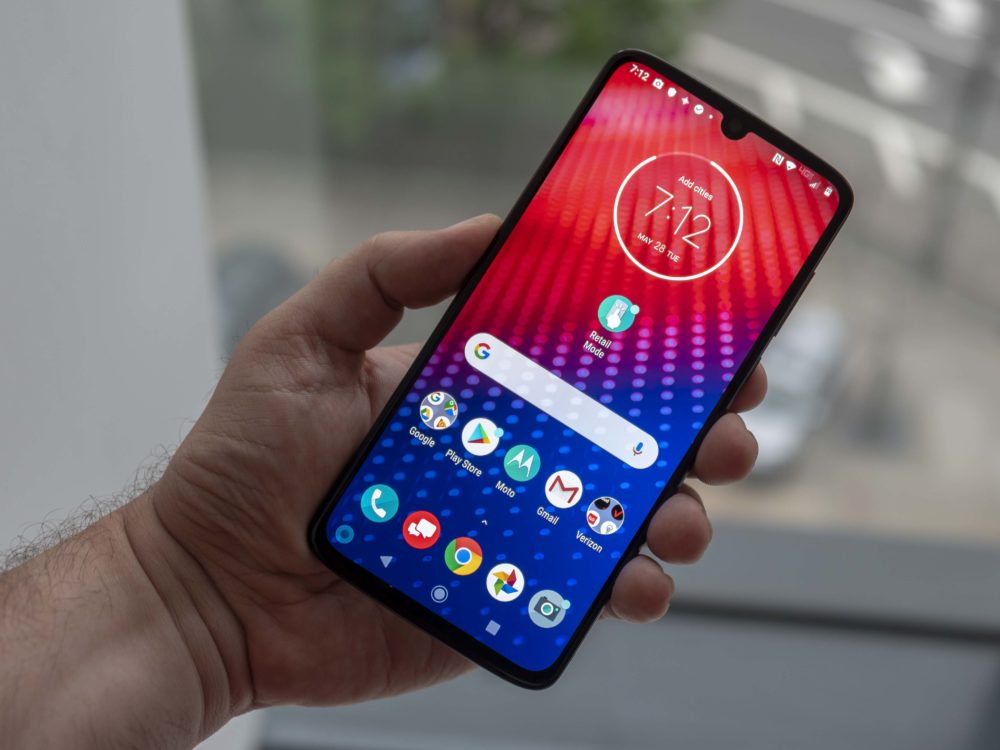
    It is a fourth-generation device of Moto Z. For information, the footprint is the same as you can witness in the original device. If you see the display, then it comes up with 6.4 inches and covers the available space to deliver an attractive look. On the other side, this brand is also focused on offering the fingerprint scanner, which is available in the OLED display. When compared to previous models, the availability of designs brings some attractive look over the phone frame. If you are aware of Z-series’ previous models, then you must know that Moto Z had a metal black with the support of glass bumpers. If you come to Motorola Moto Z4, then it offers the glass frosted when it comes to this model.
    Motorola Moto Z4 Design

    When you are looking for the facing camera, then it comes up with 25MP. In previous Z-series models, you made a witness over the full-sized earpiece. However, the availability of loudspeaker in the Motorola Moto Z4 model, it is moved to the top of the device. One should keep it in mind that there is a dedicated speaker given at the top-edge for handling the phone calls. When you see the SIM tray, it mainly gets set with micro SD that supports up to 512 GB as well as nanoSIM.

    Easy to hold

    There is also a power key and volume button available on the right side of this phone. You can also see the USB-C charging port, which is located at the bottom of this device. If you are looking for the outer frame, then it is highly built from aluminum. Yes, it comes up with a matte finish as well. The thing is where the frame is easy for users to hold without any issues. If you see the frame, the narrower look makes the gap to get even more grip while holding the device.

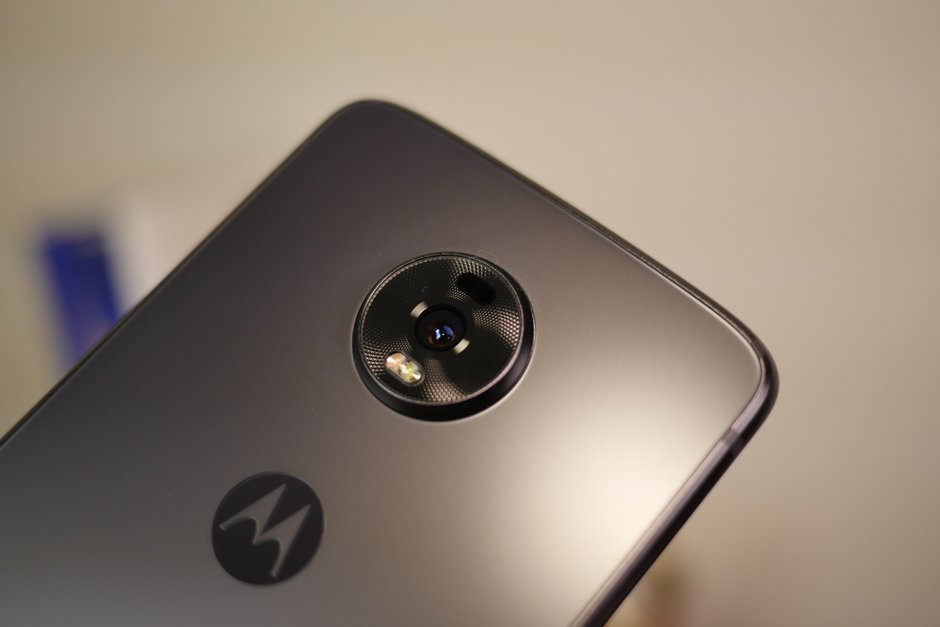
    Even you can see that the device is mainly come up with the version of Flash Grey. Also, it offers a better result in terms of hiding the fingerprints than the usual glass. At the same time, it is easy for users to get more grips and hold the phone without any fear while carrying. The availability of a camera provides a single camera sensor of 48 MP. In addition, you can experience that the geometric matrix pattern is available around the camera, which makes even cooler in terms of look. When it comes to Motorola Moto Z4, it is highly compatible with all older Moto Mods. Also, it supports Verizon’s 5G Moto Mod.


    Though the design is familiar and resembles with previous models, you can see a lot of changes design-wise. This amazing device is having the right control of offering the perfect grip to hold without any hassles. Yes, it makes the users to feel comfortable while holding it.

    Quality Loudspeakers

    From the first Moto Z-series phones, all the devices are built with a front-facing loudspeaker and even the same speakers used for phone calls. In Z4, to experience the near-bezel less display, the loudspeaker has moved top of the device. However, in most of the devices as per the current trend, it has become common to see the loudspeaker at the top of the device. On the other side, when you are looking for quality, then it will offer better audio quality on the whole and at the same time, it is highly impressive.
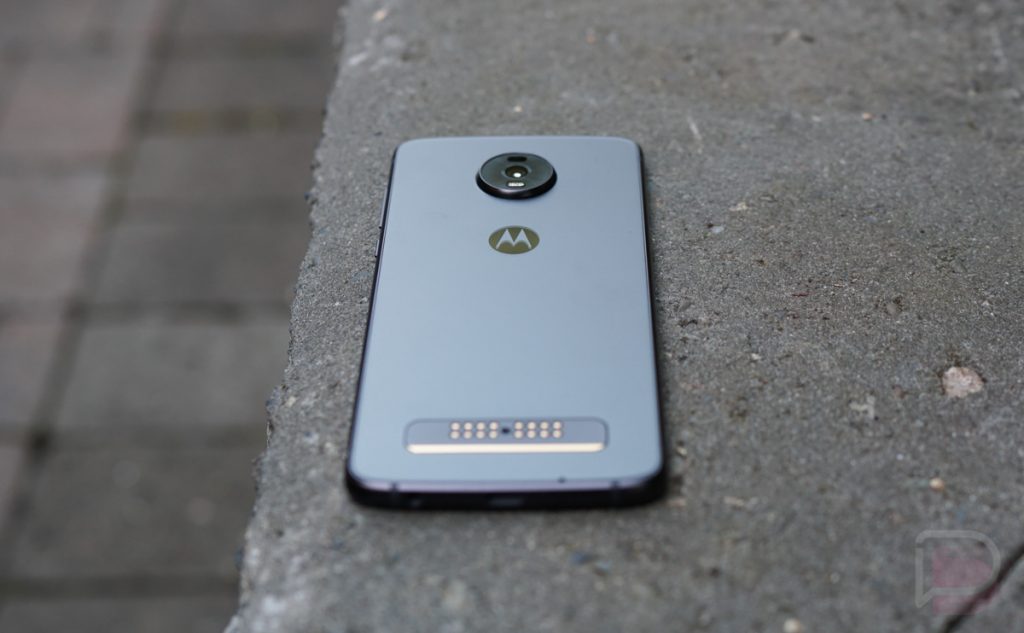
    Motorola Moto Z4 Quality Loudspeaker

    It is also said to be the loudest device when compared to others and it offers good clarity in terms of audio. Therefore, performance-wise in audio, it produces the solid clarity sound and at the same time, it is quality as well. It is one of the main reasons where people are looking for this device to buy from the market.

    Battery life

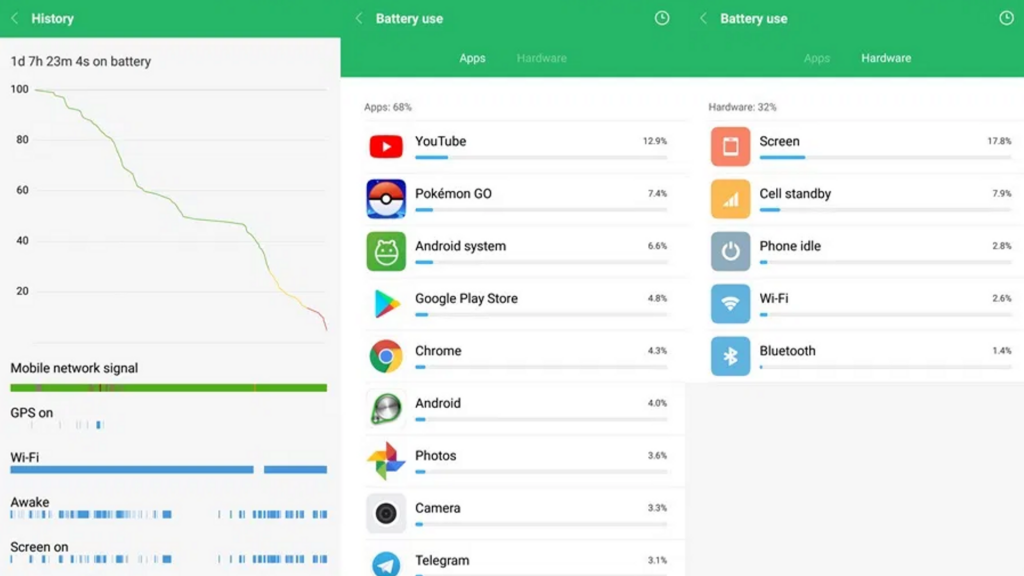
    Generally, the device comes with a battery capacity of 3600mAh. But, due to larger display, there will be a chance of witnessing more battery consumption. It has the potential to manage around 70h in a single charge. However, with different usages like web browsing and video playback, you may witness a different level of consumption. So, when it comes to battery life, there will be changes that one should keep it in mind.

    But the thing is battery life is quite good even after the huge consumption. If you are handling the moderate usage, then you may witness the better battery usage for most of the time. On the whole, the battery life is good in Z4.

    Sensor on Moto

    As we mentioned earlier, Z4 comes up with the best support of 48MP which mainly used the Quad Pixel Technology that offers the outcome of 12MP images. For information, it is the equivalent to 1.6um pixel size. In Z4, it also has a good combination of OIS as well as LED flash to offer a nice quality picture. This camera is having the phase-detect autofocus along with laser-assisted autofocus.

    The performance in this camera is always greater than expected. Yes, it is highly possible with the support of the camera sensor of 48MP. So, whenever people want to take amazing snaps with great quality, then without going for a second thought, this Z4‘s camera is the best pick for better execution.

    User-interface of camera

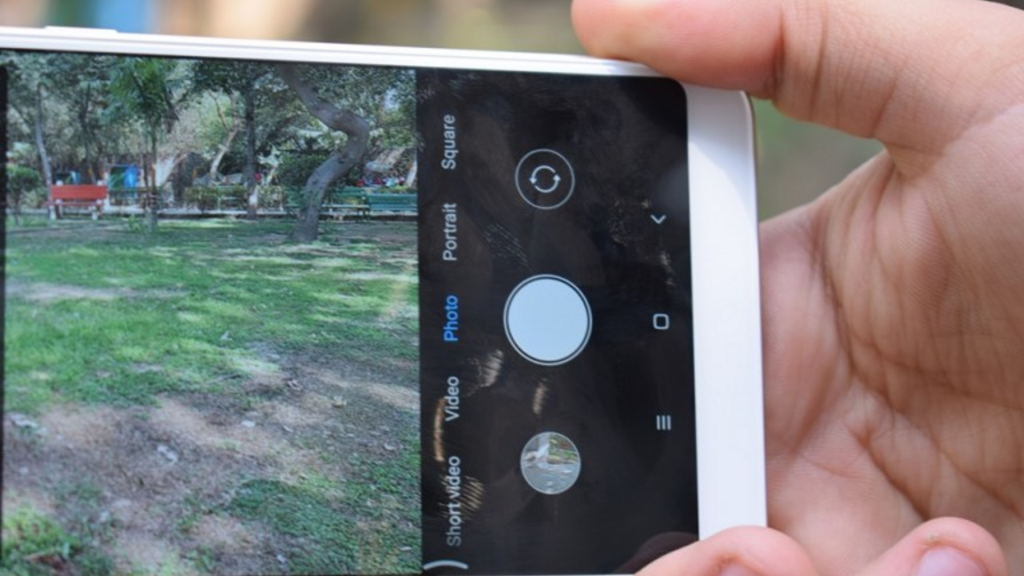
    Most of them might think that the interface is quite complicated, but it is not. Yes, it has such simple options where you can follow and make use of it. In order to handle the photo shooting, then the availability of video viewfinder will be helpful to offer easy framing. By just swiping another side, you can able to see the different modes available in it to pick and use. You can expect the main camera, which always offers portrait mode, and there is also a mode like cinemagraph. Yes, it helps to shoot short videos that whenever you want. With the support of different options, you can make better pictures and videos in the end.

    Final words

    Therefore, people who want to buy Motorola Z4, and then it is necessary for them to know about the phone in-depth. For those people, the above-mentioned review would be helpful and at the same time supportive before the purchase.
     

  • Samsung Galaxy A50 Review

    Samsung Galaxy A50 Review

    A Quick Introduction – Samsung Galaxy A50 Review

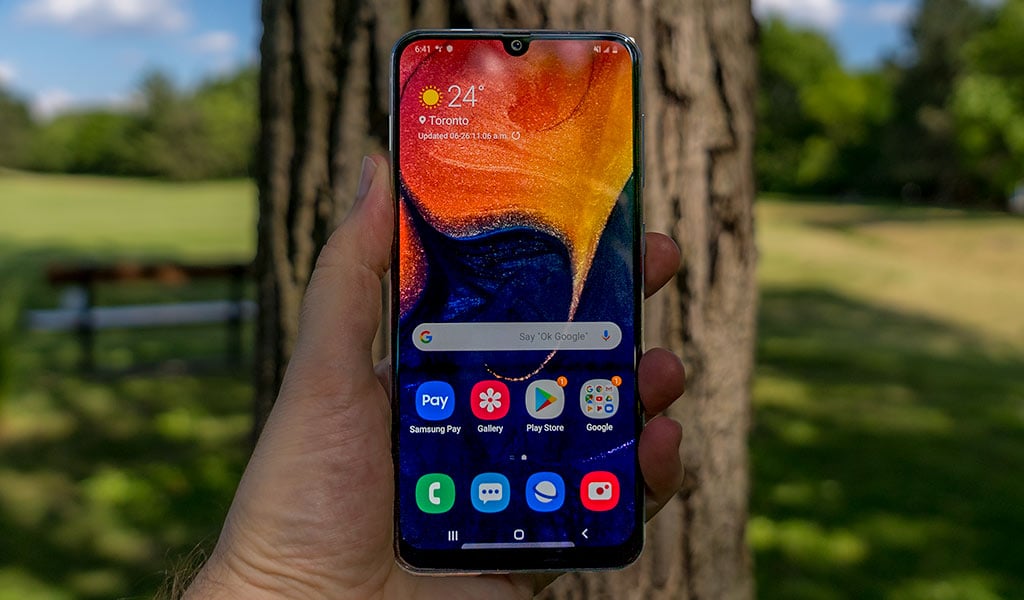
    The latest phone in the Galaxy A series is launched with a bang. For the Galaxy A series phones, the focus is usually on the latest AMOLED screens and the fancy cameras. The Samsung Galaxy A50 boasts of both. This premium mid-range phone has undergone several changes and the final version features ultra-wide-angle cameras and notched AMOLEDs. It also has a full metal body and is completely water-resistant. The Galaxy A50 is slim with a 6.4″ Infinity-U Super AMOLED screen which also houses a fingerprint scanner. It runs on the powerful Exynos chip. The large capacity battery takes care of all your usage needs while the latest Android Pie ensures you have the best experience possible. The One UI is a bonus too. This Samsung Galaxy A50 Review will talk in detail about each aspect of the phone. Let’s take a look.

    Other features of the Galaxy A50 include a new Gallery app, an FM radio app, the Bixby Assistant, and the Samsung Health App. You can also set Bixby up to help you with some daily routines, such as getting the weather, news, and traffic.

    Design

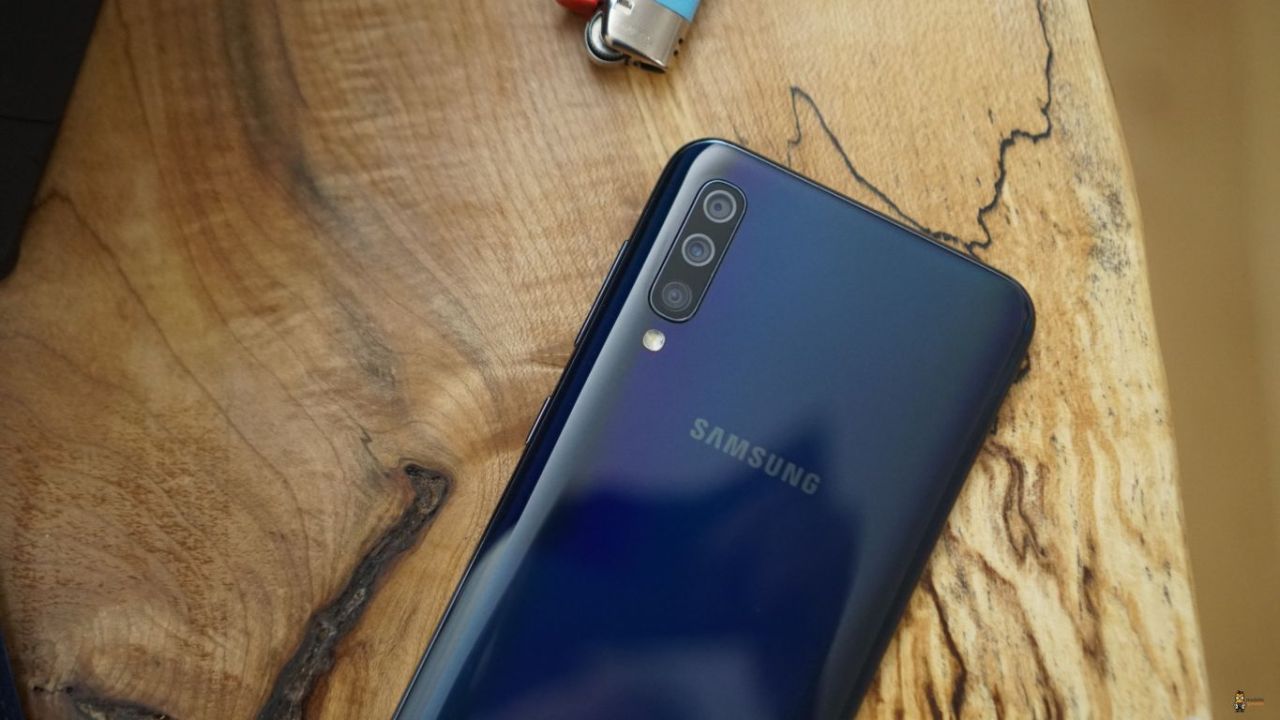
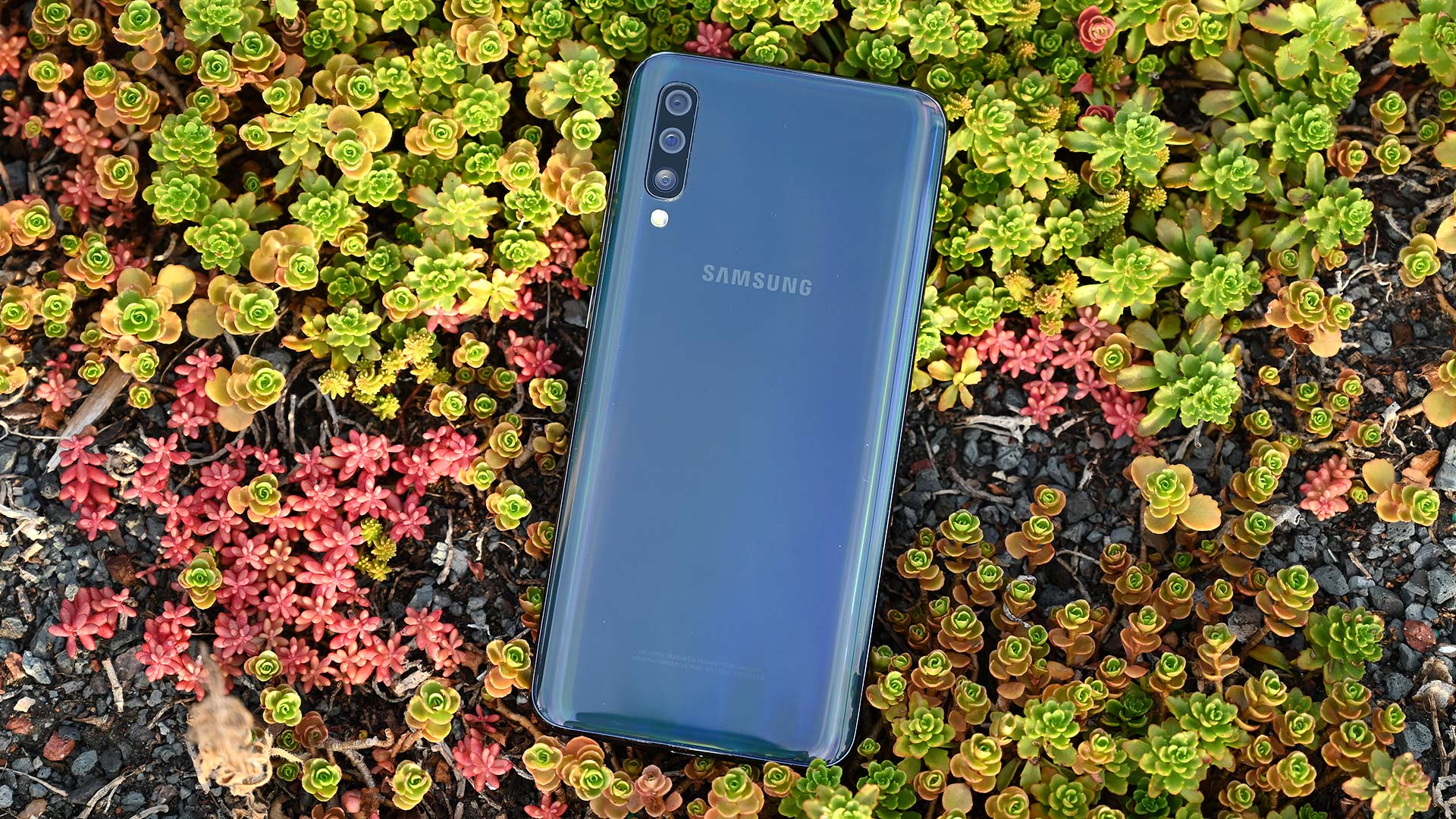
    Samsung’s A series phones are of the 3D Glasstic design, meaning its body is made of both plastic and glass. It is extremely glossy and reflects light like anything! No matter which color you choose to go with – black, white, coral, or blue. One thing you note here is that it is not Gorilla Glass. The triple camera at the back has one primary 25MP camera, a secondary 8MP snapper with 13mm ultra-wide-angle lens, and one 5MP sensor for depth. Although the camera humps out a tiny bit, it doesn’t wobble when laid down.

    The screen has tiny bezels on the top and the sides and a bigger chin towards the bottom. The under-display fingerprint scanner is almost similar to the Samsung Galaxy Note10 Plus models of the S10 models. While it is easy to access, it is not very reliable. It is neither very accurate nor does it work every time. Hopefully, Samsung is working on the problem and fixing it. The curved edges give a fancy and premium look to the phone. The screen has a 1080p in resolution with a 19.5:9 aspect ratio. The triple-card slot is located on the left side of the phone while the right side houses the volume and power buttons.

    Samsung Galaxy A50 Review
    Samsung Galaxy A50 Review

    Display

    The Galaxy A 50 phone and its Super AMOLED screen is a great combination, with a pixel count of 2,340 x 1,080 and an aspect ratio of 19.5:9. The A50 also has the Infinity-U panel which refers to the U-shaped notch you might notice at the top. This houses the selfie camera. Today, Sony remains the only creator of notch-free screens.

    The maximum brightness is about 420 nits in manual mode and 550 nits in auto mode. The minimum brightness is 1.8 nits – excellent! Regarding colors and contrast, the display is accurate enough while reproducing different colors. It offers a vivid and vibrant experience. There is also a night mode – a feature awaited by many for quite some time now.

    Battery Life and Audio Quality

    The Samsung Galaxy A50 comes with a 4,000mAh battery and supports 15W charging. With general browsing, you can get about 12 hours while watching videos can get you about 16 hours of life. The phone can last for over a day with 3G talk time. All great stats! There are three power modes – Optimized, Medium-power saving, and Maximum power saving. While Optimized is the default option, the other two can be enabled to save battery life. The Optimized mode gives the best performance.

    Regarding the audio quality of the Galaxy A50, it provides an excellent sound. It is perfectly clear at high volumes and loud enough to satisfy everyone. Unfortunately, headphones lower reproduction accuracy. However, regarding the loudness, it is certainly one of the best ones in the market in this price range. The Galaxy A50 loudspeakers are located on the bottom. While it is loud, it does not offer a great output. The quality could be greatly improved.

    One UI and Android Pie

    The Galaxy A50 is one of the first phones in this price range to feature the new One UI based on Google’s Android Pie. There are a ton of possible customizations, offered in a simple manner. The regular Samsung UX is pretty easy to use and intuitive as well. However, the recent changes and updates make it better than ever. Although the colorful icons may not be everyone’s cup of tea, you can always switch back to the default or choose a new one. There are also many changes so as to improve one-handed use experience. The toggles on the drop-down panel are found at the bottom of the phone so that users can access them comfortably. One thing that doesn’t help with one-hand use is using the app drawers since it still opens on the top half of the screen.

    The Galaxy A50 has implemented Google’s new gesture-based navigation. You can swipe up from the bottom left to see the recent apps and doing the same from the right side will take you back one step. You can also change their positions if you are comfortable the other way. However, the home button will always remain at the center. The phone also features the Always On Display option. While you cannot have wallpapers and change the brightness, you can always change the clock types, the notifications, and the font colors.

    Samsung Galaxy A50 Back
    Samsung Galaxy A50 Back

    The settings menu has undergone a change as well. It has become more compact and you can find almost everything within here. It has been grouped together for easier identification and access. For instance, the ‘Device Care’ has storage and memory management, battery settings, and security features.

    Performance

    The Galaxy A50 is one of the first phones to be powered by the Exynos 9610 chip. This Samsung-created chip is perfect for mid-range phones and offers good enough performance. The octa-core processor with four A73 cores is good enough for handling all your needs. The A50 can easily handle multiple tasks simultaneously without lagging. It is dependable and works pretty reliably. The Exynos 9610 chip is awesome for gaming as well, in addition to daily use. Chances are that you will not come across any major issues.
    Camera Quality

    The Samsung Galaxy A50 features a triple camera at the back – the main 25MP with an f/1.7 snapper, an 8MP fixed-focus and f/2.2 ultra-wide one, and a 5MP, fixed-focus, f/2.2 depth sensor. In addition to this, there is also an LED flash. The 5MP option is the depth sensor and is perfect for live focus. The camera app is pretty similar to the ones on other Samsung devices. However, one major difference is the fact that there are plenty of other icons on the viewfinders. These give you greater control over the camera and its many features. The two trees icon refers to the regular camera while the three tree icon refers to the ultra-wide-angle camera.

    You can sideswipe to go through different modes. Swiping up or down can let you toggle between the front and rear cameras. There is a Live Focus mode as well as a Pro mode. In the latter, you can choose the exposure compensation, the ISO, and the white balance. The AI-powered Scene optimizer mode is also present, but it doesn’t seem to be very helpful.
    Coming to the selfie part of the camera, it offers a pretty good option. If there is plenty of light, then the images are vibrant and the colors are accurately captured. There is also a portrait mode on the selfie camera. Generally, the portraits are softer than the usual selfies, but the details are just as fine. If you want a camera that is absolutely awesome in every way, check out our Samsung Galaxy Note10 Plus Review.

    Samsung Galaxy A50 Camera Review
    Samsung Galaxy A50 Camera Review

    Video Recording

    The Samsung Galaxy A50 can record videos of up to 1080p at 30fps. There is no 4K, and no 1080/60. The bit rate of 1080p videos is about 17Mbps and the audio is recorded at 256kbps. While there is electronic stabilization available, you cannot turn it off at all. It will always remain on. The videos captured are generally pretty detailed and very little noise distortion.

    The Verdict – Samsung Galaxy A50 Review

    Samsung has worked well to release the Samsung Galaxy A50 model. They have got the battery, the performance, the colors, and the basic design right. While the camera could have been better, since the low-light or night time clicks end up fuzzy, the pictures taken during the day or in bright lights is good enough. On the brighter side, the 1080p videos are awesome.

    The use of One UI on a mid-range phone is definitely a plus. Another thing to note is that the Galaxy A50 is not as water-resistant as the other phones by the company, but is good enough to do the job. Hope this Samsung Galaxy A50 Review sheds some light on its performance and other factors. For other options by Samsung, check out our Samsung Galaxy S6 Review.

  • Samsung Galaxy S6 Review

    Samsung Galaxy S6 Review

    A Quick Introduction – Samsung Galaxy S6 Review

    Samsung Galaxy S6 is a powerful and attractive looking smartphone. The Galaxy S series is being revamped and their features upgraded. The latest Galaxy S6 model will no longer feature plastic, but instead the more premium glass and metal. Unfortunately, the sealed battery, lack of a card slot, and no waterproofing capabilities are some prominent drawbacks. However, Samsung being Samsung will definitely have something better up its sleeves. Let’s take a look at other details in this Samsung Galaxy S6 Review.

    The aesthetics of the Samsung Galaxy S6 is amazing and uses an AMOLED screen. Its 5.1-inch screen with QHD resolution makes for the best ever display experience. With this model, Samsung is completely depending on its Exynos platform. This chipset allows higher clock speeds, lower power consumption, making it overall faster and more efficient. The company has not forgotten about the camera. It has a 16MP rear camera with a wide f/1.9 aperture and a 5MP selfie camera also with an f/1.9 aperture. While the rear camera offers optical image stabilization, the front selfie camera has superior low-light capabilities.

    Design and Build Quality

    Samsung used all its creative abilities to design the Samsung Galaxy S6. Its body is made of a brushed metal frame that works to hold the glass panels together. While plastic is no doubt more durable in nature since metal can easily dent and glass can crack, the latter options lend a premium look and feel to the product. The phone features Corning Gorilla Glass 4 both in the front and at the back – this is seen for the first time in the Samsung S series. Letting go of plastic and investing in glass and metal is the cheapest and the easiest way to offer a luxurious experience without increasing its weight.

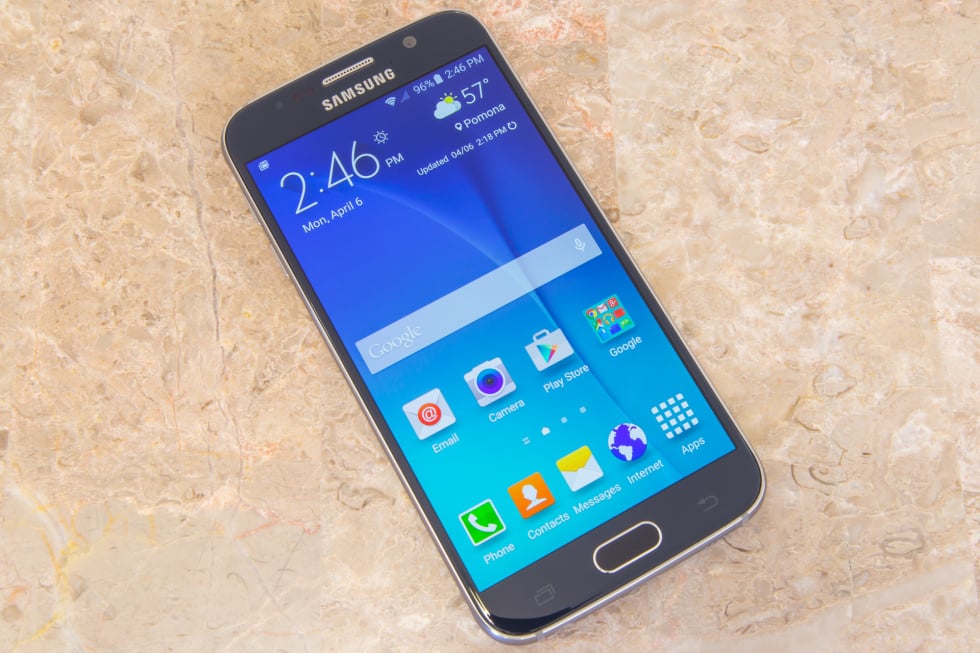
    Samsung Galaxy S6 Review
    Samsung Galaxy S6 Review

    As the company tried its hardest to make a better product, it did have to let go of a few things. This includes ditching the removable battery. Unfortunately, Samsung also decided to remove the dust and water protection. Why this decision was taken is anybody’s guess since this feature was a major selling point for Galaxy S5. As expected, despite the beautiful design, there is a camera hump. However, some might consider the fact that a better lens, the introduction of the new fingerprint sensor, and optical image stabilization make up for the loss. Unlike other phones featuring glass bodies, the S6 is not very slippery. However, you might have to deal with constant smudges.

    Performance and User Interface

    Samsung Galaxy S6 is the first flagship phone of the company which doesn’t come with microSD expansion. All its predecessors had memory expansion which was one of the highlights of the phones. When Google disabled this feature, Samsung supported the shifting of apps to the SD card! Today, the company uses its UFS 2.0 storage which makes storage and retrieving much faster.

    Coming to the user interface of this smartphone, it features the usual Samsung homepage. However, there are some new features. The lock screen might seem cluttered at times, especially if you get a lot of messages and so on. The lock screen shows two notifications – the others are collapsed. You will see the icons of the other apps with alerts. To see the entire list, you can always tap on the down arrow. If you don’t want to see notifications from a certain app, you can go to the settings menu and disable it. Besides notification, the lock screen also shows weather info and your pedometer advancements. It also features a camera and call dialler option – a quick way to access these apps. The other shortcut to access the camera is to double-tap the home key. No matter where you are, you will be able to access the camera app instantly.

    Display

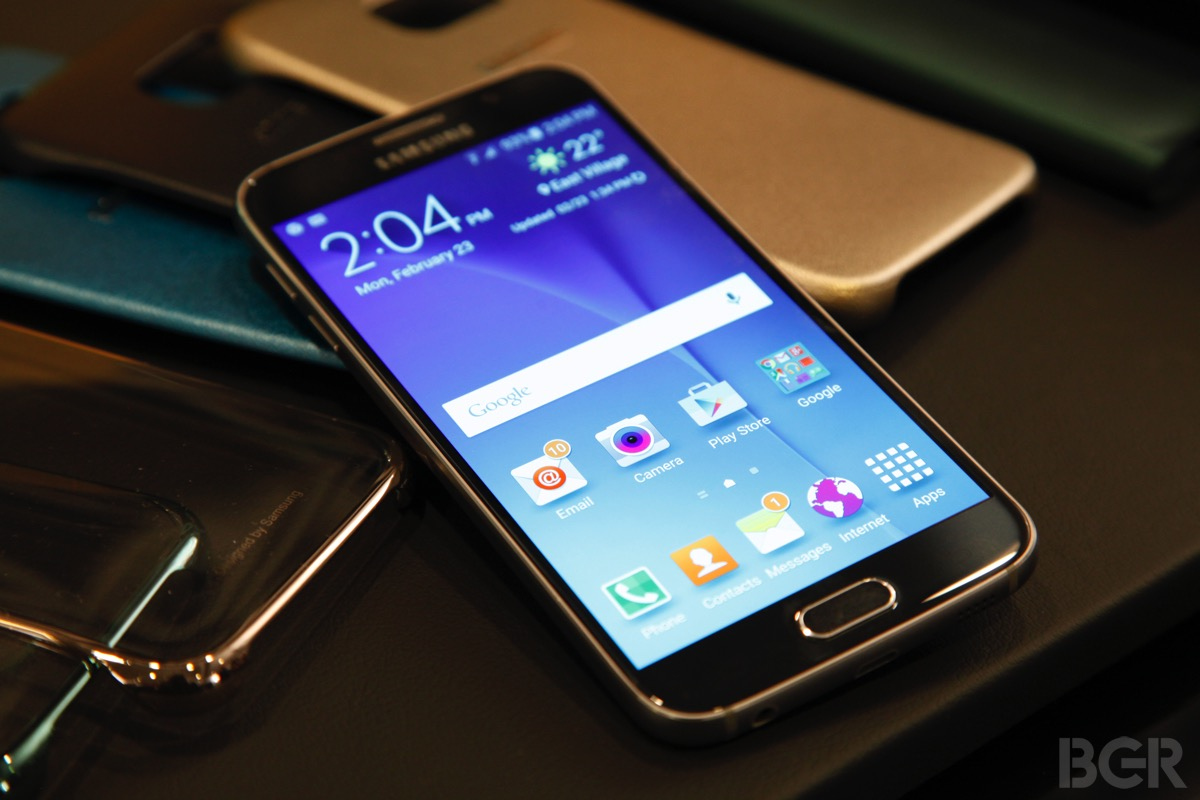
    The display experience of the latest Samsung Galaxy S6 is the highlight of the model. The super AMOLED display offers 577ppi. Samsung has chosen to go with the diamond-shaped PenTile matrix. The default screen mode lets the user experience each color, shade, and tone vibrantly and vividly. You can enjoy its low reflectivity and wide-angle viewing without any issues. Comparatively, the S6 model is not as bright as some others in the market. However, for your reference, its brightness is higher than that of the Galaxy Note 4. It is good enough for use in bright sunlight.

    Samsung Galaxy S6 Display
    Samsung Galaxy S6 Display

    Other Features

    The fingerprint scanner on this phone is pretty reliable. After you have fed your data into it, it doesn’t take a lot of time to analyze and unlock the phone. You don’t even have to place your finger very precisely. You can also have a private mode and secure it with your fingerprint. In private mode, a secure folder is created which will not show up anymore when the mode is not enabled. You can also set up such that the private mode is disabled every time you unlock the phone.  If you don’t want snoopy people to glance at your notifications and texts, hiding the content in the lock screen is a great option.  There is also a Smart Lock feature. This disables the functions when a trusted or already paired device is connected, such as a car stereo, NFC sticker, or a Bluetooth smartwatch.

    There are also plenty of themes here. You will have the option of downloading whichever one you want from the Galaxy Apps store. There is even an Avengers theme one! With these themes, you can change the icons, the wallpapers, and even some of the Samsung default apps. The notification area also changes. Besides the graphical and visual changes, you will also be able to add new alarm notes, notification sounds, and new ringtones with these themes.

    Audio Quality

    The Samsung Galaxy S6 audio could easily be the best in this price range. Its clear stereo quality output is a clear winner. With headphones, you would be hard-pressed to find such a good option. It also offers one of the best accurate audio reproductions, satisfying most audiophiles out there. However, regarding the volume control, it does not go as high as some others.

    Samsung’s TouchWiz music player is a favorite among the fans. The app is clean and intuitive to work with. There are only two main screens – with one, you can browse your playlist and look at your many folders. With the other, you can play your piece and use the playback controls. Adapt Sound tunes the equalizer automatically based on the headphones and your preference. The Smart Volume controls effectively balance the volumes depending on whether you want to speed up or slow down.

    Video Player

    The video player has undergone some subtle changes as well, making it simpler and easier to handle. The DLNA view is no longer there either. The video player supports multiple file types and up to 4K 2160p encoded with H.265/HEVC codec. The pop-up mode has the video in a tiny floating window so that you can keep an eye on the window while checking out something on the main screen on the phone. There are also some in-built video editing options there, such as the ability to add background music, some color effects, trimming, volume, and more. You can always download a more advanced model if you require it.

    Battery Life

    Many were concerned about the battery life of the Samsung Galaxy S6 model, especially since the screen resolution was increased and the battery capacity decreased. Although the battery didn’t perform very badly, it was not up to the standard of other options. Once charged fully, the phone can last for about 20 hours on 3G calls. Comparatively, the Galaxy S5 could last longer. If you are looking for a phone with a large battery, check out Samsung Galaxy M30.

    Camera Quality

    The Samsung Galaxy S6 uses the TouchWiz gallery app. The default view shows the photos grouped based on time. You can pinch out or zoom in to enlarge or reduce the size of the thumbnails. Video highlights are created automatically which can be exported and shared on any social media. You can also view your Picasa photos on your Gallery app. Unfortunately, you can’t for Facebook images.

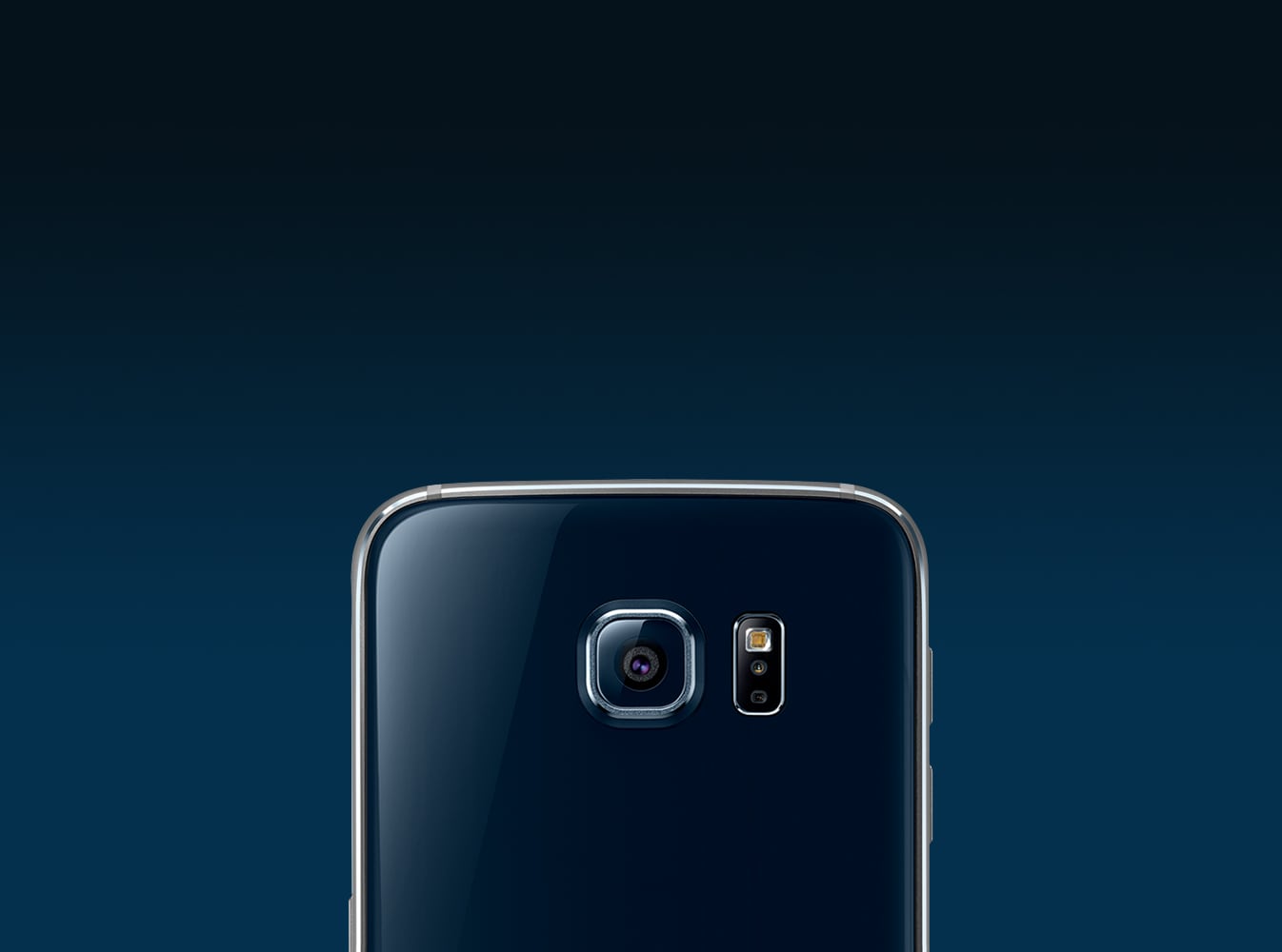
    Samsung Galaxy S6 Camera Review
    Samsung Galaxy S6 Camera Review

    The Galaxy S6 features a 16MP Sony IMX240 sensor which also happens to be the one that the Galaxy Note 4 makes use of. However, it comes with a wide f/1.9 aperture lens which brings in more lights and gives a better effect. The UI experience of the camera is excellent. The default area is clean and not cluttered at all. You can find additional settings on the viewfinder. There is also an auto HDR mode that you can enable so that you don’t have to fiddle around every time you use it. The images taken are rich in color and vibrant.

    The Verdict – Samsung Galaxy S6 Review

    Now that you have read the Samsung Galaxy S6 Review, you have a better idea about the phone and its capabilities. The Galaxy S6 is quite amazing after its revamp and update. It is, in many ways, superior to its predecessor, despite the changes in many aspects, including the removal of the memory card slot and sealing the battery. However, with an amazing chipset, a great camera, a decent enough battery, this phone is not all that bad. If you like, you can also check out Samsung’s tablet – Samsung Galaxy Tab A 10.1.


  • New iPhone 7 Plus Review – Is it Still Value for Money iDevice?

    New iPhone 7 Plus Review – Is it Still Value for Money iDevice?

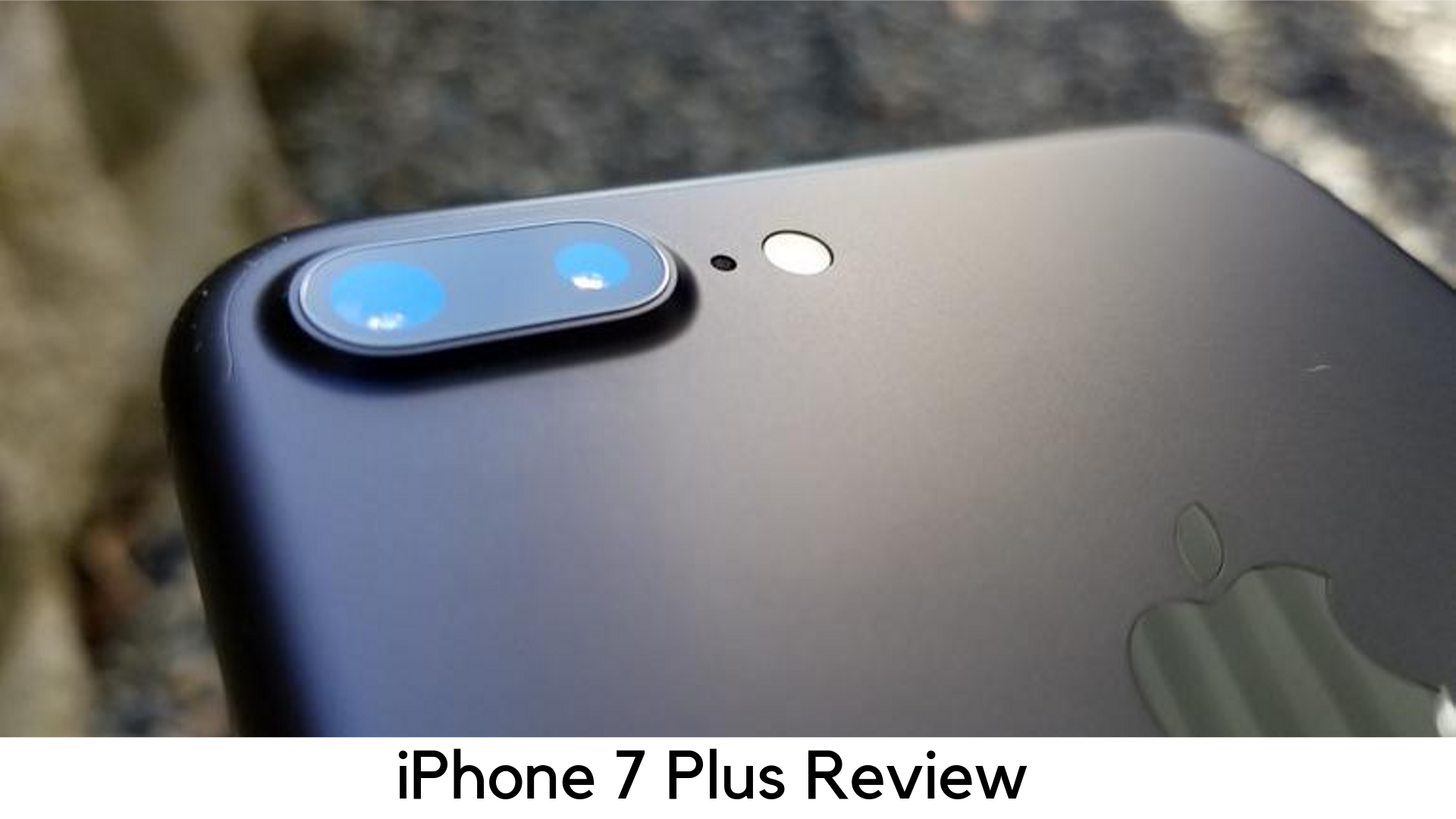
    iPhone 7 Plus Review

    Well, the iPhone 7 Plus is here as the cheapest and all-new large screen Phablet from Apple. It is still the best-selling iPhone despite having the latest options like iPhone XS Max and iPhone 8 Plus.

    iPhone 7 Plus Review

    Even better, it is among the Apple devices which will get iOS 13 update and the changes marked a great move for the iPhone. Its traditional design may not be appealing enough in 2019 but iPhone 7 Plus has a new Touch ID home button without any moving parts. It has got a water-resistant design for added security. It is also less breakable than the last iPhones.

    But one thing you might miss is its 3.5mm headphone jack. The iPhone 7 series started the trend of removing the headphone jack from their devices. However, Apple AirPods might relieve this problem a bit. There are two reasons you should prefer iPhone 7 Plus over iPhone 7 – innovative camera and better battery life – along with larger screen sizes.

    Pricing

    • iPhone 7 Plus (32GB) – $569
    • iPhone 7 Plus (128GB) – $669
    • Release date – September 2016
    • Launch price – Started at $769


    The launch price of iPhone 7 Plus was started at $769 for the inaugural 32GB model and 128GB variant came for $869. Apple also launched a 256GB model which was discontinued later.

    With the launch of later generations, the price of the iPhone 7 Plus has dropped and you can now buy the base variant of 32GB for $569. At the same time, the price of the 128GB variant has also dropped to $669. You can buy iPhone 7 Plus directly from online stores and major carriers and retailers worldwide.

    Design

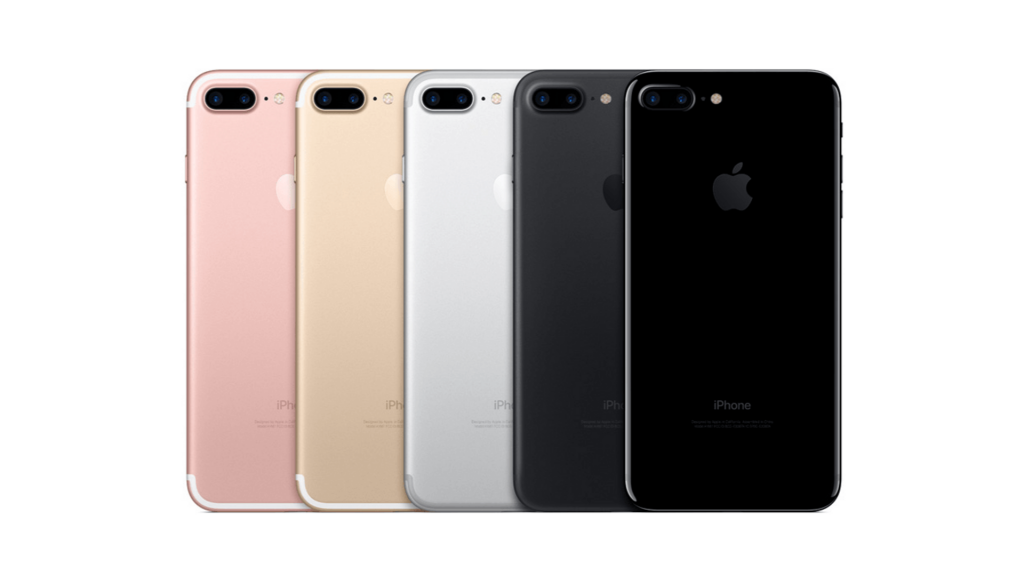
    Along with its older siblings, iPhone 7 Plus is the only iPhone with 2 rear cameras. Apple has stuck with an identical design that has done well for its last two iterations along with no headphone jack, bulkier camera block, and a few new color options.

    iPhone 7 Plus Design

    If you have used iPhone 6 Plus/6s Plus, you may definitely be familiar with the look of the iPhone 7 Plus. But one has its premium status with its aluminum frame, rounded corners, and minimalist design.

    Display

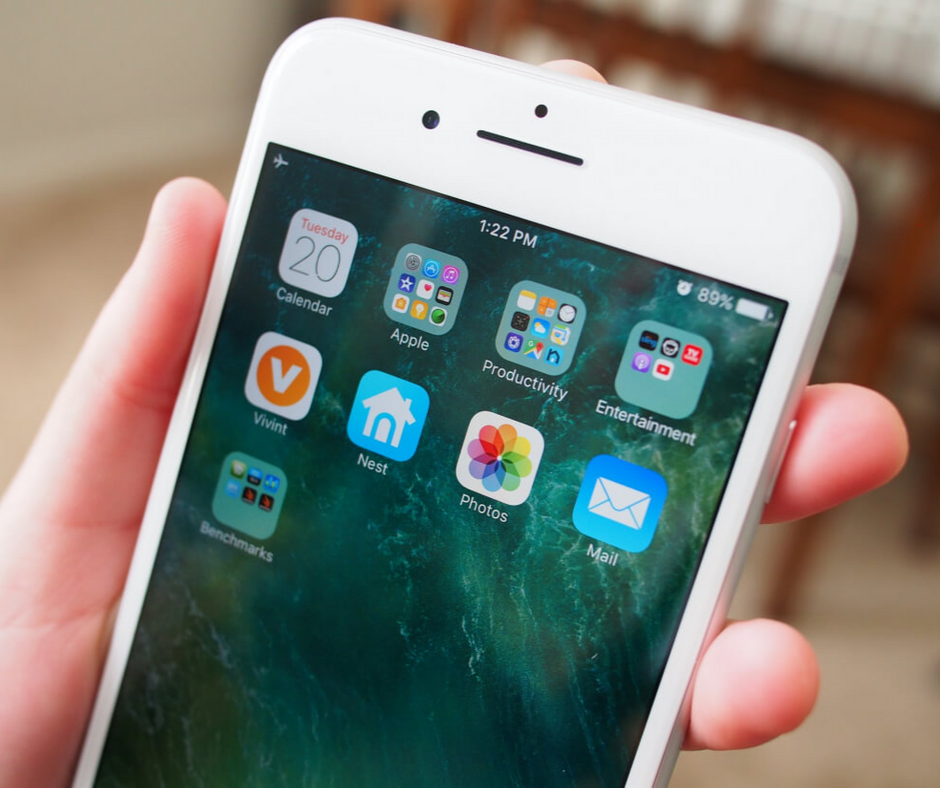
    At first sight to iPhone 7 Plus, you might think that there is nothing new in the display. It still has the same 1080x1920p resolution and 5.5 inches with the familiar 401ppi of pixel density. When the competitors like LG, Samsung, Sony, and HTC are offering QHD displays on their flagship devices, your iPhone might feel a bit outdated, especially while considering its heavy price tag.

    Display

    But it doesn’t mean the screen is that bad. Its images and text are still clear and sharp and brightness is just as good as it has been on last devices. Things look even better with brighter colors, though not that noticeable.

    Performance

    Performance-wise, iPhone 7 Plus is literally fast. When comparing side by side with iPhone 6S Plus, the iPhone 7 Plus was the way too faster each time when firing up games and multi-tasking. Apple has taken another step ahead when it comes to four cores, chip design, and coupling the same with 3GB RAM. It is even better than the iPhone 7, which has only 2GB RAM.

    Even with having several apps remained open, there was no slowdown. Games were loaded without glitches and the gameplay is detailed and smooth enough on 7 Plus. The experience was further improved by dual speakers.

    The iPhone 7 Plus has got speakers at the bottom and top to output stereo sound and the audio is the way better than on iPhone 6S. Playback is also good when holding on portrait and landscape modes.

    You need to use the Lightning EarPods because Apple has removed 3.5mm jack. You will have the 3.5mm jack adapter out of the box. However, iPhone 7 Plus is a great upgrade from any previous iPhone version when it comes to performance.

    Battery

    This phone also comes with battery improvements. Apple claims to add a better battery life over 6S Plus. The 7 Plus is powered by 2900mAh battery but it lasts even longer than 6S Plus’ 2750mAh. The A10 Fusion chip gives better optimization in terms of battery size.

    iPhone 7 Plus Battery

    The higher powerful cores help in performance when you throw up an HD movie or a game and the lower power ones can handle all the basic tasks like emails and web browsing.

    Camera

    It is yet another major improvement on the handset. It is the first iPhone with 2 rear cameras as the smaller iPhone 7 still comes with a single camera. The large camera bump on its back houses two 12MP shooters. One of them is a telephoto zoom lens and another is a wide-angle camera. It results in a 2x optical zoom when moving from wide-angle to telephoto lens. So, the image quality will be clear enough when you look at the subject closely.

    Camera

    Most smartphones struggle with optical zoom feature. In the end, you have only a digital zoom which affects the quality of shots when you get closer. If you still want more than what 2x optical zoom delivers, it also has up to 10x of digital zoom. So, it’s a great step Apple has taken from here.

    Plus

    • Price dropped but the value is still the same
    • Solid battery life
    • Great camera

    Minus

    • The only full HD screen
    • No headphone jack

    Overall

    This phone comes with the very own 5.5” display and some design changes. It comes with a waterproof design, a new home button, and no headphone jack. Its USP is its portrait photography as it costs next to the later iPhone 8 and iPhone XS versions.

    Bottom Line

    All in all, the iPhone 7 Plus is the way a better improvement over iPhone 6S with waterproof design, Durable battery, and superior camera performance. Even better, the price has also been slashed, thanks to the new launches. So, it’s high time if you are looking for a better Phone but cannot afford the latest one.

  • Nintendo Switch Lite Review – Taking Handheld Gaming to Next Level

    Nintendo Switch Lite Review – Taking Handheld Gaming to Next Level

    Nintendo Switch Lite Review

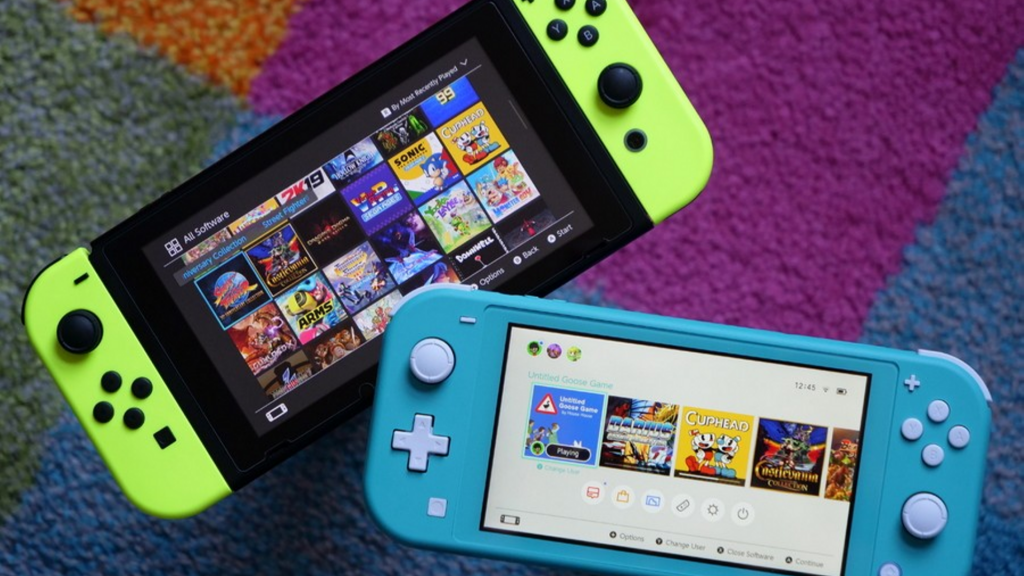
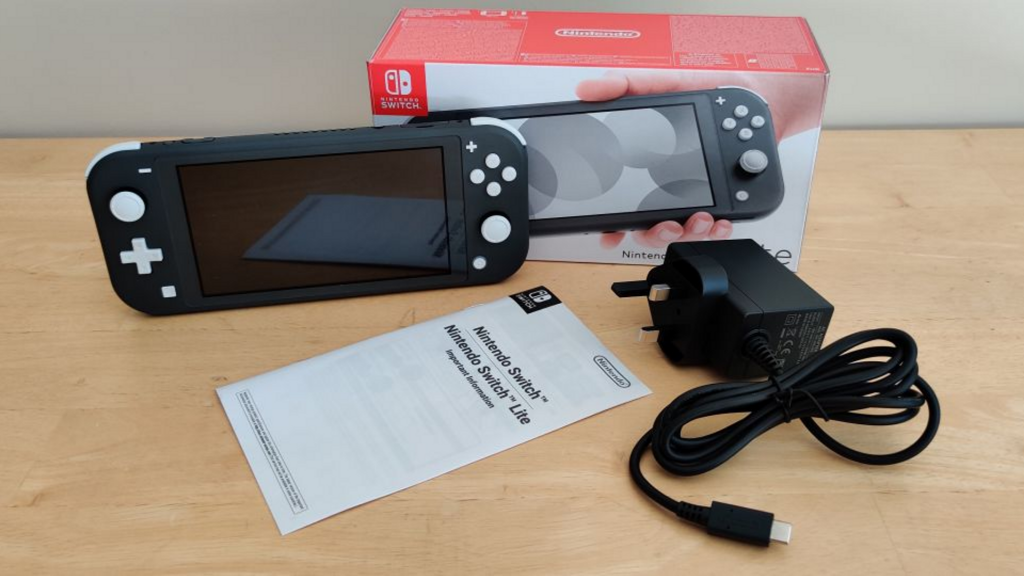
    Nintendo welcomes a new member to its Switch family, the Switch Lite. It is the handheld and affordable alternative to Nintendo Switch while supporting all of its games. It is now available in the market.

    The Nintendo Switch Lite is here for handheld gaming instead of replacing the existing Switch console. It is a smaller yet cheaper version, which doesn’t plug into the TV or dock. The Joy-Con controllers on the sides are the major difference between Switch Lite versus the others. They cannot be used as individual mini-gamepads, motion controllers and they cannot be removed.

    Nintendo Switch Lite

    It means all Switch games will not work on this new console. Only those games will work which doesn’t work completely on motion control and work in handheld mode. It also limits using the display with a kickstand for several players to share. In fact, it also does not come with a kickstand.

    However, the new console is still a simple yet fun gaming machine, which has literally come to replace the 2DS/3DS with options to play the latest titles and with 720p graphics.

    Controls

    The buttons on the Switch Lite feel somewhat different as compared to the ones on its elder sibling and usually in a nice way. The A, B, X, and Y are quite longer but softer, while ZR and ZL seem to be like they have got something more. The Switch Lite comes with the same gyroscope as its elder sibling.

    Nintendo Switch Lite Controls

    The +Control Pad directional control is the major change to the inputs in Switch Lite. It trades in the individual directional keys on Joy-Con for the old-school D-pad on a portable console. It is one of the best options on Switch Lite. The D-Pad was a nice companion to play along with the basic platformers like Mega Man 11 and Super Mario World and it worked well as it dropped in Tetris 99. For more intense titles, which call for pinpoint precision, it is found quite too small.

    I found better performance in combos with Mortal Kombat 11 thanks to the simple inputs but I still found it hard to move Sub-Zero that precisely. The compact button layout really felt crowded on the system as I tried to clear the courses of Super Mario Maker 2 and Celeste. The smaller d-pad on the Switch as well as its condensed layout is great for titles like The Legend of Zelda: Link’s Awakening and Fire Emblem: Three Houses. Players might have their large hands paining up while playing games, which need a lot of flexibility.

    When it comes to analog sticks, there is also some prolonged concern in Switch Lite. A lot of Joy-Cons are plagued in titles where Switch needs slight movements even without touching the sticks.

    Display

    The Switch Lite does not make any compromise when it comes to its bright 720p touch display. As compared to Switch’s 6.2” standard display, it has been shrunken down to over 5.5 inches. If you are looking for a good frame of reference, it seems to have the same screen size on iPhone 8 Plus.

    Display

    Whether I was fighting the demons in Bayonetta 2’s purple-themed dungeons or exploring the Great Plateau’s sunny days in the Legend of Zelda: Breath of the Wild, everything looked really bright on Switch Lite’s display and vivid as compared to Switch. In fact, games look even more detailed on Switch Lite thanks to its uniform chassis and thinner bezels. Therefore, there is no distraction here. The touch controls work just fine like on the original variant.

    Battery Life

    The Switch Lite has been found to give 3 to 7 hours of performance, which is quite better than Switch but not that good as compared to 9 hours of Nintendo Switch (2019) as promised.

    Battery Life

    Through the battery test, it lasted 3 hours and 50 minutes with all featured turned to the max and nonstop 8-player run. It is around an hour longer than 2017 Switch, which took 2 hours and 45 minutes. In daily use, you may not have to charge it for a few days with on-and-off play. By upgrading the Switch, you can enjoy quite a long battery life. If you are going for a longer trip with Switch Lite, we recommend carrying its portable charger.

    Is it the most anticipated Nintendo Switch 2?

    Well, there are rumors that Nintendo Switch 2 has been concerned with two new models launching soon in 2019 – an individual upgrade to the current Switch with some improvements and a cheaper variant Switch Mini, which is basically the Lite.

    Key Specs

    The Switch Lite has been shrunk down in its size and is limited to handheld gaming only. Nevertheless, it still has got some promising specs –

    • Storage – 32GB inbuilt; expandable through MicroSD card
    • RAM – It is supposed to be 4GB like its older brother Switch, but not confirmed yet.
    • CPU/Graphics – Nvidia Tegra custom processor
    • Connectivity – Bluetooth 4.1, Wi-Fi (802.11ac), USB-C charging
    • Stereo Speakers
    • Display – 5.5” LCD display with 1280x720p resolution
    • Dimensions – 91.1 x 208 x 13.9 mm
    • Battery – 3570mAh (up to 6 hours with 3 hours of charging time from 0 to 100 percent)
    • Weight – 275g

    Pricing and Release Date

    The Nintendo Switch Lite has been launched worldwide in several countries on September 20, 2019. However, you need to wait for the special edition Zamazentra and Zacian model releasing on November 8.

    Nintendo Switch Lite costs $199.99 in the US and £199.99 in the UK, including the special Pokémon edition. The yellow, grey and turquoise variants are offered offline from different retailers. You can also pre-order the Pokémon edition today. The $199 price point for Switch Lite is definitely worth a while since the original Switch model comes for $299.99 in the US and £279.99 in the UK.

    Pros

    • Enhanced portability
    • Cozy, cool design
    • Great game library
    • Nice battery life

    Cons

    • Small D-pad
    • Missing TV mode support
    • Not suitable for large hands

    Verdict

    The Nintendo Switch Lite is a great addition to handheld-only gaming with a great game collection for $199, despite being too small for bigger hands.

  • Xiaomi Redmi Note 5 Review – Is it the Best Budget Smartphone Overall?

    Xiaomi Redmi Note 5 Review – Is it the Best Budget Smartphone Overall?

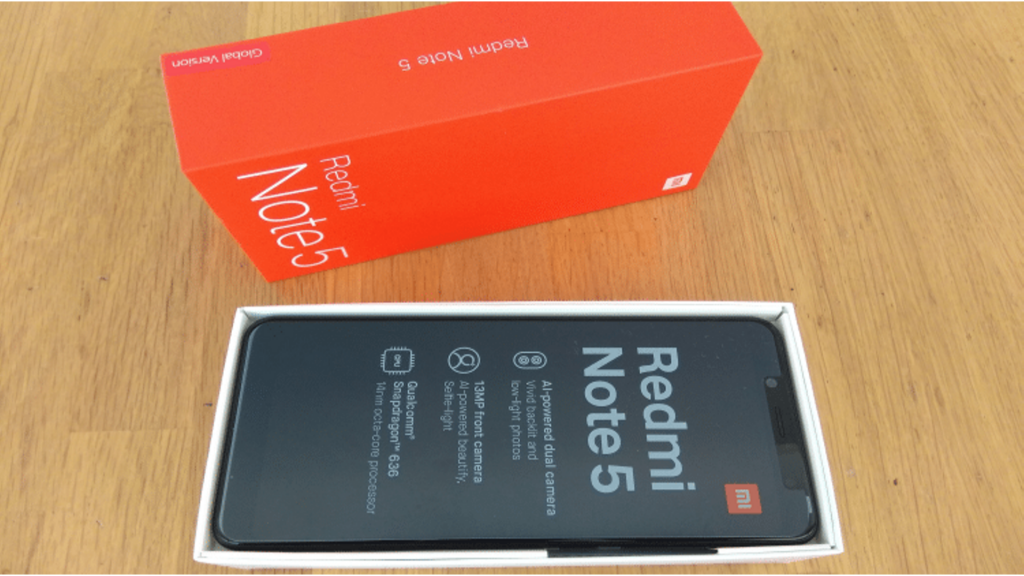
    Xiaomi Redmi Note 5 Detailed Review

    2017 was really a profitable year for Xiaomi. The Chinese smartphone maker truly rose to fame in the world with its Redmi Note 4, which became the bestselling smartphone. Xiaomi sold over 9.6 million devices and it was great. The Note 4 has become the perfect go-to device for anyone looking for a smartphone in budget rate and its fame spiked within less time.

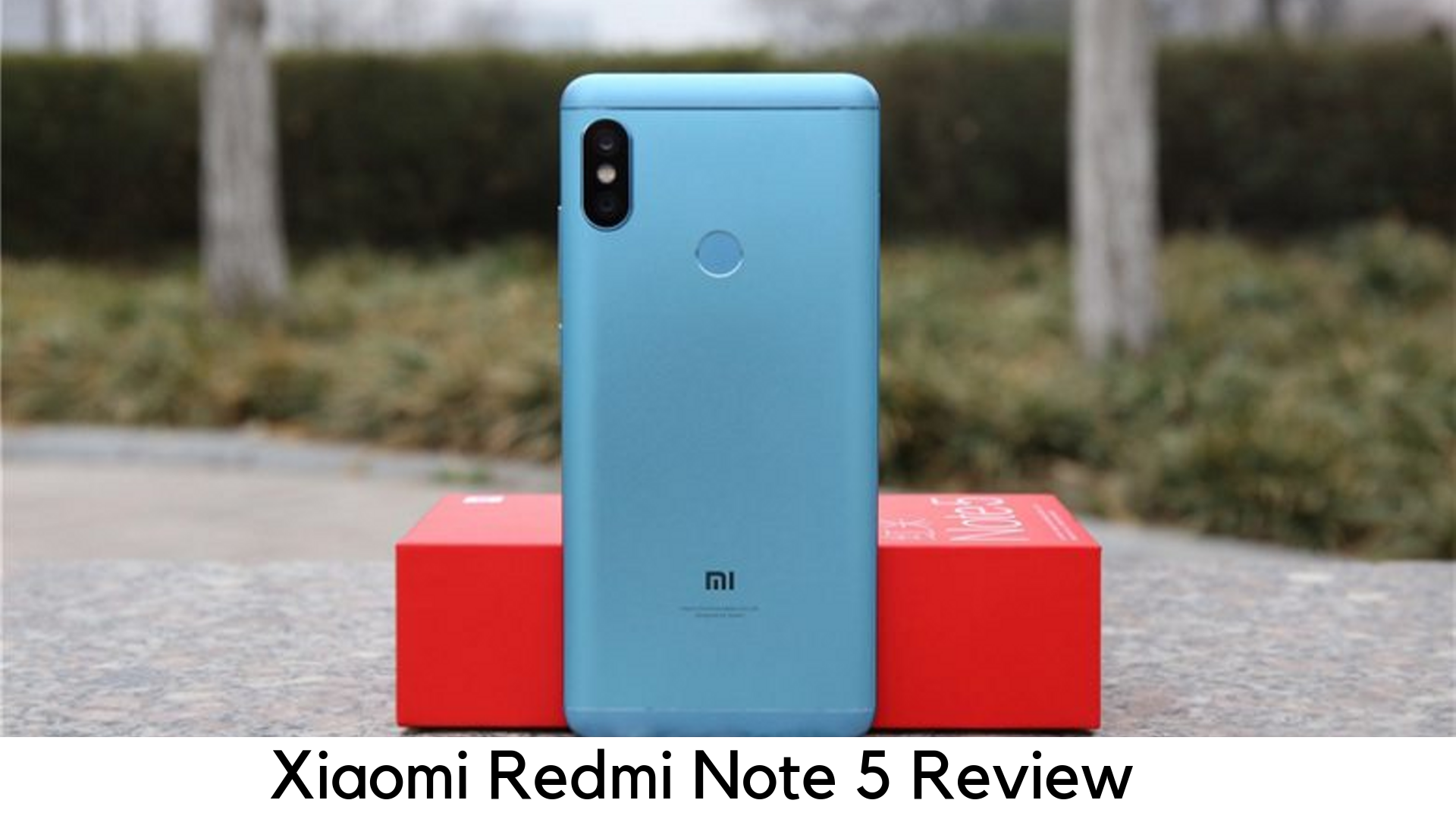
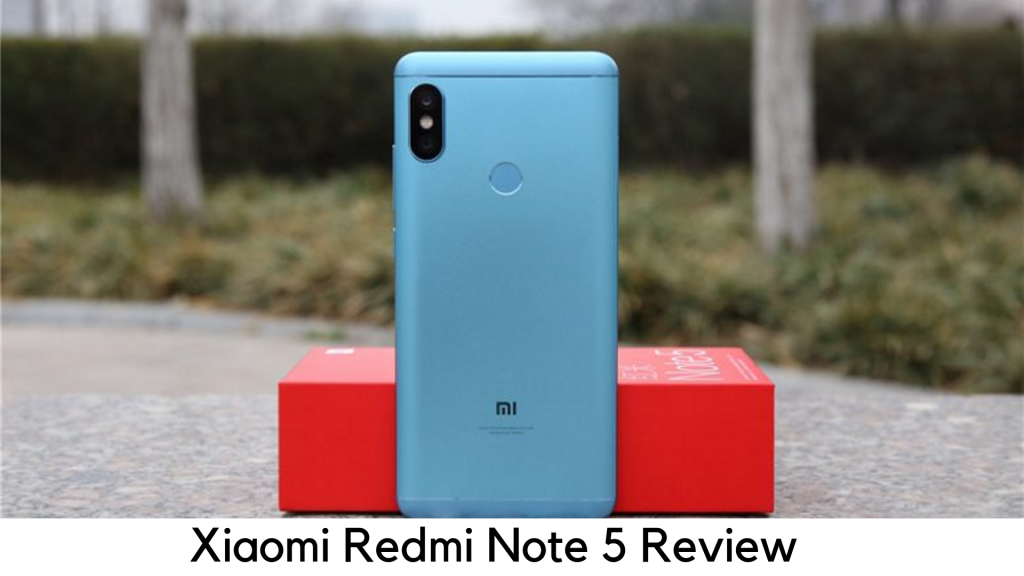
    Redmi Note 5 Review

    A lot of OEMs took the step last year to offering smartphones with an 18:9 aspect ratio and dual cameras and brands like Honor stepped ahead to offer quad cameras. Since Redmi Note 5 is here, Xiaomi is finally here as the king of budget devices. But in this price-sensitive market, is Redmi Note 5 is an old wine that comes in a new bottle?

    Price and Availability

    Xiaomi Redmi Note 5 is available in two variants – 3GB/32GB and 4GB/64GB. You can buy it from Amazon or at various offline stores. The price of Note 5 starts at $333.31.

    Design

    When we took the phone on our hands after unboxing, it felt quite similar to Redmi Note 4. It is pretty much like its older sibling. But when it comes to forming factor, Xiaomi Redmi Note 5 is lighter and slimmer than Note 4. You might feel that they did not upgrade the design because they couldn’t find anything wrong in it. Even it is still considered as an ‘upgrade’.

    Redmi note 5 Desing

    The device has got aluminum back and the top and bottom have a plastic frame with antenna bands. It weighs 180g and 8.5mm thin. It feels sturdy but it has got some weight. On the rear panel, the fingerprint sensor works quickly. The biggest change you will see at the front of Note 5. Forget those thick bezels and the old-school navigation buttons. The minimal bezel has become the future of the smartphone.

    Display

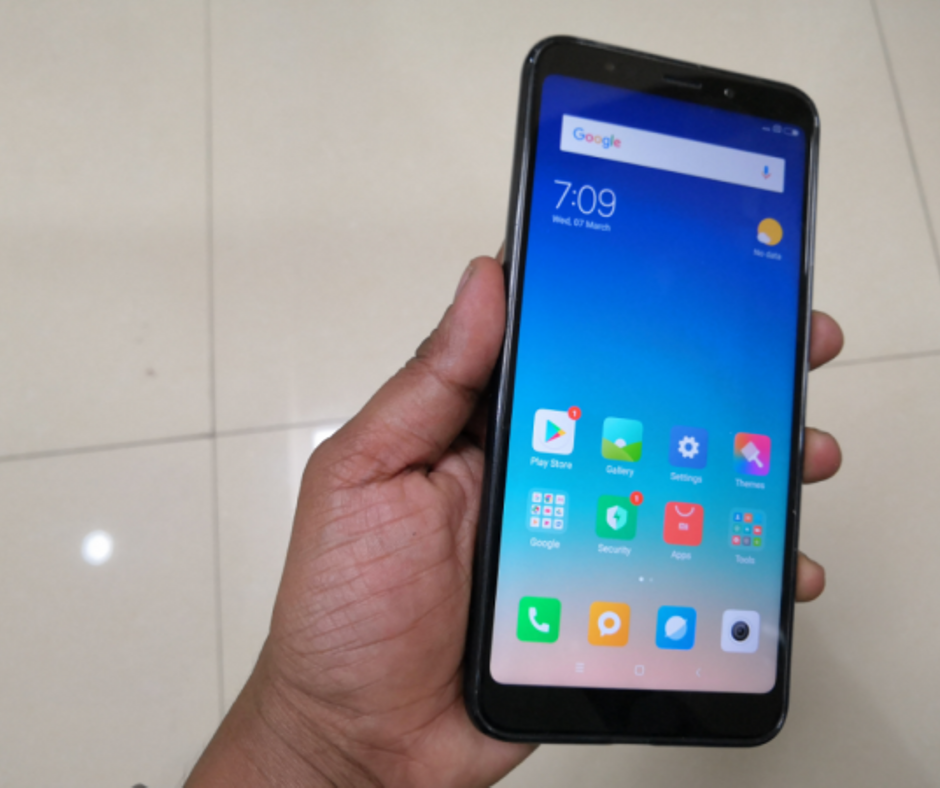
    Xiaomi Redmi Note 5 features 18:9 aspect ratios in 5.99” display with fHD+ 2160x1080p resolution and 403ppi pixel density. The display is among the revolutionary changes in this device. Xiaomi started the trend of 18:9 aspect ratio screens on mid-range devices. The display was found to be crisp and bright enough with sharp viewing angles when we used it. The viewing angle is a little bit on the warmer side but it is not much noticeable for the users.

    Xiaomi Redmi Note 5 Display

    Sunlight readability was quite good, though not the best. However, it is justified for its price. Colors and reproduction of images are accurate with a bit of warmer tone in the display. All in all, streaming your favorite content shouldn’t be an issue on Note 5.

    Software

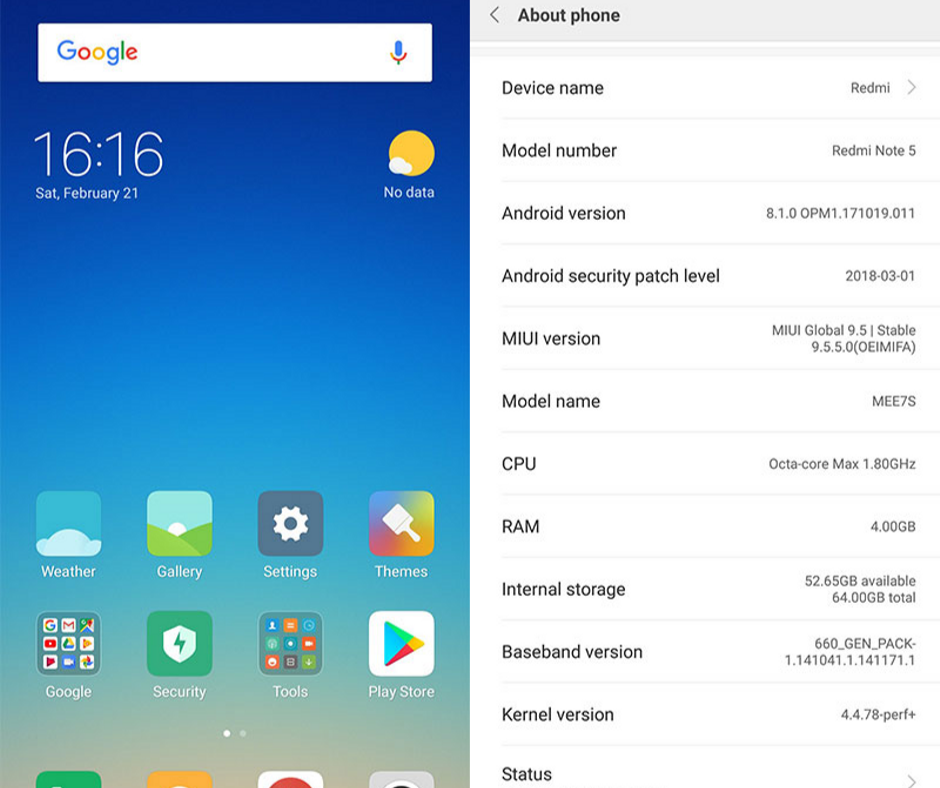
    Initially, Xiaomi Redmi Note 5 was launched with Android 7.1.2 with custom MIUI 9 which is just a decent UI for Android devices with some perks. The Android skin of MIUI is very customizable with some nice features. If you are switching from an older Xiaomi device, you will not find any noticeable change in the interface because MIUI 9 is very familiar in Xiaomi smartphones.

    Redmi note 5 Software

    We did not find any bug or lag on our usage and it has got a smooth interface. MIUI offers lots of amazing features like smart notifications, multi-window support, and great memory management to offer smooth functioning. However, having a stock Android has its own perks for a slick and clean interface. MIUI has some small improvements like copying OTP from text without opening the inbox. There is no big issue as Redmi Note 5 can easily be your best partner for normal usage.

    Performance and Specs

    Things get quite interesting here. There is no change in processing power from Redmi Note 4. The company chose to stick to Qualcomm’s Snapdragon 625, while Snapdragon 636 has been released on Note 5 Pro.

    Performance and Specs

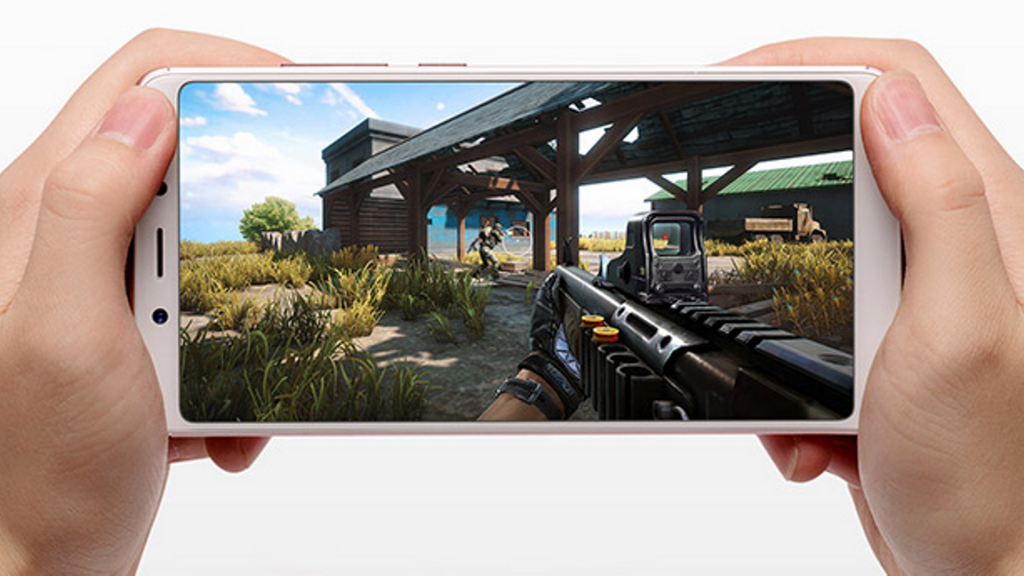
    The Snapdragon 625 chipset has been tried and tested for every mid-ranger. It has worked seamlessly with anything we threw at it, even some of the high-graphic games like Asphalt 9: Legends, Shadow Fighter, Injustice 2, and Tekken with no glitches. The octa-core processor is powered by 4GB RAM and it has 64GB of internal storage.

    It worked smoothly without switching apps and multitasking was a breeze. The Snapdragon 625 is a very reliable SoC in most smartphones.

    Camera

    Redmi Note 5 features 12MP rear camera with f/2.2 aperture, dual-tone LED flash and phase detection autofocus (PDAF). One thing, which is more exciting, is the fact that it has got the same camera as Mi A1, the Android One device. But the camera on Note 5 created the images which were ahead of what the competitors offer. It had created very detailed and good quality pictures. The color reproduction is not that accurate. The pictures always have a warmer tint. However, it is not that noticeable.

    Redmi Note 5 Camera

    The f/2.2 aperture helps reduce noise and it results in crisp shots. But the low-light shots were not that good. Another letdown is its manual mode, which just makes room for white balance and ISO adjustment. When it comes to selfies, the 5MP front camera does a good job with pictures having natural and sharp colors. Redmi Note 5 does a great job on camera quality for its price.

    Battery

    There is no change in battery life either. Like Note 4, Note 5 also has a 4000mAh battery. For heavy usage, the device lasts for a day on a single charge. It can last for a day and a half on moderate use. However, when it comes to charging, this beast took around 2 hours from 0 to 100 percent.

    Battery

    It comes with typical 5V adapter out of the box. The battery life is quite normal. There is nothing you can say it as a massive or extraordinary powerhouse. But there is nothing that can disappoint you also.

    Pros

    • Amazing battery life
    • Value for money
    • Great camera quality
    • Beautiful 18:9 display

    Cons

    • Old and boring design
    • No USB Type-C port

    Overall

    Redmi Note 5 literally has killer features as a budget smartphone, if you do not have any issue with a dated look. It is much like a tweaked variant of the devices, which were buzzing last year.


  • Google Pixel 3A Review – An Ideal Google Phone for Everyone

    Google Pixel 3A Review – An Ideal Google Phone for Everyone

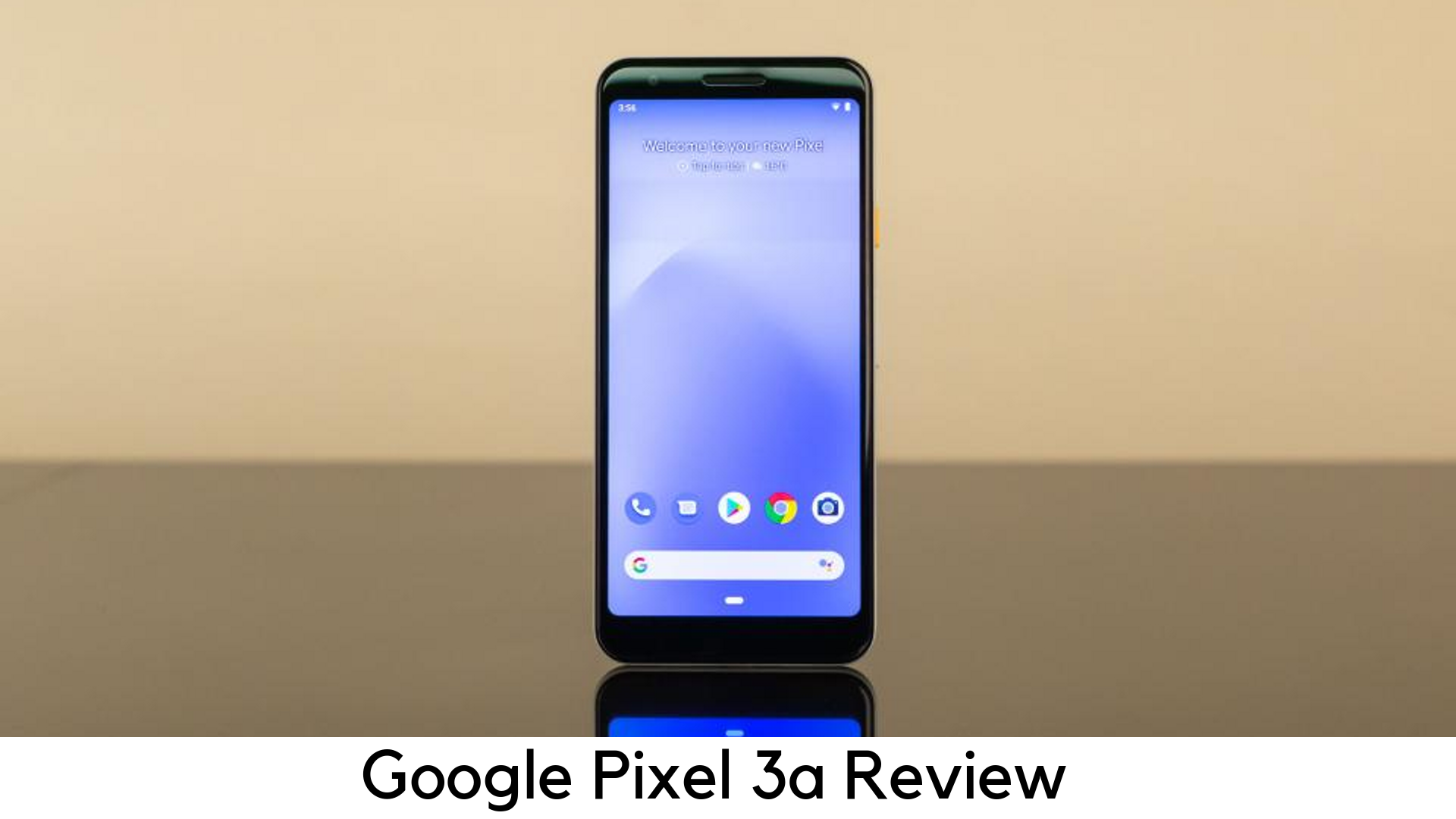
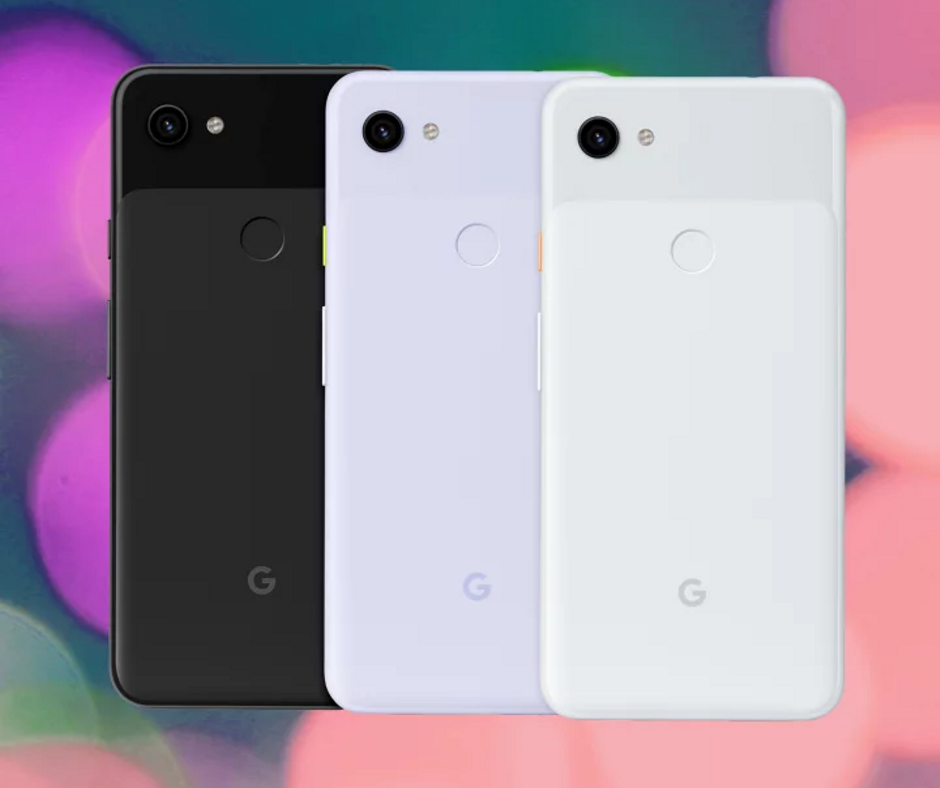
    Since its first smartphone launch, the Silicon Valley giant has kept Pixel branding booked only for premium devices. However, things are now different, as Google has started making affordable devices in its Pixel range, such as Google Pixel 3A and 3A XL.

    Google Pixel 3A Review

    The best thing is that Google Pixel 3A is half the price of a lot of flagships or even lesser and it still doesn’t feel cheap. Google has been popular for delivering the features that most users want, such as a great camera, clever software, and 5.6-inch vivid OLED display for just $399.

    Both Google Pixel 3A and 3A XL come with 4GB RAM and 64GB storage. None of them have a microSD card slot. Therefore, you cannot expand that limited storage if it is filled with all the apps and photos. The system takes up around 5GB of storage and after having pre-installed apps, you have only 50GB of space out of the box.

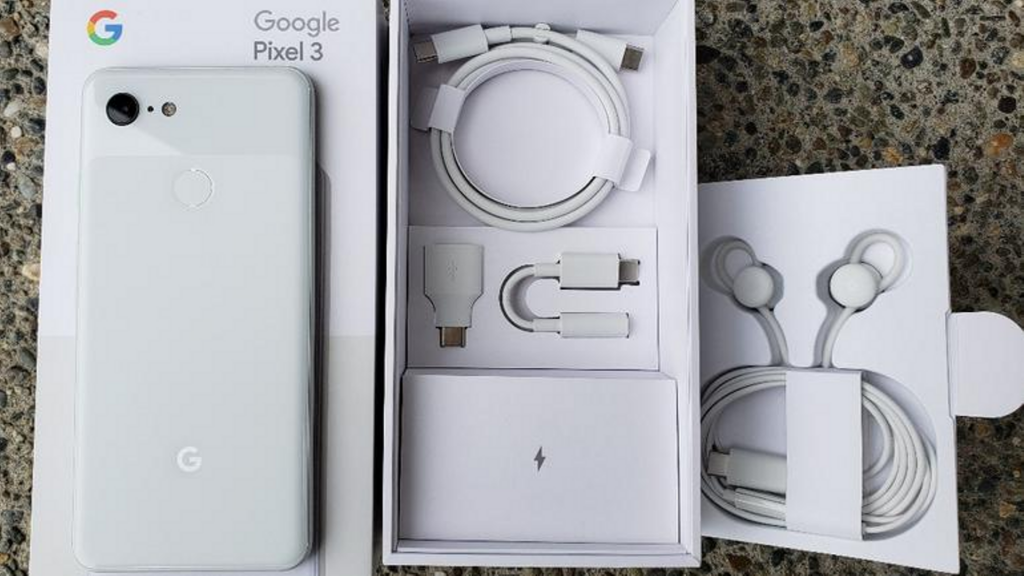
    In-box contents

    • 1m USB-C/USB-C cable (2.0)
    • Quick switch adapter (USB-C/USB-A)
    • 18W USB-C adaptor
    • SIM ejector tool

    Google Pixel 3A In-box contents

    The USB-C to USB-A charging cable and adaptor has been given for easier data transfer along with 18W fast charging power with USB-C cable. Unlike elder siblings, the Pixel 3a misses out USB-C to an adapter for 3.5mm headphone jack.

    Design

    • Measures 151.3 x 70.1 x 8.2mm and weighs 147g
    • No notch, No full-view display
    • Plastic back
    • Stereo speakers
    • 5mm headphone jack
    • Imprint fingerprint sensor

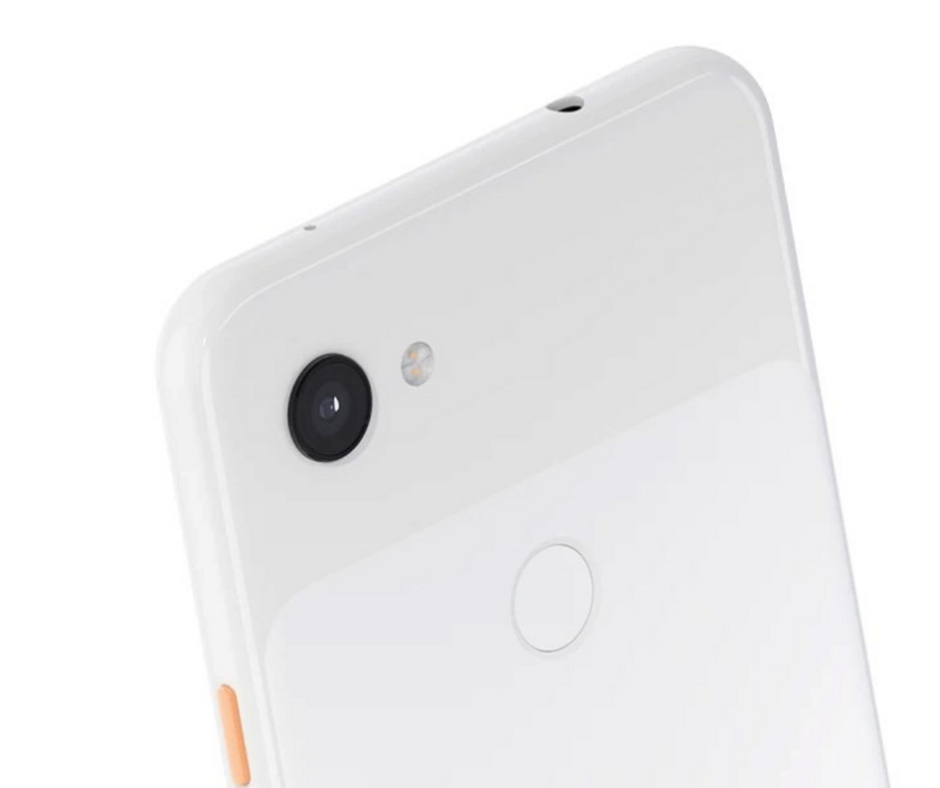
    Google Pixel 3A Design

    Budget phones usually come with cheaper build. In this case, Google has built the device out of plastic rather than a glass. You may notice this change when you hold it but it has nothing to do with the overall experience. Like premium phones, the Pixel 3A seems to be built with single-piece polycarbonate with glossy texture on the top and matte finish on the bottom 2/3rds of the device. It adds a soft feel to the grippy phone.

    Display

    • 2220 x 1080 FHD+ resolution
    • 6” OLED
    • Always-on display
    • 5:9 aspect ratio
    • 100,000:1 contrast ratio
    • 441ppi

    The Google Pixel 3a has got an amazing display. Despite having lower pixel density than other premium devices a bit, Pixel 3a’s screen was bright enough to look at. You can tweak the color tone of the display or enable the Adaptive Brightness feature, which can manage it on its own.

    Battery Life

    • 18W fast charging
    • 3000mAh
    • Missing wireless charging

    The Pixel 3A has done a great job with 3000mAh battery. It could get up to 5 to 6 hours of usage with on-screen time. Luckily, Google Pixel 3A comes with 18W fast charger out of the box which charges up 100% within an hour and a half. If you cannot compromise with battery life, you should choose Pixel 3A XL with quite larger 3700mAh battery, which keeps the phone alive up to 8 hours of on-screen usage.

    Another big flaw is the lack of wireless charging. A lot of leading players in the smartphone industry are offering devices with Qi standard.

    Performance

    • 64-bit Octa-core 2.0GHz + 1.7GHz
    • Qualcomm Snapdragon 670
    • Adreno 615 GPU
    • 4GB RAM, 64GB storage
    • No expandable storage
    • Titan M security

    To cut down the cost, Google had no other choice unless going with Snapdragon 670, a mid-range processor. Coupled with Adreno 615 GPU, the device seemed to be as responsive as various premium devices. The poor RAM management is another issue with Pixel 3a.

    Camera

    • Rear 12.2MP dual-pixel with f/1.8, 76o field of view
    • Electronic image stabilization (EIS) and optical image stabilization (OIS)
    • 8MP selfie camera with f/2.0 aperture
    • Fixed focus selfie camera with 84o field of view

    Google Pixel 3A Camera

    The camera is the main reason why you should prefer Pixel 3a over any mid-range smartphone. The rear shooter captures the best pictures by matching 3’s specs. It can still capture flagship-level images on the outdoors. It includes several shooting modes on its premium predecessors. Also, it consists of Photobooth, Night Sight, a new time-lapse mode, and slow motion.

    The low light camera mode works really well at Night Sight. You can put in more light across the wall. Portrait mode is yet another great feature in Pixel 3a. The AI-driven bokeh effect highlights the object to the foreground while blurring out the backdrop well.

    The front-facing shooter is dived in quality on Pixel 3a as compared to dual-camera on Pixel 3. Its 8MP selfie shooter is capable to capture detailed images even in low-light conditions.

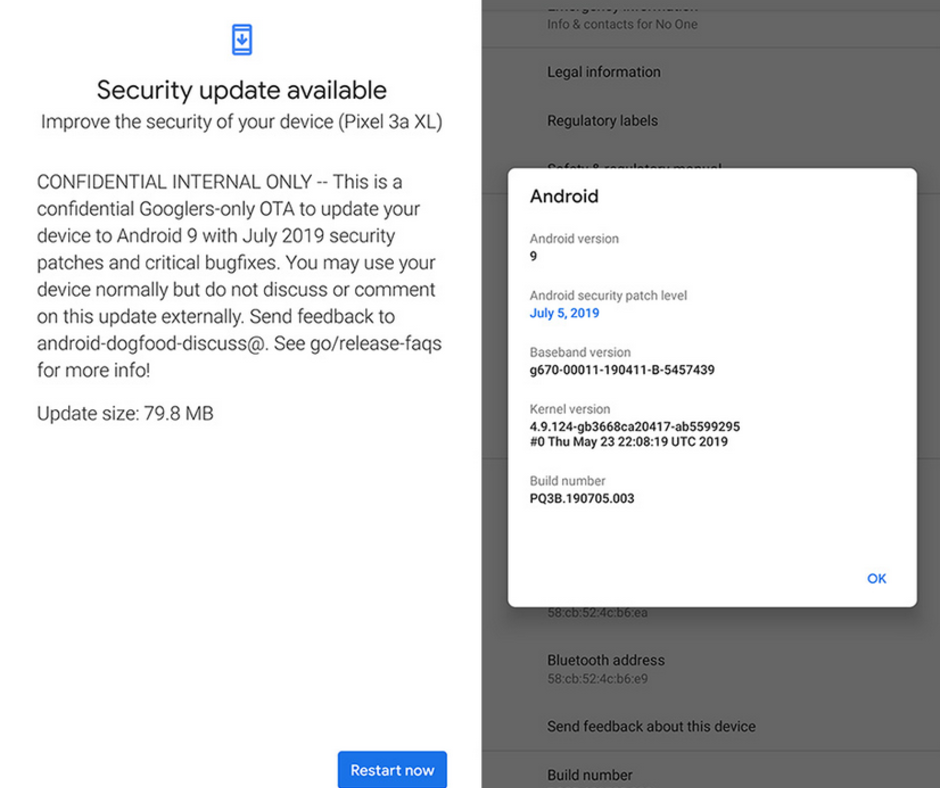
    Software

    • Android 9 Pie
    • 3 years of security patches
    • 2 years of software updates

    Google Pixel 3A Software

    Well, there is nothing new when it comes to Pixel 3a’s software. Google offers an intuitive stock Android experience. Like with all of the company hardware support, Google promises to offer major updates like 3 years of security patches and firmware updates for 2 years. We are looking forward to Android Q as Google Pixel devices have always been the first to get major updates.

    Pros

    • OLED display
    • Flagship-level camera
    • Great battery life
    • Pure Android by Google
    • Low price
    • Available for all carriers

    Cons

    • No expandable storage
    • No wireless charging
    • Not water resistant

    Bottom Line

    As compared to the flagship devices of similar price, Google’s Pixel devices have always lagged in the spec department. These devices have always been ahead in the software department. The 4GB RAM and Snapdragon 670 processor are easily offered on various mid-range smartphones, which come for around $100.

    However, Google Pixel 3a tops the chart with its great camera and software updates. Along with NFC for Google Pay, you also have a camera, which outperforms a lot of flagship smartphones and monthly security patches. Google has been offering great discounts with other retailers on the device.


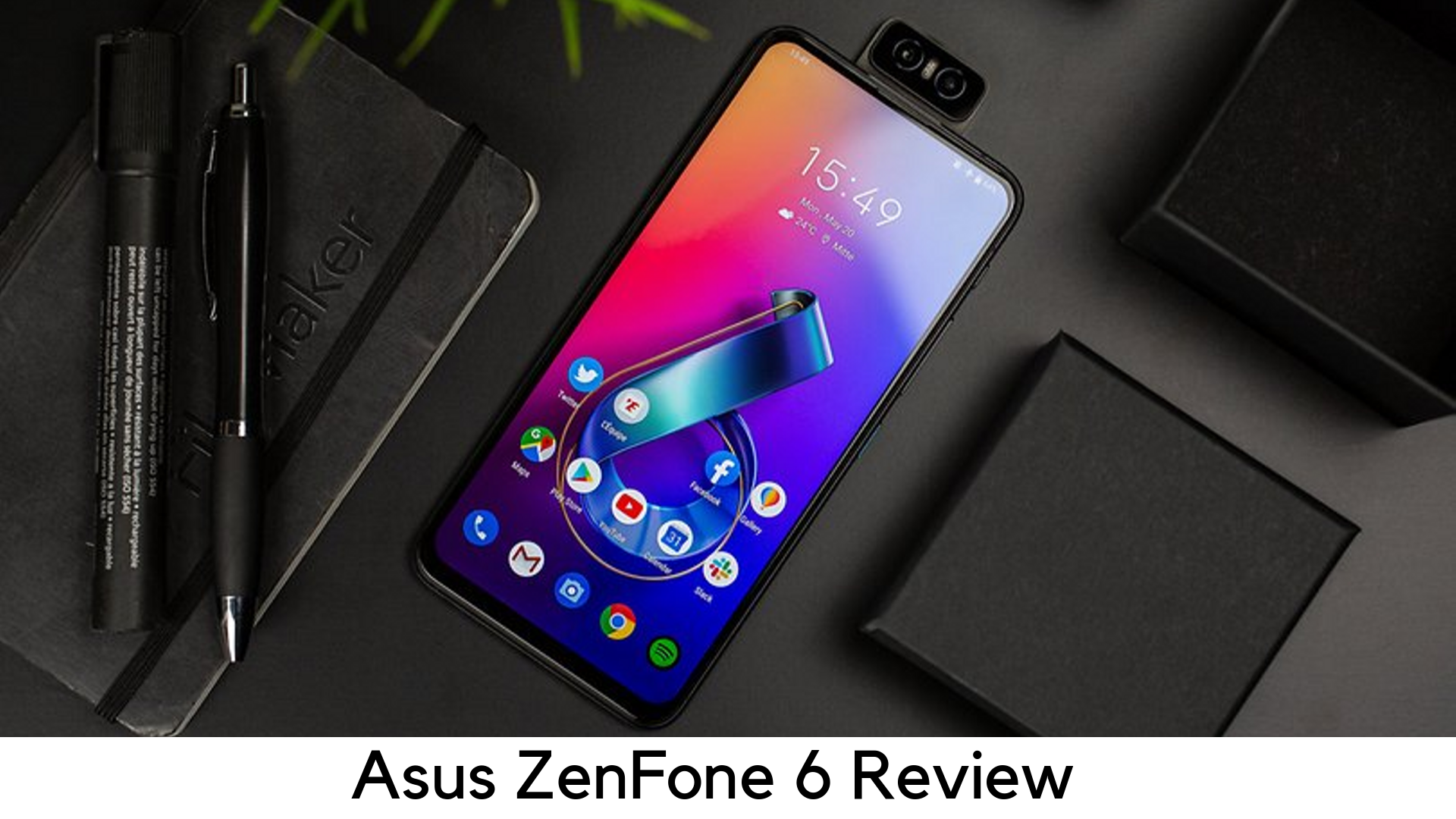
  • Asus ZenFone 6 Review – Is it a Worthwhile Flagship Killer?

    Asus ZenFone 6 Review – Is it a Worthwhile Flagship Killer?

    The Asus Zenfone 6 is the recent affordable flagship phone, which looks premium enough to turn heads of people nearby. If 48MP flip-popup camera setup, Qualcomm Snapdragon 855 processor, headphone jack, dedicated quick launch buttons, and dedicated micro SD card slot are not enough to attract to this device, you will definitely be surprised by its price.

    Asus ZenFone 6 Review

    At just $499, Asus ZenFone 6 has come as a strong competitor to OnePlus 7 Pro and Pixel 3a.

    Asus has managed to come up with the combination of mid-range pricing and flagship-level specs. Well, there are a few features that a few users might be missing badly. Nevertheless, it seems Asus had no other way to do cost-cutting.

    Lack of water resistance and wireless charging support might be the red flag, but it is still worth it because a lot of mid-range phones don’t come with such features.

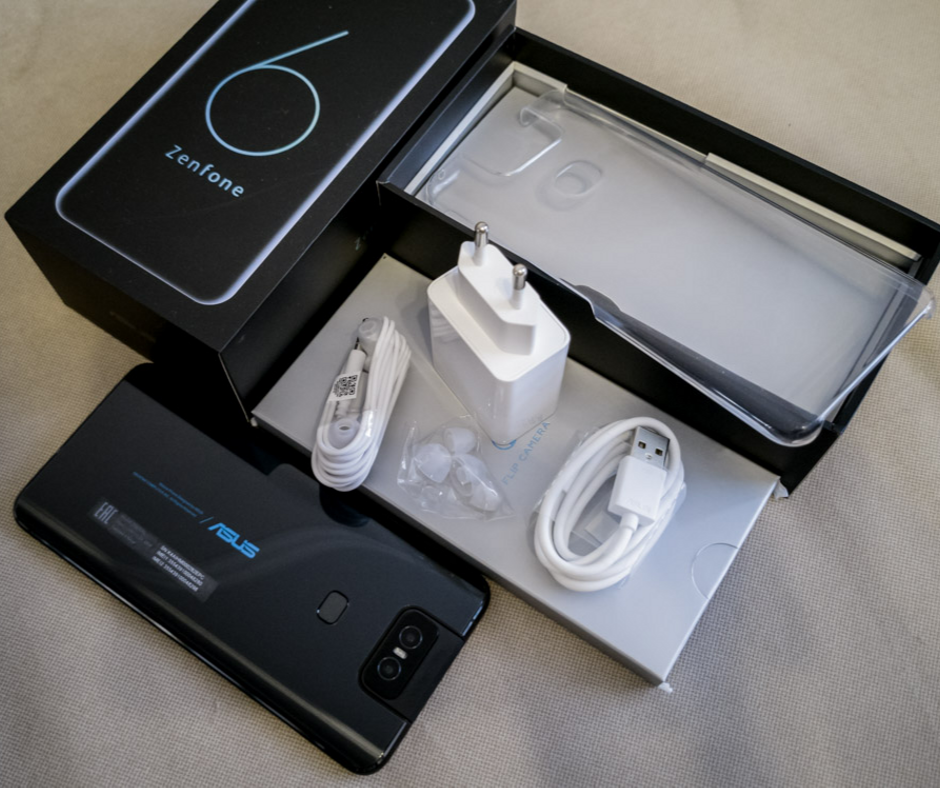
    Under the Box

        • Asus Earphones
        • Transparent silicon back cover
        • USB-A to USB-C type charging cable
        • 18W charging adapter

    Design

        • Weighs 190g
        • Dimension – 159.1 x 75.44 x 9.1mm
        • Full-view display
        • Dual SIM tray
        • Ambient Light sensor
        • Flip popup camera
        • Headphone jack
        • Dedicated MicroSD card slot
        • Rear fingerprint sensor
        • Quick Actions button

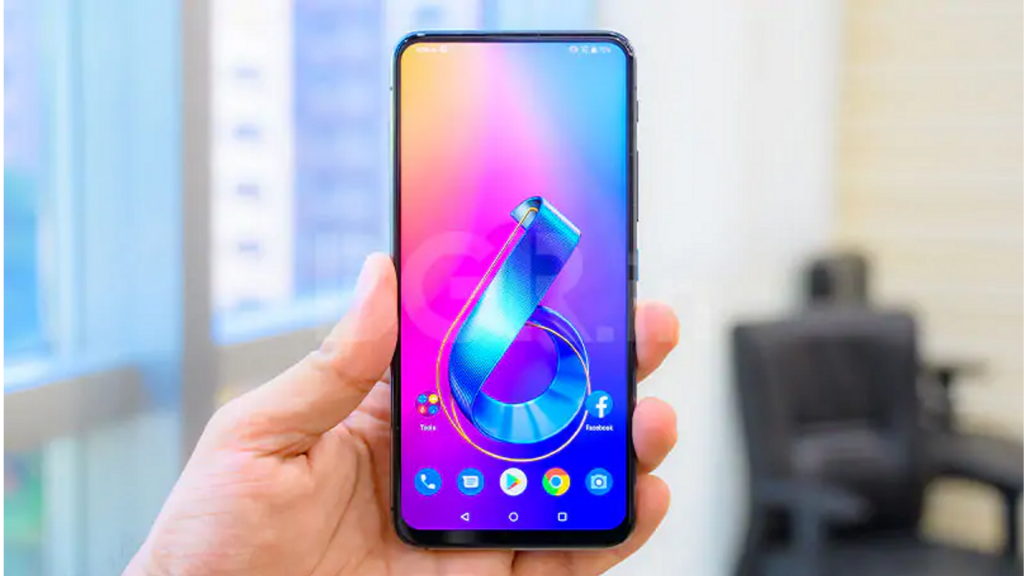
    Asus ZenFone 6 Design

    The ZenFone 6 has got a decent yet appealing design, thanks to its aggressive-looking flip camera with blue accents. It has got Gorilla Glass 6 protection with the aluminum frame on the corners. It feels premium and expensive at hand.

    Despite lacking wireless charging, the device comes with a lot of buttons and ports. There is a power button with a cool blue accent matching the Asus logo on the rear, dedicated quick action button, and volume rockers on the right side.

    The quick action button launches Google Assistant by default, but you can change it later to do things like opening the camera, taking a screenshot, or changing sound mode.

    The bottom holds USB-C port, a headphone jack, and speaker grill. On the left, there is no physical button but a dual SIM tray with dedicated MicroSD card slot. The display is free of notches and cutouts as the camera flips on the top of the phone. Well, there is no IP rating officially to prove its dust and water resistance.

    Performance

        • Octa-core CPU
        • Qualcomm Snapdragon 855
        • 6GB/8GB variants
        • Adreno 640 GPU
        • 64GB/256GB storage options
        • Expandable MicroSD storage

    Asus Phone Performance

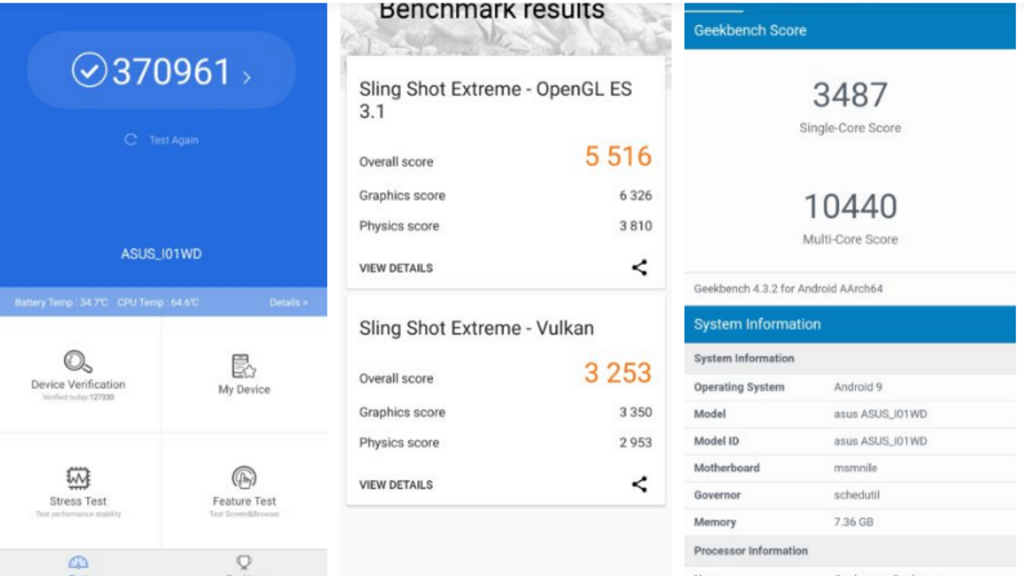
    By considering the specs, it goes without saying that ZenFone 6 has no competition. It is sure that you will not see any lag or stuttering with this device. You can multitask smoothly with 6GB or 8GB of RAM. However, the device gets warmer on heavy load, especially while gaming.

    With 370,000 points in AnTuTu benchmarks, the Asus Zenfone 6 literally beats Samsung Galaxy S10 Plus. Enable AI Boost mode for the best performance. However, it is not recommended because it drains the battery faster.

    Display

        • A massive 6.4-inch IPS LCD display
        • 5:9 aspect ratio
        • 2340x1080p resolution at 403ppi refresh rate
        • Gorilla Glass 6 protection

    LCD display might be a turn off for most of the users, especially when some mid-range and high-end smartphones have better battery life, OLED display for deeper blacks, and always-on display.

    The main problem with LCD tech is that the whole display remains lighted on, affecting the dynamic range and battery life. On the other side, the OLED panel illuminates separate pixels.

    Another issue is its brightness, which ends at 600 nits. Therefore, you have to keep it on max brightness when going out. However, the quality of the panel is still very decent. It can display the whole space with 100% DCP-13 coverage and has Gorilla Glass 6 protection.

    Battery

        • Qualcomm Quick Charge 4.0
        • 18W fast charger
        • 5000mAh
        • No wireless charging

    Despite giving the huge 5000mAh powerhouse, Asus Zenfone 6 still fails to give that much juice. We got around 6 ½ hours of life on screen-on time, which is quite good. You may get a full day on one charge but it will definitely not be able to last two full days.

    High-level of standby battery drain is another big issue. I left the device with 25% of battery left when going to bed but got it dead when I woke up. It’s quite strange as to why this device drains so terribly fast. It also takes time to charge up despite having an 18W charger.

    Camera

        • 48MP camera with f/1.79 aperture
        • Flip camera
        • 13MP ultra-wide sensor
        • 12MP sensor for pixel-binned images

    Asus ZenFone 6 Camera

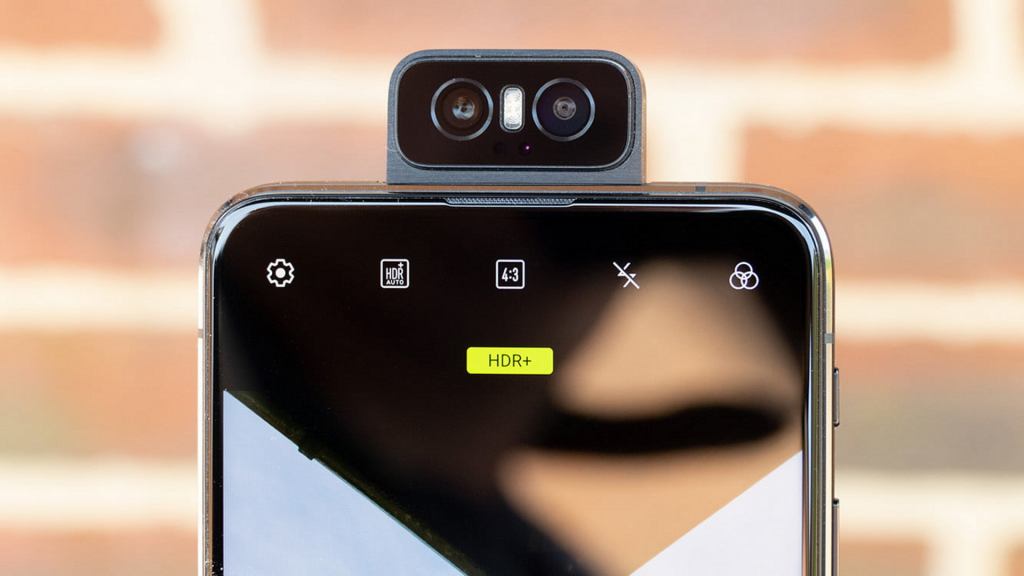
    The Asus Zenfone 6 features 48MP Sony IMX586 primary camera and 13MP wide-angle lens. One thing that makes it stand out is the way it flips up as a selfie camera. In this day when most brands are using either punch-hole display or pop-up selfie camera for full-view display, Asus has done it out of the box and come up with flip-up camera over the top.

    Software

        • Android 9 Pie
        • Zen UI 6

    The Asus Zenfone 6 runs Android 9 Pie with ZenUI 6, which is a great upgrade over its terrible predecessor. It has AI Boost for in-depth usage and a dedicated screen recorder. Overall, it is great to have a simpler interface, which provides more control to the user over the apps.

    Pricing

        • 6GB RAM/64GB Storage – $499
        • 6GB RAM/128GB Storage – $559
        • 8GB RAM/256GB Storage – $599

    Pros

        • Good build quality
        • Awesome performance and specs
        • Great flagship killer
        • Massive battery
        • Innovative Camera

    Cons

        • Outdated LCD display
        • Feels bulky
        • No wireless charging

    Our Verdict

    Starting at $499, it goes without mentioning that Asus ZenFone 6 is a great steal deal. A lot of flagships don’t offer such killer specs despite charging over $1000. The new UI makes it even smoother in usage.

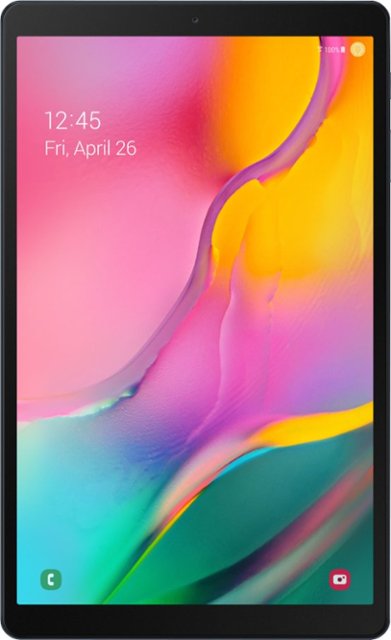
  • Review For Samsung Galaxy Tab A 10.1

    Review For Samsung Galaxy Tab A 10.1

    A Quick Introduction – Review For Samsung Galaxy Tab A 10.1

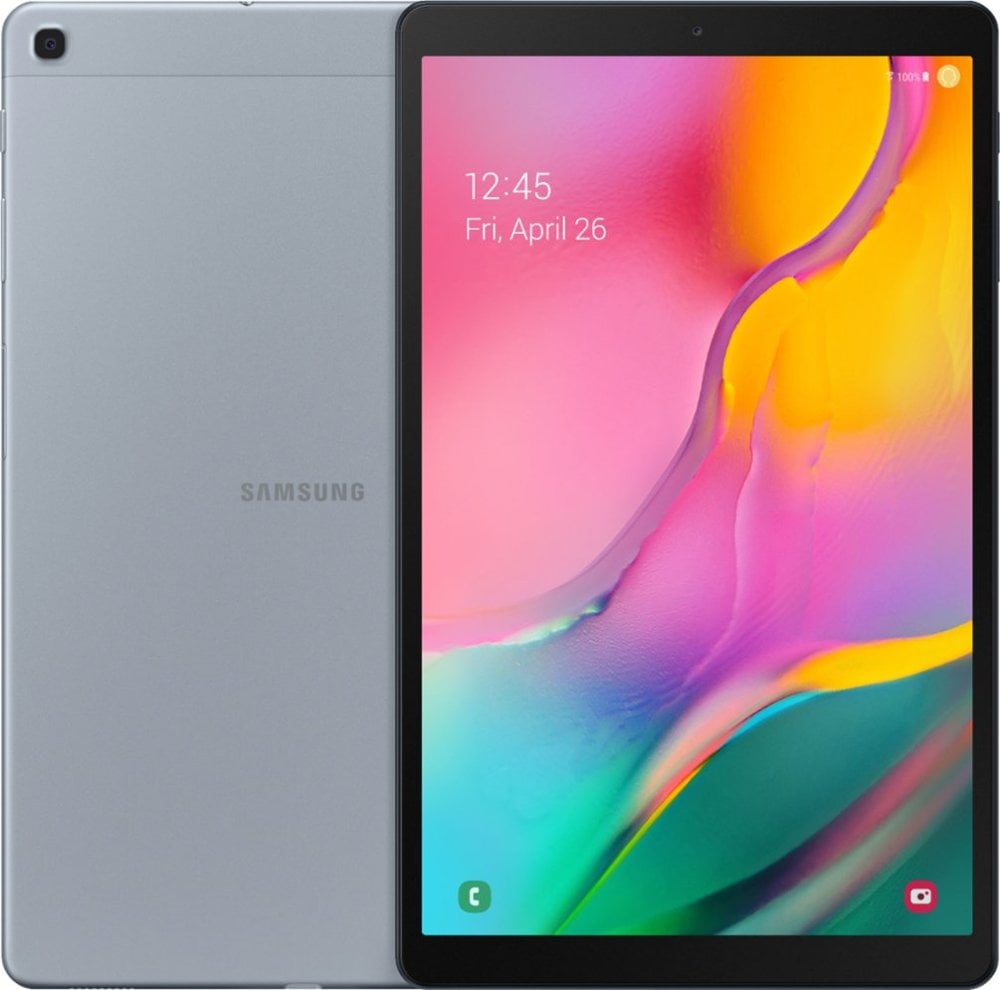
    Samsung Galaxy Tab A 10.1 2019 was released recently and received by the fans quite well. This mid-range tab features a metal body, a 10-inch full HD screen, and an octa-core processor (wow!). It is also one of the very first tablets to have been powered by Android 9.0 Pie. The specs look amazing. But, how good it is really? In this post for the Review For Samsung Galaxy Tab A 10.1, you will find out. Before we get into the different versions of the Galaxy Tab A, you should note that it has three versions, the Tab A 10.1 2019 T510 and T515, and a Galaxy Tab A 10.5. This review will focus on the latest release – the Samsung Galaxy Tab A 10.1.

    Design and Build

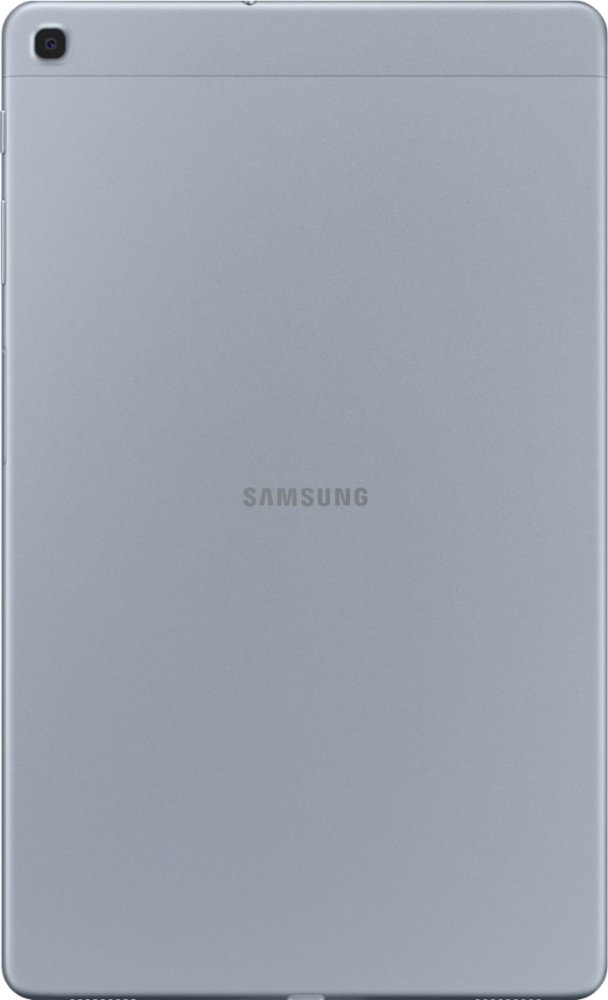
    If you look at the previous models, you will notice that the design has changed quite a lot. There are no physical buttons under the screen. Another thing that might please you is the fact that the bezels are thinner in this. While its predecessors were manufactured using plastic, the Tab A 10.1 is almost completely made of metal. Due to this, it gives a premium look and feel. Although it feels slightly thick at 7.5 mm, it costs relatively less. It doesn’t weigh a lot either – just 460 gms. This Samsung tablet is available in three classic colors – black, gold, and silver.

    Review For Samsung Galaxy Tab A 10.1 Full Review
    Review For Samsung Galaxy Tab A 10.1 Full Review

    From a portrait mode perspective, you will find the volume buttons, the power button, and the microSD card slot on the right side of the tablet. The card slot accepts up to 400 GB. To save space and workaround it, you can always move the apps to microSD. You can easily do this from the settings menu. While the right side is filled with functional buttons, the left side is left simple and empty. The headphone jack is located on the top, as is usual with tablets. There is also a USB Type C port for charging along the bottom side. Here, you can connect to USB-C hubs and external SSDs. Unfortunately, there are no fancy security features like facial recognition or fingerprint sensors.

    Display

    This Samsung tablet has a 10.1-inch screen with an aspect ratio of 16:10. The full HD resolution with 1920 x 1200 pixels ensures a vibrant display experience. Naturally, premium options feature a higher pixel density, but full HD on this is good enough for a 10-inch screen. The images and the general display are pretty sharp and colorful. There is no mention of an IPS screen, but it looks to be one. The screen is fully laminated and the viewing angles are wide and offer a good enough experience.

    The colors, contrast, and other elements are stable as well. It is bright enough to be used outside in daylight and out in the sun. However, just to give you a better idea, it is not as bright as an iPad Pro. There is no support for S-Pen yet, but there have been talks of Samsung working on it. Maybe the S-pen version for this will be released soon.

    Review For Samsung Galaxy Tab A 10.1 Review
    Review For Samsung Galaxy Tab A 10.1 Review

    Performance

    Let’s take a look at the Samsung Galaxy Tab A 10.1’s performance and its hardware. It is powered by an Exynos 7904 octa-core processor. Android Pie works well and so do primary apps like YouTube and Chrome browser. Heavy apps run pretty efficiently like the Adobe Lightroom, but there is a noticeable difference in the way they run.

    If you look at its performance with regards to heavy gaming, such as with games like PUBG mobile, you will see that it does give quite good results. You can easily play PUBG Mobile with balanced graphics settings comfortably enough. You can even switch to HD graphics. However, with HD, you might experience occasional lagging. Not only PUBG, if you look at other heavy-duty games, such as Shadowgun Legends, The Dead 2, or the Warhammer 40000 Freeblade, the experience is quite balanced. In most games, you can use medium settings and enjoy your game. If you move to HD settings, chances are that you might come across minor issues.

    One UI

    As discussed above, the Samsung Galaxy Tab A 10.1 runs on Android Pie 9.0 and is known to be the first Android tablet with this version. Samsung is also well-known for its prompt updates. Again, one thing to note here is that it doesn’t feature vanilla Android. Instead, you will notice that it is customized with Samsung’s One UI. It is the name they have given to their new interface. Interface UI has not changed a lot so that users will not find it daunting. However, the design is customized and so has the settings display.

    Although different from true Android, there is no reason to hate Samsung’s One UI. It works smoothly and has a good enough interface. It has also improved much from its older versions. However, you will have a lot of pre-installed apps including Samsung Notes, the Galaxy Store, a file manager, and a browser. Besides this, you will also see Google apps like Chrome, Gmail, and YouTube and some from Microsoft like OneDrive and Office Mobile.

    Features

    There is a new menu titled the Digital Wellbeing which can be found within the main settings. You can now see, thanks to this app, the amount of time you are spending on each app. This will help you digital detox if you need one! There is also an option to hide the navigation bar. Instead, you can navigate with gestures. There is also a kids mode. There is a split screen view as well. You would now be able to open up two apps and view them at the same time.

    If you are hoping to use Samsung’s Dex desktop mode here, you will be disappointed. However, you can always connect a mouse and a keyboard and use it. A recent update allows users to watch Amazon Video and Netflix in HD. Instead of a tab, if you want to take a look at Samsung’s smartphones, check out this Samsung Galaxy Note10 Plus Review.

    Speakers & Cameras

    You will find two stereo speakers on the bottom side next to the USB-C port. Since they are both placed on the same side, you will not be able to experience any stereo separation. Considering its price tag, the audio quality is not very bad. However, for comparison purposes, we see that Lenovo Tab P10, Huawei MediaPad M5 Lite 10, and even Samsung’s very own Galaxy Tab A 10.5 feature four speakers each.

    Review For Samsung Galaxy Tab A 10.1 Camera Review
    Review For Samsung Galaxy Tab A 10.1 Camera Review

    Coming to the camera aspect of the tablet, it has a 5-megapixel front-facing camera and an 8-megapixel camera. While they are not super-awesome, they do take pretty good shots. One could argue that the camera quality is a lot better in other same-priced smartphones, but that’s a different category altogether. For this price range, the camera and video quality are good enough.

    Battery Life

    This Review For Samsung Galaxy Tab A 10.1 would be incomplete if we don’t talk about this aspect of the tablet. The Samsung Galaxy Tab A 10.1 has a 6150 mAh battery. Considering tablets, this battery capacity is not awesome, but it will do. You might get about 10 to 11 hours of usage on one charge at regular use including some videos. One good thing you might experience here is that you don’t lose a lot of battery life in standby. If you use it only occasionally, one charge might take you through about two to three days. On the other hand, if you are an avid gamer and spend a lot of time gaming, you might have to charge it twice in one day!

    Space and Storage

    There are different variations of the model, such as the 2GB RAM and 32GB storage option, 3GB RAM and 64GB or 128GB storage option. Naturally, the most inexpensive one is the 2GB RAM model. If you are looking at Germany, it is the only option there at the moment. Talking about the 2GB RAM model, you can only expect these specs in this price range. While it is indeed a low amount, there’s no option. In fact, 4GB RAM is the biggest option in Android tablets at the moment. Android in-built memory management ensures that you don’t struggle with the memory.

    However, if you switch between apps or have a lot going on simultaneously, you will feel the difference. Multitasking could be an issue, especially if you tend to use heavy apps. However, for regular use, it shouldn’t be much of a problem.

    The Verdict – Review For Samsung Galaxy Tab A 10.1

    We are now coming to the end of this Samsung Galaxy Tab A 10.1. Overall, it is a good tablet with a solid metal body and an HD screen. While the low RAM and battery life could be a drawback, it performs well. It is also among the very few tablets to feature Android Pie 9.0. You may also receive support for S-Pen soon, looking at Samsung’s history! If you are interested in Samsung’s M series, check out the latest Samsung Galaxy M30 phone.


  • iPhone 11 Pro Max hands-on Apple bets big on the camera

    iPhone 11 Pro Max hands-on Apple bets big on the camera

    iPhone 11 Pro Max has come to surprise smartphone buffs with its remarkable features. The incredible battery life and excellent processors have paired with an awe-inspiring camera that already outshined all the competitors.

    iPhone 11 Pro Max

    The magnificent display will improve your smartphone experience. Moreover, you can expect it to get better with a future software update. Not only that but it has also come with a lot of other improvements.

    Specs

    The camera and battery life of iPhone 11 Pro Max needs a special mention.

    Camera: It’s no wonder that iPhone 11 Pro Max creates a sensation for its top-notch camera system.

    The device comes up with 12-megapixel (wide-angle lens), 12-megapixel (telephoto lens), and 12-megapixel (ultra-wide-angle lens).

    So, get ready to have some extraordinary captures from this extraordinary smartphone!

    Battery: Just charge it once and it will keep on running for around 12 to 14 hours.

    Moreover, the screen-on time has come for 10+ hours for every 24 hours (as specified in the battery settings).

    However, the type of battery is not yet disclosed. As per the claims, iPhone 11 Pro Max is going to run five hours longer than its cousin “iPhone XS Max.”

    Processor and Storage: This feature-loaded device comes with Apple A13 Bionic Processor.

    You will get the internal storage provision for 64GB. That means a lot of places are dedicated to or your favorite files. There is no expandable storage in this device.

    Dimensions: The device features 6.22×3.06×0.32 Inches.

    Mobile Software: This iPhone device is equipped with iOS 13 software.

    RAM: We do not know anything about its RAM till now.

    Special Features: iPhone 11 Pro Max comes with an amazing Water Resistant (IP68) feature. Furthermore, wireless charging and dual-SIM capabilities are also amazing.

    Display Size and Resolution: iPhone 11 Pro Max features OLED Super Retina XDR display with 6.5-inch of size. The resolution is 2,688×1,242 pixels with 458ppi of pixel density.

    Weight: The device weighs 226g.

    Design

    You already know that the iPhone 11 Pro Max comes with three camera lenses. Moreover, they are also large enough. The backside is all about beautiful matte glass finish that is more refreshing than many of its competitors.

    As per the claim, the backside and front side of the device are made of the toughest glass. However, the durability of this device is also outstanding. It has been possible due to the ameliorated IP68 water resistance. This phone can bear 30-minute immersion in water (4 meters).

    The iPhone 11 Pro Max is completely suitable with its pro-user status. It comes up with the midnight-green color, which has a shimmering effect along with its stainless-steel band.

    Hardware & Features

    Guess what? The iPhone 11 trio has been officially launched. However, one sensational talked-about feature is missing in the actual device. And it is the provision for reverse wireless charging.

    This extraordinary feature could let users to all compatible devices wirelessly by positioning on the phone.

    Hardware & Features

    As per the latest report, the iPhone 11 trio features all required hardware for this extraordinary feature. However, the decision of the company about keeping it in a disabled condition could be heartbreaking for many fans.

    Display and Audio: Something Extraordinary

    The iPhone 11 Pro Max comes with a brilliant feature of 6.5-inch Super Retina XDR display. Moreover, the enhanced panel of the device offers increased dynamic range and it’s just mind-blowing.

    Its size and pixel counts are the same as the iPhone XS Max but you could see some advancement in iPhone 11 Pro Max. Moreover, the device features 800 nits of incredible brightness that is more than the previous versions’ 625 nits.

    It’s wonderful that the display can reach the maximum level of 1200 nits. That means you will be mesmerized while watching Dolby Vision or HDR10 videos as well as HDR images.

    Camera: Ready to be surprised

    We all know that Apple could not surprise the users with its camera more than a few past years. However, the company is ready to amaze all with its awe-inspiring camera features.

    The latest smartphone comes with three stellar rear cameras of 12-MP capacity. These cameras include a wide-angle, an ultra-wide camera (featured field of view of 120-degree) and a 2x telephoto accompanied with a wider aperture. The telephoto lens can allow more light than its predecessors can.

    The camera interface of this device comes with a live preview in the exterior of the frame. Thus, you could easily measure what would fit into the shot and what won’t if it’s an ultra-wide mode.

    If you like to capture some dramatic shots, this feature will help you a lot. The iPhone 11 Pro Max’s camera can capture more natural, warmer photos. Moreover, the slow-motion selfies (120 fps) will make you happy.

    The front camera of the device appears with many upgrades. Now, you can capture more subjects in one frame with its wider view. The sharper sensor makes your photos more beautiful.

    Video: A Lifelong Experience

    The company has put a lot of efforts to improve the video recording feature. And it can be evident from its iPhone 11 Pro Max video.

    Extended dynamic range is there to highlight details in a much better way. Furthermore, the cinematic stabilization will help you to get smoother video footage.

    However, you won’t get more than 64GB of storage but with some more investment, you can capture loads of videos.

    Some Other Amazing Improvements

    The iPhone 11 Pro Max features iOS 13 software. Of course, you won’t see any exceptional changes to the mobile OS. But, be ready to discover some handy changes.

    The dark mode has streamlined reading for a long time without making your eyes tired. Moreover, the Reminders app has also been improved. Now, it can more easily create and arrange the to-do lists.

    Do you want an iPhone with incredible battery life? Just go for the iPhone 11 Pro Max. It can run for almost 12 hours.

    The device features 64GB of storage. However, by spending $1,249, you can purchase the 256GB version. Furthermore, the 512GB model has a price tag of $1,449.

    You will also get a fast charger with this phone. Thus, 50 percent charging is a matter of just 30 minutes.

    Are you excited to purchase this outstanding phone? You are in luck. Pre-ordering is going on. And the sale will start on 20th September. The price starts at $1,099.

    There is another surprise for you. The company comes with an exciting trade-in offer. You can handover your current smartphone to them and you’ll receive an amazing discount on the new iPhone 11 Pro Max.

    Verdict

    You can argue that the iPhone 11 Pro Max is expensive and why you should go for it if you are getting many of the similar features in the iPhone 11.

    Let me clarify.

    If you are looking for the best camera and top-notch display in a smartphone, you should consider this device.

    The iPhone 11 Pro Max is worth your investment and you will feel the same after using it.

    In a nutshell, it is almost a perfect smartphone in all respects. The cameras are way advanced and it has already blown the minds of the viewers.

    The vibrant OLED display the fastest processor and remarkable battery life have made this device a must-have one.