Facebook is used by a wide range of users and has a strict privacy policy to ensure the privacy of user’s personal data and information. However, in 2018, there was a significant violation of data privacy that exposed all customized posts to the public, including phone numbers of at least 22 million Facebook users. Facebook has a feature of shadow profile according to which like button, share button, or the browsing history feeds the third-party websites to extract information regarding the personal habit of an individual user. Over time these small data collected create a unique profile, and the company is not transparent whether the user has any access to such profiles. This feature is alarming and has been vehemently criticized at the social platform. The “Off-Facebook Activity” tool of Facebook ensures the user to take control of the data that the third-party apps had been using for so long.
Off-Facebook Activity
This is an essential tool as it gives excess power to the user to control all the right things. While the application assures maximum security, there are a lot of loopholes as well. Facebook has the power to view information from apps and websites with the help of like buttons, sharing options, etc.; therefore it is an accelerated rate at which the third-party app is collecting Facebook data.
Facebook’s Tool For Third-Party Data Sharing
The data is not entirely deleted, even after clearing history and cookies; the third-party application turns the clock to zero and starts all over again. To stop sharing data in the future, you can turn off everything or turn off the apps one after another.
To turn off the sharing of data in the future, you have to manage the future activity by turning off the ‘future’ Off-Facebook Activity. Facebook has been dramatically criticized on the social platform for feeding the third-party with the personal data of the user. It uses various tools to extract information from the user and shares personal information with other third-party apps. It is thus necessary to monitor the data that we as users provide to Facebook.
Facebook, headquartered in America, was founded by Mark Zuckerberg on 4th February 2004. It is a social networking site that is available in 140 languages and was initially accessed by students of Harvard. The application can be logged in from any device that has access to the internet, personal computers, laptop, mobile phones, etc.
Every user has to register themselves with identity details and create their own platform. Users can access or generate a wide range of content that includes a variety like news, pictures, videos, blogs, marketplace. It is a medium to connect with a large group of audiences at once.
Xiaomi started working on its MIUI software quite sometime before it got down to developing smartphones. In the tenth version as of now, MIUI has come a long way and is considered to be quite enticing. Let’s talk about some of the MIUI tips and tricks that will help you take full use of the phone.
App Drawer
If you have never used a Xiaomi phone before, you could find it a bit odd the first time to turn it on. This is usually because the App Drawer is hidden, as part of the default settings. If you would rather have it, you can easily turn it on. If you have always used Android smartphone, having the app drawer will help you get used to the interface faster. To do so, long-press on the home screen. Select Settings and click on More. Choose ‘With App Drawer’ on the screen.
MIUI App Drawer
Themes
A fun aspect of using MIUI is the ability to customize your smartphone by using themes. You will not have to let go of the style or use external applications to make use of themes. However, by using it, you can completely change the aesthetics of your device, giving you a respite from your usual interface. In order to change the theme of your Xiaomi smartphone, you will first need to download one. To do this, open Themes app. You will be redirected to the online shop where you can easily search, download, and buy the theme you like. The browsing option is really cool, and you can check out a wide range of themes across various categories.
Once you have done this, it is time to decide whether you would like to apply the theme to all the aspects of your Xiaomi smartphone or to only a certain part of it. For instance, you can choose to use only the fonts or the icons instead of giving your phone a full makeover. This is the best part of MIUI since it allows an unbelievable amount of customization. In fact, it seems as if you can even create your own personal theme! It is one of the best MIUI tips and tricks to know.
Display
Yes, every display has some issue or the other or is simply not the best version of itself. However, with MIUI, you know that the display is designed to keep its users as happy and satisfied as possible. To check out the appearance customization, head to the Settings page and click on Display. This will open up a large number of screen customization, some of them mentioned below.
MIUI Colours and Contrasts
Colours and Contrasts is an option that changes the temperature of white and the intensity of colour saturation. With the reading mode, you can reduce the blue light on the display to prevent strain on the eyes. You can also automate it to enable and disable it automatically after sunset or at certain times. The System fonts options will allow you to customize font type and size.
The always-on mode can be activated as well if you want to see the time, date and notification icons even when the display is “off”. This is all the more useful if you have an AMOLED display-based smartphone. Raise to wake is a feature which activates the display as the user lift their phone. This was first implemented by Apple on its iPhone and was received very well. The Dual Touch to Awaken feature will wake your smartphone up with a double touch anywhere on the screen instead of having to use the power button.
Status Bar
Xiaomi MIUI has certain options that let the users show additional information in the status bar. The bar also changes the colour according to the app on the top. To make changes and customize the status bar, head to the Settings menu and choose the Notifications And Status Bar option. Within that menu, you will note certain options.
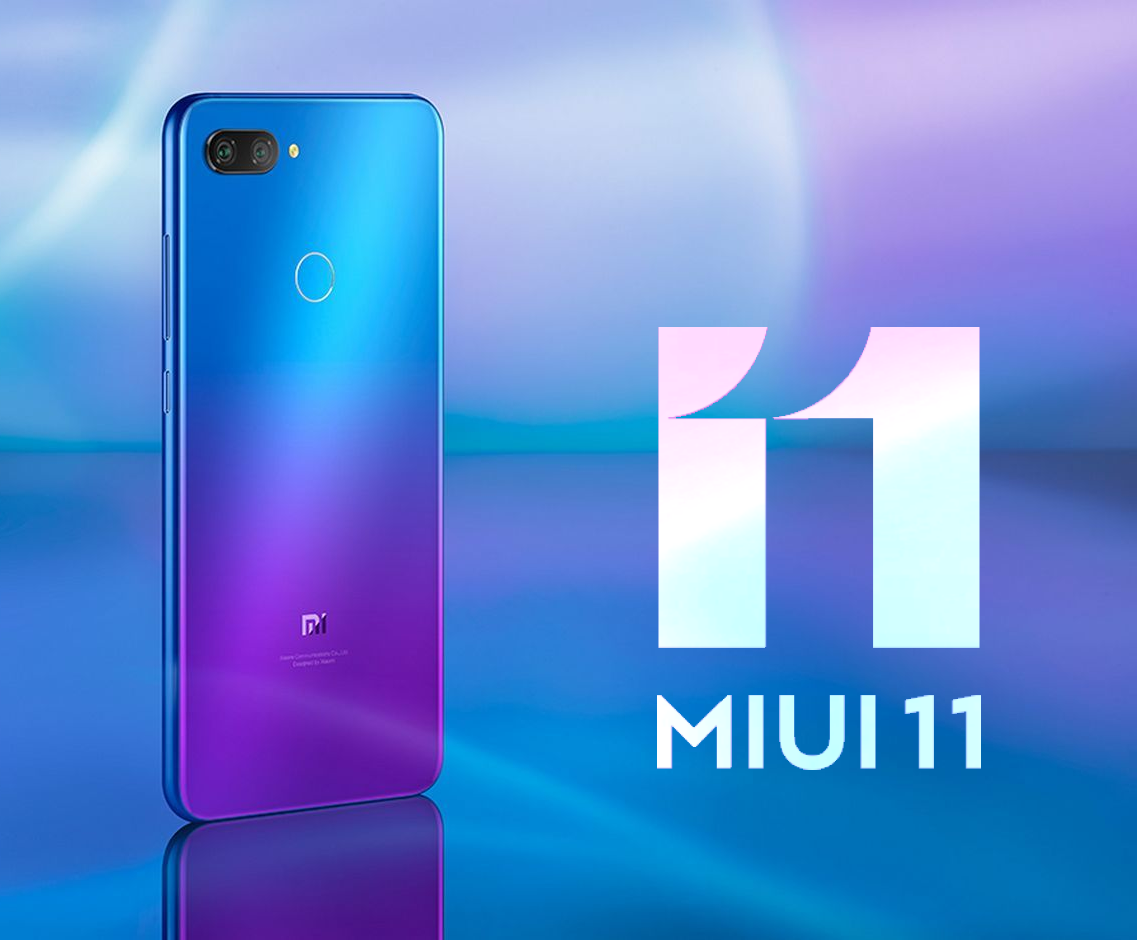
MIUI 11
One is the Show Connection Speed option where you will easily be able to see the speed of the data connection or the Wi-Fi that you are connected to. Within the Notification Folders, you will be able to group notifications together into separate folders so that you can organize your life better. You will even be able to change the name of your operator. For instance, you can set the name of your First SIM card to Business and the second SIM to Private or anything you wish. Lastly, you can add the battery indicator which will show the remaining battery power either in percentage or in a graph.
Unlock Your Smartphone Easily
Another one from the popular MIUI tips and tricks list is this. Xiaomi’s MIUI has an “Unlock With A Smile” feature, which is a major highlight. In this method, you will be able to unlock your smartphone using facial recognition. It speeds up the process of unlocking and your phone and you no longer have to rely on your fingerprint scanner. In fact, you may notice that this method is way faster than your traditional unlock methods. To set it up, visit the Settings menu and tap on Unlock Screen and Password. Within that, you will see an option called Add Face Data. Click on that and the software will take you through the motions.
Split Screens
Split-screen on MIUI allows the users to maintain multiple profiles or accounts on their phones. The best thing here is that you can switch accounts swiftly without having to wait for anything. You can use two different accounts at the same time! This functional is called Dual App and can be found at the bottom of the Settings menu.
MIUI Split Screens
Security
MIUI by Xiaomi is a stickler for privacy. It comes with various features, designed especially for data and app security. Within the App Lock option in the Settings menu, you can select the apps you want to lock up. By doing so, no one except you will be able to open it.
Relax and Chill
MIUI has a special function, specially designed for meditation and relaxation. To enable this, you can visit the app and head to the Timer located under the duration selector. Now, you would be able to select the one that appeals the most to you from a large collection of options. This includes the likes of Summer Night, Rain, Forest, and Beach. Hope this post on MIUI tips and tricks helped!
MediaTek reveals two new smartphone chipsets for mobile gaming – the Helio G70 and G80. It is believed that these chips will make it to India this month, plenty of gaming-optimized specs for cheaper gaming phones. MediaTek says that these are mid-tier, premium chips, ideal for mid-range gaming phones. Both the Mediatek Chipsets have 12nm node 8-core designs with two A75 “big” cores clocked at up to 2GHz, paired with six A55 “small” CPUs at up to 1.8GHz, and an ARM “Mali-G52 class” GPU clocked at up to 950MHz. With so many similarities, the point of differences is not very clear. Both SoCs can be paired with up to 8GB of RAM as well. The chipsets will have a camera sensor of up to 48MP, but unfortunately, will not feature 5G support.
Mediatek Helio G90
Besides the hardware specs, MediaTek is also working on its HyperEngine, trying to optimize the gaming experience. It comes with addition features, such as improved resource management and intelligent dynamic switching between Wi-Fi and LTE. Besides this, you will also be able to enjoy features like multi-camera support, hardware-level EIS, VoW, and rolling shutter compensation.
Mediatek Chipsets And India’s Smartphone Gaming Market
With India’s smartphone gaming market on the rise and no signs of slowing down, chances are that more affordably priced gaming phones will be released sometime soon. They are sure to popular with the users. MediaTek has talked about market availability in India at the moment. However, it is hoped that post the release, increased market penetration will be seen in other markets, such as the US and Malaysia. So far, there has been no word on whether or not these chips will be released elsewhere.
Mediatek Helio G70
MediaTek Helio G90 chipset
The MediaTek Helio G90 chipset was released last year. The idea behind this chip was to deliver high performance for mobile games in affordable devices. Since it was quite successful, it comes as no surprise that the company wanted to work on more gaming chipsets. In regard to that, Mediatek recently announced the addition of Helio G70 and G80 chipsets to its portfolio. These chipsets are designed to be used for gaming devices that will be launched in India. They are meant to be used in lower mid-range gaming phones.
While both the chipsets are pretty similar in their specs and features, it is hard to understand the differences. However, once it launches, we will be privy to more information. At that time, we would be able to gain a better knowledge of each one’s pros and cons.
Backing your data is an incredibly easy task on Android. However, there are some issues that Google needs to take care of as soon as possible. Google offers its users a complete end-to-end encryption service. The company also uses the same service for data regarding its Android apps and your phone settings. Google has been working this way since the release of Android 9 Pie. Since this setting is on by default, you don’t have to do anything except check the box mentioning you want to use Google backup encryption. While it offers great options, there is still a lot lacking here.
What is end-to-end encryption?
Before delving into Google’s drawbacks with the service, let’s check out what end-to-end encryption means? This means that only the person creating the data and the one receiving the data can access the encrypted data. This is because it revolves around credentials which need to be supplied for access. The credentials could sometimes be passwords as well. You could even use an app to authorize the decryption of data. Other options include a secure lock screen. Regardless of the type of authorization, you can be sure that no company, server, or person can gain access. Since only the person(s) at either end has the decryption key, it is called end-to-end encryption.
Google backup encryption
With Google’s backup service, you will have to use a secure lock screen to unlock your phone. Once your phone is unlocked, you will be able to send and receive encrypted data. Most Android smartphones have a form of hardware that allows encryption and decrypt on the go. It is generally facilitated by using a generated token, usually combing data from your lock screen security and Google account password.
On Google hardware, it is known as the Titan Security Module, where both Pixel phones and servers hold the data. Once you authorize yourself, your data will be backed up. You can access it again via the Titan module. The key thing to note here is that neither Google nor the Titan module have any idea of the password to decrypt your data. Since only you do, your data is as safe as it can get.
How does it work with Android?
When you are setting up your new phone that runs on Android Pie or later, you will go through a data backup section. You can enable this without thinking twice since Google nor any other entity has access to it. Once you do, your preferences and associated application data is packaged up, encrypted with a backup key, and stored in a hidden area of your Google Drive account. One thing you may want to note is that new data can overwrite existing data.
Titan Security ModuleTitan Security Module
Since it is not compulsory for the developers to use Google’s Android Backup service, it could give us no end of trouble. If you reinstall the game, you will start where you left off and sometimes, you might have to start right from the beginning. If this becomes the norm with third-party developers and Google starts enforcing good practices, this could a great option indeed.
The new dark mode feature is an interesting thing for Android users. Apple also introduces this feature for its OS. Later, it started appearing on different applications. Everyone wants the screen of their smartphones turned into dark mode. One can enable it by turning on the Dark Mode setting in his Android mobile phones.
Benefits provided
Dark mode feature is not just for interest but it also has some benefits-
Enabling the dark mode can extend the battery life of your smartphone.
It saves the screen energy up to fifteen percent.
It doesn’t strain your eyes.
Enabling dark mode in Facebook
You can enable the dark mode feature in the apps, respectively. Facebook is such an application which most people on their smartphones. Unfortunately, there is no such kind of settings in the app to enable the dark mode. You can install any other alternative apps to enable the dark mode through it. For example, Maki is one such app. These are the following steps to use it:
Login with your Facebook account.
Click on the three dots on the top right corner of the screen.
Click settings and tap on the ‘General’ option.
Choose the AMOLED theme and you are done with it.
However, the Facebook messenger app has an in-built setting to enable the dark mode. The steps below will help you to do the needful-
Not just on the phone but you can enjoy the dark mode feature on your PC too. Many are there who uses Facebook on computers; they can see their PC screen turning into dark mode. There are some steps that will show you how to enable dark mode on the computer’s Facebook.
First, type “chrome://flags/#enable-force-dark” into the address bar after the Facebook URL.
Google Chrome will automatically show the dark mode. But there is a disadvantage you cannot choose which applications to keep in dark mode, specifically.
More development
There are no websites that avail specific applications to stay in dark mode. There is a hope that the makers will soon come with an idea. The idea will help you to enable dark mode on Facebook separately.
You do not have to install any third-party applications to enable dark mode on Facebook once it gets invented. Till that day one can use their in-built dark mode settings. It turns not only Facebook but also the entire mobile screen into black.
If you want to do it specifically then you can install the third-party applications, mentioned above. The dark mode is a new thing to experience. It is very useful and saves power consumption on devices with OLED and AMOLED displays. It is a new feature giving your mobile screens a fresh look. But it is not always helpful to use the feature.
During the daytime, it is quite difficult to use the phone with that feature turned on. It’s always up to the people how they will style their mobile phones. The dark mode is cool stuff for the new generation to try. The demand for more new cool features for devices is increasing day by day.
Google has always come up with great, intelligent devices with its technological advancements. Four years ago, on 19 March 2015, it came up with Android Auto. It is a mobile application, with the help of which you can display some selected notifications directly on your car’s dashboard.
The most useful feature of Google Assistance comes with its use without touching it. I guess, you can well imagine how useful it can be for the drivers, who have both their hands busy while driving. So, Google invented Android Auto Update to help have a voice-controlled car and safe driving.
Benefits Associated
According to Google, this is to avoid all sorts of distractions that a driver will face when his/her mobile will pop with a notification. The driver every time will have to unlock his phone, which of course will add to the danger. But this smart, touch technology with voice recognition in the form of the Android Auto app will do that for you with much comfort.
The thought before this invention was that this would ensure the driver’s full concentration on the road and his hand on the staring wheel only. This actually proved to be successful to some extent. The driver could now access and control his android applications like e-mails, active chats, songs, and calls, etc.
The best feature that Android Auto came up with it is – it can show Google maps and can help you with the best-suited route to your input destination. It will tell you the route with the least traffic and will help you drive to your destination in the least time. As a result, this has proved to be really helpful for the drivers.
You can even speak to the device and need not type while driving. This will definitely help you with your safe driving. It will help you conveniently drive and easily get the required information from your smart mobile phones.
Another milestone to Safety
Recently, Google came up with another useful update, which will give you an option to silent the notifications from some of the applications. One can see this another step towards the security and safety of the driver. The driver can now easily navigate using Android Auto while keeping all the notifications silent, i.e. un-distracted, guided driving.
Another update came up with the feature that the notifications will not produce sound. It will pop-up on the screen and will not disappear until you swipe it aside. This is only when the toggle is activated. It is not ideal.
Phone’s compatibility with Android Auto
The smartphones with the Android version of 9.0 or below will have to download the free Android Auto app. But the phones with Android version 10 come up with built-in functionality.
Phones with Android 5.0 need to have an active data plan to use Android Auto. In order to connect to Android Auto, conventional phones required USB. The newest smartphones come up with the technology to connect wirelessly.
OGoogle releases an open-source 2FA security key platform called OpenSK. The company is deeply involved with security keys and has always worked to improve mobile security. The Titan line of security keys comes with full integration to your Android or iOS smartphone. You can use this to authenticate your login to your Google account. OpenSK is an open-source project that lets the developers build their own 2FA security key.
The team has written OpenSK in Rust and is quite simple to follow. This is because it supports both the FIDO U2F and FIDO2 standards. Solo and Somu are other open-source projects for security key platforms. OpenSK follows the legacy of these platforms. By having OpenSK as an open research platform, it is hoped that security key manufacturers, researchers, and other supporters work together to come up with new techniques that could speed up security key adoption.
OpenSK
To keep our digital life private, the minimum requirement we have to adhere to is the two-factor security or authorization. However, there some hardware that doesn’t have these necessary factors, highlighting the lack of security. This is why open source enthusiasts and supporters will be super glad to hear that Google is now working on OpenSK. Google says that it will release soon. It will come with support for both FIDO U2F and FIDO2.
OpenSK
With this release, developers can flash OpenSK on a Nordic chip dongle. This dongle supports all of the major features of FIDO2. This includes Bluetooth Low Energy, USB, NFC, and a dedicated hardware crypto core. Director of Product Management at Nordic Semiconductor, Kjetil Holstad, said, “We’re excited to collaborate with Google and the open-source community on the new OpenSK research platform. We hope that our industry-leading nRF52840’s native support for secure cryptographic acceleration combined with new features and testing here will help the industry gain mainstream adoption of security keys.”
Google OpenSK
The developers have written the code in Rust and it runs on TockOS for cleaner OS abstractions and better isolation. Rust is known for its strong memory safety which is known to offer protection against logical attacks. On the other hand, TockOS provides a sandboxed architecture that provides better isolation of the security key applet, drivers, and kernel.
Google even gave a quick demonstration of OpenSK working on a Nordic chip dongle as a security key. Google’s OpenSK is just out and is more like an experimental release. It is compatible with and can only work with a single piece of reference hardware at this point – the Nordic chip dongle. However, if this goes on to be a success, Google and its team along with the other developers and security researchers working on this would be able to build something solid using this as the base. This will certainly benefit open-source security and make it better. Do you want to know more about how OpenSK works on TockOS? Simply pop over to the GitHub repository and go over it in detail.
Can you imagine how would a visually impaired person navigate the world?
Whether you are walking on the streets or cooking something at home, doing all such tasks without proper eyesight is really difficult or almost impossible to do. But I have seen many people challenging their situation every day by managing to do all their work by themselves. Such people are an inspiration to many of us.
The introduction of the Smartphone has made it quite easier, especially after the use of Artificial Intelligence in them. Google Lens is now capable of even identifying a dog’s breed just by clicking a picture of the dog. Why not use such smart features to help out the visually impaired people?
Google has come up with its latest initiative for helping the visually impaired or differently-abled community. Google Lookout is a US-based app that is made specially to help visually impaired people see the beautiful world around them.
With the help of the Lookout app, these people can navigate the world by using their smartphones. The AI featuring the app dictates the text to you describing what is happening around you.
Availability Of Google Lookout
Lookout is now available on Pixel devices as well as on non-Pixel devices. It has recently started supporting Samsung and LG devices.
The app is currently functional in the U.S and not yet launched in other countries. You need to update your Android to Android 8.0 in order to use Google Lookout.
You can get the updated APK from APK Mirror and install it on your phones. It officially supports Pixel 4 and 4 XL and is also available for Pixel 3a and 3a XL.
Testing Google Lookout
The app was announced last year is now finally available for you to try it out. Basically, it has 3 modes-
One which helps you explore the world and assist you while cooking.
The other is for scanning barcodes while shopping or seeing currency.
The third one is for reading text on mails, signs, labels and more.
Whenever you start the app, it asks you which mode you would like to use. This helps you to save your time which you would waste on simply navigating the options.
While testing the app for a short period of time, I have observed that it is really quick in identifying objects along with its location and time. It also tells me whether the object had a text on it or not.
Google Lookout V/S Microsoft Seeing Ai
Google is not the only company to launch an app that helps visually impaired people. Microsoft has a similar app for the IOS phone named Seeing AI. The app can read handwritten texts, recognize denominations of currency, describe colors, etc.
As of now, Google Lookout lacks the facial recognition feature which adds a point to Seeing AI but Lookout might come up with this feature in the future.
With the advent of the web, a few things have become easier like shopping, browsing, booking and some more. But these gateways required some personals data from theirs, users or clients, as email id, password, username, account details, etc. As this information is personal for the public and one does not want it to get leaked so, Google activates advanced protection security for the users.
Google’s advanced protection program is for all. It protects you from “high risk” as well as from hacker attacks. So, as to protect your Google account from hackers, the organization offers you advanced protection.
One (master key) is the Wi-fi key and the other is the spare key. When you connect these USB (security keys) to your system and login to an account. These security keys produce a one of a kind password that Google uses to open your record, giving an additional layer of security.
For this security protection, you have to spend some cash. In return, you’ll get Google security protection for your account and prevent it from hackers.
When you have both the security keys, connect the keys with your device. Turn on the Google security protection; it’ll ask you to log in to your Google account.
You’ll be taken to a page where you can register both the keys. Then Google will identify your key and then register it with your account. Additionally, you can use security keys on your smartphone as well.
Activate The Security Key On Your Apple Device
For the Apple and iOS, users should follow these steps to activate their security keys for protection of Google account.
One can activate his key here. It will register him for the advanced protection program.
After activation of keys in your devices, Google provides you with some limitation of the advanced protection program.
The Endnote
This protection program provides users safety and prevents hackers from phishing the information of the client or users. As an additional safety measure, Google will log you out from every single gadget that was marked into your Google account.
That implies you’ll need to sign back in with each gadget by entering your secret key, and afterward using your security key. However, you’ll just need the security key for first-time sign-on.
In your record settings, you can likewise include the security keys and get access to any Google sign-on from different gadgets. Those alternatives will prove to be useful if you lose one of the security keys or if you lose your workstation. In this way, one can also shut the Advanced Protection Program. Basically, turn it off, and you’ll return to Google’s default login process.
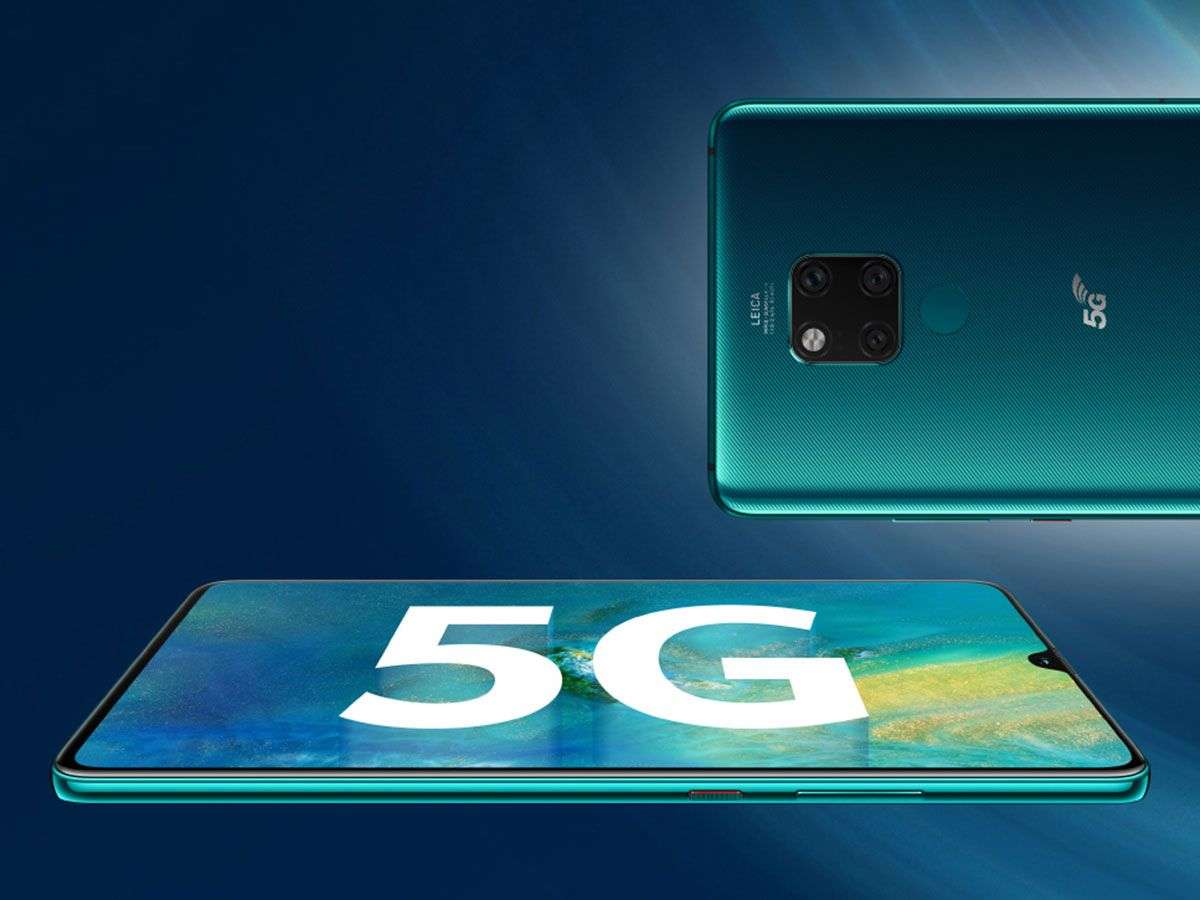
We realize 5G is coming, and it’s already up and running in some areas. Nonetheless, buying a new 4G mobile phone is still important, and not just for the network. Qualcomm replied to increased demand for 4G smartphones with three new Snapdragon chips released today.
Turning the networks into 5G is a big deal. Some companies, including Samsung, have jumped on the bandwagon, with the Snapdragon 865 and Snapdragon 765. Chip manufacturer Qualcomm has also widened the portfolio of 5G-enabled devices. But what operates fantastically in China and the US is far from a fact in Europe, so 5G is a distant dream for countries like India.
Snapdragon 855: Qualcomm Response To Apple And Huawei
Qualcomm announced the Snapdragon 720 G, Snapdragon 662, and Snapdragon 460 to three new 4G Smartphone chipsets in New Delhi. Both three chips are running Wi-Fi 6, Bluetooth 5.1, and are the first on-chip device solutions that support Indian Constellation Navigation (NavIC).
Qualcomm
The Snapdragon 720 G (like the Snapdragon 730 G) used by the gaming industry are designed for audio, among many others, with Jitter Reduction and AptX adaptive. They additionally mounted Qualcomm Spectra 350L ISP, which allows HDR images to be reproduced and transmitted smoothly. The subsystem FastConnect 6200 increases the speed and the range of Wi-Fi.
Something has changed notably in the success of the 4xx series. The latest Snapdragon 460 can receive a 70% increase in performance with CPU cores. Another 4-series technology is the Spectra 340 ISP, designed to provide excellent photo quality and triple-cameras assistance.
Kedar Kondap, who is the vice president of product management at Qualcomm Technologies, Inc., said: “Nowadays, mobile phone users want easy, seamless connectivity, advanced features, and long-term battery life. With the expansion of our 4G portfolio, our partners can deliver advanced technologies that satisfy international demand and allow outstanding gaming experience across several level segments and price segments.”
Ups And Downs Of The Qualcomm Tech Summit
You will sadly have to wait a little longer if you look forward to a cheap smartphone with Snapdragon 460. The Snapdragon 720 G chips will first be available in the market in the first quarter of 2020. Likely, smartphones with 460 or 662 built-in chips will not be in the market until the end of 2020.
The Snapdragon 662 puts the camera at the focus of attention. Therefore, the device is equipped with a Qualcomm Spectra 340 T that supports a configuration of three cameras. It offers smartphone producers the option of installing three rear cameras on their smartphones. The chip supports up to 390 Mbit / s and 2×2 MIMO download speed for a modest price range.
Wrapping Up
The 4 G chips would remain a high priority of Qualcomm Technologies in certain regions, such as India, as stated by Rajen Vagadia (vice president and chairperson of Qualcomm India Pvt. Ltd) in a recent press release. We can be a bit happy with cheap 4G smartphones with a little luck.