Author: Shilpa

  • How To Unzip Files On Android Devices – All Apps And Features

    How To Unzip Files On Android Devices – All Apps And Features

    ZIP files are a way of sending more than one file. It could be considered as a compact digital package. However, to send or receive it and look at it, you will require special software or app. You would first have to unzip the file on your Android device and only then would you be able to look at the content. In most cases, the apps are third-party so it should work on your Android device, regardless of its manufacturer.

    What Are ZIP Files Used For?

    Before looking at how you could efficiently unzip files on Android devices, you first should know what ZIP is used for and how is it useful. ZIP files basically bunch many files together under one folder, making it easier to share, send, or receive it. Manually downloading or sending files could be tiresome and end up messing up your careful organization. ZIP files are a far better solution. RAR files are a similar format. It might help to know that software or apps that can extract files from ZIP folders can also unzip RAR files. Usually, these apps send an alert or a notification when they are done, but if you do not want them, you can turn off the notifications.

    How to Unzip Files on Android

    Let’s take a closer look at the process. ZIP files generally need to be unzipped before it can be used. This refers to the extraction of all the files from the compressed folder. Did you know that thanks to a recent update, unzipping can be now done by Files by Google app? If this doesn’t work for you, you can always use the other equally efficient apps. For more, check out the apps here. We will also be discussing some popular ones in detail in the next section.
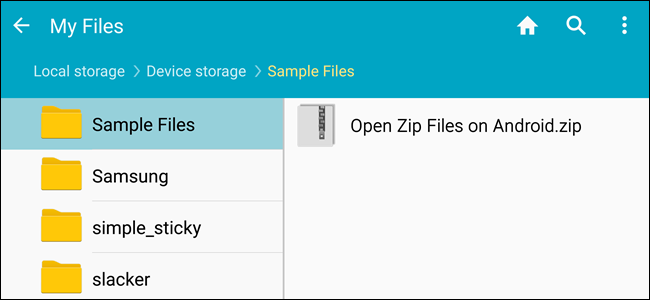
    Unzip Files On Android Devices
    Unzip Files On Android Devices

    To unzip using Files by Google, you will first have to install the same by visiting the Play Store. Previously, it was known as Files Go. If you have an old Android device which has not undergone any updates, you might still have it under the same name. It is advised that you update before following the process.

    The Process

    Open ‘Files by Google’ and search for the ZIP file that you want to unzip. A hint: if the ZIP file you want to unzip was downloaded from your Gmail or another website, it could be there within the Downloads folder. It is quite easy to identify a ZIP folder since they always come with the .zip extension.

    Click on the file and you will see the various files present within the compressed folder. Tap ‘Extract’ to unzip these files. Once the process is done, you will see the list of unzipped files. Click on Done. You will find these files on the same location as the original ZIP file.

    Apps to Unzip Files on Android

    Let’s take a look at some of the popular Android apps. Some of these are file managers having built-in unzipping function, making it easier for you to do multiple tasks with just one app. They work in a manner similar to Files by Google.

    WinZip

    WinZip is a popular software and known by most of us. It is now available for Android as well. The WinZip app supports all the commonly used types of archive files. The best thing about it is that there is support for Dropbox and Google Drive. Once WinZip added this support, many others started duplicating it as well. The design is neat and clean with the user interface being pretty friendly. While it offers the basic functionality and does its job quite well, the others on this list seem to have more to offer.
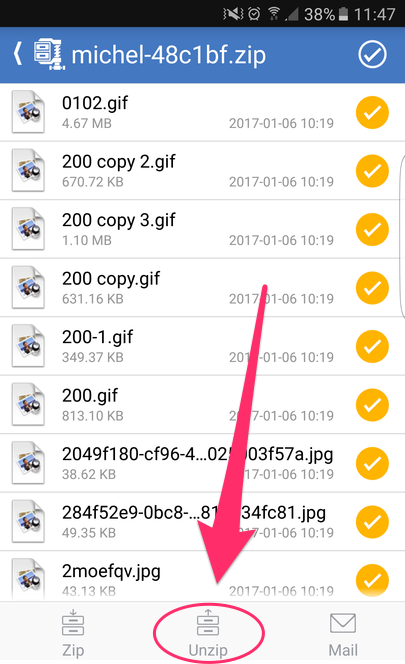
    Unzip Files On Android
    Unzip Files On Android
    B1 Archiver

    B1 Archiver is a popular software used for unzipping or zipping up different archive files. While it offers support for ZIP and RAR, the most common types, the app also offers support for other 37 formats! If you work with uncommon archive formats, this is an excellent platform to use. Besides this, it also has support for multi-part RAR. With reliable functionality and a user-friendly design, this is a good option to consider. While it is free to use, if you want access to some of the more advanced features, you will have to pay a small fee for it. This will also stop the adverts.

    RAR

    RAR is a product from RARLAB. This was designed by the same people who created WinRAR. Considering their expertise, it only stands to reason that the app will offer support to different file types and contain more features. As guessed correctly, RAR for Android offers support for ZIP, RAR, 7z, TAR, and many more. You can also secure your files using the many options available, such as encryption or password. With RAR for Android, you can also repair damaged archives. In addition to this, you would also be able to compare the archives against benchmarks.

    ZArchiver

    This is a completely free tool and has been an Android staple for many years now. With easy user interface and controls, it is quite popular with its users. Since it supports many file types, it offers a good enough experience as well. There are also options for password protection, encryption, split archives, and more. While it does not have any fancy features or a stunning interface, it does its job efficiently and that is what we are concerned with.

    MiXplorer Silver

    Coming to the last app on our list – MiXplorer Silver. This file manager app offers basic archiving functions. If you are working only with basic file types, such as ZIP or RAR, this should suit your purpose quite well. Besides ZIP and RAR, it supports over two dozen file types. The major benefit here is that it also offers its services as a file manager in addition to its archival abilities. With all it offers, it doesn’t come for free. The price is slightly on the higher side, however, for the quality and the number of features it has, it is well worth it. MiXplorer Silver is also reliable and efficient, making it a good investment.

  • How to Send GIFs on Android?

    How to Send GIFs on Android?

    Sending GIFs on Android

    GIFs are an amazing way of expressing your feelings without any words. GIFs are moving images that play in a loop, expressing a variety of sentiments accurately. If you are an Android device user, you are in luck as there are several ways of sending GIFs. You could use your stock keyboard, a messaging app, or any popular third-party GIF app. Let’s take a look at these in detail. You can send GIFs from your Android device – meaning that the device needs to run on Android, regardless of who the manufacturer is.

    Gboard or the Google Keyboard

    On Android devices running on Android 7.1 Nougat, you can easily send GIFs from your Google Keyboard. All you need is a compatible messaging app. Android Messages ticks the box very well. If you want to check which Android OS you are using, you can do that in a jiffy. Make your way to the Settings Menu and click on ‘System’. Find the ‘About Phone’ section and scroll down to see the version. You can also update your Android by checking for the latest updates under the ‘System Update’ tab.

    How to Send GIFs on Android
    How to Send GIFs on Android

    Let’s move on to see how you can send a GIF using the Gboard and via your Android Messages. Open up Messages and create a new conversation. If you want, you can open an existing thread as well. Tap on the text message bar and the keyboard will show up. You will notice a smiley icon on the left side of the space bar. Tap on this.

    You will notice the GIF option at the bottom of the screen. Tapping on that will take you to a GIF search page. Simply type in a keyword and the relevant GIFs will appear. Once you start using this, you will notice that the Recent tab shows GIFs you have used in the past. Change the search terms to get more options. Once you find what you were looking for, tap on it and send it.

    Using GIPHY

    Most of us are likely to have heard of GIPHY. It is a library of such videos with an effective search engine that allows you to find what you were looking for easily. The best part about this is that you can also upload your own GIFs. Unless you want to save favorites or more, you don’t require login credentials. It is completely free to browse, search, and share GIFs.

    To send a GIF with GIPHY, first launch the app. On the main screen, you will many popular GIFs, the latest trending ones, and more. Tap on the planet icon to be presented with the many categories. This includes memes, reactions, greetings, animals, and occasions. If you want to upload your own GIF, tap the plus symbol. When you find a GIF you like, tap on the image.

    A variety of options will show up, such as Facebook Messenger, WhatsApp, Snapchat, and more. Depending on how you want to share, click on the relevant one. In addition to these, there will also be a share and a download link. With the share button, you can send using Android Messages and other similar apps. Once you have selected the app, tap send.

    GIFs on Android
    GIFs on Android

    Did you know that you could send GIFs in the form of an attachment as well? If you have saved GIFs on your Gallery or the cloud, you can easily do this. Simply tap the plus symbol beside the message bar. Select the GIF that you wanted to send and send. Before sending, you could also add a message if you want.

    Other Third-Party Apps For Sending GIFs

    GIFs can help us express our emotions better than anything. There are many amazing apps out there that offer tons of entertaining GIFs. If nothing is to your liking, you can get down and create your own! Let’s take a look at some of the most popular apps. Check here for more details.

    GIF Keyboard by Tenor

    This app makes sharing GIFs very convenient and super fun. The reason for this is that you don’t require any additional workups. You can do everything you need to do directly from your keyboard. Tenor has a HUGE library containing millions of short videos and GIFs. All you need to do is to search against the relevant keywords and find an amazing variety show up. With Tenor, you can search and send GIFs, emojis, and more. You will also find plenty of clips from movies in the form of GIFs.

    Fleksy

    Flesky was initialed designed and developed for faster and better typing. One of its major goals was predictive typing. Thanks to its Flesky next AI, the app suggests stickers, GIFs, words, and emojis while you are typing. Its auto-correction feature is also pretty advanced. Definitely more so than others you might have come across. The app has a pretty good collection of cool stickers, fun GIFs, and an interesting variety of emojis. Since it helps with fast typing, it also helps send GIFs easily. This app has an emoji and GIF keyboard, which allows you to easily access its large collection of GIFs, stickers and emojis. It’s a faster and more convenient way of sending GIFs on Android.

    SwiftKey Keyboard

    This is one of the more popular ones. The SwiftKey Keyboard app is known for its rich plethora of options it offers to the users. Did you know that this app works to understand your way of writing and then gives suggestions based on that? It also tries to understand how you use and interact with emojis, GIFs, different words, and reactions. Here, you will find tons of stickers, GIFs, videos, emojis, and more. In fact, there is a built-in emoji keyboard as well. Another surprising feature of SwiftKey Keyboard is that it supports a multilingual keyboard.

    Wrapping Up – How to Send GIFs on Android?

    GIFs are a great way of communicating. With these apps or via Android Messenger, there are plenty of ways how you can send GIFs on Android.best way to send gifs on Android. Whew! Now, do you want to chill out by playing some games? Check out some offline game ideas.


  • Google Play Pass: Premium App Subscription Service Coming Soon

    Google Play Pass: Premium App Subscription Service Coming Soon

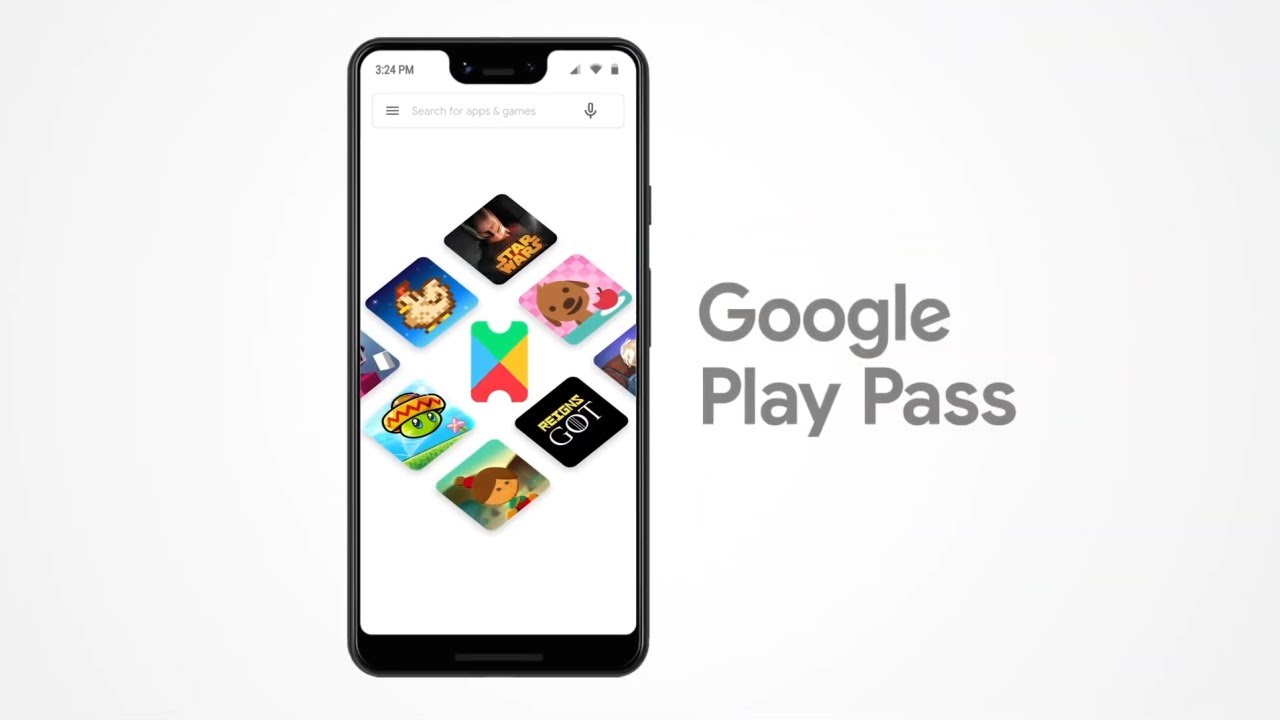
    According to a tweet posted by Google, it looks like Google Play Pass is all set to be released at any time. The company has been working on this subscription service for a long time now. By signing up and paying a modest subscription fee, users would be able to get access to hundreds of premium apps. The service first came to light last year and since then, has been compared to Apple Arcade. The latter is a similar service launched by Apple where the users can access premium apps and games in return for a subscription fee.

    While the tweet did not say a lot about the time and other details of the launch, it is confirmed that it is likely to be released soon. The official tweet got a lot of attention.

    What is Google Play Pass?

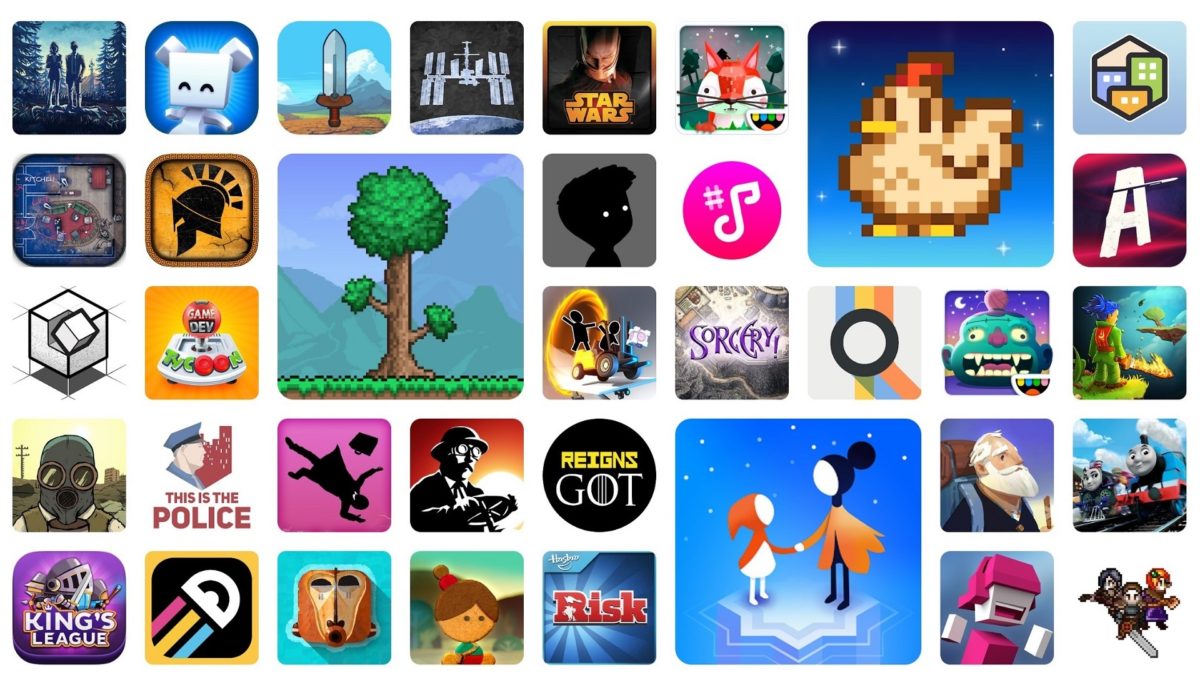
    The news about this was first leaked in October last year. The subscription service seems to be priced quite reasonably, judging by screenshots sent by an anonymous user last month. The subscription fee would kick in after a free trial of 10 days. By using Google Play Pass, users would be able to access paid and premium applications like Limbo, Stardew Valley, and Marvel Pinball.

    Google Play Pass
    Google Play Pass

    In order to attract most of the market, Google may be planning to create a new pricing structure. This could be designed to please most of its loyal user base. There are also plans for making certain premium apps available globally. However, the main aim of the Google Play Pass is to offer its users access to many apps and games. All of this would be offered for a modest monthly rate.

    Apple Arcade vs. Google Play Pass

    While Apple has already established its service, Google fans are eagerly waiting for the launch of Play Pass. The Apple Arcade subscription service allows its users to access paid apps. It is also working with its major players, such as Disney and Sega to increase the offerings. Check out our detailed post for more information on Apple Arcade.

    More About The Google Play Pass

    Google’s latest subscription model service has excited its fans. With this, users would be able to access premium mobile apps, games, and a whole lot more. The Pass would allow us access to over 350 apps without requiring to pay any additional charges. Everything would be covered by the subscription fee. To make it more appealing, the Pay Pass costs only a fraction of its original price for the first year. Post this period, the price will be reverted to the original amount. It is also a good time to mention that this is a launch promotion only.

    Google Play Pass Apps
    Google Play Pass Apps

    Play Pass Catalog

    Coming to the more interesting stuff, the Play Pass allows users to choose from various cross-platform titles. Besides games, there are many other apps that you can find here for free, such as the ad-free versions of Facetune or AccuWeather. Other apps that you could access include Toca Boca classics for kids, Reigns: Game of Thrones, Mini Metro, This War of Mine and Cytus, and more.

  • Samsung Internet Browser 10.2 Beta Adds Toolbar Customization And Mobile Tab Bar, Reinstates Video Assistant

    Samsung Internet Browser 10.2 Beta Adds Toolbar Customization And Mobile Tab Bar, Reinstates Video Assistant

    Samsung’s third-party browser, Samsung Internet Browser, is now on its 10th major iteration. The beta channel of the browser app is all set with the latest update. Let’s take a look at some of the features that this update saw.

    Latest Features of Samsung Internet Beta Version 10.2

    Toolbar customizations: Users would now be able to indulge in address bar and toolbar customizations. You can now organize and line up the open web pages in order under the address bar. You would also be able to allocate a certain icon within the toolbar. If you have ever used Samsung Internet on your tablet, you might have noticed this feature. However, now, it has been made available for smartphones as well. To enable the webpages under the address bar, all you need to do is to click on the hamburger menu located on the lower right side of the window. Click on Setting and then tap on ‘Appearance’. Following this, you will have a screen with different options, find and enable the “Show tabs below the address bar.”

    Similarly, it is easy to customize the toolbar settings. You can simply go to the Settings, click on the “Customize Toolbar” option and arrange the icon as you wish.

    Samsung Beta Version 10.2
    Samsung Beta Version 10.2
    Pop-menu menu with long-press

    Now, holding down (or, in other words, long-pressing) on a link could give you additional options. Previously, this used to cover the full screen. However, in the latest version, you will find that the interface changes to a pop-up that contains all the required data. It is a good change since it looks neater.

    Video Assistant

    You might have noticed that the video assistant was there in the older versions of the browser. It has been revamped and it has come back with a bang. If you want to enable this option, all you need to do is to visit your Settings menu and make your way to the “Useful Features” option. Enable “Video Assistant”. You will notice a small purple icon on the bottom of your screen whenever you watch a video in the Samsung Internet Browser Beta. Clicking on the purple icon will present you with some options, such as “Show on TV”, “Show on a pop-up window,” and “Enable fullscreen”.

    New card UI for tabs

    There is a new interface for the card layout. Viewing tabbed pages will now be a different experience thanks to the awesome interface. Cards will now pop out and offer you a better view.

    Samsung Internet Browser Beta Version 10.2
    Samsung Internet Browser Beta Version 10.2

    User Experience

    If these features have gotten you excited, you can check them out yourself. All you need to do is to download Samsung Internet Beta version 10.2 and install it. In addition to all the cool features that we discussed above, the latest update also has some privacy enhancements. Users would now be able to see the apps that are working with the Internet Browser Beta and close them if needed. There is also a Secret Mode with smart anti-tracking technology. Here, you are safe from advertisers! You can keep your Secret Mode tabs a secret by having a password or locking them with biometrics. All in all, it looks like good browsing experience. You can give it a try by clicking here. If you are more of a Google Chrome user, go through this article to understand how you can check the browser version. 

  • Hearthstone Rise of the Shadows – All About The New Cards

    Hearthstone Rise of the Shadows – All About The New Cards

    Introduction – Hearthstone Rise of the Shadows

    Blizzard Entertainment is the creator of Hearthstone, an online card game that debuted in 2014. With the latest release, the Rise of Shadows, they are back in the news now. With each such release, the metagame undergoes some modifications. This is critical to keep the players attracted to the game. New challenges keep the game from getting boring, especially if they are veteran players who have already explored the ins and outs of the game. One of the drawbacks of the game is the sharp learning curve for the new players. This is one reason many players prefer the single-player option than the multi-player one.

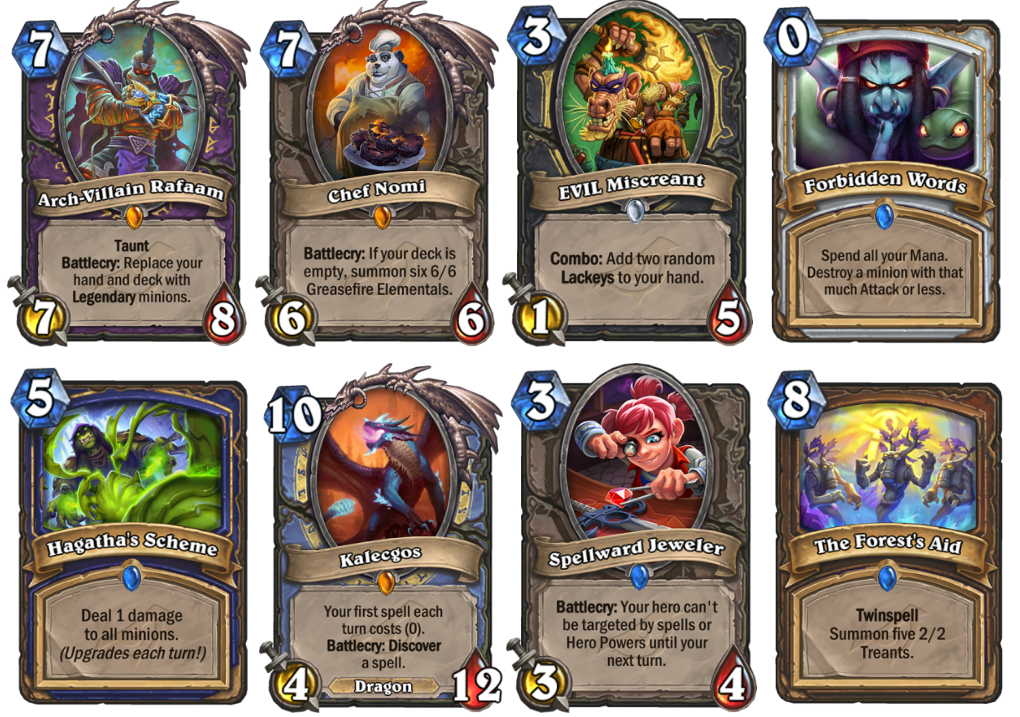
    The Hearthstone Rise of Shadows is the first attempt to navigate the players across multiple sets in the form of single stories. The story itself is based around The League of E.V.I.L. which is a supergroup created by Arch-Thief Rafaam. Here, Rafaam is successfully collaborating with other sets and working on capturing the floating wizard city of Dalaran.

    Hearthstone Rise of Shadows
    Hearthstone Rise of Shadows

    Strategy

    To keep the game engaging, the cards keep changing which makes it difficult for new players to understand, and even for old returning players! Missing out a few expansions, and subsequently, the cards that retired and the new ones that came out, you would have a tough time getting back. However, the game itself is extremely fun and the effort you put in to learn the nuances of the game definitely pays off. The single important skills in Hearthstone would be to understand the deck balance and have knowledge of when to use which card. This is something you can only gain if you spend hours playing!

    Newbies would also not have the kind of cards experienced players would have since they would have to get these form card packs. It is also a bit expensive since you would have to purchase them separately. It is a much better idea to just earn them as you play and progress. So, if you are a returning player after a long time or if you are a newbie, you can check out Hearthstone’s FAQ page. They have a detailed list of all the cards in Rise of Shadows. This is a great place to read about the different cards and start making your way towards the ones that you like.

    Hearthstone Rise of Shadows Cards
    Hearthstone Rise of Shadows Cards
    Expansion

    With regards to the latest expansion – the Rise of Shadows – there are some fun cards. For instance, there are some that grow stronger with each turn and some that decreases by 1. Cards combined strategically in your deck would give you a powerful combo to play better. There are different character classes in the game and this is something you would have to study well in advance to understand the dynamics of the game. If you feel the multi-player option is just too advanced for you, you can always play single games until you learn your way around.

    Updates And New Cards

    The Rise of Shadows will work with 135 cards in addition to some older sets that could be used in the Wild Mode. There will also be the usual annual rotation in the Standard format. The class alignment has also undergone some changes. Here, the Priest, Shaman, Warlock, Rogue, and Warrior would be evil in the Year of the Dragon. This is where Rise of Shadow begins. The other class, including the Hunter, Paladin, Druid, and Mage would be on the good side. Let’s get into some of the cards and talk about the dynamics of the game.

    EVIL Cards

    Scheme: This card can only be played by the evil classes. The longer they sit in your deck, the stringer they tend to get. For instance, with the Shaman AoE spell, it is usually 5 Mana for one damage to the board. However, if it stays in your deck for some time, it could potentially wreck higher damage for the same price.

    Lackeys: Lackeys are a new card in the Hearthstone Rise of Shadows. This is a token card which means you cannot access this from packs as these are created by collectible cards. It comes with 1/1 stats and with a high utility effect. It might help you to know that there can only be five possible Lackey outcomes. This can give you some consistency while making the decision.

    Hearthstone Rise of Shadows EVIL Cards

    Defenders of Dalaran Cards

    Twinspell: With this card, you would be able to cast the same spell two times. When you cast a Twinspell, the second copy of the card would be added to your deck. If you have sufficient Mana, you can play it in the same turn or for future use. One thing to note here would be that the second copy wouldn’t be a Twinspell one, meaning you cannot generate it again. It would work only once. However, if you use it wisely, it could be pretty strong. Twinspells are only available to the Defenders of Dalaran, unlike the Lackeys and the Schemes.

    Callback cards: Callback could be considered to be a kind of a themed subset of the Rise of Shadows and is a cycle of cards. This would include popular ideas from the previous sets. Potentially, it could have different impacts based on how much Mana you use when playing it.

    Well, there you go! Hearthstone Rise of Shadows is a great game to play, especially if you have some idea of the mechanics of the game and the numerous cards that it works with. Strategy is the key element here. While you might have some powerful cards with you, but if you don’t use them at the right time, it is of no use. As you play, you are certain to hone in your skills and have more fun than ever. There are also some guides out there which would give you an in-depth idea of the best way to play each card and its strengths and weaknesses. Check out other games here.

    If you are more interested in some video games like PES and FIFA, you should definitely take a look at our PES post. It is all about the PES 2020 Release Date, Pre-Order, PC Requirements, Database, Ratings, Cover, Trailer, and More.

  • Sony PlayStation 5: Games, Price, Specs, Release Date and More

    Sony PlayStation 5: Games, Price, Specs, Release Date and More

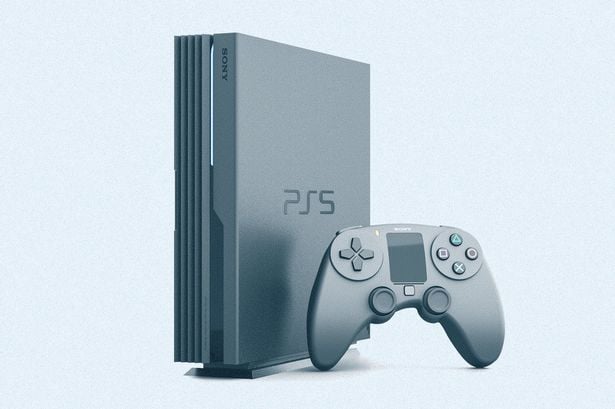
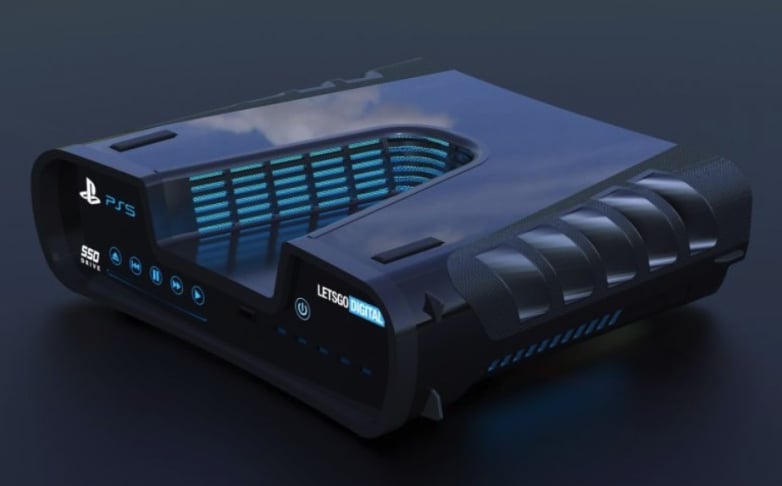
    Sony, one of the best in the business of gaming consoles, has given a hint that they are working on the next generation of the console series. It is expected to replace the PS4 Slim and the PS4 Pro. The official name or the design for the Sony Playstation 5 is not known yet. However, it is expected to be much more powerful than all the previous versions that they have released so far. With the release of the Playstation 5, we can expect some really good deals on the PS4 on Black Friday sales! It is a good day all around!

    Though there has not been any conclusive date when the PS5 could be launched. Different interview sources mention different dates, but they all agree that Sony has confirmed that the PS5 is soon to hit the market. Check out the older models reviews here – PlayStation 3 Console and PlayStation 4 Review.

    Release date for PS5

    Recently Sony confirmed that the PlayStation 5 will be released during the 2020 holidays. This was published in a story by the CEO of Sony – Jim Ryan. In the same story, the CEO was joined by the lead architect of the PS5 to give some insights about the device. It has been confirmed that the PS5 will also come with a 4K Blu-ray player and the discs would be in 100GB sizes. This eliminates the use of multiple discs for games that are huge. There are lots of other features that have been hinted at. We will be discussing this in the later sections to come. Coming back to the tentative release dates, this is a big decision for Sony to lock horns with its competitor Microsoft which is also planning to launch in the 2020 holidays their own next-generation gaming device.

    Sony Playstation 5
    Sony Playstation 5

    PS5 Specs

    In multiple interviews, Sony mentioned and heavily hinted that the graphics are going to be from AMD. These chips are specially designed for Sony and they will be able to support 3D audio, 8K graphics, and ray tracing. Some of these are new to the gaming industry. This would take the gaming experience to a whole new level. The gaming console will be powered with an eight-core CPU which is based on the Ryzen line. By now, you must have had a slight idea that this gaming console is going to be a beast when it comes to the performance of the console. It is also worthy to note that there is no other gaming console that could be as powerful as this one in the market currently.

    If speed has been one of your main concerns on the older devices, then Sony has some good news for you. All the hard-disk drives will be replaced with solid-state drives. This is expected to enhance the loading experience to a whole new level. Sony did publish a few comparison stats while using the SSD in comparison to the old school HDDs and found that loading saved games was more than 8 times faster.

    Sony Playstation 5 Looks
    Sony Playstation 5 Looks

    The installation takes a long time. So, Sony has hinted that it will allow users to install a part of the game. This will help the users to install just what they want. They would not have toan the full version of the game and parts that they might not use.

    Controllers and Cloud Gaming

    It has also been confirmed that the PS5 will be compatible with all the games of the PS4. You might not want to sell them off in case you have not completed the game. The PS5 should also be compatible with the PS VR games. They have also confirmed that games older than the PS4 will not be compatible to play on the latest version. This is primarily because the architecture of PS4 and PS5 are almost similar. It will also help the users in transitioning easily to the new device.

    There have also been hints that Sony might allow cloud gaming on the latest device. However, there is not a lot we know at this moment. With competition in the cloud gaming area at its peak – Sony has a huge mountain to climb in order to emerge as a winner.

    Sony Playstation 5 Controller
    Sony Playstation 5 Controller

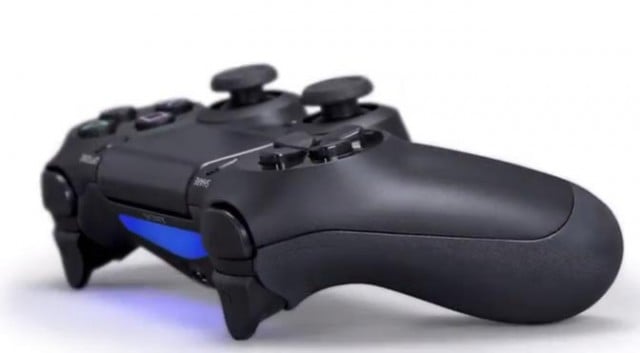
    A controller is something that is very important when it comes to gaming. The gaming controllers from Sony have not been really special after the release of PS3. In another interview, Sony revealed that a new controller is being designed. They aim to offer a better gaming experience to the users. The controller will be able to pass feedback to the analog sticks which will mean you can receive different kinds of feedback based on the scenario. For example, in a car race, driving on the road will have different feedback than driving on the gravel.

    PS5 Games

    Most of the leading gaming software developers have joined hands with PS5. They are building games that will be ready for release as soon as the console is also released. These include CD Projekt Red, Kazunori Yamauchi, etc. There have also been reports that Sony has started building its own development team. They are working on developing new games themselves.

    Conclusion – Sony Playstation 5

    With the release of PS5 in about a year, it is time that you complete all the games that you have on the PS4. If you cannot, you will still be able to continue playing on your PS5. That is really good! From a price standpoint, we do not have an official confirmation on how much the device is going to cost. But, we reckon that based on past history, this should be marked at the same price range as that of the PS4 Pro. We might well see that this device hits the $500 mark depending on the strategy that Sony chooses to go with. That being said, this device is likely to be awesome and worth the price tag, if all features are included.

    If you are much into gaming, take a look at our post on PES 2020 release date and other information.

  • PES 2020 Release Date, Pre-Order, PC Requirements, Database, Ratings, Cover, Trailer, and More

    PES 2020 Release Date, Pre-Order, PC Requirements, Database, Ratings, Cover, Trailer, and More

    Introduction – PES 2020 Release

    Konami has finally come up with the PES 2020 release for the greatest rival of FIFA 19. The EA Sports game did not do well in the FIFA 19 and Konami have been waiting for their chance to make it big – will they be able to win the heart of the fans by producing mesmerizing gameplay? Or will EA Sports come back with another tough competition in terms of releasing FIFA 20? Whatever the case, the users are going to benefit from better graphics and gameplay with the latest versions of the game.

    Release Date

    The PES 2020 was released on the 10th of September, 2019. There have been multiple versions of the game, such as the standard edition and the legend edition. Both the games have different players on their game covers. The standard edition of the game features Lionel Messi on the cover whereas the famous Brazilian star Ronaldinho is featured on the digital exclusive Legend edition of the game. For users who want to try out the game without actually buying it, they will be able to do so using the demo version of the game which is already out for everyone to try their hand. The game is available on PS4, Xbox One, and PC as well.

    PES 2020 Release Date
    PES 2020 Release

    Requirements

    Though the requirements need not be considered for gaming consoles, such as PS4 and Xbox One, it is very important to keep them in mind when you are planning to play this game on a PC. You would want to enjoy the game without any lag and for that, there are some requirements. The official minimum requirements and recommended requirements are as below. Check out what other games you can play with your specs here.

    MINIMUM
    • Requires a 64-bit processor and operating system
    • OS: Win 7 or higher (64 bit)
    • Processor: Intel Core i5-3470 / AMD FX 4350
    • Memory: 4 GB RAM
    • Graphics: NVIDIA GTX 670 / AMD Radeon HD 7870
    • DirectX: Version 11
    • Storage: 40 GB available space
    • Additional Requirement: Resolution 1280 x 720
    RECOMMENDED
    • Requires a 64-bit processor and operating system
    • OS: Windows 10 (64 bit)
    • Processor: Intel Core i7-3770 / AMD FX 8350
    • Memory: 8 GB RAM
    • Graphics: NVIDIA GTX 760 / AMD Radeon R9 270X
    • DirectX: Version 11
    • Storage: 40 GB available space
    • Additional Requirement: Resolution 1920 x 1080

    It is highly recommended that you try to satisfy the specs as this will ensure that the game runs without any lag. It has been noted that the requirements are not something complex. A top-end machine should be able to run the game quite easily.

    Trailer

    The trailer of the game was released in early July which gave us all a bit of an insight on how the game is going to come out. The trailer was amazing and well designed. A lot of the features made an appearance in the trailer. Take a look if you haven’t already! The developer and their partnership with Barcelona continues thanks to the renewal of the contracts. Lionel Messi is the cover star as mentioned earlier and Andres Iniesta is the gameplay consultant. In the master league, you will be able to catch a glimpse of the former stars who were also a part of this team in the past – Diego Maradona and Johan Cruyff are featured.

    PES 2020 Latest Release
    PES 2020 Latest Release

    Gameplay

    Let’s take a look at the most important section which interests everyone the most! The first feel of the game looks good and promising. The players now feature the latest fashion trends – the designs are pretty cool! PES has focused on the authenticity of the stars and has tried their best in keeping them real. Many new techniques have been mastered in the game as well to ensure the reality. For example, the dribbling technique “finesse” is something to look out for. It looks like the developers have worked on the unique style that Ronaldinho uses in his games.

    Multiple sets of animations have been added that have been seen on live TV and the famous trademark celebration style by the players has also been adopted. Physics has been heavily incorporated in the game. The ball a bit heavier and the air movements more natural when compared in the previous versions of the games. The other noticeable features that have been brushed upon are the first touch mechanics. The trapping mechanics have been upgraded as well. There numerous new ways to defend the ball and we have seen the inclusion of the intentional foul in quite a unique way.

    PES 2020 Gameplay
    PES 2020 Gameplay
    Customizations

    The Master League is something that you have a play. Instead of the story being controlled by the game, there is a new interactive dialogue system that puts you in the place of the actual master of the game. Now, you need to control your own personal story to success. The looks of your manager in the Master League can be customized with the same traits that are found in real-life managers. In addition, the dialogue system adds more spice to the game when it comes to contract negotiations and every interaction, making it unique for every player. Besides this, you will also be able to create logos for a team that you manage or select from existing ones.

    Conclusion – PES 2020 Release

    The PES 2020 release is sure to be a big hit. With PES improving in several areas, the game is definitely worth a try. The standard edition of the game costs close to $35 and the legendary version is priced a bit over $50. However, it is well worth the money. The manager version of the game comes really close to real-life scenarios and the dialogue systems make the game even more interesting. The physics that has been used in the mechanics of the game are something that needs to be appreciated.

    We think that the developers could have concentrated a bit more on the different types of modes that are available in the game to make it more engaging. There are multiple glitches that have already been reported and the developers are working hard to fix them. Unless you are an avid gamer – you are unlikely to notice them. This one is definitely worth a try! If you love to play games on a Playstation, take a look at our PS5 Review.

  • PUBG Mobile Lite WinnerPass Brings Exclusive Rewards, Challenges After v14.0 Update

    PUBG Mobile Lite WinnerPass Brings Exclusive Rewards, Challenges After v14.0 Update

    Getting Started – PUBG Mobile Lite

    If you have been losing out on playing one of the most popular games on the internet, it is time to put it right. If you have been missing out because you have a low-end phone, there is no need to worry anymore. Your time has come to start playing PUBG. This can be considered to be one of the major moves by Tencent Games, the developers of this game. The regular version of the game could be played only on high-end phones as it requires more graphics and better processor speed. The PUBG mobile lite version is something that is more inclined towards having the same experience on low-end phones. This will increase the user base of the game and will now offer a better experience to the players.

    It is also good to note that this Lite version of the game is only available in a few countries, such as the Philippines and India. The developer plans to slowly extend to other countries. One of the biggest questions that come to everyone’s mind is how good is the Lite version of the game going to be? Will there be any new features? Or will the graphics of the game be so bad that it takes all the fun and enjoyment out of the game? Let’s take a look at what we have in store. Downloading the app is as simple as going onto the Play Store and searching for “PubG Lite”. If you are in a region that is supported by the game, you will find it in the Google Play Store.

    Features of PUBG Mobile Lite

    Download the app onto your phone and open up the app. You will find a similar boot-up screen to what you would have noticed in the normal version of the game. The welcome screen or the matchmaking screen is also exactly the same. One of the biggest things that you could notice in terms of the new app is the size that it occupies on the phone. The normal version of the game occupies close to 1.8GB of space on your phone.  The new Lite version of the app consumes just one-sixth of the space, at close to 340 MB. This should ensure that the app runs on phones that have limited storage options, thereby having more users on board.

    PUBG Mobile LIte
    PUBG Mobile LIte

    Apart from this, you will also notice that the graphics of the game have been modified to a large extent. This should ideally be because the developers want to have users having as low as a 2 GB RAM phone to experience this game. By default, the graphics of the game are set to “low” – unlike the full version of the game. Here, you will not be able to fiddle around with the graphic settings. It has been noted that, at times, things which are at a far distance get pixelated due to the graphics quality. With all this being said, the overall gaming experience still remains the same.

    Game Modes In The Lite Version

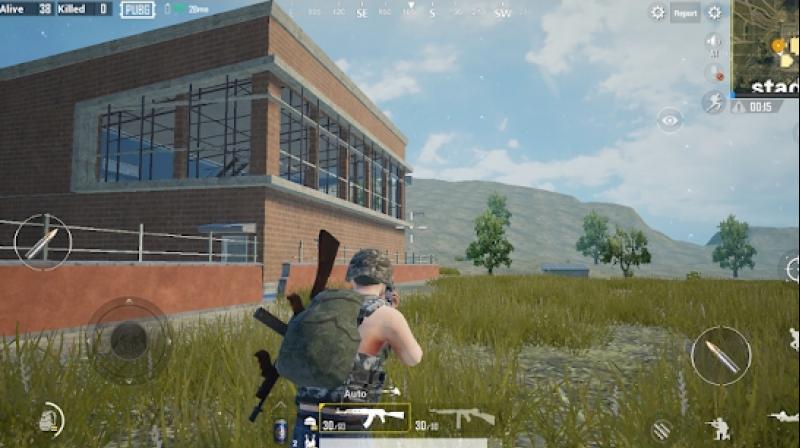
    Coming to the next section – the game modes of the Lite version. The original version had multiple game modes. The Lite version, in comparison, is limited with solo, duo, or squad match in a third-person perspective view. All the matches are in the classic mode by default. Let’s not strike off the possibility of having all the other game modes in the Lite version sometime in the future. This is just the initial stage of the app. Thee map on the Lite mode is much smaller when compared to that of the full version. This does spice up the pace of the game and makes it even more exciting to play. If you want to know how to mute voice chat in PUBG, check this post.

    PUBG Mobile Lite Gameplay
    PUBG Mobile Lite Gameplay

    The graphics on the map are inspired by the original version of the game. You will be able to find several resources, vehicles, and much more. With a smaller map, the number of the player fighting for the chicken dinner had to be recalculated, especially with a smaller map in place. This is something that many players have appreciated. There are only 40 players in the game instead of the usual 100 players. By reducing the number of players, an average round of the game in PUBG lite reduced drastically. This is because there is a lesser number of blue zones. The players get killed automatically when they move out of the zone. An average round is said to last for close to 10 to 12 minutes.

    Gameplay

    Let’s talk about the gameplay and experience. It is similar to what was being followed in the original version. You are dropped from an airplane and you will have to roam around and collect as much loot as possible. You also have to take down enemies while attempt to be the last person alive. The servers of the game are quite responsive, and there is not much lag.

    However, there are occasional issues wherein the game starts lags when you are jumping or driving a car. It has also been noted that there are a high number of bot players induced in the game in order to set the count to 40. We understand that it will take time to accumulate new players, especially since it has not been released worldwide yet. Since more bots are coming into the picture, it is quite easy to score a Chicken dinner in this game compared to that in the original version.

    Latest Updates

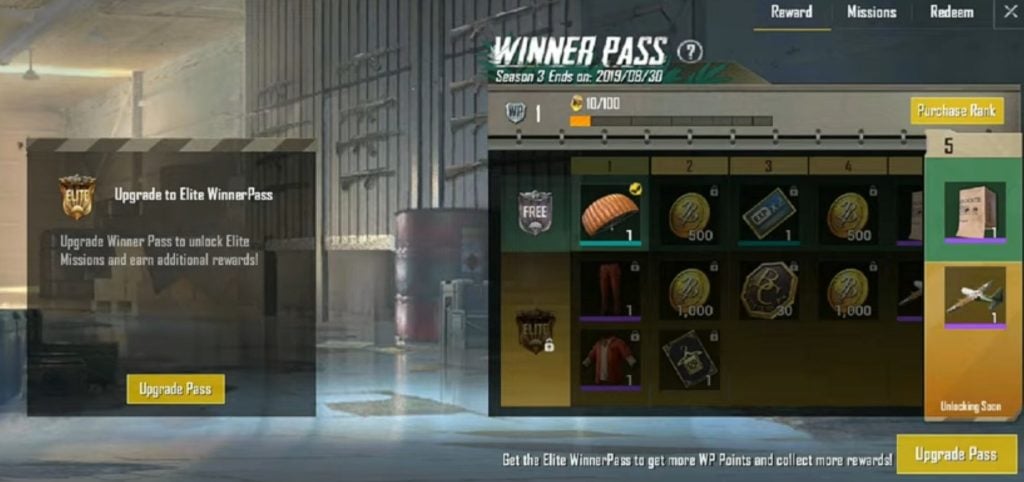
    The app is already being trialed in the Philippines and India. They are now launching it in other regions such as Africa, Russia, and so on. There have already been many updates. There are a series of content updates as well. The game has received UI, emotes, bombing zones, and many more updates. It can be comfortably said that the developers’ hard efforts have finally paid off. The latest update of the game was extremely well received. The giant gaming developer Tencent has introduced rewards for loyal PubG mobile Lite players. This means that the players who keep logging in for 10 consecutive updates will be rewarded with the WinnerPass season upgrade. This feature was introduced with the latest update.

    This will help the players in getting exclusive awards by completing tasks that are assigned on a daily basis and ranking up. Users can also aim at unlocking the Elite WinnerPass Season 4 at zero cost which is an added advantage. Taking a look at what else has changed in this version gives us more details. There are new WP themes and rewards, new outfits have been added, there is an updated version of the system settings,  a new customization guide is available at the user’s disposal,  and the graphics have undergone a huge improved. Up and above this, it has been noted that the matchmaking is much better in this version of the upgrade, making it an even playground when users are playing the game.

    PUBG Mobile Lite Winner Pass

    There are multiple kinds of Winner Pass which are available in the game. The Free pass is something that is available at no cost. For the Elite Winner pass, you will have to shell out 300 battle coins. The Elite Plus Winner pass can cost you anywhere between 800 to 2700 battle coins depending on the discounts that have been put up on the board. In case there is a crunch with your battle coin balance, you will be able to purchase these from the Shop section of the app. Besides purchasing the battle coins, you can also directly purchase the Winner pass that you require from the shop. Currently, there is only one map included in the Lite version of the game. Though the miniature version of the Eragel map is fun to play on, we predict that there might be more maps added in the future.

    PUBG Mobile Lite Winner Pass
    PUBG Mobile Lite Winner Pass

    Conclusion

    With this huge update, we expect that the number of players who play the Lite version of the PUBG might drastically increase. Tencent has paid attention to all the minor issues and has fixed them. Some challenges will keep you engrossed with the game for a long time. The smaller changes such as more loot, more air bombs, and faster game time are some of the highlights. These are likely to go a long way in gaining attraction. At the same time, the UI changes and the new emotes add extra spice to the game giving it a new dimension. The user base is definitely bound to increase. The developer of the game promising to expand this to other parts of the world when new servers are added on their end. Go ahead, give the new update a try and feel the difference!

    It could run just as easily and efficiently as on a high-end phone like Samsung Galaxy Note 10 Plus or as low-key a phone as RealMe 5 Pro. Take a look at our reviews!

  • Samsung Galaxy A50 Review

    Samsung Galaxy A50 Review

    A Quick Introduction – Samsung Galaxy A50 Review

    The latest phone in the Galaxy A series is launched with a bang. For the Galaxy A series phones, the focus is usually on the latest AMOLED screens and the fancy cameras. The Samsung Galaxy A50 boasts of both. This premium mid-range phone has undergone several changes and the final version features ultra-wide-angle cameras and notched AMOLEDs. It also has a full metal body and is completely water-resistant. The Galaxy A50 is slim with a 6.4″ Infinity-U Super AMOLED screen which also houses a fingerprint scanner. It runs on the powerful Exynos chip. The large capacity battery takes care of all your usage needs while the latest Android Pie ensures you have the best experience possible. The One UI is a bonus too. This Samsung Galaxy A50 Review will talk in detail about each aspect of the phone. Let’s take a look.

    Other features of the Galaxy A50 include a new Gallery app, an FM radio app, the Bixby Assistant, and the Samsung Health App. You can also set Bixby up to help you with some daily routines, such as getting the weather, news, and traffic.

    Design

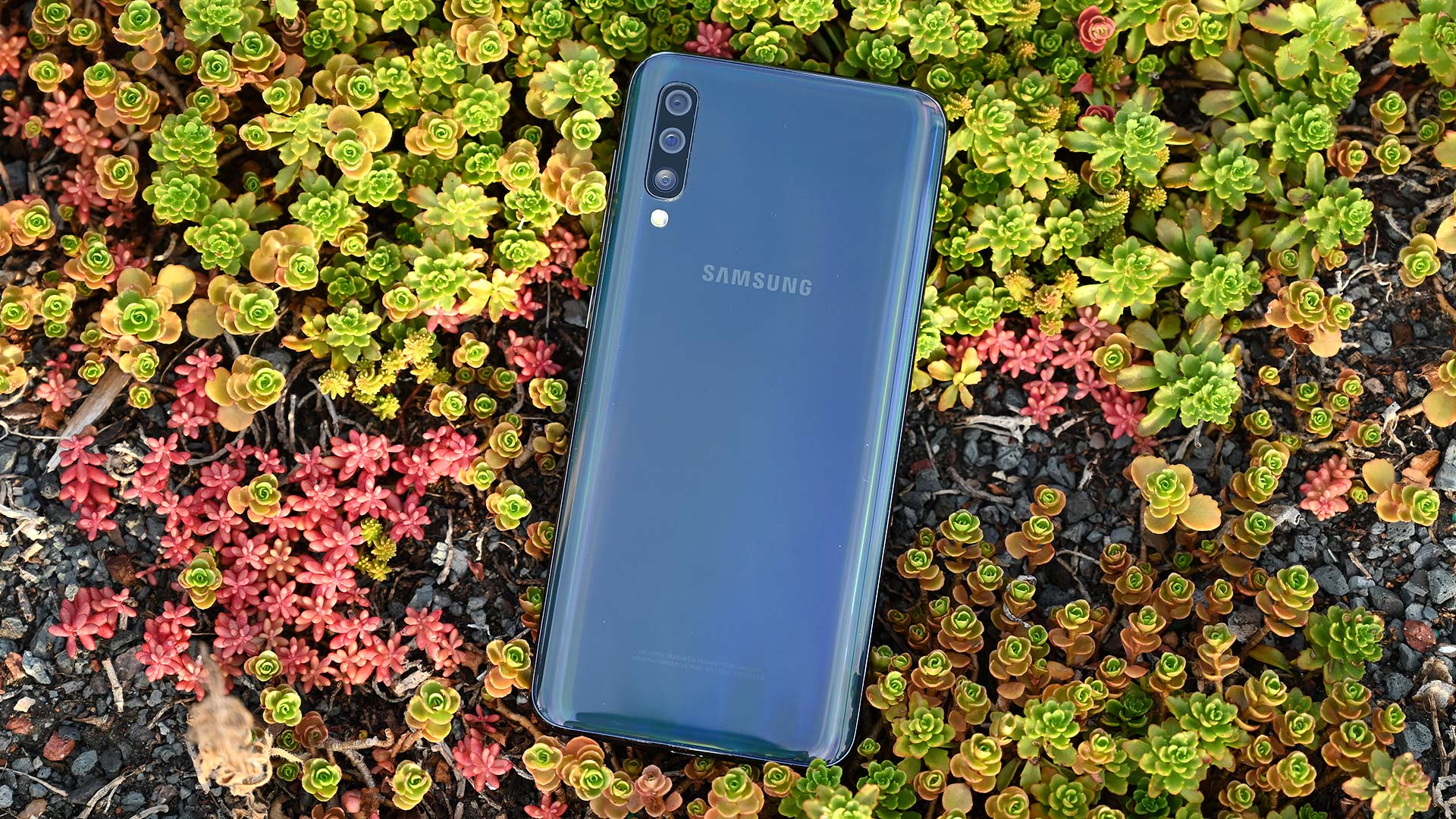
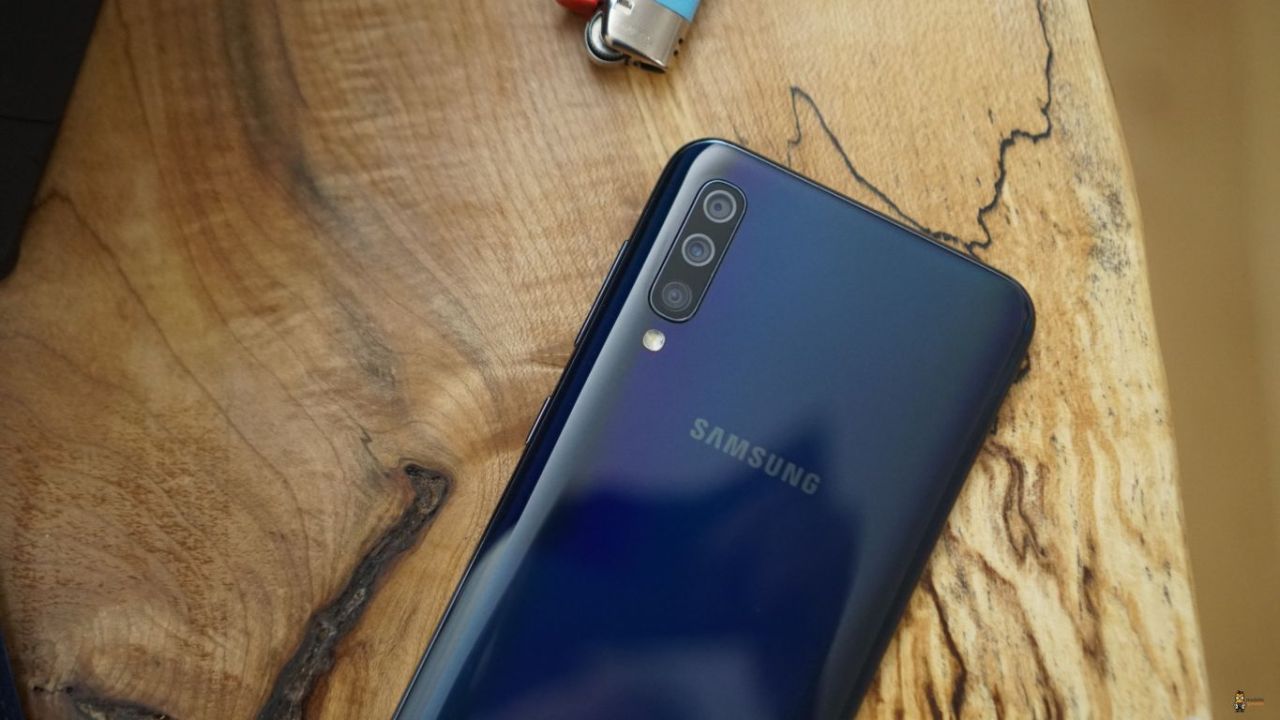
    Samsung’s A series phones are of the 3D Glasstic design, meaning its body is made of both plastic and glass. It is extremely glossy and reflects light like anything! No matter which color you choose to go with – black, white, coral, or blue. One thing you note here is that it is not Gorilla Glass. The triple camera at the back has one primary 25MP camera, a secondary 8MP snapper with 13mm ultra-wide-angle lens, and one 5MP sensor for depth. Although the camera humps out a tiny bit, it doesn’t wobble when laid down.

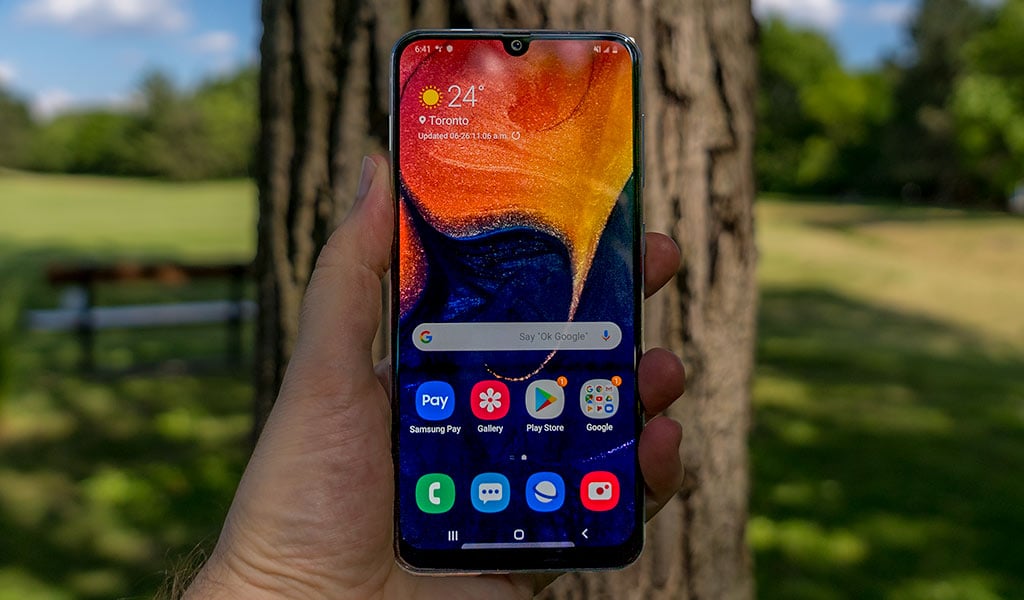
    The screen has tiny bezels on the top and the sides and a bigger chin towards the bottom. The under-display fingerprint scanner is almost similar to the Samsung Galaxy Note10 Plus models of the S10 models. While it is easy to access, it is not very reliable. It is neither very accurate nor does it work every time. Hopefully, Samsung is working on the problem and fixing it. The curved edges give a fancy and premium look to the phone. The screen has a 1080p in resolution with a 19.5:9 aspect ratio. The triple-card slot is located on the left side of the phone while the right side houses the volume and power buttons.

    Samsung Galaxy A50 Review
    Samsung Galaxy A50 Review

    Display

    The Galaxy A 50 phone and its Super AMOLED screen is a great combination, with a pixel count of 2,340 x 1,080 and an aspect ratio of 19.5:9. The A50 also has the Infinity-U panel which refers to the U-shaped notch you might notice at the top. This houses the selfie camera. Today, Sony remains the only creator of notch-free screens.

    The maximum brightness is about 420 nits in manual mode and 550 nits in auto mode. The minimum brightness is 1.8 nits – excellent! Regarding colors and contrast, the display is accurate enough while reproducing different colors. It offers a vivid and vibrant experience. There is also a night mode – a feature awaited by many for quite some time now.

    Battery Life and Audio Quality

    The Samsung Galaxy A50 comes with a 4,000mAh battery and supports 15W charging. With general browsing, you can get about 12 hours while watching videos can get you about 16 hours of life. The phone can last for over a day with 3G talk time. All great stats! There are three power modes – Optimized, Medium-power saving, and Maximum power saving. While Optimized is the default option, the other two can be enabled to save battery life. The Optimized mode gives the best performance.

    Regarding the audio quality of the Galaxy A50, it provides an excellent sound. It is perfectly clear at high volumes and loud enough to satisfy everyone. Unfortunately, headphones lower reproduction accuracy. However, regarding the loudness, it is certainly one of the best ones in the market in this price range. The Galaxy A50 loudspeakers are located on the bottom. While it is loud, it does not offer a great output. The quality could be greatly improved.

    One UI and Android Pie

    The Galaxy A50 is one of the first phones in this price range to feature the new One UI based on Google’s Android Pie. There are a ton of possible customizations, offered in a simple manner. The regular Samsung UX is pretty easy to use and intuitive as well. However, the recent changes and updates make it better than ever. Although the colorful icons may not be everyone’s cup of tea, you can always switch back to the default or choose a new one. There are also many changes so as to improve one-handed use experience. The toggles on the drop-down panel are found at the bottom of the phone so that users can access them comfortably. One thing that doesn’t help with one-hand use is using the app drawers since it still opens on the top half of the screen.

    The Galaxy A50 has implemented Google’s new gesture-based navigation. You can swipe up from the bottom left to see the recent apps and doing the same from the right side will take you back one step. You can also change their positions if you are comfortable the other way. However, the home button will always remain at the center. The phone also features the Always On Display option. While you cannot have wallpapers and change the brightness, you can always change the clock types, the notifications, and the font colors.

    Samsung Galaxy A50 Back
    Samsung Galaxy A50 Back

    The settings menu has undergone a change as well. It has become more compact and you can find almost everything within here. It has been grouped together for easier identification and access. For instance, the ‘Device Care’ has storage and memory management, battery settings, and security features.

    Performance

    The Galaxy A50 is one of the first phones to be powered by the Exynos 9610 chip. This Samsung-created chip is perfect for mid-range phones and offers good enough performance. The octa-core processor with four A73 cores is good enough for handling all your needs. The A50 can easily handle multiple tasks simultaneously without lagging. It is dependable and works pretty reliably. The Exynos 9610 chip is awesome for gaming as well, in addition to daily use. Chances are that you will not come across any major issues.

    Camera Quality

    The Samsung Galaxy A50 features a triple camera at the back – the main 25MP with an f/1.7 snapper, an 8MP fixed-focus and f/2.2 ultra-wide one, and a 5MP, fixed-focus, f/2.2 depth sensor. In addition to this, there is also an LED flash. The 5MP option is the depth sensor and is perfect for live focus. The camera app is pretty similar to the ones on other Samsung devices. However, one major difference is the fact that there are plenty of other icons on the viewfinders. These give you greater control over the camera and its many features. The two trees icon refers to the regular camera while the three tree icon refers to the ultra-wide-angle camera.

    You can sideswipe to go through different modes. Swiping up or down can let you toggle between the front and rear cameras. There is a Live Focus mode as well as a Pro mode. In the latter, you can choose the exposure compensation, the ISO, and the white balance. The AI-powered Scene optimizer mode is also present, but it doesn’t seem to be very helpful.

    Coming to the selfie part of the camera, it offers a pretty good option. If there is plenty of light, then the images are vibrant and the colors are accurately captured. There is also a portrait mode on the selfie camera. Generally, the portraits are softer than the usual selfies, but the details are just as fine. If you want a camera that is absolutely awesome in every way, check out our Samsung Galaxy Note10 Plus Review.

    Samsung Galaxy A50 Camera Review
    Samsung Galaxy A50 Camera Review

    Video Recording

    The Samsung Galaxy A50 can record videos of up to 1080p at 30fps. There is no 4K, and no 1080/60. The bit rate of 1080p videos is about 17Mbps and the audio is recorded at 256kbps. While there is electronic stabilization available, you cannot turn it off at all. It will always remain on. The videos captured are generally pretty detailed and very little noise distortion.

    The Verdict – Samsung Galaxy A50 Review

    Samsung has worked well to release the Samsung Galaxy A50 model. They have got the battery, the performance, the colors, and the basic design right. While the camera could have been better, since the low-light or night time clicks end up fuzzy, the pictures taken during the day or in bright lights is good enough. On the brighter side, the 1080p videos are awesome.

    The use of One UI on a mid-range phone is definitely a plus. Another thing to note is that the Galaxy A50 is not as water-resistant as the other phones by the company, but is good enough to do the job. Hope this Samsung Galaxy A50 Review sheds some light on its performance and other factors. For other options by Samsung, check out our Samsung Galaxy S6 Review.

  • Samsung Galaxy S6 Review

    Samsung Galaxy S6 Review

    A Quick Introduction – Samsung Galaxy S6 Review

    Samsung Galaxy S6 is a powerful and attractive looking smartphone. The Galaxy S series is being revamped and their features upgraded. The latest Galaxy S6 model will no longer feature plastic, but instead the more premium glass and metal. Unfortunately, the sealed battery, lack of a card slot, and no waterproofing capabilities are some prominent drawbacks. However, Samsung being Samsung will definitely have something better up its sleeves. Let’s take a look at other details in this Samsung Galaxy S6 Review.

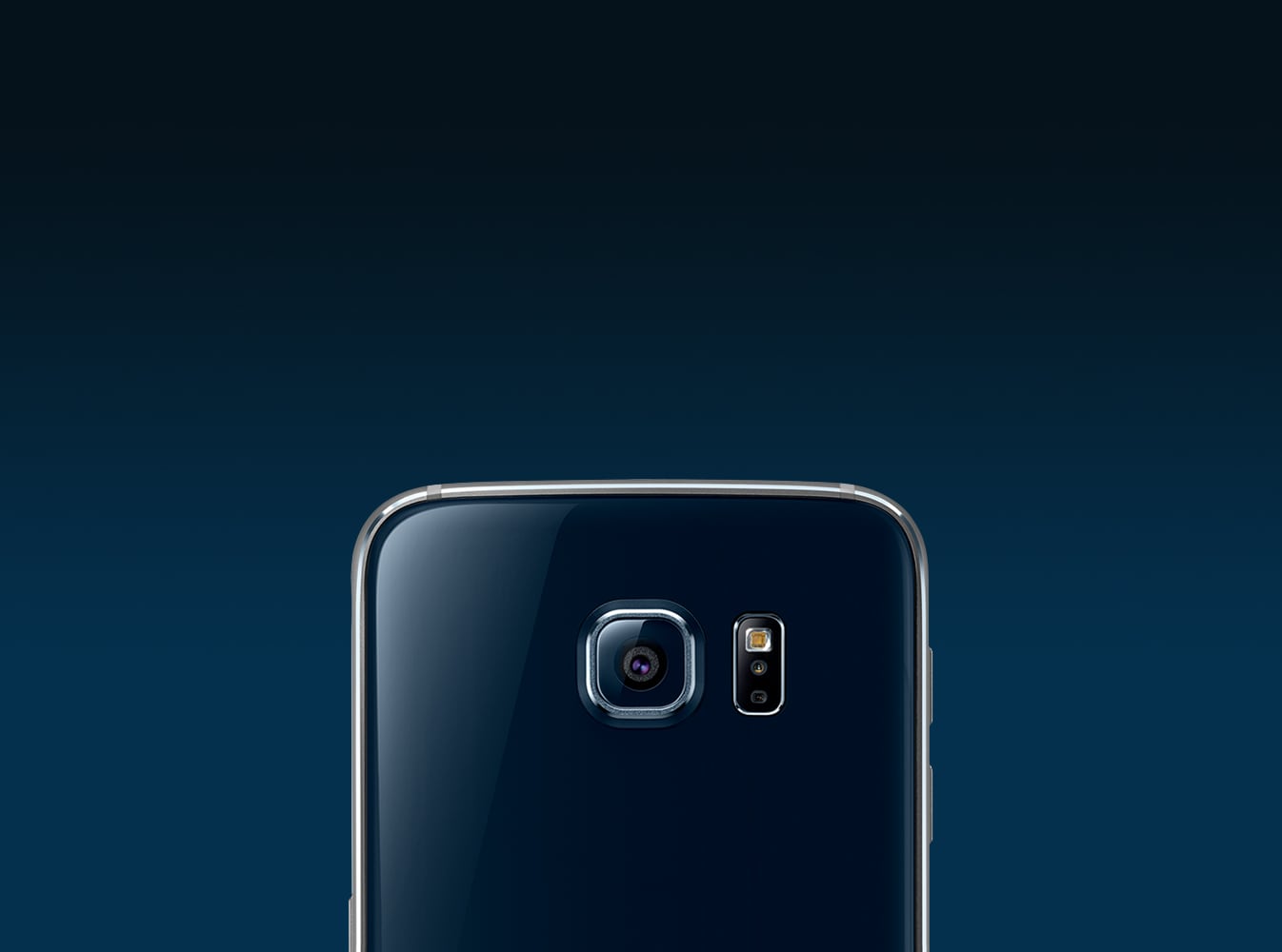
    The aesthetics of the Samsung Galaxy S6 is amazing and uses an AMOLED screen. Its 5.1-inch screen with QHD resolution makes for the best ever display experience. With this model, Samsung is completely depending on its Exynos platform. This chipset allows higher clock speeds, lower power consumption, making it overall faster and more efficient. The company has not forgotten about the camera. It has a 16MP rear camera with a wide f/1.9 aperture and a 5MP selfie camera also with an f/1.9 aperture. While the rear camera offers optical image stabilization, the front selfie camera has superior low-light capabilities.

    Design and Build Quality

    Samsung used all its creative abilities to design the Samsung Galaxy S6. Its body is made of a brushed metal frame that works to hold the glass panels together. While plastic is no doubt more durable in nature since metal can easily dent and glass can crack, the latter options lend a premium look and feel to the product. The phone features Corning Gorilla Glass 4 both in the front and at the back – this is seen for the first time in the Samsung S series. Letting go of plastic and investing in glass and metal is the cheapest and the easiest way to offer a luxurious experience without increasing its weight.

    Samsung Galaxy S6 Review
    Samsung Galaxy S6 Review

    As the company tried its hardest to make a better product, it did have to let go of a few things. This includes ditching the removable battery. Unfortunately, Samsung also decided to remove the dust and water protection. Why this decision was taken is anybody’s guess since this feature was a major selling point for Galaxy S5. As expected, despite the beautiful design, there is a camera hump. However, some might consider the fact that a better lens, the introduction of the new fingerprint sensor, and optical image stabilization make up for the loss. Unlike other phones featuring glass bodies, the S6 is not very slippery. However, you might have to deal with constant smudges.

    Performance and User Interface

    Samsung Galaxy S6 is the first flagship phone of the company which doesn’t come with microSD expansion. All its predecessors had memory expansion which was one of the highlights of the phones. When Google disabled this feature, Samsung supported the shifting of apps to the SD card! Today, the company uses its UFS 2.0 storage which makes storage and retrieving much faster.

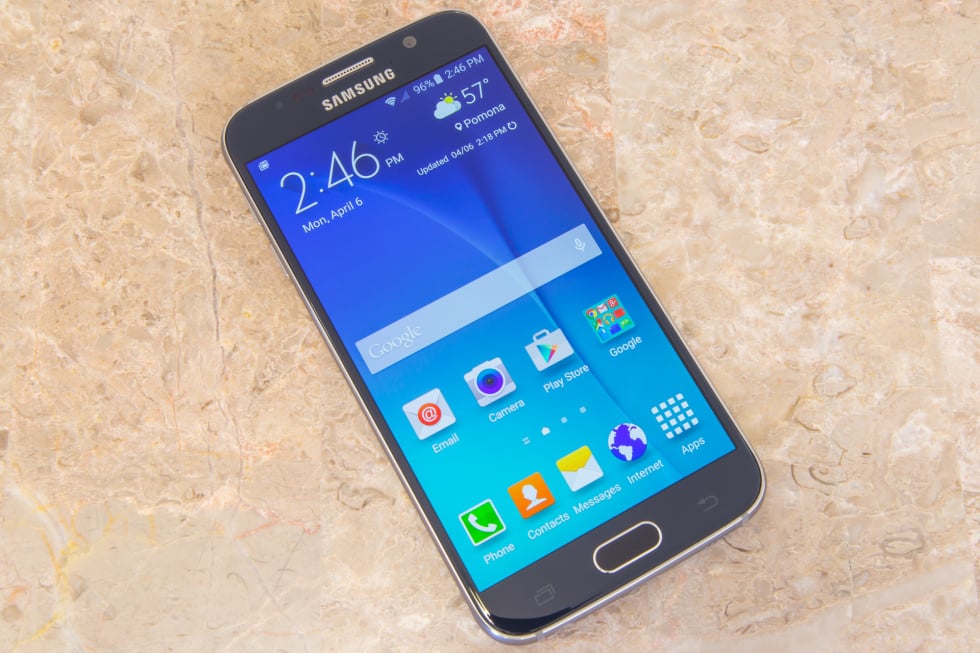
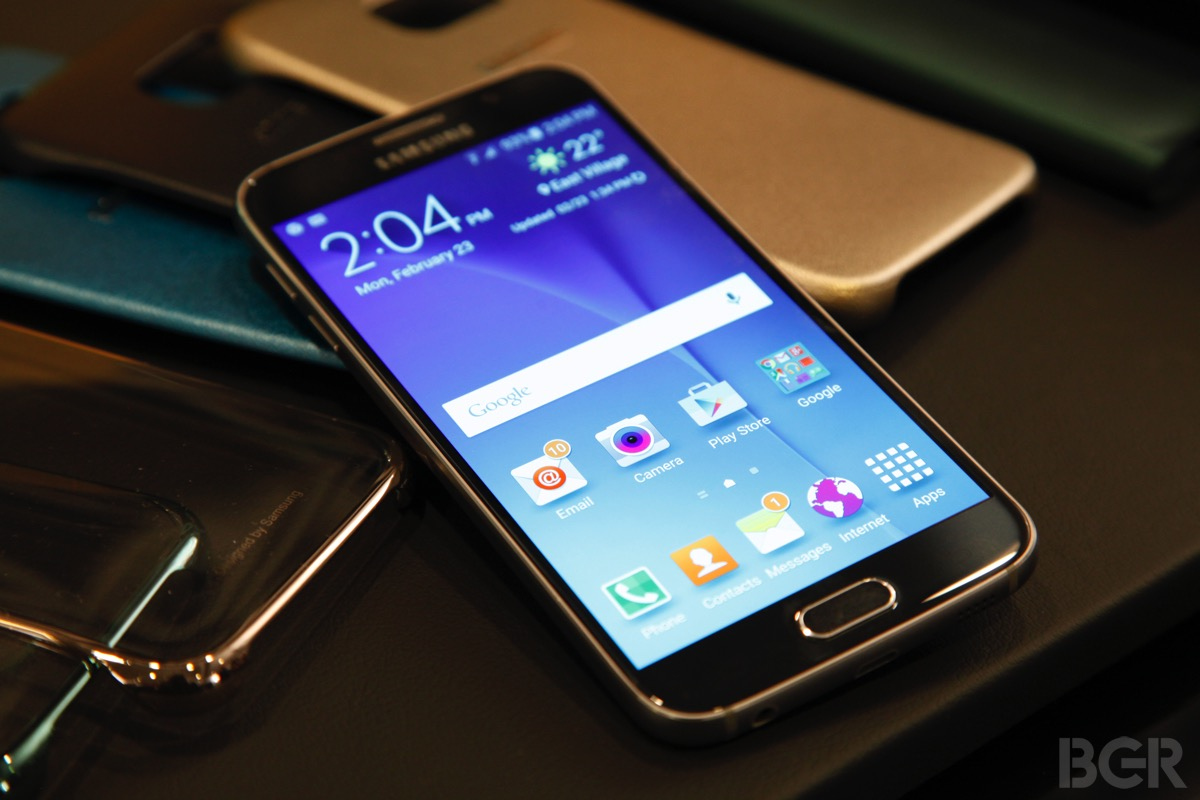
    Coming to the user interface of this smartphone, it features the usual Samsung homepage. However, there are some new features. The lock screen might seem cluttered at times, especially if you get a lot of messages and so on. The lock screen shows two notifications – the others are collapsed. You will see the icons of the other apps with alerts. To see the entire list, you can always tap on the down arrow. If you don’t want to see notifications from a certain app, you can go to the settings menu and disable it. Besides notification, the lock screen also shows weather info and your pedometer advancements. It also features a camera and call dialler option – a quick way to access these apps. The other shortcut to access the camera is to double-tap the home key. No matter where you are, you will be able to access the camera app instantly.

    Display

    The display experience of the latest Samsung Galaxy S6 is the highlight of the model. The super AMOLED display offers 577ppi. Samsung has chosen to go with the diamond-shaped PenTile matrix. The default screen mode lets the user experience each color, shade, and tone vibrantly and vividly. You can enjoy its low reflectivity and wide-angle viewing without any issues. Comparatively, the S6 model is not as bright as some others in the market. However, for your reference, its brightness is higher than that of the Galaxy Note 4. It is good enough for use in bright sunlight.

    Samsung Galaxy S6 Display
    Samsung Galaxy S6 Display

    Other Features

    The fingerprint scanner on this phone is pretty reliable. After you have fed your data into it, it doesn’t take a lot of time to analyze and unlock the phone. You don’t even have to place your finger very precisely. You can also have a private mode and secure it with your fingerprint. In private mode, a secure folder is created which will not show up anymore when the mode is not enabled. You can also set up such that the private mode is disabled every time you unlock the phone.  If you don’t want snoopy people to glance at your notifications and texts, hiding the content in the lock screen is a great option.  There is also a Smart Lock feature. This disables the functions when a trusted or already paired device is connected, such as a car stereo, NFC sticker, or a Bluetooth smartwatch.

    There are also plenty of themes here. You will have the option of downloading whichever one you want from the Galaxy Apps store. There is even an Avengers theme one! With these themes, you can change the icons, the wallpapers, and even some of the Samsung default apps. The notification area also changes. Besides the graphical and visual changes, you will also be able to add new alarm notes, notification sounds, and new ringtones with these themes.

    Audio Quality

    The Samsung Galaxy S6 audio could easily be the best in this price range. Its clear stereo quality output is a clear winner. With headphones, you would be hard-pressed to find such a good option. It also offers one of the best accurate audio reproductions, satisfying most audiophiles out there. However, regarding the volume control, it does not go as high as some others.

    Samsung’s TouchWiz music player is a favorite among the fans. The app is clean and intuitive to work with. There are only two main screens – with one, you can browse your playlist and look at your many folders. With the other, you can play your piece and use the playback controls. Adapt Sound tunes the equalizer automatically based on the headphones and your preference. The Smart Volume controls effectively balance the volumes depending on whether you want to speed up or slow down.

    Video Player

    The video player has undergone some subtle changes as well, making it simpler and easier to handle. The DLNA view is no longer there either. The video player supports multiple file types and up to 4K 2160p encoded with H.265/HEVC codec. The pop-up mode has the video in a tiny floating window so that you can keep an eye on the window while checking out something on the main screen on the phone. There are also some in-built video editing options there, such as the ability to add background music, some color effects, trimming, volume, and more. You can always download a more advanced model if you require it.

    Battery Life

    Many were concerned about the battery life of the Samsung Galaxy S6 model, especially since the screen resolution was increased and the battery capacity decreased. Although the battery didn’t perform very badly, it was not up to the standard of other options. Once charged fully, the phone can last for about 20 hours on 3G calls. Comparatively, the Galaxy S5 could last longer. If you are looking for a phone with a large battery, check out Samsung Galaxy M30.

    Camera Quality

    The Samsung Galaxy S6 uses the TouchWiz gallery app. The default view shows the photos grouped based on time. You can pinch out or zoom in to enlarge or reduce the size of the thumbnails. Video highlights are created automatically which can be exported and shared on any social media. You can also view your Picasa photos on your Gallery app. Unfortunately, you can’t for Facebook images.

    Samsung Galaxy S6 Camera Review
    Samsung Galaxy S6 Camera Review

    The Galaxy S6 features a 16MP Sony IMX240 sensor which also happens to be the one that the Galaxy Note 4 makes use of. However, it comes with a wide f/1.9 aperture lens which brings in more lights and gives a better effect. The UI experience of the camera is excellent. The default area is clean and not cluttered at all. You can find additional settings on the viewfinder. There is also an auto HDR mode that you can enable so that you don’t have to fiddle around every time you use it. The images taken are rich in color and vibrant.

    The Verdict – Samsung Galaxy S6 Review

    Now that you have read the Samsung Galaxy S6 Review, you have a better idea about the phone and its capabilities. The Galaxy S6 is quite amazing after its revamp and update. It is, in many ways, superior to its predecessor, despite the changes in many aspects, including the removal of the memory card slot and sealing the battery. However, with an amazing chipset, a great camera, a decent enough battery, this phone is not all that bad. If you like, you can also check out Samsung’s tablet – Samsung Galaxy Tab A 10.1.