Houseparty is a social platform that allows you to connect with the people you care about, face to face. This is a non-paid application. You can download it for free from the AppStore and register yourself. You will need to add your details such as email address, name, mobile number, and a password for you to create your account. Then, you can easily log in from any other device using your email or username and password.
To connect to your friends who might also have downloaded this application, you need to allow this app to access your contacts. You can also connect to your friends from Facebook or Snapchat applications. This app allows you to connect with a maximum of seven friends face to face at a time, termed as a ‘party’.
How to create a party?
In order to create a group of your contact, you can create a ‘room’ and add the contact you want to communicate with. You also need to ‘lock’ the room, to prevent strangers from joining this room. Some people misuse this by joining into unlocked rooms and displaying censored content.
How to delete account on this app?
Recently, it has been spreading among the social media that Houseparty has been hacked. They are also saying that it is preventing other applications to open. The Houseparty has officially announced a bounty to find the source of this problem. People during this quarantine period due to COVID-19 have been using this app to communicate with their friends and family. After facing this problem, everyone wants to delete their account.
For Android users
You can delete your account, by sending an email to ‘support@houseparty.com’ and request them to delete your Houseparty account. Follow the following steps:
Open any email application.
Create a new email.
Enter the recipients’ email as ‘support@houseparty.com’.
Enter the subject title as ‘Request to Delete Account’.
You need to add the following details in the body of this email:
User name.
Your email address used for the Houseparty account.
Username for the Housparty account.
Your mobile number used in the Houseparty account.
When the email is received by the Houseparty authorities, they will complete your request. Thus, your account will be deleted.
For iOS users
Open the Hoouseparty application. There is a ‘User’ icon on the top corner, you have to click on that icon.
A dropdown menu will appear on the screen, select the ‘settings’ option from the list.
Inside settings, you will see a ‘privacy’ option, click on that.
There you will see a ’delete account’ option, select that option.
You have to provide confirmation. For that, you have to enter your account password.
In this way, you can delete your account.
Whether you are an Android user or an iOS user, you can follow the corresponding steps mentioned above. After deleting your account, the Houseparty sign-in screen will be displayed. You can now uninstall the application from your phone if you want to.
Singapore and South Korea have launched applications for helping civilians to be safe from the coronavirus. Taking inspiration from them, India has also decided to make such an application, named as Corona Kavach. Coronavirus has been spreading worldwide through coming in contact with the infected person.
Its working
This application checks the data of the individual in segments of one hour. It provides an alert to the person when he crosses any person who is a patient of coronavirus. That infected person may have tested positive for the disease of COVID-19.
This application is in collaboration with the ‘Ministry of Electronics and Information Technology’ and ‘Union Ministry of Health and Family Welfare’. The location of the user will be tracked through GPS. The application will notify if the person is in a high-risk area.
In India, the number of people using cell phones is high. Hence, this application can be very helpful for Indian citizens. The user will be aware of his surroundings and if anyone of his surrounding has been infected.
The government is assuring that no private data will be shared even with the government. But some people have been claiming that this application will destroy an individual’s privacy. There are no laws for data protection in India and it will be difficult to follow any privacy policies.
Bottom Line
Although, some individuals have stated that this application is for the good of the public. It will fall under IT-Act of accessing traffic and data. Also, the government is ensuring data protection. This Corona Kavach application seems to be for the welfare of Indians, considering the condition due to COVID-19.
With the advent of the internet, we now have everything at our fingertips. Not only can you keep yourself privy to what’s happening across the globe, but you can also use the internet to stay updated to the latest local news. Sometimes, browsers are the way to go while at others, apps can help you out so much. It is a delicate balance and using this, you will be able to lay hands on everything you want. Check out this list of the Local Apps For Android.
Jobonji
Jobonji is a native gigs app where users can use the app to get some odd jobs done. For instance, you can get someone to mow your garden, clean the drains, and more. If you are not that great with assembling furniture, Jobonji can help you find someone who can put it up for you in a jiffy. The app has tons of professionals and helpers. The app itself is free, but you can always chat with the person about the pay before embarking on it. One good thing here is that it works internationally as well.
Jobonji
Krazy Coupon Girl
It is quite surprising how many people have not heard about Krazy Coupon Girl app. It is completely free and can help you save a ton of garments, groceries, and different appliances from retailers like Kohl’s, Goal, and Walmart. With the coupons you come across in the app, you will be able to save a lot of dollars. All you need to do is to find the coupons you want, save them, and use them during checkout to save money. It is delightful to see that it works with online retailers as well, including Amazon. Additionally, some other places where this coupon app comes in use include Kroger, Publix, Greenback Tree, CVS, and Walgreen. It will detect the locations you go to regularly and let you know about the offers there. Additionally, you will also receive news about the sale and offers on places you don’t go frequently.
Yard Sale Treasure Map
Yard sales and garage sales is famously known to be the place to collect some little treasure. The best part here is there it will not cost you an arm and a leg. The app looks at other websites like Craiglist and so on to come up with listings. You will be able to view the available ones on a map and choose where you want to go and spend a lovely weekend. The Yard Sale Treasure Map is basically an app that gathers all the yard and garage sales going on around and publishes it on the app.
Yard Sale Treasure Map
YP – The Yellow Pages
Did you know that the Yellow Pages app is one of the most popular apps to be downloaded with more than 50 million downloads on Google Play alone? Additionally, 80 million people visit the website every month! It is completely free. You can use the Yellow Pages to search for whatever you are looking for and there are high chances that you will find it in a jiffy. Across the app, there are more than 20 million listings. This includes the likes of purchases, meals, and any other industry you are looking at. Moreover, you will find Fandango integration for getting film tickets, GrubHub integration for meals supply, and a provision to explore fuel costs.
Kroger – Reward and Retailers
As you may already be aware, most locations have a rewards program in place. There are plenty of such apps that consolidate various retailers, allowing the users to access it all from one single app. For instance, Kroger is a great example of this. The app lets the users keep tracks of coupons, sales, rewards points, and more. With the app, you will also be able to refill pharmacy prescriptions and schedule grocery pick-up among other things.
Kroger
Facebook Events
Facebook might have some issues, but it has done a great job with its events platform. The app allows you to check out events happening in your locality and others. To add to it, you can use the app to find concerts, gatherings, tastings, and more. Groups allow users to coordinate events with other people. While Facebook is known for having poor privacy policies, you can always make use of it to find happening stuff around you.
Facebook Events
Local News app
Most major areas have their own local news stations. Most of them have reliable apps, offering all the latest updates. While the national carriers usually don’t carry all the local news, it can be a good idea to have your local news app since it will help you keep updated. There are tons of them and you can choose the one you want. In most cases, these are free as well.
Google Maps
A list of this kind can never be complete without including Google Maps. This is one of the greatest Local Apps For Android. It is a great way to find businesses around you and it will even navigate you there in no time. Once you set up navigation, it will also alert you if you are going to arrive just or after when the business is closed. Hours of operation, traffic along the way, and alternate routes with the time taken are all some useful features of the app. Naturally, it is completely free.
9. Tinder
Tinder is a highly popular dating app and one of the best Local Apps For Android. Basically, you can filter results by GPS location and find people around you. Since it is so popular, you will find more people to interact with on this platform. The free version offers a great deal and you can always upgrade to the premium version for more features.
Tinder
10. Local Weather App
Most weather apps offer local weather details as well. However, if you choose to go with an app that is designed to only offer you your local weather details, you will find that there are so many more features offered for you. Dark Sky or 1Weather are great examples of this.
Where once, online social platforms were all about protecting your true identity, with the likes of Facebook, it became all about letting others know exactly how you are spending every minute of your day. As the online world seems to be going to an even more of a tangent of having us put up all our details, the anonymous apps and platforms have come back with a force. It is highly surprising how popular these apps seem to be.
#1 Yik Yak
Yik Yak is basically a local bulletin for your neighbourhood. All the posts from those around you will be shown. Most of the users here are teenagers who want to talk, well, like teenagers. Individuals are bashed without their names mentioned. In most cases, only the initials are mentioned and the one posting it is completely anonymous.
Yik Yak – Anonymous Apps
#2 Matter
Matter is an app that allows you to connect to other users. The best part is that the interaction is completely anonymous and the app is bright and cheerful, instead of being dark and shady. This anonymous sharing app is a great way for literate adults to meet and share stuff. Users can post stuff on different topics and others can rate it using the different icon available, such as value, relate, and support. You can also join communities like Veterans, LGBTQ, and Parenthood.
#3 Whisper
Whisper is another anonymous app that you can confidently use. It is a great place to express yourself. You will meet likeminded people here and can delve into deep conversations with them. Whisper has become so popular in the two years it has launched that the app has managed to raise about $60 million in funding. The app enjoys billions of page views every month. It is extremely popular among college and high school students who use it as a platform to share confessions.
Whisper
#4 Gossup
This unfiltered social media app basically works as a combination of Yik Yak, Foursquare, Instagram, and Reddit! Users can post anonymous photos and follow other posts/photos. With more upvotes, the messages posted earn more sway. While little known as of now, it has the potential to become one of the more popular anonymous apps.
#5 Shrtwv
According to the app store, Shrtwv is described as, “Anonymously share moments in time with the world around you one wave at a time. See what others have left behind and leave your mark by adding stickers and liking waves.” Users’ anonymous messages or posts are called waves. These are visible only for a few seconds after it appears. You have to be on the spot to be able to catch the posts. Other users can comment by dragging a sticker on to the wave or post. However, you will need quick reflexes to do that before it vanishes forever!
#6 Truth
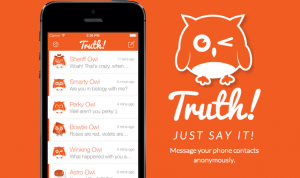
Truth is a messaging app where you can anonymously message your friends. When you install Truth, it will get access to your contact list. You can choose which friend you want to send a message to and the app will replace your name with an owl’s. For instance, your name would be shown as “Chillin’ Owl,” Cheery Owl,” “Smarty Owl,” and so on. The friend will naturally know that it is someone from their contacts but will not be able to figure it out. It is usually used by school and college students to see if their crush likes them back.
Truth – Anonymous Apps
#7 ButterflyEffect
The app store describes Butterfly Effect as, “ButterflyEffect is an anonymous community designed to allow users to share secrets, express gratitude and get inspiration. It is based on the premise that single action, no matter how small, affects others in the world forever.” It works in a similar fashion to Whisper where users can post anonymously. However, where it differs is that it is based on ‘give gratitude’ and ‘get inspiration’ themes. The former option will allow you to send thank-you notes to your friends while the latter will get you an assortment of inspirational quotes from the likes of Thomas Edison and Audrey Hepburn. There is also a personal photo journal where you can add your photos or posts and maintain it.
#8 Babbly
Babbly allows its users to share their thoughts with their friends – anonymously. The app developers mention that it is a great way to express your thoughts and connect to the world. You will also be able to know what the people around you are thinking. You would be able to join groups or even create personalized ones if you want to share with a specific group of people. Since it doesn’t have any reviews on the app store, it looks like we will have to wait to see how it turns out.
#9 Viper
Viper is an anonymous located-based app. Users can post their thoughts related to where they currently are. This could be at your home, your college or school, a restaurant, a game, or anywhere. When the user moves away from the area, the post disappears as well. It is a unique idea and is likely to be a hit once it catches on. As of now, most of the time, all you will see is a blank area and a map with no one sharing anything.
WUT
#10 Backchat
According to the app store, “Backchat is a communication tool designed for those of us who can’t wait to find exciting and original ways to chat with our friends and have a good time.” The stunning part about this app is that it was developed by a 14-year-old. Only users who are connected via Google Plus or Facebook would be able to send messages to each other. However, these messages would be anonymous. If you want a clue to your sender’s identity, you can buy the clues for $0.99 each. This is not a great idea if you are looking for a true anonymous app since your identity could be revealed for less than a dollar!
# Bonus – WUT
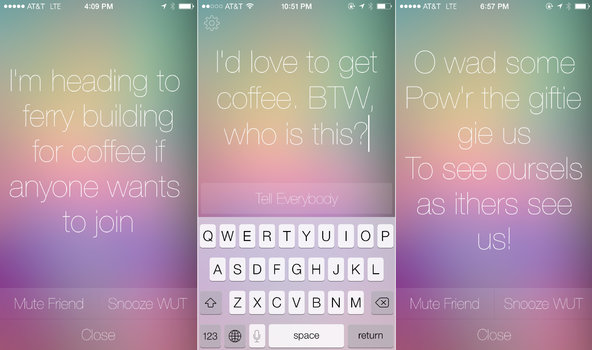
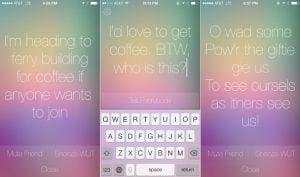
WUT is a social app. You can send a message on WUT which is received by all your Facebook friends using the app. While they will know it is someone from their friends list, they might not be able to figure out exactly who it is. Once the message is seen on the receiver’s lock screen, it disappears.
I can understand the pain that comes with taking hundreds of photos, none of which turns out to be any good. But do you know what is a good remedy? Instead of trying to achieve that perfect click, maybe we should just devote ourselves to photo editing apps. There are some excellent options out there that make life easier for us. The photo editing apps that we will discuss here are all Android-friendly ones, with some of them having an iOS version as well.
#1 PicsArt Photo Studio
This is one of the most comprehensive Android photo editing apps out there. It features a collage maker, camera, and tons of different tools. It is completely free to download and use. However, you may need to purchase the premium version if you want specific features. The collage maker offers hundreds of free templates while the Cutout Tool lets you create and share custom stickers. The PicsArt’s tools allow its users to add text on images, clone, stretch, crop, and do much more.
Best Photo Editor Apps: PicsArt Photo Studio
#2 Camera360
Camera 360 features a user-friendly interface and is one of the better apps out there for photo editing. It is very easy to find your way around here. You will find more than a hundred exquisite filters. In addition to this Camera 360 also offers 3D Funny Stickers and regular stickers. The app also has a real-time makeup beauty camera that can beautify the images in no time.
#3 AirBrush
This photo editing app comes with many different features, such as awesome filters and user-friendly tools. Thanks to the number of tools at your disposal here, you will not find it hard at all to edit your pictures. The app allows you to remove pimples and spots using its blemish remover feature. You can also whiten your teeth, make your skin look flawless, and do so much more with AirBrush. It also has real-time editing technology and lets the users retouch pictures.
AirBrush
#4 Flickr
Flickr is a photo editor app that can also be used for uploading and sharing pictures. Users can modify images by adding frames, filters, and more. They can also use the tools offered here to crop, rotate, and reshape the images. Its interface is neat and user-friendly.
#5 Photoshop Express
The Photoshop Express boasts of a simple interface with intricate features. You will find all the necessary features, such as rotating, flipping photos, cropping, and resizing the image. The app is completely free. However, for more advanced features, you will have to sign in using an Adobe ID. The app offers 15 borders and frames, ability to add text on the image, use filters, and more.
Photoshop Express
#6 PhotoGrid
You can use this app to remix your clicks and share your photos on your social media account. Users would be able to add filters, use stickers, and choose from over 300 collage templates. You will even be able to customize the templates. In addition to using graffiti, texts, and stickers, you will be able to edit your picture’s brightness, contrast, and other details. The facial recognition tech here will help decrease wrinkles and blemishes.
#7 Pixlr
Previously called Pixlr Express, it is a dynamic app featuring Colour Splash and Focal Blur options. There are tons of options for adding effects. You can add texts, change the background, resize the image, and do plenty more.
#8 Photo Lab
Photo Lab is an Android application that is designed to make your photos stand out. With over 900 effects, dozens of different frames, and tons of filters, you are sure to have a good time using this app. With the Face Photo Montage feature, users will be able to swap their face and work out some tricks. Another blessing is that the interface is quite simple and pretty intuitive, making it easy to understand and use.
#9 PicLab
PicLab is a convenient editor app that offers users to add text in dozens of different ways, use filters, adjust opacity, and let your creativity flow with the drawing tool. You will also be able to have fun with the stickers and frame. As always, you can adjust the brightness, saturation, blur, contrast, and more.
PicLab
#10 PhotoDirector
This is another Android photo editing app with an intuitive interface and contains all the basic features. You will notice that it has an in-app camera that can be used for live photo effects. You will also be able to edit and share your photos on social media. The app offers photo effects, HDR effects, colour editing features, and other usual options like cropping, increasing brightness, adding text, and so on.
#11 YouCam Perfect
As the name suggests, YouCam Perfect ensures your photos emerge flawlessly after editing. You will be able to beautify the photos, add collages, frames, edit it, and do a lot more. Popular features include Eye Bag Remover, smile feature, magic brush, and so many others. You can also reshape your face, add contours, smoothen skin, and more.
#12 Retrica
This app is an excellent option for taking selfies and personalizing pictures. You can make use of their attractive filters, create collages, and use the stickers as well. In addition to this, you can also create video pop-ups and upload your selfies to any social media platform.
Retrica
#13 BeautyPlus
This is one of the more popular Android photo editing apps out there. The reason is that the developers have worked closely with makeup artists and photographers to create this app. The app removes blemishes, dark circles, whitens teeth, and adds a radiant complexion. Besides these features, you will find all the regular editing tools as well at BeautyPlus.
#14 TouchRetouch
The app is slightly different from the other apps on this list. While you cannot make any major adjustments, you will be able to remove the elements that disturb the picture. The app is not free. You can make people or things in the background disappear using the Blemish Remover. There are plenty of other stunning features here as well.
#15 Snapseed
Snapseed is a powerful editing app is completely free. It offers tons of filters, ability to precisely tune the image, add texts, adjust the colour, and do so much more. As an added advantage, it is incredibly easy to use.
With so many apps readily available to download on phones and computers, and new ones popping up every day, it can be challenging to keep track of which apps your kids are using. Here is a list of the most popular apps for teens right now, along with what you need to know about each app.
Messaging Apps
Parents always worry about the messaging apps on their kid’s phones, since any messaging app lead to inappropriate conversations, and raises the risk of exposure to predatory and improper behaviour. Here is a list of some of the most popular messaging apps, and what parents need to know about each of them:
#1 Kik
Kik is super popular – reportedly used by 33% of American teens aged 13-17.
Kik has been in the news a few times, because of cases involving online predators.
The company that develops Kik offers a safety guide for parents.
Kik
#2 WhatsApp
WhatsApp was one of the top-ranked apps on Apple’s list of the most popular apps in 2018.
Children over 13 can use this app.
Users can send unlimited messages and photos on WhatsApp without worrying about data limits.
Users can also share their locations and contacts while messaging – but this feature can be turned off.
WhatsApp: Popular Apps
#3 Telegram
With Telegram, users can send texts, images, and videos.
Users must be aged 16 and above.
Users can send secret messages and use X-rated stickers and plug-ins.
Telegram
Anonymous Messaging Apps
Apps that facilitate anonymous texting can lead to cyberbullying. Some of the most used anonymous messaging apps are:
#1 Tellonym
The app has over 10 million users.
Children aged 13 and up can use the app; however, anyone under 15 must get permission from their parents.
Tellonym claims that it monitors the chats for inappropriate content. They also have a section on their site about safety concerns.
Several schools have warned parents about cyberbullying connected with the app in England.
Users can block messages from people who are not registered in the app.
Tellonym
#2 Lipsi
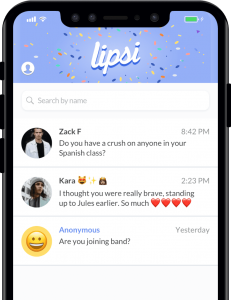
Users must be at least 17 years old.
Lipsi encourages users to leave their Lipsi link in their Instagram bio so that they can receive anonymous feedback about their posts.
All users can easily erase chat history.
Lipsi: Popular Apps
Live Video Chatting Apps
Live video apps often raise concerns about the child’s privacy and the potential for exposure to inappropriate content and interaction with predators. These are some of the most widely used live video chatting apps:
#1 Holla
The app allows users to engage in live video chats with strangers.
Several users complain about users performing sexual activities during chats.
Holla
#2 Houseparty
Houseparty is a group video chat service and is reportedly the fourth most downloaded app on the App store.
60% of its users are under 24.
Chats are not monitored – which raises the risk of your kids being exposed to inappropriate content.
Users can only add friends from Facebook or people in their contact list.
Houseparty has an option to add people nearby based on location, but it can be disabled.
The privacy settings can be configured to reduce the risk of strangers joining a chat.
Houseparty: Popular Apps
Entertainment apps
Entertainment apps can expose children to inappropriate content and potentially lead to interaction with strangers. Some of the most popular entertainment apps are:
#1 YouTube
According to a Pew Research Center study from 2018, YouTube is the world’s most popular internet platform, with 85% of teens aged 13-17 using it.
The company recently reiterated its policies, prohibiting harmful content.
Past efforts to ban inappropriate content have been unsuccessful. Inappropriate content has even managed slipped through YouTube Kids – an app specifically designed for use by children.
YouTube
#2 Zepeto
Zepeto is a fast-growing app that allows users to create animated versions of themselves and interact with other users in a chatroom.
It allows users to interact with strangers using an anonymous follow function. Users can also message each other directly.
The app has a ton of ads. Users may feel pressured to make purchases to get more likes and followers.
Zepeto
#3 BitLife
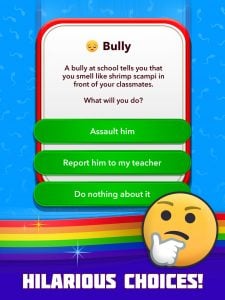
BitLife is a text-based, life simulator app.
Users must make adult choices – for instance, whether to have a one-night stand or use drugs.
Teens under 17 should not use this app.
BitLife
#4 Discord
Discord is a text and voice chatting tool for gamers.
It has over 100 million users.
Some users discuss games meant for older teens and adults; hence there is a high risk of your child accessing age-inappropriate content.
Users can direct message each other, so there is the potential for interactions with strangers.
Discord
#5 TikTok
TikTok is the new Musical.ly – the two companies merged in 2018.
The app has over 80 million users. It was also one of the top-ranked apps on Apple’s list of the most popular apps in 2018.
TikTok was in the news because teen users were receiving inappropriate messages from other users.
Accounts are public by default. If the account isn’t private, anyone can contact the user directly.
There is some explicit content on the platform, but a restricted mode helps filter it out.
TikTok: Popular Apps
Photo-Sharing Apps
There is a high risk of exposure to inappropriate content on photo-sharing apps.
#1 Snapchat
The same Pew study from earlier revealed that 69% of teens aged 13-17 use Snapchat more than any other app.
The app has been in the news frequently, for instances of predator encounters and users self-harming as a result.
One of the most alarming features of the app is its “Discover” feature, which enables individuals and companies to create their own channels.
Some of the channels are age-gated, and users must say they’re at least 18 to access the sometimes-explicit content.
Instagram: Popular Apps
#2 Instagram
This photo- and video-sharing app is the second most popular app for teens aged between 13-17.
Teens often set up alternative accounts on Instagram to post photos they don’t want their regular followers (such as parents) to see.
Snapchat
Knowing what apps your child uses is the first step to ensure they’re safe online.
Virtual reality is usually connected with video games. That makes sense for the most part since most VR development occurs within the gaming industry since there is not a lot of scopes to develop it in other fields at the moment. While VR games take the experience to another level, many believe that this is just the start of the VR technology and with time, we will be able to enjoy things we would not have imagined in our wildest dreams. Let’s take a look at the Best Virtual Reality Apps For 2019.
NYT VR
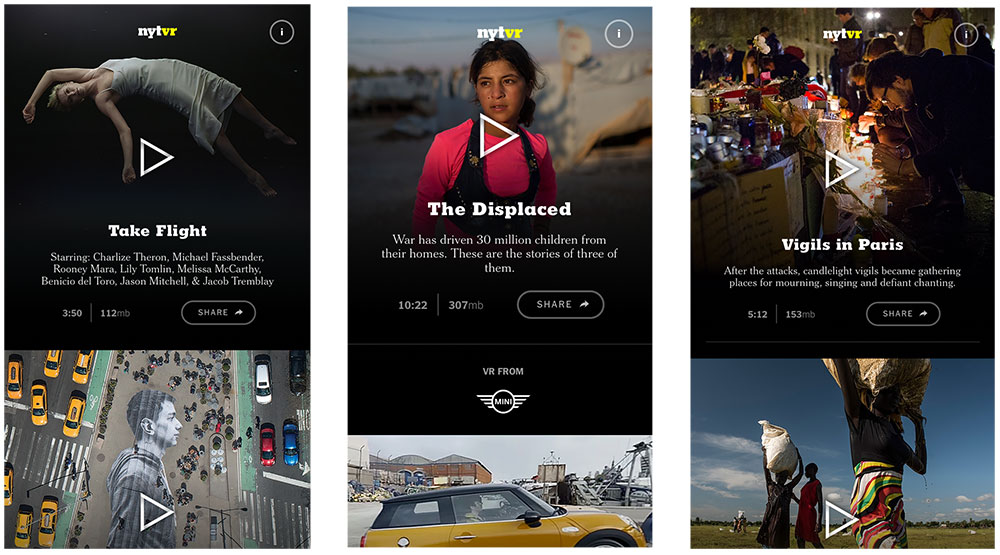
NYT VR is one of the most popular Virtual Reality Apps out there and it is completely free! It is supported by Android, iPhone, and Samsung Gear VR. While VR games receive a lot of attention, 360 filmmaking makes it quite exciting since this is just the start and we have rarely seen anything like it. It is great for those who are still trying to understand what the best way would be to immerse viewers into the film. The New York Times has one of the best collections of work with 360 videos. It makes it all the more comfortable to experiment here since all you need is your smartphone. The NYT VR doesn’t have a large library, they do cover a wide range of subjects. They are working on several different topics and soon hope to expand their library. The images don’t lag and offer a seamless experience as the users move about trying to understand this new world.
NYT VR
Google Expeditions
Google Expeditions gives you the ability to explore new cultures. You can even go and explore how people lived a century ago. This is an excellent substitute for real-time travel which can both be expensive and destroy valuable resources. Currently, Google Expeditions offers realistic VR tours of Teotihuacan and Mount Everest. They also have an education category where you will receive tours designed around specific themes like the anatomy of human skin and the recycling industry. The stunning part about these tours is the creators’ attention to detail. While they obviously cannot capture the glow and feeling of these ancient landmarks, it has perfectly managed to showcase the experience itself.
Within
Within is one of the free Virtual Reality App apps that is can be used with HTC Vive, Oculus Rift, OSVR, PSVR, and Google Cardboard platforms. This app has been designed to offer incredible content to its viewers. These contents are born from different creators across the globe. You will be able to experience 360-degree music videos, on-rails fantasy rides, and even some entertainment videos. They also have a 360-degree video based on Mr. Robot, a popular TV show. Besides all this, it also offers news across the world with the New York Times, Vice Media, NBC, Apple, and more. If nothing strikes your fancy here, don’t fear. Within’s library is only expected to grow larger as developers come with more content.
Littlstar
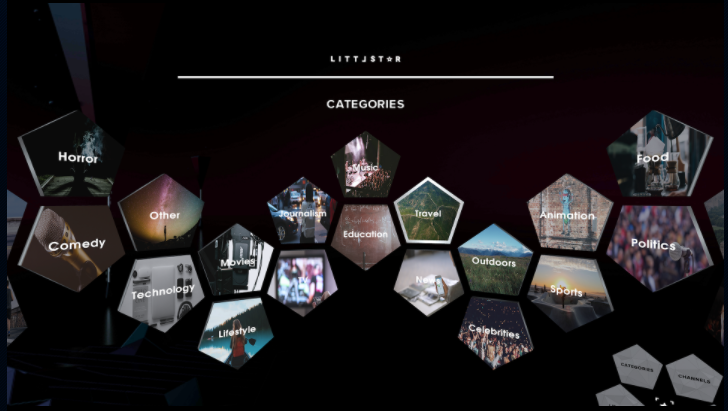
Littlestar can be used with the following platforms: HTC Vive, Oculus Rift, PSVR, and Samsung Gear VR. While Netflix, Hulu, and YouTube keep us engaged anytime, it is undeniably more fun if we can use it with VR headsets. They have a large library of 360-degree videos, each carefully designed to ensure that you feel the best. It offers all kinds of content, from educational and news-worthy ones to simple entertainment and some music. You will be able to enjoy sports content, Broadway theatre content, and content for kids. With a seamless user interface, it is simple and easy to use. Users who have their own 360 videos can also upload it here for others to enjoy.
Littlstar
Fulldive VR
Fulldive VR is a free app that comes with some in-app purchases. It works with Google Cardboard, Daydream, iPhone, Android. Fulldive VR has VR content ranging from a wide range of sources. This also allows you to share it with your friends and even comment and have a chat about them. Since the app works with Google Cardboard, it is very easy to get started. The app’s interface is a 3D page that you can adjust and navigate as you wish.
Google Earth VR
While Google Expeditions take you to new places which you can enjoy as regulars do. However, with Google Earth VR, you will get to fly around the Earth and learn as much about geography as you want. If you would rather just visit a certain place, simple use the quick-nav menu and directly land at the place of your choice. This is compatible with HTC Vive, Oculus Rift, and Google Cardboard platforms. You can literally fly at the speed of light and zoom from place to another in a matter of seconds.
Ocean Rift
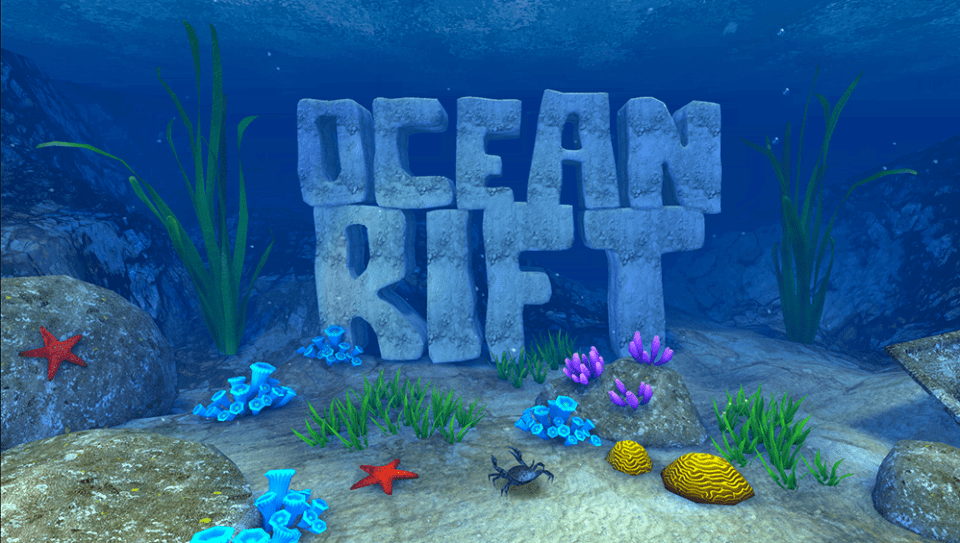
Ocean Rift has been designed to run specifically on the Oculus Rift platform. It features the open sea with its full range of deep waters and creatures. You would be underwater and can explore the 12 habitats. Users would be able to view marine wildlife including manatees, sharks, dolphins, and more. You can make your way deeper into the see to meet more deadly sea creatures. Ocean Rift can also be a soothing experience if you just want to float about, experiencing the waves and watching the fishes and the corals. The extreme attention to detail is responsible for making the experience truly wonderful. It wouldn’t be this great if it didn’t seem so realistic and colourful.
Ocean Rift
Allumette
Allumette is a free VR app that is compatible with HTC Vive, Oculus Rift, and PSVR. This was developed by Penrose Studio. The app followed the story of a young girl in a small but beautiful village. In this game, you will take on the role of the camera as you move about exploring the place. You can either follow the storyline if you want a structure to your exploration or leave it and just go exploring on your own. Characters communicate non-verbally with gestures, emotions, and expressions. If you want to play games on your Android device even when there is no internet, check out this article.
Other great virtual reality apps include Colosse, Kingspray Graffiti VR, The Nat Geo, The Foo Show, and Tilt Brush. Have fun exploring the depth of VR