Author: Jessica Robinson

  • Researchers Report that Netflix App is Draining your Phone Battery

    Researchers Report that Netflix App is Draining your Phone Battery

    If you are a Netflix app user, beware since it could exhaust your battery without you realizing it. It is not an assumption, but a warning from researchers.

    Enerlytics

    Researchers observed that the app was using up considerable amounts of battery, even when the app is not in use, and the device is not in operation.

    The app uses up a surprising amount of battery. If you leave your phone to charge overnight, the app will probably have eaten up 20 percent of your battery. However, draining percent can be different from some big batteries’ phones.

    According to the researcher’s report, battery-related problems have been continuing for at least a year. The reason behind the problem is a code error in some specific Netflix version.

    The good news is, the bug can be corrected with a simple app update.

    Enerlytics researchers tested this problem.

    When the Netflix app was installed on a Nexus 6 phone (Android 6.0.1), and the app rapidly started draining the battery. Even when the phone was left to charge overnight, the battery drained due to this issue.

    Researchers have also analyzed the reviews about this battery drain problem. The reports started increasing in May 2018.

    By continually analyzing the stability of the app, researchers are saying that the reason behind the battery drain is a bug in its code. The app continues to run even after the user has closed the app.

    However, the issue seems it will restrict the Android 6.0.1 OS. Only a small percentage of Android phones are using this version. The problem has been corrected in the recent update – version 7.8.

    If you happen to be using Android version 6.0.1 or below, updating your Netflix app should fix the battery drain issue.

  • LG V50 ThinQ 5G Dual Screen Review

    LG V50 ThinQ 5G Dual Screen Review

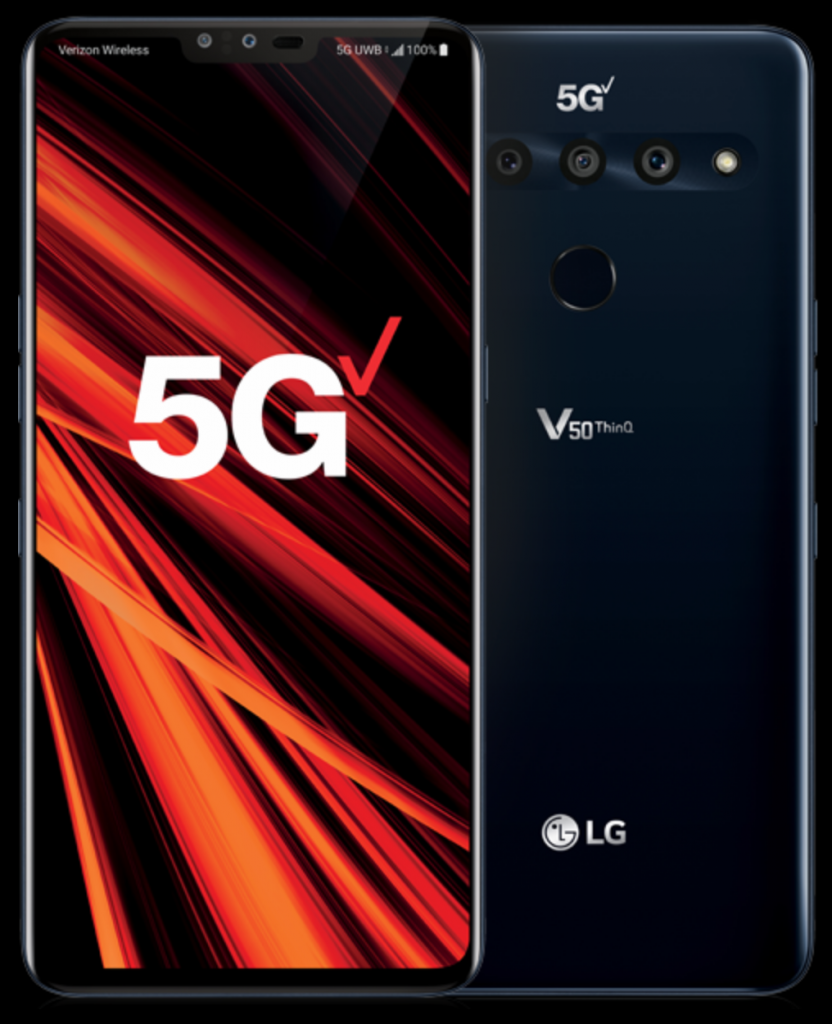
    Do you want to experience the incredible speed of 5G? You are in luck, as LG is coming out with the V50 ThinQ 5G dual-screen handset. If you belong to the UK, you can buy the phone at around £50 with a monthly subscription from EE at £64. The phone can also use the 4G network and connect to 5G once it finds an EE 5G signal.

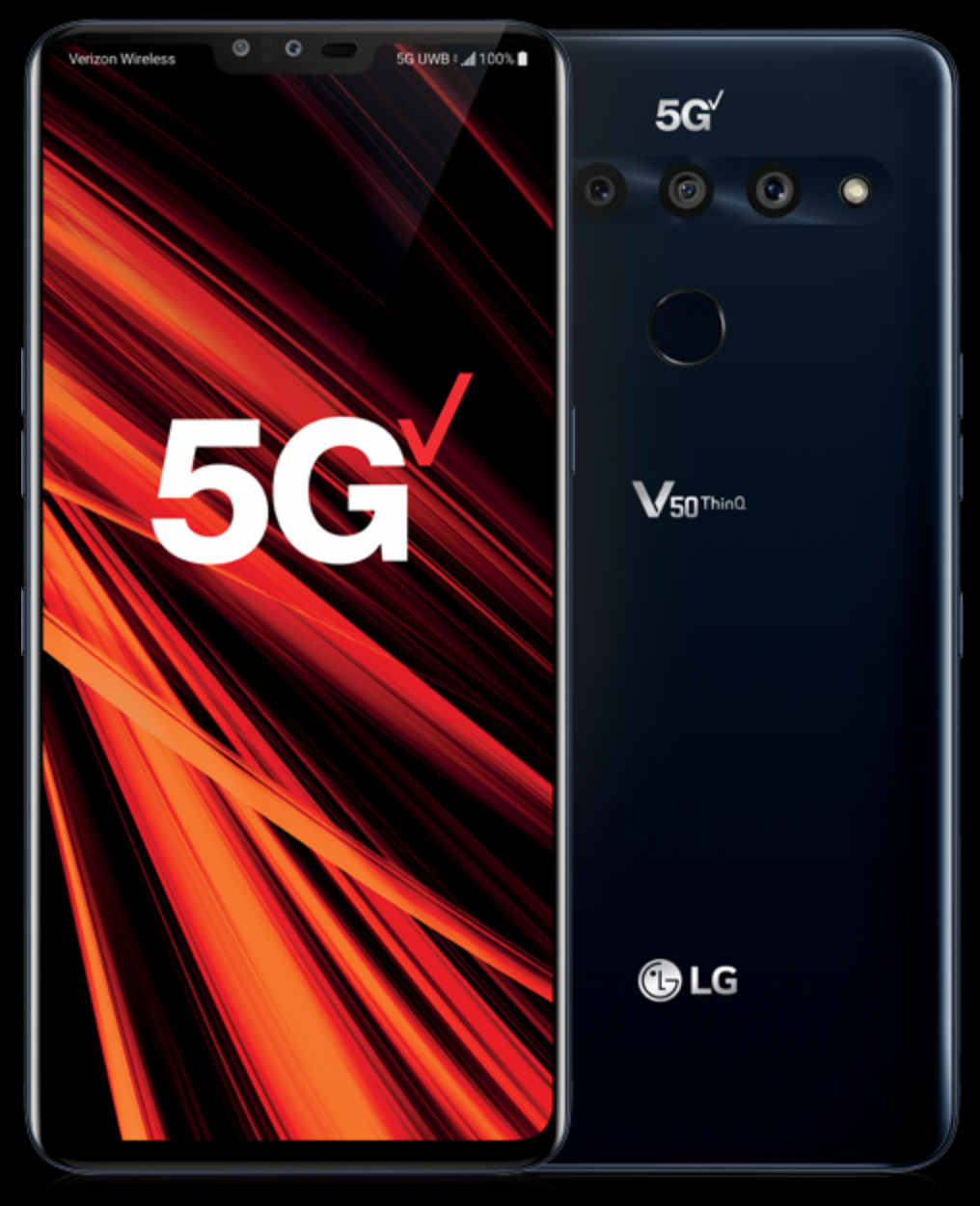
    LG V50 ThinQ 5G Dual Screen


    The key aspect that made LG V50 ThinQ 5G extraordinary is its feature-rich second screen. You can add or disconnect a screen as per your needs. The second screen is compatible with the primary handset and acts like an attached phone cover its other half.

    There are three tiny connectors on its back to facilitate data as well as a power connection to the second screen. The devices’ hinge boasts a solid build, which helps accommodate the second screen while keeping it flexible. The sturdy hinge supports both ‘clamshell’ and ‘tent’ modes.

    The cover safeguards the backside of the phone.

    A massive cutout integrates two more features: the fingerprint scanner as well as the triple-camera setup. Another cutout accommodates the device’s power switch.

    The device comes with a headset jack (3.5mm), a mono-speaker, and USB-C port on the bottom. There are three more buttons on the device for controlling volume and accessing the Google Assistant.

    The face of its second screen is amazingly glossy, complimenting the backside.

    The V50 ThinQ 5G weighs 173g and has a measurement of 76.1mm*159mm*8.3mm. Its second screen measures 83.4mm*161.4mm*15.54mm and weighs 304g.

    LG V50 ThinQ 5G Dual Screen comes with varied specifications.

    The screen of the primary handset features a 6.4-inch OLED panel having a resolution of 3,120 by 1,440. It also comes with a sizeable front-camera notch. The second screen also boasts a Full-HD OLED panel.

    The second-screen comes with its own set of features like ‘dual video.’  With it, you can convert its second screen into an amazing gaming controller and multitask without any limit. Gamers love this feature.

    A small pop-up enables you to switch between the two screens, launch apps quickly, etc.

    The device features durable black glass as well as metal. The back panel is super smooth and reflective.

    The LG V50 ThinQ 5G Dual Screen device also comes with IP68 and MIL-STD-810G ratings. These ratings mean the device is water and dust resistant.

    The device features five cameras. Two of them are present on the front-side and the other three on the backside. The phone comes with an internal storage capacity of 128GB. Users can also expand storage using a MicroSD card.

    The slot is adjacent to the Nano SIM card slot.

    The device features the Qualcomm Snapdragon 855 processor with 6GB RAM. It has a massive 4,000mAh battery, which it needs to power both the screens and 5G.

    LG V50 ThinQ 5G Dual Screen is compatible with Quick Charge 3.0. You can charge your device to 50% in just 35 minutes.

    Pros

    • A feature-rich second screen
    • 5G support
    • Pop-out control bar for smooth dual-screen controls
    • 5mm headset jack

    Cons

    • The second screen comes with a lower resolution compared to the main screen
    • Heavy when the second screen is attached
    • Speaker quality could be better
    • Battery life significantly drops when operating two screens
    • Backpanel is slippery

    LG brings detachable screens to the market, competing with the foldable. Although the second screen can make the device much heavier and demand more power, it also makes operation convenient.

    Moreover, 5G support is going to make the phone ready for the future. You can expect decent images with its five cameras. All these features make it an excellent option for purchasing.

  • Jabra Elite 65T: Richest Wireless Experience or Not | Let’s Find Out

    Jabra Elite 65T: Richest Wireless Experience or Not | Let’s Find Out

    If you are looking for a pair of earbuds but do not want to spend a fortune on them, you can check the Jabra Elite 65T. Packed with premium features and impressive design, this pair of earbuds are going to be your best buy, given the budget.

    Jabra Elite 65T

    Jabra specializes in audio and video equipment, which aims to provide its customers with new and developing audio solutions to help them hear more and do more.

     The Jabra Elite 65t True Wireless Earbuds was released in the market in March 2018 and was quickly recognized as one of the best wireless earbuds even with the price being a little more as compared to the other ones.

    Straight to the specifications, let’s check out the features and attributes of these Jabra Elite 65t earbuds in detail.

    Design and Build

    With a more professional look than the Apple Airpods, the Jabra Elite 65t has a sophisticated look and feel than the other products in the market. The earbuds, as well as the charging case, has been effortlessly designed in a manner that you do not even understand that it has a complete plastic make.
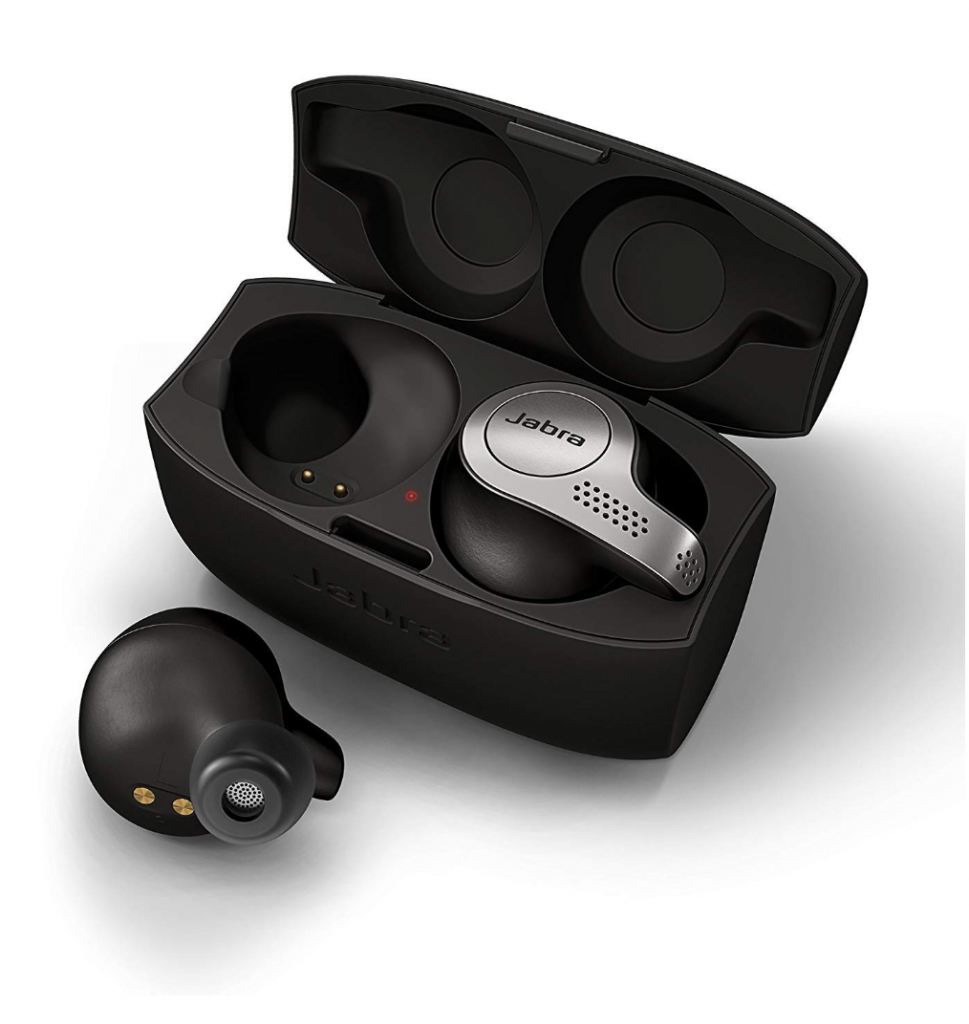
    Jabra Elite 65T Design and Build

    There are multiple perforations all over the earbuds, which makes the noise cancellation a little week. But on the other hand, it also allows the mics to pick up voices for calls.

    Also, if you are having trouble with the noise cancellation, you can always customize it using the Jabra app. This makes it a tremendously user-oriented headset. The earbuds are extremely comfortable to wear even after prolonged usage.

    Further, the Jabra app also lets you do various other things like customizing presets for situations like relaxing, commuting, and others. You will need to download an additional Jabra app to use the app for the earbuds.

    The earbuds come with different controls on each of them. Like the left earbud controls the volume and skip or previous track options, while the right earbud has a single button which allows you to accept or reject calls, play or pause music. If you long-press the button on the right earbud, you will activate the voice assistant.

    Performance

    When it comes to the sound quality and output, there is no match with the Jabra Elite 65t earbuds. When you remove these earbuds from the charging case, they automatically turn on, and when you place it back in the case, it by design turns itself off. This can actually be a much benefitting for people who are always in a rush or on the go.

    When you connect these earbuds to your phone, you will notice that it does not stutter for once. The wireless connectivity and performance of these earbuds are excellent than other earbuds

    Another feature of the Jabra Elite 65t is that you can use one earbud at a time if you wish to. Although the right earbud is the master one, it is good, if you use this one when using a single earbud in case of voice calls. For listening to music, you can choose to use any of the two earbuds.

    The sound quality is never harsh or too mild with these earbuds. Both the bass and treble are excellent for the Jabra Elite 65t. As mentioned earlier, you can choose to adjust the noise cancellation feature as per your need and want with the mobile app.

    The overall sound quality is impressive, with added features in this pair of earbuds. The features like auto-connection, high microphone quality, and notable battery life make this Jabra Elite 65t a great one for everyone.

    Battery and Charging

    You can quickly charge these earbuds with the micro USB charging port. One disappointing aspect of the earbuds is the charging case, which can be slippery on your hands. And, also, it does not have a magnetic lid or a spring lock, which makes it a little difficult to open and close the case every time you use these earbuds.

    Jabra Elite 65T Battery and Charging

    Jabra promises that the battery of these earbuds lasts about 5 hours in a single charge and continuous usage. However, many users have noticed and reviewed that it has indeed extended more than 5 hours of usage quite often.

    If it is still not sufficient, the charging case, when fully charged, can be used to charge the earbuds thrice completely. This gives you 15 hours of battery life with a single charge of the charging case.

    Conclusion

    Jabra Elite 65t can be one of the great deals if you are looking to buy a pair of the wireless headset. The cost is a little higher than the other competing products in the market, but the features and sound quality does not disappoint you.

    Also, the premium design and styling of the earbuds are awe-inspiring. It has been reviewed and rated as one of the best wireless earbuds available in the market now.

  • Inclusive New Emojis For 2020

    Inclusive New Emojis For 2020

    Emoticons before emojis have been around for longer than you, and I may imagine. It has become a more pop kind of communication. Emojis literally means a picture letter, which was first founded in Japan.

    New Emojis For 2020

    Apple has, like every year, rolled out a new range of emojis in the fall of 2019. It has once again expanded the emoji offerings with a range of appealing emojis, which instantly catches the eye.

    These new emojis seem to work well as these classy designed emojis successfully convey the essence, which calls for repeated views. They are premium in design with ample detailing and color, which have been an attribute of Apple emojis.

    Apple has extended a total of 59 new emojis for 2020, which will mostly be available with the iOS 13. In case, you use an iPhone 6, quite naturally, your phone will not support iOS 13. But, Apple has a fix for this too.

    These new set of emojis coming this fall will be available with a software update on iPhones, iPads, Mac as well as Apple watches

    Design and Colors

    The new emojis are extremely original with their precise detailing and color. There are many categories with new updates and emojis like the yawning face, disability themed ones, and new animals like skunk, flamingo or sloth, holding hands encouraging diversity, new clothing options, mythical creatures like vampires, fae and also new food items like falafel, waffles, garlic, ice cubes and more.

    Apple has stressed non-binary emojis this year, but then again, there are many raising their eyebrows on it. They say Apple has tried to create a fixed idea of what non-binary couples should look like.

    The new emojis have subtle improvements in the detailing and color, which makes them more life-like than it was earlier. Its concentration on the disability themes includes various emojis varying in versions and skin tone variants.

    With gender uniform clothing and pairings, Apple has rolled out many emojis holding hands in various skin tones, hair color. The animal emojis welcome several new adorable ones like the sloth or the orangutan.

    One of my favorite emojis from this new lot is the guide dog, which shows both intelligence and trustworthiness. From the rest, who does not love garlic and butter or waffles?

    The new set of emojis in the food section looks refreshing and inviting. There are many in the other segments as well that are newly added like the yo-yo, snorkel, juice box, safety vests with one or two musical instruments.

    With more new emojis for 2020, it is a great way of fun communication with family and friends. We hope to find more of such life-like emojis in the year to come.

  • Huawei Google Ban: What Does It Mean For Your Android Phone

    Huawei Google Ban: What Does It Mean For Your Android Phone

    Once again, the US has struck the Chinese manufacturer, Huawei, by banned its license to work with the other US companies. Now, if you are thinking about how it would affect your Huawei device due to Huawei Google Ban.

    Huawei Google Ban


    You will still be able to use and buy Huawei phones or laptops, but it will be a little different for the products that have been launched after the trade ban on Huawei by the United States. This fallout between the US and China can severely affect the market for Android.

    As we all know, Google is an American company, and the US government has blacklisted Huawei from trading in the US. Huawei uses Google developed Android platform for its smartphones.

    It has shipped about 200 million smartphones leading to Google revoking its Android license to act in accordance with the government. 

    Due to Huawei Google ban, Huawei will no longer have any access to Android apart from ASOP. It is the Android Open Source Project and does not require any license.

    The existing Huawei or sister company Honor devices will remain unaffected for some time now, as confirmed by both Google and Huawei. But, it could lead to a time where Google will block all its services on both Huawei and Honor phones.

    The situation is severe, and it is difficult to determine the restrictions that will be imposed on the two Chinese sister companies. Both the companies have assured that they will provide after-sales services and security updates to the existing users.

    So, if you are asking if we recommend you to boy Huawei or Honor phones in the near future, the answer is no. 

    While Huawei has continuously been assuring its existing users about the usage and issue management, it is yet to be clear about the future endeavors that it is planning. It has pulled various new handsets from announcements, which further implies the seriousness of the situation.

    What Huawei Says

    However, as Huawei has released a statement saying, “Huawei has made substantial contributions to the development and growth of Android around the world. As one of Android’s key global partners, we have worked closely with their open-source platform to develop an ecosystem that has benefitted both users and the industry“.

    With this statement, an idea doing rounds in the market is that Huawei is launching an operating system and software of their own. Huawei has indicated this possibility and their availability of resources for doing such a thing.

    It has often showcased design and technical prowess to carry out this thought. Maybe in some time, there will be new Huawei and Honor handsets working on a completing new OS with no Android whatsoever.

    Summarizing it

    We find it unlikely in recent times and presume it will take at least two to three years to implement this kind of change. But, for now, we do not recommend buying Huawei or Honor phones unless you are living in China.

  • Huawei reveals Android Alternative HarmonyOS, Claiming it is 60 Percent Faster

    Huawei reveals Android Alternative HarmonyOS, Claiming it is 60 Percent Faster

    After the huge crackdown of Huawei with the US, it has begun to imagine a tech world without Android. There was no news from Huawei on it, until early July 2019 when the CEO of Huawei came forward to reveal an alternative to Android.

    HarmonyOS

    At the annual developer conference of Huawei, it has finally shared some details about the new homegrown alternative to Android. Named as ‘HongmengOS’ or ‘HarmonyOS’, it has been described as a future-oriented software platform which has taken about two years to be developed by Huawei.

    The company promises a 60 percent higher speed than Android. Along with various other new features, it could be connected across multiple smart devices like cars, televisions, IoT gadgets, and phones.

    In a nutshell, this new platform is having some new features that make a clear winner from the Android. They have also compared it to ‘Fuschia’, which is an upcoming operating system by Google. They have insisted on HarmonyOS being more efficient than Android due to redundant coding and mechanisms that Android uses.

    The HarmonyOS has a microkernel design that can support several coding languages like Kotlin, Java, and C++. It has a deterministic scheduling engine that allows the operating system to handle and manage resources quicker and better.

    This, in turn, results in lower latencies and IPC i.e. Instructions per Cycle up to five times more efficient than the existing systems.

    Huawei claims that the HarmonyOS uses a multi-device IDE (integrated development environment), unlike Android. This multi-device IDE enables the company to develop a sole version of the operating system which can be used across a scope of devices.

    However, for Android, the operating system will need some tweakings to match every device. This is one of the many reasons for the delays in software updates and fragmentation.

    Huawei has confirmed that this operating system has been in the making since 2017 and will be initially targeting the smaller display products like the Huawei Vision.

    The Huawei CEO, Richard Yu has come forward to admit that there will be a time when Huawei will no longer be supporting the Android ecosystem. But, it has still not commented on smartphones in this revelation.

    While the HarmonyOS is famous as an open-source platform, Huawei does not intend to allow its users to have root access to the operating system saying it would be highly risky in terms of security to do such a thing.

    Also, as the new operating system, HarmonyOS is not compatible with Android apps, the developers will require to adjust the applications in order to run the new OS. Huawei CEO has further confirmed that it will be extremely easy to convert from Android to HarmonyOS.

    Bottom Line

    All said and done, we are a little jumbled on how this new HarmonyOS will be received by the users and developers. While also, Huawei has been very cautious about its future given the continuous pressure by the US government. It might have to do more than just building a new ecosystem.

  • Honor Magic Watch 2: AI Assistance | More Self- control Over your Health

    Honor Magic Watch 2: AI Assistance | More Self- control Over your Health

    Another competition for the Apple Watch is here. Honor, the sister company of the Chinese manufacturing giant, Huawei, has recently launched another new wearable device, the Honor Magic Watch 2.

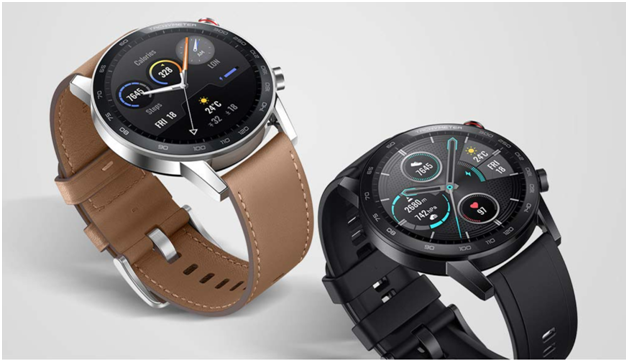
    Honor Magic Watch 2

    With new and different features and functions, this Honor Magic Watch 2 hopes to steal a few deals from the other competitors in the market. The Honor Magic Watch, which was launched the past year, had received a pretty commendable market response.

    The Honor Magic Watch 2 is a high-spec version of the older one. A few of its features are a dial touch, Bluetooth calls, and standalone music playback. Also, there are other features, primarily for sports and fitness.

    Specifications

    Coming to the technical specifications of the Magic Watch 2, it comes in two size variants, 46 mm and 42 mm.

    It has a stainless steel case with an AMOLED panel display. With a resolution of 454 and 390 pixels, respectively, and 326 pixels per inch, the Honor Magic Watch 2 offers an exceptional display with a sharp output for customizable watch faces.

    The smartwatch is powered by Honor’s very own Kirin A1 chipset and has a storage of 4GB and 2 GB, respectively, for the two variants.

    Honor claims that the smartwatch, combined with the Huawei’s Smart Power Saver 2.0 mode, has a battery life of whopping 14 days in a single charge with the 455mah battery.

    It is packed with fitness modes and like other smartwatches, also has a dual satellite positioning system that precisely records the user’s speed and route while running or cycling. The other features explicitly added for running include 13 different courses along with real-time voice-over guidance.

    The Honor Magic Watch 2 also comes packed with a few exceptional health management features like stress monitoring, heart rate monitoring, and blood oxygen saturation, and even sleep monitoring. If and when the watch records any abnormalities, it provides quick recommendations to help users adjust back to a healthy life.

    Also, the smartwatch uses high-precision PPG sensors combined with AI algorithms, which helps users monitor the changes in the body round the clock. 

    One of the most useful and unique features is stress detection. It allows the users to monitor the stress and distribute it in different slots at different times of the day. If it detects the pressure to be high, in any case, it instantly advises the user to turn on breathing exercises and release the stress with the guidance of the watch.

    Who does not like listening to music while running or cycling? The storage of this smartwatch allows you to download up to 500 MP3 songs and listen to them just by connecting your Bluetooth headsets.

    Another cool feature of the Magic Watch 2 is the ability to touch the dial. It uses one-touch technology, which allows you to cast your picture on dial directly from your phone settings.

    With many highlights and unique sports and fitness features, the Honor Magic Watch 2 will surely be an excellent addition to your everyday gadgets.

  • Use These Voice Commands To Make The Most Of Google Assistant

    Use These Voice Commands To Make The Most Of Google Assistant

    How To Set Up The Google Assistant

    Before you turn on Google Assistant on any device, make sure the setup is well configured.

    Firstly, check the Play Store to see if your Google assistant needs updating. If updates are available, you can install them. You’re ready to get started once you’ve installed the latest version Google Assistant from the Play Store.

    Google Assistant

    Expectations Of Google the Pixel Buds:

    If you’ve never used Google Assistant before, don’t worry, it’s easy to set up despite its sophisticated capabilities. If you’ve got Android Lollipop or later on your phone, press the Home button for three seconds to open Google Assistant.

      • Long-pressing the home button should launch the Google Assistant.
      • Next, tap ‘Meet your Google New Screen Assistant.’
      • Accept the disclaimer.
      • Now you use Google assistant.

    The “OK, Google” hot word can be used to trigger the assistant after you have enabled your assistant on your device. To enable this feature, open the Google app and go to Configurations > Setup (in Google Wizard) > Phone > Detection of ‘OK, Google’ and activate it. That means that whenever you say “OK Google,” you’ll activate Assistant.

    Welcome! You now have all kinds of opportunities to open applications faster, starting with simple website searches via voice commands, right through Google Assistant

    How Can Google Assistant Assist?

    How many messages do you send every day on WhatsApp, Viber, Telegram, or other instant messaging apps? It isn’t easy to count, but from now on, you can speed up this process by asking Google to send you messages directly!

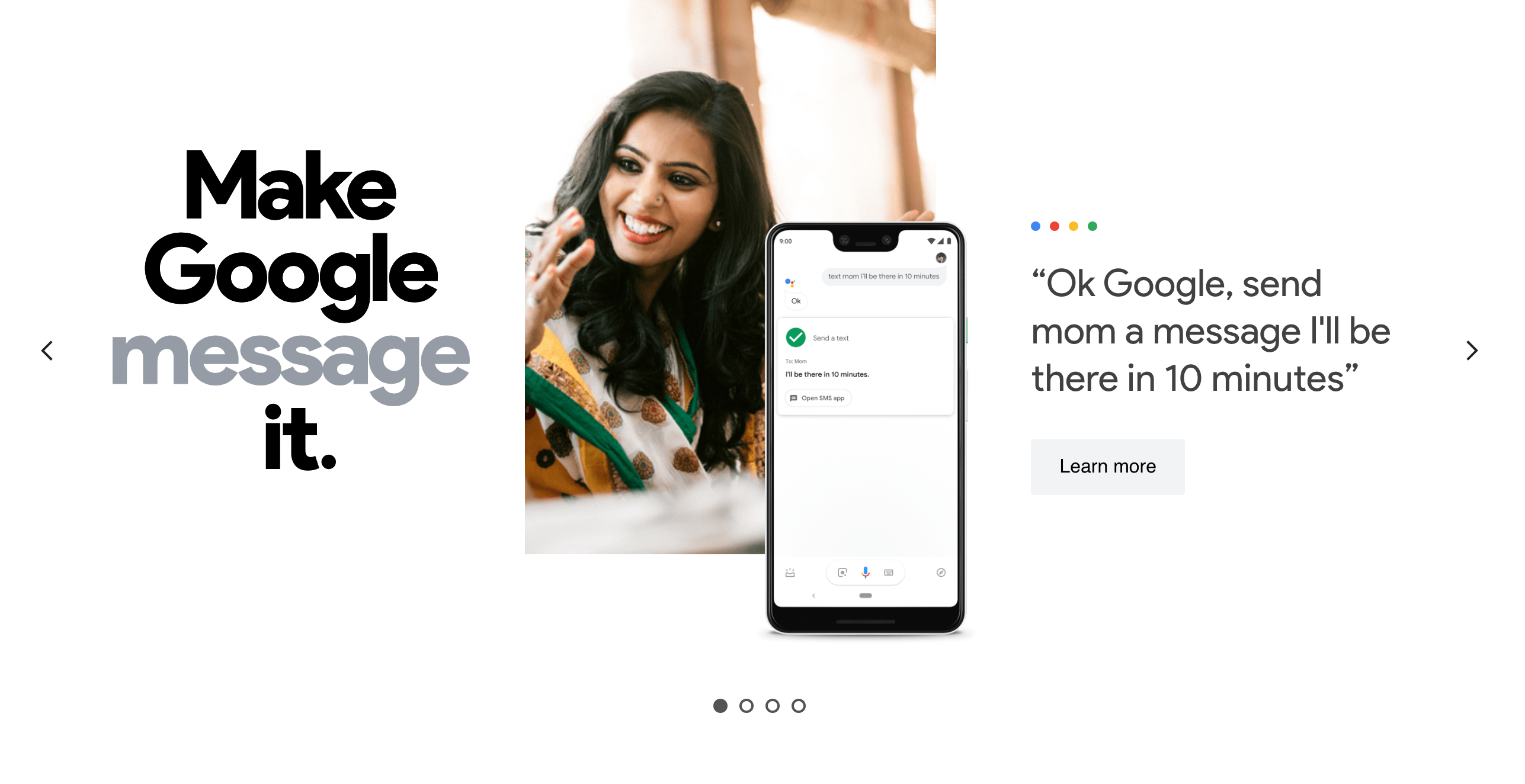
    To do so, you have to say “OK, Google, send the [message] to[Mom]: what do we eat?” or say, “OK, Google send [Mom] a [WhatsApp] message,” then dictate the message you want to send. If there is more than one telephone number in your contact, you are asked to choose which one you want the message to send.

    Google Assistant Opens Websites And Apps Directly

    You need to say the keyword “Go to …,” followed by the site name to open your favorite website without lifting your finger.

    Say, “Go to [site].”

    Example: “OK, Google, go to androidpit.com.”

    If you want to start an application like the calendar to check your schedule after Google Assistant has been enabled, you have to say:

    “Launch [app].”

    “Example:” OK Google, launch calendar.

    You can launch any applications on your device. Make sure you use the exact name of the app (which is shown under the icon). When the product has an unusual name, the method may not work.

    Managing Google Assistant Obligations

    Google can be your assistant to alert you of your obligations, set up your notifications, and even maintain control of your purchases on Amazon. All this depends on knowing the correct voice commands to use.

    Set Reminders

    You must remember paying the gas bill by the weekend, but are you too lazy to create a reminder manually? Wake up Google Assistant and say the following command:

    Example: “OK, Google, just remind me on Friday at 8:00 am to pay my gas bill.”

    Google is smart enough to make customized reminders, all in one phrase, based on time and place. But you will need your locations configured by the settings to make sure that the service functions perfectly and knows exactly when to remember an event.

    You will be able to register your home or business address here and allow Google Assistant to activate at the right time only.

    You only have to talk regularly to call Google Assistant. Speak as you would speak to someone else, and the assistant can follow your commands.

    The assistant will take time to get used to your voice commands, but after a day or two, it will respond to your requests instantly.

  • Hackers Could Spy On You Through Your Android Phone Camera

    Hackers Could Spy On You Through Your Android Phone Camera

    Google reports that a bug that allowed hackers to take control of Android phone camera, microphones, and access GPS location without the consent of their owners has been patched.

    Android Camera

    The vulnerability was discovered by the security firm Checkmarx, which noticed many bugs in the Google Camera software that enabled them to spy on their users. Checkmarx also stated that the bug impacts hundreds of millions of smartphone users, including those using Samsung phones.

    Researchers have discovered a disturbing security flaw that could cause certain Android apps to spy on users without them knowing.

    The vulnerability enables an intruder to take control of the android phone camera and take pictures or record videos through a rogue program without the consent of the user.

    According to the firm, the team found that an intruder to manipulate an app into taking pictures and filming videos without authorization by exploiting the bug.

    What Checkmarx Observed: Image-Embedded GPS Metadata

    Checkmarx also observed that in some situations, hackers could view stored videos and photos and see image-embedded GPS metadata that can give away the location of the user.

    The company was able to use a mockup weather app to exploit such bugs, which only required simple storage permission from an Android user. Storage rights are extensive and give unrestricted access to the users’ SD card. Other private data could also be access using this hack.

    Use of Camera License

    “Without a camera license, a rogue application can take pictures and videos

    Without hassles. Furthermore, the rogue application also has a way to access the current GPS position of the phone and user when placing them on the app,” the security team said.

    After finding the vulnerability, the firm told Google that, after reviewing the issue, it discovered that the bugs were “not unique to the Pixel product line” and that “the effect was much larger and applied to the wider Android ecosystem.”

    Since then, the tech giant has patched bugs and praised the security firm for finding the problem.

    “We understand that Checkmarx is bringing this to our notice and partnering with Google and Android partners to organize transparency,” said Google spokesperson. “The problem was solved in affected Android users through the Google Camera Software Play Store update in July 2019. The fix was also made available to all parties.”

    Samsung has also issued updates to address this problem since it was found.

    “We appreciate Checkmarx’s attention in co-ordinating divulgation and work with Google and Android partners,” a spokesperson for Google said in a statement. “The issue in July 2019 was tackled by issuing an update for the Google Camera application on the affected Google device through a Play Store. Patches were also provided for all partners,” said Samsung at CNN Business.

    “We urge all customers to update to the latest software on their smartphones to guarantee maximum protection,” a Samsung spokesperson said.

  • Dark Mode Finally Available On Instagram

    Dark Mode Finally Available On Instagram

    Available in the latest update for some users, the feature provides an entirely different view of the app and answers users ‘ complaints.

    Dark Mode Finally Available On Instagram

    Both iOS 13 and Android 10 provide the users with the ability to switch on a system-wide dark mode and turn the background black.

    The mode wasn’t available on Instagram, meaning users who would browse through their otherwise darkened phones would open Instagram to be caught off by the bright white background, which can be particularly irritating while scrolling at night.

    Twitter is full of users waiting for Instagram to implement the feature.

    Now, with the launch of dark mode, Instagram will no longer open with the white background as long as the phone has the dark mode enabled in settings.

    The photographs don’t look different; the dark mode only disables the default bright white background and swaps it with black.

    To enable this feature, the app needs to be updated on the latest version and have the feature enabled in both the app and the settings of the phone. The feature is rolling out slowly in different regions.

    With the rollout of this new feature, the excited fans of Instagram are delighted and satisfied.

    How To Turn The Amazing New Instagram Feature On iPhone?

    After a few weeks of rumors, the dark mode of Instagram has started with every iPhone model using the newly released iOS 13 system from Apple.

    Yet allowing mode on Instagram is not as straightforward as you would imagine. Just as anybody who has updated the newest Instagram update from the Apple App Store would inform you, the app does not contain a single setting that allows you to toggle on or off the new theme.

    Only when the consumer has dark mode enabled system-wide on their iPhone can the latest esthetic, dominated by black noises, be heard.

    That means you need to enter your iPhone’s settings to switch on the dark mode of Instagram. Without system-wide dark mode enabled, you cannot use this feature on any app, let alone iPhone.

    To do this, head to Settings > Displays where a switch to select between light and dark subjects is displayed.

    It’s also worth mentioning that you must run Instagram’s latest version on the iPhone to turn off the lights. You should install the new update from the App Store manually since the auto-update option is not enabled by default.

    Instagram users have been waiting for the latest feature for months. The release of the feature makes the app dim, making scrolling at night comfortable.

    When using an iPhone with an OLED display, dark mode will not just protect your eyes; it will also help conserve battery.