Author: Jessica Robinson

  • Starting January 31, Cortana Mobile App To Stop Working In India

    Starting January 31, Cortana Mobile App To Stop Working In India

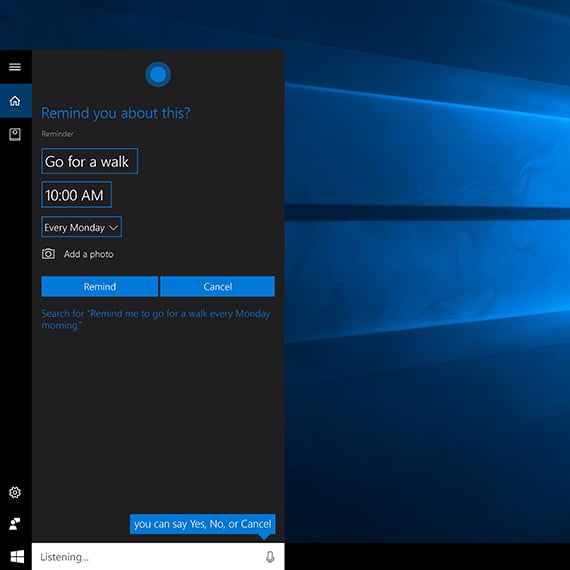
    For all those who are still not sure, Cortana is a virtual assistant which was created by Microsoft precisely for Windows 10, Windows 10 Mobile, Windows 8.1 phones, Microsoft Band and surface headphones, Xbox One, iOS, Android, and Amazon Alexa.

    Cortana Mobile Apps


    Microsoft has recently come out announcing that Cortana applications will be pulled back from both the android and iOS platforms in several countries starting from January 31.

    In the earlier report, Microsoft has confirmed the countries would be India, China, Australia, Germany, Canada, Mexico, UK, and Spain. But, it has now confirmed that the Cortana mobile app will not be available for any other country except for the US.

    Explaining this further, Microsoft is stating that for most people, the main use of the Cortana application is to configure settings and update firmware for Microsoft Surface Headphones.

    It has only debuted in the US. And for it to be still functional, Cortana needs to be available in the country. However, this remains a little unclear as the Microsoft Surface Headphones are now being sold in various other regions as well.

    All iOS and Android users of Surface Headphones in the US will continue to use the Cortana application. However, while starting January 31, all users in other countries will need to use Cortana for Windows.

    Any lists, reminders, and content created using iOS, and Android platforms will still be accessible by users via Cortana for Windows.

    The other reasons, by Microsoft for discontinuing Cortana application in the other countries, are-

      • The influence of this application was much lower in other countries except the US.
      • They have pointed out that the engagement was almost negligible.
      • Nne of the main reasons to keep Cortana working in the US is because Microsoft wants to keep experimenting with the application.

    Microsoft is further, saying, “to make Cortana as helpful as possible, we’re integrating Cortana deeper into your Microsoft 365 productivity apps. Hence, part of this evolution involves ending support for the Cortana mobile app on Android and iOS.”

  • Borderlands 3 And Dragon Ball Xenoverse 2 Launched On Google Stadia

    Borderlands 3 And Dragon Ball Xenoverse 2 Launched On Google Stadia

    There is some exciting news this week for ardent gamers. ‘Borderlands 3’ and ‘Dragon Ball Xenoverse 2’ are now available on Google Stadia. The number of games available to play is gradually increasing on this cloud gaming platform.

    Borderlands 3 And Dragon Ball Xenoverse 2 Launched On Google Stadia

    If you are a gaming enthusiast, you must have a buddy pass to play along with your pals. With the growing collection on Stadia, you and your pals can enjoy playing more and more games together.

    Borderlands 3 was launched on other platforms back in August 2019. Now, gamers can enjoy this first-person shooter with friends on Stadia. Further, members can also start playing another major title, ‘Dragon Ball Xenoverse 2.’

    Another popular game, ‘Tom Clancy’s Ghost Recon Breakpoint,’ is now available on Google Stadia. Watching this game run on Stadia gave gamers a boost in confidence in Google Stadia. The lag-free experience on Stadia will amaze the players.

    The Tom Clancy title is going to be the first Stadia title to integrate with Stream Connect. It is an exciting feature for gamers that let them share their screen with up to three playmates. With Stream Connect, players can enjoy the game together with the split-screen feature.

    With Stadia, gamers do not need to worry about buying expensive hardware and configuring the game, since Google’s servers take care of all rendering. A player can watch a maximum of three playmates’ standpoints simultaneously during as they wait for a respawn.

    Borderlands 3 is available in four editions. The game is on sale for a limited period. The Standard Edition is now available at $39 (originally $60). The Deluxe Edition comes at $52 (originally $80), the Super Deluxe Edition is available at $78 (

    down from $100), and the Collectors edition (Diamond Loot Chest edition) is going for about $240.

    The Super Deluxe Edition comes with additional content – a season pass, making it a great buy. However, Dragon Ball Xenoverse 2 is not offering any extra content or discount. It is available at its original $50 price.

  • Avoid Hefty Traffic Fines Using These Traffic Apps

    Avoid Hefty Traffic Fines Using These Traffic Apps

    The Motor Vehicles Act 2019 updates traffic rules and modifies penalty rates. It has been in effect in India from 1st September 2019. The main goal behind the act is to make traffic rules stricter than before. The issuance of driving licenses is now subject to more scrutiny.

    Avoid Hefty Traffic Fines Using These Traffic Apps

    The Motor Vehicles Act 2019 imposes stringent penalties in case of violations. These measures help enhance road safety. There is no longer any scope for an excuse if the driver does not possess proper driving-related documents.

    However, vehicle owners can now avoid penalties with just their smartphones by using traffic apps.

    Two feature-rich apps have been introduced and will assist vehicle owners by safely storing essential documents. The apps work on a cloud-based system, meaning you can your documents anywhere, anytime.

    If you find yourself being asked for your papers by the traffic authorities, you can now hand them over in just a few taps – no fuss!

    Digilocker

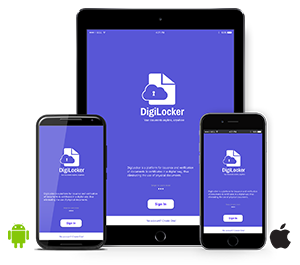
    The Government of India inaugurated the Digilocker application to digitize ownership documentation. With this app, you never have to carry your original documents and can safely store them elsewhere.

    The app saves your driving license and vehicle registration. Making the documents easily accessible leaves you free of worry.

    The Process Of Storing Certificates On Digilocker App

    Digilocker is available on both the App Store and Google Play Store. All you must do is install it on your device.

    Once installed, open the app. Use your contact number to login. You will receive an OTP, which you must enter to authenticate yourself.

    Go to the “Uploads” section and start tap on the upload button (top-right corner).

    Next, select your documents’ images. Also, remember to upload your certificates’ pictures and complete the uploading process.

    You can also create folders and segregate the documents into categories. The categorization makes it easy to find.

    Do not forget to add your Aadhaar Card number. It is essential to authenticate your accounts as well as documents. Scanning the QR code on the certificates is sufficient in case you do not wish to upload pictures.

    mParivahan

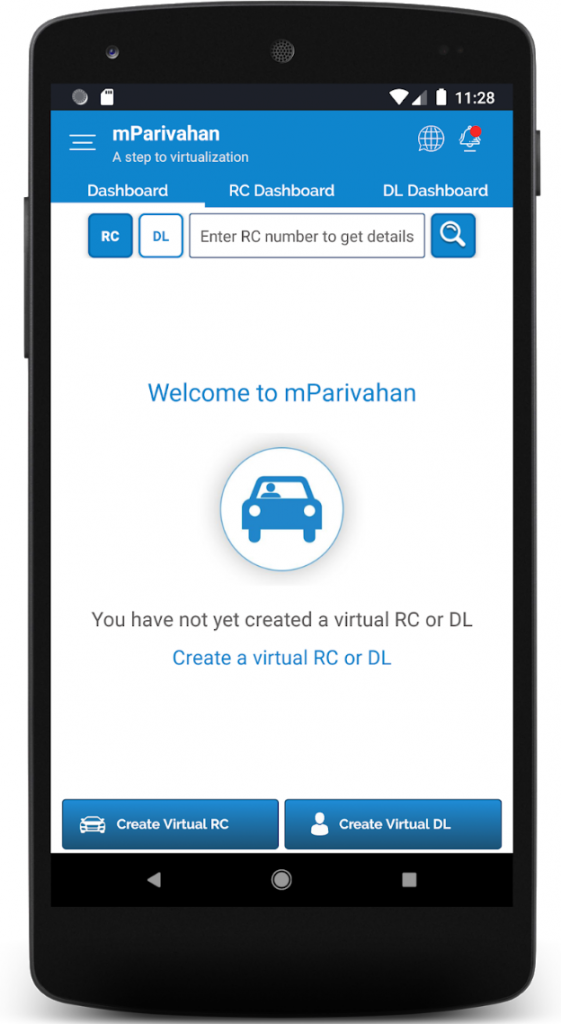
    The Government inaugurated the mParivahan application to scrutinize vehicles’ registration details. Now, you can effortlessly search for the vehicle registration details whenever needed. All you need to do is to add the required information on the application’s home page.

    mParivahan

    The app also enables users to save their vehicle registration. That means you do not need to provide your original documents every time.

    Process Of Saving Soft Copy Of The Vehicle Registration With mParivahan app

    The first step is to download the app on your device. The app is available on both the Google Play Store and the App Store.

    If you are a new user, start the sign-up process. If you’ve already signed up, log in to the app with your credentials. Enter your contact number.

    Visit the “My RC” section and provide your vehicle registration number. You must also enter the last four digits of the challan number, as well as the engine number.

    Your details will be uploaded. You can now look for them in the ‘Details’ section on the app’s dashboard.

    Further, it is also possible to save the driving license. Visit “My DL” for the same. It will collect your driving license from the specific database. In this way, you can save a soft copy of your license on your device.

    Digilocker and mParivahan make traveling much more convenient and worry-free since you never have to worry about your documents. The apps can save you from an unnecessary traffic fine in case you aren’t carrying your documents. Setting the traffic apps up is easy and can be done by following the simple guides above.

  • Amazon Music Is The One Streaming Service You Really Want To Check Out

    Amazon Music Is The One Streaming Service You Really Want To Check Out

    Music streaming applications have been trending in the past few years more than ever before. We are all aware of the dozens of music streaming applications like Spotify, Saavn, Apple Music, Pandora, Google Play Music, and others. But people often forget about the one that has been silently the most significant player in these services.

    Amazon Music

    It is none but the Amazon Music service. Amazon has been in the business of online music streaming for over the years now. 

    With a subscription fee that is at par with the other applications, Amazon music undercuts the different applications with its content scope. It is packed with features like auto-rip, and Alexa support that makes it better than the other such music streaming services.

    Amazon Music is an on-demand type of music streaming application that offers an HD option that is available with an additional fee. There are over 50 million songs in the Amazon music library, which can be added to your unlimited library in the application.

    Quality Of Music

    The HD option offers CD-quality music, which streams at 320 Kbps and ultra HD option, which streams music at 850 Kbps. It requires a data speed of at least 1.5 Mbps or higher to stream music in the HD or ultra HD quality. It has a 90-day trial period, which is usable by both existing customers and new subscribers.

    Unlimited music is available on various platforms that come with played section, and a tab for your music. There is also a link available on Amazon music store for all those who would like to purchase soundtracks.

    There is a mini-player that lets you just check your current playlist instead of looking into the whole thing at once. Also, there are four tabs at the bottom of the mobile application, which makes it extremely easy to navigate on the application.

    The Amazon Music is a winner in the run for the best music streaming service with over stations within 20 languages support, new releases, and popular playlists. 

    It is the first online music store that sold music without digital rights management from four major music labels along with other independent ones. 

    With over a thousand playlists and music of all times and genres, it is one of the best online music streaming applications that are currently available in the market now.

    Bottom Line

    Whether you want to listen to music on your smartphone, computer, or via Amazon Echo speakers, it is just a click away with Amazon Music. You can also download your favorite tracks for offline play.

    Curated precisely how you’d want it to be, Amazon Music is the one to go for. Search for your favorite tracks, create your playlists, download them on your device, and listen to them with or without an internet connection. Unlike other music streaming applications, it is completely free of advertisements.

  • Samsung Galaxy Core Prime – Review

    Samsung Galaxy Core Prime – Review

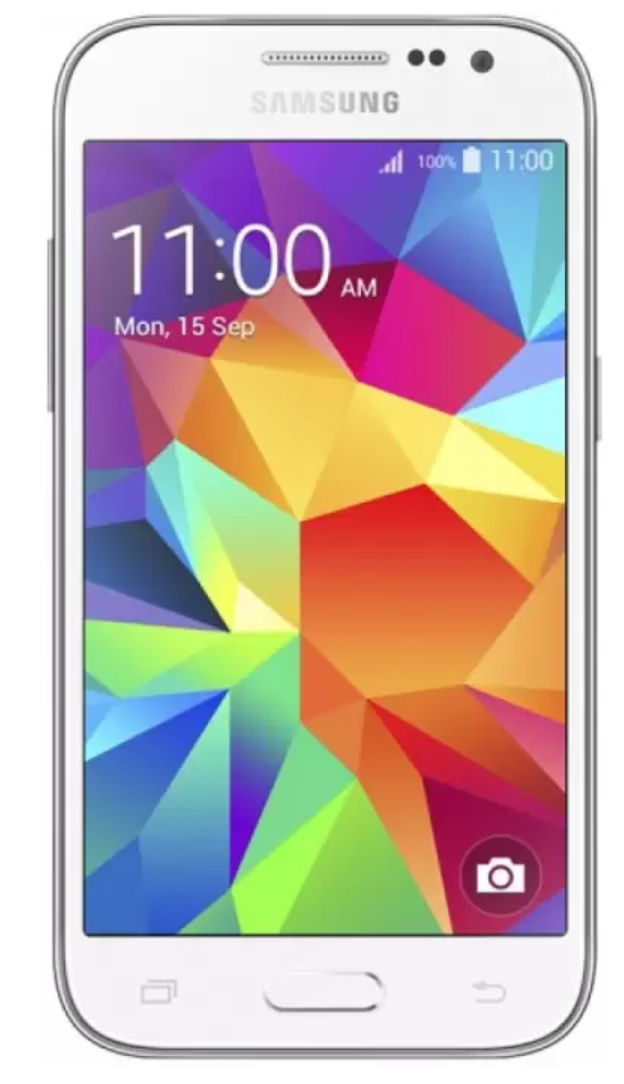
    With a sleek design and extensive features, the Samsung Galaxy Core Prime is all that you could wish for back in 2015. Impressive design and unmatched specifications are what had made the smartphone a winner in its time.

    Samsung Galaxy Core Prime

    The Samsung Galaxy Core Prime was launched in November 2014 with a GSM/HSPA/LTE technology. Having dimensions of 130.8×67.9×8.8 mm and weighing about 130g, the Samsung Galaxy Core Prime was not only smooth and light on the hands but also premium in its outlook.

    It has a built-in glass front and plastic back and frame. The key buttons are available n the smartphone for enhanced ease of use of the users. It has a physical home button at the bottom of the screen in the front and volume and power or lock buttons on the sides.

    Operating System

    The phone comes with a Qualcomm MSM8916 Snapdragon 410 chipset, a quad-core 1.2 GHz Cortex-A53 processor, and Adreno 306 GPU that provides ample power for running all the applications smooth and lag-free.

    The Core Prime smartphone runs on Android 4.4.4 KitKat operating system, which is upgradable to 5.1.1 LolliPop that smoothly runs all its programs and apps in its background. It has a 1 GB RAM and 8 GB internal memory and has expandable storage up to 64GB.

    The TFT 4.5-inch display offers a proper delivery of colors and images with a resolution of 800×480 megapixels. It is embedded with a 2MP selfie camera and a 5MP primary camera, which features an LED flash with 720p video quality.

    It also offers various other camera settings like beauty face, best photo, and more. Undoubtedly, a layback from smartphones today, the Samsung Galaxy Prime Core, was a recognized device in 2015.

    Battery

    The smartphone offers a 2000 mAh battery, which lasts up to 10 hours at a stretch for medium to high usage. It supports both Bluetooth and Wi-Fi connectivity of the 2.4GHz network. Also, the smartphone has a dedicated microSD slot up to 64 GB.

    It has an in-built 2.0 micro-USB facility, GPS, and an FM radio features. Apart from this, the phone has other sensors, which include an accelerometer and proximity digital TV sensors.

    Overall, the Samsung Galaxy Prime Core can be a weak competitor if you would compare it with the new and advanced smartphones of today. But, at the time and technology, it is a great option and preference by most of the users.

  • Apple Watch Series 1 – Review 2019

    Apple Watch Series 1 – Review 2019

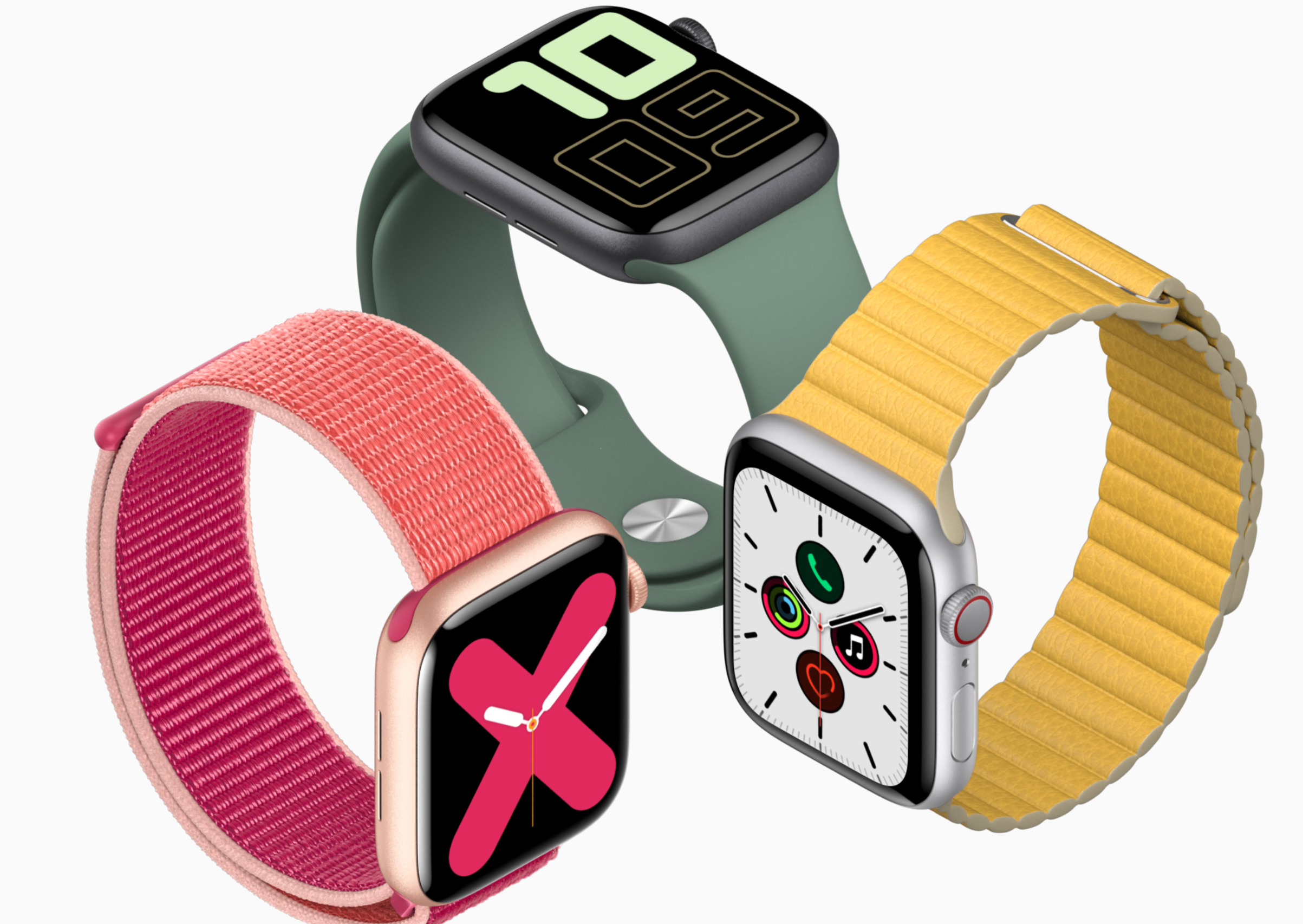
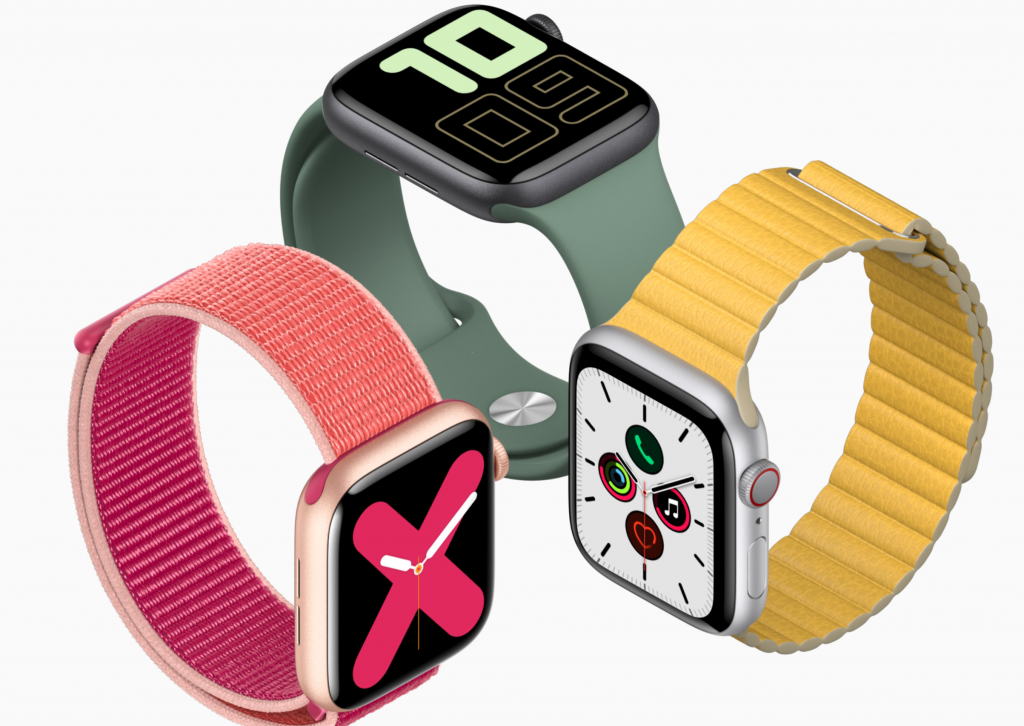
    Apple has been upgrading its wearable device ever since 2015 and has rarely gone wrong in it. From little changes in the design to the latest technology use, the fitness watches by Apple has become immensely popular recently. A major unveil in the segment of smart or fitness watches, the Apple Watch Series 1 comes with all the fresh features with an enticing outlook. The crisp display with a sturdy built and long-lasting battery life is what makes this fitness watch one among the best in the market today.

    Apple Watch Series 1

    Design

    Smooth and luxurious on the hand, the Apple Watch Series 1 is premium in design. It comes with an I-ion glass covering the massive display and an aluminum casing around it.

    The band is made of premium rubber silicone, which is flexible and adjustable and sits snug on your wrist without being itchy or uncomfortable on your skin. The compact shape of this smartwatch makes it perfect for both indoor and outdoor activities.

    Packed with unmatched features, the Apple Watch Series 1 is one fast performing gadget to own. While Siri takes care of all your notifications, texts, phone calls, or reminders, the dual-core processor ensures a no-lad performance. 

    Features

    The fitness watch comes a few of the basic features, which include the accelerometer and the health application to track the user’s steps, walking, or running. At the same time, its advanced features consist of the built-in heart rate sensor, water-resistant properties, and ambient light sensors.

    The fitness tracking feature tracks the number of calories burnt during a workout. The ambient light sensor automatically brightens up the screen when in the sun and darkens it in low light or at night.

    The heart rate sensor monitors the heart rate of the user and gives regular reminders for workouts and set goals. It uses infrared LED lights to detect the blood flow and calculates the number of beats per minute. It is accurate in ideal conditions. 

    The other features that come handy with the Apple Watch Series 1 are the gyroscope, and Maps access. While the gyroscope detects the direction you are moving in, the Maps provide you the guidance to go when connected to your iPhone GPS.

    Connectivity

    Speaking of connectivity, the Apple Watch Series 1 connects to your iPhone using Bluetooth or Wi-Fi. It would be best if you connected the fitness watch to your iPhone to use features like GPS, maps, or directions. While you can update the applications on the watch using a Wi-Fi connection.

    Further, the Apple Watch Series 1 comes with a rechargeable LR44 lithium-ion battery, which has a battery life of up to 18 hours in a single charge.

    Although a little high on the budget, this fitness watch is precise and accurate in its features and also ensures a durable stay. Stay active and monitor your goals straight up with this Apple Watch Series 1.

  • Realme 5s And 5i Review And Comparison

    Realme 5s And 5i Review And Comparison

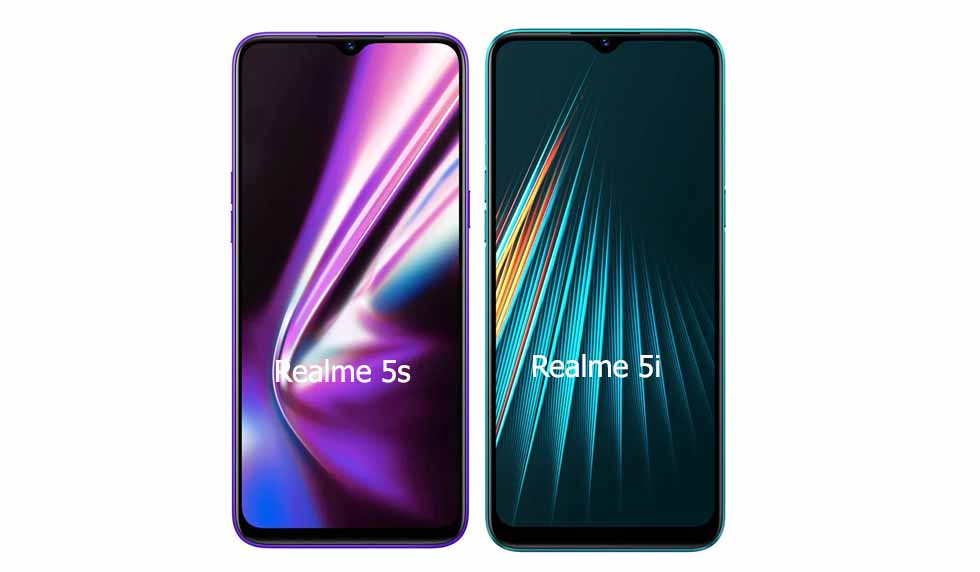
    .Realme recently launched another entry-level phone in India called the Realme 5i. The smartphone is only available in one variant that has 4GB of RAM and 64GB of internal storage.
    Realme 5s And 5i Review And Comparison

    The Realme 5i is the fourth addition to the Realme 5 series. Realme 5i boasts an AI quad-camera setup on the rear and houses a massive 5000mAh battery. However, these specs are similar to another fairly new Realme phone – the Realme 5s.

    Unlike the Realme 5s that comes with a 48MP camera, the Realme 5i comes with a 12MP camera. There are a couple more differences between the phones, which can make deciding between the two very confusing.

    To help you out, here’s a spec-by-spec comparison of the handsets.

    Realme 5s vs. Realme 5i – Pricing Comparison

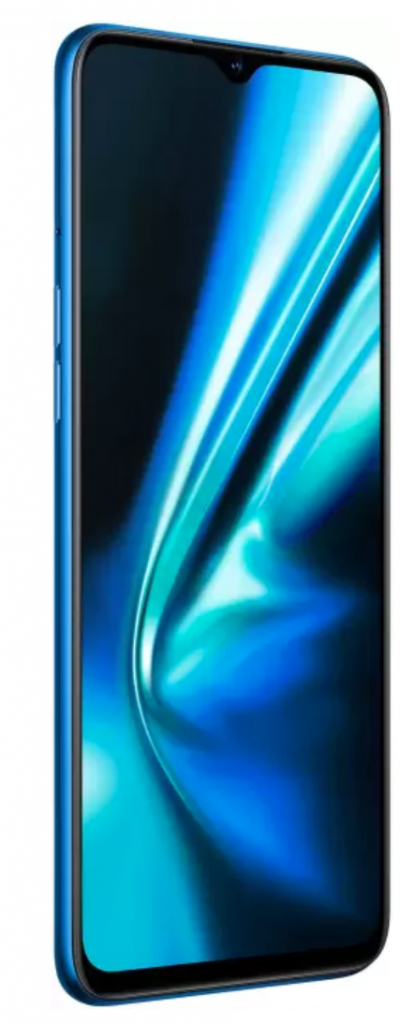
    The Realme 5i has only been launched in one memory variant in India, having 4GB of RAM and 64GB of onboard storage. It is priced at a fantastic Rs. 8,990.

    On the other hand, the Realme 5s smartphone is available in 64GB and 128GB variants, but both have only 4GB of RAM. They are priced at Rs. 9,999 and Rs.10,999, respectively.
    Realme 5s vs. Realme 5i – Pricing Comparison

    If the price is the concern for you, the 5i offers excellent features for an amazing price and is the least expensive smartphone in the Realme 5 series.

    Realme 5s vs. Realme 5i – Display Comparision

    Coming to the displays of the devices we are comparing, the Realme 5s features a 6.5-inch HD+ display with a 720×1600 pixel resolution. It is an IPS LCD panel with a 20:9 aspect ratio and 270ppi pixel density.

    There are no differences in the display in the Realme 5s and the Realme 5i since the 5i also features a  6.5-inch HD+ display with a 720×1600 pixel resolution. It is also an IPS LCD panel with a 20:9 aspect ratio and 270ppi pixel density.

    Both phones have a waterdrop notch and do not have a pop-up camera like some of the newer phones do. Although the prices are great, having a higher resolution screen – with at least a 1080p resolution would have made them more lucrative offerings.

    Realme 5s vs. Realme 5i – Software and Performance Comparison

    Performance-wise, both the phones perform equally well since they both come with the same Snapdragon 665 processor and the Adreno 610 GPU.

    As mentioned previously, the Realme 5i is only available in one variant with 4GB of RAM and 64GB of internal storage space.

    However, the Realme 5s is available in 64GB and 128GB internal storage space variants. The RAM, however, stays the same as the Realme 5i at 4GB.

    Although both the phones have the same chipset and the same RAM, Realme 5s will give the user the added benefit of larger internal space.

    If you need larger storage space, both the phones have a microSD card slot, and the storage can be expanded by up to 256GB on both phones.

    As for the software, both the devices run on Color OS 6, which is based on Android 9 (Pie).

    Overall, there shouldn’t be much difference between the two devices’ performance.

    Realme 5s vs. Realme 5i – Camera Comparison

    Both the devices boast a quad-camera setup on the rear. However, the resolutions of the cameras are different.

    The Realme 5s has a better camera – it features a 48MP primary sensor that is paired alongside an 8MP camera and two 2MP camera units.

    The front camera of the device is better when compared to the Realme 5i since it has a 13MP resolution.

    On the other hand, the more affordable Realme 5i sports a 12MP+8MP+2MP+2MP rear camera setup and features an 8MP front camera.

    The Realme 5s comes out as a clear winner and can take stunning shots in all kinds of lighting conditions. If the image quality is a concern for you, you can go for the Realme 5s without thinking twice.

    Realme 5s vs. Realme 5i – Battery Comparison

    The Realme 5s features a massive 5,000mAh battery and supports 10W charging. The phone can also help charge other devices’ batteries since it comes with the power share feature.

    The Realme 5i shares the same large 5,000mAh battery, and also comes with the power share feature and support for 10W fast charging.

    Realme 5s and Realme 5i – Overview and Verdict

    This table will give you an overview of the two devices, and you can make your decision at a glance.


    Specifications Realme 5s Realme 5i
    Price 9,999/- INR (4GB+64GB)
    10,999/- INR (4GB+128GB)
    8,999/- INR
    Display 6.5-inch HD+ LCD screen with 720×1600 pixel resolution and 89% screen-to-body ratio 6.5-inch HD+ LCD screen with 720×1600 pixel resolution and 89% screen-to-body ratio
    Processor Qualcomm Snapdragon 665 Qualcomm Snapdragon 665
    Operating System Color OS 6.0.01 based on Android 9 Color OS 6 based on Android Pie
    RAM 4GB 4GB
    Storage 64GB, 128GB 64GB
    Front camera 13MP sensor with f/2.0 aperture 8MP sensor with f/2.0 aperture
    Rear camera 48MP (f/1.8 aperture) + 8MP wide-angle lens (f/2.25 aperture) + 2MP Macro lens + 2MP Portrait lens 12MP (f/1.8 aperture) + 8MP wide-angle lens(f/2.25 aperture) + 2MP Portrait lens + 2MP Macro lens
    Battery 5000mAh 5000mAh
    Colors Crystal Red, Crystal Blue, and Crystal Purple Aqua Blue and Forest Green

    If you’re on a tighter budget, you cannot go wrong with the new Realme 5i. However, if you’re looking for better camera quality or larger on-board memory, go for the Realme 5s.
  • Hulu Is Getting Voice Support Or Chromecasts And Google Home Smart Displays

    Hulu Is Getting Voice Support Or Chromecasts And Google Home Smart Displays

    Post the launch of Google Assistant, major movie, TV, and video service providers have been rolling out Google Assistant voice support over time.

    Hulu Voice Support

    The feature enables users to access their favorite content on Google Home smart displays and Chromecasts by merely speaking. Just last month, Sling, an American over-the-air internet television service owned by Dish Network, added support to voice control via Google Assistant.

    Now, on-demand streaming and live streaming service Hulu has added voice control support for Google’s smart displays and Chromecasts.

    With this new functionality, Hulu users can ask Google Assistant to play a particular show or movie on whichever Google smart display device they prefer.

    Google Assistant will also do this with a television paired with a Chromecast. By adding support for voice control, Hulu joins Google as content partners alongside other big names in the industry, such as Netflix, CBS All Access, and HBO Now.

    As Google tends to always do, the company quietly added Hulu to its respective support page as a ‘voice-supported partner.’ According to Google, the support covers ‘basic subscription tier’ TV shows and movies. However, it is still unclear what exactly that means. It is a reasonable presumption that both ad-free subscribers and subscribers with ads enjoy the same assistant support.

    If you have a Google smart display or a Chromecast, you can play Hulu content by saying, “Hey Google, play [show name] on Hulu.”

    A Google spokesperson in a statement to Android Police said that the support extends to devices with Chromecast built-in as well.

    Some users do not see the option to link Hulu as a supported video service within the Google Home app yet, but you can be sure that it will be arriving soon.

    Once it arrives, you can tap on the “+” icon in the upper-left corner of the app, then select “Video and photo services” from the menu. Select the ‘Link’ option under the Hulu video to sign in to your account, which will link it to the Google Home app.

    To check if your device is compatible with Hulu support, open the Google Home app on your phone or tablet and tap on the “Settings” cog. Then, navigate to “TV & video,” and then tap on the “Link” button next to the Hulu icon that will appear.

    Follow the prompts that appear, and you will all set to beam Hulu content to your Chromecasts and Google Home smart displays with just your voice.

    Hulu’s compatibility with the Google Home app will most likely be made available as a server-side update. However, to be safe, make sure you have the update to the latest version of the app from the Play Store or download the official APK from their site.

    With voice support being enabled for Hulu, users no longer have to fidget with the controls and can play movies, and TV shows can control the playback easily with just their voice.

  • Google Pixel 4 Update Silently Introduces Two More Important Tweaks

    Google Pixel 4 Update Silently Introduces Two More Important Tweaks

    Google’s Android update for December 2019 is slowly making its way to Pixel 4 users across the globe, and we already know it introduces e-SIM support for T-Mobile phones.

    Google Pixel 4 Update

    However, XDA-Developers have uncovered two additional features in this update – dual-frequency GPS and an improved Face Unlock feature.

    Dual-frequency GPS is available on many flagship phones these days, and it delivers more accurate location tracking.

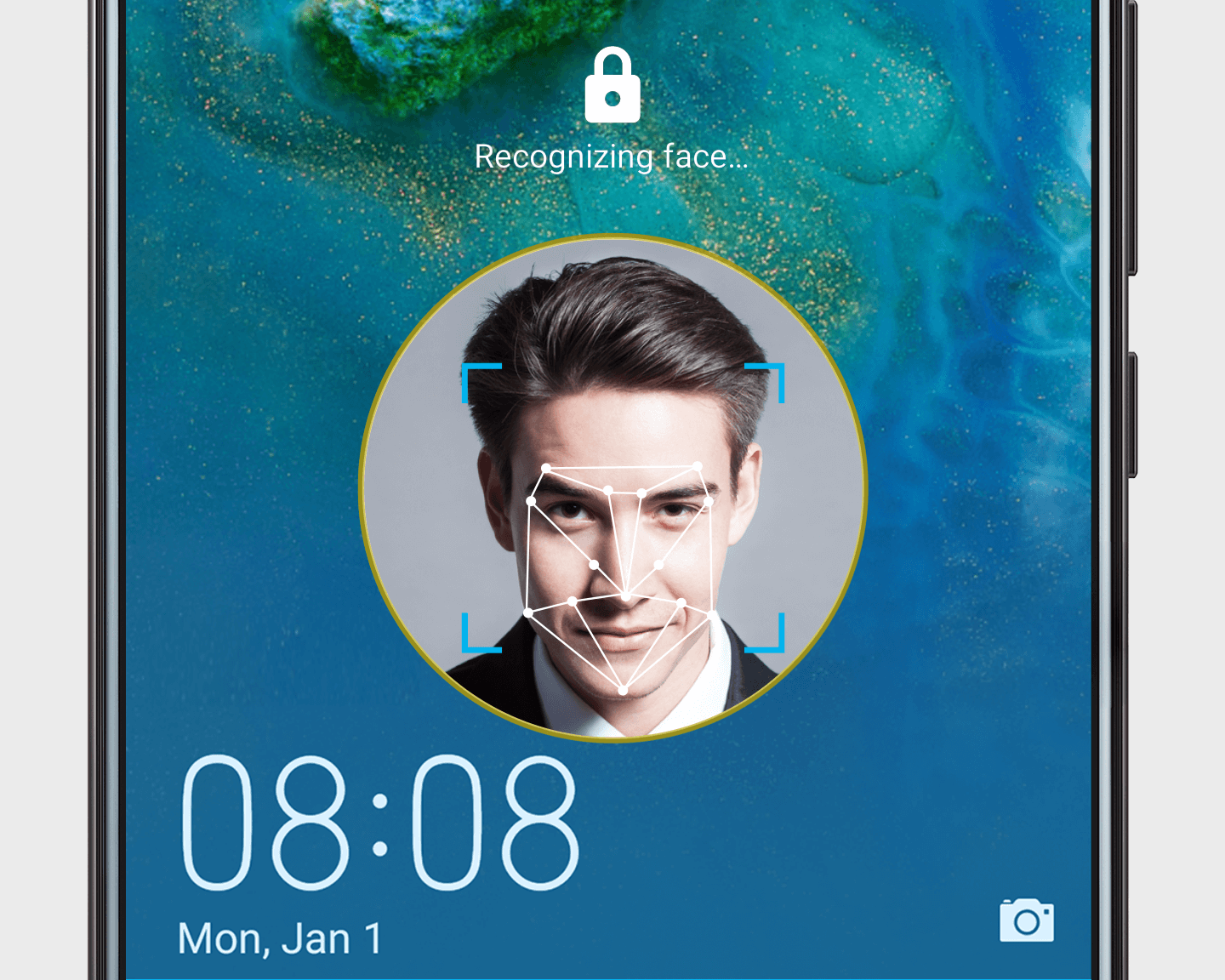
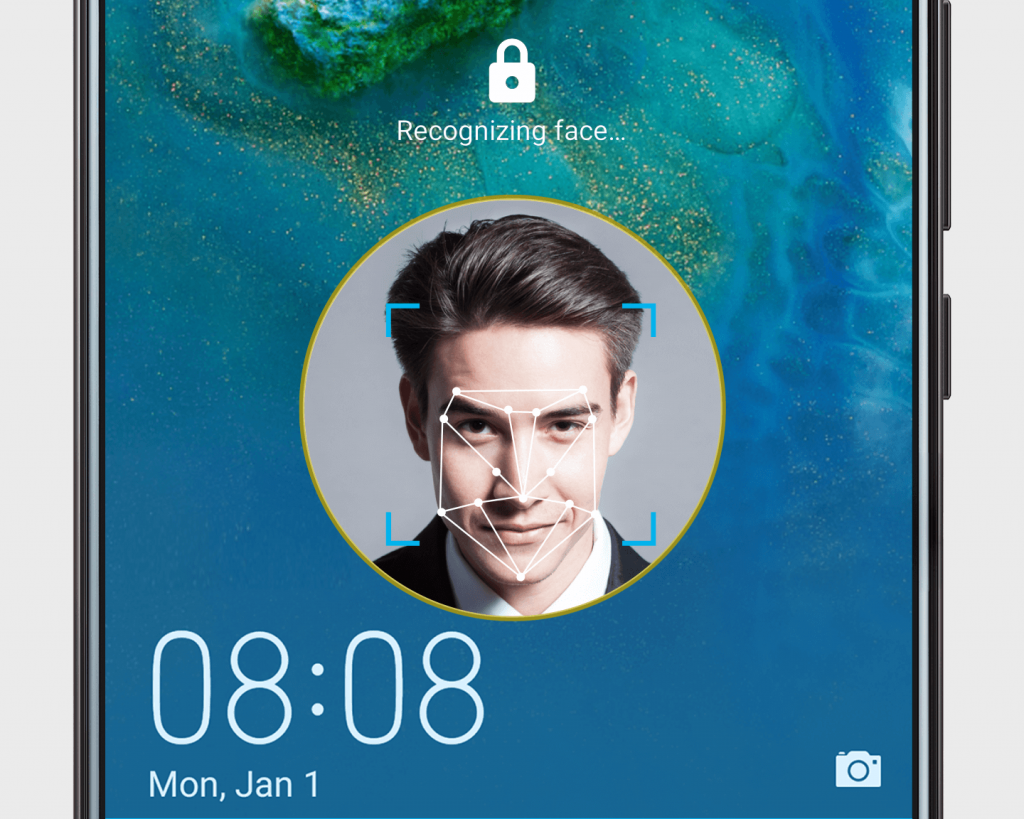
    The Face Unlock feature is pretty exciting, too, as Google now uses recent Face Unlock scans to improve security and accuracy over time. In simpler words, the more you use facial recognition on the Pixel 4 Phone or 4 XL, the better it gets.

    We hope to see this feature on more phones.

    Unfortunately, Google still has not implemented an eyes-open toggle for Face Unlock, which means people can still unlock your phone if you’re sleeping. Hopefully, this toggle is added in the next update.

    The Google Pixel 4 and Pixel 4 XL were launched in October of 2019 and currently run on a stable version of Android 10, which is the latest version of Android.

    The phones and are expected to receive the Android 11 update in September 2020. Pixel phones receive three major updates in their lifetime per Google’s smartphone update policy.

    Google tends to push updates to its Pixel phones, even if they are full-blown revamps of the OS on the day they first become available.

    We can expect the Pixel 4 and 4 XL to receive Android 11 as soon as the final version rolls out. The rollout of Android 11 is expected around September of 2020.

    GOOGLE PIXEL 4 UPDATE AVAILABILITY ANDROID 10 ANDROID 11
    AT&T Available TBA
    Sprint Available TBA
    Verizon Available TBA
    T-Mobile Available TBA
    US unlocked Available TBA
    International unlocked Available TBA

     Here are some recent developments in Google’s approach to keeping its flagships updated:

      • The November update for Pixel 4 fixed some minor issues in the camera app’s white balance. The update also enhanced some phones 90Hz displays.
      • Google is now bringing new features to its Pixel 4 and 4 XL smartphones in the form of the upcoming “feature drops.” Google’s Pixel devices regularly receive updates for bug fixes and general improvements; however, these new feature drops aim to bring more content and tools to the devices.

    The first feature drop brings general performance enhancements, and it comes with better photo editing tools, enhanced Call Screening capabilities, and improve Google Duo calling.

      • Google also announced that in an upcoming update, Google Pixel 4 users in the UK, Canada, Singapore, Ireland, and Australia would get an update bringing them the new Google Assistant. Unfortunately, the new Assistant is still only available in English, and won’t work if you have a G-Suite account on your phone.

    Bottom Line

    Google’s smartphones boast excellent software optimization and are the critic’s favorite when it comes to style and performance.

    It is great to see Google silently making their products better for its users.

  • Everything You Can Do With The New Oculus Quest Hand Tracking Feature

    Everything You Can Do With The New Oculus Quest Hand Tracking Feature

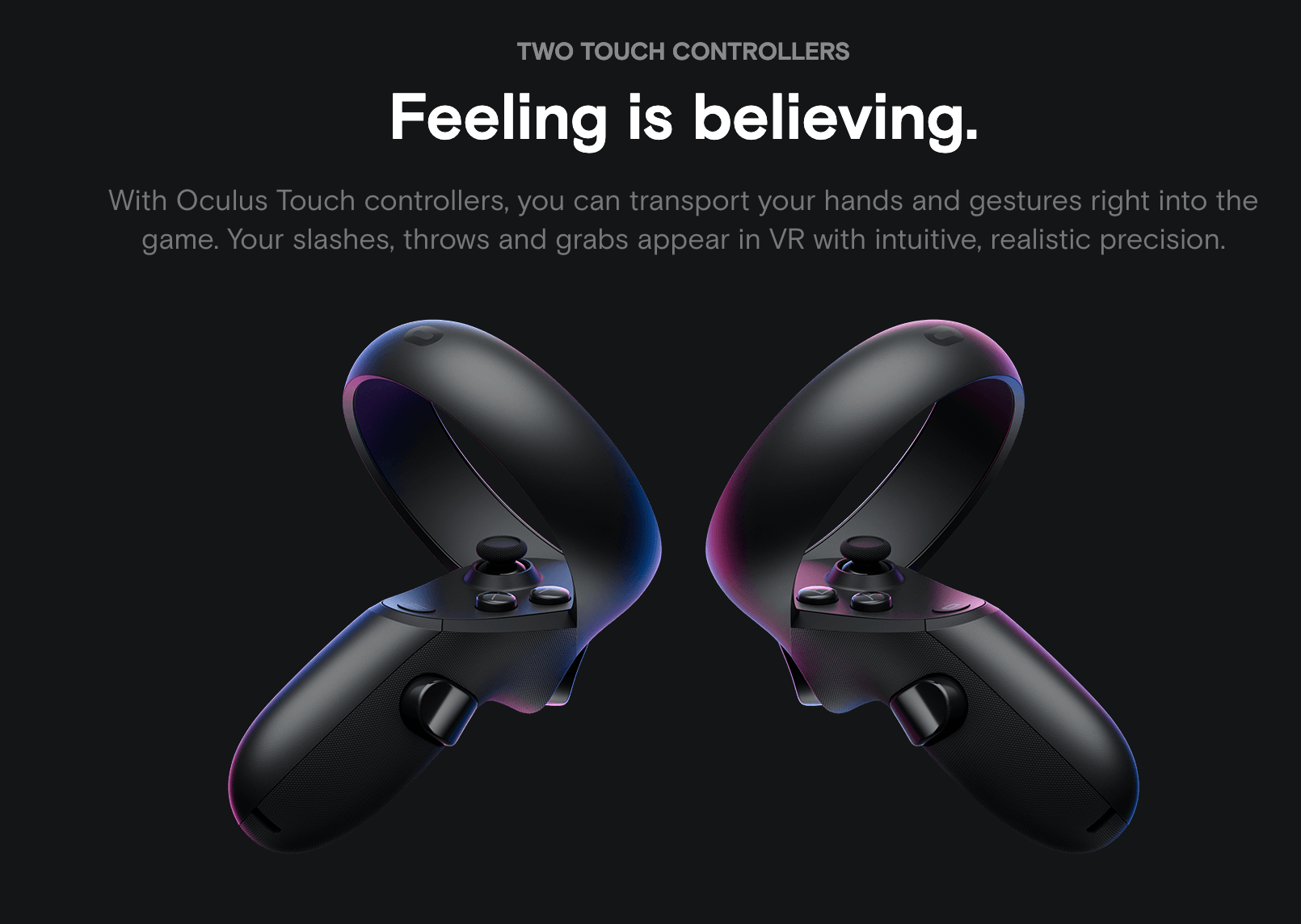
    The Oculus Quest is a standalone VR headset that doesn’t require any cables to connect to your PC. The device has received several updates and new features in the past few months, but hand tracking may be the most significant feature introduced. Oculus recently updated the Quest software so that you can enable hand tracking as an Experimental Feature.

    The New Oculus Quest Hand Tracking Feature

    Facebook rolled out the feature to the Oculus Quest in December 2019, using its terrible software update mechanism. It requires people to leave their device on and keep checking back for days after the firmware first hits the Oculus servers.

    After installation, you need to dig around and look into a menu to activate it as an Experimental Feature. As if this is not enough, you must then manually select “use hands” in the Settings menu every time you want to use the feature.

    However, it’s not all bad.

    The best part of the hand tracking feature on the Oculus is how it looks. Instead of your hands looking like skeletal dots and lines, you see shadowy gloves that precisely mimic your actual movements.

    Since Quest already providing nearly photorealistic 3D representations, it’s not surprising that it did such justice to human hands. and it’s impressive to see them move fluidly in space and respond with such low latency to pointing, pinches, and other gestures.

    There is a major issue, though. The virtual finger gestures aren’t as reliable as the physical controllers are. You might expect that when your hands are inserted into virtual space, such as the Oculus’ Home interface, you could touch or tap on anything, and it would respond to your fingertips.

    That’s not how it works, at least as of now. Instead, your fingers vaguely control a floating pointer that you can use to select things, like the Quest controller’s line-shaped selection tool. You’re meant to pinch your thumb and index finger to confirm your selection.

    We expect the gestures to become more and more accurate and reliable with future updates.

    Here is what you can do with Oculus Quest Hand Tracking Feature:

    Menu navigation:

    With the new feature, you can interact with the Oculus Quest’s menu from the Store to the Library. You can point at and pinch whatever you want to select. Fast-forwarding and rewinding trailers in the Oculus Store can also be done by pointing and pinching.

    Select Oculus services:

    You can select apps like the photo library, Oculus Browser, and Oculus TV, among others. Most Oculus services work well with hand tracking. However, the feature is not perfect, and deleting screenshots becomes cumbersome because you have to work with select tiny trash can icons.

    Many developers have tweeted announcing plans to support hand tracking on games and applications.

    As of now, using hand tracking is not recommended. The feature needs a lot of work to become useful.

    Will Oculus improve and hone their great looking hand tracking functionality? Only time will tell.