Author: Jessica Robinson

  • The Elder Scrolls: Blades Android Game

    The Elder Scrolls: Blades Android Game

    The Elder Scrolls: Blades, the first Elder Scrolls game made for mobile, was first revealed Bethesda’s 2018 E3 showcase. The beta version has been available on both iOS and Android for a while now. Some players have already completed the quests and maxed out their characters.

    Fans are happy since Bethesda has delivered on its promise of a first-person RPG Elder Scrolls game that boasts console-quality graphics on that you can play on your phone. However, the combat is repetitive, and your progress has a stark reliance on in-app purchases.

    The Elder Scrolls: Blades Android Game

    The most recent update has addressed some of the most significant issues that hold the player back, including the removal of loot chests that were time-locked and the introduction of proper multiplayer features.

    If you’re an Elder Scrolls fan, now’s a great time to dive in and see what the game has to offer.

    The Elder Scrolls: Blades – Overview

    ‘Blades’ in the title of the game refers to the Imperial empire’s secret service, and in the game, you play a Blade agent who returns to their hometown only to find it burnt down to rubble.

    Part of the quest of the game is learning what destroyed your town, rebuild statues and buildings to restore the town’s original glory, and attract townsfolk who fled during the chaos back to the town.

    Your adventure in TES: Blades will include many quests and side jobs where you battle with goblins, skeletons, and other enemies of all kinds that Elder Scrolls fans will surely recognize and appreciate.

    If you own a newer phone like the Samsung Galaxy S10, the free-to-play game should run just fine even though Bethesda hasn’t added the phone to the official supported list yet.

    The game itself runs well on all the devices we’ve tested it out. Also, it looks fantastic for a smartphone game. The game’s combat system is simple enough to play with one hand for hack and slash warriors.

    However, there are also magic skill trees to unlock and upgrade for those who prefer sorcery over brawn. The combat does feel repetitive at the start; however, it facilitates learning how to block attacks and link combos that will help beat tougher quests.

    A significant portion of the game is dedicated to city building, which makes use of all the gold and supplies. You can collect it when you complete quests to rebuild your town. You’ll spend the loot you collect from chests and quests to build new buildings, fun decorations, and more. Also, you can buy gems with in-app purchases and buy a whole new town.

    In the latest update, the developers have removed the controversial time-based chest system, enabling players to collect more loot with less waiting.

    Besides the quests and side jobs, there is also an ‘Abyss mode’ where you spawn in an endless, procedurally-created dungeon that you must battle your way through and collect loot and XP along the way.

    There are no secret chests or health power-ups in this mode. Therefore, your character is pushed to the limit. It is a great place to practice and level-up before you head to the Arena, which is unlocked at level 5.

  • The Best Workout Apps In 2020

    The Best Workout Apps In 2020

    Regardless of if you’re trying to gain muscle, lose weight, or exercise more consistently, it is great to have an application handy to guide you through your workouts and keep track of your progress.

    The Best Workout Apps In 2020

    Apps help you stay on track, just like a trainer would, and keep count of your reps. Seeing the numbers go up on the app can be super motivating.

    Fitness apps help you by reminding you of your goals and continually prompting you to follow through on them.

    A few nudges in the right direction make all the difference. Here is a list of seven of the best workout apps in 2020. These apps can are available for download on both Android and iOS phones.

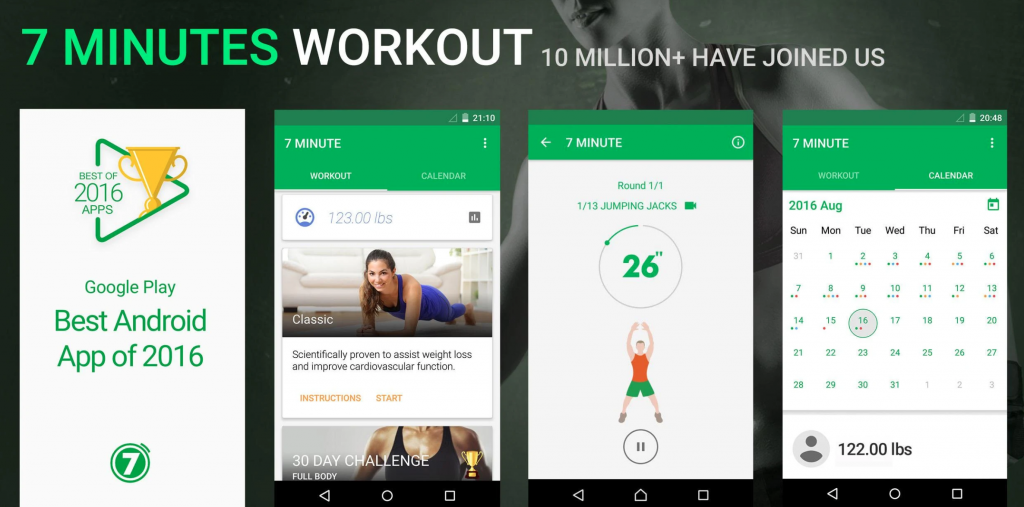
    #1 7 Minute Workout

    The 7 Minute Workout app is perfect for those with busy schedules. The app features a simple interface that offers three workouts right on the home screen.

    • Basic workout
    • Seven-minute workout focused on abs
    • The seven-minute high-intensity sweat session

    The app also provides helpful pre-workout demonstrations and manageable time limits for each workout session. It is priced well, especially for the unique features it offers.

    If you have a work schedule that doesn’t leave much time for the gym, or you travel a lot, or you’re a beginner that wants to set small goals, this app is perfect for you.

    #2 JEFIT Workout Gym Log

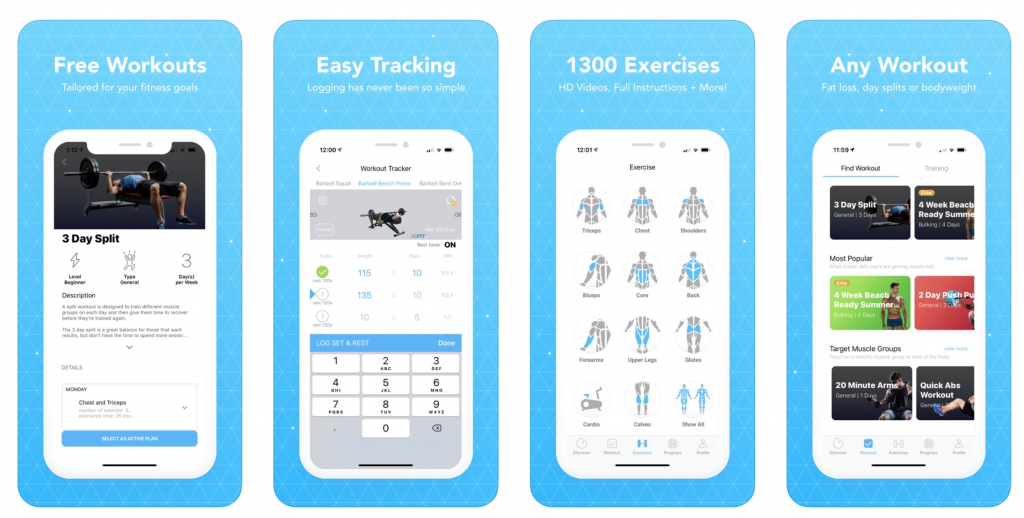
    JEFIT is available on both mobile phones accessible as a web-based app. This Google Play Editor’s Choice pick is ideal for those who struggle to stay on track during their fitness journey.

    JEFIT Workout Gym Log

    The app lets you create custom weight-training sessions and keep track of your workouts with friends, which is excellent since scientifically-backed tenets of peer support and progress monitoring keep you motivated.

    The app will record your workout step by step, and time your breaks for you, which is an especially useful feature since you will pause between sets during weight training.

    The data is automatically sent to the JEFIT server, where it is analyzed for insights into your workouts, which is a fun feature for those who like breaking down the nitty-gritty elements of their workouts into real data.

    The JEFIT app is the perfect fit for those with a competitive streak who likes encouraging their pals.

    #3 PEAR Personal Fitness Coach

    The PEAR Personal Fitness Coach app a lot more than just an activity tracker and calorie counter.

    PEAR Personal Fitness Coach- Best Workout App

    PEAR integrates with other health apps like My Fitness Coach and collects data from your smartwatch/smartphone to tailor a personalized workout based on insights from the data. It adjusts your workouts for maximum efficiency as your outputs change, too.

    One of the best things about PEAR is that you won’t just be listening to an automated voice from the in-ear system. PEAR’s set of trainers includes Olympians, professional athletes, and record holders from across the world.

    The app integrates with many wireless headphones, so you can enjoy full freedom of movement as you work out.

    #4 Sworkit

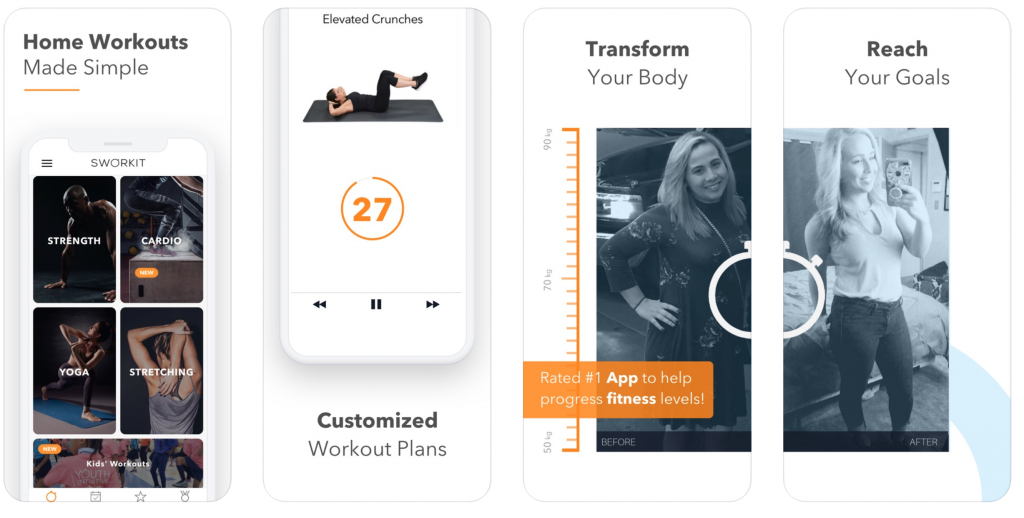
    Sworkit is a fan favorite on both Google Play and the App Store because of its flexible offerings.

    You can select a goal from strength, yoga, cardio or stretching categories, or even pick from the list of curated classes for monthly challenges for different skill levels, from specific trainers.

    All you need to do is punch in the amount of time you have to work out, and Sworkit will automatically create a workout for you.

    Sworkit

    The app has a variety of classes and gradually increases your workload, making it an excellent choice for beginners looking to try different exercises.

    Furthermore, with this app, you don’t need a gym membership or any equipment – leaving you with no excuse for not getting in shape.

    With the massive variety of workouts on your fingertips, you won’t feel like boring and can even privately message the trainers on the app trainers with questions or concerns.

    #5 YogaGlo

    YogaGlo is one of the excellent workout apps for newbies trying to nail the tree pose, or for more advanced students who are ready to try new poses.

    It offers curated classes daily to meet your needs – whether it’s stress reduction, improved sleep, or general strength training.

    Yoga Best Workout App

    The app boasts highly customizable sessions, and you can download classes for when you’re traveling.

    Customer service on this app is excellent, and it also works with smartwatches, making it easy to collect fitness data and track your growth.

    #6 Daily Workouts Fitness Trainer

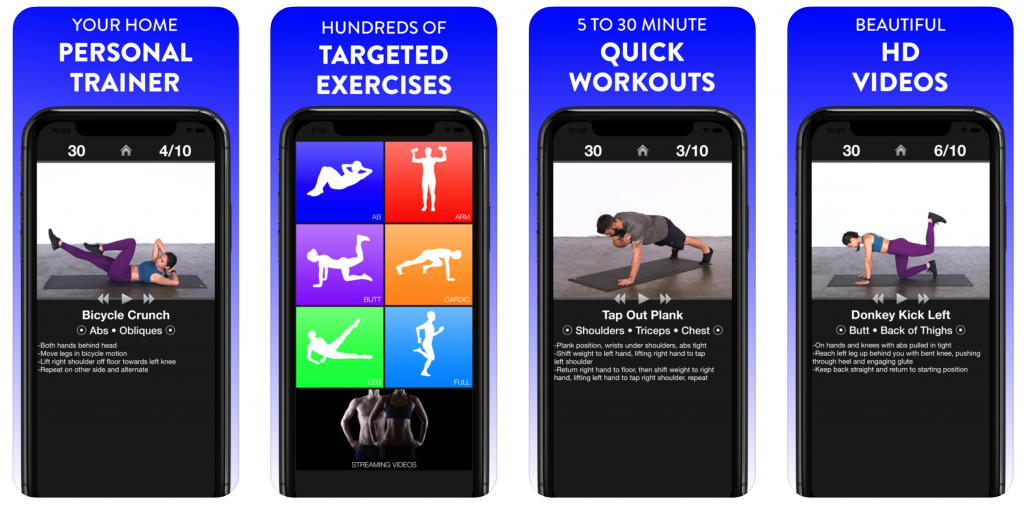
    Daily Workouts Fitness Trainer is a reliable free option for someone trying to get into a daily workout routine.

    Daily Workouts Fitness Trainer

    It offers sessions curated for men and women, ranging from five to 30 minutes. All the workouts can be done at home, so you don’t have to get a gym membership separately.

    The app has been developed by a certified personal trainer who will guide you through randomized workouts that are crafted from a massive set of more than 95 moves.

    The app furnishes workouts that strike a great balance between being easy and difficult free of cost.

    #7 My Fitness Pal

    The My Fitness Pal app has been the critic’s choice for a while.

    My Fitness Pal

    It has become the go-to fitness app since it does it all: it logs exercise stats and records calorie intake, helps you change your habits to meet personal health goals, and offers customizability for each of its assets.

    Also, it integrates with more than 50 apps and devices, which helps sync all your workouts, regardless of what device you use.

    It boasts a library of over 350 cardio and strength workout sessions.

    My Fitness Pal also has a massive food database of more than six million foods, including a restaurant logger that will guarantee that no-calorie goes uncounted when you go out to eat.

    Diet and mental health are just as important as working out is. The primary objective to work out should be to become healthier and happier, not lose weight or gain mass.

    Bottom Line

    You can use Fooducate for keeping track of your diet, and Headspace for meditating and keeping your mind clear. The workout apps on this list cover the whole gamut of workout styles and should assist you on your fitness journey.

  • How Google Assistant Can Help You Stay On Top Of Your Stock Portfolio

    How Google Assistant Can Help You Stay On Top Of Your Stock Portfolio

    Whether you have a retirement account set up that you’ve forgotten about, or are an active investor and make orders at your coffee table, checking up on your portfolio and getting things done right from your smart speaker will be super handy.

    How Google Assistant Can Help You Stay On Top Of Your Stock Portfolio

    Google has now made it easy to do with its Google Assistant, and new brokerage services are listed in the Google Account settings!!

    Firms like E*TRADE and TD Ameritrade already have Google Assistant integrations. Also, with the recent release of Fidelity’s integration in Google Assistant, all three of these firms have been listed in the Google Account settings under the ‘Services’ tab in the Stocks & Brokerages menu.

    If you wish to implement any of these integrations, you will need to link your portfolio account information for each trading house. After connecting your account, it will retrieve specific pieces of information by giving Google Assistant commands.

    Each of these services works when different commands are issued.

    To use Fidelity using Google Assistant, you can say:

    1. “How’s my portfolio doing?”
    2. “Ask Fidelity for my tax forms.”
    3. “Ask Fidelity when will I get my dividends.”
    4. “Ask Fidelity for today’s top stocks.”
    5. “Ask Fidelity to play podcasts” (Fidelity produces several podcasts series)

    To use E*Trade using Google Assistant, you can say:

    1. “Check my E*TRADE portfolio.”
    2. “Check my stock plan account.”
    3. “Check my Netflix stock at E*TRADE.”
    4. “How’s my E*TRADE portfolio doing?”

    Finally, to use TD Ameritrade using Google Assistant, you can say:

    1. “Ask TD Ameritrade how the IT sector is doing.”
    2. “Ask TD Ameritrade to check financial markets.”
    3. “Ask TD Ameritrade for a portfolio update.”
    4. “Ask TD Ameritrade for my account balance.”

    Using these commands, you will be able to get a summary of your portfolio. Also, you can play a market news podcast through your speaker.

    You may also find summaries or short pieces of news on your phone within the Assistant app.

    If you’re wondering if you can check individual stock directly through Google Assistant, unfortunately, it doesn’t seem like you can do so from the Stocks & Brokerages menu.

    Tapping on the Stocks section takes you to the Stocks subsection of the ‘Your Interests’ menu. Also, there are no recommendations and any other offerings to the users of any interesting and matching stocks.

    If you do not like to dig through your Google accounts settings, you can access the integration pages directly by clicking on these links – E*TRADE, Fidelity, TD Ameritrade.

    Bottom Line

    The integration of these services is making it super easy.  Therefore, you can get the stock market or portfolio information quickly. However, having the ability to check individual stocks directly through Google Assistant would have made for better convenience. Hence, we hope to see that feature added with an update in the future.

  • How To Enable Auto Delete Messages On WhatsApp

    How To Enable Auto Delete Messages On WhatsApp

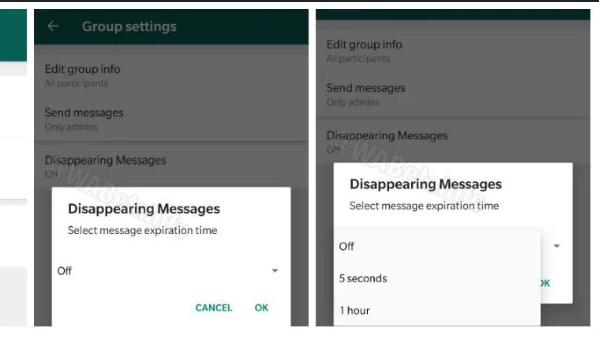
    WhatsApp has begun gradually rolling out the much-awaited self-destructing message function. As of now, it’s only in Beta for Android.

    Auto Delete Messages On WhatsApp

    According to WABetaInfo, a fan-made website that keeps track of the app’s updates, the feature on the messaging application is still undergoing refinement to furnish a more stable and a glitch-free experience to its users before the official release.

    An update will enable users to auto delete messages after a set period automatically.

    After the call waiting feature, a new feature has rolled out on Beta version 2.19.348. Users who enrolled in the Google Play Beta program can download the latest version of the beta to use the feature.

    Alternatively, users can also update the app manually by downloading the latest APK available on the APK Mirror platform.

    Since the feature is still under development, not all Android users will be able to get this beta update from the Google Play Store.

    Also, the feature is not for a long time, and the only way to make use of it by enrolling in the beta program.

    WhatsApp has reportedly renamed the feature from ‘Disappearing Messages’ to ‘Delete Messages’ before it’s official rollout.

    How ‘Delete Message’ works:

    Once available, the feature auto delete messages will come with a toggle, and users can choose a particular time interval for the messages to disappear automatically.

    As mentioned in the WABetaInfo blog, the ‘Delete Message’ feature will initially only be available for group chats and can be enabled by a group’s administrators.

    How Delete Message works

    If enabled, the feature can be toggled in the ‘Contact Info’ section or the group’s settings.

    A user can pick from any of the five ‘time interval’ options for deletion – one hour, one day, one week, one month and one year.

    If a user opts for the one hour time interval, the messages sent post picking that option will automatically delete themselves after an hour.

    The feature is not new in messaging apps; in fact, WhatsApp is late to the party.

    Other social media/messaging apps like Snapchat and Telegram already furnish this feature.

    ‘Delete for Everyone’ vs. ‘Delete Message’:

    Unlike the ‘Delete for Everyone’ feature that is already available on WhatsApp. The ‘Delete Message’ function automatically deletes or makes the messages disappear. This feature makes it a way that it would seem like the text was never sent.

    To use the ‘Delete for Everyone’ feature, the user must manually go about deleting each message, and the app displays a “This message has been deleted” message on the chat screen.

    Using the ‘Delete Message’ feature is way more useful if a user knows that they will need to erase the information at some point.

    As for the dark mode feature, reports suggest that WhatsApp may soon officially roll it out, starting with iPhone users who have iOS 13.

    There is no official confirmation from WhatsApp as to when the feature will roll out.

  • Realme X50 Phone Supports Simultaneous 5G And Wi-Fi Connectivity

    Realme X50 Phone Supports Simultaneous 5G And Wi-Fi Connectivity

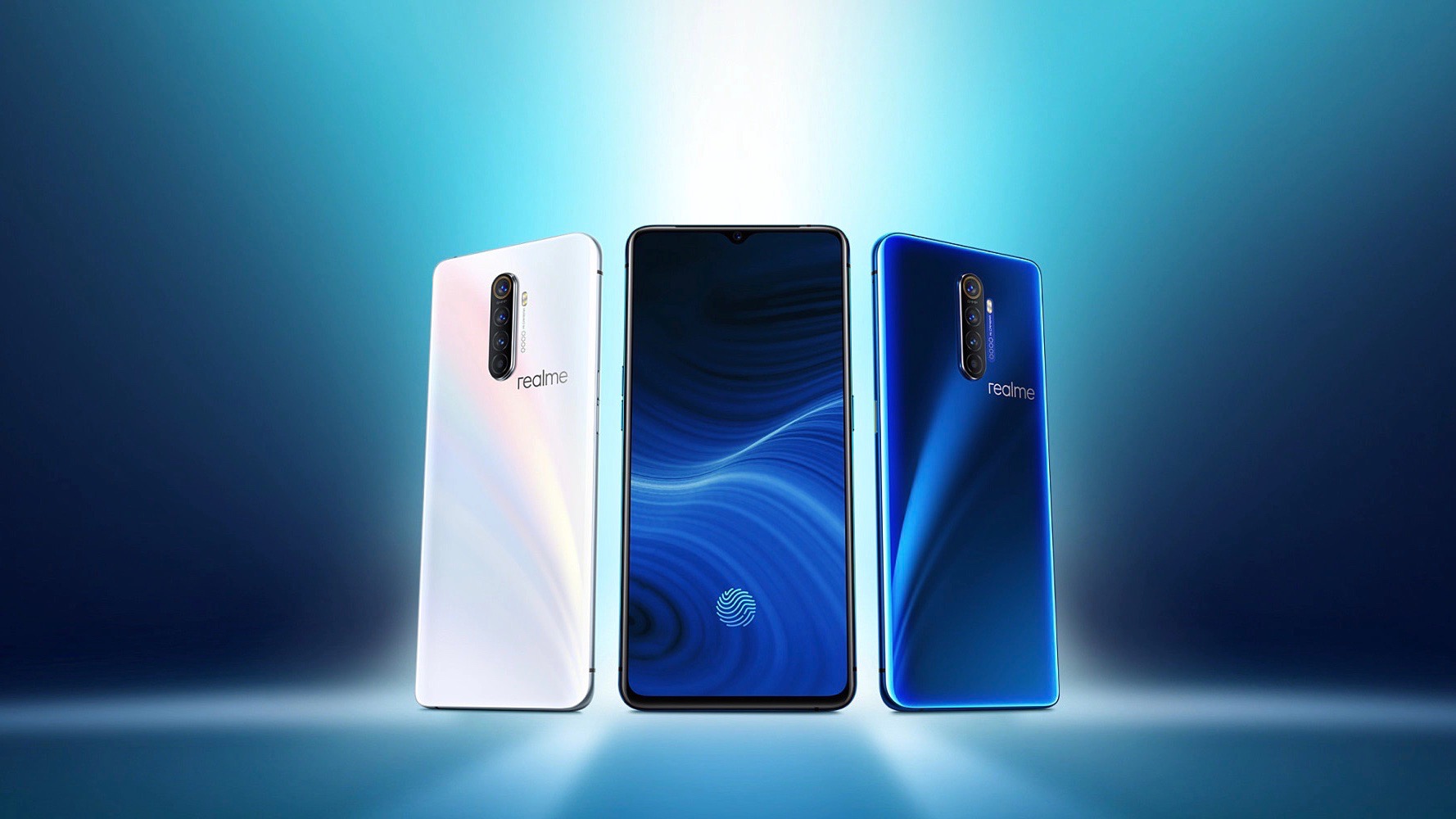
    Over the past month, realme has been teasing their upcoming smartphone, the realme X50, ahead of its launch on January 7. The X50 is the first 5G phone from realme – and realme naturally focuses on its 5G capability in its advertisements.

    Realme X50 Phone

    The latest batch of teasers from realme about the X50 further explains how the handset will handle 5G connectivity.

    So far, we’ve learned that the X50 will feature the Qualcomm Snapdragon 765G processor, which supports dual-mode 5G and 5G mainstream bands like the N1, N41, N78, and N79 among others.

    These details help us understand the X52 modem, the component that enables the use of 5G networks, which comes built into the Snapdragon 765G processor.

    The X52 modem will be a critical component in many phones in 2020, making the details very important.

    The use of these bands ensures a stable and smooth 5G experience for the latest 5G Mobile phones.

    The Updates

    On December 18, realme officially revealed another great new feature of the realme X50 phone – its support for dual-channel WiFi/5G simultaneously.

    The simultaneous use of both 5G and Wi-Fi is possible by realizing full scene intelligence technology. This feature helps improve network speed.

    The technology is already present on a lower scale, enabling smartphones to sustain concurrent 4G and Wi-Fi connectivity.

    Learning that the feature is transferable to 5G phones generated a lot of enthusiasm in the tech community. The dual-channel Wi-Fi/5G connection improves connection stability. Also, it enhances network speed in some cases.

    Although the arrival of 5G and its journey to becoming a mainstream technology. It promises ludicrous speeds and instant response times. Certain aspects of the technology, especially mmWave, have fundamental issues that come in the way of connection stability.

    Antennas are incredibly sophisticated but also can be obstructed easily – which makes Wi-Fi fallback even more critical than it is now.

    Network Support

    Also, the realme X50 phone will support dual Wi-Fi network acceleration – meaning, a user can connect to a 2.4GHz and a 5GHz Wi-Fi network at the same time, furnishing a super-fast internet connection depending on the characteristics of different frequency bands of Wi-Fi.

    The X52 modem inside the Snapdragon 765G is also capable of connecting to both standalone (SA) and non-standalone (NSA) networks. The modem supports sub-6 GHz and mmWave bands. The antenna design requirements make it certain that mmWave is not going to make it to many phones.

    With the dawn of the 5G era, speed may be only one of the features of devices on the market. Intelligent internet speed acceleration using network scene detection will most likely pave its path of development as a technology.

    Now that several 5G mobile phones are beginning to hit the market, dual-channel network acceleration and dual-WiFi network acceleration are slowly becoming standard in 5G mobile phones, since they supply both better speed and network stability.

    The new functionalities ensure that the dual-channel network experience will be far better than the single-channel network experience.

    The Snapdragon 765G is a versatile chipset, and will probably be one of the best performing processors in the space for a good while.

    Fans from across the globe cannot wait to see it in action in the realme X50.

  • Nintendo Switch Exclusives- All Information Here

    Nintendo Switch Exclusives- All Information Here

    The Nintendo Switch has racked up plenty of excellent games since its launch a little over two years ago.

    The Japanese video game corporation has decisively begun catering to the interests of western enthusiasts by supplying more third-party licenses, and most importantly, fresh additions to everyone’s favorite Nintendo franchises.

    The Best Nintendo Switch Exclusives

    We’ve put together a list of the best Nintendo Switch exclusives – games that cannot run on any other console or PC. You’re not a real fan without these:

    #1 Luigi’s Mansion 3

    On a system that is home to the Mario and the Zelda franchise, this Luigi spinoff game shines and shows off the strengths of having a family gaming system.

    This third part is built on the foundation of Luigi Mansion: Dark Moon released on the Nintendo 3DS back in 2013. It features a funny and over-the-top story, just like the prequel.

    It’s a masterpiece featuring ghost-vacuuming pastimes and the appearance of the fantastic Professor Elvin Gadd.

    For his third airing, Luigi explores a hotel to save his friends trapped in paintings and climbs up remarkably-themed scary levels to catch demons along the way.

    It is difficult to get bored playing, with modes like ScreamPark and ScareScraper, which add aggressive and collaborative angles to the gameplay, respectively.

    Luigi’s Mansion 3 is the ideal first “horror” game for children and an experience that every Switch player should enjoy.

    #2 Astral Chain

    Combining manga-inspired visuals, PlatinumGames’ swift and unabating game design. The battle experience curated by none other than Nier: Automata’s head game creator, you get Astral Chain.

    The Nintendo Switch exclusive is one part action/hack-and-slash, one part examination simulator, and one part open-world adventure. The chief focus remains on inter-dimensional assault that advances to end all of humankind.

    This critically acclaimed game received raving reviews from gamers all across the board and has become a staple in every hack-and-slash game lovers’ library.

    Astral Chain doesn’t highlight a regular combat method, as you’re joined in action by a chained “Legion” who can make added attacks while you are also involved in a personal battle.

    These Legions also help to solve puzzles in a gorgeous-looking world and offer a delicate twist on the PlatinumGames’ typical gameplay experience.

    #3 Yoshi’s Crafted World

    One of the cutest looking games on the Switch, Yoshi’s Crafted World, is a skillfully crafted sidescroller set in a refreshed version of Yoshi’s Island. The aesthetic is unique – the game looks as if it is constructed out of cardboard and paper, giving Yoshi’s latest experience a bizarre sense of appeal.

    It adheres to the same set of techniques used in most Yoshi sidescrollers, though the added depth in the game mechanics allows you to use the items in your environment, and toss eggs off into the distance, both in front and behind the player.

    Along with long platforming levels, there is a mixture of new concept levels, including a being put inside a giant Yoshi mech.

    The best part – Yoshi’s Crafted World can be enjoyed in a co-op mode using the joy-cons, making it an excellent experience for a parent-and-child team.

    Yoshi’s Crafted World can be picked up by anyone who hasn’t played a sidescroller – let alone a Yoshi game. The fantastic story won’t leave too many threads untied, and has turned countless first-time players into long-time fans.

    It’s delightfully done and makes for a different, excellent entry in Nintendo’s ever-growing pantheon of material-based platformers.

    #4 Golf Story

    Yes, you’ll be playing golf, yet, the experience is not dull by any means. The game comes out as a full-fledged story-focused RPG that fans of Camelot’s old-school Mario sports games will relish.

    Golf Story will take you across numerous complex environments that offer much more diversity than you’d get in a regular golf game. Apart from playing on standard courses, you’ll have the chance to finish special golf hurdles as you’re exploring the world.

    There’s even disc golf for those up for a new challenge, and one can perform several different moves that are only tangentially related to golf. The game is also unconditionally gorgeous, with its pixel-art style implementing the 16-bit aesthetic flawlessly.

    The game is an odd mixture of mechanics that works surprisingly well. Players travel eight unique environments, golfing through the world’s (and the players!) problems.

    #5 Tetris 99

    The concept of the initially comes off as bizarre; however, it’s also enthralling. It’s Tetris’ take on free-to-play battle royale style games.

    99 players are pitted against each other in online matches and battle it out for a shot at being the last one standing.

    The basic idea of the game rings true to the original – it is the classic Tetris puzzle, which must be solved by putting together the same pieces in the original.

    However, in this game, progressing through the puzzle also “strikes” other online players by sending extra lines to their boards.

    This striking mechanism is mostly automatic, and the player gets to decide if they want to attack arbitrary players or those on the verge tapping out.

    Players can also set up attacks to go after the most aggressive players, upping the stakes and making for a quick, competitive match. Fun!

    Exclusive to Nintendo Switch Online subscribers, the game is a fresh take on the tried-and-tested puzzler, even if the game’s concept overall feels a bit underwhelming.

    Playing live against 98 other players is chaotic and can get super challenging.

    Signing up on Nintendo Switch Online will enable anyone to play this game for free. The well-paced and beautifully designed, and might be your next favorite.

    #6 Fire Emblem: Three Houses

    Fire Emblem continues to be one of the most underappreciated series of games on Nintendo systems.

    Fire Emblem: Awakening led strategy-role-playing games into a new, stylish era, and more titles following the same formula have released over the course of the past few years.

    Players weren’t exactly waiting for an overdue game when Fire Emblem: Three Houses launched on Switch. However, the quality and the style of execution blew away both critics and players alike.

    This game does not have a mission-to-mission approach like the other Fire Emblem games. Three Houses boasts a great storyline, where you can battle villains, teach undergraduates in the game’s central monastery, or work on developing relationships.

    It’s much to take in and play through, and Three Houses somehow manage to stick the landing, even though it offers some significant changes to the classic combat mode, including the replacement of the weapon triangle.

    The game may stand out a highlight in the series for years to come.

    #7 Pokemon sword and shield

    An ideal diversion released just after the launch of the Nintendo Switch Lite, Pokémon Sword and Shield is the most attractive and featureful Pokémon game ever made.

    The story is apt and draws parallels to the anime much more than previous generations of games.

    It is Playable both in handheld and docked modes on the Nintendo Switch. Also, it works best when you’re out. Since you can trade Pokemon and play with other players just like you could on the classic Game Boy, Game Boy Advance, DS, and the 3DS.

    With better, more streamlined mechanics that allows more players to collaborate, Sword and Shield aren’t as tricky as some of the previous games in the franchise.

    Nonetheless, the games still carry the qualities and details that hardcore Pokemon fans love.

    Pokémon Sword and Shield succeeds in bringing some new ideas to the table; however, some elements are bland and feel like an underwhelming refresh of decade-old designs.

    On the whole, Pokémon Sword and Shield are excellent additions to the HD generation of Pokémon games.


  • Sony’s Premium Master Series Android TVs

    Sony’s Premium Master Series Android TVs

    With unmatched design and extraordinary picture quality, the Sony Master Series televisions have no match whatsoever. Bringing out the reality in images, engineers and creators have explored their way for the world to see subtle colors and fantastic clarity with their premium master Android televisions.

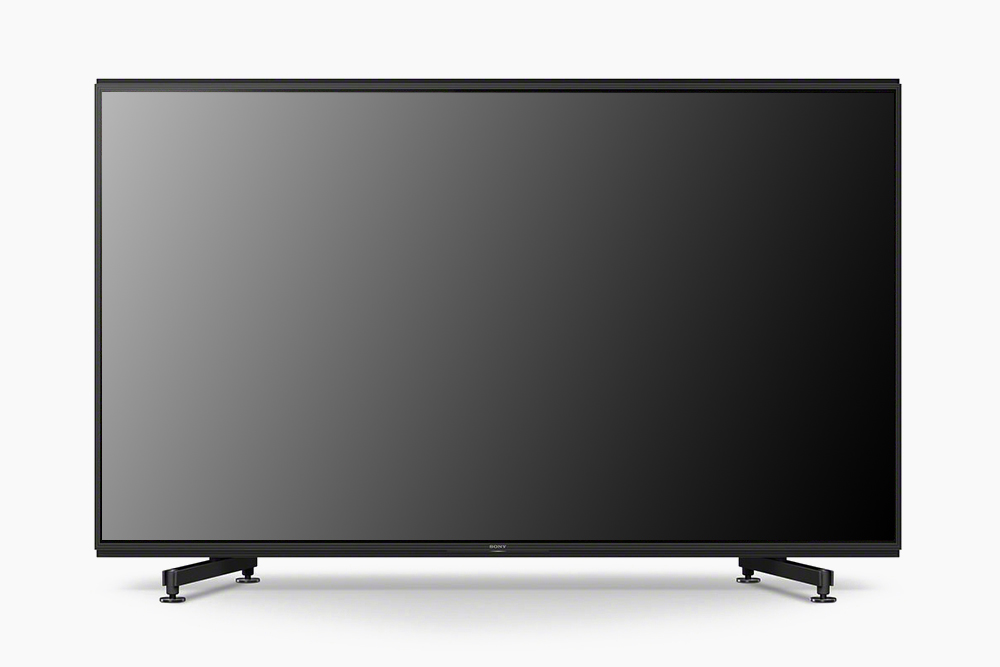
    Sony’s Premium Master Series Android TVs

    The Sony Master Series televisions are undoubtedly one of the best that you will find. Two of the best-known master series Android televisions by Sony are the Sony Master A9G HDR 4K UHD Smart OLED TV and Sony Premium Master Series Z9G 8K TV.

    Sony’s best and most premium televisions are the ones that are named after the Master Series. With extraordinary resolution, clarity, and other interactive features, these televisions are worth the hefty price they request.

    Let us check the newest launches in this series in 2019-

    Sony Master Series Z9G 8K TV 

    Elegant in design and precise color reproduction, the master series televisions control almost over 8 million pixels on the display panel.

    Sony Master Series Z9G 8K TV 

    They are packed with features like powerful processors and backlight master drives, which enhance the picture contrast and quality of the television. It works on Android Oreo. Also, it has a dedicated mode for NetFlix.

    This television is available in two size variants, which are the 85-inch and 98-inch. The 85-inch TV is priced heftily about $17,700 while the 98-inch model jumps straight up to $108,000.


    It boasts of an excellent 8K picture quality, a stunning 4K upscaling, impressive viewing angles, and cutting-edge HDR brightness. It is a perfect example of Sony stepping ahead to offer an uncompromised high-tech futuristic home entertainment.

    Sony Master A9G HDR 4K UHD Smart OLED TV

    Released in September 2019, this television is one with the best features that the market has ever seen. Sitting on a virtually flat pedestal stand, this television is designed pretty conventionally.

    Sony Master A9G HDR 4K UHD Smart OLED TV

    With immersive picture clarity and audio output, this Sony Master A9G TV creates a dynamic atmosphere around it. The luscious 4K HDR images and Acoustic Surface+ audio makes for a perfect entertainment unit.

    It works on Android Oreo and also supports Chromecast. It can be used with Amazon Alexa and Google Home devices. Also, they have Apple AirPlay 2 and HomeKit support built on the television. With the Android Oreo, you can stream any service and even use voice control with it.


    This model comes in three size variants, which are 55, 65, and 77 inches. The only backdrop of this high-end television is that it is irrefutably expensive.

    For the most part, the Sony Master Series televisions are a winner. Also, you can enjoy the realistic colors and contrasts of images and visuals, which are backed by extensive resolution and HDR technology.

    Thanks for reading. Find other TV reviews here.

  • Samsung details the features of its 108 MP ISOCELL Bright HMX sensor

    Samsung details the features of its 108 MP ISOCELL Bright HMX sensor

    In recent times, we have witnessed a significant rise in the quality of mobile image sensors. But, Samsung has taken mobile photography to a whole new level with the first-ever 108MP image sensors in smartphones.

    Samsung details the features of its 108 MP ISOCELL Bright HMX sensor

    It is not new for Samsung to experiment with camera sensors. Still, it is indeed exciting to know that smartphones are coming in shortly with the extraordinary image-sensor of all times.

    In collaboration with Xiaomi, Samsung has launched the new 108 MP ISOCELL bright HMX sensor in its smartphones. 

    This innovation only means that the industry is going beyond 100 million pixels for mobile phone camera sensors. The 108 MP resolution is almost equivalent to that of a premium DSLR camera.

    The 108 MP ISOCELL Bright HMX sensor is capable of producing exceptionally sharp pictures that are rich in detail and can be effortlessly used even in the worst lighting conditions.

    It comes in a 1/1.33-inch size. This high-end image sensor is designed in such a format so that the HMX sensor can absorb more light even in the lowly lit places as compared to the smaller sensors. When the HMX works on a pixel-merging Tetracell technology which allows it to reproduce bigger pixel sensors and, thus, yield bright and crisp 27MP images.

    While in various lighting conditions, it works on Smart-ISO, which is a mechanism that conditions the ISO for an optimal conversion for vivid and life-like pictures in all lighting conditions.

    This mechanism is quick and intelligent, like when in darker settings, it increase the ISO so that there is a reduction in noise and delivers more explicit pictures.

    The sensor also allows advanced filming with a resolution of 6K (6016 x 3384) at 30 frames per second. 

    Samsung’s ISOCELL Plus technology in this sensor works by installing a barrier around each of the pixels, which in turn reduces the optical loss while taking pictures. Earlier, this barrier used to be made out of metal, but in this sensor, it is made from an innovative new material. This material further absorbs light to produce better pictures as compared to the smaller pixels.

    Samsung also caters to the auto-focus challenge by including the newest feature, Super-PD, which means Super Phase Detection. This feature is fast and precisely locks the focus even in lowly-lit conditions.

    The Korean technology giant is soon to launch another Galaxy flagship phone in February. We are eager to know if it is going to be the debut device to hold such an image sensor.

  • Realme Buds Air Review

    Realme Buds Air Review

    Realme is an emerging brand for new-age gadgets like earpods, fitness bands, bags, and also smartphones. It is a Shenzhen-based Chinese manufacturer that was established by the then Vice President of Oppo Electronics.

    Realme Buds Air Review

    Realme has become popular over the past few years. It has been launching new and advanced gadgets frequently. Recently, it has launched the Realme Buds Air wireless in-ear headphones.

    Today we will do a thorough review of this brand new Realme Buds Air. Let’s get started-

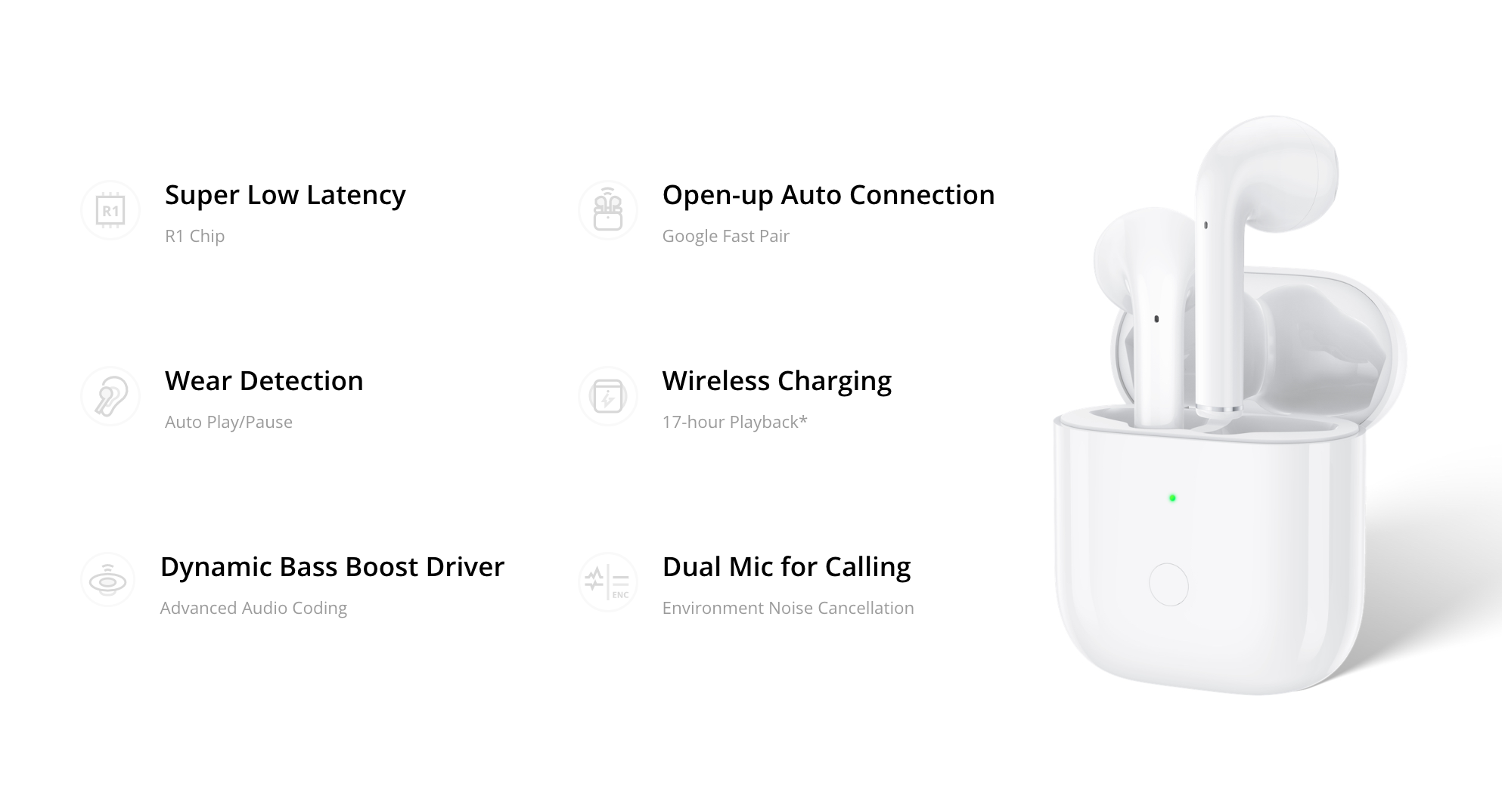
    The Realme Buds Air is packed with high-end features, but it begins with a win with the wireless charging support. 

    It is one of the very few products that offer this feature in the market today. And the ones which are significantly higher in the price range.

    Let us now look at the detailed features of the earphones from the house of Realme.

    Design and Outlook

    Looking highly similar to the second generation Apple AirPods, the Realme Buds Air has a premium design and outlook. Starting from the charging case to the earphones itself, there is a stark similarity with the Apple earphones. It has a minimalistic design that appeals to most of the people today and also has no logo on it.

    Realme Buds Air Design

    There are many best wireless earbuds, but the Realme Buds Air flaunts an outer-ear fit with the lightweight and sturdy earbuds that sit comfortably into the ear. The earbud stalks are flat in shape, ensuring that it sits on the ears without causing any discomfort even after prolonged use.

    The Realme Buds Air comes in three color variants, which are white, yellow, and black. 

    If you compare it with the inspiration, the Apple airpods, the Realme earphones come with a fewer number of sensors on it. There is a detector in each of the two headsets, which identifies if either or both the earphones have been removed. And then automatically pauses the music or any other running playback. It also supports noise isolation to a certain extent.

    The charging case is compact and slim, which gives it a very classy outlook. It comes with an LED indicator on its front, which shows the charge level of the battery. 

    There are three colors in the indicator. The green shows well to full battery level; yellow means less than 50 percent, but more than 30 percent battery life and red means it is below 30 percent.

    It allows both USB type-C and Qi charging for enhanced ease of use. 

    The Realme Buds Air uses a dual-channel technology, which allows you to wear the earbuds separately. There is also a touch gesture around the earbuds, which lets you perform various gestures. Like to answer a call or pause or play music, double-tap the touch area. While if you touch it three times, you can skip a song.

    Again, pressing and holding it for about 2 seconds ends a call and also activates the Google Assistant. When you press both the earbuds together, you activate the gaming mode of the headphones.

    Performance

    What do we look for primarily in earphones? The sound quality. It has a pretty decent sound output, which is sure to deliver a wholesome experience to its users. Given the immensely affordable price as compared to its alike in the market, it is an excellent worth for money.

    It comes with a 12mm sound driver, which is the reason for the good quality sound output. The sound quality is naturally not very great, but it is good enough for regular use.

    When paired and used with Android and also other devices, the Realme earbuds delivered a consistent output irrespective of the source.

    The pairing of the earbuds is quick. When on a call, the earbuds offer a stable connection, which is both loud and clear. 

    With reasonably good sound quality, one thing that is a backdrop for this earphone is the noise cancellation. The noise isolation is pretty weak when interrupted by any heavy sound.

    The listening experience with this Realme Buds Air is somewhat detailed but not as immersive as you would like it to be. The bass is not very strong, while the treble is high. This results in a relatively high-pitched audio quality, which may not be everyone’s favorite.

    Calls and Connectivity

    Doing pretty much a good job with the wireless connectivity, there is almost no issue with voice calls on the Realme Buds Air. Once you connect it to your smartphone the first time, it automatically detects and connects to the device from then on.

    There are two microphones on each of the earbuds which offer clear voice quality to the other end of the call. But, there can be a certain level of distortion in the sound when you are on the go.

    Battery

    Realme claims that the battery life of a single charged earbuds is almost 17 hours at a stretch. On using it first hand, we could see that it does deliver a battery life of about 15 hours when used continuously. It takes about 2 to 2.5 hours to charge the device entirely.

    Considering the affordable price of the device, the features it offers are good enough. So, if you do not want to spend a fortune of a pair of earphones, this Realme Buds Air is not a bad option after all.

    With a lightweight and compact design, the earbuds make an easy to carry addition to your daily gadgets. It has quick and stable connectivity, which is perfect for voice calls.

  • New Huawei P Smart Pro Boasts A 48MP Primary And 16MP Pop-up Selfie Cam

    New Huawei P Smart Pro Boasts A 48MP Primary And 16MP Pop-up Selfie Cam

    Huawei unveiled the P Smart Pro smartphone in December 2019, which comes with a 6.59-inch touchscreen display that has a resolution of 1080×2340 pixels and boasts a pixel density of 391 pixels per inch (PPI).

    Huawei P Smart Pro

    The phone features the 1.7GHz octa-core HiSilicon Kirin 710F, which has four cores clocked at 2.2GHz, and the other four cores clocked at 1.7GHz. The phone is available in only a 6GB variant.

    It runs on EMUI 9.1, based on Android 9 (Pie). The phone offers excellent battery life with its massive 4000mAh non-removable battery.

    The phone can quick-charge but comes with a measly 10W charger, which is disappointing considering the price of the phone.

    This Huawei phone is more than capable of taking some great shots. The Huawei P Smart Pro features a 48-megapixel primary camera with an f/1.8 aperture, a second 8-megapixel camera having f/2.4 aperture, and a third 2-megapixel depth-sensing camera.

    Other Features

    The formidable rear camera setup can autofocus almost instantly. The phone has no notch and comes with a pop-up camera setup that boasts a 16-megapixel camera with an f/2.2 aperture.

    The Huawei P Smart Pro does not compromise on storage either, available only in a 128GB variant. The inbuilt memory is expandable further by up to an additional 512GB using a microSD card.

    It features dual-SIM slots, both of which support Nano-SIM cards.

    The phone supports fast wireless connectivity options such as Wi-Fi 802.11 b/g/n/ac, with support for both 2.4GHz and 5Ghz Wi-Fi bands. It also comes with accurate GPS capabilities and the latest Bluetooth v4.20.

    Thankfully, Huawei hasn’t rid the phone of the headphone jack and features a USB Type-C port that enables faster saving and transfer of data.

    4G and 4G+ are also supported, and the phone boasts super fast internet speeds on Band 40, used my many LTE networks in India.

    The phone also comes with many sensors, including the accelerometer, an ambient light sensor, the compass/magnetometer, the gyroscope sensor, a proximity sensor, and a fast fingerprint sensor. The P Smart Pro also supports face unlock.

    The phone looks and feels great in the hands. It measures 163.10 x 77.20 x 8.80mm and is a little on the heavier side, weighing 206.00 grams.

    Colors available

    The Huawei P Smart Pro is available in two eye-catching colors – Midnight Black and Breathing Crystal.

    The phone is readily available in several European countries. Although the phone cannot be dismissed as being a completely new model, since it’s very identical to the Huawei Y9s, its reception has been fair by both critics and customers.

    The only significant difference between the P Smart Pro and the Y9s is the position of the fingerprint scanner. Also, the phones’ fingerprint scanner is embedded into its power button.

    Huawei introduces a 48MP camera setup into a price range that severely needs better cameras. The phone costs around 350 euros.

    It is available in Bulgaria (BGN 680), Greece, Croatia, Poland (PLN 1,400), and Ukraine (UAH 8000) among other countries.