Author: Poonam

  • ONE PLUS 8 PRO Tipped To Offer 30W Wireless Reverse Wireless Charging

    ONE PLUS 8 PRO Tipped To Offer 30W Wireless Reverse Wireless Charging

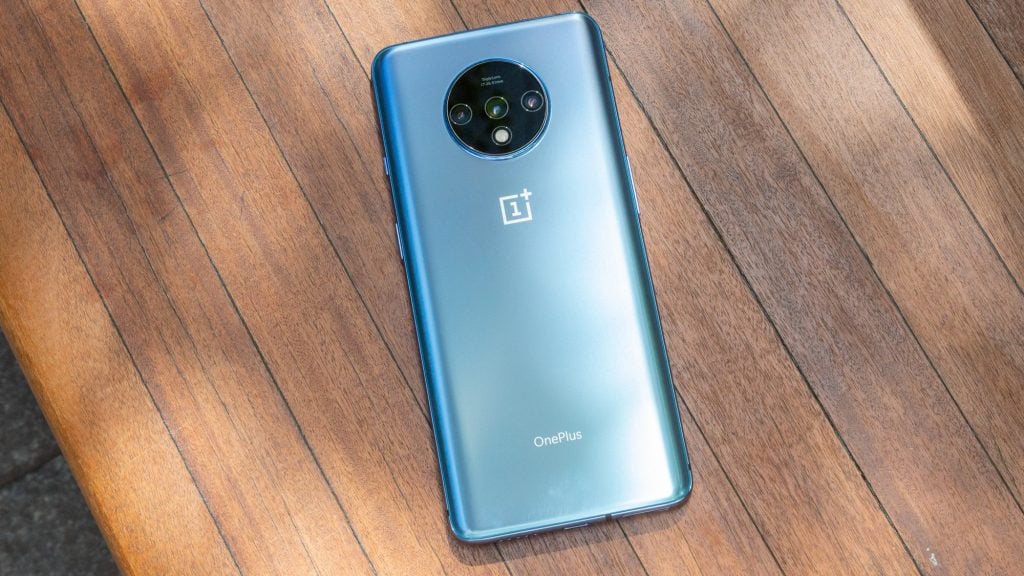
    One Plus never fails to surprise their fans. The news about the new Oxygen OS update did not wind up, that they came up with another surprise. It is about offering Reverse wireless charging in their succeeding future One Plus 8 Pro Android OS version.

    ONE PLUS 8 PRO Tipped To Offer 30W Wireless Reverse Wireless Charging

    Recently, One Plus company has collaborated with Wireless Power Consortium (WPC). Its hinting customers and fans about future One Plus’s plans regarding wireless connectivity.

    The collaboration with Wireless Power Consortium alarms the possibility that the next One Plus 8Pro phone could have a bit of wireless feature in it. A report from 91Mobiles State confirms the rumors about One Plus 8 Pro.  It mentioned there, it is likely to support 30W reverse wireless charging.

    VIVO Corps also made a similar announcement about having a 60W wireless charger in its forthcoming Android version concepts. Not just Vivo, but Oppo and Xiaomi are on the verge of switching to wireless charging in their upcoming smartphone versions.

    What can a 30W wireless charger serve us?

    30W wireless charger is better than the previous version chargers. The reverse wireless charger is capable of bearing a 30watt power supply. It is great to have a charger that charges the phone in less than an hour.

    The One Plus 8 Pro a Qualcomm’s Snapdragon 865 processor is having 120Hz display in all of One Plus devices in the future.

    If One Plus 8 Pro gets a reverse wireless charging feature, then it might give iPhone and Samsung phones an uphill battle to lead in the market.

  • Nintendo Wii-U – News, Views, Gossip, Pictures

    Nintendo Wii-U – News, Views, Gossip, Pictures

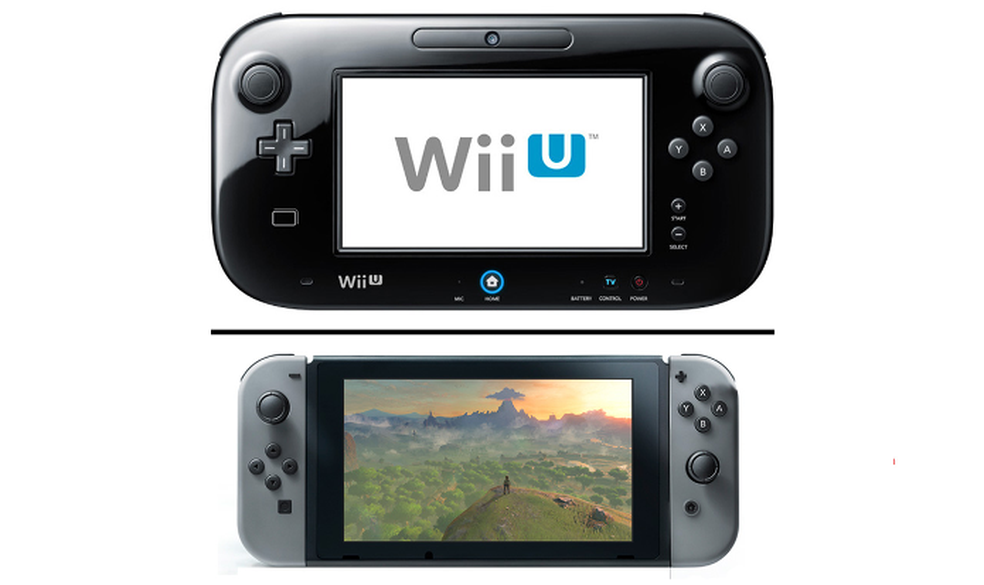
    In this technologically advancing world, Nintendo launched its Wii U. This was the first eighth-generation game in the series of video game console series. This is a home video game, high definition console, which lets you experience the gaming world in an entirely different way. You can connect with your friends and family in a better way through this better gaming console.

    Nintendo Wii-U - News, Views, Gossip, Pictures

    Doubts and rumors

    People were doubtful of the fact if Nintendo Wii-U was an extension of the already existing Wii. On the release of this device, people started spreading rumors that Nintendo Wii-U was better than the already existing PlayStation 3 and Xbox 360. Some believed the reason was that Wii-U came up with AMD 7 graphic chip and the central processor from IBM.

    Wii-U hardware

    The main hardware associated with the Nintendo Wii-U is the Wii U GamePad. This consists of a screen in between and the controls on either side. This hardware lets you have a great experience. It’s great to know that Wii-U offers another striking feature. You can use the Wii U game Pad hardware in collaboration with Television.

    It means you and your co-players can view the game on the television. All the players have their own screen where they can analyze the game from all angles. This gaming experience is really great. There is another feature where you can connect and communicate with gamers all over the world. This is possible via the internet.

    Clearing the Doubts

    The first thing that everyone doubts about is whether Wii-U and Wii are the same, or it is an extension. To clear this, I would say that Wii-U and Wii are entirely different devices. This is not even an add-on to the existing Wii. Wii is now almost obsolete.

    The Wii U GamePad cannot work with the original Wii. Wii U can play Wii original games also and Wii remotes can collaborate with Wii U. But this is possible only if the Wii remotes are using MotionPlus. Either it is present by default in the Wii Remotes or you can attach it as an attachment.

    Failure

    People thought that the second screen, i.e. the same game on the Television also, will ruin the graphics and will provide bad experiences. People were even doubtful of the fact if Wii-U was the same as the Wii console. So, the initial success was too low. Then a year later, PlayStation 4 and Xbox One became more famous. They both became successful in driving technology towards themselves.

    Nintendo stopped the production of Wii U in less than five years after the release of the product in the market. Wii sold less than 15 M units in its whole time of survival in the market. Whereas, PlayStation 4 alone sold more than 100 M in a single year. These numbers definitely depict the popularity of the product. This shows the usefulness of the product.

    Undoubtedly, Wii U provided a great gaming experience, but due to market competition, it had to face a lot of severe losses. This is the reason it couldn’t survive in the market for much time.

  • Google, EA Sports, And Adidas Are Working Together On Jacquard-Powered Smart Insoles

    Google, EA Sports, And Adidas Are Working Together On Jacquard-Powered Smart Insoles

    Google, Adidas and Electronics Arts worked together to come up with a remarkable product- smart shoes. This uses Google’s Jacquard technology. Two more smart products already use this. These are- the smart Levi’s jacket and the smart backpack. These can trace the movements and you can connect them to smartphones.

    Google, EA Sports, And Adidas Are Working Together On Jacquard-Powered Smart shoes

    Smart shoes

    Such a similar product is smart shoes. The GMR comes with a second-generation tag that can sense the movements more precisely. The real kicks and Soccer movements play in the mobile application! These movements convert to the virtual movements in the game by using machine learning algorithms.

    FIFA made interesting!

    You can play FIFA games on your smartphones and can win rewards. You can connect the GMR tag to the Adidas GRM application. One confronts exclusive events in FIFA, on connecting to it. You will be then able to confront multiple challenges every week. Challenges can be kicking the ball or walking certain miles.

    You can play real-time while being on the leader board in your mobile application. You can compete with international players while being in your game field. But there is something you need to take care of. Charging! Keep your Jacquard tag charged.

    This can survive around three full soccer games. So, when you are ready to play, get the tag out of the insole and check the charging. Then connect it with your smartphone, replace it in the insole and enjoy the game!

  • Android 11 Will Fix Dozens Of Small Annoyances, But What About The Apps?

    Android 11 Will Fix Dozens Of Small Annoyances, But What About The Apps?

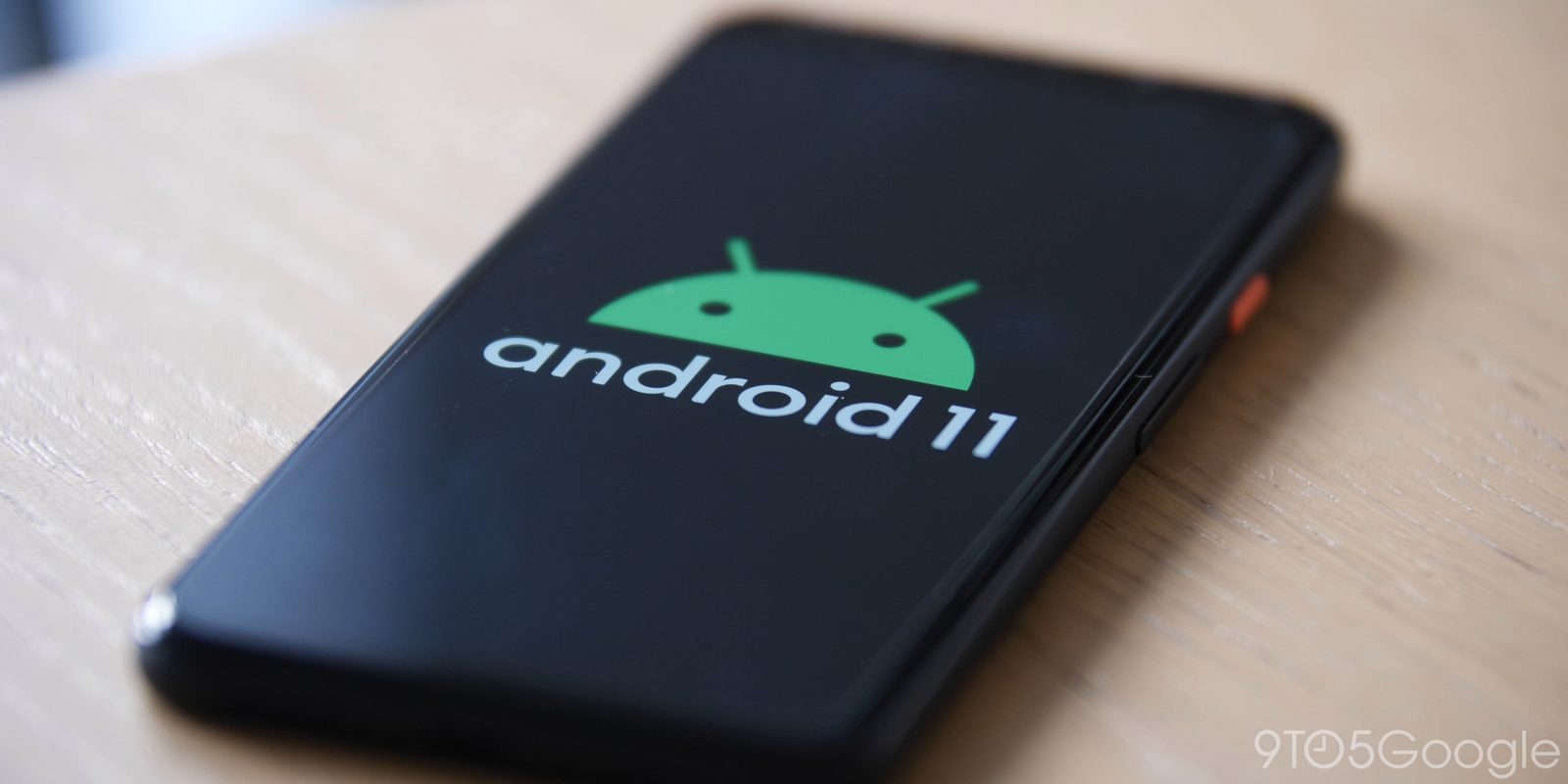
    It’s time to welcome the latest Android R which has been renamed as Android 11 by Google!

    Android 11 Will Fix Dozens Of Small Annoyances, But What About The Apps?

    With the incoming of Android version, the job of Android developers will become cumbersome. It is a complicated and tedious procedure. However, with the Android developers will try to fix various bugs with Android 11.

    It’s time for the app developers to gear up!

    While the whole process seems lengthy and cumbersome, one cannot forget the tasks to be done by the app developers. They need to update the applications for some new permission structures like scoped storage and located permissions. Google is bringing in some major changes like the inclusion of a complicated developer-facing operating system.

    Google endeavors to make updates

    According to the sources, Google is putting tremendous efforts to resolve various issues with Android’s updated version. Android 11 shall be capable of solving the small disturbances with its new and advanced features.

    With the help of a few projects by Google, the problem of an operating system has been reduced. The usage has become easier and better. In terms of application quality, Google has always had a tough time. However, with the launch of these updates Google endeavors to tackle the quality issues.

    With the incoming Android 11, running applications on Android phones will become easier. As Google strives hard to make our lives easier it is time to experience the smoother running of applications with the new version of Android!

    So, let us wait and see how much beneficial Android 11 proves to be.


  • PUBG Is Bringing Back Vikendi With Trains and More

    PUBG Is Bringing Back Vikendi With Trains and More

    It’s time we enjoy playing the already popular PUBG with Vikendi trains and more!

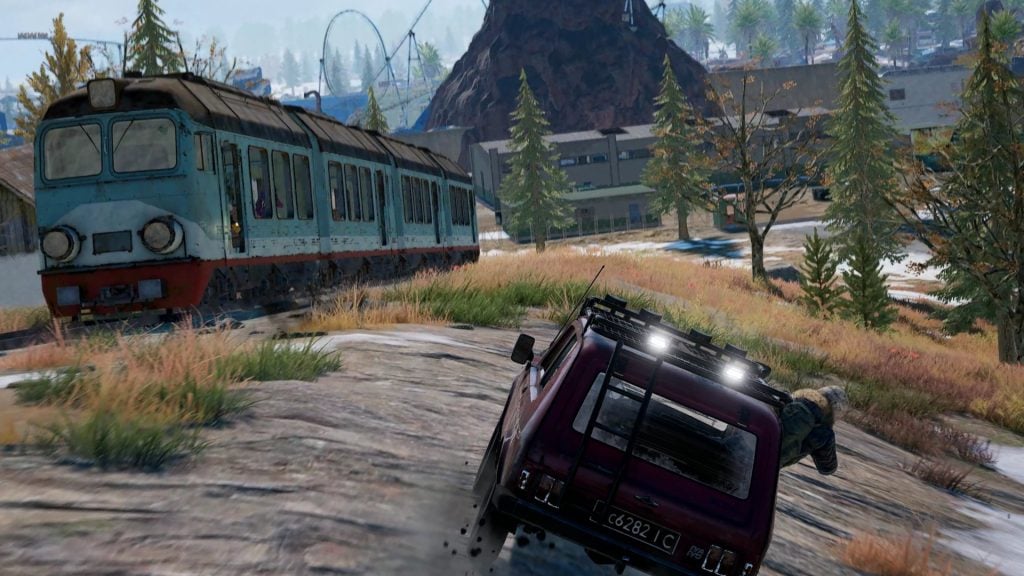
    PUBG Corporation made a massive announcement to bring back the Vikendi trains in the battleground. Prior to its release, PUBG shall allow only a group of selected people to play this game.

    PUBG Is Bringing Back Vikendi With Trains and More

    This version shall be a reworked and a better version of the previous one. It is going to offer a fantastic experience to all the PUBG enthusiasts battling it out on the fierce battleground.

    So, come and learn more about the new version.

    The major changes in the game

    Before you venture into playing this modified version of PUBG, have a look at some of the major changes by PUBG.

    The design of the game shall include railroads and trains that coast along the rails. Also, the modified trains and railways include a new name – Dinoland. Mount Krezic is the new spot and not Abbey. Tovar and Movatra are no longer part of PUBG.

    Good news for the PUBG partner program holders!

    It is time for the PUBG enthusiasts to rejoice and put their gaming mode on!

    The PUBG Partner Program holders shall get an opportunity to play and try this new version prior to anyone else.  It is time you get on your gaming mode on and start playing like never before.

    With some of the major changes in the map and design of the game, PUBG has given a new dimension to the already raging game. These changes and privileges shall stimulate more gamers to come on board and explore the PUBG world.

  • Pixel Launcher Now Smartly Suggests Folder Names

    Pixel Launcher Now Smartly Suggests Folder Names

    If you are searching for folder names to add applications into the device, Pixel is here!

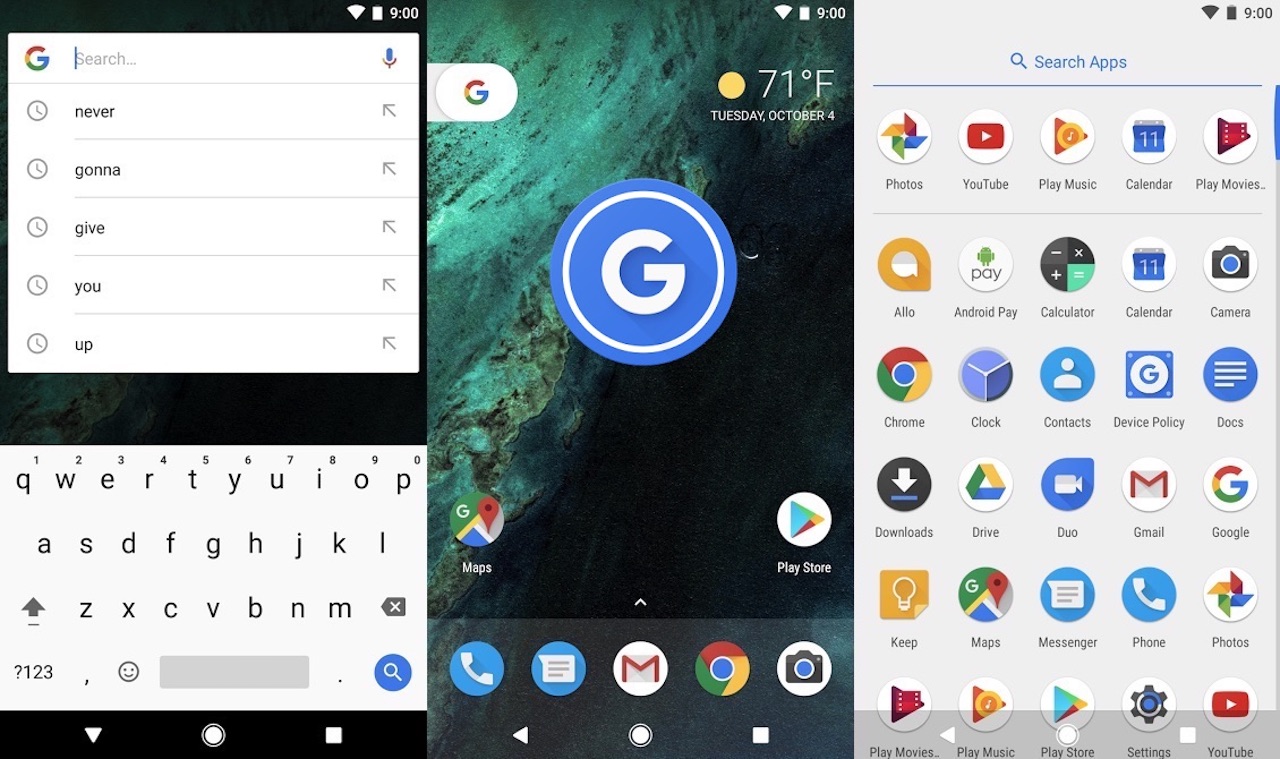
    Pixel has come up with many unique features such as quick access via digital wallet or dark theme scheduling. However, the most unique addition is the suggestions by Pixel in naming your folder.

    Pixel Launcher Now Smartly Suggests Folder Names

    When you are going to name a folder Pixel shall suggest you names and you can add the applications. This feature is very useful and is gaining popularity.

    Know the steps to add applications in a new way

    Before you add an application, know the steps to get some new folder names by Pixel!

    Drag one application on to another to initiate the update. When the update is available, the folder shall be renamed automatically. In terms of YouTube, YouTube Kids is an illustration of naming folders by Pixel.

    It will try to suggest various folder names based and the applications can be added easily. You can also apply the same to the messaging applications.

    Get the latest version of Pixel Launcher

    If you are looking forward to updating the application collection on the basis of the Pixel’s suggestions, get the latest version. One must have the latest version of Pixel Launcher to ensure that the update can be made.

    With the help of the latest Pixel Launcher, one can easily include various applications with Pixel’s help. Enjoy this feature of Pixel along with the other added features to ensure a fantastic experience for all.

  • March 2020 Security Update Lands On Galaxy Note 10

    March 2020 Security Update Lands On Galaxy Note 10

    Samsung, one of the premier brands in the electronics market has decided to bring new landing security updates. Therefore, Galaxy Note 10 is one of the models which shall get this security update.

    March 2020 Security Update Lands On Galaxy Note 10

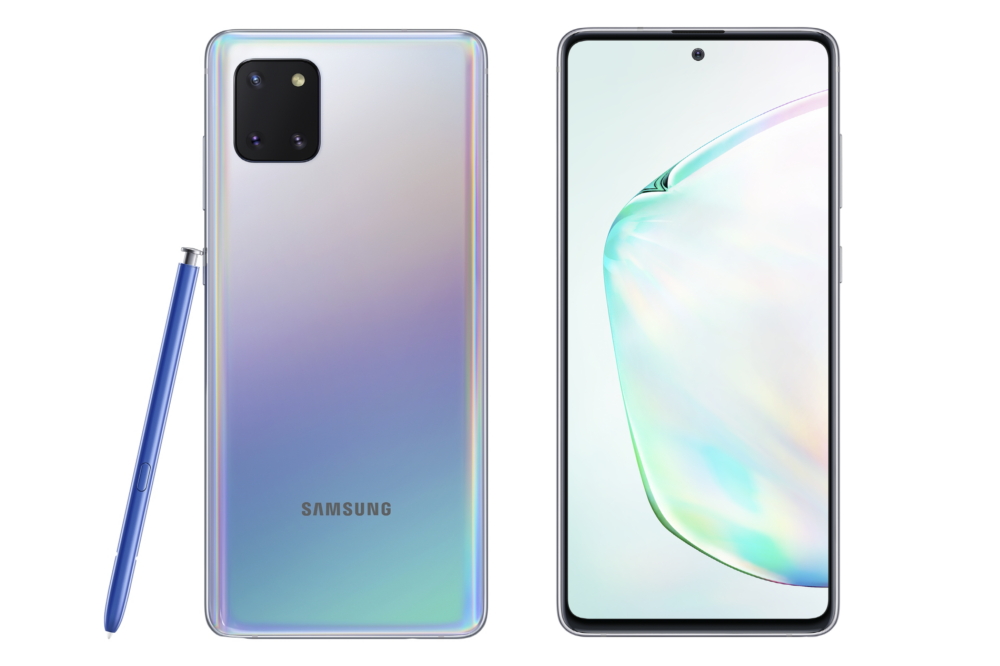
    Galaxy Note 10 has two versions- Galaxy Note 10 and Galaxy Note 10 plus. Both of the models are supreme products of Samsung with some amazing features.

    The salient features include a good display, a 6.3 and 6.8- inch screen, decent battery back-up, and good camera features. Also, this model is gaining popularity with the updated security measures by Samsung.

    Have a look at the updated security measures!

    Apparently, Samsung has decided to launch this security update in four major countries as Spain, Hungary, Netherlands, and the UK. In other countries, it shall be available soon.

    With this update, a local malicious application can bypass OS protections which protect the application data from other applications. Hence, this security update is highly useful and serves as great protection.

    Enjoy the update on specific models

    Samsung has decided to launch an update on four models of Galaxy namely –Galaxy S 10e, Galaxy S10, Galaxy S10 Plus, Galaxy S20 Ultra. Also, the four high-end models by Samsung are secure which contributes to establishing standards for the competitors.

    However, with time the update shall be available for other models too.

    Get hold of one of these Samsung Galaxy models to ensure a wonderful experience to free yourself from all the worries. Come and be a part of the secured and updated Samsung Galaxy family!

  • Google Assistant Can Read Web Pages You Aloud, Available Today On Android

    Google Assistant Can Read Web Pages You Aloud, Available Today On Android

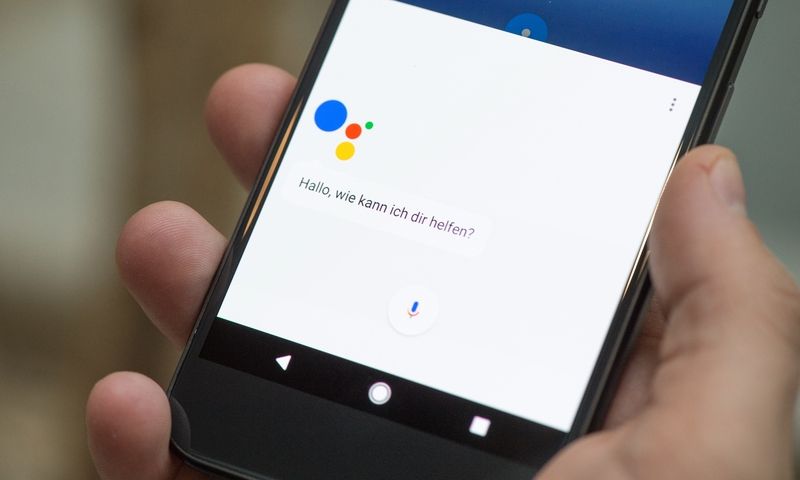
    If you are someone who prefers podcasts over reading long pages, then the all-new feature from Google Assistant has made it easier. Google has introduced its new feature READ IT. All you have to do is remember 4 words, that is Google Assistant, Read it.

    Google Assistant Can Read Web Pages You Aloud, Available Today On Android

    The feature will help you by reading out long paragraphs for you which you can just sit back and listen to. You can even ask your Google Assistant to read out a 1000-2000 word article for you while you are doing some other work.

    The feature is going to be a great help for the visually impaired people. It can also translate the content into 42 different languages, out of which 11 are Indian languages. The Assistant works only in English as of now, but it will surely support other languages in the future.

    This feature of Google Assistant will also work in a 2G network apart from the 4G network and Wi-Fi. The translator will help its users to translate the content in any language of their choice.

    How can you enable this feature?

        • Download Google Assistant from Google Play Store, in case you do not have it already.
        • Just ask the Assistant to read out the content of a particular page and it will start reading out loud for you.
        • You can highlight important points on the page
        • You can even control the reading speed of the content

    Limitations

    The only limitation of this feature is that the Google Assistant doesn’t edit the typos made in the content. It will read the content as it is no matter how many spelling mistakes or typing mistakes are there.

  • Facebook Live Will Be Here Soon To Help You Stream Android Games

    Facebook Live Will Be Here Soon To Help You Stream Android Games

    While Android games have turned into a rage for every game lover, what can get better than live streaming on Facebook. Now they want to expand more and more and not just remain a social media platform. It is popular for video consumption even though many content creators so not opt for FB videos.

    Facebook Live Will Be Here Soon To Help You Stream Android Games

    If you are looking forward to the live streaming of Android games on Facebook, there might be a chance of doing that. Also, they might allow live streaming of Android games soon.

    Start playing the Android game 

    Android games are extremely popular among gaming lovers. They provide a great source of entertainment for all gaming enthusiasts. Facebook is planning to provide gaming enthusiasts to avail live streaming for games.

    It no longer wants to remains a forum for chatting or posting pictures and updates. It seeks to expand its horizon and offer new experiences for the users.

    Facebook gears up to enhance its live streaming

    While the social media platform is is extremely popular for various purposes, it definitely lags behind in live streaming. Live streaming is a popular feature that will enhance the brand value of Facebook.

    With the launch of the live streaming of Android games on FB, it endeavors to venture and dominate the live streaming.

    With the incoming of this feature, gaming shall turn into an all the more amazing experience. Live streaming shall act as a catalyst for gaming lovers and ensure an interesting gaming experience for one and all.

  • 10 Best Android Hacks And Tricks That You Should Know

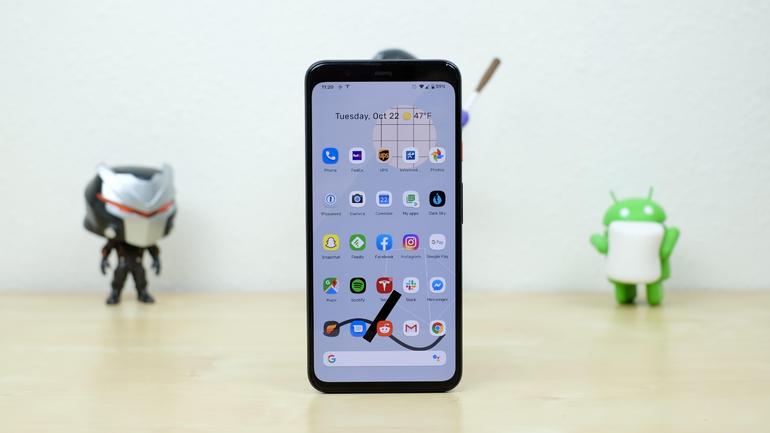
    10 Best Android Hacks And Tricks That You Should Know

    Android is a very common operating system in today’s generation. Everyone knows about Android and uses it. It is very reliable and easy to use. The world is growing at a very high speed, and it is very important to cope up with the growing world to be able to survive here. With the increasing use of Android smartphones, there are various new hacks and tricks that are being found by different users.
    10 Best Android Hacks And Tricks That You Should Know

    These hacks and tricks can help you a lot in different situations. If you still do not know about these hacks, then here we have the ten best hacks and tricks that you should know, have a look!

    1. An app similar to Apple’s Find my iPhone

    Yes!! You heard it right. You can use Apple’s Find My iPhone counterpart in Androids as well. This is the first and one of the best hacks. In your Android smartphones, you have an inbuilt application called Find my device. This works exactly the same as Apple’s application. You can easily find your smartphone/ device using this feature. If your phone gets lost, you can find your phone easily.

    Also, it helps you block your data if the phone is lost or gets stolen. This is very easy to use and handle.

    2. You can use your camera and flashlight to monitor the heart rate

    Do not have a device that can measure fitness ad track your activities? Don’t worry, you can now measure your fitness without any such device. All you need is an Android smartphone. There are various applications on the Google Play Store that offers this feature.

    You need to place your finger on the flashlight, and it will track your activities and measure fitness. It is simple and easy.

    3. You have app shortcuts in Android

    You can use your navigational buttons as an app shortcut on your Android smartphones. Yes, you can close and open your applications using navigation buttons. For this, you need to download a relevant app from the Google Play Store.

    4. You can keep your applications completely private

    This may be very exciting for a lot of you. It is very easy to keep your applications private in your Android smartphones. For this, you need to visit the security section in the settings option of your phone. After this, you need to enable screen pinning and then you can pin your favorite apps and keep them private. If you pinned any application by mistake, you can unpin them anytime.

    5. Set the orientation as per your wish

    Sometimes the orientation of your smartphone can be very irritating. If this is a problem with you, then you need not worry about that. You can download the rotation lock application from the play store and set the orientation of your screen as you wish.

    The various orientations include reverse landscape, reverse portrait, force landscape, upside down and various others. You just need to download the application and it is that easy.

    6. The guest mode

    This is a very useful feature. Using this, you can allow access to various applications and features on the lock screen itself. This may be advantageous and disadvantageous both. Anyone who uses the phone can access this feature without unlocking the screen. So, it is important to use this feature very precautiously.

    You need not download any application for this, it is already available on Android smartphones. You just need to go to the settings block of your phone and switch on the guest mode. Also, you can do this directly also by pulling down the status bar and click on guest mode.

    7. Reducing lag and delays

    Irritated of lags and delays in your Android smartphone? Not able to use your smartphones properly? Here we have something for you. There are various applications available on the Google Play Store which helps you with this. You can download any of these applications, preferably Seeder application or L Speed application to improve the speed and working of your smartphone. But the only thing that is very important is that these applications need Root.

    8. Keep your files and documents safe

    Losing files and documents must have happened with everyone at least once. To resolve this, you can download various security locker applications that are easily available on the Play Store. But the best part is that you can do this without downloading these applications also. You can use the inbuilt backup system available on your smartphone.

    This will help you keep your files safe by creating a back- up of your important files and documents. To enable this feature, you can visit the settings option, tap on the system and turn on the backup option.

    9. You can improve your game graphics 

    To all the gamers out there, to everyone who enjoys gaming and everyone who feeds on games, this is for you guys. Graphics are a very important part of your game; good graphics increase the performance of your game.

    To improve the graphics, you can download GLTools application from the Google Play Store or any other application store available on your Android smartphone. This application also requires the inbuilt root system in your smartphone. This will help you provide a better outlook on your game.

    10. You can ensure different volumes for different applications 

    This is also a very useful feature in your smartphones. You can set different volumes for different applications using this feature on your Android Smartphones. You can set different volumes for alarms, ringtones, notifications, and all other applications.

    To use this feature, you need to press the volume button, then open the drop-down list and set different volumes for different applications.

    Conclusion 

    An android operating system is used by various people around the world. There are many tricks and hacks that you can use to make your Android system smartphones work better and be productive. Above is the list of ten best hacks of this type. They are easy to use and handle. Try them now!