Author: Poonam

  • Samsung Galaxy S9 update with One UI 2 and Android 10 starts rolling out

    Samsung Galaxy S9 update with One UI 2 and Android 10 starts rolling out

    According to the Samsung Galaxy S9 UI2.0 update, Samsung has decided to update the unique and stunning Galaxy s9 with Android 10. With this recent mega update, the users shall be able to benefit greatly. The already Android and Samsung lovers shall love it even more with this Android 10 update.
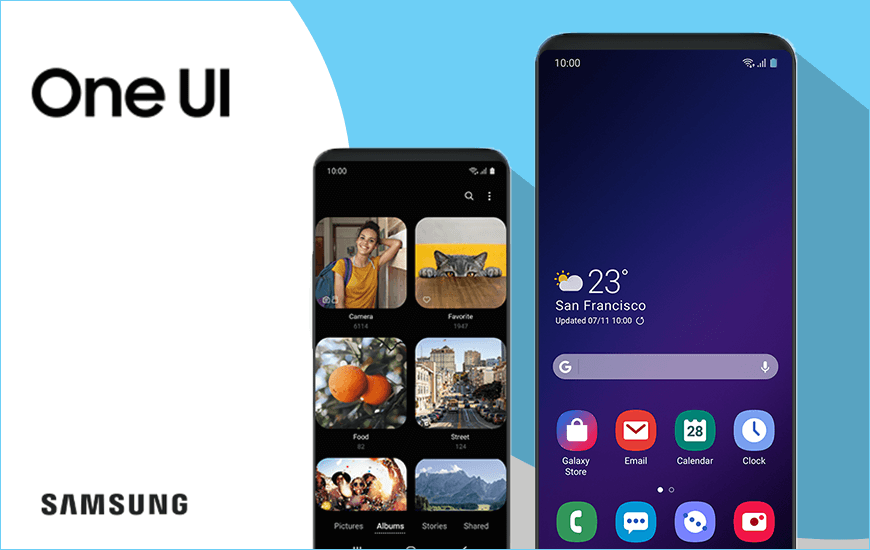
    Samsung Galaxy S9 update with One UI 2

    Android 10 provides some superb new ways to ensure security, privacy, and customization of phones. Some of the highlights are-live caption, smart reply, sound amplifier, gesture navigation, dark theme, privacy controls, location controls and many more.

    Let’s bring in a balance in our lives digitally with Samsung galaxy S9 UI2.0.

    Explore the new goodies with Samsung Galaxy S9 UI2.0

    Samsung Galaxy S9 with Android 10 update server delightful experience with its dual rear camera, good storage capacity, decent battery life, and many such features. Also, with the incoming of Android 10, this model has upgraded itself to a new level.

    The parental control mechanism allows users to remain away from the virtual world and involved in real family life. With parental control in settings of the model, a family can maintain a balanced digital habit enhancing the well-being.

    Focusing on one task becomes a challenge when too many apps get in your way. The Samsung Galaxy S9 UI 2.0 Android 10 update helps to focus on one application while the other apps stay paused. Therefore, it is an immensely supportive feature that enhances quality and standard.

    It becomes vital to use the digital forum within certain limitations. Surfing sites with no time barriers results in delays and an unsystematic lifestyle. With site timers, this activity can be controlled. It helps to set time limits for using a particular application thereby ensuring effective utilization of time.

    Intelligently designed for all

    With the rolling out of Samsung Galaxy S9 UI 2.0, the users are experiencing ease and comfort. Enhanced features seem to have helped the users curb their unnecessary digital addictions. Shared memory has given the users an avenue to collect more memories coupled with the great camera of Samsung Galaxy S9.

    The applications have received a boost with the update. They work faster, better and more efficiently. Their functioning seems to have got a new direction with Android 10. The already popular Samsung Galaxy S9 seems to be an unstoppable beast with this update rolling.

    Solution for distractions

    This update brought in by Samsung has truly transformed the way users viewed Samsung Galaxy S9. The enhanced features are nothing less than a boon in a world where smartphones are a necessity. Such versions of Android have not only helped the users inefficient usage but also in enhancing social life. Hence, the features are gaining immense popularity because of its unique features catering to the social well-being of people.

    Samsung, the mega consumer durables giant combines style, class, ease, and durability with a fabulous version of android. Also, this serves as a magnificent combination in the market with Samsung Galaxy S9 UI 2.0 taking steady control over it.

  • Super ISO Samsung Galaxy S20 range could improve night mode

    Super ISO Samsung Galaxy S20 range could improve night mode

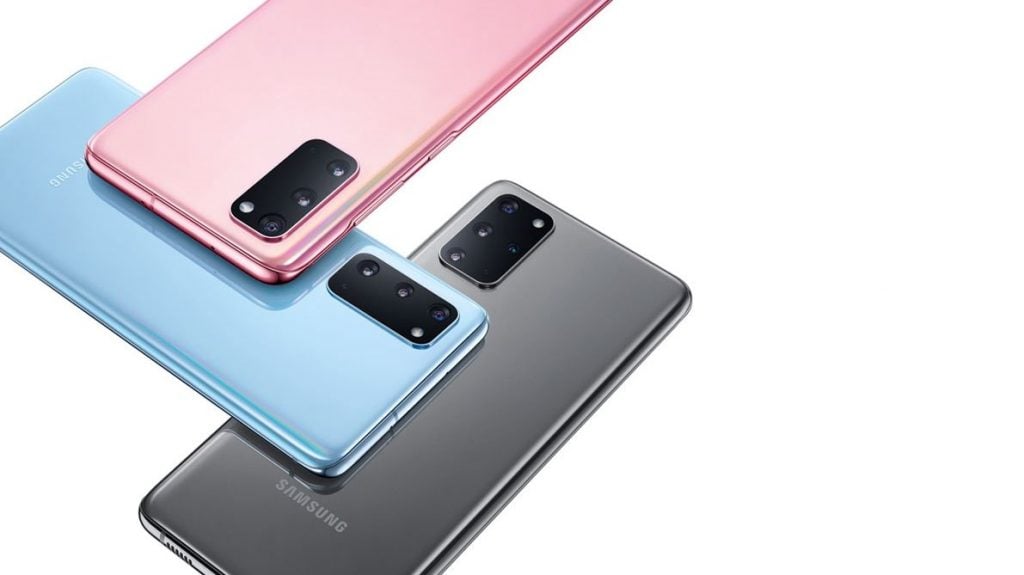
    Heard about the new Samsung Galaxy S20 series? Here’s all that you need to know about it.

    Super ISO Samsung Galaxy S20 range could improve night mode

    The S20 series

    Samsung filed the ‘Super ISO’ trademark to the UK Intellectual Property Office on 31st January 2020. It indicated that the company is working on a night mode for its new phone. The trademark was later awarded to the company. Indeed, this trademark hinted that the S20 series will be one of the company’s most significant distinctions. The company introduced the trio of the series with the best camera, it ever had.

    The trio includes S20, S20+, and S20 Ultra.

    More about ISO

    If you are unaware about ISO, then let me tell you that it is a kind of setting that enables the determining of the sensitivity of the image sensor to light. Lower the ISO, less will be the sensitivity and vice-versa. This suggests that the company has made major changes in its camera and light.

    Amping up the ISO setting helps you to take shots in darker environments. The new series will feature cameras with better low-light capturing.

    The Launch

    The official launch of the phone took place on 11th February 2020. We can expect that the availability and delivery of pre-orders will be in the first week of March. Also, if you order S20+ or S20 ultra, you will get a pair of Galaxy buds free with it.

    Camera with the Super Night Mode 

    The Galaxy S20 series offers a camera of 108 megapixels. It helps you get an absolutely sharp image that defines the smallest of the details. It also offers 10x hybrid optic zoom and 100x super-resolution zoom. Along with all the major changes in the camera, Samsung has introduced the Super Night mode, which is the boost to all the features and adds intensity to the camera. It improves the camera quality of Samsung Galaxy phones to a greater extent.

    Improvement in Night mode

    The Super Night mode introduced by Samsung in its new S20 series has improved a lot. Firstly, when we look at the photos clicked from S10 and S20, we find major changes. The super night mode of Galaxy S20 camera finds a massive jump over the camera in Galaxy S10. We can find that the photos in Galaxy S20 are brighter and introduce sharper details.

    The performance of a camera in low-light and night mode is an area where phones are really able to stand-out than the other companies. Samsung Galaxy S20 series has worked a lot on this. The other companies including Sony Xperia, Huawei, and Oppo have also introduced night modes and low-light cameras in the past.

    Conclusion

    The introduction and launch of its night mode may lead to a big boost for Samsung. The Samsung Galaxy S10 had an ISO of 3200, and we are expecting that Galaxy S20 will reach up to ISO 6400. Not just the numbers, Samsung will find a great increase in its sales as well. Its price in India will be around Rs. 82,990.

  • PUBG Mobile May Get Erangel 2.0 and Throwables Soon

    PUBG Mobile May Get Erangel 2.0 and Throwables Soon

    Good news for PUBG lovers!!!

    PUBG is all set to introduce several new features to deliver real-life experience to people from all walks of life. These are the same people who spend substantial time on the virtual gaming platform. PUBG mobile became one of the most famous mobile games in the Indian sub-continent that too in a very short duration of time. It’s popularly is conspicuous, and hence, many people are highly anticipating an upgrade.

    Erangel 2.0 and Throwables

    Rejuvenating features making way to PUBG

    PUBG brought a disruptive revolution in the gaming industry since its inception. It also keeps adding features and functionalities frequently to remain the most sought gaming platform among gamers.

    In a bid to enhance the quality experience, developers have revealed features in a row. They include such as Erangel 2.0 and throwables amid ever-growing rivals in the gaming industry.

    Vivid picture quality and added territories with mapping: Erangel 2.0 

    Erangel 2.0 is a much-awaited feature among gamers owing to its ability to improve the quality of graphics to multi-fold. Along with this, many are expecting an addition of a range of new geographical graphics featuring rivers in the new mapping version.

    PUBG enthusiasts have been eagerly waiting for the official announcement of such developments. But leaked news spread like a wildfire and doing rounds in social media. Various reliable sources have claimed that a new mapping feature would reflect a wider river running along the median of the map and tributaries emerging out of it will head towards North.

    Throwables: likely to make the strategic shift in the way game is played

    Moreover, the throwable feature will surely add an extensive adventure. It enables a player to use weapons such as a sickle, knife, and hand-granite. These weapons can neutralize closely placed enemies, where long-range weapons remain a limitation.

    Gamers remain thrilled to have throwable features. These may help them to optimize the availability of ammunition, life-saving drugs, provisions and energy drinks within a group that is envisioned to enhance combat capacities of a team.

    Radio messaging: All new way to communicate and ask help at the time of emergency

    PUBG is also likely to equip the player with advance Radio message feature. It will facilitate communication among team members in the field to exchange essentials. Radio Message will allow a gamer to convey his/her message to the desired person. Subsequently, that member will get a pop up at the screen to answer the asked stuff directly.

    PUBG has survived to be the most loved game worldwide. It is due to its incessant effort to keep the customers overwhelmed and engaged with the introduction of amusing features round the year.  

    PUBG: Regaining confidence in India

    Over a period, PUBG had become infamous for inciting its players to commit suicide and distracting students from studies. Furthermore, several governments in India have banned the game.

    Now, it has witnessed wider acceptance in India and restrictions across several states have been uplifted with a slew of cautions in place.

    Moreover, such games have inculcated enthusiasm among budding brains to pursue a career in virtual game development.

  • Android Auto update with silent notifications

    Android Auto update with silent notifications

    Android Auto Update Invention

    Google has always come up with great, intelligent devices with its technological advancements. Four years ago, on 19 March 2015, it came up with Android Auto. It is a mobile application, with the help of which you can display some selected notifications directly on your car’s dashboard.

    Android Auto update with silent notifications

    The most useful feature of Google Assistance comes with its use without touching it. I guess, you can well imagine how useful it can be for the drivers, who have both their hands busy while driving. So, Google invented Android Auto Update to help have a voice-controlled car and safe driving.

    Benefits Associated

    According to Google, this is to avoid all sorts of distractions that a driver will face when his/her mobile will pop with a notification. The driver every time will have to unlock his phone, which of course will add to the danger. But this smart, touch technology with voice recognition in the form of the Android Auto app will do that for you with much comfort.

    The thought before this invention was that this would ensure the driver’s full concentration on the road and his hand on the staring wheel only. This actually proved to be successful to some extent. The driver could now access and control his android applications like e-mails, active chats, songs, and calls, etc.

    The best feature that Android Auto came up with it is – it can show Google maps and can help you with the best-suited route to your input destination. It will tell you the route with the least traffic and will help you drive to your destination in the least time. As a result, this has proved to be really helpful for the drivers.

    You can even speak to the device and need not type while driving. This will definitely help you with your safe driving. It will help you conveniently drive and easily get the required information from your smart mobile phones.

    Another milestone to Safety

    Recently, Google came up with another useful update, which will give you an option to silent the notifications from some of the applications. One can see this another step towards the security and safety of the driver. The driver can now easily navigate using Android Auto while keeping all the notifications silent, i.e. un-distracted, guided driving.

    Another update came up with the feature that the notifications will not produce sound. It will pop-up on the screen and will not disappear until you swipe it aside. This is only when the toggle is activated. It is not ideal.

    Phone’s compatibility with Android Auto

    The smartphones with the Android version of 9.0 or below will have to download the free Android Auto app. But the phones with Android version 10 come up with built-in functionality.

    Phones with Android 5.0 need to have an active data plan to use Android Auto. In order to connect to Android Auto, conventional phones required USB. The newest smartphones come up with the technology to connect wirelessly.

  • Kospet Prime Se Smartwatches With Face Id Support Now On Sale!

    Kospet Prime Se Smartwatches With Face Id Support Now On Sale!

    The Kospet Prime was one of the standard-sized smartwatches sold with long-lasting battery life. And just a few days ago, the brand Kospet introduced its newest upgraded version at a much cheaper price of $99.99. The difference between the previous versions and the new Kospet prime SE version smartwatches is in its hardware.

    Kospet Prime Se Smartwatches With Face Id Support Now On Sale!

    This upgraded version comes with 1GB RAM and has a storage space of 16GB  ROM which is enough to function all the applications and features in a built-in smartwatch. Along with this, Navigation, Music listening, Bluetooth headset connection are the additional functions that this watch provides to the consumers.

    You can easily search for this watch online on Amazon or at the official website of KOSPET PRIME. Let’s see what else this watch offers.

    Design And Appearance

    The very first thing that attracts is the exterior black matte look of the Kospet Prime SE smartwatch, making it a more sophisticated and stylish smartwatch with a silicone strap and a metal watch. The watch has a dimension of 280x50x18.5 mm and weighs 83gms.

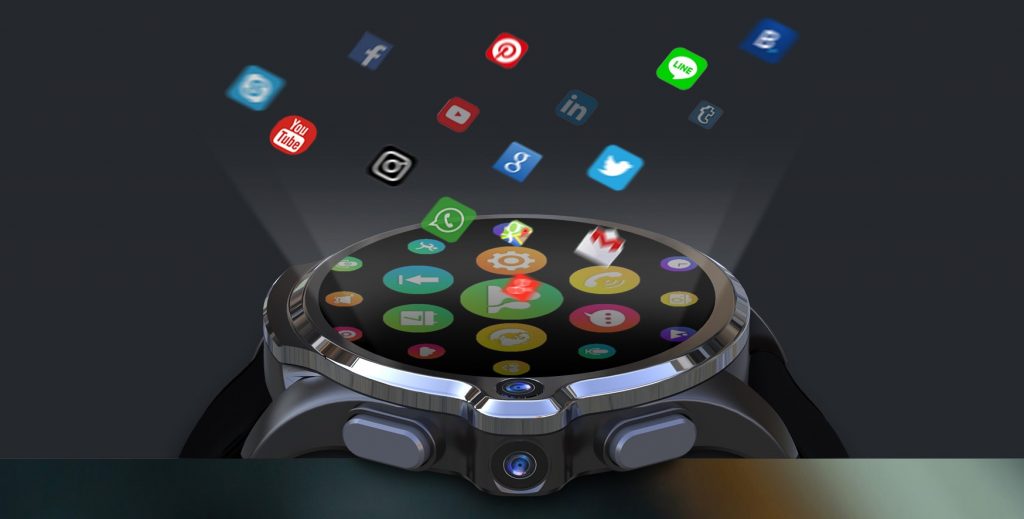
    It has a ceramic body. On its lateral side, there are two manual buttons made of soft plastic that looks similar to rubber. The camera is present in between those buttons. Although the watch has two cameras on lateral sides, 1st in between the control buttons with 8-megapixel capturing sensor and the 2nd is a 2-megapixel located on the other side of the watch.

    The screen runs on IPS Technology and has high-displace quality. The interior of the watch has a metal plate. On unscrewing it, you will find a slot for a nano sim-card, heart rate sensors, a microphone, and a speaker. The width of the watch is 270nm and the best thing is that the straps are removable. You can replace them anytime you want!

    Salient Features

    1. Calling and Notification: Display on the screen. Insert the sim and use 4G speed seamlessly. You can use video calling applications such as Viber, Skype, and WeChat. Get incoming call notifications, app update notifications and newsfeed notifications.
    2. Sport & Fitness: Footsteps count, movement reminders, heart-rate monitor, Pedometer, Pulse rate GPS and distance count sensors are present. It offers 9 sports modes good enough to fulfill all your fitness needs.
    3. Camera: Many smartwatches fail to provide excellent camera quality. But, the Kospet Prime SE watch embeds two cameras. An 8MP camera for external photography, face unlocking in 0.1s and another 2MP camera for video calling, etc.
    4. Navigation: It has built-in GPS (GPS/GLONASS/A-GPS) which is perfect for navigation and distance measurement.
    5. Music listening & downloading: You can stream to online music channels with the Bluetooth headset, FM and also download the songs you like.
    6. Display: 1.6 inches super large full touch screen. It provides HD display excellent for operating any application.
    7. Software: This smartwatch has Android 7.1.1 OS (a latest updated version of OS) efficient enough to run all Google applications and support smartphones with iOS 9.0/Android 5.1 system.
    8. Great colors: Sorted functionality with perfect design and colors.
    9. The straps are removable.
    10. Third-generation ceramic case +outer metal ring+ silicone watch band makes a perfect combination.

    Battery And Performance

    Kospet Prime SE smartwatch runs on a 1260mAh polymer battery. The battery does not die up to 72 hours. Compared to the previous versions’ battery i.e. 400 to 600 mAh, this watch has the largest battery capacity. This watch was tested several times for its battery check-up.

    Even at its lowest power, it had 24% left even after 72 hours. This watch takes a charging time of 3.5 hours which is quite a long time. But it’s worth because it fulfills every aspect of being a perfect smartwatch.

    Talking about its performance, the Kospet Prime SE smartwatch has an MT6739 processor, which is present in many smartphones to date. Plus, it has a battery capacity of 1260mAh which is sufficient to carry out all the features in the watch. The user interface is very fast than the previous Kospet Prime variant of watches.

    The Android 7.1.1 OS makes it pretty fast. According to the latest survey, this watch has the largest battery capacity and thus, its performance is tremendous.

    Why you should buy it?

    There are many smartwatches out there in the market that provide wonderful features. But when it comes to performance, many brands fail. Whereas, Kospet Prime SE’s newest version comes with built-in large battery capacity, which makes it unique and perfect for use. Furthermore, it records your activities throughout the day right from the steps you’ve walked, and simultaneous heart rate monitoring.

    You don’t have to reach out for your phone to make a call. You can do it all with this watch i.e. make phone calls, send a message, use the internet and all Google applications as this smartwatch supports 3G & 4G network.

    And the biggest reason to buy it, it’s available in just $ 99 which is a reasonable price for smartwatches in today’s time.

    Where can you find it?

    The Kospet Prime SE smartwatch is now available online on Amazon, eBay and Gear best for $99.99. To get a better deal and additional offers, make pre-payment via credit/debit cards.

    Don’t wait for the perfect time. This is the perfect time to buy this latest watch series and get additional discounts or cash backs.

    Conclusion

    When you compare a typical smartwatch of any brand and Kospet Prime series of smartwatch you will find many differences in the specifications. Kospet Prime SE supports 4G Nano SIM-card, which is good enough to make a call or receive a call while being away from your phone.

    The perfect and clear 1.6-inch IPS touch screen display makes it ideal for any operating system or application. Dual cameras: 2.0MP front camera + 8MP side camera allows capturing surrounding pictures, and video chats with your friends. The processor and battery back-up system make it the best smartwatch running for more than 72 hours. Therefore, Kospet Prime SE is offering amazing features in just $99, the deal is perfect for any buyer.

  • The Best Samsung Galaxy S10e Phone Cases

    The Best Samsung Galaxy S10e Phone Cases

    Samsung has launched many Galaxy phones in the past 2-3 years with different features and specifications. But if you’re seeking for a high-performance smartphone, then the Samsung Galaxy S10e model is your best set. The dimensions of Samsung Galaxy S10e are 5.6 × 2.8 × 0.3 inches and it weighs 5.3 ouches.

    Samsung Galaxy S10e Phone Cases

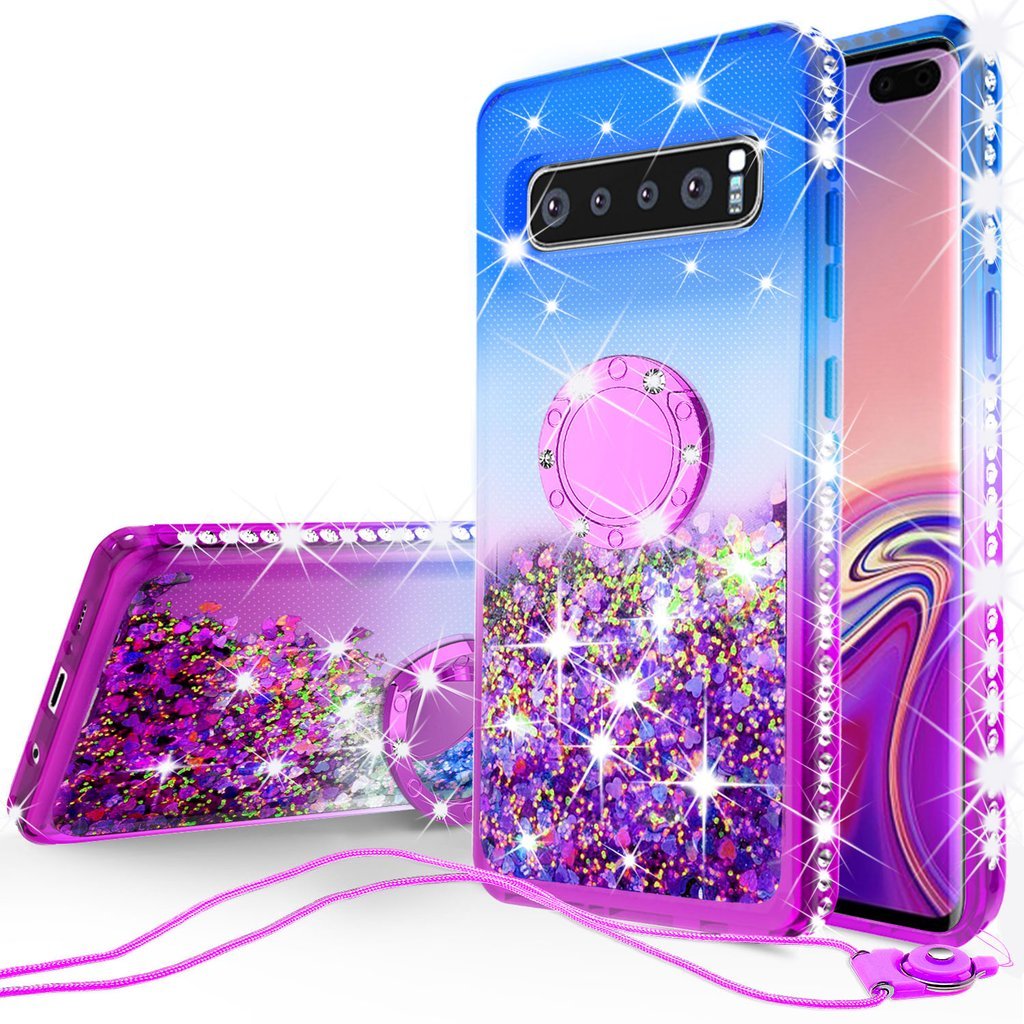
    The design and material of the model are so amazing that you feel like touching it all day. When you love your phone, it’s your duty to keep it safe and away from any scratches. So here comes some colorful phone cases that will keep your phone safe from scratch and scuff.

    This article will help you find the best phone cover for the S10e model at an affordable price. Save your Samsung Galaxy S10e Phone Cases along with prices.

    Super Thin Case

    Not everyone likes bulky cases. They make the phone heavier than it is already. So why not choose a slim yet strong phone case for your S10e. The peel thin cases are so thin that you can see through them. This cover can protect the triple camera from scratch, bumps, and small water droplets. This peel super thin case will shield the phone from any possible scratch.

    So, all those who are looking for a non-bulky, light-weight, super slim and stagnant phone covers or cases, then they should go for this case for their S10e model. The case costs $29 which is more than an ordinary phone case due to its high composite material and design. It’s all worth it when it comes to protecting expensive smartphones.

    Tough Neon Case

    The case-mate tough neon case is all dreamy. The vibrant neon color makes the phone look brighter and catchy. Additionally, it protects the phone from slip and falls because it is made out of a tough material that is tougher than melamine glass. It gets you a strong grip to hold your Samsung S10e phone in hands or any surface.

    What makes this case so special? The main concept of introducing a neon case is it glows in the dark which is good. In case you lost your phone in a crowd, the glow will help you detect it easily. It looks stylish and unique. The case costs $25; the cost varies from website to website.

    Ghostek Nautical2 Waterproof Case

    Nowadays, all the smartphones come with the waterproofing system. And Samsung S10e already got IP68-rating for a water-resistance system which is good enough to prevent it from water drops. But, if you wish to add some more safety to your phone then Ghostek Nautical2 waterproof covers can do it inexpensively.

    The transparent case comes with a polycarbonate + absorbent TPU material to protect the phone from drops, bumps and tiny scratches on the phone. The screen is safe as well as it covers your entire phone without using any additional screen-guard elements. Want to buy this case? Get it for $35 on Walmart and Amazon.

    Ringke Fusion-X DDP

    Can’t deny! Ringke Fusion-X DDP phone cases are the best and the coolest for your new Samsung Galaxy S10e. Despite its partially transparent grey camouflage pattern on the rear polycarbonate material, it is totally awesome.

    This case adds protection to the screen and camera lenses. It also has a hole for lanyard and charger. You could not miss this one; it’s a wonderful screen protector for the price of $13.

    UAG Monarch Case

    Tough protection with an eye-catching monarch case by Urban Armor Gear (UAG) can be your new favorite. The leather panel+ metal layer serves as a great combination that enhances the look of the Samsung Galaxy S10e model.

    The crimson and black combo takes it to a whole new level and makes it look elegant and stylish at the same time. Buy this case on Amazon at 50$ and $76 at Google Express. Buy this Monarch Case and add beauty to your Samsung S10e model.

    Speck Presidio Grip

    This could be the best choice if you’re a careless phone handler. No offense. The S10e model is a shiny, slim and light-weight smartphone and it loses grip if you keep it in its original state and handle it with bare hands.

    The rough surface of the case doesn’t let you lose grip and protect your phone from all sides. The case comes in various colors and styles, you can pick whichever you like. You can find them online on Amazon. The cases are expensive, but will definitely give additional protection to your new Samsung S10e model.

    Liberty London Strawberry Thief- Tech21 Pure Print

    You must know Liberty London as a famous brand if you’ve used their phone cases previously. The new phone case has Tech21 pure print, which looks beautiful from back and does excellent protection of the latest and newest Samsung S10e smartphone.

    Buy this beautiful strawberry thief printed phone case at $50 at Tech 21. Do not look for the price. The cases are long-lasting and trusted. They will provide good protection to your S10e model.

    Pelican Voyager Case

    If you are looking for a case that provides solid protection, then Pelican’s Voyager case is the best choice. It has a 4-layered protection system to ensure complete protection of your Samsung S10e variant. The case comes with a detachable holster and swiveling belt clip to shield the screen.

    The black matte texture of the case makes it so simple yet stylish enough to carry your Samsung S10e model. It could be an ideal case for this model. Go, buy it at $45 on Amazon and roam stress-free with your expensive and brilliant Samsung S10e model.

    Why Samsung Galaxy S10e need additional protection?  

    The model has all the best built-in accessories but still, it needs protection from outside due to its light-weight-ness and slim body. Protecting the camera is important. If you use this smartphone model without a phone case or cover, you might end up scratching the lens. So, it is suggested to always carry your S10e model using 100% water-resistant, good-material quality phone case.

    So, this was the list of the best and lovable range of Galaxy S10e Phone Cases for all new Samsung Galaxy S10e model.

  • Google Lookout Uses Artificial Intelligence To Help Visually Impaired People Navigate The World

    Google Lookout Uses Artificial Intelligence To Help Visually Impaired People Navigate The World

    Can you imagine how would a visually impaired person navigate the world?

    Whether you are walking on the streets or cooking something at home, doing all such tasks without proper eyesight is really difficult or almost impossible to do. But I have seen many people challenging their situation every day by managing to do all their work by themselves. Such people are an inspiration to many of us.

    Google Lookout Uses Artificial Intelligence To Help Visually Impaired People Navigate The World

    The introduction of the Smartphone has made it quite easier, especially after the use of Artificial Intelligence in them. Google Lens is now capable of even identifying a dog’s breed just by clicking a picture of the dog. Why not use such smart features to help out the visually impaired people?

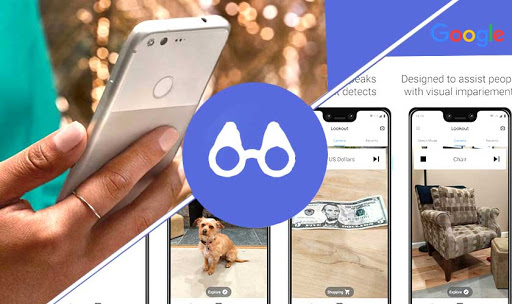
    Google has come up with its latest initiative for helping the visually impaired or differently-abled community. Google Lookout is a US-based app that is made specially to help visually impaired people see the beautiful world around them.

    With the help of the Lookout app, these people can navigate the world by using their smartphones. The AI featuring the app dictates the text to you describing what is happening around you.

    Availability Of Google Lookout

    Lookout is now available on Pixel devices as well as on non-Pixel devices. It has recently started supporting Samsung and LG devices.

    The app is currently functional in the U.S and not yet launched in other countries. You need to update your Android to Android 8.0 in order to use Google Lookout.

    You can get the updated APK from APK Mirror and install it on your phones. It officially supports Pixel 4 and 4 XL and is also available for Pixel 3a and 3a XL.

    Testing Google Lookout

    The app was announced last year is now finally available for you to try it out. Basically, it has 3 modes-

    1. One which helps you explore the world and assist you while cooking.
    2. The other is for scanning barcodes while shopping or seeing currency.
    3. The third one is for reading text on mails, signs, labels and more.

    Whenever you start the app, it asks you which mode you would like to use. This helps you to save your time which you would waste on simply navigating the options.

    While testing the app for a short period of time, I have observed that it is really quick in identifying objects along with its location and time. It also tells me whether the object had a text on it or not.

    Google Lookout V/S Microsoft Seeing Ai

    Google is not the only company to launch an app that helps visually impaired people. Microsoft has a similar app for the IOS phone named Seeing AI. The app can read handwritten texts, recognize denominations of currency, describe colors, etc.

    As of now, Google Lookout lacks the facial recognition feature which adds a point to Seeing AI but Lookout might come up with this feature in the future.

  • How To Activate Google’s Advanced Protection

    How To Activate Google’s Advanced Protection

    With the advent of the web, a few things have become easier like shopping, browsing, booking and some more. But these gateways required some personals data from theirs, users or clients, as email id, password, username, account details, etc. As this information is personal for the public and one does not want it to get leaked so, Google activates advanced protection security for the users.

    Google’s Advanced Protection

    Google’s advanced protection program is for all. It protects you from “high risk” as well as from hacker attacks. So, as to protect your Google account from hackers, the organization offers you advanced protection.

    Security Keys Of Google’s Advanced Protection

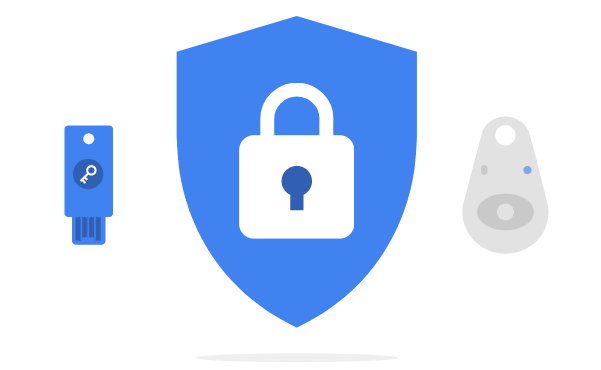
    Google introduced two kinds of security keys to protect your password.

    One (master key) is the Wi-fi key and the other is the spare key. When you connect these USB (security keys) to your system and login to an account. These security keys produce a one of a kind password that Google uses to open your record, giving an additional layer of security.

    For this security protection, you have to spend some cash. In return, you’ll get Google security protection for your account and prevent it from hackers.

    When you have both the security keys, connect the keys with your device. Turn on the Google security protection; it’ll ask you to log in to your Google account.

    You’ll be taken to a page where you can register both the keys. Then Google will identify your key and then register it with your account. Additionally, you can use security keys on your smartphone as well.

    Activate The Security Key On Your Apple Device

    For the Apple and iOS, users should follow these steps to activate their security keys for protection of Google account.

      • Download Smart Lock App from Google and open it.
      • Click on register and the information will guide you.
      • When the pairing of the device gets complete, you can sign to Google account.

    Activate The Security Key On Your Android Device

    Follow these steps to activate keys and reach your goal:

    After activation of keys in your devices, Google provides you with some limitation of the advanced protection program.

    The Endnote

    This protection program provides users safety and prevents hackers from phishing the information of the client or users. As an additional safety measure, Google will log you out from every single gadget that was marked into your Google account.

    That implies you’ll need to sign back in with each gadget by entering your secret key, and afterward using your security key. However, you’ll just need the security key for first-time sign-on.

    In your record settings, you can likewise include the security keys and get access to any Google sign-on from different gadgets. Those alternatives will prove to be useful if you lose one of the security keys or if you lose your workstation. In this way, one can also shut the Advanced Protection Program. Basically, turn it off, and you’ll return to Google’s default login process.

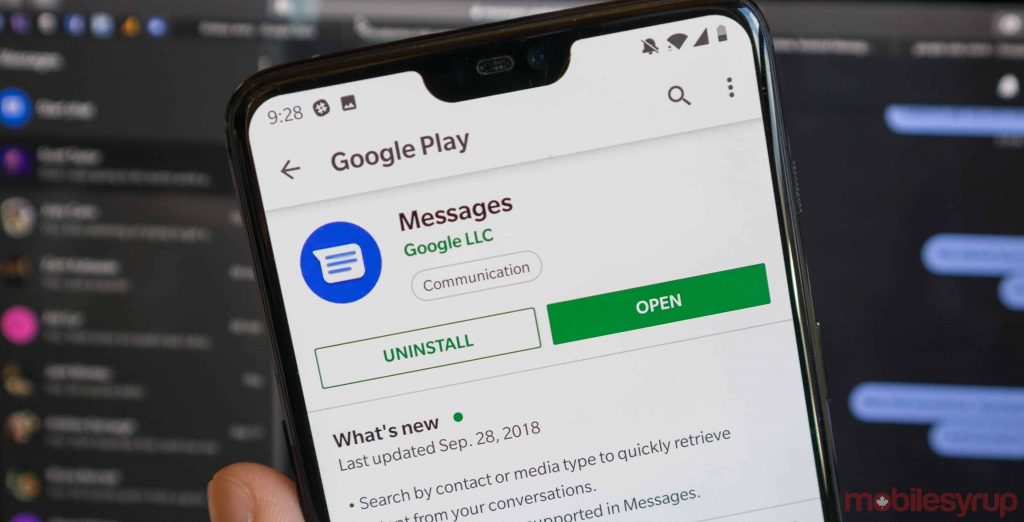
  • Google Messages and Phone pick up new material icons with the latest Betas

    Google Messages and Phone pick up new material icons with the latest Betas

    Google has been always trying to improve its performance constantly. Over the past few months, it has introduced various new refreshed material items. Also, it has added a lot to its features. It was just yesterday that it showed an update icon, and again you see the signs of a refresh.

    Google Messages and Phone pick up new material icons with the latest Betas

    Changes in Google applications

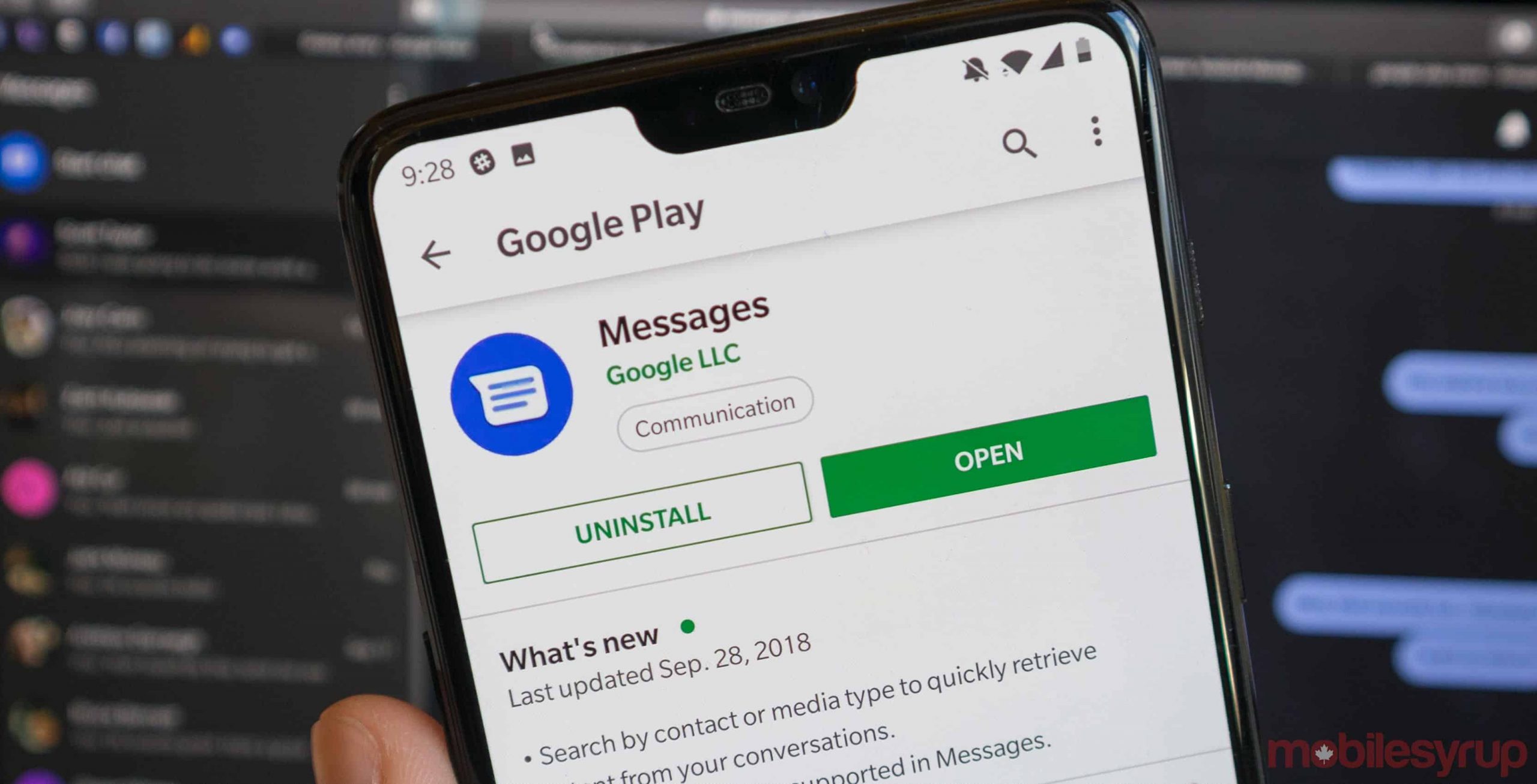
    The majority of Google applications today have been revamped with the company’s latest design language. Google’s dialer and messaging applications are picking up new material icons with the latest betas.

    These moderately delicate adjustments merely change the present iconography and give just a slight change to the appearance. Though it does not affect the working, it functions the same whatsoever. Previously, the icons were colorful, but as of now, material icons with the outlines only have replaced them. These items have added changes to the home screen, messaging screen and the call screen of the application.

    Google Phone beta v44

    Google Phone beta v44 brings new material icons. The ‘Favourites’, ‘Recent’ and ‘Contact’ tab at the bottom now feature the new material icons with an outline. Also, the ‘Voice Search’ icon at the top section of the application experiences the same. ‘Mute’, ‘Speaker’, ‘Add Call’, ‘Video Call’, ‘Hold’ and ‘End Call’.

    Google Messages v5.5

    Additional to Phone beta v44, the google messages version 5.5 also brings new material icons for ‘Video call’, ‘Audio call’ and ‘Add Participants’ icons on the top part of the conversation screen.

    The various other features

    ‘What’s new’ feature is one of those up prime that turned into a hole after the replacement. The ‘Begin Chat’ bubble on the homepage additionally shed its previous icon for a defined one. The whole ‘name display screen’ has been facelifted with new icons, together with different components within the app navigation menu and the search bar.

    The most notable changes

    The most notable of the changes is the wide oval ‘Start Chat’ icon. There’s an entirely new one that matches the general shape of the app icon. Also, the different screen appearance has added to the notability.

    More about material designs

    Material icons are pleasant, elegantly crafted icons for basic actions. If not in Google, you can still download them separately on the desktop to use them in your digital products for Android, iOS, and web.

    It is an adaptable system of guidelines, components, and tools that support the best practices of user-interface design. Backed by open-source code, material icons streamline the collaboration between designers and developers. They help the teams quickly in building beautiful products.

    At the end

    Material theme icons in Google Phone and Messages are small changes, but increase consistency and make the two applications feel better. Both are available in beta and one should definitely try them once. If using the latest version of Google Phone and Messages seems interesting to you, then you can enroll yourself for the Beta Program of these applications on the Google Play store.