Category: Android Apps

Android Apps for download, apk

  • Amazon Music Is The One Streaming Service You Really Want To Check Out

    Amazon Music Is The One Streaming Service You Really Want To Check Out

    Music streaming applications have been trending in the past few years more than ever before. We are all aware of the dozens of music streaming applications like Spotify, Saavn, Apple Music, Pandora, Google Play Music, and others. But people often forget about the one that has been silently the most significant player in these services.

    Amazon Music

    It is none but the Amazon Music service. Amazon has been in the business of online music streaming for over the years now. 

    With a subscription fee that is at par with the other applications, Amazon music undercuts the different applications with its content scope. It is packed with features like auto-rip, and Alexa support that makes it better than the other such music streaming services.

    Amazon Music is an on-demand type of music streaming application that offers an HD option that is available with an additional fee. There are over 50 million songs in the Amazon music library, which can be added to your unlimited library in the application.

    Quality Of Music

    The HD option offers CD-quality music, which streams at 320 Kbps and ultra HD option, which streams music at 850 Kbps. It requires a data speed of at least 1.5 Mbps or higher to stream music in the HD or ultra HD quality. It has a 90-day trial period, which is usable by both existing customers and new subscribers.

    Unlimited music is available on various platforms that come with played section, and a tab for your music. There is also a link available on Amazon music store for all those who would like to purchase soundtracks.

    There is a mini-player that lets you just check your current playlist instead of looking into the whole thing at once. Also, there are four tabs at the bottom of the mobile application, which makes it extremely easy to navigate on the application.

    The Amazon Music is a winner in the run for the best music streaming service with over stations within 20 languages support, new releases, and popular playlists. 

    It is the first online music store that sold music without digital rights management from four major music labels along with other independent ones. 

    With over a thousand playlists and music of all times and genres, it is one of the best online music streaming applications that are currently available in the market now.

    Bottom Line

    Whether you want to listen to music on your smartphone, computer, or via Amazon Echo speakers, it is just a click away with Amazon Music. You can also download your favorite tracks for offline play.

    Curated precisely how you’d want it to be, Amazon Music is the one to go for. Search for your favorite tracks, create your playlists, download them on your device, and listen to them with or without an internet connection. Unlike other music streaming applications, it is completely free of advertisements.

  • Vivo Nex 3 Phone – Review 2019

    Vivo Nex 3 Phone – Review 2019

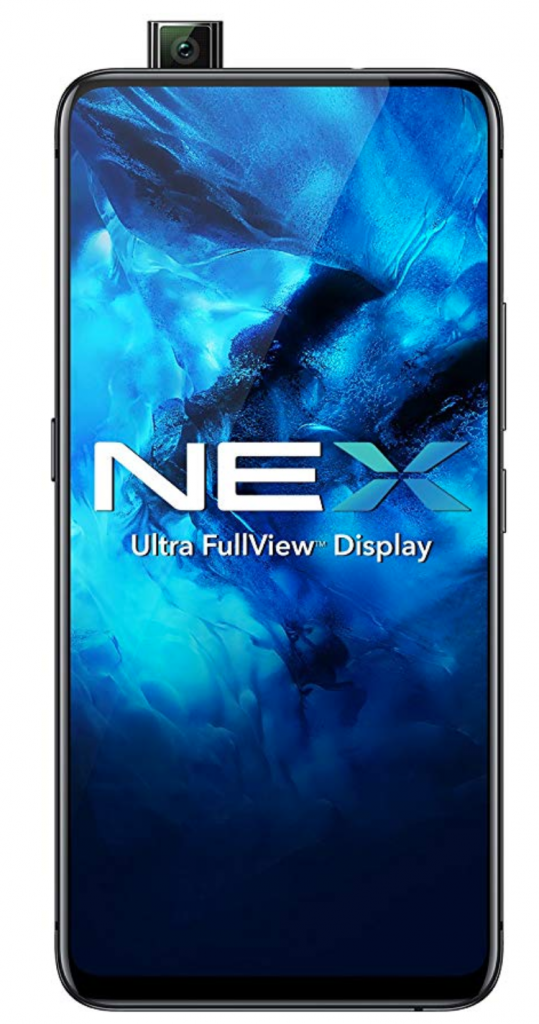
    Vivo NEX 3 has the most stunning display with the right set of cameras and that has caught the eyes of many buyers.

    Vivo Nex 3

    The release date of first Vivo Nex 3, is September 2019. It is compatible with GSM/CDMA/HSPA/EVDO/LTE/5G Technologies.

    This smartphone stands unrivaled in the world market with a massive 6.89-inch Super AMOLED touchscreen that curves on both sides at 90 degrees.

    Vivo Nex 3 Phone has no compartment for side buttons with no holes in it.

    Embedded with a 16MP selfie camera that pops up on the top of the smartphone. Also, with an LED flash, Vivo Nex 3 has enabled all its customers to remain glued to the quality of the picture that it produces.

    This elegantly designed smartphone can feature a video quality of 1080p.

    It has an outstanding feature of the triple camera of 64 MP primary camera, 13 MP wide-angle camera ad 13MP telescopic camera, that effortlessly captures all your memories with ease.

    The Vivo Nex 3 Phone Feels smooth and luxurious on the hands

    This smartphone has a gigantic dimension of 167.4 X 76.1 X 9.4 mm with a built-in glass front and back as well as an aluminum frame. The Vivo Nex 3 has been built with a Qualcomm snapdragon 855 plus chipset, with an octa-core processor and Adreno 640 GPU that promises power beyond imagination.

    This allows the user to play games without worrying too much about the power or charge of the phone.

    This smartphone runs on the Android v9.0 (Pie) operating system that efficiently runs all its programs in the background.

    Unfortunately, Vivo Nex 3 Phone has some disadvantages that we noticed.

    This exquisitely designed smartphone has got some water-resistant properties but still has to be carefully handled. Though this smartphone comes with a fingerprint sensor, it has got no face-unlocking features.

    Price of this smartphone heftily, which may downside for a lot of people. Also, the phone is bulky and feels uncomfortable on hands. It has got no stereo speakers.

    Overall, In our opinion,  This phone can be termed as a next-generation smartphone with all its premium qualities and features.

    The phone has unique software that provides multiple sensor algorithms. It allows multi-tasking, and this is possible only because of Vivo’s intelligent turbo wires and technologies.

    Battery

    This Phone has a capacity of 4500 mAH battery that allows long working hours without any hindrance to the work-life balance. Also, this smartphone also comes with a fast charger that guarantees quick charging during an emergency.

    It does not allow heat to hold for a long time as it is embedded with a vapor chamber that promises to distribute the heat all over the phone as we all know cooled-down is smooth. Nex 3 will never cease to amaze you with all its features.

    The Vivo Nex 3 comes with all the features which you will want in any modern smartphone and has been well designed. It is one of those smartphones which is true to its flagship and promises an 8GB RAM and 256GB internal memory.

  • Best Adventure Games For Android 2019

    Best Adventure Games For Android 2019

    The most popular genre for games on Android is an adventure. The youngsters today like to test their skills, solve mysteries, and engage in popular characters and stories in their gaming sessions. Always keen and upfront for any adventure do, the younger generations today find it in the very Android smartphones.

    best adventure games for Android

    From the galley of games that are available on the Android Play Store, it is somewhat challenging to pick a few. But we have reviewed a few of the best adventure games for Android as rated by users and gamers.

    Let’s jump right in-

    #1 Crashlands

    Extremely popular among youngsters, Crashlands has been rated as one of the best adventure games for Android in 2016. It is one of the great adventure games, which can be played both on PC and mobile. With tons of elements in it, the main character crashes into an alien planet. And here it begins.

    #2 Evoland 2

    Evoland 2 is not just an adventure game but a mix of several genres. The game throws new eras and challenges to the player for a thrilling and enjoyable experience. From 2D RPG, trading cards to 3D fighters, this game has it all.

    #3 Another Eden

    Another Eden is a popular Japanese role-playing game that is free for play on the app store. Unlike other games, it does not have a progressing story kind of elements but has multiple crucial adventurous entry points for the gamers. It indeed takes you back to the 1990s and 2000s of the JRPG.

    #4 Grand Mountain Adventure

    One of the newest addition to the lot, the Grand Mountain Adventure game is a skiing game that comes with racing and exploration elements in it. Whether you want to ski and check out the sights around or beat the timer, it’s all up to you.

    #5 Monument Valley 1 and 2

    The Mountain Valley adventure game offers more of a puzzle adventure gaming experience. With optical illusions and fun stories, the game progresses toward more difficult missions. It has both free and paid versions.

    #6 Old School RuneScape

    The Old School RuneScape is a massively popular role-playing game. Just like most old school games, this too gets you to complete missions, run around, trade, and master skills over time. It allows for both solo and team gaming experiences. It comes in three versions of which one is free.

    #7 Pokemon Go

    Who does not like Pokemon? Taking you back to the golden days, the Pokemon Go is indeed an ambitious, adventurous game. Players are open in a world to wander and catch Pokemon, collect items, trade them, and battle. It is an expanding genre with lots of adventure in it.

    Almost all of the above games are rated the best adventure game for Android at some point. Be it arcade, puzzles, action, or horror, and adventure games never disappoint the gamers

  • The Elder Scrolls: Blades Android Game

    The Elder Scrolls: Blades Android Game

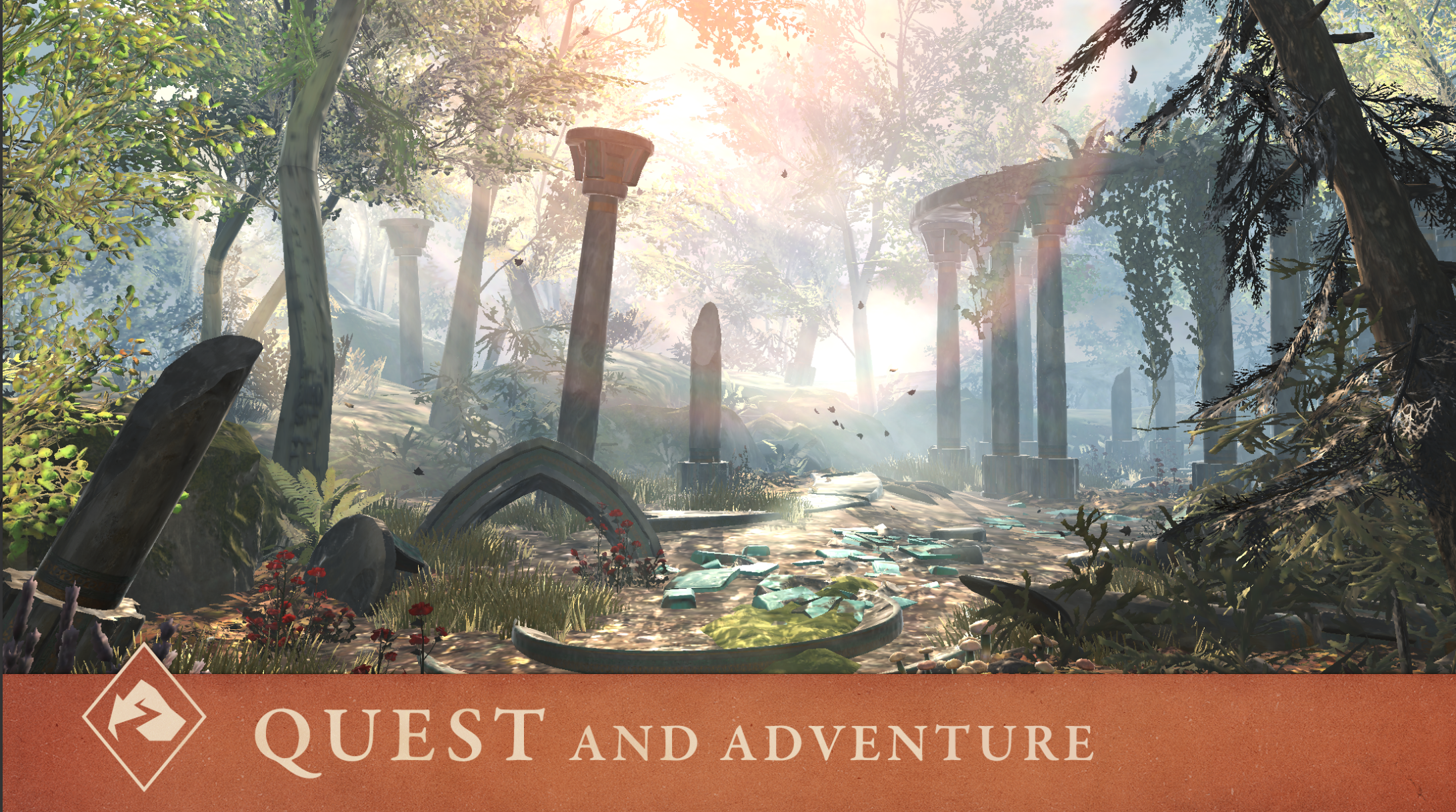
    The Elder Scrolls: Blades, the first Elder Scrolls game made for mobile, was first revealed Bethesda’s 2018 E3 showcase. The beta version has been available on both iOS and Android for a while now. Some players have already completed the quests and maxed out their characters.

    Fans are happy since Bethesda has delivered on its promise of a first-person RPG Elder Scrolls game that boasts console-quality graphics on that you can play on your phone. However, the combat is repetitive, and your progress has a stark reliance on in-app purchases.

    The Elder Scrolls: Blades Android Game

    The most recent update has addressed some of the most significant issues that hold the player back, including the removal of loot chests that were time-locked and the introduction of proper multiplayer features.

    If you’re an Elder Scrolls fan, now’s a great time to dive in and see what the game has to offer.

    The Elder Scrolls: Blades – Overview

    ‘Blades’ in the title of the game refers to the Imperial empire’s secret service, and in the game, you play a Blade agent who returns to their hometown only to find it burnt down to rubble.

    Part of the quest of the game is learning what destroyed your town, rebuild statues and buildings to restore the town’s original glory, and attract townsfolk who fled during the chaos back to the town.

    Your adventure in TES: Blades will include many quests and side jobs where you battle with goblins, skeletons, and other enemies of all kinds that Elder Scrolls fans will surely recognize and appreciate.

    If you own a newer phone like the Samsung Galaxy S10, the free-to-play game should run just fine even though Bethesda hasn’t added the phone to the official supported list yet.

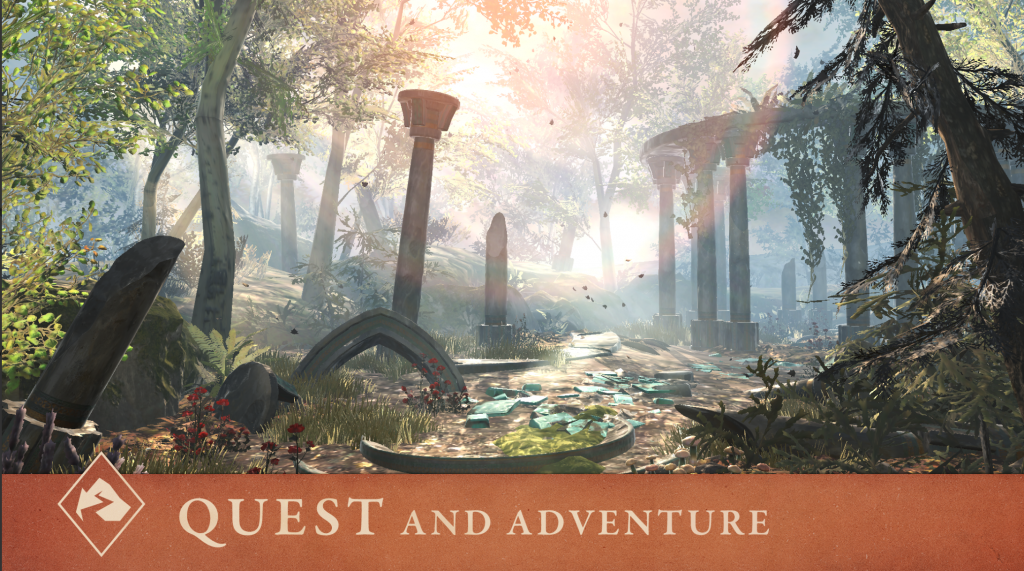
    The game itself runs well on all the devices we’ve tested it out. Also, it looks fantastic for a smartphone game. The game’s combat system is simple enough to play with one hand for hack and slash warriors.

    However, there are also magic skill trees to unlock and upgrade for those who prefer sorcery over brawn. The combat does feel repetitive at the start; however, it facilitates learning how to block attacks and link combos that will help beat tougher quests.

    A significant portion of the game is dedicated to city building, which makes use of all the gold and supplies. You can collect it when you complete quests to rebuild your town. You’ll spend the loot you collect from chests and quests to build new buildings, fun decorations, and more. Also, you can buy gems with in-app purchases and buy a whole new town.

    In the latest update, the developers have removed the controversial time-based chest system, enabling players to collect more loot with less waiting.

    Besides the quests and side jobs, there is also an ‘Abyss mode’ where you spawn in an endless, procedurally-created dungeon that you must battle your way through and collect loot and XP along the way.

    There are no secret chests or health power-ups in this mode. Therefore, your character is pushed to the limit. It is a great place to practice and level-up before you head to the Arena, which is unlocked at level 5.

  • The Best Workout Apps In 2020

    The Best Workout Apps In 2020

    Regardless of if you’re trying to gain muscle, lose weight, or exercise more consistently, it is great to have an application handy to guide you through your workouts and keep track of your progress.
    The Best Workout Apps In 2020

    Apps help you stay on track, just like a trainer would, and keep count of your reps. Seeing the numbers go up on the app can be super motivating.

    Fitness apps help you by reminding you of your goals and continually prompting you to follow through on them.

    A few nudges in the right direction make all the difference. Here is a list of seven of the best workout apps in 2020. These apps can are available for download on both Android and iOS phones.

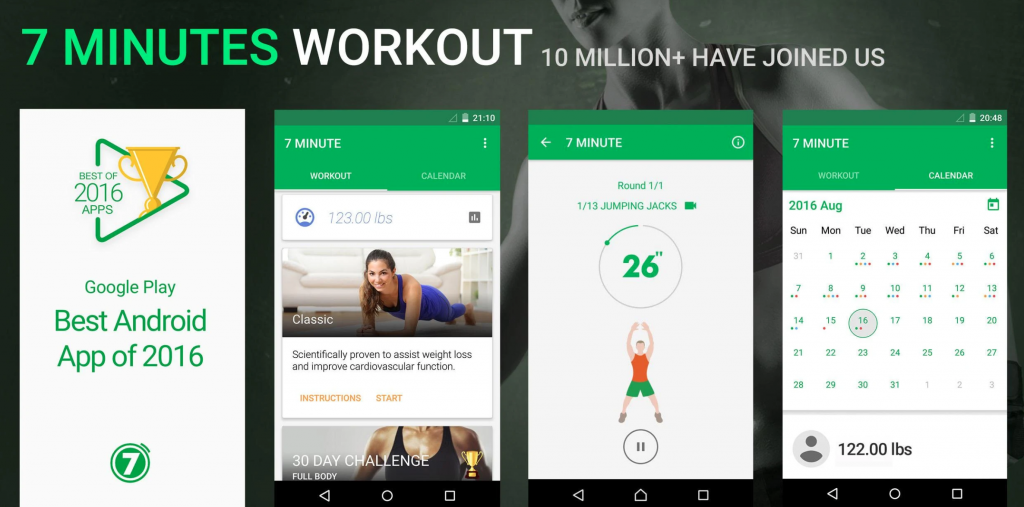
    #1 7 Minute Workout

    The 7 Minute Workout app is perfect for those with busy schedules. The app features a simple interface that offers three workouts right on the home screen.

    • Basic workout
    • Seven-minute workout focused on abs
    • The seven-minute high-intensity sweat session

    The app also provides helpful pre-workout demonstrations and manageable time limits for each workout session. It is priced well, especially for the unique features it offers.

    If you have a work schedule that doesn’t leave much time for the gym, or you travel a lot, or you’re a beginner that wants to set small goals, this app is perfect for you.

    #2 JEFIT Workout Gym Log

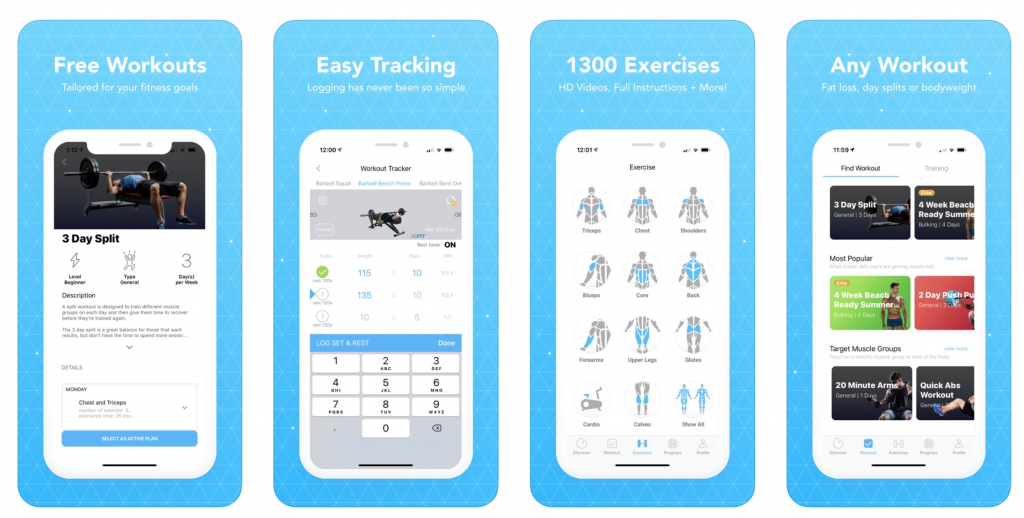
    JEFIT is available on both mobile phones accessible as a web-based app. This Google Play Editor’s Choice pick is ideal for those who struggle to stay on track during their fitness journey.
    JEFIT Workout Gym Log

    The app lets you create custom weight-training sessions and keep track of your workouts with friends, which is excellent since scientifically-backed tenets of peer support and progress monitoring keep you motivated.

    The app will record your workout step by step, and time your breaks for you, which is an especially useful feature since you will pause between sets during weight training.

    The data is automatically sent to the JEFIT server, where it is analyzed for insights into your workouts, which is a fun feature for those who like breaking down the nitty-gritty elements of their workouts into real data.

    The JEFIT app is the perfect fit for those with a competitive streak who likes encouraging their pals.

    #3 PEAR Personal Fitness Coach

    The PEAR Personal Fitness Coach app a lot more than just an activity tracker and calorie counter.
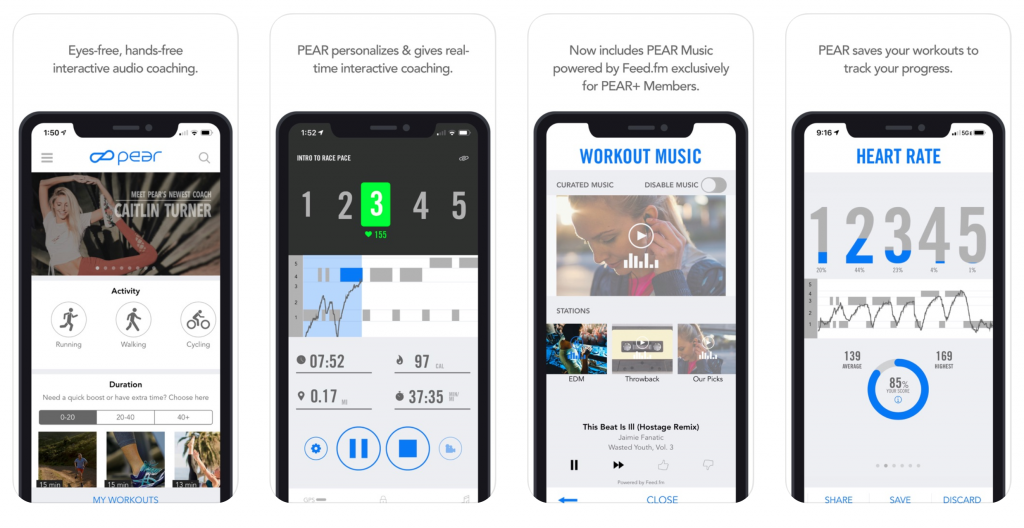
    PEAR Personal Fitness Coach- Best Workout App

    PEAR integrates with other health apps like My Fitness Coach and collects data from your smartwatch/smartphone to tailor a personalized workout based on insights from the data. It adjusts your workouts for maximum efficiency as your outputs change, too.

    One of the best things about PEAR is that you won’t just be listening to an automated voice from the in-ear system. PEAR’s set of trainers includes Olympians, professional athletes, and record holders from across the world.

    The app integrates with many wireless headphones, so you can enjoy full freedom of movement as you work out.

    #4 Sworkit

    Sworkit is a fan favorite on both Google Play and the App Store because of its flexible offerings.

    You can select a goal from strength, yoga, cardio or stretching categories, or even pick from the list of curated classes for monthly challenges for different skill levels, from specific trainers.

    All you need to do is punch in the amount of time you have to work out, and Sworkit will automatically create a workout for you.
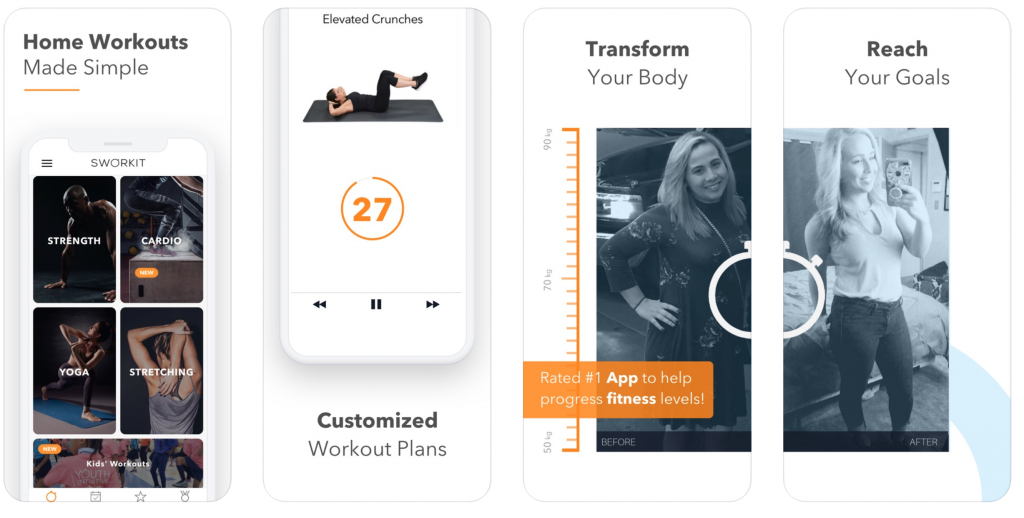
    Sworkit

    The app has a variety of classes and gradually increases your workload, making it an excellent choice for beginners looking to try different exercises.

    Furthermore, with this app, you don’t need a gym membership or any equipment – leaving you with no excuse for not getting in shape.

    With the massive variety of workouts on your fingertips, you won’t feel like boring and can even privately message the trainers on the app trainers with questions or concerns.

    #5 YogaGlo

    YogaGlo is one of the excellent workout apps for newbies trying to nail the tree pose, or for more advanced students who are ready to try new poses.

    It offers curated classes daily to meet your needs – whether it’s stress reduction, improved sleep, or general strength training.
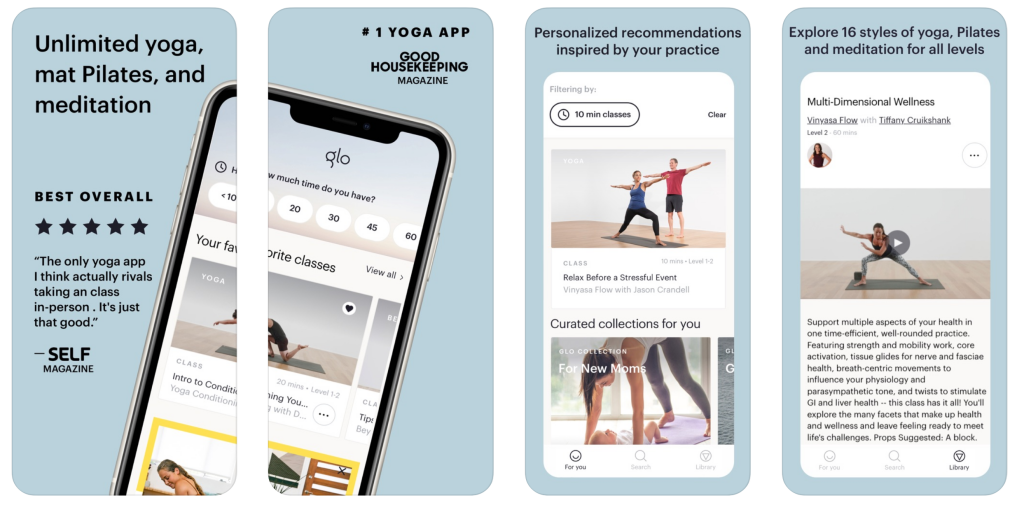
    Yoga Best Workout App

    The app boasts highly customizable sessions, and you can download classes for when you’re traveling.

    Customer service on this app is excellent, and it also works with smartwatches, making it easy to collect fitness data and track your growth.

    #6 Daily Workouts Fitness Trainer

    Daily Workouts Fitness Trainer is a reliable free option for someone trying to get into a daily workout routine.
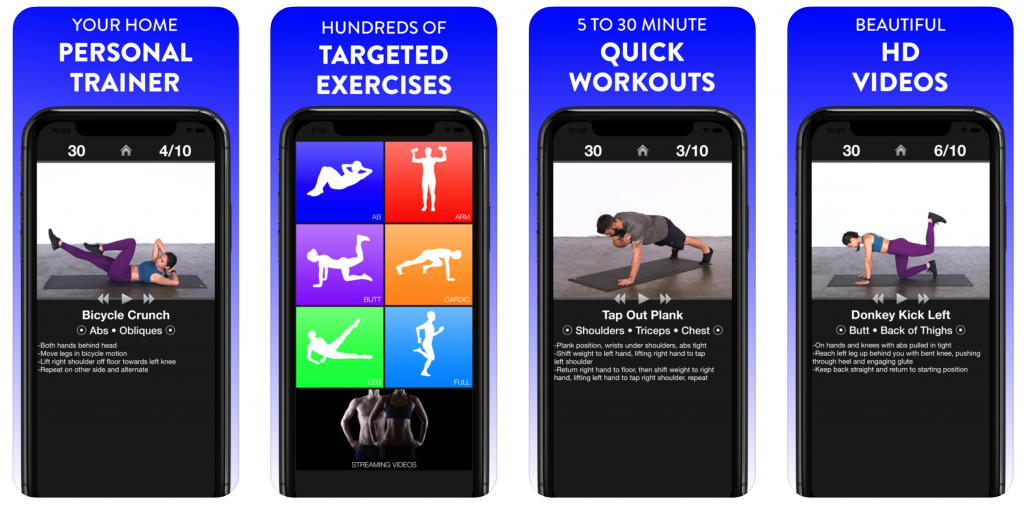
    Daily Workouts Fitness Trainer

    It offers sessions curated for men and women, ranging from five to 30 minutes. All the workouts can be done at home, so you don’t have to get a gym membership separately.

    The app has been developed by a certified personal trainer who will guide you through randomized workouts that are crafted from a massive set of more than 95 moves.

    The app furnishes workouts that strike a great balance between being easy and difficult free of cost.

    #7 My Fitness Pal

    The My Fitness Pal app has been the critic’s choice for a while.
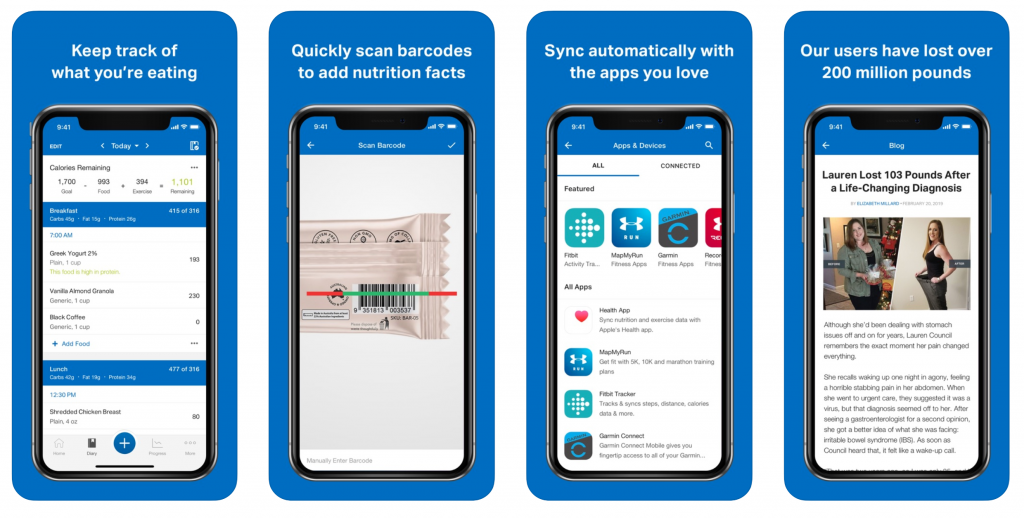
    My Fitness Pal

    It has become the go-to fitness app since it does it all: it logs exercise stats and records calorie intake, helps you change your habits to meet personal health goals, and offers customizability for each of its assets.

    Also, it integrates with more than 50 apps and devices, which helps sync all your workouts, regardless of what device you use.

    It boasts a library of over 350 cardio and strength workout sessions.

    My Fitness Pal also has a massive food database of more than six million foods, including a restaurant logger that will guarantee that no-calorie goes uncounted when you go out to eat.

    Diet and mental health are just as important as working out is. The primary objective to work out should be to become healthier and happier, not lose weight or gain mass.

    Bottom Line

    You can use Fooducate for keeping track of your diet, and Headspace for meditating and keeping your mind clear. The workout apps on this list cover the whole gamut of workout styles and should assist you on your fitness journey.

  • 15 Best Photo Editing Apps for Android for 2020

    15 Best Photo Editing Apps for Android for 2020

    I can understand the pain that comes with taking hundreds of photos, none of which turns out to be any good. But do you know what is a good remedy? Instead of trying to achieve that perfect click, maybe we should just devote ourselves to photo editing apps. There are some excellent options out there that make life easier for us. The photo editing apps that we will discuss here are all Android-friendly ones, with some of them having an iOS version as well.

    #1 PicsArt Photo Studio

    This is one of the most comprehensive Android photo editing apps out there. It features a collage maker, camera, and tons of different tools. It is completely free to download and use. However, you may need to purchase the premium version if you want specific features. The collage maker offers hundreds of free templates while the Cutout Tool lets you create and share custom stickers. The PicsArt’s tools allow its users to add text on images, clone, stretch, crop, and do much more.

    Best Photo Editing Apps: PicsArt Photo Studio
    Best Photo Editor Apps: PicsArt Photo Studio

    #2 Camera360

    Camera 360 features a user-friendly interface and is one of the better apps out there for photo editing. It is very easy to find your way around here. You will find more than a hundred exquisite filters. In addition to this Camera 360 also offers 3D Funny Stickers and regular stickers. The app also has a real-time makeup beauty camera that can beautify the images in no time.

    #3 AirBrush

    This photo editing app comes with many different features, such as awesome filters and user-friendly tools. Thanks to the number of tools at your disposal here, you will not find it hard at all to edit your pictures. The app allows you to remove pimples and spots using its blemish remover feature. You can also whiten your teeth, make your skin look flawless, and do so much more with AirBrush. It also has real-time editing technology and lets the users retouch pictures.

    AirBrush
    AirBrush

    #4 Flickr

    Flickr is a photo editor app that can also be used for uploading and sharing pictures. Users can modify images by adding frames, filters, and more. They can also use the tools offered here to crop, rotate, and reshape the images. Its interface is neat and user-friendly.

    #5 Photoshop Express

    The Photoshop Express boasts of a simple interface with intricate features. You will find all the necessary features, such as rotating, flipping photos, cropping, and resizing the image. The app is completely free. However, for more advanced features, you will have to sign in using an Adobe ID. The app offers 15 borders and frames, ability to add text on the image, use filters, and more.

    Photoshop Express
    Photoshop Express

    #6 PhotoGrid

    You can use this app to remix your clicks and share your photos on your social media account. Users would be able to add filters, use stickers, and choose from over 300 collage templates. You will even be able to customize the templates. In addition to using graffiti, texts, and stickers, you will be able to edit your picture’s brightness, contrast, and other details. The facial recognition tech here will help decrease wrinkles and blemishes.

    #7 Pixlr 

    Previously called Pixlr Express, it is a dynamic app featuring Colour Splash and Focal Blur options. There are tons of options for adding effects. You can add texts, change the background, resize the image, and do plenty more.

    #8 Photo Lab

    Photo Lab is an Android application that is designed to make your photos stand out. With over 900 effects, dozens of different frames, and tons of filters, you are sure to have a good time using this app. With the Face Photo Montage feature, users will be able to swap their face and work out some tricks. Another blessing is that the interface is quite simple and pretty intuitive, making it easy to understand and use.

    #9 PicLab

    PicLab is a convenient editor app that offers users to add text in dozens of different ways, use filters, adjust opacity, and let your creativity flow with the drawing tool. You will also be able to have fun with the stickers and frame. As always, you can adjust the brightness, saturation, blur, contrast, and more.

    Photo Editing Apps PicLab
    PicLab

    #10 PhotoDirector

    This is another Android photo editing app with an intuitive interface and contains all the basic features. You will notice that it has an in-app camera that can be used for live photo effects. You will also be able to edit and share your photos on social media. The app offers photo effects, HDR effects, colour editing features, and other usual options like cropping, increasing brightness, adding text, and so on.

    #11 YouCam Perfect

    As the name suggests, YouCam Perfect ensures your photos emerge flawlessly after editing. You will be able to beautify the photos, add collages, frames, edit it, and do a lot more. Popular features include Eye Bag Remover, smile feature, magic brush, and so many others. You can also reshape your face, add contours, smoothen skin, and more.

    #12 Retrica

    This app is an excellent option for taking selfies and personalizing pictures. You can make use of their attractive filters, create collages, and use the stickers as well. In addition to this, you can also create video pop-ups and upload your selfies to any social media platform.

    Retrica
    Retrica

    #13 BeautyPlus

    This is one of the more popular Android photo editing apps out there. The reason is that the developers have worked closely with makeup artists and photographers to create this app. The app removes blemishes, dark circles, whitens teeth, and adds a radiant complexion. Besides these features, you will find all the regular editing tools as well at BeautyPlus.

    #14 TouchRetouch

    The app is slightly different from the other apps on this list. While you cannot make any major adjustments, you will be able to remove the elements that disturb the picture. The app is not free. You can make people or things in the background disappear using the Blemish Remover. There are plenty of other stunning features here as well.

    #15 Snapseed

    Snapseed is a powerful editing app is completely free. It offers tons of filters, ability to precisely tune the image, add texts, adjust the colour, and do so much more. As an added advantage, it is incredibly easy to use.

    There you go! 

  • The Most Popular Apps For Teenagers

    The Most Popular Apps For Teenagers

    With so many apps readily available to download on phones and computers, and new ones popping up every day, it can be challenging to keep track of which apps your kids are using. Here is a list of the most popular apps for teens right now, along with what you need to know about each app.

    Messaging Apps

    Parents always worry about the messaging apps on their kid’s phones, since any messaging app lead to inappropriate conversations, and raises the risk of exposure to predatory and improper behaviour. Here is a list of some of the most popular messaging apps, and what parents need to know about each of them:

    #1 Kik

    • Kik is super popular – reportedly used by 33% of American teens aged 13-17.
    • Kik has been in the news a few times, because of cases involving online predators.
    • The company that develops Kik offers a safety guide for parents.
    Kik
    Kik

    #2 WhatsApp

    • WhatsApp was one of the top-ranked apps on Apple’s list of the most popular apps in 2018.
    • Children over 13 can use this app.
    • Users can send unlimited messages and photos on WhatsApp without worrying about data limits.
    • Users can also share their locations and contacts while messaging – but this feature can be turned off.
    WhatsApp: Popular Apps
    WhatsApp: Popular Apps

    #3 Telegram

    • With Telegram, users can send texts, images, and videos.
    • Users must be aged 16 and above.
    • Users can send secret messages and use X-rated stickers and plug-ins.
    Telegram
    Telegram

    Anonymous Messaging Apps

    Apps that facilitate anonymous texting can lead to cyberbullying. Some of the most used anonymous messaging apps are:

    #1 Tellonym

    • The app has over 10 million users.
    • Children aged 13 and up can use the app; however, anyone under 15 must get permission from their parents.
    • Tellonym claims that it monitors the chats for inappropriate content. They also have a section on their site about safety concerns.
    • Several schools have warned parents about cyberbullying connected with the app in England.
    • Users can block messages from people who are not registered in the app.
    Tellonym
    Tellonym

    #2 Lipsi

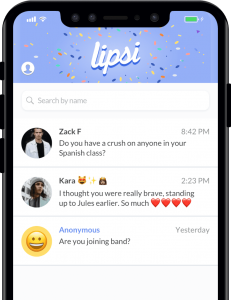
    • Users must be at least 17 years old.
    • Lipsi encourages users to leave their Lipsi link in their Instagram bio so that they can receive anonymous feedback about their posts.
    • All users can easily erase chat history.
    Lipsi: Popular Apps
    Lipsi: Popular Apps

    Live Video Chatting Apps

    Live video apps often raise concerns about the child’s privacy and the potential for exposure to inappropriate content and interaction with predators. These are some of the most widely used live video chatting apps:

    #1 Holla

    • The app allows users to engage in live video chats with strangers.
    • Several users complain about users performing sexual activities during chats.
    Holla
    Holla

    #2 Houseparty

    • Houseparty is a group video chat service and is reportedly the fourth most downloaded app on the App store.
    • 60% of its users are under 24.
    • Chats are not monitored – which raises the risk of your kids being exposed to inappropriate content.
    • Users can only add friends from Facebook or people in their contact list.
    • Houseparty has an option to add people nearby based on location, but it can be disabled.
    • The privacy settings can be configured to reduce the risk of strangers joining a chat.
    Houseparty: Popular Apps
    Houseparty: Popular Apps

    Entertainment apps

    Entertainment apps can expose children to inappropriate content and potentially lead to interaction with strangers. Some of the most popular entertainment apps are:

    #1 YouTube

    • According to a Pew Research Center study from 2018, YouTube is the world’s most popular internet platform, with 85% of teens aged 13-17 using it.
    • The company recently reiterated its policies, prohibiting harmful content.
    • Past efforts to ban inappropriate content have been unsuccessful. Inappropriate content has even managed slipped through YouTube Kids – an app specifically designed for use by children.
    YouTube
    YouTube

    #2 Zepeto

    • Zepeto is a fast-growing app that allows users to create animated versions of themselves and interact with other users in a chatroom.
    • It allows users to interact with strangers using an anonymous follow function. Users can also message each other directly.
    • The app has a ton of ads. Users may feel pressured to make purchases to get more likes and followers.
    Zepeto
    Zepeto

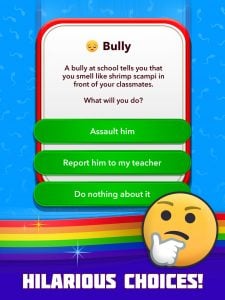
    #3 BitLife

    • BitLife is a text-based, life simulator app.
    • Users must make adult choices – for instance, whether to have a one-night stand or use drugs.
    • Teens under 17 should not use this app.
    BitLife
    BitLife

    #4 Discord

    • Discord is a text and voice chatting tool for gamers.
    • It has over 100 million users.
    • Some users discuss games meant for older teens and adults; hence there is a high risk of your child accessing age-inappropriate content.
    • Users can direct message each other, so there is the potential for interactions with strangers.
    Discord
    Discord

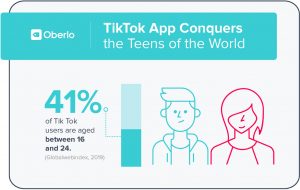
    #5 TikTok

    • TikTok is the new Musical.ly – the two companies merged in 2018.
    • The app has over 80 million users. It was also one of the top-ranked apps on Apple’s list of the most popular apps in 2018.
    • TikTok was in the news because teen users were receiving inappropriate messages from other users.
    • Accounts are public by default. If the account isn’t private, anyone can contact the user directly.
    • There is some explicit content on the platform, but a restricted mode helps filter it out.
    TikTok: Popular Apps
    TikTok: Popular Apps

    Photo-Sharing Apps

    There is a high risk of exposure to inappropriate content on photo-sharing apps.

    #1 Snapchat

    • The same Pew study from earlier revealed that 69% of teens aged 13-17 use Snapchat more than any other app.
    • The app has been in the news frequently, for instances of predator encounters and users self-harming as a result.
    • One of the most alarming features of the app is its “Discover” feature, which enables individuals and companies to create their own channels.
    • Some of the channels are age-gated, and users must say they’re at least 18 to access the sometimes-explicit content.
    Instagram: Popular Apps
    Instagram: Popular Apps

    #2 Instagram

    • This photo- and video-sharing app is the second most popular app for teens aged between 13-17.
    • Teens often set up alternative accounts on Instagram to post photos they don’t want their regular followers (such as parents) to see.
    Snapchat
    Snapchat

    Knowing what apps your child uses is the first step to ensure they’re safe online.

  • TikTok Safety – What Parents Need To Know

    TikTok Safety – What Parents Need To Know

    Social media is great – it helps you stay connected with loved ones near and far and keeps you in the loop about world events. When it comes to a child’s activity on social media, parent supervision is a must. However, there are too many social media apps to count, and keeping track of your child’s activity on each one can be difficult. TikTok is the new ‘happening’ platform that helps create and share short videos.

    Overall, parents do not need to be worried about their child’s activity on TikTok, since most TikTok videos are harmless and creative. They’re both fun to make and watch. Keeping a close eye on your child’s activity is still as crucial as ever. Fortunately, it is easy to monitor your child’s activity on TikTok and take control of what content they can and cannot see. This post will answer all your questions and concerns about TikTok and also help you ensure your child’s safety on the platform.

    Is TikTok safe?

    Using any social network is a little risky, but it’s possible for kids to safely use TikTok with adult supervision (and a private account). When your child signs up for TikTok, the account is public by default – which means anyone can see the videos they post, send them direct messages, and see their location information.

    TikTok
    TikTok

    You must ensure that you turn on all the privacy settings on the account your child is using, so only people you know can message them and interact with the videos your child may post. You can do this by either turning the account into a private account or changing the settings for duets, comments, reactions, and messages from “Everyone” to “Friends.” You can also turn these features off completely.

    How does TikTok work?

    TikTok users sign up with an email address, a phone number, or a Facebook or Instagram account. Once logged in, users can search for videos by category or hashtags, or follow popular creators. The user can also use the list of social media followers or phone contacts to find friends that are already using the app. Many kids like to create videos, but other kids use the app to follow content creators and don’t post any videos themselves.

    Is TikTok appropriate for children?

    Because of the platforms’ emphasis on popular music, many videos on the app include swearing and sexual lyrics. The app is not age-appropriate for kids to use on their own. It is also easy to find people wearing revealing clothing and dancing suggestively. TikTok won’t let users search for objectionable content, so if you supervise your kids and stick to songs you already know, TikTok can be a kid-friendly experience.

    TikTok Safety
    TikTok Safety

    In 2019, after settling with the FTC for child privacy violations (children under 13 could freely sign up), the developers created a separate section on the app for kids that only allows them to access curated, clean videos.

    In this section, the child cannot comment, search, or post videos. However, bypassing this section is easy and requires entering a false birthdate. As long as you supervise your child, they should have a clean experience. You must also keep in mind that it is possible to spend real money in the app by adding virtual coins to your wallet.

    How to make a TikTok account private

    • Go to the profile page and tap on the three-dot icon in the top-right corner.
    • Here, select “Privacy and Safety.”
    • Next, toggle “Private Account.”

    You can also choose who can comment on the videos and send direct messages, and who can do a duet using the “Friends” setting. You can also turn these features off entire and limit contact with strangers.

    How to restrict your child’s activity on TikTok

    TikTok universally blocks certain search terms on their app, and the app also furnishes a Digital Wellbeing section to help parents limit the time spent on the app and restrict the appearance of inappropriate content.

    To turn these features on:

    • Tap on the three dots at the top-right corner of your user profile.
    • Next, tap on the “Digital Wellbeing” option.

    A four-digit passcode protects these features, so the child cannot change any settings.

    How to delete a TikTok video

    To delete a TikTok video posted to your child’s account, tap on the video you want to remove from the profile.

    Next, tap on the “…” icon in the bottom-right corner and tap on the trash can icon or the “Delete” button.

    You must then confirm if you want to delete the video. When you confirm, the video will be removed from the profile.

    How to delete a TikTok account

    • Open the app and go to the profile. Then tap on the “…” icon in the top-right corner.
    • Select the “Manage My Account” option, and from here, you must add a phone number if you haven’t already.
    • You will receive a text on the phone number provided to verify the account.
    • After adding the phone number, scroll to the bottom of the “Manage My Account” menu and tap on “Thinking of removing your account?”.
    • A new page will appear, prompting you to enter a verification code. Tap on the “Send Code” option, and you will receive a message with a verification code.
    • Type in the verification code and tap on “Continue.”
    • You will see a list of the data that will be deleted with the account. Tap on “Continue” once again to confirm that you want to delete the account, and then tap on “Delete Account.”

    Your child can use TikTok as long as you create a buffer between the child and the content they consume.

    You can also use the app with your child by dueting with them.

    Basic parental controls exist and limit your child’s activity to a certain extent – which should do the trick for children over the age of 13.

    However, if your child is little, you must keep a close eye on their online activity.

    If you feel uncomfortable with your child using the app, you can delete the app by following the steps above.

    Overall though, TikTok is safe and fun to use – making it an app both children and adults can enjoy.


  • Google Duo Doesn’t Require A Phone Number Anymore

    Google Duo Doesn’t Require A Phone Number Anymore

    Google recently rolled out a significant change to its Duo video calling service. Now, you will no longer need a phone number to make calls. Users would be able to make and receive calls from the web. No need to link Duo to a phone number. Since the feature was rolled out silently, the exact date of the update is not known, but if you check the service out, you will notice that the feature is already live. However, it still needs more work since it doesn’t work with G Suite accounts. This makes receiving calls a bit difficult although you will be able to make calls easily.

    Google Duo
    Google Duo

    If you make your way to duo.google.com on a non-G Suite account that is not linked with a phone number, you will see that you are directed to the main site instead of being asked to add and link a number to continue. At the main site, you will be able to search your Google contacts and place audio and video calls. There is no change in procedure for placing calls and the whole thing works just as it would have had you linked your number.

    Email-only Duo Accounts

    Without announcing the new change or feature, Google went right ahead. It is now possible to make calls on the web with Duo. There is no need whatsoever to link your phone number before you do. You will be able to make calls regardless of your email address. On the other hand, you will be able to receive calls only if a standard Google Duo account makes the call to a Duo-linked email address. One trouble here is that since these email-only Duo accounts don’t have corresponding phone numbers attached, there is no way you can search for them. You will only be able to make the call if they show up in your notifications if you called them recently or if they show up on your recent call history.

    Google Duo Calling
    Google Duo Calling

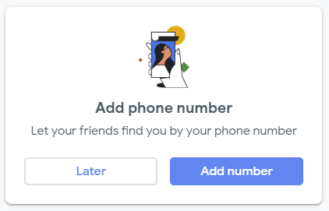
    Of course, if you are going the email-only way, you will have to make peace with the constant pop-ups that show up, asking you to add your phone number. If you do, your family and friends would be able to locate you more easily. If you use a G-Suite account, you will not be able to make use of this feature. You will only be able to enjoy the Duo service by using your phone number and continuing.

    Mobile Version of Duo

    Naturally, Google must have been planning this for quite some time. The fact that this feature was introduced with no promotion whatsoever is a surprise. As of now, the change can be seen on Google Duo on the web. However, the support pages have not yet been updated. They still mention that Duo can only be used when a phone number is associated with your account. So far, there has been no update of whether the mobile version of Duo will also receive the change. The update can only be seen on the website.

  • Spotify Swaps Like Button For Album Art In The Mini Player

    Spotify Swaps Like Button For Album Art In The Mini Player

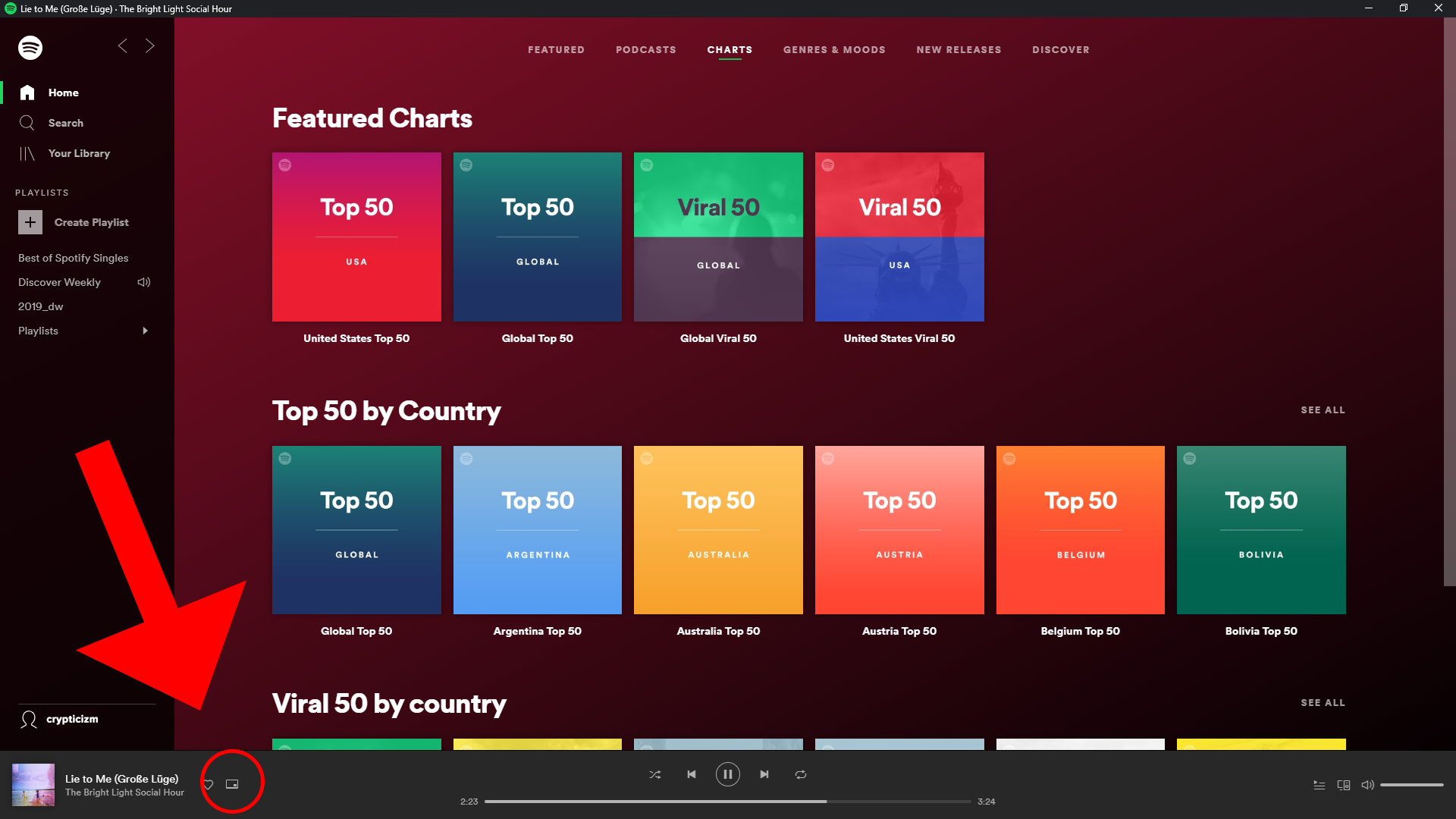
    Spotify loves making changes to its app. In a recent server-side test, they replaced the like button in the mini player with the song’s album art. While it looks amazing, there is a loss of function here with this change. While this may look like a tiny change with little to no consequences, it does cost us a bit. The recently changed interface by Spotify has not made the users very happy. The latest update is all about the change of the positions of some buttons. Since most of them were useful, it makes the layout more difficult to use.

    Spotify Album Art
    Spotify Album Art

    Out of all the streaming subscriptions out there, Spotify has become well known due to its ability to predict what you would like to play next. It does this by analysing the music for which you give likes. This means Spotify will find it much harder to understand what you want to play without the necessary heart songs. Of course, there are other ways to heart a song. For instance, using the full media player and hearting it from there. However, this means going around and doing more work on what could have easily been achieved then and there. In this era where companies are working to make devices as straightforward and usable as possible, users balk at the idea of complex workflows or long processes.

    In Detail

    In the last update, Spotify changed the places of “Repeat” and “Go to queue” buttons into the sub-menu. The sharing button has made its way into the now-vacant place. Before this happened, the more useful “Repeat” and “Go to queue” buttons were right there where we want them. Now, we would have to go to the three-dot menu located on a corner of the screen. Besides being at their old place, the share button can also be seen as part of the song’s “Now playing” screen and also in the sub-menu as well. Users believe that there is absolutely no reason for this UI change. It does not make a lot of sense. It invariably makes life harder. Many users have expressed their not-so-happy opinion on social media platforms, such as Facebook, Twitter, and Reddit.

    Spotify
    Spotify

    Which UI?

    Spotify is currently working on testing different versions of the mini player. While the album art is located on the left, the like button shows up near the pause/play button on the right. So far, it is still in the early stages and there is no word on which UI they are going to choose. The change might not become permanent or be rolled out widely. In the iOS version, this is how things have been for the last few months. Looking at the feedback of the users, maybe the developers would get things back to normal or maybe find a middle ground to keep everyone happy.

    Users are doing their bit by requesting Spotify to go back to its original UI. Many mention that the extra step is annoying and totally insensible. Spotify has not spoken about this yet.