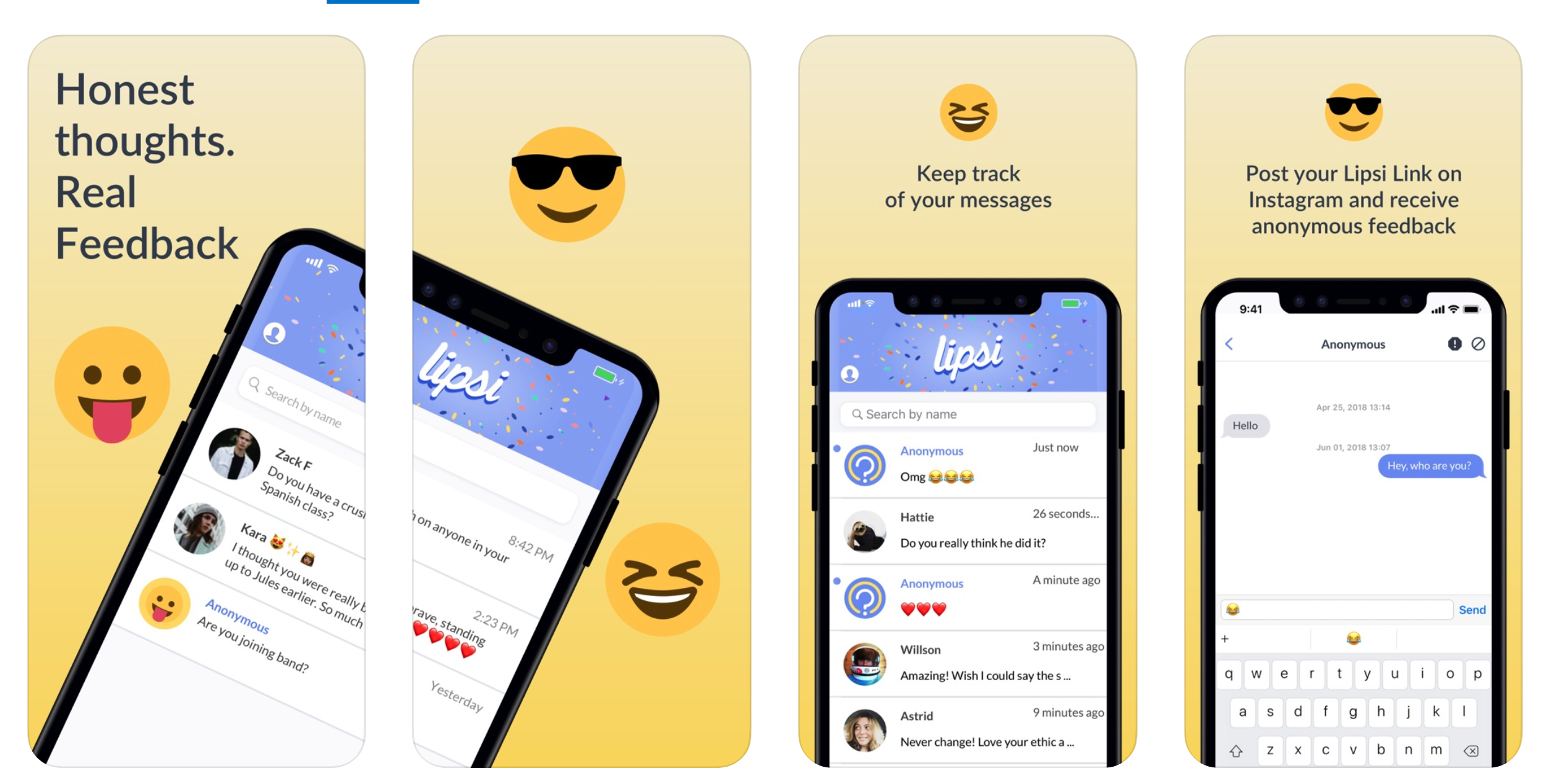
A new messaging app called Lipsi is quickly climbing to the top of the App Store’s charts. Lipsi is an anonymous messaging app available for both iPhones and Android phones that lets you receive and send messages without revealing your identity. You can use it to get anonymous feedback and even compliments by plugging the link on your social media bios.
What makes Lipsi unique is that it’s a location-based messaging app – meaning, anyone withing a 100-yard range can message you anonymously. The app officially launched in late 2017, but recently has started climbing the App Store’s top free apps chart rapidly. At one point, the app was the 16th most popular free app – beating even Pinterest and Twitter! Signing up for and using Lipsi is super easy. In this post, we’ll briefly discuss the features of the app and how you can sign up and use the app.
How To Use Lipsi
It is a location-based anonymous messaging app that enables you to chat with people near you without revealing your identity. In the app’s advertisement, Lipsi is used to compliment someone you see in real life or let them know if they’ve dropped or forgotten an item. Lipsi’s target audience includes people aged between 15 and 25 – primarily those in high school or college. When you first download the Lipsi app, you will need to agree to the app’s terms of use. Obscene, abusive, or sexist content is not allowed on the app, and going against the terms of use will lead to your account being banned.
Lipsi
Lipsi makes the rules clear on several pages in the app – Lipsi does not tolerate offensive behaviour, and it seems that anonymous apps have learned their lesson from popular predecessors like Sarahah and Yik Yak. Both of those apps were reported for cases of bullying and threats. The issue was there was no moderation, and since users were anonymous, there weren’t any repercussions for saying cruel things to other users. The anti-abuse message is echoed when you first sign up for the app, and again before you get started with using the app.
The developers warn the users that if any offensive content is posted on the app from your account, Lipsi will reveal your identity to other users. Post sign-up, there’s not really much else to the app. The main page on Lipsi shows Lipsi users around you. The radius is about 100 yards, and if anyone is using the app within 100 yards, they will pop up on the main page.
To chat with anyone in the 100-yard radius, tap on the pop-up, and a chat box will appear. From here, you can text the person freely.
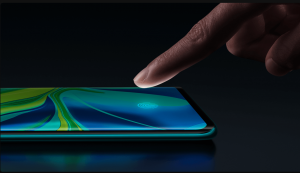
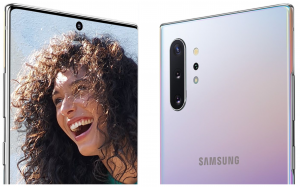
The Mi Note 10 and the Galaxy Note 10 Plus are an odd match-up – comparing a decidedly mid-range phone with a full-fledged flagship does not seem fair. The similarity in their names has nothing to do with the reason we’re comparing the two phones. The upcoming Galaxy S20 will reportedly feature a 108MP primary camera as a part of a multi-module setup – which is a massive upgrade from the 12MP camera setup.
Galaxy Note 10 Plus
A Quick Comparision
Comparing the two phones will give us a clear picture of how much better the cameras on the S20 will be. First things first, the 108MP camera is not nine times better than a 12MP one. Camera systems are complicated – and since the two cameras come from two different generations of sensors, a direct comparison of area, size, or megapixels is not practical. Regardless, getting the numbers out of the way will help.
The 108MP sensor has roughly three times the area of the 12MP sensor. There are 2.25x more pixels on the Xiaomi Mi Note 10‘s camera. When you combine four adjacent pixels into one, the resulting pixel is about 30% larger than the average pixel on the Galaxy phone. Modern mobile camera systems boast not only stellar hardware, but they also make use of cleverly designed software. Multiple photos are stacked seamlessly in the background, which helps reduce noise, enhance dynamic range, and capture better night shots.
Galaxy Note 10 Plus Display
You would guess that a photo by a 108MP camera would be much, much better than a photo captured by a 12MP camera that has been around for several years now. In general, yes, the pictures have more detail; however, the greater detail does not necessarily make the photos better. Let us first look into both the phone’s hardware before drawing any conclusions.
Camera Hardware Overview
Xiaomi’s Mi Note 10 is the first phone to come out with a 108MP primary camera. The camera sensor is an extension of a lineup that comprises of a widely used 48MP model, a 64MP model that’s getting increasingly more popular, and a robust 32MP model primarily utilized in front-facing camera applications. All of these sensors have different sizes, but they work on the same concept – they use a Quad Bayer filter array (and not the Bayer filter).
Mi Note 10 Features
The semantics of why it’s called ‘Quad’ are a bit murky; however, the essence of it is that the filter groups four neighbouring pixels under the same Red, Green or Blue colour filter. The grouping allows the four of them to capture the same primary colour at different exposures.
In this way, a 48MP Quad Bayer sensor ends up capturing a 12MP image that has a better dynamic range, lesser noise, and a little extra detail that the conventional 12MP sensor would capture. Applying the same principles to the 108MP sensor in the Mi Note 10, we get a resultant 27MP image in the default camera mode. The hardware specifics of both the cameras are consequential to the images we capture from the two.
Mi Note 10 Imaging
Camera
First up, the Mi Note 10’s primary camera sensor is adequately large – coming in at 1/1.33″, it is the largest camera sensor found on a phone’s camera in modern times. When you couple that with a bright f/1.7 aperture lens, the result is the thinnest depth of field on a phone camera. It can mean different things – either a nicely blurred background in portraits you shoot or a loss of sharpness in the scenes with varying depth. The loss of sharpness is particularly apparent with nearby subjects since the depth of field gets even shallower.
On the other hand, the Galaxy Note 10 Plus features a dual aperture mechanism on its primary camera setup, and hence, can stop down to f/2.4 in a good light. In good lighting, you will get some extra sharpness and extra depth of field in the images you shoot, but the camera is capable of opening up to f/1.5 to gather more light (when the scene calls for it).
Mi Note 10 Fingerprint
Even though it is a smaller sensor, it is no match the Mi Note 10’s light gathering capability. Technically, the Mi Note 10 should have the edge over the Galaxy phone, on the grounds of sensor size and optics rather than mere resolution. However, looking at the samples themselves before concluding makes it much more apparent why exactly the 108MP camera is better than the 12MP camera.
Daylight Samples
On comparing the daylight samples of both the phones, here are the differences you will notice:
The Xiaomi phone has resolved the dotted pattern on the balcony blinds. Meanwhile, the Note 10+’s lower resolution camera combined with Samsung’s sharpening algorithms results in a ‘made-up’ rendition of the patterns.
All 12MP cameras fail at this in one way or another, so the revelation is not shocking by any means.
The Mi Note 10’s higher resolution benefits in this case.
There is also finer detail and crispness in the image captured by the Xiaomi phone – and you
Mi Note 10 Vlog and Night Mode
will begin to notice some of the details the Samsung phone did not capture.
The Galaxy Note 10+’s rendition of random detail like the grass looks particularly artificial, while the Mi Note 10 captures a much more natural photo.
The Mi Note 10’s images could use post-processing tweaks, and a little sharpening and contrast/ adjustment will go a long way and bring some more pop in the photos.
Galaxy Note 10 plus Imaging
Verdict
The Xiaomi Mi Note 10 offers meaningful resolution benefits over the Galaxy Note 10 Plus; however, the increase in detail is visible when viewing the images up close only. On the other hand, for social media sharing purposes and at standard magnifications, other aspects of the image’s quality take centre stage.
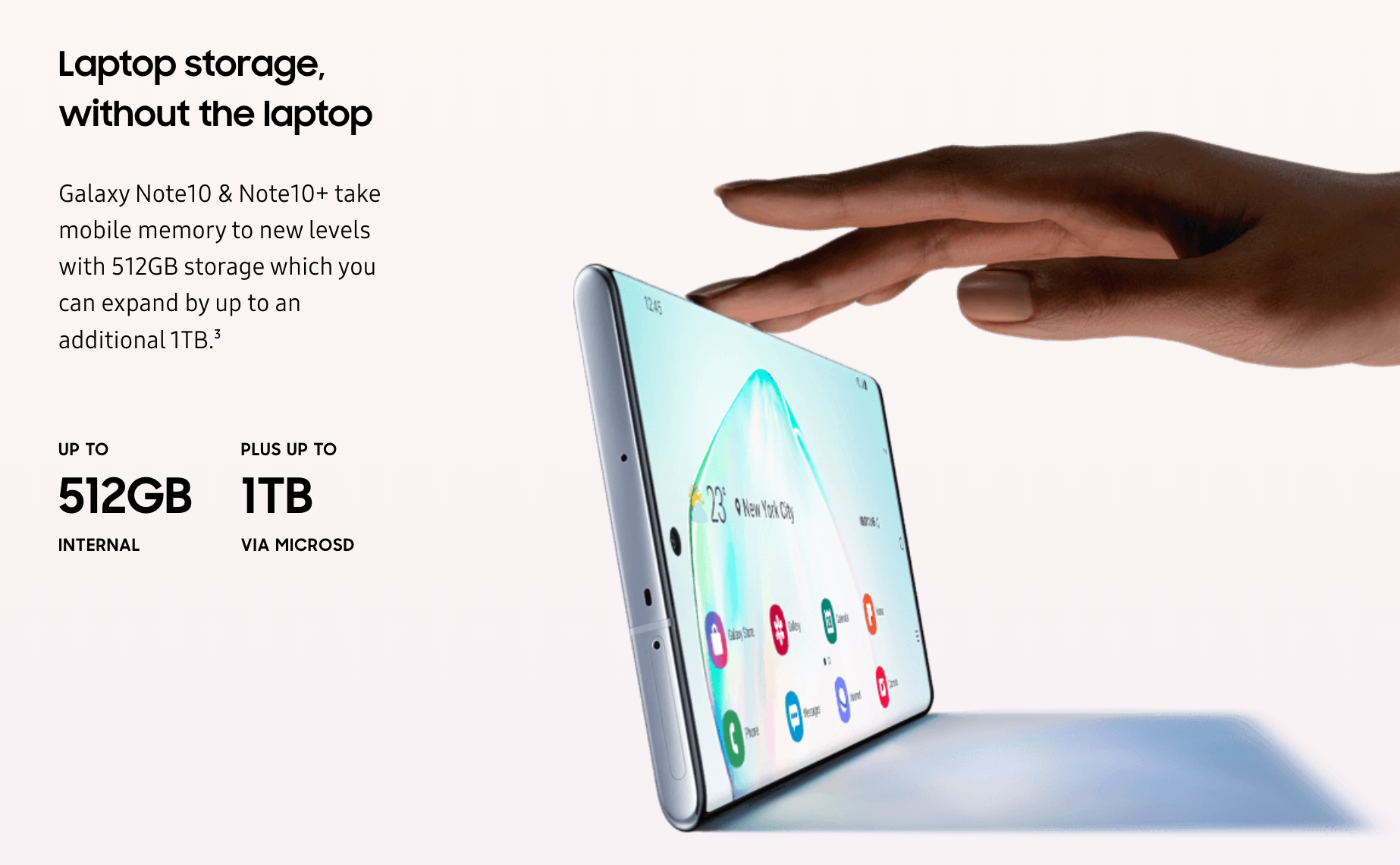
Galaxy Note 10+ Storage
These include colour renditions and HDR processing, which is where the lower resolution Galaxy Note 10 Plus still reigns supreme. The highly anticipated Galaxy S20 will likely feature a 108MP sensor, and it will be interesting to see how well Samsung uses the sensor to bring ultra-high resolution cameras to the mainstream smartphone market.
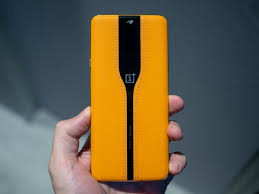
The OnePlus Concept One impressed crowd with its ‘Invisible Camera’ technology at CES 2020. And the same tech is coming to a future OnePlus smartphone. Pete Lau, OnePlus’ CEO, confirmed this during a recent podcast with The Verge. Mr. Lau made his first-ever appearance on a podcast as a guest at The Verge. During the half-hour podcast, he confirmed that the OnePlus Concept One’s ‘Invisible Camera’ technology would come to a production smartphone in the future.
He did not say exactly when, though, and no further details have been revealed. Mr. Lau did say that it will happen soon. In the same podcast, the CEO also confirmed that OnePlus doesn’t plan on releasing a foldable smartphone anytime soon.
OnePlus Invisible Camera
OnePlus Concept One: Invisible Camera
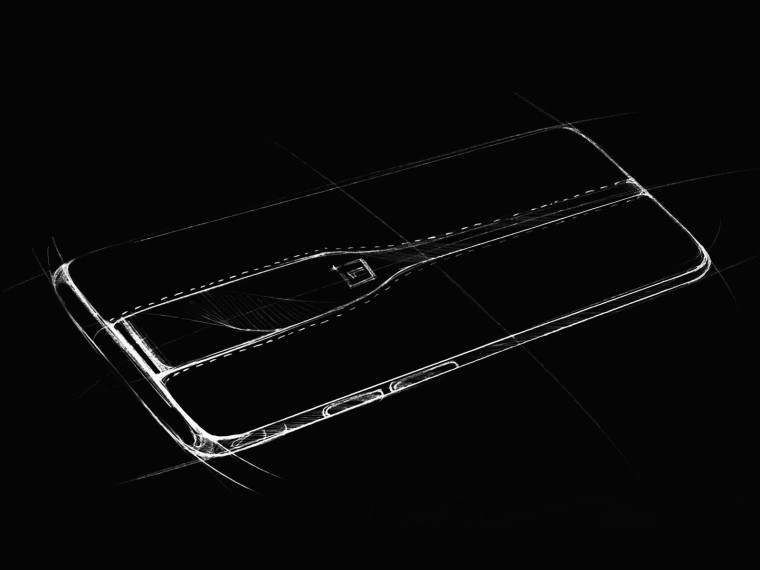
Now, if you’ve been out of the loop, the ‘Invisible Camera’ technology is quite impressive. OnePlus implemented an electrochromic glass in the back panel of the OnePlus Concept One. This electrochromic glass turns opaque when a current passes through it. The glass turns opaque, causing the camera lenses behind the glass to disappear – giving the phone a modern and sleek look.
Once you turn off the current by opening the Camera app, the glass becomes transparent, and the cameras work normally. The glass is not just a cosmetic feature since the lenses also use the glass as an ND filter. The ND filter can be activated via the Concept One’s ‘Pro mode’ option in the Camera app. The ND filter offers a ton of benefits. The filter enables you to have longer shutter speeds, which blocks excessive light from reaching the lens.
OnePlus Concept One
ND filters are a technology that digital cameras on the market have been using for quite some time now. It is possible that OnePlus will release the Concept One smartphone at some point, and not create another phone as a whole. Mr. Lau did not clarify whether this will happen, or the tech will come packed in an entirely new phone. We can assume that the OnePlus 8 series phones will not come with the electrochromic glass. Nothing suggested that it will, at least till now. Plus, the Concept One wouldn’t have featured it if the were to come with the OnePlus 8 series.
The OnePlus 8 series is expected to arrive in April or May of 2020. The company is expected to announce the series in May, although the phones may even come sooner than expected. If OnePlus sticks to the release cycle, the OnePlus 8 series will launch in May. However, since rumours and leaks have begun to circulate a lot earlier than before, the handsets could arrive in March or April. The OnePlus 8 series will have three phones – the OnePlus 8, the OnePlus 8 Pro, and the OnePlus 8 Lite.
If you enjoy playing video games with a narrative, action adventure games are perfect for you. 2020 is a big year for video games with highly anticipated new titles and sequels in all genres set to launch around the year.
In this list, we will cover the most anticipated Action Adventure Games due to make their release this year.
#1 The Last of Us Part 2
Ellie and Joel left a mark on many hearts in The Last of Us back in 2013. A new instalment of The Last of Us series is coming out in 2020. The game follows Ellie several years after the events of the first instalment – but the adventure is pivoting away from the zombie-virus. A cult group has killed Ellie’s love interest, causing Ellie to decide to get rid of the group once and for all. The game’s story revolves around Ellie’s revenge. Fans will likely see Joel appear on her journey, but it is unclear how he will be involved.
The Last of Us Part 2
#2 Cyberpunk 2077
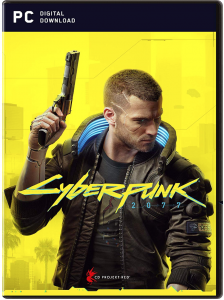
Cyberpunk 2077 is easily one of the most highly anticipated video games of all time. Although it was set to come out in April 2020, the launch has been pushed to September 2020. The game is under development by CD Projekt Red, the creators of The Witcher series.
Cyberpunk 2077
The open-world RPG game highlights a futuristic world where crime and greed flourishes. You take on the role of a mercenary who must take up odd jobs and earn street cred to gain respect and get higher-paying gigs.
#3 The Legend of Zelda: Breath of the Wild (Sequel)
In a surprise announcement at the end of E3 2019, Nintendo revealed that it is bringing out a sequel to their hit release, The Legend of Zelda: Breath of the Wild. The game’s story will revolve around a new foe that Link and Zelda discover living under the surface. No other specifics have been revealed, and all we know is that the sequel is in the works.
The Legend of Zelda
#4 Marvel’s Avengers
The Marvel cinematic universe saw a massive boost in popularity after the release of Endgame. A gorgeous-looking video game instalment from the Marvel universe is in the works over at Crystal Dynamics with Eidos Montreal.
Marvel’s Avengers
Titled “Marvel’s Avengers,” fans got a glimpse of the game and what it will be about at E3 2019. You will play as theEarth’s mightiest heroes that fight for the survival of humanity when it is caught in extreme peril.
#5 Twin Mirror
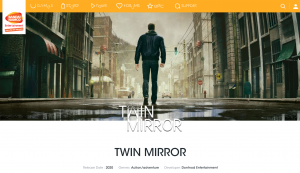
Dontnod Entertainment revealed that they have a new episodic adventure title in development. The development studio is best known for its Life is Strange series, but their next game is not a sequel to it. Twin Mirror is an upcoming psychological thriller game that follows Sam, who returns to his old hometown to attend his best friend’s funeral service.
Twin Mirror
Things take a turn for the worse when he wakes up with no memories of the previous day, and he also happens to be covered in blood.
#6 Final Fantasy VII Remake
Final Fantasy VII was a massive hit when it first launched on the original PlayStation. For years, fans have been pleading Square Enix to re-make the game for current-generation platforms. Square Enix finally obliged and unveiled that Final Fantasy VII is under development and would receive a remake for the PlayStation 4.
Final Fantasy VII Remake
The game will follow the same premise of Cloud, the protagonist, joining the Avalanche group as they fight against the Shinra corporation. Square Enix decided to alter the direction of the game a little bit, and instead of featuring the old-school turn-based combat, the game will feature action-RPG style gameplay.
#7 Senua’s Saga: Hellblade II
Developed by Ninja Theory, Hellblade II is a hack-and-slash psychological horror title that follows Senua, a warrior, venturing her way into Helheim. Seeking to rescue her deceased lover’s soul, Senua will battle a series of otherworldly entities – but since the protagonist has psychosis, her venture into Helheim may be too much to handle.
Senua’s Saga Hellblade II
The sequel was announced during The Game Awards 2019, and the game will be released on the new Xbox Series X. The trailer looks fantastic, and fans are hyped for the game’s launch later this year.
#8 Gods & Monsters
Ubisoft unveiled their brand new IP during the press conference at E3 2019. Gods & Monsters is a title that visually mimics Nintendo’s The Legend of Zelda: Breath of the Wild; however, it does have a twist. The game is set in a Greek fantasy world, where players must save the gods fallen from a monstrous creature called the Typhon.
Gods Monsters
Our hero must embark on a journey to defeat dangerous monsters and solve a series of puzzles along the way. Gods & Monsters is being worked on from the team that created Assassin’s Creed: Odyssey, and hence, fans have high expectations for the game.
#9 Tales of Arise
After Tales Berseria first hit shelves back in 2016, a new instalment to the Tales game franchise is finally coming out in 2020. Bandai Namco Entertainment is working on Tales of Arise, an RPG game that will launch on current-generation consoles.
Tales of Arise
If you’re familiar with the series, you will know that there are several instalments, but they are not always connected. Fans hope that this game will shed some more light on the lore and tie some loose ends.
#10 Beyond Good & Evil 2
The game will follow the protagonist from a struggling pirate to a captain of a massive vessel. If the upcoming Beyond Good & Evil game is anything like the first title, we can expect an entertaining narrative full of adventure. It will be an open-world video game, but it’s uncertain how engaging the world will be and if there will be enough events to keep players occupied as they explore the world.
Beyond Good _ Evil 2
Wrapping Up: Action Adventure Games Of 2020
2020 will leave its mark as one of the best years for Action Adventure Games, with new, stunning-looking titles coming out every other month. We are also likely to see more and more glimpses of the next generation consoles and the games coming out for them. The year will end on a high note, with the release of the PlayStation 5 and the new Xbox.
With all the new shows that Netflix is adding every month, are you unable to keep up? Are you looking to download Netflix movies and shows to your Android device so that you can watch on the go? If you are visiting a place which does not have a good network signal, it can be a good idea to download Netflix videos and see them offline later. This can be easily done by the Netflix app.
First Method to Download Netflix Movies
In this guide, we will see how you can painlessly download Netflix movies to your Android device using the Netflix app. To do so, first, you need to have an Android phone or tablet running Android 4.4.2 or later that is compatible with the app. Install the Netflix app to get started.
Download Netflix Titles
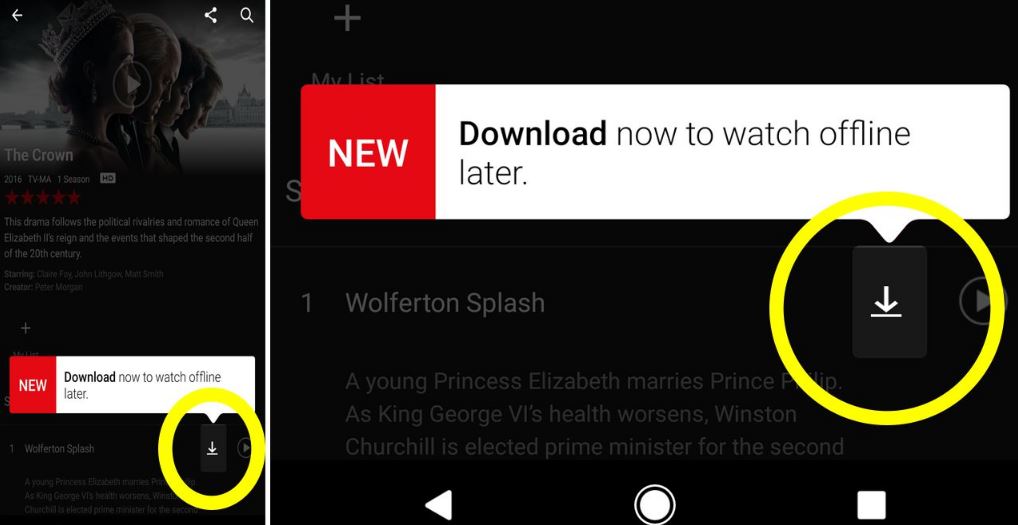
Once done, open Netflix from the app drawer or home screen. You will find the Menu button on the top left corner. Clicking on that will take you to the Download screen where you will be able to see that the titles that are available for download. Simply tap on the videos that you want to download. You will see the Download button. If you are using the app for the first time, Netflix will guide you through this process by drawing your attention to the download button. The default setting will allow downloads to take place only if the device is connected to Wi-Fi. If not, you will receive a notification for the same.
Once you have initiated the download for a certain title, you will see a blue notification along with the download progress. Meanwhile, you can add more titles for download as well. One thing you might want to note here is that while using this method, you cannot download a lot of movies. You are limited to a certain number only.
Download Netflix Movies
Second Method
If you are a true movie buff and you want to download and watch endless movies, follow this method. There are plenty of third-party Netflix video downloaders available in the Play Store. FlixiCam is an option you can use. This platform has been specifically designed for users who want to download a large number of movies to watch offline later on. In fact, you will be able to download shows 30 times faster than usual. Since it owns the broad compatibility with the Windows system, you will have no trouble downloading Netflix movies on your Windows either.
To do this, you will first have to launch the app and log in to your Netflix account. Firstly, choose the setting button located on the top right corner and select the output quality. Search for the show or movies you want to download on the Netflix Video Downloader. When you find what you are looking for, simply click on the download button. All your downloaded content will be present in the Library section.
It is this simple! Follow the steps above and enjoy your favourite shows on Netflix regardless of where you are.
Among all of Samsung’s Galaxy models, the S series has always been highly anticipated. While the S9 was a regular enough smartphone, the Galaxy S10 line-up brought something impressive into the market with its triple rear cameras and an Infinity-O design for the display. The series, in fact, even featured a budget model! In the next few months, Samsung will unveil the Galaxy S20. One thing that might confuse you and other users is the fact that the company is not going ahead with the Galaxy S11 name.
Samsung Galaxy S20
What do we know so far?
We do know that the Galaxy S20 is likely to have three versions. The model’s design has already been revealed – more on this later! And we also know that it isn’t going to be called the S11! On the downside, the phone is expected to be priced higher. Samsung is planning to announce it on February 11, 2019. Last year’s flagship, the Galaxy S10 could still be a worthy option after the S20’s specs are released. We are not sure how the S20, although certainly a flagship, is likely to compete with the S10 in terms of specs, price, and value. It is going to be a tough job to beat the S10’s super-fast performance, stunning triple rear cameras, and a great display.
The Different S20 Models
Most of the times in the past, Galaxy S series usually feature two releases with one regular model and another a Plus size variant. With S10, Samsung decided to do something outside the norm and released a third option, the S10e, touted to be a budget variant. Maybe the S20 will follow a similar pattern of release.
Samsung Galaxy S20 Plus
A couple of months back, Evan Blass, a popular tipster, shared three screen sizes for the different S20 variants. This includes a 6.4-inch, a 6.7-inch, and a 6.9-inch model. The following month, reports emerged that Samsung will no longer be manufacturing ‘e’ variants of its smartphones in 2020. Instead, the company is planning to release a regular version, a Plus model, and an Ultra variant. Basically, this means that we can look forward to seeing Galaxy S20, S20+, and S20 Ultra 5G in the market quite soon.
S20 Design and More
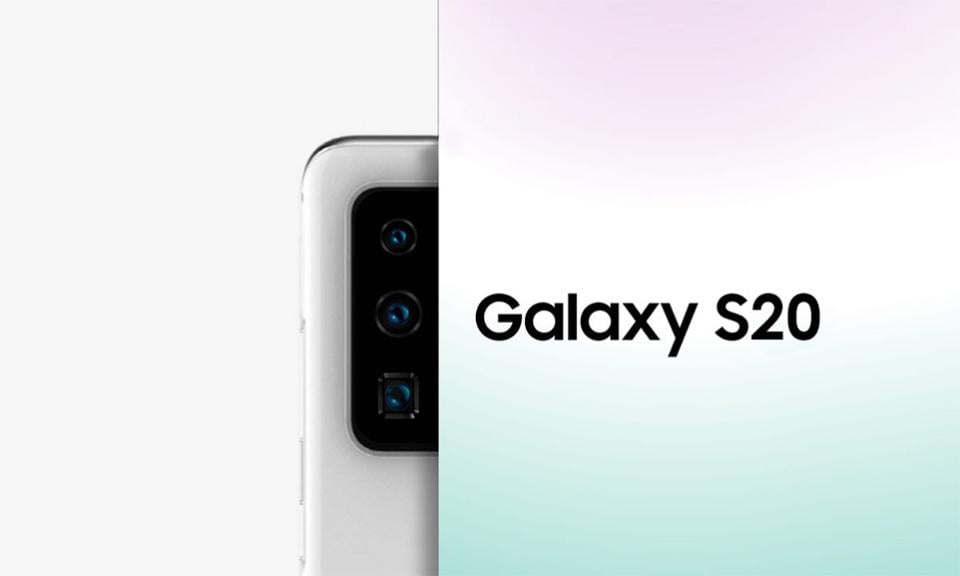
The Samsung Galaxy S20 is a bit different from the popular S10. The display will feature a punch-hole camera, located at the centre of the screen. This is pretty similar to the Note 10 model. With regards to the rear camera setup, the S20 will feature a vertical setting into of the horizontal one that we are used to. The phone has three camera sensors. The S20 Plus and S20 Ultra variants are known to have more. The S20+ is similar in design with the same punch-hole camera at the centre. At the back, we see an addition camera which could be a time-of-flight sensor. Coming to the S20 Ultra, the design stays the same, but the screen size is 6.9-inches. The rear camera features Samsung’s “100X Space Zoom” branding.
Among one of the first 2020 flagships, it is yet to be seen how it works out.
Before you turn on Google Assistant on any device, make sure the setup is well configured.
Firstly, check the Play Store to see if your Google assistant needs updating. If updates are available, you can install them. You’re ready to get started once you’ve installed the latest version Google Assistant from the Play Store.
If you’ve never used Google Assistant before, don’t worry, it’s easy to set up despite its sophisticated capabilities. If you’ve got Android Lollipop or later on your phone, press the Home button for three seconds to open Google Assistant.
Long-pressing the home button should launch the Google Assistant.
Next, tap ‘Meet your Google New Screen Assistant.’
The “OK, Google” hot word can be used to trigger the assistant after you have enabled your assistant on your device. To enable this feature, open the Google app and go to Configurations > Setup (in Google Wizard) > Phone > Detection of ‘OK, Google’ and activate it. That means that whenever you say “OK Google,” you’ll activate Assistant.
Welcome! You now have all kinds of opportunities to open applications faster, starting with simple website searches via voice commands, right through Google Assistant
How Can Google Assistant Assist?
How many messages do you send every day on WhatsApp, Viber, Telegram, or other instant messaging apps? It isn’t easy to count, but from now on, you can speed up this process by asking Google to send you messages directly!
To do so, you have to say “OK, Google, send the [message] to[Mom]: what do we eat?” or say, “OK, Google send [Mom] a [WhatsApp] message,” then dictate the message you want to send. If there is more than one telephone number in your contact, you are asked to choose which one you want the message to send.
Google Assistant Opens Websites And Apps Directly
You need to say the keyword “Go to …,” followed by the site name to open your favorite website without lifting your finger.
Say, “Go to [site].”
Example: “OK, Google, go to androidpit.com.”
If you want to start an application like the calendar to check your schedule after Google Assistant has been enabled, you have to say:
“Launch [app].”
“Example:” OK Google, launch calendar.
You can launch any applications on your device. Make sure you use the exact name of the app (which is shown under the icon). When the product has an unusual name, the method may not work.
Managing Google Assistant Obligations
Google can be your assistant to alert you of your obligations, set up your notifications, and even maintain control of your purchases on Amazon. All this depends on knowing the correct voice commands to use.
Set Reminders
You must remember paying the gas bill by the weekend, but are you too lazy to create a reminder manually? Wake up Google Assistant and say the following command:
Example: “OK, Google, just remind me on Friday at 8:00 am to pay my gas bill.”
Google is smart enough to make customized reminders, all in one phrase, based on time and place. But you will need your locations configured by the settings to make sure that the service functions perfectly and knows exactly when to remember an event.
You will be able to register your home or business address here and allow Google Assistant to activate at the right time only.
You only have to talk regularly to call Google Assistant. Speak as you would speak to someone else, and the assistant can follow your commands.
The assistant will take time to get used to your voice commands, but after a day or two, it will respond to your requests instantly.
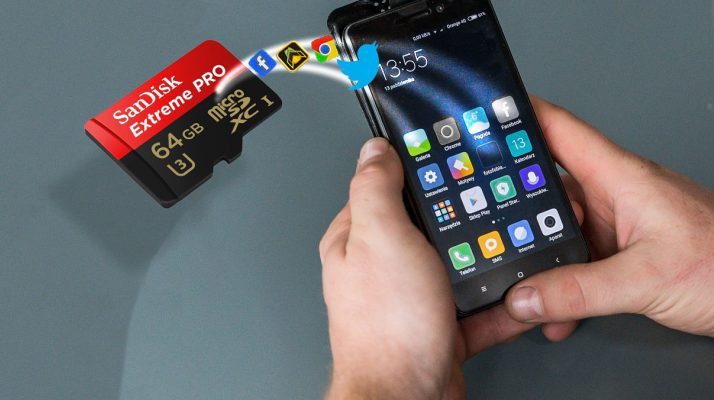
You can configure your Android phone to save the photos you click directly to the SD card, instead of storing them on the phone’s internal memory. In this way, you can take as many pictures as you want without having to worry about running out of space on your internal storage.
Regardless of if you own an older Android phone or a brand new phone, the steps you must take to set up your camera to store the photos right to the SD card are quite similar.
The steps may be slightly different from phone to phone; however, digging around a little bit will help you find the right options.
Keep in mind that some Android versions do not officially allow you to store your pictures on the SD card; however, there are workarounds for that too.
Let’s begin.
How to save pictures to SD card on Android phones:
The process of setting up your Android Phone to save images directly to the SD card instead of using the phone’s internal storage is easy, and the steps below should apply to most phones with an SD card slot.
Method #1: By Notification Pop-up
In case you haven’t already, insert an SD card into the SD card slot of your phone. You may have to open the back cover of your phone for this if you have an older phone. For newer phones, use the SIM ejector tool to reveal the SD card slot, and insert your SD card.
After you have inserted the SD card into the phone, a pop-up notification should appear, saying that an SD card has been inserted.
On most Android phones, you will see a pop-up message asking you if you want to change your default storage location to the SD card. The pop-up makes it easy to make a decision right then, by just tapping on the ‘Save Photos to SD card’ option.
In case you miss this message, or it does not appear, do not worry. You can configure this option manually by going into your camera apps’ settings menu.
Method #2: Manual Setup
Follow the steps below to manually set up your Android phone to save photos to the inserted SD card.
Launch the Camera app on your phone by tapping on the camera icon.
Tap on the gear-shaped Settings icon. You should find this on the upper-left corner of your screen.
On the Camera Settings screen, scroll down until you find the ‘Storage location’ option. Tap on it.
Next, tap on the ‘SD Card’ or ‘Memory Card’ option.
From this point forward, all the photos that you click on your Android phone’s front or rear camera will be stored directly on the SD card.
Please note that your screenshots are still saved on your phone’s internal storage in the ‘DCIM’ folder.
On newer phones using Android Oreo and above, configuring the camera app to store pictures on the SD card is not directly possible. Downloading another camera application like MX Camera will enable you to save your photos on the SD card.
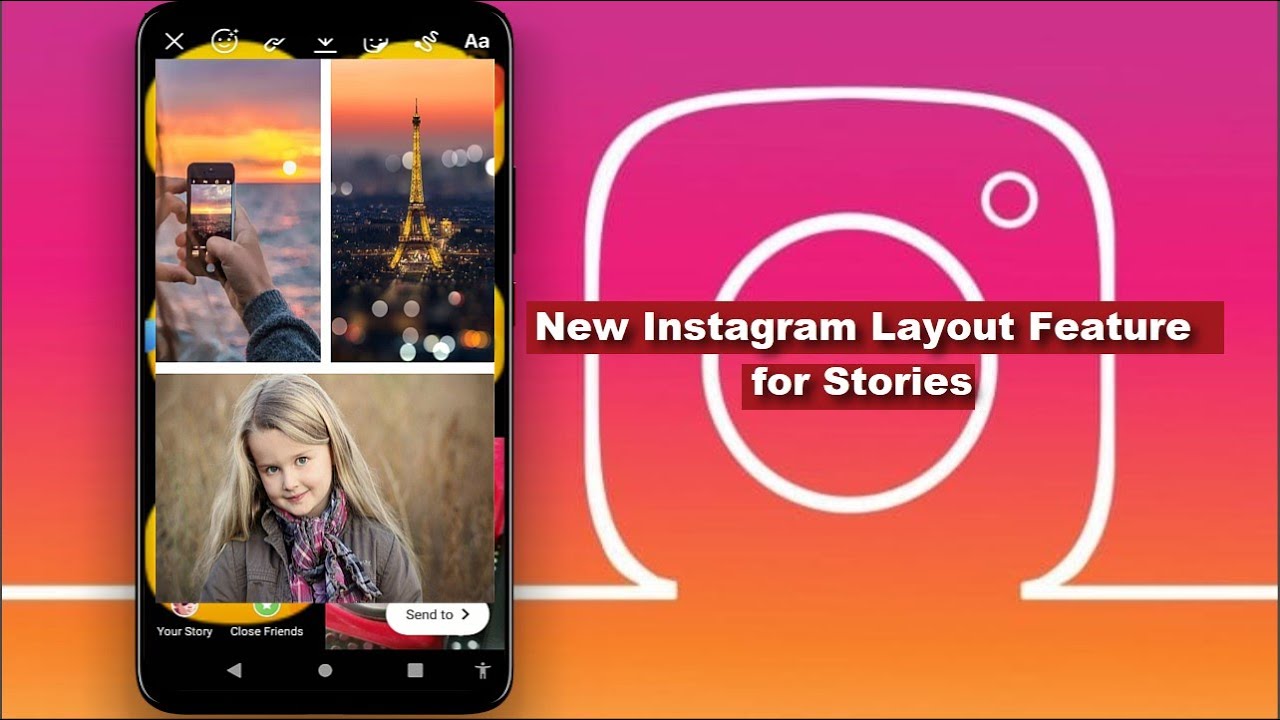
Instagram from Facebook now lets you post multiple photos in one Story. The feature is called ‘Layout.’ In this write-up, we will go over everything you need to know about the functionality and how you can use the feature to post a collage of pictures on your Insta Stories.
The most recent Instagram update finally added a much-requested feature to the Instagram mobile app. Users can upload a collage of multiple pictures in a single Instagram Story using the new ‘Layout’ mode. The new mode helps create more engaging Instagram Stories.
Instagram’s latest ‘Layout’ mode for Stories might be missing a few extra features and customization options that some social media platforms have, but using ‘Layout’ is super convenient and quick.
Previously, if users wanted to make collages or add multiple pictures in one go to your Story, users would have to use a third-party app. The app would help create the collage separately, and then users would need to upload it to the Instagram Story from their smartphone’s photo gallery.
Users have been asking Instagram to incorporate this feature for a while now. Instagram may have killed off a lot of third-party collage apps with this update!
Users don’t have to install anything extra or juggle between multiple apps. There is no need to fiddle with lots of copy-and-pasting either –all the editing you would need can be done within the Instagram app.
The mode has been rolled out globally, so, regardless of where you are in the world, you can make use of the new feature. Instagram users can now incorporate up to six photos into one Story. You can organize the pictures in different ways, too, using the selection of templates the app furnishes.
Here’s how to do it.
How to post multiple pictures in one Instagram Story using Layout:
The process is super simple and straightforward. You can use the ‘Layout’ feature in six simple steps:
Launch the Instagram app and tap the Camera icon in the upper-left corner of the app to start a new Story post.
Swipe left across the bottom array of options until you find ‘Layout.’
Take a few photos that you want to include in your Story (you can add up to six total).
Choose whichever grid-like Layout you want to use for your collage Story post. There are several layout options available to choose from. Keep in mind that you will not be able to edit each photo in the Layout.
Just like regular Instagram Stories, you can add other elements like tags, text, filters, drawings, emojis, GIFs, and more.
When you’re satisfied with the collage, and are ready to share, tap ‘Send to Story.’ Easy!
Summarizing It
Given that users were already creating similar Story content with using third-party apps and applying a little creativity, it is likely that the ‘Layout’ feature is going to be immensely popular among Instagram’s fanbase.
The most popular genre for games on Android is an adventure. The youngsters today like to test their skills, solve mysteries, and engage in popular characters and stories in their gaming sessions. Always keen and upfront for any adventure do, the younger generations today find it in the very Android smartphones.
From the galley of games that are available on the Android Play Store, it is somewhat challenging to pick a few. But we have reviewed a few of the best adventure games for Android as rated by users and gamers.
Let’s jump right in-
#1 Crashlands
Extremely popular among youngsters, Crashlands has been rated as one of the best adventure games for Android in 2016. It is one of the great adventure games, which can be played both on PC and mobile. With tons of elements in it, the main character crashes into an alien planet. And here it begins.
#2 Evoland 2
Evoland 2 is not just an adventure game but a mix of several genres. The game throws new eras and challenges to the player for a thrilling and enjoyable experience. From 2D RPG, trading cards to 3D fighters, this game has it all.
#3 Another Eden
Another Eden is a popular Japanese role-playing game that is free for play on the app store. Unlike other games, it does not have a progressing story kind of elements but has multiple crucial adventurous entry points for the gamers. It indeed takes you back to the 1990s and 2000s of the JRPG.
#4 Grand Mountain Adventure
One of the newest addition to the lot, the Grand Mountain Adventure game is a skiing game that comes with racing and exploration elements in it. Whether you want to ski and check out the sights around or beat the timer, it’s all up to you.
#5 Monument Valley 1 and 2
The Mountain Valley adventure game offers more of a puzzle adventure gaming experience. With optical illusions and fun stories, the game progresses toward more difficult missions. It has both free and paid versions.
#6 Old School RuneScape
The Old School RuneScape is a massively popular role-playing game. Just like most old school games, this too gets you to complete missions, run around, trade, and master skills over time. It allows for both solo and team gaming experiences. It comes in three versions of which one is free.
#7 Pokemon Go
Who does not like Pokemon? Taking you back to the golden days, the Pokemon Go is indeed an ambitious, adventurous game. Players are open in a world to wander and catch Pokemon, collect items, trade them, and battle. It is an expanding genre with lots of adventure in it.
Almost all of the above games are rated the best adventure game for Android at some point. Be it arcade, puzzles, action, or horror, and adventure games never disappoint the gamers