Category: How to

WordPress is a favorite blogging tool of mine and I share tips and tricks for using WordPress here.

  • The Terminator is playable in The Mortal Kombat 11

    The Terminator is playable in The Mortal Kombat 11

    In August, the entry of Arnold Schwarzenegger was already announced in the playable cast of DLC fighter in Mortal Kombat 11, the most successful title by NetherRealm. Of course, Arnold would be as dashing as hell. But he will arrive as a titular character as the iconic T-800 Terminator straight from the sci-fi action franchise by James Cameron. Finally, we have got the first footage of T-800 which seems to be as destructive as always.

    The Terminator is playable in Mortal Kombat 11

    If you have a Premium Edition, one of the perks you would have is early access to each DLC character, at least a week before. You can now access The Terminator in wild shot-gunning players.

    Obviously, you can expect Arnold to be in Old Man avatar, just like he is seen in Terminator: Dark Fate. He stills seems to be brutal enough to blow off legs and break bones. His fatality has no signs of turning you down.

    The latest Mortal Kombat has already hosted a lot of iconic movie characters. You may have also played Leatherface from “The Texas Chainsaw Massacre”, Jason from “Friday the 13th, and Freddy Krueger from “Nightmare on Elm Street”.

    But even these slasher film characters couldn’t match the charm of the insane, grizzled character of actor-cum-governor Arnold Schwarzenegger in the Mortal Kombat tournament.

    But the line between performing in a video game and acting in Hollywood has always been blurring. Hence, we will be missing the voice of Arnold in the character. The real-life actors like Jon Bernthal, Ronda Rousey, and Terry Crews are spot-on.


    They have always worked on video games every year. However, it’s not clear as to which legendary Hollywood actor would be added to the next game when Schwarzenegger is already in the mix.

    But it seems like T-800 is going to play quite a heavy in MK11. He has got his iconic sledgehammer-like, slow-moving attacks. As always, he works on brute force instead of swift maneuvers. But as a character, T-800 seems different as he has a brutal projectile – his iconic shotgun we have seen in Terminator 2.

    It also seems that T-800 has got a grenade projectile from NetherRealm. So, it is better to keep some distance between you and the rival if you are playing with Arnie.
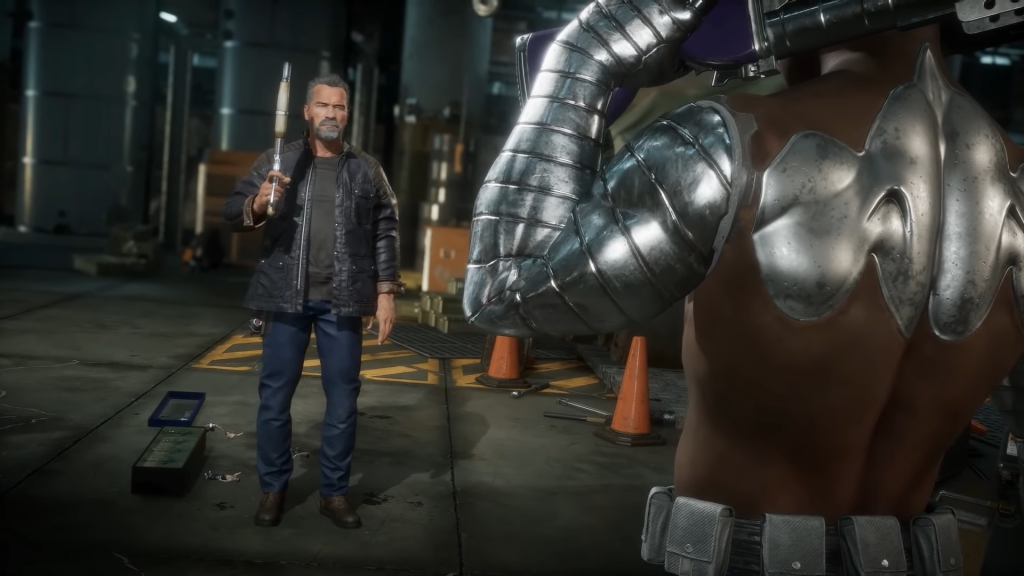
    iconic shotgun

    NetherRealm has always been desired to pay proper attention to detail, especially when it comes to adding DLC guest characters. It seems like we are looking forward to seeing some callbacks to the original film series for The Terminator.

    For example, when T-800 would be facing the “Crushing Blow”, his metal exoskeleton will show up in camera zoom. It’s a great touch. When Scorpion sets Arnold on fire, it becomes even more interesting in the trailer.

    The human shell of T-800 melts off rather than just burning up as another character. He turns up a completely dark metallic skeleton that has been seen following and saving the female protagonist Sarah Connor for years.

    The iconic character of Sonya Blade played by Rona Rousey is getting the DLC costume of Sarah Connor and T-800. For early access, The Terminator early access was available on October 8. You can buy Mortal Kombat 11 for PlayStation 4, Xbox One, Microsoft Windows, and Nintendo Switch.


  • Red Dead Redemption 2 Easter Eggs

    Red Dead Redemption 2 Easter Eggs

    There are hell lots of Easter Eggs and secrets in Red Dead Redemption 2 that we know most players didn’t notice. A Rockstar game cannot go without those secrets. Their stunning take on Wild West is full of Easter Eggs and players have been slowly uncovering the mysteries of the game since its release on the console.

    Have you found any of these Red Dead Redemption 2 Easter Eggs?

    Since the adventure game by Arthur Morgan is finally available on PC, could the expanded player base of the game be able to discover more Easter Eggs on RDR2? If you are taking your first steps in its American frontier, be warned because this guide is full of spoilers.

    UFO

    Of course, you can find one but it is not that easy to find. Head northeast of Heartland Overflow and north of Emerald Station in New Hanover. You will get a note in a small shack. Climb the Mount Shann and you will come across a rock circle. Wait for the night to go back and see a mysterious flying object emitting green light.

    UFO

    Kaa

    Remember that python Kaa from your all-time favorite The Jungle Book? Yes, you can spot her in Lemoyne’s forest.

    The Hobbit House

    You might come across a house on a hill en-route Bacchus Station. This Easter Egg is a tribute to the iconic prequel of Tolkien’s classic, The Hobbit.

    Hershel’s Farm

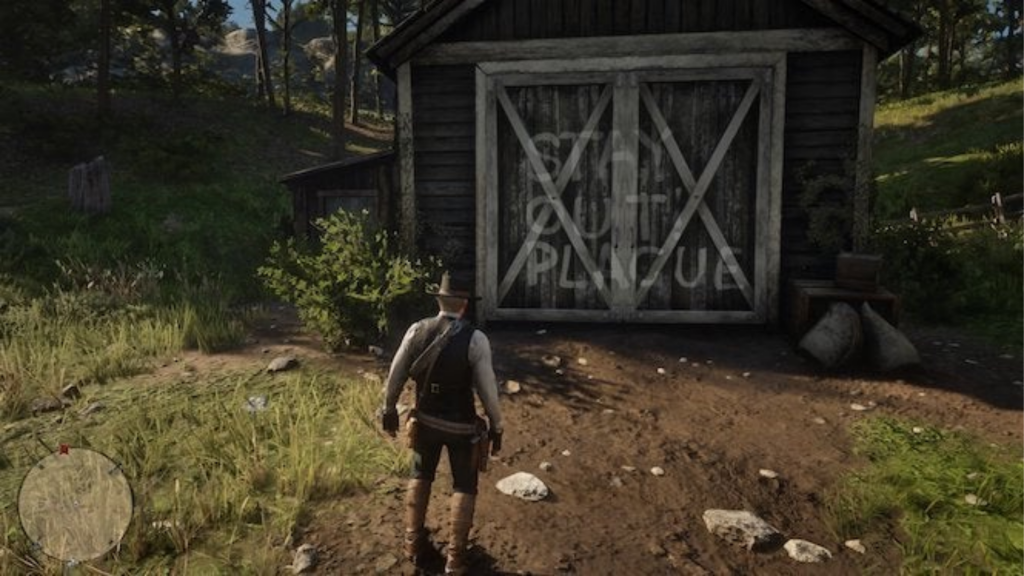
    If you have watched The Walking Dead, you may definitely remember the iconic Hershel’s Farm. Yes, there is a spot in the game where the farm’s door is painted with “STAY OUT PLAGUE”.

    Hershel’s Farm

    The Aberdeen Pig Farm

    It is yet another weird spot to look for. After having a creepy dinner with weird siblings, if you are lucky, you will wake up in a huge grave. The Aberdeen Pig Farm is truly a jiggle to the Benders, a real American family. At the same time in RDR2, the family killed and flung people in a ditch.

    The Donkey Lady

    There was a glitch on the original RDR where you could meet a creepy woman with a donkey’s head. At Two Crows, it’s a Red Dead Redemption 2’s tribute to that weird glitch. Visit the horse mill and spot a skeleton of that incredible woman.

    The Strange Man

    From the original Red Dead Redemption, the Strange Man is also found in RDR2 but you need to play a bit harder. You need to visit Mattock Pond to find his cabin around the Kamassa River. Currently, only his hat is found.

    Once you complete the game fully and come back, you will see the incomplete portrait finished showing the unsetting story of The Strange Man. He will be seen just behind you once you look at the mirror. Don’t worry; it will happen for a few moments. It is enough to give the shivers to even the most brave-hearted frontiersman.

    Bigfoot’s skeleton

    On the UFO rock circle at Mount Shann, you can also spot a perched eagle on the top. The eagle flies off, leaving a path to go behind the foliage. You will also spot a cave along the way with Bigfoot’s skeleton.

  • Death Stranding Fast Travel

    Death Stranding Fast Travel

    Players will need to walk a lot in the latest game by Hideo Kojima, Death Stranding. The title is based on reconnecting the Cities of America by delivering packages. Sam Porter Bridges, the main protagonist travels most of the time from one part to another.

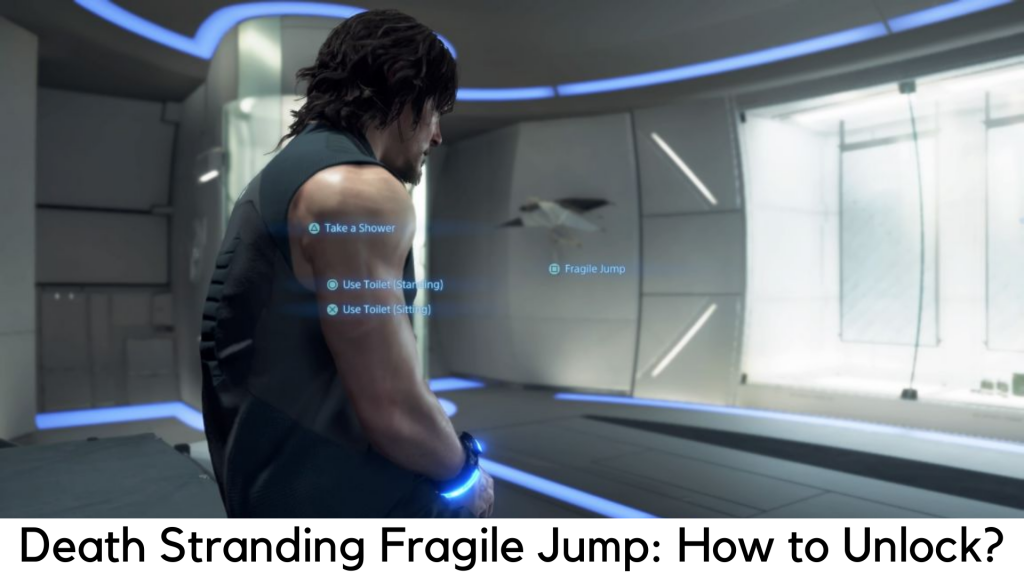
    Death Stranding Fast Travel: How to unlock the Fragile Jump?

    As you know, Death Stranding is a game all about exploring places. Death Stranding Fast Travel is something you will desperately need. Yes, this game also has a fast travel feature but you are expected to pass through a fair bit of the game to unlock the same. Here, we are about to discuss how to unlock Fast Travel in Death Stranding and explain why you need it.

    What is Fragile Jump?

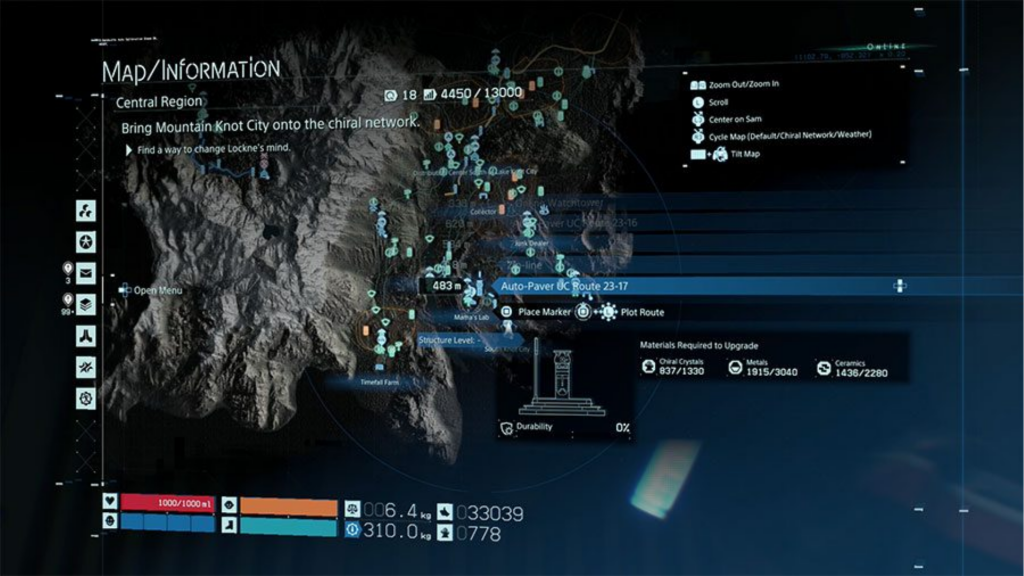
    Fragile Jump is able to teleport you to any safe house or distribution center safely and easily. The only catch here is the area should be covered under the Chiral Network to jump into places. Initially, Sam cannot fast travel to several places. Players should connect distribution centers and facilities first to the Chiral Network before doing fast travel.

    Chiral Network

    All the items you have will be stored automatically in the locker of a facility you started your jump in. Hence, you cannot complete the quests for cargo delivery with this system. Remember the facility where cargo is placed so you can pick it up easily whenever you need it.

    Unlock Fast Travel in Death Stranding

    You need to travel through the Port Knot City from Eastern Region to the Central Region so you can reach the beginning of Chapter 3 in story mode. It is the only way to unlock fast travel system in Death Stranding. You may be wasting time wandering aimlessly in the Eastern Region and want to 5-star all the preps.

    But let us be clear that it’s really not worth. In addition, you can come back and do the same once you have better equipment from fast travel to the Central Region.

    You will be served with a lot of story content and cut scenes once you land in the Central Region. After escaping all the cinematics, you will be able to use the private room and start your Fragile Jump, the faster travel system in Death Stranding. Don’t worry; we are not going to share any spoilers here. Read on for the next part.

    How to make it Fast in Death Stranding?

    You just need to go down to your Private Room to travel quickly in Death Stranding and look around until you come across the umbrella of Fragile on its wall. To enter into the fast travel menu, press “Square” when it prompts. Now you can check out all the locations available for fast travel.

    Across both Eastern and Central Regions, Sam can fast travel to any place where he has visited previously with a private room. It also features the Safe House built by the player. These structures are built around the landscape. Make sure there are private rooms in between the preppers while placing your Safe House.

    With that said, we hope you can freely perform fast travel. You can simply clean up the mess of your past deliveries by going back to the Eastern Region.

  • The Best NES Games Of All Time

    The Best NES Games Of All Time

    The Best NES Games Of All Time

    If you are a game enthusiast (or not!), you may know the Nintendo is one of the most popular gaming developers of all time. They entered the gaming market in 1991 and are still running strong. They are believed to be at their peak in the 90s and most games released that time has a very loyal following. Though the graphics were not that great during that era but certainly quite a few gamers are looking to have a go at the classic games that were built in the early ’90s.

    Looking at this, Nintendo also released the classic console which packs 30 of its classic games. The developer has also gone ahead to launch an online subscription that can help you in accessing all the great NES games. We took a look at all the games that have been released so far and here are the top picks. Presenting the best NES games of all time! You can read about their latest console here.

    1. Contra

    Contra was released in the early ’90s was a massive hit, not only amongst the teens but also among those in their late 20’s. The game depicted the era with people having buffed up biceps and the concept caught on and became a major hit. There is no particular storyline to the game here but it was interesting to just carry out a machine gun and keep running to reach your end goal. You would encounter a few people who want to kill you so you need to avoid them and make it to the end. There would be difficulties and obstacles on the way. You could decide which level of difficulty you want to play with the hard one being the most challenging and fun to play.  

    Contra
    Contra

    2. Jackal

    Another action game that makes it to this list. This was released in the late ’90s in the United States. The game was all about retrieval and rescuing prisoner of wars or POWs. You are equipped with machine guns and upgradable rocket launchers. There were multiple boss battles that you would have to participate in to have the level completed and rescue a few people. The advantage of having a teammate equalised the gameplay.

    3. Super Mario Bros.

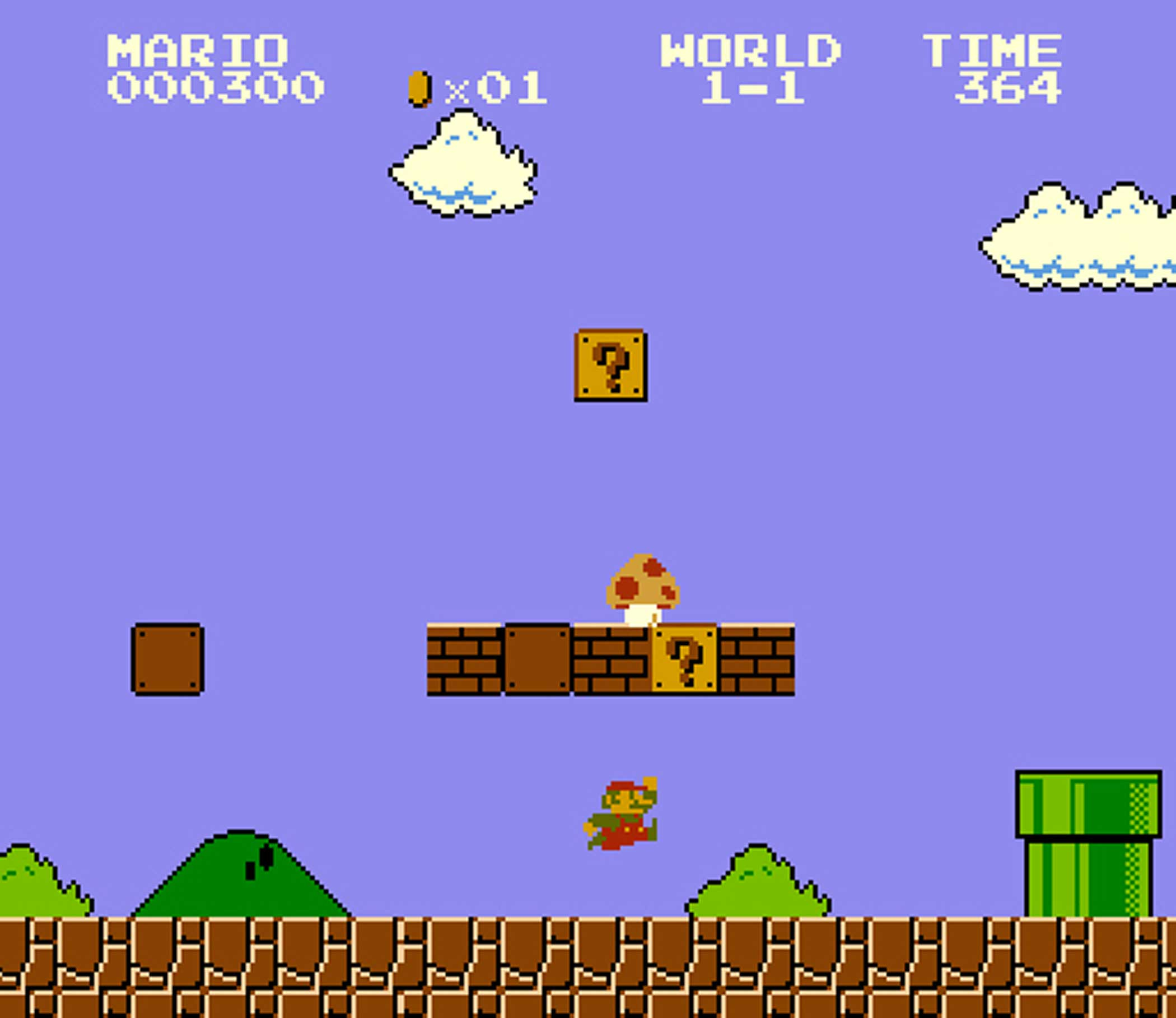
    How can we not include Mario in this list? This all-time favorite game is probably the most famous games across all the developers, let alone NES! With the rising popularity of the game, NES went on to do improvisations on the game. It was this game that made NES famous amongst all the gamers and in the industry. The game is quite easy to start and play without any fussy complex controls. It is also easy to learn. The difficulty of the game can be set according to your ability. Do keep in mind that although the game is easy to play, there have been a very few people who have been able to master the game. This is where everything gets interesting.

    Super Mario Bros.
    Super Mario Bros.

    The main concept of the game is that you are playing the role of a plumber – named Mario. You are expected to travel through the Mushroom Kingdom to save Princess Peach from the maniacal Bowser. All along the way, you will be able to collect coins and there will be guards who you have to escape from. The game cannot be classified into any particular genre. Any genre you take – it fits in!

    There were many other releases of this game once since it became such a massive hit among the gamers. Version 3 of the game was a great improvisation and is considered to be one that was played the most at its time of release. You will still be able to find these games online on an internet emulated browser though the feel of playing it on the classic player is completely different.

    4. Maniac Mansion

    Let’s move on to the adventure genre of games that were released by NES. This humour-filled game that will keep you on your toes. You have five characters that you will be able to choose from. Once you die as a particular character, you will then have to choose from the remaining ones to continue with the game. This game was released only for PC. You can now try the game on an internet-based browser – thanks to the technology advancements.

    5. Tetris

    There is no doubt that this game is one of the most played puzzle games – even with today’s generation. While the game is fairly simple, it is also highly addictive at the same time. It is pretty much endless, and you can keep on playing for hours and hours, well, until you lose! There are tiles in the game which are shaped like tetrominoes. Each shape is built with four small square blocks each. A random piece of this shape falls from the top to the bottom of the screen.

    The main objective of Tetris is to shape all these random shapes so that they form one single horizontal line without any gaps in between. You will be able to rotate the shapes and also move them from one side to another. The speed at which the shapes fall increases with every level. Once a solid line forms at the bottom of the screen, it disappears. The main objective of the game is to not let the tetrominoes reach the top of the screen.

    Tetris
    Tetris

    6. Duck Hunt

    If Mario has reminded you of your childhood, then we are sure Dunk Hunt will also. This was one of the most popular interactive games of the ’90s. The Nintendo gaming console had an additional gun with which you would be able to shoot the ducks that were on the screen. The main aim of the game was to shoot a set number of ducks within the given number of bullets. If you miss a duck while shooting, a dog’s face would pop up and laugh at you! Although this was not the toughest game but most of are sure to have fond memories of this as one the best games ever.

    Honourable Mentions

    There are many more games which have come under the NES production tag. We could never cover ALL the awesome games created by NES, but here are a few.

    • Lode runner
    • Castlevania
    • Ninja Gaiden
    • Kung Fu

    There you go! How was that trip down the memory lane?

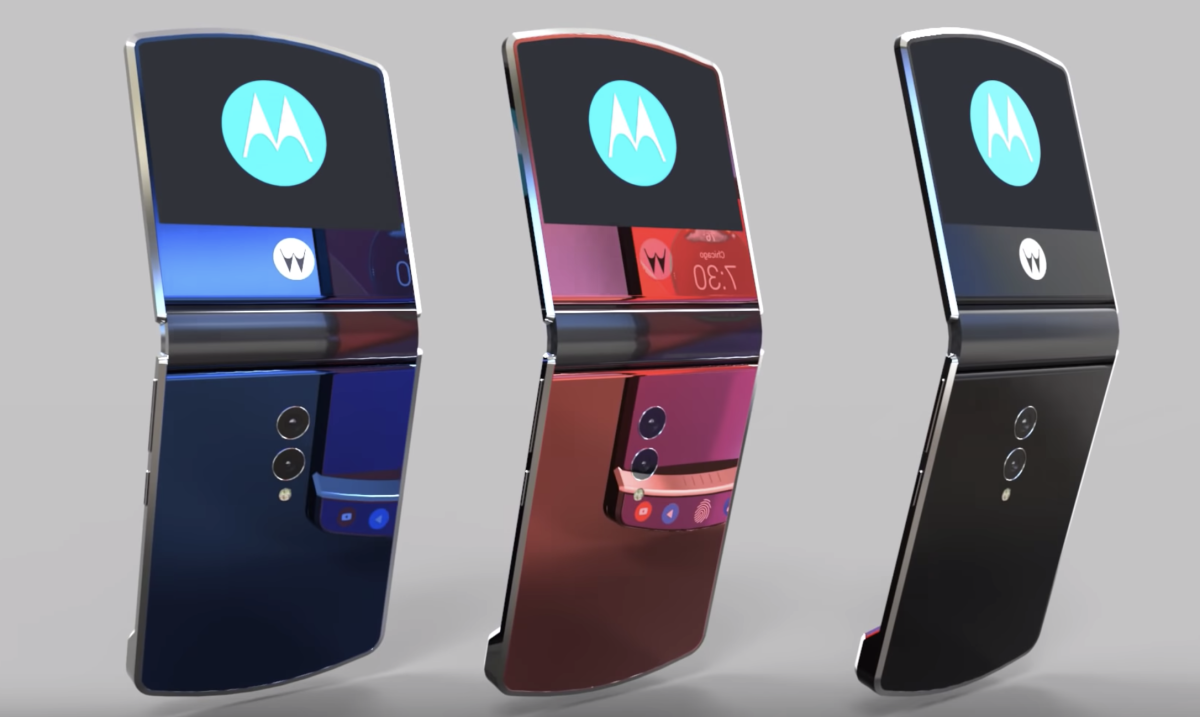
  • Folding Razr Smartphones

    Folding Razr Smartphones

    Smartphones have got tonnes of variety when it comes to the features, specifications, and other such important details for sure. However, using these smartphones could be both advantageous and dangerous as compared to the basic phones that are available in the market though and you will also find these basic phones as the safest phone or the device that one could have for all the uses and purposes for sure.

    Well, only if you know that there are a few brands that have launched some exciting smartphones that work as both basic device with all the required features and smartphone consisting of all the features and benefits for sure.

    Why you should be excited about the folding Razr Smartphone?

    Well, only if you know Motorola Razr is one such smartphone that would totally be great for both flat and foldable. However, the market is expecting that this smartphone would probably change the future of foldable smartphones and devices within the market.

    You simply need to know that these folding razr smartphones have got great features and benefits that would help you to go on experiencing both of the basic phone and smartphone in just a single device though. We have put together a few pieces of information about this particular smartphone that is up for the launch and distribution in the market.

    Everything to know about Moto’s New Launch

    As you now know that Motorola has again come up with its old and traditional techniques of foldable phones with smartphone features. Of course, this particular brand has got a variety of smartphone variants that include variations in colors, features, models, designs, looks and even specifications too. However, this particular smartphone is pretty much exciting for those who want to experience the foldable phone again.

    Everything to know about Moto’s New Launch

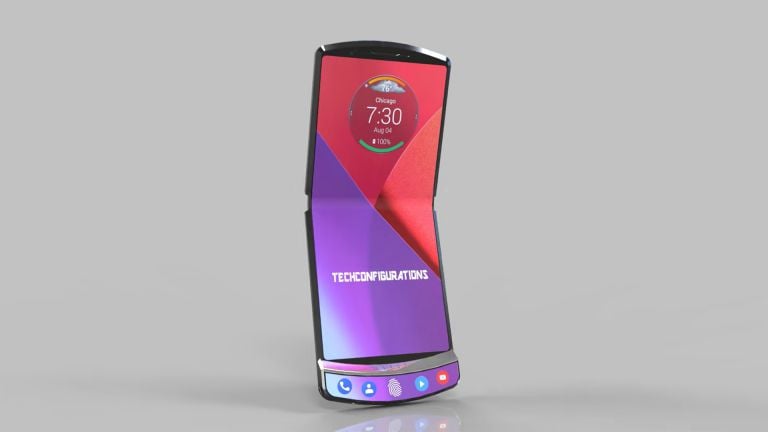
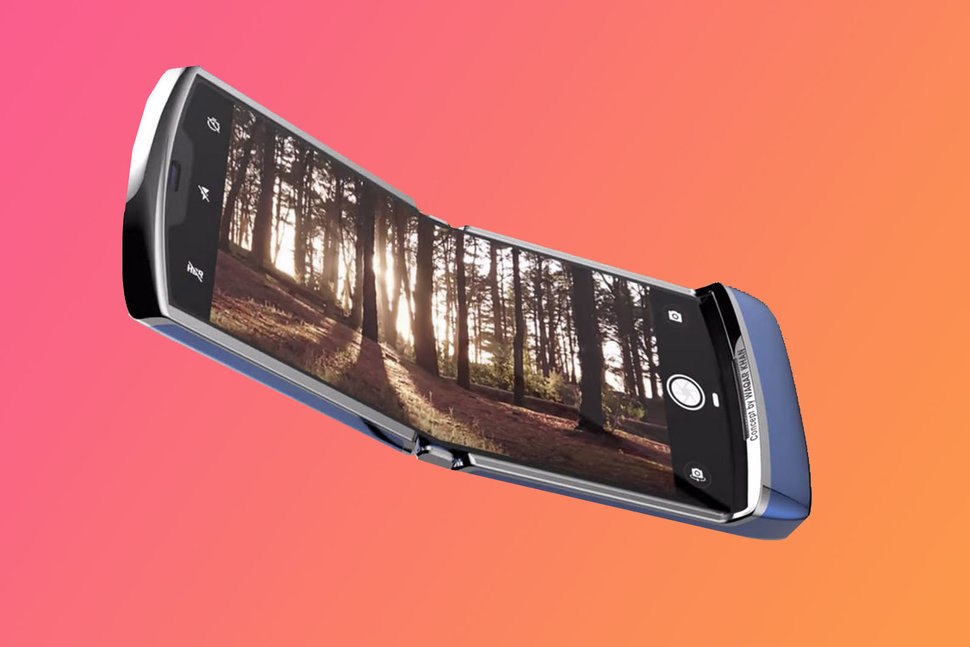
    A leaked photo has actually proved that we should be excited about one of the best folding razr smartphones as it has got various features.

      • The old model with the new modern looks suitable to all the users.
      • It has got a great and classy clamshell shape that can be opened slightly.
      • The smartphone can be easily placed on the palm without any fear of slipping or being too smooth just like the usual smartphones.
      • It has got a totally compact size, which can be held properly and carefully even by kids and teens.
      • The smartphone has got the fingerprint sensor, and rest would be the screen just like any other smartphone though.
      • It is both retro and modern, and of course, there are various other features of this particular smartphone that has got all the features of a smartphone that a modern customer would always expect.
      • Camera, storage, design, look everything will be more clear once the phone is launched in the market.

    Conclusion

    Well, now you know almost all the details about this particular smartphone and this has eventually become the best of it when it comes to using a compactable phone. Of course, if you are a two phone user, one of the basic phones and one of the smartphone then you can switch to this one soon!

  • How to Use Android without Google

    How to Use Android without Google

    Using Google on android is of course very easy and simple. Google services are so useful and one might even use the information to cater to each of all.

    How to Use Android without Google: Everything You Need to Know

    Android has become of the greatest sources of advantage. This even looks like that Google will even do everything in the power for making sure you stick to it. But there are various alternative of Google which may be used on the android devices.

    Google search alternatives

    If you do not have Google from your phone, you still need not worry about it so just install the alternatives. There are good alternatives for the Google search. But they are of course not an example of the personalized content and suggestions. But they will take care of your private data.

    Google search alternatives

    There is one engine that will suit it correctly and that is DuckDuckGo. This Alternative search is one of the very popular engines for the tight privacy and secure line which this offers. There are some of its feature which adds up is about not tracking, no targeted advertising and much more.

    Google play store alternatives – you cannot separate android and android applications as they are like day and night.  Google play store is one of the primary destinations for downloading apps.  No one would deny from this fact that this has been set to our mind that only Google play store and Google apps are the best. But when we use alternatives we get to see we have more options with the best quality. if you want to go for the alternative of the Google play store then it can be F-droid. This one has free and open sources for android apps.

    Google apps alternatives – today almost all the mobiles give pre-installed with the android devices such as maps, YouTube, Gmail, etc. however Google will also permit one in disabling each and every one. There are many alternatives to each app whether it is WhatsApp or other social media platforms.  You can replace them and install alternative of every app you have.

    Google chrome web browser alternative – along with all the cryptocurrency mining and privacy hijacks, genuine browsers are there. However, these are difficult to get from somewhere else but not impossible to find. So here are some of them such as duck Go.

    Google chrome web browser alternative

    Difficult in removing Google from the android device

    • At first stop the Google services
    • Then remove the account
    • Reset the complete device
    • Now install a custom ROM

    Some more ways to do it before you that –

    • Uninstall or disable the complete Google apps
    • Then review your Google account activity controls
    • Pause the location and web tracking
    • Turn off the Google account sync
    • Then turn off the Google assistant

    Final words

    So those myths might be aired now. Indeed we have the best of the Google alternatives and those are in fact promising ones.

  • How To Factory Reset A PS4

    How To Factory Reset A PS4

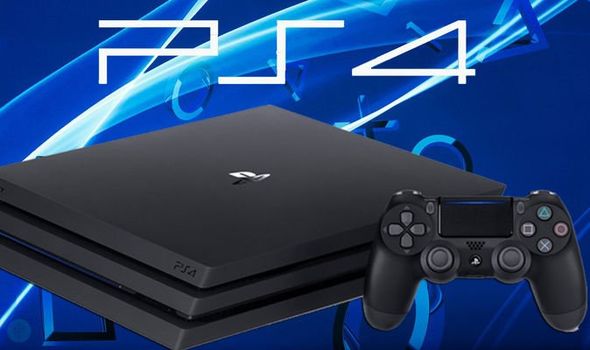
    Understanding and knowing when and how to factory reset a device is very important. The devices, even our beloved PlayStation, like PS4, could do with a factory reset now and then. Sometimes, it could be because you are unable to fix an error but are not able to; or if the latest update is causing problems. Let’s take a look at how you can factory reset PS4. 

    How to factory reset your PS4

    Before we get started, it is advisable to know what a factory reset does. It will completely erase your console’s hard drive along with removing its system software. It is the ideal course to take when a software glitch is affecting your PS4. Before doing this, however, it is advisable to back up your data, including images, videos, and more. 

    PlayStation 4
    PlayStation 4
    1. First, sign in to your PlayStation 4. Make your way to the Setting menu. Find the option ‘PlayStation Network/Account Management.’ And click on it. Deactivate the machine as your primary PS4. This will let you play offline, downloaded games. All you need to do is to identify this PS4 machine as yours. If you don’t do this step properly, you are likely to face a ton of issues as you sign into the new console. 
    2. In this step, we will deactivate the PlayStation. You will notice an option called the ‘Activate as Your Primary PS4’. If your device is already active, the option will show in grey. The only clickable option, in this case, would be ‘Deactivate’. 
    3. Now, sign in using your user account. Do note that this is different from your PS4 account. Once you are in, head over to the Settings menu. 
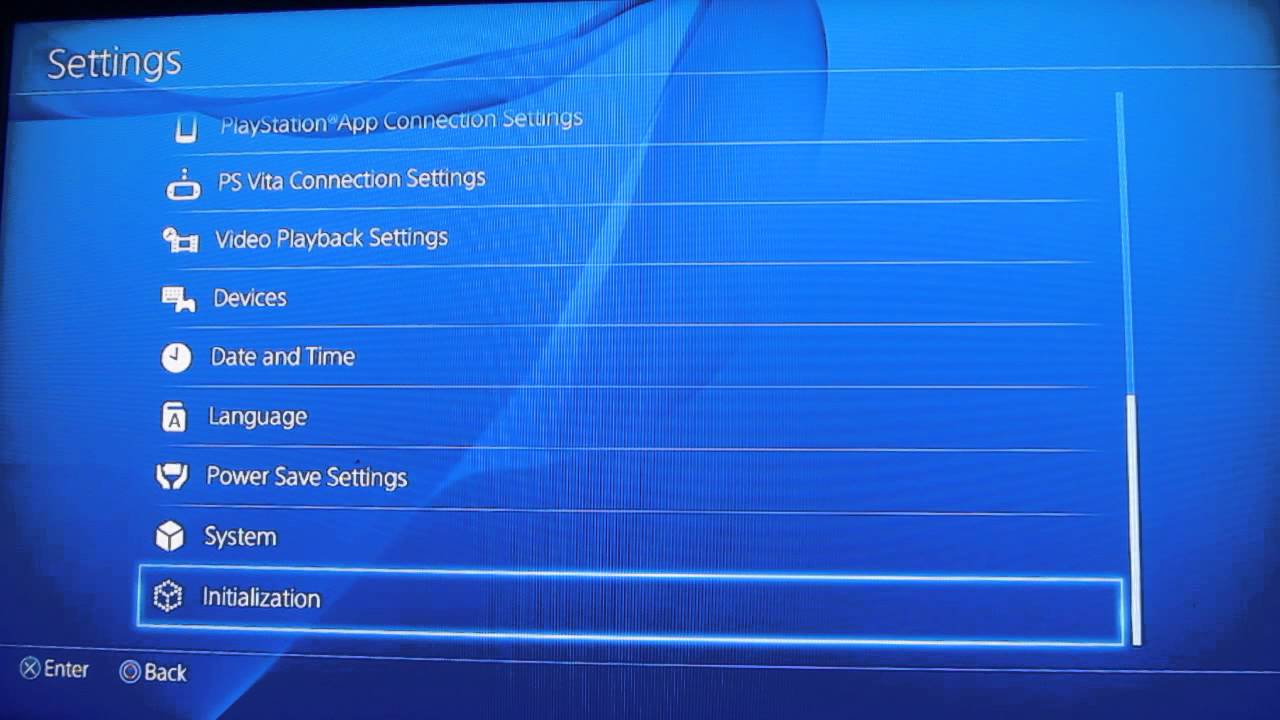
    4. Find the ‘Initialisation’ option here. You will see two options – “Restore Default Settings” and “Initialise PS4.” The first option will help you clear the saved settings data and return your PS4 device to its factory settings. It will not, however, clear your hard drive. The second option will clear your hard drive of data. This includes saved game data, downloaded games, and everything else. Once you go through these two options, your PS4 device will be as new as the day you bought it!
    5. When you come across the Initialise screen, make sure you choose Full since this could take quite some time, at least a couple of hours. Once you have started the initialisation process, the PS4 will show a progress bar indicating the time it will take.
    How to factory reset your PS4
    How to factory reset your PS4


    Factory Reset From Safe Mode

    Another way of performing a factory reset is from the Safe Mode. To do this, first, switch off your PS4 completely and hold down the power button on the console till you hear two beeps. This will enter the Safe Mode. Select the reset option you want. Choosing ‘Initialise PS4’ will clear the hard drive and restore the PS4 to factory settings, but it will keep the software system intact. This option can be chosen if you are sure there is no software trouble. For a review of the Sony PlayStation 5, click here

  • How To Unlock A Phone On Every Carrier

    How To Unlock A Phone On Every Carrier

    This often happens with people that their phone contract gets closed to finish and upgrade becomes necessary. However, to upgrade that one will have to stick to their phone. The phone is an important part of everyone’s life but to operate them freely we need to know how to do that. That is why you have a guide on how to unlock a phone on every carrier –

    How To Unlock A Phone On Every Carrier

    Things need to be done

    Unlocking phone demands a lot from the users’ patience and their time. Nevertheless, this also becomes necessary to unlock your phone before you plan to leave your current carrier. Here users’ will have to do these things.

    • IMEI number of your device
    • Name of the account holder and its account number.
    • Phone number is also important
    • A completed contract or the device payment plan.
    • The account holder’s social security number and the password.
    • The overseas deployment papers will be needed.

    Unlock the version zone

    Many of us use GSM and many CDMA for channel access. If you are buying devices of the big red then this always comes with an unlocked SIM Card slot. Only 4G LTE devices are not locked so even if you are thinking to bring them. You will have to bring another carrier and for that, there will be no code. It becomes mandatory to rejig the phone’s radios for other networks.

    Unlock the version zone

    Note – Verizon does not have any online process of making an unlock request. But you may call on the given number 888- 294- 6804 and request a SIM unlock.

    The process of this is different for the post-paid 3G devices on Verizon’s network. There are many which are not locked but need for entering the code – which should be either ‘000000’ or 123456.

    Process of unlocking an AT& T phone

    There is a process of unlocking a cell phone fro AT& T, which might look puzzled than with Verizon. Here is the list in which you may check out how to do this unlocking your AT& T handset.

    • The device should be working on the network of AT& T.
    • And if you are a current customer then the current contract or installment plan should be completely paid off which includes early termination fees. Or even you do not have, you can pay off plan early and wait for the next 20 hours before making any request.
    • And this should not be active on any different AT& T customer’s account.
    • Keep this in mind that it should not be reported lost or stolen or even involved in any sort of fraud.
    • This should be attached to the accounts with ‘good standing’ that is one should not be connected with any criminal and fraud activity.
    • This must be active at least for 60 days without any past due or unpaid balance.
    • And if you have upgraded this even early then this will have to wait for the next 14 days. This will be the buyer’s remorse period (30 days for the business customers) for passing before you unlock your old phone.

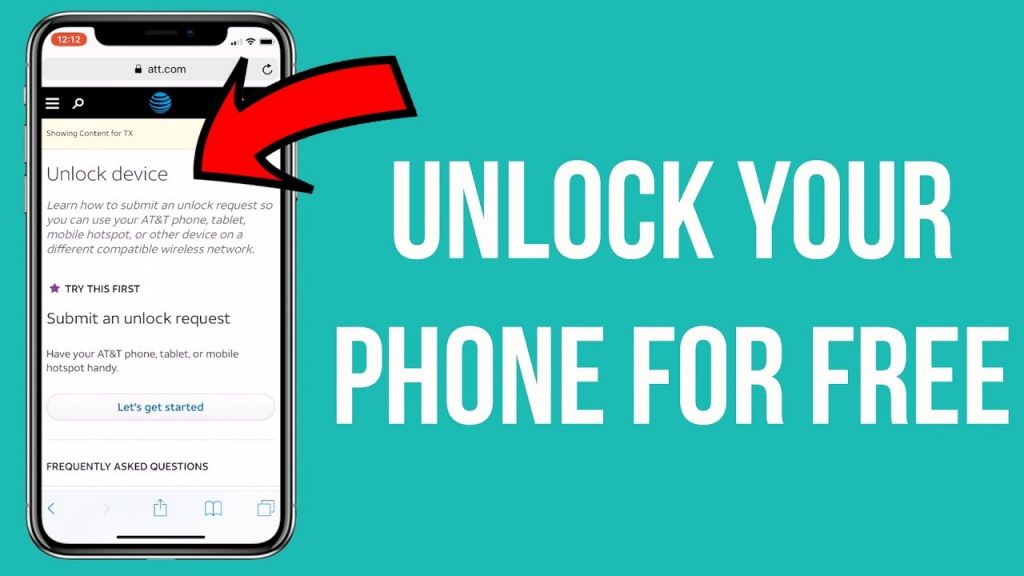
    AT& T has an unlock request form to offer which anyone can fill online. You can enter your AT& T mobile number or even if you have already switched and the IMEI number from your AT& T device this will also work. As soon as you submit, this form and then you will have 24 hours for clicking the link. After some time you will receive instructions for unlocking your device through email within two trade days for the request being made.

    Ways to unlock a T- mobile phone

    If you have made up your mind then there are many things to do it. Here are some of the ways.

    • The mandatory demand: it should be a device from the T- mobile
    • This should be connected to the account, which is in ‘good standing’.
    • It should not be reported lost, stolen or blocked.
    • When the device is on the service contract, then at least 18 consecutive monthly payments should be done.
    • But if you are using the T- mobile’s tool installment plan. Keep this clear to yourself payment should be completely paid.
    • T- Mobile might ask you for evidence of buying.

    How to unlock a sprint phone?

    This is a domestic SIM card modeled devices launched after 2015. They will automatically be unlocked when they become eligible. However, here is the method to do it.

    • The device should obviously be from sprint.
    • This should be domestic SIM unlock potential (if unlocking for the domestic united states)
    • This should be connected or attached to any account in ‘good standing’.
    • It should not have been reported lost or stolen or even blocked or connected with any sham activity.
    • This should already be activated at least for 50 days on the requesting line.
    • The user must be free of all burdens, which include these things pending payments or fees.

    Reason for your new phone carrier– locked

    There are various phones locked to a particular carrier or the network. There are three options to unlock your phone.

    1. Either you can make a call to your carrier and by contacting them. Rest they will handle.
    2. Or purchase any unlock code online.
    3. Be sure about your new phone, which is not locked in the first place.

    Note – when your carrier is locked it does also matter where you are. Suppose if you are in the US then you will need to have a complete contract or payment plan. In addition, the other thing, which should be in the mind, is that the buyer should not buy a locked phone.

    Winding-up

    These are some of the guidelines, which would sort out your issues. Many of us even after knowing to commit this mistake. However, anyone who has to find out the best solutions for unlocking their carrier must not worry instead. They should try these options for getting rid of the issue.

  • How To Easily Record Your Laptop Screen

    How To Easily Record Your Laptop Screen

    YouTubers often need this recording screen contents but if you are a fresher, then still you should not worry. Your worries over now because yes you can record your laptop screen in a much comfortable way! There are many systems, which come along with microphones and webcams because they do not come with options so easily recording systems or displays of the phone.

    How To Easily Record Your Laptop Screen

    Here are some of the ways to Record Your Laptop Screen

    Download screen recording software

    This is really important for further steps that one should download software. Open broadcast software (OBS) studio and Bandicam are one of the best sources. There is no built-in screen- recording utility in the windows that is why.

    It becomes necessary for installing screen recording software if anyone wants to record your laptop screen or even various running programs at once. If you are planning to record any games played or any particular app then you may use the Game Bar app in the windows 10 creator’s update.

    Install OBS studio

    Users will have to double click the OBS studio installer file (that anyone can get it in the browser’s default download locations). Then the next step is about clicking on yes when prompted, click next. Now click on I agree, click on the next. One may uncheck the plug-in box if want to have OBS in your browser and then click on the install.

    Click Finish when prompted

    This is the bottom- right corner of the window. By following this step, you will complete the installation and open OBS Studio. Open OBS studio just by clicking start, typing OBS studio and clicking OBS studio at the top of the Start window.

    Click ok – By doing this, it means you have accepted the OBS studio terms of using and opens the OBS studio window.

    Click Yes on the ‘Autoconfiguration wizard’ window

    This will help in bringing up a window and to complete the setup wizard.

    • Check the ‘just for recording’ box
    • Now click on the next
    • Click next
    • Now click on the apply settings
    • Now you have two choices to go with computers automatic settings or to go with your setting. If you want to have your own settings then click on no.

    Add the desktop of the computer as a desktop

    You can do it by clicking the +icon below the ‘sources’ heading. One may click on the Display capture or even on the Game capture. Click on the OK at the bottom of the new capture, window and click on ok at the bottom of the later window.

    Start recording by clicking on that

    When clicking on the bottom of the right corner of the OBS Studio window. This will show you the OBS studio for starting recording your screen’s contents. You can even stop the recording by clicking on the stop recording in the bottom right corner of the OBS studio.

    Fix the OBS studio ‘went wrong in recording’ error if required

    This is absolutely possible that you will have to face error while recording the screen. To get rid of this issue you need to check this out.

    • Click okay on the error message
    • Now click on the settings (lower right side)
    • Click on the output in the upper- left side of the settings window
    • Now click on the Encoder drop the down box
    • Now click on the software (x264) in the drop-down menu.
    • Now click on the apply option then click on ok.

    How to record your laptop screen in the PowerPoint 

    This can be very important to those who teach on YouTube via visual trick.  Therefore, here are some ways to do that.


    Step 1- Head to the Insert tab, and then select screen recording

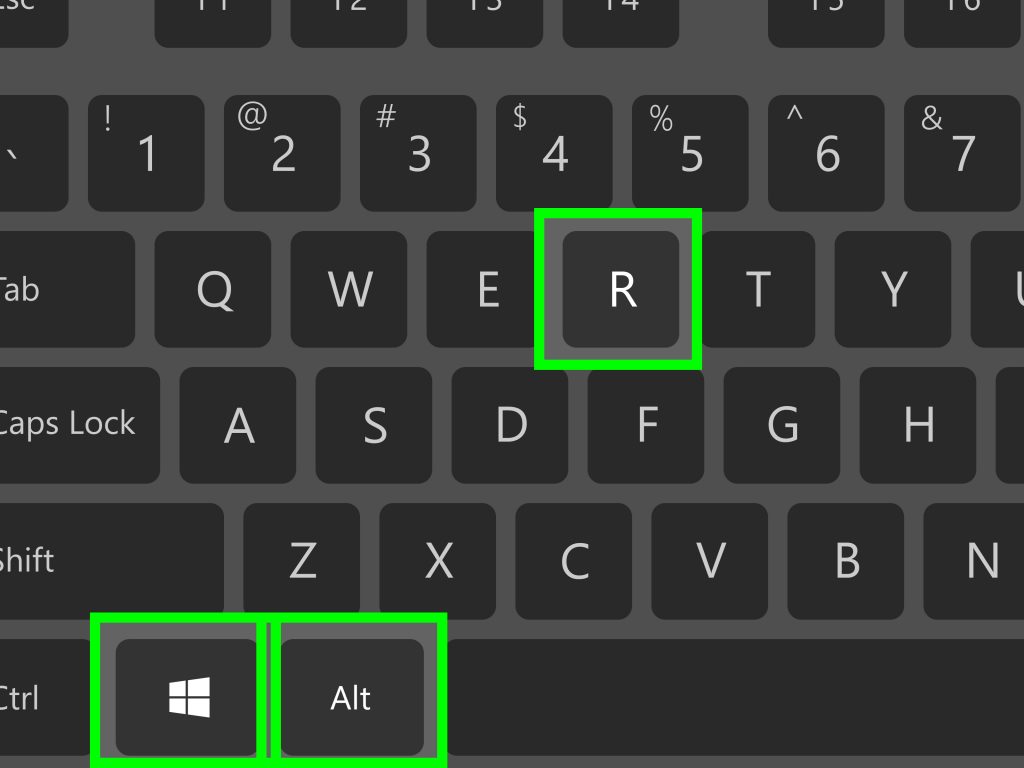
    Step 2 – Now click on the selected area for picking up the particular area of the screen whichever you have decided to record. However, if you have even decided to record the whole screen then press the Windows key + shift + F.

    Step 3 – Now click on the record button or press the Windows key + alt/shift + R.

    record your laptop screen in the PowerPoint

    Step 4 – One can even select the pause to pause the video whenever you have to do that. Stop to end it then saves it when you would have already done.

    This was the small step to follow and when you will be done with it. You can save the video as a separate file for accessing or to check it. But those who do not know this that the options of editing and controlling options are very limited. But whatever options are available there, you can use them for editing.

    The best software to record on your Laptop

    There is much software which is really helpful and best in their work. Here is the list full of suggestions.

    1. Movavi screen recorder studio
    2. Bandicam (a laptop software for windows devices)
    3. Ace Thinker
    4. Share X
    5. CamStudio
    6. Free screen video recorder
    7. Icecream screen recorder

    Ways to record screen for free of cost

    Many softwares are chargeable but many are even free. So one can decide to go for their choice!  But here are some of the free software and they are –

    • Debut video capture
    • OBS Studio
    • Apowersoft free online screen recorder
    • Flashback express
    • shareX

    Final words

    These software and steps are here to help you in recording the screen of your laptop. Today the field of education has developed because of this network. They have made the way easy to make people understand things by being far from anywhere.

    YouTube videos can easily be made by following those steps and software. Go live your dreams and make whatever kind of video you are willing to make.  You can try out other software as well as if you are not finding them satisfied. There is other software too, which is also affordable.

  • How To Stop Google From Tracking Your Location

    How To Stop Google From Tracking Your Location

    The Internet is tracking your location! Does that sound creepy? Of course, anyone would be uncomfortable when you get to know that the internet is tracking your location and that can be actually disturbing for sure. Of course, it is not always strange when the internet is actually tracking your device or the location, but such activities can be both advantageous and problematic on the whole and when it is considered as the safety concerns though.

    How to stop Google from tracking your location

    However, Google is one of those who track the device and the location. Of course, there are certain apps that ask permissions for tracking the location to offer better performance and features towards the particular app though.

    Well, if you think that Google is tracking you then you can simply turn off the location within your phone or you can directly turn it off from your device settings itself. To help you better, we have got some great steps that will help you to quit Google tracking your device or your location though.

    Easy steps to stop Google from tracking you

    Yes, you can simply make use of these below-mentioned tips and tricks that will be just great for you to stop Google from tracking your device though, and yes there are a few steps as well that you need to apply and put through on certain systems and devices though.

    When it is a mobile or desktop…?

    Therefore, here we have put the details for when it is a mobile or a desktop wherein you have to:

    maps location

      • When it is your mobile or a desktop device you have to sign in to the myaccount.google.com and that will open your Google account if you already have one, otherwise, you will have to create an account!
      • Just navigate to personal information and privacy and go to my activity.
      • Now, go to Web and App activity and click on Activity controls.
      • You can disable the tab of Web and app activity and location history.

    When it is an Apple device?

    Of course, it is also important when it comes to using the Apple device or the iOS device wherein you have to follow these particular steps:

      • Login to your Google account and go to personal information and privacy in the Manage your Google account.
      • Now just scroll towards my activity and there it will open the settings within your web browser.
      • On the same page, you will find activity controls within the web and app activity and there you will have to do just like you did in the android device and computer system.
      • You have to turn off the location history at the end of the page and then disable the web and app activity!
      • There it goes the Google will not be able to track you anymore!

    Conclusion

    Well, you can follow all these above-mentioned tips and tricks that will help you to disable the location and just quit Google tracking you or your location anymore!