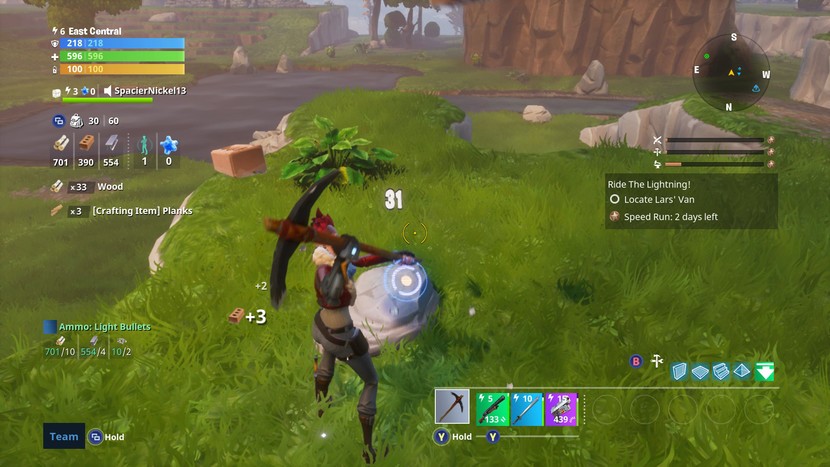
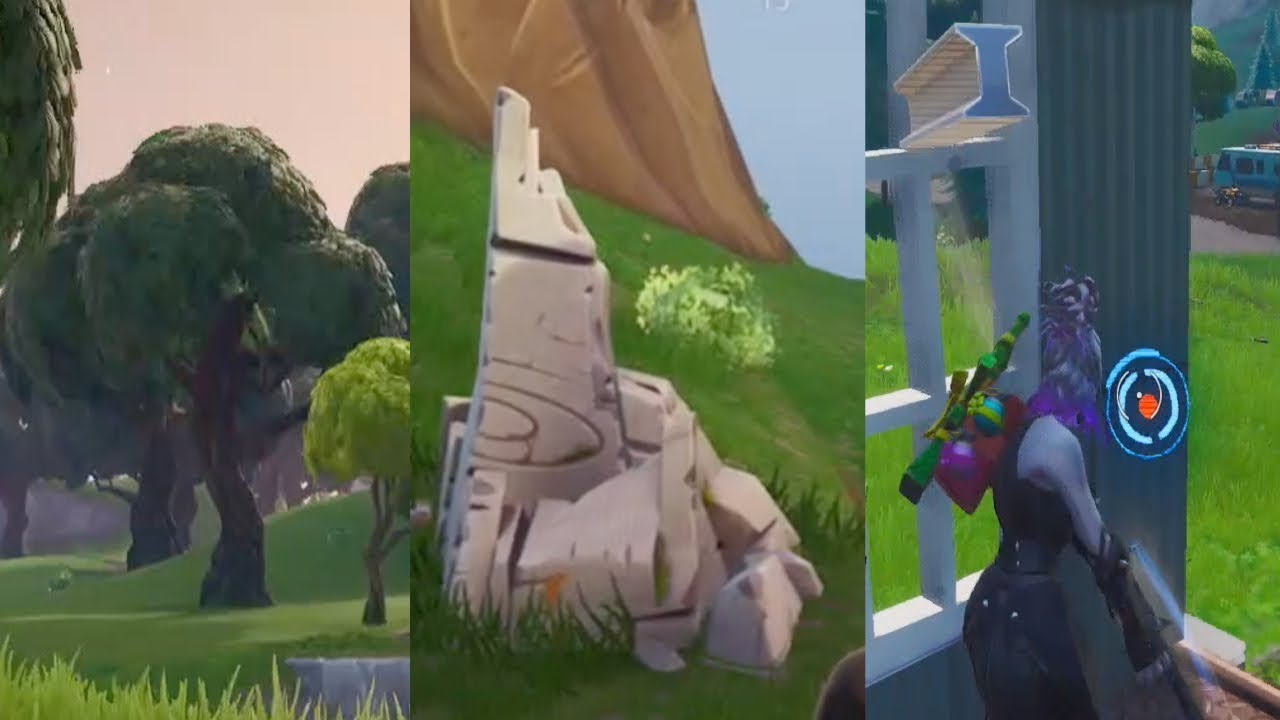
Category: How to

WordPress is a favorite blogging tool of mine and I share tips and tricks for using WordPress here.

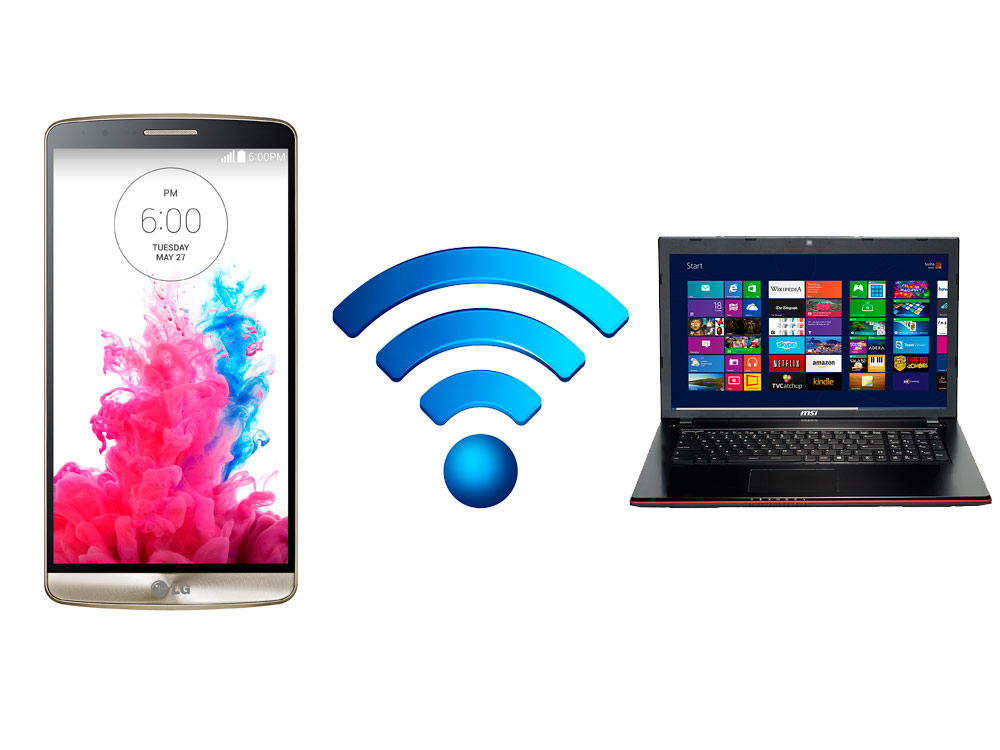
  • How to Share Files Between Android and Windows

    How to Share Files Between Android and Windows

    When it comes to sharing the files between Android devices to Windows, there are certain things that you need to follow. Well, with the support of USB cable, you can get an opportunity to share the files without any hassles. Usually, while handling this process, most probably the people would go over with a slow option like Bluetooth to transfer the files. If you are the one who doesn’t want to experience this thing, then go ahead with the support of some free apps.

    How to Share Files Between Android and Windows Using Free Apps


    Let’s have a look at two different methods in order to share the files between the windows as well as android. Hopefully, it will be helpful in terms of transferring the files using the apps.

    Solution 1: Share files between Android and Windows using Your Phone app

    If you are looking at this app, then it has the potential to share 25 photos and screenshots. So, whenever people are looking for transferring the files without any hassles at a faster rate, then you can go ahead with the following steps.

    How to Share Files Between Android and Windows Using Free Apps

      • First of all, it is necessary for you to install Your Phone app.
      • After the above process is completed, then make sure to complete the process like country code, phone number in the windows app. Now, you will get an opportunity to receive the link in a text message for an android application.
      • When it comes to downloading the application, then you can go ahead with Google Play with the support of the link at any time.
      • Well, after the successful installation, it is necessary for you to click over “Connect my PC”.
      • Now, proceed further to sign in with Microsoft account. On the other side, i.e. on the android device and allow all permissions.
      • After the above process, tap to open the app on your windows.
      • Finally, you are ready to access recent photos as well as text messages without any hassles.

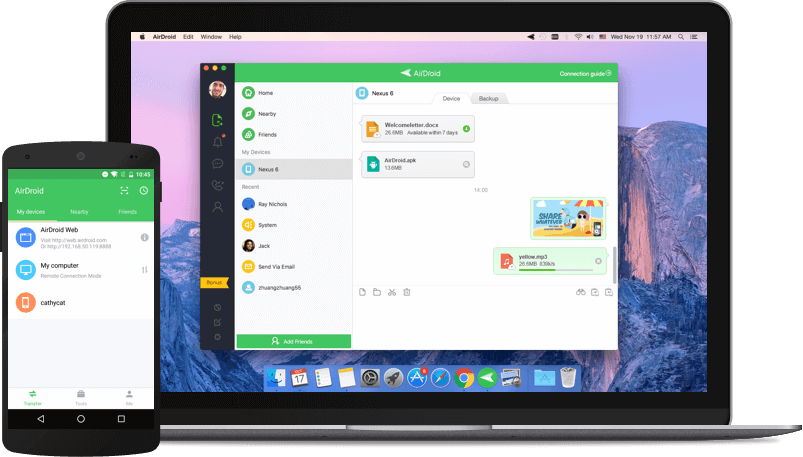
    Solution 2: Share files between Android and Windows using AirDroid

    It is the application that will allow the user to transfer the different files like videos, photos, audio and more. Even it will allow the user to share the multiple files.

    The best thing about this app is where you can also check out the remote camera mode which will allow the user to view the camera remotely. Let’s have a look at some of the essential steps.

    How to Share Files Between Android and Windows Using Free Apps

      • At first, you need to download the AirDroid desktop as well as an android app by visiting the official site of AirDroid.
      • Next, complete the registration process and proceed further to sign-in with the support of credentials on the windows app.
      • Make sure to check whether you are connected to Wi-Fi or not.
      • Now, the device and PC will shop up in the section of My devices in both the apps.
      • At last, you are ready to drag and drop the respective files that you want to transfer at any time.
  • How to Recover Deleted WhatsApp Messages

    How to Recover Deleted WhatsApp Messages

    Several ways are there for downloading WhatsApp messages without any fail. There are times when we all do this mistake we forget to have back up of messages or media. And later we pay for this losing our most important messages but even if you have forgotten having back up. You have a chance of recovering deleted WhatsApp messages.

    How to Recover Deleted WhatsApp Messages

    1. Go to the file manager on your phone (then download the file app of Google, just in case this app is not available). Now visit the WhatsApp folder> database. The database folder has entire WhatsApp backup files that are stored locally on the phone.
    2. Then select the file msgstore.db.crypt12. After doing it you will have to rename it to the msgstore_BACKUP.db.crypt12. And this one is the most current backup file and you will have to rename it. This you do for protecting it from being overwritten. Or even, in any case, you will be able to rename this particular file to its real name and restore it.
    3. There you will receive a bundle of files in this folder in the format msgstore- YYYY-MM-DD.1.db.crypt12. This is the older backups; here you can single out the recent messages and then rename them to the msgstore.db.crypt12.
    4. Pay attention – this part is puzzled. You will require to open Google drive (on any device).there you will find a hamburger icon (the three vertical lines)> Backups. The next step would be about backing up the WhatsApp messages. By doing this the phone would recover the WhatsApp messages.
    5. The next step you will have to do is uninstalling the WhatsApp and then reinstalling it. When you will be done you can set it up, by doing this instantly there you can restore recent chats from a local backup.
    6. After taking the entire step you have to tap on the restore and that is it. There you will be able in getting your deleted chats back.

    Restore deleted WhatsApp chats with cloud backup

    This is also one another way of restoring WhatsApp chats if your messages have gotten deleted due to some reason. You can say your Google Drive or iCloud back up took place at midnight and your messages somehow got deleted.

    How to Recover Deleted WhatsApp Messages

    But the best part of all is that the cloud has a record of everything. It will still have your money. Here are the steps which one can follow up –

    1. At first, uninstall WhatsApp from your Android Smartphone or iPhone.
    2. Then reinstall your WhatsApp, and then fill basic first details.
    3. When you are done with that, then instantly you will be asked for restoring messages from the cloud backup.
    4. By taking the above step you will be able to restore messages which you would have accidentally deleted.
    5. Note- but just in case if you receive any messages like this, your cloud does not have back up of your recent messages. It means you have lost your chats forever. And there is even no way of getting them back.
  • How to Download Facebook Videos

    How to Download Facebook Videos

    Facebook is one of the popular social media websites which is used by millions of users around the world and this is one of the biggest websites which is streaming very popular in recent days.


    Facebook is a strong competitor with YouTube media for acquiring multiple advertisers. The only difference between YouTube and Facebook is YouTube has offline mode but this Facebook does not have offline mode options.


    And also in this Facebook website you don’t have any buttons for saving videos in this article let us discuss in detail about downloading the videos from Facebook social media in an easier way to your Smartphone devices.


    How to Download Face book Videos on Android, IPhone, Windows and Mac

    How to save the videos to view later from Facebook media

    Second, by second you will come across plenty of videos but you will find it difficult to save and download your favorite videos from Facebook here is the simple method to save the Facebook videos.

      • Initially just open the video from Facebook to choose your favorite video to save.
      • In that video right top end, you will see three dots.
      • Just click to expand the option.
      • There you will find the save video option.
      • Finally, your favorite video will be saved to the saved videos and you will have the option of accessing any time that is saved in the video menu on your Facebook.

    Steps to download Facebook videos in iPhone and Android

      • Initially go to the Facebook video which you want to download on your device.
      • Just refer to the video below you will find the share button.
      • Click that button to copy the video link which is appeared.
      • Just take this video link copied on any browser or go to fbdown.net.
      • Paste the link and tap to download.
      • On the next page immediately you can select the quality of the video to download.
      • Now you can watch the video that plays in your browser and you can download this video anywhere on your device.
      • Therefore the video will be downloaded in your downloaded folder from your browser on your smartphone.

    How to Download Face book Videos on Android, IPhone, Windows and Mac

    However, as if now there is no option of downloading the videos from Facebook on iPod and iPhone. The leading Apple Company has not been provided permission for any developer to download the videos from the social websites to iPod or iPhone. If you try to download your favorite video in iPod or iPhone it will just play your favorite video where you could not download it.

    How to download the favorite videos from Facebook on Mac and Windows

    Facebook videos can be easily downloaded to your device in the same way as Android phones.

      • Initially just open any of the browsers and visit the Facebook website.
      • Choose your favorite video when you click on it you will find the URL video just copy it.
      • And then go to fbdown.net to paste the copied URL and then downloaded
      • On the next page, you will find the double option of downloading in HD or normal quality.
      • Choose the option and the video which is playing on the browser.
      • And now right-click the video to save and to download the favorite videos in your Mac or PC.

    Steps to download Facebook videos which you have posted

      • For this initially, jump to your Facebook profile.
      • Here at the top of the page next to your name you will find the menu bar with the button down arrow.
      • Keep the mouse over the menu box and list the videos which you have clicked.
      • Here you will find the album in the video section.
      • Keep the mouse on the particular video which you need to download and you will see the icon as pencil blinking on it just click that.
      • When you click it you will find an option of download HD and download SD.
      • Choose your best quality option and finally, your video will be immediately downloaded in the format of MP4.

    Conclusion

    In this context, we have discussed in detail about downloading the videos from the Facebook social media to your device for your future reference.

  • How to sign up for Minecraft Earth

    How to sign up for Minecraft Earth

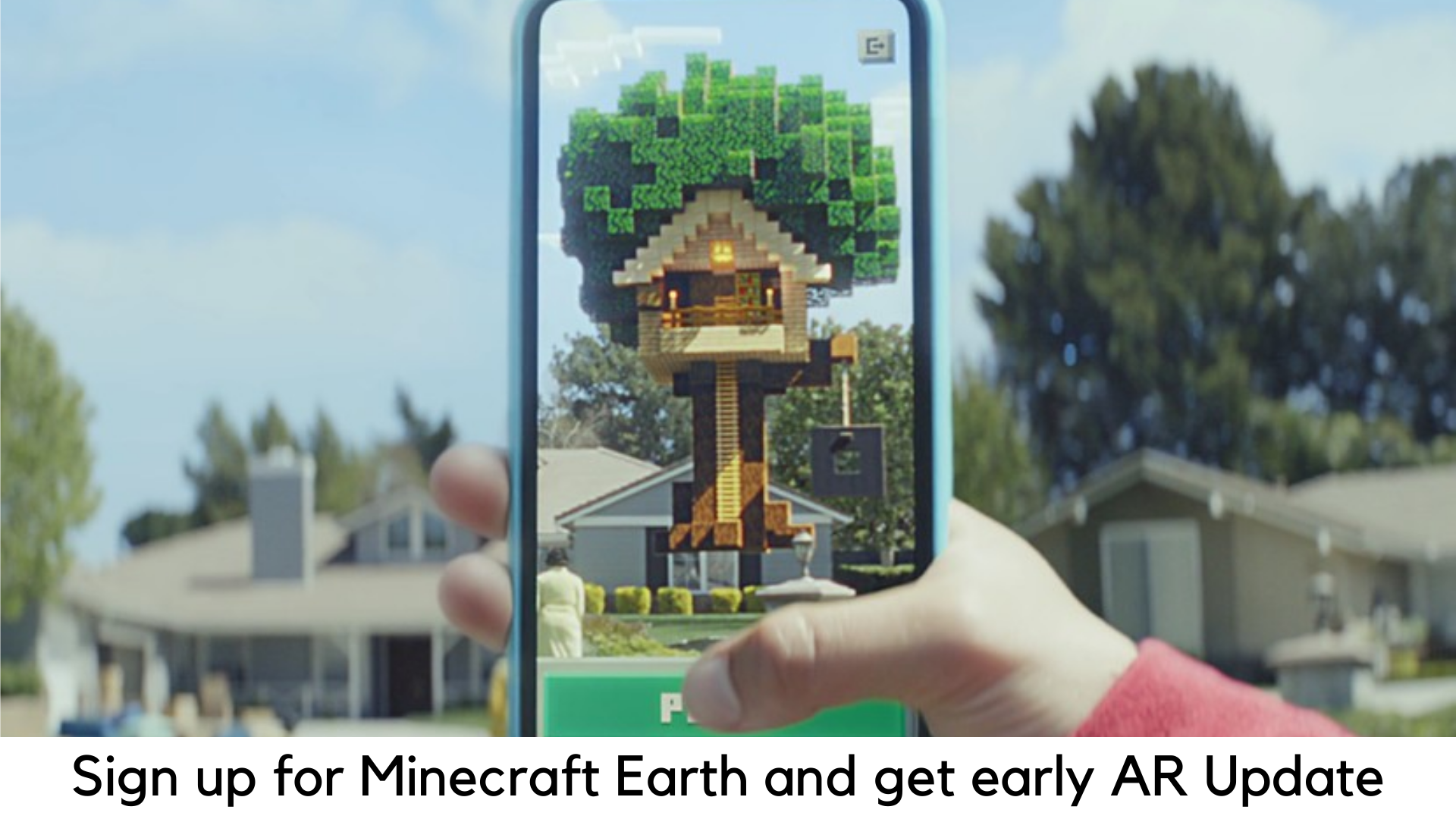
    In order to celebrate the 10th anniversary, Minecraft has just announced its next step for the blocky game which took the world by storm. It is somehow going to take over the world with the surprise of Augmented Reality. Minecraft Earth has gone the power of AR in order to turn the world around you into a sandbox. After Pokémon Go, it is going to be the next AR craze. The best thing is that you can try your hands on this update early.

    How to sign up for Minecraft Earth and get an early AR adventure?

    Minecraft has been very popular, especially among the youth, for over a decade. According to Microsoft, more than half of all children from 9 to 11 years in the US still play Minecraft on a daily basis.

    So, it goes without saying that Microsoft and Mojang have tied their hands together to add different tools, materials, and creatures of the real world to its Minecraft Universe.

    What to expect from the new Minecraft Earth?

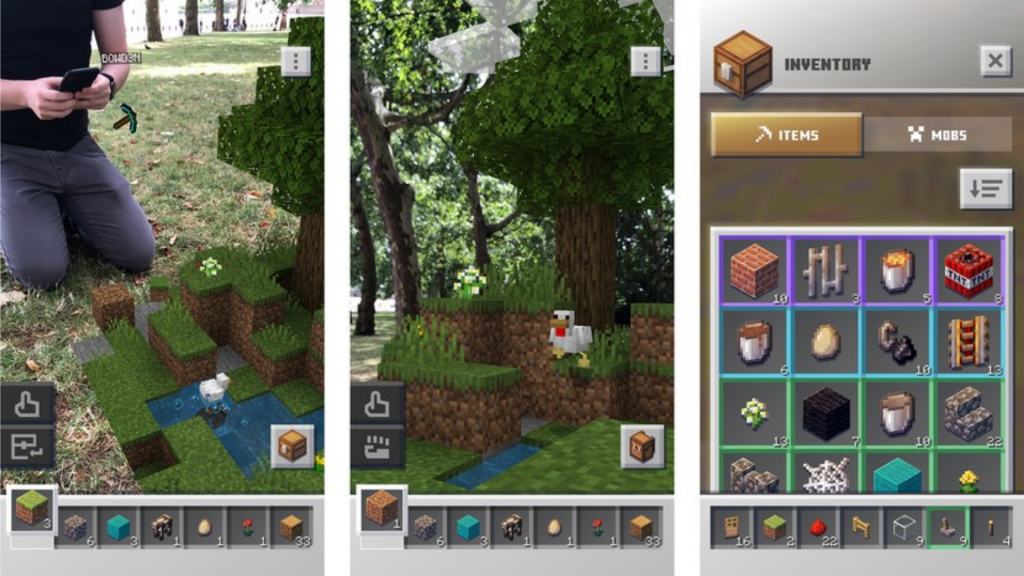
    Some of the interesting details regarding the gameplay have been revealed in the early hands-on sessions with this game. In one part, you might be roaming around collecting and searching for resources, looting across your location to grab rewards. You can go far enough. But we haven’t seen anyone digging with a shovel in real life.

    How to sign up for Minecraft Earth and get an early AR adventure?

    There are also ‘adventures’ for you. Once they are activated, you can superimpose the environments of Minecraft as 3D holograms in the real world which can be seen by using your device’s camera.

    You will be able to enter the world of adventure dealing with all enemies and traps and winning amazing rewards. You can also raid dungeons with friends.

    Minecraft Earth will definitely have the crafting adventure where you could use all the resources you have collected and build your own virtual castle, house, and statue in Lego style. If you can try out some rarer materials, you will definitely command great bragging rights.

    Register for Minecraft Earth Early

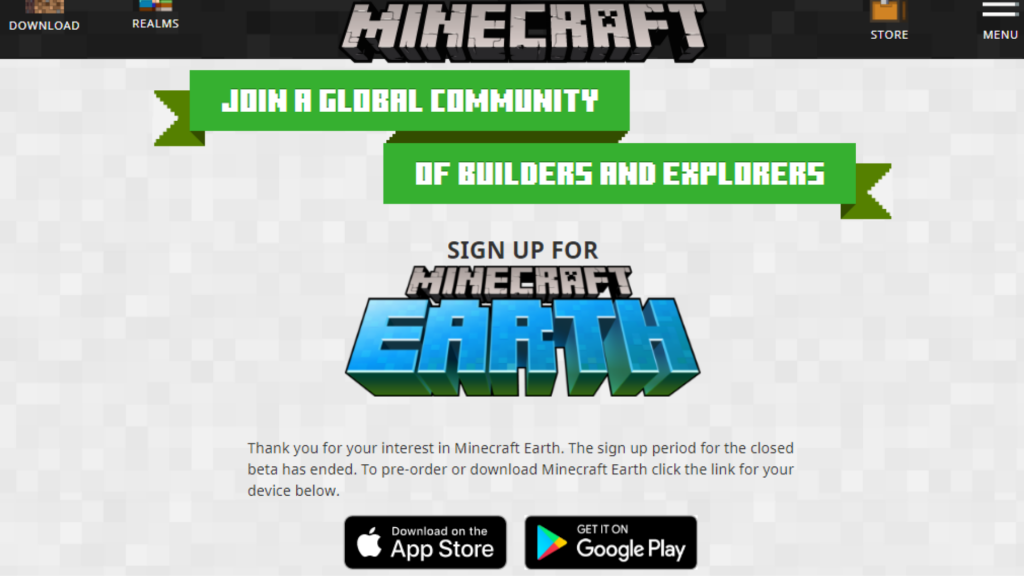
    Android users have to first visit the Google Play Store in order to pre-register for Minecraft Earth. You need to log in at Earth.Minecraft.net for the latest updates if you want to play this game early in closed beta for Android.

    In addition, you can also get a Minecraft Earth skin for free (which will also support “Bedrock Edition” by Minecraft. You can also be eligible for Android Minecraft Earth beta by signing up.

    How to sign up for Minecraft Earth and get an early AR adventure?

    There are limited slots available to log in for closed beta. But Mojang, Minecraft developer, has eventually planned to release Minecraft Earth to hundreds of thousands of players in order to test the game for free.

    Players who signed up for beta might be playing Minecraft Earth actively in the span of 7 days. They may also return to the eligibility pool of the beta version.

    In order to try Android closed beta, you need to have a mobile device running iOS 10 or Android 7 with an Xbox Live or Microsoft account (which can be designed for free).

    It allows only players who are above 18 years to test the beta version. Minecraft Earth will be free on both Android and iOS devices with in-app purchases.

  • How to Identify Font in Any Image?

    How to Identify Font in Any Image?

    More often than not, we all come across a random image on the web and find a text written on it, but wonder exactly what font was used on it. Identifying fonts in a picture is quite tricky but everyone should know this trick. It serves a lot of purposes. For example, you can search and download a particular font that you would really want to use in your pictures.

    How to Identify Font in Any Image

    Sometimes, you may find a meme on Facebook or Instagram and want to make its font on your own. From members to designers, everyone has to know what fonts are used on images. Fortunately, it is not that difficult.

    Steps to identify fonts in an image with Font Squirrel

    You can easily identify fonts on any picture with these steps –

    Steps to identify fonts in an image with Font Squirrel

      • First of all, download an image or copy the image URL.
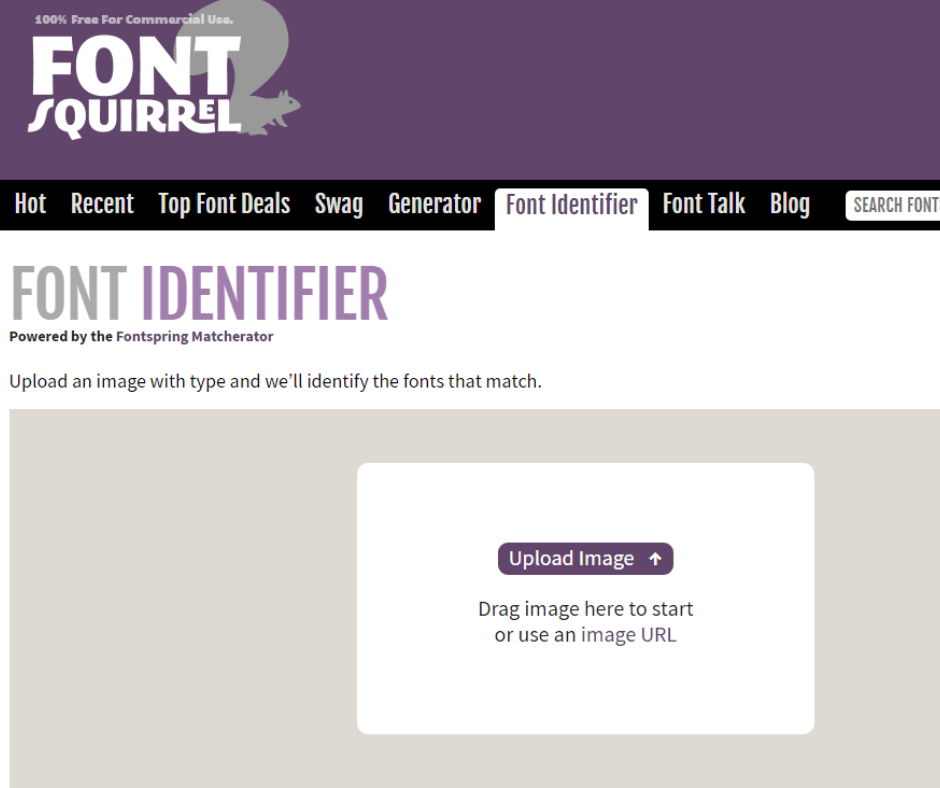
      • Log on to the official Font Squirrel website.
      • Go to Font Identifier.
      • Click image URL and paste the same or Upload Image if you have an image stored on your PC.
      • Highlight the text on an image by cropping it. Drag the blue borders to cover just the text on an image.
      • Click “Matcherate It”.
      • It will show several options below. Choose the right font and either buy it or download it from the mentioned websites. Below the image, choose “Font Squirrel” if you want to check only free fonts.

    Steps to Identify Fonts in Image with Photoshop

    Adobe Photoshop also comes with a simple tool to identify fonts on an image. Here are the steps detailed below –

    Steps to Identify Fonts in Image with Photoshop

    • Download the image which has the font you need to figure out.
    • Launch Adobe Photoshop.
    • Browse the image location with the app.
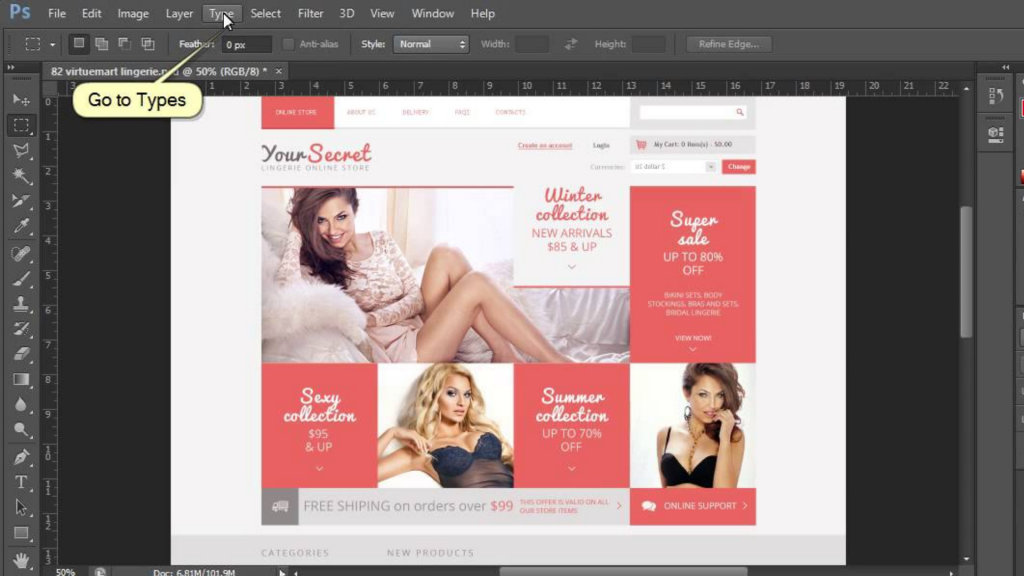
    • With the use of the “Rectangular marquee tool” (press M to open it), place a rectangle around the font to identify.
    • Select Type>Match Font from the toolbar.
    • You can either choose from the fonts which have been installed already on your PC or download matching fonts online.

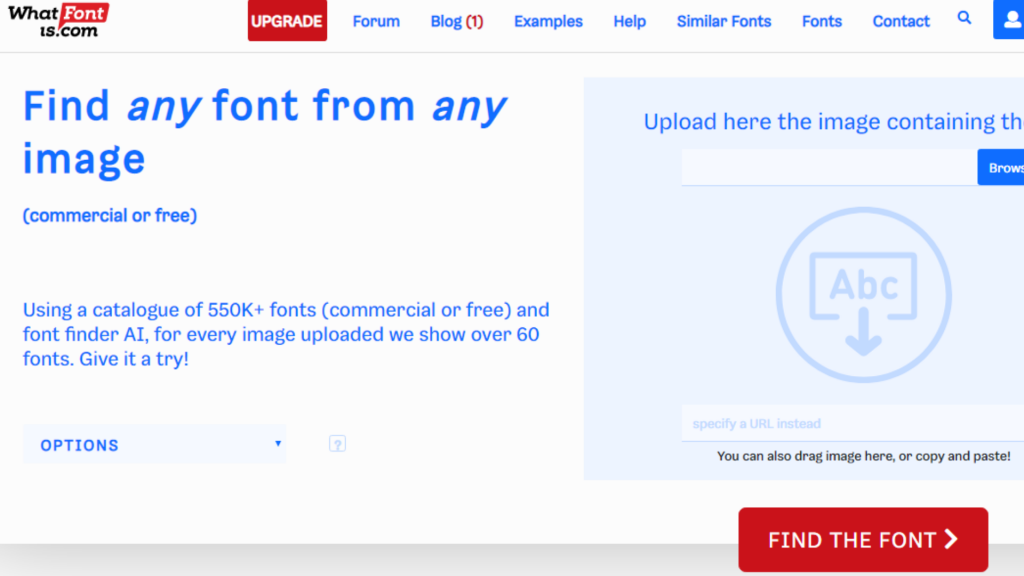
    Steps to Identify Image Fonts with Whatfontis.com


    How to Identify Font in Any Image

      • First of all, find a picture with a font. You can save the image on your PC for best results or capture a screenshot of an image using a tool like SPGrab.
      • Go to whatfontis.com.
      • Click on “Browse” and go to the folder where you have saved your image with text. You can also enter the image URL in the box (labeled a URL with image).
      • Be sure the options reflect the results you want or the image you want to use. Be sure that the right background color option is picked.
      • Click “Continue” to start identifying.
      • Test the images shown on the next page (be sure to provide more details to get more accurate results). Once you picked the highlighted text, enter the same in the text area next to it.
      • At the bottom, click on the Continue button.
      • On the next page, you will be able to see the results. You can also buy or download the fonts. You can grab the close match without looking for the font all around the web.
  • Best Soccer Games for Android

    Best Soccer Games for Android

    Both cricket and football are the most loved sports these days. Some are crazy cricket fans while some are football fans. There are also some people who are fans of both games. So, it is not easy to judge which game is more popular. It goes without saying that football is widely played in the virtual world of smartphones. In short, footy on the go has never been so popular. Even though some people don’t love to play football in real life, but they are still crazy for virtual football. With that in mind, we have listed some of the top soccer games for Android.
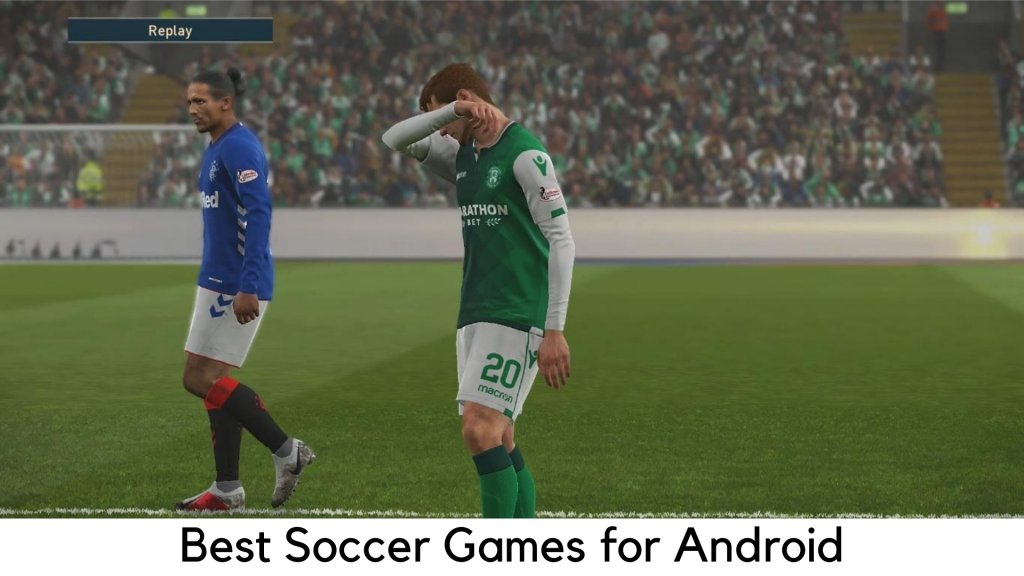
    Best Soccer Games for Android

    FIFA Mobile 2019

    FIFA Series has always been critically acclaimed by EA Sports and one of the most loved soccer franchises. With its popularity in mind, the developer has also offered FIFA on Android. The console and mobile versions of the game have been focused on the lucrative and very popular Ultimate Team mode.

    This game requires players to win the matches and earn coins to acquire the packs of players. It’s like grabbing baseball cards but they represent players you are going to use in the game. Here, you need to make a dream squad and fight online rivals. Of course, you can acquire players with real currency as well.
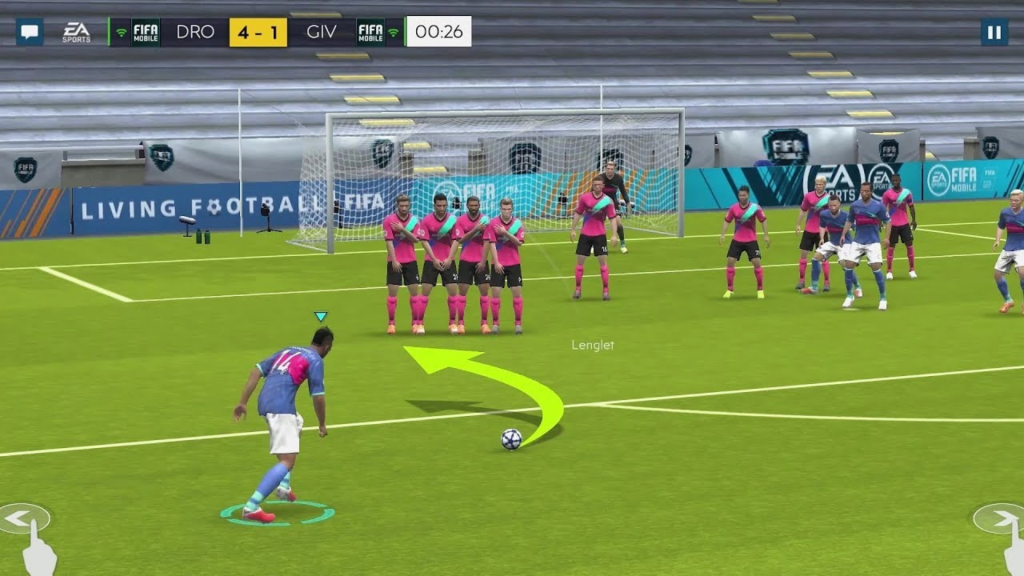
    FIFA Mobile 2019

    The EA’s purchasing power is the main reason why FIFA takes over the world of soccer and another feather in its cap. The company covers almost every leading league with its rights. It has a huge range of kits, teams, competitions, players, and stadiums that are officially licensed. If you want a realistic football game to play, FIFA Mobile 2019 is the best one to go for.

    PES 2020

    Obviously this list of best soccer games cannot complete without one of the major rivals of the FIFA series. It is known as Winning Eleven in its native country Japan. It is known as Pro Evolution Soccer in the UK. PES 2020 is here for those old-school football and gaming fans that grew up playing PlayStation 2 variants.

    It is definitely the best soccer game for Android these days, with refined and easy gameplay and virtually console-quality graphics.
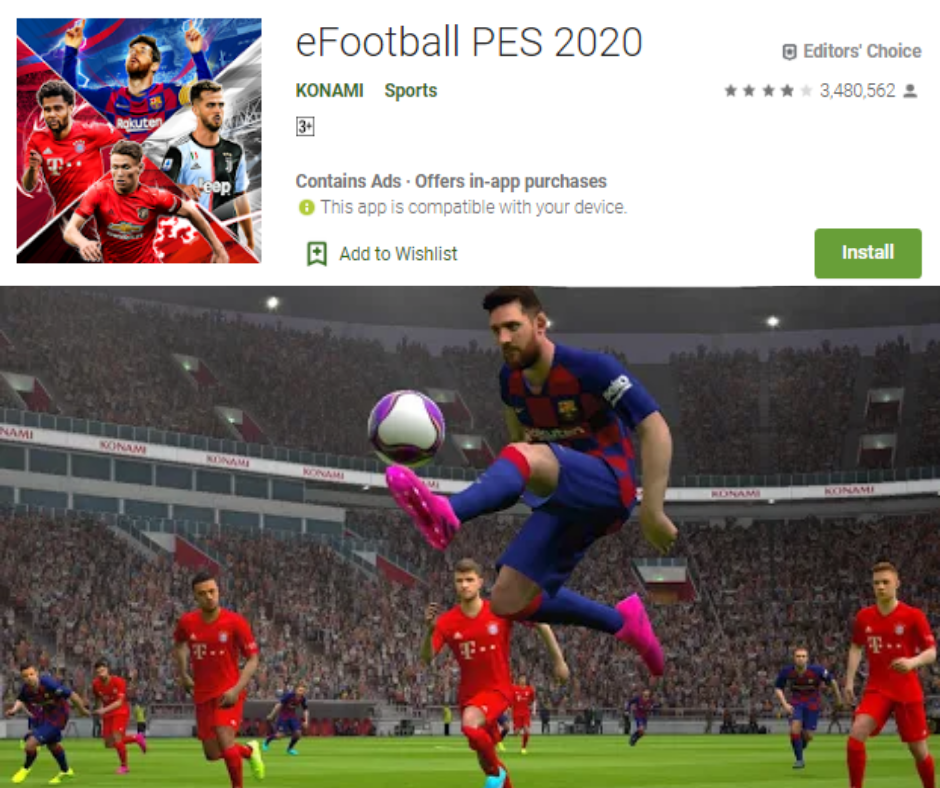
    PES 2020

    The FIFA versus PES has been a long-term debate and it goes without saying that FIFA has been commercially a success. PES has its strong prominence among the diehard football fans. As compared to FIFA, it is more arcade-like and predictable. It has the feel that you can get only with PES, according to some soccer fans.

    Soccer Stars

    Even though you are not a football fan, you will definitely love Soccer Stars. It seems to have a vibe of a Rocket league crossed with Subbuteo, a classic table game. You would need to swipe discs to score goals on a football pitch.

    You can play the matches online against real opponents across the world. It is definitely full of fun. You can win hundreds of cups, mini-tournaments, and trophies.
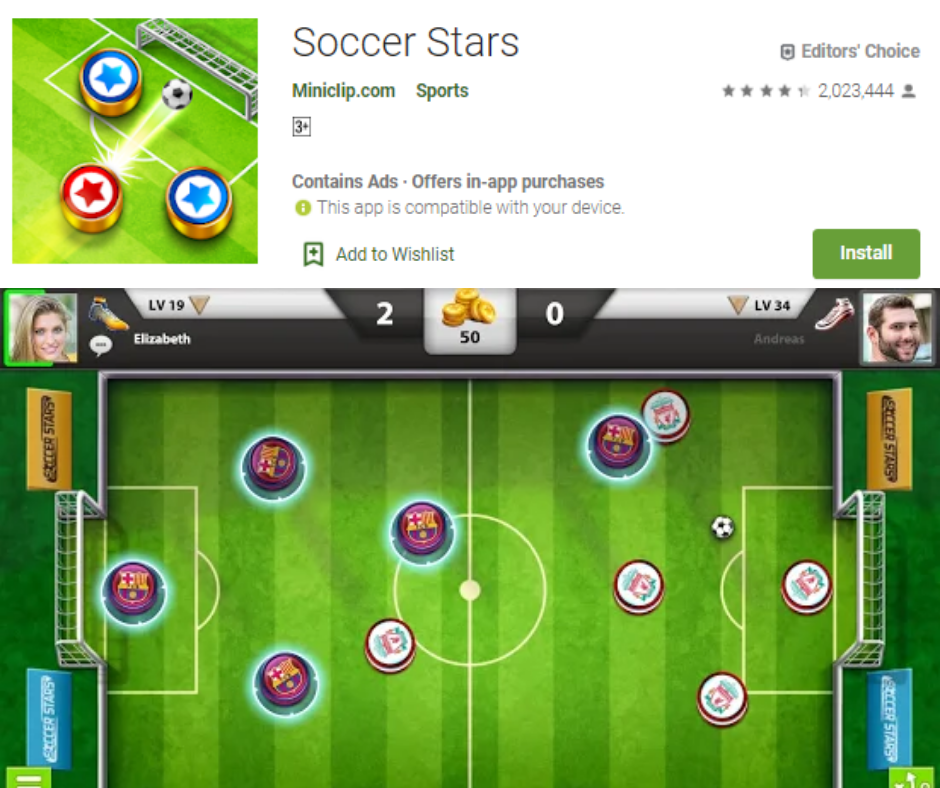
    Also, play local multiplayer on one device against friends in the pass and play. If you don’t want to mess around with player transfers, rosters, and substitutes and you want something lighter, Soccer Stars is the best football game for you.

    Soccer Star 2022

    Don’t get confused with the similar-sounding game above. Soccer Star 2022 is truly an addictive and appealing soccer game that is aimed to force you to make decisions for some great action. Be it a dribble, goal kick, a header or a pass, this game has all the glorious moments which have been the game changers in football history.
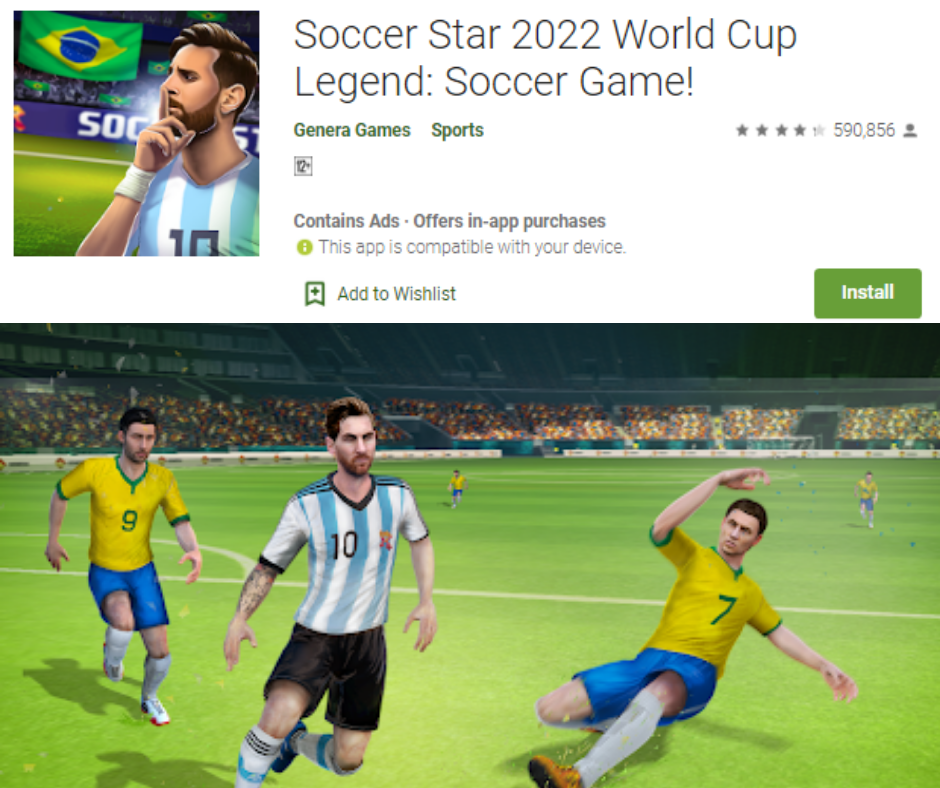
    Soccer Star 2022

    Create your own player and play as long as possible. Contracts will come and take you to the true success of your football career. You can easily pick up the game and have fun for hours. If you are up for a more casual gaming experience that takes you to the major turning points, it is definitely a soccer game you should go for.

    Football Manager 2019 Mobile

    Are you looking for a bit of change in pace from other football games listed here? Football Manager 2019 Mobile is here as a great entry from its Mac and PC versions. It has a huge community of players. It has a great presence across Europe and the UK for being truly addictive.

    Instead of playing soccer, you play as a manager and run your club in different ways. You may train, buy players, make changes, and match in-game substitutes and tactics.
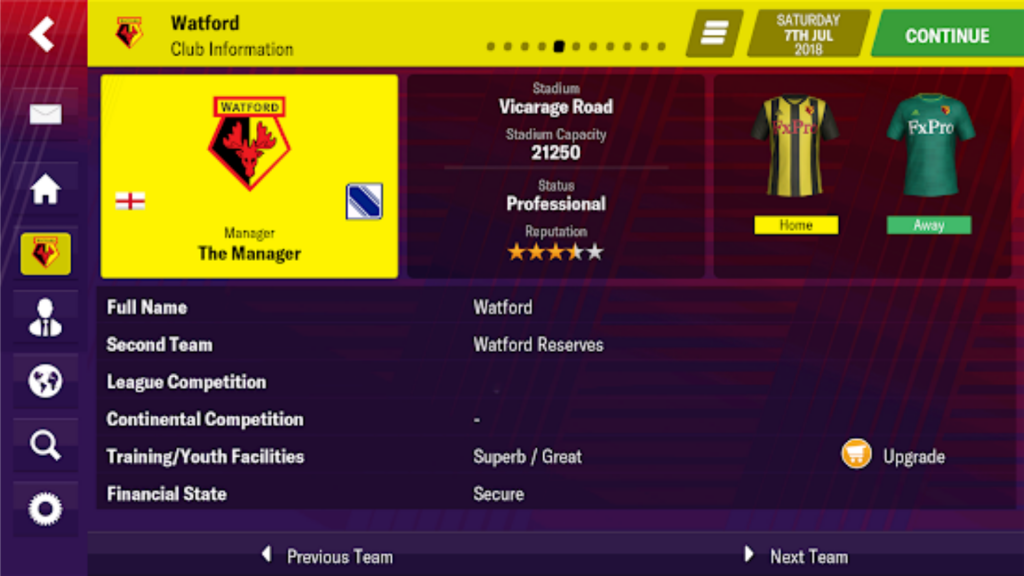
    Football Manager 2019

    It is one of the most in-depth games of football management in the world and its mobile version is truly great. It’s really worth the price. You can also try out Football Manager Touch 2019, the tablet version which costs quite high. It has some more PC features.

    FIFA Soccer

    When it comes to the football game which is most popular, everyone would say FIFA Soccer. Of course, it is a very realistic, exciting football game for mobile. Its gameplay is very simple for beginners. Sometimes, it goes too rough for expert gamers.
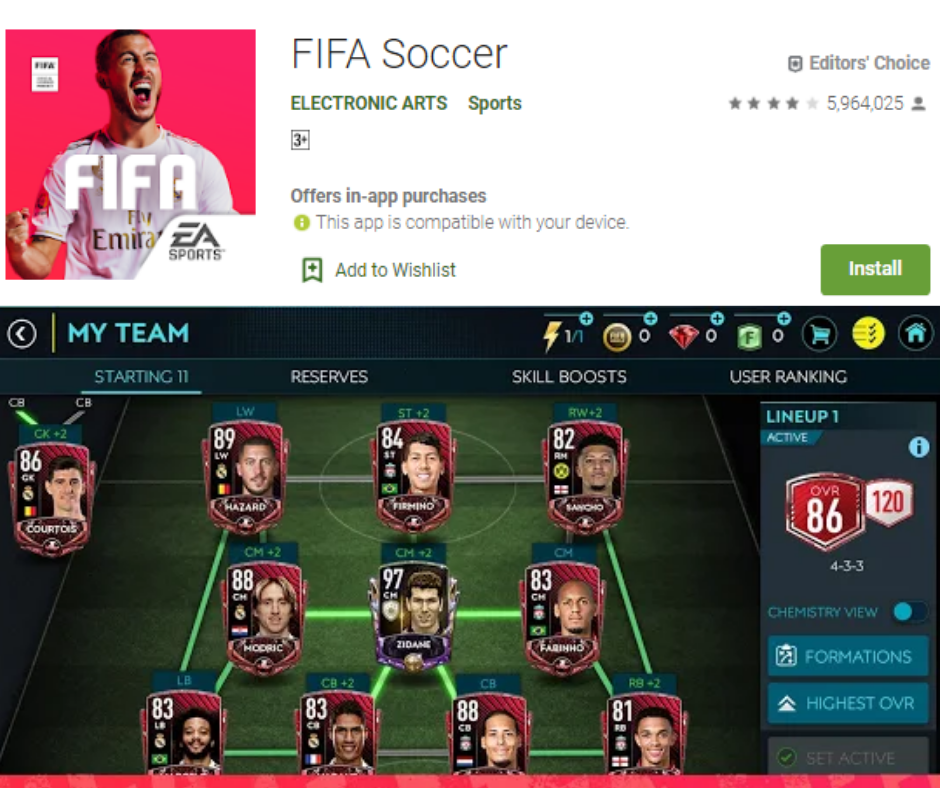
    FIFA Soccer

    It takes a while to get your hands on it. You can command a powerful league or join leagues in World Wide Tournament. On the attack mode, there are 90 seconds of games to play. You can start a head-to-head war in the 11vs11 game. There are over 500 teams to choose players from.

    Football Strike – Multiplayer Soccer

    Football truly doubles the fun and excitement of playing with friends. If you and your clan is a diehard football fan, Football Strike is here to double the fun as a real game. This multiplayer game is now available for Android with lots of amazing features to make it so addictive and popular.
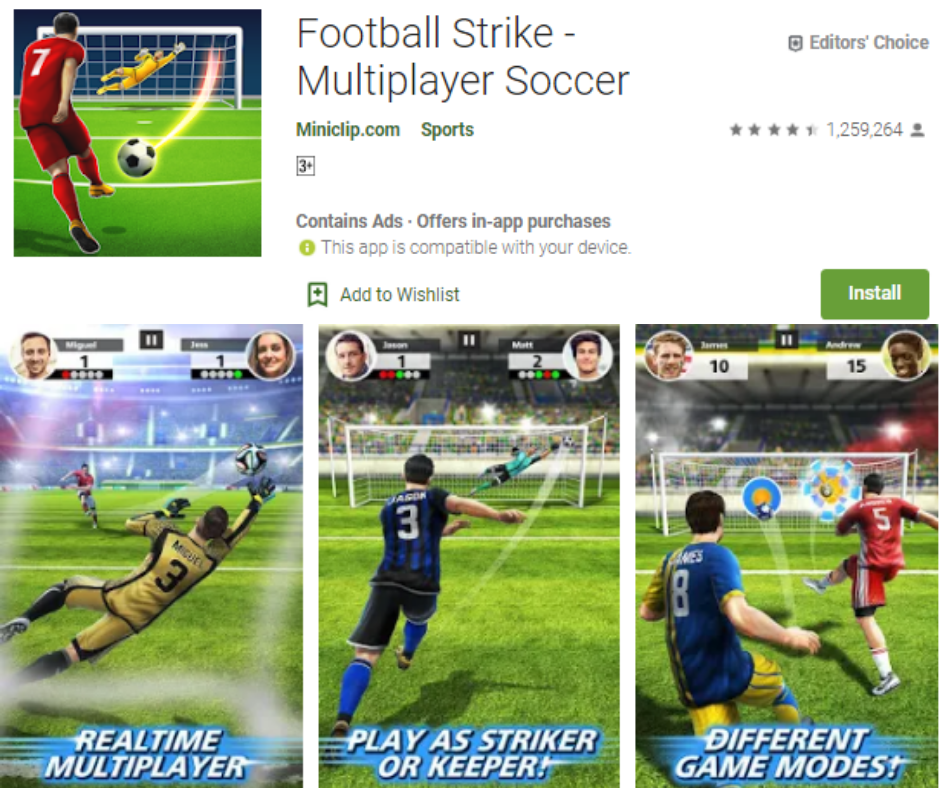
    Football Strike

    It has a lot of popular teams to play like Liverpool FC, FC Barcelona, Borussia Dortmund, and Tottenham Hotspur FC. You can also play One-on-One and Free Kick mode online. The scooter’s race is another gaming mode added.

    You can enjoy this multiplayer game with your family and friends. With the upgrading options, you can make Gradual Development of equipment and players. After winning matches, you can earn medals and challenge friends as well.
  • How to Eliminate All Traces of Your Online Dating Profile?

    How to Eliminate All Traces of Your Online Dating Profile?

    Let’s imagine a situation. You once had an urge to try creating an online dating profile. So, you downloaded Hinge, Tinder, Coffee Meets Bagel and other online dating apps and picked your best Facebook pictures and started swiping right and left without any worries. And finally, you’ve met someone and started dating. The excitement was finished and you removed all the apps off your device. You might be hoping you would never hear from another person interested to date you ever again.

    How to Eliminate All Traces of Your Online Dating Profile

    Irrespective of the common belief, just deleting your Tinder app is not enough to keep single stalkers around you from checking out your profile. The reason is much similar like how deleting the Facebook app doesn’t delete your Facebook profile.

    If you believe that you have been removed from dating apps just by deleting them, you are wrong. It comes as more shocking than you think. Actually, your profile is still on it and someone else can come across it and find out.

    Dating apps are here to ensure that privacy policies are “completely prominent” in the login process and written in an easy way. This is why; users know how their data will be used and how long it will be kept, according to a lawyer and data security expert, Jaya Handa, at Pinsent Masons, a UK-based law firm.

    According to Tinder representative, if a user becomes offline for a long time, their profile will be invisible to other users. But it is not clear as to how long a dating app stores information of a user after deleting an app and not using a service.

    The representative said that Tinder doesn’t share any information but it also sends a message to the user that their profile has been hidden as they are not active for a long time. The user won’t see any message after deleting an app.

    Eliminating all Traces from Online Dating Apps

    Now that you know that just deleting an app won’t keep anyone else from checking out your profile. So, how could you leave no traces behind? Keep reading.

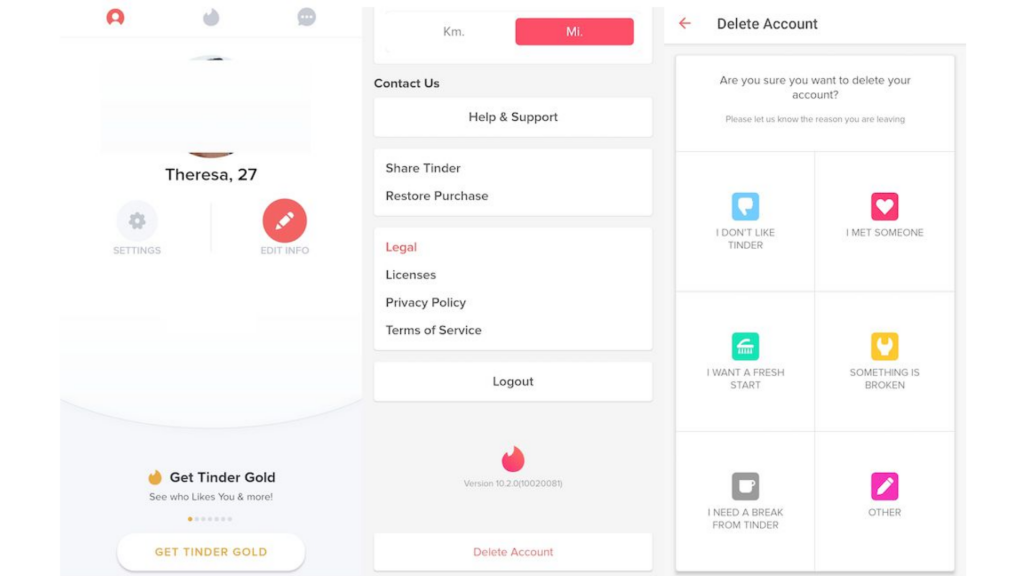
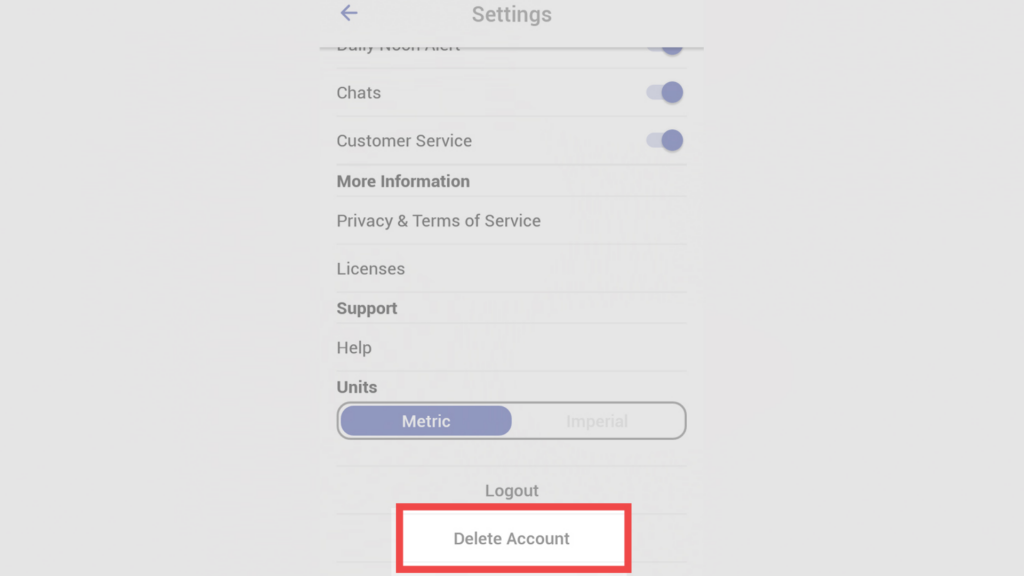
    Deleting Tinder Account

    • Open the Tinder app and tap the icon on the upper left corner.
    • Head to Settings.
    • Scroll down and tap “Delete Account”.

    How to Eliminate All Traces of Your Online Dating Profile

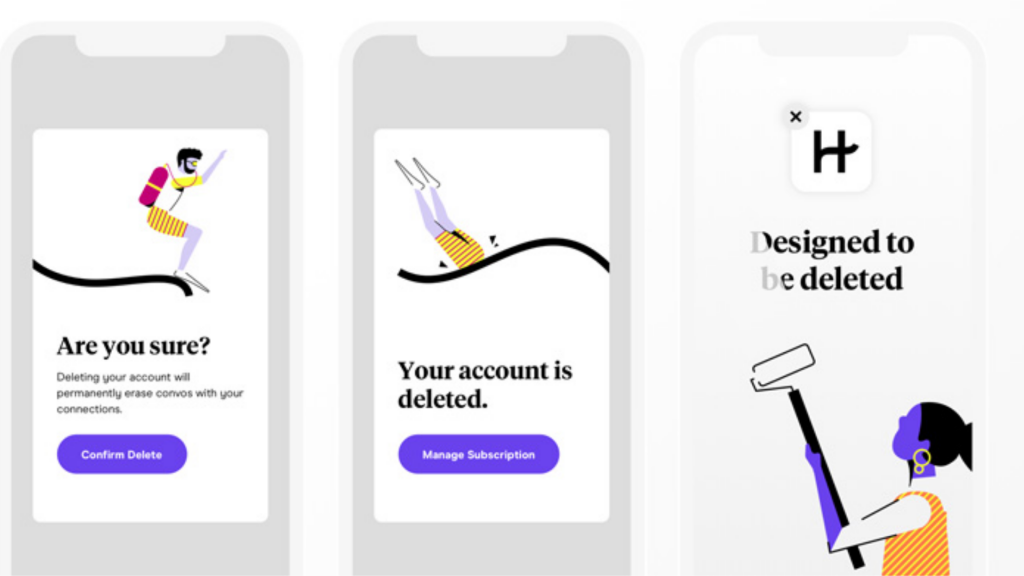
    Deleting Hinge Account

    For desktop

    • Open Facebook and go to App Setting Page.
    • Remove Hinge from the Apps which are allowed to access your Facebook.

    For Mobile

    • Tap “More” in the bottom right corner on the Facebook app.
    • Go to “Account Settings” under “Settings”
    • Scroll down and tap “Apps”
    • Open “Logged in on Facebook”
    • At the bottom of the screen, tap “Remove App” under “Hinge”

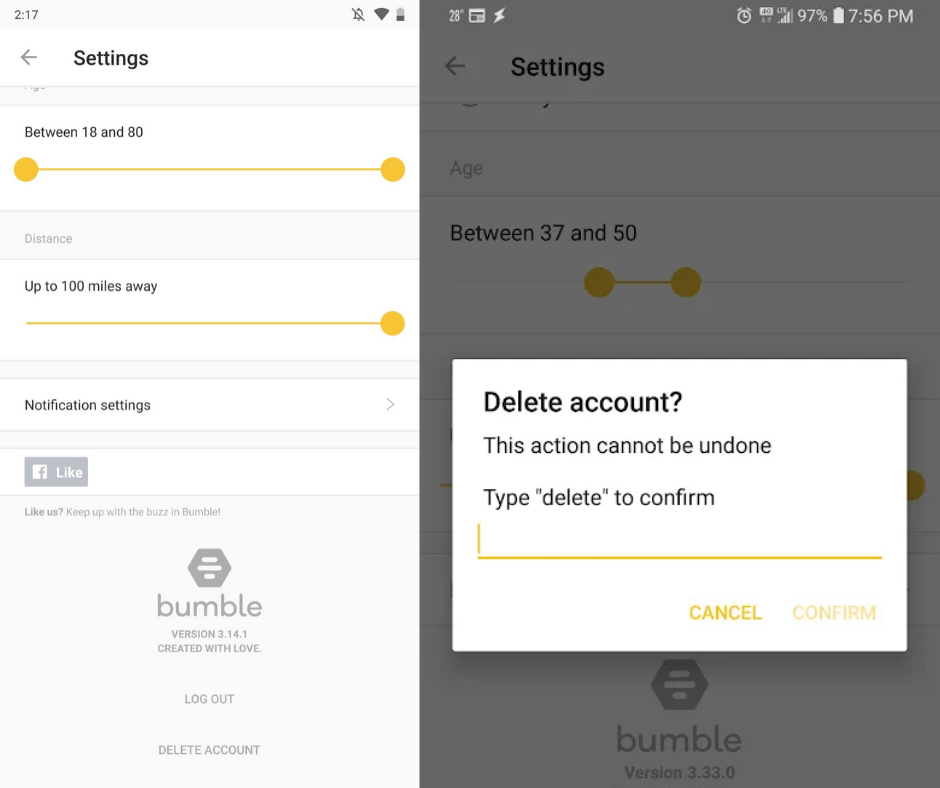
    Deleting Bumble Account

    • Open Bumble app and tap Gear icon on the upper left corner
    • At the top, toggle “Settings”
    • Scroll down and tap “Delete account”
    • When prompted, write “Delete”.

    How to Eliminate All Traces of Your Online Dating Profile

    Deleting Coffee Meets Bagel account

    On iOS, there is no option to delete the account on the app itself. Email customer support of Coffee Meets Bagel and ask them to remove the account. A new version will roll out soon which will allow users to delete the profile in the app, according to a spokesperson.

    For Android

    • Tap “Profile” in the bottom right.
    • Scroll down under “Settings” and tap “Delete account”

    Final words

    Making an online dating profile is only good, if you are aware with it’s all in and outs. Be active with the details and prevent yourself from being in any kind of trouble. I hope this guide will help you out if you have an online dating profile and you missed it out to delete it permanently.

  • How to Stop Your Smartphone Getting You Arrested?

    How to Stop Your Smartphone Getting You Arrested?

    Honestly speaking, if GCHQ officers wanted access to your device, they may definitely have. In terms of digital surveillance, they might still know very much about you with your phone data that can sentence you to the jail term. If there is nothing to worry about for international secret agencies, police officials may definitely have records. In most cases, the smartphone is tracked by the police to incriminate the owners.

    How to Stop Your Smartphone Getting You Arrested?

    With that said, here are some tips you can follow and avoid getting you into any trouble:

    Lock your Smartphone

    Well, it is the most obvious and best way to keep unauthorized people at bay from your phone. Its fingerprint lock, pattern or PIN can be the first line of defense against potential infiltrators. Police have no authority to ask you to unlock your device during search operations in most cases.

    They can check through your bag and wallet, and even your body for hidden guns or lethal weapon. But they cannot justify why you should unlock your phone, at least without your consent.

    How to Stop Your Smartphone Getting You Arrested?

    Unless they have any solid grounds that your device has some evidence of any crime, they cannot ask you to unlock your phone. If you are used to recording your own videos stealing something or glassing men off the pubs, don’t do that again.

    In case if your device has the feature to wipe up your data with 10 incorrect patterns or passwords, enable it. Also, if you feel something fishy, enter your password incorrectly 9 times when leaving your home.

    If a police offer enters the wrong password even once, all of the data on your phone will be wiped out. But this is not practical in general sense but it can save you sometimes.

    Don’t carry much data on your smartphone

    Don’t carry a full calendar or address book on your device. These would definitely attract the police’s attention. It is the best way to save you from incrimination. It would be better if you use two email accounts. If you want to keep your email active, be sure to have another account. Use secondary email and strictly remove old email.

    Don’t carry much data on your smartphone

    Log out of all apps that are not widely used

    A lot of apps are designed to keep tracking your location for targeted ads. Initially, you can log out of apps you don’t use most, such as Google Apps, Uber, etc. and delete the apps you no longer use like MyFitnessPal. Sign out to keep those apps from sending your location data to their server.

    How to Stop Your Smartphone Getting You Arrested?

    If the police get a warrant and force the developer to give your location information, they will, hopefully, have no information. Basically the worst enemies who can share your location are simply the apps made by Google and Facebook.

    Turn off Device Location

    If you are concerned about privacy and haven’t done it already, it’s the right time to go. According to your device’s OS like Android or iOS, there are different ways to turn off your location settings. If you are using the iOS devices, simply go to Location Services under Settings>Privacy and toggle it off.

    For Android, simply go to Use Wireless Networks (or mobile network location or Google Wi-Fi location) under Settings>Location (Location and Security) and uncheck the same. If you are not at guilt, keeping the location on can show your innocence.

    All in all, the absolute best advice for you is not using your device for criminal activities. Even better, don’t commit any crime at all.

  • How to Sync Subtitles in VLC on Mac, PC, iPhone, and Android Mobiles

    How to Sync Subtitles in VLC on Mac, PC, iPhone, and Android Mobiles

    VLC is a highly popular media player. It has over 3 billion downloads since its launch, making it one of the most popular options of all time. The main reason behind its popularity is that it is open source and hence, available for free, and it is pretty sturdy. VLC has specific apps for Mac, iOS, Windows, Android, and more. The app is pretty intuitive and easy to use. In most cases, regardless of the file type, VLC is capable enough to play it for you. If you want subtitles, you would easily be able to find perfectly synced options out there. However, if you make adjustments and sync subtitles on VLC, it is an easy enough job. 

    How To Sync Subtitles In VLC On Windows PC 

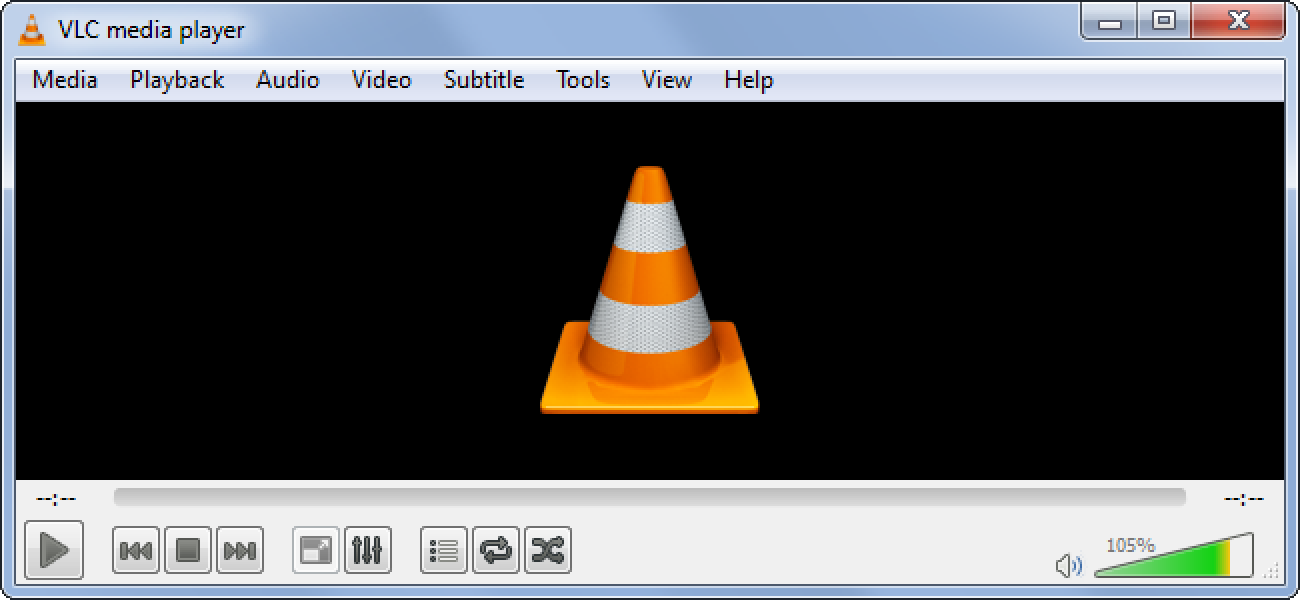
    First, open the video that you want to see and click on ‘Subtitles’ and then ‘Sub Track’. This will let you know if the subtitles are enabled. Within Tools, click on ‘Track Synchronization’ Adjust subtitles under the Subtitle track synchronization option. 

    Syncing Subtitles in VLC on Mac, PC, iPhone, and Android Mobiles
    Syncing Subtitles in VLC on Mac, PC, iPhone, and Android Mobiles

    During playback, simply press G or H to adjust the subtitle. It would be adjusted by 50 milliseconds every time you press. If the subtitle is behind in sound, press the G key and if ahead, press the key H. 

    How To Sync Subtitles In VLC On Android Mobiles

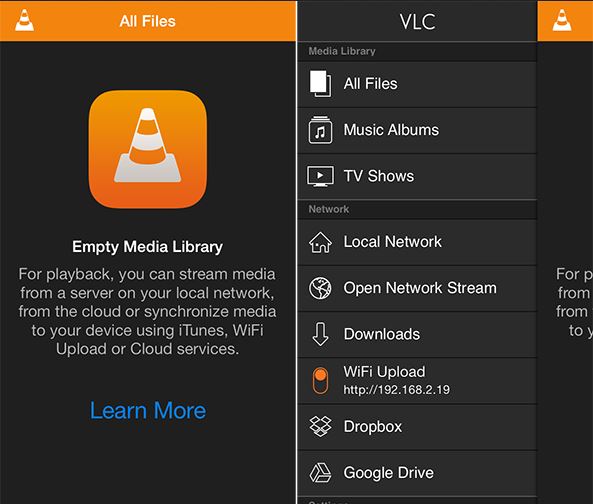
    Open the video you want and click on the balloon icon located near the play icon. Tap on ‘Subtitles’ track to see if the subtitles are turned on. Select the subtitle delay from the speech balloon menu. If it is ahead of the sound, tap on the plus sign (+) and if it is behind, click on the minus sign (-). Incidentally, if you want to use Spotify to listen to songs instead of VLC, here you go! Learn the latest.

    How To Sync Subtitles On VLC On iPhone / iPad

    Now that you know how to sync subtitles in Windows and Android phones, it is not really very different on iPhones and iPads. Open the video you want to watch and tap on the speech balloon icon located in the right bottom corner of the window. This will let you know if the subtitles are turned on or not. Tap on the clock symbol on the right bottom corner. You will see a menu come up. Within the ‘Subtitle delay’ option, use the icon and drag it to set the delay time. Pull it to the right to delay the subtitles. If the sound is ahead, pull the bar to the left. 

    How to Sync Subtitles in VLC
    How to Sync Subtitles in VLC

    How To Sync Subtitles In VLC On Mac

    It is easy enough to sync subtitles in VLC on Mac. Open the video you want to see and click on ‘Subtitles’ and then on ‘Subtitle Track’. Now, you will be able to see if the subtitles are turned on. Within the ‘Track Synchronization’ option, you will be able to see the ‘Subtitle Track Synchronization’ option. Use this to adjust and sync the subtitles. If it is ahead of the sound, key in a positive number to delay the subtitles. For the opposite, enter a negative number if the subtitle is behind in sound. 


  • How To Play Fortnite For Absolute Beginners

    How To Play Fortnite For Absolute Beginners

    If you are a beginner to the world of Battle Royale, this post on tips should help you out. You are going to love this! It can feel uncomfortable to join a wildly popular game as a newbie, but these tips should help you understand the gameplay and jump in with a pretty good understanding. When you get going from the battle bus along with your 99 opponents, you will more confident than ever. This Fortnite beginner’s guide should help you make your way to the victory line.

    Fornite has recently been in the news again! It looks like season 10 ended on a dramatic note with millions of players left staring at a black void. Check out our article for more information.

    Fortnite For Absolute Beginners
    Fortnite For Absolute Beginners

    Fortnite For Absolute Beginners

    1. Jump out as late as possible

    The very first advice is to jump out as late as possible from the battle bus. When the Battle Bus horn honks, it indicates that you can now jump down into the map. However, it would be to your advantage if you jump with the rest. Wait until the very last moment and then jump. The reason for this is that there would very few players, if at all, to race against to collect items and more. It also means less competition for getting stuff and higher chances of survival, especially considering that you are a newbie. Make way to some sort of structure, such as house as chances are high of finding some loot inside along with some shelter.

    2. The glider deploys automatically

    This might be a good time to point out that you cannot control the glider’s deployment. It happens automatically when it reaches a specific height. All you can do after you jump is to lay low and find shelter in the nearest structure.

    3. Play with headphones on

    Even if you are all alone, it is a good idea to play with your headphones on. This will give you a better chance of hearing gunshots or footsteps. Knowing where the others are coming from and where you can run off to could mean saving your life.

    4. Things on Spawn Island

    When you spawn into Spawn Island, you will notice ammo, guns, and building materials around you. While you would be able to pick them up, you cannot bring them onto the Fortnite Map. A better way of looking at it would be to consider Spawn Island as a practice area. Check out how you can use things that are new to you and practice shooting here.

    Fortnite Spawn Island
    Fortnite Spawn Island

    5. Trees’ destruction

    This is a very simple rule that you can follow. If you are using your ax to destroy trees to get building material, do not destroy them fully. Stop when the tree has 50 Health on its bar. This is because leaving a path of destroyed trees could easily point the other players to you.

    6. Using your pickaxe

    If you think you have done something silly, such as building construction around you, don’t panic. Your pickaxe is your best friend. With its help, you can destroy pretty much anything. One thing to note here is that the red circle icon that comes up indicates the noise you are making. If anyone is nearby, you are giving yourself away. Take it slow. Don’t worry, you will become better with practice. Chapter two reboot should give you plenty of practice!

    7. Consuming potions in the bottles

    As you make your way around the map, you will come across different sizes of blue bottles. The smaller ones will give you 25 Shield while the larger one awards you 50 Shield. To save space in your inventory, consume the smaller bottles first as you cannot have more if you reach 50 Shield. The larger bottles can be consumed regardless of your Shield level.

    8. Weapons in your inventory

    Another useful point about the inventory – store your weapons like guns, grenades, etc. in your inventory. If you want to smash your opponent’s cover or structure, using a grenade is pretty effective. Having healing and shields in the inventory will help if you are surrounded by enemy fire and need some help. You can also share them with your squad if they require it.

    9. Harvest materials as you go

    Having an excellent aim and building strategically are the two things that can help you win the game. To build, you will require materials that can be gained by harvesting material, such as wood. With this, you can put an end to trees, chairs, and anything else you can think of. Explore and find out which structure gives you the most materials and harvest them as you make your way across the map.

    Fortnite Harvesting
    Fortnite Harvesting

    10. Different kinds of bombs

    There are many different kinds of bombs in Fornite. While it is known what grenades do, not every bomb reacts in the same way. Shadow bombs can help you hide for a few seconds as you gain an advantage over your opponents. There is also something called a Boogie Bomb which makes your enemy start dancing forcefully. True to its game, it looks like tiny disco balls. Here, you can comfortably take aim at them, but they would be too busy dancing to do anything!

    11. Build Cover

    There could be many reasons why you are building cover. But if you are hurt, it is HIGHLY advisable that you build walls around yourself before you heal. This is because healing and drinking potions could take some time to take effect during which you are vulnerable as you can’t do anything.

    12. Playground Mode

    This is very important. If you truly want to shine at Fornite, you should know the map inside out. For this, using Playground Mode is a good idea. If you are fighting against 99 players every time, there is no way you get to explore and learn the map. The Playground mode is an excellent way to explore all the areas and understand the cheats among other things.

    For more tips and tricks on how you can play Fornite better, you really should check this application out.