Author: Adam Taylor

  • Samsung Galaxy A71 Review

    Samsung Galaxy A71 Review

    Samsung continues to focus on the mid-range mobile market alongside the flagship market. The company showed off a new, striking mid-range phone at CES 2020 – the Samsung Galaxy A71. It believes that the phone will supply customers with everything they want – long battery life, plenty of cameras, and a large screen. The sleek design and the excellent specifications leave critics with no doubts that the phone is targeted towards a younger audience that spends a lot of time online – consuming and creating high volumes of video content.

    The successful relaunch of the Samsung Galaxy A series in 2019, where the Galaxy A40 became the line’s best-seller in the UK and Europe, has given the company the confidence to double-down. The Galaxy A71 sits towards the top of the range – nudging in just behind the newly launched Galaxy Note 10 Lite and Galaxy S10 Lite. The screen, camera, battery combo makes the phone seem like a good deal, but how does it all come together?
    Samsung Galaxy A71
    Samsung Galaxy A71

    In this post, we’ll review the Samsung Galaxy A71.

    Samsung Galaxy A71 Release Date

    The Samsung Galaxy A71 will release in early February, but no specific date has been announced. However, it seems like the phone will be on sale before the Galaxy S20 launch, which is scheduled to take place on February 11.

    Display

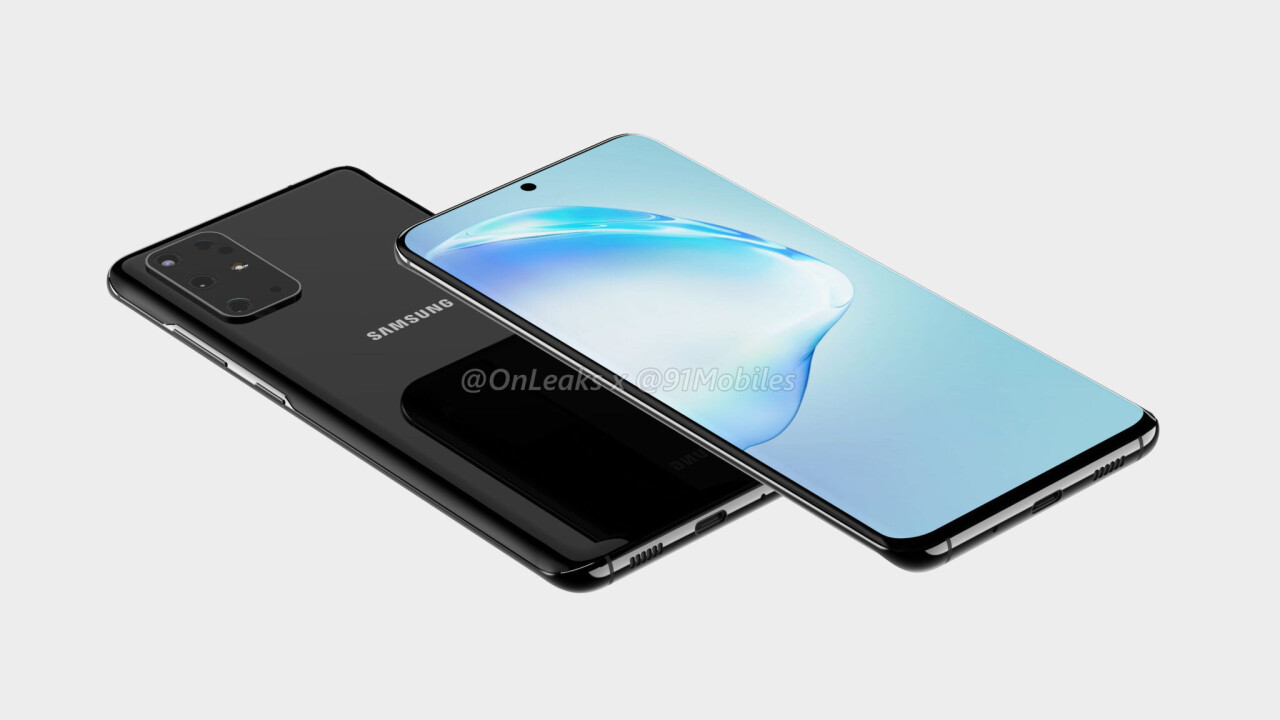
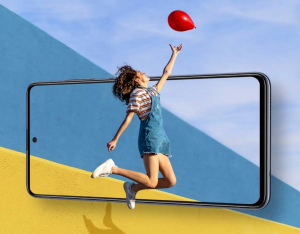
    The Samsung Galaxy A71’s design is all about the huge, 6.7-inch display. The display dominates the front of the handset, but the bezels are minimal, and the phone fits in hand better than you’d imagine. It features the Samsung Infinity-O screen technology. It’s not an entirely new style of screen, and we’ve seen it on previous devices from the firm. You will get a punch-hole camera design, with the camera at the top of the display. The camera sits in the notification bar, keeping it out of the way nicely – so not to intrude on general usage.
    Display
    Samsung Galaxy A71 Display

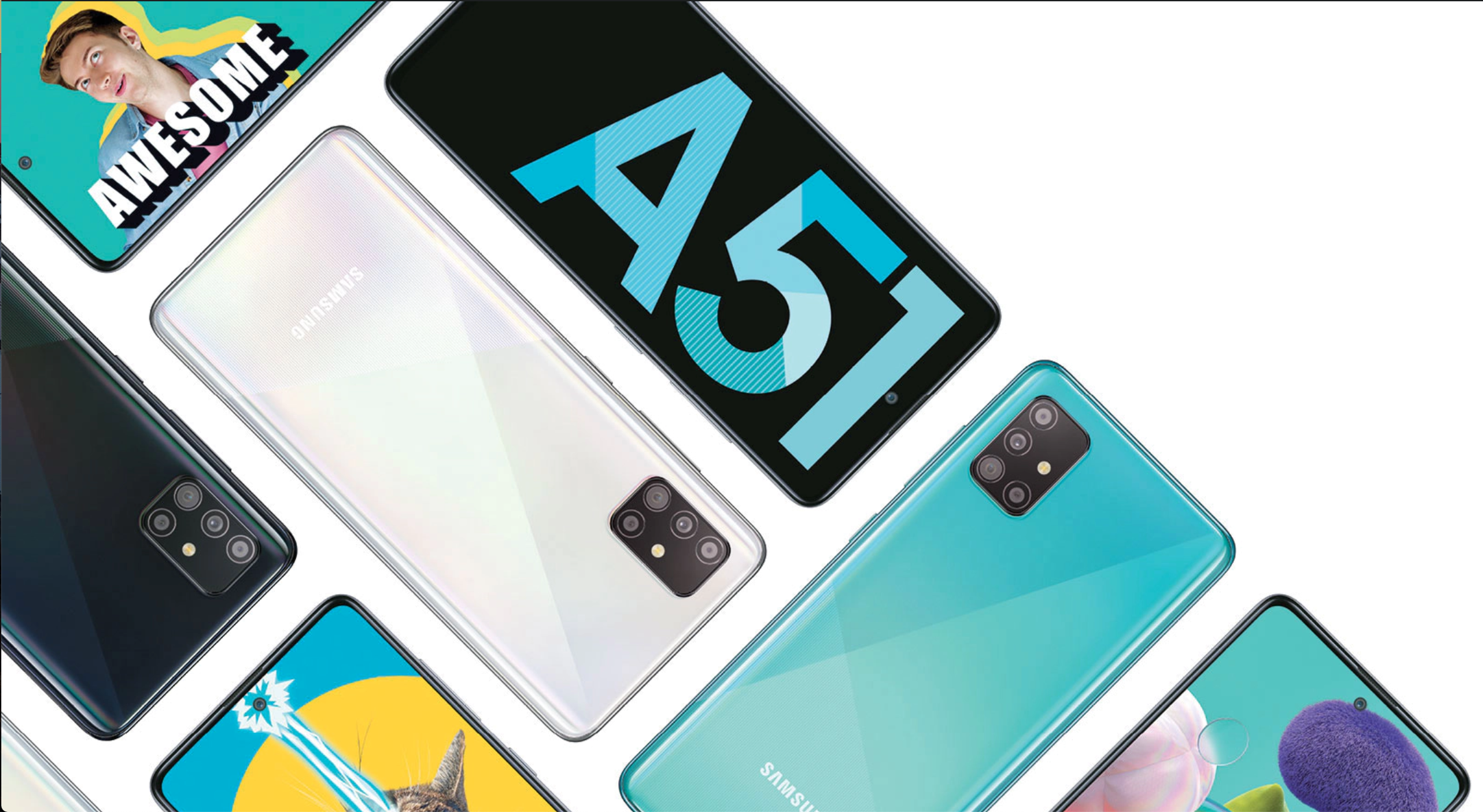
    One discrepancy is that the front-facing camera on the Galaxy A71 takes up more space than the camera on the cheaper Galaxy A51 – even though they have the same lens! The larger camera cut out is down to the fact that the Galaxy A71 uses a Super AMOLED Plus panel (the Galaxy A51 uses the regular Super AMOLED panel). The Super AMOLED Plus panel is thinner and lighter, but the trade-off is the camera cut-out, which needs to be a little larger. It’s not intrusive and does not affect the look or operation of the phone, but it’s a shame that Samsung couldn’t get a smaller camera cut-out for this phone too.

    Design

    The Galaxy A71 measures 163.6x76x7.7mm and weighs a decent 179g, which makes it relatively manageable to use. If you have smaller hands, you will still find it pretty massive, and stretching your thumb to the top of the screen is a struggle – especially during one-handed use. On the right side of the phone, you will find an easy-to-reach power button and volume keys. On the bottom, there’s a headphone jack, next to the 25W fast-charging USB-C port. The back looks stunning – Samsung has developed a new prism effect design for the rear of its latest A-series devices (the A51 and A71). The design gives the phone more character and makes it recognizable. You will be able to find the Galaxy A71 in a range of colours, including silver, black, blue, and pink.
    Samsung Galaxy A71 Camera
    Samsung Galaxy A71 Camera

    Shifting the focus back to the display, it’s 6.7-inch Super AMOLED Plus panel delivers a bright, colourful punch.  The screen has a Full HD+ resolution (1080 x 2400), which makes for a high level of detail on-screen. You can watch Netflix comfortably on this phone. There’s a fingerprint scanner embedded into the display, and users also have the option to use face recognition to unlock the phone.

    Camera And Battery

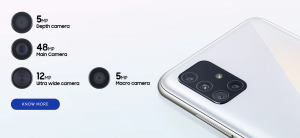
    One of the most significant selling points for any Samsung phone is the camera – and the A71 has plenty of them. The front-facing, 32MP camera produces high-quality shots, even in lousy lighting conditions. The selfie camera will satisfy selfie fans. On the rear, the Galaxy A71 packs four cameras. The primary sensor is a 64MP, f/1.8 sensor that captures super vibrant and detailed images. The 12MP, 123-degree ultra-wide camera enables you to fit more of your surroundings into a shot by tapping an icon on the screen. You also get a 5MP macro and two 5MP depth cameras for your close-up shots and background blurring effects (which Samsung calls Live Focus).
    Battery
    Samsung Galaxy A71 Battery

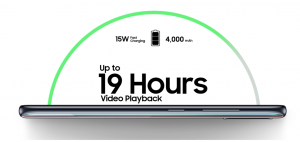
    The phone supplies a fully-featured camera experience, with many flagship camera modes and other additional features. The Samsung Galaxy A71 is a bit of a star when it comes to battery life. The company has squeezed a sizable 4,500mAh battery into the handset, which makes the battery bigger than the battery in the Galaxy Note 10 Plus (4,300mAh) and the Galaxy S10 Plus (4,100mAh). As of now, there’s no telling how long it will last on a single charge; however, fans are hoping that they’ll be able to get close to two full days of use before needing to charge the phone.

    Performance And Specs

    The Samsung Galaxy A71 is powerful – it comes with an octa-core processor and 6GB of RAM. Some regions will also get an 8GB variant. The device runs Android 10 out of the box, and the UI feels fluid and fast. You also get 128GB of internal storage, which is more than enough for many. If you do run out of space, though, the Galaxy A71 also has a MicroSD card slot that supports memory cards up to 512GB in size.

    Verdict

    The Samsung Galaxy A71 has a lot going for it, from the large, vibrant screen and power to the massive battery and feature-packed cameras. At the attractive price point, the phone looks like it is using the winning formula and will put Samsung back on top in the mid-range smartphone segment.
     

  • Motorola Razr 2020 To Have A 5G-Enabled Variant

    Motorola Razr 2020 To Have A 5G-Enabled Variant

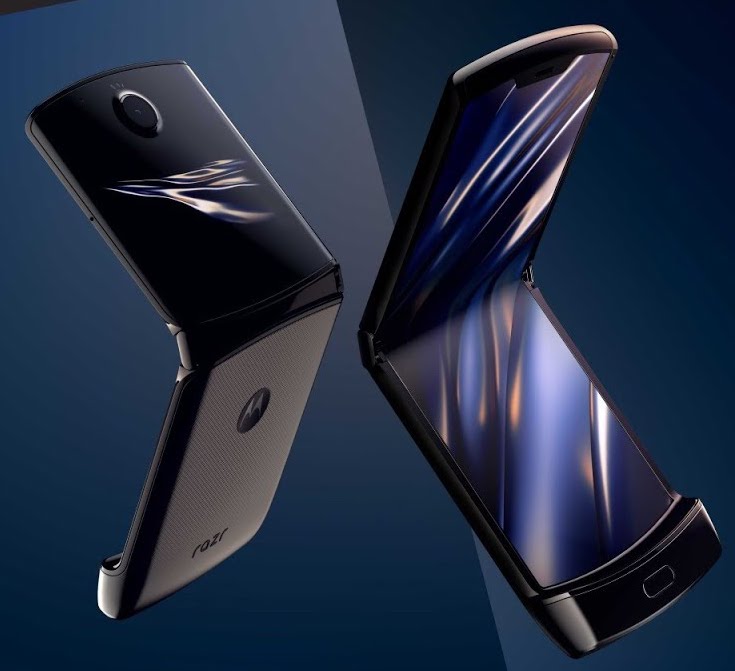
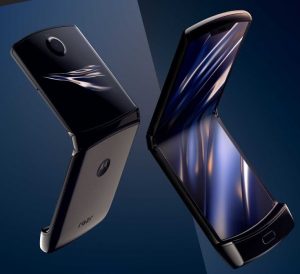
    The Motorola Razr 2020 will get a 5G-enabled variant, but it seems like this variant will be exclusively available in China only. The phone is reportedly going to be on display at the China Industrial Design Exhibition in Wuhan, China, at the end of March. It is unlikely that the variant will be available in other regions, but things could change further down the road. As of right now, the Motorola Razr uses the Snapdragon 710 chipset, which is a mid-range chipset. However, the chipset does not support 5G, which means Motorola will need to pop in a new chipset.

    Motorola Razr 2020
    Motorola Razr 2020

    Motorola Razr 5G

    For the Motorola Razr 5G, the company would probably feature a Snapdragon 765G, one of the newer chipsets that Qualcomm revealed in December. It’s still a mid-range Snapdragon 700-series chipset, but it boasts more power than it’s predecessor, and most importantly, it supports 5G. There is no confirmation about the chipset the 5G version of the Razr will use. It could come with either one of the three processors that support 5G – the Snapdragon 765G, the Samsung Exynos 980, or the MediaTek Dimensity 1000L.

    Since the variant is likely to launch in China exclusively, we may see it come with the Samsung or the MediaTek chipset since they are more prevalent in that region. The original Motorola Razr foldable comes with a 2510mAh battery, making battery life a huge concern for users. Fans are also hoping that the 5G variant will come with a bigger battery.

  • Nintendo Switch Lite Review

    Nintendo Switch Lite Review

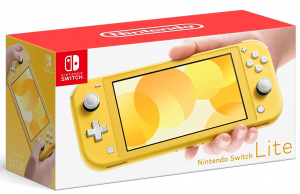
    The Nintendo Switch is one of the most popular consoles of our time. After its release in 2017, the platform has had one hit game after another. In 2019, the company decided to change things up and provide a cheaper, more compact alternative to the hybrid Switch console in the form of the Nintendo Switch Lite. Take a look at this Nintendo Switch Lite Review.

    Nintendo Switch Lite Review

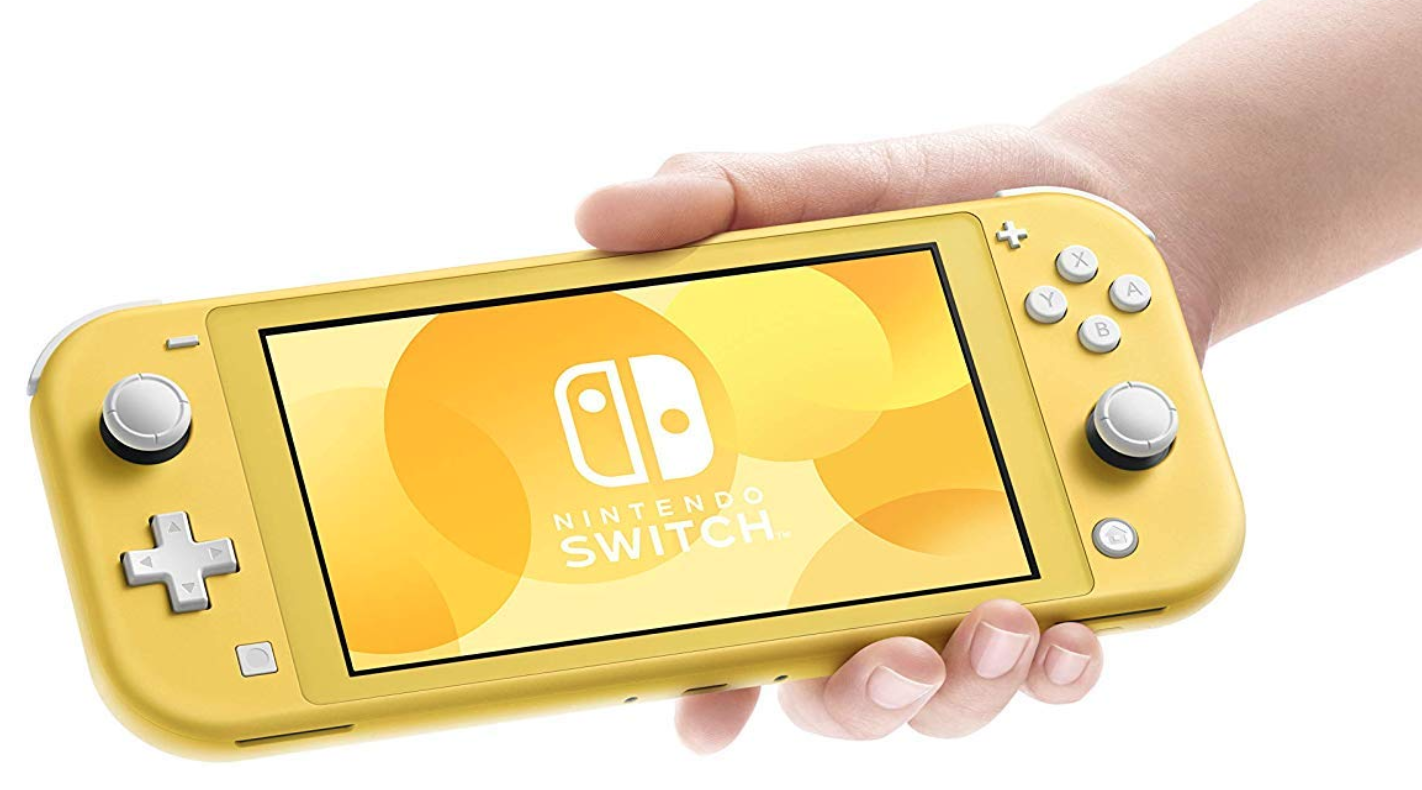
    The Switch Lite is the smaller, lighter version of the original Nintendo Switch

    If you enjoy the flexibility of playing the Switch handheld and on the TV, the Switch Lite isn’t for you, since playing video games docked is not an option here. However, if you are looking for a handheld gaming device or continually use the Switch handheld, but find it a bit clunky for on-the-go gaming, the Switch Lite could be the right device for you. But, as with any device, there are some pros and cons that you should weigh out before deciding to purchase the Nintendo Switch Lite. Let us quickly go over the features of the device in this Nintendo Switch Lite Review, and help you figure out if it is worth your money.

    Design

    The difference between the Nintendo Switch and Nintendo Switch Lite is that the Switch Lite is solely a handheld device. There is no option for playing games on your TV, and this makes for a more compact and lightweight design. Its dimensions are 91.1mm x 208mm x 13.9mm, and it weighs 275g, which is much smaller and lighter when compared to the 102mm x 239mm x 13.9mm dimensions and 297g weight of the original Nintendo Switch. The Switch Lite comes with a smaller LCD touch screen, measuring just 5.5 inches with a resolution of 1280 x 720 pixels.

    Nintendo Switch Lite Design
    Nintendo Switch Lite Design

    In other words, the screen is smaller than the original Switch’s 6.2-inch screen, but the resolution is the same. Therefore, you don’t lose anything in terms of picture quality. The Switch Lite has a higher pixel density of 267 pixels-per-inch, making it a little sharper than the original Switch, which has a pixel density of 236 PPI. However, there is a trade-off – it can sometimes be difficult to read the small in-game writing on the screen. The Switch Lite feels more comfortable as a handheld device. The smaller size makes it more portable and convenient to use when compared to the original Switch.

    Switch Lite

    To play video games on the Switch Lite, you need less elbow room, and the device itself can fit in a (large) pocket. If you have smaller hands and have used the original Nintendo Switch, you will know that it can be uncomfortable to use in handheld mode, since the device is large by handheld standards. The Lite, on the other hand, is considerably more compact and portable and fits in your hands snugly. However, the device is still quite broad and doesn’t feel quite as comfortable as the Nintendo 3DS did. Furthermore, the Switch Lite comes with controls integrated into the device and does not use Joy-Cons. You can connect up to four Joy-Cons to the Switch Lite wirelessly, but you don’t get any Joy-Cons in the box with the Lite.

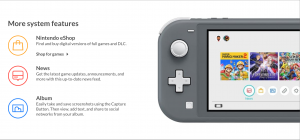
    Nintendo Switch Lite Features System
    Nintendo Switch Lite Features System

    Despite the controllers being fixed, most buttons remain in the same layout. Only the left, right, up, down buttons have been replaced by a D-Pad. The D-Pad feels natural – almost like it’s always been there. It is undoubtedly more suitable for handheld play than the older layout. The ZR and ZL triggers are a perfect size and help cement that compact design. The L and R buttons are a bit leaner than those on the original Switch, and your fingers may slip off them at times.

    The Switch Lite allows wireless connectivity and has Bluetooth, but you cannot use wireless headphones with it. You can also use a MicroSD card to add the 32GB of internal storage. With the Lite, you aren’t missing out on many features aside from docked mode. The Switch Lite comes in turquoise, grey, and yellow colours.

    Performance

    The Switch Lite essentially performs just like the Switch, except that it has a slightly longer battery life. What is definitely worth noting is that the Switch Lite does not come with HD Rumble or the IR Motion Camera. The device is designed solely for handheld use, and therefore, can only play Nintendo Switch games that support handheld mode. You can play games that don’t support handheld mode; however, to play these games, you will have to purchase Joy-Cons (and the charging grip separately) and connect them to the Switch Lite wirelessly. Connecting Joy-Cons to the Switch Lite allows you to use HD Rumble.

    Gameplay
    Nintendo Switch Lite Gameplay

    According to a Nintendo representative, the Switch Lite will be compatible with more than just the Joy-Cons, but we don’t know what exactly these devices are. Super Mario Party, 1-2 Switch, and Nintendo Labo accessory kits are not suitable for the Switch Lite. These games don’t suit the Switch Lite, because although the device can be paired with the Joy-Cons, playing with more than one person is not practical on the small screen.

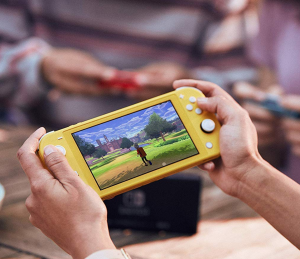
    The Switch still has an accelerometer, a gyroscope, and a brightness sensor. You can use gyro controls in games like The Legend of Zelda: Breath of the Wild. For instance, you can tilt the Switch to aim the bow in the game.x The screen’s brightness adjusts itself automatically depending on your surroundings.  The wireless online play feature enables you to play games like Mario Kart 8 Deluxe with your friends. Sadly, since it cannot be connected to your TV, there is no opportunity for couch co-op.

    Nintendo Switch Lite
    Nintendo Switch Lite

    Verdict: Nintendo Switch Lite Review

    The Switch Lite is compact and light, which makes it feel much less clunky and considerably more polished than its predecessor. It is easy to transport and takes up less elbow space on commutes. It fits your hands snugly. Although it’s not as comfortable as the 3DS, it does pack some great features and performs well for its price. The Nintendo Switch Lite feels like the perfect console for those who enjoy comfortable handheld gaming.

  • Latest Huawei P40 Renders Reveal Dual Selfie Camera Hole Punch

    Latest Huawei P40 Renders Reveal Dual Selfie Camera Hole Punch

    Back in December 2019, fans got a vague look at what the Huawei P40 might look like, but since the render was dark, most of the phone remained hidden. New renders reveal the P40’s design in all it’s glory. The front of the device features a simple layout, and the screen has almost no bezels. Huawei dropped the notch and has gone the camera cutout route, which is something that people who like symmetrical designs won’t like.

    Huawei P40
    Huawei P40

    The cutout has a striking resemblance to the camera cutout of the Galaxy S10 5G. The 5G version of the Samsung flagship came with a ToF sensor between the two selfie lenses, which made the hole punch significantly wider than the S10+’s hole punch. There is no official information as to if Huawei has squeezed advanced face unlock tech into the cutout, making it wider.

    The rear of the device looks familiar. The cameras are housed in a square-shaped camera bump like the Pixel 4. Huawei kept all three sensors in a vertical strip, and the cameras line up with the Huawei logo further below. There is no new information about the P40 Pro at this time, but based on previous Pro models, you can expect to find another camera on the back. We can’t tell if this is an official render of the phone or just a CAD mockup, but either way, this gives us our best look at the P40 yet. The P40 series is expected to launch in March.

  • PUBG Mobile: Best Weapons And Full List Of Weapon Stats

    PUBG Mobile: Best Weapons And Full List Of Weapon Stats

    In PUBG Mobile, you must pick up the best guns and items you can find and use them to survive. Learning what guns do the most damage can help you pick out the right weapons from the ones you find, and will increase your chances of making it to the top.

    There is no official data from the Tencent about the damage each weapon does; however, thanks to different sources, players can get a rough idea of what guns are the best.

    Here’s a list of all the weapons you can find in PUBG Mobile along with their stats.

    Assault Rifles

    Weapon Base Damage Fire Rate DPS Time To Kill Shots To Kill (Chest) Shots To Kill (Head)
    Groza 49 0.08 612.5 0.24 4 2
    Beryl M762 47 0.086 547 0.258 4 2
    AUG A3 43 0.086 502 0.257 4 2
    M416 43 0.086 502 0.257 4 2
    G36C 43 0.096 502 0.257 4 2
    QBZ 43 0.096 466 0.277 4 2
    Scar-L 43 0.096 448 0.288 4 2
    M16A4 43 0.1 430 0.3 4 2
    Mk47 Mutant 49 0.1 490 0.3 4 2
    AKM 49 0.1 490 0.3 4 2
    PUBG Mobile Weapons
    PUBG Mobile Weapons


    Sniper Rifles

    Weapon Base Damage Fire Rate DPS Time To Kill Shots To Kill (Chest) Shots To Kill (Head)
    AWM 105 1.85 65 1.85 2 1
    M24 79 1.8 44 1.8 2 1
    Kar98K 75 1.9 39 3.8 2 1
    Win94 66 0.6 110 1.2 2 2


    Designated Marksman Rifles (DMR)

    Weapon Base Damage Fire Rate DPS Time To Kill Shots To Kill (Chest) Shots To Kill (Head)
    MK14 61 0.09 678 0.18 3 2
    SLR 58 0.1 580 0.2 3 2
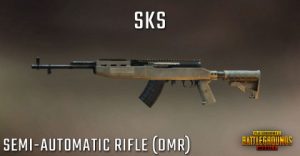
    SKS 53 0.1 530 0.2 3 2
    QBU88 48 0.1 480 0.3 4 2
    Mini 14 46 0.1 460 0.3 4 2
    VSS 41 0.09 479 0.257 4 2
    Designated Marksman Rifles (DMR)
    Designated Marksman Rifles (DMR)

    Submachine Guns

    Weapon Base Damage Fire Rate DPS Time To Kill Shots To Kill (Chest) Shots To Kill (Head)
    Vector 31 0.0545 569 0.273 5 3
    UZI 26 0.048 542 0.288 7 4
    MP5K 33 0.066 495 0.333 5 3
    Tommy Gun 40 0.086 467 0.343 5 3
    Bizon 35 0.086 408 0.343 5 3
    UMP45 39 0.092 423 0.369 5 3


    Light Machine Guns

    Weapon Base Damage Fire Rate DPS Time To Kill Shots To Kill (Chest) Shots To Kill (Head)
    M249 45 0.075 600 0.225 4 2
    DP-28 51 0.109 468 0.327 4 2
    Shotguns
    Shotguns

    Shotguns

    Weapon Base Damage Fire Rate DPS Time To Kill Shots To Kill (Chest) Shots To Kill (Head)
    S686 216 0.2 1080 0 1 1
    S1897 216 0.75 288 0 1 1
    S12K 198 0.25 792 0 1 1


    Pistols

    Weapon Base Damage Fire Rate DPS Time To Kill Shots To Kill (Chest) Shots To Kill (Head)
    Sawed-off 160 0.25 640 0.25 2 1
    R1895 55 0.4 137.5 1.2 4 2
    R45 55 0.25 220 0.75 4 2
    P1911 41 0.11 373 0.44 5 3
    P92 35 0.14 259 0.54 5 3
    P18C 23 0.06 383 0.42 8 4
    Skorpion 22 0.07 312 0.494 8 4


    Melee and Others

    Weapon Base Damage Fire Rate DPS Time To Kill Shots To Kill (Chest) Shots To Kill (Head)
    Crossbow 105 3.8 28 3.8 2 1
    Pan 80 0.75 107 1.5 3 1
    Machete 60 0.75 80 1.5 3 2
    Crowbar 60 0.75 80 1.5 3 2
    Sickle 60 0.75 80 1.5 3 2
    Superman Punch 38 1 38 4 5 2
    Punch 18 0.33 55 2.97 10 4
  • How To Download Movies From Netflix And Watch Offline

    How To Download Movies From Netflix And Watch Offline

    Netflix is one of the world’s most popular streaming sites. It’s perfect for relaxing and killing time, with tons of exciting titles available in all genres. If you’re travelling, though, you’ll rarely get access to a stable internet connection, which means you won’t be able to stream any movies or shows. Thankfully, Netflix has a download feature that enables you to download movies or shows whenever you have an internet connection, and watch them later whenever you like – without needing access to the internet! In this post, we’ll quickly guide you through the process of downloading movies and shows from Netflix to your laptop or phone.

    How To Download Movies And Shows From Netflix

    Step #1: Make sure your Netflix app is up-to-date

    Keeping your software up-to-date ensures that you have a swift, bug-free experience. If you do not have auto-update enabled on your iPhone/iPad, go to the App Store and tap on it to update it.

    On Android, the process is almost the same – go to the Google Play Store and tap on ‘Update’ to update it.

    If you’re using Windows, go to the Start menu and click on Downloads or Updates. Next, click on the ‘Check for Updates’ option, and the Netflix option will start updating.

    Netflix Offline Download
    Netflix Offline Download
    Step #2: Choose download quality

    Netflix allows you two download whatever you like in Standard quality or High quality. The ‘High quality’ option seems to be high definition — which is somewhere between the 720p and 1080p resolution — Netflix doesn’t specify.

    Picking the ‘Standard quality’ option will use less space and allow you to download content more quickly. On the other hand, selecting the ‘High quality’ option will take a bit more time, space, and patience.

    You can pick whatever option suits your situation best. To choose quality, click/tap on the menu icon on the left, and scroll down to the App Settings. Here, navigate to Downloads, and click/tap on Video Quality. Here you can select your preferred quality.

    Step #3: Choose what to download

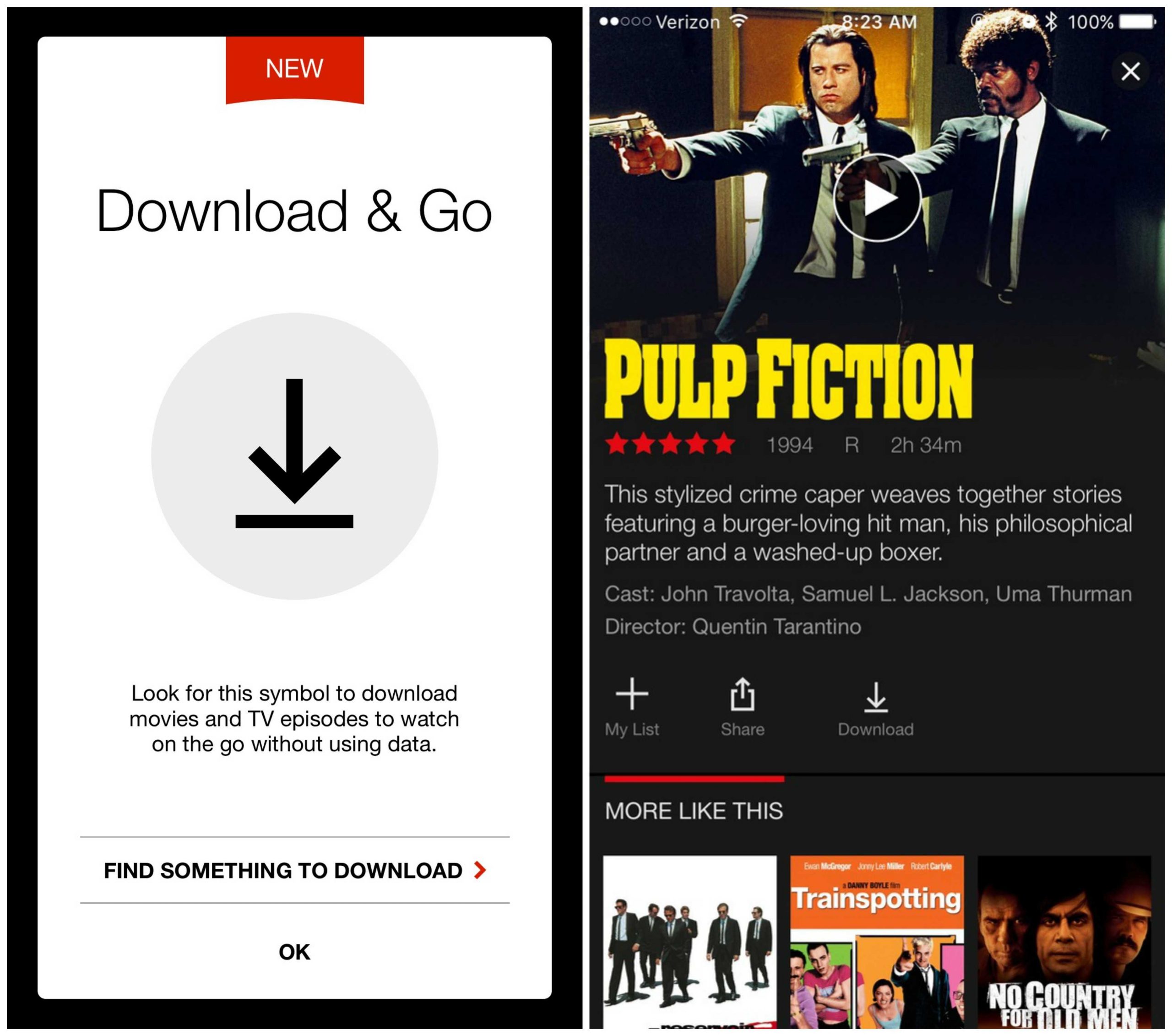
    Not everything on Netflix can be downloaded, but it is easy to find downloadable titles by heading to the Available for Download section. You can find this section by tapping on the Menu button on the upper left corner.

    Download Movies From Netflix
    Netflix Download
    Step #4: Start downloading

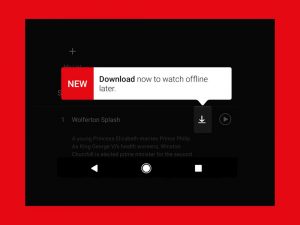
    To download a title, select the Download icon, which is affixed to the movie or show.

    If you’re on Android, you can also select in which location you want to download the movie or show. Go to the Settings menu of the app and look for a “Set Default Download Location” option.

    Step #5: Watch your titles

    After the download is complete, the content will appear in the Downloads section of the app. You can find this section by selecting the Menu option on the upper-left corner of the screen. The ‘My Downloads’ folder is located above the Home section.

    Each title’s running time, as well as how much space it uses is listed directly beside it. To play an episode, click or tap the video thumbnail.

  • OnePlus 8Pro Reportedly Supports Wireless Charging

    OnePlus 8Pro Reportedly Supports Wireless Charging

    Reputed tipster Max J recently shared an image of a smartphone charging on a mat wirelessly. The picture was captioned ‘charge like a pro.’ Interestingly, the phone in the image exactly matches the leaked renders of the OnePlus 8Pro. The punch-hole design, the placement of the volume and power buttons, and the signature alert slider are all there, which suggests that the upcoming OnePlus phone will support wireless charging technology.

    If the image is accurate, the OnePlus 8Pro will be the first OnePlus smartphone to come with wireless charging support. OnePlus has always avoided using wireless charging technology since the charging speed is inferior when compared to wired charging, and wireless charging also has overheating issues. The Shenzhen-based tech giant seems to have mastered the technology and ironed out all the concerns and is finally gearing up to enable wireless charging on its phones, starting with the OnePlus 8 Pro.

    OnePlus 8Pro
    OnePlus 8 Pro

    Wireless charging support

    With the wireless charging support, the flagship killer phone series will become more competitive against high-end $1,000 handsets. According to tip-offs and leaked renders, the OnePlus 8Pro will feature a quad-lens rear camera, a built-in MEMC chip for content upscaling, a 120Hz 2K AMOLED screen, and an in-display fingerprint sensor.

    The phone will swank a flagship-tier Snapdragon 865 processor, and will presumably feature 12GB of RAM and 256GB of UFS 3.0 storage. If the company sticks to its bi-annual release cycle, we shall see the OnePlus 8 series launch sometime around May-June.

  • Unlocked Galaxy S20 5G Models Offered by Samsung

    Unlocked Galaxy S20 5G Models Offered by Samsung

    Reportedly, Samsung will offer unlocked Galaxy S20 5G variants – which is a stark difference from the Galaxy Note 10+ 5G and the Galaxy S10+ 5G phones that the company offered last year. The company may only do this in Europe since the report only mentions Europe. The phones may come unlocked in the US, too, but with all four major carriers deploying 5G differently, it could make things tougher for Samsung.

    Many customers prefer getting an unlocked smartphone, rather than a carrier-locked one. An unlocked phone gives them the freedom to jump between carriers and switch out SIMs if they’re travelling. The unlocked models won’t be limited to Samsung.com, either. According to the report, many retailers across Europe have already listed the Galaxy S20 5G models. The device is yet to launch and will be announced in a few weeks. An unlocked phone also doesn’t come with the carrier’s bloatware installed.

    Unlocked Galaxy S20 5G
    Galaxy S20 5G

    The US May Not Get Unlocked Galaxy S20 5G Models

    As mentioned earlier, carriers in the US are doing 5G differently. Some carriers are doing mmWave, while others are first doing low-band, mid-band, and high-band carrier aggregation. The lack of standards will make it difficult for Samsung to offer an unlocked 5G smartphone that can support SIMs from all four US carriers. However, it’s not impossible to do.

    Fans will have to wait for the announcement in February to find out for sure if the Galaxy S20 will have an unlocked version or not.

  • Second-Gen Galaxy Fold To Come With S Pen

    Second-Gen Galaxy Fold To Come With S Pen

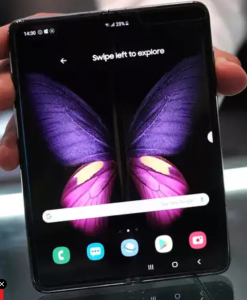
    Samsung is gearing up to launch a successor to the Galaxy Fold in the second quarter of 2020, and it looks like it will come with an S Pen. Max Weinbach revealed the information with another leak. He has been in the know lately and has leaked a lot of details about the Galaxy S20 series, and now the Galaxy Fold. The specs of the phone come from other reports, but the Second-Gen Galaxy Fold is likely to feature an 8-inch display, a 108-megapixel camera, and a Snapdragon 865. It will also come with 5G support.

    The Second-Gen Galaxy Fold
    The Second-Gen Galaxy Fold

    Pairing the large screen and excellent specifications of this device with an S Pen feels like a great idea. The S Pen is great for large-display devices like the Galaxy Fold and other tablets because it opens up new avenues for the user to interact with the device. While it can be labelled off as a stylus, the S Pen is much more than that. It can help users take notes, draw, and can also work as a remote.

    The Galaxy Fold was much more expensive than most smartphones on the market since the tech inside was all new. Phones didn’t use hinges or come with a second/folding display. You can expect the second-gen Galaxy Fold to be more expensive. The high-end chipset, 5G support, and the unique design of the phone will add to the price. We may see it teased at the Unpacked event in February.

  • Mi A3 To Finally Get Android 10 In February

    Mi A3 To Finally Get Android 10 In February

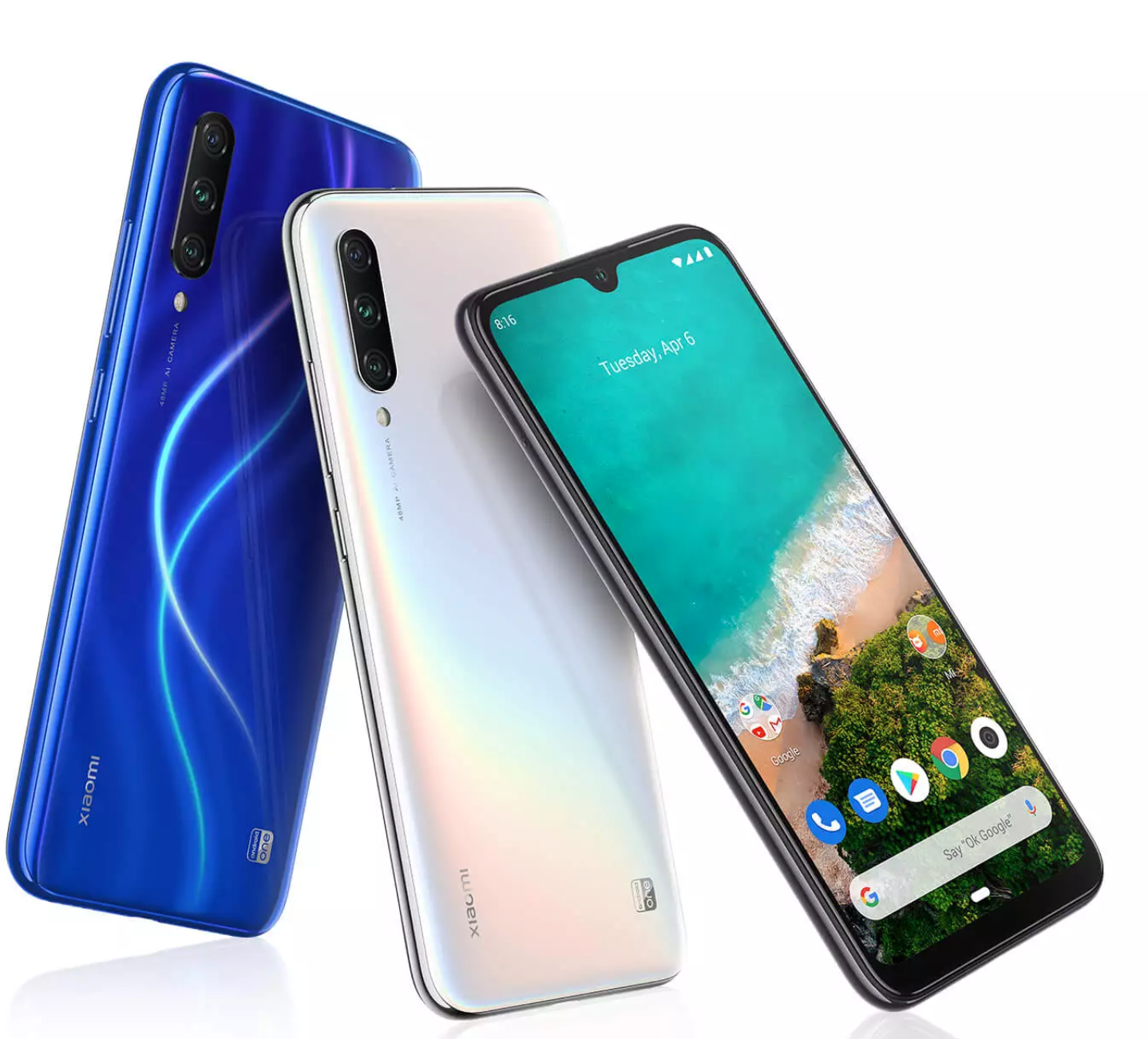
    Xiaomi’s customer support confirmed that the Mi A3 would get the Android 10 update in mid-February. The announcement comes just a few days after the Mi A2 began to receive the update to the latest version of Android. The situation is confusing, and Xiaomi is taking too long to update an Android One device – whose main selling point is fast updates. Android 10 launched in September. Generally, when companies begin to roll out updates to their phones, the newer phones get the update first. But this is not the case with the Mi A3.

    Xiaomi Mi A3
    Xiaomi Mi A3

    The Mi A2 has received the Android 10 upgrade, and the A3 will get it over a month after the A3 (if it doesn’t get delayed). The reason for the delay is processor-related. Google’s partners get access to Android’s code whenever a new version is released.  Smartphone manufacturers can’t do much until the chipset maker updates the binaries for that particular chipset.

    Xiaomi’s Android One smartphones get updates later than usual because the phones typically come with a Snapdragon 600-series chipset. Qualcomm prefers to update the binaries on the Snapdragon 800-series first, and the binaries for the 600-series are second priority. The Mi A3 is eligible to receive the Android 11 update later this year, and the Android 10 upgrade will not be the last major software update for it.

    However, for now, fans have their fingers crossed and are hoping that the update does not get delayed again.