Category: Smartphones

Smartphones how to guid

  • Xperia 5 Plus: Sony Will Announce New Xperia Smartphones At MWC 2020

    Xperia 5 Plus: Sony Will Announce New Xperia Smartphones At MWC 2020

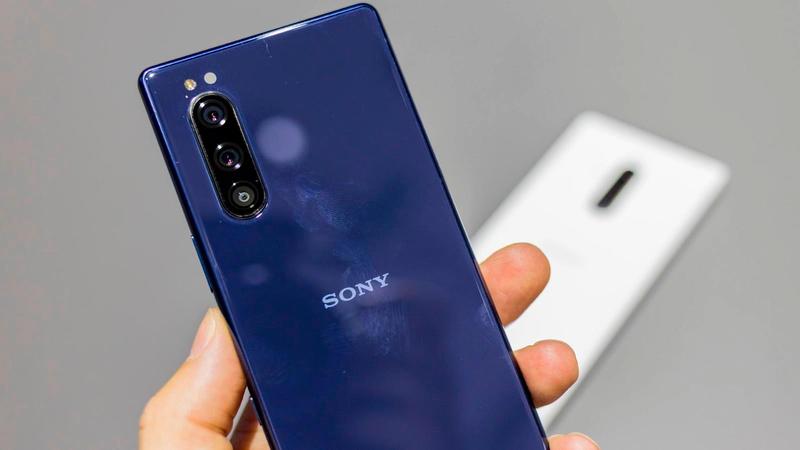
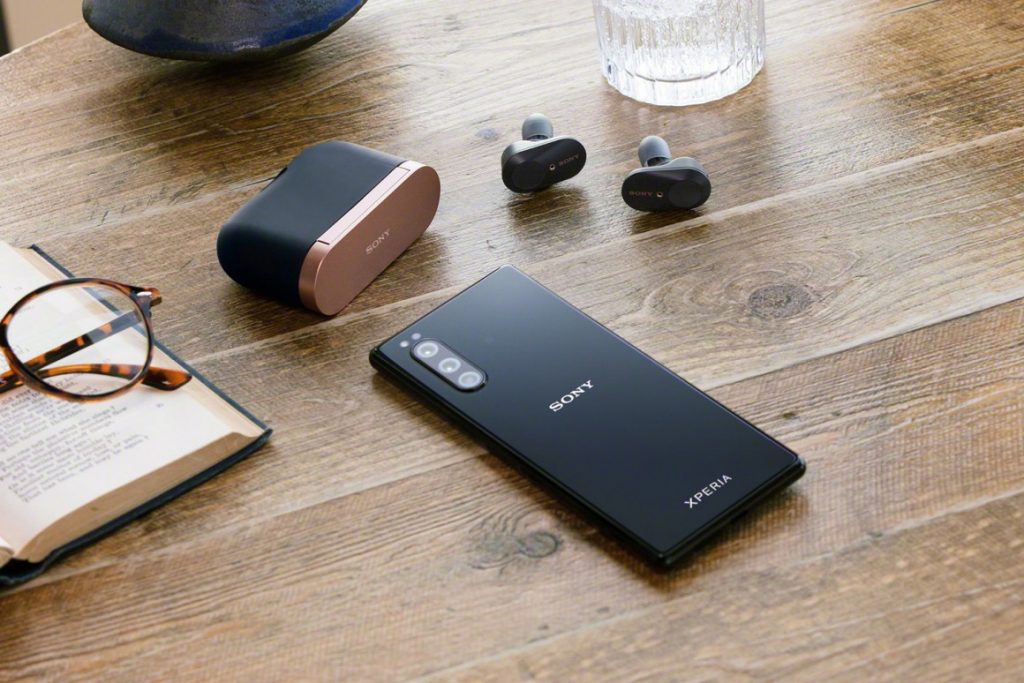
    The upcoming Mobile World Congress or MWC 2020 is scheduled to take place in Barcelona, Spain. The OEMs are all geared up to exhibit their latest flagship devices and more. There have been reports that Sony is planning to make an announcement here. Samsung has already unveiled its Galaxy S20 series and the Galaxy Z Flip foldable phone. It looks like Sony is planning to talk about its Xperia 5 Plus Android phone having a 21:9 display aspect ratio. Many believe that other manufacturers may be revealing their foldable or other design smartphones. At the CES2020, many thought Sony would reveal the Xperia smartphones. However, that did not happen. The company is either delaying the launch or it is simply not ready for the market yet.

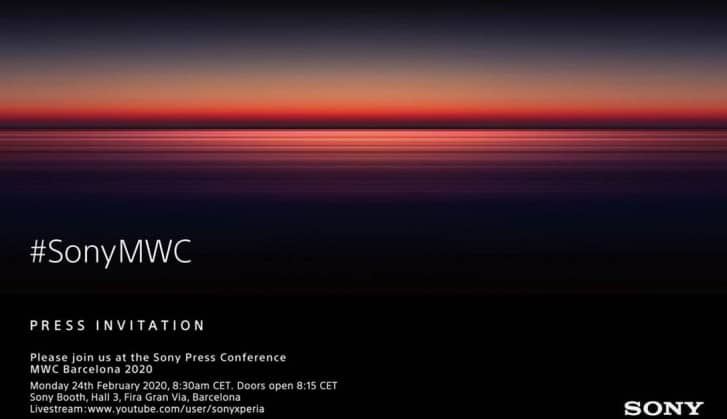
    Sony MWC Press Invite
    Sony MWC Press Invite

    According to a press invite, the Sony Press Conference will occur at the MWC Barcelona 2020. It will take place on February 24, 2020, Monday, 8:30 AM CET, at the Sony Booth, Hall 3, Fira Gran Via, Barcelona. For those who cannot attend, they can view the live streaming of the event. While not a lot of details have emerged, we do know that Sony is working on a new flagship phone. There have been speculations that it could be Xperia 5 Plus. Other reports mention that a mid-range smartphone powered by Snapdragon 765 processor could also be released. The Sony Xperia 5 is expected to be bezel-less with a punch-hole cam. Besides these, the Sony Xperia Compact may be launched sooner than we think as well.

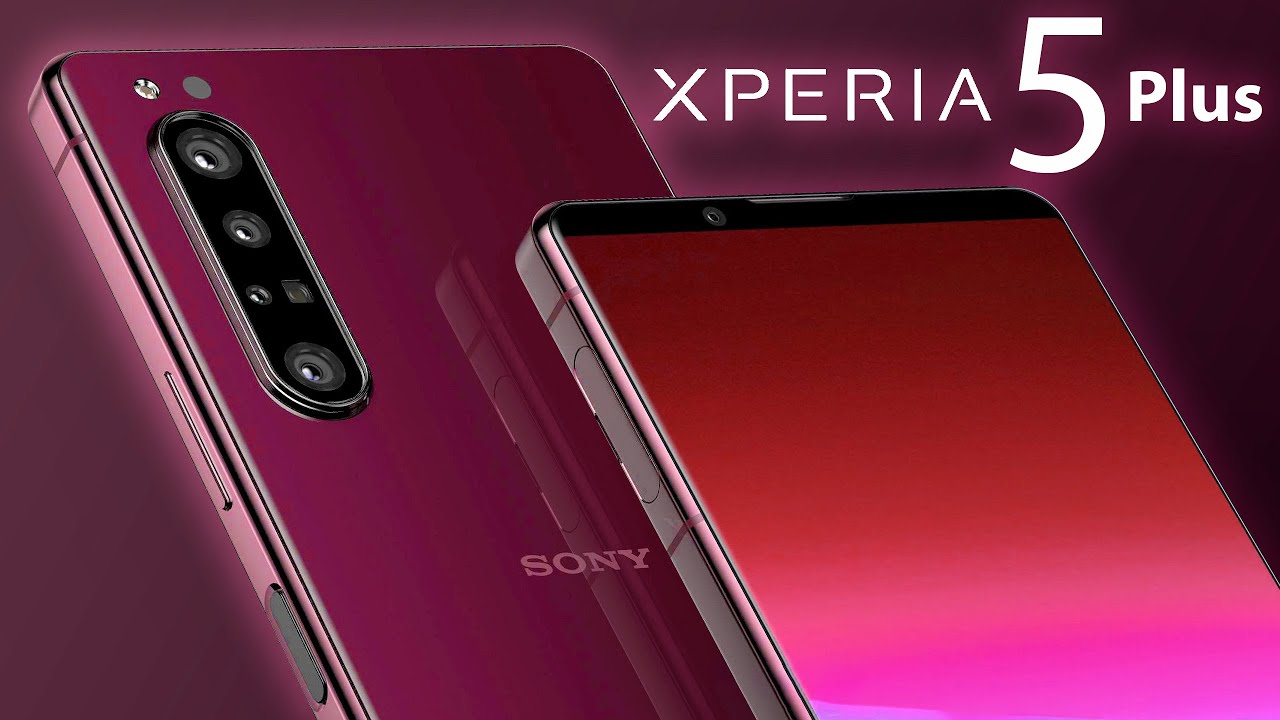
    Sony Xperia 5 Plus

    The Xperia 5 Plus by Sony is part of a range of premium devices by the company. In November 2019, Sony talked about the various flagships and mid-rangers that is set to be released this year. While Sony has not been able to capture the smartphone market, it looks like things could change. The company is working on promoting their latest attempt at functional phones by sending out press invites for a press conference scheduled to happen before MWC 2020. If you look at Sony’s older schedules, you will notice that it prefers to hold its press conference at MWC on the opening day of the show. Regardless of its predictable timing, what the company plans to unveil will be a true surprise.

    Sony Xperia 5 Plus
    Sony Xperia 5 Plus

    Chances of Sony’s 2020 flagship being the Xperia 5 Plus is very high. It is the larger variant of the Xperia 5 that was exhibited last year at the IFA. The smartphone will have a 6.6-inch display and run on Snapdragon 865. The phone could also have a quad-camera setup at the rear. It will have the usual range of sensors, including the main sensor, ultrawide, telephoto, and more. The selfie camera will have an 8-megapixel sensor. Despite the fact that the model has very little bezels, the smartphone will come with front-facing stereo speakers and have the 3.5mm headphone jack. The latter is quite natural considering the fact that Sony is a music accessory company as well. Besides the Xperia 5 Plus, the company is expected to launch Xperia 3 as well.

  • Next Nubia Red Magic to have 144Hz screen

    Next Nubia Red Magic to have 144Hz screen

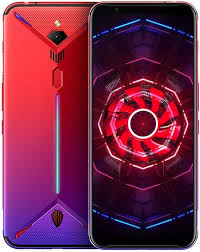
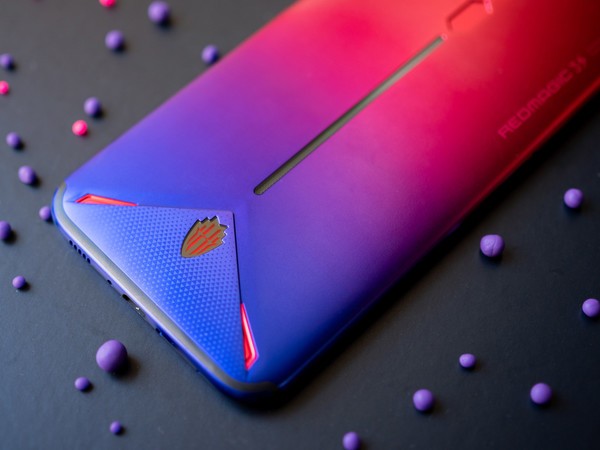
    Nubia is a gaming brand that is currently working on its latest device. The team is focusing on it quite dedicatedly with the CEO posting a similar message on Weibo. He shared a screenshot which confirmed that the company is working on a smartphone that will support 144Hz max refresh rate, in addition to 90 Hz and 120 Hz. The CEO also referred to the phone as “Red Magic 5G phone”. The name confirms that their next release would be a 5G phone. However, that is not so surprising since many manufacturers are working on similar models to keep up with the trend.

    The CEO of Nubia, Ni Fei, disclosed that the new flagship device will feature three cameras on the rear. The phone will run on Snapdragon 865 chipset and the SoC will be paired with a Snapdragon X55 modem. Different sources mention that this Nubia Red Magic phone could possibly come with a different version featuring Qualcomm’s latest chipset. However, this would be paired with a different modem. The idea behind this is that the other variant is aimed at lower price markets and for markets are not 5G-ready yet.

    Nubia Red Magic
    Nubia Red Magic

    Nubia Red Magic

    We only recently got a look into the latest and upcoming Nubia Red Magic gaming phone. The phone is will support 5G and come with a maximum refresh rate of 144Hz. According to an official Weibo post by the CEO, it looks like there are several screen refresh rates, starting from 60Hz to 90Hz, 120Hz, and up to a maximum of 144Hz. While other gaming phones have had higher refresh rates before, it is not so common with commercial phones. The 2018 Razer Phone 2, a gaming model, boasted a 120Hz refresh rate. On the commercial side, Google Pixel 4 featured a 90Hz screen refresh rate.

    In 2019 H2, we saw flagship devices featuring 90Hz displays. However, these did not stay popular for long since ASUS then released its ROG Phone II with a 120Hz OLED panel. Nubia is here to shatter all this with its 144Hz screen. The company is currently testing out the same. The best part about this is the fact that it is expected to be priced very affordably. The very fact that the best gaming phone in the market with top features is selling for a very reasonable rate is enough to attract anyone, gamer or not.

    Nubia Red Magic 5G
    Nubia Red Magic 5G

    144Hz Screen Refresh Rate

    Recently, OnePlus talked about introducing 120Hz screens in its future devices. This announcement was again made on Weibo. Strangely, it was made the very same day Nubia mentioned that its Red Magic phone will feature 144Hz. This essentially means that the display will refresh 144 times per second. It is not very much and in fact, is counted to be typical for gamer-focused desktop computer displays. However, it cannot be detected by humans on small screens like this. Since response time is a major factor in gaming, Nubia is likely to attract a lot of gamers. Of course, the addition of 5G is just icing in the cake.


  • OnePlus 7 Pro vs. OnePlus 7

    OnePlus 7 Pro vs. OnePlus 7

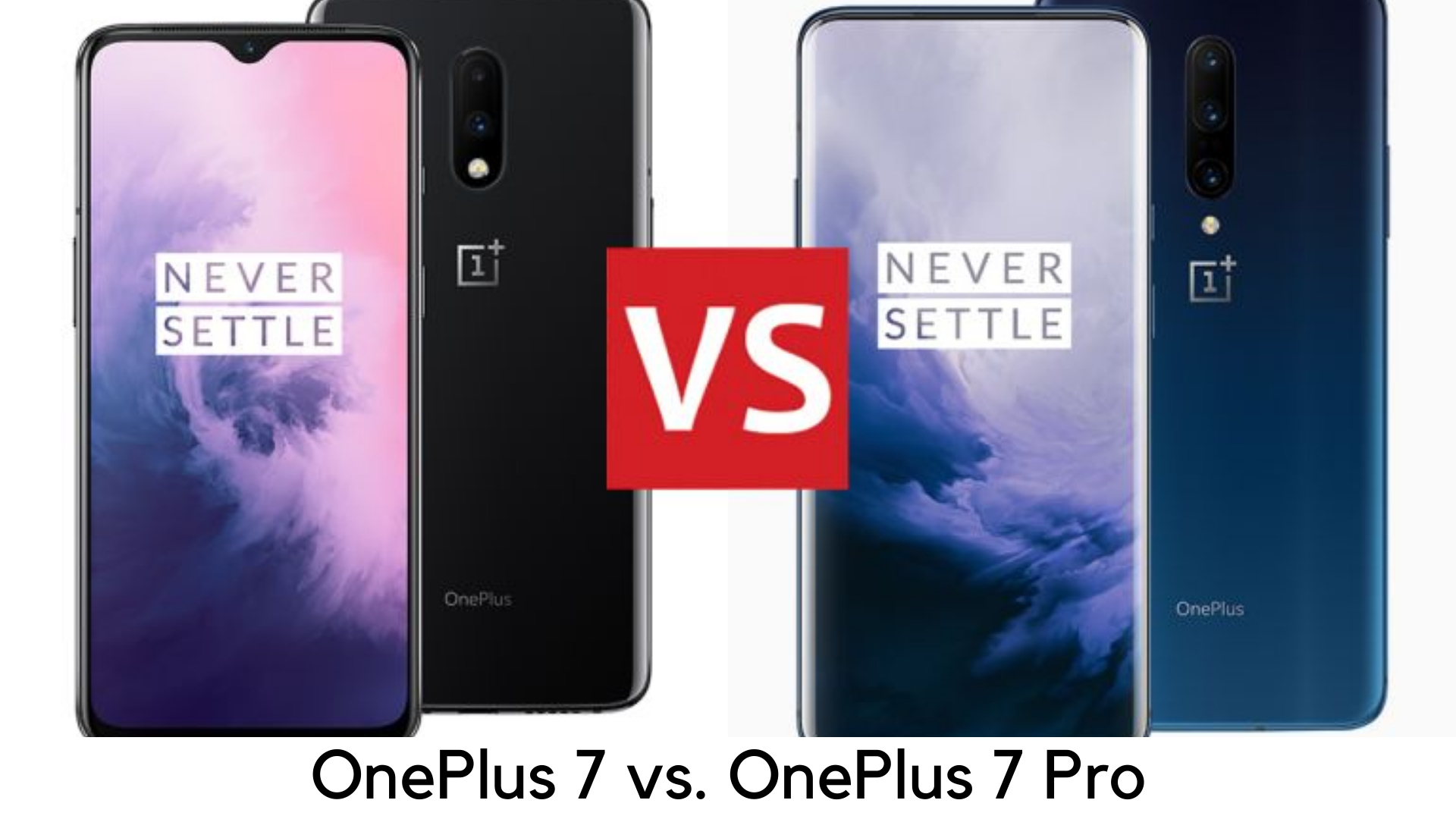
    At a May 2019 event, OnePlus announced both OnePlus 7 Pro and OnePlus 7. It’s the first time OnePlus gone the “Pro” route and launched two different flagship phones for different needs of buyers.  OnePlus 7 is here to meet the needs of the core audience who can’t pay the hefty price tag but wants a true flagship experience.

    OnePlus 7 Pro Vs OnePlus 7

    On the other side, all the innovation has been done on OnePlus 7 Pro with better design. In this review, we are going to discuss the major differences between both killer flagships and come out with an opinion on which one is better for you. If we talk about OnePlus 7 Pro vs. OnePlus 7, both devices are the successor to OnePlus 6T which was launched earlier this year. Keep reading to know further details that make them similar and different from each other.

    OnePlus 7 Pro vs. OnePlus 7- What they have in common?

    • No compromise on premium, flagship look
    • Powerful processor
    • Latest Software
    • In-display fingerprint sensor

    Both OnePlus 7 and OnePlus 7 Pro have premium glass and metal build qualities, just like the last predecessors by OnePlus. Both of these devices offer fast in-display fingerprint scanners and OLED displays and both of them are powered by the latest Qualcomm Snapdragon 855 chipset. They both run the latest Android platform with OxygenOS to deliver the same software experience.

    OnePlus 7 Pro vs. OnePlus 7 – Key Differences

    There are plenty of differences in comparison of OnePlus 7 vs. OnePlus 7 Pro, despite running the same software and having the same processor.

    Display

    • OnePlus 7 – Flat 6.4-inch 60Hz display with 1240x1080p resolution
    • OnePlus 7 Pro – Curved 6.67-inch display with HDR 10+, 90Hz refresh rate and 3120x1440p resolution

    OnePlus 7 features flat 6.4-inch OLED display and OnePlus 7 Pro features curved 6.67-inch OLED display. There is also a difference in resolution. OnePlus 7 sticks to full HD+ resolution and OnePlus 7 Pro having Quad HD+ display.

    OnePlus 7 ends up with standard 60Hz while OnePlus 7 Pro comes with 90Hz refresh rate and HDR10+ support. On the display front, it makes a great difference and OnePlus 7 Pro is a big leap towards anything that is offered ever before by the company.

    Design

    • OnePlus 7 – 182g, 157.7 x 74.8 x 8.2mm
    • OnePlus 7 Pro – 206g, 162.6 x 75.9 x 8.8mm

    Both OnePlus 7 and OnePlus 7 Pro come with the premium build but OnePlus 7 Pro has full-view display with the pop-up selfie camera. One the other side, OnePlus 7 comes with a water-drop notch like OnePlus 6T. It removes the notch and adds some appeal. But pop-up selfie camera is definitely a matter of innovation.

    OnePlus 7 has a dual rear camera like OnePlus 6T, but OnePlus 7 Pro is a step ahead with  triple-rear camera setup. OnePlus 7 Pro is also heavier and larger than OnePlus 7. OnePlus 7 Pro is also one of the heavier devices around.

    Camera

    • OnePlus 7 – 48MP+5MP Dual Rear Camera, 16MP the front camera in water-drop notch
    • OnePlus 7 Pro – 48MP+16MP+8MP Triple rear camera, 16MP pop-up selfie camera

    OnePlus 7 Pro comes with 16MP pop-up selfie camera as well as a triple rear camera setup including 48MP main snapper, 16MP ultra wide-angle lens, and 8MP telephoto zoom lens. As compared to their predecessors, it is even more modern offerings with better photography performance. Pro is definitely the best buy if you are looking for a photography-centric phone.

    OnePlus 7 features water drop notch with 16MP selfie camera on the display along with dual rear camera setup having 48MP main camera like Pro variant, along with 5MP depth sensor.

    Battery and other specs

    • OnePlus 7 – 3700mAh
    • OnePlus 7 Pro – 4000mAh

    Another the major difference in the latest OnePlus 7 series devices is fast charging capacity and battery capacity. OnePlus 7 Pro is powered by 4000mAh battery with 5V/6A Warp Charge 30 for quick charging. OnePlus claims it to be over 38% faster than previous charging techs. On the other hand, OnePlus 7 is having 3700mAh battery with 5V/4A 20W fast charging. Both devices don’t have wireless charging support.

    Another best thing is that OnePlus 7 Pro has better haptic feedback with an improved vibration motor. There is the latest X-haptic vibration motor on OnePlus 7 Pro while a linear motor has been used in OnePlus 7. Both the devices have noise cancellation, dual stereo speakers, Dolby Atmos support, and signature alert slider.

    Both devices have the futuristic in-display fingerprint scanner backed by the latest A 3-element lens which uses a modern algorithm and it is supposed to be faster than the one on OnePlus 6T. On both OnePlus 7 and OnePlus 7 Pro, the connectivity options are the same and have Bluetooth v5.0, 4G VoLTE, Wi-Fi 802.11ac, NFC, USB Type-C (3.1 Gen 1) port and GPS/A-GPS.

    Both devices also lack 3.5mm headphone jack but you can use USB-C port on both devices as headphone port with wired earphones or, even better, you can pair your Bluetooth headphones with devices.

    Hardware

    • OnePlus 7 – Available in 6GB/128GB and 8GB/256GB variants
    • OnePlus 7 Pro – Available in 6GB/128GB and 8GB/256GB variants

    Both devices run on Qualcomm Snapdragon 855 chipset. You can buy OnePlus 7 with 6GB RAM and 128GB storage or 8GB RAM and 256GB storage options. On the other side, OnePlus 7 Pro is available with 6GB, 8GB, 12GB RAM options along with 128GB or 256GB storage options, as per the model.  Both standard and Pro variants don’t have a microSD card slot. Both OnePlus 7 and 7 Pro have Dolby Atmos speakers and have great sound quality.

    Price

    • OnePlus 7 – Starting at £499 onwards
    • OnePlus 7 Pro – Starting at £699 onwards

    Hence, OnePlus 7 is the cheaper variant of both OnePlus handsets, obviously. The price range is starting at £499 for the base 6GB RAM variant up to £549 for 8GB RAM variant. On the flip side, OnePlus 7 Pro is starting at £699 while the highest variant cost is £799.

    Verdict

    OnePlus 7 Pro seems to be a more exciting and better option with a better display, in comparison to the base model, triple rear camera, pop-up selfie camera, more RAM and storage.

    With that said, OnePlus 7 Pro costs £200 more than OnePlus 7. It is also heavy and hefty as compared to its competitors at this size and price. If you are looking for an upgrade to older OnePlus 3, 3T, 5 or 5T, you can go for OnePlus 7. But if you want all the innovative and futuristic features but can’t afford the flagships of Huawei or Samsung, you can consider OnePlus 7 Pro.

  • Vivo V15 Pro review

    Vivo V15 Pro review

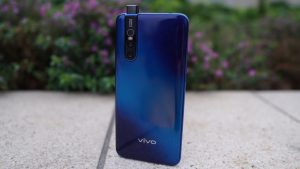
    The Vivo V15 Pro review can step up higher when it comes to smartphone innovation. This device is like the Vivo nex and Vivo nex dual display edition. This is offering with best of features being Chinese smartphone makers managing to be the latest launch in India. This is meant for bringing aspirational and useful features making it a more affordable segment and offers with a pop–up selfie camera as well as an in-display fingerprint sensor with triple rear cameras.

    Its launched at a price of Rs 28,990 with the Vivo V15 pro setting a lot in its favor including attractive design, stacked hardware, impressive cameras and the latest version of android. This can justify its price tag, especially when it’s the 2018 values flagships like that of Asus Zen fone 57 and the Poco F1.

    Vivo V15 Pro review

    The design

    This is the Vivo V15 Pro which is a real looker and is going to draw some attractive glances. But not in the same way as like other smartphones out there right now. This has eye-catching designs and colors. This has gone for a more tasteful and elegant finish.

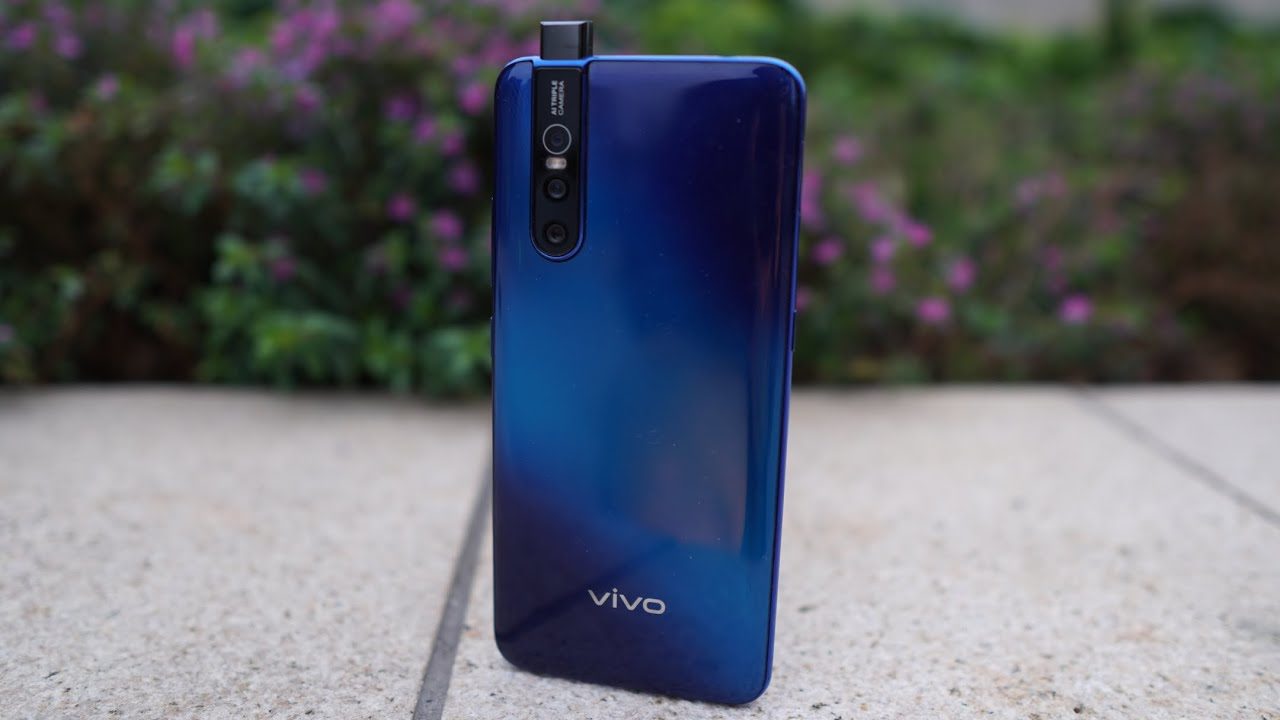
    The rear panel is topaz blue in color with the review unit that has an electric blue diagonal streak in the middle that gradually fades into deeper shades of blue in the corner. There is even a microdot pattern in the center that morphs into a wave-like pattern near the edges and that makes the look called the spectrum ripple design.

    It’s the color shift that looks beautiful when the light falls on in it at different angles. This phone is available in a completely different ruby to finish a red color that has a red gradient with a crosshatch pattern across the back.

    Best of features to review

    This is of the latest smartphones with the handset coming with an FHD and an ultra full view super AMOLED display and is backed by a 3,700 mAh battery. This is available with a notch-free screen offering with a 6.39-inch screen with a display of 19.5.9 aspect ratio and 91.64 % screen to body ration.

    The complete handset is powered by the Qualcomm snapdragon 675 AIE with the 6GB RAM and 128 GB ROM that is expandable up to 256 GB. This runs off the Android 9 Pie-based on fun touch 9 operating system.

    Vivo V15 Pro features to review

    Apart from that, the device offers an in-display fingerprint scanner for the purpose of security. This bears a dual sim with weighing 186 grams. In the front, you have the camera that features a pop-up selfie camera at the front. This includes a 32-megapixel lens featuring like the AI face beauty.

    The AI portrait composition, bokeh mode, AI body shaping, portrait light effect, AR sticker, video face beauty, and gender detection. The handset boasts with a triple rear camera setup at the back consisting of 48 MP primary sensors and an 8 MP secondary sensor with a 5MP ultra-wide lens.

    Size

    This bears a glossy rear panel curves around the edges. This provides the impression of the device being thinner than its actual size. The sore point is the rear camera module that creates a considerable bump on the back. It bears a metallic rim that runs around the edges of the V15 Pro.

    Also, the absence of sharp edges makes it hold perfect. On the right sits the power button and volume buttons. But on the left is present the Google assistant button and micro SD card tray. This button provides good tactile feedback but they are with a little to reach especially with the volume up button.

    Specificities are features to review

    The V15 Pro bears unique and excelling features to review. These are like:

    This is powered with the octa-core Qualcomm snapdragon 675 Processor paired with 6 GB of LPDDR4 RAM and a 128 GB of the internal storage which is expandable using micro SD card. There are three different slots for the housing of the micro SD card and two Nano-SIM cards. This means that the users won’t have to sacrifice the dual Sim Functionality for more storage space.

    Connectivity is handled by 4G VoLTE, Bluetooth 5, Wi-Fi 802.11 a/b /g/n, GPS/A-GPS, a micro- USB port, and a 3.5 mm headphone Jack, onboard sensors that include an accelerometer, ambient light sensor, digital compass, gyroscope and proximity sensor.

    On the side of software, the Vivo V15 Pro runs fun touch OS 9 Based on Android 9 pie and the android security patch running on the review unit. Fun touch OS is a heavily skinned version of android and will require some time to get accustomed to.

    The deviation from the stock android is truly evident from the get-go, starting with the absence of the app drawer. Swiping left on the home screen opens the smart launcher that is populated by cards for tasks including events, the weather, a to-do list, and the news headlines. The cards on the smart launcher and their order can now be customized.

    Vivo V15 Pro Specificities


    This comes with a loads of pre-installed app that include in-house software like the V- app store, iMusic, iTheme, Albums, and Vivo Cloud among others, as well as third-party apps that include Paytm, PhonePe, Ganna, UCBrowser, and WPS office. Above all the bloatware is never a desired trait.

    You might find the UI of the fun touch OS slightly Garish and overall it looks like a less refined take on iOS. This is not very easy as well to find specific things in the settings app. The users will now have to live with it or resort to using it with the third-party launcher from the Google play store.

    These features with the smart split for controlling the split-screen multitasking, app clone for running second instances of certain apps, smart lock for assigning tasks to the volume down button and the smart mirroring for displaying the media files on another display while you continue to use the phone.

    There is a split-screen included in the messaging feature which is particularly into use. Like the message will appear on screen as a floating bubble. Tapping on it instantly opens with the split-screen interface without having to close the app that currently using.

    The fun touch OS is also offering GameCube featuring tailoring to make the game best. This lets users mute notifications, automatically reject calls, minimize interruptions due to any kind of accidental touch gestures and stop all the background apps while gaming to maximize the performance.

    Battery Life

    Coming to the battery performance it depletes quite rapidly during sessions and serves with an average battery deterioration of 13 to 15 % just after 30 minutes of gaming.

    Summary

    Overall, the Vivo V15 Pro is a fantastic mobile with a lot of excelling features to manage great services. It is a worth buying product with lots of features compared to other big budget smartphones.

  • Folding Razr Smartphones

    Folding Razr Smartphones

    Smartphones have got tonnes of variety when it comes to the features, specifications, and other such important details for sure. However, using these smartphones could be both advantageous and dangerous as compared to the basic phones that are available in the market though and you will also find these basic phones as the safest phone or the device that one could have for all the uses and purposes for sure.

    Well, only if you know that there are a few brands that have launched some exciting smartphones that work as both basic device with all the required features and smartphone consisting of all the features and benefits for sure.

    Why you should be excited about the folding Razr Smartphone?

    Well, only if you know Motorola Razr is one such smartphone that would totally be great for both flat and foldable. However, the market is expecting that this smartphone would probably change the future of foldable smartphones and devices within the market.

    You simply need to know that these folding razr smartphones have got great features and benefits that would help you to go on experiencing both of the basic phone and smartphone in just a single device though. We have put together a few pieces of information about this particular smartphone that is up for the launch and distribution in the market.

    Everything to know about Moto’s New Launch

    As you now know that Motorola has again come up with its old and traditional techniques of foldable phones with smartphone features. Of course, this particular brand has got a variety of smartphone variants that include variations in colors, features, models, designs, looks and even specifications too. However, this particular smartphone is pretty much exciting for those who want to experience the foldable phone again.

    Everything to know about Moto’s New Launch

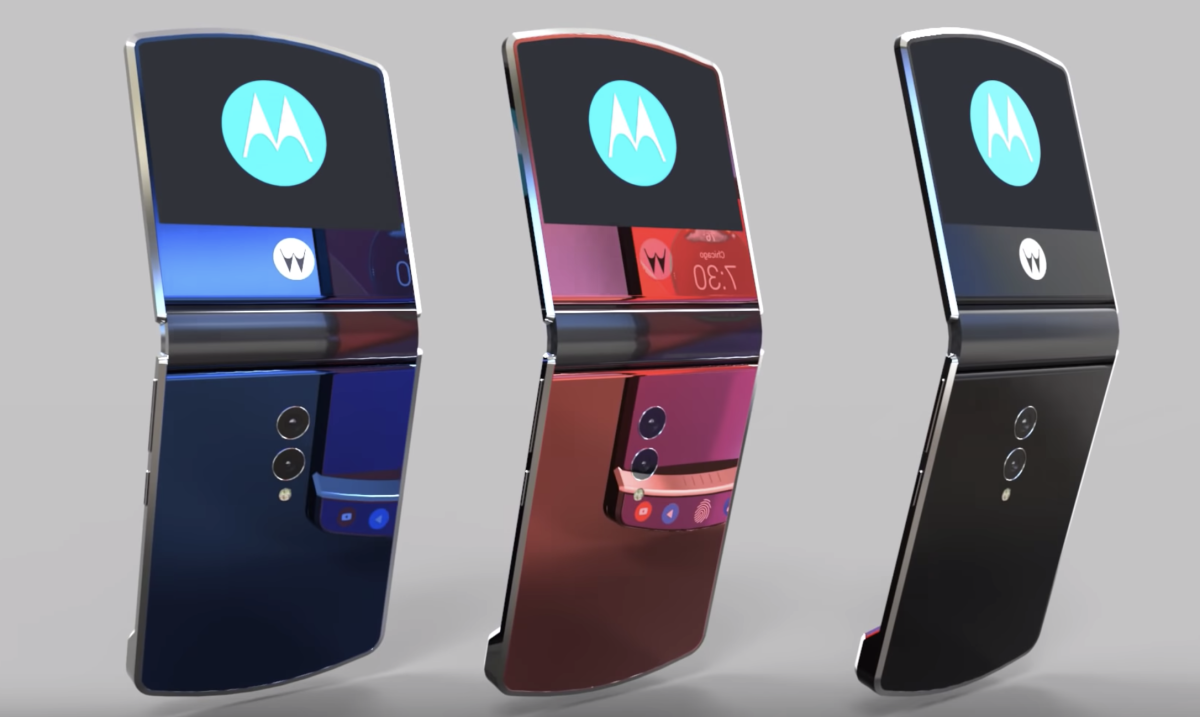
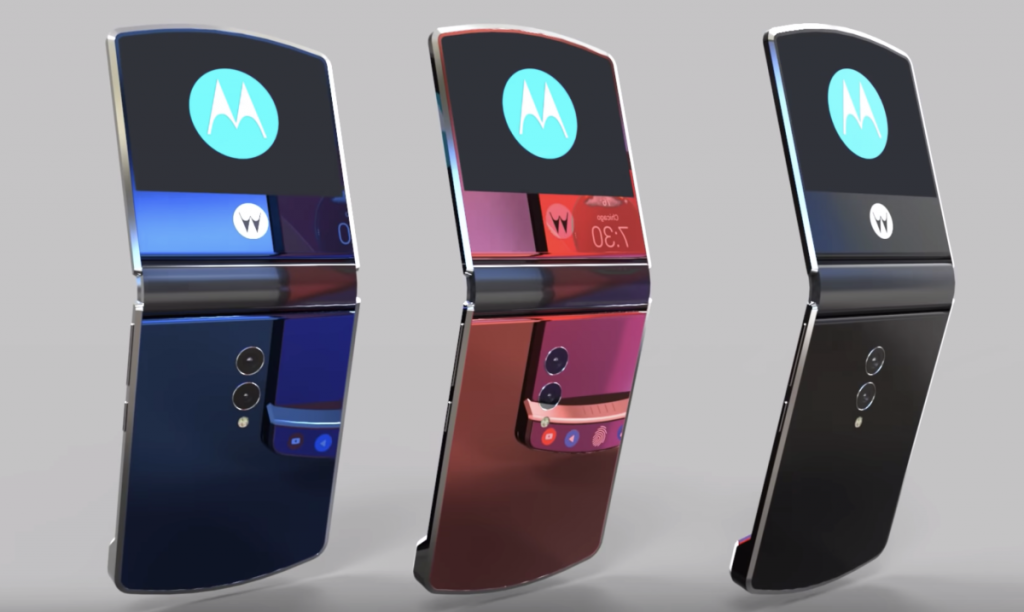
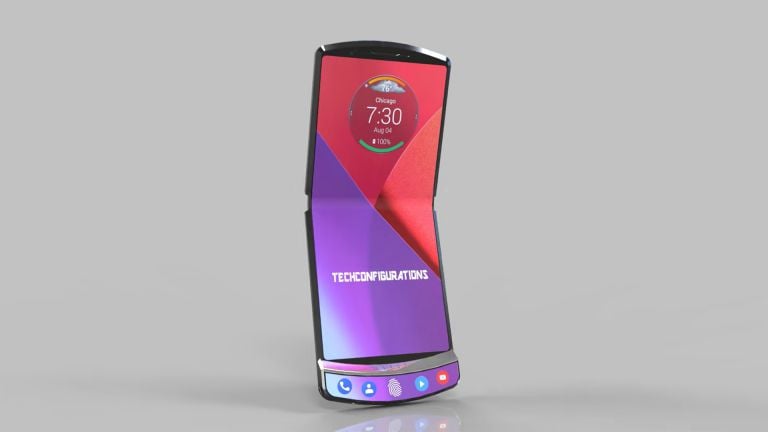
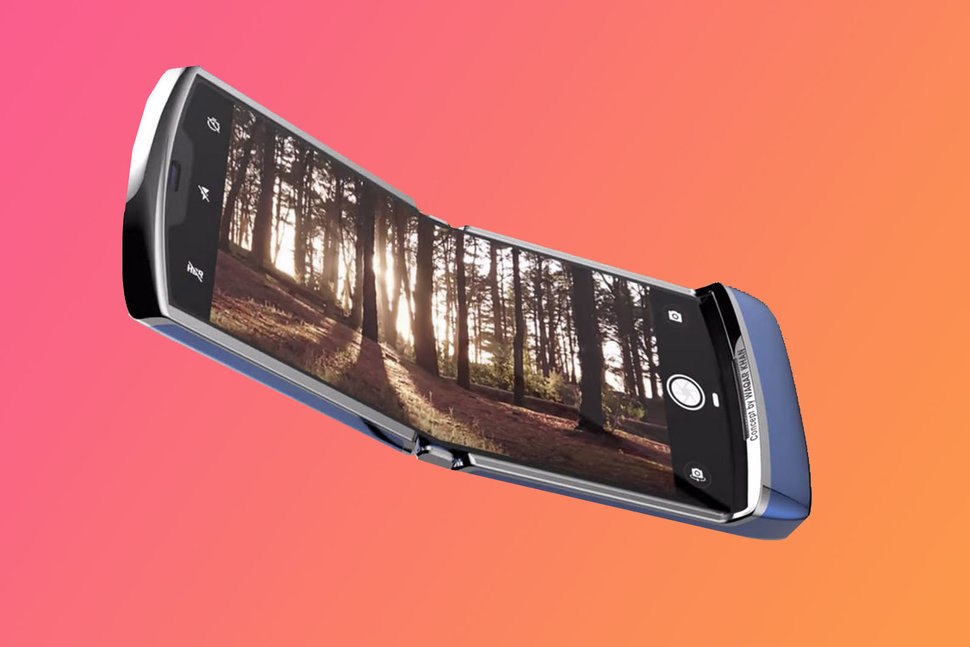
    A leaked photo has actually proved that we should be excited about one of the best folding razr smartphones as it has got various features.

      • The old model with the new modern looks suitable to all the users.
      • It has got a great and classy clamshell shape that can be opened slightly.
      • The smartphone can be easily placed on the palm without any fear of slipping or being too smooth just like the usual smartphones.
      • It has got a totally compact size, which can be held properly and carefully even by kids and teens.
      • The smartphone has got the fingerprint sensor, and rest would be the screen just like any other smartphone though.
      • It is both retro and modern, and of course, there are various other features of this particular smartphone that has got all the features of a smartphone that a modern customer would always expect.
      • Camera, storage, design, look everything will be more clear once the phone is launched in the market.

    Conclusion

    Well, now you know almost all the details about this particular smartphone and this has eventually become the best of it when it comes to using a compactable phone. Of course, if you are a two phone user, one of the basic phones and one of the smartphone then you can switch to this one soon!

  • Samsung Galaxy A70 review

    Samsung Galaxy A70 review

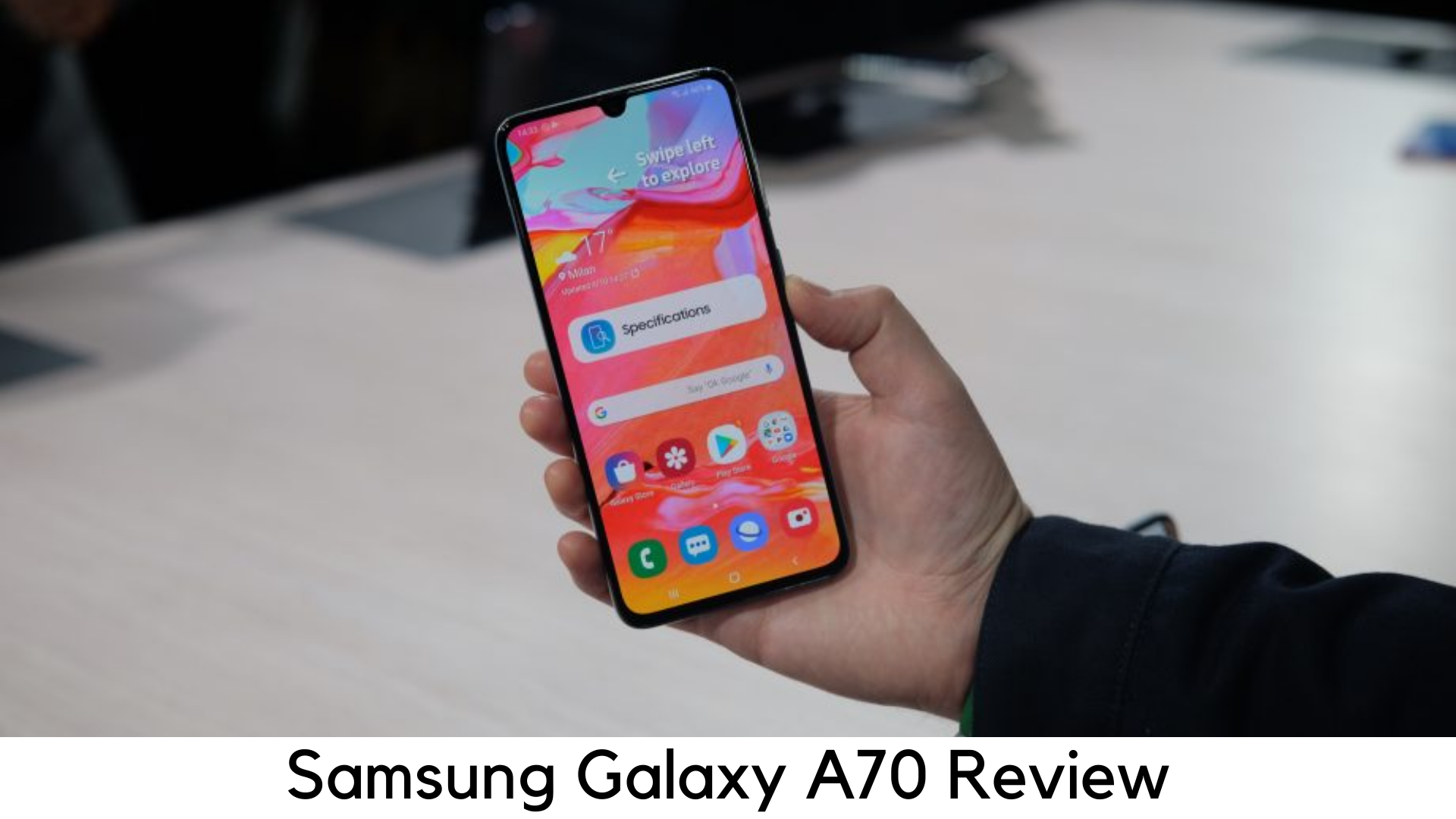
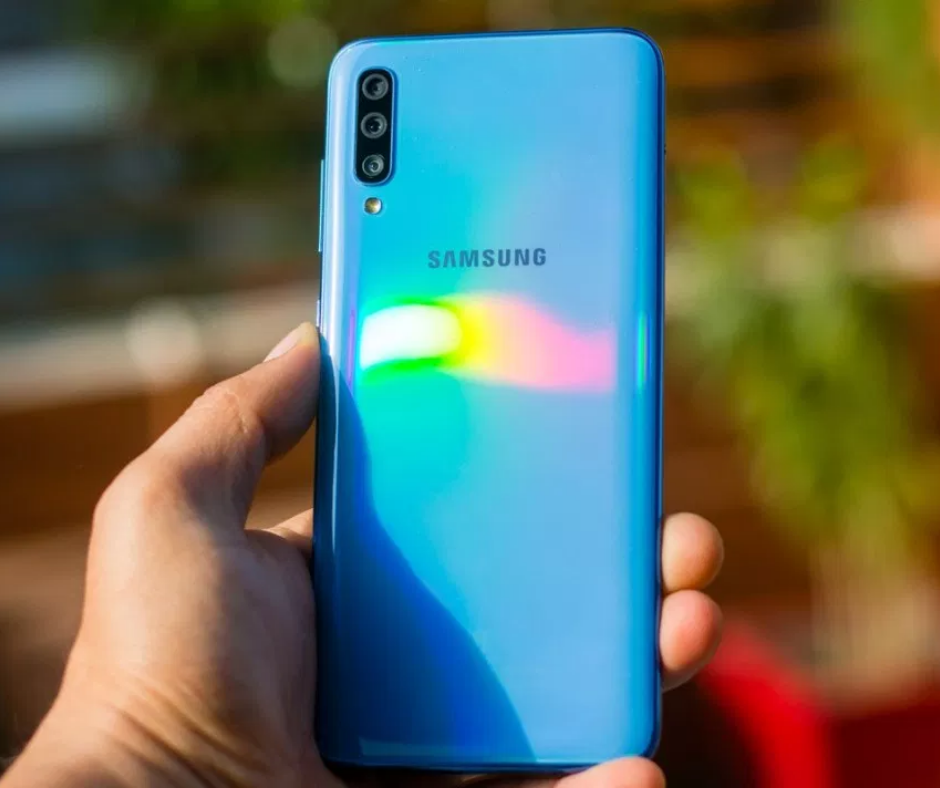
    The sixth addition to the refined A series of Samsung, the Galaxy A70 features the huge battery backup and one of the largest displays. It is basically a step towards the right path and to compete with more premium flagships like Oppo F11 Pro, Vivo V15 Pro, Nokia 8.1 and POCO F1. With that said, will Galaxy A70 have enough power to compete with premium devices?

    Samsung Galaxy A70 review

    Pricing

    The 6GB RAM/128GB storage variant of Galaxy A70 is priced at around $420. You can buy the device via Samsung’s official online store, Amazon or other online stores. The device has been a tough competition against the likes of POCO F1, Vivo V15 Pro and Nokia 8.1. The device comes as an ideal package in terms of usability. It has a flashy design but the pop-up camera might be a breaking point.

    In the Box

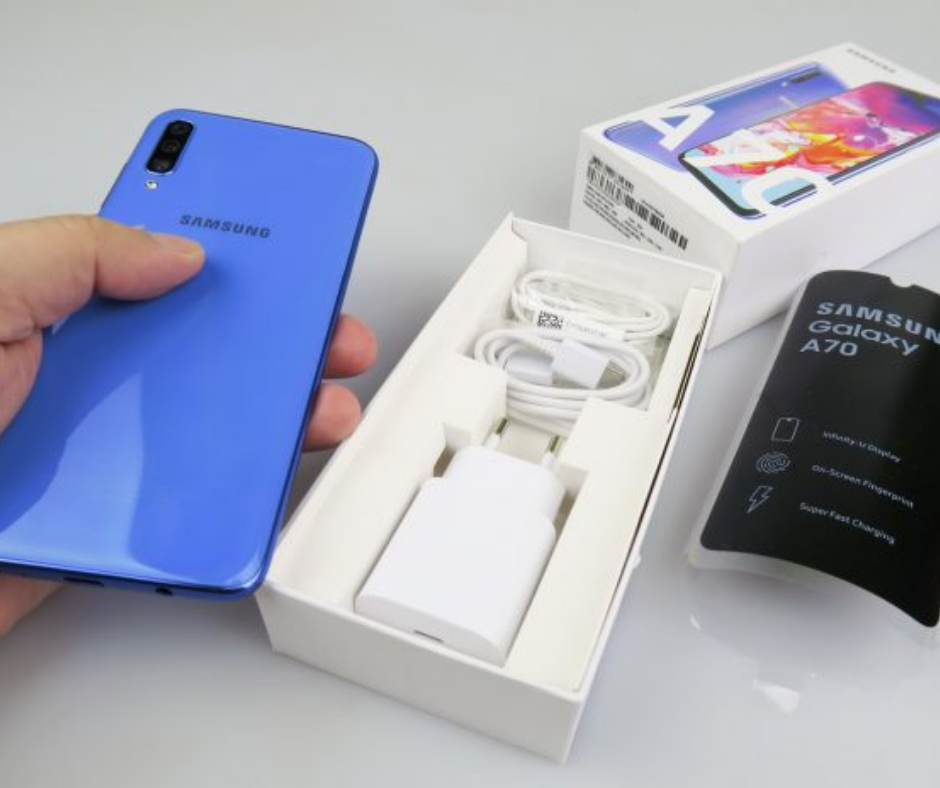
    The device comes with

      • TPU Case
      • Earphones
      • SIM ejector tool
      • USB-C to C cable
      • 25W fast charger

    Samsung Galaxy A70 review

    The package includes 25W fast charger which is a great addition as compared to other devices that ship with a low-powered adapter.

    Design

      • In-display fingerprint scanner
      • Waterdrop notch
      • 183g
      • 5mm headphone jack

    Samsung Galaxy A70 review

    Design-wise, Samsung Galaxy A70 seems to be like a stretched version of A50. It is very identical to both Galaxy A30 and Galaxy A50. It has got an ultra-glossy plastic back panel with a rainbow pattern. But the back is vulnerable to scuff and scratch marks. This way, the bundled TPUU case can come in handy.

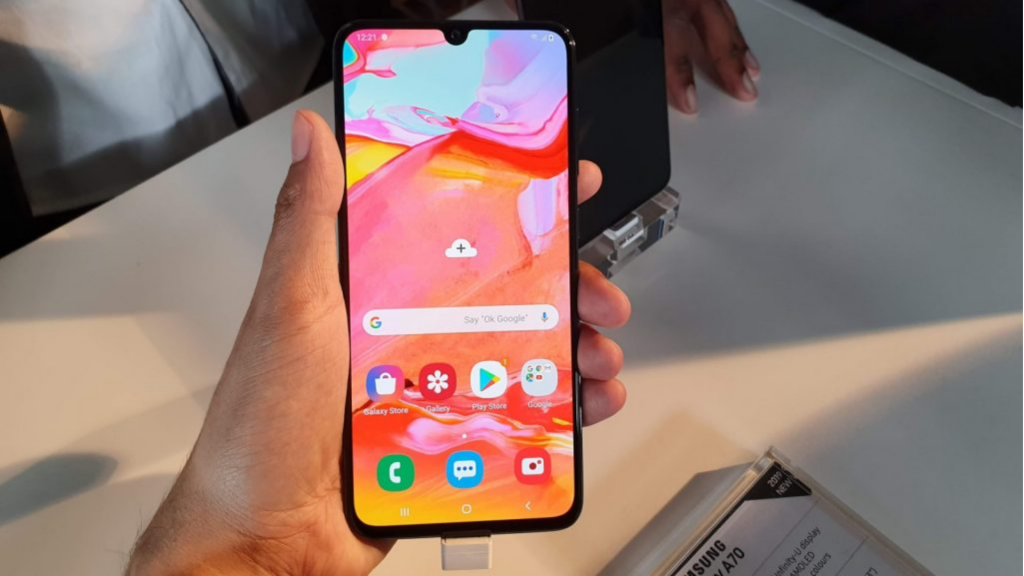
    The chin is very slim with Infinity-U waterdrop notch and 6.7” display serving as a nice canvas to enjoy your favorite videos. It features an optical in-display fingerprint sensor which takes hardly a second to detect fingerprint.

    Display

      • Super AMOLED
      • 20:9 Aspect Ratio
      • Full HD+ display
      • 7-inch screen

    Display

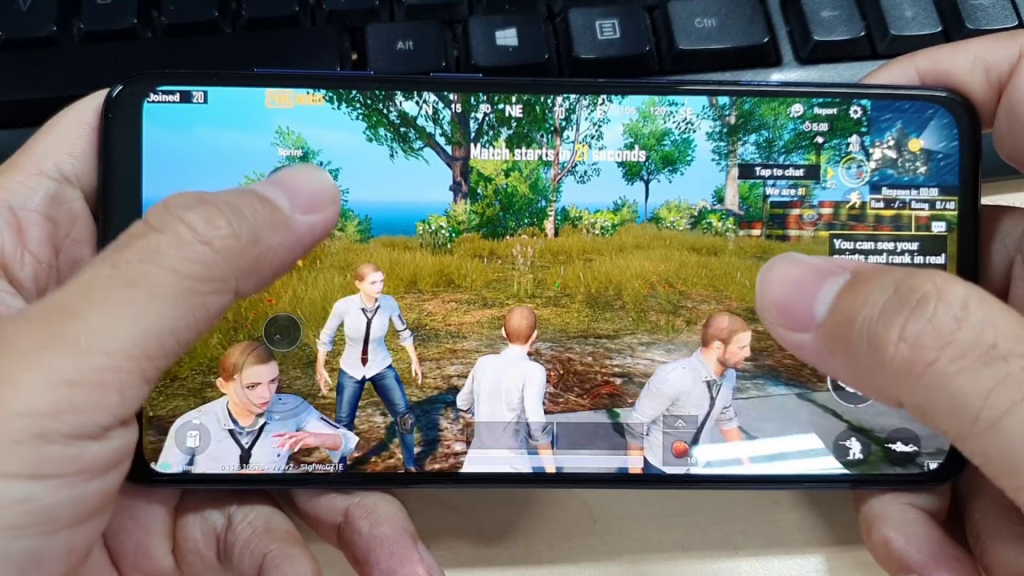
    The device comes packed with a Super AMOLED panel with vibrant, large and bright display to enjoy watching your multimedia content. Be it PUBG Mobile or your favorite Netflix movies, all the elements come out on the display and really provides an immersive experience.

    Performance

      • 6GB RAM
      • Snapdragon 675 Octa-core chipset
      • Adreno 612 GPU
      • Dedicated microSD card slot
      • 128GB storage

    Samsung Galaxy A70 Performance

    Galaxy A70 enters into competition with a lot of devices having SD 675 or higher. The SoC has a nice optimization in terms of battery life and performance and we got exactly the same in the real world.

    It is powered by 6 Cortex A55 cores and an Octa-core Snapdragon 675 SoC. They provide all the power to the device you need. The same processor is found in Vivo V15 Pro and Redmi Note 7 Pro.

    The processor handles various CPU-intensive roles quite well but its Adreno 612 GPU struggles behind Snapdragon 710 and Adreno 616.

    But the device comes with 128GB storage which is expandable through a dedicated microSD slot. It supports dual VoLTE in nano-SIM slots. The Galaxy A70 was quite great in daily use.

    The company has done a great job in software optimization. In ultra graphic settings, PUBG Mobile ran quite well, despite its warning against a lower frame rate. On longer sessions, the device got warm a bit but it was still easier to hold the big screen.

    Battery

    The A70 is powered by a 4500mAh battery to easily last a full day or longer. The device lasted up to 2 days on real use. The on-screen time was around 7 hours, which is quite good with such a large display.

    It is also the first Samsung smartphone to come with 25W fast charging support. You can charge it within 2 hours, though not faster than some other norms like Dash or VOOC charge.

    Platform

      • One UI 1.1
      • Android 9 Pie
      • Less bloatware

    The device runs One UI 1.1 with Android 9 Pie on board. The interface is quite user-friendly with different customization options. It supports traditional navigation keys as well as gesture-based navigation. Unlike Chinese competitors, this Samsung device comes with a limited set of branded apps.

    So, it’s up to you as to which one to keep and which to remove. It has limited removable bloat in terms of Daily Hunt, Netflix, Amazon, etc.

    Camera

      • 32MP GD1 Samsung selfie camera
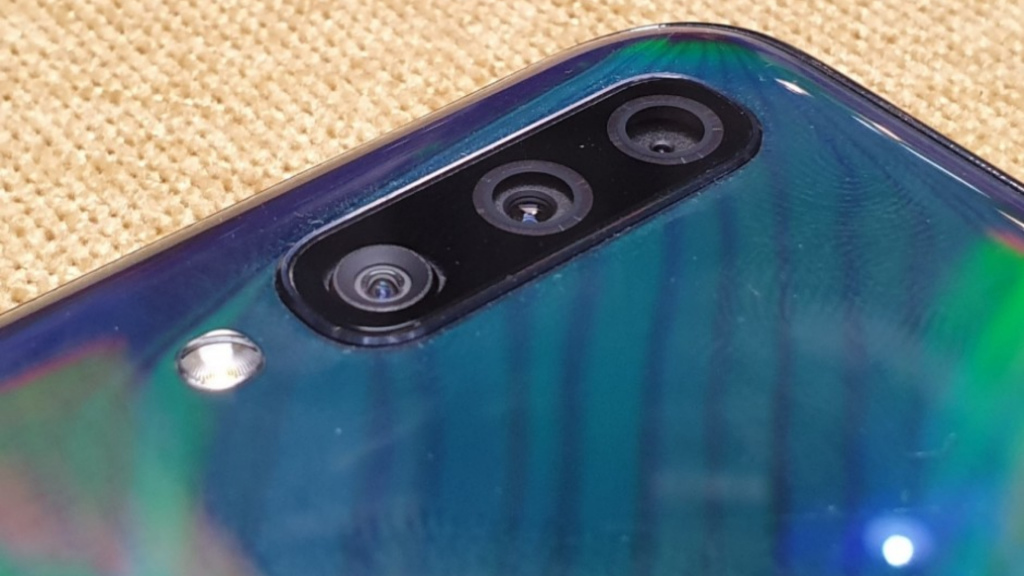
      • 32MP rear camera (f/1.7)
      • 5MP depth sensor
      • 8MP wide-angle camera (120-degree)

    Camera

    The camera is one of the major improvements if you are expecting to upgrade to an upper mid-range device. In indoor lighting conditions, the camera doesn’t perform quite well with a bit of softness and warm white balance.

    But when identifying the subject outline, it works really well. You can find a bit of drop when shooting in low light and indoors. In fact, the selfie camera is quite good. With pixel binning shot of 8MP, the output varies as per the setting you pick.

    You can record up to 4K videos at speed of 30fps. In the recorded video, the dynamic range was not up to the mark as it lost most of the details in dark mode. However, it is great to shoot video in slow motion on 480fps at 720p resolution. It calls for proper lighting to show the best results.

    Summary

    All in all, the Galaxy A70 is among the balanced phones right now in terms of specs. It may not be that powerful and it doesn’t have the best camera either. But you will get the right balance of usability and performance. Reliability is the best definition to describe this device.

    We haven’t noticed any lag or stutter while using it and playing games. The massive 4500mAh battery can last longer for a day of usage. Design-wise, it looks premium but its plastic back needs a protective case as it is more vulnerable to drops.

    Pros

      • Good Performance
      • Superior battery life
      • Vivid display
      • Long-lasting battery

    Cons

      • Mediocre camera
      • Back panel needs case all the time

    Verdict

    Samsung Galaxy A70 is truly an ideal upper mid-range device. Between the great battery life and nice experience, the Galaxy A70 stands as one of the best devices for your average usage.

  • Oppo Reno 10x Zoom Review

    Oppo Reno 10x Zoom Review

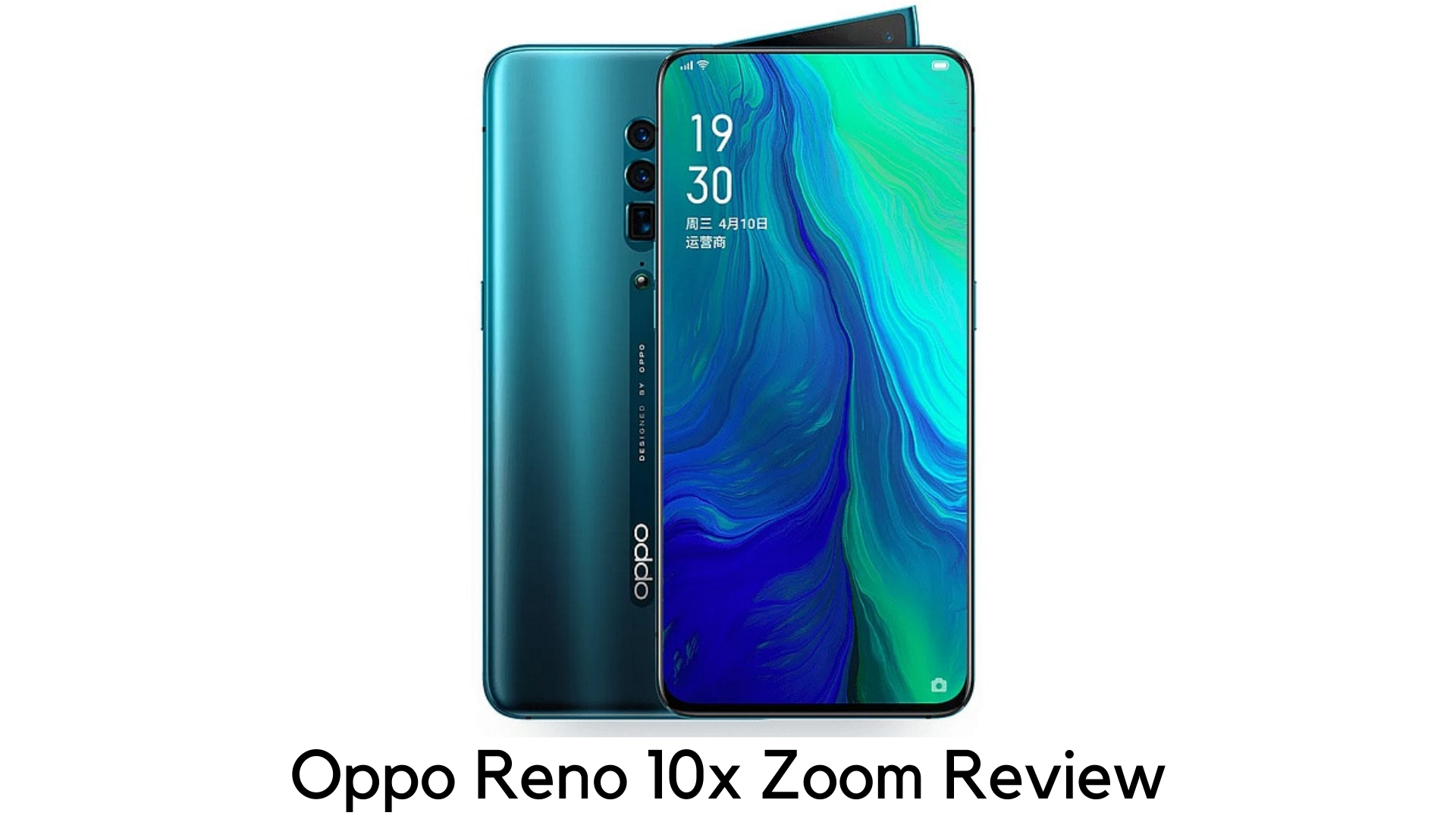
    Oppo is one of the top Chinese smartphone makers. It has come up to make its presence in the Western markets in style with Oppo Reno 10x Zoom. Oppo always experiments and makes new ways in every generation of its smartphones. The new flagship, Oppo Reno 10x Zoom has got some prowess in imaging.
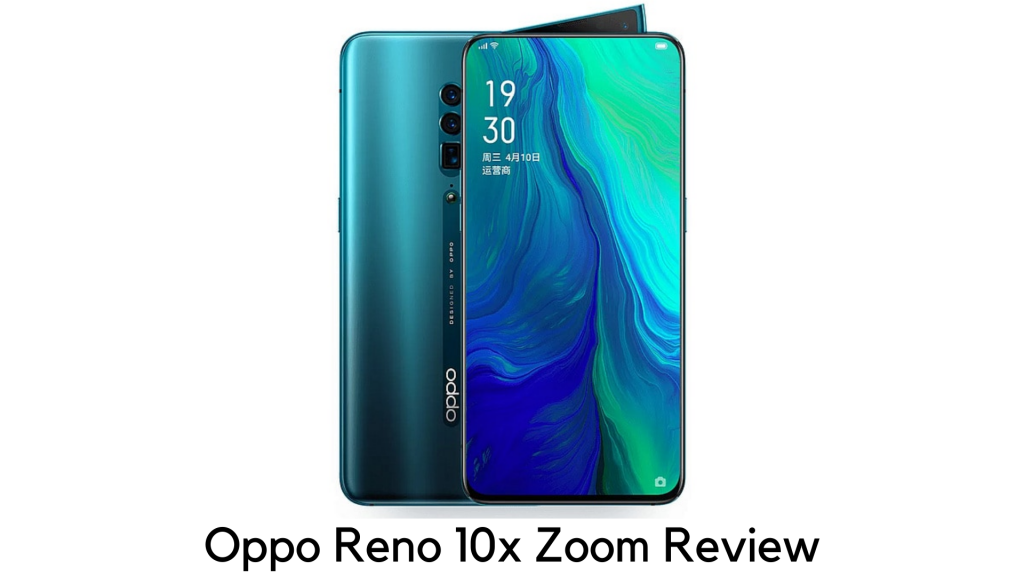
    Oppo Reno 10x Zoom Review

    It is purposely an upper mid-range phone, with the high-end chipset, aggressive pricing, appealing pop-up selfie camera, and completely bezel-less display. It is the one to get the most of the best features at an affordable cost.

    Pricing

    The Oppo Reno 10x Zoom is currently available in Australia, Europe, the Middle East, the UK, and several Asian countries. However, the Chinese giant has no plans, currently, to bring this line to the US. If you desperately want this phone in the US, you may need to import it.

    When it comes to pricing, Oppo Reno 10x Zoom costs AU$1,199/£699 (roughly $889). So, it directly competes with OnePlus 7 Pro and Huawei P30 Pro, falling in between true flagship and mid-range pricing.

    You can also go with Oppo Reno standard version for just £449 (roughly around $570). Oppo justifies the price difference with a larger display, additional camera, and better processor of 10x Zoom, along with few minor changes.

    Design

    Size-wise, Oppo Reno 10x Zoom is slightly big as it measures 162 x 77.2 x 9.3mm and is thick enough to hold a big screen. It is also one of the heaviest smartphones as it weighs 215g. But you cannot feel it while using it.

    The rear panel is completely smooth, with no camera bump. However, it has a small O-Dot round button to keep it from lying flat to secure the camera lens.

    The key selling point here is its shark-fin popup selfie camera and LED flash for both the back and front, making room for completely bezel-less display.

    Though it takes a bit to pop up and down than others, it is also very sturdy. There is volume rocker on the edges, the power button on the right edge, and speaker grill and USB-C port on the bottom.

    It lacks a 3.5mm headphone jack. The color options are Mist Pink (whitish-pink), Jet Black, and Ocean Green (Bluish Green).

    Display

    Oppo Reno 10x Zoom has got the massive 6.6-inch display with no notch. The bottom chin is a bit thicker and the top bezel is thin. The best thing is that it has a 1080x2340p AMOLED screen with 387ppi.

    So, it offers great quality results when watching movies, playing games, viewing photos, and doing more tasks with bright colors and high-max brightness. The display quality is quite premium in this price range.
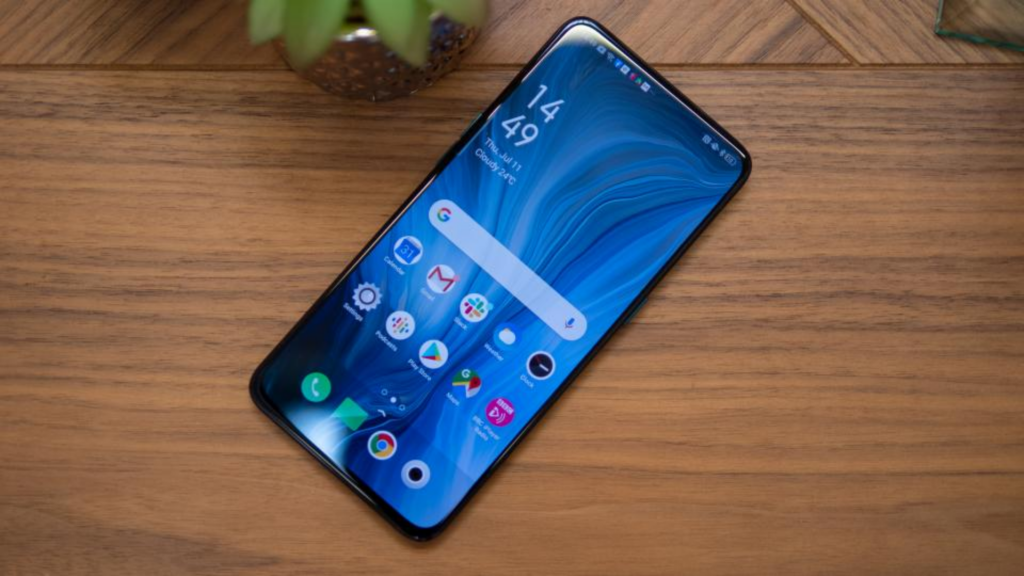
    Oppo Reno 10x Zoom Display

    Battery Life

    The battery life of Oppo Reno 10x Zoom is not that surprising. With medium or heavy use, it lasts only around a day.  With a capacity of 4065mAh battery, you could expect it to last a bit longer. But the bright AMOLED display drains the battery faster. Popping the selfie camera up and down also adds up.
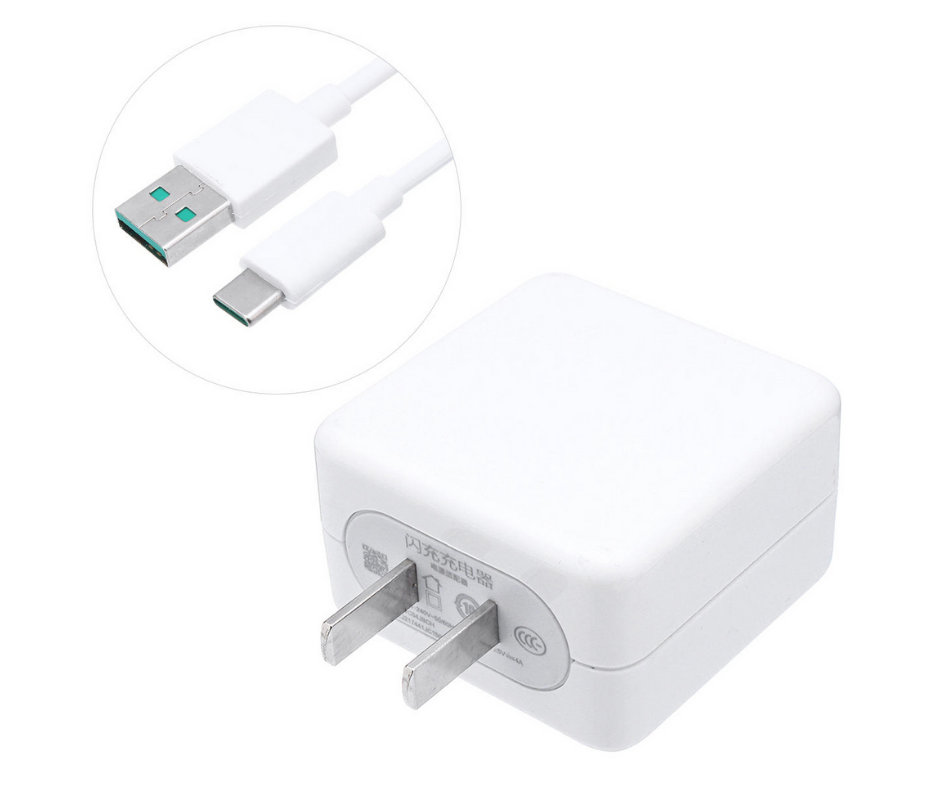
    Oppo Reno 10x Zoom Battery Life

    But when it comes to watching content, the device seems to be optimized. By playing a long 90-minute movie with Wi-Fi and max brightness, and accounts syncing on the back, it dropped just to 91% from 100%. Especially for the device with such a bright and wide display, it was a great outcome in the real world.

    The best thing is that the device comes with 20W VOOC Flash Charger to power up. The charging speed is quite average, considering the size of the battery.

    Camera

    The device features a triple rear camera setup, including 48MP main snapper with f/1.7 aperture, 13MP optical zoom lens and 8MP ultra-wide angle sensor. Irrespective of its name, the Oppo Reno 10x Zoom can handle just 5x optical zoom from its periscope lens.

    But it does support 60x digital zoom, which is quite highest in the smartphone. Don’t expect truly DSLR quality images with that.
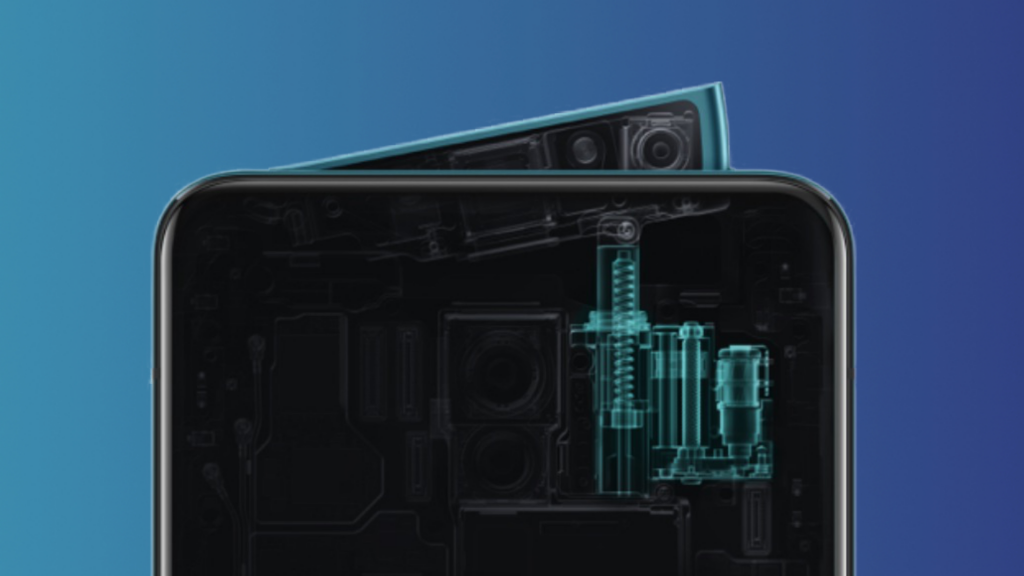
    Oppo Reno 10x Zoom Camera

    Basically, the 10x zoom refers to a mixed output of digital and optical zoom. Most people don’t know very much about this new technology. On the front, it has a 16MP shooter with f/2.0 aperture, which takes decent selfies.

    Interface

    Most Chinese smartphones have quite divisive interfaces. When Huawei’s EMUI and Xiaomi’s MIUI have quite flashy and childish looks, the ColorOS looks even better in Oppo Reno 10x Zoom.

    The ColorOS runs on Android 9 Pie. The swipe-down menu is bigger and icons are a bit large than in stock UI. By default, the app drawer is turned off like with many Chinese devices. You have to go to Settings to activate it.

    Gesture controls are quite harder to use while navigating the phone. Another issue is that the device comes with a lot of bloatware pre-installed. Some apps could be useful like Hot Apps (a kind of Play Store) or Game Space (which is used to optimize games). But most of them were useless. But you can remove them later.

    Gaming

    Oppo Reno 10x Zoom’s loudspeakers are quite loud. But the sound quality is just decent enough. But if you are expecting it for gaming, it won’t disappoint in any way. We played some graphic-intensive games like Call of Duty Mobile, PUBG Mobile, and Harry Potter: Wizards Unite. We didn’t find any stutter or lags that can spoil your gaming experience.
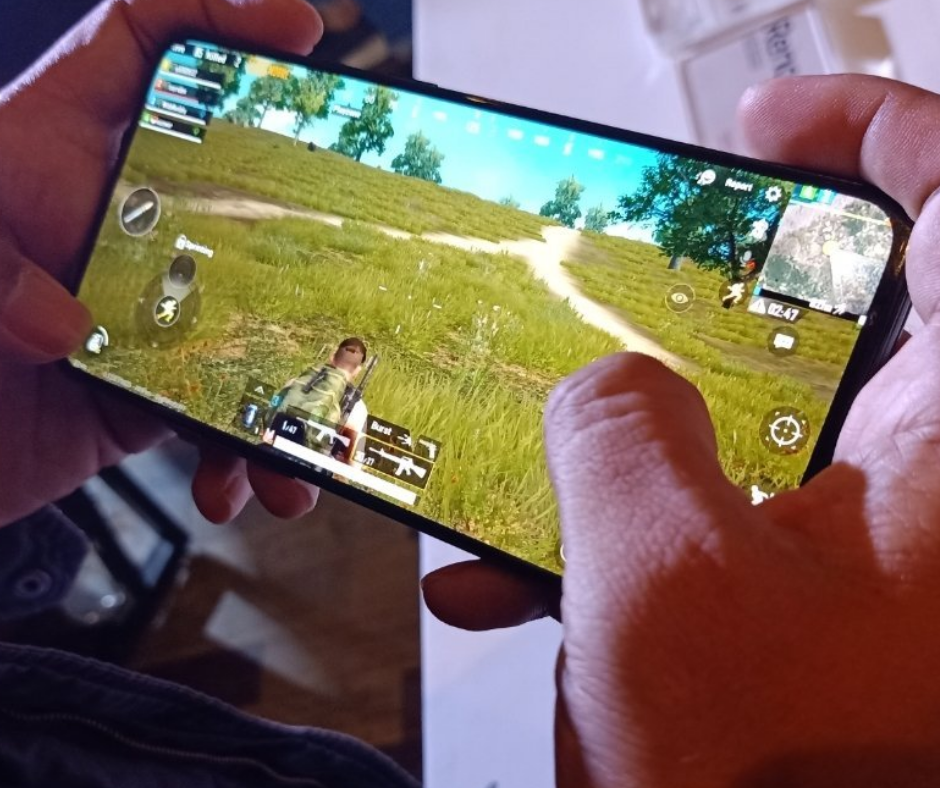
    Oppo Reno 10x Zoom Gaming

    Even better, the phone didn’t get hot while playing games for a longer period. The rear camera bumps don’t interrupt your fingers. The full-view display and AMOLED has made the viewing experience even great.

    Performance

    Performance-wise, Oppo Reno 10x Zoom is literally a powerhouse with 2.8 GHz Octa-core Snapdragon 855 and 6GB/8GB RAM and 128GB storage. It scored 10,823 in terms of multi-core performance in a benchmark test, which means you won’t have any problem in-camera processing and gaming.
    Performance

    For

      • Superior performance
      • Bright display
      • Versatile cameras
      • Affordable pricing

    Against

      • Bulky
      • No wireless charging
      • No 3.5mm jack

    Our Verdict

    Oppo is one of the leading brands who are well known for making bold moves when it comes to launching innovative smartphones in the market. With premium specs, software improvements and unique shark-fin selfie camera, Oppo Reno 10x Zoom is no exception.
  • How To Unzip Files On Android Devices – All Apps And Features

    How To Unzip Files On Android Devices – All Apps And Features

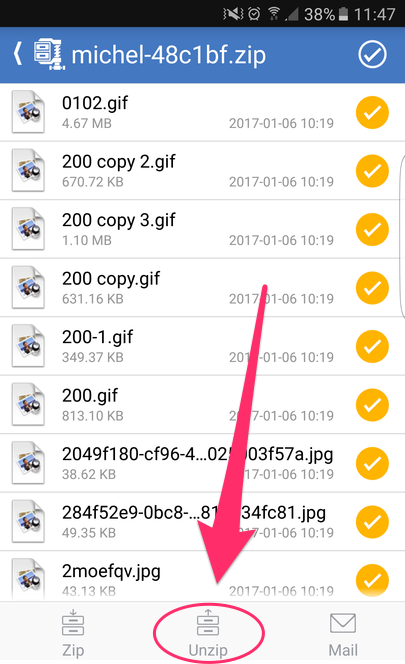
    ZIP files are a way of sending more than one file. It could be considered as a compact digital package. However, to send or receive it and look at it, you will require special software or app. You would first have to unzip the file on your Android device and only then would you be able to look at the content. In most cases, the apps are third-party so it should work on your Android device, regardless of its manufacturer.

    What Are ZIP Files Used For?

    Before looking at how you could efficiently unzip files on Android devices, you first should know what ZIP is used for and how is it useful. ZIP files basically bunch many files together under one folder, making it easier to share, send, or receive it. Manually downloading or sending files could be tiresome and end up messing up your careful organization. ZIP files are a far better solution. RAR files are a similar format. It might help to know that software or apps that can extract files from ZIP folders can also unzip RAR files. Usually, these apps send an alert or a notification when they are done, but if you do not want them, you can turn off the notifications.

    How to Unzip Files on Android

    Let’s take a closer look at the process. ZIP files generally need to be unzipped before it can be used. This refers to the extraction of all the files from the compressed folder. Did you know that thanks to a recent update, unzipping can be now done by Files by Google app? If this doesn’t work for you, you can always use the other equally efficient apps. For more, check out the apps here. We will also be discussing some popular ones in detail in the next section.

    Unzip Files On Android Devices
    Unzip Files On Android Devices

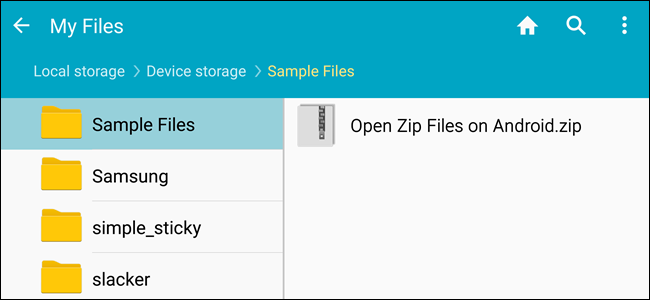
    To unzip using Files by Google, you will first have to install the same by visiting the Play Store. Previously, it was known as Files Go. If you have an old Android device which has not undergone any updates, you might still have it under the same name. It is advised that you update before following the process.

    The Process

    Open ‘Files by Google’ and search for the ZIP file that you want to unzip. A hint: if the ZIP file you want to unzip was downloaded from your Gmail or another website, it could be there within the Downloads folder. It is quite easy to identify a ZIP folder since they always come with the .zip extension.

    Click on the file and you will see the various files present within the compressed folder. Tap ‘Extract’ to unzip these files. Once the process is done, you will see the list of unzipped files. Click on Done. You will find these files on the same location as the original ZIP file.

    Apps to Unzip Files on Android

    Let’s take a look at some of the popular Android apps. Some of these are file managers having built-in unzipping function, making it easier for you to do multiple tasks with just one app. They work in a manner similar to Files by Google.

    WinZip

    WinZip is a popular software and known by most of us. It is now available for Android as well. The WinZip app supports all the commonly used types of archive files. The best thing about it is that there is support for Dropbox and Google Drive. Once WinZip added this support, many others started duplicating it as well. The design is neat and clean with the user interface being pretty friendly. While it offers the basic functionality and does its job quite well, the others on this list seem to have more to offer.

    Unzip Files On Android
    Unzip Files On Android
    B1 Archiver

    B1 Archiver is a popular software used for unzipping or zipping up different archive files. While it offers support for ZIP and RAR, the most common types, the app also offers support for other 37 formats! If you work with uncommon archive formats, this is an excellent platform to use. Besides this, it also has support for multi-part RAR. With reliable functionality and a user-friendly design, this is a good option to consider. While it is free to use, if you want access to some of the more advanced features, you will have to pay a small fee for it. This will also stop the adverts.

    RAR

    RAR is a product from RARLAB. This was designed by the same people who created WinRAR. Considering their expertise, it only stands to reason that the app will offer support to different file types and contain more features. As guessed correctly, RAR for Android offers support for ZIP, RAR, 7z, TAR, and many more. You can also secure your files using the many options available, such as encryption or password. With RAR for Android, you can also repair damaged archives. In addition to this, you would also be able to compare the archives against benchmarks.

    ZArchiver

    This is a completely free tool and has been an Android staple for many years now. With easy user interface and controls, it is quite popular with its users. Since it supports many file types, it offers a good enough experience as well. There are also options for password protection, encryption, split archives, and more. While it does not have any fancy features or a stunning interface, it does its job efficiently and that is what we are concerned with.

    MiXplorer Silver

    Coming to the last app on our list – MiXplorer Silver. This file manager app offers basic archiving functions. If you are working only with basic file types, such as ZIP or RAR, this should suit your purpose quite well. Besides ZIP and RAR, it supports over two dozen file types. The major benefit here is that it also offers its services as a file manager in addition to its archival abilities. With all it offers, it doesn’t come for free. The price is slightly on the higher side, however, for the quality and the number of features it has, it is well worth it. MiXplorer Silver is also reliable and efficient, making it a good investment.

  • How to Send GIFs on Android?

    How to Send GIFs on Android?

    Sending GIFs on Android

    GIFs are an amazing way of expressing your feelings without any words. GIFs are moving images that play in a loop, expressing a variety of sentiments accurately. If you are an Android device user, you are in luck as there are several ways of sending GIFs. You could use your stock keyboard, a messaging app, or any popular third-party GIF app. Let’s take a look at these in detail. You can send GIFs from your Android device – meaning that the device needs to run on Android, regardless of who the manufacturer is.

    Gboard or the Google Keyboard

    On Android devices running on Android 7.1 Nougat, you can easily send GIFs from your Google Keyboard. All you need is a compatible messaging app. Android Messages ticks the box very well. If you want to check which Android OS you are using, you can do that in a jiffy. Make your way to the Settings Menu and click on ‘System’. Find the ‘About Phone’ section and scroll down to see the version. You can also update your Android by checking for the latest updates under the ‘System Update’ tab.

    How to Send GIFs on Android
    How to Send GIFs on Android

    Let’s move on to see how you can send a GIF using the Gboard and via your Android Messages. Open up Messages and create a new conversation. If you want, you can open an existing thread as well. Tap on the text message bar and the keyboard will show up. You will notice a smiley icon on the left side of the space bar. Tap on this.

    You will notice the GIF option at the bottom of the screen. Tapping on that will take you to a GIF search page. Simply type in a keyword and the relevant GIFs will appear. Once you start using this, you will notice that the Recent tab shows GIFs you have used in the past. Change the search terms to get more options. Once you find what you were looking for, tap on it and send it.

    Using GIPHY

    Most of us are likely to have heard of GIPHY. It is a library of such videos with an effective search engine that allows you to find what you were looking for easily. The best part about this is that you can also upload your own GIFs. Unless you want to save favorites or more, you don’t require login credentials. It is completely free to browse, search, and share GIFs.

    To send a GIF with GIPHY, first launch the app. On the main screen, you will many popular GIFs, the latest trending ones, and more. Tap on the planet icon to be presented with the many categories. This includes memes, reactions, greetings, animals, and occasions. If you want to upload your own GIF, tap the plus symbol. When you find a GIF you like, tap on the image.

    A variety of options will show up, such as Facebook Messenger, WhatsApp, Snapchat, and more. Depending on how you want to share, click on the relevant one. In addition to these, there will also be a share and a download link. With the share button, you can send using Android Messages and other similar apps. Once you have selected the app, tap send.

    GIFs on Android
    GIFs on Android

    Did you know that you could send GIFs in the form of an attachment as well? If you have saved GIFs on your Gallery or the cloud, you can easily do this. Simply tap the plus symbol beside the message bar. Select the GIF that you wanted to send and send. Before sending, you could also add a message if you want.

    Other Third-Party Apps For Sending GIFs

    GIFs can help us express our emotions better than anything. There are many amazing apps out there that offer tons of entertaining GIFs. If nothing is to your liking, you can get down and create your own! Let’s take a look at some of the most popular apps. Check here for more details.

    GIF Keyboard by Tenor

    This app makes sharing GIFs very convenient and super fun. The reason for this is that you don’t require any additional workups. You can do everything you need to do directly from your keyboard. Tenor has a HUGE library containing millions of short videos and GIFs. All you need to do is to search against the relevant keywords and find an amazing variety show up. With Tenor, you can search and send GIFs, emojis, and more. You will also find plenty of clips from movies in the form of GIFs.

    Fleksy

    Flesky was initialed designed and developed for faster and better typing. One of its major goals was predictive typing. Thanks to its Flesky next AI, the app suggests stickers, GIFs, words, and emojis while you are typing. Its auto-correction feature is also pretty advanced. Definitely more so than others you might have come across. The app has a pretty good collection of cool stickers, fun GIFs, and an interesting variety of emojis. Since it helps with fast typing, it also helps send GIFs easily. This app has an emoji and GIF keyboard, which allows you to easily access its large collection of GIFs, stickers and emojis. It’s a faster and more convenient way of sending GIFs on Android.

    SwiftKey Keyboard

    This is one of the more popular ones. The SwiftKey Keyboard app is known for its rich plethora of options it offers to the users. Did you know that this app works to understand your way of writing and then gives suggestions based on that? It also tries to understand how you use and interact with emojis, GIFs, different words, and reactions. Here, you will find tons of stickers, GIFs, videos, emojis, and more. In fact, there is a built-in emoji keyboard as well. Another surprising feature of SwiftKey Keyboard is that it supports a multilingual keyboard.

    Wrapping Up – How to Send GIFs on Android?

    GIFs are a great way of communicating. With these apps or via Android Messenger, there are plenty of ways how you can send GIFs on Android.best way to send gifs on Android. Whew! Now, do you want to chill out by playing some games? Check out some offline game ideas.


  • Sony Xperia 5 review

    Sony Xperia 5 review

    Sony is famous for its compact phones but now it’s not only compact but amazing also. Finally, Sony has introduced its all-new Sony Xperia 5. This time Sony is all set to give tough competition to the other smartphone valuable in the market with the all-new Sony Xperia 5. Additionally, the screen size of Sony phones was only increasing but this time Sony has decreased the screen size from 6.5 to 6.1 inches. Additionally, there are no changes in the diagonal ratio also.  This phone is also available in the same tall 21:9 aspect ratio.

    Sony Xperia 5 review

    As per the details available, this latest Sony phone is introduced with the 4k Resolution video feature but with the small screen, the resolution is too much although the 1080 p is quite too much for this latest release. Apart from the display, there are several other things that are required to be considered.

    Yes, not only the screen got decreased but also the battery capacity got affected. Yes, the battery capacity of this latest phone has also been decreased. However, the battery capacity decrease is only a few percents so there is nothing much dramatic.

    Apart from the software and such specification, the hardware part is giving tough competition to others. This compact device is Xperia is having all those features that other bigger smartphones available in the market are having.


    Additionally, the amazing part is that in this smartphone you are getting stereo speakers, micro SD slot, side-mounted fingerprint sensor, and dedicated hardware camera key – a staple of Sony smartphone design. If you compare the Xperia 5 with Xperia 1 then there is nothing different.

    The 5 is having everything that the 1 has. There are several other specifications of this Sony Xperia phone that you should know about. The specs include:

    Body:

    Sony Xperia 5 is introduced with an Aluminum frame; Gorilla Glass 6 on back and front; 158x68x8.2mm, 164g; IP65/68 ingress protection rating; Sony Xperia 5 review

    Sony Xperia 5 Color options:

    This latest smartphone from Sony Xperia flagship has been introduced in the 04 color options including Blue, Red, Black, and Grey.

    Screen:

    Discussing the screen of the Sony Xperia 5 then, it is introduced with the 6.1″ OLED; 21:9 aspect ratio; 4K (1080x2520px); 449ppi; HDR BT.2020; DCI-P3 color space.

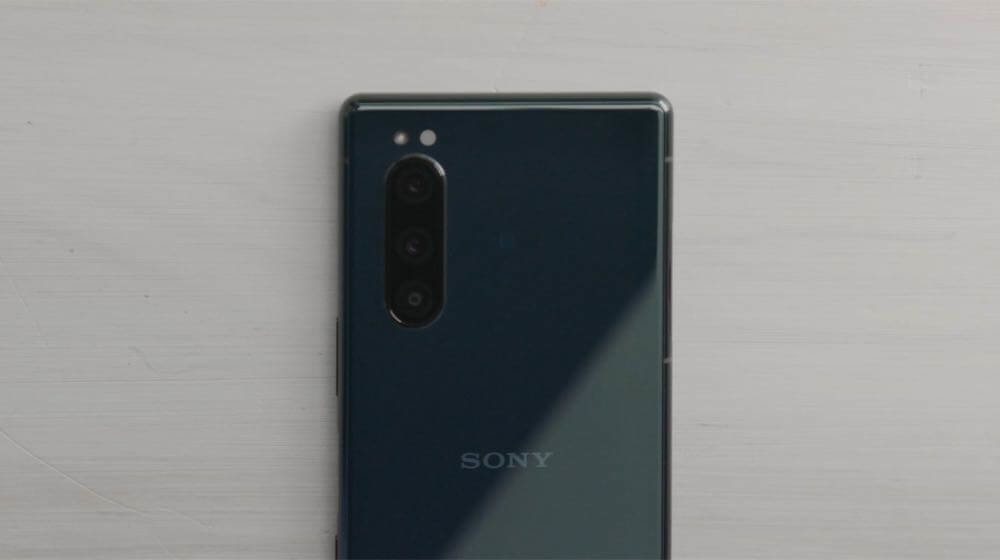
    Coming to the camera features then this phone of Sony Xperia flagship is also having the same 3x12MP camera configuration on the back. You can easily use this camera for the high-end phone trio of regular wide, ultra-wide, and short (2x) telephoto.

    Additionally, there are several other features revealed that include the Snapdragon 855 chipset. Yes, it is entitled to the Snapdragon 855 chipset as the full-sized version. Additionally, there are no midrange SoCs and the reason is the size of the smartphone.

    Rear cameras:

    The primary camera of the Sony Xperia 5 is of 12MP (1/2.6″ Exmor RS), f/1.6 aperture (ISO 3200), 26mm lens, Dual Photo Diode. Additionally, it comes with a Telephoto of 12MP (1/3.4″), f/2.4, 52mm lens. Apart from this for the Ultra-wide shots the 12MP (1/3.4″), f/2.4, 16mm camera is given.

    Additional camera features:

    There are several other additional features given in the Sony Xperia 5 smartphone including the Predictive Capture (Motion/Smile), Autofocus burst with up to 10 fps AE/AF tracking; Eye Autofocus; Predictive Hybrid Autofocus; anti-distortion shutter; Optical SteadyShot with Intelligent Active Mode (5-axis EIS + OIS); RAW noise reduction.

    Front camera:

    Coming to the front camera then the Sony Xperia 5 is packed with the 8MP (1/4″ sensor), f/2.0, 24mm lens, the fixed-focus camera that is OK.

    Chipset:

    Well, the processor and chipset play an important role and are important to consider as well. the Sony Xperia 5 is introduced with the Snapdragon 855 chipset, octa-core processor (1×2.84 GHz Kryo 485 & 3×2.42 GHz Kryo 485 & 4×1.8 GHz Kryo 485), Adreno 640 GPU.

    Memory:

    For better storage and performance, Sony Xperia 5 has been introduced with the 6GB of RAM, 128GB of storage. The internal memory of the device can easily be expanded up to512GB with the help of micro SD card support.

    OS:

    The operating system of this Sony Xperia 5 is also advanced. Currently, it is running on the Android 9.0 Pie version.Sony Xperia 5 review

    Battery:

    There are some decrements in the battery part this time. But still, it is packed with the 3,140mAh Li-Ion battery. In order to provide fast charging, it is also packed with USB Power. It also includes the Smart STAMINA, Battery Care, and Xperia Adaptive Charging.

    Connectivity:

    For providing better connectivity, there are Dual-SIM/Single-SIM options available (market dependent) in this smartphone. Additionally the features 5CA LTE 4×4 MIMO, Cat.19 LTE (Up to 1.6Gbps download speed); USB 3.1 Type-C; Wi-Fi a/b/g/n/ac; GPS + GLONASS; Bluetooth 5.0; NFC are also included in this for the better connectivity.

    Audio:

    The audio features are available with the Hybrid stereo speaker setup along with the Dolby Atmos, DSEE HX, LDAC, and Qualcomm aptX HD.

    Sony Xperia 5 Misc:

    This latest smartphone is also packed with features including the Side-mounted fingerprint reader, X1 for the mobile engine, TRILUMINOS display. Additionally, the BIONZ X for mobile (Eye autofocus) is also given along with the Cinema Pro app for cinematic video recording experience.

    These are some of the amazing specifications of the latest smartphone by Sony. Some features of this latest smartphone are amazing and some are only satisfactory.  Talking about unboxing then the looks of this Xperia is quite similar to the Sony Xperia 1.

    Inside the box, there are some accessories also available including the USB-C headphones. In order to complete the order box of this latest smartphone, the 18W USB Power Delivery 3.0 adapter and a USB-C-to-C cable are also given.