Author: Poonam

  • Nokia 9 PureView Smartphone

    Nokia 9 PureView Smartphone

    Nowadays everyone wants a smartphone having different advanced features. People look for such a phone which looks good, feels amazing and covers all basic high-end features. Therefore, mobile companies are getting you different great options of smartphones that can fulfill each and every need of a smartphone. Today you have several options for smartphones to choose which have the latest technology. So as Nokia is a well-known mobile brand, the company has brought Nokia 9 PureView.
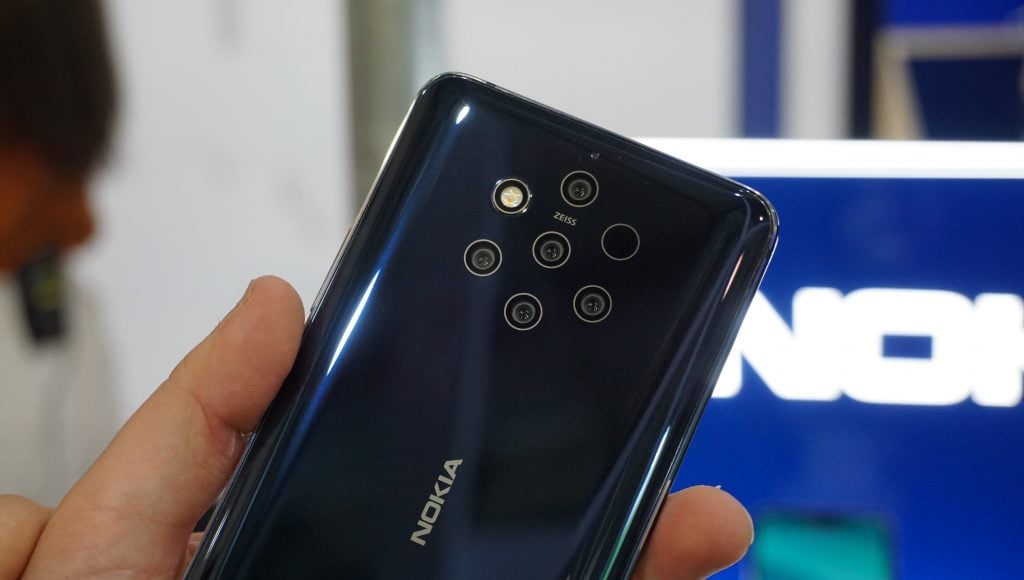
    Nokia 9 PureView Smartphone

    Nokia 9 PureView phone has an excellent display, covers all the features that you require, and it feels great.  It also comprises an attractive metal and glass body. Apart from this, it has sufficient storage, water-resistant, wireless charging, and much more. This smartphone is especially best for photography lovers. Let’s talk about various other amazing features of this phone.

    Advanced Technology

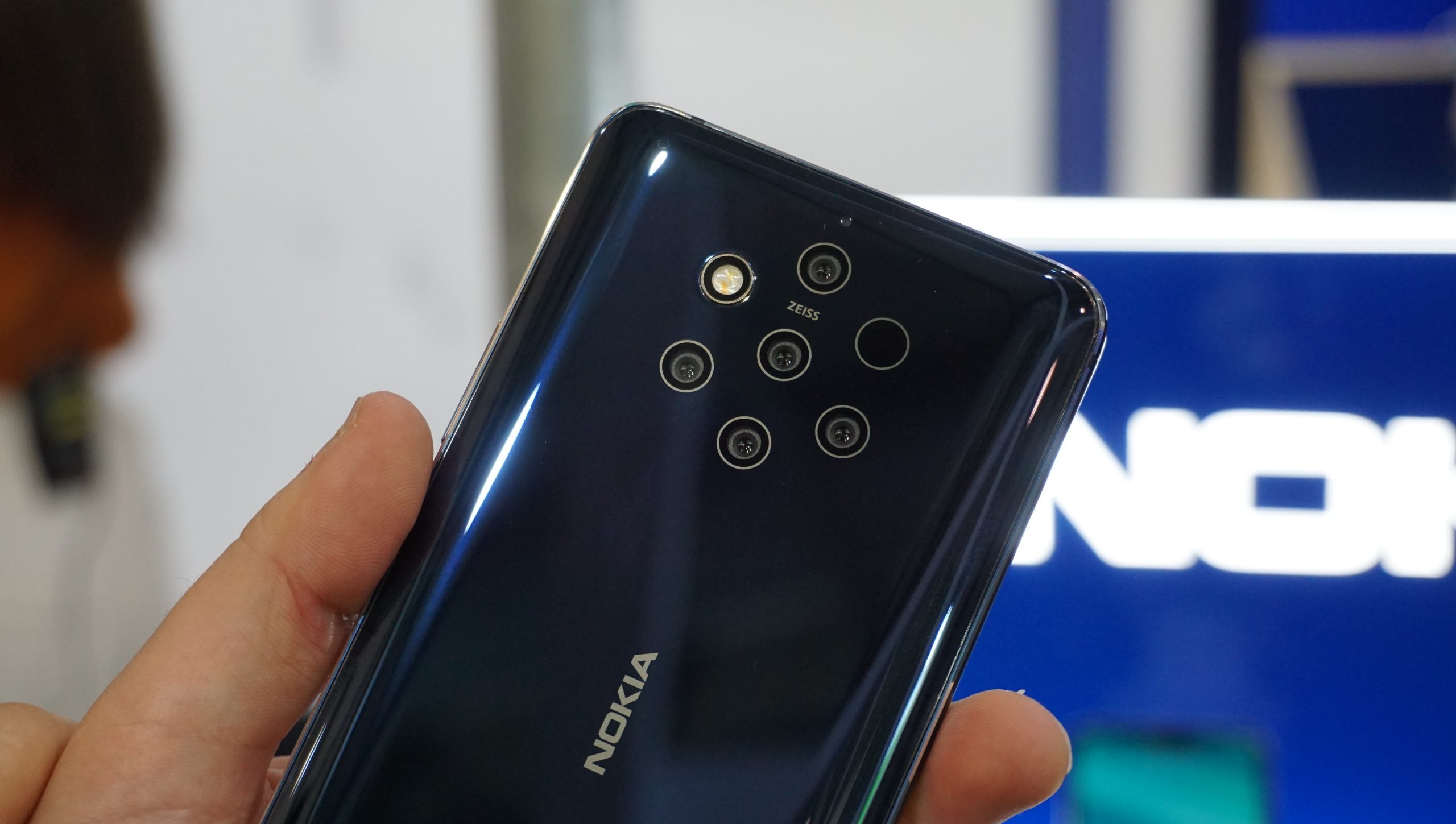
    This phone at the peak of the Android era as it has the most advanced technology. It is the bearer of the next-gen PureView snapper. Nokia 9 PureView contains the first Penta-camera on the back due to which this is already ahead of the game.

    Therefore, photography enthusiasts can get outstanding experience on a phone. Also, the phone has five 12 MP modules with the same fixed focal length of 28mm with a ToF camera. So the result of all cameras is combined into one for a supposedly spectacular image with a unique dynamic range.

    Other elements of this phone are more up-to-date.  Nokia 9 PureView features an in-screen fingerprint scanner and a 20 MP selfie snapper able of pixel-discarding for improved low-light performance. Apart from this, it boosts the modern version of Android One-Pie and is dust resistance. Besides, the phone has all the essentials such as a charger, a USB –C cable, and a pair of in-ear headphones.

    Design

    Nokia 9 PureView is a dual-glass smartphone. It has a glossy glass finish so the phone looks amazing. The phone relies on two pieces of Gorilla Glass 5 to keep the screen and the backside secured. The phone’s display is one of its strongest features. This phone has the chin below the screen that helps to use the phone easily and mistouch prevention when typing on the virtual keyboard.
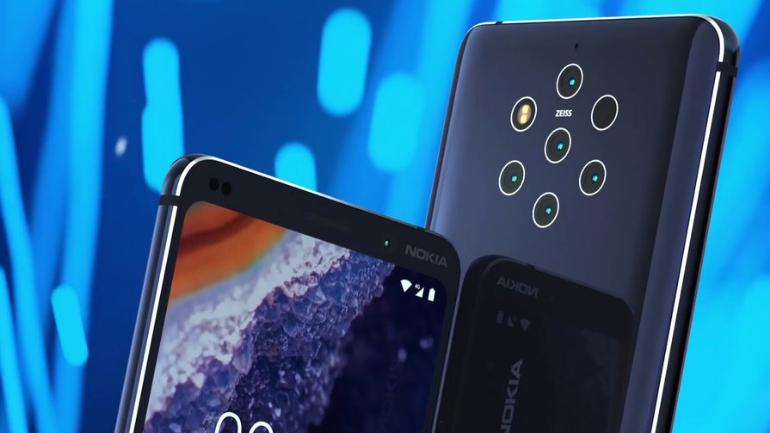
    Nokia 9 PureView Design

    Apart from this, the phone contains three microphones in total that is one at the top, bottom, and on the back above the cameras. Due to such design, this phone feels sturdy in-hand and its weight is well-distributed. The phone easily fits into the pockets.

    Performance

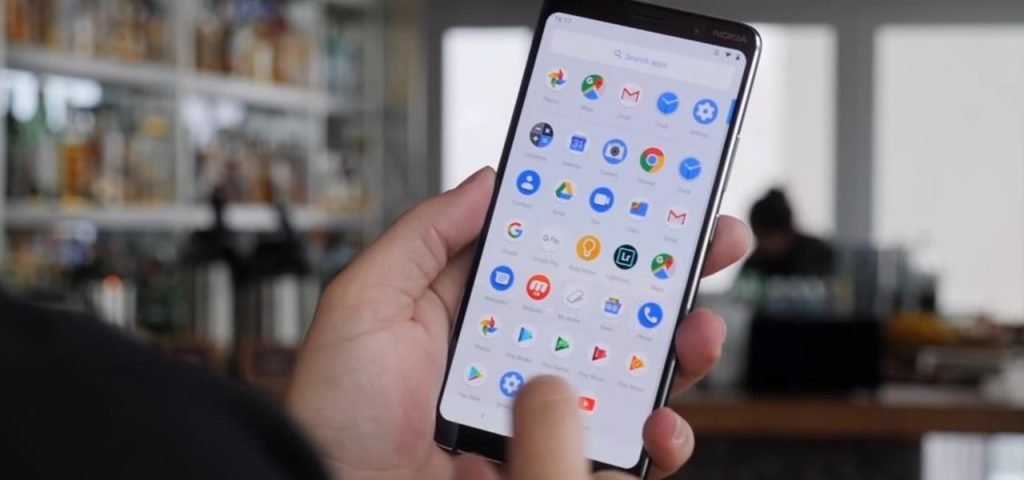
    On standards like GeekBench, AnTuTu, and 3D Mark, you will observe that the Nokia 9 does well. It scored notably higher than the other phones like Galaxy Note 9. The phone’s software system is updated. Due to good storage, you can use many apps on the phone. Also, as the phone comes with Android One out of the box, therefore, you will get the quick and timely updates.
    Performance

    The phone is powered by Qualcomm Snapdragon 845. So every image that you take with this phone utilizes information from all five cameras. The phone process those images that coming from all five cameras both quickly as well as efficiently. Therefore, it doesn’t run down the battery.

    Globally Recognized

    The Nokia 9 PureView phone is now available everywhere. You can buy the phone online or in the shop near you. After going through several changes and turmoil this phone has come up with a new and advanced version. It has become a game-changer. The phone is probably the most niche smartphone you can obtain on the market at present.

    Another aspect that you can consider while buying the Nokia 9 PureView is that it has a multi-media setup. This is the great feature of the phone due to which the phone still has its position in the market.

    Outcome

    This Nokia 9 PureView phone is full of potential. It has fantastic features and is also quite affordable. The phone especially has the power to shoot the best pictures. Apart from this, it is user-friendly, durable, safe to use, and easy to take in hands. So overall this phone’s all the features, design, and style are assuring.

    Apart from this, under the HMD’s leadership, this phone had risen from the ashes once again. Besides, the five-camera arrangement on the back, designed with light and Zeiss hold s loads of potential. But then also the performance of the camera software is irregular at best.

    Value for Money

    This phone’s price is right where it requires being to match with iPhone and Galaxies. This is because it undermines these brands a bit. So because of its features and overall performance, Nokia 9 PureView is quite inexpensive and can grab your attention.

    Hence, the Nokia fans and photography addicts with the limitation can go for this phone. The phone has enough punch to meet today’s demands trouble-free still under that Quad HD screen. Therefore, this phone is one of the best options for those who want some different types of phones.

    Pros

      • The phone comprises a Flagship-grade high-res OLED screen with HDR video support.
      • It has excellent image output from the RAW files (needs time and skill for processing).
      • Due to the Android One program, timely updates are expected.
      • It contains rather cheap for a flagship.

    Cons

      • Nokia 9 PureView utilizes the previous year’s Snapdragon flagship chipset.
      • Its user experience with the fingerprint scanner is bad.
      • The phone has buggy software and freezes and crashes occur often when using the camera.
      • It has no microSD slot and whilst shooting RAW + JPG eats storage rapidly.
      • Its default JPEG and video output is not flagship-worthwhile.
      • The camera’s elongated image processing is dreary and takes a toll on battery life.

    Conclusion

    With this information, you can get a comprehensive and best smartphone to use. If you like the Nokia brand and used to it, then you can think of this Nokia 9 PureView phone.  This phone can satisfy you with your many requirements.

  • Easily Edit One-Click Photo Paintings

    Easily Edit One-Click Photo Paintings

    Haven’t we all used applications that convert digital photos to paintings just with a few basic edits? These photos that become artists portraits just with a swish of a finger are a social media favorite and we all plead guilty! Now, imagine creating your own digital painting from a blank canvas. That’s right, with the new Corel Painter Essentials 7 things have just got a notch higher photo paintings.

    Easily Edit One-Click Photo Paintings

    The Corel Painter Essentials 7 launched on the 8th of October, 2019 throws open its all-new set of features for both the Windows and the Mac photo paintings and art program enthusiasts. This edition of the Corel Painter Essentials boasts of tools and features that are extremely easy to use and ideal for beginners.

    This simple and pleasing user interface may deceive most first-time users for the kind of punch the features and enhancements this edition can provide. Read on to know what we’re talking about!

    How Does Corel Painter Essentials 7 Work?

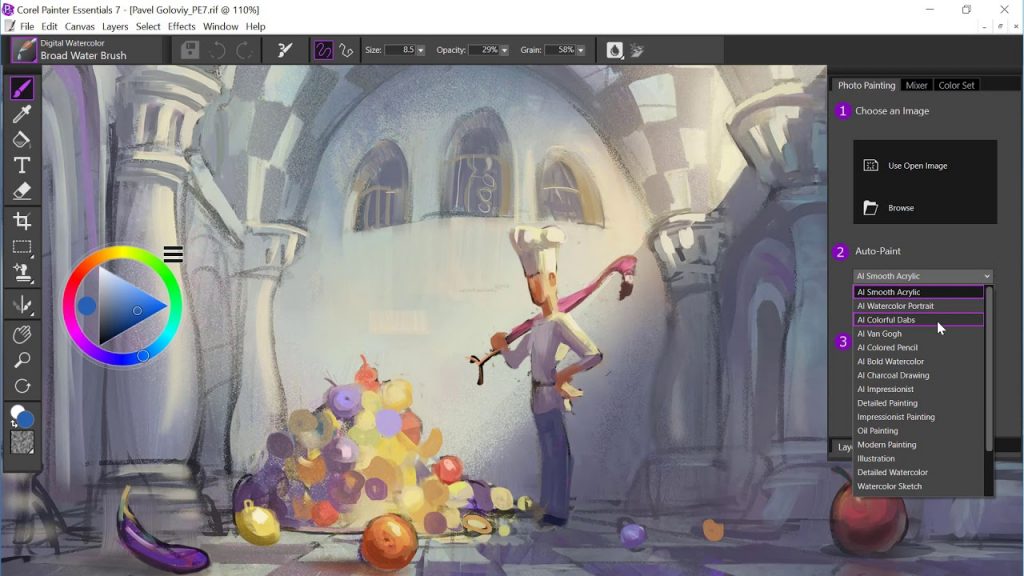
    First up, Corel’s SmartStroke Technology allows the user to convert a picture chosen by them into a painting style of their choice. Starting with this, the user can enhance the photo with finer strokes, layered painting, and the much-acclaimed Artificial Intelligence-based photo painting.

    This mind-blowing AI feature throws in a splash of various styles including color pencils, color dabs, bold watercolors, charcoal, acrylic and much more!

    How Does Corel Painter Essentials 7 Work?

    If that isn’t enough, you can play around with a whole new set of industry-acclaimed brush options that are “outrageously creative”, to quote Corel itself. Dabbing brushes, glazing brushes, airbrush, pattern pens, sponges and a lot more offer beautiful, generous and intricate color to get the smallest details right, aside from the old collection of brushes that still pack in a punch!

    You can even personalize the controls and optimize the brush to suit your style of art. Whether it is size, opacity, texture, or grain, you truly are the master of your masterpiece.

    What’s New On The Interface?

    Corel has also updated the interface of the Essentials program to a darker hue. They say it helps reduce distraction from the job at hand, along with the layout of the icons are also a lot more convenient and spaced out to navigate around. We also noticed some improvements in the speed of the overall program.

    What’s New On The Interface

    Corel’s Painter Essentials 7 makes it a lot easier to replicate one image onto another through their tracing feature. All you need to do is turn on the tracing paper, select a brush and color of your choice to get working. We absolutely love the pressure-sensitive drawing tablet that can get you going with sprinkling, dabbing, spattering, glowing, patters and a whole lot of more options to explore the artist in you!

    Wrap Up

    The built-in learning tool makes it easy for a novice or a first-timer to get used to the front-end interface and back-end mechanism quite easily. So if you’re a novice, Corel Paint Essential 7 should be your first shot at digital painting. For the seasoned, if the artist in you is itching for a new digital tool, there couldn’t be a better one than Corel Painter Essentials 7!

  • Best Money saving apps

    Best Money saving apps

    Money is god for everyone and earning more and more money is the dream of everyone.  We all want to save money and have control over our expenses but not all can do. This is of course not an easy task it takes a lot of effort to hold what is yours.

    Money saving apps turns your Smartphone into financial adviser for free

    If you are at the stage that you are going to retire or in your student life or even these apps put a halt on your expenses. Many times this happens with us that we do not realize and we just keep on spending money!  With the help of these apps, you can at least control over 50 percent on your money and how you spend it.

    The advantages of having money saving apps –

    When it comes to the app we have several options but what is best for us and what is not. This makes everything difficult very easy.

    • It will constantly remind you about your expenses.
    • Remind you and warn you about your money
    • Help you in controlling over expenses
    • Keeps details of every day
    • A good and well-managed account.

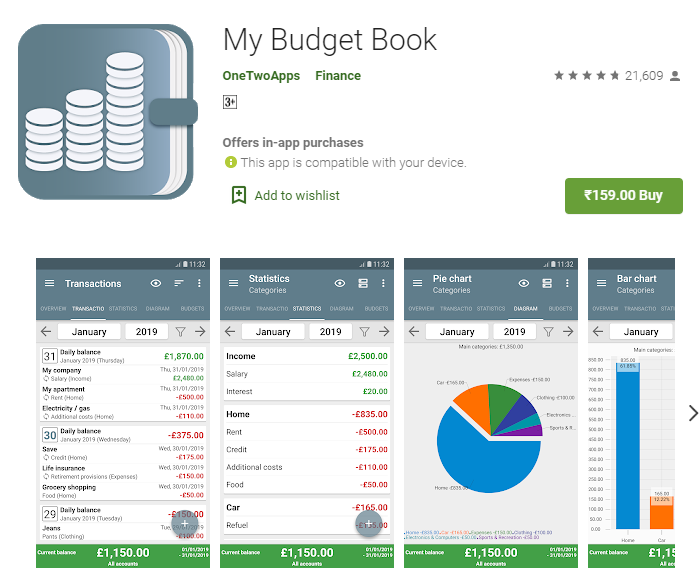
    My Budget Book

    This app offers personal financial budgeting and tracking as this is the primary feature that helps consumers in saving money each day. The app gives direct guidance on the bearing on those $100 jeans and this would household budget.

    My budget book has a different way of offering the same thing whether it comes about authentication or saving money. As money is not a small thing it matters for everyone. Here this app allows you to use its features for free and keep details about your account and even save money.

    My Budget Book

    The app has even direct guidelines to give you for impact and guidelines in spending or saving your money. This app can be found in ten different languages (highlight of the app) which means it is giving comfort and ease to the people.

    PocketGuard

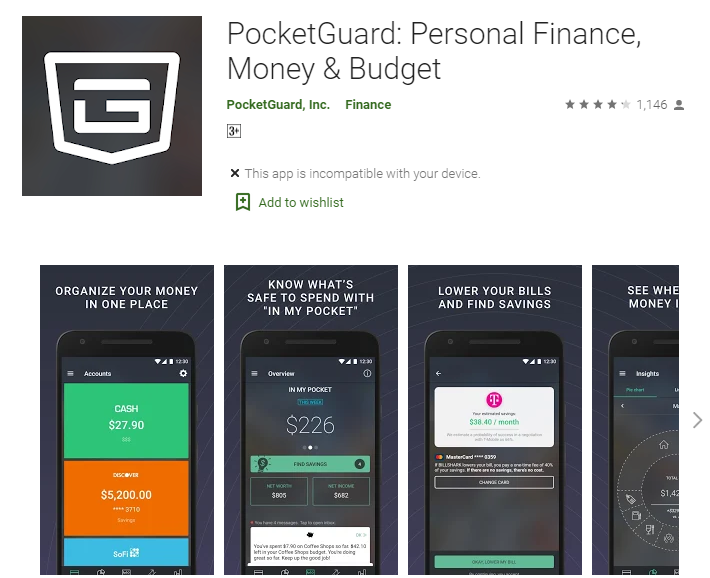
    It is also a personal finance app that takes a straightforward and almost simplistic approach if you want to balance your personal money.  In this app, you will have to create an account, sync that along with your bank account.

    PocketGuard Money Saving app

    You can check on your PocketGuard this will inform all about your everyday bills which gives you a ‘What left in your pocket’ or what is left. This even adds your personal net worth and net income which helps in finding savings such as credit cards, home mortgages and insurance.

    The basic PocketGuard is even free but you may even pay $4 a month for the PocketGuard plus, this even offers advanced features such as ‘pockets’. Plus the potential of tracking the cash on a real-time basis.

    Qapital

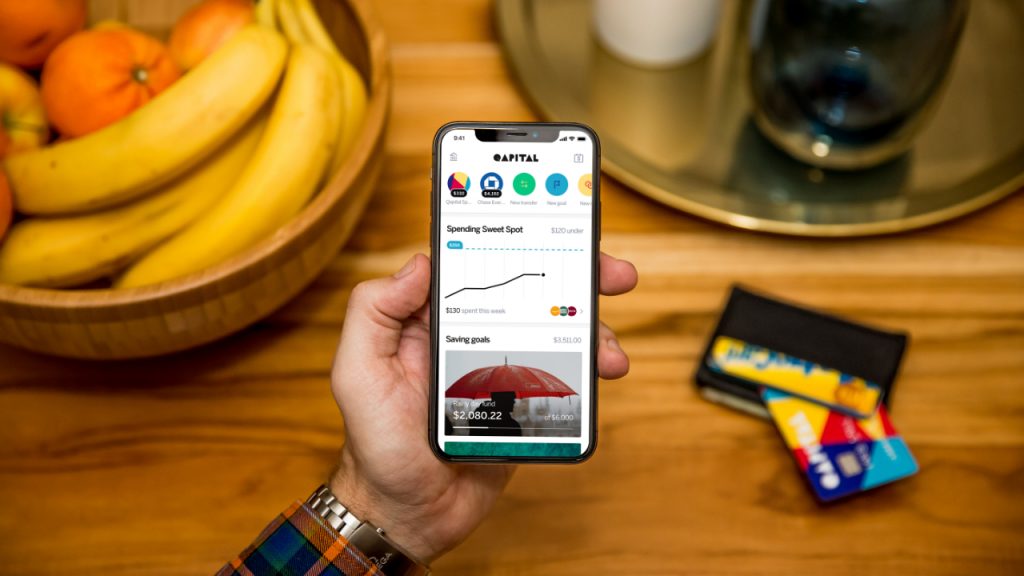
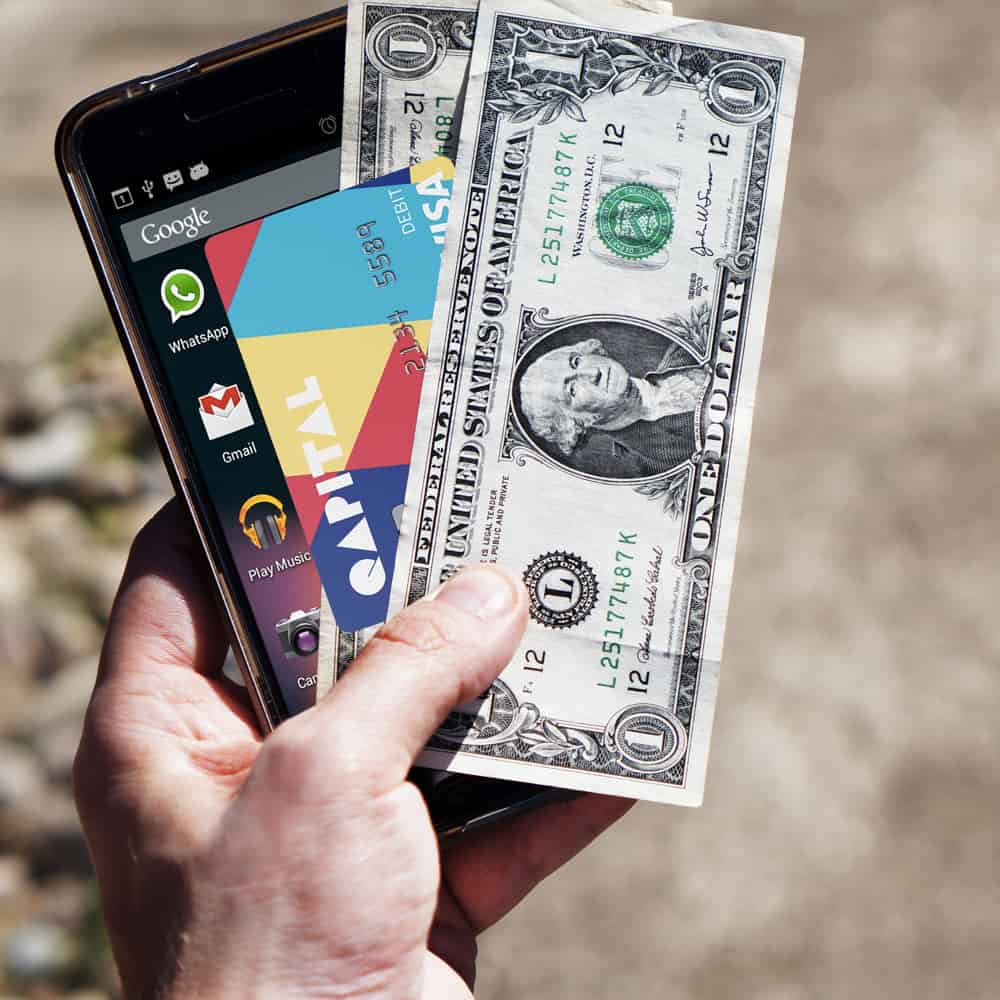
    This app has especially been designed for financial consumers to save cash. If talking about this app it is more a banking app and the best part about it is that you can get it for free. The app informs about your regular purchases on a real-time basis.

    Qapital

    Qapital even offers saving options that anyone can reroute cash into your Qapital savings account. there are many customers who are worried about the authentication of the app. feels happy announcing about the app that it is being protected by the FDIC (just as the regular bank savings account).

    Acorns

    Acorn is unique in its way because of the feature it is giving. This one is not really geared towards budgeting and savings but the app is a great help. The app has been designed with the great help of the famed Wall Street investor Harry Markowitz. There is even a tiny $ 1 fee for the accounts with less than $5, 000. There is even a $2 monthly fee for the individual retirement account. The rating of this app is even good.

    Mint

    Mint Budget, Bills, & Finance Tracker

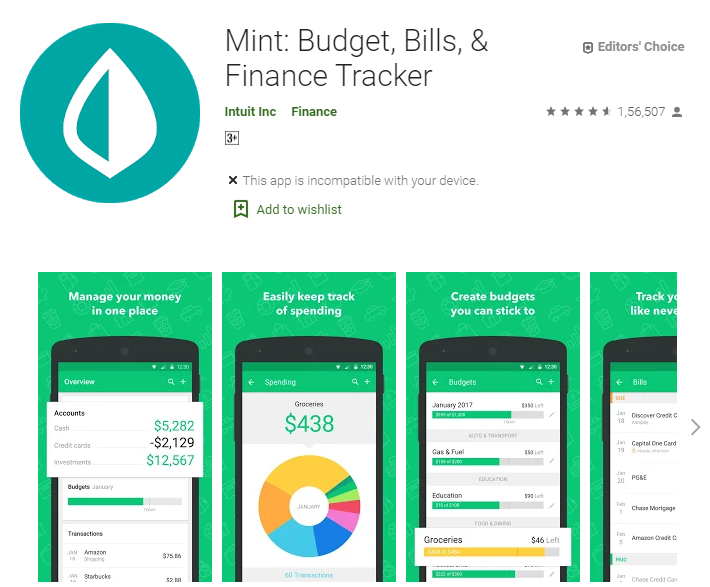
    this app can be a great help as this even sends you a reminder or warning about your budgets and expenses. It is surely based on your habits, and this even offers you particular advice in gaining more control over your spending. There have even special features of rendering your real-time credit score.

    YNAB

    It stands for you need a budget and this app stands different from the line. It halts one from stopping living paycheck to paycheck, pays down debt and roll with the punches.

    With this app, you will be able in setting your weekly and monthly budget chart (all personal finance apps do) but you can even set up the budgets for the individual projects such as New Year gifts and all.  This has its own feature which is of course quite impressive and helpful in what you are seeking.

    Credit karma

    did you hear about this ever or not? Yes then it is very good or if not then you must. The app helps in accessing your credit report as to when we own credit cards we forget we still have limited money over there.

    This app has free services by offering targeted ads which will be based on your credit card. Comparing this app with others then this has its own individuality which cannot be compared.

    Credit karma

    Winding-up

    This becomes necessary to keep eye on your own habits and actions otherwise you might lose so many things.  Because this usually happens with us that we spend a lot of money without paying attention to our actions.  We just keep on spending money without noticing where we should spend and where we should control our habits.

    So from the above list, you may go for your own comfortable app which is surely a big help to you and will help you in every way.  Every app has a different feature but all of them are very authentic and good for the purpose you are looking for.

    Therefore, just go and download anyone from them and just use that without paying a single penny and save money for a better future and living your dreams.

  • Stadia 4K Streaming will use up 1TB of data in 65 hours

    Stadia 4K Streaming will use up 1TB of data in 65 hours

    The concept of game streaming is quite unique and revolutionary. But there are still some doubts revolving around. Streaming keeps going beyond Spotify and Netflix and redefining the way we consume data. At the same time, game streaming will also arrive with data plans and some serious consequences in terms of network traffic.

    Stadia 4K Streaming will use up 1TB of data in 65 hours

    We need to wait and see what ISPs will need to say about that. Well, Google has announced some more specifics about the most awaited Stadia 4K, it is a game streaming platform that is scheduled to arrive in November this year.

    Google has now announced the details regarding some games, pricing plans, and connection requirements. Stadia 4K subscribers might have some shocks when it comes to how much data it will consume.
    Types Of The Streaming Requirements

    According to Google, it has three types of streaming requirements. For low range, it can offer 720p stream with 60fps which would need a bitrate of 10Mbps. Also, for the upper range, it would offer 60fps full HD 1080p streaming with the bandwidth of 20Mbps.
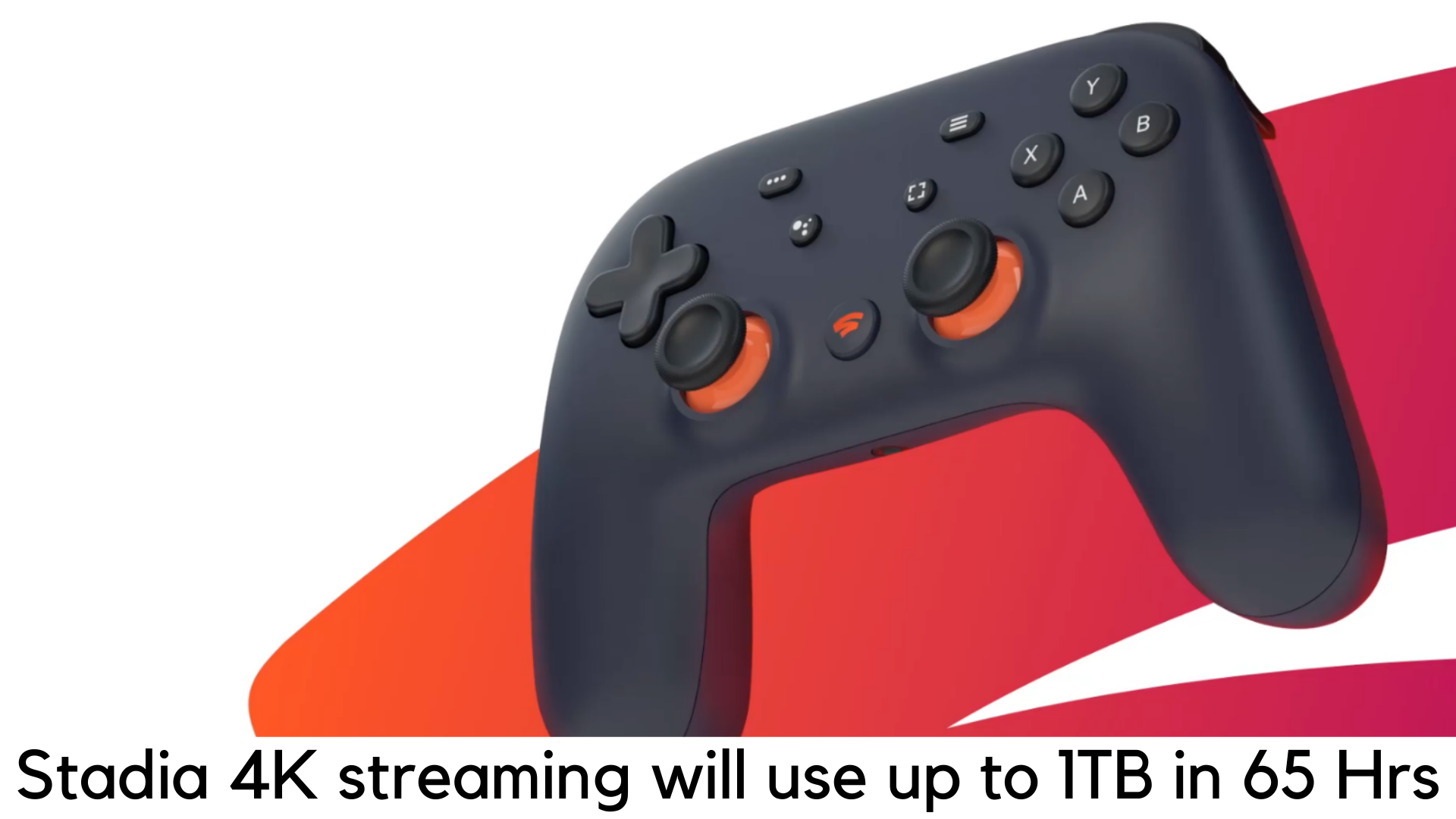
    For the highest quality Stadia 4K stream, it would offer 35Mbps of bandwidth and 60fps of refresh rate. At the same time, it would consume up to 4.5GB/hour for 720p stream, 9GB per hour for 1080p streaming, and 15.75GB per hour for Stadia 4K.

    But it doesn’t mean you can stream 4K gaming on a display that has lower resolution. To ensure a smooth gaming experience, Google recommends 60fps, which is a welcome change. The company also recommends one should have at least 10Mbps of connection to stream at 720p. For 4K stream at 60fps, Google recommends 35Mbps of connection. Well, it sounds good enough until you figure out the amount of data it would need.

    Data Consumption

    As per the calculation, 15.75GB data consumed per hour for 4K streaming would total 1TB for streaming up to 65 hours. On the other side, it would take 113 hours to consume 1TB at 1080p.

    According to your location, a huge part of data plans is subject to your data cap and they are mostly set at 1TB already. So, users would be advised to maintain caution before streaming the games.

    Otherwise, gamers will easily run out of their current data cap plan by their ISPs. Since the launch is just around the corner, Google has to say something more regarding this.

    Releasing Details and Charges

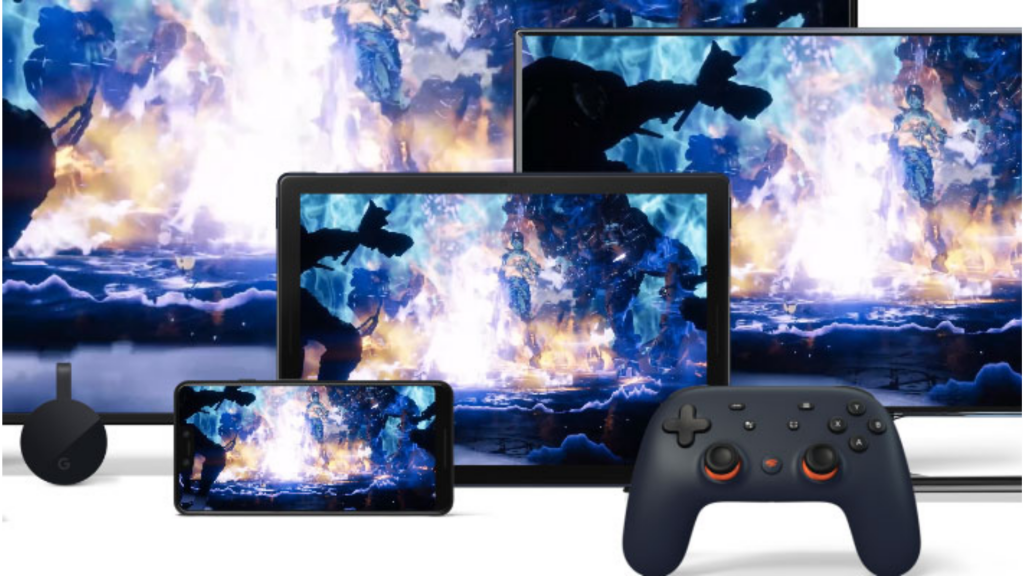
    It will release Google Stadia with a subscription plan of $10 per month as Founder’s Edition, including 4K streaming access, important hardware, and a cool blue controller.

    You can also opt for a Stadia Base plan which limits streaming to 1080p and won’t need a subscription. Some of the free games like Baldur’s Gate 3 and Destiny 2 will arrive with the game streaming service.

    Stadia Pro plan

    Google is yet to reveal other facets. Stadia Pro plan would offer free Stadia accounts and support for 5.1 surround sound, which will arrive next year. Currently, there are 25 games to be available for streaming.

    It is not sure what will be the cost of these games and how many will arrive with the launch. In Founder’s plan, you will get Stadia Pro for three months worth $129, Stadia Controller and a Chromecast Ultra.

  • The Terminator is playable in The Mortal Kombat 11

    The Terminator is playable in The Mortal Kombat 11

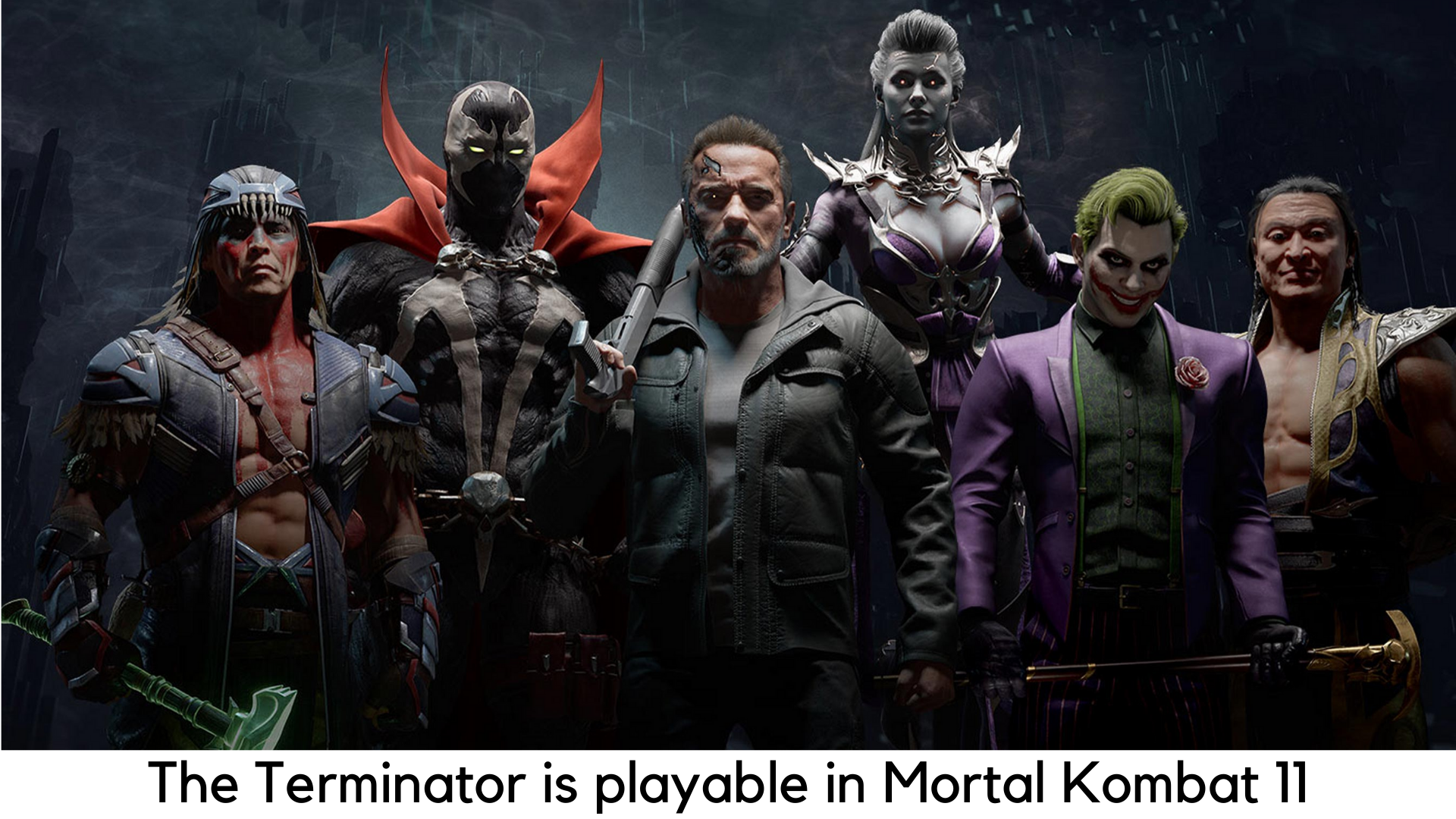
    In August, the entry of Arnold Schwarzenegger was already announced in the playable cast of DLC fighter in Mortal Kombat 11, the most successful title by NetherRealm. Of course, Arnold would be as dashing as hell. But he will arrive as a titular character as the iconic T-800 Terminator straight from the sci-fi action franchise by James Cameron. Finally, we have got the first footage of T-800 which seems to be as destructive as always.

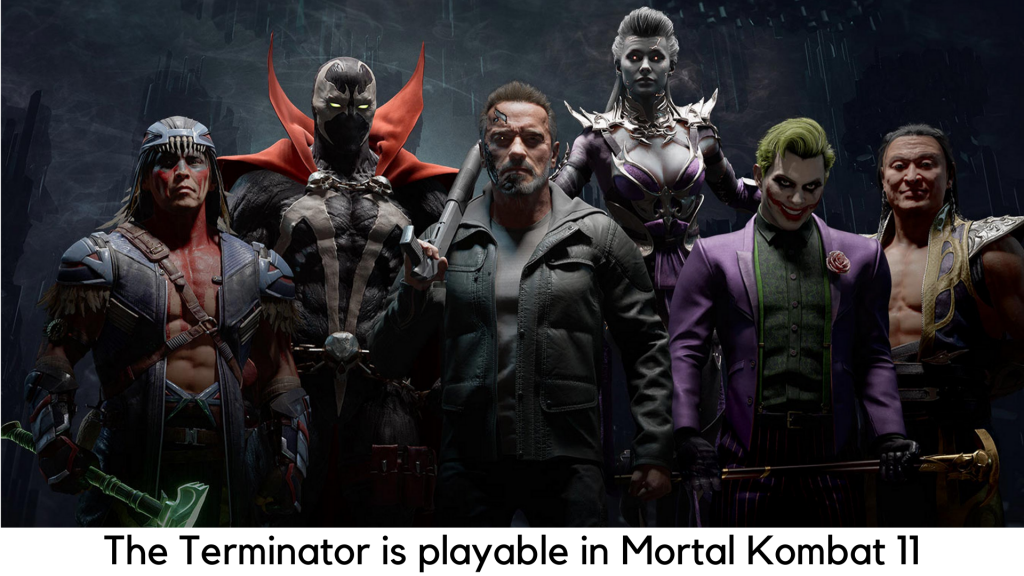
    The Terminator is playable in Mortal Kombat 11

    If you have a Premium Edition, one of the perks you would have is early access to each DLC character, at least a week before. You can now access The Terminator in wild shot-gunning players.

    Obviously, you can expect Arnold to be in Old Man avatar, just like he is seen in Terminator: Dark Fate. He stills seems to be brutal enough to blow off legs and break bones. His fatality has no signs of turning you down.

    The latest Mortal Kombat has already hosted a lot of iconic movie characters. You may have also played Leatherface from “The Texas Chainsaw Massacre”, Jason from “Friday the 13th, and Freddy Krueger from “Nightmare on Elm Street”.

    But even these slasher film characters couldn’t match the charm of the insane, grizzled character of actor-cum-governor Arnold Schwarzenegger in the Mortal Kombat tournament.

    But the line between performing in a video game and acting in Hollywood has always been blurring. Hence, we will be missing the voice of Arnold in the character. The real-life actors like Jon Bernthal, Ronda Rousey, and Terry Crews are spot-on.


    They have always worked on video games every year. However, it’s not clear as to which legendary Hollywood actor would be added to the next game when Schwarzenegger is already in the mix.

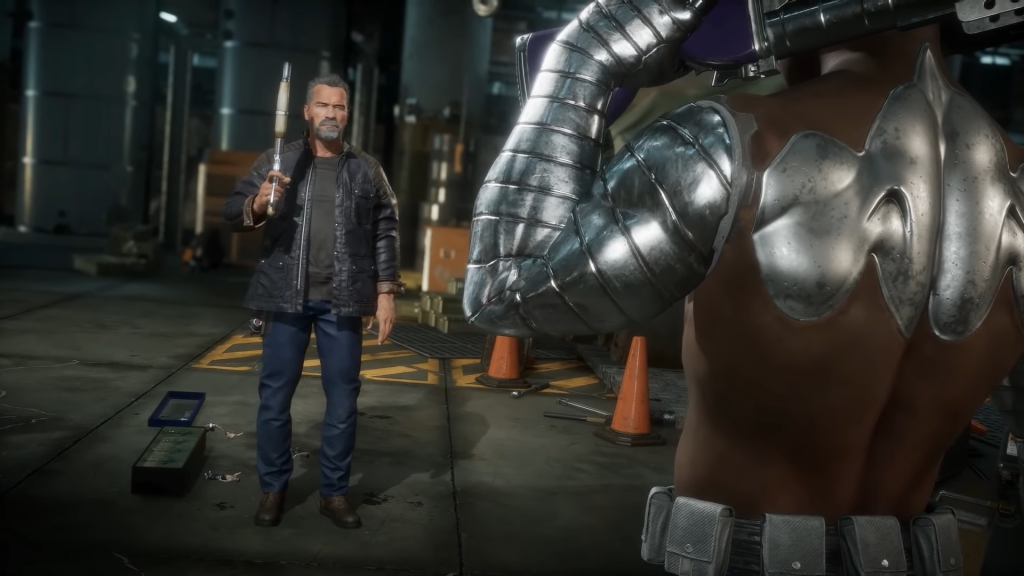
    But it seems like T-800 is going to play quite a heavy in MK11. He has got his iconic sledgehammer-like, slow-moving attacks. As always, he works on brute force instead of swift maneuvers. But as a character, T-800 seems different as he has a brutal projectile – his iconic shotgun we have seen in Terminator 2.

    It also seems that T-800 has got a grenade projectile from NetherRealm. So, it is better to keep some distance between you and the rival if you are playing with Arnie.

    iconic shotgun

    NetherRealm has always been desired to pay proper attention to detail, especially when it comes to adding DLC guest characters. It seems like we are looking forward to seeing some callbacks to the original film series for The Terminator.

    For example, when T-800 would be facing the “Crushing Blow”, his metal exoskeleton will show up in camera zoom. It’s a great touch. When Scorpion sets Arnold on fire, it becomes even more interesting in the trailer.

    The human shell of T-800 melts off rather than just burning up as another character. He turns up a completely dark metallic skeleton that has been seen following and saving the female protagonist Sarah Connor for years.

    The iconic character of Sonya Blade played by Rona Rousey is getting the DLC costume of Sarah Connor and T-800. For early access, The Terminator early access was available on October 8. You can buy Mortal Kombat 11 for PlayStation 4, Xbox One, Microsoft Windows, and Nintendo Switch.

  • Red Dead Redemption 2 Easter Eggs

    Red Dead Redemption 2 Easter Eggs

    There are hell lots of Easter Eggs and secrets in Red Dead Redemption 2 that we know most players didn’t notice. A Rockstar game cannot go without those secrets. Their stunning take on Wild West is full of Easter Eggs and players have been slowly uncovering the mysteries of the game since its release on the console.

    Have you found any of these Red Dead Redemption 2 Easter Eggs?

    Since the adventure game by Arthur Morgan is finally available on PC, could the expanded player base of the game be able to discover more Easter Eggs on RDR2? If you are taking your first steps in its American frontier, be warned because this guide is full of spoilers.

    UFO

    Of course, you can find one but it is not that easy to find. Head northeast of Heartland Overflow and north of Emerald Station in New Hanover. You will get a note in a small shack. Climb the Mount Shann and you will come across a rock circle. Wait for the night to go back and see a mysterious flying object emitting green light.

    UFO

    Kaa

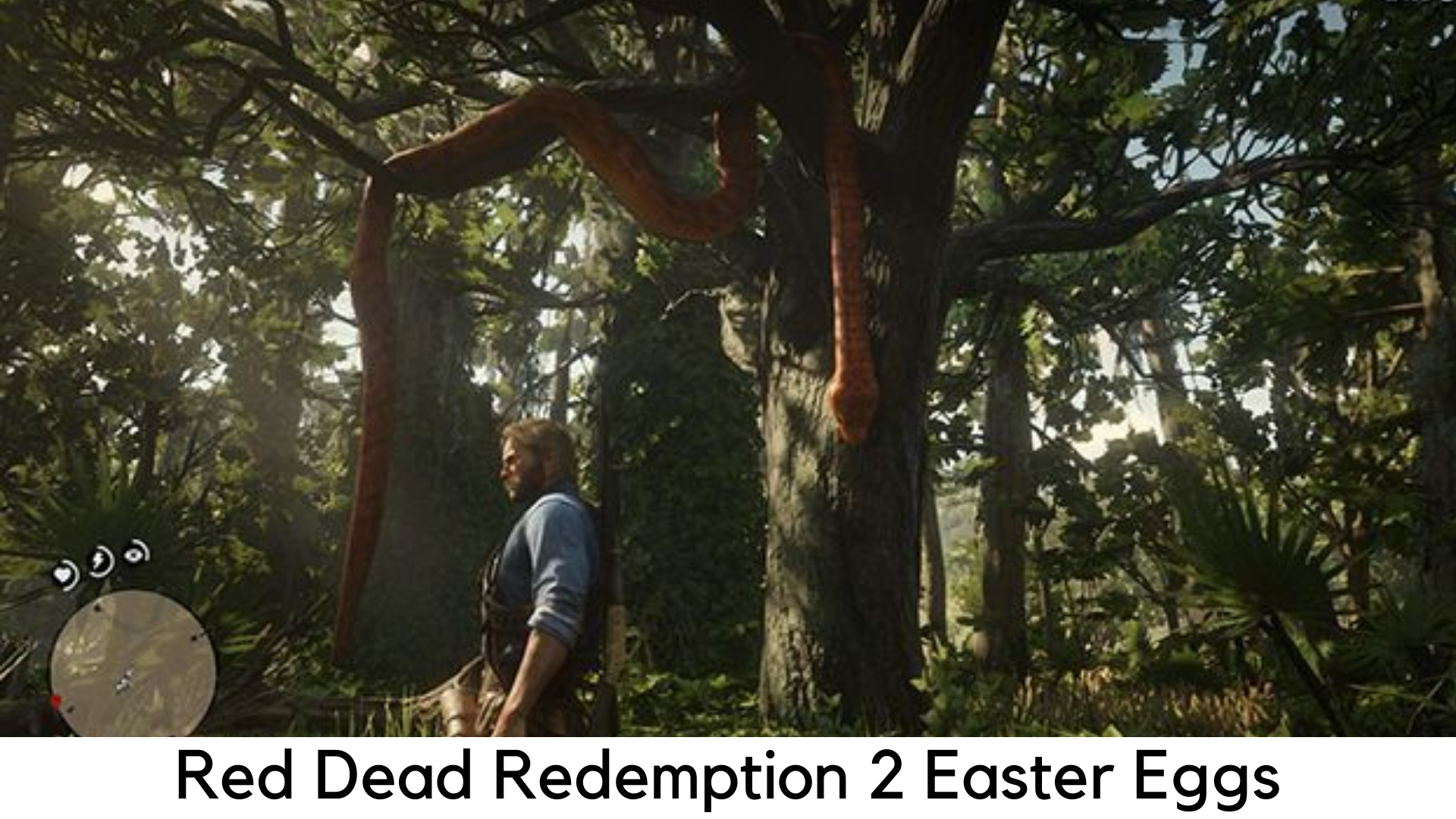
    Remember that python Kaa from your all-time favorite The Jungle Book? Yes, you can spot her in Lemoyne’s forest.

    The Hobbit House

    You might come across a house on a hill en-route Bacchus Station. This Easter Egg is a tribute to the iconic prequel of Tolkien’s classic, The Hobbit.

    Hershel’s Farm

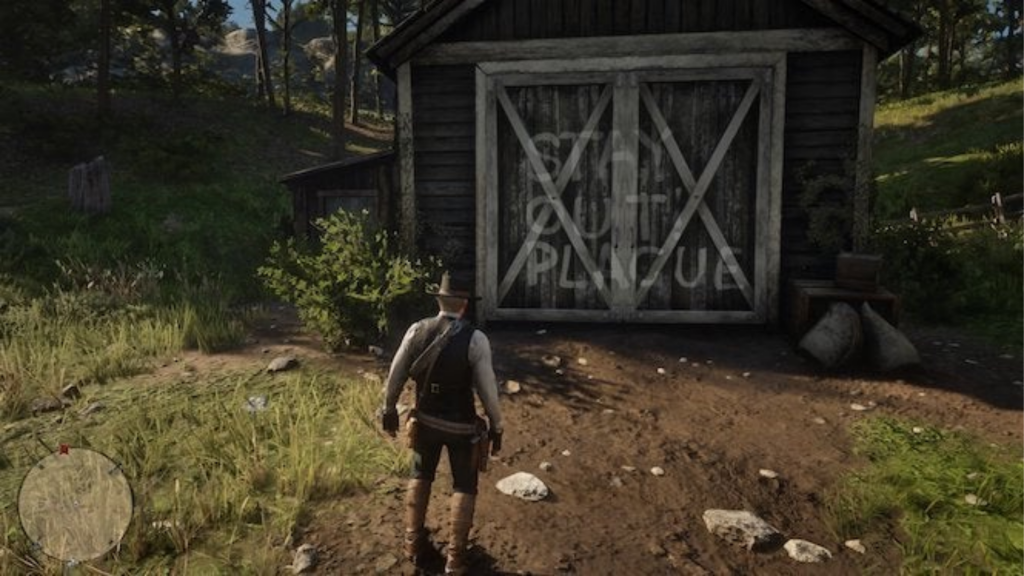
    If you have watched The Walking Dead, you may definitely remember the iconic Hershel’s Farm. Yes, there is a spot in the game where the farm’s door is painted with “STAY OUT PLAGUE”.

    Hershel’s Farm

    The Aberdeen Pig Farm

    It is yet another weird spot to look for. After having a creepy dinner with weird siblings, if you are lucky, you will wake up in a huge grave. The Aberdeen Pig Farm is truly a jiggle to the Benders, a real American family. At the same time in RDR2, the family killed and flung people in a ditch.

    The Donkey Lady

    There was a glitch on the original RDR where you could meet a creepy woman with a donkey’s head. At Two Crows, it’s a Red Dead Redemption 2’s tribute to that weird glitch. Visit the horse mill and spot a skeleton of that incredible woman.

    The Strange Man

    From the original Red Dead Redemption, the Strange Man is also found in RDR2 but you need to play a bit harder. You need to visit Mattock Pond to find his cabin around the Kamassa River. Currently, only his hat is found.

    Once you complete the game fully and come back, you will see the incomplete portrait finished showing the unsetting story of The Strange Man. He will be seen just behind you once you look at the mirror. Don’t worry; it will happen for a few moments. It is enough to give the shivers to even the most brave-hearted frontiersman.
    Bigfoot’s skeleton

    On the UFO rock circle at Mount Shann, you can also spot a perched eagle on the top. The eagle flies off, leaving a path to go behind the foliage. You will also spot a cave along the way with Bigfoot’s skeleton.

  • Death Stranding Fast Travel

    Death Stranding Fast Travel

    Players will need to walk a lot in the latest game by Hideo Kojima, Death Stranding. The title is based on reconnecting the Cities of America by delivering packages. Sam Porter Bridges, the main protagonist travels most of the time from one part to another.

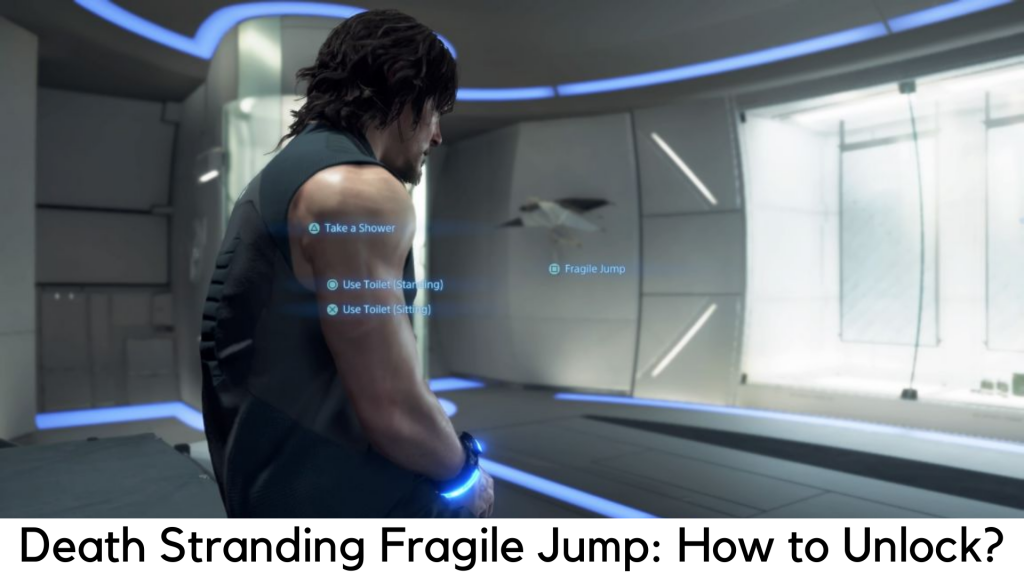
    Death Stranding Fast Travel: How to unlock the Fragile Jump?

    As you know, Death Stranding is a game all about exploring places. Death Stranding Fast Travel is something you will desperately need. Yes, this game also has a fast travel feature but you are expected to pass through a fair bit of the game to unlock the same. Here, we are about to discuss how to unlock Fast Travel in Death Stranding and explain why you need it.

    What is Fragile Jump?

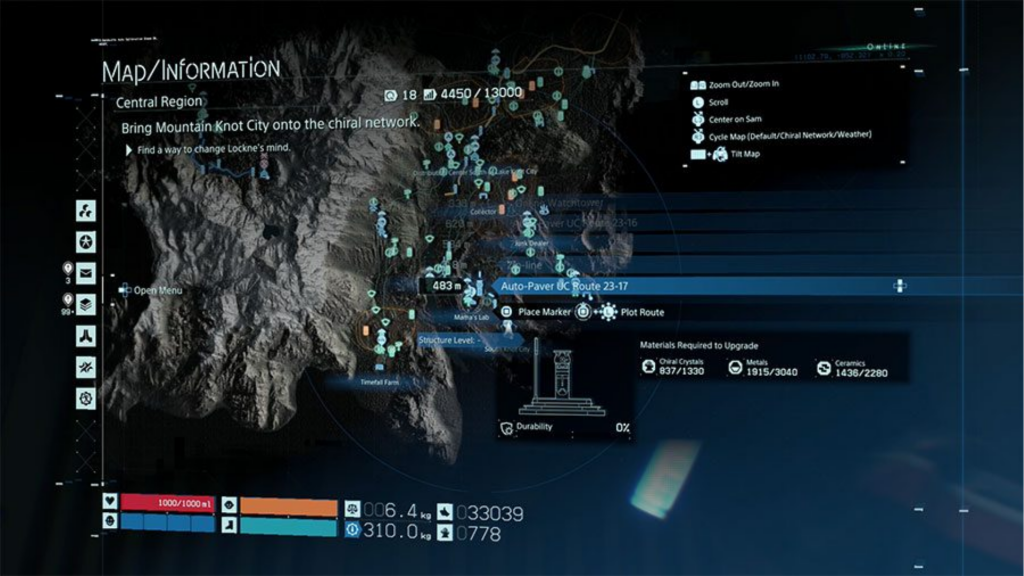
    Fragile Jump is able to teleport you to any safe house or distribution center safely and easily. The only catch here is the area should be covered under the Chiral Network to jump into places. Initially, Sam cannot fast travel to several places. Players should connect distribution centers and facilities first to the Chiral Network before doing fast travel.

    Chiral Network

    All the items you have will be stored automatically in the locker of a facility you started your jump in. Hence, you cannot complete the quests for cargo delivery with this system. Remember the facility where cargo is placed so you can pick it up easily whenever you need it.

    Unlock Fast Travel in Death Stranding

    You need to travel through the Port Knot City from Eastern Region to the Central Region so you can reach the beginning of Chapter 3 in story mode. It is the only way to unlock fast travel system in Death Stranding. You may be wasting time wandering aimlessly in the Eastern Region and want to 5-star all the preps.

    But let us be clear that it’s really not worth. In addition, you can come back and do the same once you have better equipment from fast travel to the Central Region.

    You will be served with a lot of story content and cut scenes once you land in the Central Region. After escaping all the cinematics, you will be able to use the private room and start your Fragile Jump, the faster travel system in Death Stranding. Don’t worry; we are not going to share any spoilers here. Read on for the next part.

    How to make it Fast in Death Stranding?

    You just need to go down to your Private Room to travel quickly in Death Stranding and look around until you come across the umbrella of Fragile on its wall. To enter into the fast travel menu, press “Square” when it prompts. Now you can check out all the locations available for fast travel.

    Across both Eastern and Central Regions, Sam can fast travel to any place where he has visited previously with a private room. It also features the Safe House built by the player. These structures are built around the landscape. Make sure there are private rooms in between the preppers while placing your Safe House.

    With that said, we hope you can freely perform fast travel. You can simply clean up the mess of your past deliveries by going back to the Eastern Region.

  • Android 10: Google Unveils Major New Update

    Android 10: Google Unveils Major New Update

    The latest and most awaited version of the world’s most popular mobile OS is finally being rolled out by US tech giant, Android 10. As usual, the Pixel range of smartphones by Google will be the first to get the stable Android 10 update, followed by Sony, Samsung, and other devices that run on Android, which would get the update in the next few weeks or months.

    Android 10: Google Unveils Major New Update to World's Most Popular Operating System

    Android 10 marks a huge change from the last versions of the mobile OS. Since 2011, Android has been the most popular mobile operating system in the world. For the first time since its inception in 2008, Google has decided to discontinue its naming after a dessert or a sweet treat.

    In terms of simplicity, Google has made this decision for Android 10 after Android 9 Pie, Android Oreo, and Nougat. The new name has been here to define the change to its design, logo, and branding. It is intended to keep things simple for the users to understand which version is latest and navigate the software itself.

    Google has announced the changes in a blog post and also added, “Our brand must be most accessible and inclusive to the community as we build Android for everyone.”

    Also, Google has been planning to give Android a “more accessible and modern look” by changing its color scheme and logo in terms of a design update. Additionaly, Google is also going to change the logo color to black from green which would be easy to be seen for people who have impaired vision.

    Behind the scenes, Android is going to have improved security by Google in order to fight against the increasing cases of cyber attacks as well as scam apps rising on the platform.

    Dark mode

    Today, over 2.5 billion devices have been running Android globally. Even a glitch in security can have a devastating effect on the life of its users. According to a recent report which got published earlier this month, Android users had downloaded malicious apps over 8 million times from Google Play store.

    On a blog post announcing the arrival of Android 10, Google also wrote that Android devices are receiving security updates regularly already.

    You will get security updates even easier and faster in Android 10. With regular system updates of Google Play, major Privacy and Security patches will be sent to your device directly from Google Play. It is exactly the same way as other apps update. This way, you will get those patches whenever they become available.

    Google has also announced the most awaited feature, dark mode for Android users these days as part of the new update. When you are using the device in low-light environments, the new Dark theme will come in handy. Google says it would take it easy for your eyes and improve battery life.

    Gesture navigation

    A sound amplifier is another cool feature for noise cancellation and improved sound quality. It would also have gesture navigation to switch between apps with swipes.

    For improved gesture navigation, the back button has finally been removed, which has been the most common part of the Android OS. It would require users to pull and swipe to get around. According to Google, this new system will be more intuitive and faster.

  • Huawei P30, Huawei P30 Pro Android 10-Based EMUI 10

    Huawei P30, Huawei P30 Pro Android 10-Based EMUI 10

    After introducing the EMUI 10 update based on Android 10 for Huawei P30 and Huawei P30 Pro in China, the rollout for the global update has been started. Along with it, the Huawei Mate 20x, Huawei Mate 20, and Huawei Mate 20 Pro are other devices getting EMUI 10 update based on Android 10.

    The rollout has started in Europe. Soon enough, other regions began getting the update. With EMUI 10 updates, one can expect faster performance, new UX design and even more.

    Huawei P30, Huawei P30 Pro Android 10-Based EMUI 10 Update Now Rolling Out

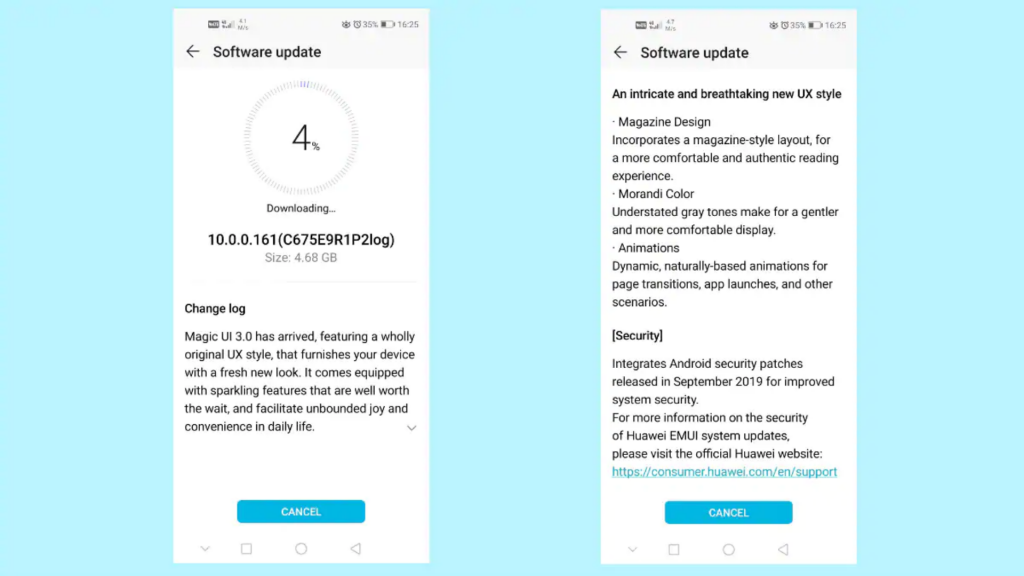
    This Android 10 update is now available with EMUI 10.0.0.168 on Huawei P30 and Huawei P30 Pro and the size of the update is whopping 4GB, as per the screenshots by Huawei Central.

    On the flip side, EMUI 10 update is now available with version 10.0.0.154 on Huawei Mate 20 and Mate 20 Pro. According to Huawei Central, EMUI 10.0.0.180 is now available on Huawei Mate 20X (4G).

    HuaweiCentral has also shared screenshots of the update on Mate 20 and Mate 20 Pro and it is whopping 4.5GB. So, you need to have a stable Wi-Fi connection and your device is on the charge to install the update.

    If there is no push notification on your phone about the update, you can manually see it. Go to Check for Updates under Settings > System > Software Update. You can also Check for Updates under HiCare app > Update.

    EMUI 10 Software Update

    As discussed, the rollout is being available in Europe and it should definitely come soon to other international markets. According to Huawei, it offers EMUI 10 with stable and fast performance.

    In addition, EMUI comes with a new UI, dark mode, and enhanced magazine lock along with support for vivid always-on display EMUI 10. Also, it has new capabilities based on multi-screen collaboration. It also enables devices to connect with other devices smoothly, such as smart TV, drones, smartwatches, and others.

    Along with the latest UI elements, EMUI 10 also comes with Hisar, an Android Auto replacement by Huawei. More than 30 automobile makers and over 120 car models can work with this app as of now.

    Users of Huawei P30 and P30 Pro are expecting a new update soon enough. However, EMUI 10 based on Android 10 would be a sigh of relief for those worried about Android updates on Huawei phones after the infamous ban in the US.

    Particularly the flagship phones, Huawei has also clarified that even older models would get security patches and Android updates. However, recent models, such as Mate 30 series, would come without Play Store support and Google apps.

    It would also come with a range of Huawei-based features. You can expect revamped icons, new UI design, magazine layout, desktop mode, one-touch screen share, and improved performance on EMUI 10.

    By the end of November 2019, Huawei is planning to release EMUI 10 to Mate 20 RS Porsche Edition, Mate 20, Mate 20 X and Mate 20 Pro. It might start in China and later on other global markets.

  • Death Stranding PC Version

    Death Stranding PC Version

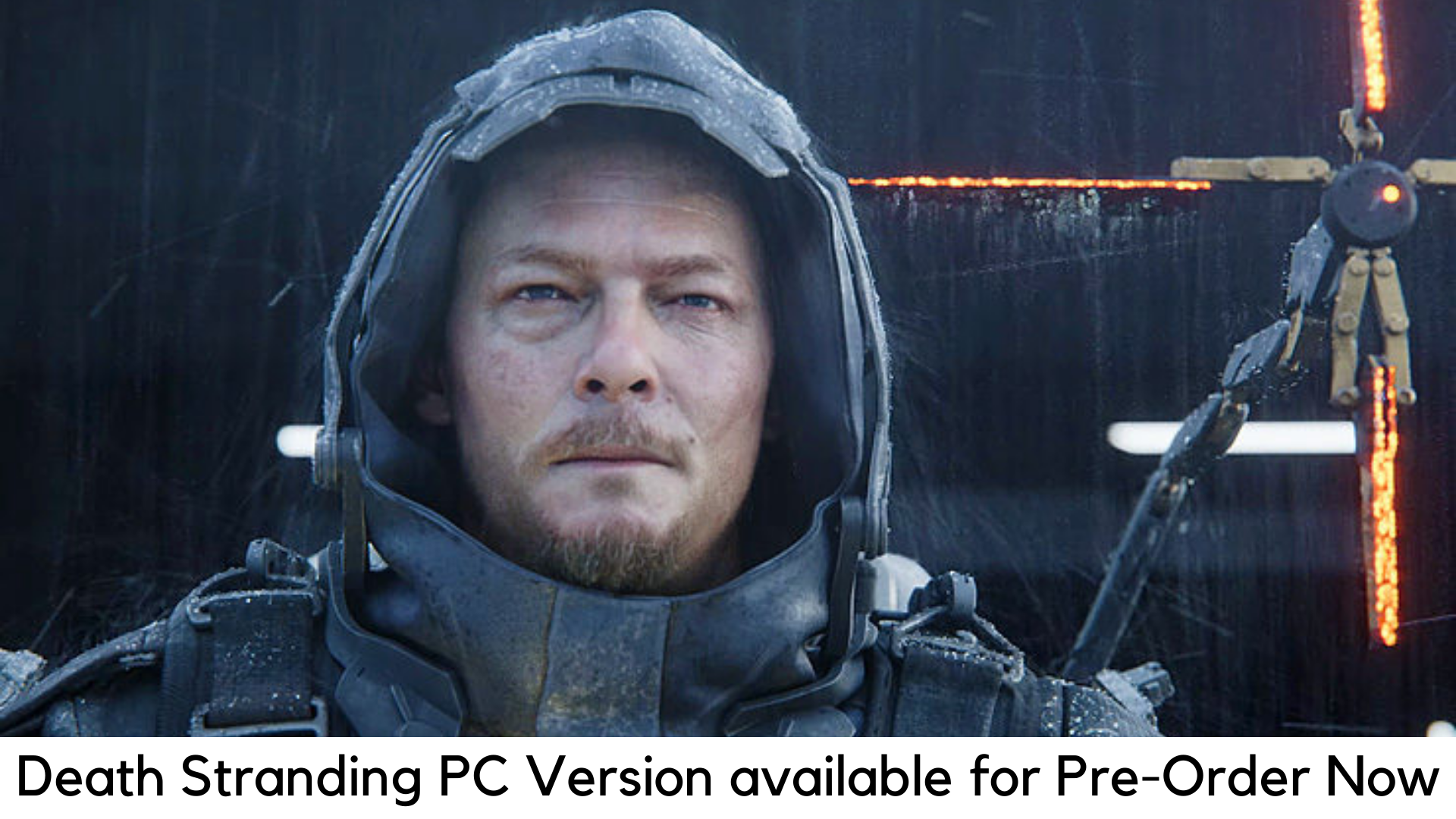
    Since being separated from the Metal Gear series and Konami in 2015, Hideo Kojima is finally here for the first time with Death Stranding, the best-kept secret by the company until its launch. A lot of fans have been left amazed. It is basically released on PS4 by Sony. But it is also going to launch for PC next summer. Now it is available for pre-order on the Epic Games Store and Steam.

    There were also speculations that the Death Stranding PC version is launching soon in 2020, but the question was on which store. It is now cleared that the Death Stranding will be released on both Steam and Epic Games Store for PC at the same time. Along with it, the base price of pre-orders is $60/£54.99 on each store.

    We partly expected Death Stranding to release on Epic Games Store, as 505’s last title Control was exclusive at Epic Games Store. But the availability at Steam is a new change.

    Death Stranding is basically not easy to absorb for everyone. It consists of a lot of intense threads, corny moments, silly names, and heavy exposition on its plot with a very simple message. It comes to a lot clear in the mundane moments of the game when you can find a ladder which is desperately needed behind a player.

    You can also get a ladder by getting a letter appreciating your efforts by NPC. In both its gameplay and story, it argues that adversity makes things that are worth to do. In short, this game needs compassion, patience, and love. Of course, it is the one you need now.

    With the launch date is yet to be announced, the pre-order bonuses might be available here for the Death Stranding PC version. But you can still have the special editions for $70 along with $200 for Collector edition, which comes with some physical accessories.

    The pre-order bonuses for Death Stranding were usually gold versions of items to secure a copy before November 8. You can get those bonuses in-game using other ways, apart from a PS4 theme and some PSN avatars.

    Pre-Order Bonuses

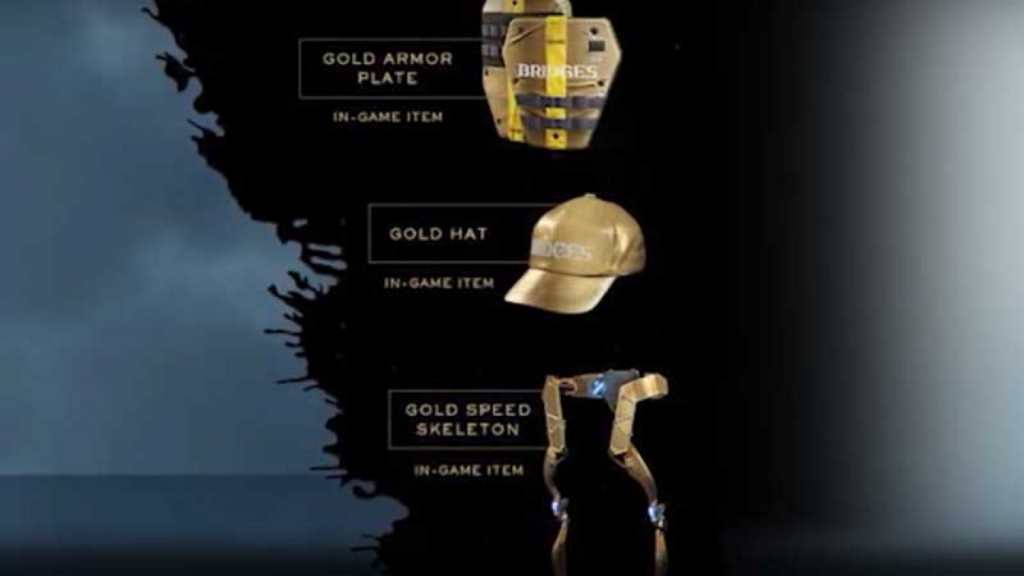
    If you could do so before the launch, you can get Chibi Ludens PSN by preordering the game on PS4 and dynamic theme for PS4 as pre-order bonuses for PC. You can also get gold versions of several in-game items with a pre-order. However, these items are unlockable with gameplay –

     Pre-Order Bonuses

    The Gold Hat

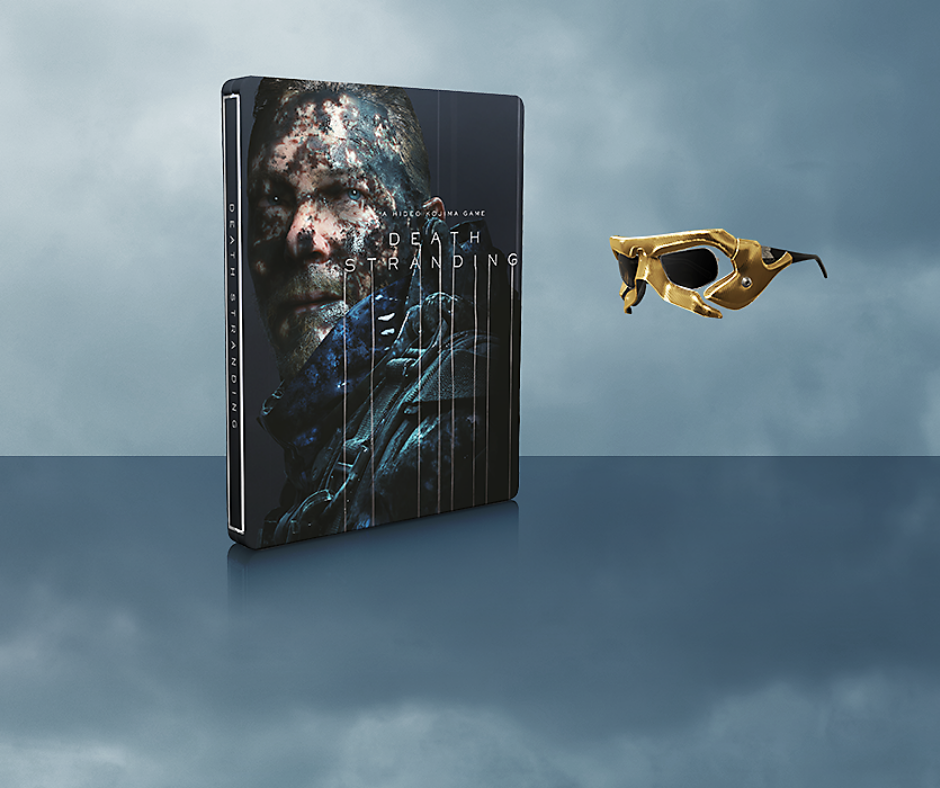
    • Gold “Sam” sunglasses
    • Gold Armor Plate (protects Sam against any kind of damage)
    • And the Gold Speed Skeleton (boosts movement speed of Sam once equipped)

    Special Edition

    It is available with the base game in the steel book along with other pre-order bonuses. You will also get a gold version of the album and Ludens Mask sunglasses, which have a digital download as well as making or behind-the-scene footage. You can get it for $70 on Best Buy, Target, Walmart, Amazon, and GameStop.

     Special Edition Death Stranding's

    Standard Edition (PS4)

    It has simply the base game, along with the pre-order bonuses. It is not confirmed yet as to whether those bonuses would come with Epic Games Store and Steam versions. You can get it for $60 at Amazon, Best Buy, GameStop, Target, PlayStation Store and Wal-Mart.