Author: Adam Taylor

  • Doogee S95 Pro Modular Rugged Smartphone Review

    Doogee S95 Pro Modular Rugged Smartphone Review

    In 2019, Chinese manufacturer Doogee got a lot of attention with the S90 modular rugged smartphone. Doogee is one of the only companies in the smartphone industry that takes the modular approach to smartphones. Doogee also happens to be the only manufacturer to use the modular concept in rugged smartphones. The company has recently announced its successor, the Doogee S95 Pro.
    Doogee S95 Pro
    Doogee S95 Pro

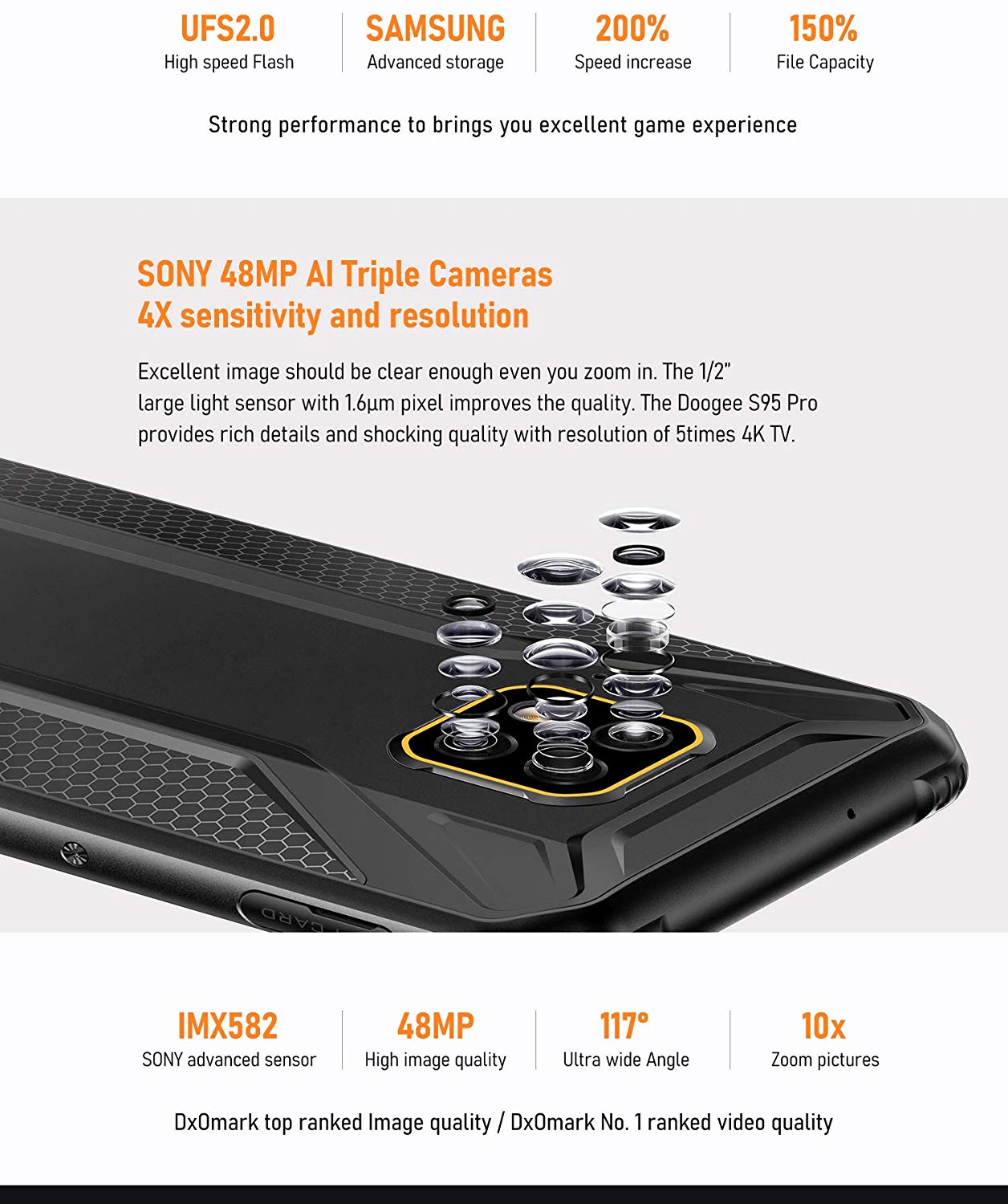
    The device comes with many improvements – specifically a faster processor and internal memory. The phone features Mediatek’s brand new Helio P90 and comes with faster UFS 2.0 memory. The camera has also improved significantly. Instead of the two lenses in the original S90, the S95 Pro now boasts three camera lenses – one of them being the popular IMX586 sensor from Sony.

    The sensor has an excellent 48-megapixel resolution, and coupled with the well-optimized software; the phone can capture some excellent shots. Let us take a more in-depth look at what the phone has to offer.
    Doogee S95 Pro Material
    Doogee S95 Pro Material

    Specifications

    • Weight: 285g
    • Colors Available: Mineral Black
    • Dimension: 168×79.3×13.8mm
    • Panel Technology: IPS Multi-touch, with Corning Gorilla Glass 5
    • Display:3-inch 1080×2160 FHD+ at 384ppi
    • Certifications: IP68 / IP69K
    • Processor: Helio P90 12nm (2xCortex-A75 2.2GHz + 6xCortex-A55 2.0GHz)
    • GPU: IMG 9XM-HP8 970MHz
    • Operating System: Android 9.0 Pie
    • Charging: Wired Charging 24W – Wireless Charing 10W
    • Battery: 5150mAh
    • Memory: 8GB RAM – 128GB Storage
    • External Storage: Up to 256GB
    • Front Camera: 16 MP, f/2.0, 80° Wide-angle
    • Rear Cameras:0MP(Sony IMX586)+8.0MP+8.0MP (AI Sony Triple Cameras) with LED Flash, 4K@30fps support
    • Hybrid Slot: Nano-SIM+Nano-SIM / Nano-SIM+SD Card
    • Sensors: Side Fingerprint Scanner, NFC, GPS, G-sensor, Face Unlocking, Proximity Sensor, Ambient Light Sensor, Compass, Gyroscope, Barometer, Geomagnetism, Customizable Button, OTG, SOS, Hard Coulometer, Wireless Charging support

    Design

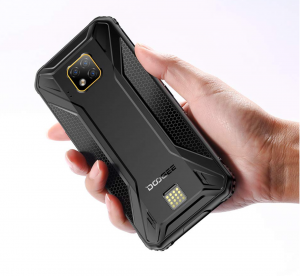
    The rubber corners around the display make the Doogee S95 Pro look unmistakably like a rugged smartphone. The phone is hefty at 285 grams, and the dimensions are 168 x 80.5 x 15 millimetres. Although the phone is slightly bulky, it feels quite manageable in the hands when compared to other rugged phones. The overall design bears a certain similarity to gaming phones like the Xiaomi Blackshark – which might be what the company was going for since Doogee emphasizes that the S95 Pro is also suitable for gaming.
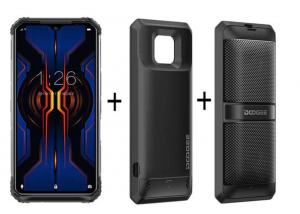
    In the box
    Doogee S95 Pro in the box

    On the front of the device, you will find the large 6.3-inch display, protected by Gorilla Glass 5. The screen has rather thin bezels, and the bumps on the corners provide additional protection to the display. The device comes with an LED indicator in the top right corner.

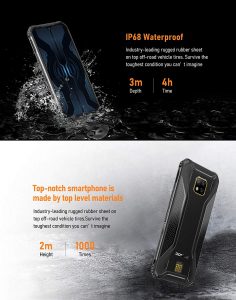
    The power and volume buttons are embedded in the frame on the right, along with the fingerprint sensor. The sensor is quick and works reliably. There is an additional button on the left side that can be assigned to launch whichever application you please. The phone IP68/IP69K certified – meaning it’s dust- and water-resistant, making it suitable for rough use.
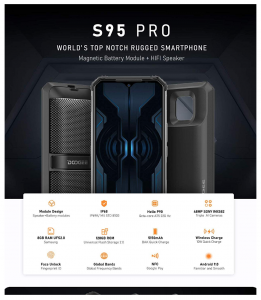
    Doogee S95 Pro Features
    Doogee S95 Pro Features

    Performance

    The phone comes with the new Mediatek Helio P90 Octacore processor that consists of two ARM Cortex-A75 cores clocked at 2.2 GHz, and six ARM Cortex-A55 cores clocked at 2.0 GHz. It also boasts the powerful IMG PowerVR GM9446 GPU and achieves an Antutu score of 216,927 points – putting it up to par against smartphones like the Xiaomi Mi 9T. The powerful components make the smartphone ideal for gaming.

    You can multitask extensively without experiencing any lag since the S95 Pro comes with 8GB of LPDDR4X RAM. You can keep a ton of apps open without experiencing slowdowns. The internal storage is fast, too, and the device boasts read and write speeds of 400MB/s and 210 MB/s, respectively. The high memory speeds are owed to the UFS 2.0 technology embedded in the phone. You can also add an SD card to expand the 128GB of internal memory by up to an additional 256GB. However, if you choose to use an SD card, you will not be able to use a second SIM card.
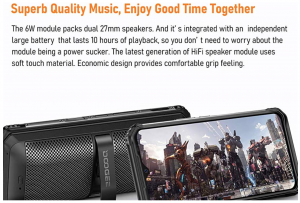
    Doogee S95 Pro Display
    Doogee S95 Pro Display

    Camera

    The triple camera setup on the back of the Doogee S95 Pro consists of two 8-megapixel sensors and a powerful 48-megapixel Sony IMX586 sensor. According to Doogee, the setup should allow users to capture both wide-angle and close-up shots, and also get clear 10x zoom shots. One of the sensors serves as a wide-angle sensor; however, the alleged telephoto sensor does not work as intended. All the zooming is done digitally, and the image resolution drops significantly as you zoom in.
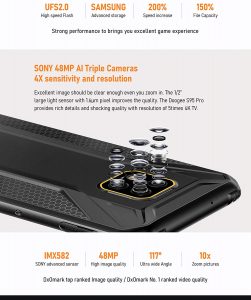
    Doogee S95 Pro camera
    Doogee S95 Pro camera

    High-quality 48-megapixel video can be recorded with the device; however, the videos are scaled-down when using the HDR or AI function. The AI function recognizes the scenes and automatically makes adjustments to the camera’s settings. The photos are a little on the warmer side, and the bokeh mode is inaccurate at times. Another downside is that the phone does not come with Optical Image Stabilization – which will make the videos you capture shaky.

    Software

    The S95 Pro comes loaded with Android 9.0 with a skin on top. The skin provides a close-to-stock Android experience; however, there are some differences.

    There is no app drawer, and the UI is akin to iOS. The great thing about Android is that you can download a launcher from the Play Store and give your phone’s UI a facelift. There are some additional features like double-tap to wake, and gesture navigation. You can also assign any application to the extra button on the left.

    Battery Life

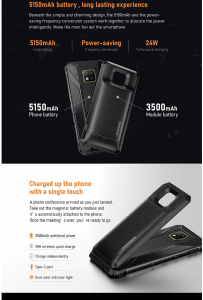
    The massive 5150 mAh battery will last you for two days on heavy use. If used moderately, the phone will last you over three days.
    Battery
    Doogee S95 Pro Battery

    The phone supports both wireless charging and fast charging. Using the 24W fast charger, you can fully charge the phone in about two hours.

    Modules

    Modules that can be attached to the rear of the phone are available online for the S95 Pro. You can find a speaker and a battery module online at a reasonable price. Unfortunately, the predecessors’ modules are not compatible with the S95 Pro.

    Verdict

    The Doogee S95 Pro is currently one of the best rugged smartphones on the market. Overall, the phone does not disappoint, and the decent design and high performance make the phone stand out at its excellent price point. The camera is a little underwhelming; however, it is on par with other smartphones like the Xiaomi Mi 9T. The availability of external modules is just a cherry on top.


  • ByteDance And Tencent Deal With Rising Tensions Over Gaming Presence

    ByteDance And Tencent Deal With Rising Tensions Over Gaming Presence

    In the world of video and multiplayer games, Tencent has been the winner for years now. With ByteDance coming in the way, the tensions between the two Chinese giants have risen manifold. ByteDance is an internet technology company which majorly involves in content platforms. On the other hand, Tencent is a multinational conglomerate holding company that specializes in internet-related products, services, artificial intelligence, and entertainment.

    ByteDance has been a hugely successful start-up, founded in 2012. Lately, ByteDance has started to expand the company’s ecosystem of services and products. They are now trying to get a hold of the industries dealing with an online search, smartphones, and video games.  At the end of the year 2019, ByteDance has posted more of the 210 gaming related job openings. A significant number of which was targeted to the best colleges and universities in the country. Ranging from experienced game developers to designers and producers, the job postings directly indicated the gaming industry.

    ByteDance
    ByteDance

    There is also news that Duoyin, which is a video sharing app run by ByteDance, has launched a mini-game inside the app. It is believed that by allowing users to play games in the app, the company shall have a more effective distribution channel through the users themselves. ByteDance is valued at about $78 billion as of year, 2019 leaving behind Uber Technologies. Its rapid internal expansion and growth are posing a massive challenge on the existing giants in the industry like Tencent and Baidu.
    ByteDance has also recently launched a video-based social messaging application, much like Tencent’s WeChat, which is extremely popular in China. It also owns TikTok, which is one of the most used apps in today’s market. It is also the most downloaded application in the first quarter of 2019, with over 46 million downloads. In the past year, Duoyin launched a casual game that grew to become the most downloaded game in the Apple Store.

    Tencent
    Tencent

    Currently, the Chinese giants are trying their hand at the gaming industry. Tencent has also launched a mini-game which had a succession of about 100 million users every day. The accomplishment of the application gained interest from brands across the world. Brands like McDonald’s and Nike placed their advertisements in the game following the incredible success of the app.

    In this never-ending race between Tencent and ByteDance, new games and applications are coming up frequently. Tencent has once again launched two video apps to keep up in the duel for China’s booming short video industry. The apps have been estimated to have about 353 million viewers in the previous year.  China estimates the growth in the industry to reach about $36.5 billion in revenue in the coming year. With both the companies having a substantial hold in the gaming industry, each of them is seemingly approaching a win to exploit the social media platforms for an all-new development.

  • Apple Wins The Tag Of Biggest Smartphone Vendor 2020 As Samsung Stands Down

    Apple Wins The Tag Of Biggest Smartphone Vendor 2020 As Samsung Stands Down

    Apple Inc. is a multinational technology giant from America that is known for its industry-first innovations and cutting-edge technologies. Launched on 1st April 1976 by Steve Jobs, it is headquartered in California U.S. The company manufactures smartphones (iPhone), laptops (Mac), tablets (iPad), music players (iPod) that has won the brand a massive base of loyal worldwide customers.

    Innovation is at the core for Apple Inc., be it smartphones, laptops, watches, all devices are power-packed with technology differentiators stand out in the clutter. The devices boast of premium design, superior quality, and sound integration of hardware, and software that packs in a punch to keep up with the fast-paced lives of millennials. They are multi-taskers with excellent performance and high-security system that ensures a seamless customer experience.

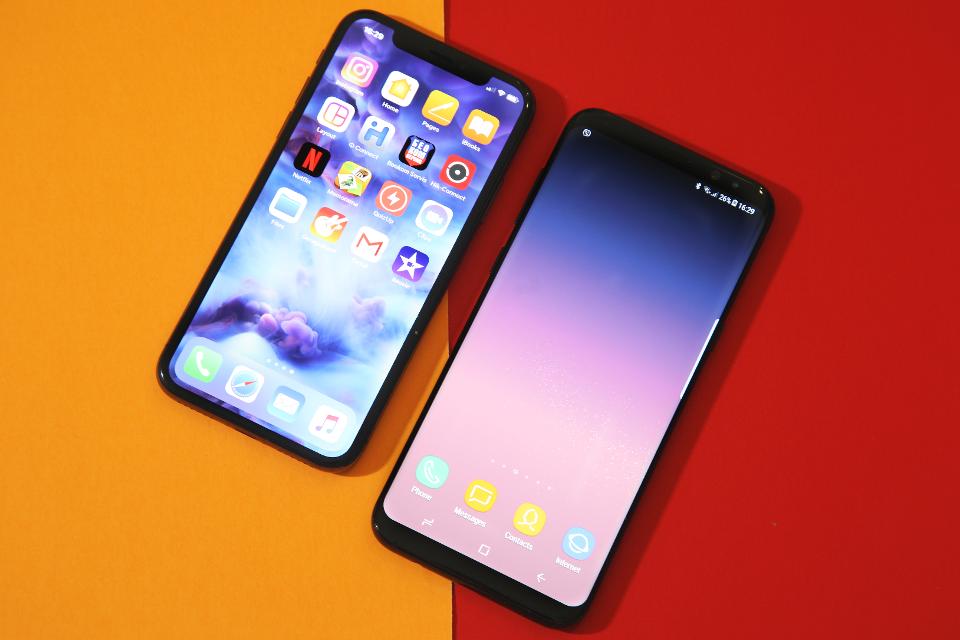
    Samsung vs Apple
    Samsung vs Apple

    In the fourth quarter of 2019, 20% of all smartphones sold worldwide was an Apple iPhone. Apple has been amongst the top 5 smartphone vendors in the world since 2009. According to IDC, Apple has shipped a 73.8 million iPhones in 4Q19 to secure with year-on-year growth of 7.9%. With this, the brand achieved the top position, 68.8 million units shipped by Samsung. Apple holds about 19% of the global share of the smartphone market, whereas Samsung holds only 18% of the stock.

    Upgrades

    Apple launches upgraded versions of multiple devices, each of which has better performance, superior camera quality than the previous one. The world-class products are an embodiment of the company’s sustained effort to deliver industry-leading innovations for global millennial consumers. The latest iPhone 11 series fared particularly well in developed regions like the U.S. and Europe while iPhone XR maintained its popularity globally.

    The Apple Company had made an estimated profit of $22.2 billion and total revenue of $91.8, which had made history as the most profitable company. It has known to ship about 70.7 million smartphones in the last quarter of 2019, while Samsung was left behind with a little margin at 68.8 million. Launching a few of the bestselling smartphones pretty frequently, Apple has definitely made its ground stronger than it was in the earlier years. While Samsung also keeps unfolding its flagship devices every now and then, it is still a go a long way from what Apple has achieved in the present year.

    This standoff only means a beginning to the close competition that the two companies are going to experience all throughout 2020. One of the significant drawbacks of Samsung devices is the failing chipsets. This is what has taken Apple a notch higher in its overall market.

  • Amazfit GTR Lite Review

    Amazfit GTR Lite Review

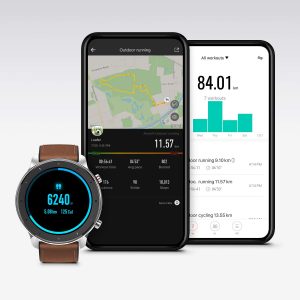
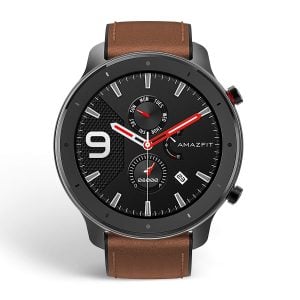
    Finding a smartwatch that strikes the right balance between price and features can be a challenge, especially considering all the different options the market offers. The Amazfit GTR Lite from Huami – which is backed by consumer electronics behemoth Xiaomi – does an excellent job of finding the right balance of features and pricing. Let us quickly go over what makes the Amazfit GTR Lite great.

    Amazfit GTR Lite Syncing
    Amazfit GTR Lite Syncing

    Design

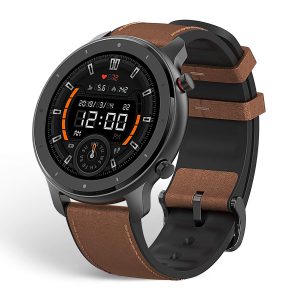
    The GTR Lite boasts an attractive and sturdy design. The aluminium-alloy build gives it some heft, and the ceramic bezels make for a premium finish. The silicone strap is less than ideal; however, it’s justified considering the low price. Silicone is great if you have sensitive skin since it does not chafe your skin.

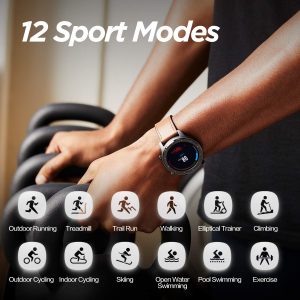
    Amazfit GTR Lite Sports Modes
    Sports Modes

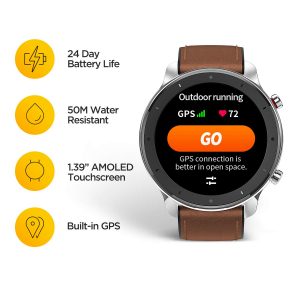
    The buttons on the side of the watch are perfectly sized and give you satisfyingly tactile feedback when pressed. The watch is 5 ATM water-resistant – you can swim with it without worrying about breaking it.

    Display

    The large, 1.39” circular screen is one of the biggest selling points of the GTR Lite. The decent 454 x 454 resolution AMOLED panel is bright and sharp, and you won’t have any trouble with visibility. The display also boasts a decent pixel density of 326 pixels per inch, and the 100+ watch faces make the watch super customizable.

    Watch Front
    Amazfit GTR Lite Front

    Features

    The Amazfit GTR Lite does have a decent set of features – nothing new, though. However, considering the price, this is justified, and the body and display are some of the best you’ll see in this price range. Notifications are forwarded to your smartwatch, and you can also control music playback from the watch. You can reject incoming calls from the watch, but cannot answer them. There are some other essential functions, such as a stopwatch, an alarm clock, a compass, a find my phone feature, and a weather app. The find my phone feature only works within the Bluetooth range.

    Amazfit GTR Lite Features
    Amazfit GTR Lite Features

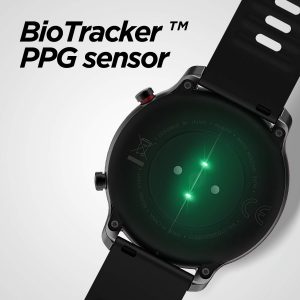
    It comes with a BioTracker PPG Heart-Rate sensor with a 6-axis acceleration sensor. These sensors enable the watch to track and monitor your heart-rate accurately. The sleep tracking feature is also accurate, and the watch gives you a good overall look at your health.

    The smartwatch features eight exercise modes: Walking, Outdoor Running, Treadmill Running, Outdoor Cycling, Indoor Cycling, Elliptical Machine, Swimming, and Exercising. The last mode tracks all the other activities you might do – from yoga to dancing. The watch does not come with GPS built-in.

    Amazfit GTR Lite Feat
    Amazfit GTR Lite Feat

    Battery

    The Amazfit GTR Lite features a 410 mAh battery, which will last you more than three weeks when used moderately. The watch lasts around 24 days in the normal usage mode – with sleep tracking and heart rate tracking on. If you pick the basic watch mode, all the features are turned off, and the watch will last over two months. The watch charges up in two hours – which is quick!

    Bio Sensor
    Amazfit GTR Lite Bio Sensor

    Verdict

    This smartwatch is one of the best bang-for-the-buck smartwatches in the market right now. It boasts solid build quality, great features, and a large battery. It does lack some features – the lack of GPS and the limited exercise modes can be a deal-breaker for some. Overall, though, the GTR Lite is a great smartwatch available for an excellent price.


  • Energizer Energy E241S Review

    Energizer Energy E241S Review

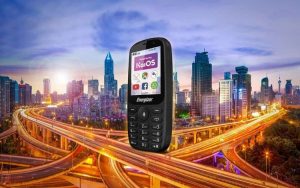
    If you have ever wanted to go back to the good old days of phones, then this Energizer Energy E241 is something you will like. This can also easily act as a second or a third device when you are out on long vacations – this has enough juice to ensure that you get enough mobile coverage to last you a long time with one single charge. Let’s dig into this review of Energizer Energy E241S in detail.

    Technical Specifications: Energizer Energy E241S Phone

    The Energy E241S is compatible with multiple networks, such as 2G, 3G, 4G. It also supports multiple spectrums that could come in useful when you are travelling across the globe. It also offers support for VoLTE depending on when there is an operating agreement with the spectrum. The Energizer Energy E241 supports GPRS, EDGE and HSDPA, thereby ensuring you are connected to the internet if the signals are available.

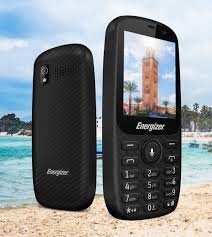
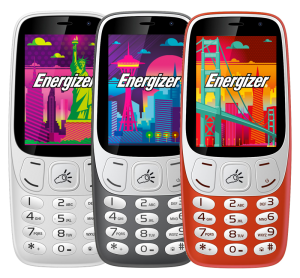
    Energizer Energy E241S
    Energizer Energy E241S

    It weighs around 62 g and can support a dual SIM – just what you need when you are running out of your battery on your main smartphone. The display is measured to be about 2.4 inches and occupies close to 26% of the phone. Since this phone is not your normal smartphone, it comes embedded with its own OS called the “KaiOS”. The phone supports microSD memory cards up to 128 GB. This is something that you might need to add based on your needs. It comes packed with 512MB of memory and a 4 GB RAM that should be more than enough to ensure that you have basic connectivity.

    Camera and Bluetooth

    You would be surprised that this phone does have cameras – both the main camera and the selfie camera. Though their resolutions of 0.3 MP are not that great, they do serve their purpose. You will also be able to connect the phone to Wi-Fi when you have the signal. If you think you are lost, you will be able to utilize the GPS function that is available on the phone. Users will also be able to connect their Bluetooth headphones using the Bluetooth connectivity that the phone carries. Once you are connected to the internet, you will be able to download basic applications, such as Facebook, Gmail, WhatsApp, and so on. You will be surprised to know that the battery capacity on the phone is just 1900mAH but gives incredible results. We will look more into the latter part of this review. 

    Energizer Energy E241S Display
    Energizer Energy E241S Display

    Design

    The phone is going to freshen up all your memories of the good old days. It has been specifically designed to ensure that the phone fits in the palm of your hand without any hassle. Though the display covers only 26%, the bezels take up a bit more space making it close to 50%. You will also find the selfie camera and the brand name on the bezels as well. There is a physical keyboard just like any other classic phones you might have seen in the past. Most of the parts are made up of plastic, but regardless, it looks classic. You will be able to find two microphones, one at the top and one on the bottom of the phone – all to ensure that the quality of voice isn’t dropped. You will also find a 3.5mm jack to connect your wired headphones and a MicroUSB port that will help you in charging the phone and connecting it to your PC.

    The back cover of the phone is removable. Here, you will find the battery and the slots for the SIM cards and the microSD card. The battery is removable. The 128GB microSD card should be able to store more than enough high-quality MP3 songs and should also suffice the pictures that are taken on the phone. Since most of the parts made out of plastic, this phone weighs only 96 grams! At the back, you will find a loudspeaker, a VGA camera and a tiny LED flashlight. Just to make sure that you do not miss out on anything, the phone is able to record videos, though the quality is going to equivalent to that of a VGA camera.

    Other Features

    The phone also supports FM radio when the headphones are connected. With Wi-Fi being embedded on the phone, you will be able to use this phone as a hotspot. Bluetooth is highly useful when you want to transfer data on the go. The KaiOS has quite a few built-in features. Be it security-wise or user-interface wise, it ticks off most of the boxes.

    Energizer Energy E241S Phone
    Energizer Energy E241S Phone

    You will be able to set shortcuts for buttons which comes in handy most of the times. One of the best parts is that it can act as a Google Assistant when you long-press the middle button on the phone. Games like Chess, Tertis, and many more are available for download. Though the phone does not fall into the smartphone category, there are quite a few smart features that the phone is able to exhibit.  

    Battery

    Though the battery is a Li-Ion 1900 mAh one, it provides a standby time of up to 6 days. This is something that is impossible in today’s world. When it comes to talk time, it can offer you close to 25 hours to talk time.

    Conclusion: Energizer Energy E241S

    Thanks to the lightweight KaiOS and the way the phone has been designed, we get to use this amazing product. At the end of the day, it can be perfect as your second phone when you want longer battery life and still want to stay connected with your loved ones. Or it can also act as a phone that you take when you are camping/trekking for long hours where it is difficult to find power. The camera isn’t that great, but then this phone was not designed for it. It is a simple phone that should help you stay connected throughout the day. When it comes to the pricing, it is a great value!

  • Movado Connect 2.0 Review

    Movado Connect 2.0 Review

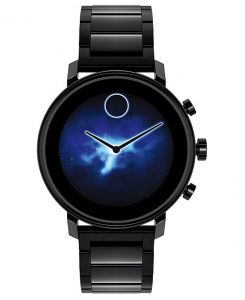
    Smartwatches – the next best thing to buy after you buy a smartphone. There are numerous options available in the market. You get to choose from different sizes, different OS and different specs. There is always confusion over which one you should go for. Though Google’s Wear OS has been criticised for the features it offers and the limited functionalities, there are several manufacturers who are sticking with Google wear OS. One of them is Movado. Let’s take a look at the latest version of Movado’s smartwatch – the Movado Connect 2.0. This was released almost 2 years after the first one. This watch aims to bring in more features than its predecessor.

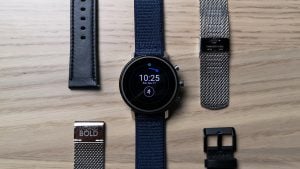
    Movado Connect 2.0
    Movado Connect 2.0

    Specs

    The Movado connect has a very simple and minimalistic design that is designed to attract users. This is something that it succeeds in doing quite easily. The watch is designed just like any other watch – round and flat. It is powered with a 1.39-inch AMOLED screen which, in the long term, will help with the longevity of the battery life. The watch is tightly packed leaving no space between the strap and the head of the watch. This is something that you do not get to see in most of the smartwatches that are manufactured these days. It is more than likely that you will get compliments about the watch.

    For the price tag that the watch is sold, users would expect that the material used to build the watch is sturdy and reliable. Thankfully, it is so. Unfortunately, the glass can easily pick up scratches. On the other hand, it has also been rated as IPX8 water-resistant, which means that the watch can withstand the pressure of water when submerged in up to 3 ft.  

    Design

    There is just one button on the side which helps in activating the Google Assistant when pressed. Though you will have to miss out on other buttons that are available in other smartwatches. The least Movado could have done was to have a rotating crown to ensure that users are able to scroll through the menu using the crown, but they have decided to give this a miss. You will have to swipe through the menu when you want to scroll through.

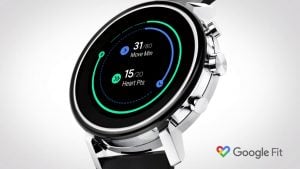
    Movado Connect 2.0 Display
    Movado Connect 2.0 Display

    Though the watch looks huge when put on, this is just an impression of the large straps. One of the biggest downsides of the watch is that you will not be able to change the bands of the strap. You will be stuck with the same band that you purchase. While there are more than 20 varieties to choose from, this could turn out to be a costly event depending on the one you choose. Though there are multiple options, there are five versions that you can choose from – the silicone strap, the dark grey ion-plated stainless steel case, the gold version of the ion-plated stainless steel case and the ion-plated stainless steel bracelet that come in the normal variant and the silver variant.

    Performance

    With a high-resolution AMOLED 1.39-inch display, it is surprising that Movado has managed to get a high-resolution display of 400 x 400x pixels. The display is quite sharp, and you will not notice any grainy pixels that have been observed in other smartwatches. There are tons of watch faces to choose from and the best part of all is that Movado has pre-installed their own choices of watch faces. These are fantastic and a highlight of the model.

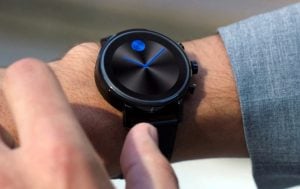
    Movado Connect 2.0 WearOS
    Movado Connect 2.0 WearOS

    Another advantage of having this Movado watch is that it automatically goes into the monochrome ambient mode which helps in saving the battery. When you try to see the dial in the direct sunlight, it automatically adjusts its brightness so that you can have a clear look at the screen. One of their best pre-installed watch faces is the Day to Night watch face – something that transforms from light mode to dark mode as the day progresses from morning to night. Since this watch runs on Wear OS, you will get multiple options in-store.

    The watch is powered by Qualcomm’s Snapdragon Wear 2100 processor that has been coupled with 512 MB of RAM. The user experience in terms of transition is smooth. The apps that have been packed on the watch load without much of a lag. The notifications instantly pop-up on the smartwatch when it is connected with the phone. You will also be able to respond to WhatsApp messages or normal text messages.

    Battery Life

    The battery of the smartwatch will naturally depend on the functions you are using. If you have enabled GPS and always have the brightness on high instead of Auto, then the watch will last about a day or so. If you have only the basic fitness tracking and notifications enabled, you can use it for quite a bit longer. In this case, you will be able to enjoy about three days before you need to charge it.

    Movado Connect
    Movado Connect

    The Movado 2.0 has a battery saver mode that comes to the rescue when you are in desperate need of a charge. In this mode, only the analogue watch face will be available, and most features will be disabled. You can return to normal functions by rebooting the watch.

    Final verdict

    The Movado Connect 2.0 smartwatch looks spectacular, albeit a bit large. It is light in weight, has an impressive battery, and offers a whole lot of features. If you are using it for fitness, it can track most workout routines quite perfectly. Unfortunately, the WatchOS doesn’t offer a fluid experience. However, it is expected to improve with the updates. If you are okay with the occasional slow working, this is a great option to consider as it has tons of other features to offer you. Despite the thick bezels, it is quite stylish. The buttons of the side can be customized, allowing you more freedom to use it the way you want to.

  • 5 Dragon Ball Legends Tricks You Need To Know

    5 Dragon Ball Legends Tricks You Need To Know

    A new Saiyan joins Goku and the gang for their next saga. Shallot, the new mysterious hero, must tap into his special abilities and aid his allies in battle. You can become a part of these cinematic clashes in the new mobile fighter, Dragon Ball Legends. Here are five tricks you need to know to master the game in no time.

    #1 Take Note Of Elemental Advantages And Disadvantages

    There are five elements, and different elements are strong and weak against one another. The five colours associated with the elements are Red, Yellow, Purple, Green, and Blue. Regardless of if you decide to play a new story or event mission, take a look at your team and the enemies. If a team member has a blue arrow next to them, they have an advantage over the enemy. If the character has a red arrow next to them, switch him/her out for someone else since you’re at a disadvantage.

    Dragon Ball Legends
    Dragon Ball Legends

    #2 Plan Your Attack Strategy

    Since all of the combat in Dragon Ball Legends takes place in the air, you must ensure that you adopt some solid battle strategies. Move around your enemy and find an opening, move in close and land some melee attacks. If you have some Ki, activate one of your Arts Cards. You can quickly deplete an enemy’s HP by using three Arts Cards in succession. Keep in mind that this can only be done if you have a ton of Ki stored. Activate the cards with a Dragon Ball next to them, to power up your Rising Rush attack. When your character’s icon starts to glow, tap on it to use their special ability. Ensure that you move away before charging your Ki, and you should be safe from attacks.

    #3 Try And Complete All The Challenges During Story Chapters

    There are usually seven challenges in a chapter, and you’ll want to complete all of them to get the most rewards. Completing a challenge will get you three Chrono Crystals – and you will collect 21 of them over the course of the seven challenges. You will also find ten Rare Medals in every chapter – which you can trade for rare materials and power up your characters.

    Dragon Ball Legends Tricks
    Dragon Ball Legends Tricks

    #4 Learn The Characters Progression Paths

    As you progress, you’ll spend a lot of time levelling up your favourites. You can easily earn EXP by finishing Story missions. You can also put a character into Training mode. Limit Breaks help improve a character’s overall power and star level. To pull Limit Breaks off, you’ll need Z Power, which you can obtain from Summons and by completing Story missions. Unlocking the Soul Boost ability will enable you to upgrade their stats further. Also, make sure that you upgrade your characters’ equipment from time to time to get the most out of the character.

    #5 Learn About Character Types And Rarity Levels

    Besides the elements, each character also associates with a class type and rarity level. The three rarity levels in the game are Hero, Extreme, and Sparking. The four class-types are Ranged, Melee, Defense, and Support. Getting these two right and matching them with your play style will help you play to the best of your abilities.

  • Installing Freeflix On Firestick, Android Box Or A TV

    Installing Freeflix On Firestick, Android Box Or A TV

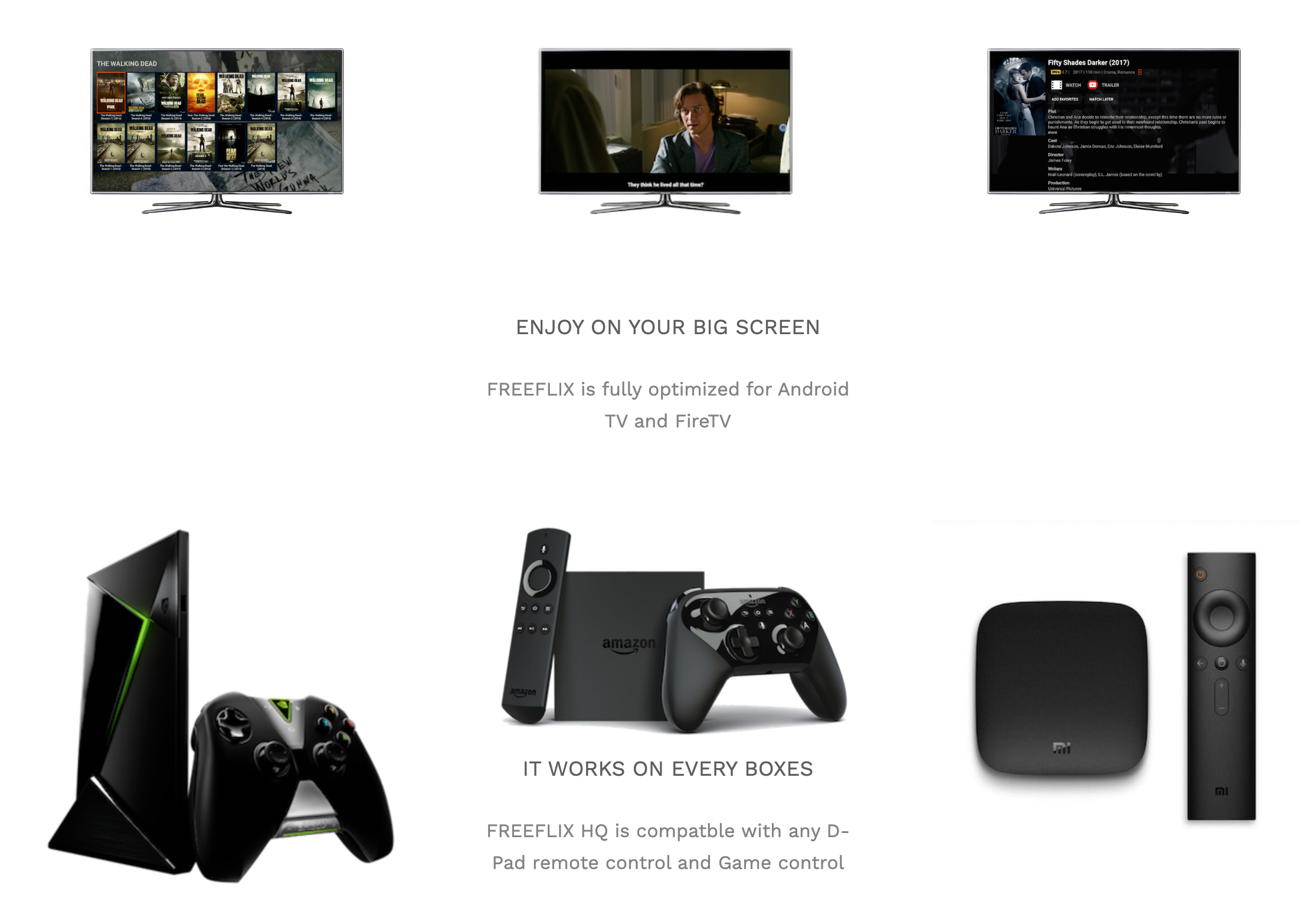
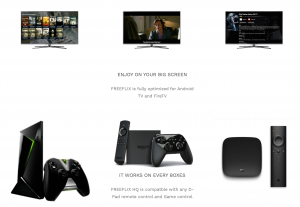
    FreeFlix is an app that is downloaded on a TV, Android box, or firestick that allows us to watch movies, shows, live shows, etc. It resembles old as well as a new library with the most recent and the oldest film, TV shows. The unique feature of FreeFlix is that it is without the interference of any frills and is suitable for large TV screens. The FreeFlix is user-friendly and can be easily controlled by remote. It is completely free for use. There is a particular way to install FreeFlix HQ on Firestick, Android box, or TV. Installing FreeFlix this way will not take more than 5 minutes.

    The first thing to be done is to enable the third-party app instalment. For this, the user must click on the ‘Settings’ option from the home screen by the use of the remote. From the setting menu option, the user must select ‘Device’ and then ‘Developer options.’ Turn on to enable the download of the apps from the unknown source.

    Installing Freeflix
    Installing Freeflix

    After the above process, from the downloader app, the most popular app for downloading various third-party app download and install the FreeFlix app on the firestick. Once the app has been downloaded, click on setting options from the downloader home screen to enable JavaScript and click on proceed after the warning message appears. After enabling the JavaScript, click on Home and then type in ‘https://www.firesticktricks.com/ffhq’ and then click on the Go option. Automatically the FreeFlix app will start downloading, and once it is downloaded, the app will automatically start installing. Next, click on ‘install’ to proceed, and after that, choose the done options. To install the app on Android TV, you need to follow the same steps.

    Download Movies

    In order to download movies, you can simply choose the desired movie and click on the download option. To download, the use of a VPN is a must. In case you want to include a caption to your media, you need to download the most prominent MX player or VLC. The app is light-weighted with HD quality TV channels. Unfortunately, the app is unavailable on the app store but can be easily downloaded by downloading the FreeFlix TV APK.

    Freeflix
    Freeflix

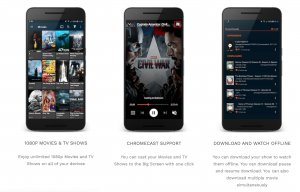
    The FreeFlix app is coupled with various features. Freeflix allows you to watch the downloaded movies offline later. It will enable the user to stream the movies or any other TV shows at 1080p. The subtitles are available in 70 different languages and quickly helps to navigate. Through the use of this app, movies can be watched for longer hours without any obstacle. FreeFlix happens to be the newest.

    Using this, you can watch any shows or movies at any time, and the contents are organized categorically for easy search. FreeFlix has all the reviews, trailers, images just with one click. It is included with a TV calendar, and schedule for all the favourite shows at free of cost. It can be used on various devices very quickly. FreeFlix helps you to track your favourite shows by integrating with Trakt.Tv.

  • Whatsapp Says No To These Smartphones From 2020

    Whatsapp Says No To These Smartphones From 2020

    At the beginning of February 2020, some devices will not be able to use the most loved and most used application of all times, WhatsApp, across the globe. Whatsapp Says No To These Smartphones From 2020.

    The Warning:

    This Facebook-owned messaging app, WhatsApp, had given a prior warning to the devices operating on an older version of Android and iOS since they don’t support WhatsApp. So, for those who failed to upgrade their phones, WhatsApp will become a distant non-usable entity.

    WhatsApp Supports:

    WhatsApp is friendly with the iOS devices running OS 9+ and Android devices running OS 4.0.3+. Also, some rare phones running Kai OS 2.5.1+. The very latest report suggests that the devices not running these operating systems will not benefit from WhatsApp anymore.

    WhatsApp Contradicts:

    WhatsApp is not going to be friendly with Android devices running OS 2.3.7 and older, iOS devices running OS 8 and older, also some rare phones featuring Windows OS.

    WhatsApp Backup Chats
    WhatsApp Backup Chats

    No Verification:

    Earlier, you could verify your smartphone with WhatsApp and start using the application instantly. But, this will not happen this time! You will not be able to create new accounts using older versions of operating systems, neither will you be able to verify your existing accounts after the given deadline!

    Tiff With Microsoft:

    From December 31, 2019, the Facebook-owned messaging application has withdrawn support for all Windows phones. Also, it ended support with its Windows 10 Mobile OS the very same day.

    Learn How To Save Chats

    In case you are still using an older version of the operating system, you need to save your chats and information. Here’s how you can do that:

    #1 Open the conversation you want to save, click on ‘CHATS.’

    #2 Click on ‘EXPORT CHAT.’ Then, you will get to choose between download with or without media. Choose what you want and export all your chats with that particular contact.

    Learn How To Backup Chats

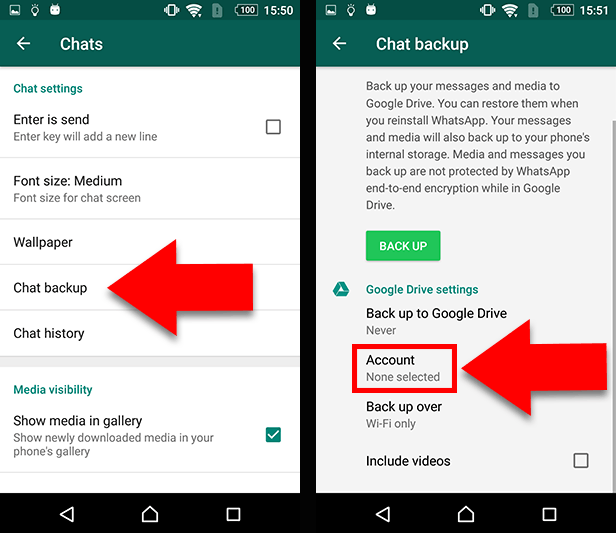
    For Android users, you need not worry; just follow these straightforward steps:

    #1 There are three dots at the top right corner of your WhatsApp application, click on them.

    #2 Click on ‘SETTINGS’

    #3 Then, tap on ‘CHATS.’

    #4 In the end, you will find the ‘CHAT BACKUP’ option. Then, it will show you ‘GOOGLE DRIVE SETTINGS’ option.

    For iOS users, you need not worry about having such a rare smartphone too! You need to follow these very simple to understand steps:

    #1 At first, you need to turn on iCloud Drive on your iPhone.

    #2 Go to your WhatsApp application

    #3 Click on ‘SETTINGS’ at the bottom right corner

    #4 Click on ‘CHATS’

    #5 Now, tap on ‘CHAT BACKUP.’

    #6 Select the option, ‘BACK UP NOW,’ to back up your chats to your iCloud Drive.

    Last Word

    This most useful application is bringing in a lot of changes to improve the user interface or user interaction (for those who don’t understand code language!). They have just brought up the ‘dark mode’ feature for Android beta users and will bring that for iPhone users too! Along with that, there are animated stickers you could use during chats!

  • Top 10 Waterproof Smartphones In 2020

    Top 10 Waterproof Smartphones In 2020

    Water can be a big problem when it comes to smartphones. Even a small leak can harm the phone significantly, damaging the circuitry inside and rendering it useless. Water-resistance has increasingly become an important feature when it comes to smartphones. What started as a luxury feature has now become a necessity. Water-resistance is now a standard feature that is expected in all kinds of phones, big or small. So, if you want to use your phone in the bathroom or a swimming pool, you should have one which comes with an excellent water-resistant feature. Such a phone can help you take that epic pool selfie you have always wanted, without the fear of it getting harmed. Here is a list of some of the best waterproof smartphones available in the market right now.

    #1 Apple iPhone 11 Pro

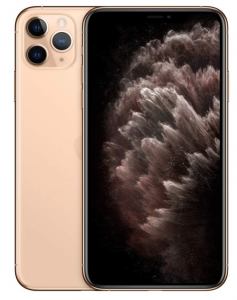
    Besides being the most expensive phone in the market right now, the 11 Pro is also the best in class when it comes to being waterproof. It is rated IP68 for dust and water, which means that it can stay in 4m of water or dust for 30 minutes. The A13 Bionic chip lights up its 5.8-inch HDR-10 display, which can top at 800 nits. The trademark 12 MP triple rear camera setup has a built-in telephoto lens and an ultra-wide sensor to capture the normal as well as panoramic images better.

    Apple iPhone 11 Pro Waterproof Smartphones
    Apple iPhone 11 Pro

    #2 Apple iPhone 11

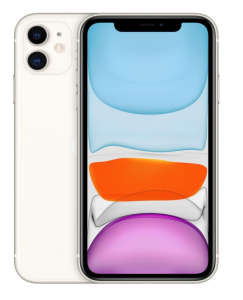
    The younger version of the iPhone 11 Pro is no less, coming with a rating of II68. It means that it can withstand 2m deep water or dust for 30 min. It has a 6.1-inch Liquid Retina IPS LCD Capacitive touchscreen, which makes it highly responsive. This also means that you can enjoy the videos better. The dual 12 MP cameras can capture the data in video and present it with ease.

    Apple iPhone 11 Waterproof Smartphones
    Apple iPhone 11

    #3 Samsung Galaxy Note 10 Plus

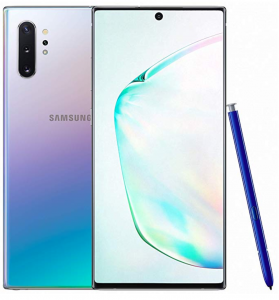
    This latest entrant in the Samsung Galaxy Note series is though IP68 rated for dust and water resistance, it can only stand in a depth of 1.5 m for 30 minutes. The Note 10+ has probably the best display in the Waterproof Smartphones market right now, even surpassing that of the iPhone. The improved low-light camera and a host of other features, such as the various ways in which you can use the S pen, makes up for a very attractive package.

    Samsung Galaxy Note 10 Plus Waterproof Smartphones
    Samsung Galaxy Note 10 Plus

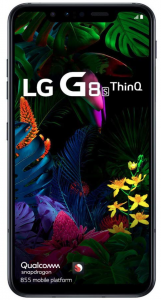
    #4 LG G8S ThinQ

    The G8S ThinQ is another IP68 rated phone which can stand in 1.5m deep water or dust for around 30 minutes before it starts to take damage. It has a 6.1-inch G-OLED touchscreen and is powered by Snapdragon 8555 processor, paired with Adreno 640 GPU. It also has a linear triple rear camera setup, with the resolution being 12 MP each.

    LG G8S ThinQ
    LG G8S ThinQ

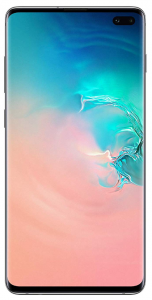
    #5 Samsung Galaxy S10 Plus

    The Galaxy S10+ is IP68 dust/water resistant and can stand in 1.5m deep in both for 30 min. Just as expected from a quality brand, the display is simply marvellous. Its performance is unmatched by most other phones in this segment, and the camera colours are pretty consistent. Just like the ThinQ, it has a linear triple rear camera setup. The only difference is that the S10 Plus two cameras are of 12MP while one is of 16MP.

    Samsung Galaxy S10 Plus
    Samsung Galaxy S10 Plus

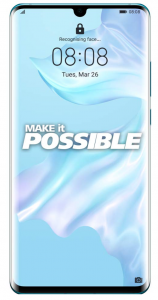
    #6 Huawei’s P30 Pro

    Being IP68 resistant, this is one of the Waterproof Smartphones can stay in 2m deep dust and water for 30 minutes and it will not receive any permanent damage. Its multiple camera setup at the rear can work wonders and help you click some fantastic photos. Also, the P30 Pro is a beast when it comes to performance, making it one of the hottest buys in the market. The huge screen can show videos in high definition, and the 4200 mAh battery will ensure that the charge can last for as long as two days.

    Huawei P30 Pro Waterproof Smartphones
    Huawei P30 Pro

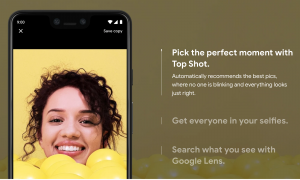
    #7 Google Pixel 3

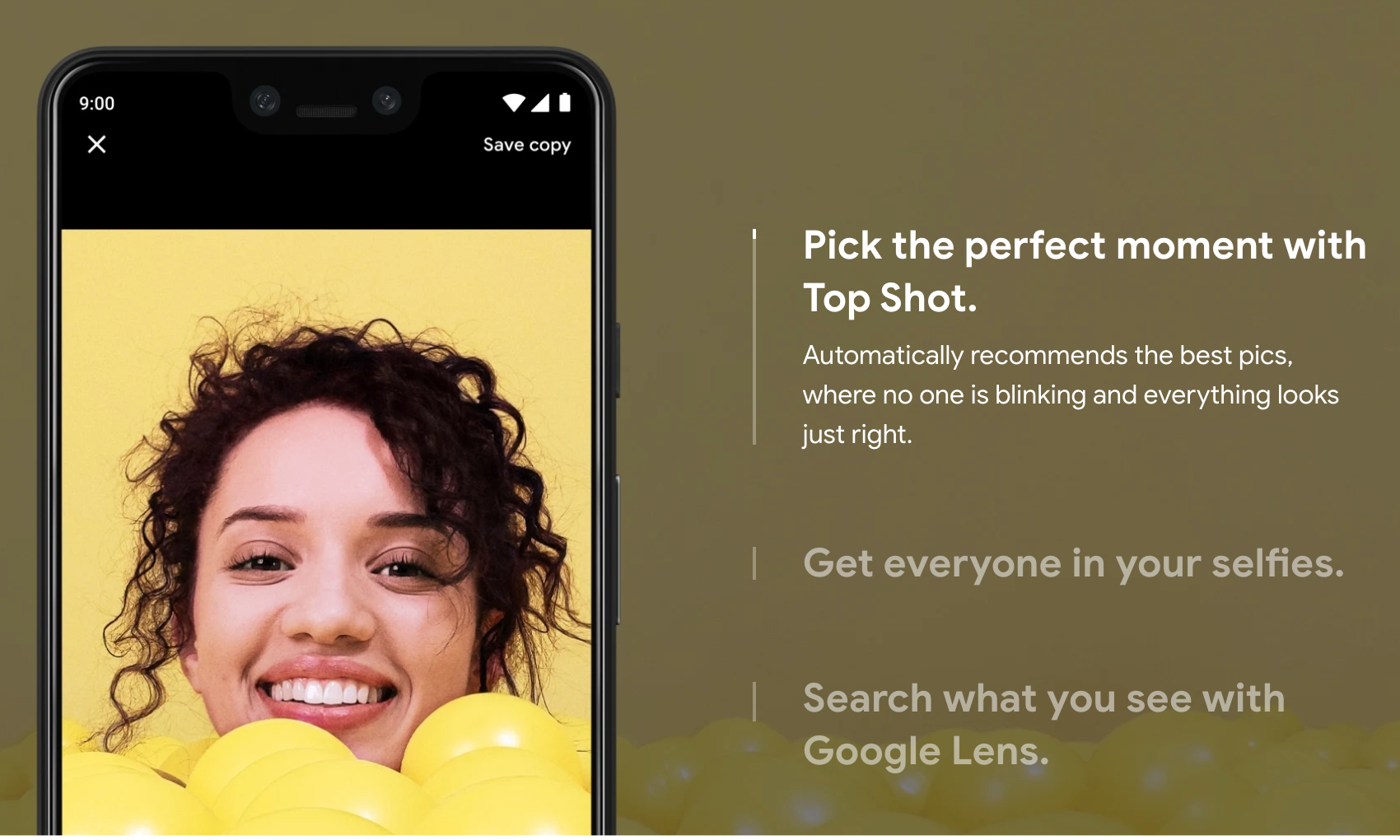
    This IP 68 rated smartphone is powered by Snapdragon 845 and sports one of the best cameras in the Waterproof Smartphones segment. Pixel 3 is dust and water-resistant and can lie in 1.5m deep dust or water for 30 minutes without any significant damage.

    Google Pixel 3
    Google Pixel 3

    #8 Samsung Galaxy S10E

    This variant of the Samsung Galaxy S10 comes with a Dynamic 5.8 inch AMOLED capacitive touchscreen. It is IP68 dust and water-resistant in up to 1.5m for 30 minutes. In this, Samsung has ditched the usual Snapdragon processor for its own Exynos 9820 chipset. The 3100 mAh battery can provide a decent run time. Despite being loaded with so many features, the S10e is one of Samsung Flagships you can buy.

    Samsung Galaxy S10E
    Samsung Galaxy S10E

    #9 Apple iPhone XR

    One of the lesser Waterproof Smartphones but still very powerful, the iPhone XR is IP67 rated, meaning it can stay in 1m deep dust or water for 30 minutes. Since it has been launched as a budget iPhone, it can provide great value for your money. It gives a powerful performance, has a good enough camera, and can be the best iPhone to buy right now if you don’t want to shed too much money.

    Apple iPhone XR Waterproof Smartphones
    Apple iPhone XR

    #10 Huawei’s Mate 20 Pro

    This IP68 dust/water resistant smartphone can remain in 2m for 30 minutes. Mate 20 Pro‘s 6.39-inch OLED display is exceptionally vivid. This phone is powered by HiSilicon Kirin 980 chipset. It also comes with a 4200mAh battery, which can provide decent enough juice to last for a long time. While there might be many other phones whose features will attract you, these are the best in class. They combine the best of both worlds, coming with excellent water resistance and a fantastic performance. Also, most of these come with a multiple-camera setup, which can add to the whole experience of using the smartphone.

    Huawei Mate 20 Pro Waterproof Smartphones
    Huawei Mate 20 Pro

    Now those candid clicks and random selfies in a pool or some other water body are just a click away. And the best part is that you don’t even have to worry. Also, if your phone falls in the water or is splashed over by it, it will probably come out unharmed.