Author: Adam Taylor

  • IPVanish VPN: Restoring Online Privacy

    IPVanish VPN: Restoring Online Privacy

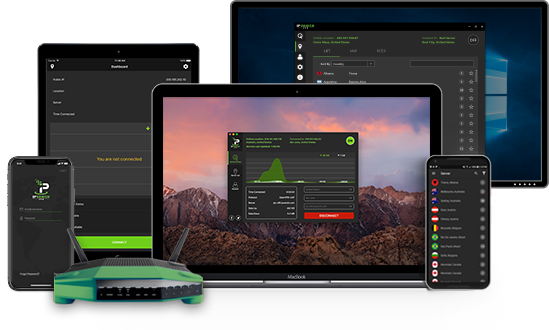
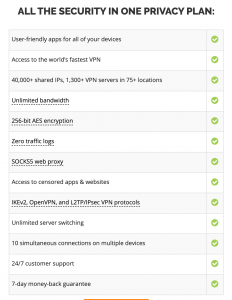
    First released in 2012, IPVanish VPN is a commercial VPN service that is based in the US. It is a unique initiative that provides end-to-end encryption while allowing the user to appear in more than 75 different locations at a time. Been in the business for a few years now, IPVanish has evolved significantly with over 1300 servers and 75 locations spread all across the world. It does bring along several good things with it like it does not collect your connection data or activity logs; it has a fast network with a good enough bandwidth.

    Also, the 256-bit AES encryption, along with the other modern VPN protocols, IPVanish keeps your personal information safe and allows you to use more than ten devices at the same time.  IPVanish is a consistently fast VPN, which is almost similar to streaming an HD or 4k video and, thus, does not slow down the speed of your internet connection. IPVanish provides access in 50 countries, 75 cities, and more than 40,000 IP addresses.  This is more than any other VPN service provider. It not only ensures that you have a congestion-free VPN server, but also a steady speed.
    IPVanish VPN Features
    IPVanish VPN Features

    Torrenting

    IPVanish is also known to be the best VPN service for torrenting. It allows torrenting on all of its servers without any DNS or IP leaks. While IPVanish works in a number of countries but is extremely upfront in letting the world know about the ones they do not work in.

    Accessible Countries

    Although IPVanish supports internet access and information all across the globe, the American company has come up and declared the list of countries that they are prohibited from providing their services in.

    The countries IPVanish does not provide services to are:

    • Myanmar/Burma
    • Cuba
    • North Korea
    • Syria
    • Sudan
    • Cuba
    • Iran

    At the same time, there are also some countries that have blocked IPVanish services. They are:

    • China
    • Kazakhstan
    • Egypt
    • Saudi Arabia
    • Qatar
    • UAE

    Platforms And Devices

    Coming to the supported platforms and devices, IPVanish works with almost all major platforms like Windows, Mac, Linux, Android, and iOS. It also allows connection with gaming consoles and streaming devices like AppleTV, Chromecast, Nintendo, Roku, PlayStation, Xbox, and Amazon FireTV.
    IPVanish VPN
    IPVanish VPN

    Security And Encryption

    When it comes to encryption and security, IPVanish is one of the best. It mainly uses the OpenVPN and IKEv2 protocols to encrypt online traffic. This only means that your system is always protected no matter what.

    Extras

    IPVanish has one unique feature, which is the VPN kill switch. This feature comes extremely handy in protecting your privacy, in case you have a connection drop. Also, it includes a web proxy that hides your IP address on both P2P and VoIP connections. With an easy-to-install procedure and other advanced features, IPVanish is one of the best VPN services. It also offers several different plans and policies, depending on the user’s requirements.
  • Mindustry: The Ultimate Sandbox Tower Defense Game For Android 2020

    Mindustry: The Ultimate Sandbox Tower Defense Game For Android 2020

    There are probably a hundred tower defence games available in the Google Play Store. But not all of them offer engaging and in-depth gameplay as does Mindustry. With a fetching strategy and attractive gameplay, Mindustry has grown to become one of the most favourite tower defence games for Android.

    What is Mindustry?

    Mindustry is a hybrid tower defence sandbox factory game that requires the player to create a sumptuous supply chain of conveyor belts. This is then used to feed ammunition into the turrets. The player needs to produce materials for making buildings and structures and defend them from enemy attacks. It is a multiplayer game where users fight with other server players to protect their towers. It was initially developed as a ‘machinery’ themed game back in 2017.

    Mindustry
    Mindustry

    With several updates and new versions flowing in, Mindustry has now become a polished and versatile game to engage in. Not only is Mindustry particular about its strategies and gaming, but it also stresses on precise taps and clicks for valid commands. To unlock new arenas and explore these areas, players need to meet various objectives from time to time. It is an entirely open-ended game that can be customized as per the player’s ease.

    Compatibility

    Mindustry is compatible with most platforms like Android, iOS, Microsoft Windows, Linux, macOS, Macintosh operating systems, and GNU/Linux. It is available for Windows 7/8/10 and Mac OSX 10.9+.

    Gameplay

    Mindustry involves great gameplay to not only protect your supply lines but also to mine resources and build up more defence. It needs the players to understand the game and plan out their approach and strategies. It also has a tutorial to give you an idea about the overall attitude that players must-have throughout the game.  If you do not have an essential strategy to go about the gameplay, there are most chances that the bots or AI enemies will soon wreck your base by bypassing your defence.

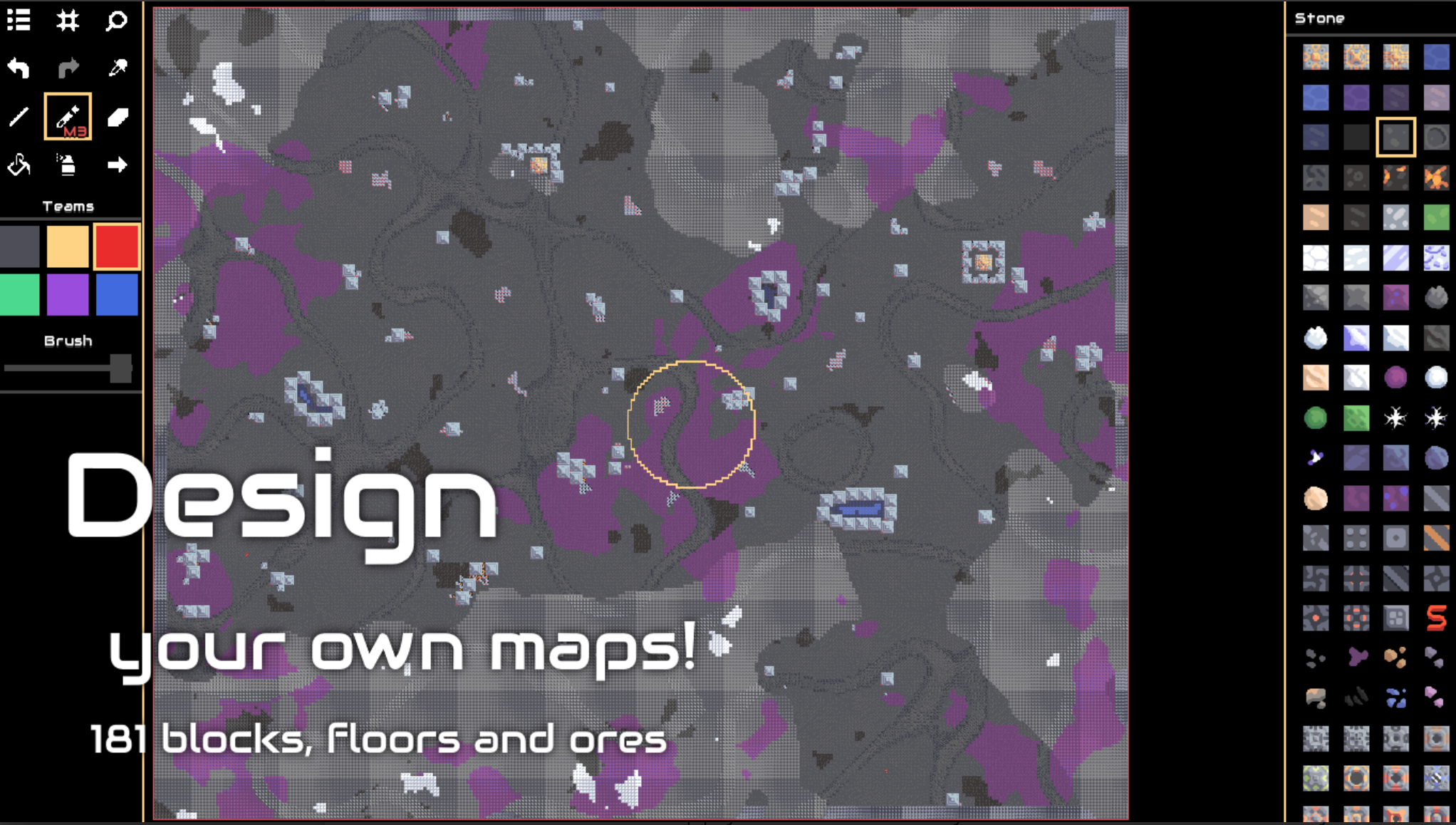
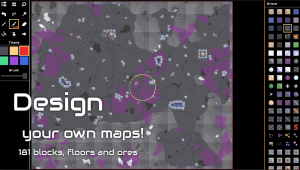
    Mindustry allows you to set up your own custom servers or local networks, create and edit maps, create a custom player, and control almost every aspect of the game as much as you like. As you keep playing the game further, the game evolves and unlocks various stages only to overwhelm you with challenges and twists. There are more than 12 re-playable built-in zones with randomized spawn points. You can also collect and store resources to build more buildings and structures to safeguard your tower.

    System Requirements

    Mindustry only requires you to have up to 1 GB free memory and 100 MB available space for the game. Apart from this, it works on any graphics that have OpenGL 2.0 support or anything above it. Mindustry is one of the best tower games in 2020 so far. If you have not installed it already, go ahead and try to mash those enemies down with hefty buildings and sharp strategies.

  • Huawei P30 Pro Vs OnePlus 7T: Detailed Comparison

    Huawei P30 Pro Vs OnePlus 7T: Detailed Comparison

    A battle between two flagship phones that are packed with sweeping features and functionalities, one will win the race. OnePlus 7T has been one of the most talked-about phones second half of the year, 2019, while Huawei has once proved its excellence in the arena of smartphones with a new addition to the P30 series, the Huawei P30 Pro. Both the phones are power-packed with new tech features but are also priced heavily at the same time. Today, let us discuss if it is worth paying the extra bucks on these phones, if yes, which one? We will discuss every aspect of Huawei P30 Pro vs OnePlus 7T to know the significant win for each of the two.

    Dimensions And Design

    • OnePlus 7T: 162.6 x 75.9 x 8.8mm
    • Huawei P30 Pro: 158 x 73.4 x 8.41mm

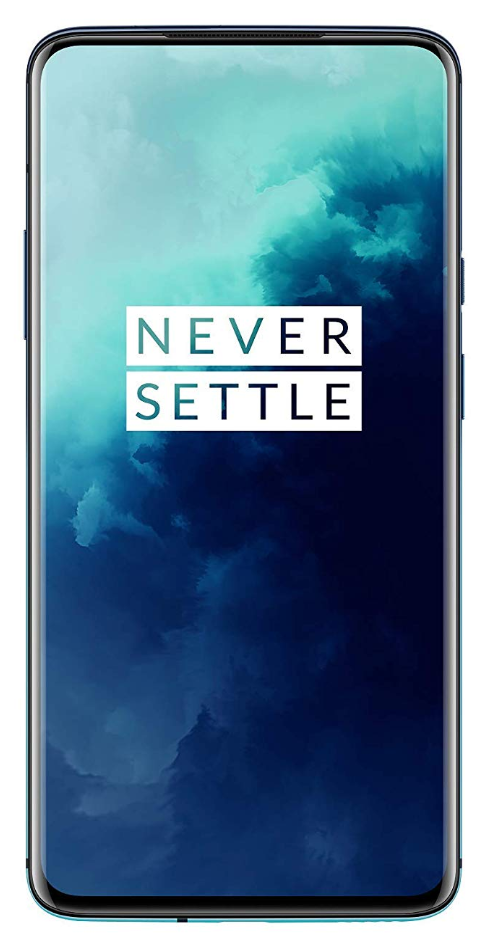
    Both phones are huge on the hands, but the One Plus 7T is comparatively wider and taller than the Huawei P30 Pro. With a metal and glass top for each of the phones, they do feel slightly slippery on the hands.

    Huawei P30 Pro vs. OnePlus 7T
    Huawei P30 Pro vs. OnePlus 7T

    They have both been designed ergonomically with a few bezels on the sides and rounded corners. Both the phones have minimal notches in its display. The OnePlus 7T has a waterdrop notch, while the Huawei P30 Pro has a dewdrop notch.

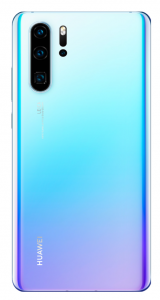
    The camera modules are protruding for both the models, where the Huawei P30 Pro has an extra rear camera. None of the two phones has a headphone jack. The Huawei P30 Pro has IP68 water and dust resistance, while the OnePlus 7T has no confirmation of any of the two. All in all, both the phones are similar in shape and size, as well as design.

    Opening Camera
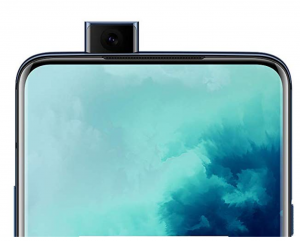
    OnePlus 7T Opening Camera

    Display 

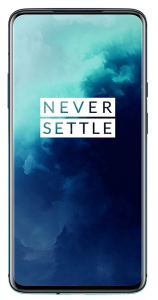
    • OnePlus 7T: 6.55-inch, OLED, Full HD+
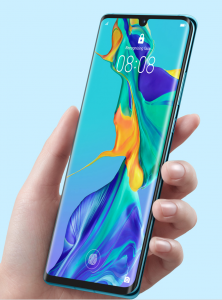
    • Huawei P30 Pro: 6.47-inch, OLED, Full HD+

    Both the OnePlus 7T and Huawei P30 Pro has a Full HD+ OLED display with a minute difference in the screen size where OnePlus 7T is slightly bigger and broader than the Huawei P30 Pro.

    The real difference between the visuals in both phones is the quality. The OnePlus 7T has a smooth fluid like crisp display with 90 Hz refresh rate. The Huawei P30 Pro, on the other hand, has a comparatively lower resolution. The display panel on the OnePlus 7T is relatively flatter than that of the Huawei P30 Pro.

    OnePlus 7T Camera
    OnePlus 7T Camera

    Camera

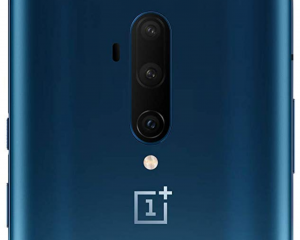
    • OnePlus 7T: Triple rear (48MP+16MP+8MP)
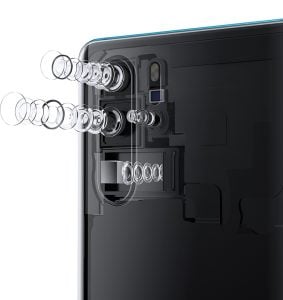
    • Huawei P30 Pro: Quad rear (40MP+20MP+8MP+ToF)

    The Huawei P30 Pro compensates for the resolution with a hefty camera with sharp detailing and true to life colours for a dynamic image. The zoom capability of the phone is incredible, unlike the OnePlus phone.

    The OnePlus 7T is no loser in this regard but is a marginally lesser in the camera arena than the Huawei counterpart. OnePlus has brought along tons of improvement in its camera from the previous models and is pretty much reliable too.

    Huawei P30 Pro camera
    Huawei P30 Pro camera

    Both phones have an ultra-wide camera with dedicated night modes. But, the Huawei P30 Pro has another significant feature that takes its camera a notch further up. It is the ability to draw more light and stabilize the exposure on its own even when you are holding the phone in your hands. This brings out the best colors in the photos almost effortlessly.

    Performance and Battery

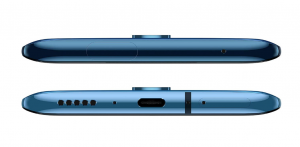
    The Huawei P30 Pro is equipped with a Kirin 980 SoC processor coupled with 8GB RAM. You can choose the storage variant between 512 GB or 128 GB. The OnePlus 7T, on the other hand, comes with a Qualcomm Snapdragon 855 processor. It has variants in both the RAM and storage. You can choose from 6GB, 8GB or 12GB of RAM and 128GB or 256GB of storage. Neither of the two support storage expansion.

    OnePlus 7T Ports
    OnePlus 7T Ports

    Both the phones run on Android Pie with a little difference. The OnePlus 7T has an Oxygen OS, which is a customized version of the Android Pie while the Huawei P30 Pro has an EMUI skin on top of the Android version. Both the variants are much the same without not any particular difference.

    Talking of the battery capacity, there is no competition to the Huawei P30 Pro. It runs on a 4200 mAH lithium polymer battery with intelligent power-saving technology. It can refuel the battery up to 70 percent in just 30 minutes. It also allows a 15W wireless quick charge option. You can also share the charge with other device using the reverse charging technology.

    OnePlus 7T
    OnePlus 7T

    On the other hand, the OnePlus 7T is has a 3800Mah battery, which is decent and also allows the 30W warp charging feature.

    Audio

    The Huawei P30 Pro is a slight let down when it comes to the audio quality, but the OnePlus 7T does not disappoint you a tad bit. The Huawei counterpart does not have stereo speakers, which is a significant drawback in the device.

    Huawei P30 Pro Resolution
    Huawei P30 Pro Resolution

    With speakers at the bottom, both the phones deliver a decent sound output. Unlike the Huawei P30 Pro, the OnePlus 7T has a secondary speaker just above the display. Both the devices also support Dolby Atmos audio.

    Price

    When it comes to the price, the Huawei P30 Pro is much more expensive than the OnePlus 7T.

    Huawei P30 Pro Feature
    Huawei P30 Pro Feature

    Conclusion: Huawei P30 Pro Vs OnePlus 7T

    While the OnePlus 7T boasts of a shaper and a more extensive screen presence, the Huawei P30 Pro has a massive battery capacity along with a wireless charging feature. Also, the camera on the Huawei counterpart is way better than the one in OnePlus.

    But, if you look at the pricing, the OnePlus 7T is a much better pick given the features being much the same except a few misses.

  • Huawei Mate X2: More Than Just A Good Design

    Huawei Mate X2: More Than Just A Good Design

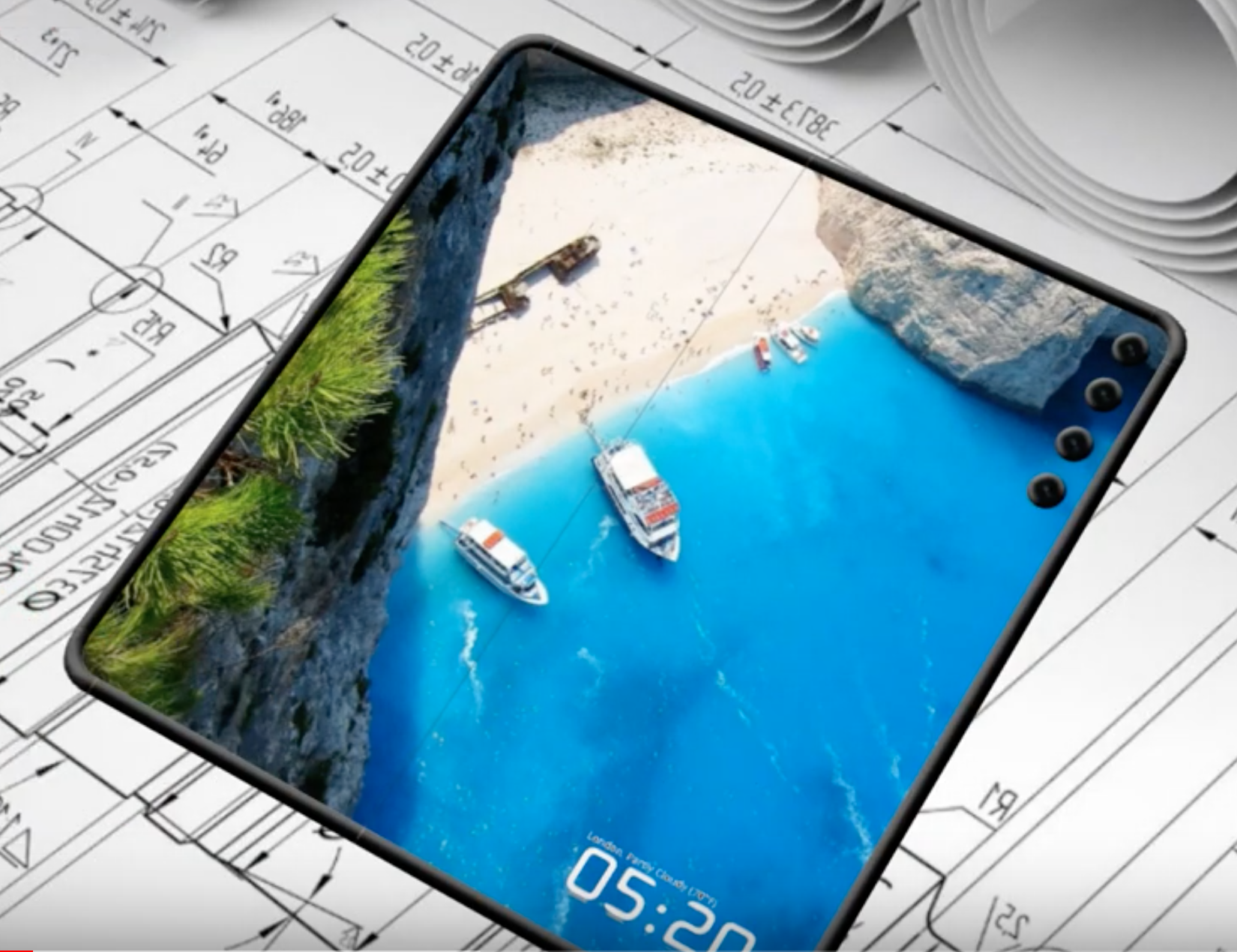
    The Huawei Mate X2 is an inward foldable model that is to be realized at the end of 2020. Before its release, people are assuming various things regarding its design, features, and its mode of work. The current version of Huawei is Huawei Mate Xs, which is much similar to Mate X as far as the outside design is considered. The Huawei Mate X2 is expected to release in the autumn of 2020. A patent has been filed that the to-be-launched model will have an inward foldable design but for secure holding of the smartphone that ensures more excellent protection to the delicate display. This is a significant change as the original version was equipped with an outward foldable screen that could get damaged by the outer element.

    Huawei Mate X2
    Huawei Mate X2

    Design

    There is the facility of sidebar down one edge, which contains a display on one side that blinks the notification. Also, there is an array of four lenses outside and two on the inside. While the device is closed, all the six lens can be used, except that people are not sure about the way how it works. The next outstanding feature is its stylus, which increases the versatility of the phone. However, it is not known how the style would work against a folding glass. In September, a patent has been observed that show the Huawei foldable phones with a stylus. All the recent patents have portrayed Huawei X2 with rounded corners.

    Huawei Mate X2 sides
    Huawei Mate X2 sides

    This Huawei device has adopted a design that is starkly similar to that of the Samsung Galaxy Fold. With an inward folding design, the phone amps up its protection from the shock aspect. It not only makes more sense but also makes using the device easier when on the go.

    The inward folding design protects the screen of the phone, enhancing its longevity and durability. Although not very distinctly different from the previous models, the Huawei Mate X2 has an appealing outlook. The improved hinge mechanism of the phone is ideal for smooth and durable usage. Furthermore, it resists any abrasion and shock on the screen.

    Huawei Mate X2 Features
    Huawei Mate X2 Features

    Processor

    With the use of the new Huawei Kirin processor, Huawei Mate X2 has been regarded as the pioneer in the use of this processor. There is a certainty that the phone will have the facility of 5G connection with the chip having the updated version of the 990 processor. As a completely new model in the market, we hope to see a good rise in the demand for the phone. The new design has definitely brought along several advantages, including the ease of use for customers.


  • Google Portfolio Performance Notification: You Will Now Get Alerts Every Morning

    Google Portfolio Performance Notification: You Will Now Get Alerts Every Morning

    Google’s approach to integrating stock overviews into the Google Assistant has been messy. Although you can add stocks and view your portfolio with Google Assistant, the Assistant cannot tell you about your shares without you configuring some third party integrations to it. E*TRADE, Fidelity, and TD Ameritrade have their own Google Assistant integrations that you can find and configure under the ‘Services’ section of the ‘Stocks & Brokerages’ menu. If you’d like to use any of these integrations, you will have to link your trading account with your Google account for each trading house. Google Portfolio Performance Notification is easy enough to set up.

    Google Portfolio Performance Notification

    After configuring the integrations, you will be able to ask Google Assistant specific questions and check up on your portfolio. You cannot ask the Assistant to tell you about individual stocks. Trying to configure it to do that doesn’t work, either. Tapping on the ‘Stocks’ options will take you to the ‘Stocks’ subsections of the ‘Your Interests’ menu.

    Google Portfolio Performance Notification
    Google Portfolio Performance Notification

    Recently, though, there have been some developments, and Google is beginning to make improvements – in the main Google app, at least. The Google app now sends users neatly bundled stock notifications that give them an overview of how their portfolio is doing. Since the stock watchlist has always been a part of the Google app, we cannot call this feature entirely new. However, the design of the notification has certainly changed. In the past, Google would send users huge cards per stock, whereas the new design is much more elegant.

    The Redesign

    The redesign gives you a neatly arranged, bundled overview of the stocks you’re interested in, and makes all the relevant details available when you tap on the notification. Downloading the beta version of the Google app might help, but don’t expect it to come with the feature pre-loaded. The beta is available on sites like APK Mirror, or you can head to the Play Store and opt into the beta testing program.

    To set your app up to receive notifications, you must first organize your watchlist in the Google app. Head to Google’s finance search page, or search for a company you want to monitor. Tap on the plus button next to the company to add it to the portfolio. Since the feature isn’t packaged in an application update, and it is a server-side rollout, you cannot do much to get your hands on it other than wait for it to arrive. Users are hoping that the Assistant will soon be able to narrate an overview of their portfolio without needing to rely on third-party integrations.


  • Netflix And Disney Plus Content In Google Play Movies

    Netflix And Disney Plus Content In Google Play Movies

    Netflix And Disney Plus Content are now available in Google Play Movies! Google Play Movies & TV is an application by Google that allows you to watch movies and TV shows purchased or rented on Google Play. With this installed, you can watch your favourite movies and shows instantly on your Android phone or tablet, or on any HDTV with the help of a Chromecast. It enables you to download and watch the desired content from anywhere, even when you’re not connected to the internet.

    It is one of the leading OTT players in the market right now that streams content and supports the purchase of movies or other television shows. It is powered by operating systems like Android, iOS, Roku, WebOS. It offers HD quality videos and 4K Ultra HD videos with 720p or 1080p resolution. Consumers are evolved today and want to be updated with the latest technologies that complement a seamless lifestyle.

    Netflix and Disney Plus
    Disney Plus

    Keeping in view the need of today’s fast-paced millennials, this OTT application lets users pre-order movies and watch directly at the time of the release at the comfort of their homes – one of the several unique features of the app. The application is accessible in 110 countries across the globe. As a part of marketing and product strategy, the application rebranded itself in May 2012.

    Google Play Movies

    While there are various online streaming services across the global market, however, like most cases, the problem lies in choosing the best option. Google Play Movies now streams the content of both Disney Plus and Netflix, thereby ensuring a more extensive audience base. In order to watch Disney Plus or Netflix’s original content, one has just simply to link both the accounts with the Google Play Movies app.

    Netflix
    Netflix

    Disney Plus is two months old, which has 500 movies and 7500 TV shows, whereas Netflix, Inc. is an American production house and media service provider, is the largest and most popular online video streaming platform. For the same, users have to click on the menu and then on the ‘Manage services,’ then click on Netflix and Disney Plus, and for this, the respective applications must be already installed in the device.  Once the linking is successful, Google Play Movies app will show the Netflix and the Disney Plus content on its platform. This facility has ensured the streaming of a broader range of content that is of interest to all age groups, be it movies or TV shows under one platform.

    Now that you can finally search your favourite movies and programs directly from Google Play services. Though Netflix has avoided integrating with the Google Play apps for long now, it has now confirmed merger. Search your much-loved TV shows and movies from Disney TV and Netflix from your Google Play Movies.

  • Google Call Recording Functionality With Built-In Transcription

    Google Call Recording Functionality With Built-In Transcription

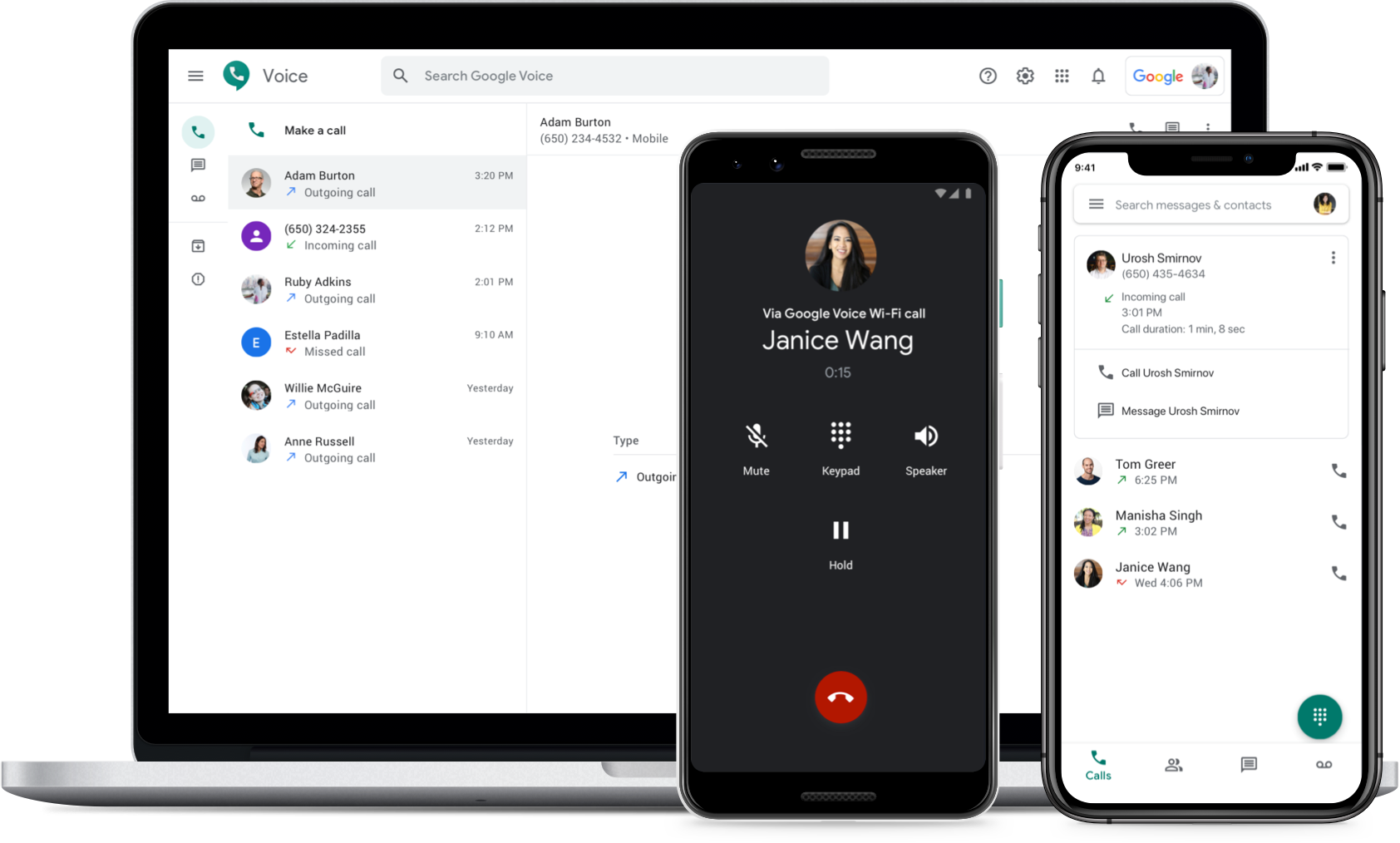
    A service created in 2009, Google voice ensures the user to call someone or receive calls, texts without any cost. With the rapid demand for smartphones and an increase in the apps, the use of Google voice experienced a decline until 2017 when Google launched the use of Google voice over the internet connection and has been used by small businessmen. The primary element used in this feature is the use of excellent internet connectivity. The Google voice is free until you make an international call. Google has incorporated the feature of voicemail transcription, which is entirely free and allows its user to record the call. In case of poor connectivity, it will enable the voice to turn into texts and is redirected to the inbox. Google Call Recording Functionality is quite useful.

    Google Voice
    Google Voice

    Let us now understand the meaning of call transcription. In general terms, Call transcription is the translation of the voice call into texts in a language of conversation. Call transcription can be live, or it can depend upon the recordings made in the past. It is a powerful tool for business, and therefore real-time speech to text transcription improves people’s understanding of who is new to a language. The legality of call transcription depends upon the locality.

    Google Call-Recording Functionality

    A very unique feature that is yet to be launched is the call transcription facility. It is assumed that by the use of this facility, Google is trying to improve security and privacy. This feature will allow the participants to know when a call is being recorded. This feature will also enable the recording to turn into text when there is a poor network connection. This will allow the phone to be used in airplane mode with perfect accuracy.

    Google Call Recording Functionality
    Google Call-Recording Functionality

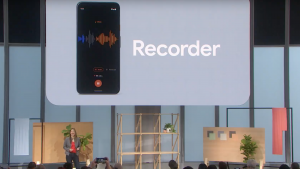
    Google sends a call waning at the start and the end of the recording. It is, therefore, considered to have the best protection in the world. Earlier, Google has launched the Recorder app in Pixel 4, and this has some resemblance to this yet-to-launch feature of Google. The release date of this new feature is unknown. A built-in feature that ensures the user to search for sounds, words, and phrases. Real-Time transcription of speech has been put forward by Google that works excellently besides recording. The recorder does not need the internet connection, and the transcription is held directly by the device. Currently, the recorder is available in English, but in the future, many more languages are soon to be launched.

    Google is an American based company that develops internet services, founded on 4th September 1998 by Larry Page and Sergey Brin. It is headquartered in California U.S.

  • Focus Mode On Android 10: Everything You Need To Know About It

    Focus Mode On Android 10: Everything You Need To Know About It

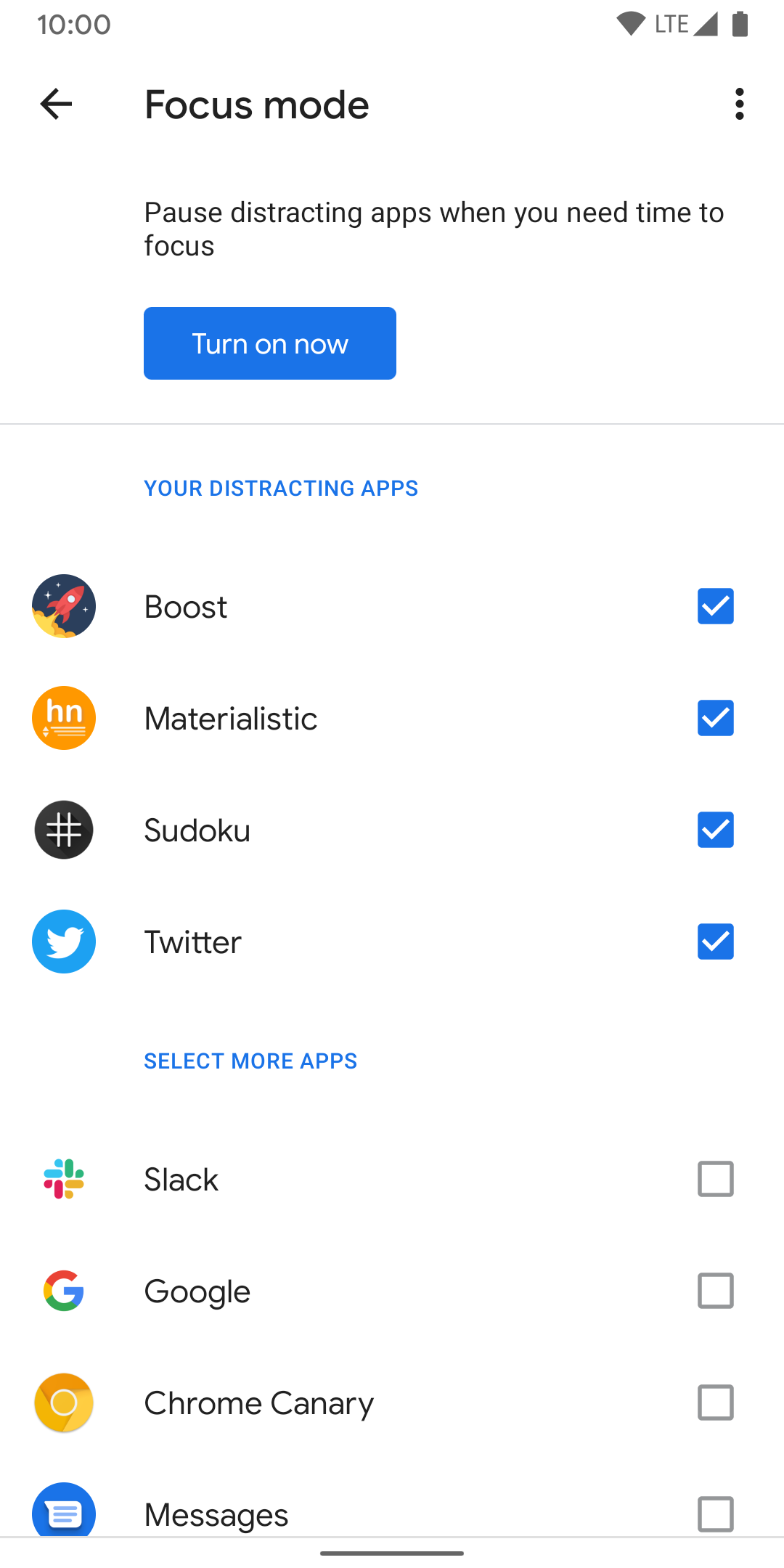
    A new Digital Wellbeing tool on Android, Focus mode helps in temporarily pausing the distracting app to complete the latest task at hand. It will temporarily keep those distracting apps silent until the mode is switched off. It is available in all the devices with Android 9 and 10. The Focus mode is the updated version of ‘Do not Disturb.’ It blocks the specific disturbing apps from showing any further notification. The notifications are restored and are only available in the Digital Wellbeing app. Therefore it is needed to use the Digital wellbeing app thereby and adequately using the Parental controls.

    Focus Mode On Android 10
    Android 10

    After opening the Digital Wellbeing from the setting option, click on the Focus mode option from the below and select the number of disturbing apps you want to ignore and then turn on the mode. The funny memes from Facebook or any compelling WhatsApp messages or YouTube videos might distract your mind from doing your work. Focus mode actually relieves your mind from such distractions. Later, after completing all your tasks, you can tick off the apps to switch off the mode to restore your app to original functioning.

    Focus Mode

    The Focus mode function is very new to the android, and this was first launched in Google I/O 2018, and now it has been launched on Android 10 and 9 with the integration of the parent control app, Family Link. 

    Focus Mode
    Focus Mode

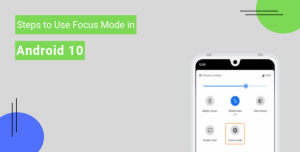
    This app is coupled with a notification mailbox, unlock clock, where you can set the time between which you would like to activate the mode. In case you accidentally open the temporarily paused app, this mode reminds you of your blocked apps. It has been regarded as the best app for preventing you from distracting your mind and thereby increasing your self-control. To ignore the hassle caused by enabling or disabling the mode, you can easily add the focus mode option to your quick settings.

    With have numerous videos by beta testers showing how to focus mode can be used and be more helpful to us in our everyday lives. Whether you want it to set your daily schedules, or minimize distractions while at work, school, or home, it can help you do them almost effortlessly. You can unplug it when you need and control how and when you would like to use your Android device. You can also set timers on Google Chrome in order to measure the time you spend in web browsing. With this application, you can stay ahead of your Android device and regulate its usage when necessary.


  • Fast Charging: Everything You Need To Know About It

    Fast Charging: Everything You Need To Know About It

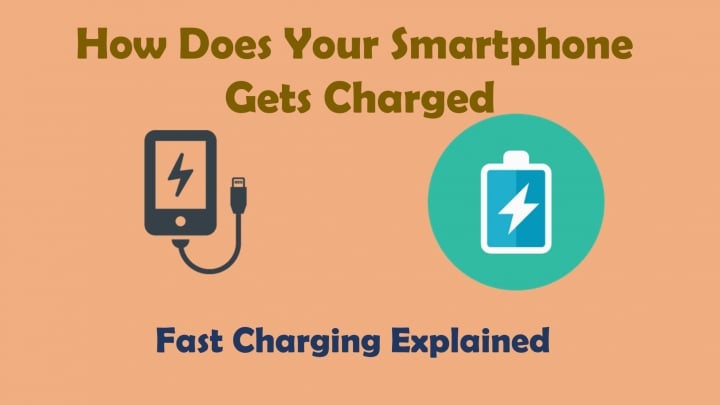
    After the release of any phone, people generally try to compare the new with the old version based on its display, memory chips, and performance. The latest in this category is the invention of the fast charger. This technology allows the user to charge their phones within a short time quickly. Charging includes a significant amount of technological advancements in it, whether keeping in mind the physical or chemical aspects of it. But the question arises as to how the fast charger works. The battery, which is present in all the smartphones, similarly transmit power. In chemistry, cells consist of both positive as well as negative electrodes.

    Fast Charging
    Fast Charging

    The acceleration of reaction by the electrolyte converts the compound into a whole new substance. Over time, ions formed in the electrons, drive the electrons to the negative electrode, thereby charging the phone. Generally, the above-mentioned reaction takes place only once in non-rechargeable batteries. But, the responses are reversed in rechargeable lithium-ion batteries. In this situation, the electricity produced by the chemical reaction recharges the battery, and the chemical reaction absorbs the power.

    In-house Technologies

    In most smartphones, the companies use their in-house technologies when it comes to charging the device. However, they do keep in mind a few of the genuinely proprietary standards. Some deliver quick charge while some have power delivery, brands rename the technology by bringing about certain changes in specific mechanisms. Like Samsung has its Adaptive Charging while Motorola has its Turbo Charging options. Mostly the same, they vary in particular technology used.

    Fast Charging Explained
    Fast Charging Explained

    While it is possible to support several standards, companies ensure to at least have some compatibility even with different fast charging methods. This is the same reason why different brand chargers have different levels and time of charging. Also, for the exact motive, brands prefer different charger adaptors and cables. Fast charging technologies continuously exploit the current phase. It pumps in as much charge as possible before the battery reaches its peak voltage. This is why quick charging options are best used when the battery level is less than 50% and does not really have any effect if the device is already charged up to 80%.

    After knowing how the batteries to charge, let us understand how the fast charger works. The chip controls the flow of electricity in and out of the cell, and also the amount of power in the device. The USB cables help in charging any phone’s battery. There are four types of USB specification – USB 1.0, 2.0, 3.0, and 3.1. The USB 1.0 and 2.0 plug ensures 5V/0.5A (2.5W).

  • Off-Facebook Activity: Facebook’s Tool For Third-Party Data Sharing

    Off-Facebook Activity: Facebook’s Tool For Third-Party Data Sharing

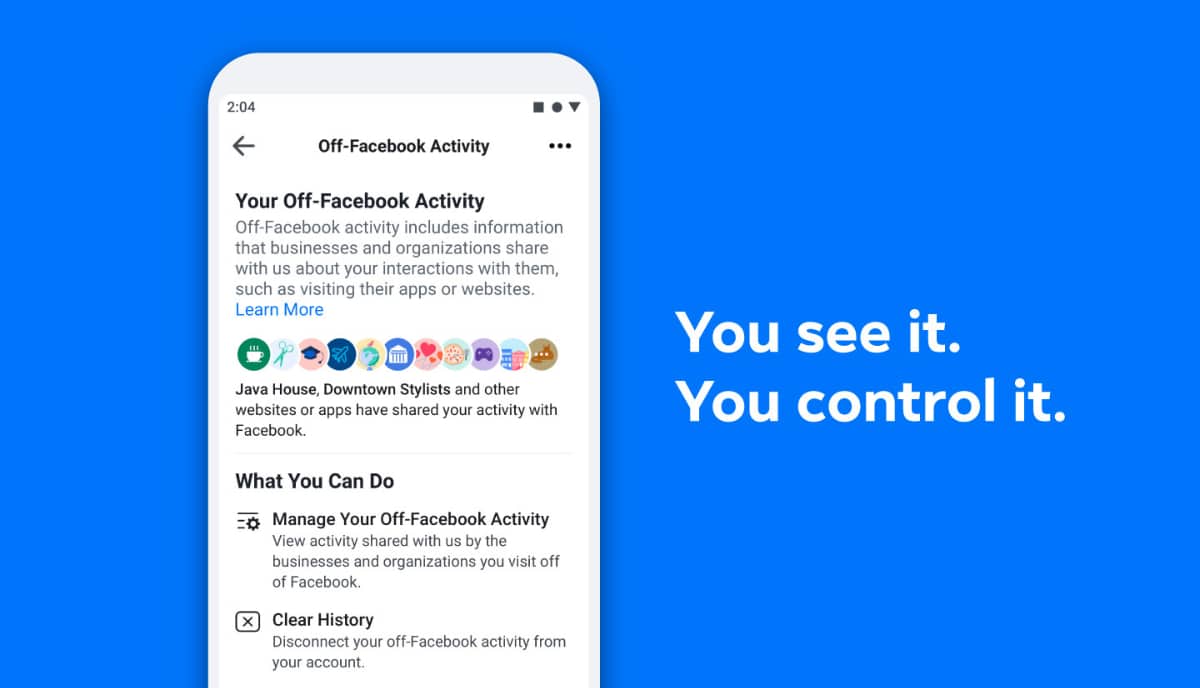
    Facebook is used by a wide range of users and has a strict privacy policy to ensure the privacy of user’s personal data and information. However, in 2018, there was a significant violation of data privacy that exposed all customized posts to the public, including phone numbers of at least 22 million Facebook users.  Facebook has a feature of shadow profile according to which like button, share button, or the browsing history feeds the third-party websites to extract information regarding the personal habit of an individual user. Over time these small data collected create a unique profile, and the company is not transparent whether the user has any access to such profiles. This feature is alarming and has been vehemently criticized at the social platform. The “Off-Facebook Activity” tool of Facebook ensures the user to take control of the data that the third-party apps had been using for so long.

    Off-Facebook Activity

    This is an essential tool as it gives excess power to the user to control all the right things. While the application assures maximum security, there are a lot of loopholes as well. Facebook has the power to view information from apps and websites with the help of like buttons, sharing options, etc.; therefore it is an accelerated rate at which the third-party app is collecting Facebook data.

    Off-Facebook Activity
    Facebook’s Tool For Third-Party Data Sharing

    The data is not entirely deleted, even after clearing history and cookies; the third-party application turns the clock to zero and starts all over again. To stop sharing data in the future, you can turn off everything or turn off the apps one after another.

    To turn off the sharing of data in the future, you have to manage the future activity by turning off the ‘future’ Off-Facebook Activity. Facebook has been dramatically criticized on the social platform for feeding the third-party with the personal data of the user. It uses various tools to extract information from the user and shares personal information with other third-party apps. It is thus necessary to monitor the data that we as users provide to Facebook.

    Facebook, headquartered in America, was founded by Mark Zuckerberg on 4th February 2004. It is a social networking site that is available in 140 languages and was initially accessed by students of Harvard. The application can be logged in from any device that has access to the internet, personal computers, laptop, mobile phones, etc.

    Every user has to register themselves with identity details and create their own platform. Users can access or generate a wide range of content that includes a variety like news, pictures, videos, blogs, marketplace. It is a medium to connect with a large group of audiences at once.