Author: Shilpa

  • Mediatek Chipsets: Company Reveals Two New Mid-Range Smartphone Gaming Chipsets

    Mediatek Chipsets: Company Reveals Two New Mid-Range Smartphone Gaming Chipsets

    MediaTek reveals two new smartphone chipsets for mobile gaming – the Helio G70 and G80. It is believed that these chips will make it to India this month, plenty of gaming-optimized specs for cheaper gaming phones. MediaTek says that these are mid-tier, premium chips, ideal for mid-range gaming phones. Both the Mediatek Chipsets have 12nm node 8-core designs with two A75 “big” cores clocked at up to 2GHz, paired with six A55 “small” CPUs at up to 1.8GHz, and an ARM “Mali-G52 class” GPU clocked at up to 950MHz. With so many similarities, the point of differences is not very clear. Both SoCs can be paired with up to 8GB of RAM as well. The chipsets will have a camera sensor of up to 48MP, but unfortunately, will not feature 5G support.

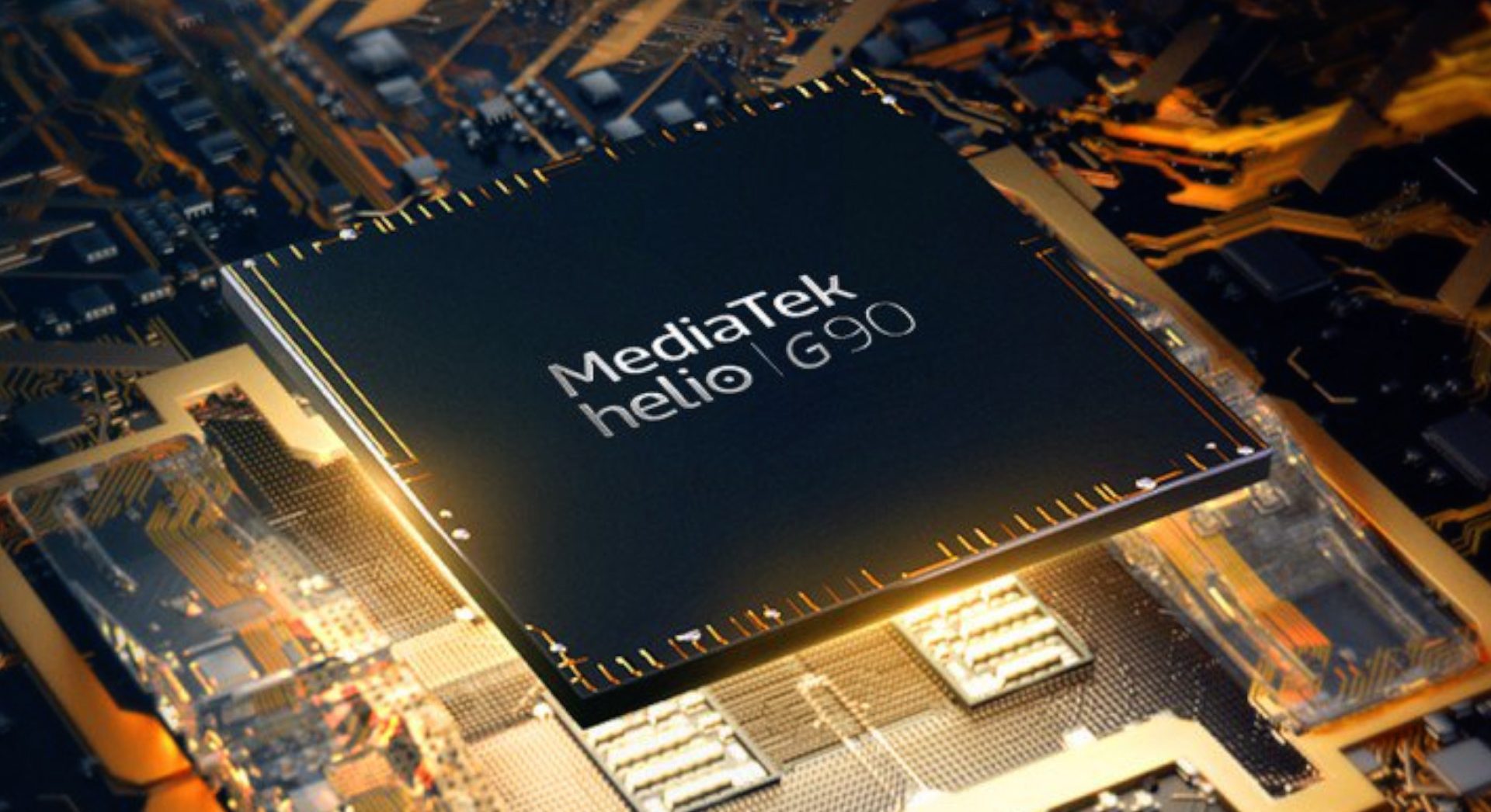
    Mediatek Helio G90 Mediatek Chipsets
    Mediatek Helio G90

    Besides the hardware specs, MediaTek is also working on its HyperEngine, trying to optimize the gaming experience. It comes with addition features, such as improved resource management and intelligent dynamic switching between Wi-Fi and LTE. Besides this, you will also be able to enjoy features like multi-camera support, hardware-level EIS, VoW, and rolling shutter compensation.

    Mediatek Chipsets And India’s Smartphone Gaming Market

    With India’s smartphone gaming market on the rise and no signs of slowing down, chances are that more affordably priced gaming phones will be released sometime soon. They are sure to popular with the users. MediaTek has talked about market availability in India at the moment. However, it is hoped that post the release, increased market penetration will be seen in other markets, such as the US and Malaysia. So far, there has been no word on whether or not these chips will be released elsewhere.

    Mediatek Helio G70 Mediatek Chipsets
    Mediatek Helio G70

    MediaTek Helio G90 chipset

    The MediaTek Helio G90 chipset was released last year. The idea behind this chip was to deliver high performance for mobile games in affordable devices. Since it was quite successful, it comes as no surprise that the company wanted to work on more gaming chipsets. In regard to that, Mediatek recently announced the addition of Helio G70 and G80 chipsets to its portfolio. These chipsets are designed to be used for gaming devices that will be launched in India. They are meant to be used in lower mid-range gaming phones.

    While both the chipsets are pretty similar in their specs and features, it is hard to understand the differences. However, once it launches, we will be privy to more information. At that time, we would be able to gain a better knowledge of each one’s pros and cons.

  • ScanWatch: Withings Launches New Hybrid Smartwatch To Detect Sleep Apnea

    ScanWatch: Withings Launches New Hybrid Smartwatch To Detect Sleep Apnea

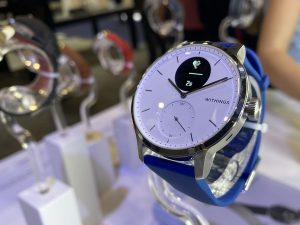
    Withings is a French wearable tech company. The company recently released a hybrid smartwatch at the CES 2020 in Las Vegas. It received a lot of attention due to the inclusion of electrocardiogram and sleep apnea detection in the device. Withings calls its latest release ScanWatch. They claim it is the company’s most medically advanced product. It looks quite similar to the Withings Move ECG. However, the developers mention that the ScanWatch can offer insight into general health like never before. These insights could help detect and prevent health issues at an early stage.

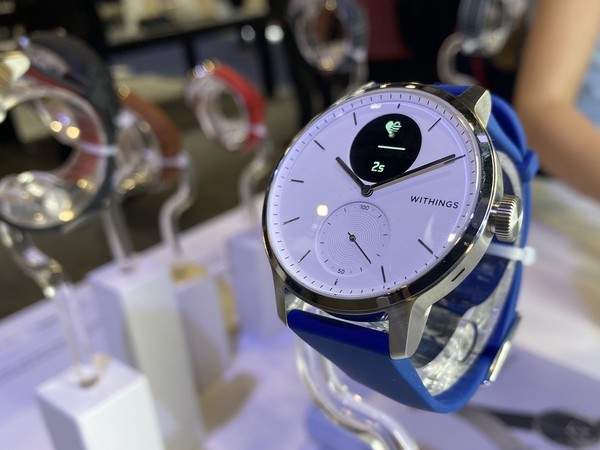
    Withings ScanWatch
    Withings ScanWatch

    ScanWatch can detect atrial fibrillation or arrhythmia and sleep apnea. The smartwatch has been developed in collaboration with cardiologists and sleep experts to ensure it is both accurate and safe. The hybrid smartwatch allows users and their physicians to monitors health and detect undiagnosed cardiovascular and sleep problems as early as possible.

    Withings ScanWatch 

    The CEO of Withings, Mathieu Letombe, stated, “ScanWatch is our most innovative medical tracker and is specifically designed to detect early detection of atrial fibrillation and sleep apnea – two related problems that are extremely common but remain largely undiagnosed despite their known effects on various diseases.”

    He also mentioned that the smartwatch has been designed for both day and night use. It comes with a water-resistant stainless steel case and features a stylish sapphire crystal dial. You will notice a subdial within the watch that displays the percentage of the daily step target that you have achieved so far. Another feature of the watch is the new SpO2 sensor which measures oxygen saturation in the blood.

    The basic design of the ScanWatch mimics Withings’ earlier models. However, some changes in design have also taken place, such as the addition of a larger digital display, better navigation, and improved battery life. The watch has an impressive battery that can last for about 30 days.

    Withings ScanWatch Smartwatch
    Withings ScanWatch Smartwatch

    Sleep Apnea Detection

    The ScanWatch makes use of the SpO2 sensor to monitor and detect nightly sleep apnea episodes. Throughout the night, the watch measures oxygen saturation in the blood. If the values are low, it could be because of respiratory disorders such as sleep apnea. Besides this, the smartwatch also offers you an analysis of sleep patterns via the Health Mate app.

    Built-In Cardiovascular Health Monitoring

    The smartwatch can analyse the heart rhythm and detect possible atrial fibrillation. Irregular heartbeat is a primary symptom of this condition. Since it is hard to detect, doctors often diagnose it late. All the details of the analysis are available on the Health Mate app. The device works on an early warning system that collects critical health data.

    The Health Mate supports more than 100 third-party fitness apps including Google Fit, Strava, Apple Health, and MyFitnessPal. Its Smart Wake-up feature wakes up the user at the most optimal time of the sleep cycle gently with vibrations. It is available in different colours. Regarding straps, it comes with interchangeable soft silicone and leather straps.

  • How does Google backup encryption works?

    How does Google backup encryption works?

    Backing your data is an incredibly easy task on Android. However, there are some issues that Google needs to take care of as soon as possible. Google offers its users a complete end-to-end encryption service. The company also uses the same service for data regarding its Android apps and your phone settings. Google has been working this way since the release of Android 9 Pie. Since this setting is on by default, you don’t have to do anything except check the box mentioning you want to use Google backup encryption. While it offers great options, there is still a lot lacking here.

    What is end-to-end encryption?

    Before delving into Google’s drawbacks with the service, let’s check out what end-to-end encryption means? This means that only the person creating the data and the one receiving the data can access the encrypted data. This is because it revolves around credentials which need to be supplied for access. The credentials could sometimes be passwords as well. You could even use an app to authorize the decryption of data. Other options include a secure lock screen. Regardless of the type of authorization, you can be sure that no company, server, or person can gain access. Since only the person(s) at either end has the decryption key, it is called end-to-end encryption.

    Google backup encryption
    Google backup encryption

    With Google’s backup service, you will have to use a secure lock screen to unlock your phone. Once your phone is unlocked, you will be able to send and receive encrypted data. Most Android smartphones have a form of hardware that allows encryption and decrypt on the go. It is generally facilitated by using a generated token, usually combing data from your lock screen security and Google account password.

    On Google hardware, it is known as the Titan Security Module, where both Pixel phones and servers hold the data. Once you authorize yourself, your data will be backed up. You can access it again via the Titan module. The key thing to note here is that neither Google nor the Titan module have any idea of the password to decrypt your data. Since only you do, your data is as safe as it can get.

    How does it work with Android?

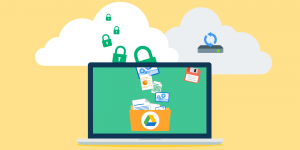
    When you are setting up your new phone that runs on Android Pie or later, you will go through a data backup section. You can enable this without thinking twice since Google nor any other entity has access to it. Once you do, your preferences and associated application data is packaged up, encrypted with a backup key, and stored in a hidden area of your Google Drive account. One thing you may want to note is that new data can overwrite existing data.

    Titan Security Module
    Titan Security ModuleTitan Security Module

    Since it is not compulsory for the developers to use Google’s Android Backup service, it could give us no end of trouble. If you reinstall the game, you will start where you left off and sometimes, you might have to start right from the beginning. If this becomes the norm with third-party developers and Google starts enforcing good practices, this could a great option indeed.

  • Shure Announces New True Wireless Earbuds And ANC Over-Ear Headphones

    Shure Announces New True Wireless Earbuds And ANC Over-Ear Headphones

    Shure is a well-known audio company. They recently released two new wireless products at CES 2020. The Aonic 50 are a pair of noise-cancelling headphones designed to compete with Sony and Bose. On the other hand, the Aonic 215 are a pair of true wireless earbuds designed to take on Apple and Beats. For many decades, Shure has been a major name in the music industry. However, it is only at CES 2020 that the company decided to venture into the more expensive end of the consumer market.

    Aonic 50

    The Aonic 50 is a wireless noise-cancelling headphone and so comfortable that you may never take it off. While it offers 20 hours of battery life, it is not very much compared to some of the others in the market. In fact, there are some models that offer close to 30 hours. Regardless, Shure has built a solid reputation in the audio market about its quality and reliability. Even if you have never tried out the company’s products, you can be sure they are going to be amazing. However, this is one of the first times, Shure has decided to work with high-quality, active noise cancellation headphones to beat the likes of Sony and Bose. It will be quite interesting to see how it fares.

    Shure Aonic 50
    Shure Aonic 50

    The headphone is likely to come with an app that will let the users tune the ANC to your surroundings. ShurePlus Play is the app’s name and you can decide how much you want to adjust the settings. The app is available for both iOS and Android devices. The nice thing here is that the app has been specifically designed for the latest models. The headphones will be retailed in the US at $399, that makes them settle firmly in the premium market. By doing this, it also becomes direct competitions for Sennheiser headphones. Adam Levine, the American musician, has been signed up by the company to be the brand ambassador of the latest noise-cancelling headphones from Shure.

    Aonic 215

    Shure is releasing this true wireless “sound isolating” earphones at the same time as the Aonic 50. The earphones are designed based on the same design that musicians use for in-ear monitoring on-stage. This has a battery life of up to eight hours with a feature of being able to charge up to three full charges on the go. The Aonic 215 has been specifically built to offer excellent audio quality, comfort, and a secure fit. It is yet to be seen if this model is enough to attract users of Samsung’s Galaxy Buds, Apple’s AirPods Pro, and Powerbeats Pro.

    Shure Aonic 215
    Shure Aonic 215

    The earphones have been designed such that you can use it for multiple things, including casual wear and gym use. With an arm that comfortably sits behind the ear, some may find it useful while others annoying. The acoustical engineers are responsible for balancing the ambient sounds and acoustics. Shure has only chosen the best for the team. Other details about both the products will be available on they are launched, which is expected to happen sometime in spring 2020.

  • Tweetcaster Stops Working Entirely, Developer Says Twitter Broke It

    Tweetcaster Stops Working Entirely, Developer Says Twitter Broke It

    TweetCaster is an old third-party Twitter app on Android. It was first published in 2010. We see that the app has not been updated for the last year. Now, you cannot connect to Twitter at all. Most recent Play Store reviews mention pretty much the same thing that the app is no longer working. All the users see is a 401 error. As of now, it does not look to be related to the app reaching Twitter’s notorious API token limit. This usually marks the end of third-party clients with existing users being able to access their accounts.

    Tweetcaster Stops Working
    Tweetcaster Stops Working

    TweetCaster was developed by OneLouder, who recently mentioned that Twitter broke the app on their end. The team is working to notify the users of the outage. However, there is no comment from Twitter about why this app is not working anymore. TweetCaster fans and users are taking to Twitter to find a solution or alternative for it. @nhammer13 tweets, “So Tweetcaster died and I’m heartbroken. Does anyone use anything other than the official Twitter app? I loved being able to read all of my tweets in chronological order and the Twitter app just seems so scattered.”

    TweetCaster and Twitter

    Many users say that it has been a long time since they have used Twitter. TweetCaster was their first choice since it was clean and neat, allowing the users to read their tweets in chronological order. TweetCaster is among the first third-party apps for Twitter. It is incredible that the developers had the app running strongly for about a decade. We sincerely hope that TweetCaster can work with Twitter to fix the outage. It is very hard to deal with the loss of an app that you have used for years and years.

    Tweetcaster
    Tweetcaster

    A Quick Update

    With the app long due for an update, it came as no surprise that the app had an issue with Twitter. However, it did not dull the blow since it is one of the all-time favourites across the globe. Despite the fact that TweetCaster has not received an update for about a year, OneLouder still took matters up with Twitter. The company mentioned that they are trying to get in touch with Twitter to understand what went wrong and how it could be made right again.

    After the attempt, OneLouder posted a tweet, “Hey TweetCaster fans! We just posted an update to the app (9.4.2) that fixes the outage. Google is processing the app and it should be available on Google Play soon. We apologize for the inconvenience. Twitter API token was invalidated and it took a while to resolve it with Twitter support.” Maybe this incident will motivate the developers to bring an update for the app. If TweetCaster is not updated and does not work flawlessly like before, it is only a matter of time before another similar app pops up. At the moment, they have the support of all the users who have dedicatedly used it in the past decade. This would be an excellent time to update TweetCaster.

  • OpenSK: Google Releases Open-Source 2FA Security Key Platform

    OpenSK: Google Releases Open-Source 2FA Security Key Platform

    OGoogle releases an open-source 2FA security key platform called OpenSK. The company is deeply involved with security keys and has always worked to improve mobile security. The Titan line of security keys comes with full integration to your Android or iOS smartphone. You can use this to authenticate your login to your Google account. OpenSK is an open-source project that lets the developers build their own 2FA security key.

    The team has written OpenSK in Rust and is quite simple to follow. This is because it supports both the FIDO U2F and FIDO2 standards. Solo and Somu are other open-source projects for security key platforms. OpenSK follows the legacy of these platforms. By having OpenSK as an open research platform, it is hoped that security key manufacturers, researchers, and other supporters work together to come up with new techniques that could speed up security key adoption.

    OpenSK
    OpenSK

    To keep our digital life private, the minimum requirement we have to adhere to is the two-factor security or authorization. However, there some hardware that doesn’t have these necessary factors, highlighting the lack of security. This is why open source enthusiasts and supporters will be super glad to hear that Google is now working on OpenSK. Google says that it will release soon. It will come with support for both FIDO U2F and FIDO2.

    OpenSK

    With this release, developers can flash OpenSK on a Nordic chip dongle. This dongle supports all of the major features of FIDO2. This includes Bluetooth Low Energy, USB, NFC, and a dedicated hardware crypto core. Director of Product Management at Nordic Semiconductor, Kjetil Holstad, said, “We’re excited to collaborate with Google and the open-source community on the new OpenSK research platform. We hope that our industry-leading nRF52840’s native support for secure cryptographic acceleration combined with new features and testing here will help the industry gain mainstream adoption of security keys.”

    Google OpenSK
    Google OpenSK

    The developers have written the code in Rust and it runs on TockOS for cleaner OS abstractions and better isolation. Rust is known for its strong memory safety which is known to offer protection against logical attacks. On the other hand, TockOS provides a sandboxed architecture that provides better isolation of the security key applet, drivers, and kernel.

    Google even gave a quick demonstration of OpenSK working on a Nordic chip dongle as a security key. Google’s OpenSK is just out and is more like an experimental release. It is compatible with and can only work with a single piece of reference hardware at this point – the Nordic chip dongle. However, if this goes on to be a success, Google and its team along with the other developers and security researchers working on this would be able to build something solid using this as the base. This will certainly benefit open-source security and make it better. Do you want to know more about how OpenSK works on TockOS? Simply pop over to the GitHub repository and go over it in detail.

  • Google Photos Mail Service: Google Photos Will Automatically Print And Mail Your Best Pics

    Google Photos Mail Service: Google Photos Will Automatically Print And Mail Your Best Pics

    If you own an Android smartphone, chances are that you use Google Photos. If you do, you will know that the app highlights the best photos you take by putting its AI into use by grouping them, adding special effects, and so on. A few months ago, the app started automatically curating memories. They came up with an option that allows you to print out these photos in a new Canvas offering. Google is currently working on testing the service, Google Photos Mail Service. It allows the users to automatically print and mail the best photos you take every month.

    Google will automatically choose the ten best pictures from the previous month and print them on 4×6 matte white cardstock with a 1/8-inch border. The company will then mail the set to you – all this for $8 a month. If you would rather receive a mix of the photos, you can let it lie. However, if you would prefer to have pets, people, or landscapes, you can set your preference.

    Google Photos Mail Service
    Google Photos Mail Service

    Trial Run

    This program is currently on a trial run in the US and only offered to a few select users at the moment. While it is not a very useful service, it is sometimes nice to receive surprise photos that could highlight some cherished memories of the past month. If you want to try it out straight away, visit the Google Photos website. Can you see a banner at the top of the page advertising the program? If so, go ahead and sign up for it. In case there is not, you can print your photos and collect it manually from Walgreens or CVS.

    Google Photos Mail Service

    So, what does this service exactly consist of? You will receive ten photos every month by mail, mostly from the previous month. As of now, this service is priced at $8.99 a month. Since it is new and just released, the service is being offered with a six-month free trial. While it is not available for everyone at the moment, Google is likely to expand its services once the trial run comes to an end. The service, Monthly Photo Prints, basically prints out the ten best photos of your preference, print it on good-quality paper, and mail it to you. If you love surprises, this is a great option.

    Since most of us take thousands of photos and some of them quite crap, we believe this service involve curation. If Google is depending on an algorithm to figure this out, it could all go south very quickly. Since the service charges $8, it is only fair that the users get the very best photos. To achieve this, human curation is almost always necessary. Even if it works based on an algorithm, a human is likely engaged somewhere along the process. This is to ensure that each photo is absolutely the best.

    If you are not too keen on this service or if it has not come to you yet, you can always print the photos you want and collect it from a Walmart or from CVS Pharmacy. This service came into effect since September last year.

  • Frictional Games: Amnesia Developer Teasing Next Game With Spooky ARG

    Frictional Games: Amnesia Developer Teasing Next Game With Spooky ARG

    Amnesia developer Frictional Games released teasers on their website. The Dark Descent, the studio behind Amnesia, launched a super spooky ARG designed to tease new game with videos. Augmented Reality Games are an excellent way to interact with hardcore fans with many game creators using them to promote their titles. A pulsating neuron featured on their website which slowly grew into a pulsating cell. It went through another change, starting off an ARG. While the cell now looks like a human embryo, there are now other changes visible on the website. The social media icons now feature an eye-shaped interloper as spotted by Foxnull on ResetEra. While clicking on it does nothing, you can hover your cursor on it to catch part of a YouTube URL.

    Amnesia - The Dark Descent - Frictional Games
    Amnesia – The Dark Descent

    Sweden-based Frictional Games has released many titles, the more popular among them being Amnesia: The Dark Descent, Amnesia: A Machine for Pigs, and Soma. Soma is the latest release in the list and is commonly agreed by the players that it is Frictional Games’ best game so far. The game has a submarine research centre backdrop with a thrilling storyline and gripping gameplay. The makers have managed to capture all the feeling required to make this a huge hit in the survival horror genre. The game was released for PC and PlayStation 4, and Xbox One in 2015 and 2017 respectively.

    The Teaser

    Let’s get down to the teaser in detail. It began as a flashing, blue light which later evolved into a human embryo. The makers have managed to add another mystery element by having a hidden URL among the social media links. The links lead to a video titled “Box 52, Tape 16.” The 10-second clip shows rocks and focuses on one that has a blue symbol engraved into its surface. In addition to this, there is another link waiting to be found as well. The second link takes you to another video which has a chilling sound but no visible imagery or video. This is titled “Box 7 Reel 2, Partial Success.”

    Frictional Games
    Frictional Games

    The second video clip highlights a lot of background noise with erratic screaming that sounds only half-human. It is terrifying enough to make you want to stop the video. If you examine the rocks, the video clips, and all the yelling together, it looks like a very good indication of what is to come. Spooky, scary, and creepy – the teasers have all the elements to keep us hooked. The studio is well-known to come up with titles that can scare the wits out of its players. With an ARG involving the fan community, you can be sure the game is only going to be more terrifying than the promos.

    What else?

    The first recording ends with a text that mentions that it’s a video cassette from February 16, 1983. It is apparent that it is part of a private collection. It ends with “Marked Shetpe, KSSR”, where KSSR stands for Kazakh Soviet Socialist Republic, known today as the Republic of Kazakhstan. Shept, refers to a village in Kazakhstan.

  • How To Download Music From SoundCloud

    How To Download Music From SoundCloud

    SoundCloud, a European online audio distribution platform, is a Berlin-based entity. It has gained popularity in recent years along with a reputation for being one of the best music sharing platforms out there. While streaming is the latest trend, you just cannot relax unless you have a local collection of music that you can access regardless of your internet connection, streaming subscription, and other factors. Sometimes, however, downloading a track is not as simple as simply paying the fee and downloading it. SoundCloud is an on-demand service where people can stream music through its website and mobile application. They also make a ton of revenue with the ads.

    Download Music From SoundCloud
    Download Music From SoundCloud

    SoundCloud also has an unlimited membership if you want to listen to the tracks without being disturbed by the adverts. This membership will also get you offline access to the apps. However, most songs available on the platform can also be gotten for free. With the membership prices being a little too steep, let’s see what other option we have. You can download songs from SoundCloud by either clicking on the small download icon in the lower-left corner or by using an online extractor. Let’s explore them in detail.

    Download Music From Soundcloud

    SoundCloud gives the artists an option to make their tracks downloadable. If the artists choose to do so, you will be able to download it easily. However, you will only be able to download one track at a time. As of now, there is no way you can download the entire playlist. If you want to download a track, simply tap on the Download button located below the track. If you don’t find it, it could be because the artist has chosen not to make it

    Download From SoundCloud
    Download From SoundCloud

    downloadable.

    Online Extractor 

    If you don’t find the option of downloading the song or audio track on SoundCloud, never fear. We have an alternative to help you out. This involves using an online extractor. What essentially happens here is that you run the specific URL of the track through an online extractor. You will then be able to retrieve the audio file from the firm’s server. It is a great way of downloading your favourite tracks.

    First, find the track that you want to download on SoundCloud. Once you do, simply copy the URL from the address bar at the top of your browser. Make your way to the KlickAud website. Paste the copied URL there. Click on the Download button. You are done! The track will download, and you can now listen to it offline as well.

    Wrapping Up

    While most of us may be happy to pay the subscription fee for an ad-free experience, it does put a damper on things if the fee is very steep. In that case, you can use one of the above two options to continue listening to your favourite tracks offline and without any disturbances. Check it out and see if it works for you!

  • How To Combine PDF Files On Android

    How To Combine PDF Files On Android

    If you are looking for ways on how to combine PDF files on Android, we have the solution for you. We have shared two of the most reliable and popular methods in this article. You can combine the different PDF files on your Android device in no time. Knowing how to do this can come in particularly for most of us, especially those who tend to deal with tons of electronic documents every day. Combining all the different PDF files into a single one can save a lot of headaches and make it easier for you to go through it and use it.

    PDF Merge
    PDF Merge

    Since the PDF file format is popularly used across the internet, this is an important skill to know. There are several websites, third-party apps, and software out there that can help you accomplish the task of combining multiple PDF files into a single one. In this post, we will take a look at the two most popular methods to combine the PDF files. They are Android apps and help you comfortably combine the PDF files without ever leaving your place.

    1. PDF Merge

    PDF Merge is a well-known app, popular for its easy-to-use interface. It is an added advantage that works super fast and can get your files combines in minutes. The app allows you to create new PDF documents by combining several existing ones. You can choose the files located anywhere on your phone. If you are looking to deal with files located elsewhere, such as Google Drive, Dropbox, Gmail, Box and OneDrive, you can do that as well. The app is a single platform that lets its users do everything they want to without leaving.

    The very first thing you need to do is to download and install the PDF Merge app on to your Android smartphone. Once you have successfully installed the app, you will be able to view your device’s storage. You will find the ‘Merge’ tab there. Click on it.

    Here, you will see an option to add the PDF files that you want to merge. Simply choose the file from the storage or from wherever they are located. Add it to the section. Once done, you will be able to easily merge them. The process will take a few minutes after which you will receive the Combine PDF Files. You can open the new document and download it.

    PDFelement - Combine PDF Files
    PDFelement

    2. PDFelement

    PDFelement is another popular Android app. This app was created by Wondershare and is a very useful productivity tool. Using this, you can read, manage, annotate, and perform several other functions. Once you have downloaded the PDFelement app on your Android device, you will see a list of all the PDF devices stored on your phone. Choose the ones you want and click on the ‘Combine’ icon. It will perform the required actions and will soon show you the merged file. You can download this and use it as you wish.

    Both the apps work extremely well and are quite safe to use. You will be able to easily download the final merged files without any trouble.