Category: News

  • Xenowerk Tactics, The Real-Time Strategy Follow-Up To Xenowerk, Will Be Available For Ios And Android Next Week

    Xenowerk Tactics, The Real-Time Strategy Follow-Up To Xenowerk, Will Be Available For Ios And Android Next Week

    Pixelbite revealed their new game in early August. Xenowerk Tactics will be made available for iOS and Android this year. While at the time of reveal, the exact time and date was not specified, the details have been shared now. The Pixelbite game, Xenowerk Tactics, is set to release on 10th October. While Pixelbite is known for its Space Marshals series, it is not their first time in the Xenowerk universe. The original game was a twin-stick shooter where the player had to fight against a mutant infestation. With Xenowerk Tactics, the developers are planning to do something different while sticking to the main theme.

    Xenowerk Tactics Pixelbite
    Xenowerk Tactics Pixelbite

    Xenowerk Tactics Gameplay

    The player will take on the role of the commander of an emergency response team. The team has been sent to look into a disaster that took place in a secret lab. Naturally, the mysterious element is necessary! You can choose whether to save the world or to cover up the incident. The twist here is that you will have to make your decision on the go since it is a real-time strategy game. As you battle with mutants, you will have to work on your strategy to get out alive while also saving the world. Thankfully, you will be able to rely on the various skills you have along with other ammunitions. This includes the likes of traps, grenades, and something new called Pyrokinesis!

    If things get too fast for you or if you want instructions, you can go with the Tactical Pause option. This will give you a short break while also offering instructions on how you can move ahead for the win. The better you play, the more efficiently you will be able to improve your rank. You should note that there is some risk with doing this. Some of your men could have potentially dangerous mutations or questionable traits. While this could definitely impact gameplay, we have no idea how it will.

    Xenowerk Tactics
    Xenowerk Tactics

    Other Deets

    The game will require iPhone 6, iPad Air 2 or newer. The idea behind the player’s role is that they cover up the incident at the secret lab in the artic and maximise profits for the Xenowerk corporation. Or, alternatively, you can be heroic about it and choose to save the world. The landscapes are beautifully designed with the game fast-moving enough to keep you on your toes all the time. You will be able to explore the different surrounding, including swamps, laboratories, factories, jungles, and the artic, of course.

    In addition to this, you will also have to carry out several missions, such as securing strategic safe zones, finding and rescuing M.I.A. operatives, and more. The player will also be able to use different skills like Bait & Trap, Adrenaline, Frag Grenade, Pyrokinesis and much more. If you want a larger troop, feel free to recruit marines, scientists, and ranger. However, you have to be careful who you choose since they could have dubious mutations. Overall, it looks like a fun and engaging game!
  • Mediatek Chipsets: Company Reveals Two New Mid-Range Smartphone Gaming Chipsets

    Mediatek Chipsets: Company Reveals Two New Mid-Range Smartphone Gaming Chipsets

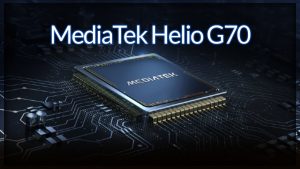
    MediaTek reveals two new smartphone chipsets for mobile gaming – the Helio G70 and G80. It is believed that these chips will make it to India this month, plenty of gaming-optimized specs for cheaper gaming phones. MediaTek says that these are mid-tier, premium chips, ideal for mid-range gaming phones. Both the Mediatek Chipsets have 12nm node 8-core designs with two A75 “big” cores clocked at up to 2GHz, paired with six A55 “small” CPUs at up to 1.8GHz, and an ARM “Mali-G52 class” GPU clocked at up to 950MHz. With so many similarities, the point of differences is not very clear. Both SoCs can be paired with up to 8GB of RAM as well. The chipsets will have a camera sensor of up to 48MP, but unfortunately, will not feature 5G support.

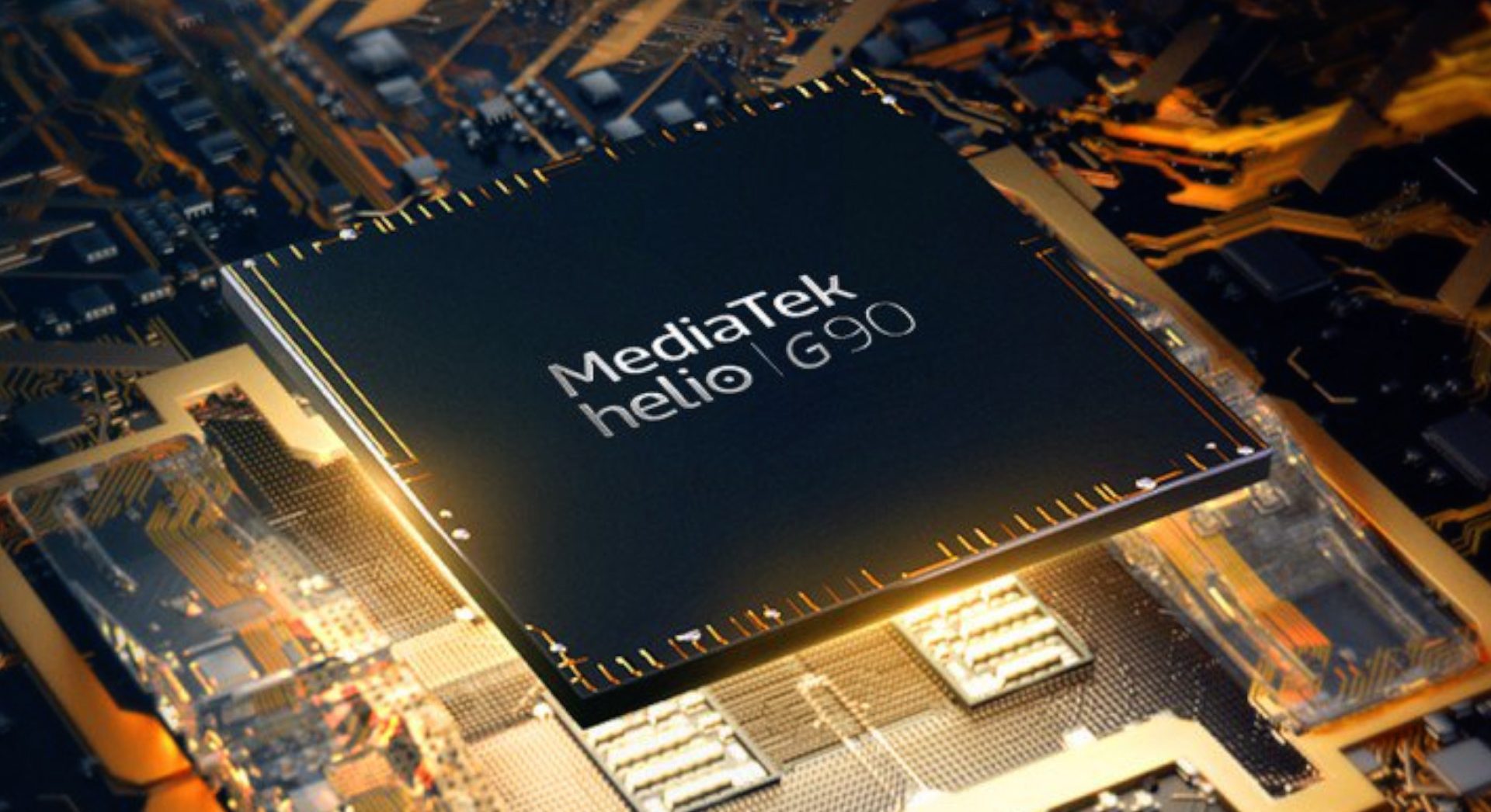
    Mediatek Helio G90 Mediatek Chipsets
    Mediatek Helio G90

    Besides the hardware specs, MediaTek is also working on its HyperEngine, trying to optimize the gaming experience. It comes with addition features, such as improved resource management and intelligent dynamic switching between Wi-Fi and LTE. Besides this, you will also be able to enjoy features like multi-camera support, hardware-level EIS, VoW, and rolling shutter compensation.

    Mediatek Chipsets And India’s Smartphone Gaming Market

    With India’s smartphone gaming market on the rise and no signs of slowing down, chances are that more affordably priced gaming phones will be released sometime soon. They are sure to popular with the users. MediaTek has talked about market availability in India at the moment. However, it is hoped that post the release, increased market penetration will be seen in other markets, such as the US and Malaysia. So far, there has been no word on whether or not these chips will be released elsewhere.

    Mediatek Helio G70 Mediatek Chipsets
    Mediatek Helio G70

    MediaTek Helio G90 chipset

    The MediaTek Helio G90 chipset was released last year. The idea behind this chip was to deliver high performance for mobile games in affordable devices. Since it was quite successful, it comes as no surprise that the company wanted to work on more gaming chipsets. In regard to that, Mediatek recently announced the addition of Helio G70 and G80 chipsets to its portfolio. These chipsets are designed to be used for gaming devices that will be launched in India. They are meant to be used in lower mid-range gaming phones.

    While both the chipsets are pretty similar in their specs and features, it is hard to understand the differences. However, once it launches, we will be privy to more information. At that time, we would be able to gain a better knowledge of each one’s pros and cons.

  • ScanWatch: Withings Launches New Hybrid Smartwatch To Detect Sleep Apnea

    ScanWatch: Withings Launches New Hybrid Smartwatch To Detect Sleep Apnea

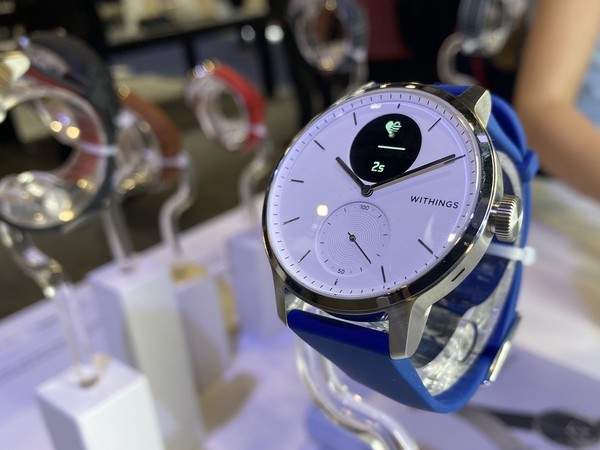
    Withings is a French wearable tech company. The company recently released a hybrid smartwatch at the CES 2020 in Las Vegas. It received a lot of attention due to the inclusion of electrocardiogram and sleep apnea detection in the device. Withings calls its latest release ScanWatch. They claim it is the company’s most medically advanced product. It looks quite similar to the Withings Move ECG. However, the developers mention that the ScanWatch can offer insight into general health like never before. These insights could help detect and prevent health issues at an early stage.

    Withings ScanWatch
    Withings ScanWatch

    ScanWatch can detect atrial fibrillation or arrhythmia and sleep apnea. The smartwatch has been developed in collaboration with cardiologists and sleep experts to ensure it is both accurate and safe. The hybrid smartwatch allows users and their physicians to monitors health and detect undiagnosed cardiovascular and sleep problems as early as possible.

    Withings ScanWatch 

    The CEO of Withings, Mathieu Letombe, stated, “ScanWatch is our most innovative medical tracker and is specifically designed to detect early detection of atrial fibrillation and sleep apnea – two related problems that are extremely common but remain largely undiagnosed despite their known effects on various diseases.”

    He also mentioned that the smartwatch has been designed for both day and night use. It comes with a water-resistant stainless steel case and features a stylish sapphire crystal dial. You will notice a subdial within the watch that displays the percentage of the daily step target that you have achieved so far. Another feature of the watch is the new SpO2 sensor which measures oxygen saturation in the blood.

    The basic design of the ScanWatch mimics Withings’ earlier models. However, some changes in design have also taken place, such as the addition of a larger digital display, better navigation, and improved battery life. The watch has an impressive battery that can last for about 30 days.

    Withings ScanWatch Smartwatch
    Withings ScanWatch Smartwatch

    Sleep Apnea Detection

    The ScanWatch makes use of the SpO2 sensor to monitor and detect nightly sleep apnea episodes. Throughout the night, the watch measures oxygen saturation in the blood. If the values are low, it could be because of respiratory disorders such as sleep apnea. Besides this, the smartwatch also offers you an analysis of sleep patterns via the Health Mate app.

    Built-In Cardiovascular Health Monitoring

    The smartwatch can analyse the heart rhythm and detect possible atrial fibrillation. Irregular heartbeat is a primary symptom of this condition. Since it is hard to detect, doctors often diagnose it late. All the details of the analysis are available on the Health Mate app. The device works on an early warning system that collects critical health data.

    The Health Mate supports more than 100 third-party fitness apps including Google Fit, Strava, Apple Health, and MyFitnessPal. Its Smart Wake-up feature wakes up the user at the most optimal time of the sleep cycle gently with vibrations. It is available in different colours. Regarding straps, it comes with interchangeable soft silicone and leather straps.

  • Super ISO Samsung Galaxy S20 range could improve night mode

    Super ISO Samsung Galaxy S20 range could improve night mode

    Heard about the new Samsung Galaxy S20 series? Here’s all that you need to know about it.

    Super ISO Samsung Galaxy S20 range could improve night mode

    The S20 series

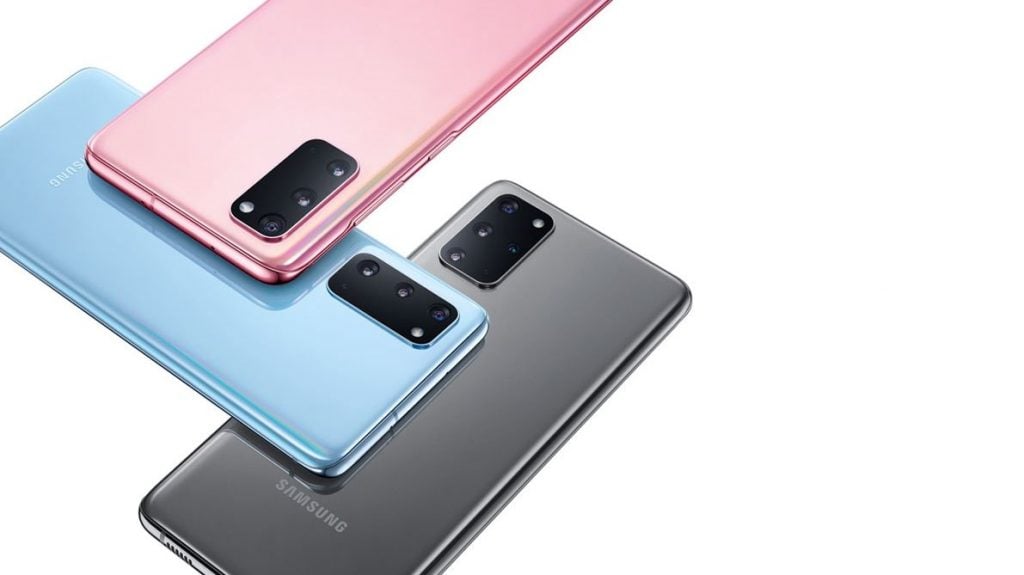
    Samsung filed the ‘Super ISO’ trademark to the UK Intellectual Property Office on 31st January 2020. It indicated that the company is working on a night mode for its new phone. The trademark was later awarded to the company. Indeed, this trademark hinted that the S20 series will be one of the company’s most significant distinctions. The company introduced the trio of the series with the best camera, it ever had.

    The trio includes S20, S20+, and S20 Ultra.

    More about ISO

    If you are unaware about ISO, then let me tell you that it is a kind of setting that enables the determining of the sensitivity of the image sensor to light. Lower the ISO, less will be the sensitivity and vice-versa. This suggests that the company has made major changes in its camera and light.

    Amping up the ISO setting helps you to take shots in darker environments. The new series will feature cameras with better low-light capturing.

    The Launch

    The official launch of the phone took place on 11th February 2020. We can expect that the availability and delivery of pre-orders will be in the first week of March. Also, if you order S20+ or S20 ultra, you will get a pair of Galaxy buds free with it.

    Camera with the Super Night Mode 

    The Galaxy S20 series offers a camera of 108 megapixels. It helps you get an absolutely sharp image that defines the smallest of the details. It also offers 10x hybrid optic zoom and 100x super-resolution zoom. Along with all the major changes in the camera, Samsung has introduced the Super Night mode, which is the boost to all the features and adds intensity to the camera. It improves the camera quality of Samsung Galaxy phones to a greater extent.

    Improvement in Night mode

    The Super Night mode introduced by Samsung in its new S20 series has improved a lot. Firstly, when we look at the photos clicked from S10 and S20, we find major changes. The super night mode of Galaxy S20 camera finds a massive jump over the camera in Galaxy S10. We can find that the photos in Galaxy S20 are brighter and introduce sharper details.

    The performance of a camera in low-light and night mode is an area where phones are really able to stand-out than the other companies. Samsung Galaxy S20 series has worked a lot on this. The other companies including Sony Xperia, Huawei, and Oppo have also introduced night modes and low-light cameras in the past.

    Conclusion

    The introduction and launch of its night mode may lead to a big boost for Samsung. The Samsung Galaxy S10 had an ISO of 3200, and we are expecting that Galaxy S20 will reach up to ISO 6400. Not just the numbers, Samsung will find a great increase in its sales as well. Its price in India will be around Rs. 82,990.

  • PUBG Mobile May Get Erangel 2.0 and Throwables Soon

    PUBG Mobile May Get Erangel 2.0 and Throwables Soon

    Good news for PUBG lovers!!!

    PUBG is all set to introduce several new features to deliver real-life experience to people from all walks of life. These are the same people who spend substantial time on the virtual gaming platform. PUBG mobile became one of the most famous mobile games in the Indian sub-continent that too in a very short duration of time. It’s popularly is conspicuous, and hence, many people are highly anticipating an upgrade.

    Erangel 2.0 and Throwables

    Rejuvenating features making way to PUBG

    PUBG brought a disruptive revolution in the gaming industry since its inception. It also keeps adding features and functionalities frequently to remain the most sought gaming platform among gamers.

    In a bid to enhance the quality experience, developers have revealed features in a row. They include such as Erangel 2.0 and throwables amid ever-growing rivals in the gaming industry.

    Vivid picture quality and added territories with mapping: Erangel 2.0 

    Erangel 2.0 is a much-awaited feature among gamers owing to its ability to improve the quality of graphics to multi-fold. Along with this, many are expecting an addition of a range of new geographical graphics featuring rivers in the new mapping version.

    PUBG enthusiasts have been eagerly waiting for the official announcement of such developments. But leaked news spread like a wildfire and doing rounds in social media. Various reliable sources have claimed that a new mapping feature would reflect a wider river running along the median of the map and tributaries emerging out of it will head towards North.

    Throwables: likely to make the strategic shift in the way game is played

    Moreover, the throwable feature will surely add an extensive adventure. It enables a player to use weapons such as a sickle, knife, and hand-granite. These weapons can neutralize closely placed enemies, where long-range weapons remain a limitation.

    Gamers remain thrilled to have throwable features. These may help them to optimize the availability of ammunition, life-saving drugs, provisions and energy drinks within a group that is envisioned to enhance combat capacities of a team.

    Radio messaging: All new way to communicate and ask help at the time of emergency

    PUBG is also likely to equip the player with advance Radio message feature. It will facilitate communication among team members in the field to exchange essentials. Radio Message will allow a gamer to convey his/her message to the desired person. Subsequently, that member will get a pop up at the screen to answer the asked stuff directly.

    PUBG has survived to be the most loved game worldwide. It is due to its incessant effort to keep the customers overwhelmed and engaged with the introduction of amusing features round the year.  

    PUBG: Regaining confidence in India

    Over a period, PUBG had become infamous for inciting its players to commit suicide and distracting students from studies. Furthermore, several governments in India have banned the game.

    Now, it has witnessed wider acceptance in India and restrictions across several states have been uplifted with a slew of cautions in place.

    Moreover, such games have inculcated enthusiasm among budding brains to pursue a career in virtual game development.

  • How does Google backup encryption works?

    How does Google backup encryption works?

    Backing your data is an incredibly easy task on Android. However, there are some issues that Google needs to take care of as soon as possible. Google offers its users a complete end-to-end encryption service. The company also uses the same service for data regarding its Android apps and your phone settings. Google has been working this way since the release of Android 9 Pie. Since this setting is on by default, you don’t have to do anything except check the box mentioning you want to use Google backup encryption. While it offers great options, there is still a lot lacking here.

    What is end-to-end encryption?

    Before delving into Google’s drawbacks with the service, let’s check out what end-to-end encryption means? This means that only the person creating the data and the one receiving the data can access the encrypted data. This is because it revolves around credentials which need to be supplied for access. The credentials could sometimes be passwords as well. You could even use an app to authorize the decryption of data. Other options include a secure lock screen. Regardless of the type of authorization, you can be sure that no company, server, or person can gain access. Since only the person(s) at either end has the decryption key, it is called end-to-end encryption.

    Google backup encryption
    Google backup encryption

    With Google’s backup service, you will have to use a secure lock screen to unlock your phone. Once your phone is unlocked, you will be able to send and receive encrypted data. Most Android smartphones have a form of hardware that allows encryption and decrypt on the go. It is generally facilitated by using a generated token, usually combing data from your lock screen security and Google account password.

    On Google hardware, it is known as the Titan Security Module, where both Pixel phones and servers hold the data. Once you authorize yourself, your data will be backed up. You can access it again via the Titan module. The key thing to note here is that neither Google nor the Titan module have any idea of the password to decrypt your data. Since only you do, your data is as safe as it can get.

    How does it work with Android?

    When you are setting up your new phone that runs on Android Pie or later, you will go through a data backup section. You can enable this without thinking twice since Google nor any other entity has access to it. Once you do, your preferences and associated application data is packaged up, encrypted with a backup key, and stored in a hidden area of your Google Drive account. One thing you may want to note is that new data can overwrite existing data.

    Titan Security Module
    Titan Security ModuleTitan Security Module

    Since it is not compulsory for the developers to use Google’s Android Backup service, it could give us no end of trouble. If you reinstall the game, you will start where you left off and sometimes, you might have to start right from the beginning. If this becomes the norm with third-party developers and Google starts enforcing good practices, this could a great option indeed.

  • Tweetcaster Stops Working Entirely, Developer Says Twitter Broke It

    Tweetcaster Stops Working Entirely, Developer Says Twitter Broke It

    TweetCaster is an old third-party Twitter app on Android. It was first published in 2010. We see that the app has not been updated for the last year. Now, you cannot connect to Twitter at all. Most recent Play Store reviews mention pretty much the same thing that the app is no longer working. All the users see is a 401 error. As of now, it does not look to be related to the app reaching Twitter’s notorious API token limit. This usually marks the end of third-party clients with existing users being able to access their accounts.

    Tweetcaster Stops Working
    Tweetcaster Stops Working

    TweetCaster was developed by OneLouder, who recently mentioned that Twitter broke the app on their end. The team is working to notify the users of the outage. However, there is no comment from Twitter about why this app is not working anymore. TweetCaster fans and users are taking to Twitter to find a solution or alternative for it. @nhammer13 tweets, “So Tweetcaster died and I’m heartbroken. Does anyone use anything other than the official Twitter app? I loved being able to read all of my tweets in chronological order and the Twitter app just seems so scattered.”

    TweetCaster and Twitter

    Many users say that it has been a long time since they have used Twitter. TweetCaster was their first choice since it was clean and neat, allowing the users to read their tweets in chronological order. TweetCaster is among the first third-party apps for Twitter. It is incredible that the developers had the app running strongly for about a decade. We sincerely hope that TweetCaster can work with Twitter to fix the outage. It is very hard to deal with the loss of an app that you have used for years and years.

    Tweetcaster
    Tweetcaster

    A Quick Update

    With the app long due for an update, it came as no surprise that the app had an issue with Twitter. However, it did not dull the blow since it is one of the all-time favourites across the globe. Despite the fact that TweetCaster has not received an update for about a year, OneLouder still took matters up with Twitter. The company mentioned that they are trying to get in touch with Twitter to understand what went wrong and how it could be made right again.

    After the attempt, OneLouder posted a tweet, “Hey TweetCaster fans! We just posted an update to the app (9.4.2) that fixes the outage. Google is processing the app and it should be available on Google Play soon. We apologize for the inconvenience. Twitter API token was invalidated and it took a while to resolve it with Twitter support.” Maybe this incident will motivate the developers to bring an update for the app. If TweetCaster is not updated and does not work flawlessly like before, it is only a matter of time before another similar app pops up. At the moment, they have the support of all the users who have dedicatedly used it in the past decade. This would be an excellent time to update TweetCaster.

  • Android Auto update with silent notifications

    Android Auto update with silent notifications

    Android Auto Update Invention

    Google has always come up with great, intelligent devices with its technological advancements. Four years ago, on 19 March 2015, it came up with Android Auto. It is a mobile application, with the help of which you can display some selected notifications directly on your car’s dashboard.

    Android Auto update with silent notifications

    The most useful feature of Google Assistance comes with its use without touching it. I guess, you can well imagine how useful it can be for the drivers, who have both their hands busy while driving. So, Google invented Android Auto Update to help have a voice-controlled car and safe driving.

    Benefits Associated

    According to Google, this is to avoid all sorts of distractions that a driver will face when his/her mobile will pop with a notification. The driver every time will have to unlock his phone, which of course will add to the danger. But this smart, touch technology with voice recognition in the form of the Android Auto app will do that for you with much comfort.

    The thought before this invention was that this would ensure the driver’s full concentration on the road and his hand on the staring wheel only. This actually proved to be successful to some extent. The driver could now access and control his android applications like e-mails, active chats, songs, and calls, etc.

    The best feature that Android Auto came up with it is – it can show Google maps and can help you with the best-suited route to your input destination. It will tell you the route with the least traffic and will help you drive to your destination in the least time. As a result, this has proved to be really helpful for the drivers.

    You can even speak to the device and need not type while driving. This will definitely help you with your safe driving. It will help you conveniently drive and easily get the required information from your smart mobile phones.

    Another milestone to Safety

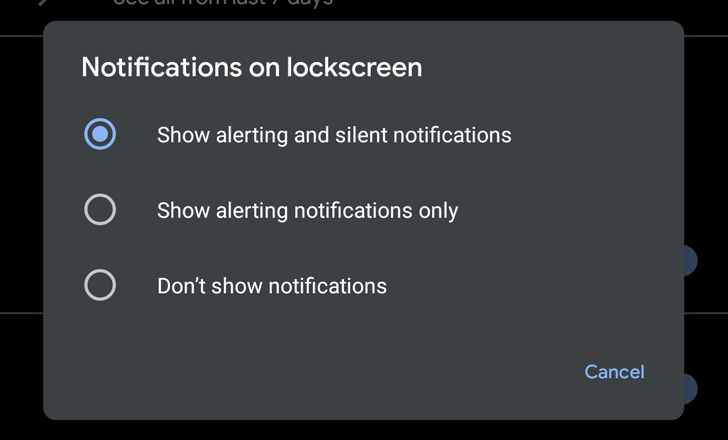
    Recently, Google came up with another useful update, which will give you an option to silent the notifications from some of the applications. One can see this another step towards the security and safety of the driver. The driver can now easily navigate using Android Auto while keeping all the notifications silent, i.e. un-distracted, guided driving.

    Another update came up with the feature that the notifications will not produce sound. It will pop-up on the screen and will not disappear until you swipe it aside. This is only when the toggle is activated. It is not ideal.

    Phone’s compatibility with Android Auto

    The smartphones with the Android version of 9.0 or below will have to download the free Android Auto app. But the phones with Android version 10 come up with built-in functionality.

    Phones with Android 5.0 need to have an active data plan to use Android Auto. In order to connect to Android Auto, conventional phones required USB. The newest smartphones come up with the technology to connect wirelessly.

  • OpenSK: Google Releases Open-Source 2FA Security Key Platform

    OpenSK: Google Releases Open-Source 2FA Security Key Platform

    OGoogle releases an open-source 2FA security key platform called OpenSK. The company is deeply involved with security keys and has always worked to improve mobile security. The Titan line of security keys comes with full integration to your Android or iOS smartphone. You can use this to authenticate your login to your Google account. OpenSK is an open-source project that lets the developers build their own 2FA security key.

    The team has written OpenSK in Rust and is quite simple to follow. This is because it supports both the FIDO U2F and FIDO2 standards. Solo and Somu are other open-source projects for security key platforms. OpenSK follows the legacy of these platforms. By having OpenSK as an open research platform, it is hoped that security key manufacturers, researchers, and other supporters work together to come up with new techniques that could speed up security key adoption.

    OpenSK
    OpenSK

    To keep our digital life private, the minimum requirement we have to adhere to is the two-factor security or authorization. However, there some hardware that doesn’t have these necessary factors, highlighting the lack of security. This is why open source enthusiasts and supporters will be super glad to hear that Google is now working on OpenSK. Google says that it will release soon. It will come with support for both FIDO U2F and FIDO2.

    OpenSK

    With this release, developers can flash OpenSK on a Nordic chip dongle. This dongle supports all of the major features of FIDO2. This includes Bluetooth Low Energy, USB, NFC, and a dedicated hardware crypto core. Director of Product Management at Nordic Semiconductor, Kjetil Holstad, said, “We’re excited to collaborate with Google and the open-source community on the new OpenSK research platform. We hope that our industry-leading nRF52840’s native support for secure cryptographic acceleration combined with new features and testing here will help the industry gain mainstream adoption of security keys.”

    Google OpenSK
    Google OpenSK

    The developers have written the code in Rust and it runs on TockOS for cleaner OS abstractions and better isolation. Rust is known for its strong memory safety which is known to offer protection against logical attacks. On the other hand, TockOS provides a sandboxed architecture that provides better isolation of the security key applet, drivers, and kernel.

    Google even gave a quick demonstration of OpenSK working on a Nordic chip dongle as a security key. Google’s OpenSK is just out and is more like an experimental release. It is compatible with and can only work with a single piece of reference hardware at this point – the Nordic chip dongle. However, if this goes on to be a success, Google and its team along with the other developers and security researchers working on this would be able to build something solid using this as the base. This will certainly benefit open-source security and make it better. Do you want to know more about how OpenSK works on TockOS? Simply pop over to the GitHub repository and go over it in detail.

  • Google Photos Mail Service: Google Photos Will Automatically Print And Mail Your Best Pics

    Google Photos Mail Service: Google Photos Will Automatically Print And Mail Your Best Pics

    If you own an Android smartphone, chances are that you use Google Photos. If you do, you will know that the app highlights the best photos you take by putting its AI into use by grouping them, adding special effects, and so on. A few months ago, the app started automatically curating memories. They came up with an option that allows you to print out these photos in a new Canvas offering. Google is currently working on testing the service, Google Photos Mail Service. It allows the users to automatically print and mail the best photos you take every month.

    Google will automatically choose the ten best pictures from the previous month and print them on 4×6 matte white cardstock with a 1/8-inch border. The company will then mail the set to you – all this for $8 a month. If you would rather receive a mix of the photos, you can let it lie. However, if you would prefer to have pets, people, or landscapes, you can set your preference.

    Google Photos Mail Service
    Google Photos Mail Service

    Trial Run

    This program is currently on a trial run in the US and only offered to a few select users at the moment. While it is not a very useful service, it is sometimes nice to receive surprise photos that could highlight some cherished memories of the past month. If you want to try it out straight away, visit the Google Photos website. Can you see a banner at the top of the page advertising the program? If so, go ahead and sign up for it. In case there is not, you can print your photos and collect it manually from Walgreens or CVS.

    Google Photos Mail Service

    So, what does this service exactly consist of? You will receive ten photos every month by mail, mostly from the previous month. As of now, this service is priced at $8.99 a month. Since it is new and just released, the service is being offered with a six-month free trial. While it is not available for everyone at the moment, Google is likely to expand its services once the trial run comes to an end. The service, Monthly Photo Prints, basically prints out the ten best photos of your preference, print it on good-quality paper, and mail it to you. If you love surprises, this is a great option.

    Since most of us take thousands of photos and some of them quite crap, we believe this service involve curation. If Google is depending on an algorithm to figure this out, it could all go south very quickly. Since the service charges $8, it is only fair that the users get the very best photos. To achieve this, human curation is almost always necessary. Even if it works based on an algorithm, a human is likely engaged somewhere along the process. This is to ensure that each photo is absolutely the best.

    If you are not too keen on this service or if it has not come to you yet, you can always print the photos you want and collect it from a Walmart or from CVS Pharmacy. This service came into effect since September last year.