Author: Poonam

  • PS5 or Google Stadia or Microsoft’s Project xCloud

    PS5 or Google Stadia or Microsoft’s Project xCloud

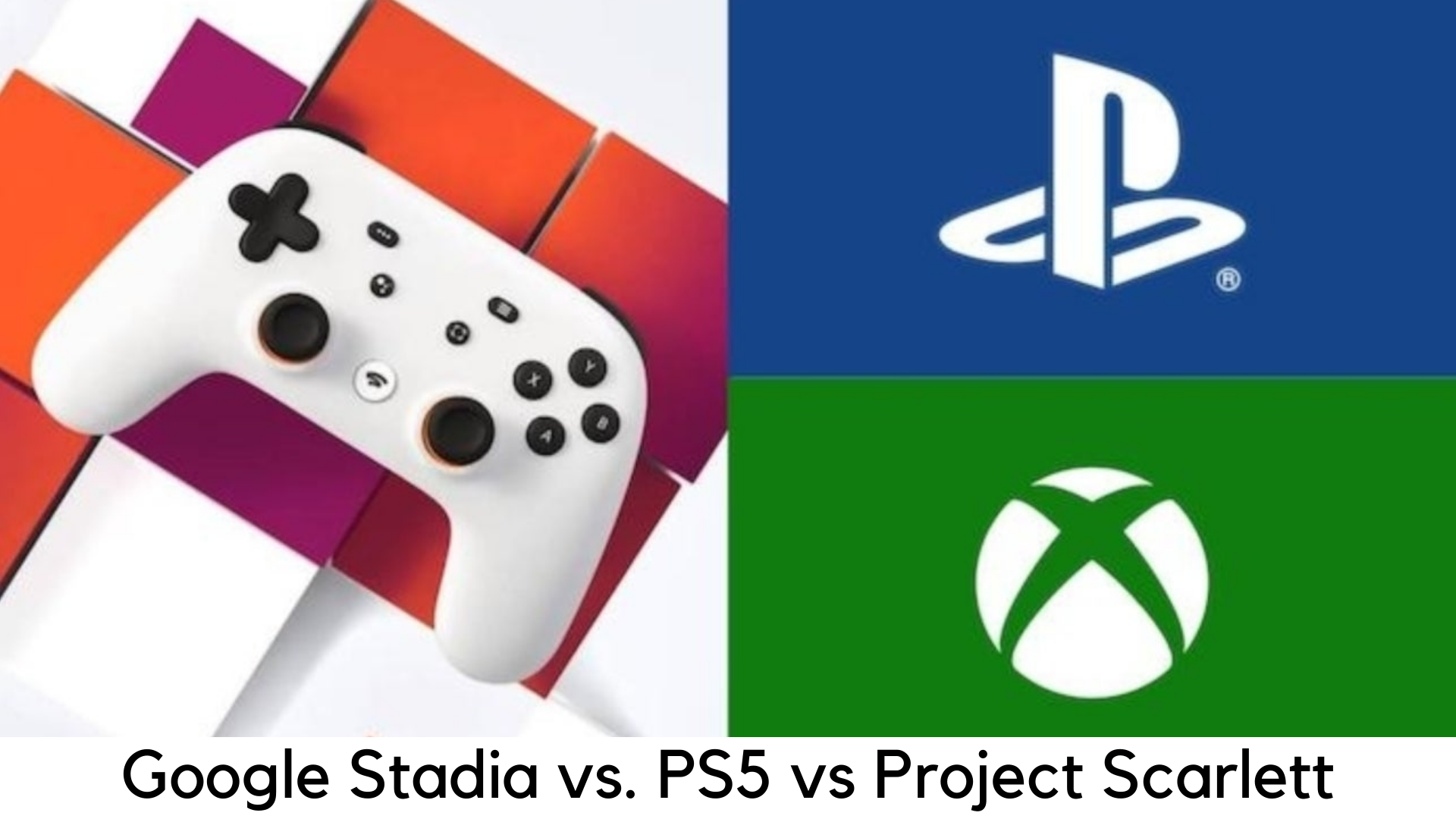
    Next year, we are looking forward to seeing the launch of new consoles from Microsoft and Sony but there is the new and greatest competitor who has made an entry – Google Stadia. This flagship game streaming service will grow its servers to manage video games and target those audiences who just can’t afford a shiny new gaming console. With more and more details are coming out, will it offer you the value you deserve?
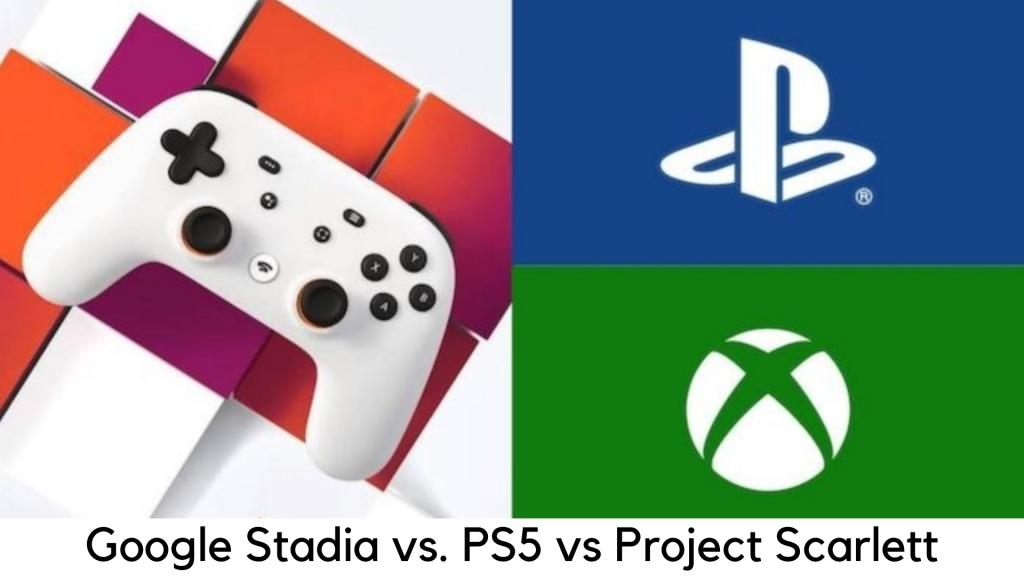
    Google Stadia vs. PS5 and Project Scarlett

    Keep in mind that we have made some speculations, particularly about the pricing. Prices and details may vary with the official announcement but we have made some informed guesses on the basis of existing statements which have been made just recently.

    Upfront Costs and Subscription

    From Day 1, Google Stadia is going to have great edge when it comes to up-front cost. You have to pay £119 for Chromecast Ultra and Stadia controller itself, with 3 months subscription of Stadia Pro which is worth £8.99 per month.

    On the other side, you need to wait for the official release of Stadia Base which is set in 2020. You can play with existing hardware in which you need to pay only for games. But things will even out over the expected lifespan of the next-gen device.
    It is expected that Project Scarlett and PlayStation 5 will cost you around £450, which is a bit on the higher side and subscription to the online service like PlayStation Plus and Xbox Live is £50 extra for one year.

    Well, you need to consider other factors. The price of online service is expected to rise at some point over the generations. However, the Xbox Live and PlayStation Plus are discounted every few months. The price of online services may also rise over the term of generation.

    Deal hunters and keen gamers will have options to save up by sticking to the same brand for years. Both are discounted regularly to get free a few months or top up at low prices, both from 3rd party sellers and sales.

    Google is yet to announce where to get Stadia subscriptions from.But the company may offer free trials or discounts to try their services out.

    Specs – Surround Sound, 4K, 8K, 120Hz

    Both PlayStation 5 and Project Scarlett would come with a mid-gen Pro version of hardware again. But Google can level up Stadia in the backdrop and has promised to handle 4K during the launch.

    Later on, it can offer 8K in the near future. Theoretically, that upgrade may not be available to the users. You would need a new 8K TV which supports Stadia.

    This is where you will get what you pay for. If you don’t want to pay anything, you may have to adjust with basic features that Stadia Base would have. But it is not all about resolution as it would still need a full instance of Stadia running the game.

    However, it doesn’t mean you are downgraded to 1080p that you play in Xbox One and PS4 Pro. But it will be a good looking 1080p in Stadia Base.
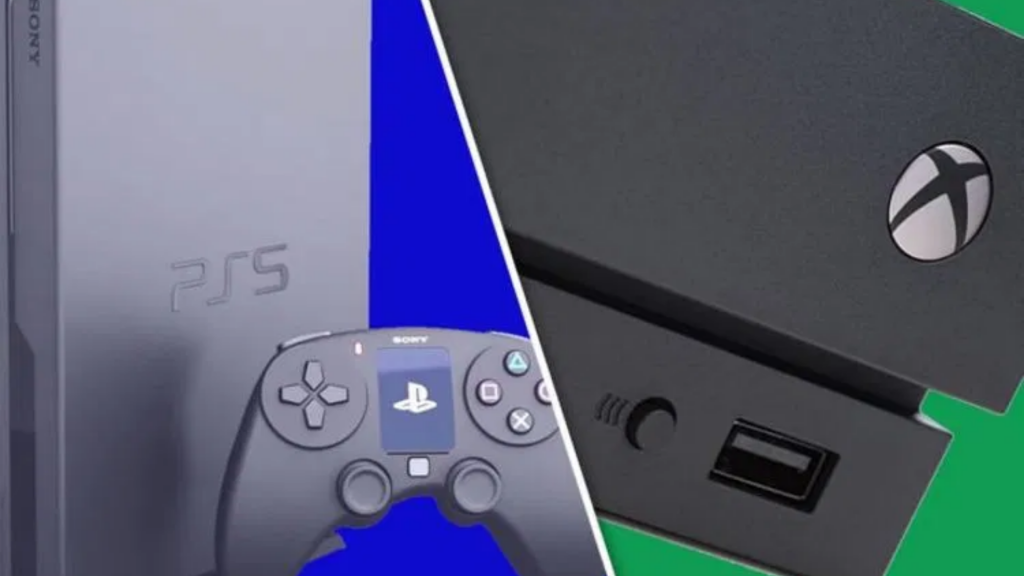
    Google Stadia vs. PS5 and Project Scarlett

    On the other side, both Microsoft and Sony claimed to offer 4K 120Hz of refresh rate when everyone is expecting 8K, but it is much better than Stadia’s 60fps. But it’s all on paper for console makers when it comes to capacities of HDMI 2.1 ports.

    They have been seen playing around 1080p output with the last generation and facing a lot of developers looking for 720p. In the world where 30fps is the norm on Xbox One and PS4, the 60fps has high expectations.

    With all the optimizations that developers can make on consoles, the hardware specs of Project Scarlett and PlayStation 5 suggest 4K with the refresh rate of 60fps. The 8K resolution could be possible theoretically but the Navi GPUs are a few steps behind in the next-gen consoles as compared to more powerful and expensive PC graphic cards.

    Even GeForce RTX 2080 Ti can only support the games in 4K at 70fps like The Witcher 3: Wild Hunt. The consoles can get enhanced performance with the same hardware. But it is too early to expect 120Hz or 8K resolution in any edge cases.

    Playing on the go

    There are plenty of potential tradeoffs between streamed and physical games. You can easily play Stadia games on the go with an internet connection and with any device like PCs, TVs, smartphones, and tablets. It could come handy especially if you travel a lot. However, you might want to consider the contracts if you want to play on your smartphones.

    For example, Three is the only internet service provider in the UK offering unlimited data while data is capped out at 100GB with other service providers. But there are certain exceptions with Apple Music, Spotify, and Netflix. In addition, Stadia might eat out a lot of data quickly.
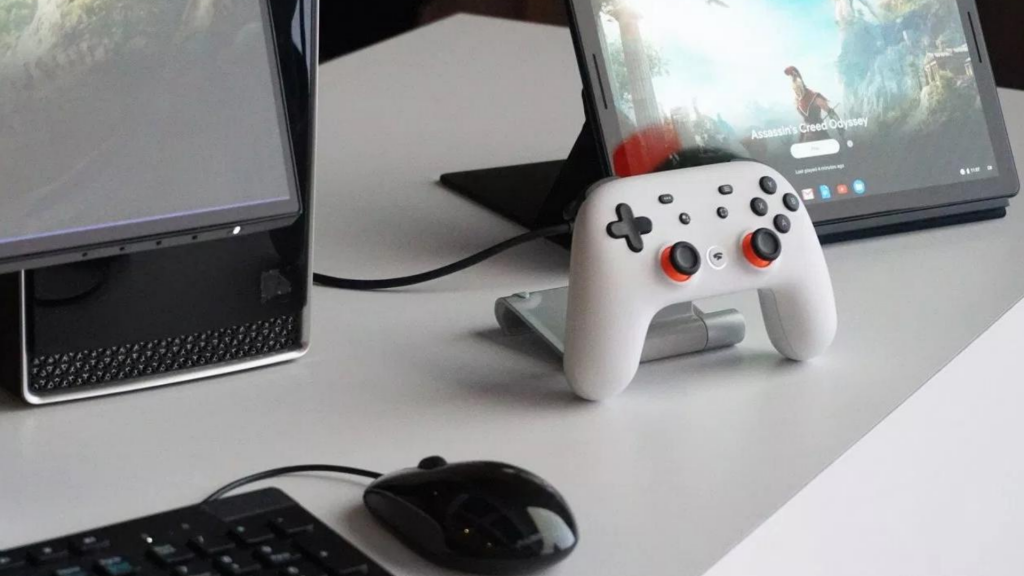
    Data consumption in games at 60fps is way too higher than YouTube or Netflix. However, Google has some guidelines on the amount of required bandwidth. You need 10Mbps at 720p with 60fps, which consumes around 4.5GB per hour.

    On the other side, you need just double for 1080p at 60fps, i.e. 20Mbps, which equals 9GB per hour. The good thing is that smartphones with 4K display are very rare at this age because it takes whopping around 16GB per hour for 4K streaming.

    Obviously, there is an edge for Sony and Microsoft as they would want you to sign up for their official streaming platforms like the Project xCloud and PS Now. Both of these platforms support playing games remotely on the consoles.

    However, they need home internet and they have a risk of NAT type errors. Their existing iterations are not much optimized like server farms of Stadia. There will always be alternatives for gaming on the go.

    How about Extras?

    According to Google, its Stadia Pro is supposed to follow the same business model of Xbox Live and PlayStation Plus, rather than Spotify, Netflix, or PS Now. Google Stadia is going to offer at least 1 free game monthly.

    However, like in other services, these are going to be older games. When it comes to launching, Stadia Pro would come with Destiny 2: Shadowkeep but with just one game per month and 96 games in 8 years. It is much likely that this game might not suit your needs.Google Stadia vs. PS5 and Project Scarlett
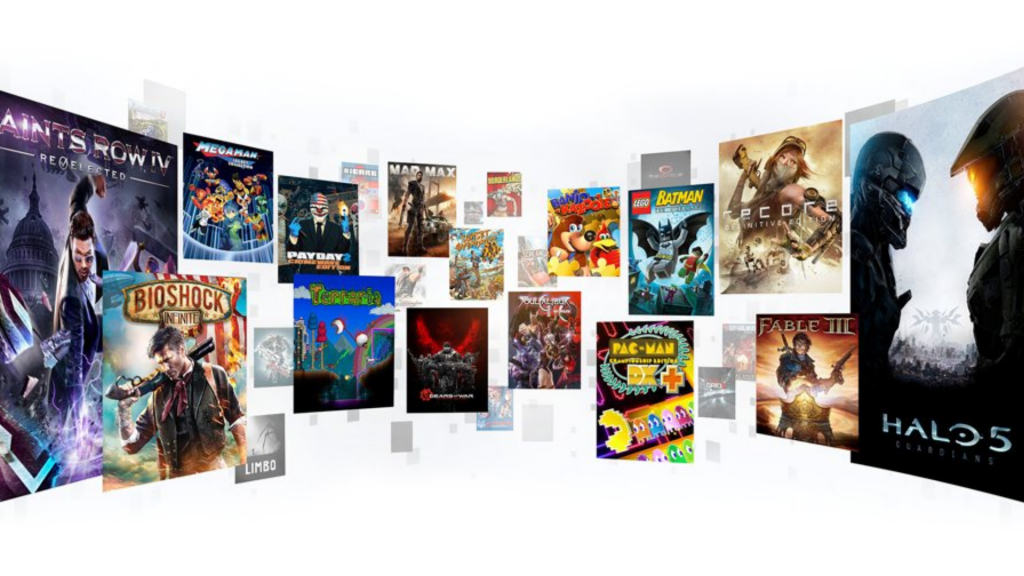
    It is a bit more difficult to figure out for the consoles but it is it can be speculated with changes. PlayStation Plus received two games from PS4 each month when PS4 was launched, along with games from PS Vita and PS3 were offered.

    Sony is expecting to keep offering games for PS4 but also hoping with free PS5 games and also PSVR. They are going to offer 24 games in a year but it could extend to 48 games per year.

    On the other side, Microsoft is offering 48 games per year, including 2 Xbox games and 2 Xbox One titles. In addition, Project Scarlett is all set to have backward compatibility to the whole Xbox One library and all the existing BC titles.

    When Microsoft is expected to remove free Xbox 360 titles, they could at least bundle them to give away 72 titles per year, i.e. whopping 6 games in a month.

    Always Online

    One of the biggest claims by Stadia is that the player can easily start the game within 5 seconds. On the other side, the next-gen consoles of both Sony and Microsoft will be powered by super-fast SSDs and they might not be far behind.

    You can play with the consoles offline but Stadia’s Achilles heel would require internet. But there is an issue for several people to trade-in or resell both hardware and games. Of course, Stadia is completely digital.

    According to its Terms & Conditions, you cannot assign or transfer your obligations or rights. You cannot resell your games or account in the hardware to anyone else. You can just resell its controller.

    Overall Verdict

    It is up to you as what you need from the gaming experience. The upcoming generation of consoles and Stadia are trying to appeal to various gamers. The big advantage of Stadia is not having the same cost of a new console. You can just buy a particular game and play it on your TV, phone, or laptop.

    However, it would still require a fast and unlimited internet connection. In the long run, it could be an expensive deal, especially when it comes to freebies and selling physical games. This year is going to be very interesting to see what the launch of new consoles and Stadia would offer.
  • Check Chrome Version and Update Google Chrome Manually

    Google Chrome is obviously the most popular browser and is the first choice of users on all platforms. For better security, it is important to keep it up-to-date and Google also releases a lot of major security updates all the year round for this browser. However, there are some people who wonder how to update Chrome as it doesn’t have any large update button around.
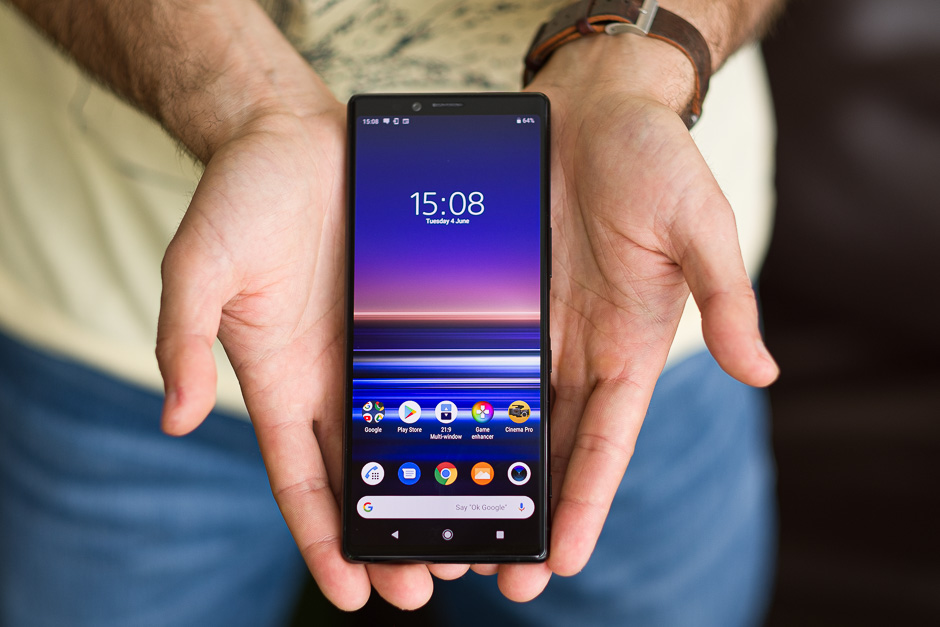
    The reason is simple. Google Chrome is designed to update automatically by default without any intimation. It doesn’t even tell you that it has been updated. But sometimes, it may not happen. In some cases, you might want to install updates on your own.

    By default, Google Chrome is set to update automatically on both Mac and Windows, by default. In this guide, we are going to discuss how to update the browser to the latest version. The way you can update Google Chrome varies as per the platform the browser is being used.

    It is quite easy to update Google Chrome on desktop as well as on iOS and Android. If you are one of the users looking to check the latest update, here are the detailed steps to do.

    Update Google Chrome on Mac or PC

    All the major Google Chrome versions get patched and updated regularly, including Google Chrome for macOS, Windows, Android, Linux, and iOS. Google rolls out a new major update almost every month or so and updates are synched in different platforms. Here are the steps to update Chrome on different devices.

    Chrome for PC

    Like several other browsers, Google Chrome is also designed to update by default on its own. If it doesn’t update due to any reason, there is also an option to do it on your own. There are two different ways to update Google Chrome – using the address bar on the app and Main Menu.

    Both of these methods are working on Mac, Windows, and Linux systems. Here are the methods to update Chrome on laptop or desktop –

    Method 1

    In this menu, you can use Main Menu on Chrome to check updates.

      • Open Google Chrome from the desktop.
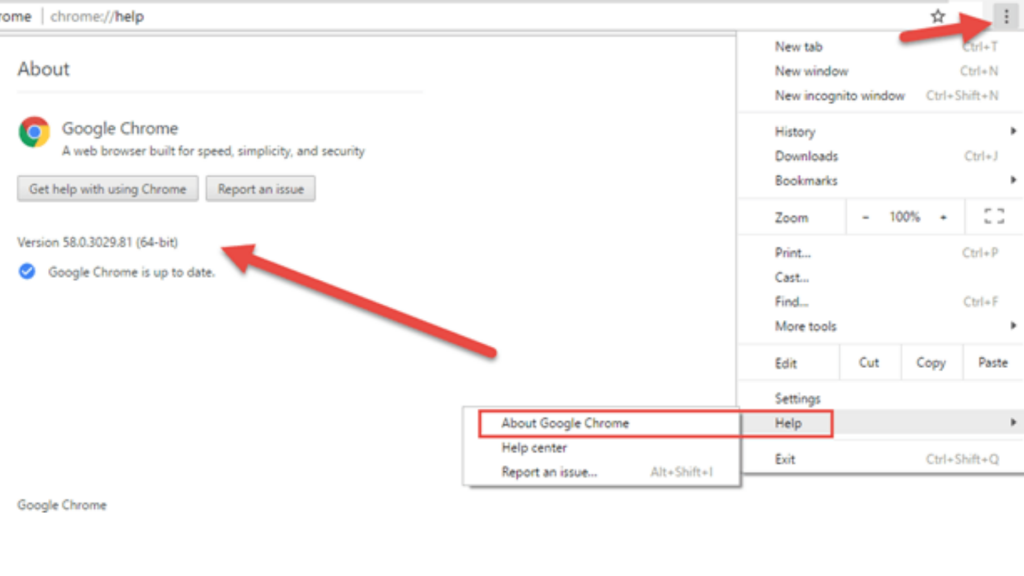
      • Click on Main Menu on the upper-right corner of the window
      • Hover around the “Help” option in the drop-down menu
      • Click “Update Google Chrome” in the sub-menu. Click on “About Google Chrome” if it is not there.
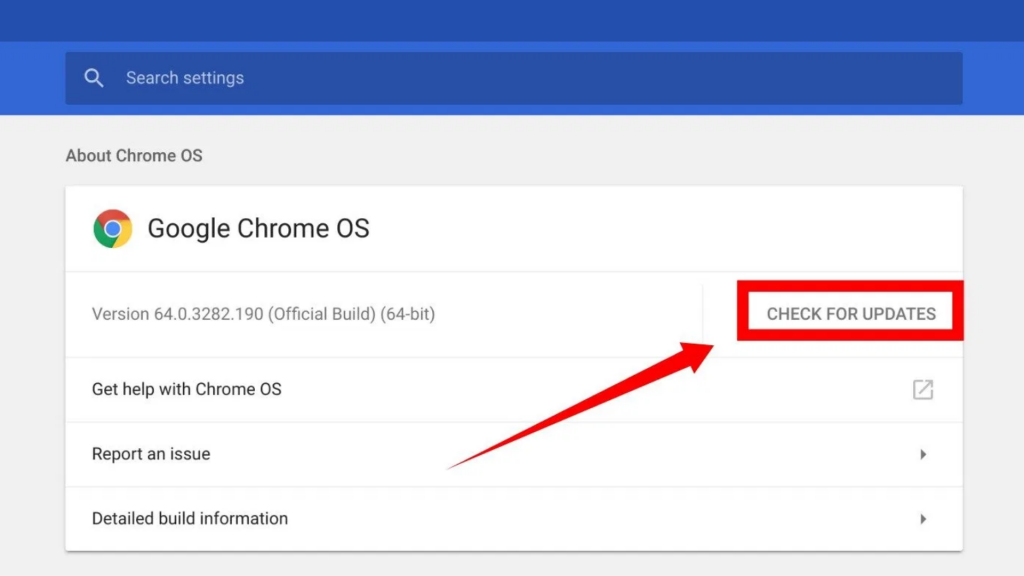
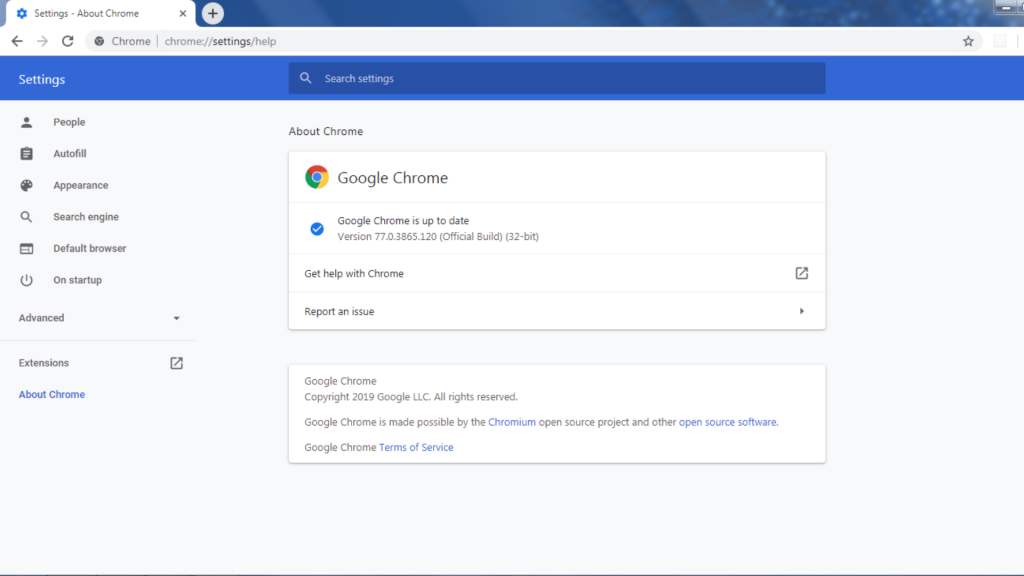
      • If you choose “About Google Chrome”, the “About” page will open. The existing version will be displayed and you will be able to see the available update. Click the “Relaunch” option and wait for the browser to restart after installing the latest version.

    Check Chrome Version and Update

    Method 2

    This method is quite faster and you need to use the address bar of the browser.

      • Double click on the Chrome icon to launch the browser.
      • Enter “chrome://chrome/” and press “Enter” on the address bar.
      • Then, you will directly enter the “Help” page in Chrome. If there is an update available, click the “Relaunch” button and wait for the browser to install updates and restart.

    Method 2

    Checking availability for update

    Keep in mind that the recent version of Google Chrome tells whether the update is available or not. In order to check the availability for an update, go to the Main Menu on the top right corner.

      • If the menu icon is grey, it means the browser is up-to-date.
      • It will be green if an update has been offered for two days.
      • The update has been there for four days if it shows the orange icon.
      • If there is more than one week, it shows the red icon.

    Check Chrome Version and Update

    Update Google Chrome on Android

    Chrome is the default web browser on all Android devices. It comes with every Android device as it comes bundled with Google apps. Google Chrome is also set in Android to be updated automatically by default similarly with other Android apps. You will be required to update the browser manually via the Play Store app if automatic updates are off.

    Update Google Chrome manually on Android

      • First of all, tap on the Google Play icon on your Android device.
      • Launch the Google Play store, tap on the Main Menu icon on the top-left corner, which seems like a hamburger icon.
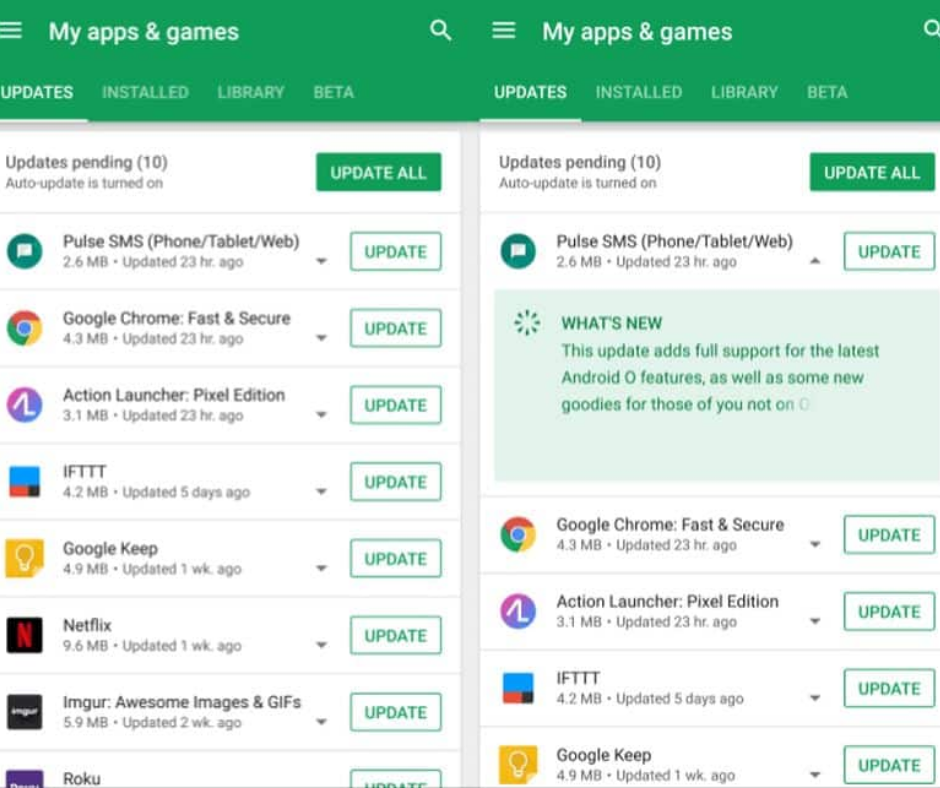
      • Next up, go to the side menu and choose “My apps & games”.
      • Apps that have been available and updates are pending will be featured in the “Updates” section. Over there, search for Chrome.
      • If it is listed with the Update button, tap on it.

    Also, the process of updating Chrome on desktop and Android is totally different. It doesn’t show availability for the update when using Chrome for Android. Therefore, you cannot change the setting for default update from automatic to manual.

    Update Google Chrome manually for iOS

    Similarly, like other platforms, Google Chrome for iOS is also set to update automatically by default. Just like the Android App, Chrome is unable to be updated from inside the app for iOS and you will be required to update the same via App Store. Here are the steps to update Chrome on your iPad or iPhone manually.

    Update Google Chrome manually for iOS

      • Launch the Apple App Store by tapping on its icon on the Home screen.
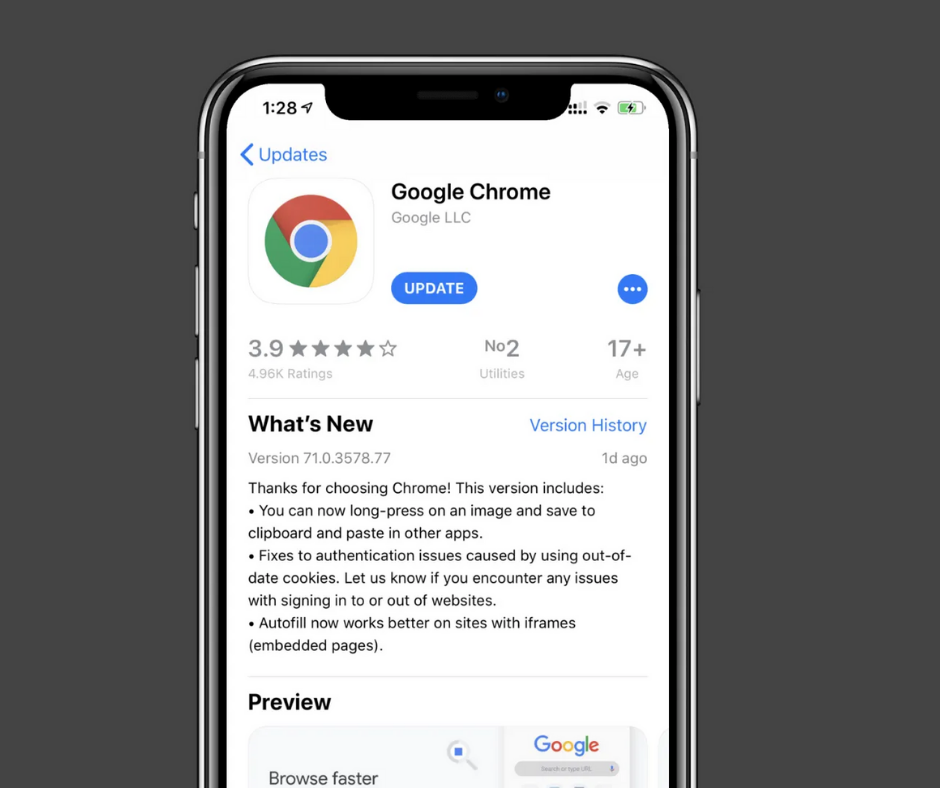
      • Simply tap the “Updates” button on the bottom of the screen.
      • Browse the updates pending for Chrome.
      • Tap “Update” button to install the recent version if it is listed there. It means the app is up-to-date if you are unable to find it.

    In some devices, you might need to confirm that you want to update. Just type your Apple ID and password if it prompts you to update the browser. In addition, Chrome also doesn’t show the availability of updates in iOS like on desktop. Hence, you cannot set the preferences for updates to manuals in iOS, too.

    Summary

    Users can decide how and when to install updates on Google Chrome for macOS, Windows, and Linux. You will also get notified whenever updates will be available. On the other side, you cannot set the updates on Chrome to manual on Android and iOS. Additionally, you will have to use the app store to update Chrome on both iOS and Android.

  • Project xCloud by Microsoft

    Project xCloud by Microsoft

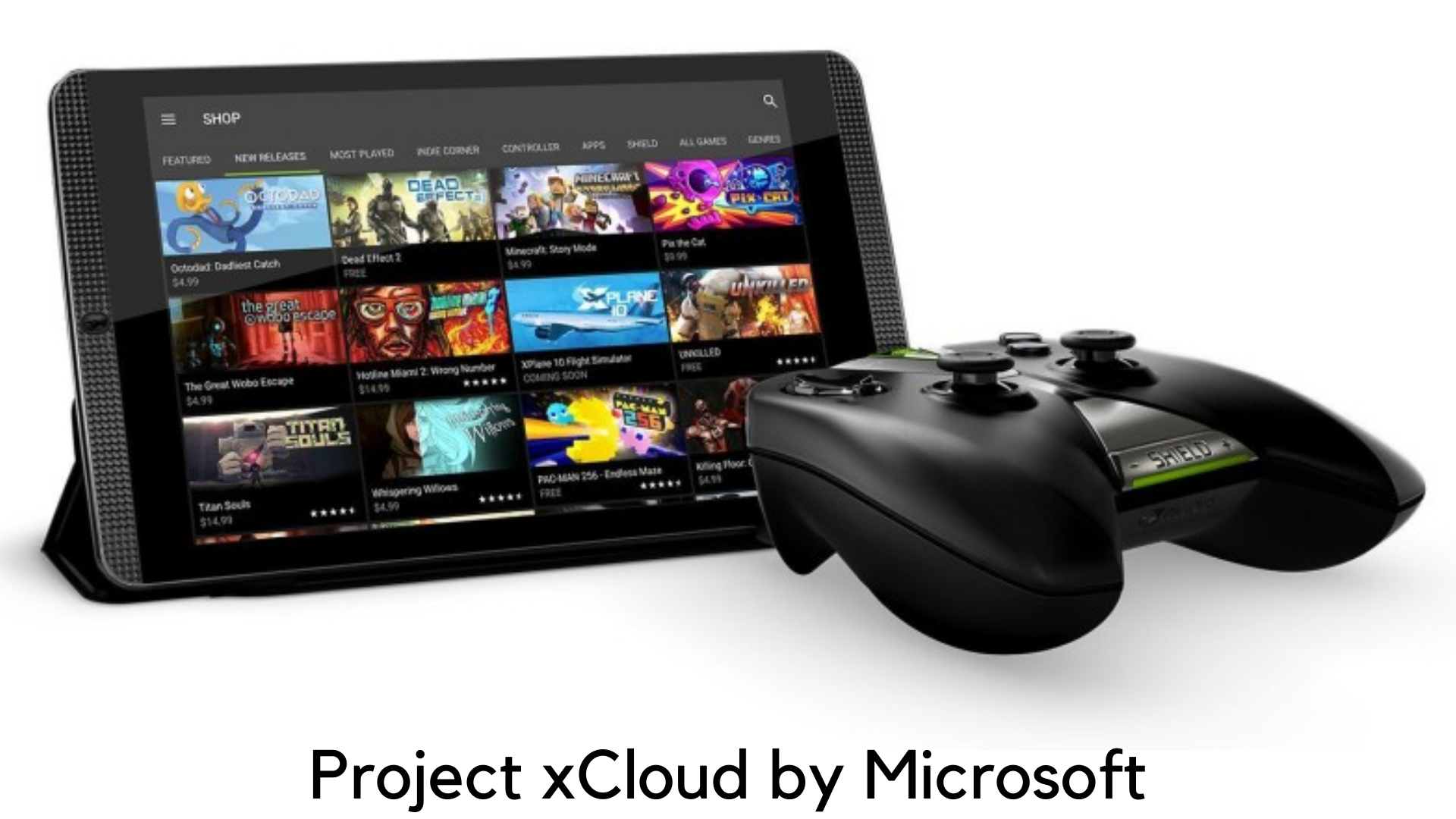
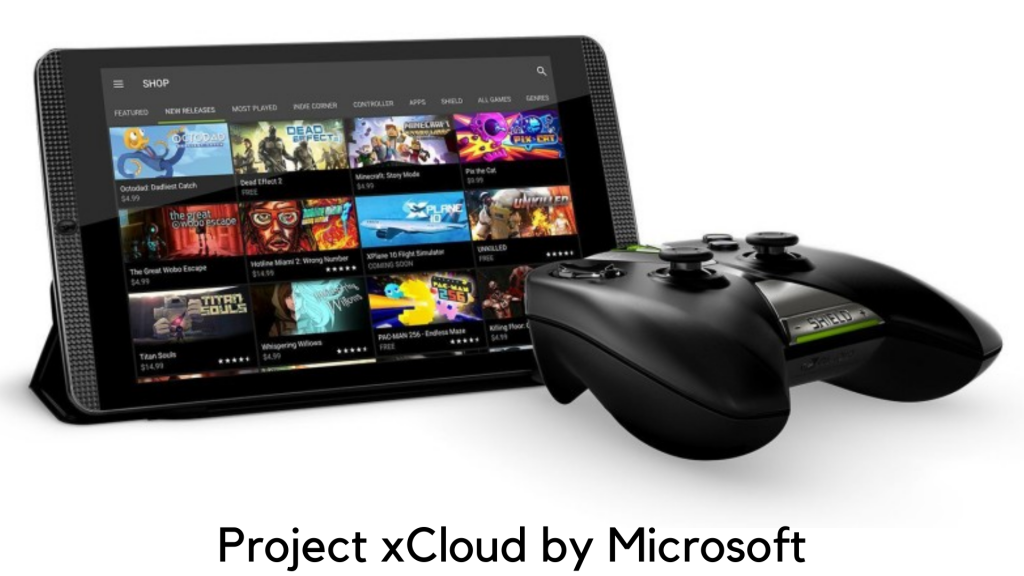
    Microsoft has rolled out the invites to its public beta preview of Project xCloud according to a tweet by Phil Spencer, Xbox head. If you want to be a beta tester for the streaming service, download the app now for Android from the Google Play store.

    Project xCloud by Microsoft – A Hands-on and Early Look

    The idea of streaming a PC-quality or console game to any mobile platform is still a dream. But Microsoft has made it real by announcing that they are going to introduce a new service, Project xCloud.

    Simply speaking, smartphone and tablet users might be able to stream any game which is released for Xbox One. On the other side, owners of the Xbox game can play them on the go.

    It seems quite ambitious. But it’s Microsoft that can do this task. Here are the further details you should know about Microsoft’s Project xCloud.

    First of all, what is Project xCloud?

    It is basically a game streaming service by Microsoft. In June 2018, the company announced its plan to offer this service on its media event at the E3 trade show. The company has been doing well for years on this technology.

    According to The Verge on September 2013, Microsoft has presented a demo at a meeting featuring Halo 4, the exclusive Xbox 360 title. The company has shown how it can work on both Windows PC and Nokia Lumia, a Windows Phone-based smartphone.

    what is Project xCloud

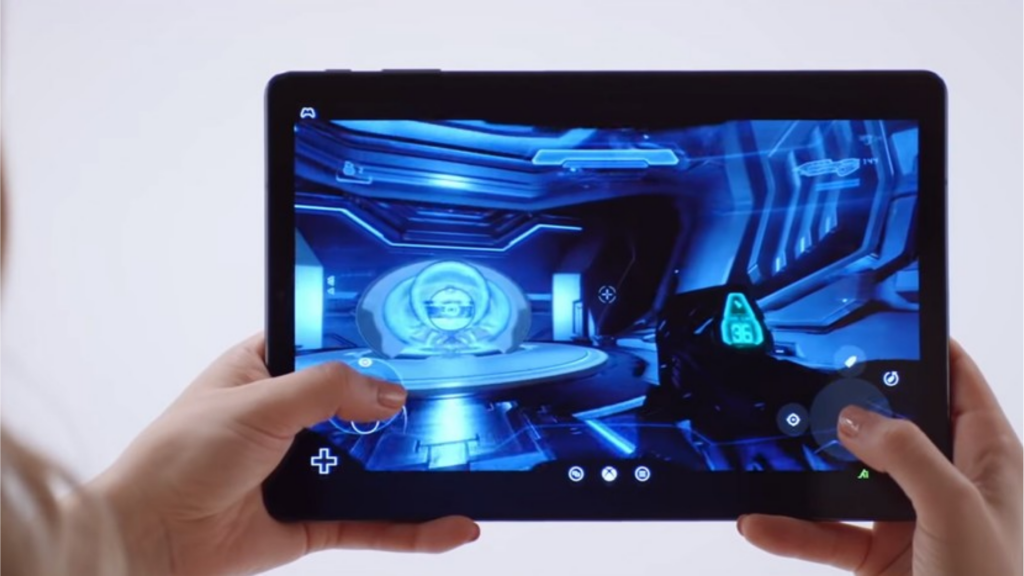
    Microsoft revealed further details in October 2018 on its streaming service, along with the code name Project xCloud. Along with the announcement, video footage shows the players playing popular titles with their Samsung tablets and smartphones like Halo 5, Forza Horizon 4, Gears of War 4 and Cuphead. The players played the games with touchscreens and Xbox One controllers.

    Azure cloud computing

    Microsoft revealed in both video and blog post that Project xCloud would be based on Azure cloud software and hardware. The Azure servers are now available in 54 locations worldwide. According to the company, it was testing xCloud from the server location of Washington.

    Project xCloud by Microsoft – Azure cloud computing

    The company further revealed that it has created a unique cloud server blade to hold the hardware of various consoles of Xbox One. Each of these blades of xCloud can be placed in data centers of Azure across the world. It would offer an amazing game streaming experience to the players everywhere once the service goes live officially.

    Touch Screen Support and Controller

    As discussed, gamers were seen controlling the streaming service on smartphones using the Xbox One controller which is connected by Bluetooth. But Microsoft has also introduced ‘touch input overlay’ to play the games directly on a tablet or smartphone’s screen without having to use the controller.

    Kareem Choudhry, gaming cloud head at Microsoft, gave another sneak peek during the latest episode of Inside Xbox on March 12, 2019. He brought an Android device connected to the Xbox One gaming controller and used the same to play Forza Horizon 4. The stream was crisp and fluid. The company has been testing it internally.

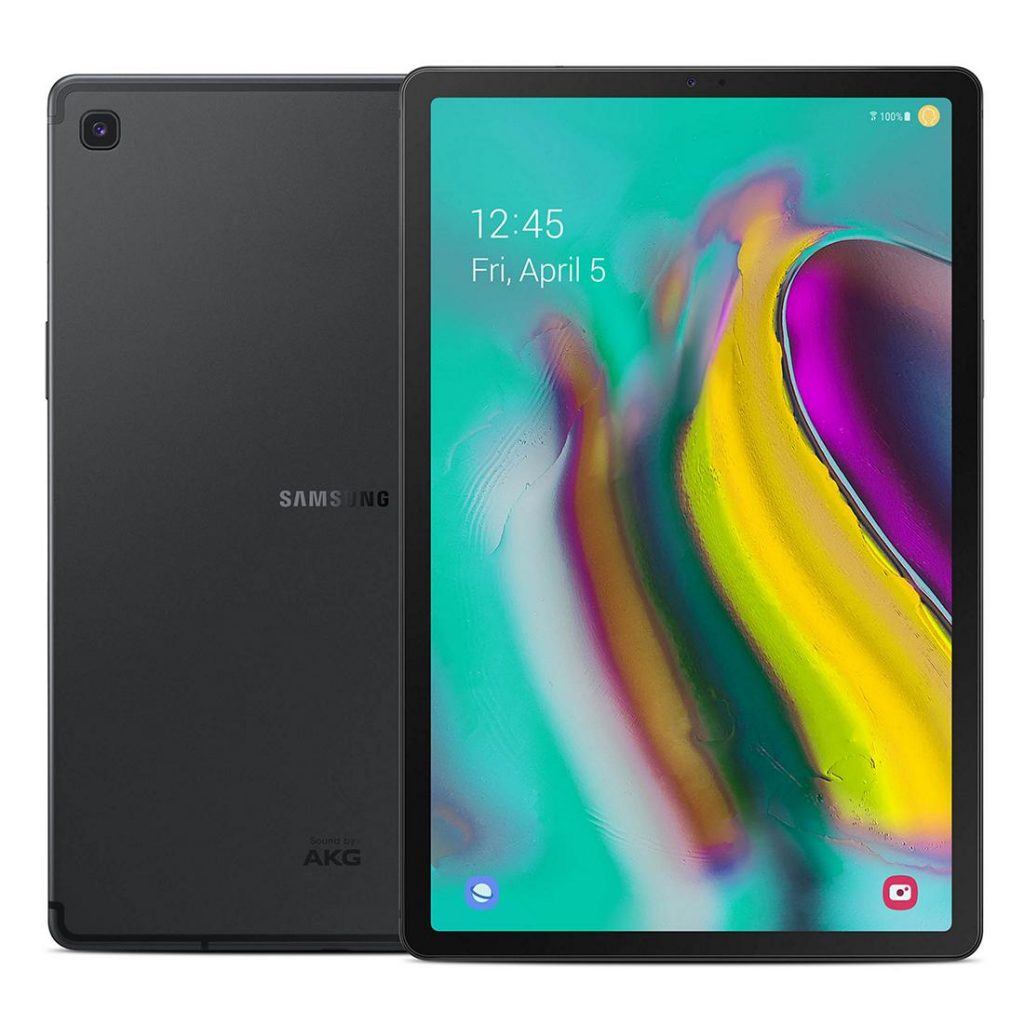
  • Samsung Galaxy Tab S5e hands-on review

    Samsung Galaxy Tab S5e hands-on review

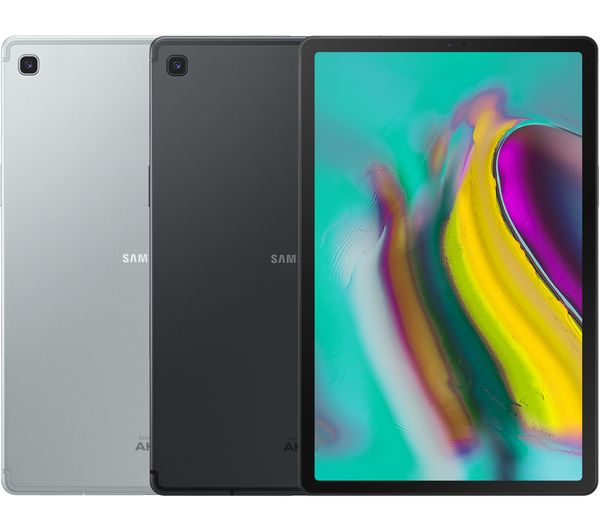
    Smartphones have become inevitable in our world. Having an expensive smartphone has become a status symbol much like having a car. While tablets are not as trendy as much as they were before, Samsung has not given up on their dreams. It has recently launched Samsung Galaxy Tab S5e and has made the tablet pretty affordable too. We are going to see about the amazing features of this sleek device in Samsung Galaxy Tab S5e hands-on review.

    Samsung Galaxy Tab S5e hands-on review

    A tablet has to be stylish, affordable and it should be easy to handle. Apart from this, it should have many features which will make it great to use. You can get all these with the new Samsung Galaxy Tab S5e. Grab the tab today and have a great time using it. Let us see the features of the tablet one by one in this review.

    Affordable price!

    The Galaxy Tab S4 which was launched last year had a high price tag. It was not so affordable. Many of us dream about using an expensive-looking smartphone with stunning features. But the price would be so high that we have been postponing that dream. Not anymore. With the new Samsung Galaxy Tab S5e, we can now make our dream a reality.

    It is priced very reasonably yet it looks costly. Great, right! But this reduction in cost has not affected the quality of the tablet in any way. The LTE variant of Samsung Galaxy Tab S5e is Rs.39, 999 and its Wi-Fi only variant is available at Rs.35, 999.

    Sleek Design!

    The tablet features a sleek and stylish design. For some people, the design might be a little basic but it isn’t much of a problem. The tab is very thin and is just 5.5mm. You don’t have to worry about handling such a thin tab. It is very comfortable to grip it.

    The main issue that we face with a tab is that the big screen size of it makes it tiring to hold it for long periods. You won’t face this issue with Samsung Galaxy Tab S5e because it weighs only 400 grams! Your hands won’t experience fatigue while you are using this tab. The tab has a sturdy metal body.Samsung Galaxy Tab DesignThe right side of the tab has a power button which also functions as a fingerprint reader. Below this button, the volume rocker and the microSD or SIM card slot are found. The bottom has the USB-C port while you can locate the POGO pins on the left side.

    Unfortunately, the tab does not have a headphone jack. But there is an adapter that comes with the tab. This adapter can be used to connect the wired headphones via the USB-C port. Four speakers are present in the tab to give you a great audio experience. The top left corner has a camera.

    Stunning Display

    The tablet looks vibrant with a 10.5 inch AMOLED panel with a 16:10 aspect ratio. This means you can enjoy media content with a resolution of 2560×1600. There is enough space to place your thumbs while holding your tab.

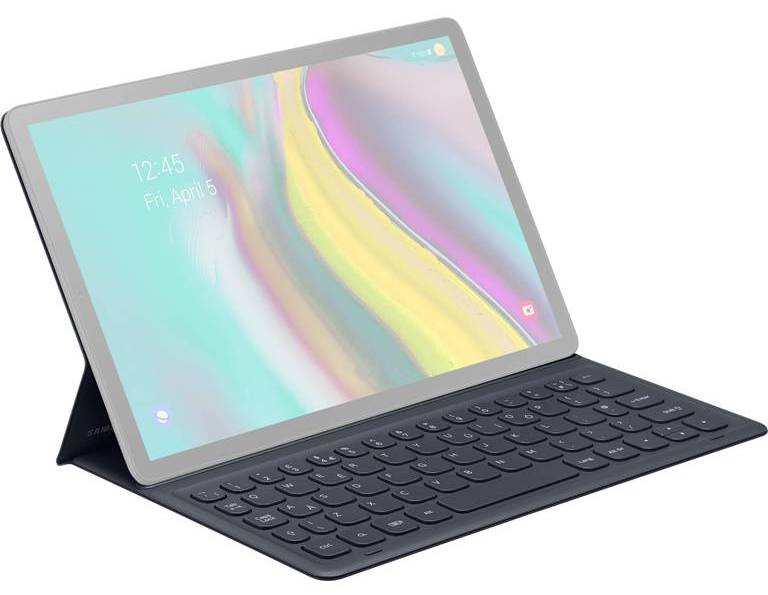
    This is possible due to the absence of physical home and other navigation buttons on the bezel. If you are a gamer, then you are in for a visual treat with this tab. You can even read books on kindle and the tab makes it quite comfy. If you want, you can even buy a keyboard to use along with the Samsung Galaxy Tab S5e.

    This will allow you to use the tab like a laptop along with software like Dex Mode. The keyboard is a little tight on space but with time you will adjust to it. The absence of backlight makes it a little tough to type if you don’t have enough light.

    Performance of Samsung Galaxy Tab S5e

    The newly launched tab comes with a Snapdragon 670 chipset and a 4 GB RAM. This is good for a standard Android device. A 15W charger accompanies the 7040mAh battery and it takes three hours to completely charge the tab.

    The charge lasts long enough and there is nothing much to complain about. You can use it for even more than 14 hours. The internal storage of the tab is 64GB. But there are provisions to support 512GB microSD cards in the tab.Samsung Galaxy Tab S5e PerformanceThe tablet performs well when we are multitasking. But sometimes after prolonged usage, one might find some lags in the functions. The tablet comes with a pre-loaded Bixby digital voice assistant.

    With this feature, you can give voice commands to your tablet. There are some child safety features present in this amazing tab. Parents can use these to limit access to a few apps and information by their kids.

    Decent Camera!

    The tablet has a 13MP rear camera along with an 8MP front camera. You get autofocus with a rear camera but the flash is absent. If you wish to take pictures in low light, then this camera will not suit your needs. Videos can be recorded with 4K resolution but that’s it.

    You can’t expect much from the cameras in the Samsung Galaxy Tab. But you can take decent pictures and make video calls with a front camera. Full-featured Promo mode is absent in this camera. Overall, in terms of camera, it just gives an average performance. But most of us don’t use a tab for the purpose of taking pictures. So, this shouldn’t be a problem.

    If you are looking to buy a Samsung Galaxy Tab S5e, then we say you go for it. The price range is very low compared to other tabs and everyone can afford it. It is very good if you intend to use it for browsing, watching videos, Netflix and reading.

    Bottom Line

    The design, battery life, features are all enticing in this tablet. Its lightweight makes it much easier to handle. The user interface is great too! Enjoy the amazing features of the Samsung Galaxy Tab S5e by buying it as soon as possible. I hope you liked our review and if you enjoyed reading it, share it with others!

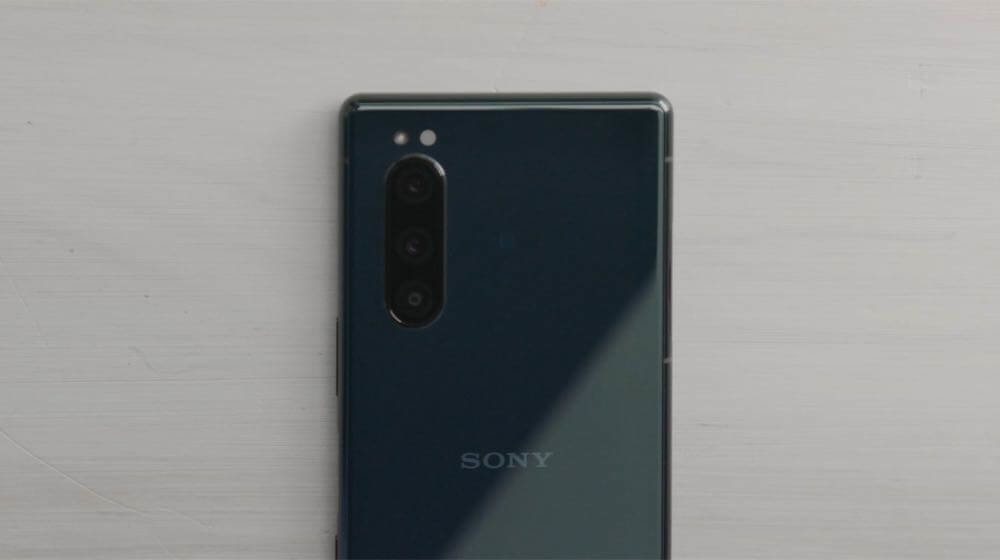
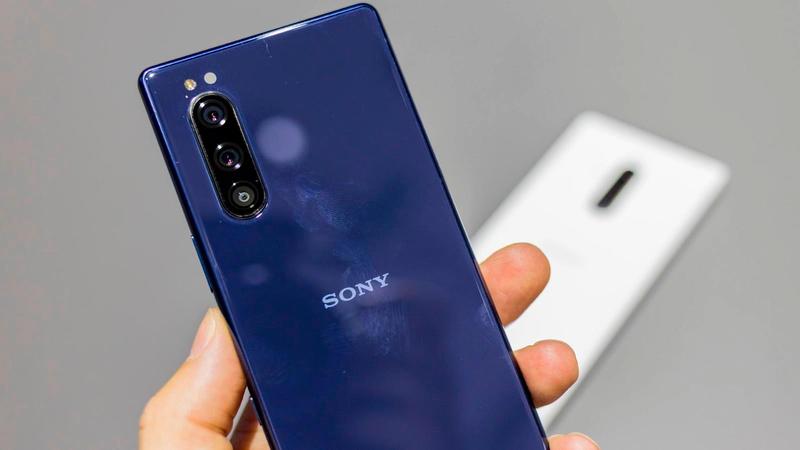
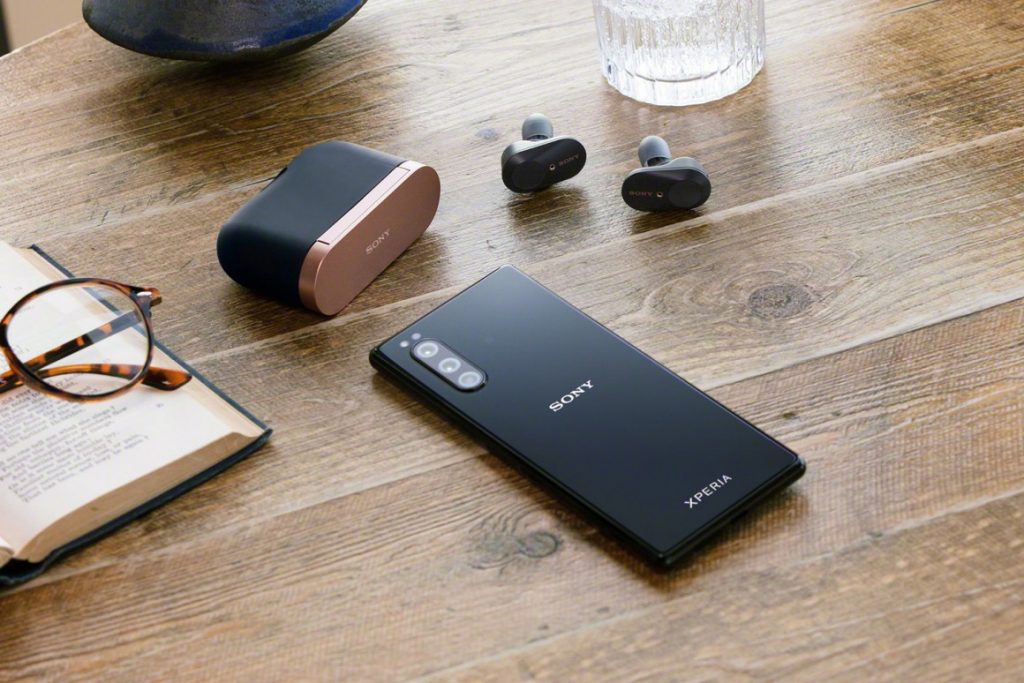
  • Sony Xperia 5 review

    Sony Xperia 5 review

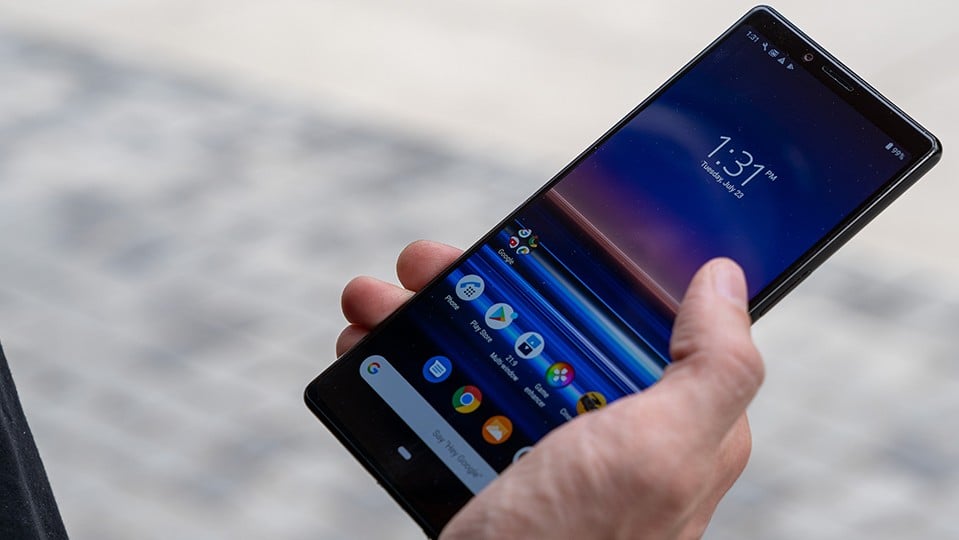
    Sony is famous for its compact phones but now it’s not only compact but amazing also. Finally, Sony has introduced its all-new Sony Xperia 5. This time Sony is all set to give tough competition to the other smartphone valuable in the market with the all-new Sony Xperia 5. Additionally, the screen size of Sony phones was only increasing but this time Sony has decreased the screen size from 6.5 to 6.1 inches. Additionally, there are no changes in the diagonal ratio also.  This phone is also available in the same tall 21:9 aspect ratio.

    Sony Xperia 5 review

    As per the details available, this latest Sony phone is introduced with the 4k Resolution video feature but with the small screen, the resolution is too much although the 1080 p is quite too much for this latest release. Apart from the display, there are several other things that are required to be considered.

    Yes, not only the screen got decreased but also the battery capacity got affected. Yes, the battery capacity of this latest phone has also been decreased. However, the battery capacity decrease is only a few percents so there is nothing much dramatic.

    Apart from the software and such specification, the hardware part is giving tough competition to others. This compact device is Xperia is having all those features that other bigger smartphones available in the market are having.


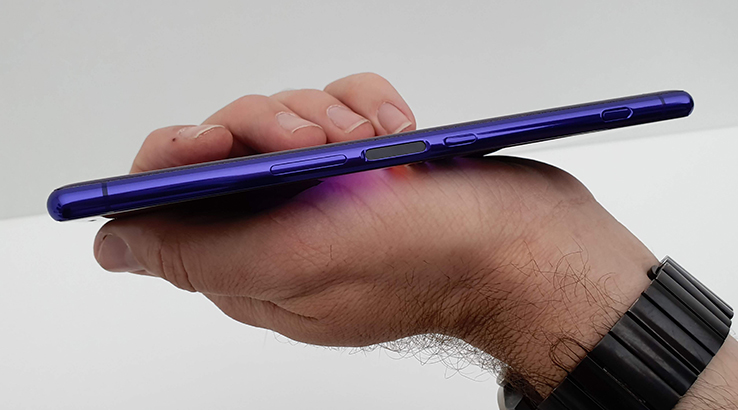
    Additionally, the amazing part is that in this smartphone you are getting stereo speakers, micro SD slot, side-mounted fingerprint sensor, and dedicated hardware camera key – a staple of Sony smartphone design. If you compare the Xperia 5 with Xperia 1 then there is nothing different.

    The 5 is having everything that the 1 has. There are several other specifications of this Sony Xperia phone that you should know about. The specs include:

    Body:

    Sony Xperia 5 is introduced with an Aluminum frame; Gorilla Glass 6 on back and front; 158x68x8.2mm, 164g; IP65/68 ingress protection rating; Sony Xperia 5 review

    Sony Xperia 5 Color options:

    This latest smartphone from Sony Xperia flagship has been introduced in the 04 color options including Blue, Red, Black, and Grey.

    Screen:

    Discussing the screen of the Sony Xperia 5 then, it is introduced with the 6.1″ OLED; 21:9 aspect ratio; 4K (1080x2520px); 449ppi; HDR BT.2020; DCI-P3 color space.

    Coming to the camera features then this phone of Sony Xperia flagship is also having the same 3x12MP camera configuration on the back. You can easily use this camera for the high-end phone trio of regular wide, ultra-wide, and short (2x) telephoto.

    Additionally, there are several other features revealed that include the Snapdragon 855 chipset. Yes, it is entitled to the Snapdragon 855 chipset as the full-sized version. Additionally, there are no midrange SoCs and the reason is the size of the smartphone.

    Rear cameras:

    The primary camera of the Sony Xperia 5 is of 12MP (1/2.6″ Exmor RS), f/1.6 aperture (ISO 3200), 26mm lens, Dual Photo Diode. Additionally, it comes with a Telephoto of 12MP (1/3.4″), f/2.4, 52mm lens. Apart from this for the Ultra-wide shots the 12MP (1/3.4″), f/2.4, 16mm camera is given.

    Additional camera features:

    There are several other additional features given in the Sony Xperia 5 smartphone including the Predictive Capture (Motion/Smile), Autofocus burst with up to 10 fps AE/AF tracking; Eye Autofocus; Predictive Hybrid Autofocus; anti-distortion shutter; Optical SteadyShot with Intelligent Active Mode (5-axis EIS + OIS); RAW noise reduction.

    Front camera:

    Coming to the front camera then the Sony Xperia 5 is packed with the 8MP (1/4″ sensor), f/2.0, 24mm lens, the fixed-focus camera that is OK.

    Chipset:

    Well, the processor and chipset play an important role and are important to consider as well. the Sony Xperia 5 is introduced with the Snapdragon 855 chipset, octa-core processor (1×2.84 GHz Kryo 485 & 3×2.42 GHz Kryo 485 & 4×1.8 GHz Kryo 485), Adreno 640 GPU.

    Memory:

    For better storage and performance, Sony Xperia 5 has been introduced with the 6GB of RAM, 128GB of storage. The internal memory of the device can easily be expanded up to512GB with the help of micro SD card support.

    OS:

    The operating system of this Sony Xperia 5 is also advanced. Currently, it is running on the Android 9.0 Pie version.Sony Xperia 5 review

    Battery:

    There are some decrements in the battery part this time. But still, it is packed with the 3,140mAh Li-Ion battery. In order to provide fast charging, it is also packed with USB Power. It also includes the Smart STAMINA, Battery Care, and Xperia Adaptive Charging.

    Connectivity:

    For providing better connectivity, there are Dual-SIM/Single-SIM options available (market dependent) in this smartphone. Additionally the features 5CA LTE 4×4 MIMO, Cat.19 LTE (Up to 1.6Gbps download speed); USB 3.1 Type-C; Wi-Fi a/b/g/n/ac; GPS + GLONASS; Bluetooth 5.0; NFC are also included in this for the better connectivity.

    Audio:

    The audio features are available with the Hybrid stereo speaker setup along with the Dolby Atmos, DSEE HX, LDAC, and Qualcomm aptX HD.

    Sony Xperia 5 Misc:

    This latest smartphone is also packed with features including the Side-mounted fingerprint reader, X1 for the mobile engine, TRILUMINOS display. Additionally, the BIONZ X for mobile (Eye autofocus) is also given along with the Cinema Pro app for cinematic video recording experience.

    These are some of the amazing specifications of the latest smartphone by Sony. Some features of this latest smartphone are amazing and some are only satisfactory.  Talking about unboxing then the looks of this Xperia is quite similar to the Sony Xperia 1.

    Inside the box, there are some accessories also available including the USB-C headphones. In order to complete the order box of this latest smartphone, the 18W USB Power Delivery 3.0 adapter and a USB-C-to-C cable are also given.


  • Huawei Mate 30, 30 Pro, 30 RS

    Huawei Mate 30, 30 Pro, 30 RS

    When it comes to buying a smartphone, a customer or the consumer would consider all the important factors that comprise of a smartphone or the smart electronic device. There are millions of smartphones in the market with various specifications, features, similarities and differences and of course some are better and while some are not so better for purchase.

    Most of us prefer using the cheapest and an affordable smartphone that has got loads of features that one needs to use it for their daily purpose though. However, whenever we buy a smartphone, all that we consider is just the look, design, price, and a few important features such as RAM, memory, storage, internal and external, processor, built, its upgrades, etc

    Huawei Mate 30

    Well, you need to know that there is one such brand known as Huawei in the smartphone market that helps us with loads of benefits and features at the most affordable price though. However, even this particular brand has got a few different and variety of smartphone or probably the successor of previous phones and devices.

    You just have to look for the perfect smartphone that will come under your budget and of course with all the features and specifications that you are expecting.

    Here we have mentioned some similarities and differences about three models from the same brand Huawei, which is Huawei Mate 30, Huawei Mate 30 Pro and Huawei Mate 30 RS that consists of the Porsche designs overall. Just refer to the below-mentioned details and look forward to buying the best model for you

    Huawei Mate 30 vs. 30 Pro vs. Huawei Mate Pro 30 RS Porsche Design

    However, to help you better, we have gathered loads of information and have compared the smartphones with all of its best features and differences and of course with the prices too. Just refer and get the right piece. I hope the below things will be supportive of the people who all are looking for a long time.

    Display and Look

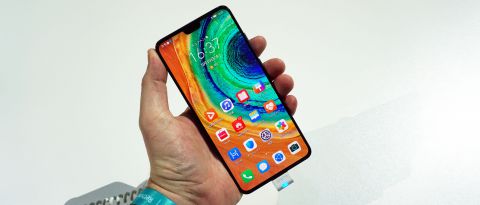
    The make of all the three smartphones is quite similar but there are a few differences that could differentiate from each other, otherwise, they are like identical twins. The front of Huawei Mate 30 and 30 Pro can be figured out with the front notches that both the smartphones have.

    Huawei Mate 30 Display and Look

    The displays are quite different from each other and when it comes to the Huawei Mate 30 RS Porsche design is actually divided into parts in the back panel. There is leather on the right side and glass in the middle area.

    Resolution

    The 3D facial recognition is something that you would find in the Mate 30 Pro and there is no such feature or an additional feature in the Mate 30 or in the Mate pro 30 RS Porsche design though. You simply can decide if you need a facial recognition device or just the normal model.

    The resolution of Mate 30 is quite high powered than Mate Pro 30 and even RS Porsche design has got an extraordinary resolution that one can be impressed for sure. You will see a 409ppi pixel density in the pro version and 338ppi in the Mate 30 version. Porsche Design has got the same pixel density of Mate 30 Pro.

    Camera

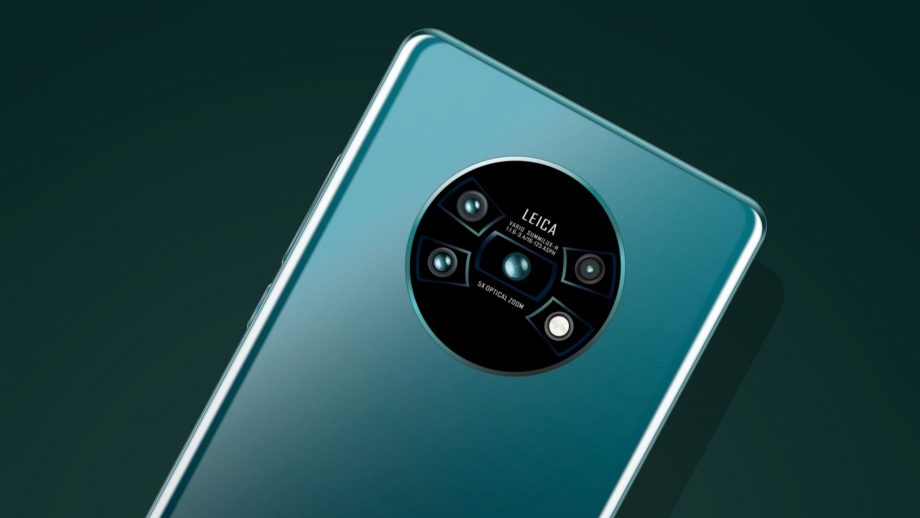
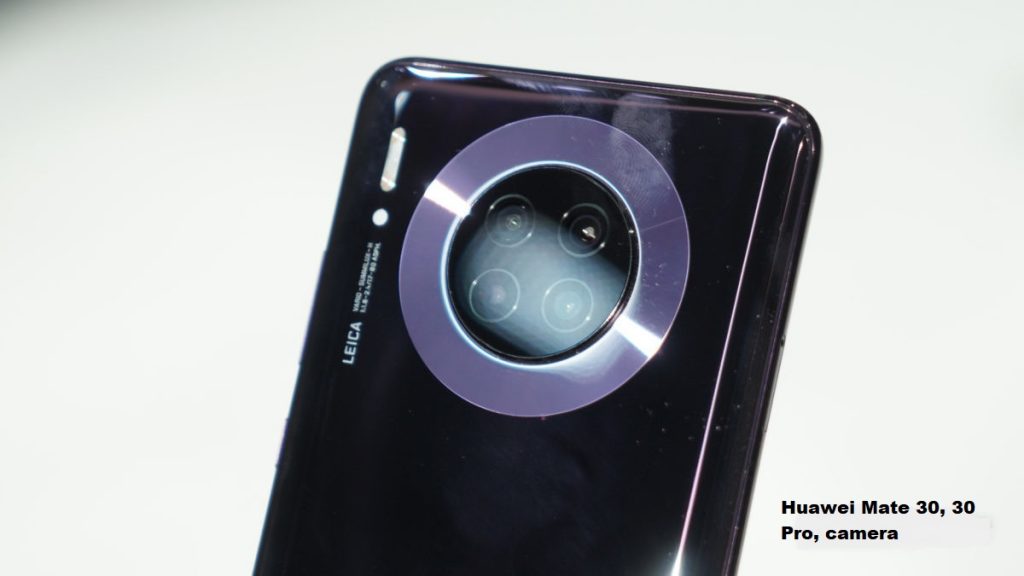
    The Huawei Mate 30 has got a triple rear camera whereas the Huawei Mate 30 Pro has got Cine Camera and a Quad rear camera. You will see that the pro model has got 3D sensors that can also work as the best feature for face recognition too.

    Huawei Mate 30, 30 Pro, 30 RS camera

    You can, not just use it for videography even for the slow-motion shots too. Porsche Design has again the Quad camera, with 3x optical zoom, with 32 MP Wide, LED, panorama, HDR and few extra features have been added as compared to Mate 30 and Pro 30.

    5G specialty

    When it comes to the connectivity and the network you can simply go on with the Mate 30 if you need 4G connectivity and if you are looking for 5G facilities then you can opt for Mate 30 Pro and 30 RS Porsche design that supports 5G LTE as well. Along with 5G, it also supports HSPA and GSM too.

    However, Mate 30 Pro and Porsche designs are quite expensive as compared to Mate 30 version. Well, you can choose accordingly to your needs for sure.

    Storage

    If it is about the storage, you need to know that the Huawei Mate 30 has 8GB RAM with 128 GB of storage and memory. If it’s about Huawei Mate 30 Pro has got 8GB of RAM along with 256 GB of ROM. When it comes to Mate 30 RS Porsche Design has got 12GB RAM and 512GB of ROM which is expandable up to 256 GB in the shared sim memory.

    Battery

    You will see that the Huawei Mate 30 comes with a great battery capacity that covers up to 4200mAh battery capacity and of course with a quick charger too. When it comes to Mate 30 Pro and RS Porsche Design from Huawei comes with 4500mAh battery capacity for sure. However, the pro version offers a little extra life as compared to the standard Mate 30 model.

    Cost

    Well, the device has not yet been launched and is soon to be arriving in the online electronic portals and websites. However, the experts are predicting Mate 30 to be in the range of Rs. 63,000, whereas the 30 Pro and RS Porsche Design would be approximately in the range of Rs. 72,000 and Rs. 165,000 respectively!

    Well, there may be some discounts or offers served for the first time buyers or the first customers, you can simply try for sure.

    Conclusion

    Hence, here we have compared all the specifications and features of all the three smartphones from the brand of Huawei which would be a great handset soon. You can simply decide and choose on which device to buy for your use. Just go through the comparison!

  • Google Pay continues international expansion

    Google Pay continues international expansion

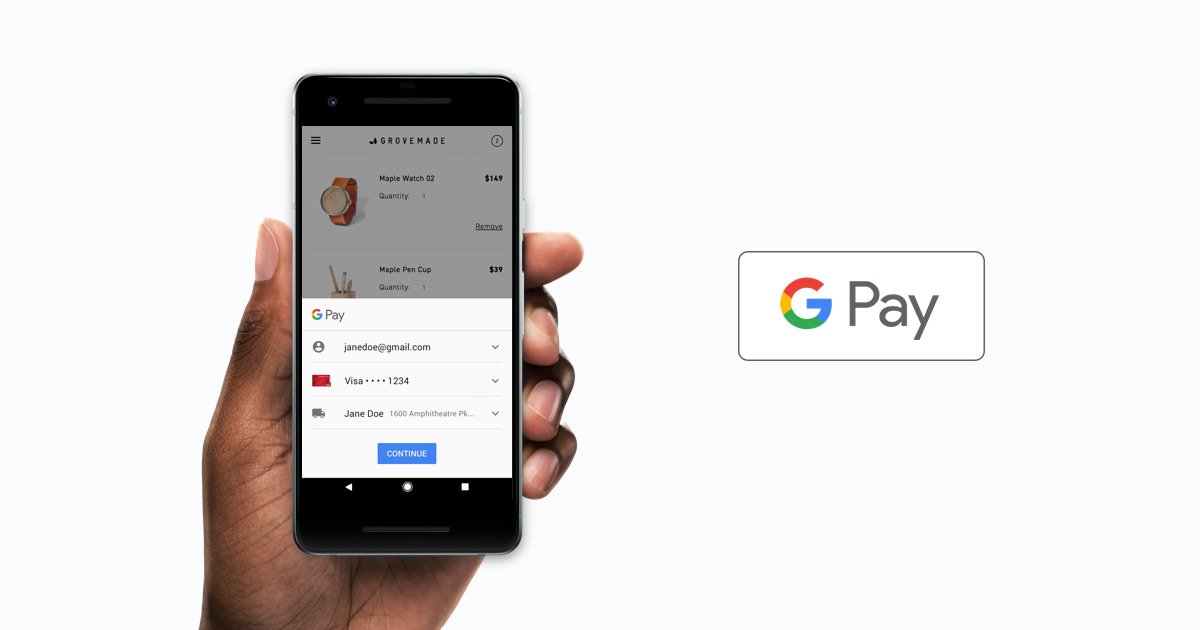
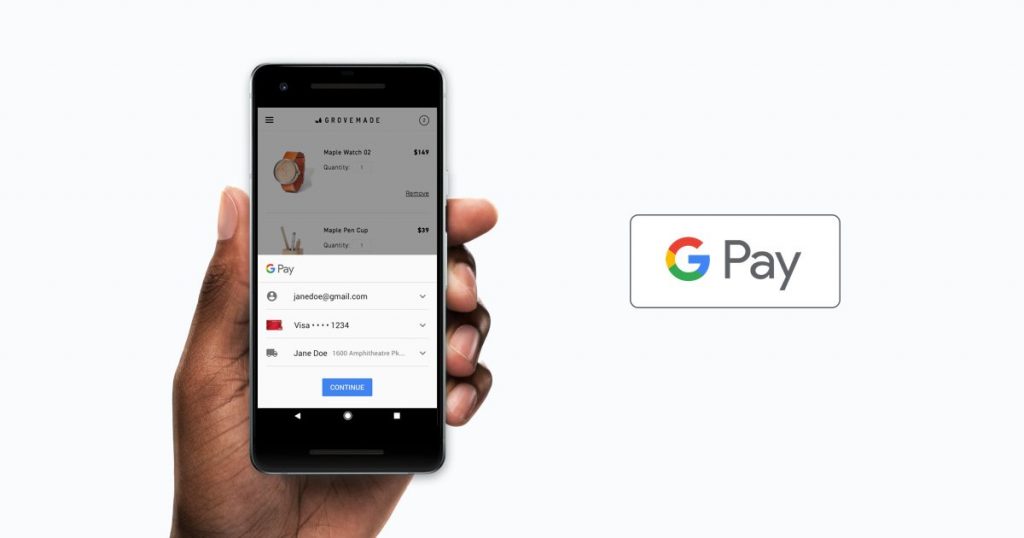
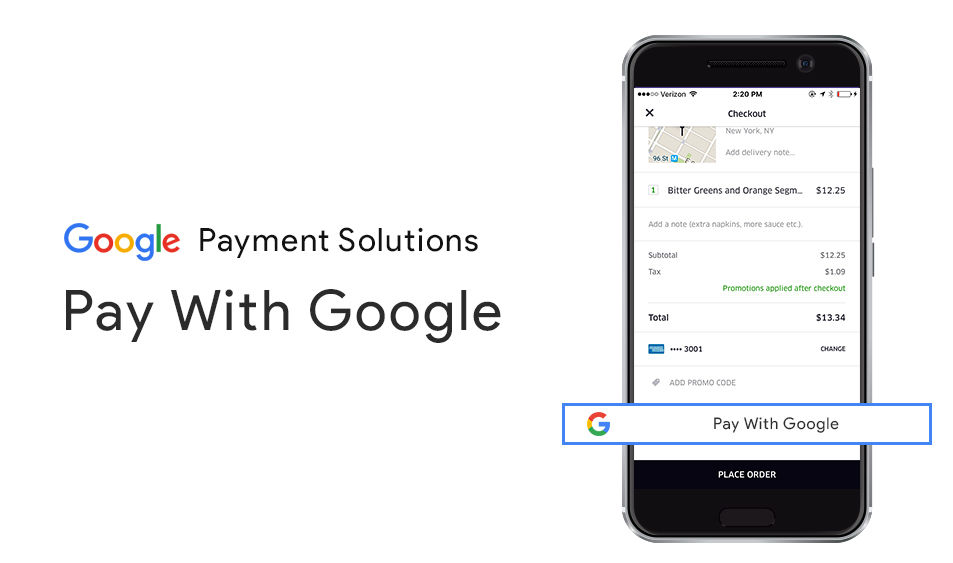
    Google has made it much easier to utilize the online payments. In 2018, Google announced to combine the entire payment methods under one roof (unified brand) referred to as Google Pay. It is rebranded from the earlier Android Pay App and also Google Pay Send is renamed from the Google Wallet app. Eventually, you can use Google Pay to allow receiving & sending money, also have peer-to-peer transactions.

    Google Pay continues international expansion with support for 16 new institutions


    Google Pay expansion for 16 new institutions

    Google has gained international support for boarding passes and transit. This service will also add the new financial institutions within its partner’s list. By the end of July month, another 16 banks & payment services across Japan, Canada, and Europe are allowed to make way to utilize Google Pay. Find below the complete list:

    Belgium – Monese and Banca Monte Paschi Belgi.

    Ukraine – Raiffeisen Bank Aval, JSC Bank Alliance, JSC State Export-Import Bank of Ukraine, and Bank Clearing House.

    Canada – Servus Credit Union Ltd

    Sweden – Monese

    Croatia – Revolut

    Spain – Monese

    Czech Republic – Česká Spořitelna

    Russia – Absolut Bank

    Denmark – Monese

    Poland – Monese and EnveloBank

    Finland – Monese

    Norway – Monese and BRAbank

    France – Monese

    Japan – Sasebo Model Hyakka Co., Ltd., and OC Co., Ltd.

    Germany – Monese and ING

    Italy – Monese and Edenred

    Ireland – Monese

    Supportive Features

    You can find below the list of supported banks, places, and essential information about the Google Pay app:

    QR Scan Codes for peer-to-peer payments

    Google Pay is one of the best and greatest ways to transfer money to their family members, friends, and relatives. However, Google planned to implement a new value-added new feature to include for sending the payments much easier to some.

    As per the report from XDA Developers, Google is set to include the QR Scan Codes as a new initiation for processing the peer-to-peer payment.

    Google Pay continues international expansion with support for 16 new institutions

    This option can also be utilized by showing up the Send option within the Google Pay app. According to the report, it is mostly the new feature could be much easier than choosing the contact from the available contact list. You can easily transfer the money to anyone just you met and it comes with handy.

    Tez is rebranded to Google Pay

    A year ago, Google launched a new payment service in the Indian market referred to as Tez. But as of now, the company seems to give another big push for Tez. As a part, it includes that Tez is rebranded as Google Pay to bring the other Google’s Payment services in line. Beyond that, Google already planned to convert the Tez app into an entire featured app that can be used by everyone for payment-related within the Indian marketplace.

    During the launch of Tez, it was planned to work on bank-based payments however, Google immediately added the utility and bill payments to its service. According to the Economic Times report, it also added various features for service competition, micro-loans, both offline & online, and retail payments through ZestMoney.

    To execute its plan, Google coordinated with various local banks such as Kotak Mahindra Bank, Federal Bank, ICICI Bank, and HDFC Bank, which can provide “pre-approved” loans to their customers through this app within a few seconds.

    Google also planned to expand its Tez support (currently named as Google Pay) to other regions as well. It means that adding the multiple features from the Tez application into the Google Pay app within the Asia continent to acquire localizations and new partnerships.

    Google Pay Send – Part of Google Pay

    Google Pay Send is recently added and one of the parts of Google Pay. Both Google Pay Send & Google Pay users within the U.S region are no longer able to utilize both apps, especially for their contactless payments.

    Within the Google Pay app, it allows the users to directly utilize the peer to peer payments. In case, if you are residing outside of the United States region then for time being, it is mandatory to continue utilizing the Google Pay Send & Google Pay apps separately.

    Stores Tickets & Boarding Passes through Google Pay

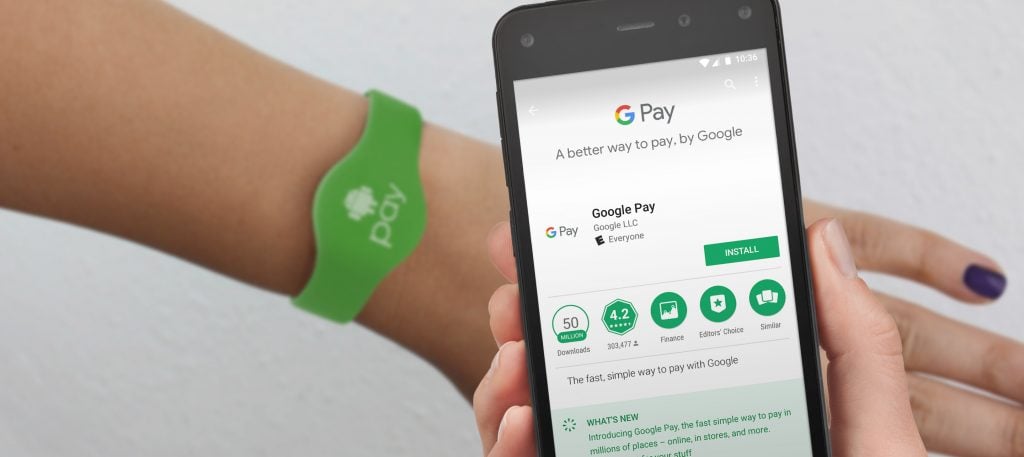
    In 2018, during the Google I/O conference, they announced that Google Pay can now be used to store the event tickets and mobile boarding passes within the app.

    Currently, only a few companies are joined to a participant within this rollout such as FortessGB, Ticketmaster, Eventbrite, Southwest, Singapore Airlines, and Southwest Airlines, however numerous other firms are planned to join this feature in the upcoming months.

    Google Pay continues international expansion with support for 16 new institutions

    To store tickets or boarding passes within the Google Pay app, the users need to choose the option named “Send ticket directly to my mobile phone” within the participating websites or even choose a similar option through email from other companies that are compatible and support the Google Pay Tickets. Just press the Passes section, if you prefer to access your boarding passes or tickets.

    PayPal expands Google support

    For some time, the users are now able to process their PayPal payments using the Google Pay app. However, the PayPal app is still continuing to offer easier things for the U.S region to process Google-bound users.

    In 2048, PayPal informed that any user who registered with any one of their Google’s services can allow them to utilize the same account for other Google services. It is not required to create a separate account to access their account details on other Google services.

    It means that the user who had to create a Google Pay account for processing the payment through PayPal service can also utilize their PayPal account. The PayPal account will become automatically active on YouTube, Google Play Store, Gmail, or other Google services to process the payment service, without signing into their account again.

    Widespread Adoption

    We all know that there are numerous digital payment methods available across the online platform and we prefer to choose the best one to back the right horse. The total number of users will showcase its good indication like the Google Pay app was downloaded by more than 100 million users through the Google Play Store.

    In the meantime, the Samsung Pay app was downloaded by 50 million users while the LG Pay app is yet decided to make its debut on the Google Play Store.

    Google’s Payment methods allow its system to go far ahead of this competition. Of course, it is unfair to say that Google did the entire heavy lifting to showcase its branding.

    Google Pay app replicates the same features of the Android Pay app under the Play Store space and it is not possible to count the downloaded users of the Android Pay app. However, it is clearly known that this app is one of the most popular and best digital payment services across the globe.

    Google Support spread within the United States Nation

    Google Pay app is supported by all the four major banks located in the U.S region – Bank of America, Citibank, Wells Fargo, and the Chase Bank. It is now supported by numerous credit unions and smaller banks as well. If you want to get detailed information about the bank listing, please check the Google Pay Customer Support page for further assistance.

    Similar to make purchases with the help of your mobile phone, a few major U.S. banks such as Bank of America & the Chase Bank have also installed various cardless ATMs for customer’s benefit. In case, if you are an account holder within this bank then it is much easier to utilize the Android mobile phone with NFC enabled to make the withdrawals.

    Some of the U.S. banks are planning to integrate Google Pay along with their own apps for utilization. Most of the banks are already supported and compatible with Apple Pay before utilizing Google’s Payment service, since both options use the same NFC technology to process the payments. Within the upcoming months, many banks will get support from Google for online transactions.

    Integrations & Other U.S. Institutions

    Google has the latest and new features to support the Las Vegas Monorail. As per Google’s report, this new feature will offer the users to purchase their train tickets online through its Monorail official website and then store the same to your Google Pay account.

    To utilize the train travel, you can simply wave your mobile phone before the fare gate. It is possible to view your recent rail trips and also get the appropriate directions to reach your nearest Monorail station.

    Google informed that the new feature will be implemented for numerous public transportation services as well as however, for now, it is limited only for Las Vegas Monorail. Google Pay supports Discover, America Express, Visa, and MasterCard.

    Sites that support Google Pay can handle Masterpass and as well as Visa Checkout with a strategic partnership. The Masterpass and Visa Checkout customers can link their respective Google Pay account and make use of fingerprint to process & confirm the payments.

    Mobile banking app integration

    Google is planned to integrate with numerous banking apps across the globe to utilize the system seamlessly. Most of the customers are allowed to link their cards directly to their Google Pay account. Many banks have in-app integration which is limited and such as USAA, mBank, Bank of New Zealand, Discover, and Bank of America.

    Google merges Android Pay and Google Wallet

    The customers who had already installed Google Wallet and Android Pay on their mobile devices will now utilize the Google Pay app. The single app named Google Pay can be utilized for your entire requirements.

    For example- ticket storage, boarding pass, peer to peer payments, and as well as contactless payments. It is similar to Android Pay which includes the same significant differences.

    You can make contactless payments by adding the supported credit or debit cards. Google Pay app provides a new feature to view the nearby supported retailer’s list and also your specific shopping patterns.

    Wherever Android Pay is supported and accepted, you can easily make use of the Google Pay app. Most of the users are utilizing the Google Pay app for safe and secure to process their online payments without any hassle.

  • Samsung Galaxy S8 Review

    Samsung Galaxy S8 Review

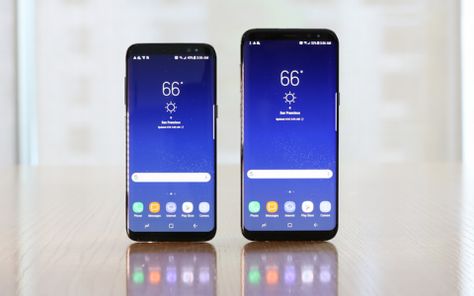
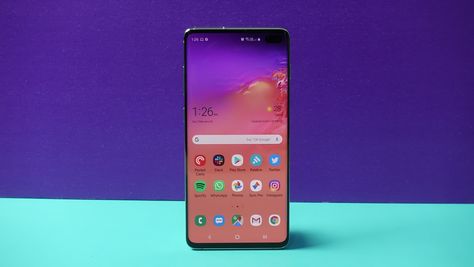
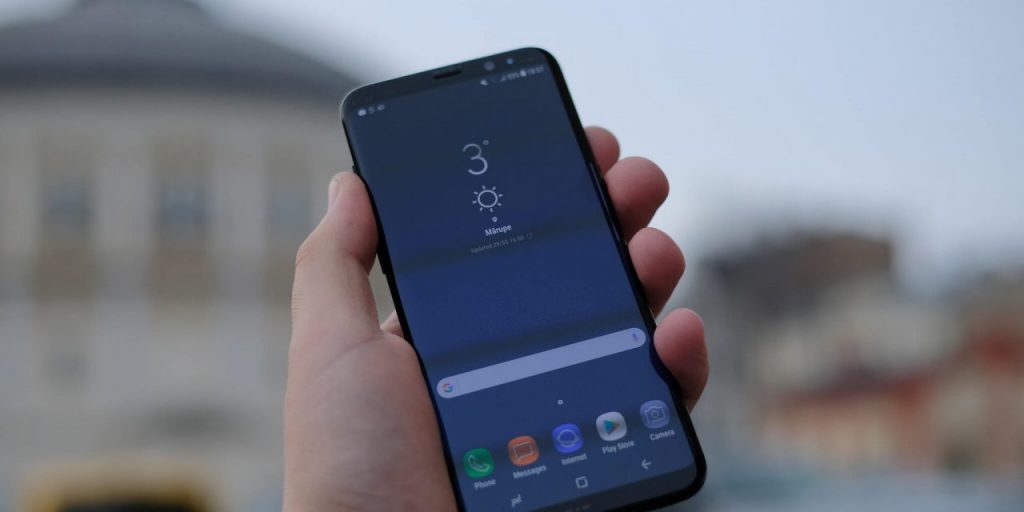
    Samsung Galaxy S8 mobile phone is something great and special during its launch. It is entirely different and unlike anything, you would have seen within the market. Even after two years, this model is still stunning and can get it under a lower price point. It has a brilliant screen with sharp, clear, and provides lovely color reproduction to make your dream true. The screen is much bigger or larger than iPhone 8 or iPhone 8 Plus.

    Samsung Galaxy S8 Review

    This is one of the mobile phones that includes the Iris scanner which may not properly work at required times. Samsung Galaxy S8 & S8 Plus provides much-improved battery life for booting and has an even bigger screen. Both mobiles are now replaced with the next variants of Samsung Galaxy S9 & Galaxy S9 Plus. If you prefer to save your money then choose Galaxy S8 which includes iterative upgrades. However, you can also opt for Samsung S9 duos (either Samsung Galaxy S9 & Galaxy S9 Plus) to pay more attention.

    Key Specifications

    Find below the list of key specifications of Samsung Galaxy S8 mobile phone:

    Display (Main Display Size)

    Samsung Galaxy S8: 5.8″11 & Galaxy S8 Plus: 6.2″11

    Main Display Technology

    Dual Edge SuperAMOLED

    Camera

    Front Camera Resolution: 8 MP AF, Rear Camera Resolution: 12 MP, Main Camera Flash: Yes included

    Memory

    Internal Memory: 4 GB RAM & 64 GB Space. Available External Memory: MicroSD can extend up to a maximum of 256GB Space

    Connectivity (Wi-Fi Connectivity)

    1024-QAM, VHT80 MU-MIMO, 802.11 a/b/g/n/ac 2.4G+5GHz

    Bluetooth

    Bluetooth v5.0 (LE up to a maximum of 2 Mbps)

    OS

    Android OS (Operating System)

    Form Factor

    Touch Bar

    Size (Product Dimensions in Inches)

    Galaxy S8: 68.1×148.9×8.00 mm & Galaxy S8 Plus: 73.4×159.5×8.1 mm

    Battery Talk Time

    Galaxy S8: Up to a maximum of 30 hrs & Galaxy S8 Plus: Up to a maximum of 34 hrs

    Battery Type & Size

    Galaxy S8: 3000 mAh & Galaxy S8 Plus: Non-Removable, 3500 mAh.

    Design

    Samsung Galaxy S8 & Galaxy S8 Plus comes with curved, slippery, lighter, and smaller, the best way you can describe this mobile model. It also includes the Midnight black variant along with other color schemes and includes a certain affinity to fingerprints.

    Most of the reviewers informed that they feel it as an excellent for holding and utilizing with premium effect. It has numerous these to break on this mobile model.

    Samsung Galaxy S8 Design

    Galaxy S8 has tough Gorilla Glass but still, this kind of glass can also be broken. Since this model includes glass on both sides; it is advisable to use a back-case. It means that you can lose its excellent ergonomics and design language.

    With regard to ergonomics, it is advisable to take your risk and also take advantage of them. It is slippery, but the model has a narrow and tally body to provide excellent grip & balance.

    The Buttons

    Samsung Galaxy S8 provides the best button placement when compared with Samsung Galaxy S8 Plus that has an awkward button placement. Depending upon your hand usage (holding your Samsung mobile phone), the buttons for power on/off will be replaced exactly to use your thumb/index finger.

    The Bixby and Volume rocker buttons are also much easier for you to reach without losing your grip.

    Samsung Galaxy S8 Buttons

    The recent’s, back, and on-screen home buttons will work as per the design and the mobile phone is taller & narrower. This means that the finger can easily reach the screen without any hassle.

    Most of the gaming apps such as Asphalt 8 can utilize the entire screen aspect ratio (18:5:9), it is more often to use the entire pressure-sensitive home screen button. Within the on-screen version, you can view the pressure-sensitive home screen button. At any time, you can return to the home screen by pressing the down screen button.

    Biometrics and Fingerprint Scanner

    You can find the fingerprint sensor on the rear side of your mobile phone and next to the camera. It’s a new replacement and might be an awkward position to place it on.

    However, Galaxy S8 the smaller model can still make use of it. The feature will take an entire day to learn and used to it, but if you are done then it could be much faster to use.

    The Face Unlock and Iris Scanner features will work better on the Samsung Galaxy S8 model. With regard to the bigger phone, those features are not really dependent to use.

    It is also not possible to activate both features at the same time, but it is advisable to utilize the Iris Scanner feature instead of Face Unlock.

    This is a better solution for faster and low light conditions. However, none of the features are seamless or dependable similar to the fingerprint scanner.

    Hardware & Features

    Samsung Galaxy S8 mobile device will differ from other mobile devices in terms of design. Significantly it has only fewer hardware buttons (it is also referred to as phone physical buttons).

    It has also relied more heavily on the utilization of software buttons (which appears on your on-screen). Samsung developers had reduced the hardware buttons number on the new Galaxy S8 model.

    It includes only three buttons: the Bixby button, the Volume button, and the Power button. Before using the phone, it is essential to understand the correct side of your phone for usage.

    With reference to the right or left side of your phone can assume its vertical orientation (it means that you are not handling the phone sideways) and look towards the phone’s screen.

    Galaxy S8 Key Features

    Find below the list of key features offered by Samsung Galaxy S8 mobile phone:

    Main Camera with 12 MP Dual Pixel & Front Facing Camera with 8 MP – Galaxy

    S8 will catch each shot even under the low light by utilizing the Main Camera with 12 MP Dual Pixels. Front Facing Camera with 8 MP will provide clearer selfies and Snap sharper.

    Octa-Core Processor (1.9GHz Quad + 2.3GHz Quad)

    Thankful to its processor for launching the apps much faster even during the less battery. It consumes only 20% less power to get 10% more powerful.

    5.8″ Quad HD+ Super AMOLED Display

    This is the world’s first and best Infinity Screen extends from one edge to another and offers the users to utilize the entire screen with less amount of space. The Stunning Super AMOLED and Quad HD (High Definition) display will allow having color clarity of an incredible degree.

    Talk Time (3000 mAh Battery & 29 Hours)

    You can utilize the talk time up to a maximum of 29 hours by using the 3000 mAh lithium-ion battery.

    64 GB Memory & Supported for External microSD card & 4GB RAM

    Similar to a professional, you can perform multitasking by using the 4 GB RAM. You can never run out of your storage space by having the internal storage space of 64 GB and supported up to a maximum of an additional 256 GB of microSD (card storage).

    3×20 CA & 3g/4G LTE

    3×20 CA (Carrier Aggregation) provides the fastest service by increasing the network speed and as well as the network capacity. It is possible to switch seamlessly between 3G & 4G LTE networks.

    Samsung Touch Wiz / Android™ 7.0 Nougat OS

    This Android sweetest release will offer numerous features to make your phone with the deeply customizable home screen, smarter battery usage, and improved multitasking experience.

    Water-resistance and IP68 Dust

    Worry less and do more by using water resistance and IP68-rated dust.

    Mexico Roaming Capable

    Even if you are preferred to travel to Mexico, you can utilize and stay connected. It is essential to choose the add-on plan required for the login process.

    Voice Roaming Capable

    Even, if you are temporarily outside or not able to use the network then you can keep on talking by selecting the appropriate plan. Your plan has to include 50 minutes of domestic voice roaming per month.

    Mobile Hotspot Capable

    Do not stick to use only the available internet connection. You can turn on your phone with a Wi-Fi hotspot to get on-the-go access.

    Pros

    • It has a large and amazing screen display to use.
    • Huge power to consume maximum mobile access.
    • Great camera to capture unforgettable and share memories with your family members, relatives, and even with friends.
    • It makes you feel to use it as a future phone.
    • Front and Back stunning camera.
    • This mobile phone has numerous innovative features.

    Cons

    • Irritating to use the Biometric and Face Unlock features.
    • Very expensive mobile during the launch time.
    • Pointless to use the Bixby feature.
    • The Fingerprint sensor is awfully placed on this mobile phone.

    Verdict

    The bezel-less, large display is beautiful and truly iconic along with excellent screen quality. However, Samsung had made a bad decision of placing the Fingerprint scanner at the rear side of the mobile phone’s screen. With regard to real consideration, both facial recognition and Iris scanner are not functioning well to an extent.

    Moreover, it is not deal-breakers, and tweaked camera & the improved battery life are among the best available features. It is still an excellent mobile phone with a fantastic display, lovely design, and along with a great camera. This is not referred to as a Samsung flagship anymore and never let you put it off.

  • 7 best racing games on Android in 2019

    7 best racing games on Android in 2019

    Everybody knows that racing games are highly liked by most of the people. When it comes to playing racing games, people are always looking forward to choosing the multiplayer mode and start to play with their friends and family. By following the best racing games, people may experience the best driving experience for sure. At the same time, people would be looking for high visual games for better viewing experience as well. If you are a racing game lover, then this is the right platform for you to know more about the best racing games.

    7 best racing games on Android in 2019

    Here we are going to list out the best racing games to play in 2019. Hopefully, this list will be helpful for you to choose the best game to download.

    1. Need for Speed: No Limits

    People are very much aware of this game and they also know that when did this game launched in the store. However, still, this game rules most of the devices by offering the best playing experience with the support of continuous updates in a regular interval of time.

    Generally, you may expect an update on graphics. Well, this thing makes the game even better than expected. Along with that, you can also witness that there are several things to experience like modes, cars, and tracks for the better gaming experience. One can find different modes which are available in it.

    7 best racing games on Android in 2019

    The great thing about this game is where one can find the legendary cars like Lamborghini, Ferrari and more. If you are looking for this game to play, then without going for a second thought, you can proceed further to download on your android device. At the end of the day, this game is said to be one of the best racing games to play in android.

    1. GT Racing 2

    People who want to witness the realistic gaming features, then this game is the right choice where you can play whenever you want. It is also the best racing simulators when it comes to android devices. If you’re going to play with great cars, then you can pick it from the list of 71 cars that are available in it.

    When it comes to choosing the track, it is possible for you to choose the tracks from 13 circuits. The best thing about this game is where you can race at more than 1000 events at any time.

    7 best racing games on Android in 2019

    People who want to change the performance of their cars, then it is also always possible for them to handle at any time. When you are looking at control, it is simple for the people to experience at any time. With the support of regular updates, this game is highly liked by millions of people across the globe. It is the best racing game on Android.

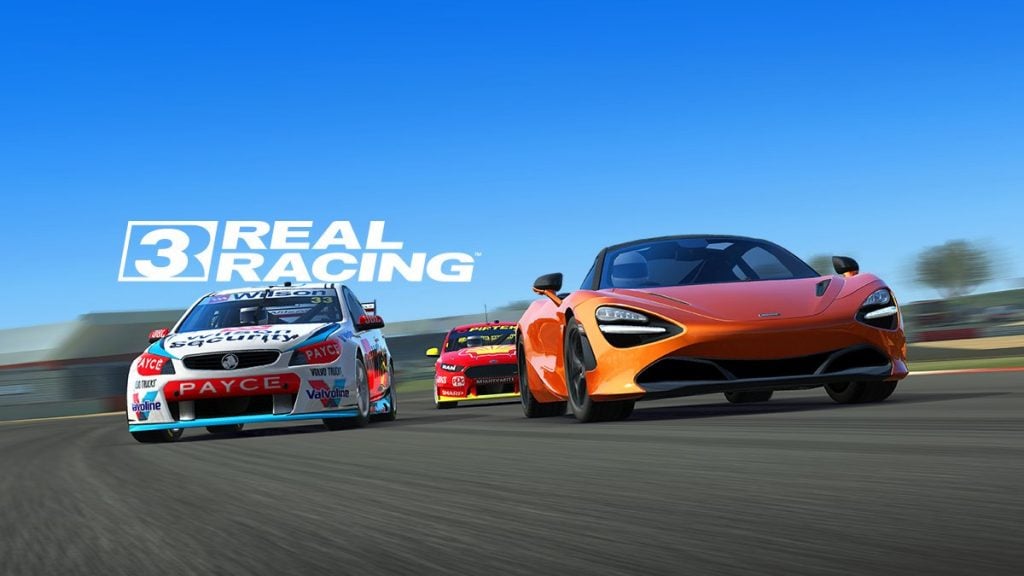
    1. Real Racing 3

    It is considered to be the best game which will offer the best level of entertainment from start to end. For instance, the game is highly coming up with branded cars that can play over the real-world tracks. People who would like to play the game with friends, then one can use the multiplayer mode at any time.

    After some time, the players will get an opportunity to earn new cars. Even they can customize it with mechanical bits to create a better chance to win.

    7 best racing games on Android in 2019

    At the end of the day, this is the best racing game which always makes the people addicted to it. Once they get addicted, then they will like to come back for playing this game again. It is also one of the main reasons why this game is highly liked by all and shows interest in this game to play often.

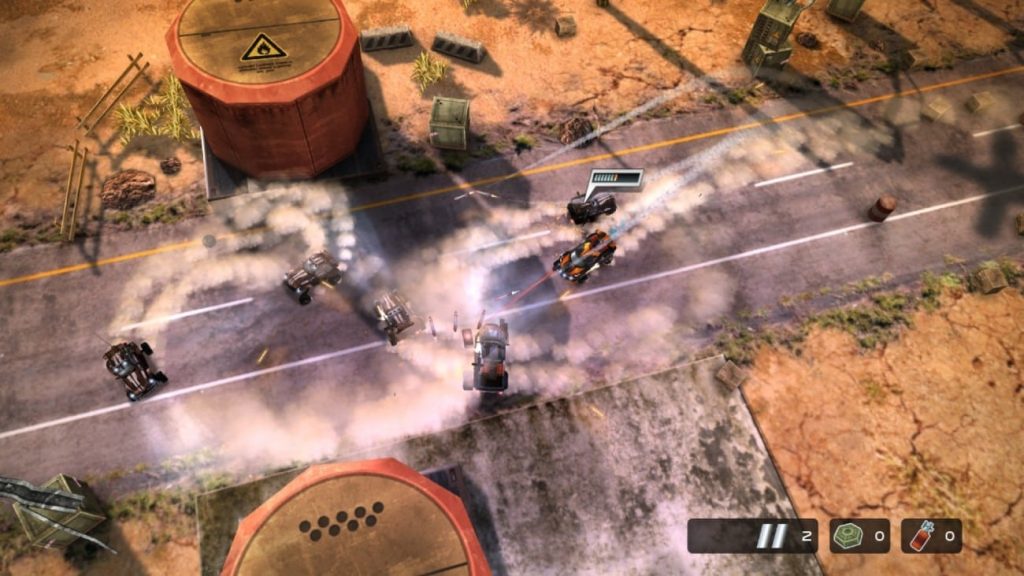
    1. Death Rally

    It is one of the best games in terms of offering gritty stuff through playing. In order to experience the style of mad max, then without going for a second thought, then this is the best game where anybody can play it without any hassles.

    From nitro speed to weapons, this game offers loads of entertainment to the people who show their interest in playing this game. When it comes to playing this game, you need to eliminate the opponents and reach the destination. Once installed on your android device, then you will witness loads of rage hidden in it.

    7 best racing games on Android in 2019

    With the availability of good control, you can manage to play the games on your device without any hassles. At the same time, it is simple for the people to control the cars while handling the tracks among the opponents.

    1. Absolute Drift

    If you are interested in drifting while racing with opponents, then this is the best choice for you to pick it. Well, this is the game where you need to make driftings over the tracks that you have chosen. For information, this is the best game and offers loads of artistic tracks for better drifting.

    Generally, this game will grab the attention of people for its amazing features involved in it. This stylish game will offer only six cars to pick it. On the other side, you can also experience the game modes where you can choose and play games without any hassles.

    7 best racing games on Android in 2019

    At the same time, you can witness the great visuals and get interested in playing it with opponents. Even the controls are simple for the players at any time.

    1. Beach Buggy Blitz

    If you are looking forward to experiencing something different than expected, then without going for a second thought, Beach buggy racing series is the best choice.

    With the combination of realistic graphics and adrenaline speed, this game is the most interesting one for sure and the best racing games on Android.

    7 best racing games on Android in 2019

    While handling the racing, you can even collect loads of items and start to attack opponents using them. Are you looking racing game for your android device to play, then keep it in mind that this will offer loads of fun without any issues.

    1. CSR racing

    In order to play the drag racing games, then without any issues, you can go ahead with CSR racing at any time. Also, players who play this game don’t need to worry about steering. Yes, all you need to do is gear changes in a perfect manner.

    The availability of indicators will make you find when to make the next shift. Now, before the opponents reaching the finish line, you need to reach and make some winning at any time. Well, with the support of premium currency, you can get an opportunity to buy high-end cars without any hassles.

    CSR racing

    If you want to drive the car fastly than opponents, it is essential for you to focus on the upgradation of intake, body, gearbox and more. At the end of the day, it is simple for the players to play.

    Conclusion

    In order to play the best racing games on Android, people are struggling to find the games to play. Hopefully, the above-discussed racing games are going to be interesting to play on an android device at any time. At the same time, the controlling is quite easy for the people to experience while playing the race with opponents at any game mentioned here.

  • Sony Xperia 1 Review

    Sony Xperia 1 Review

    Being ranked up as one of the topmost players in the field of electronic gadgets, Sony is the name that brings up a level of trust and credibility among users. Sony has carved up an interesting niche into its folder where users are free to enjoy the experience of unlimited streaming on a curved screen. Sony Xperia 1 is supposed to be one of the advanced models and of course an improved one as well.

    Despite having some cons and annoyances over there, the tool has become the center of attraction among the movie buffs and budding filmmakers. The looks are quite attractive and give up an evident view that Sony has purposely made it stand out of the crowd.

    Sony Xperia 1 Review

    In fact, in the growing up completion in the Android industry, Sony is giving something that can offer people a specific and differentiating reason to opt for these phones. The introduced new screen shape is mainly designed to improve the user experience, especially for video streaming.

    This, in fact, is going to be one of the first high power flagships by Sony with super tall length and supper high resolution, where one can enjoy video streaming with an improved experience. Amazing sound quality, better backup and much more is there that keeps it on the topmost position in the Android market.

    Sony Xperia 1 is actually a skyscraper and refreshing Android phone that suits well to the needs of both movie makers and movie watchers also.

    Specs

    General
    Brand Name Sony
    Model No. Xperia 1
    Release Date February 2019
    Display OLED Touch Screen
    Dimensions 6.57” * 2.83” * 0.32”
    Network Technology GSM/HSPA/LTE
    IP Rating IP68
    Battery capacity 3300 ,MAh
    Fast Charging Proprietary
    Wireless Charging YES
    Available Colors Black, Grey, Purple, White


    Display Screen

    Type OLED  Capacitive Touch screen, 16 M colors
    Size 6.5”
    Resolution 1644 * 3840 pixels
    Protection Corning Gorilla Glass 6
    Aspect Ratio 21:9


    Platform

    Operating System Android 9.0 Pie
    Chipset Qualcomm SDM855 Snapdragon 855
    CPU Octa-core
    GPU Adreno 640
    Card Slot microSD includes shared SIM slot – dual SIM model only up to 1 TB
    RAM 6GB
    Expandable Storage YES
    Expandable Storage Type microSD


    Camera

    Rear Camera 12-megapixel (f/1.6, 1.4-micron) + 12-megapixel (f/2.4, 1-micron) + 12-megapixel (f/2.4, 1-micron)
    Rear autofocus YES
    Rear flash Dual LED
    Features LED flash, panorama, HDR, eye tracking
    Video 2160p@24/30fps HDR, 1080p@60fps, 1080p@30fps (5-axis gyro-EIS), 1080p@960fps
    Front Camera Single, 8-megapixel (f/2.0, 1.12-micron)
    Features HDR
    Video 1080p@30fps (5-axis gyro-EIS)


    Connectivity

    WiFi YES
    GPS YES
    WIFI standards Supported 802.11/a/b/g/n/ac
    USB Type-C YES
    Number of SIMs 2
    Bluetooth YES, v5.00
    NFC YES
    Active 4G on both Sim cards YES

    SIM 1

    SIM Type Nano-SIM
    GSM/CDMA GSM
    3G & 4G/LTE YES

    SIM 2

    SIM Type Nano-SIM
    GSM/CDMA GSM
    3G & 4G/LTE YES


    Sensors Involved

    Accelerometer YES
    Ambient Light Sensor YES
    Barometer YES
    Compass/Magnetometer YES
    Fingerprint sensor YES
    Gyroscope YES
    Proximity sensor YES

    Design

    As we have mentioned to you earlier that this handset of Sony is much larger than the previous one. Taller and unique looks offer this handset a great video streaming and video capturing option. This phone is the next generation of Sony where users are free to enjoy a curved screen for a wider view. Sony Xperia 1’s super tall form factor is the limelight.

    This bigger phone includes a cinematic screen, color reproduction, and a camera. It is actually a complete package where users can enjoy high-end results effectively. Coming up with a price tag of $950, this handset is supposed to be one of the best mid-range handsets to enjoy endless features.

    The best thing about this big-screen phone is that it is much easier to get fitted in your hand. The smartphone includes 6.5” screen which is quite huge than the other models of 2019 in the market. The screen offers you 21:9 aspect ratios.

    The phone is coming up with almost the same width as that of the iPhone XS. The grip is just awesome with all the basic ergonomics of handling slab of glass. To offer ease of usability to the users, the handset comes up with various buttons options.

    Users will get here different buttons for volume, fingerprint sensor, power button, and a camera button as well. Yet fingerprint sensor and power button aren’t combined, still offers a quick feel of usage to the users. Users can conveniently launch the Google Assistant option just by double-pressing the power button.

    Hardware & Features

    Sony Xperia 1 comes up with a 4K HDR OLED screen option where users can easily enjoy the resolution of about 1644 * 3840.

    In simpler words, we can also say that users can now conveniently enjoy high-end video streaming every time. Creator Mode is one of the most favored features that offer the best colors to the photos and videos.

    Sony Xperia 1 Hardware & Features

    Creator mode actually replicates the RGB setup and image processing of the cinema screen. It is actually designed in a perfect way to display content in the same way the creators intended to do.

    Moreover, it also offers a slight red tint to the display. Adding more into its features users will be free to change the white balance of the screen to suit your preferences.

    Rather than having a notch or punch hole camera breaking up the display, Xperia 1 comes up with old fashioned bezel above the screen that offers a classic look to it.

    Whether it is about making movies or it is about streaming online, everything here is going to be super fantastic. Dynamic vibration and creator mode are somethings that make it a perfect format to enjoy all.

    Users can enjoy record 21:9 content and alter key settings like resolution, frames per second, shutter speed, lens size, and color filters conveniently.

    Sony Xperia 1 Review

    This handset of Sony comes up with the latest addition of operating system i.e. Android 9.0 and well supports multiple functions to be seamlessly performed on it. The presence of a powerful processor ensures users to have hassle-free and seamless operations throughout.

    The best thing we love about this wonderful handset is the presence of wired and wireless fast charging option. you really don’t need to wait for longer hours nor need to get stuck to those annoying cables to charge your phone.

    Just enable wireless charging and perform multiple tasking at the same time. If we talk about cameras, the handset comes up with three back end cameras and one selfie camera that makes it quite easier for the users to capture fine photos and videos with great resolution.

    Verdict 

    The launch of Sony Xperia 1 has really brought up freshness in the field of Smartphones. Taller buildup and curved screen with a wonderful aspect ratio of 21:9 give users high-end results especially when it comes to creating movies and streaming movies online.

    One of those who are looking for the best budget phone fully loaded with various advanced features, Sony Xperia 1 is surely the one that they can effortlessly choose upon. The smartphone is the new addition with the advanced Android operating system i.e. Android 9.0 (pie) that offers seamless access to the users. So purchase this handset now and enjoy the endless experience with the latest and advanced technology.