Author: Poonam

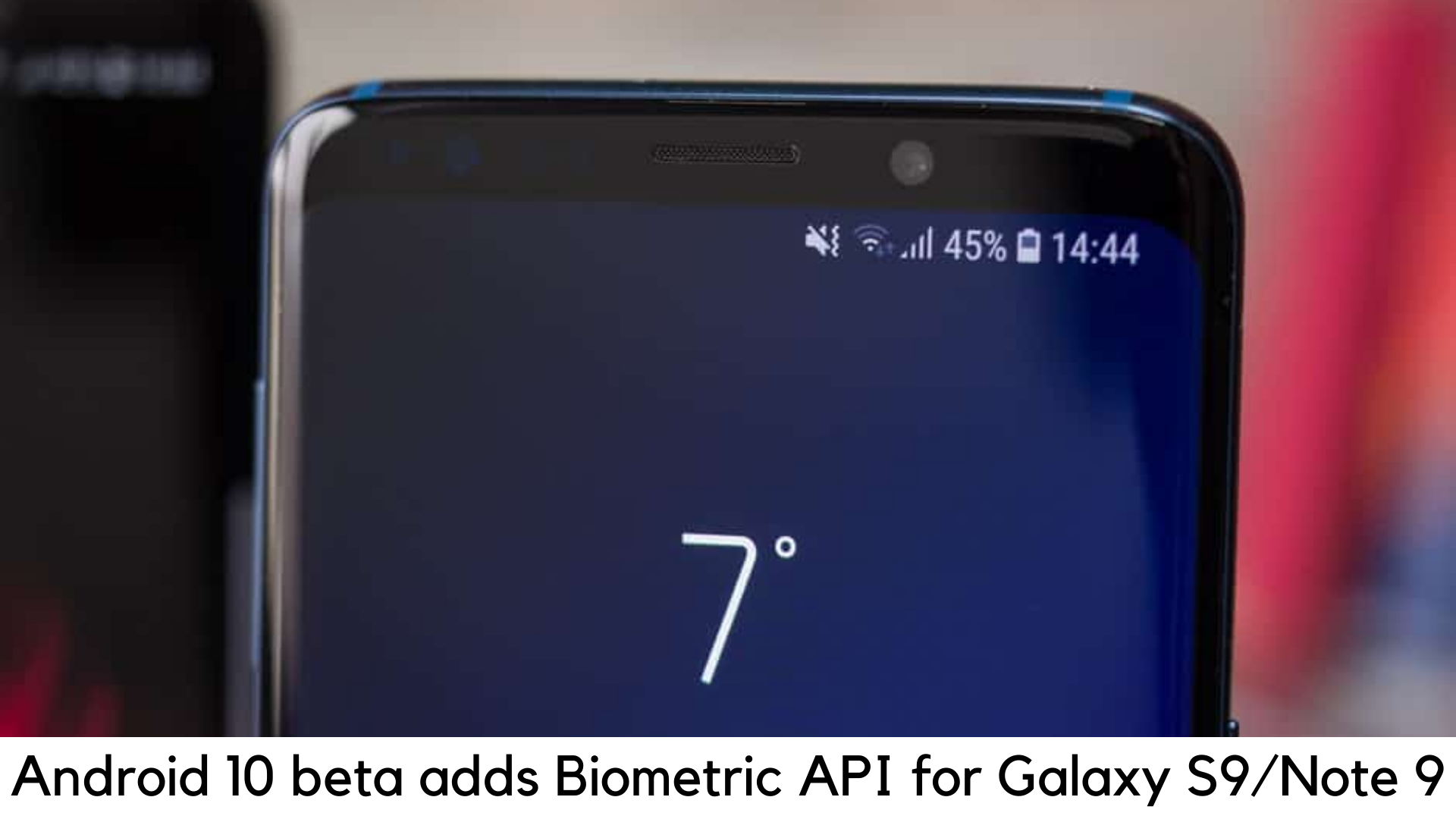
  • The Android 10 beta for Galaxy S9 and Note 9 adds Google Biometric API support

    The Android 10 beta for Galaxy S9 and Note 9 adds Google Biometric API support

    Android 10 has been a buzz for a while now due to all good reasons. It is going to bring lots of refreshments and new features to Galaxy S9 and Note 9. But there are certain new changes which have been floating under our radar. Samsung has finally adopted Biometric API as part of the Android 10 beta.

    This way, you can use Iris Scanner with payment apps like Google Pay for authentication. It was only possible with the scanner in secured services by Samsung Knox, including Secure Folder and Samsung Pay.

    The Android 10 beta for Galaxy S9 and Note 9 adds Google Biometric API support

    The Samsung flagships removed the iris scanner in 2019 but the latest Android 10 beta program has added the new Biometric API by Google for Galaxy Note 9 and S9 devices.

    For the OneUI 2.0 based on Android 10, you may have found the open beta program in the US with Galaxy Note 9 and S9 devices. The iris scanner has gained immense popularity and ability to be used in different apps that support Biometric API by Google, according to Android Police and some reports on Reddit.


    Iris scanner was enabled only on Galaxy Note 9 and S9 to unlock the device earlier, along with the Knox Secure folder and Samsung Pay. Due to this update, you are now able to use biometric information to unlock and secure apps supported by Google Biometric API, including Google Pay, LastPass, and other payment apps.

    There is a great bonus for Samsung to add Google Biometrics API to both OneUI builds for Galaxy Note 9 and Galaxy S9. But there are fewer chances that the builds with Galaxy Note 8 and S8 could ever get their iris scanners. One of the main reasons is that Android 10 will not roll out for those devices.

    At the same time, on both phones, the iris scanner has come out to be handier than a few years back. If you haven’t started using iris scanning as a feature on your Note 9 or Galaxy S9, it’s time to get started.

    You need to enable an iris scanner and record your eye biometric information by going to Iris Scanner under Settings > Lock Screen and Security.

    With the latest release of Android 10 this year, Samsung has come out to be very efficient quite surprisingly as it rolled out Android 10 to several devices. The stable Android 10 update is yet to be available in Galaxy S9 and Galaxy Note 9. The devices seem to be getting the update very soon.


    The devices launched in 2018 are all set to get the latest Android 10 OS update by January 2020. With the latest hints, it seems that the stable build is just around the corner to roll out on these devices. For the S9 pair, the South Korean giant has already rolled out the third One UI 2 beta version. It has brought a lot of bug fixes with the recent security patch.

    The OTA brings software version ZSL9 and fixes major bugs that were found in Samsung Pass, screen recording, and split-screen function. Some of the Samsung Apps have also been updated. It also installs the security patch for January 2020.

  • How to Install Call of Duty Mobile on Your Smartphone?

    How to Install Call of Duty Mobile on Your Smartphone?

    In October 2019, Activision finally released the stable version of the most awaited FPS mobile shooter – Call of Duty Mobile for Android and iOS globally. COD fans had to wait a lot for its beta testing to complete and their patience really paid off.

    It comes out as a completely free FPS multiplayer game with in-app purchases and one can easily download it via app stores. The game features the same weapons, maps, and characters that are familiar in Call of Duty series. The overall gaming experience is quite good and satisfying on handheld devices.

    How to Install Call of Duty Mobile on Your Smartphone?

    Game modes

    This first-person shooter comes with five different multiplayer modes to play online, including Frontline, Free for All, Team Deathmatch, Domination, Hardpoint, and others. Along with it, you can also enter the arena of 100-player Battle Royale mode just like you would do on its archrival PUBG Mobile. The concept of the Battle Royale mode is simple. You have to survive and take down other 99 players in duo, solo or squad to win in a battleground.


    Maps for Multiplayer Mode

    The best thing is that Call of Duty Mobile has seven permanent maps in total and also adds other maps depending upon the occasion. Some of the most popular maps here are Crash, Nuketown, Crossfire, Hijacked, Standoff, Firing Range, and Killhouse.

    Pre-requisites

      • First of all, you should have strong 4G/LTE or stable Wi-Fi connection
      • Your device must have at least 2GB of free storage space
      • You will need a Facebook account to sign up and save your progress

    System Requirements

    For Android

      • Your device must have 3GB of RAM at least to play without any lags on Low settings
      • Your device should be running on Android 8.1 or higher version
      • You should also consider having the latest processor on your smartphone (Almost every mid-range device have it these days)

    For iOS

      • Your iOS device must be running iOS 10 or higher version.
      • Older devices like iPhone 6, iPhone 5S, iPhone 6 Plus, iPad Mini 2, iPad Air, iPad Touch and iPad Mini 3 may not support this game.


    Download Call of Duty: Mobile on Android

    You simply need to visit Google Play Store to download and install Call of Duty: Mobile or you can also visit the official website of Call of Duty: Mobile. It is easier to download it from the Google Play store as you can easily find it on featured apps. Choose the correct one. The original publisher is Activision and the icon image features a soldier with a mask of a skull face.

    Download Call of Duty: Mobile on iPhone

    You can simply visit the official iOS page of Call of Duty Mobile website or simply go to Apple App Store and search for the same title.

    Download Call of Duty

    However, the icon on iOS is different. The same soldier is shown in a different pose, having two characters behind. The size of the Call of Duty Mobile is 1.5GB. So, you should have enough storage to download the game.

  • Google Pixel 4 earns 5th position in DxOMark’s audio ranking

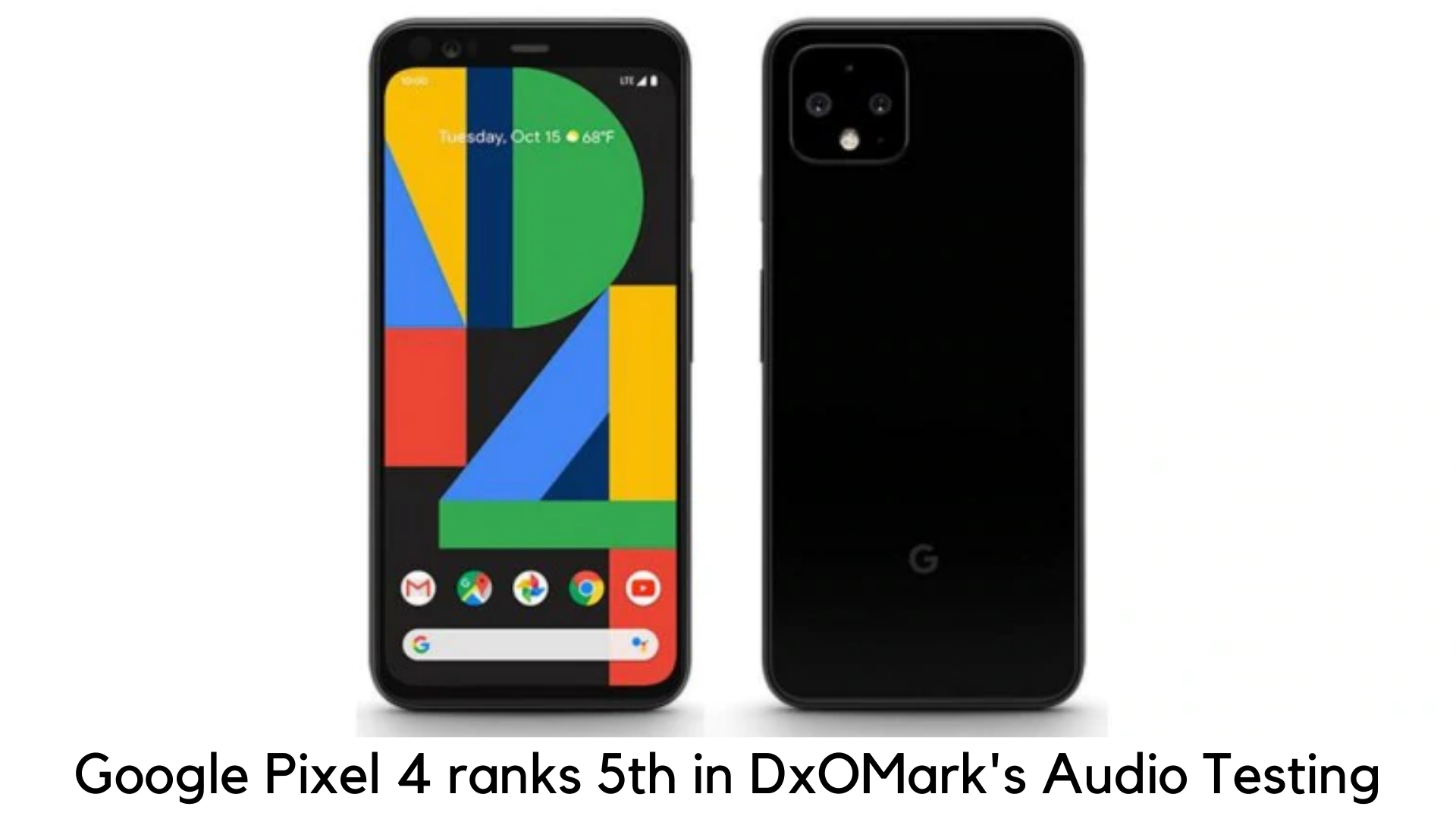
    Google Pixel 4 earns 5th position in DxOMark’s audio ranking

    Google Pixel smartphones are well regarded for their unmatched camera specs. In DxOMark’s camera testing, the device scored overall 112 and we are back with a detailed review of its abilities. This time, the audio capabilities of Pixel 4 have been tested.

    Google Pixel 4 earns 5th position in DxOMark's audio ranking

    In its analysis, Pixel 4 ranked 5th in the category of premium smartphones when the blog site tested its audio performance. When it comes to the same, it was also the third-best among Android smartphones. Wondering which device won the top position? It’s none other than Huawei Mate 20X.

    Let’s get back to the point. Pixel 4 scored 68 overall and successfully outperformed Samsung’s premium flagships – Galaxy S10 Plus and Galaxy Note 10 Plus 5G.

    However, the four smartphones beating Pixel 4 smartphones were iPhone XS Max on the fourth spot, iPhone 11 Pro Max on the third spot, Asus ROG Phone II on the second spot, and finally Huawei Mate 20X on the top spot.

    When it comes to scoring breakdown – Pixel 4 scored 63 in recording and 70 in playback. According to the audio review of the blog site, the playback quality of Pixel 4 was quite impressive and decent, considering its smaller size than other flagship phones.

    The phone performs quite well against the like of Mate 20X. When used on watching movies and gaming, the phone performed really well. But the bass effect of the phone lagged behind various top-end phones. Due to this reason, it scored lower in comparison to other premium budget devices.

    When it comes to recording, Pixel 4 came out with consistent recording and decent volume performance. In loud environments, it performed really well. But there were annoying resonances in the bass aspect, which brought ‘boomy impact’. Due to this reason, the phone scored lower in the recording.

    The blog post concluded, “Google Pixel 4 performed really well in DxOMark’s audio tests. Well, it could be more improved though.”

    Google Pixel 4 – Key Specifications

    Officially launched in October 2019, Google Pixel 4 features a 5.7-inch display with an aspect ratio of 19:9, 1080x2280p resolution and 444ppi of pixel density.

    The smartphone is powered by Qualcomm Snapdragon 855 octa-core processor and 6 Gigs of RAM. It runs the latest Android 10 and gets its juice from a non-removable 2800mAh battery. It supports the company’s exclusive fast charging.

    When it comes to cameras, the rear panel packs a primary camera of 16MP with f/2.4 aperture and 1.0-micron pixel size, along with a 12.2MP secondary camera with a pixel size of 1.4-micron and f/1.7 aperture. It also comes with PDAF on the rear panel. The front camera features an 8MP shooter with f/2.0 and 1.22-micron pixel size.

    Google Pixel 4 is backed with 64GB of storage and supports an eSIM and Nano-SIM.  The device was launched in simply Black, Clearly White, and Orange color options.

    It has all the connectivity options, such as GPS, Bluetooth 5, Wi-Fi 802.11 a/b/g/n/ac, NFC, dual 4G support, and USB-C port. One highlight is that the device supports the Face Unlock option for added security.

  • Microsoft Edge Chromium is already a viable alternative to Chrome and Firefox

    Microsoft Edge Chromium is already a viable alternative to Chrome and Firefox

    Microsoft has always been lagging behind in developing a solid web browser which can easily replace its competitors. Over the past few years, Microsoft Edge and Internet Explorer have tried hard to beat Mozilla Firefox and Google Chrome. In the end, they have been used for nothing but to download other browsers. In order to win back a decent share in the browser industry, Microsoft is working to remake the Chromium Edge browser.

    Microsoft Edge Chromium is already a viable alternative to Chrome and Firefox

    Chromium is going to be an open-source browser or web render that developers can work on. Some of the few examples of browsers based on Chromium are Opera, Google Chrome, and Amazon Silk. When Microsoft is also going ahead as an open-source program, Firefox has become the last resort which is not built on Google’s eye on the web.

    You can try Microsoft Edge Chromium which is currently available in beta mode. Microsoft Edge for Android is also based on Chromium. You can sync your webpages and bookmarks across both of these platforms.

    Full of cool features

    I know you won’t look Microsoft Edge with bells and whistles but it is true that its latest browser is backed with lots of handy features. You will find all the basic options to import bookmarks, share links, and add your favorites. But Edge goes a step ahead with its system-wide Dark Mode without even overwriting color schemes of webpages.

    The “Read Aloud” feature also stands out. As the name suggests, the browser will read out webpages for you. It really comes handy to proofread your blog and digest your daily scoop with a morning brew. If you love reading a page without any custom formatting, it also has the “Immersive Reader” option.

    The integrated Chromecast support is another feather on its cap. You can easily cast your favorite videos from your PC or tablet to your smart TV. The Collections feature is another plus. You can have a collection of images, web pages, and texts by simply using drag and drop features.

    Last but not least – Apps. You can download web apps and pages to use without even using the browser. These web apps were only available on the Microsoft Store. Finally, Edge manages to download them in its browser.

    And the best part – It’s the way too lighter than Chrome

    Google Chrome has always been criticized for being RAM hungry. No matter how much empty space you give, Chrome will eat it. This is why most users like me switched to lighter browsers like Firefox. But the best part is that Microsoft Edge Chromium is going to be even lighter than Firefox and snappiest browser of others.

    Download and Release Date

    You can just try the beta version of Microsoft Edge Chromium. The final release of the browser is supposed to launch by January 2020. Its Canary build works on Arm devices with Windows like Surface Pro X. Chrome is yet to come up with its Arm version. So, Edge is a smart choice if you are still not using Mozilla Firefox.

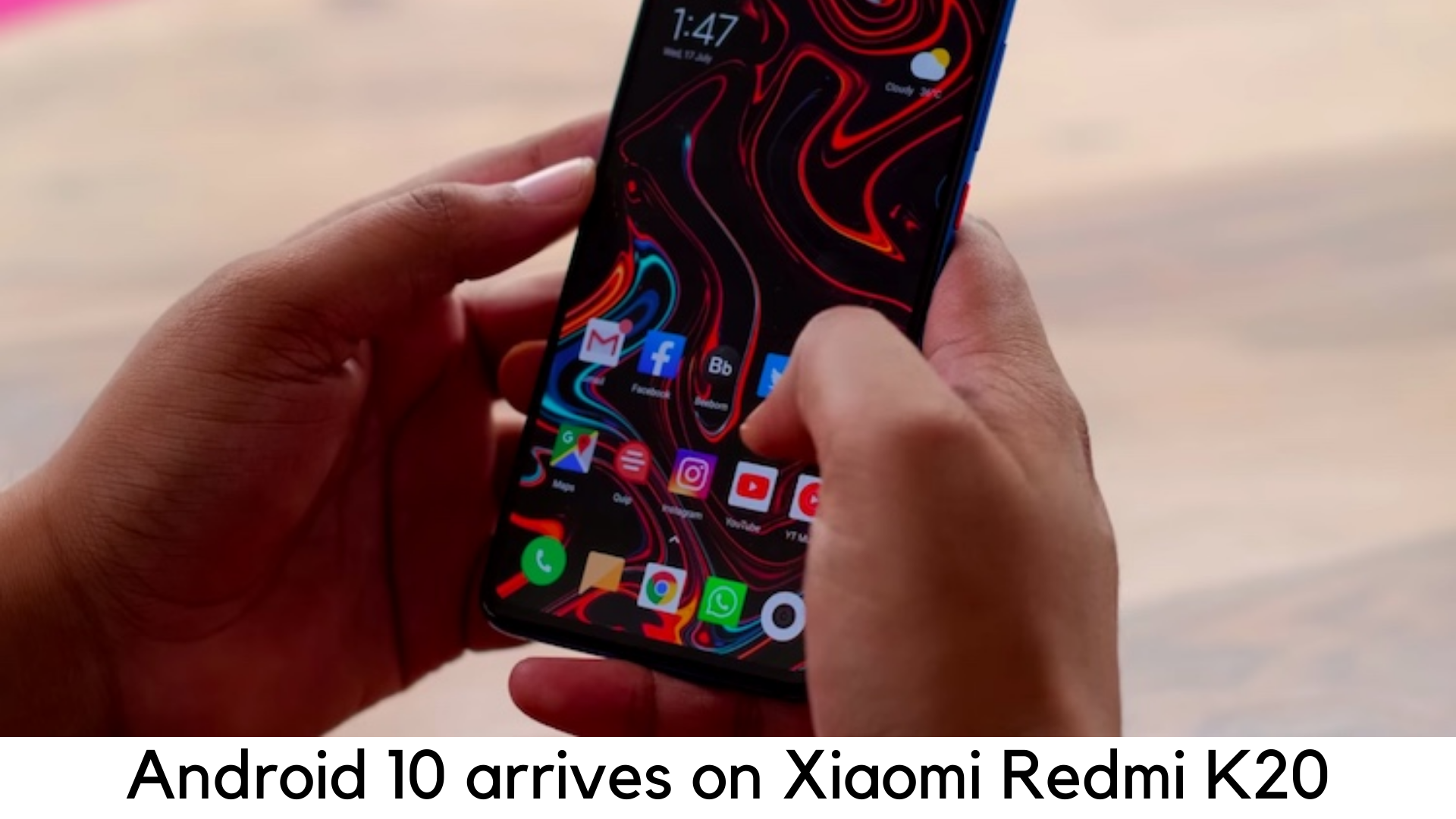
  • Android 10 OS arrives on the Xiaomi Redmi K20 & Mi 9T

    Android 10 OS arrives on the Xiaomi Redmi K20 & Mi 9T

    The Redmi K20, which is sold in the European market as Mi 9T, is one of the latest devices upgraded to Android 10 by Xiaomi. For some clarity, we are going to call this device Redmi K20. Xiaomi launched K20 in June as part of its MIUI 11 release.

    The device was initially running Android 9 Pie and it recently upgraded from MIUI 10 in October. Though is Pro version already upgraded to MIUI 11 based on Android 10, Redmi K20 still remains on older Android 9 Pie.

    Android 10 arrives on the Xiaomi Redmi K20 & Mi 9T

    The cheaper variant K20 devices are now getting the latest update to come in line with K20 Pro after closed beta testing. According to the reports at Piunikaweb, the OTA update rolled out in China but it weighs whopping 2.3GB.

    Xiaomi has not announced when it will launch Android build to stable and global release for Redmi K20 yet. So, you need to have a Chinese model to get the OTA. Xiaomi has a record of launching both stable versions on the same Android version. Hence, if Android 10 builds appear on one device, it suggests that other devices will soon get them.


    If you are running Chinese builds already on the global version of Redmi K20 due to some reason, you can find the build on Android File Host or SourceForge uploaded by Xiaomi.EU if you want to load it. You will have to unlock the bootloader and install TWRP as well.

    On the other side, you can also go to Xiaomi’s servers to download the update manually. However, you have to cross-flash Android builds if you have an Indian or European version.

    The most awaited Android 10 OS comes with lots of features, such as Live Caption, integrated dark theme, improved smart reply and even more. Google is going to improve privacy and security with the new update as well. From now on, users can allow apps to collect location information only when they need it.

    Other features are now being added with Android 10 OS. You can also expect improved system stability, user interface improvements, and the latest Android security patch by Google. It is also worth noting that update is being released for Chinese models only. The global models must soon get the update once it becomes available to Chinese users widely.

    Key Features and Specs

    The Redmi K20 features Super AMOLED 6.39 inch full view display. There are three color finishes available for the device – Glacier Blue, Carbon Black, and Flame Red. It has got a cool new reflective design with a curved glass body. The Redmi K20 is powered by Snapdragon 730 CPU on-board along with 6GB RAM and storage options of 64GB and 128GB.

    The device also packs triple rear cameras on the back, including the main 48MP snapper, 13MP ultra-wide angle lens and 8MP telephoto zoom lens. The device also comes with a pop-up selfie camera of 20MP.


  • WhatsApp will not be accessible to older smartphones next year

    WhatsApp will not be accessible to older smartphones next year

    WhatsApp has always been in the news for all right and wrong reasons. This time, it is regarding support for outdated devices. The instant messaging app was owned by Facebook in 2014 for $19 billion to integrate the platform to other services like Instagram and Messenger.

    WhatsApp will not be accessible to older smartphones next year

    WhatsApp has officially confirmed that it will stop working on millions of older smartphones across the world in 2020. Windows Phones are the first of these devices which will be locked permanently by December 31, 2019. As of February 1, 2020, iPhones running older iOS versions like iOS 8 will no longer get support for WhatsApp, apart from Android devices running 2.3.7 or older versions.

    WhatsApp has posted those details on its official blog, along with its FAQ page. The Facebook-owned WhatsApp has officially confirmed and said, “People who are still using these operating systems still cannot verify their existing accounts again and create new accounts on WhatsApp.”

    Microsoft also ended its support for Windows 10 Mobile OS and WhatsApp is also taking the same step from December 31, 2019, for all Windows Phones.

    If you are still using Windows phone and don’t want to lose track of all your details and chats on December 31, 2019, there is still a chance for you to save your chats.

      • First of all, open chat that you don’t want to lose and export to a newer device. Then, select “Group Info”
      • Select “Export Chat”. You can either download the chat with/without adding the media. Select your choice and export all the chats.

    In addition, WhatsApp has also confirmed that the app will keep running for specific devices like JioPhone and JioPhone 2 which are running KaiOS 2.5.1 and above. The Facebook-owned instant messaging app has also assured that their decision to discontinue support for older devices will not annoy most users.

    To be specific, here are the operating systems which will no longer get support from WhatsApp from next year

      • iOS 8 or older versions
      • Android 2.3.7 or older versions
      • All Windows phones w.e.f. December 31, 2019

    Here are the operating systems which are still getting support from WhatsApp and the company recommends users to replace the following devices –

      • iPhone running iOS 9 or later versions
      • Android devices running Android 4.0.3 or later versions
      • JioPhone, JioPhone 2 and other devices running KaiOS 2.5.1 and above

    Recently, WhatsApp added the familiar call waiting feature for Android, while it already introduced the same feature for iPhone weeks ago. When Android users got another WhatsApp call in the middle of a current WhatsApp call, the incoming call was being disconnected automatically.

    Before the update, users were unable to see any notification about the missed calls when they finished the existing call. With this update, users can now pick another call while on an existing call.

    Bottom Line

    WhatsApp constantly updates itself to come up with more new features to provide smooth call experience and messaging for the users. Currently, the company is working to introduce its “Dark Mode” feature in the coming weeks.

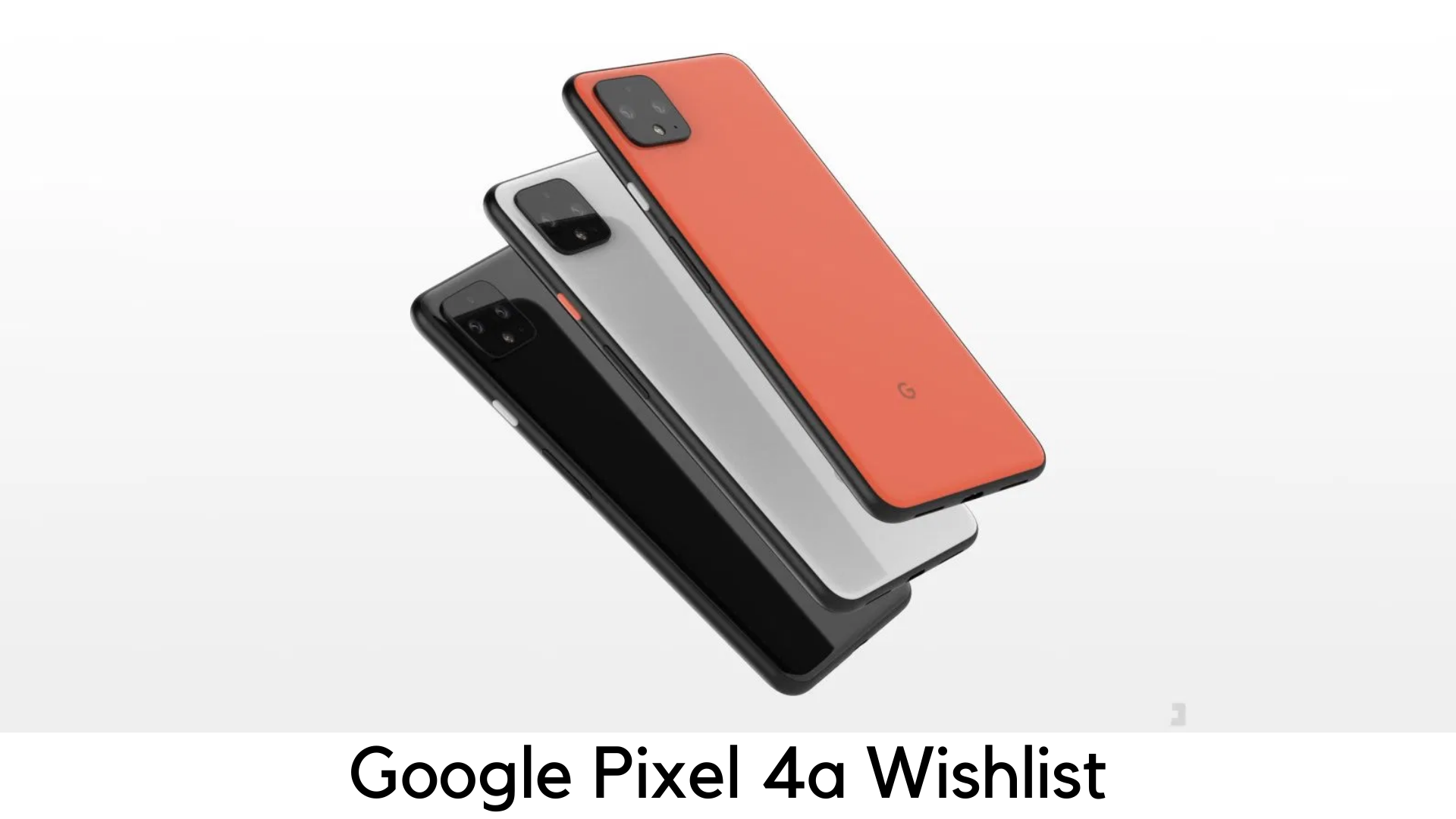
  • Google Pixel 4a Wishlist

    Google Pixel 4a Wishlist

    Google Pixel 4a has been the most awaited follow-up to its big brother, Google Pixel 4 in 2019. With just 6 months to go for the expected launch of Pixel 4a, we are here with some of the most anticipated features of Google’s next mid-range smartphone.

    Google Pixel 4a Wishlist

    High-quality camera

    Google Pixel 3a, despite being a mid-ranger, managed to rule the best parts that Pixel 3 proudly owns. Pixel 4a must follow the same expertise of Pixel 4. The Pixel 3a shipped rear high-quality digicam sensor with a similar Google Camera app. The company has managed to provide its mid-range smartphone with iconic Night Sight mode.

    The Pixel 4a is certainly not going to feature a telephoto zoom lens which made a debut with Pixel 4, maybe for cost-cutting. There is no other reason that Pixel 4a not coming around the digicam prowess of Pixel 4 by using the same digicam sensor. At last, we expect Google to have at least a nice dual-exposure control.


    Wireless Charging and Pixel Stand

    The Pixel Stand was launched with flagship Pixel 3 and became the signature accessory for Pixel owners. Sadly, Pixel 3a doesn’t come with wireless charging. Hence, it couldn’t enjoy the benefits of Pixel stand’s options like using the device as a deck for Google Photos and its dawn alarm. However, we expect 4a to come with wireless charging and additional functionality of Pixel Stand.

    Spectacular Battery Lifelike 3a

    The superior battery life of Pixel 3a truly stood out. It goes even more than one day in some circumstances. By now, everyone knows that how worst the battery life of Pixel 4 is. For over 12 months, we are just asking Google Pixel 4a to continue with the great effort they started with Pixel 3a.

    Solid Build Quality and Water Resistance

    When it comes to issues of Google Pixel 3a, the device didn’t come without the flaws. Users initially started to look closely at Pixel 3a in its lifespan and noticed that the USB-C port and speaker cutouts underside their devices were uneven.

    Some people even witnessed a big gap between the display and outer glass. We are hoping that Google would get these manufacturing defects and build the solid quality body of Pixel 4a.

    Water-resistance is another major concern behind quality build which Google should consider for Pixel 4a. Seriously, no one expects their mid-range device with IP68 that most flagships have. Nonetheless, if Pixel 4a could come with any kind of water resistance, it would be an enhancement.


    More Storage Options

    When considering the flagship Android devices, external storage is no longer available. Even Samsung is going to ditch this option. But mid-range and budget smartphones still have a memory card slot. With flagship Pixel 4, the Pixel devices don’t have unlimited photo backups which seem to be more important.

    Google will definitely offer its Google One plan to save your photographs in authentic and full high quality. But extra or expandable storage on Pixel 4a would be better, especially when it comes to storing your Spotify, Netflix, Disney+ and other content for offline streaming.

  • Age of Empires: Definitive Edition

    Age of Empires: Definitive Edition

    Age of Empires: Definitive Edition is truly a groundbreaking strategy game continuing the legacy of its iconic predecessor Age of Empires as a renewed focus of Microsoft. It is a remastered version of its prequel and an opportunity to relive some of the most vital battles between the Iron Age and Stone Age. You can witness the base game with multiplayer support and some Rise of Rome expansion in the Definitive Edition. And the best part – it is exclusive in Windows Store.

    Age of Empires

    For all those nostalgic fans like you, Age of Empires: Definitive Edition has almost everything you can imagine. Along with all the original campaigns, which have been renewed with some remastered visuals and sound effects, the game comes with online and local multiplayer support with 8 players to the maximum. You can also create battles on your own in scenario builder mode. Most of the game seems to be true to the original and developers have tried hard to do that.

    The single-player campaigns have been set in ancient history and a lot of scenarios are set beautifully around 2000 years ago. You can relive some battles of Julius Caesar, go to early Japanese history to fight the battles, and even enter the conquests of Alexander the Great, as campaigns are beautifully set in the backdrop of Africa, Asia, and Europe.

    Even when you turn into a lower difficulty, the campaigns are still challenging as you will face the scenario where you can have only a few units at the beginning most of the time. It is purposely done to teach you how some empires were forged and this game successfully does that. You will really love it when you get back to your favorite campaigns, including the Yamato Empire from the Rising Sun, Glory of the Geeks, and The First Punic War.

    The game of Age of Empires: Definitive Edition has been designed to recreate everything great from the original and to evoke the feeling of nostalgia. This game is almost perfect in everything. Since the initial Age of Empires entered the arena, the RTS genre has come a long way.

    Other Findings

    The soundtrack and visuals are unmatched in the Age of Empires: Definitive Edition. You will feel how developers worked hard to make the buildings and units look stunning. When buildings are being destroyed, the animation they have worked on is commendable. You wouldn’t stop embracing the detail in every civilization.

    Sadly, the water and terrain don’t look that great. But when we look closely, it seems to be more of a purposeful decision of the designers than a loophole. One of the major highlights is its soundtrack which blends in with the campaigns’ themes very well.

    Despite all the perfections, we still noticed some bugs, especially when it comes to moving units from one place to another. The units often get stuck and circle around before joining the army. A transport ship was once stuck around the dock and couldn’t move even when there is nothing to block the path and water is all around the ship. You can also create several units in various buildings to go off-limits in population when it comes to reaching the limit.

    Despite some minor issues, we still loved the Age of Empires: Definitive Edition the most. There are some things missing in the sequel though. For example, there are no battle formations. Hence, your armies seem to be like a gang of thugs instead of a team of self-motivated veterans. There is also a missing pitch in storytelling. The same voice tells a paragraph of the story when starting and finishing the battle. It is not enough to encourage everyone to get into the campaign.

    Even when you successfully trigger some of the vital events in the game, there is still a lack of voiceovers. For example, you can notice a team of Phalanx units standing in a far corner in the last battle of the First Punic War. The scene would be much better if there was a voiceover explaining why they were going to join the Carthaginian army. This is the reason why we were unable to connect to the Age of Empires: Definitive Edition campaigns.

    The Multiplayer Section

    In this section, the story doesn’t matter but we were expecting that type of experience in the Age of Empires: Definitive Edition. Nevertheless, developers have cleared their stand as they wanted to stick to the last game as far as possible. Such improvements may not be suitable for their agenda.

    When it comes to multiplayer, there is no change in our experience with what we noticed in a closed beta version. We found most of the servers from the US and Europe. Hence, there were some glitches on the gameplay with our internet connection. Once the game becomes available worldwide, it could be improved well. It is still a center of concern for now. Our experience was fun overall with local play during the closed beta.

    All in all, the Age of Empires: Definitive Edition has successfully achieved its goal – giving a completely remastered game to its fans which gives proper justice to its original. But we still feel the missing part of storytelling could make the game even better. The game is extremely awesome, enjoyable, and super easy to play for hours. If you are a die-hard fan of Age of Empires, you must give this game a try. However, newcomers might have mixed opinions with the Age of Empires: Definitive Edition.

    Pros

      • Stunning visuals
      • Unmatched sound effects and quality soundtracks
      • Amazing single-player campaign

    Cons

      • Not designed with newcomers in mind
      • Minor glitches
      • Storytelling is not up to the mark

    Overall

    Age of Empires: Definitive Edition is a great work by the developers as it takes us back in time. Honestly speaking, we have enjoyed playing it far enough. Especially if you are a big fan of history, you will love witnessing the Early Japanese, Romans, and Greeks history. The Ancient Greeks are literally a hook for many players. Age of Empires: Definitive Edition is now available for US$20 in Windows Store.

  • Mi Note 10 Review – Is it truly a Photographer’s Delight?

    Mi Note 10 Review – Is it truly a Photographer’s Delight?

    Xiaomi is a brand that never disappoints its customers by offering very high-quality products at an aggressive price range. From smartphones to suitcases and crazy gadgets, Xiaomi always pushes its limits by pledging to the least 5% margin on hardware and it is always ahead with its price-to-performance ratios.

    The company again gives complete justice to its commitment to Xiaomi Note 10. Despite having similar form factors like competitors, it still has some killer specifications that are unlike others.

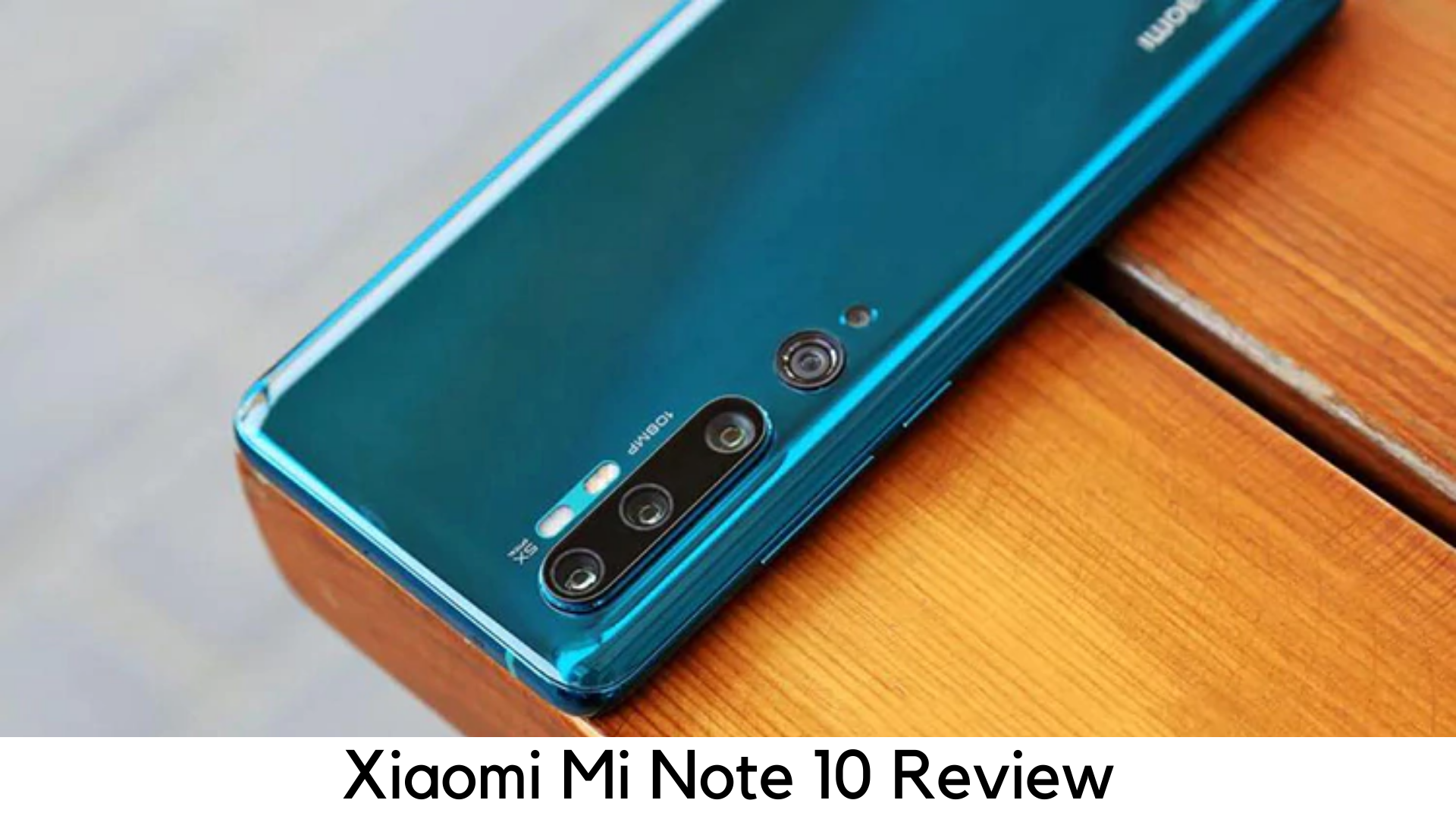
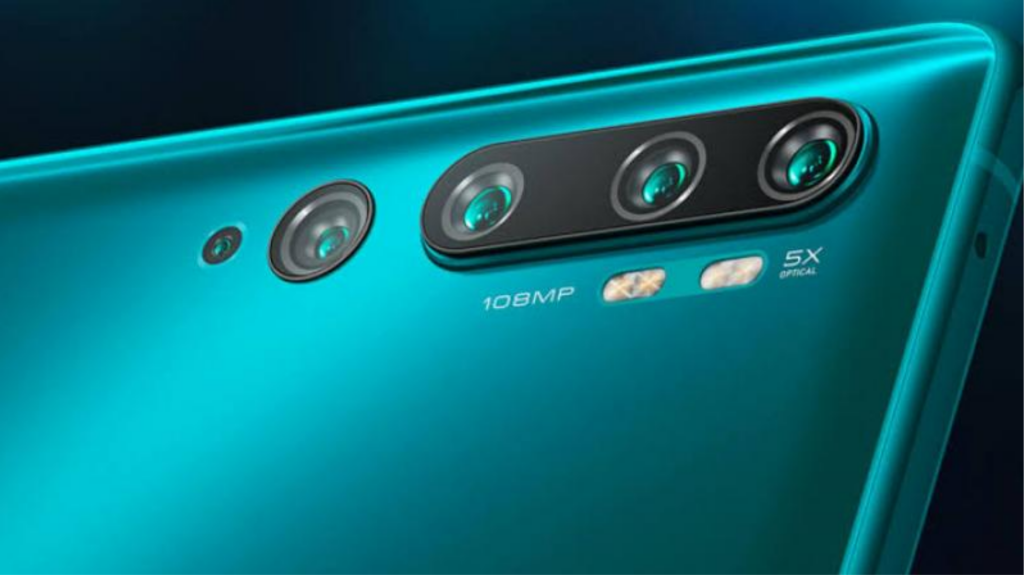
    Mi Note 10 is finally here as a photography-centric smartphone. Despite having a 108MP sensor, it delivers sharp 27MP images using pixel-binning technology. It also has 4 other cameras on the rear panel for different focal lengths.

    Another killer feature is its massive 5260mAh battery which really delivers good battery life optimized with mid-range Snapdragon 730G chipset. Though it is not that impressive on the software front, its powerful hardware still makes this device attractive.

    Unboxing

    • USB-A to C type cable
    • 30W fast charger
    • Quick start guide
    • TPU case of dark grey color

    Mi Note 10

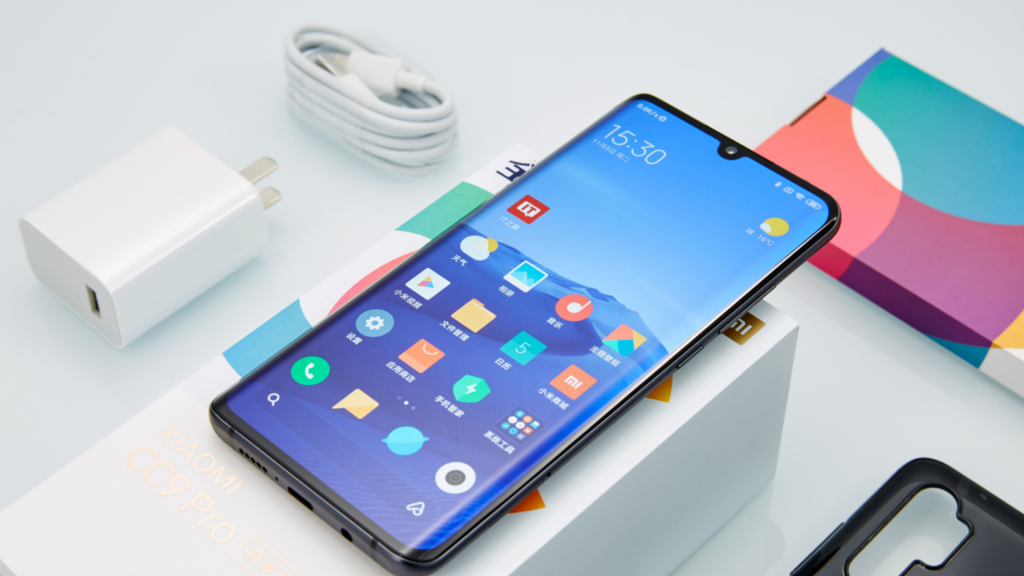
    The best thing is the 30W fast charger comes inside the box. So, you can charge your device quickly despite having such a huge battery. You will get a black TPU case with green and black units but the white model comes with a transparent case. It doesn’t have headphones in the box.

    Design

    • Teardrop notch for selfie camera
    • 208g
    • 8×74.2×9.67 mm
    • Stereo speakers
    • Curved edges
    • 108MP Penta-camera module

    Mi Note 10 Design

    With a solid aluminum frame and curved glass edges, Mi Note 10 is a premium phone but not that interesting in the design front. It has got quite a large full HD+ 6.47-inch display, which beautifully curves across the edges. On the bottom, it has a small chin. On the top, it has teardrop notch. There is an earpiece hidden in its bezel and a speaker grill on the top.

    It has a volume rocker and a power lock/unlock button on the ride side. It has SIM tray when you go further down. You cannot expand the memory with a microSD card. The bottom has speakers, a microphone, a 3.5mm headphone jack, and a USB-C port. It also has an IR blaster on the top.

    On the back, the device has a clean, reflective design that can catch fingerprints. There is a 5-camera setup down the edge. It has 4 different flashes along with the cameras. The device has got Gorilla Glass 5 protection on both back and front.

    Camera

    • 108MP main camera snapper with OIS and f/1.69 aperture
    • 12MP 2x telephoto zoom lens with f/2 aperture
    • 8MP 3.7x telephoto zoom lens with OIS and f/2 aperture
    • 5MP Crop on 3.7x
    • 8MP tele camera for 5x optical zoom (but it is not true in real life)
    • 16MP selfie camera with f/2.0
    • Macro 2MP camera with 1.75μm pixel size
    • 12MP ultrawide camera with 117-degree FoV and f/2.2 aperture

    Mi Note 10 Camera

    Overall, there are 5 cameras on the back and one selfie camera on the front. The 108MP standard sensor is 1/1.33-inches long with 0.8μm of pixel size, which is similar to that of the 48MP Sony IMX586 camera. But it is larger than ½-inch IMX586 sensor for more resolution. Pixel binning works just like the 48MP Sony IMX586 sensor. The pixels are split into four and data is gathered from other pixels to generate the same result.

    The camera app is quite simple to use and it also has 108MP mode because standard mode delivers 27MP images due to pixel binning. Portrait mode has a nice background cancellation. The 32MP Selfie camera is quite good which looks more natural and sharp than other cameras.

    Display

    • 47-inch AMOLED panel
    • Full HD+ 2340x1080p resolution
    • Aspect ratio of 19.5:9
    • In-display fingerprint sensor
    • HDR+/HDR 10 support

    Display Mi Note 10

    Like OnePlus 7T, Mi Note 10 also has a full HD+ display which looks nice. It also has deep blacks with 400,000:1 contrast ratio like an AMOLED Panel. The in-display fingerprint scanner works accurately and quite fast. Xiaomi reduced the thickness of the scanner by 88%.

    Performance

    • Qualcomm Snapdragon 730G
    • 6GB RAM
    • Adreno 618 GPU
    • 128GB internal UFS 2.1 storage

    Though Mi Note 10 lacks a flagship processor, it still performs quite nice and adds 15% better graphics performance than standard SD 730 processor. We didn’t notice any stuttering or lags in daily use. The processor is powered by 6GB RAM and 128GB internal storage to keep things running smoothly.

    Battery

    • 5260mAh
    • No wireless charging
    • 30W fast charging

    The Mi Note 10 is powered by the huge 5260mAh battery so there is no doubt on battery life. Snapdragon 730G is power efficient in itself as compared to SD 855.

    On average, it ran around 7 and a half hours with screen-on time.  It also has the support of 30W fast charger that can charge its battery from 0% to 100% in 1 hr. 6 min.

    Software

    • Android 9 Pie
    • MIUI 11

    The device runs MIUI version 11.0.3.0 based on Android 9 Pie, which is just fine. By default, it doesn’t have an app drawer. Interface just feels quite old. But Xiaomi has added Mi Drop, a new file transfer add-on that works well with Vivo and Oppo phones.

    Pricing

    • 6GB RAM/128GB storage variant costs €550

    And here comes the most important part. Mi Note 10 offers good value for money for €550 (around $610) – but in just battery and camera. Performance-wise, one can choose OnePlus 7T instead, which has a better display with a 90Hz refresh rate, a more powerful SD 855+ chipset, and better UI.

    Plus

    • No compromise on photo quality
    • Versatile camera module
    • Headphone jack
    • IR blaster
    • Massive battery
    • Fast charger comes in the box

    Minus

    • Basic design
    • Sub-par processor
    • Doubtful optical zoom

    Overall

    The Xiaomi Note 10 has set a benchmark as probably the world’s first smartphone with 108MP shooter and wins the race by offering more optical options than any other smartphone available in the market. With a huge battery to keep you clicking all day long, Mi Note 10 has come as a Swiss Army Knife for all photography lovers out there.

  • OnePlus 7 Pro vs. OnePlus 7

    OnePlus 7 Pro vs. OnePlus 7

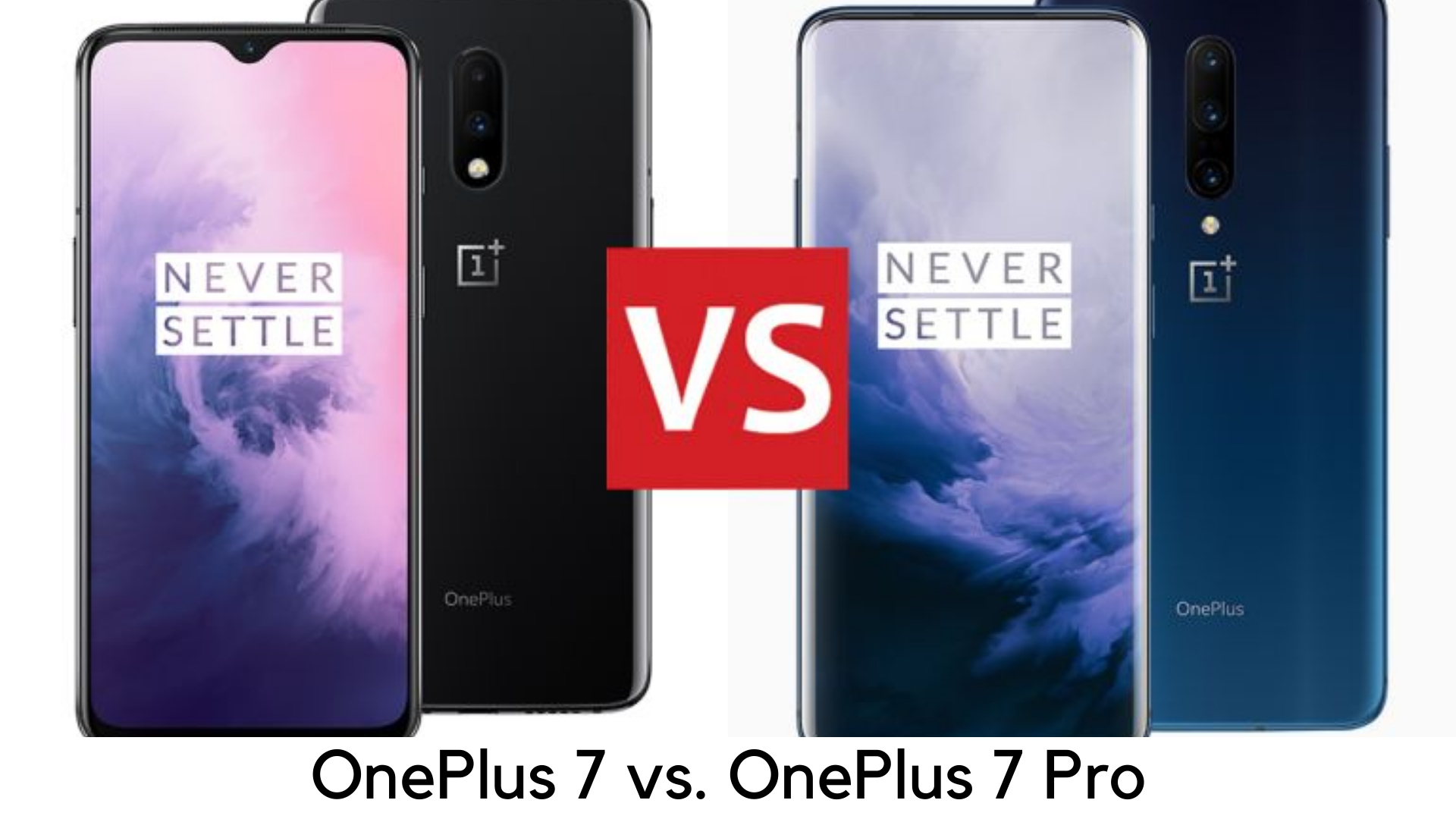
    At a May 2019 event, OnePlus announced both OnePlus 7 Pro and OnePlus 7. It’s the first time OnePlus gone the “Pro” route and launched two different flagship phones for different needs of buyers.  OnePlus 7 is here to meet the needs of the core audience who can’t pay the hefty price tag but wants a true flagship experience.

    OnePlus 7 Pro Vs OnePlus 7

    On the other side, all the innovation has been done on OnePlus 7 Pro with better design. In this review, we are going to discuss the major differences between both killer flagships and come out with an opinion on which one is better for you. If we talk about OnePlus 7 Pro vs. OnePlus 7, both devices are the successor to OnePlus 6T which was launched earlier this year. Keep reading to know further details that make them similar and different from each other.

    OnePlus 7 Pro vs. OnePlus 7- What they have in common?

    • No compromise on premium, flagship look
    • Powerful processor
    • Latest Software
    • In-display fingerprint sensor

    Both OnePlus 7 and OnePlus 7 Pro have premium glass and metal build qualities, just like the last predecessors by OnePlus. Both of these devices offer fast in-display fingerprint scanners and OLED displays and both of them are powered by the latest Qualcomm Snapdragon 855 chipset. They both run the latest Android platform with OxygenOS to deliver the same software experience.

    OnePlus 7 Pro vs. OnePlus 7 – Key Differences

    There are plenty of differences in comparison of OnePlus 7 vs. OnePlus 7 Pro, despite running the same software and having the same processor.

    Display

    • OnePlus 7 – Flat 6.4-inch 60Hz display with 1240x1080p resolution
    • OnePlus 7 Pro – Curved 6.67-inch display with HDR 10+, 90Hz refresh rate and 3120x1440p resolution

    OnePlus 7 features flat 6.4-inch OLED display and OnePlus 7 Pro features curved 6.67-inch OLED display. There is also a difference in resolution. OnePlus 7 sticks to full HD+ resolution and OnePlus 7 Pro having Quad HD+ display.

    OnePlus 7 ends up with standard 60Hz while OnePlus 7 Pro comes with 90Hz refresh rate and HDR10+ support. On the display front, it makes a great difference and OnePlus 7 Pro is a big leap towards anything that is offered ever before by the company.

    Design

    • OnePlus 7 – 182g, 157.7 x 74.8 x 8.2mm
    • OnePlus 7 Pro – 206g, 162.6 x 75.9 x 8.8mm

    Both OnePlus 7 and OnePlus 7 Pro come with the premium build but OnePlus 7 Pro has full-view display with the pop-up selfie camera. One the other side, OnePlus 7 comes with a water-drop notch like OnePlus 6T. It removes the notch and adds some appeal. But pop-up selfie camera is definitely a matter of innovation.

    OnePlus 7 has a dual rear camera like OnePlus 6T, but OnePlus 7 Pro is a step ahead with  triple-rear camera setup. OnePlus 7 Pro is also heavier and larger than OnePlus 7. OnePlus 7 Pro is also one of the heavier devices around.

    Camera

    • OnePlus 7 – 48MP+5MP Dual Rear Camera, 16MP the front camera in water-drop notch
    • OnePlus 7 Pro – 48MP+16MP+8MP Triple rear camera, 16MP pop-up selfie camera

    OnePlus 7 Pro comes with 16MP pop-up selfie camera as well as a triple rear camera setup including 48MP main snapper, 16MP ultra wide-angle lens, and 8MP telephoto zoom lens. As compared to their predecessors, it is even more modern offerings with better photography performance. Pro is definitely the best buy if you are looking for a photography-centric phone.

    OnePlus 7 features water drop notch with 16MP selfie camera on the display along with dual rear camera setup having 48MP main camera like Pro variant, along with 5MP depth sensor.

    Battery and other specs

    • OnePlus 7 – 3700mAh
    • OnePlus 7 Pro – 4000mAh

    Another the major difference in the latest OnePlus 7 series devices is fast charging capacity and battery capacity. OnePlus 7 Pro is powered by 4000mAh battery with 5V/6A Warp Charge 30 for quick charging. OnePlus claims it to be over 38% faster than previous charging techs. On the other hand, OnePlus 7 is having 3700mAh battery with 5V/4A 20W fast charging. Both devices don’t have wireless charging support.

    Another best thing is that OnePlus 7 Pro has better haptic feedback with an improved vibration motor. There is the latest X-haptic vibration motor on OnePlus 7 Pro while a linear motor has been used in OnePlus 7. Both the devices have noise cancellation, dual stereo speakers, Dolby Atmos support, and signature alert slider.

    Both devices have the futuristic in-display fingerprint scanner backed by the latest A 3-element lens which uses a modern algorithm and it is supposed to be faster than the one on OnePlus 6T. On both OnePlus 7 and OnePlus 7 Pro, the connectivity options are the same and have Bluetooth v5.0, 4G VoLTE, Wi-Fi 802.11ac, NFC, USB Type-C (3.1 Gen 1) port and GPS/A-GPS.

    Both devices also lack 3.5mm headphone jack but you can use USB-C port on both devices as headphone port with wired earphones or, even better, you can pair your Bluetooth headphones with devices.

    Hardware

    • OnePlus 7 – Available in 6GB/128GB and 8GB/256GB variants
    • OnePlus 7 Pro – Available in 6GB/128GB and 8GB/256GB variants

    Both devices run on Qualcomm Snapdragon 855 chipset. You can buy OnePlus 7 with 6GB RAM and 128GB storage or 8GB RAM and 256GB storage options. On the other side, OnePlus 7 Pro is available with 6GB, 8GB, 12GB RAM options along with 128GB or 256GB storage options, as per the model.  Both standard and Pro variants don’t have a microSD card slot. Both OnePlus 7 and 7 Pro have Dolby Atmos speakers and have great sound quality.

    Price

    • OnePlus 7 – Starting at £499 onwards
    • OnePlus 7 Pro – Starting at £699 onwards

    Hence, OnePlus 7 is the cheaper variant of both OnePlus handsets, obviously. The price range is starting at £499 for the base 6GB RAM variant up to £549 for 8GB RAM variant. On the flip side, OnePlus 7 Pro is starting at £699 while the highest variant cost is £799.

    Verdict

    OnePlus 7 Pro seems to be a more exciting and better option with a better display, in comparison to the base model, triple rear camera, pop-up selfie camera, more RAM and storage.

    With that said, OnePlus 7 Pro costs £200 more than OnePlus 7. It is also heavy and hefty as compared to its competitors at this size and price. If you are looking for an upgrade to older OnePlus 3, 3T, 5 or 5T, you can go for OnePlus 7. But if you want all the innovative and futuristic features but can’t afford the flagships of Huawei or Samsung, you can consider OnePlus 7 Pro.