Category: Popular Apps

Popular Apps

  • Netflix And Disney Plus Content In Google Play Movies

    Netflix And Disney Plus Content In Google Play Movies

    Netflix And Disney Plus Content are now available in Google Play Movies! Google Play Movies & TV is an application by Google that allows you to watch movies and TV shows purchased or rented on Google Play. With this installed, you can watch your favourite movies and shows instantly on your Android phone or tablet, or on any HDTV with the help of a Chromecast. It enables you to download and watch the desired content from anywhere, even when you’re not connected to the internet.

    It is one of the leading OTT players in the market right now that streams content and supports the purchase of movies or other television shows. It is powered by operating systems like Android, iOS, Roku, WebOS. It offers HD quality videos and 4K Ultra HD videos with 720p or 1080p resolution. Consumers are evolved today and want to be updated with the latest technologies that complement a seamless lifestyle.

    Netflix and Disney Plus
    Disney Plus

    Keeping in view the need of today’s fast-paced millennials, this OTT application lets users pre-order movies and watch directly at the time of the release at the comfort of their homes – one of the several unique features of the app. The application is accessible in 110 countries across the globe. As a part of marketing and product strategy, the application rebranded itself in May 2012.

    Google Play Movies

    While there are various online streaming services across the global market, however, like most cases, the problem lies in choosing the best option. Google Play Movies now streams the content of both Disney Plus and Netflix, thereby ensuring a more extensive audience base. In order to watch Disney Plus or Netflix’s original content, one has just simply to link both the accounts with the Google Play Movies app.

    Netflix
    Netflix

    Disney Plus is two months old, which has 500 movies and 7500 TV shows, whereas Netflix, Inc. is an American production house and media service provider, is the largest and most popular online video streaming platform. For the same, users have to click on the menu and then on the ‘Manage services,’ then click on Netflix and Disney Plus, and for this, the respective applications must be already installed in the device.  Once the linking is successful, Google Play Movies app will show the Netflix and the Disney Plus content on its platform. This facility has ensured the streaming of a broader range of content that is of interest to all age groups, be it movies or TV shows under one platform.

    Now that you can finally search your favourite movies and programs directly from Google Play services. Though Netflix has avoided integrating with the Google Play apps for long now, it has now confirmed merger. Search your much-loved TV shows and movies from Disney TV and Netflix from your Google Play Movies.

  • Byte: Vine’s Successor Is Now Out On The Play Store

    Byte: Vine’s Successor Is Now Out On The Play Store

    Vine was the first one to come up with the concept of short videos. It proved that it could become a great trend and inspire creativity like never before. However, it had a rigid six-second format. Instagram soon followed up on Vine’s footsteps and relaxed the time frame. Later, TikTok purchased Vine and did the same. Soon after this acquisition, Vine disappeared from sight. Dom Hofmann, the co-founder of Vine, still believes in his creation and the format. He has been working on a successor for quite some time now. Byte, Vine’s successor, has now been officially released. Over the last few months, the app underwent an extensive beta phase, following which, it is now released on Play Store in a stable condition.

    Byte App - Vine's Successor
    Byte App – Vine’s Successor

    Byte works in pretty much the same way as Vine did, in a manner of speaking. If you are using an Android device, you will need to have a Google account to sign in. Once you are done, you can choose a user name. You are all ready to take your first step into the latest social network out there. You will notice immediately title after title of a vertical-scrolling stream of videos playing in loops. These videos feature comments and likes as well. These are usually full-screen and are six-second videos.

    Byte Interface

    Byte has a bar at the bottom where you can search for categories, creators, and specific terms. In addition to this, it also offers you a shortcut to the camera, your activity page, and your profile. The camera is not yet up to the mark, but maybe after a few updates, it could catch up to the others in the market. All you can do with the camera is to hold the shutter button to start recording.

    You can do so multiple times within the six seconds of your time limit. Users can also choose the option to overlay a ghosting effect. In addition to a front camera switcher, there are no filters or stickers to be seen on the app. Maybe the developer wanted Byte to be something different or maybe they plan to bring it in an update, or maybe that’s just how the app is designed to be. Something different, for sure!

    Byte App
    Byte App

    Byte in the Play Store

    Byte’s developers recently tweeted, “dear friends, today we’re bringing back 6-second looping videos and a new community for people who love them. it’s called byte and it’s both familiar and new. we hope it’ll resonate with people who feel something’s been missing.”

    The app is ad-free at the moment. However, chances are that there would be some monetization in the future considering that the developer has plans for a pilot version of a partner program. This is designed so that the most popular Byte members will be able to earn money here. With similar apps like TikTok and Instagram already quite popular, Byte will have a huge job in making progress. However, with TikTok under investigation by the US government, Byte could have come in at just the perfect time.

  • The Best Walkie-Talkie Apps For Android

    The Best Walkie-Talkie Apps For Android

    One of our favorite childhood toys, walkie-talkie always gave us the experience of being a commander or a detective. You may not have used these apps for a long time unless you are working in a construction firm or you work in the military base. The last time you experienced that thrill of enacting a soldier or a high-tech detective with a walkie-talkie, was probably during your childhood.
    The Best Walkie- Talkie Apps For Android

    If you are looking to refreshing your childhood memories with the best possible walkie-talkie interaction experience, then here is the list of the top walkie-talkie apps for your Android.

    Yes! You do not have to go out of your way and purchase a walkie-talkie, which in today’s times is hard to find. You can use simply an Android application and experience the same excitement and joy that you experienced in your childhood.

    A simple click can make your connection to another person and help in delivering the command or the message with ease without any message.

    The walkie-talkie apps make the management very efficient and thus, can be considered as a great device. Also, it is much cheaper than all the other communication devices. These devices also work well in the absence of a

    Here is a list of a few applications that you can install in your Android mobile and get the experience of a walkie-talkie device.

    Intercom

    This simple and super easy to use application is great to use because of its simplification of operation. It uses your phone’s wireless technologies like Bluetooth and Wi-Fi for its functioning and transmitting messages to the other people. It is an excellent option for an office building, mall, wedding hall, etc.

    Simplicity is its most significant appeal, and it does not ask for numerous app permissions before starting. It simply starts working right after you download and installs it. This application is available free to download. Several in-app purchase options are available.

    Walkie-Talkie

    As the name suggests, this app serves the purpose in its name. The design of the application is very user-friendly and provides a great user experience. This app also does not require an account or registration in its setup. It is also free from the various private application permissions.

    You can tune your device with the same frequency and enjoy an excellent walkie-talkie experience. This app is available to download in an Android, iOS or even your desktop.

    Voxer Walkie-Talkie Messenger

    This app provides a multi-functional experience of walkie talkie and a messaging app. With this multitasking ability, Voxer has made its place among the most popular walkie-talkie applications.

    The messaging platform provided by this app is very versatile and provides all the messaging services including group chat, voice mails and of course text messages. It also lets you share files, images, and videos in one simple touch.

    It needs access to your contacts and requires you to register with your phone number. This application is available to download for free for the various Android and iOS devices. Multiple subscriptions are also available.

    Two way

    It is one of the most straightforward applications that does not require you to select a contact for interaction. Instead, it works by choosing a particular geographical area and broadcast the message to that specific area. This app is the best way of interacting with total strangers without the possible risk of leaking your personal information.

    This app is entertaining to use, and for the extroverts, it will guarantee an enthralling experience. Also, it provides a more private option for those who want to limit their influence. A keypad is provided to choose a channel, and many channels will be provided to you.

    This app is available for download for both Android and iOS platforms.

    HeyTell

    This traditional app fulfills the walkie-talkie device requirements very efficiently. It works on the push-to-talk methodology, just like the first walkie-talkie device. Also, this device provides various other options such as voice changer, notifications, contacts, and block.

    This application uses insufficient data and has worked very well to date. The user experience of this device has been tremendous, and it has fulfilled the walkie-talkie purpose satisfactorily.

    The device is available for download on every Android platform and that too for free. In-app purchases or subscriptions may be present.

    Zello: Push To Talk 

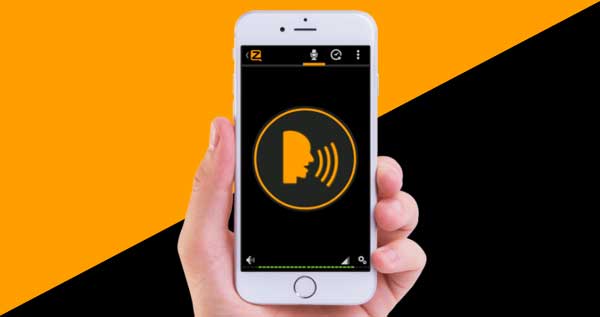
    It is one of the top walkie-talkie mobile applications with an extensive customer base and fantastic rating. It allows live open group communication with people across the globe or privately at your convenience. You can conduct or participate in public conversation pertaining to a particular area and discuss the various current topic.

    It is a fantastic app as it helps you connect with people from all walks of life without having to give out your personal information. You can also be less prominent or low key by changing your status to offline.

    It does not have any in-app purchases, so security from your children cannot be a concern. Also, you have to pay a monthly fee to enjoy better and more advanced features.

    The app is available to download on both the Android and iOS platforms.

    Macro Polo

    This app is free without any in-app purchases making it a very kid-friendly platform. Also, messages do not get deleted in this app so you can easily keep track of the usage history. This is a face-to-face messaging app with a walkie-talkie twist. This app also has many new filters and emoji, making a very fun app-experience.

    This app is also available to download in both android and ios devices.

    At the end

    Aside from the entertainment aspects, a walkie-talkie can also prove to be beneficial in various real-life scenarios. You can utilize the walkie-talkie apps for conducting your business of catering, wedding planning, event management, etc. Such a device is straightforward to use and comes out to be a handy possession in several high-functioning events.

    These apps are some of the best walkie-talkie applications. Install and enjoy a promising walkie-talkie experience.


  • Tweetcaster Stops Working Entirely, Developer Says Twitter Broke It

    Tweetcaster Stops Working Entirely, Developer Says Twitter Broke It

    TweetCaster is an old third-party Twitter app on Android. It was first published in 2010. We see that the app has not been updated for the last year. Now, you cannot connect to Twitter at all. Most recent Play Store reviews mention pretty much the same thing that the app is no longer working. All the users see is a 401 error. As of now, it does not look to be related to the app reaching Twitter’s notorious API token limit. This usually marks the end of third-party clients with existing users being able to access their accounts.

    Tweetcaster Stops Working
    Tweetcaster Stops Working

    TweetCaster was developed by OneLouder, who recently mentioned that Twitter broke the app on their end. The team is working to notify the users of the outage. However, there is no comment from Twitter about why this app is not working anymore. TweetCaster fans and users are taking to Twitter to find a solution or alternative for it. @nhammer13 tweets, “So Tweetcaster died and I’m heartbroken. Does anyone use anything other than the official Twitter app? I loved being able to read all of my tweets in chronological order and the Twitter app just seems so scattered.”

    TweetCaster and Twitter

    Many users say that it has been a long time since they have used Twitter. TweetCaster was their first choice since it was clean and neat, allowing the users to read their tweets in chronological order. TweetCaster is among the first third-party apps for Twitter. It is incredible that the developers had the app running strongly for about a decade. We sincerely hope that TweetCaster can work with Twitter to fix the outage. It is very hard to deal with the loss of an app that you have used for years and years.

    Tweetcaster
    Tweetcaster

    A Quick Update

    With the app long due for an update, it came as no surprise that the app had an issue with Twitter. However, it did not dull the blow since it is one of the all-time favourites across the globe. Despite the fact that TweetCaster has not received an update for about a year, OneLouder still took matters up with Twitter. The company mentioned that they are trying to get in touch with Twitter to understand what went wrong and how it could be made right again.

    After the attempt, OneLouder posted a tweet, “Hey TweetCaster fans! We just posted an update to the app (9.4.2) that fixes the outage. Google is processing the app and it should be available on Google Play soon. We apologize for the inconvenience. Twitter API token was invalidated and it took a while to resolve it with Twitter support.” Maybe this incident will motivate the developers to bring an update for the app. If TweetCaster is not updated and does not work flawlessly like before, it is only a matter of time before another similar app pops up. At the moment, they have the support of all the users who have dedicatedly used it in the past decade. This would be an excellent time to update TweetCaster.

  • Google Lookout Uses Artificial Intelligence To Help Visually Impaired People Navigate The World

    Google Lookout Uses Artificial Intelligence To Help Visually Impaired People Navigate The World

    Can you imagine how would a visually impaired person navigate the world?

    Whether you are walking on the streets or cooking something at home, doing all such tasks without proper eyesight is really difficult or almost impossible to do. But I have seen many people challenging their situation every day by managing to do all their work by themselves. Such people are an inspiration to many of us.

    Google Lookout Uses Artificial Intelligence To Help Visually Impaired People Navigate The World

    The introduction of the Smartphone has made it quite easier, especially after the use of Artificial Intelligence in them. Google Lens is now capable of even identifying a dog’s breed just by clicking a picture of the dog. Why not use such smart features to help out the visually impaired people?

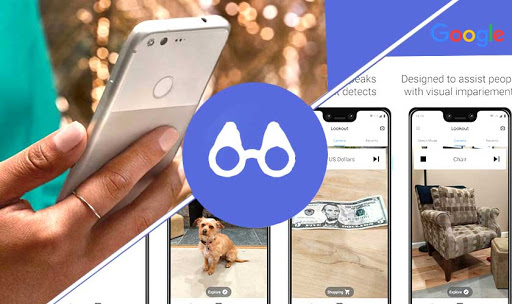
    Google has come up with its latest initiative for helping the visually impaired or differently-abled community. Google Lookout is a US-based app that is made specially to help visually impaired people see the beautiful world around them.

    With the help of the Lookout app, these people can navigate the world by using their smartphones. The AI featuring the app dictates the text to you describing what is happening around you.

    Availability Of Google Lookout

    Lookout is now available on Pixel devices as well as on non-Pixel devices. It has recently started supporting Samsung and LG devices.

    The app is currently functional in the U.S and not yet launched in other countries. You need to update your Android to Android 8.0 in order to use Google Lookout.

    You can get the updated APK from APK Mirror and install it on your phones. It officially supports Pixel 4 and 4 XL and is also available for Pixel 3a and 3a XL.

    Testing Google Lookout

    The app was announced last year is now finally available for you to try it out. Basically, it has 3 modes-

    1. One which helps you explore the world and assist you while cooking.
    2. The other is for scanning barcodes while shopping or seeing currency.
    3. The third one is for reading text on mails, signs, labels and more.

    Whenever you start the app, it asks you which mode you would like to use. This helps you to save your time which you would waste on simply navigating the options.

    While testing the app for a short period of time, I have observed that it is really quick in identifying objects along with its location and time. It also tells me whether the object had a text on it or not.

    Google Lookout V/S Microsoft Seeing Ai

    Google is not the only company to launch an app that helps visually impaired people. Microsoft has a similar app for the IOS phone named Seeing AI. The app can read handwritten texts, recognize denominations of currency, describe colors, etc.

    As of now, Google Lookout lacks the facial recognition feature which adds a point to Seeing AI but Lookout might come up with this feature in the future.

  • Whatsapp Says No To These Smartphones From 2020

    Whatsapp Says No To These Smartphones From 2020

    At the beginning of February 2020, some devices will not be able to use the most loved and most used application of all times, WhatsApp, across the globe. Whatsapp Says No To These Smartphones From 2020.

    The Warning:

    This Facebook-owned messaging app, WhatsApp, had given a prior warning to the devices operating on an older version of Android and iOS since they don’t support WhatsApp. So, for those who failed to upgrade their phones, WhatsApp will become a distant non-usable entity.

    WhatsApp Supports:

    WhatsApp is friendly with the iOS devices running OS 9+ and Android devices running OS 4.0.3+. Also, some rare phones running Kai OS 2.5.1+. The very latest report suggests that the devices not running these operating systems will not benefit from WhatsApp anymore.

    WhatsApp Contradicts:

    WhatsApp is not going to be friendly with Android devices running OS 2.3.7 and older, iOS devices running OS 8 and older, also some rare phones featuring Windows OS.

    WhatsApp Backup Chats
    WhatsApp Backup Chats

    No Verification:

    Earlier, you could verify your smartphone with WhatsApp and start using the application instantly. But, this will not happen this time! You will not be able to create new accounts using older versions of operating systems, neither will you be able to verify your existing accounts after the given deadline!

    Tiff With Microsoft:

    From December 31, 2019, the Facebook-owned messaging application has withdrawn support for all Windows phones. Also, it ended support with its Windows 10 Mobile OS the very same day.

    Learn How To Save Chats

    In case you are still using an older version of the operating system, you need to save your chats and information. Here’s how you can do that:

    #1 Open the conversation you want to save, click on ‘CHATS.’

    #2 Click on ‘EXPORT CHAT.’ Then, you will get to choose between download with or without media. Choose what you want and export all your chats with that particular contact.

    Learn How To Backup Chats

    For Android users, you need not worry; just follow these straightforward steps:

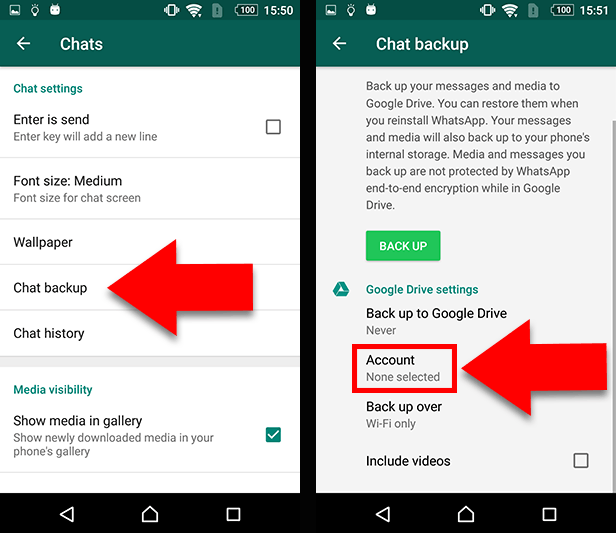
    #1 There are three dots at the top right corner of your WhatsApp application, click on them.

    #2 Click on ‘SETTINGS’

    #3 Then, tap on ‘CHATS.’

    #4 In the end, you will find the ‘CHAT BACKUP’ option. Then, it will show you ‘GOOGLE DRIVE SETTINGS’ option.

    For iOS users, you need not worry about having such a rare smartphone too! You need to follow these very simple to understand steps:

    #1 At first, you need to turn on iCloud Drive on your iPhone.

    #2 Go to your WhatsApp application

    #3 Click on ‘SETTINGS’ at the bottom right corner

    #4 Click on ‘CHATS’

    #5 Now, tap on ‘CHAT BACKUP.’

    #6 Select the option, ‘BACK UP NOW,’ to back up your chats to your iCloud Drive.

    Last Word

    This most useful application is bringing in a lot of changes to improve the user interface or user interaction (for those who don’t understand code language!). They have just brought up the ‘dark mode’ feature for Android beta users and will bring that for iPhone users too! Along with that, there are animated stickers you could use during chats!

  • Fortnite Mobile Hacks, Aimbots, Wallhacks For Android And IOS Download

    Fortnite Mobile Hacks, Aimbots, Wallhacks For Android And IOS Download

    There are hacks and cheats for practically every single game, including Fortnite. Though using hacks and cheat codes in any of the “Epic Games” franchise is risky since they are known to be pretty strict when it comes to banning cheaters. Still, you can use aimbots to assist you in shooting, wallhacks, scripts, and other related hacks on both Android and iOS devices. Let’s take a look at Fortnite Mobile Hacks.

    Fortnite Hacks And Mods For Mobile

    Just like for other games, most of the hacks and mods for Fortnite are downloaded via APK. These are only a modified version of the Fortnite client, which can help you get enhanced performance. While downloading the various types of hacks in the form of .apk files is pretty easy, what’s difficult is getting around to implementing them. Since Epic Games are always on the lookout for hacked and modded versions with the sole purpose of banning them, it becomes relatively difficult to get your hands on a current hacked version of the game. Apart from aimbots, skin hacks can also be downloaded. But these are client-specific and won’t be visible to other players.

    Fortnite Mobile Hacks
    Fortnite Mobile Hacks

    Aimbots

    Auto-aim is one of the most sought after features in any mobile-shooter game. Though Fortnite has a building feature in the game, which makes it difficult for the aimbots to do their job, they can still provide great power when paired with some of the advanced weapons like sniper rifles and explosives.

    Besides aiming and optional shooting (Triggerbot), aimbots can keep a note of bullet drops, bullet speed, and target movement to determine the best hit rate possible. Though the auto-aim is not 100% perfect since the progress of the avatar varies from person to person, it still can be an extremely helpful tool for people with poor aiming skills. It can make up for their lack of capabilities or physical limitations.

    Wallhacks

    Wallhack is one of the Fortnite Mobile Hacks features specially developed for Fortnite. It can help you see the enemy’s movements when a wall hides him. It goes by many names such as ESP, VAC, and Wallhack and can highlight features such as loot crates, explosives, traps, jump pads, lamas, and supply drops besides highlighting the enemy. Using this, you will probably never get killed by an enemy who is hiding inside a bush or a wall. While they are not as good as the aimbots at getting the kills, Wallhacks are undoubtedly much more fun to use. Knowing all the relevant information about the enemy can be a much more useful thing than just aiming for the right spots because the bullet can come from any side after all.

    Also, since they are much more discrete and hard to be noticed by other players, there are lesser chances of you getting reported and banned from the game. In addition to this, if you have the required skills, you can build your scripts defining what kind of hack you want and then use it to your liking.

    Though there are a large number of free mods and mod menus available, they are not always safe. And since Epic Games tries every possible way to detect any hackers who might be present in the game, it’s better to remain cautious and not overuse these hacks to ensure a safer gaming experience.

  • Best Android Horror Games For A Good Scare! (2020 Update)

    Best Android Horror Games For A Good Scare! (2020 Update)

    We all know someone who is dead scared of horror movies and games. At the same there, there are also those on the opposite end of the spectrum who just love a good horror game. Let’s take a look at this list of the ten best Android horror games out there. All the games on this list are free to install and play. However, most of them have some form of in-app purchases. None of them is mandatory. With a mysterious storyline, horrifying creators, and addictive gameplay, there is no way you can resist these games.

    1. Into the Dead 2: Zombie Survival – Best Android Horror Games

    Into the Dead 2: Zombie Survival is a game where, you guessed it, players have to kill the zombies. You will have the weapons you want at hand. To save your family, you will have to destroy all the zombies out there. While the game goes on easy terms, the horror factor is easily blended in. With a scary atmosphere, a fearful sound, you will need nerves of steel to go through the game. The game provides the players appropriate weapons to shoot the zombies. Enthusiastic players can play their way through seven chapters and more than 60 stages. As you get better at the game, you will be able to win special prizes and unlock more weapons.

    Into the Dead 2 - Zombie Survival
    Into the Dead 2 – Zombie Survival

    2. Eyes- The Horror Game

    Eyes: The Horror Game is a popular horror game for Android users. This horror fantasy game is among the most popular and most played horror games out there. It is a multiplayer game with ominous sound effects and realistic imagery. The gameplay involves the player playing the role of a hero. You have to move ahead while dodging evil spirits and ghosts. The game is home to plenty of nasty-looking ghosts, evil spirits, and monsters. It features a doomed atmosphere and attractive gameplay. You will also be able to play through plenty of levels and not get bored!

    3. Slender Man Origins 3 Free. Abandoned School

    Slender Man Origins 3 Free. Abandoned School is another free horror game. The game follows a mysterious story where you, as the player, will have to rescue the souls of children who are held hostage. They were lost from school. The main area of exploration will be the abandoned school as you move about and destroy the Slender Man. The game follows an excellent story, featuring stunning graphics. With interesting tactics and tons of unlocked operations, players can enjoy for hours.

    Slender Man Origins 3 Free. Abandoned School
    Slender Man Origins 3 Free. Abandoned School

    4. Slendrina: The Cellar

    Slendrina: The Cellar is a super scary horror game that has different strategies. Here, Slendrina is an evil spirit that does not like anyone venturing into her area. You have to go there for your mission. Once you go, the game is all about how you escape Slendrina. Within her territory, you will have to find missing books, keys, and more. The horror sound effect, scary graphics, and a dark atmosphere have all the makings of a great horror game.

    5. Man or Vampire – Best Android Horror Games

    This game is based on a land where dead are being ruled by Vampires. Only the King of this land can control the phenomenon. Most players agree that this is one of the scariest games they have ever played. You will move through the different survival options to figure out which one will make you the king of the paradise. The game has a huge world waiting for you to explore, with stunning sound effects and fabulous graphics. There are also plenty of weapons that you can use to survive and kill the zombies. Besides the main mission, there are little tasks as well.

    Man or Vampire - Best Android Horror Games
    Man or Vampire – Android Horror GamesBest

    6. Dead Target: Zombie Shooting Game

    Dead Target: Zombie Shooting Game is set in 2040, at the scene of World War III. However, warfare here is not as we know it. With the enemies coming up with a virus that can turn deal men into evil zombies, you will have to save the world from these creatures. An addictive game, this covers a lot of smart tactics and 3D weapons, scary sound effects, and a terrifying atmosphere.

    7. Evil Nun: Horror in the School

    This game is based on a school and scarier than you think. Your job is to save the hero from the nun along with the hostage children. The twist here is that the nun can hear the slightest noise you make. Excellent graphics, realistic sound effects, and more make this a lovely game to play. While it may be hard to excel in this game, it is quite easy to get started.

    Evil Nun - Horror in the School - Best Android Horror Games
    Evil Nun – Horror in the School

    8. Horror Hospital 2 – Android Horror Games

    Where the above option was based on school, this game is set out in a hospital. The player in the game will have to escape paranormal spirits and even death and you try to make it out of this haunted hospital. As you progress further into the game, you will come across the story of a possessed young girl who is near death’s door. The game has two different stories so that you don’t get bored. With tons of unlocking options, you can enjoy yourself.

    9. Zombie Frontier 3: Sniper FPS

    Zombie Frontier 3: Sniper FPS happens in a world where a popular vaccine turns mutate humans into zombies. Now, the world is full of these elements. You, as the hero in the game, will have to save the world by getting rid of them. A detailed design of zombies and an apocalypse world, there are more than 120 levels to play. If you like playing with weapons, you will enjoy this game. There are over 30 types of weapons here!

    Zombie Frontier 3 - Sniper FPS
    Zombie Frontier 3 – Sniper FPS

    10. Zombie Hunter: Post Apocalypse Survival Game 

    This game is a zombie-killing game. This survival game revolves around the player killing the zombie gangs to make it a safer place. The mysterious sounds are perfect for a terrifying atmosphere. The game has 12 different types of weapons with an amazing background.

  • The Complete Guide to Anonymous Apps

    The Complete Guide to Anonymous Apps

    Where once, online social platforms were all about protecting your true identity, with the likes of Facebook, it became all about letting others know exactly how you are spending every minute of your day. As the online world seems to be going to an even more of a tangent of having us put up all our details, the anonymous apps and platforms have come back with a force. It is highly surprising how popular these apps seem to be.

    #1 Yik Yak

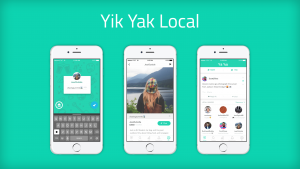
    Yik Yak is basically a local bulletin for your neighbourhood. All the posts from those around you will be shown. Most of the users here are teenagers who want to talk, well, like teenagers. Individuals are bashed without their names mentioned. In most cases, only the initials are mentioned and the one posting it is completely anonymous.

    Yik Yak - Anonymous Apps
    Yik Yak – Anonymous Apps

    #2 Matter

    Matter is an app that allows you to connect to other users. The best part is that the interaction is completely anonymous and the app is bright and cheerful, instead of being dark and shady. This anonymous sharing app is a great way for literate adults to meet and share stuff. Users can post stuff on different topics and others can rate it using the different icon available, such as value, relate, and support. You can also join communities like Veterans, LGBTQ, and Parenthood.

    #3 Whisper

    Whisper is another anonymous app that you can confidently use. It is a great place to express yourself. You will meet likeminded people here and can delve into deep conversations with them. Whisper has become so popular in the two years it has launched that the app has managed to raise about $60 million in funding. The app enjoys billions of page views every month. It is extremely popular among college and high school students who use it as a platform to share confessions.

    Whisper
    Whisper

    #4 Gossup

    This unfiltered social media app basically works as a combination of Yik Yak, Foursquare, Instagram, and Reddit! Users can post anonymous photos and follow other posts/photos. With more upvotes, the messages posted earn more sway. While little known as of now, it has the potential to become one of the more popular anonymous apps. 

    #5 Shrtwv

    According to the app store, Shrtwv is described as, “Anonymously share moments in time with the world around you one wave at a time. See what others have left behind and leave your mark by adding stickers and liking waves.” Users’ anonymous messages or posts are called waves. These are visible only for a few seconds after it appears. You have to be on the spot to be able to catch the posts. Other users can comment by dragging a sticker on to the wave or post. However, you will need quick reflexes to do that before it vanishes forever!

    #6 Truth

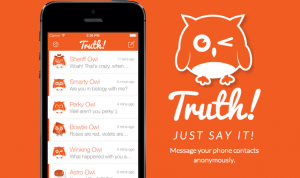
    Truth is a messaging app where you can anonymously message your friends. When you install Truth, it will get access to your contact list. You can choose which friend you want to send a message to and the app will replace your name with an owl’s. For instance, your name would be shown as “Chillin’ Owl,” Cheery Owl,” “Smarty Owl,” and so on. The friend will naturally know that it is someone from their contacts but will not be able to figure it out. It is usually used by school and college students to see if their crush likes them back.

    Truth - Anonymous Apps
    Truth – Anonymous Apps

    #7 ButterflyEffect

    The app store describes Butterfly Effect as, “ButterflyEffect is an anonymous community designed to allow users to share secrets, express gratitude and get inspiration. It is based on the premise that single action, no matter how small, affects others in the world forever.” It works in a similar fashion to Whisper where users can post anonymously. However, where it differs is that it is based on ‘give gratitude’ and ‘get inspiration’ themes. The former option will allow you to send thank-you notes to your friends while the latter will get you an assortment of inspirational quotes from the likes of Thomas Edison and Audrey Hepburn. There is also a personal photo journal where you can add your photos or posts and maintain it.

    #8 Babbly 

    Babbly allows its users to share their thoughts with their friends – anonymously. The app developers mention that it is a great way to express your thoughts and connect to the world. You will also be able to know what the people around you are thinking. You would be able to join groups or even create personalized ones if you want to share with a specific group of people. Since it doesn’t have any reviews on the app store, it looks like we will have to wait to see how it turns out.

    #9 Viper

    Viper is an anonymous located-based app. Users can post their thoughts related to where they currently are. This could be at your home, your college or school, a restaurant, a game, or anywhere. When the user moves away from the area, the post disappears as well. It is a unique idea and is likely to be a hit once it catches on. As of now, most of the time, all you will see is a blank area and a map with no one sharing anything.

    WUT
    WUT

    #10 Backchat

    According to the app store, “Backchat is a communication tool designed for those of us who can’t wait to find exciting and original ways to chat with our friends and have a good time.” The stunning part about this app is that it was developed by a 14-year-old. Only users who are connected via Google Plus or Facebook would be able to send messages to each other. However, these messages would be anonymous. If you want a clue to your sender’s identity, you can buy the clues for $0.99 each. This is not a great idea if you are looking for a true anonymous app since your identity could be revealed for less than a dollar!

    # Bonus – WUT

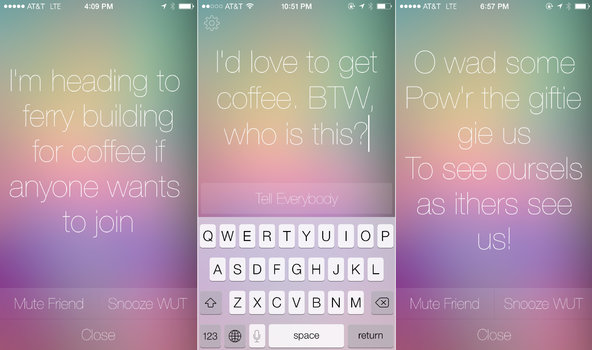
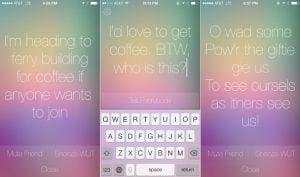
    WUT is a social app. You can send a message on WUT which is received by all your Facebook friends using the app. While they will know it is someone from their friends list, they might not be able to figure out exactly who it is. Once the message is seen on the receiver’s lock screen, it disappears.

  • Record Netflix Movies: How to Watch and Download Content For Streaming Offline

    Record Netflix Movies: How to Watch and Download Content For Streaming Offline

    Netflix is truly a boon. With hundreds of shows and movies to choose from in addition to Netflix’s original series and movies, there is no way we are going to be stuck for something to watch. However, one annoying thing here is how Netflix removes its titles once in a while and randomly adds other titles later on. Even if you have been crafty enough to have downloaded the title, you find that has disappeared as well! The only solution here is to record Netflix movies so that you can watch it offline later.

    Streaming Services
    Streaming Services

    One way of doing this would be to use PlayOn. It is an app that allows users to download and watch Netflix videos offline. This means you will be able to watch movies without needing Wi-Fi. The best part about it is that you can even watch them after Netflix removes it. PlayOn downloads will never expire which means you can comfortably continue watching them whenever you wish. You will be able to view the content on your smartphone, TV, laptop, and more.

    PlayOn App

    This app is available for both Android and iOS users. The app basically allows users to record and download content from streaming platforms, such as Netflix. The download can be initiated regardless of your location. As soon as it is complete, the content will be stored in a complimentary cloud “locker” for a brief period of time. From there, you can simply download the titles to your device.

    To get started, all you need to do is to download and install the app. You can do this by simply making your way to the Apple App Store or Google Play Store. Once done, you can browse the shows or movies that you want to record. Once it is recorded, you can visit your cloud storage and download the videos from there. The app is completely free to install. However, for recording, users will have to pay a small fee for every recording.

    Record Netflix Movies
    Download Netflix Movies

    Record Netflix Movies on Desktop

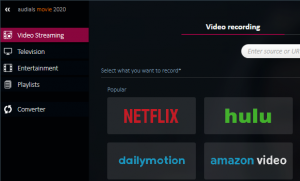
    You don’t have to work with multiple applications or software. PlayOn is here to help you record and download stuff from a streaming platform to your desktop. While this guide focuses on Netflix, the app can record content from any streaming platform, such as Amazon Prime, Hulu, and more. When you select a title for recording, the video is saved as .mp4 files to the hard drive on your computer. Once done, you can stream the same to your TV and watch it. You can cast it the usual way by using a gaming console or a streaming device.

    You will never have to fear about missing out on your favourite shows and movies. It will all be available to you even if it leaves Netflix. The app has an easy browsing interface, making it simpler for users to navigate and use. The recording happens in the background so you will be able to continue with your work without getting disturbed.