Author: Poonam

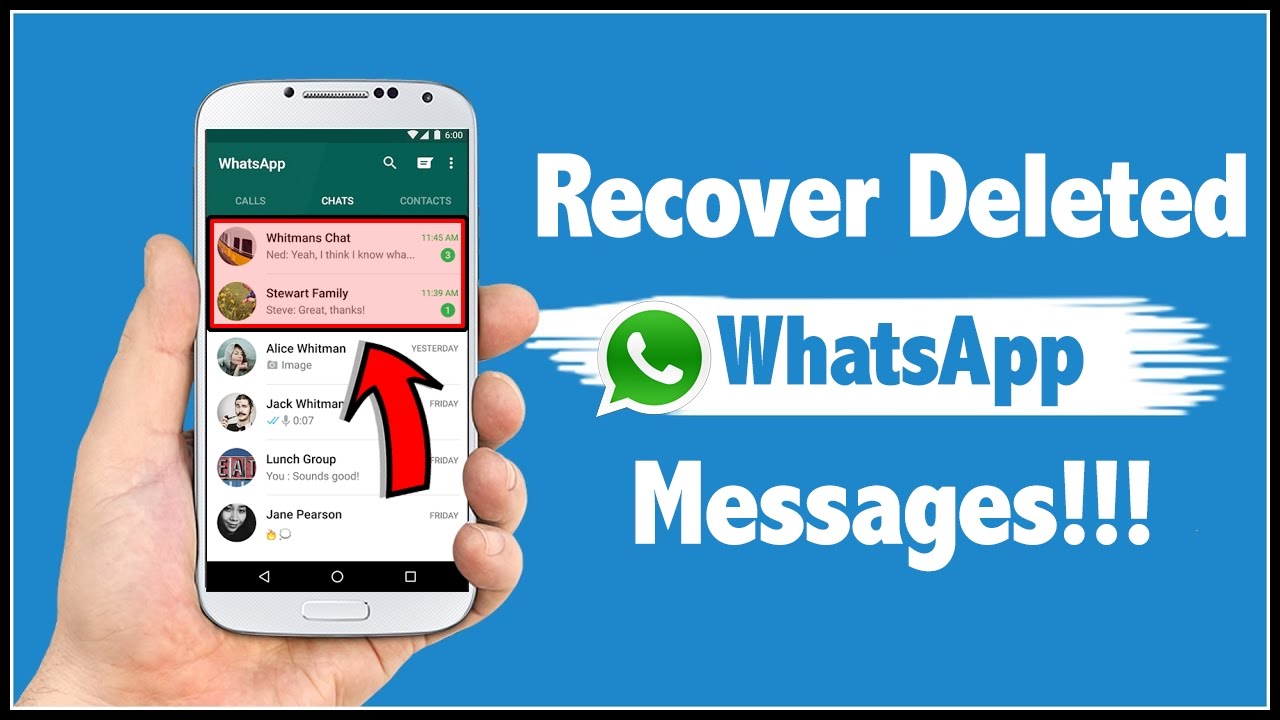
  • How to Recover Deleted WhatsApp Messages

    How to Recover Deleted WhatsApp Messages

    Several ways are there for downloading WhatsApp messages without any fail. There are times when we all do this mistake we forget to have back up of messages or media. And later we pay for this losing our most important messages but even if you have forgotten having back up. You have a chance of recovering deleted WhatsApp messages.

    How to Recover Deleted WhatsApp Messages

    1. Go to the file manager on your phone (then download the file app of Google, just in case this app is not available). Now visit the WhatsApp folder> database. The database folder has entire WhatsApp backup files that are stored locally on the phone.
    2. Then select the file msgstore.db.crypt12. After doing it you will have to rename it to the msgstore_BACKUP.db.crypt12. And this one is the most current backup file and you will have to rename it. This you do for protecting it from being overwritten. Or even, in any case, you will be able to rename this particular file to its real name and restore it.
    3. There you will receive a bundle of files in this folder in the format msgstore- YYYY-MM-DD.1.db.crypt12. This is the older backups; here you can single out the recent messages and then rename them to the msgstore.db.crypt12.
    4. Pay attention – this part is puzzled. You will require to open Google drive (on any device).there you will find a hamburger icon (the three vertical lines)> Backups. The next step would be about backing up the WhatsApp messages. By doing this the phone would recover the WhatsApp messages.
    5. The next step you will have to do is uninstalling the WhatsApp and then reinstalling it. When you will be done you can set it up, by doing this instantly there you can restore recent chats from a local backup.
    6. After taking the entire step you have to tap on the restore and that is it. There you will be able in getting your deleted chats back.

    Restore deleted WhatsApp chats with cloud backup

    This is also one another way of restoring WhatsApp chats if your messages have gotten deleted due to some reason. You can say your Google Drive or iCloud back up took place at midnight and your messages somehow got deleted.

    How to Recover Deleted WhatsApp Messages

    But the best part of all is that the cloud has a record of everything. It will still have your money. Here are the steps which one can follow up –

    1. At first, uninstall WhatsApp from your Android Smartphone or iPhone.
    2. Then reinstall your WhatsApp, and then fill basic first details.
    3. When you are done with that, then instantly you will be asked for restoring messages from the cloud backup.
    4. By taking the above step you will be able to restore messages which you would have accidentally deleted.
    5. Note- but just in case if you receive any messages like this, your cloud does not have back up of your recent messages. It means you have lost your chats forever. And there is even no way of getting them back.
  • How to Download Facebook Videos

    How to Download Facebook Videos

    Facebook is one of the popular social media websites which is used by millions of users around the world and this is one of the biggest websites which is streaming very popular in recent days.


    Facebook is a strong competitor with YouTube media for acquiring multiple advertisers. The only difference between YouTube and Facebook is YouTube has offline mode but this Facebook does not have offline mode options.


    And also in this Facebook website you don’t have any buttons for saving videos in this article let us discuss in detail about downloading the videos from Facebook social media in an easier way to your Smartphone devices.


    How to Download Face book Videos on Android, IPhone, Windows and Mac

    How to save the videos to view later from Facebook media

    Second, by second you will come across plenty of videos but you will find it difficult to save and download your favorite videos from Facebook here is the simple method to save the Facebook videos.

      • Initially just open the video from Facebook to choose your favorite video to save.
      • In that video right top end, you will see three dots.
      • Just click to expand the option.
      • There you will find the save video option.
      • Finally, your favorite video will be saved to the saved videos and you will have the option of accessing any time that is saved in the video menu on your Facebook.

    Steps to download Facebook videos in iPhone and Android

      • Initially go to the Facebook video which you want to download on your device.
      • Just refer to the video below you will find the share button.
      • Click that button to copy the video link which is appeared.
      • Just take this video link copied on any browser or go to fbdown.net.
      • Paste the link and tap to download.
      • On the next page immediately you can select the quality of the video to download.
      • Now you can watch the video that plays in your browser and you can download this video anywhere on your device.
      • Therefore the video will be downloaded in your downloaded folder from your browser on your smartphone.

    How to Download Face book Videos on Android, IPhone, Windows and Mac

    However, as if now there is no option of downloading the videos from Facebook on iPod and iPhone. The leading Apple Company has not been provided permission for any developer to download the videos from the social websites to iPod or iPhone. If you try to download your favorite video in iPod or iPhone it will just play your favorite video where you could not download it.

    How to download the favorite videos from Facebook on Mac and Windows

    Facebook videos can be easily downloaded to your device in the same way as Android phones.

      • Initially just open any of the browsers and visit the Facebook website.
      • Choose your favorite video when you click on it you will find the URL video just copy it.
      • And then go to fbdown.net to paste the copied URL and then downloaded
      • On the next page, you will find the double option of downloading in HD or normal quality.
      • Choose the option and the video which is playing on the browser.
      • And now right-click the video to save and to download the favorite videos in your Mac or PC.

    Steps to download Facebook videos which you have posted

      • For this initially, jump to your Facebook profile.
      • Here at the top of the page next to your name you will find the menu bar with the button down arrow.
      • Keep the mouse over the menu box and list the videos which you have clicked.
      • Here you will find the album in the video section.
      • Keep the mouse on the particular video which you need to download and you will see the icon as pencil blinking on it just click that.
      • When you click it you will find an option of download HD and download SD.
      • Choose your best quality option and finally, your video will be immediately downloaded in the format of MP4.

    Conclusion

    In this context, we have discussed in detail about downloading the videos from the Facebook social media to your device for your future reference.

  • Best Samsung Smartwatches Review

    Best Samsung Smartwatches Review

    We all know that Samsung is one of the most popular and best Smartwatch makers across the globe. They can compete with leading brands such as Fitbit Versa 2 and even Apple Watch 5. Since 2013, the company had started to design Smart Watch Samsung and initially launched the square-faced model and lacking with the Samsung Galaxy Gear model. We’ve seen various iterations of its wrist wear over those last six years, and the company has since come into its own with its latest series of wearables.
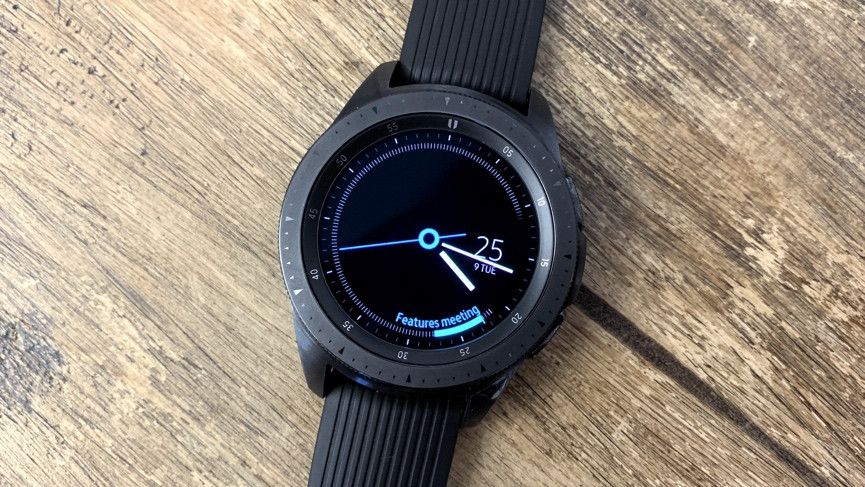
    Smart Watch Samsung Review

    Tizen is the name of the software you’ll find running on these devices, and it offers a similar experience to the Apple Watch range of Wear OS watches. There are fewer third-party app options available on Tizen devices, but there are still a lot of choices available.

    List of best Samsung Smartwatches

    Find below the list of best Samsung smartwatches offered from Samsung brand:

    Samsung Galaxy 42mm Rose Gold

    The Samsung Galaxy Watch 42mm Rose Gold is available in midnight black and silver, as well as a rose gold variety that looks best alongside both evening wear and work outfits.

    Its Super-AMOLED display is a respectable 1.2 inches and is accompanied by a rotating bezel for easy manipulation through the different apps.
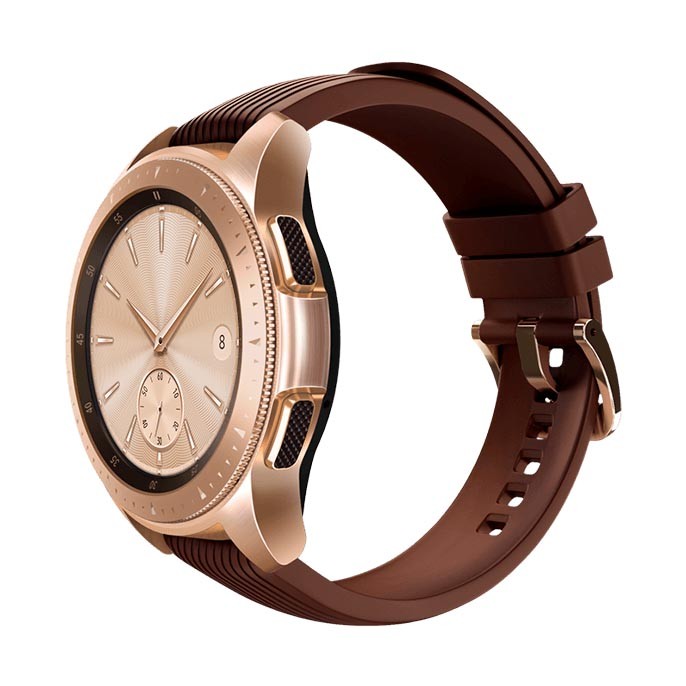
    Smart Watch Samsung Galaxy 42mm Rose Gold

    It’s safe to use when swimming and it’s resistant to falls of about five feet, not to mention extreme temperature changes, shocks, and vibrations. There’s Samsung Pay support included, making this a great watch for everyday use.

    Underneath that attractive exterior is plenty of power with a four-day battery life enabling users to monitor their heart rate, track their location via GPS, as well as receive notifications and take calls via the device and Bluetooth.

    Samsung Gear S3 Classic

    Stylish in a timeless classic kind of way, the Samsung Gear S3 Classic will complement your outfit and other accessories while still being eminently practical. It has the distinctive steel rotating bezel favored by other Samsung watches that makes it easy to access apps and notifications with a simple twist.

    The most important unique feature of Gear S3 Classic could be its AMOLED screen with the On-cell Touch feature, which allows the users to attend the calls with the help of Bluetooth, microphone, or even integrated speaker.
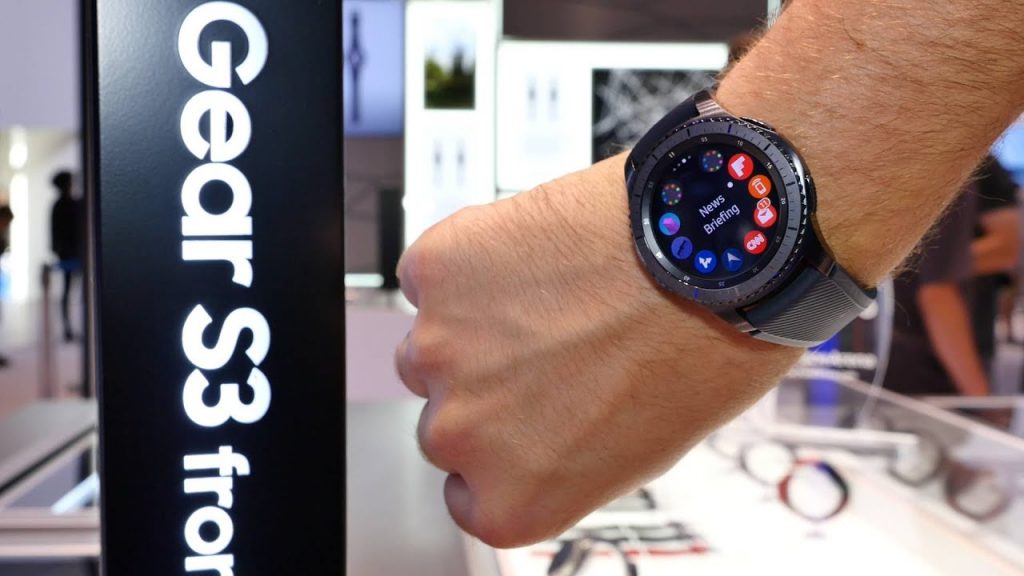
    Smart Watch Samsung Gear S3 Classic

    As expected, there’s Samsung Pay support for effortless payments, heart rate monitoring, step counter, automatic exercise and dynamic workout tracking, and GPS functionality. It covers all the bases you could need from a simple smartwatch while looking far nicer than most.

    It’s slightly older technology than some other Samsung watches so don’t expect it to be as fast or for the battery life to extend past a couple of days, but there’s no denying that it looks great.

    Samsung Galaxy Fit

    Whether you’re an avid swimmer, runner, or just devoted to meeting your step goal, the Samsung Galaxy Fit is an affordable, stylish fitness tracker that automatically monitors all of your activities. Its simple interface tracks everything from water and caffeine consumption to steps taken to sleep patterns.

    Also, it can handle your workout, whether that’s long hours in the pool, rock climbing, hitting the gym or tackling the workday. Its military-grade durability makes it ready for the water, extreme temperatures or a few bumps.
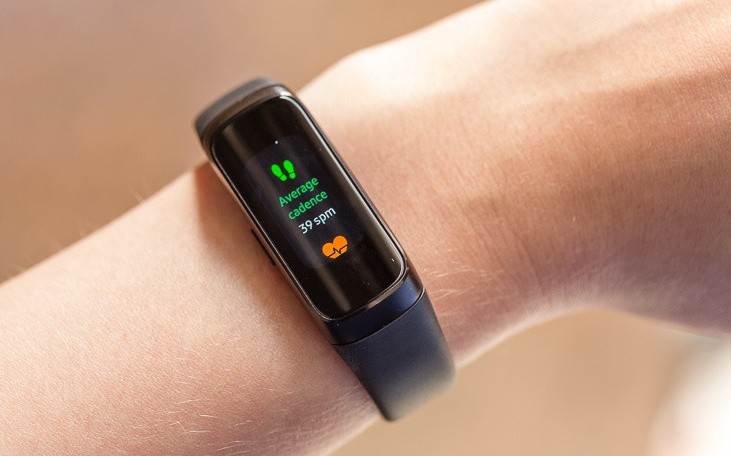
    Smart Watch Samsung Galaxy Fit

    The Galaxy Fit is about more than just connecting with your health: It’s about connecting your wellness to the rest of your routine. The device can communicate with your Galaxy smartphone to keep you updated with all incoming notifications, texts, and calls on the full-color AMOLED display.

    Also, you can scroll through your calendar or upcoming weather mid-workout. Available in two colors, the Galaxy Fit has a battery life of up to a week.

    Samsung Gear Sport

    The Samsung Gear Sport is a competent, cutdown version of the more expensive Samsung smartwatches. Its stylings are a little more akin to a fitness wearable but they’re subtle, and will still look good next to evening wear or casual attire.

    It has a 1.2-inch Super-AMOLED screen and is water-resistant for up to 50m. Extra fitness features including all-day heart rate tracking, GPS mapping, easy calorie count balance entry, and personal coaching functionality for workouts and runs.
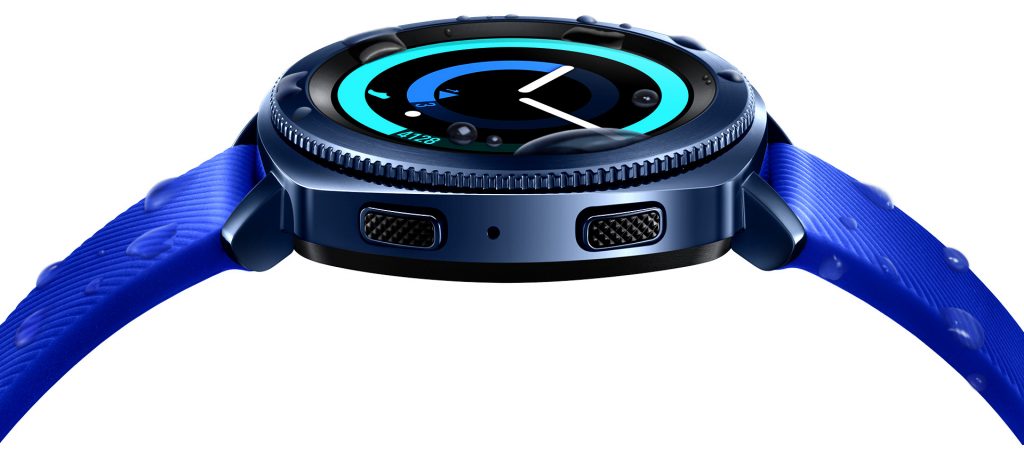
    Smart Watch Samsung Gear Sport

    You can also use it to reply to calls and texts with a twist of the rotating bezel, as well as pay for items via Samsung Pay. Another Samsung innovation is their Connect system that lets you control your appliances, such as your television, doors, lights, and other compatible smart devices.

    Battery life can be as high as about three days but expect it to last about two days when used for any length of time. That’s especially true when constant heart rate monitoring is activated.

    Samsung Gear S3 Frontier

    The Samsung Gear S3 Frontier is the ideal smartwatch for any scenario. It’s as stylish looking as any conventional watch but packs in plenty of features at a keen price. It has a distinctive steel rotating bezel around its 1.3-inch Super-AMOLED full-color display, which is eye-catching but far from over the top.

    That rotating bezel also means you can easily access apps in the interface, allowing you to navigate your notifications without clumsily needing to touch the watch (we hate missing inputs on bad touchscreens).
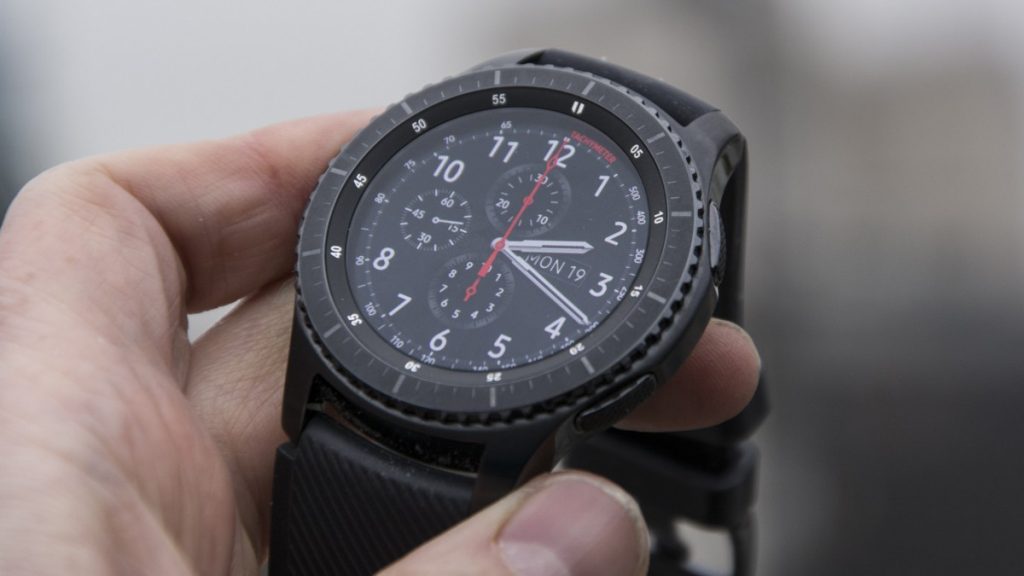
    Smart Watch Samsung Gear S3 Frontier

    You can use the watch to receive texts, calls, and notifications directly to your wrist. It’s even possible to make and answer calls hands-free via its built-in speaker and microphone.

    Other smart features include the ability to make payments via Samsung Pay, saving you the effort of retrieving your wallet, and GPS tracking of exactly where you’ve been.

    For the fitness enthusiast, there’s built-in step counting functionality, as well as the S Health app that can monitor your heart rate throughout the day. Military-grade level protection means the Gear S3 is resistant to water, dust, extreme temperatures, and occasional drops. Hence, it should serve you well through daily life. Expect a battery life of about four days before you need to return it to its wireless charger.

    Samsung Gear Fit2 Pro

    Sometimes, it’s useful to have a middle ground between a smartwatch and a fitness wearable. The Samsung Gear Fit2 Pro sits between those two quite nicely; it looks more like a Fitbit style device than watch but it still has an LCD screen that shows the time, heart rate, calories you’ve burned, and how many steps you’ve taken.

    It’s water-resistant up to 50m so you can wear it in the shower, or in the pool, and works as a standalone music player with the option to download your favorite Spotify playlists. And it’s made of an elastomer so you won’t have to feel like you’re going to break it when working out to your favorite jams.
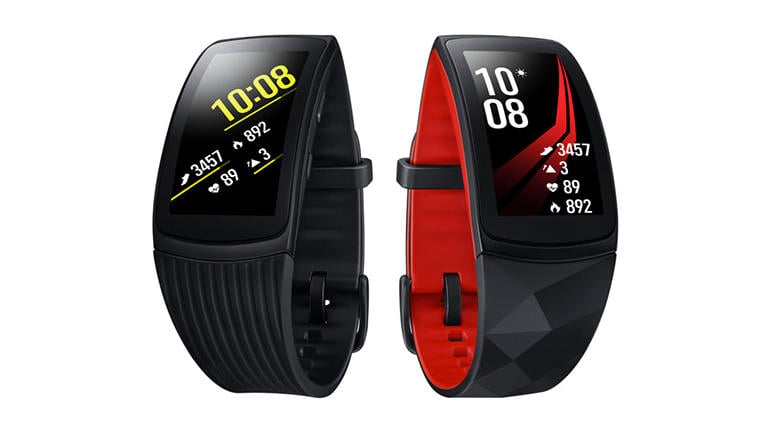
    Smart Watch Samsung Gear Fit2 Pro


    Fitness tracking is conducted via popular Under Armour services, MapMyRun and MyFitnessPal, so you can easily sync up your details for tracking over a long period. The heart rate monitoring is continuous as well, so you’ll always receive accurate feedback and statistics.

    While you can’t reply to texts or take calls, you can still receive notifications so you know when you need to pull your phone out of your pocket, and when it’s fine to leave things be for a bit. The best part of the Fit2 Pro: It can last up to five days on a single charge.
  • How to sign up for Minecraft Earth

    How to sign up for Minecraft Earth

    In order to celebrate the 10th anniversary, Minecraft has just announced its next step for the blocky game which took the world by storm. It is somehow going to take over the world with the surprise of Augmented Reality. Minecraft Earth has gone the power of AR in order to turn the world around you into a sandbox. After Pokémon Go, it is going to be the next AR craze. The best thing is that you can try your hands on this update early.

    How to sign up for Minecraft Earth and get an early AR adventure?

    Minecraft has been very popular, especially among the youth, for over a decade. According to Microsoft, more than half of all children from 9 to 11 years in the US still play Minecraft on a daily basis.

    So, it goes without saying that Microsoft and Mojang have tied their hands together to add different tools, materials, and creatures of the real world to its Minecraft Universe.

    What to expect from the new Minecraft Earth?

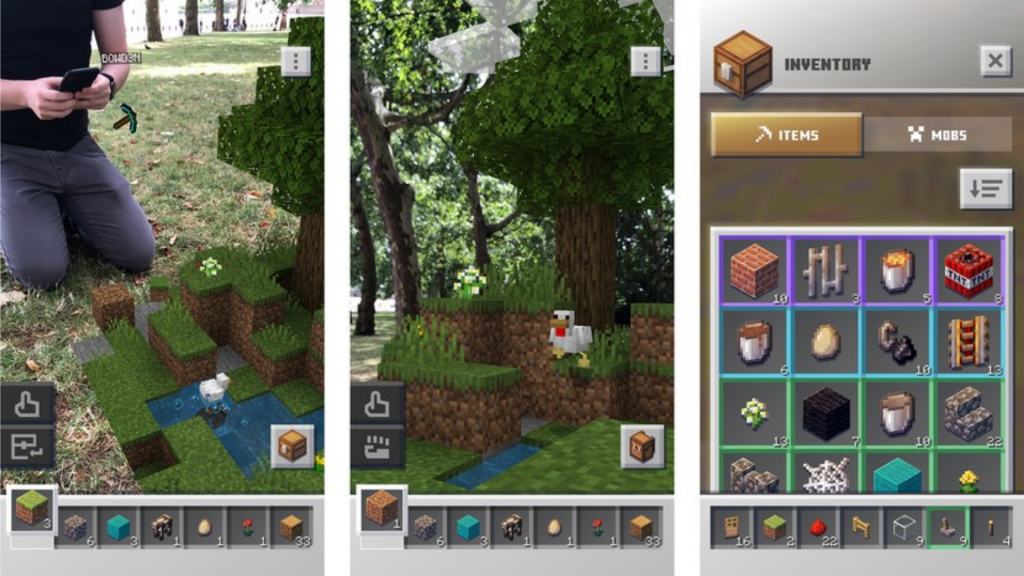
    Some of the interesting details regarding the gameplay have been revealed in the early hands-on sessions with this game. In one part, you might be roaming around collecting and searching for resources, looting across your location to grab rewards. You can go far enough. But we haven’t seen anyone digging with a shovel in real life.

    How to sign up for Minecraft Earth and get an early AR adventure?

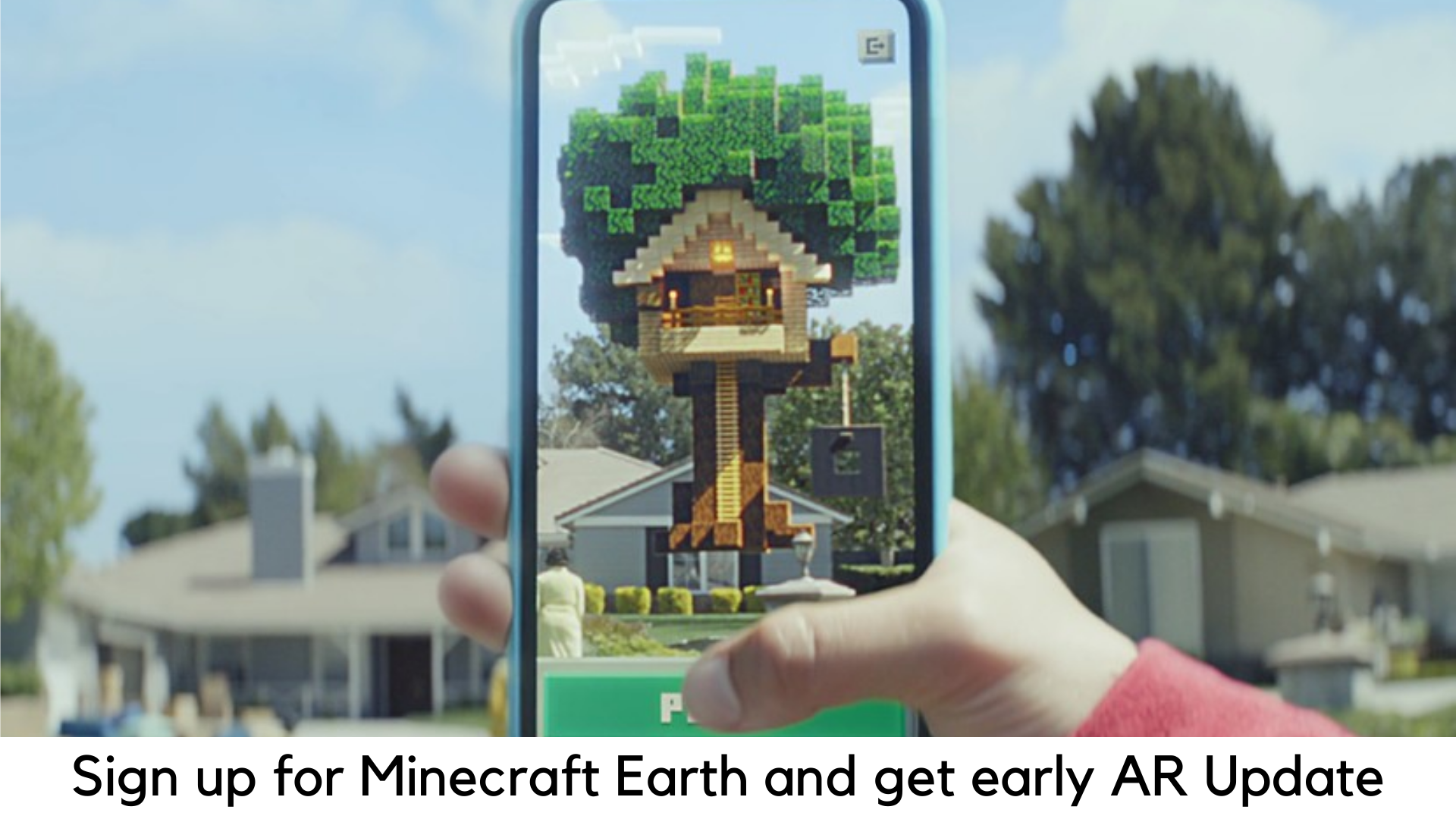
    There are also ‘adventures’ for you. Once they are activated, you can superimpose the environments of Minecraft as 3D holograms in the real world which can be seen by using your device’s camera.

    You will be able to enter the world of adventure dealing with all enemies and traps and winning amazing rewards. You can also raid dungeons with friends.

    Minecraft Earth will definitely have the crafting adventure where you could use all the resources you have collected and build your own virtual castle, house, and statue in Lego style. If you can try out some rarer materials, you will definitely command great bragging rights.

    Register for Minecraft Earth Early

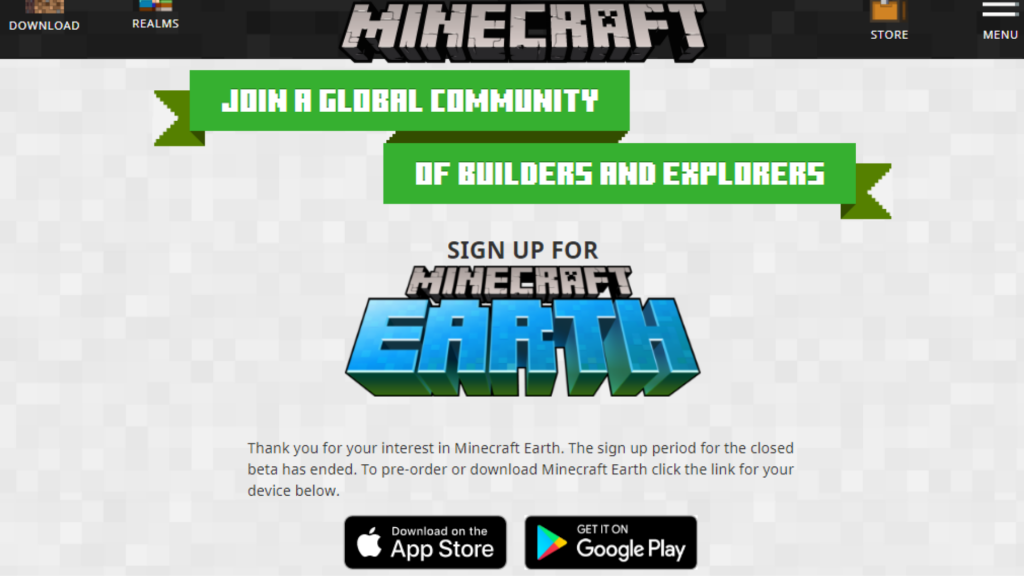
    Android users have to first visit the Google Play Store in order to pre-register for Minecraft Earth. You need to log in at Earth.Minecraft.net for the latest updates if you want to play this game early in closed beta for Android.

    In addition, you can also get a Minecraft Earth skin for free (which will also support “Bedrock Edition” by Minecraft. You can also be eligible for Android Minecraft Earth beta by signing up.

    How to sign up for Minecraft Earth and get an early AR adventure?

    There are limited slots available to log in for closed beta. But Mojang, Minecraft developer, has eventually planned to release Minecraft Earth to hundreds of thousands of players in order to test the game for free.

    Players who signed up for beta might be playing Minecraft Earth actively in the span of 7 days. They may also return to the eligibility pool of the beta version.

    In order to try Android closed beta, you need to have a mobile device running iOS 10 or Android 7 with an Xbox Live or Microsoft account (which can be designed for free).

    It allows only players who are above 18 years to test the beta version. Minecraft Earth will be free on both Android and iOS devices with in-app purchases.

  • How to Identify Font in Any Image?

    How to Identify Font in Any Image?

    More often than not, we all come across a random image on the web and find a text written on it, but wonder exactly what font was used on it. Identifying fonts in a picture is quite tricky but everyone should know this trick. It serves a lot of purposes. For example, you can search and download a particular font that you would really want to use in your pictures.

    How to Identify Font in Any Image

    Sometimes, you may find a meme on Facebook or Instagram and want to make its font on your own. From members to designers, everyone has to know what fonts are used on images. Fortunately, it is not that difficult.

    Steps to identify fonts in an image with Font Squirrel

    You can easily identify fonts on any picture with these steps –

    Steps to identify fonts in an image with Font Squirrel

      • First of all, download an image or copy the image URL.
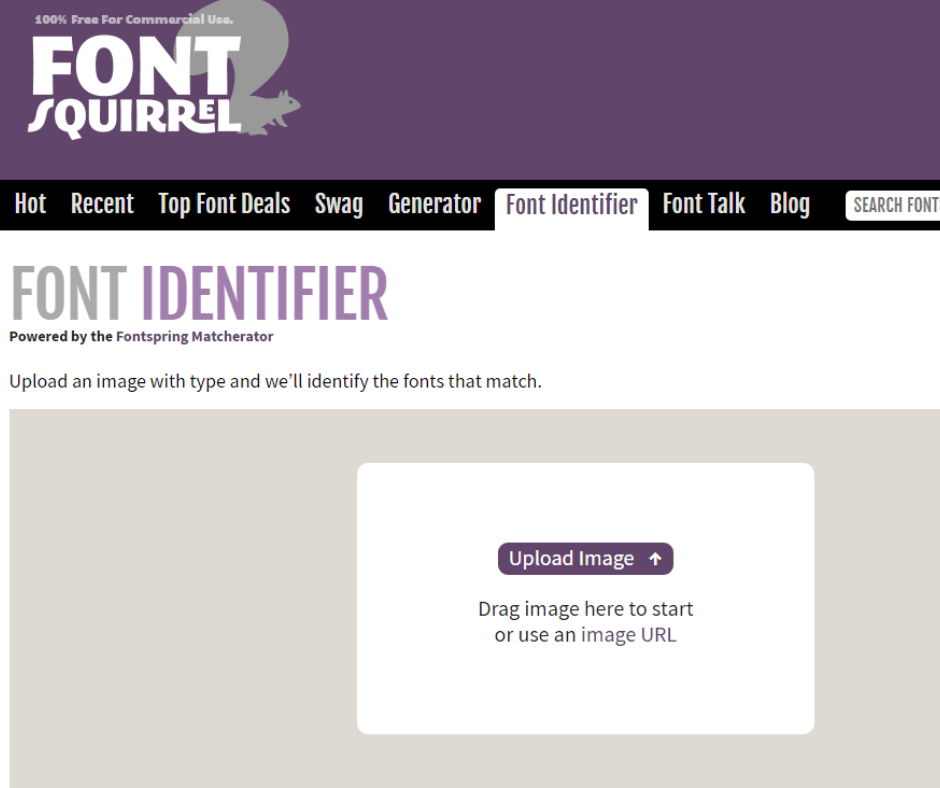
      • Log on to the official Font Squirrel website.
      • Go to Font Identifier.
      • Click image URL and paste the same or Upload Image if you have an image stored on your PC.
      • Highlight the text on an image by cropping it. Drag the blue borders to cover just the text on an image.
      • Click “Matcherate It”.
      • It will show several options below. Choose the right font and either buy it or download it from the mentioned websites. Below the image, choose “Font Squirrel” if you want to check only free fonts.

    Steps to Identify Fonts in Image with Photoshop

    Adobe Photoshop also comes with a simple tool to identify fonts on an image. Here are the steps detailed below –
    Steps to Identify Fonts in Image with Photoshop

    • Download the image which has the font you need to figure out.
    • Launch Adobe Photoshop.
    • Browse the image location with the app.
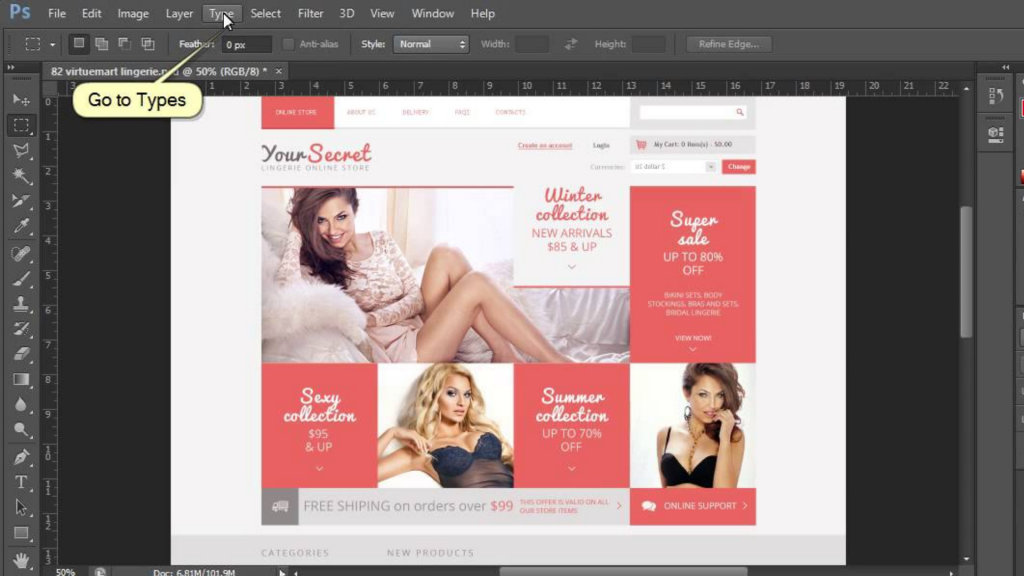
    • With the use of the “Rectangular marquee tool” (press M to open it), place a rectangle around the font to identify.
    • Select Type>Match Font from the toolbar.
    • You can either choose from the fonts which have been installed already on your PC or download matching fonts online.

    Steps to Identify Image Fonts with Whatfontis.com


    How to Identify Font in Any Image

      • First of all, find a picture with a font. You can save the image on your PC for best results or capture a screenshot of an image using a tool like SPGrab.
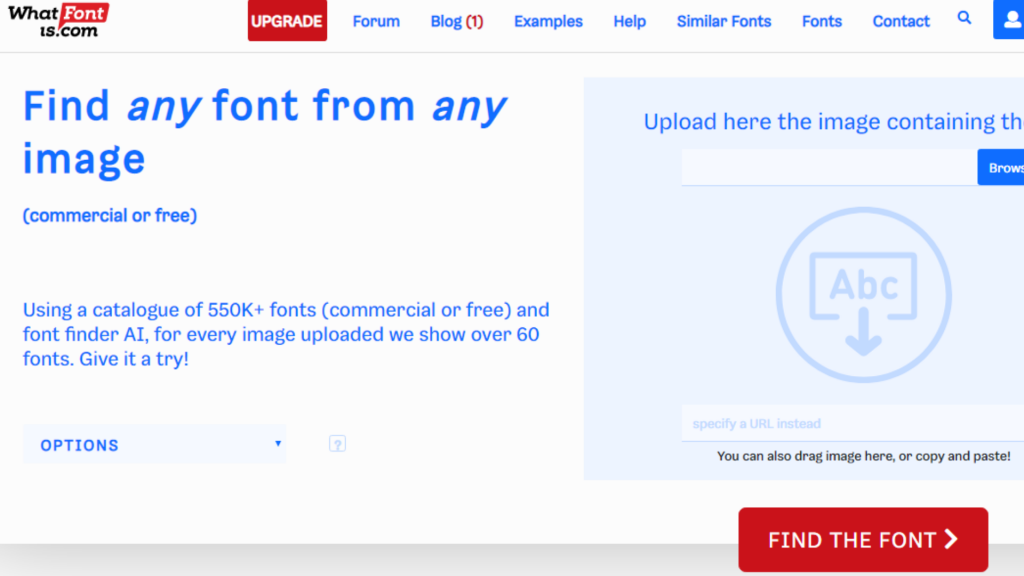
      • Go to whatfontis.com.
      • Click on “Browse” and go to the folder where you have saved your image with text. You can also enter the image URL in the box (labeled a URL with image).
      • Be sure the options reflect the results you want or the image you want to use. Be sure that the right background color option is picked.
      • Click “Continue” to start identifying.
      • Test the images shown on the next page (be sure to provide more details to get more accurate results). Once you picked the highlighted text, enter the same in the text area next to it.
      • At the bottom, click on the Continue button.
      • On the next page, you will be able to see the results. You can also buy or download the fonts. You can grab the close match without looking for the font all around the web.
  • Google Pixelbook Review: Laptop with Google Assistant

    Google Pixelbook Review: Laptop with Google Assistant

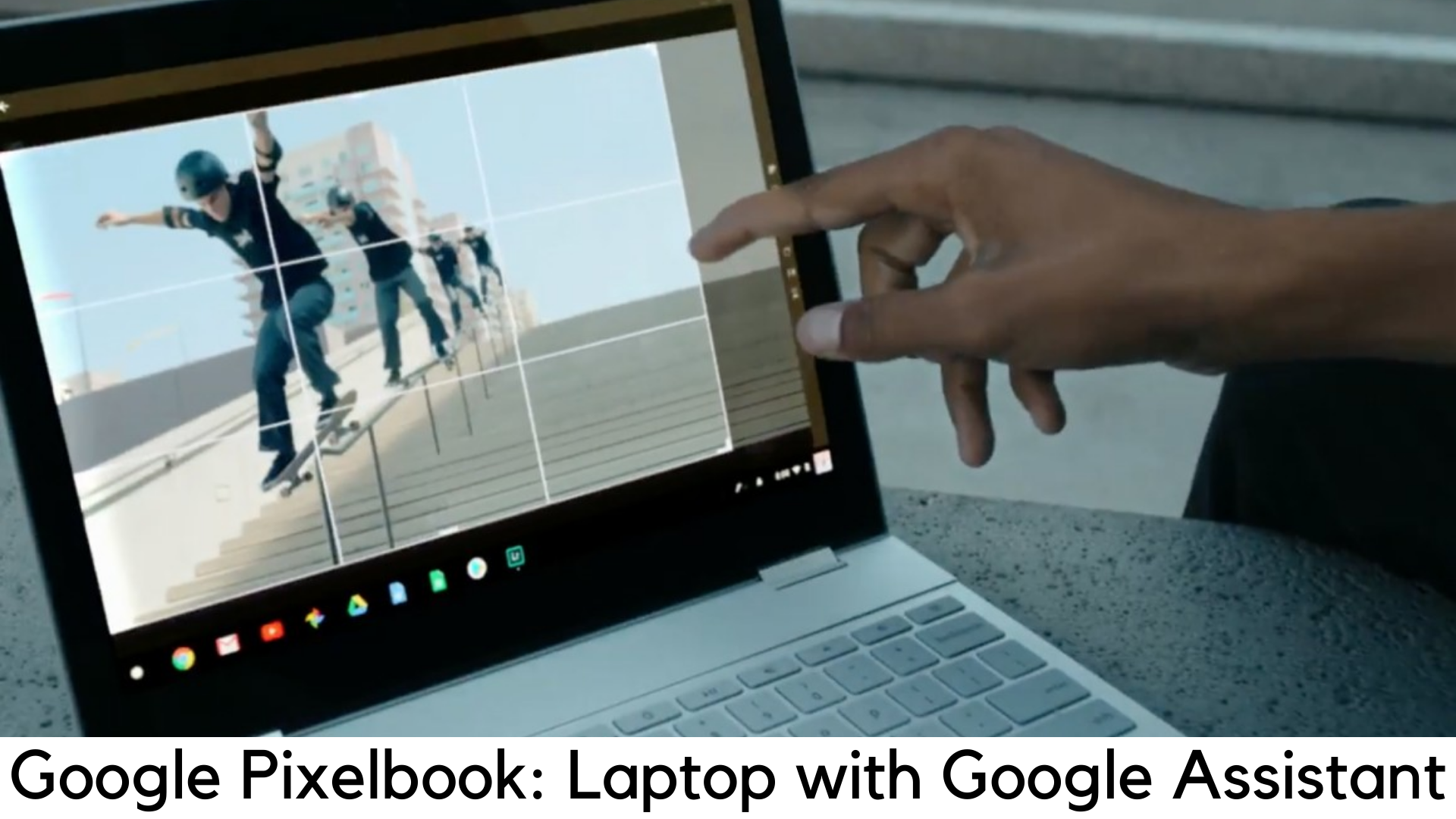
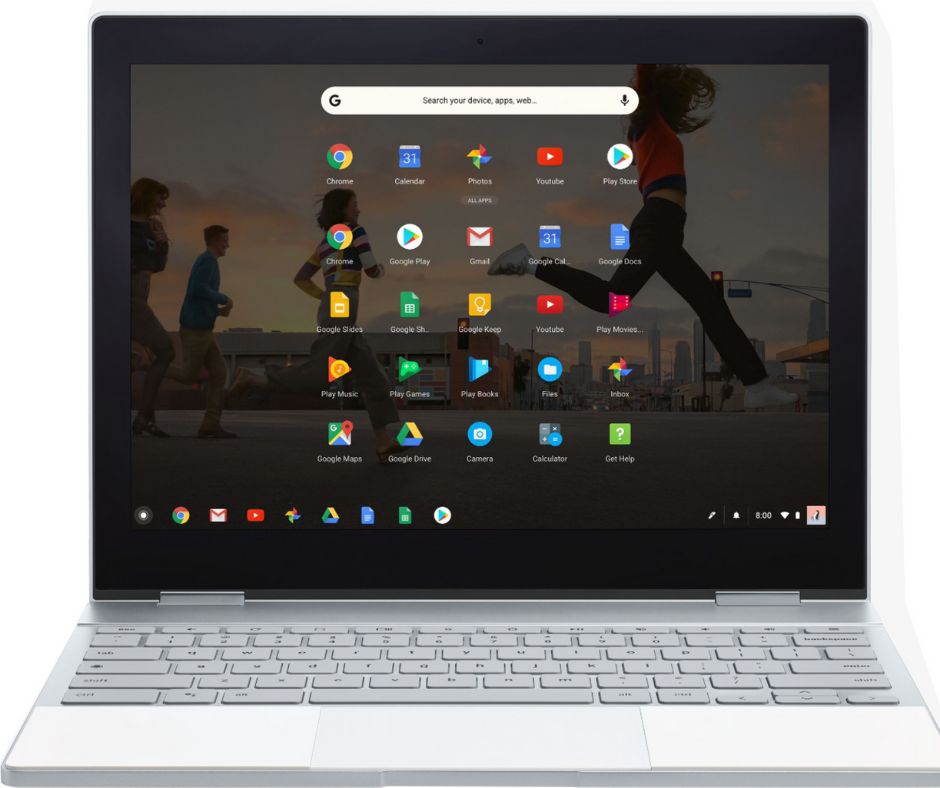
    Are you willing to spend a hefty $999 for a laptop that is based on Android and runs only Chrome OS? Starting at $999, Google Pixelbook has answered with its stunning looks, bright display, great performance and so on.

    Google Pixelbook Review

    Though it beautifully packs fast charging tech, the battery life still falls short of other Chromebooks which cost just half of its price or even less. The true value of this notebook comes with its Google Assistant support, which provides a great experience. All such features are tied in a great package that is best suited for executive-class travelers looking for a professional-looking Chromebook.

    Design

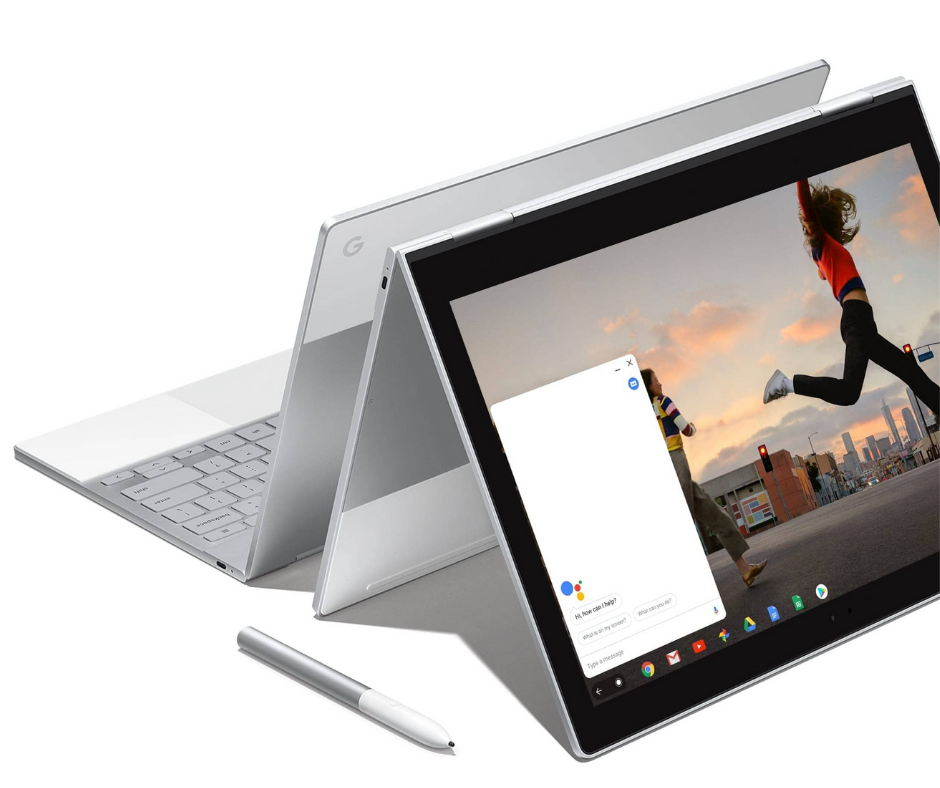
    Design-wise, more power to Google! With a 3:2 aspect ratio, it looks really very attractive. It is aluminum unibody design is truly thin and its accents and silicon wrist rest look insanely fantastic. It is so small that it won’t remind you of a true paper notebook. This slender laptop evokes those saddle notebooks that are found only in stationery stores.

    Google Pixelbook Review

    Measuring just 0.4 inches thick and weighing 2.5 pounds, Pixelbook is thinner and lighter than even Lenovo Yoga 920 (13.9”) which weighs 3.1 pounds and measures 0.6 inches. It has USB Type-C ports along the edges with a 3.5mm headphone jack on the left.

    Display

    We are used to believing that Chromebooks only deserve a 1080p display. But Pixelbook has proved us wrong with its vivid and bright 2400x1600p display (which is quite quad-HD). The 12.3-inch display with 235ppi resolution can definitely be your favorite part as text really looks crystal sharp.

    Google Pixelbook Review

    The details while playing 4K video on YouTube was amazingly sharp as it allowed us to see every bead and scale of water. However, you need to do some tweaks to play 4K videos on VLC Player and Google’s default video player.

    The display produces 117% of the RGB spectrum, which is bigger than 101% of average notebooks and more colorful than 105% of Lenovo Yoga 920. It also offers great brightness with 421 nits. It offered great touch sensitivity when navigating through Chrome and desktop apps. Scrolling was smooth both in TweetDeck and in apps without the stutter.

    Performance

    We’ve finally got a Chromebook which is power-packed by 8 Gigs of RAM and Intel Core i5-7Y57 inside. It works well with all Android apps and delivers smooth performance. There is no lag or stutter when splitting between dozens of tabs (Google Docs included) and a 1080p Full HD YouTube video while using Twitter, Slack, and Outlook.

    Google Pixelbook Review

    It even scored 7927 on the benchmark test of Geekbench 4 beating the notebook average of 6823. On the JetStream JavaScript benchmark, it scored 145 in the performance of web apps. The Intel HD 615 graphics integrated into Pixelbook delivers smooth visuals.

    Battery Life

    The battery life of Chromebooks is quite terrific but Pixelbook is not just another laptop with Chrome OS. It lasted just around 8 hours on web surfing on Wi-Fi, which is quite shorter than 12:09 by iPad Pro and 12:22 by Lenovo Yoga 920.

    After 15 minutes of charging, Google claims around 2 hours of backup in Pixelbook (when it had just 5% of battery left). But in the real world, it gave only 1 hour and 18 minutes of battery life by charging for 15 minutes. However, we have used some Android apps and done surfing.

    Chrome OS

    Chromebooks have always had a complaint that they couldn’t stand out from Mac OS and Windows machines for a long time as they were short in apps available from Chrome Web Store and more than 95% of those apps were junk.

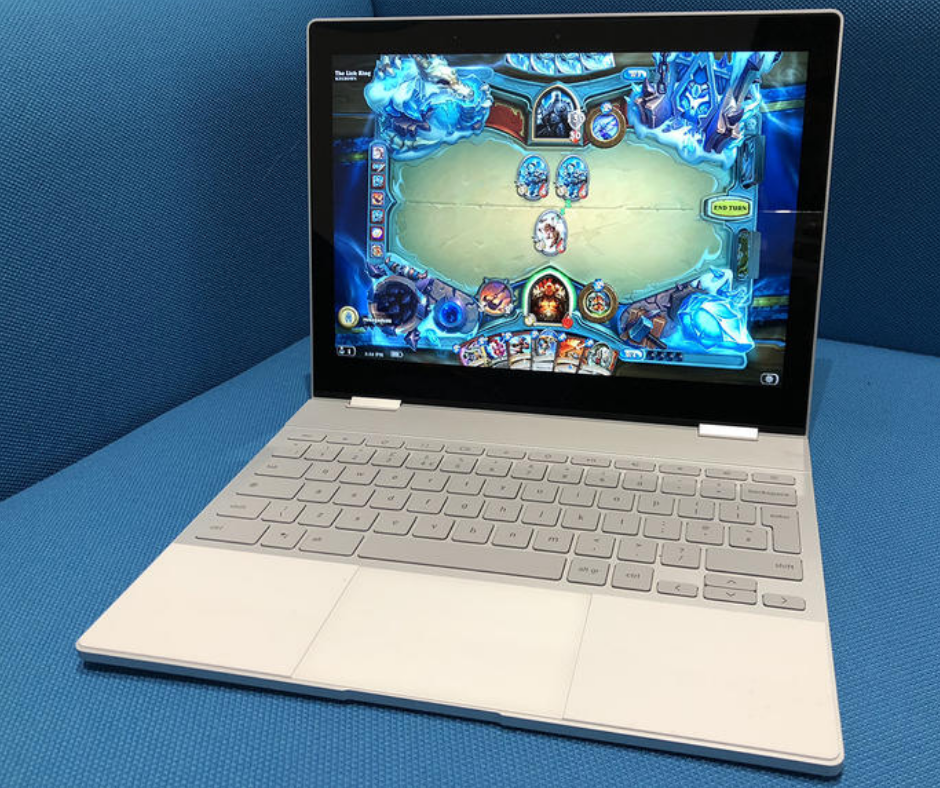
    By bringing Android apps and Google Play store to the platform, we have seen a long-promised change finally on some machines like Asus Chromebook Flip and Samsung Chromebook Pro. You can now get Outlook and other Microsoft Office apps, Instagram (with posting), and games like PinOut.

    Chromebook buyers have finally got a reason to expand storage, thanks to the arrival of Android to those notebooks. It is because there are apps that save content to use offline, such as Netflix and Spotify Premium.

    Touchpad and Keyboard

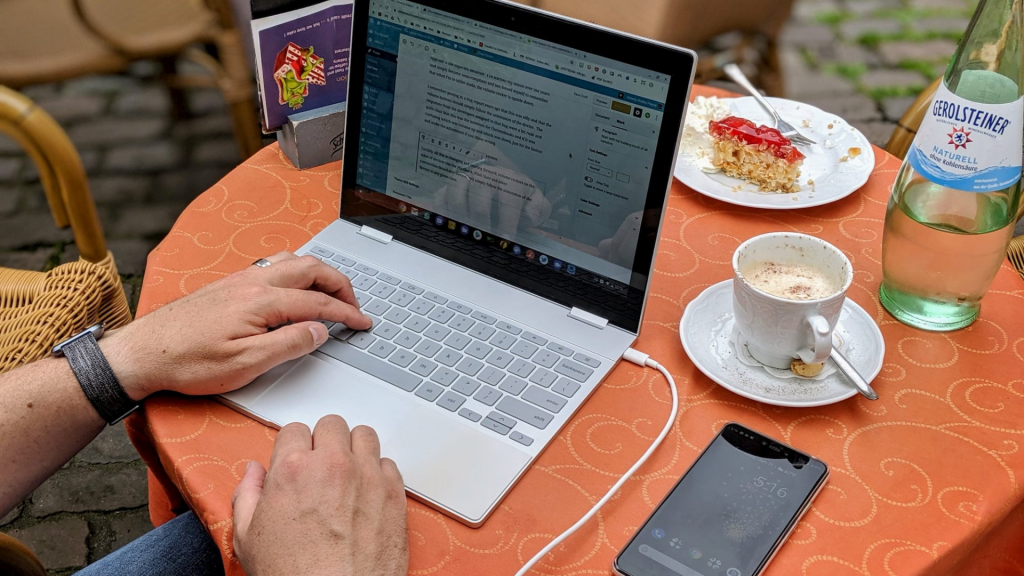
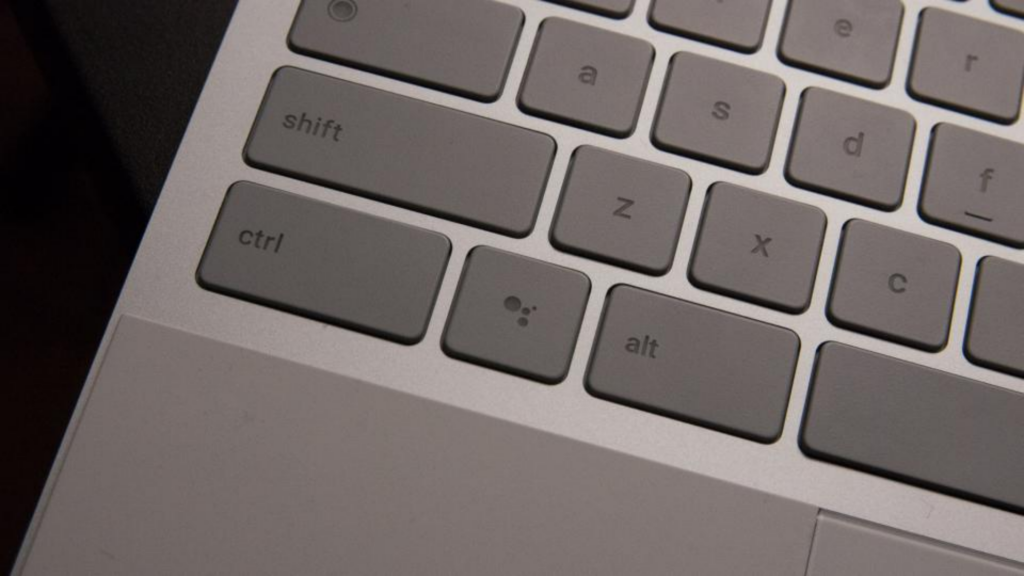
    The backlit keyboard on Pixelbook adds another comfort to type longer, despite its shallow design and thin design. The keys feel even more comfortable than the ones on Smart Keyboard by iPad Pro, which is quite louder in typing. Google seems to make up for shallowness with its key systems which need an actuation force of 68 grams.

    The silicon palm rest on Pixelbook has another plus with rubbery flex and grip to provide even better typing experience. The edge-to-edge touchpad which measures 4×2.6-inch sits beautifully in between such wrist rests. It enables solid feel and accurate tracking on each click. The touchpad makes it even easier to scroll through webpages.

    Pixelbook Pen

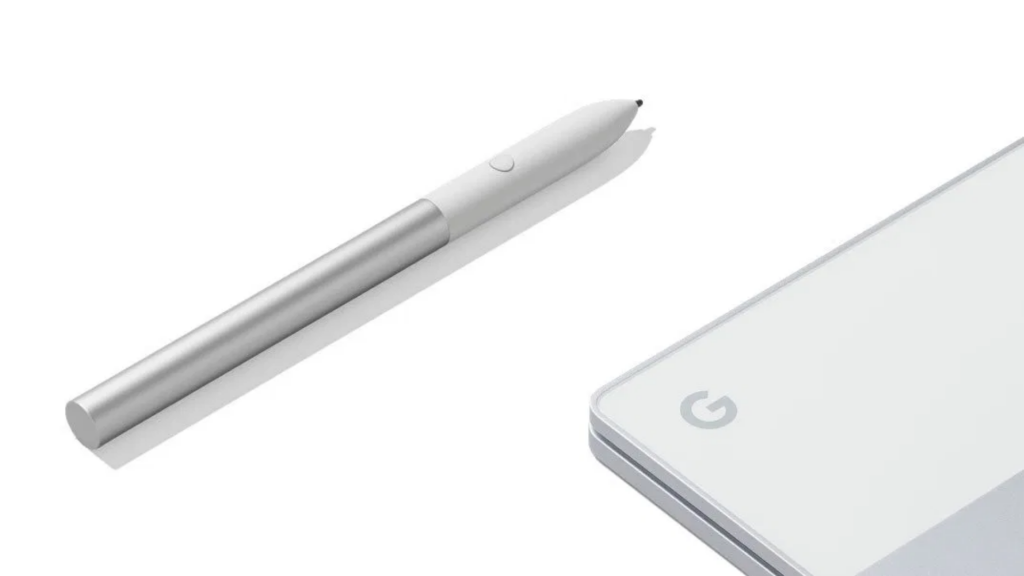
    It is another feather in Pixelbook’s cap with the power of Google Assistant. Unfortunately, it costs $99 extra. Simply hold down the button of this pen while highlighting the object and you can send text and images to the digital assistant. The powers of Google Assistant really come handy when it comes to circle something.

    Like Apple Pencil, which also costs the same, Pixelbook Pen also comes with tilt support and pressure sensitivity. However, this stylish has issues in latency according to where it is used.

    Sound

    The Pixelbook is quite loud but lacks audio quality when it comes to playing music in a large conference room. While listening to a few tracks, we have wondered why vocals feel so flat and where the bass is.

    Plus

    • Excellent display
    • Cool thin design
    • Superb performance

    Minus

    • Overpriced
    • Battery life is not quite good

    Our Verdict

    When it comes to the overall performance, looks, and display, the Pixelbook is great as a Chromebook as it stacks up well against iOS and Windows-based archrivals. It could have been an easy choice if Pixelbook was not overpriced with mediocre battery life.

    If looks don’t matter and you want better battery life while saving money, you could easily go with Asus Chromebook Flip C302CA and save up to $500. But if you have no problem with the budget, you can definitely go with Google Pixelbook, which is the best Chrome OS laptop money can buy.

  • Best Soccer Games for Android

    Best Soccer Games for Android

    Both cricket and football are the most loved sports these days. Some are crazy cricket fans while some are football fans. There are also some people who are fans of both games. So, it is not easy to judge which game is more popular. It goes without saying that football is widely played in the virtual world of smartphones. In short, footy on the go has never been so popular. Even though some people don’t love to play football in real life, but they are still crazy for virtual football. With that in mind, we have listed some of the top soccer games for Android.

    Best Soccer Games for Android

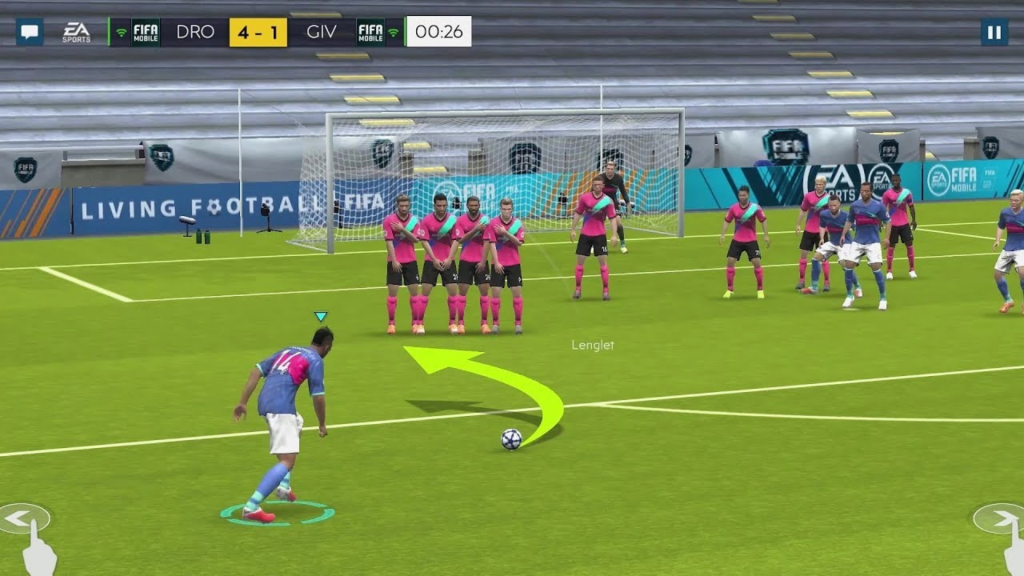
    FIFA Mobile 2019

    FIFA Series has always been critically acclaimed by EA Sports and one of the most loved soccer franchises. With its popularity in mind, the developer has also offered FIFA on Android. The console and mobile versions of the game have been focused on the lucrative and very popular Ultimate Team mode.

    This game requires players to win the matches and earn coins to acquire the packs of players. It’s like grabbing baseball cards but they represent players you are going to use in the game. Here, you need to make a dream squad and fight online rivals. Of course, you can acquire players with real currency as well.

    FIFA Mobile 2019

    The EA’s purchasing power is the main reason why FIFA takes over the world of soccer and another feather in its cap. The company covers almost every leading league with its rights. It has a huge range of kits, teams, competitions, players, and stadiums that are officially licensed. If you want a realistic football game to play, FIFA Mobile 2019 is the best one to go for.

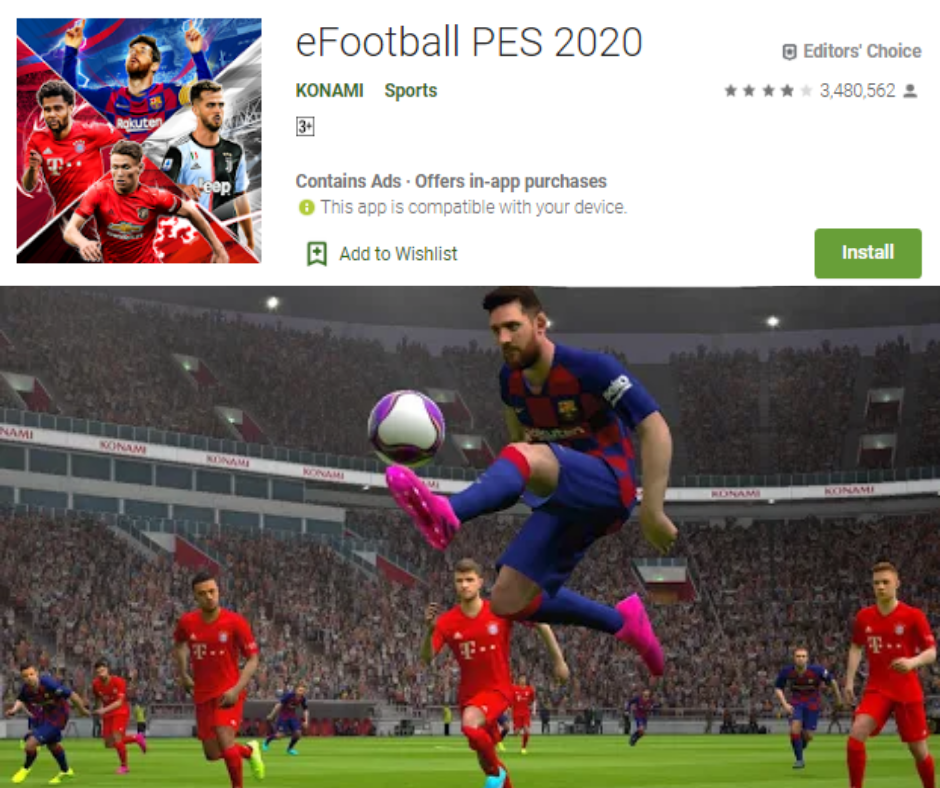
    PES 2020

    Obviously this list of best soccer games cannot complete without one of the major rivals of the FIFA series. It is known as Winning Eleven in its native country Japan. It is known as Pro Evolution Soccer in the UK. PES 2020 is here for those old-school football and gaming fans that grew up playing PlayStation 2 variants.

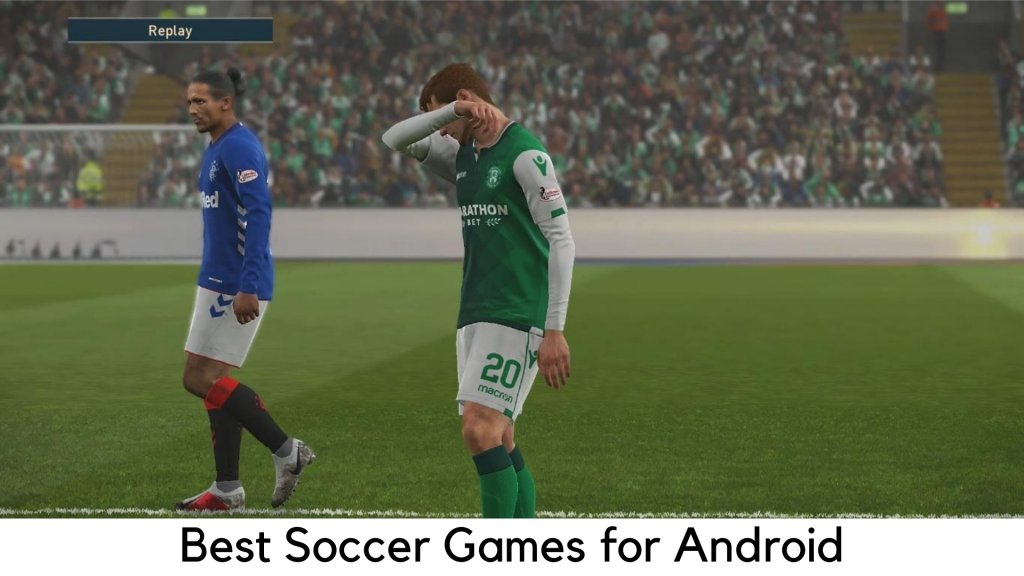
    It is definitely the best soccer game for Android these days, with refined and easy gameplay and virtually console-quality graphics.

    PES 2020

    The FIFA versus PES has been a long-term debate and it goes without saying that FIFA has been commercially a success. PES has its strong prominence among the diehard football fans. As compared to FIFA, it is more arcade-like and predictable. It has the feel that you can get only with PES, according to some soccer fans.

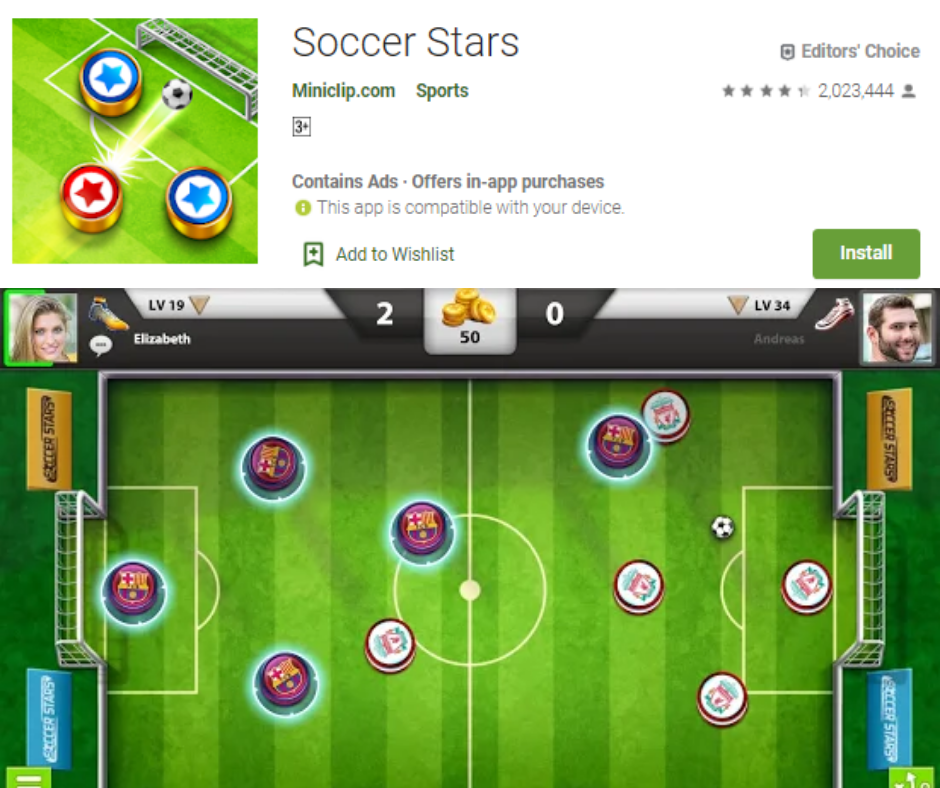
    Soccer Stars

    Even though you are not a football fan, you will definitely love Soccer Stars. It seems to have a vibe of a Rocket league crossed with Subbuteo, a classic table game. You would need to swipe discs to score goals on a football pitch.

    You can play the matches online against real opponents across the world. It is definitely full of fun. You can win hundreds of cups, mini-tournaments, and trophies.

    Also, play local multiplayer on one device against friends in the pass and play. If you don’t want to mess around with player transfers, rosters, and substitutes and you want something lighter, Soccer Stars is the best football game for you.

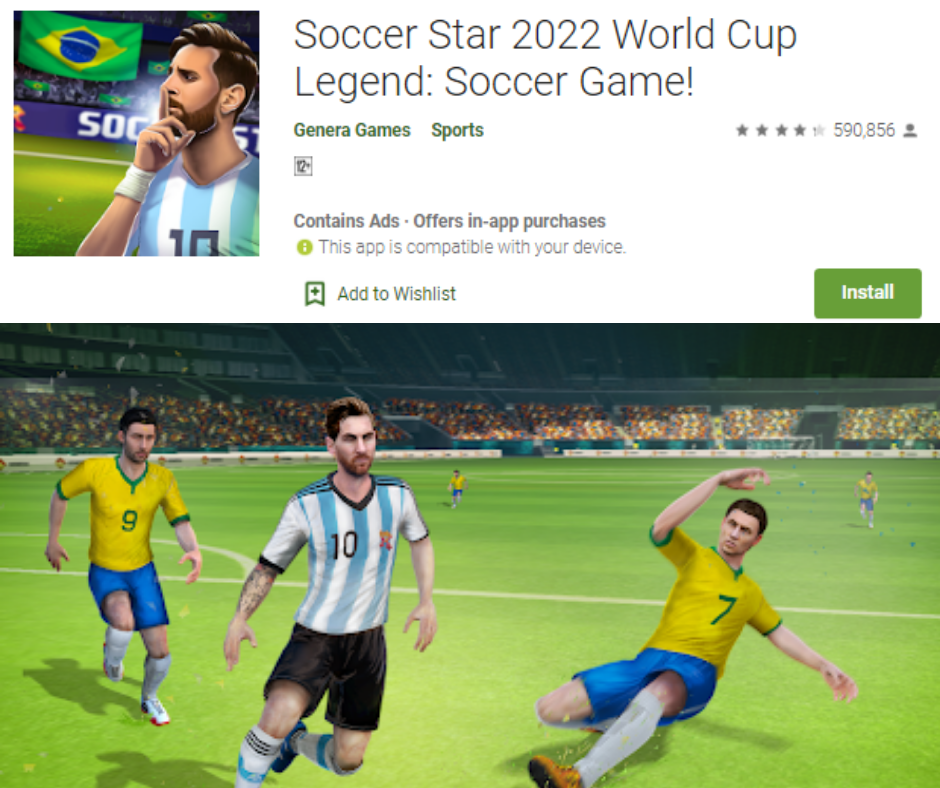
    Soccer Star 2022

    Don’t get confused with the similar-sounding game above. Soccer Star 2022 is truly an addictive and appealing soccer game that is aimed to force you to make decisions for some great action. Be it a dribble, goal kick, a header or a pass, this game has all the glorious moments which have been the game changers in football history.

    Soccer Star 2022

    Create your own player and play as long as possible. Contracts will come and take you to the true success of your football career. You can easily pick up the game and have fun for hours. If you are up for a more casual gaming experience that takes you to the major turning points, it is definitely a soccer game you should go for.

    Football Manager 2019 Mobile

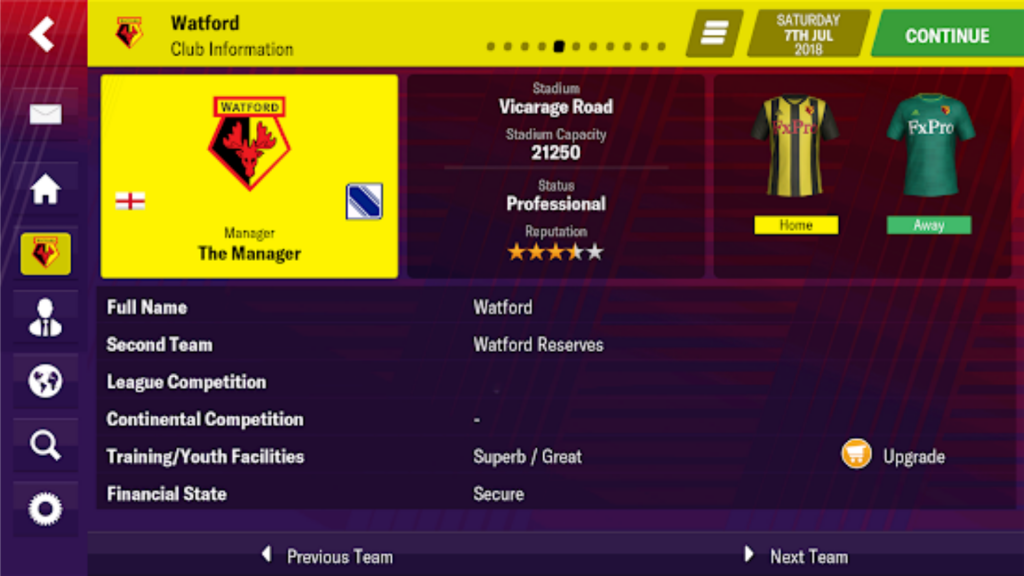
    Are you looking for a bit of change in pace from other football games listed here? Football Manager 2019 Mobile is here as a great entry from its Mac and PC versions. It has a huge community of players. It has a great presence across Europe and the UK for being truly addictive.

    Instead of playing soccer, you play as a manager and run your club in different ways. You may train, buy players, make changes, and match in-game substitutes and tactics.

    Football Manager 2019

    It is one of the most in-depth games of football management in the world and its mobile version is truly great. It’s really worth the price. You can also try out Football Manager Touch 2019, the tablet version which costs quite high. It has some more PC features.

    FIFA Soccer

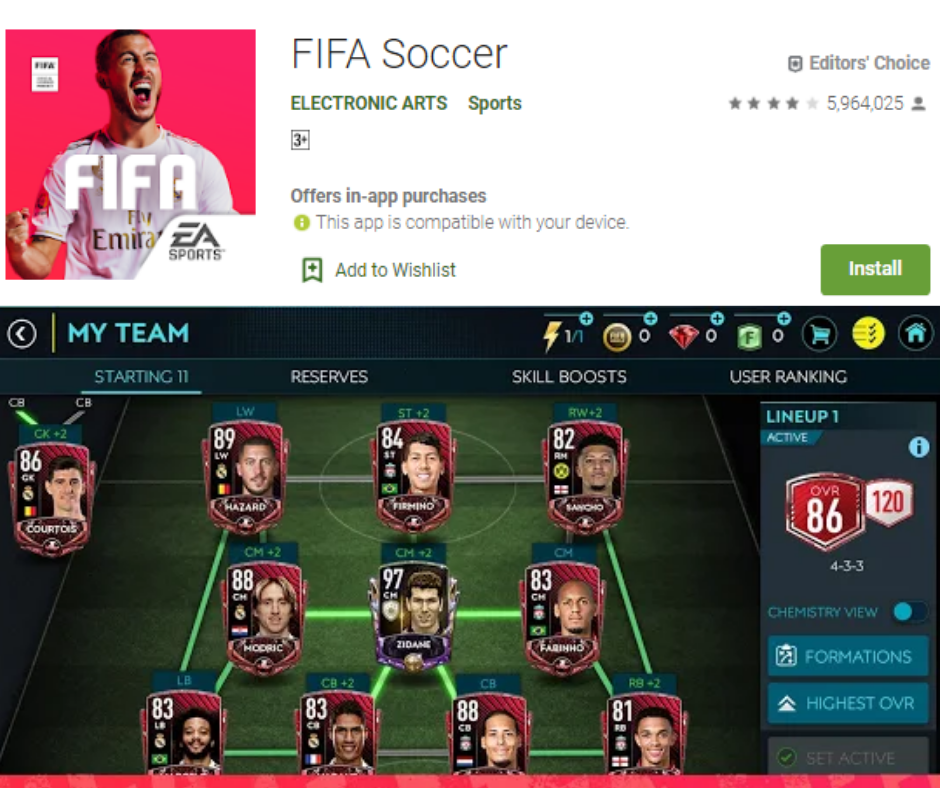
    When it comes to the football game which is most popular, everyone would say FIFA Soccer. Of course, it is a very realistic, exciting football game for mobile. Its gameplay is very simple for beginners. Sometimes, it goes too rough for expert gamers.

    FIFA Soccer

    It takes a while to get your hands on it. You can command a powerful league or join leagues in World Wide Tournament. On the attack mode, there are 90 seconds of games to play. You can start a head-to-head war in the 11vs11 game. There are over 500 teams to choose players from.

    Football Strike – Multiplayer Soccer

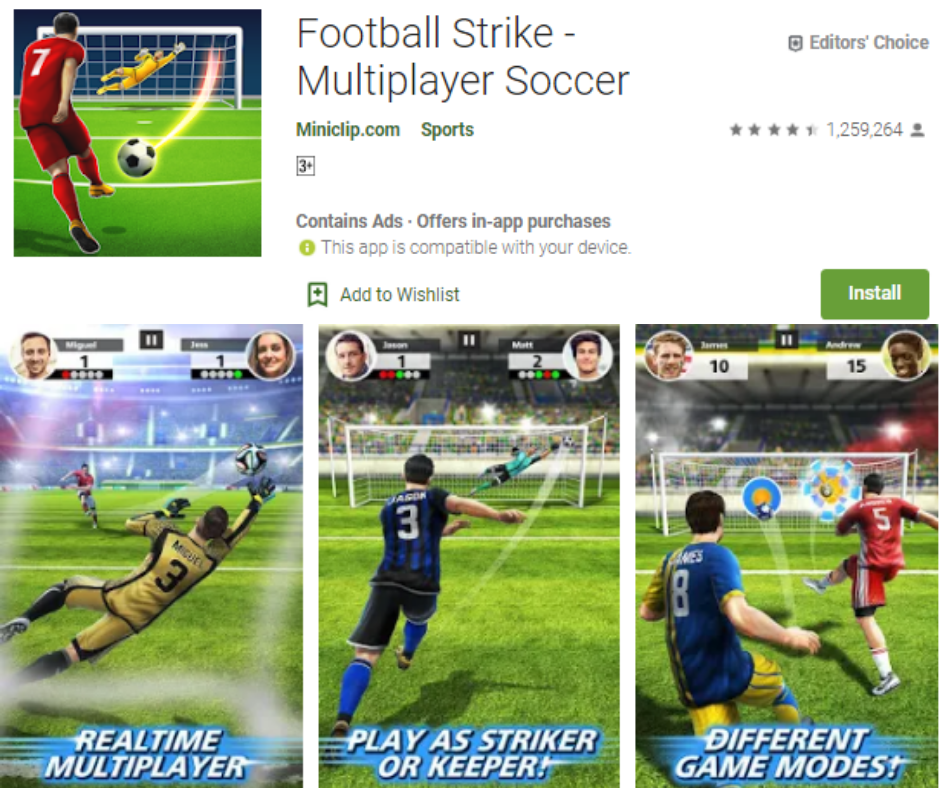
    Football truly doubles the fun and excitement of playing with friends. If you and your clan is a diehard football fan, Football Strike is here to double the fun as a real game. This multiplayer game is now available for Android with lots of amazing features to make it so addictive and popular.

    Football Strike

    It has a lot of popular teams to play like Liverpool FC, FC Barcelona, Borussia Dortmund, and Tottenham Hotspur FC. You can also play One-on-One and Free Kick mode online. The scooter’s race is another gaming mode added.

    You can enjoy this multiplayer game with your family and friends. With the upgrading options, you can make Gradual Development of equipment and players. After winning matches, you can earn medals and challenge friends as well.

  • How to Eliminate All Traces of Your Online Dating Profile?

    How to Eliminate All Traces of Your Online Dating Profile?

    Let’s imagine a situation. You once had an urge to try creating an online dating profile. So, you downloaded Hinge, Tinder, Coffee Meets Bagel and other online dating apps and picked your best Facebook pictures and started swiping right and left without any worries. And finally, you’ve met someone and started dating. The excitement was finished and you removed all the apps off your device. You might be hoping you would never hear from another person interested to date you ever again.

    How to Eliminate All Traces of Your Online Dating Profile

    Irrespective of the common belief, just deleting your Tinder app is not enough to keep single stalkers around you from checking out your profile. The reason is much similar like how deleting the Facebook app doesn’t delete your Facebook profile.

    If you believe that you have been removed from dating apps just by deleting them, you are wrong. It comes as more shocking than you think. Actually, your profile is still on it and someone else can come across it and find out.

    Dating apps are here to ensure that privacy policies are “completely prominent” in the login process and written in an easy way. This is why; users know how their data will be used and how long it will be kept, according to a lawyer and data security expert, Jaya Handa, at Pinsent Masons, a UK-based law firm.

    According to Tinder representative, if a user becomes offline for a long time, their profile will be invisible to other users. But it is not clear as to how long a dating app stores information of a user after deleting an app and not using a service.

    The representative said that Tinder doesn’t share any information but it also sends a message to the user that their profile has been hidden as they are not active for a long time. The user won’t see any message after deleting an app.

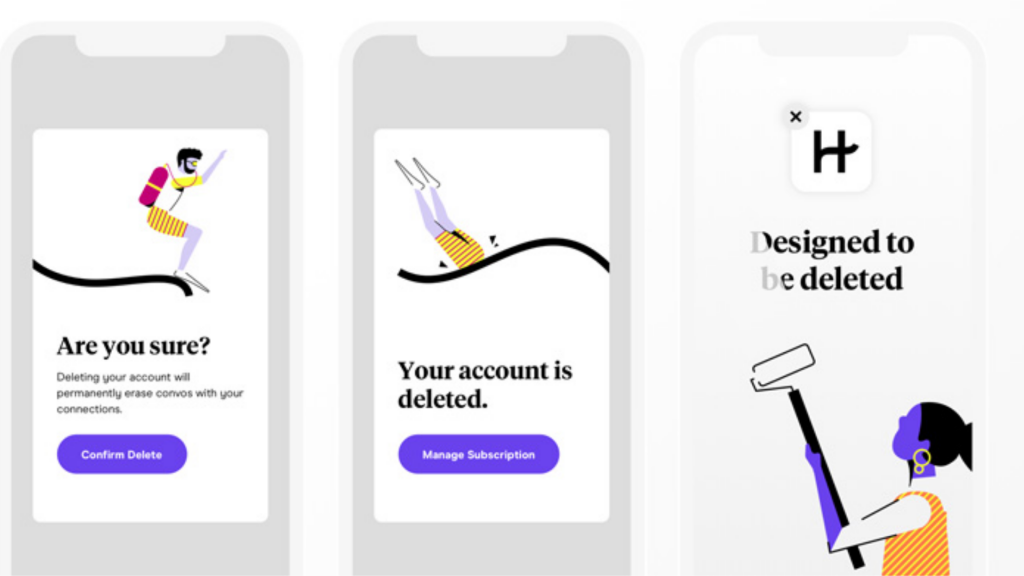
    Eliminating all Traces from Online Dating Apps

    Now that you know that just deleting an app won’t keep anyone else from checking out your profile. So, how could you leave no traces behind? Keep reading.

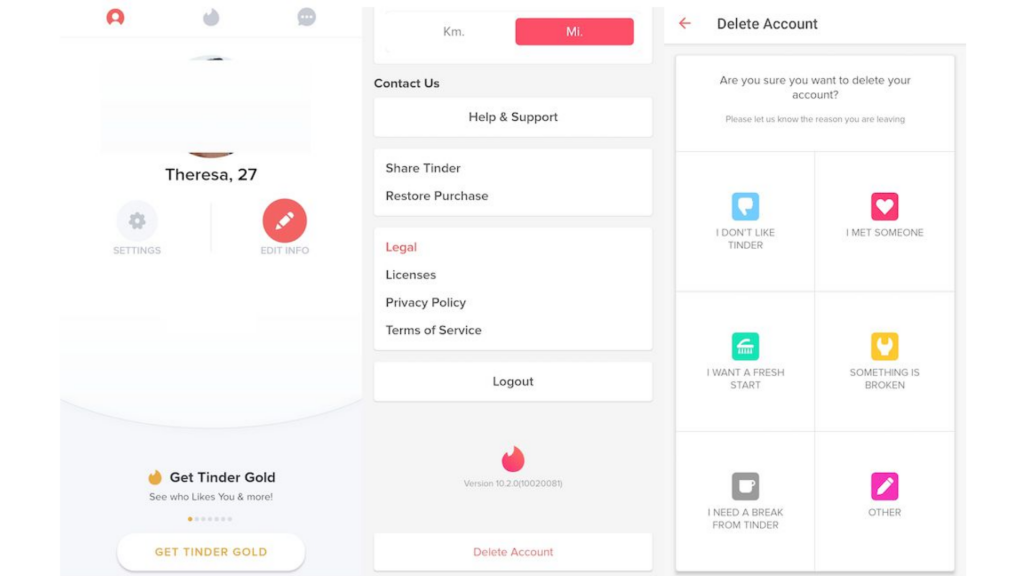
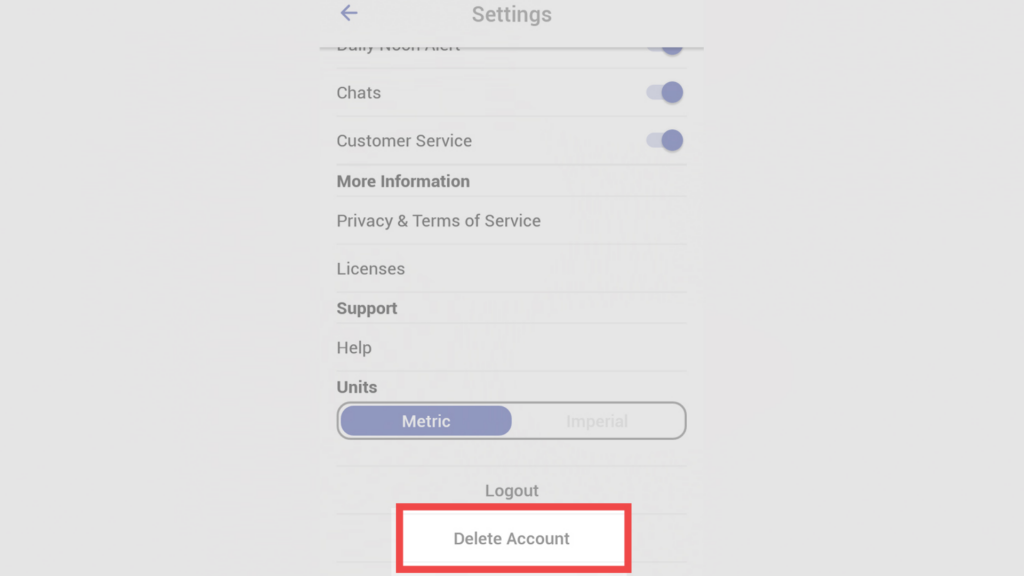
    Deleting Tinder Account

    • Open the Tinder app and tap the icon on the upper left corner.
    • Head to Settings.
    • Scroll down and tap “Delete Account”.

    How to Eliminate All Traces of Your Online Dating Profile

    Deleting Hinge Account

    For desktop

    • Open Facebook and go to App Setting Page.
    • Remove Hinge from the Apps which are allowed to access your Facebook.

    For Mobile

    • Tap “More” in the bottom right corner on the Facebook app.
    • Go to “Account Settings” under “Settings”
    • Scroll down and tap “Apps”
    • Open “Logged in on Facebook”
    • At the bottom of the screen, tap “Remove App” under “Hinge”

    Deleting Bumble Account

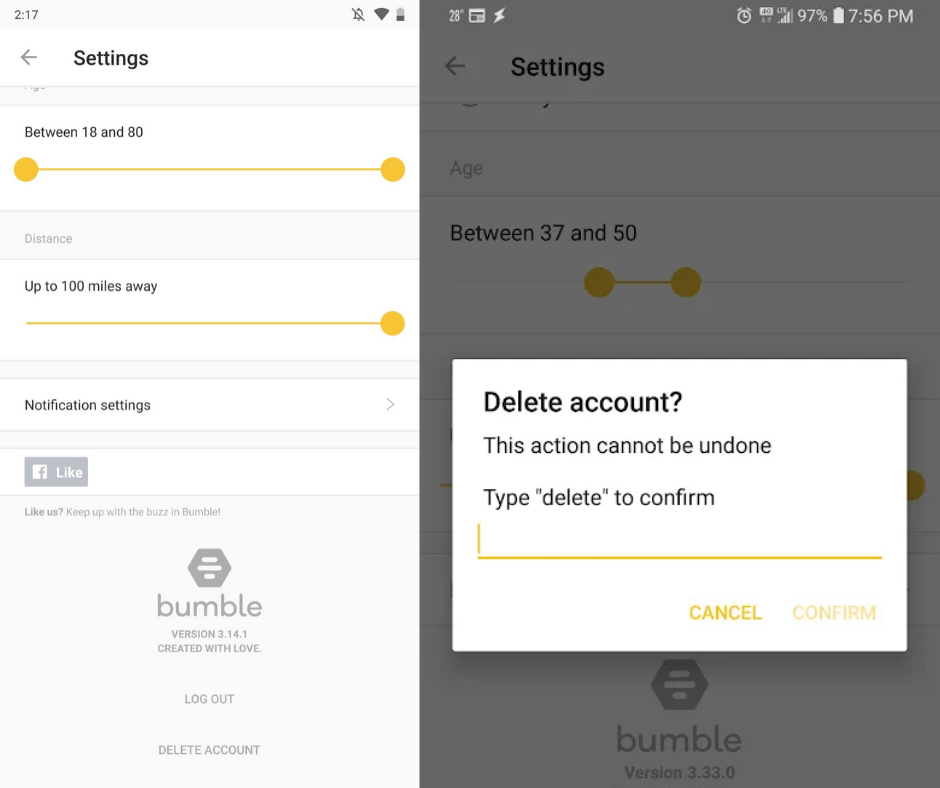
    • Open Bumble app and tap Gear icon on the upper left corner
    • At the top, toggle “Settings”
    • Scroll down and tap “Delete account”
    • When prompted, write “Delete”.

    How to Eliminate All Traces of Your Online Dating Profile

    Deleting Coffee Meets Bagel account

    On iOS, there is no option to delete the account on the app itself. Email customer support of Coffee Meets Bagel and ask them to remove the account. A new version will roll out soon which will allow users to delete the profile in the app, according to a spokesperson.

    For Android

    • Tap “Profile” in the bottom right.
    • Scroll down under “Settings” and tap “Delete account”

    Final words

    Making an online dating profile is only good, if you are aware with it’s all in and outs. Be active with the details and prevent yourself from being in any kind of trouble. I hope this guide will help you out if you have an online dating profile and you missed it out to delete it permanently.

  • How to Stop Your Smartphone Getting You Arrested?

    How to Stop Your Smartphone Getting You Arrested?

    Honestly speaking, if GCHQ officers wanted access to your device, they may definitely have. In terms of digital surveillance, they might still know very much about you with your phone data that can sentence you to the jail term. If there is nothing to worry about for international secret agencies, police officials may definitely have records. In most cases, the smartphone is tracked by the police to incriminate the owners.

    How to Stop Your Smartphone Getting You Arrested?

    With that said, here are some tips you can follow and avoid getting you into any trouble:

    Lock your Smartphone

    Well, it is the most obvious and best way to keep unauthorized people at bay from your phone. Its fingerprint lock, pattern or PIN can be the first line of defense against potential infiltrators. Police have no authority to ask you to unlock your device during search operations in most cases.

    They can check through your bag and wallet, and even your body for hidden guns or lethal weapon. But they cannot justify why you should unlock your phone, at least without your consent.

    How to Stop Your Smartphone Getting You Arrested?

    Unless they have any solid grounds that your device has some evidence of any crime, they cannot ask you to unlock your phone. If you are used to recording your own videos stealing something or glassing men off the pubs, don’t do that again.

    In case if your device has the feature to wipe up your data with 10 incorrect patterns or passwords, enable it. Also, if you feel something fishy, enter your password incorrectly 9 times when leaving your home.

    If a police offer enters the wrong password even once, all of the data on your phone will be wiped out. But this is not practical in general sense but it can save you sometimes.

    Don’t carry much data on your smartphone

    Don’t carry a full calendar or address book on your device. These would definitely attract the police’s attention. It is the best way to save you from incrimination. It would be better if you use two email accounts. If you want to keep your email active, be sure to have another account. Use secondary email and strictly remove old email.

    Don’t carry much data on your smartphone

    Log out of all apps that are not widely used

    A lot of apps are designed to keep tracking your location for targeted ads. Initially, you can log out of apps you don’t use most, such as Google Apps, Uber, etc. and delete the apps you no longer use like MyFitnessPal. Sign out to keep those apps from sending your location data to their server.

    How to Stop Your Smartphone Getting You Arrested?

    If the police get a warrant and force the developer to give your location information, they will, hopefully, have no information. Basically the worst enemies who can share your location are simply the apps made by Google and Facebook.

    Turn off Device Location

    If you are concerned about privacy and haven’t done it already, it’s the right time to go. According to your device’s OS like Android or iOS, there are different ways to turn off your location settings. If you are using the iOS devices, simply go to Location Services under Settings>Privacy and toggle it off.

    For Android, simply go to Use Wireless Networks (or mobile network location or Google Wi-Fi location) under Settings>Location (Location and Security) and uncheck the same. If you are not at guilt, keeping the location on can show your innocence.

    All in all, the absolute best advice for you is not using your device for criminal activities. Even better, don’t commit any crime at all.

  • Tinder tries to break up with the Google Play Store

    Tinder tries to break up with the Google Play Store

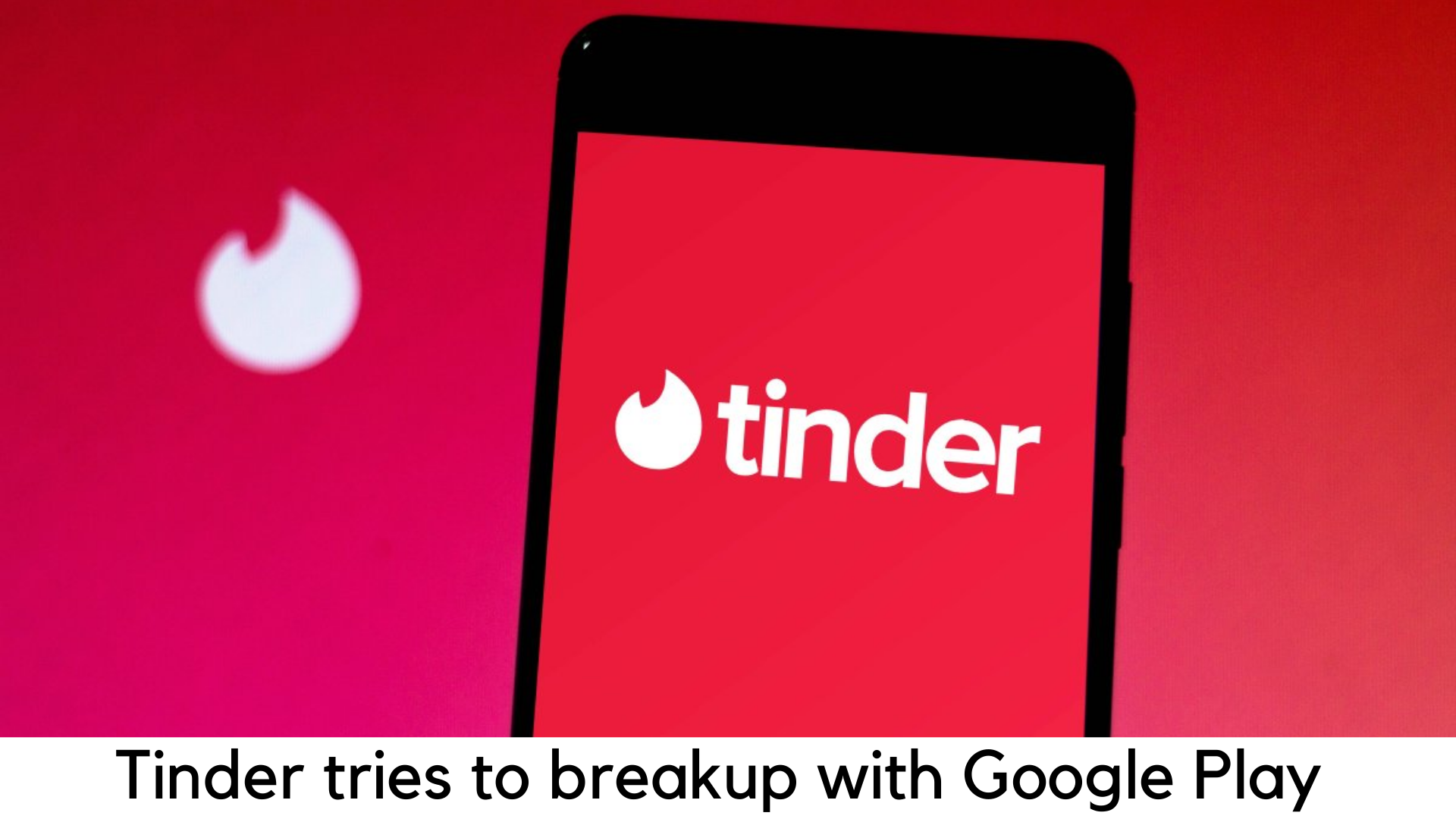
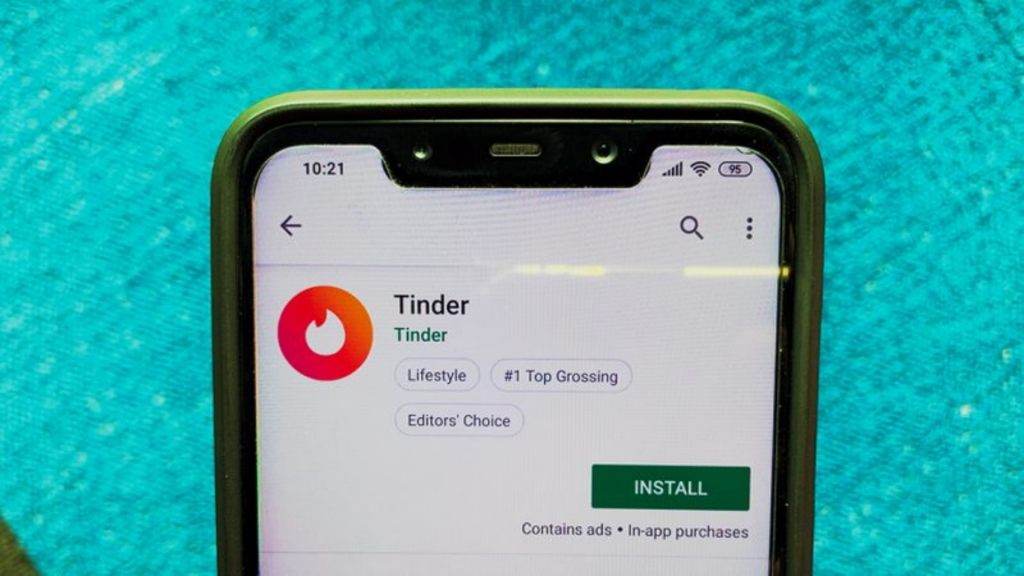
    Tinder has been on a buzz for the wrong reason. It has attempted to break up with the tax policies set by Google Play. This backlash can shake up the billion-dollar industry ruled by Apple and Google. Tinder is an online dating app that has introduced a new default payment option.

    In this process, it allows users to enter their card details directly into the app while skipping Google Play. According to new research by Ben Schachter, a Macquarie analyst, it also keeps users from saving payment info on Google Play for next purchases.

    Tinder tries to break up with the Google Play Store with New Payment Process

    In an interview, Schachter added that Google earns billions of dollars with this high-margin business. When this note was published, the shares of Match Group Inc, Tinder’s parent company, witnessed a steep growth of 5%. On the other side, Google’s parent company Alphabet Inc’s shares were a bit affected.

    Both Google and Apple have launched their official app stores in the year 2008. They soon became billion-dollar marketplaces to offer the creations of millions of individual developers to billions of smartphone users.

    Around 30% of revenue comes from the developers to the company. According to the projections given by App Annie, the app economy is all set to expand by a whopping $157 billion by 2022.

    With the growth of the market, there is a rebellion growing and gaining steam eventually. Earlier this year, Spotify Technology SA had filed an antitrust petition against the cut Apple takes as tax, with the European Commission.

    Recently, Netflix Inc. also stopped subscriptions via the App Store for the users. Epic Games Inc. also stopped distributing one of its most popular games, Fortnite, through Google Play.

    Tinder tries to break up with the Google Play Store with New Payment Process

    Match hasn’t said anything to the questions regarding whether the company was also looking after the matter of breaking up with the App Store. The match is looking forward to discussing the change in payment flow with investors and analysts in its call for the next hearings.

    A spokesperson for Match, Justine Sacco wrote in an email, “We are constantly testing new features and updates at Match Group to offer better control, convenience, and options to the users. We will always provide options to improve user experience, and payment option is no exception.”

    For this matter, Google hasn’t told anything quickly. The match is the only company among several high-profile giants that have discontinued the payment with Apple’s App Store, according to Schachter. Instead, others have allowed subscribers to enter payment details on their own website.

    Tinder’s impact on this decision

    Tinder’s decision could make a small impact. Schachter added, “Tinder might not have any major effect as it is quite small but the concern is growing. Gaming apps are also looking forward to this rage. We are about to see many companies who might be trying to test this.”

    Tinder tries to break up with the Google Play Store with New Payment Process

    It’s time to wait and watch how Google reacts to this matter and what Tinder’s new payment option would do. It might break the ice for all other services and apps to follow its footsteps. It will cause a huge loss to the revenue from the Google Play store.