Category: Tech

Tech news in Android.appsapk.com, read all about the recent tech news

  • OneSearch: Yahoo Has A New Bing-Based Search Service

    OneSearch: Yahoo Has A New Bing-Based Search Service

    Yahoo was once the be-all of the internet. This was during the internet’s baby years, sometime before Google came. However, today, we see Yahoo is barely surviving as a subsidiary of Verizon. In terms of a search engine, it doesn’t have a powerful enough product to place in the market. That doesn’t mean that the company is sitting quietly. They are working on building one! The new OneSearch is now available on the web. It can even be accessed via an Android app. Basically, it is Bing with more added features and really sturdy security in place.
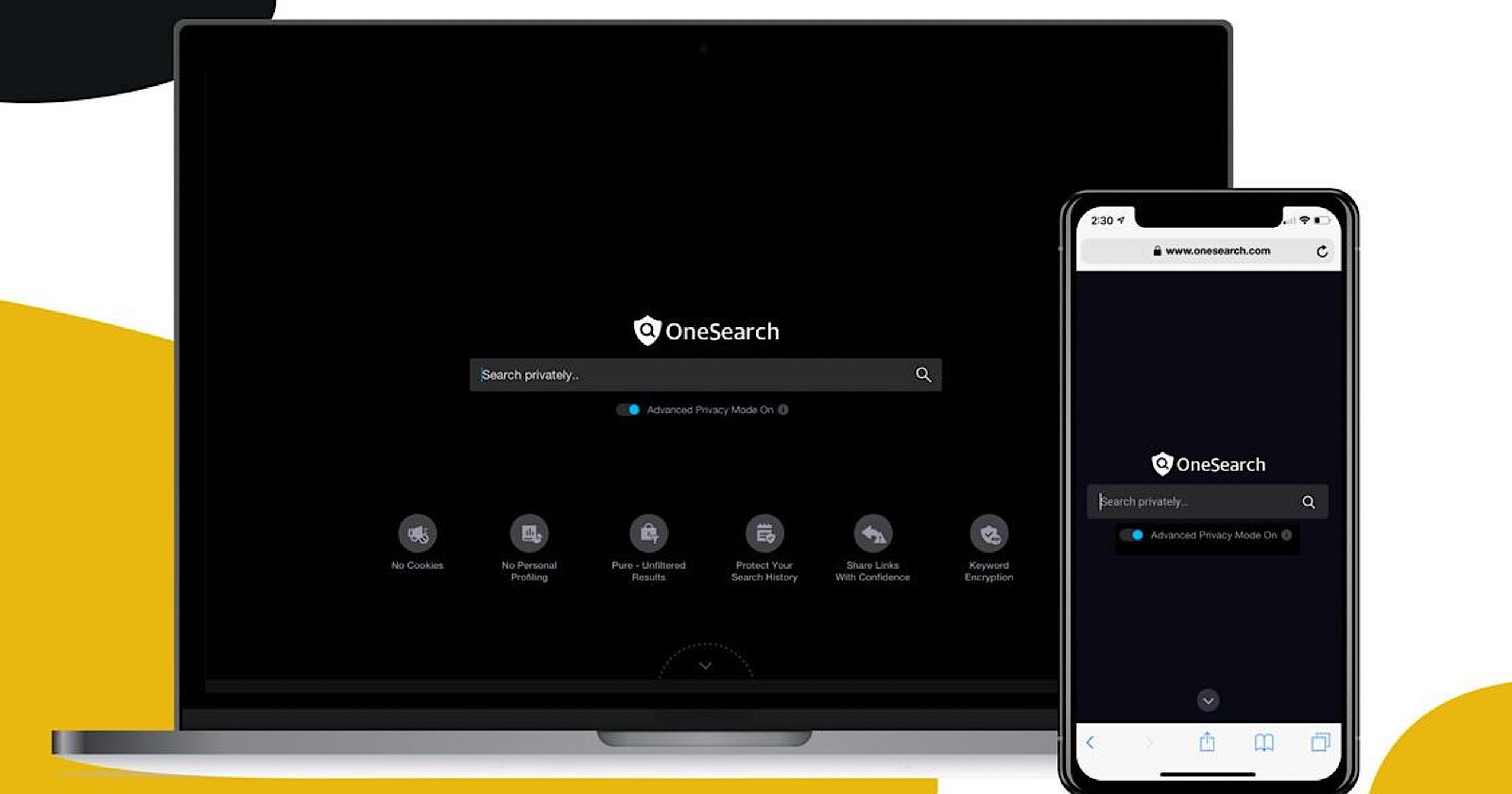
    OneSearch Verizon
    OneSearch Verizon

    Currently, the OneSearch website is part search engine and part sales pitch! If you visit the website, you will notice that the search bar is located at the top followed by the reasons why OneSearch is an amazing option. Some of the benefits include no ad tracking, no cookies, and no retained search history. In fact, if you enable the “Advanced Privacy Mode”, it is designed to encrypt your search terms in transit. If you want to confirm that OneSearch is powered by Bing, you can see it towards the bottom of the page. While the results are the same, you will not be able to enjoy Microsoft service integration and other features on the Bing website. While there is no clue yet if this service is good enough, at least we know it exists.

    OneSearch Search Engine Features 

    The latest privacy-first search engine in the market in the one Verizon recently introduced. It was launched just last Tuesday by Verizon Media. As with its competitors, it can be used on both your smartphones and laptops. However, the main area where it differs is regarding privacy. Where OneSearch is mindful of its user’s privacy, other brands in the market don’t seem to be. The search engine does not retarget, tracking cookies, or indulge in personal profiling. This means that companies will not be able to advertise you for targeting based on your search terms. In addition to this, Verizon has also mentioned that it will not share its users’ data with advertisers. It looks like someone is thinking about the users for once.
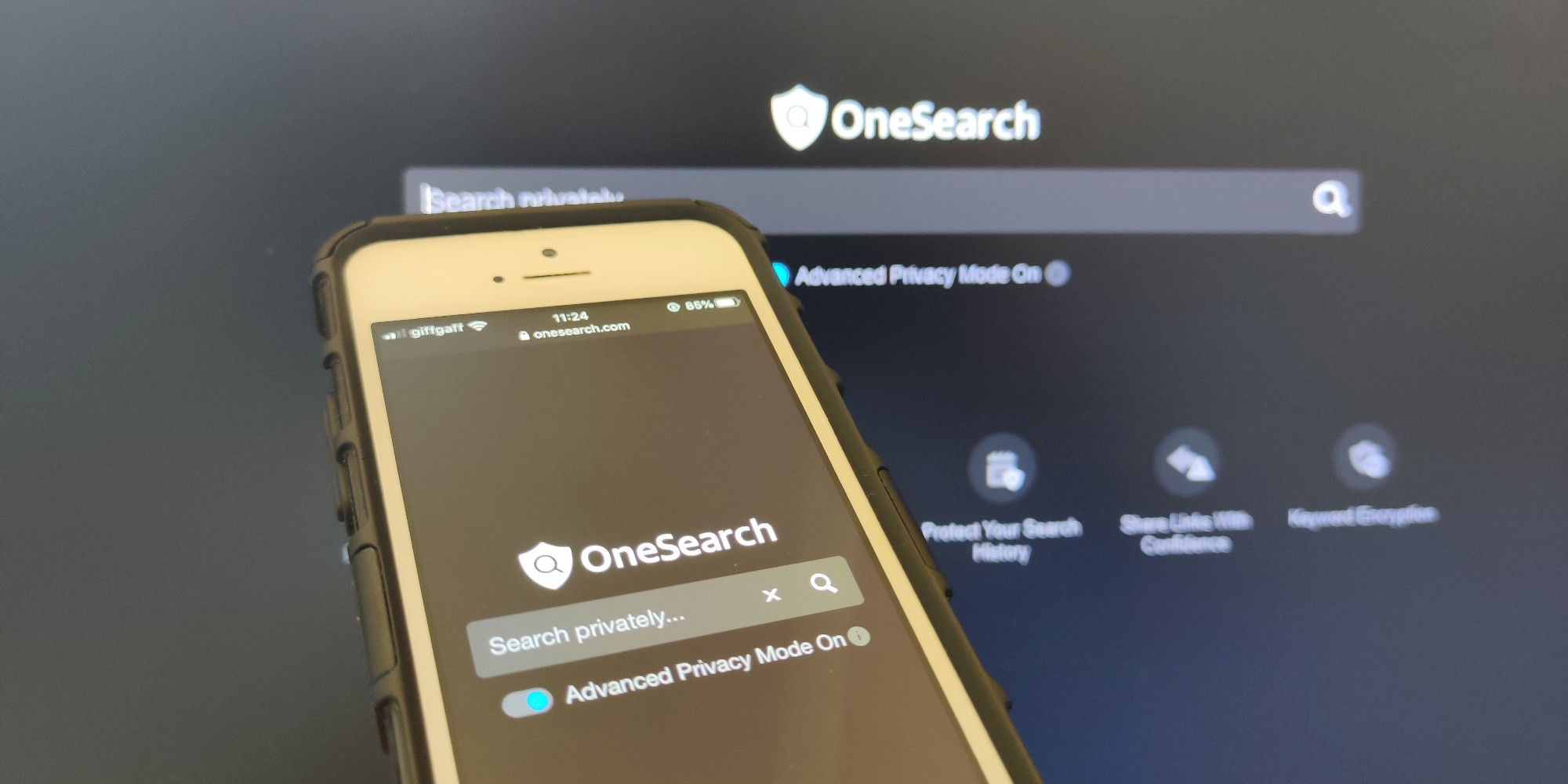
    OneSearch
    OneSearch

    If you are talking about quality, Verizon mentioned that OneSearch is designed to offer completely unbiased and unfiltered search results. Another thing you might like to know is that the company will not store their customers’ search history. You can be at peace since the search engine will encrypt both the search and the results. Again, what link you click on the results page cannot be tracked, which in turn cannot be used for target advertising.

    In the Advanced Privacy Mode, the search result links will automatically self-destruct, within the specified 60-minute limit. This allows addition protection to the users if more than one person is using the same device and in other similar cases. Although you will still see ads on OneSearch, it will not be based on your browsing history or cookies. In addition to Yahoo and TechCrunch, OneSearch is the latest by Verizon Media.
  • How To Delete Data From Your Lost Or Stolen Device

    How To Delete Data From Your Lost Or Stolen Device

    There is hardly anything materialistic in the world that we cannot live without, barring, of course, our smartphones. If you do lose your phone or it gets stolen, we can help you. Simply follow the steps below. You will be able to protect your data. If this doesn’t work, you may have to delete the data on your device so that others cannot access it. I know, it hurts me deeply too.

    Find My Device

    One of the first things you need to do is to install the Find My Device app. Once done, make your way to the Settings menu, head to Security, and click on Find My Device. Enable the app and allow your device’s location to be accessed by the app. The beauty of this app is that it works just as well for tablets as well. One thing you should note is that stuff stored on microSD cards cannot be removed by remote wiping. If you have truly sensitive information, you may want to have apps like AirDroid or Lookout. These are designed to remotely wipe your device along with offering you the ability to transfer data before doing it.

    Delete Data
    Delete Data

    Finding your Android phone

    The very first thing to do after you realize that you no longer have your device on you is to try and find it. You can use the Find My Device app for this. If the phone is on, it will get a signal and you will be shown a location on the app. You will then have to choose from one of the three options – ring it, lock it or remotely wipe it. A fancy option is to go with the second one where you can change the lock screen. Once this happens, the next time your phone is on, they will see a message from you. You can always offer a reward or something and get your phone back.

    Deleting Data from Stolen or Lost Phone

    The final option: erasing all the data on your smartphone. Again, do note that SD cards will not be deleted in most options. However, if you have chosen a service that does it for you, great! If you do go ahead with this step and later, come across your phone again, fear not. It is an easy enough job to set it up again. All you will need is your Google Password.

    Remotely Wipe Data
    Remotely Wipe Data

    Most apps give you the option of remotely wiping your device. This is essentially the same as a full factory reset. This means all your data including your music, photos, apps, and other data will be wiped out. Naturally, if your phone is off at that moment, you will find that the data wipe will occur when the phone is on the next time. There are plenty of free and paid services that you can use to help you find and track your device and perform remote wiping. Of course, paid services do offer little more features, such as transferring data, clearing SD cards, and so on. Lastly, if you save your passwords to your device, we recommend using an online service for the same.

  • Developer Options: How To Enable It On Any Android Phone

    Developer Options: How To Enable It On Any Android Phone

    Even if you are sceptical about rooting your Android phone and installing a custom ROM, there is no trouble in trying out some features that are not enabled by default. As you may know, every Android smartphone’s Developer Options can be turned on. Once done, it allows you to test certain features. This will also let users access some parts of the phone which may not be accessible otherwise. Of course, Developer Options are not visible at first glance. They are hidden away by default so that lay users don’t get into trouble as they explore the phone. However, it is an easy enough matter to enable it.

    Finding your Android Build Number

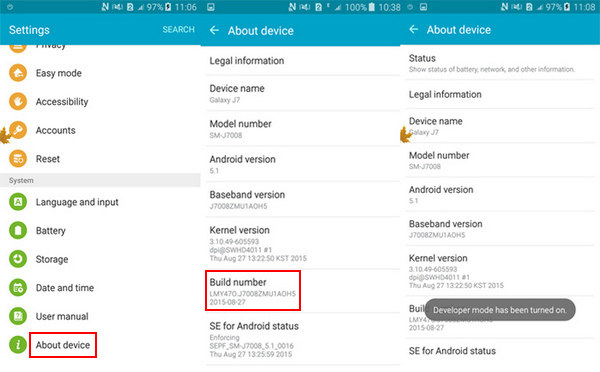
    Before you go ahead and enable Developer Options on your Android phone or tablet, you will require your phone’s build number. Despite what most think, it is actually a very easy process. In fact, in some phones, you can simply type ‘build number’ and the data will come up. If it doesn’t work this way on your phone, check out below. Each brand of smartphone will have a slightly different process.

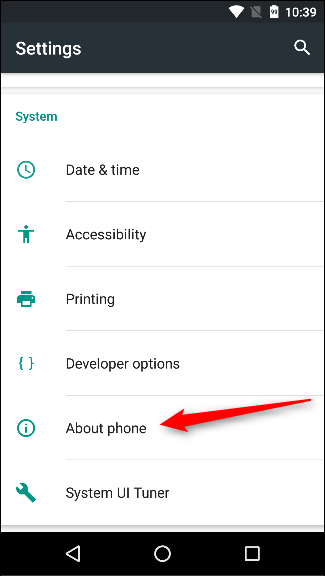
    About Phone
    About Phone

    Google Pixel: Settings > System > About phone > Build number

    Samsung Galaxy S8 and higher models: Settings > About phone > Software information > Build number

    LG G6 and higher models: Settings > About phone > Software info > Build number

    HTC U11 and higher models: Settings > About > Software information > More > Build number

    OnePlus 5T and higher models: Settings > About phone > Build number

    Enabling Developer Options 

    Armed with your build number, you can now easily enable the Developers Option. Simply tap on the build number about seven times. It may seem like a weird way, but it works. You will see a small pop-up alert telling you that “You are now X steps away from being a developer”. There will be a countdown number which reduces every time you tap. Once you are done with seven taps, you will receive another pop-up with the message, “You are now a developer!”

    Developer Options
    Developer Options

    Now, you will be able to access Developer Options in the Settings menu. You are ready to explore your phone now. You may want to keep an eye on what you are doing. Most options here are strictly for the developers. This includes bootloader unlocking, USB debugging, notch options, high-fi audio codecs, and CPU usage.

    Turning off Developer Options 

    Previously, Google needed you to factory reset your device to get out of the Developer Options, it is now far easier. If your phone is running on Nougat or higher versions, you will see a toggle at the top of the screen. Simply using this will let you turn off the Developer Options. You will know it has worked as intended since the screen grays out for a few seconds. The next time you visit the Settings menu, you will not see it. To enable it again, you will have to go through the process again, as mentioned in the previous section.

  • Android Bloatware: Google Pushed To Take Action Against It  By 50+ Organisations

    Android Bloatware: Google Pushed To Take Action Against It By 50+ Organisations

    Android has always had issues with bloatware, regardless of whether its form carriers or OEMs. Recently, an open letter made the rounds that pushed Google to take some sort of effective action against bloatware on Android. The letter had the backing of more than 50 privacy organizations. Privacy International posted this open letter to Sundar Pichai, the Google/Alphabet CEO, requesting him to take action “against exploitative pre-installed software on Android devices.” It quotes a study that found that as much as 91% of Android bloatware doesn’t even appear on Google Play Store. This open letter was posted via ZDNet.

    Since these apps come pre-installed and are system apps, these cannot be deleted. This means that they have advanced permissions when compared to your other regular apps. This could also mean that they will have more privacy loopholes which cannot even be detected by us users. These kinds of things have happened in the past.

    Android Bloatware
    Android BloatwareAndroid Bloatware

    The Open Letter and its Contents

    The letter requests Google take urgent action against Android bloatware. The very first request states that the users should be able to delete any pre-installed app on their device fully without any conditions. The next request mentions that these pre-installed apps should “adhere to the same scrutiny as Play Store apps.” This is a pretty good point and one which we all tend to ignore or conveniently forget. Thirdly, pre-installed apps should have “some update mechanism” that doesn’t need an account. Google should not certify devices having privacy issues.

    Android Partners are those who make use of the Android trademark and branding. They are manufacturing devices that have pre-installed apps that cannot be deleted. These systems apps are often referred to as Android bloatware. The mere presence of these apps could make users vulnerable. This involved being unaware about their data being collected and shared without explicit permission or indeed, their knowledge. The letter ended on a note as mentioned below.

    Android Bloatware pre-installed apps
    Android Bloatware pre-installed apps

    “…We, the undersigned, believe these fair and reasonable changes would make a huge difference to millions of people around the world who should not have to trade their privacy and security for access to a smartphone.”

    Following the end, the letter had the signatures of more than 50 organizations. The signees were mostly who focus on consumer privacy. Some well-known names in the list included American Civil Liberties Union and DuckDuckGo.

    The Signees

    The open letter requested Google to take action against Android smartphone manufacturers who sell devices having pre-installed apps that cannot be removed or deleted. As many as 53 organizations have backed up this letter to Google CEO Sundar Pichai. These organizations believe that Android bloatware could be harmful to user privacy. The main reason behind this is that we cannot delete most bloatware apps. This makes the users vulnerable to the crooked vendors and app makers sharing their data.

  • OnePlus 8 may be sold by Verizon with 5G support

    OnePlus 8 may be sold by Verizon with 5G support

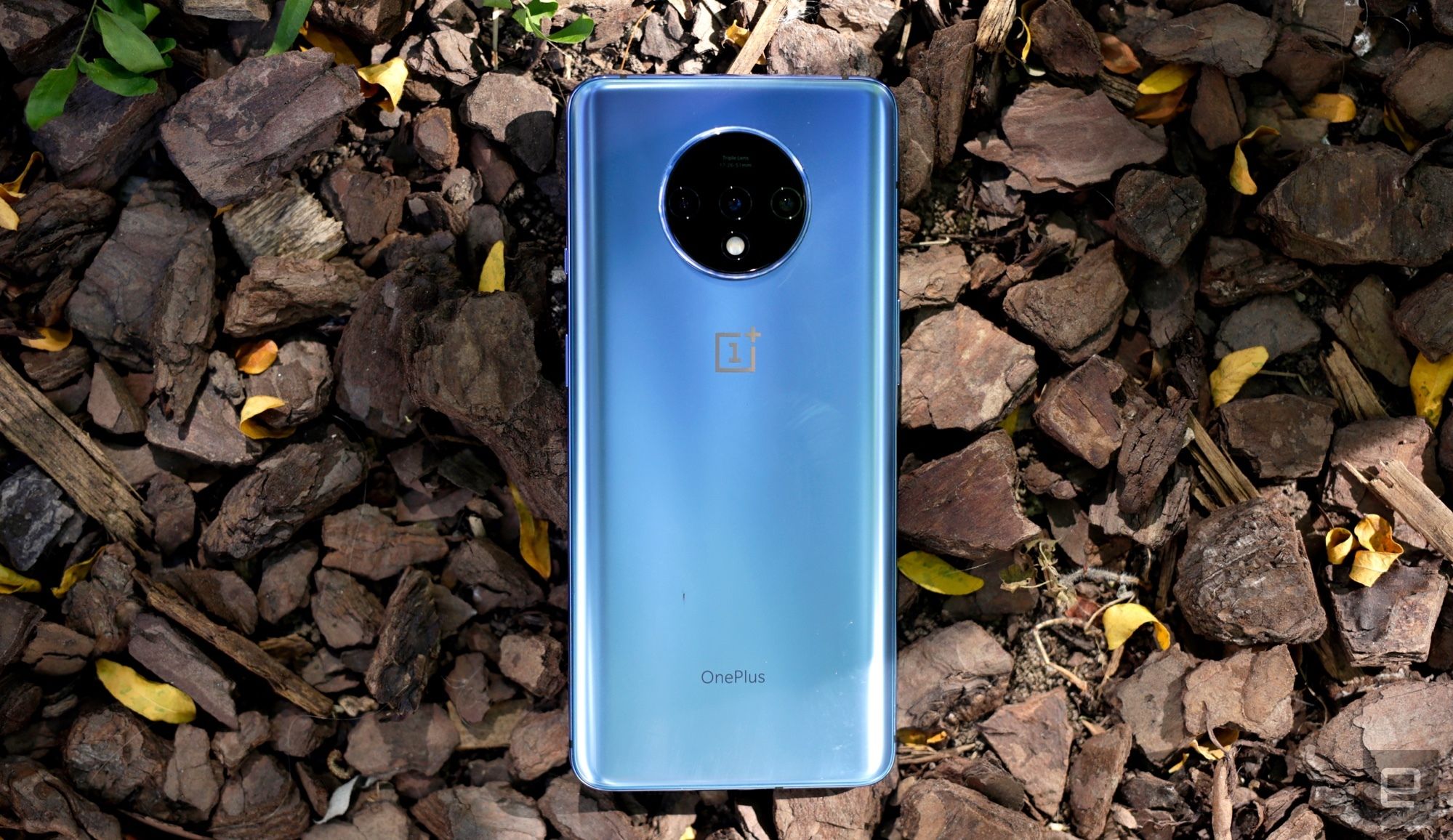
    OnePlus’ next smartphone could be sold by Verizon, a leading wireless carrier. A report from Android Police suggests that OnePlus 8 will be available for purchase from Verizon Wireless after its release. It is expected to launch sometime later this year. The report also says that the phone is likely to come with 5G hardware. If the sources are to be believed, this is the first time a phone from this manufacturer will be sold by Verizon. Other OnePlus devices have supported Verizon’s 4G network. Since the OnePlus 8 is expected to come with 5G support, it might work with Verizon’s millimetre wave. This is available in 31 US cities as of now.

    OnePlus 8
    OnePlus 8

    According to Android Police, the OnePlus 8 model that might be sold by Verizon will be the standard variant. It is not likely to be larger than the OnePlus 8 Pro model. The device will come pre-loaded with Verizon’s standard apps and features. This includes support for VoLTE and Wi-Fi calling. The very first US carrier to sell a OnePlus device was T-Mobile. This was when OnePlus 6T launched towards the end of 2018. The fact that Verizon is now part of the team is definitely a major plus point for OnePlus. It is expected that they will now enjoy a larger audience to whom they were previously not very well-known. This works out well for all parties involved since OnePlus tends to price its phones quite aggressively. Chances are, even today, that Verizon’s customers might be able to get lower monthly bills while enjoying top features.

    OnePlus-Verizon Alliance

    Although not a lot is known about this alliance, one thing is quite sure. The alliance is going forward with the release of OnePlus 8. This smartphone is expected to be released in the US with Verizon. The phone will come with 5G connectivity. Where T-Mobile is the only US carrier for OnePlus phones right now, the list will expand with the inclusion of Verizon with the upcoming release.

    OnePlus 8 with Verizon
    OnePlus 8 with Verizon

    Quite recently, OnePlus flaunted its Concept One phone at CES 2020. The eye-catching feature included a disappearing camera. On January 13th, in China, the company is expected to demonstrate new “screen technology”. While we don’t know much about this tech and what exactly it could be, we do know that OnePlus shared a graphic regarding the same. In that, we see glass panels stacked on top of one another. Is there any chance the OnePlus 8 will have this new tech or is it for an upcoming device? All we know is that it could replace the pop-up selfie cam for a hole-punch display.

    Issues with past models

    The OnePlus 7 Pro, the previous version of the model, was released in May of last year. It priced quite low when compared to others in the series. It was available for purchase with T-Mobile. However, soon after, T-Mobile stopped its sale of the 7T Pro model. The carrier started selling OnePlus 7T sometime in October, which sells for less. Another point of concern with OnePlus is the two data breaches the company has unfortunately gone through in the last couple of years.

  • Galaxy S10 Lite and Note 10 Lite Go Official

    Galaxy S10 Lite and Note 10 Lite Go Official

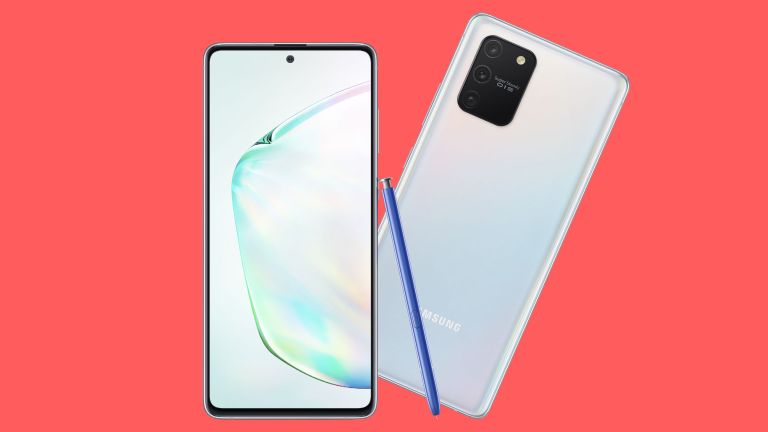
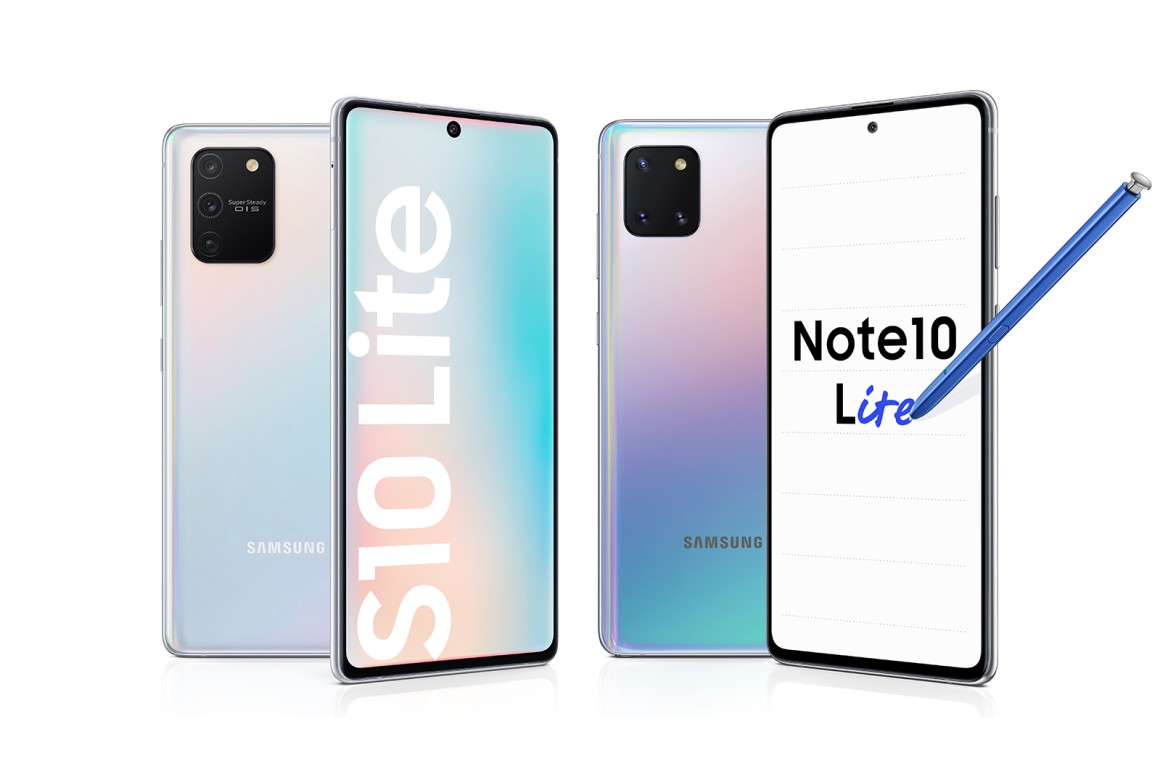
    After weeks and weeks of rumours and speculation, Samsung finally made two of its smartphones official. The Galaxy S10 Lite and Note 10 Lite will be exhibited at the CES 2020. In a press release, Samsung recently talked about the basic specs of both these phones. Spec-wise, it looks like both the devices are pretty much the same. Both feature a 6.7-inch FHD+ AMOLED display with a punch-hole on top. Here, at the centre, resides the 32 MP selfie camera. Another common spec that both the phones have is the 4,500 mAh battery. With regards to other hardware, both devices have 128 GB of storage with either 6 GB or 8 GB of RAM, according to the variant you select.

    Note 10 Lite
    Note 10 Lite

    Looking at software, both Galaxy S10 and Note 10 Lite come with Android 10 out of the box. This is one of the few devices at the moment which supports this. One UI 2.0 features here as well. So, where do these devices actually differ? Well, first of all, the camera. Although both have triple-lens arrays, the Galaxy S10 Lite has a 48 MP primary camera with “Super Steady OIS”, a 5 MP Macro camera for super-close shots, and thirdly, an ultra-wide 12 MP camera. The primary camera is designed to offer the best stability. On the other hand, the Galaxy Note 10 Lite features three 12 MP sensors. The primary has an f/1.7 sensor with Dual Pixel autofocus, while the other two sensors come with ultra-wide and telephoto lenses.

    Features and Specs

    Besides the camera, the processors of both devices are also quite different. The S10 Lite features a 7 nm 64-bit Octa-core processor while the Note 10 Lite boasts of a 10 nm 64-bit Octa-core processor. It is believed that these are Snapdragon 855 and Exynos 9810 respectively. Another point of difference is the inclusion of an S-Pen. Where the Galaxy Note 10 Lite comes with an S Pen, the other does not. Of course, it connects wirelessly and can be stowed within a silo on the device. Other features are the same, such as the presence of the Samsung Notes app and more.

    S10 Lite
    S10 LiteS10 Lite

    At the CES 2020, we can expect both these devices to be exhibited by Samsung. While the specs and features have been advanced by the company, there is no word on the pricing yet. We will get to know that at the event. The Note 10 Lite will be available in Aura Glow, Aura Black, and Aura Red. The S10 Lite will come to be available in Prism White, Prism Black, and Prism Blue.

    The Release

    Samsung recently confirmed the launch date for the Galaxy S10 Lite device. It is set to be released on January 23, starting sales from the popular online platform, Flipkart. India is expected to be among the first markets where this phone is likely to be launched. The upcoming phone will feature Snapdragon 855 processor and 8GB RAM. So far, there has been no news about the release of the Galaxy Note 10 Lite in India.

  • Motorola One Hyper Review

    Motorola One Hyper Review

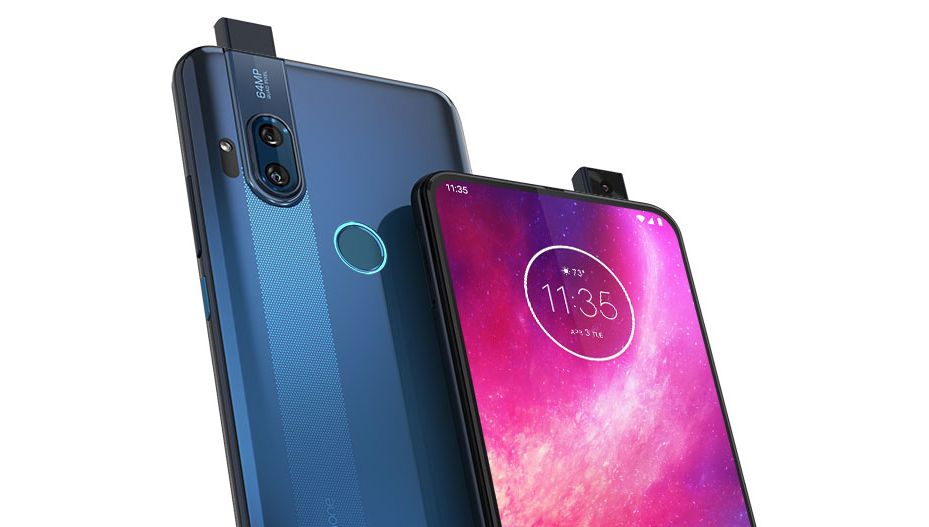
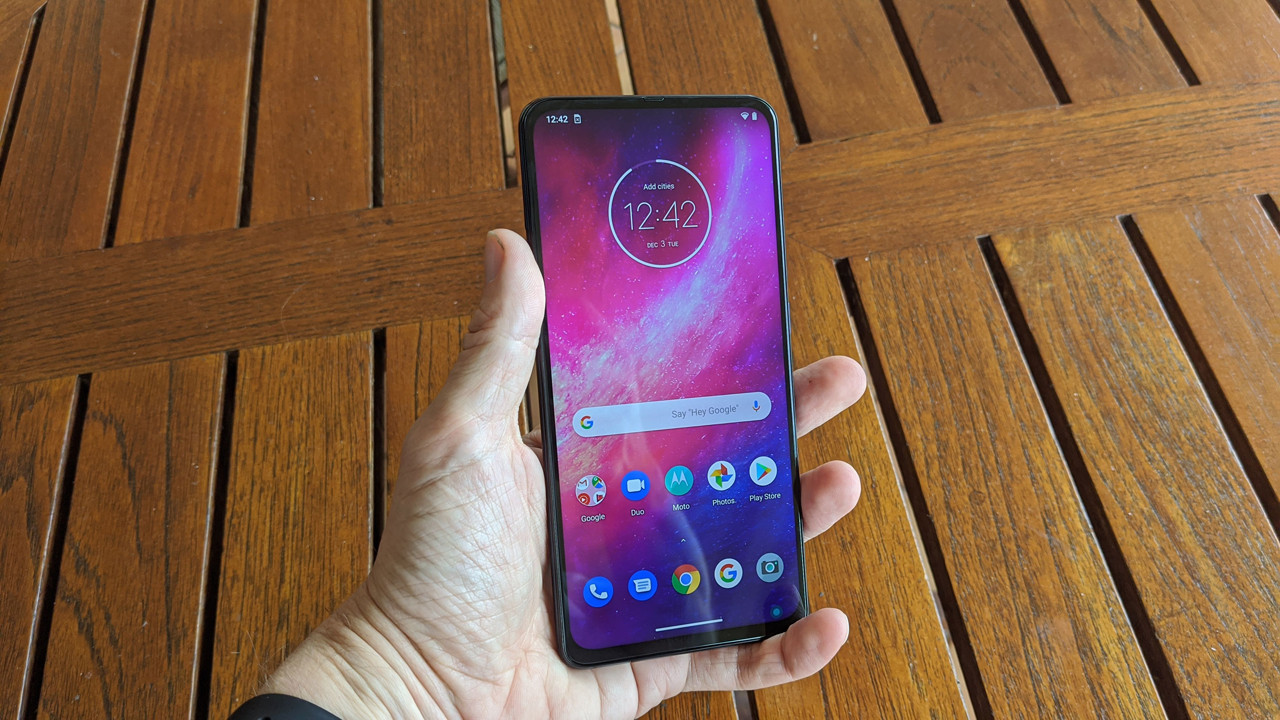
    You may have noticed that the Motorola One range of smartphones do focus a lot on the camera quality and specs. After Motorola One Zoom with its four rear cameras, we saw the Motorola One Action with its triple lenses. Now, the latest in the line is the Motorola One Hyper. The phone is marketed as a budget model. With regards to the camera, it only has two rear lenses. However, the main camera features 64-MP. As far as the 32-MP front camera is concerned, it only pops out when the user wants to click a selfie. With a unique design and some nice features, the phone is a good option to consider.

    Motorola One Hyper Design And Display

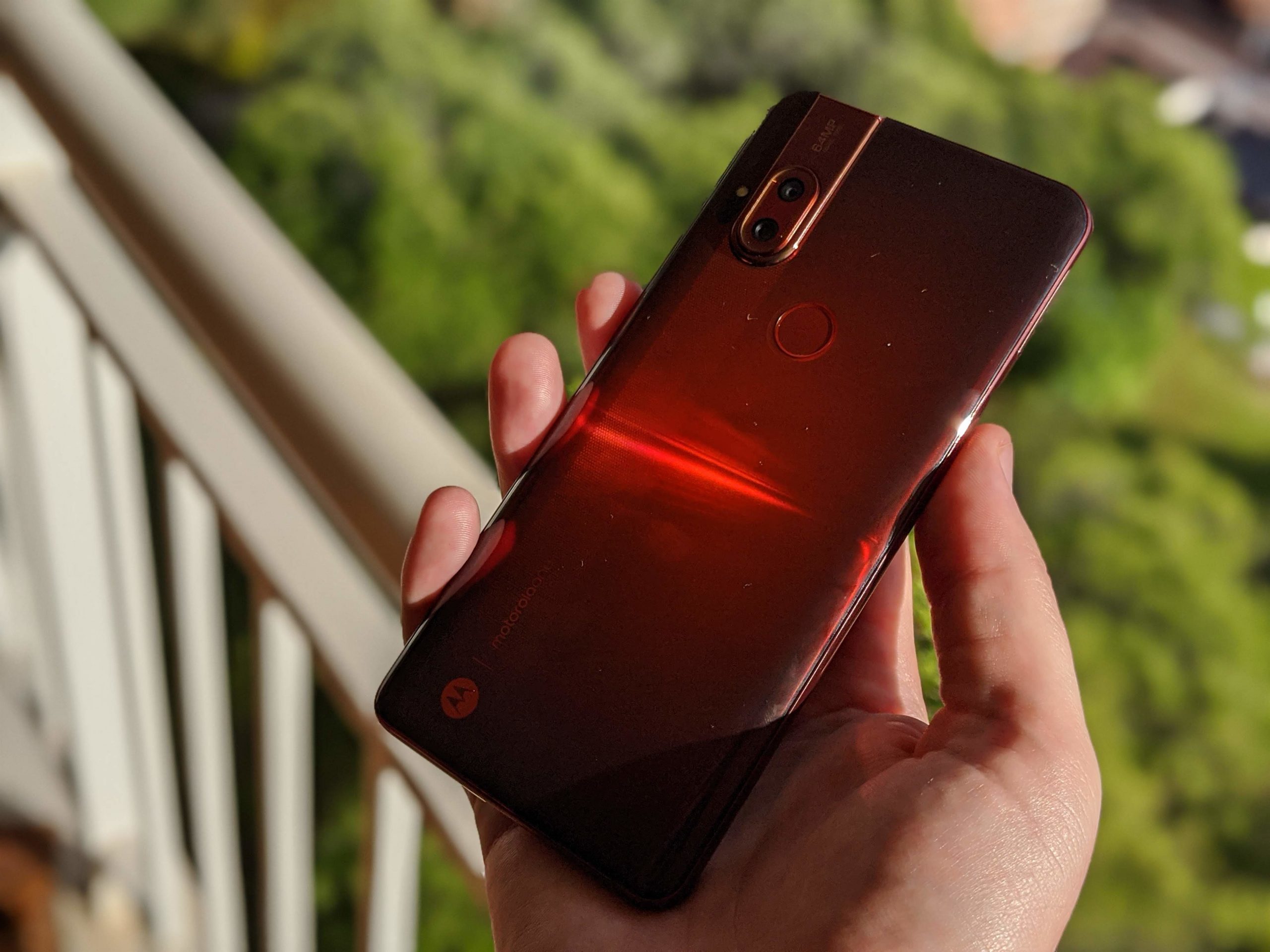
    The case that the Hyper uses is made of plastic, but looking at the price of the phone, it seems just right. The phone features a 3D curved design on the back of the phone and has a matte finish. Overall, the device looks pretty trendy and stylish. Despite the plastic case, the phone gives off an expensive look. While Motorola One didn’t come in any cheerful colours, you can expect more exciting colours in Hyper. One Hyper is expected to come in Deep Sea Blue, with the Dark Amber colour releasing later. In certain areas, including Europe and Latin America, users will be able to purchase the Fresh Orchid colour model.

    Motorola One Hyper Display
    Motorola One Hyper Display

    The fingerprint sensor is located at the rear and comes with a light ring around it. This lets you know if you are low on battery, or if you have a call coming in, or any other notification. The light ring is completely customizable. You can choose to make it blink or stay on continuously and also be able to change its brightness. You will notice a headphone jack on the top while the USB-C port is located on the bottom. The phone is completely water repellent too. By this, Motorola means that although there is no IP rating for water resistance, it is sturdy enough to withstand a splash or two. Of course, there is no notch or a bezel since the front camera is a pop-out model. This also gives you more space on the screen. The pop-up camera allows the phone to have a free border around the display. This is being called as Total Vision by Motorola.


    Hardware

    The Motorola One Hyper is powered by Snapdragon 675. This is the same one that is used in its flagship Moto Z4 and Motorola One Zoom. The device has 128GB of built-in storage which users would be able to expand up to 1TB with a microSD card. The phone comes with a 4,000 mAh battery, so you can be sure that the device is going to last you at least a day. It supports up to 45W fast charging. However, do note that only an 18W charger comes in the box. Talking about software, the One Hyper will be shipped with Android 10.

    Motorola One Hyper Review
    Motorola One Hyper Review

    Camera Review

    One of the main features to stand out in this phone is its front pop-out camera. While it is not the first one of its kind, it is Motorola’s first attempt with such a design. Asus ZenFone 6 and even OnePlus 7 Pro boast of a similar camera model. You can easily launch the camera by tapping on the front-facing camera icon within the Camera app. Since the phone also supports gestures, you can use it to open the camera as well. Making a twist-to-capture gesture with the phone will lead the pop-up camera to spring up for selfies.

    Since the camera is designed to pop up in less than a second, you won’t have to wait too much. The camera popups with a mechanical noise, which many users seem to love. However, it is not actually due to any mechanics, it is simply audio set for it. If you are among those who find this disturbing, it can be switched off easily by visiting the settings menu. If you drop the phone, you will notice that the pop-up camera retracts automatically. The device’s accelerometer and gyroscope detect the fall and immediately retracts the camera to keep it safe.


    Rear Camera

    Regards the rear camera, the main camera is a 64-MP shooter which takes pictures of the utmost clarity and rich colours. With quad pixel-binning technology, the Motorola One Hyper cameras manage to combine four adjacent pixels into one, bringing better images. There is also a Night Vision mode for low light photography along with a laser autofocus feature for keeping images in focus. The phone also has shot optimization, allowing it to detect automatically when Night Vision should be applied. However, if you want, you would be able to enable it manually as well. According to Motorola, you will never to have to do anything manually since the camera has been specially designed to work automatically.

    Motorola One Hyper Camera
    Motorola One Hyper Camera

    In addition to the main 64-MP camera, there is an 8-MP wide-angle lens with a 118-degree field of view. This lets for about four times more scene capture, according to the company. The wide-angle lens can be enabled with a single click. How the camera will compare with Pixel 3a is something that is yet to be seen. However, this is one of the best camera phones in this price range.

    Verdict

    The company is selling the Hyper unlocked via its website. The phone will work on GSM-based cellular networks. This means AT&T and T-Mobile customers will have no trouble, but Verizon and Sprint customers are unlucky. On the brighter side, the display of the is quite large and it is very comfortable to use as well.

    It is very difficult for devices like Motorola One Hyper to make the news when the company is working on more exciting models like foldable phones, such as Motorola Razr. However, on this budget, the Hyper is truly an excellent release. The camera is an excellent addition, and this looks as if it could be a worthy rival to Pixel 3a, considering its relatively lower price.


  • Whatsapp Android Update Finally Brings Long-Needed New Feature For Android Users

    Whatsapp Android Update Finally Brings Long-Needed New Feature For Android Users

    WhatsApp is one of the world’s most popular messaging app. While it has a ton of useful features, there is always space for improvement. The latest update Whatsapp Android Update is something that could save many of us some grief. Currently, it is not very easy to see and confirm who you are sending images or pictures to. Where users only see the icon of the receiver’s profile picture, now users would be able to see the contact name right below the picture. The previous system allowed users to make mistakes by sending pictures to the wrong person since no validation or confirmation was asked before you hit the send button.

    The latest update is here to help us all out. Now, when you send a picture to the receiver, you will see their contact name clearly right under the profile picture icon. This is intended to work as a confirmation measure that you are sending it to the person you think you are. This WhatsApp update is only for users using the app on their devices. Huawei, Samsung, and Sony smartphone owners will all receive the update shortly. iPhone users already have the feature on their version of WhatsApp. This came as part of their latest iOS version update.

    Whatsapp Update
    Whatsapp Update

    Whatsapp Android Update

    Besides this update, did you know there are many more things you can do with your WhatsApp than simply changing profile pictures and chatting with friends and family? WhatsApp is working on releasing two other major updates real soon. The first feature basically allows users to merger WhatsApp with other messaging services. This means that you can merge WhatsApp with other Facebook-owned services, such as Facebook Messenger and Instagram. You would be able to have continuous conversations with people regardless of the platform they are using. Naturally, this will allow users to text each other on a single platform, creating better messaging experiences.

    Another update which many are waiting for with bated breath includes Facebook’s cryptocurrency Libra. This is expected to be introduced for WhatsApp sometime in 2020. With this, users would be able to make and receive payments through the app. It has been designed specifically to ensure that it is highly user-friendly and secure. While the company mentioned it would be released in 2020, the actual date for the same is yet to be released.

    Whatsapp update self destructing messages
    Whatsapp update self-destructing messages

    WABetaInfo and Self-Destructing Messages

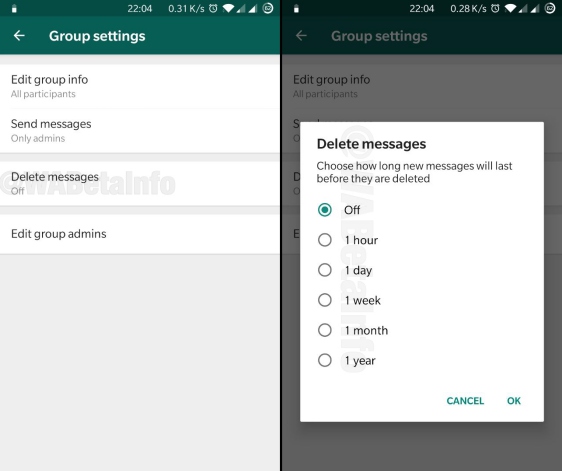
    WhatsApp is planning to bring another new feature – self-destructing messages. While platforms like Telegram and Snapchat have had this for a while, WhatsApp is releasing it just now. Good news is that this feature will work smoothly with the app’s upcoming dark mode. WABetaInfo is a publication that focuses solely on WhatsApp. It goes through the beta versions and identifies any possible upcoming features and it is considered to be pretty reliable. According to WABetaInfo, this would be available under Group Settings called ‘Delete Messages’. It will show the users the number of timeframes in which a message will be viewable.


  • Huawei Unveils HarmonyOS Operating System..

    Huawei Unveils HarmonyOS Operating System..

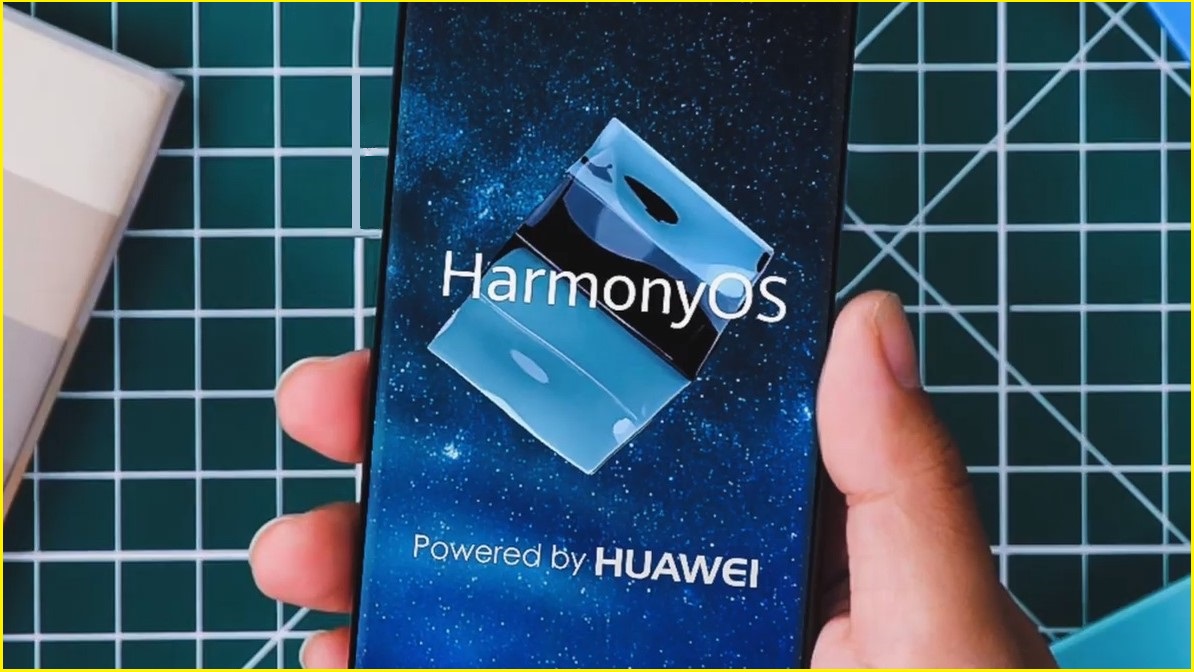
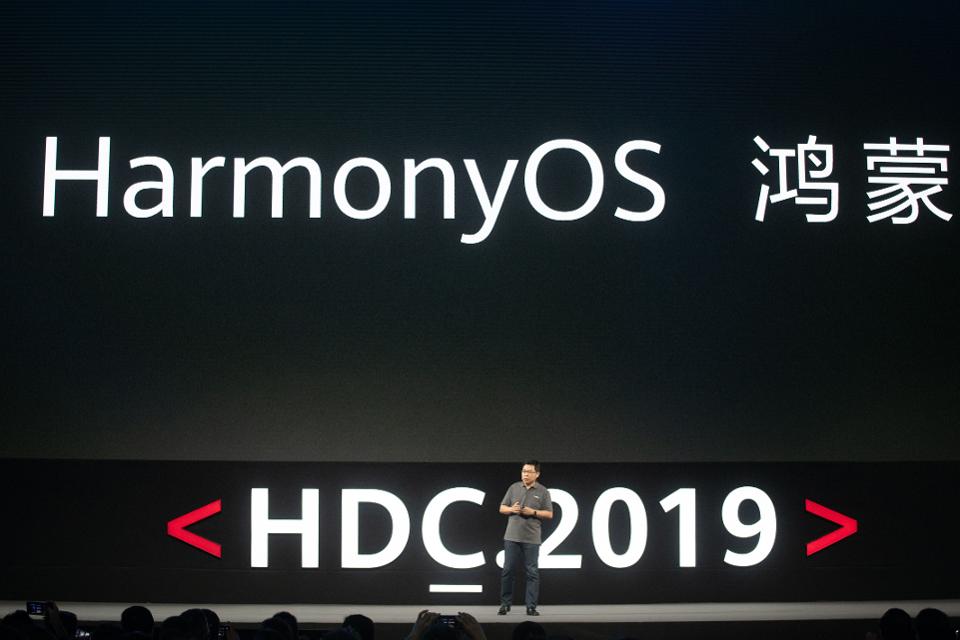
    Huawei’s has developed an operating system of its own called HongmengOS. It is known as HarmonyOS is English. Richard Yu, the CEO of the Chinese tech giant’s consumer division, mentioned at a Huawei Developer Conference that this OS can be easily used in different devices, including smart speakers, sensors, and of course, smartphones. This is Huawei’s way of entering the Internet of Things play. The HarmonyOS Operating System is planned to be first used on smart screen products, such as smartphones and televisions. Their long-term goal is to have the OS in other devices, such as car head units, wearables, and more.

    Huawei and the US

    The HarmonyOS is expected to launch first in China, followed by a global release, according to Yu. The move comes with the US placed Huawei on their blacklist. This basically stops US companies to have any kind of a trade relationship with the company. Once this got underway, Google suspended its business with Huawei. However, a few days later, the US government allowed Google to work with Huawei for 90 days. That period is almost at its end.

    HarmonyOS Operating System
    HarmonyOS Operating System

    During this time, Huawei had talked about its operating system which was still in the development stage at that time. According to Yu, they are not yet sure if they would be able to use Android, but users can be sure that the products and devices already sold with Google’s OS will not be affected or impacted in the least by this issue.

    How does HarmonyOS work?

    HarmonyOS is open source. This means that anyone could use this operating system for their devices. The reason behind why Huawei made its OS open source is because it will help make it more popular and attract more users than ever to create apps for it. Naturally, if more device manufacturers start using it, there will also be more apps being made for it. Of course, it is quite important to have a wide range and variety of apps to make an OS successful.

    Huawei's HarmonyOS
    Huawei’s HarmonyOS

    Yu also said that there are plenty of manufacturers out there who have quite a bit of interest in using the HarmonyOS. However, he did not go into much detail over that. He believes that the most popular OS of today, such as Apple’s iOS and Android, are not ideal for the different devices. Especially in this age of IoT, the existing OS are not suitable for the large number of devices that would be connected to the Internet.

    HarmonyOS Operating System Release

    The goal behind the creation of HarmonyOS is to develop a single software that can work effectively and seamlessly across a range of different devices. It would be able to work equally well between large devices, such as laptops and the much smaller sensors so that the end result can be reliable and stable. According to Yu, HarmonyOS for smartphones and laptops is expected to be ready for use soon in China. The OS is expected to hit the international markets by mid-2020.

  • Redmi K20 Update: Xiaomi’s Latest To Start Receiving Android 10-Based MIUI 11 Update

    Redmi K20 Update: Xiaomi’s Latest To Start Receiving Android 10-Based MIUI 11 Update

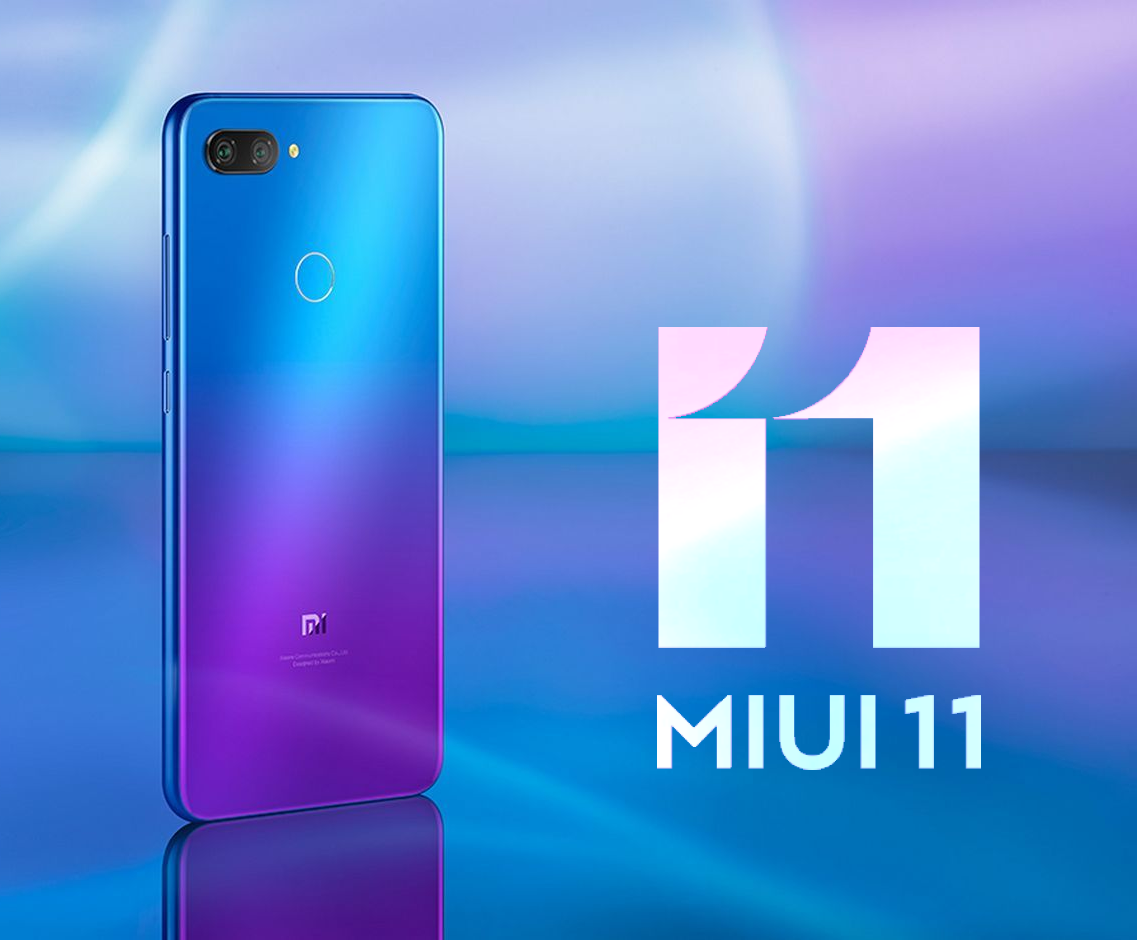
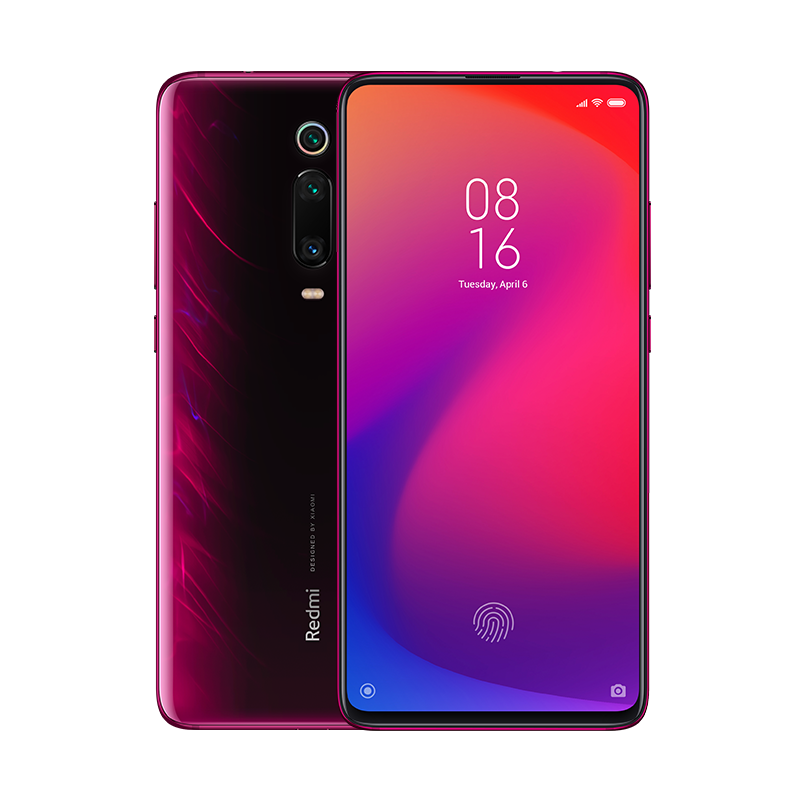
    Redmi K20 has started getting Android 10-based MIUI 11 update. This OTA or over the air update for the phone has the build number MIUI V11.0.2.0.QFJCNXM. While it is a bit heavy at 2.3GB, it is well worth it! Currently, the update is being rolled out in China and the global rollout is expected to happen soon after. Xiaomi recently finished its MIUI 11 Global Stable ROM rollout program. Although Redmi K20 was part of the first phase of the roll-out, it received the update to the MIUI custom skin based on Android 9 Pie instead of Android 10.

    You may remember Xiaomi pushing stable MIUI 11 updates quite recently. However, that was based on Android 9. The company then started to bring MIUI 11 update based on Android 10. They intend to start with Redmi K20. After China, one of the first markets to receive this update is likely to be India.

    Redmi K20 Update
    Redmi K20 Update

    Redmi K20 Update

    The K20 by Xiaomi was released in July last year. The smartphone runs on Android 9 Pie out of the box. This latest update is all about the Android 10-based update to the MIUI skin. It brings tons of new features to the device while working to admirably enhance security, privacy, and software stability. Popular features that will come with the update include Mi-Go travel kit, Mi work kit, and dynamic font and sound system.

    The Redmi K20 Pro received the same update in September of last year. However, the regular variant is all set to receive the update as well. With Android 10, users would be able to enjoy more privacy controls, system-wide dark mode, bubble notifications, smart reply, hierarchy-based system notifications and more. There will also be a new gesture navigation mode. You will also be able to use the focus mode which lets the users silence certain apps that are intrusive or disturbing.

    Android 10-Based MIUI 11 Update
    Android 10-Based MIUI 11 Update

    How to download Android 10-based MIUI 11 update

    All things considered, we think Xiaomi’s global launch will happen quite soon. If you have a Redmi K20 device, it is advised that you keep an eye open for updates. You will be able to check by visiting the About Phone tab within your Settings menu. Navigate to System Update tab. If any update is available, you will be able to view it here. You can then easily download and install it. If you are planning to install a major update, it is highly recommended that you take a backup of your device data and media.


    Regarding the Android 10 update on your Redmi K20, you will receive an update notification automatically. This update is expected to integrate all the new features that Google has introduced. However, since MIUI is heavily skinned, you may notice some features getting implemented differently in Xiaomi devices compared to devices running on stock Android. The download shouldn’t take a long time to download and install. If you have the same device, you are in for some luck!