Author: Shilpa

  • Pokémon GO working on cross-platform AR-multiplayer Buddy Adventure

    Pokémon GO working on cross-platform AR-multiplayer Buddy Adventure

    Niantic recently unveiled their new multiplayer feature, called Buddy Adventure. This is geared to make an entry to Pokémon GO sometime soon. The feature will give the users a shared augmented reality experience. Players can now interact with their friend’s Pokémon through the AR camera. The friends would also be able to look in at what is happening in real-time as you pet and play with their Pokémon. Cross-platform support is expected to arrive as well. If this happens, both iOS and Android users would be able to make full use of the Buddy Adventure mode.

    Pokémon GO
    Pokémon GO

    Buddy Adventure

    The gaming industry has always been highly competitive. This is true, especially since new updates are always expected. So, it doesn’t come as a surprise that Niantic has been working on a multiplayer AR experience. Pokémon GO is the perfect game to choose to use this latest tech. Pokémon GO is not the first game for Buddy Adventure mode to be tested. Before this, Niantic tested several test cases such as Codename: Neon and Codename: Tonehenge to explore AR and its possibilities in gaming. According to the company, the results of these tests are what led to the development now impending release of the Buddy Adventure feature. While there has been no word on the release of this feature by Niantic, sources mention that we should likely see it in the next few months.

    In the press conference where Niantic talked about Pokémon GO and the upcoming multiplayer AR experience. Niantic also talked about its Niantic Wayfarer program. This tool is for high-level players. Using this, they would be able to submit new photos, titles, locations, and further information about the same in the company’s AR games. The company has also mentioned that they are currently working the lack of occlusion. This refers to the movement of the AR subjects to move behind real-world objects. This gives the players a more realistic and immersive experience. Besides all this, the company has also been working on occlusion technology. We come to know of this with the announcement that this tech will now feature on the Niantic Real World Platform in the future.
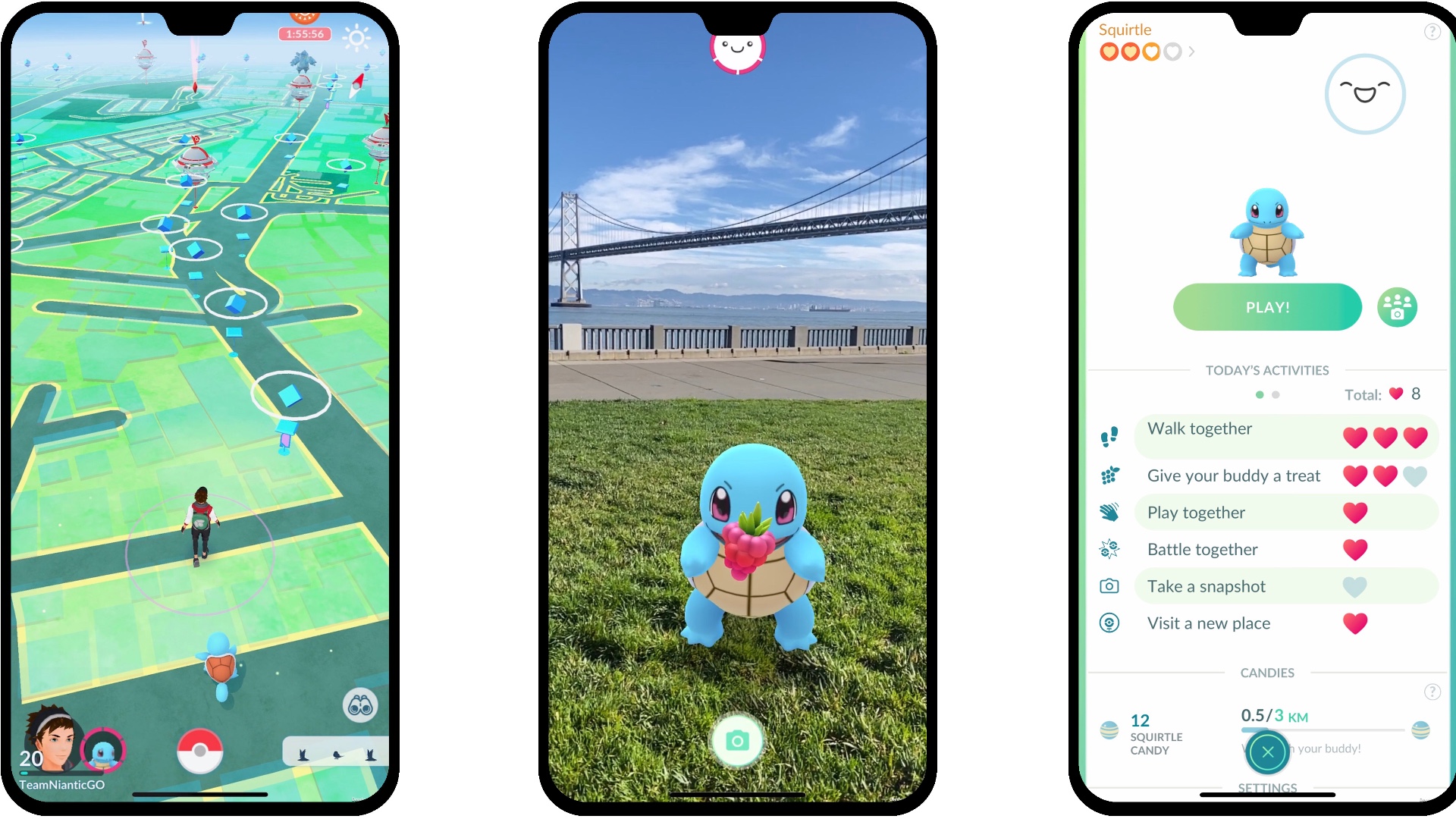
    Pokémon GO Buddy Adventure
    Pokémon GO Buddy Adventure

    Multiplayer Modes

    Niantic is working quite dedicatedly to add new multiplayer modes to Pokémon GO. A few months back, we came to know that the mode GO Battle League is an upcoming feature that will pair users with their opponents. This will, in no way, depend on their location. The mode is expected to offer the players better one-on-one battles across the globe. Looking at all this, you can be certain that Niantic is completely devoted to increasing interaction between the players. This is nice considering the future of gaming.

    When the developers talked about the Buddy Adventure mode, they made sure to mention that we will receive it sometime in 2020. Now that have entered the new year, players are eager to know exactly when we will be able to experience it. Besides playing together, the mode has other features as well. It is a great way to forge a closer friendship with your buddy.
  • Galaxy S11+ Will Include A Periscope Camera

    Galaxy S11+ Will Include A Periscope Camera

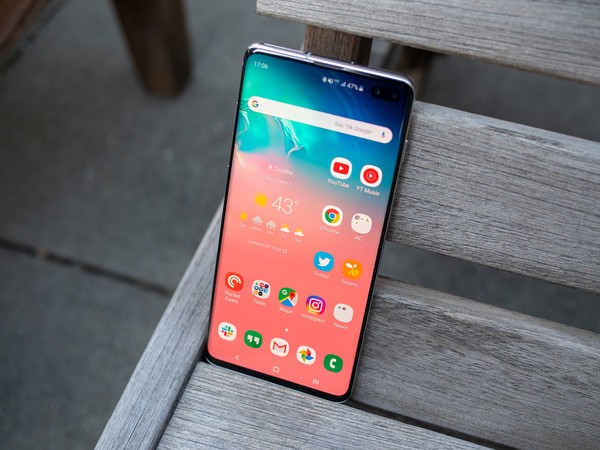
    Ice Universe is one of the more popular tipsters out there. He recently shared details about the Samsung Galaxy S11+’s rear camera setup. The render the shared displays the S11+’s rear-facing cameras, including the periscope one. The latest smartphone by Samsung has been seen in CAD-based renders recently. According to Ice Universe, these renders are not quite accurate. However, he has promised to update with more information.

    Several leaks have given us some insight into how the upcoming Samsung smartphone might look. While it was initially believed that the phone’s rear camera setup might look like domino tiles, recent reports tell us that it would not be so. Some other reports suggest that Samsung might add a sensor for improving low light photography on the phone. The Galaxy S11+ will run on Snapdragon 865 chipset and its Exynos 9830 processor.

    Galaxy S11+ Camera
    Galaxy S11+ Camera

    S11+ Camera Details

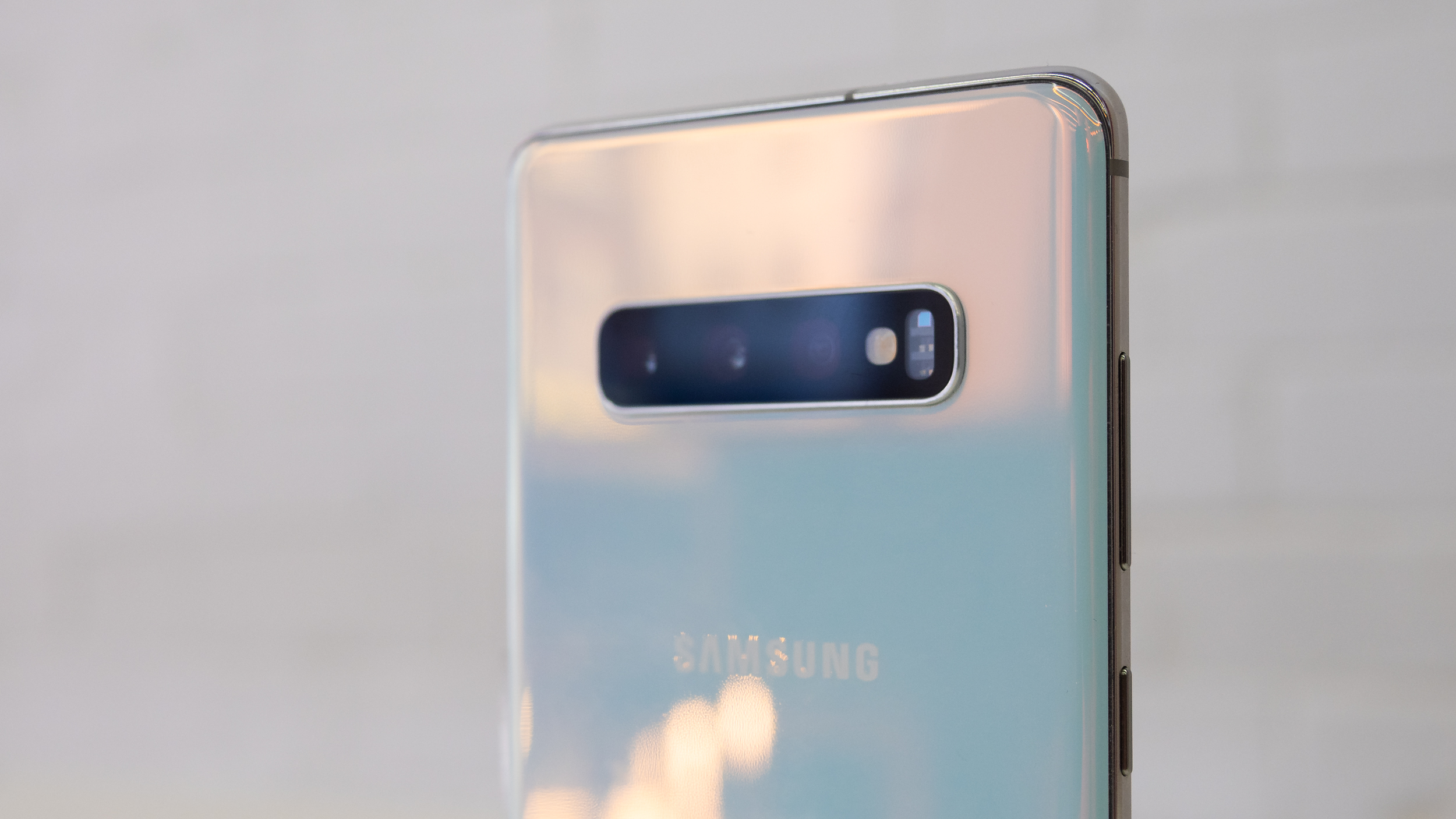
    What was not accurate was the camera alignment at the rear. Although they are shown to be aligned in the render, they are actually all over the place. The Galaxy S11+ will come with a periscope camera which can be seen quite clearly in the shared pictures. The phone is likely t come with a main, ultra-wide-angle, and periscope cameras. The S11+ periscope camera’s module will be square-shaped instead of circular, making it more noticeable. Since the main camera is the largest sensor, it is located in the middle.

    All the three cameras are neatly aligned towards the left in the image. However, it will not be so. Apparently, some cameras are missing on the right side of the module. The Time-of-Flight or ToF sensor will also be present at the back, which is currently missing. Besides this, an LED flash will be seen alongside the camera module as well. 

    Despite all the information we have managed to gather regarding the S11+’s camera, we are still lacking some crucial details. It looks as if the phone will feature five cameras, but we don’t know what the last one would be. New details are expected to release soon. While the render shows a different alignment, the rear-facing camera will be properly aligned. Check out its battery details here. 

    Samsung Galaxy S11+
    Samsung Galaxy S11+

    Release of S11+

    The camera module will be placed on the top left side of the phone. While it will protrude a bit, it will not wobble too much. The phone’s backside is also expected to be curved. The S11+ will be made using metal and glass. The physical buttons are placed on the right. While the phone will have volume control buttons, power, and lock button, it will not have a 3.5mm headphone jack. The smartphone will have a curved display with extremely thin bezels. With regards to the front camera, it is likely to be located at the centre.

    The Samsung S11+ device will be launched along with the Galaxy S11 and S11e models. In fact, the Galaxy Fold 2 could be released at the same time as well. According to rumours, the smartphone could be launched on February 18, 2018.

  • How To Delete Data From Your Lost Or Stolen Device

    How To Delete Data From Your Lost Or Stolen Device

    There is hardly anything materialistic in the world that we cannot live without, barring, of course, our smartphones. If you do lose your phone or it gets stolen, we can help you. Simply follow the steps below. You will be able to protect your data. If this doesn’t work, you may have to delete the data on your device so that others cannot access it. I know, it hurts me deeply too.

    Find My Device

    One of the first things you need to do is to install the Find My Device app. Once done, make your way to the Settings menu, head to Security, and click on Find My Device. Enable the app and allow your device’s location to be accessed by the app. The beauty of this app is that it works just as well for tablets as well. One thing you should note is that stuff stored on microSD cards cannot be removed by remote wiping. If you have truly sensitive information, you may want to have apps like AirDroid or Lookout. These are designed to remotely wipe your device along with offering you the ability to transfer data before doing it.

    Delete Data
    Delete Data

    Finding your Android phone

    The very first thing to do after you realize that you no longer have your device on you is to try and find it. You can use the Find My Device app for this. If the phone is on, it will get a signal and you will be shown a location on the app. You will then have to choose from one of the three options – ring it, lock it or remotely wipe it. A fancy option is to go with the second one where you can change the lock screen. Once this happens, the next time your phone is on, they will see a message from you. You can always offer a reward or something and get your phone back.

    Deleting Data from Stolen or Lost Phone

    The final option: erasing all the data on your smartphone. Again, do note that SD cards will not be deleted in most options. However, if you have chosen a service that does it for you, great! If you do go ahead with this step and later, come across your phone again, fear not. It is an easy enough job to set it up again. All you will need is your Google Password.

    Remotely Wipe Data
    Remotely Wipe Data

    Most apps give you the option of remotely wiping your device. This is essentially the same as a full factory reset. This means all your data including your music, photos, apps, and other data will be wiped out. Naturally, if your phone is off at that moment, you will find that the data wipe will occur when the phone is on the next time. There are plenty of free and paid services that you can use to help you find and track your device and perform remote wiping. Of course, paid services do offer little more features, such as transferring data, clearing SD cards, and so on. Lastly, if you save your passwords to your device, we recommend using an online service for the same.

  • Developer Options: How To Enable It On Any Android Phone

    Developer Options: How To Enable It On Any Android Phone

    Even if you are sceptical about rooting your Android phone and installing a custom ROM, there is no trouble in trying out some features that are not enabled by default. As you may know, every Android smartphone’s Developer Options can be turned on. Once done, it allows you to test certain features. This will also let users access some parts of the phone which may not be accessible otherwise. Of course, Developer Options are not visible at first glance. They are hidden away by default so that lay users don’t get into trouble as they explore the phone. However, it is an easy enough matter to enable it.

    Finding your Android Build Number

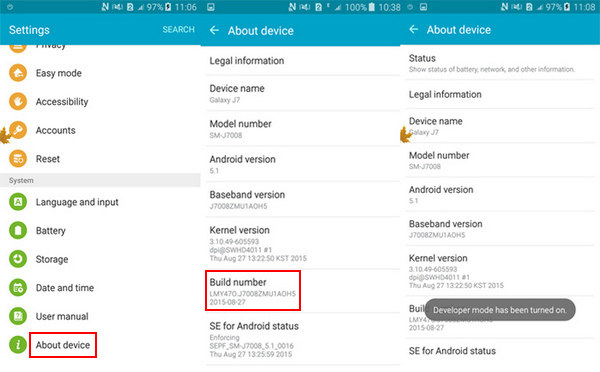
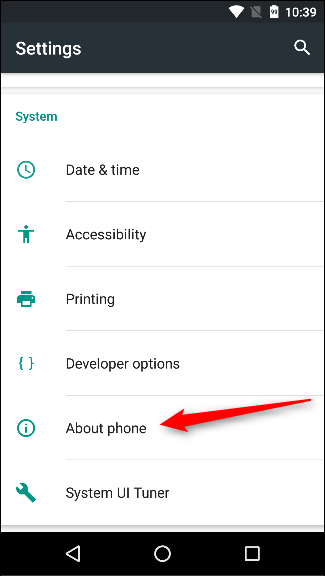
    Before you go ahead and enable Developer Options on your Android phone or tablet, you will require your phone’s build number. Despite what most think, it is actually a very easy process. In fact, in some phones, you can simply type ‘build number’ and the data will come up. If it doesn’t work this way on your phone, check out below. Each brand of smartphone will have a slightly different process.

    About Phone
    About Phone

    Google Pixel: Settings > System > About phone > Build number

    Samsung Galaxy S8 and higher models: Settings > About phone > Software information > Build number

    LG G6 and higher models: Settings > About phone > Software info > Build number

    HTC U11 and higher models: Settings > About > Software information > More > Build number

    OnePlus 5T and higher models: Settings > About phone > Build number

    Enabling Developer Options 

    Armed with your build number, you can now easily enable the Developers Option. Simply tap on the build number about seven times. It may seem like a weird way, but it works. You will see a small pop-up alert telling you that “You are now X steps away from being a developer”. There will be a countdown number which reduces every time you tap. Once you are done with seven taps, you will receive another pop-up with the message, “You are now a developer!”

    Developer Options
    Developer Options

    Now, you will be able to access Developer Options in the Settings menu. You are ready to explore your phone now. You may want to keep an eye on what you are doing. Most options here are strictly for the developers. This includes bootloader unlocking, USB debugging, notch options, high-fi audio codecs, and CPU usage.

    Turning off Developer Options 

    Previously, Google needed you to factory reset your device to get out of the Developer Options, it is now far easier. If your phone is running on Nougat or higher versions, you will see a toggle at the top of the screen. Simply using this will let you turn off the Developer Options. You will know it has worked as intended since the screen grays out for a few seconds. The next time you visit the Settings menu, you will not see it. To enable it again, you will have to go through the process again, as mentioned in the previous section.

  • Ghost Of Tsushima Gets Free Dynamic Playstation 4 Theme, Available Through January 2020

    Ghost Of Tsushima Gets Free Dynamic Playstation 4 Theme, Available Through January 2020

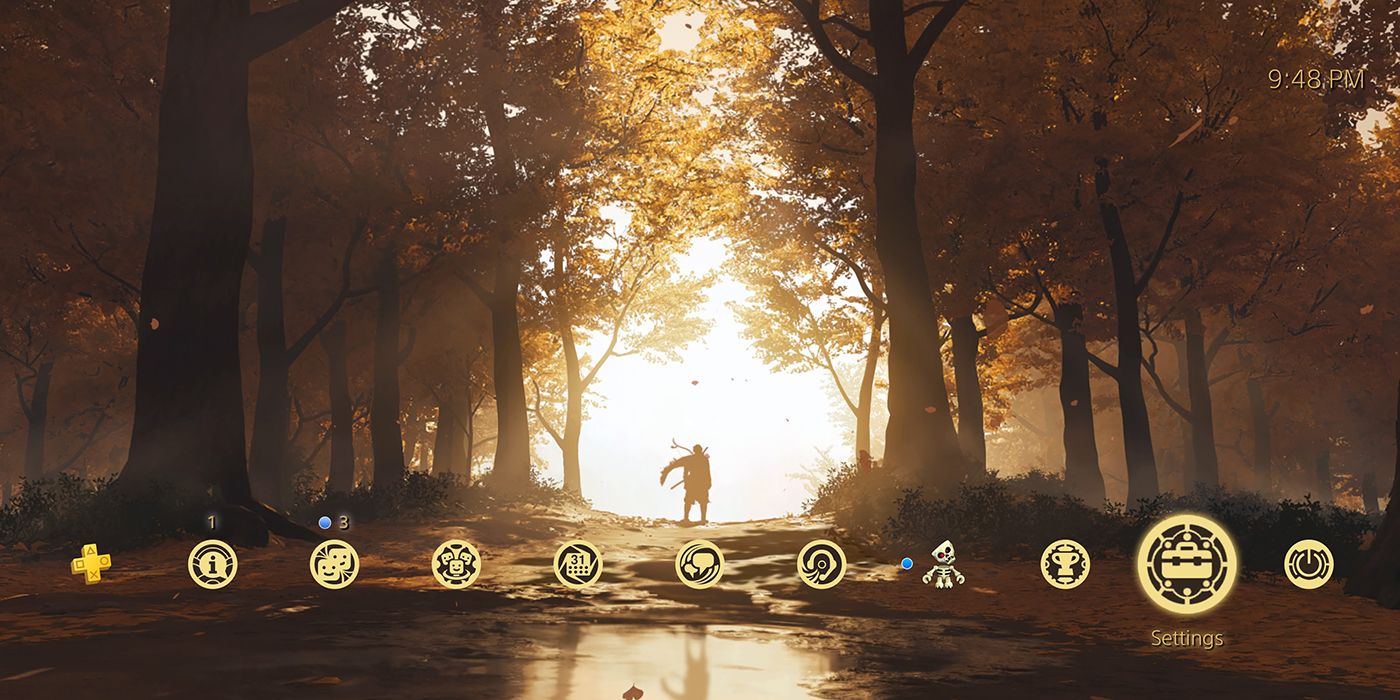
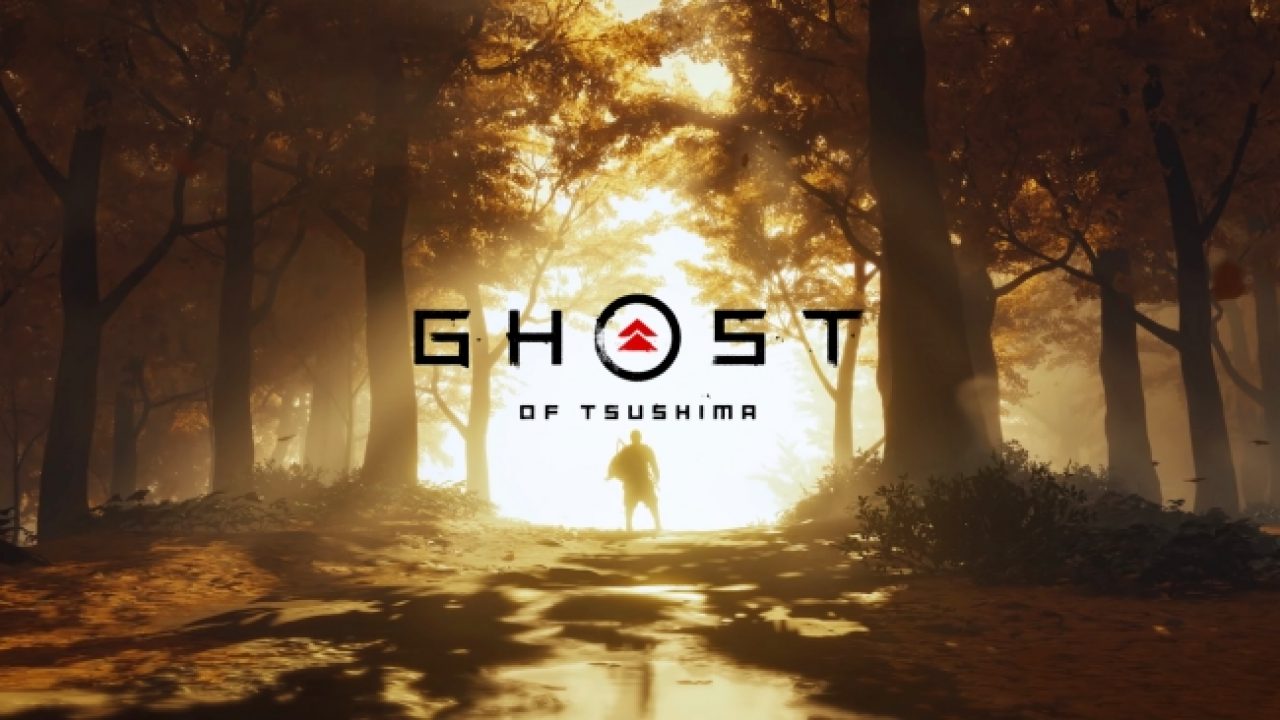
    Sucker Punch recently threw out some news. This revolved around the fact that Ghost of Tsushima received a new free dynamic theme for PlayStation 4. It has been designed from the latest trailer of the game. All you need is a code which you will then have to redeem. Make sure that the code you grab is the correct one, since PlayStation codes are region-specific. Once you get the correct code, feed it to your PS4. The news came early last year December with Sucker Punch posted a tweet mentioning the news. The Ghost of Tsushima dynamic theme basically features a figure standing in a forest as leaves fall from the trees. It is fantastic and we cannot wait to try it out soon enough!

    Ghost Of Tsushima
    Ghost Of Tsushima

    After the release of Infamous First Light in 2014, this is the first launch by Sucker Punch Productions. The previous game was unveiled at the October 2017 at Paris Games Week. Soon after, it was followed by gameplay at E3 2018. Looking at this, we see that it has been about a year and a half until the Game Awards 2019 where Ghost of Tsushima came out.

    Ghost of Tsushima

    So, what is this all about the Ghost of Tsushima? This game is set during the Mongolian invasion of Japan in 1274 CE. During this time, over a thousand Mongol soldiers landed in the Tsushima island and completely gained control of the island soon after. Players take the role of a Samurai warrior named Jin. He is forced to adapt to the new conditions and play his role as a Ghost to survive and fight against the Mongols.

    The trailer focused on the lone samurai story where Jin Sakai is the last samurai left standing. The trailer has some elements that remind us of Sekiro, a popular game released last year. They have managed to get the atmosphere, design, and aesthetics quite right for this time period. Jin will have to work on his battle techniques as he would definitely need more than his traditional samurai methods.

    Ghost Of Tsushima for PS4
    Ghost Of Tsushima for PS4

    The release

    This game is not yet out. It is expected to release sometime in the summer of 2020 for PlayStation 4. The latest trailer for the game is from The Game Awards 2019. While there have been no particular PlayStation 5 developments mentioned, it could no doubt be mentioned closer to the release date. Many have been under the impression that Sony might play this close to the chest, holding the release of the Ghost of Tsushima back for a while. The idea behind this would have been to introduce it as an early PS5 launch title. However, the State of Play broadcast earlier this week said that we will see the game on PS4 as well.

    Sony is working quite hard to release new titles in the upcoming year. In addition to the Ghost of Tsushima, they are also working to release The Last of Us Part II sometime in May. Of course, we are all also looking forward to the launch of PlayStation 5.

  • Amazon Music vs. Apple Music: Which non-Google service is better for Android users?

    Amazon Music vs. Apple Music: Which non-Google service is better for Android users?

    A Quick Overview

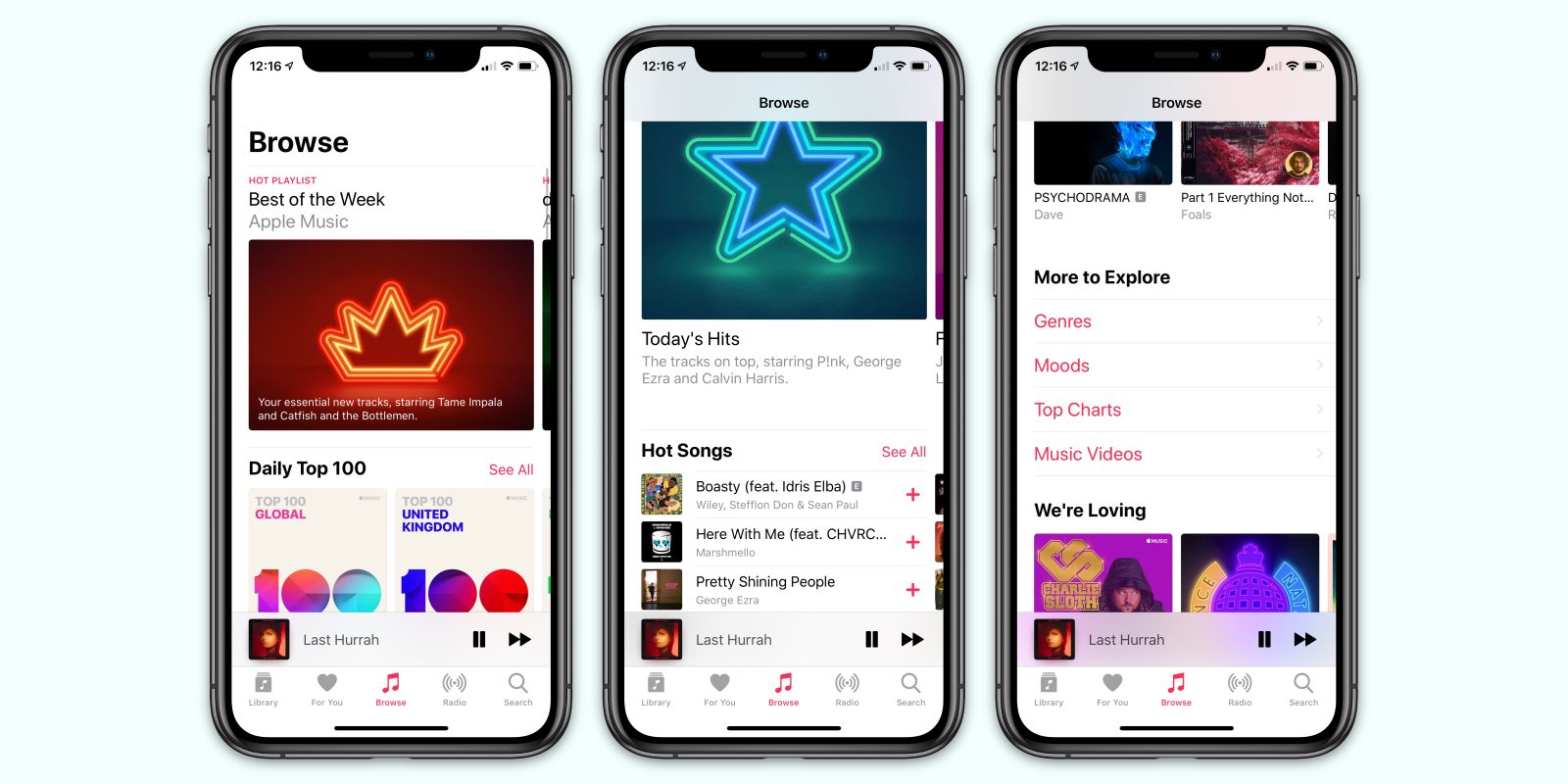
    Where collecting cassettes and CDs were once fashionable, it is the era of streaming. True to that, there are plenty of music streaming services out there including Amazon Music and Apple Music, allowing us to listen to any type of track and audio whenever we want, regardless of where we are. With easy search options, filters, sorting, and the ability to make playlists, convenience like this has never been known before. With dozens of music streaming services, it is a big question which one to choose.

    The top options are Amazon Music, Apple Music, Spotify, and Google Play. In this post, we will do our best to compare and give you the facts and features of Amazon Music and Apple Music. Hopefully, we will be able to help you narrow it down. For comparison’s sake, we will be looking at Amazon Music Unlimited’s single-user plan and Apple Music’s single-user plan. Both of them offer family plans, but the former has other plans like HD plans, single-device plans, and even student plans!

    Pricewise, there is not much to choose since both of them are priced competitively. However, Amazon Prime users will get some discounts for Amazon Music. Let’s look at them both to see which one is better.

    Amazon Music
    Amazon Music

    Amazon Music Unlimited

    Users who are already Amazon Prime members don’t need to pay separately for its Music service. It has more than 50 million songs to satisfy you. With different tier options to meet different needs, Amazon Music has free plans called Prime Music, student plans, family plans, single-device plans, and even HD plans. While Amazon’s  Music service is not known for expertly-curated music or personalized playlists, it is gradually getting better in those areas. Recently, the streaming service introduced playlists like My Soundtrack and My Discovery Mix. In addition to this, it has come up with features like the Side by Side playlist series that has artist commentary.

    Amazon is working to promote Amazon Music via all its area, including its website, on the web, via Echo smart speakers, and more. In the real world, you might see huge banners, posters, and so on. Besides advertising in this manner, Amazon even had Dua Lipa, Taylor Swift, and other celebrities perform for Prime Day concert. It was promoted and shown on its media platform, including its Fire TV. The best part of using it is that it comes for free with Amazon Subscription. It is really a great deal. Because, in addition to the use of its streaming service, you will be able to enjoy Amazon Prime Video, two-day shipping, and so much more. Don’t confuse yourself between Amazon Music and Amazon Music Unlimited. While the former has only about 1 million songs, the latter can provide you with about 50 million tracks.

    Amazon Music Unlimited
    Amazon Music Unlimited
    Pricing

    The very fact that Amazon Music allows for seamless integration with its smart speaker Echo makes it a better experience. Price-wise, it costs about $9.99 a month. However, it comes for free with Amazon Prime subscription and we just cannot stress it enough. Another discount is if you own an Amazon Echo. If so, you will be able to enjoy Amazon Music for just $3.99 a month. The platform allows users to create their own library as well.

    Apple Music

    Although Apple has already dipped its toes into the music industry with its iconic iPod and iTunes, it entered the music streaming quite late. However, when it did arrive, there was no way anyone was able to complete it for a while. Apple acquired Beats in 2014, mostly for Dr Dre’s streaming music service under the same name and of course, for its content. Since Beats was already an app on Android, it was an easy enough job to transition Apple Music to this existing platform and user base. Overall, it was a great move and we are grateful since it gave us the opportunity to give it a try.

    Features

    Apple Music on Android has plenty of features, most of which are similar to that of the ones present on Apple devices. This includes features like AI-powered personalization and customization, expert music curation, and more. The suggestions offered by Apple Music is so much better and right on the spot when compared to other streaming services. It is true that Amazon Music offers suggestions as well, but it just cannot compare to Apple Music at this time. While Apple Music on Android is pretty unbeatable, it does have a few issues.

    Apple Music
    Apple Music

    For instance, there is no free or ad-supported music tier. This is a very basic thing that most streaming services offer. In addition to that, Apple Music does not offer any discounted tiers excepting student plan and family plans. This is different from Amazon Music which is offered for free if you are already subscribing to Amazon Prime.

    The issues apart, Apple Music could seem to be an obvious choice if you won a Mac or any iOS device. Since the streaming service is naturally integrated with iTunes, which in turn is a default addition of every Apple device, you can be sure this will offer you a seamless experience. With the latest macOS Catalina, iTunes will be replaced with the actual Apple Music app, along with the Apple TV and Apple Podcasts. Apple Music offers a three-month free trial for new users. Price-wise, Apple Music is slightly more expensive as well.

    Verdict

    Both Amazon Music and Apple Music have an excellent selection of tracks. However, if we have to go with one, we tilt slightly towards Amazon Music Unlimited over Apple Music. While Amazon gives its users many choices of pricing plans along with a ton of music. Amazon Music Unlimited is available at higher quality bitrates, which is an important aspect for audiophiles. On the other hand, Apple Music has amazing playlists with a great suggestion algorithm. At the end of the day, it is up to each user to see which service would suit their needs the best.

  • Soundcore Liberty Air True Wireless Earbuds by Anker

    Soundcore Liberty Air True Wireless Earbuds by Anker

    Anker is quite popular in the market, all thanks to the fact that it produces top-class products at very affordable rates. These products are not fancy by any means but are perfect for those who want to use its functionality at a bargain price. The Anker Soundcore Liberty Air is a wireless earphone and one of the best in the markets. It is inexpensive, works great, and looks quite nice as well. When you have good functionality at a reasonable rate, it stands to reason that the product is going to gain popularity.

    Design

    If you are an audio freak, this pair might not please you. However, if you are looking for a pair for daily use, this is not so bad. The Liberty Air buds connect over Bluetooth. It comes with its own power supplies located in their stems. This means that your phone will connect to the headphones without any wires. Once you are done listening, you can pop them into their battery case. The case is rechargeable. When you toss your earbuds in, they will recharge till you take them out the next time you need them.

    Anker Soundcore Liberty Air True Wireless Earbuds
    Anker Soundcore Liberty Air True Wireless Earbuds

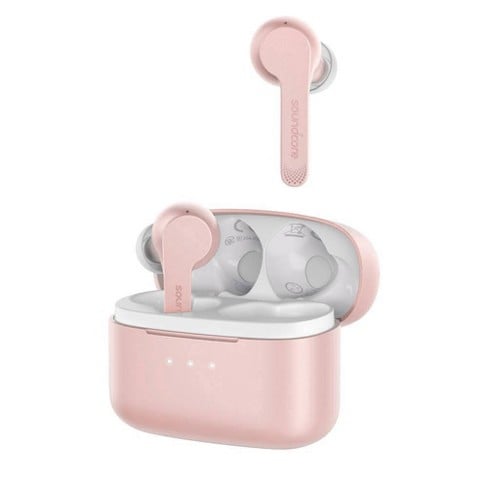
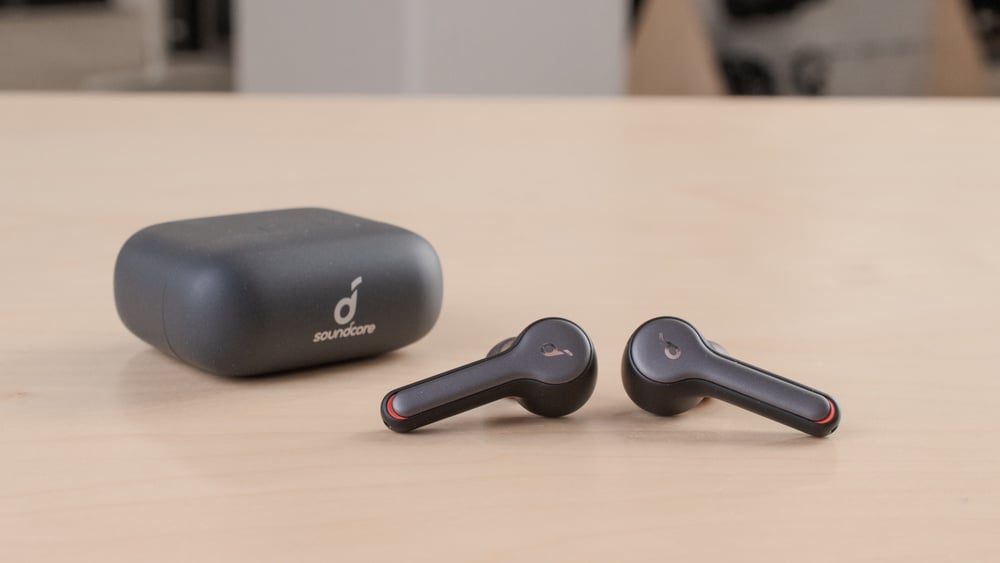
    At first look, many will notice a striking resemblance between the Soundcore Liberty Air Earbuds and the Apple AirPods. The stem of each bud hangs a little bit out of your ear. By this, we mean that it is not truly a buds-only design. These buds feature a gloss black finish. Both of them come with touch-sensitive buttons. While they are slightly bigger than the Apple AirPods, they are quite comfortable to use and light in weight.

    The Anker’s Soundcore Liberty Air earphones boast of a water-resistant rating of IPX 5. This means that while they are not protected against a shower or a swim, they can survive sweat and a splash. One thing to note here is that it is advised that users wipe off sweat and water before they stow the earbuds back in their case.

    The Case

    Coming to the earbud case, it has been designed to be chic with a matte black finish. The MicroUSB charging port is located at the bottom. The case has a snap-shut hinged lid. The earbuds fit comfortably within the magnetic crevices where they rest and recharge themselves. There is a three-dot LED light that tells us how much power the charging case has. The earbuds come with a playback capacity of about five hours. In addition to this, the case allows the earbuds to recharge themselves for another three times. So, at one charge for the case, you can enjoy about 20 hours of playback time. The mileage will naturally vary a bit depending on how loudly you play.

    Connectivity And Features

    Unlike some other wireless earbuds, the Anker Soundcore Liberty Air earbuds can be easily connected without any hassle. The earbuds pair up with each other. You will know this by looking at the little white light on their shells. Once you do, long-press the touch-sensitive button on any one of the earbuds. This will make them discoverable to your phone or other devices. You are done. After pairing for the first time, they will automatically reconnect to each other, and your device, every time you take the buds out of their case. Since they do this with rapid-fire quickness, you can be sure that by the time you take them out of your case and put them on, they would be paired up and ready to go.

    Soundcore Liberty Air Earbuds
    Soundcore Liberty Air Earbuds

    The buttons of the earbuds can be used to do a variety of functions, including answer calls, skip tracks, and more. This depends on the number of times you tap each bud. These true wireless earbuds are highly responsive, which is a major point in their favour. The Soundcore Liberty Air Earbuds are designed to work with popular smart assistants, such as Alexa and Google Assistant. The built-in microphones work decently enough to work with assistants. You can also make calls and find the quality good enough.

    While everything is fine and dandy, there have been minor issues with connectivity at the time. However, it will, in no way, impact the overall use and experience. The reliability of the earbuds is high and we are sure that it will offer a rich and seamless experience to the users.

    Sound Quality

    According to Anker, the Liberty Air buds have superior audio performance. This is because they are manufactured using a Graphene-enhanced design. However, users remark that although it offers pretty good sound quality, it is in no way exceptional. These earbuds can passively block external sound, so much so that you don’t mind the lack of active noise cancelling capabilities. Their bass performance is quite powerful as well. While audiophiles will definitely not find this pair entertaining, it is perfect for those who want it for casual use.

    Liberty Air True Wireless Earbuds
    Liberty Air True Wireless Earbuds

    The sound details are rich and crisp, so much so that you can listen to every beat and detail clearly. When you play a track to try its full volume capabilities, you may notice some crackles and distortion. Here, we see that the ear buds struggle with the output. Keeping to the usual level should give you no trouble. Not everyone would be comfortable and happy with the noise-isolating design. The ear buds don’t have a transparency mode either. By using the tight seal for the ear tips, you will notice that a lot of ambient noise is passively muted.

    Verdict

    The Anker Soundcore Liberty Air earbuds are a great true wireless headphone package. It is affordable, responsive, and with decent enough sound quality. They come with a nice charging case, fit comfortably, and look amazingly chic. Overall, these ear buds don’t seem to have many poor points, except for distortion at very loud volumes. Designed as a competitor to AirPods Pro, it does look like the Soundcore Liberty Air Earbuds have managed to meet their goal. The best part about Liberty Air is that they offer all the top features without the high price tag.

  • Does Stadia Support Cross-Platform Play?

    Does Stadia Support Cross-Platform Play?

    Before we get into Stadia’s features and whether it supports cross-platform play, let us first talk about Stadia itself. Google recently launched its cloud service that lets users play big-budget games. The key point here is that players will not need any downloads, consoles, gaming PCs, and discs. The reason behind this is that Stadia has been designed in a unique manner. It allows its users to purchase the games they want on servers in the cloud. While it sounds a bit dodgy, it is highly reliable.

    One thing you may want to keep in mind is that it will not work as well as a proper gaming PC or console, but it gives you great gaming experience with hardly any hardware investment. With a decent internet connection, a good Wi-Fi router, a nice headphone, and a choice between the Pixel phone, Chromecast Ultra dongle, or the Chrome web browser are all you require to get started. Since Google’s cloud gaming service has only just started, the service is not nearly as effective as one might hope. We hope the new year will bring some great changes.

    Google Stadia cross platform
    Google Stadia

    Google’s video game streaming service launched quite recently. With 2019 coming to an end, the gaming service has 22 games to its credit. With not many games supporting cross-play, players might not find it easy to play games competitively online.


    What is cross-platform play?

    So, what is cross-platform play? The term refers to the fact that those playing on different devices would be able to play multiplayer games with each other. A good example is when PlayStation 4 users can get down for a match against a player on Nintendo Switch. Most console games today only let players play against those using the same console. With cross-platform play, it will expand a whole new area for the players.

    So, does Stadia Support Cross-Platform Play?

    Long story short, yes, Stadia does support cross-platform play. However, the main thing to note here is that Google has not mentioned which devices or services will be compatible. It is not yet known if devices like PlayStation 4, Xbox One, and Nintendo Switch will be supported by Stadia for cross-platform play. However, we can be sure that it will support cross-play between Stadia-capable devices, such as Android Pixel phones, Chromebooks, and Chromecast.

    Destiny 2
    Destiny 2

    Cross-platform support is not available on every game. For instance, Destiny 2 only offers cross-save. Destiny 2 is considered by many to be Stadia’s flagship game. It is offered with Stadia Pro subscription. Players trying to socialize in the game are struggling to do so due to cross-play issues.


    Players hope that sometime in the near future cross-play will become the norm, opening more avenues for the players and allowing for a better gaming experience. It looks like Google is working with developers to make sure that this feature is made available many games as possible. Stadia Games and Entertainment is Google’s new gaming studio. The head of this department, Jade Raymond, mentioned that they would be focusing on executing cross-play in first-party titles.

  • Android Bloatware: Google Pushed To Take Action Against It  By 50+ Organisations

    Android Bloatware: Google Pushed To Take Action Against It By 50+ Organisations

    Android has always had issues with bloatware, regardless of whether its form carriers or OEMs. Recently, an open letter made the rounds that pushed Google to take some sort of effective action against bloatware on Android. The letter had the backing of more than 50 privacy organizations. Privacy International posted this open letter to Sundar Pichai, the Google/Alphabet CEO, requesting him to take action “against exploitative pre-installed software on Android devices.” It quotes a study that found that as much as 91% of Android bloatware doesn’t even appear on Google Play Store. This open letter was posted via ZDNet.

    Since these apps come pre-installed and are system apps, these cannot be deleted. This means that they have advanced permissions when compared to your other regular apps. This could also mean that they will have more privacy loopholes which cannot even be detected by us users. These kinds of things have happened in the past.

    Android Bloatware
    Android BloatwareAndroid Bloatware

    The Open Letter and its Contents

    The letter requests Google take urgent action against Android bloatware. The very first request states that the users should be able to delete any pre-installed app on their device fully without any conditions. The next request mentions that these pre-installed apps should “adhere to the same scrutiny as Play Store apps.” This is a pretty good point and one which we all tend to ignore or conveniently forget. Thirdly, pre-installed apps should have “some update mechanism” that doesn’t need an account. Google should not certify devices having privacy issues.

    Android Partners are those who make use of the Android trademark and branding. They are manufacturing devices that have pre-installed apps that cannot be deleted. These systems apps are often referred to as Android bloatware. The mere presence of these apps could make users vulnerable. This involved being unaware about their data being collected and shared without explicit permission or indeed, their knowledge. The letter ended on a note as mentioned below.

    Android Bloatware pre-installed apps
    Android Bloatware pre-installed apps

    “…We, the undersigned, believe these fair and reasonable changes would make a huge difference to millions of people around the world who should not have to trade their privacy and security for access to a smartphone.”

    Following the end, the letter had the signatures of more than 50 organizations. The signees were mostly who focus on consumer privacy. Some well-known names in the list included American Civil Liberties Union and DuckDuckGo.

    The Signees

    The open letter requested Google to take action against Android smartphone manufacturers who sell devices having pre-installed apps that cannot be removed or deleted. As many as 53 organizations have backed up this letter to Google CEO Sundar Pichai. These organizations believe that Android bloatware could be harmful to user privacy. The main reason behind this is that we cannot delete most bloatware apps. This makes the users vulnerable to the crooked vendors and app makers sharing their data.

  • Next Nubia Red Magic to have 144Hz screen

    Next Nubia Red Magic to have 144Hz screen

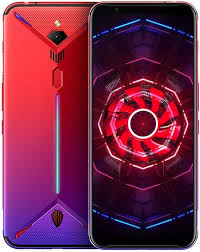
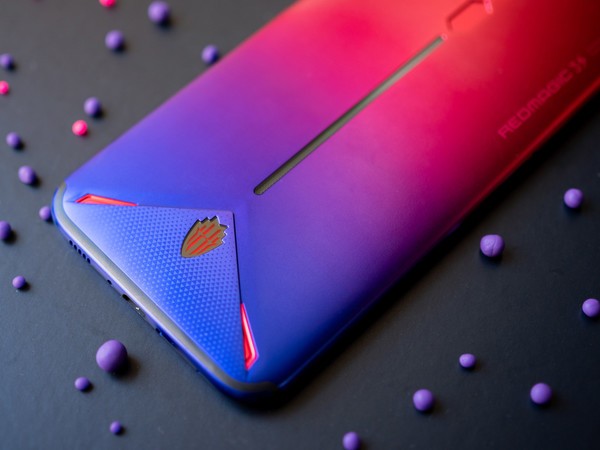
    Nubia is a gaming brand that is currently working on its latest device. The team is focusing on it quite dedicatedly with the CEO posting a similar message on Weibo. He shared a screenshot which confirmed that the company is working on a smartphone that will support 144Hz max refresh rate, in addition to 90 Hz and 120 Hz. The CEO also referred to the phone as “Red Magic 5G phone”. The name confirms that their next release would be a 5G phone. However, that is not so surprising since many manufacturers are working on similar models to keep up with the trend.

    The CEO of Nubia, Ni Fei, disclosed that the new flagship device will feature three cameras on the rear. The phone will run on Snapdragon 865 chipset and the SoC will be paired with a Snapdragon X55 modem. Different sources mention that this Nubia Red Magic phone could possibly come with a different version featuring Qualcomm’s latest chipset. However, this would be paired with a different modem. The idea behind this is that the other variant is aimed at lower price markets and for markets are not 5G-ready yet.

    Nubia Red Magic
    Nubia Red Magic

    Nubia Red Magic

    We only recently got a look into the latest and upcoming Nubia Red Magic gaming phone. The phone is will support 5G and come with a maximum refresh rate of 144Hz. According to an official Weibo post by the CEO, it looks like there are several screen refresh rates, starting from 60Hz to 90Hz, 120Hz, and up to a maximum of 144Hz. While other gaming phones have had higher refresh rates before, it is not so common with commercial phones. The 2018 Razer Phone 2, a gaming model, boasted a 120Hz refresh rate. On the commercial side, Google Pixel 4 featured a 90Hz screen refresh rate.

    In 2019 H2, we saw flagship devices featuring 90Hz displays. However, these did not stay popular for long since ASUS then released its ROG Phone II with a 120Hz OLED panel. Nubia is here to shatter all this with its 144Hz screen. The company is currently testing out the same. The best part about this is the fact that it is expected to be priced very affordably. The very fact that the best gaming phone in the market with top features is selling for a very reasonable rate is enough to attract anyone, gamer or not.

    Nubia Red Magic 5G
    Nubia Red Magic 5G

    144Hz Screen Refresh Rate

    Recently, OnePlus talked about introducing 120Hz screens in its future devices. This announcement was again made on Weibo. Strangely, it was made the very same day Nubia mentioned that its Red Magic phone will feature 144Hz. This essentially means that the display will refresh 144 times per second. It is not very much and in fact, is counted to be typical for gamer-focused desktop computer displays. However, it cannot be detected by humans on small screens like this. Since response time is a major factor in gaming, Nubia is likely to attract a lot of gamers. Of course, the addition of 5G is just icing in the cake.